
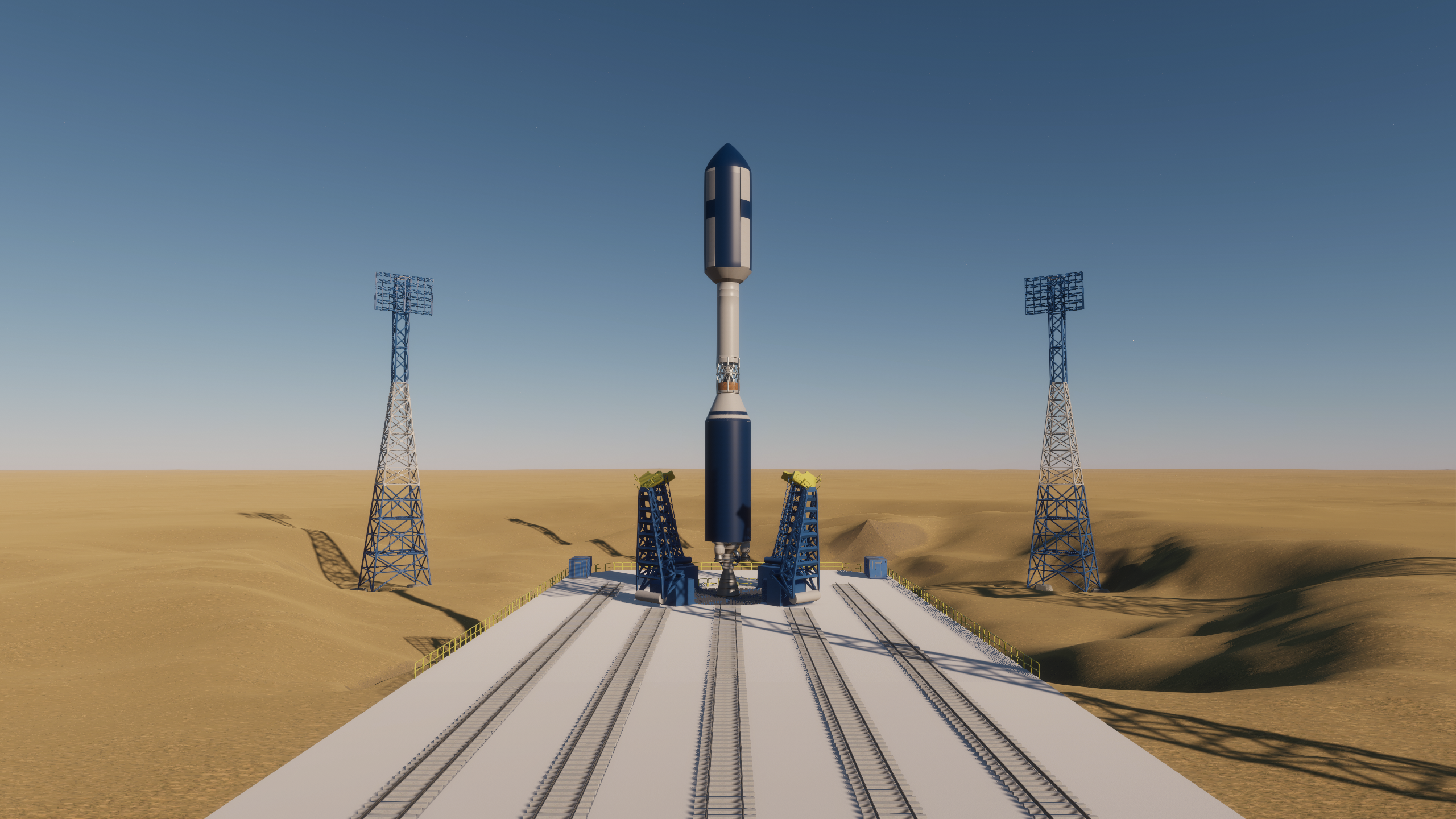
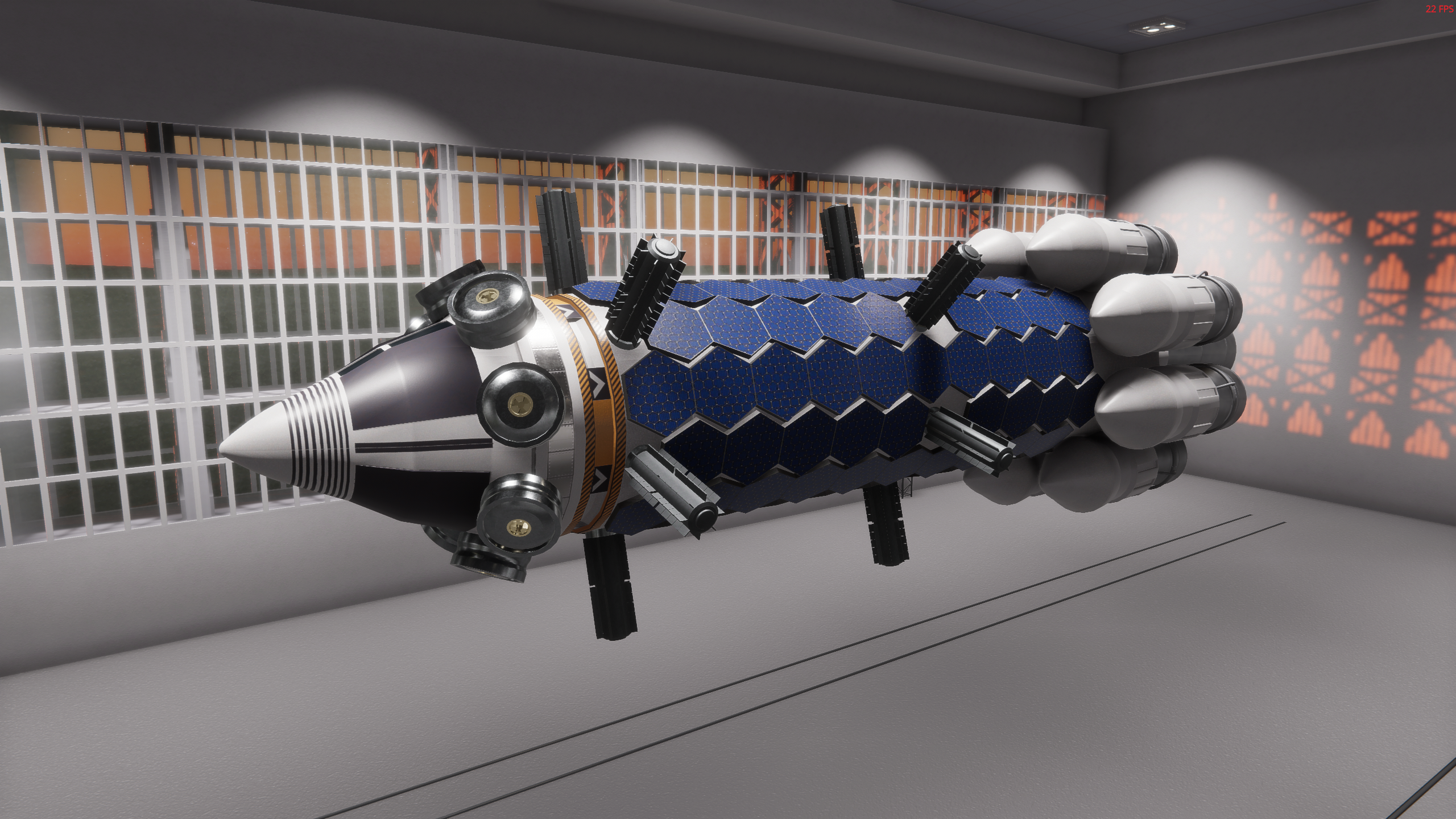
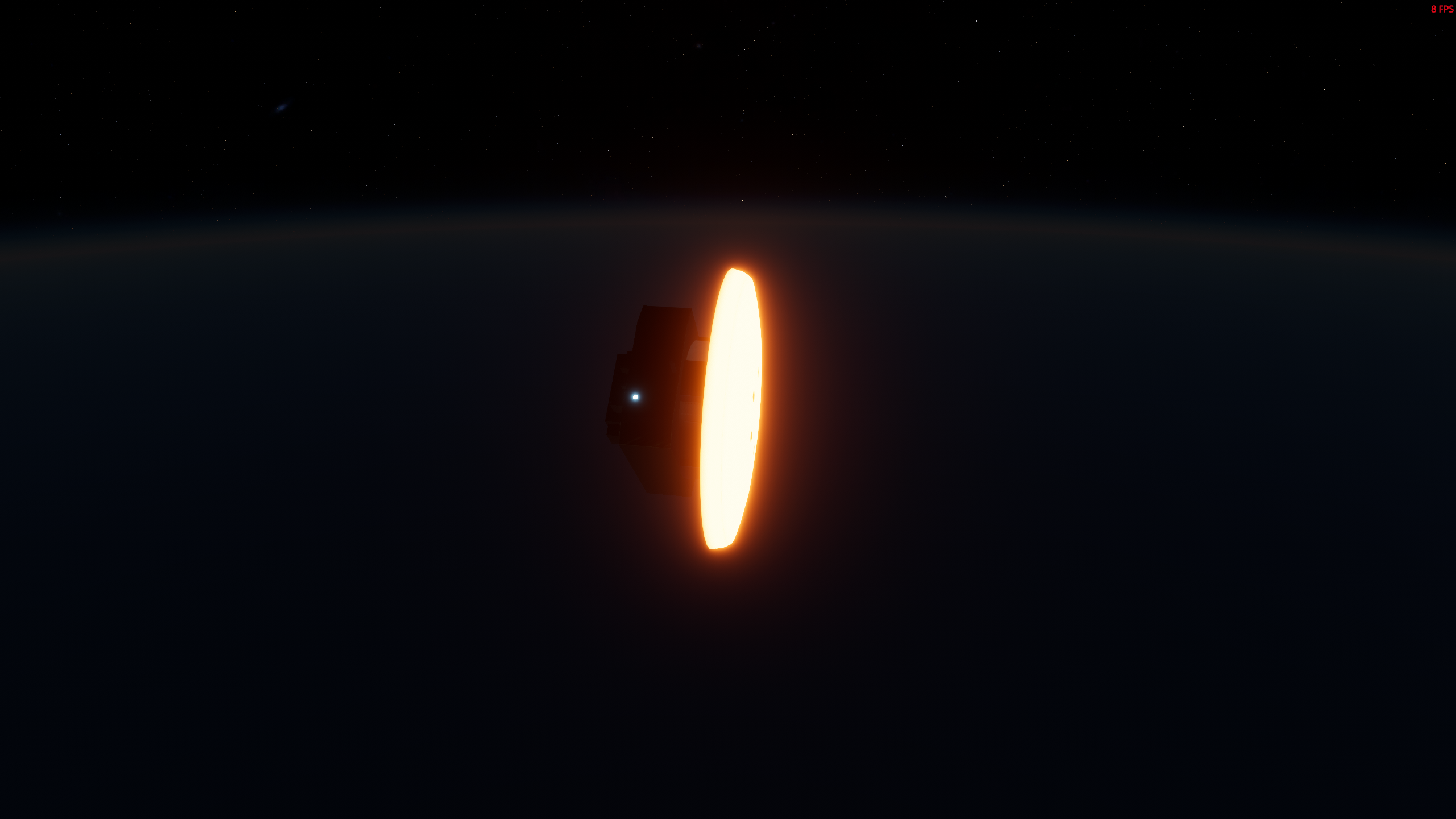
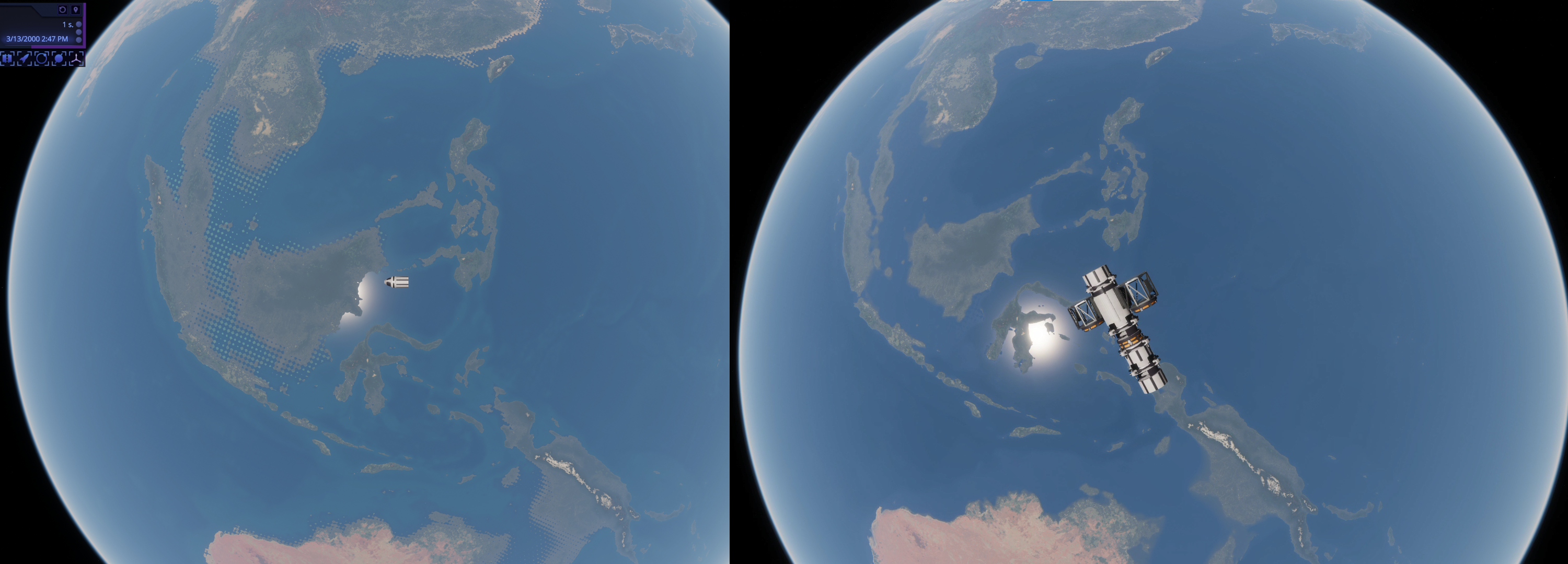
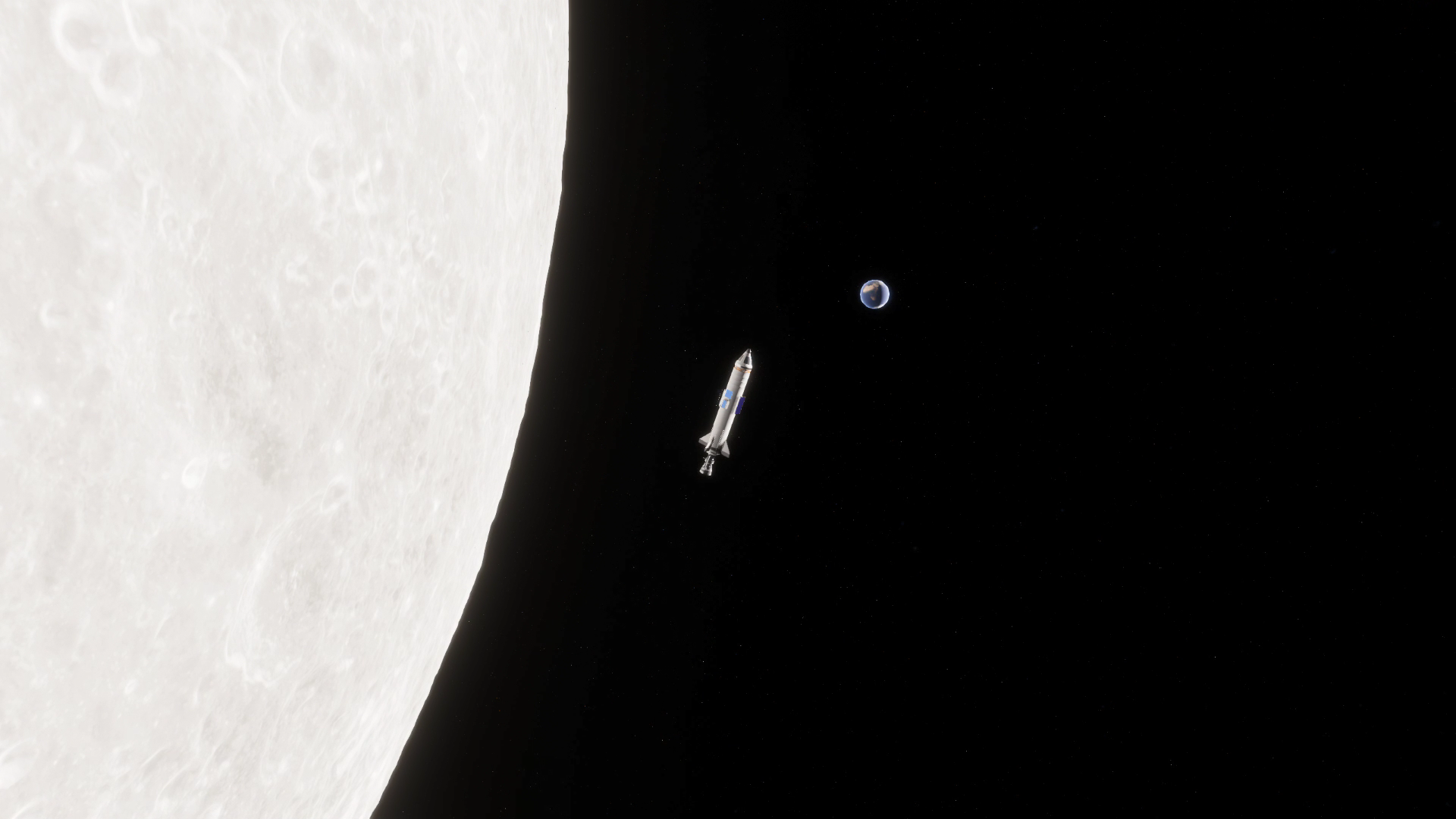
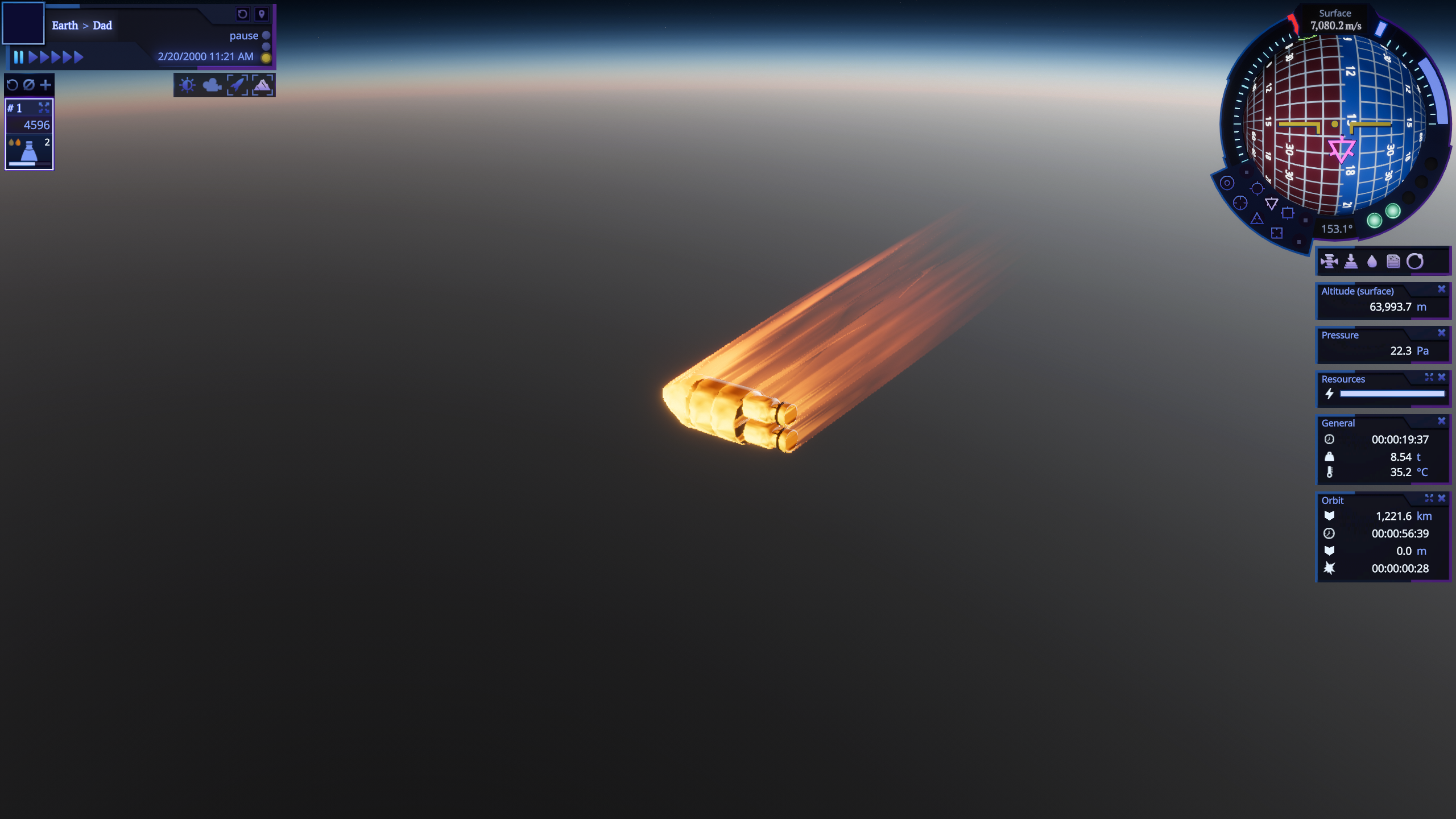
It's time to reveal what I was working on since the last update release. Long story short: another important system is coming, that will affect how you assemble your rockets and how you fly them.
Here is a small patch with a bunch of fixed bugs that were found by our community. Since most of them were pretty critical, I've switched from v0.24 development to fix them all.
v0.24.16 release notes
Features:
🔸 added craft validation and cleanup on load, wich will be able to fix and load broken spacecrafts with missing attachments, parts, etc.; 🔸 added "clear" command to console.
Changes:
🔸 changed all pivot position of command modules and probe cores to the bottom socket; 🔸 thermodynamics calculations deltaTime now clamped to 2 days / sec max, otherwise it becomes very unstable and parts start exploding; 🔸 further reduced thermal production coefficient on some engines; 🔸 slightly reduced collision radius for dynamic attachments so small parts like rcs mounting point now can fit rcs engines without problems.
Fixes:
🔸 NaN temperature on crafts where some parts were placed inside the payload fairing after fairings were installed; 🔸 NaN temperature after decoupling part of the craft and then time warping (in case you switch to decoupled craft); 🔸 last time warp button with time warp 1 month / sec sets warp to 7 days /sec; 🔸 missing burn time values for some Hydrolox engines; 🔸 "Rumble" and "Hose" decouplers stay coupled after separation if they were attached using second radial attachment pivot point; 🔸 symmetry stops working when RCS block was mounted longitudinally and other parts attached to it. 🔸 reentry and mach effect suddenly disappears sometimes; 🔸 heat shield stops protecting rocket parts after undocking; 🔸 wrong position of center of thrust and lift if you move craft to the side and then attach engine / wing; 🔸 crash when loading any mod then returning to main menu and then continuing the game; 🔸 improve memory consumption and performance in some cases.
Patch v0.23.8
Here is a small patch with a bunch of fixed bugs that were mostly found by the community. It also improves the game stability a bit and brings some QoL features.
I am also moving to v0.24 development which should be the last "system-like" update. After that I will finally start to focus mostly on survival mode and adding content to the game.
v0.23.8 release notes
Features:
🔸 you can configure wheel steering angle and invert steering controls now; 🔸 you can configure decoupler force percent;
Changes:
🔸 you need to hold ctrl to copy part now instead of shift, since shift is used for ignoring fixed attachments; 🔸 reduced heat transfer from combustion chambers for biggest engines in the game, adding approximately 30-40 seconds of burn time for them;
Fixes:
🔸 you can't attach anything to the assembly if you attach existing part to already placed not connected part; 🔸 positions become shifted if you attach existing rocket part group to already placed not connected part; 🔸 some part names contain not assigned parameters like "{0}"; 🔸 some parts have missing names when selecting them in the assembly; 🔸 probe core parameters have inconsistent order when selecting part from the list compared to selecting already placed part; 🔸 time parameter is not a valid number error in the console every time you start a flight; 🔸 rcs engines VFX is completely missing; 🔸 spacecraft suddenly rotate on docking; 🔸 warp to maneuver not working when time is paused; 🔸 wrong TWR is calculated on active stage when orbiting any other body than Earth; 🔸 spaceport lose global illumination and camera starts to jitter if double click on any surface object on the map other than space center; 🔸 Structural Adapter Octahedron-Hexagon is missing side dynamic attachments; 🔸 when attaching something to Wing or Inner Wing Type C1, attached part are floating far from wing surface. 🔸 [Mods] surface object mod doesn't detect facilities change after first save; 🔸 [Mods] facility get the wrong type when changing it to runway or parking; 🔸 [Mods] facility marker have an incorrect position; 🔸 corrected tooltip for F action (its changing pivot point now);
Update v0.23 "Ascended Assembly"
Welcome, fellow rocket scientists and pilots, to Update v0.23 “Ascended Assembly”!
This time I brought you:
Dynamic attachments
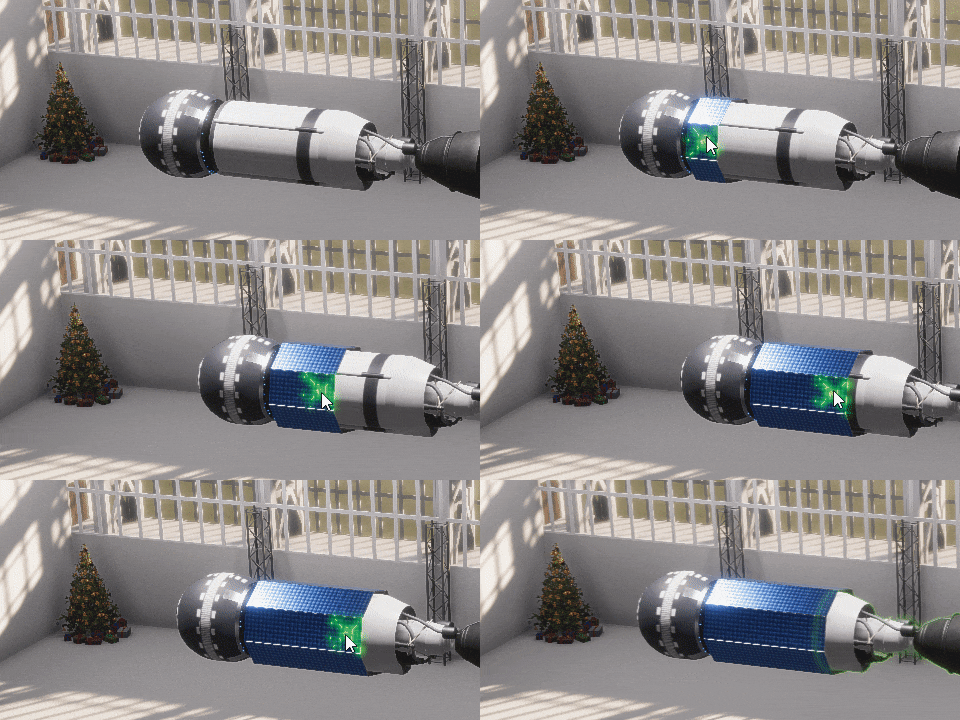
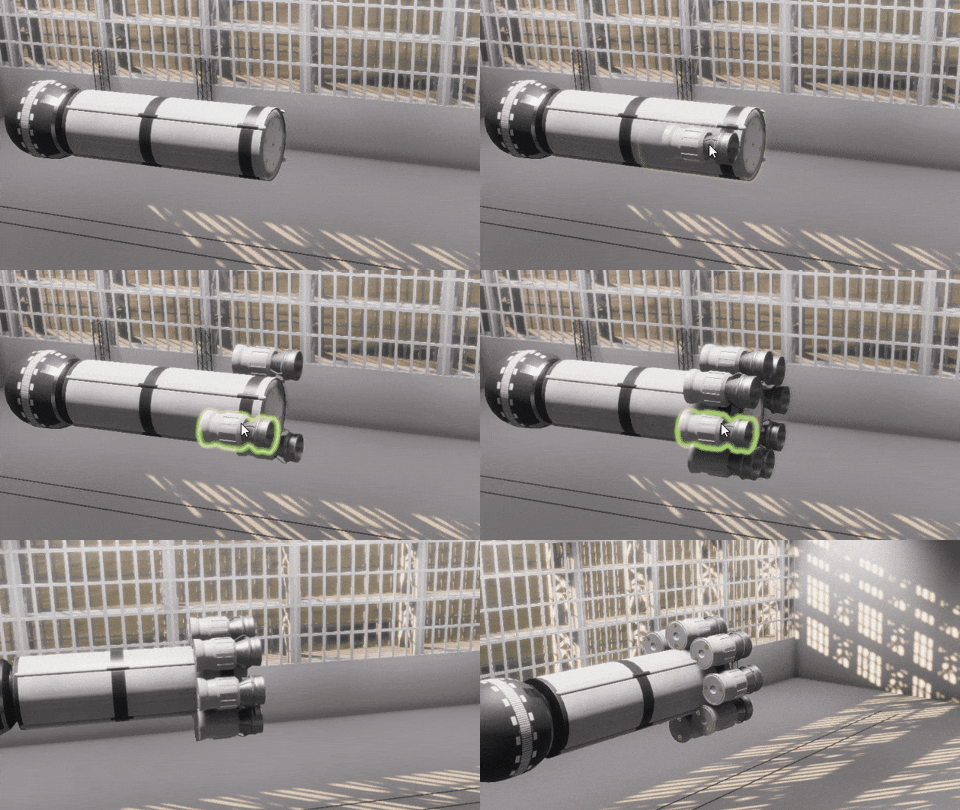
I've talked about this attachment system rework in depth in my blog post. Long story short: you can finally place rocket parts radially almost whenever you want.
The game will create radial attachments automatically for you. This will unlock the full potential of vessel crafting. Not only that, but there are more advantages to the new system:
Dynamic attachments work great especially for planes, they can finally be properly balanced.
You will be able to attach most engines to the sides of fuel tanks. Some interesting rocket designs are incoming!
Cargo parts will be much more useful, as you'll be able to attach other parts anywhere inside it.
Payload fairings now attach to the side of any cylindrical part of the appropriate radius. It should be much easier to use them now.
This system is a bit different than what you are used to so I strongly recommend finishing a newly added “Dynamic attachments” tutorial in the control center. That helps you understand how this system works and also teaches you some useful hotkeys.
Also, it’s worth noting that a lot of rocket parts were reworked by changing size, shape or other parameters especially from the structure category. Now part radius and number of sockets are much more consistent.
Transonic / supersonic drag calculations and effects
I’ve been asked about this since day one after release. It is better to add it later than never, so here we go.
Multiple launch sites support
Another highly requested feature. Now you can launch spacecrafts from different locations. I’ve added the Baikonur cosmodrome as a feature test case. It consists only of a launchpad now, but I will expand it into a proper launch site in the future. Since the location of Baikonur is a bit superior to the main space center, it will be locked until you complete the “Land on the Moon” contract.
Those players, who are following the development of the game since the begining, may recognize this launchpad
More importantly, you can add launch facilities to the surface mods now. So I am looking forward to mod where I can launch my rocket from Kennedy Space Center…
There are a lot of other changes and improvements in the game. Like now you can control camera in the assembly shop using WASD or recover vessels that landed safely (or not so) on Earth. This update is not as big as the last one in terms of game-changing content, I mostly did the groundwork in preparation for v0.24 which will be huge feature and content wise.
Merry Christmas and a Happy New Year!
v0.23.4 release notes
PREVIOUS SAVES ARE NOT COMPATIBLE WITH THIS VERSION OF THE GAME. If you want to continue plaing your save or you have problems with this update, please switch to v0.22.x branch.
Spacecrafts in mods are not compatible with this version of the game. You need to remade them and republish your mod.
Features:
🔸 added dynamic attachments for almost all rocket parts; 🔸 implemented radial and linear snapping for dynamic attachments; 🔸 added transonic / supersonic drag calculations; 🔸 added reaching transonic / supersonic speed effects; 🔸 added support for multiple launch sites; 🔸 added rewards and unlocks system; 🔸 added Baikonur launchpad (unlocked after completing Land on Moon contract); 🔸 surface objects mod now support launch facilities; 🔸 added WASD camera movement to the Assembly shop; 🔸 you can recover vessels and debris from the surface of Earth.
🔸 all part variants with side attachments are gone; 🔸 removed line socket (as it no longer needed); 🔸 F now sets the part pivot point to the next available attachment instead of just flipping the part; 🔸 all cube and hexagon structures were decreased in size; 🔸 payload fairings now can be attached to the side of fuel tank; 🔸 changed longitude sockets on most reaction wheels, making them correspond to its size; 🔸 "Rumble" Decoupler no longer consist from two parts and can be attached directly to the side; 🔸 changed or reworked shape (or size) and basic properties for many parts, mostly in “structures” category.
Changes:
🔸 physics representation of rocket now loads synchronously; 🔸 you can attach up to 65536 parts to another part (previously was 256); 🔸 reduced amount of snapping during rocket assembly; 🔸 improved color outlines highlighting during assembly; 🔸 adjusted all tutorials because of dynamic attachments; 🔸 changed how fuel consumption works: now engines consume fuel evenly relative to total volume between all tanks; 🔸 added additional tutorial steps into basic tutorial. 🔸 reworked how force for payload fairings is calculated, now it only account for total payload fairing mass, not the rocket mass.
Settings:
🔸 [Assembly] hotkey for "select" mode is now E instead of S (because S used for moving camera).
Fixes:
🔸 countless bugs related to part async loading when making quick changes to rocket in assembly; 🔸 planet generation stop working when CPU have only 2 cores; 🔸 symmetry not working on top of rovers; 🔸 crash when switching heat shield type on not attached part; 🔸 [Assembly] sometimes selection switches to another part when you try to rotate current part; 🔸 [Assembly] attachment detection is working worse when the rocket is in the vertical orientation; 🔸 [Assembly] game is broken when detaching engines when symmetry is enabled and then undo this action; 🔸 exception when trying to save modified heightmap first time in the surface mod; 🔸 engine flames sometimes slightly offset relative to combustion chamber; 🔸 removed loud car honking from assembly ambient sounds; 🔸 game loading stuck when mods with unsupported rockets is enabled.
Known issues:
🔸 facilities doesn’t properly save and update when created for the first time; 🔸 facilities offset doesn’t match launch coordinates.
Dev Update: Assembly Rework, Stage 3
Hello,
It's time to reveal what I was working on last month. Long story short: big changes to the rocket assembly are coming!
These two weeks were very productive. I’ve spent them stabilizing the game after the release of v0.22.0 update. I got a lot of good feedback and bug reports and fixed most of them. Now I'm satisfied with the quality of the update and can move to the development of v0.23 version. I have big plans for it and prepared a huge list of changes I want to make. As always I will uncover some of them in a future dev update.
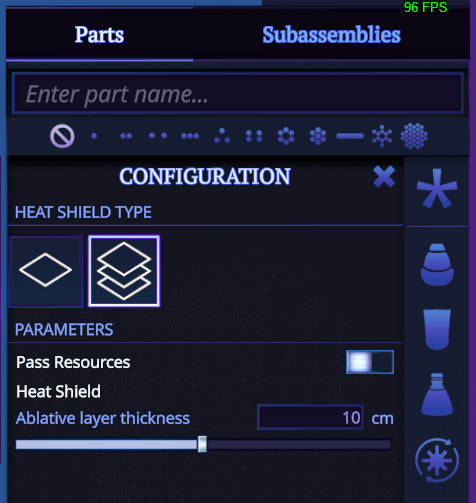
Now let’s move to highlights for this patch. First of all, I’ve added an ablative variant for each heat shield. You can now configure the thickness of the ablation layer and it will resist the radiative heating which appears when you enter the atmosphere at speeds higher than 9 km/sec. This allows you to make a return mission from the Moon or break against the planet’s atmosphere in the interplanetary flights. Be careful tho, this heat shield will not save you if the re-entry angle will be too steep.
A small but pleasant change: the heated shields are now emitting light.
I also fixed a lot of bugs that were in the game for years. For example, I finally found a way to deal with those circle artifacts visible on high Earth orbit. You can still notice the small ones, but they are much less prominent.
Earth no longer loses its atmosphere when you enter the Moon’s sphere of influence.
And a quick load made during the flight will finally load you directly into the flight!
You can find a full list of changes since v0.22.1 below. Thank you and see you in the v0.23 update!
v0.22.5 release notes
Features:
🔸 added ablative configuration variant for all heat shields; 🔸 you can change pass resources state on decoupler during the flight; 🔸 quick load during the flight will load directly into the flight; 🔸 state indicator on probe cores now change color depending on the state of probe core; 🔸 you can directly switch to select mode when right click on the part and the assembly is in rotate mode; 🔸 heat shields now glow when heated; 🔸 added "Lock thrust limiter" toggle to engines, so when it is enabled engines will ignore any global thrust limiter changes and keep its configured value; 🔸 added several additional tutorial steps to the base tutorial that explain side attachments and part configuration; 🔸 added protective "shadow cone" for heat shields, so side attached parts will not receive heating if they are covered by reentry shadow from the heat shield.
Changes:
🔸 improved bluntness calculations for reentry: partially occluded surfaces should not receive increased reentry heating like it was before; 🔸 significantly optimized spacecrafts list in the control center if it contains a lot of spacecrafts; 🔸 optimized thermodynamics system performance on time warps greater than 1h/sec 🔸 improved heat shield part tooltip in the assembly shop; 🔸 adjusted heat shields center of mass to make them more stable; 🔸 parts no longer heat at when they are oriented at 85-90 degrees relative to airflow; 🔸 increased max internal temperature for all decouplers; 🔸 scroll speed is the same in both directions, when adjusting maneuver using scroll wheel; 🔸 improved logging when rocket part is destroyed because of overheating; 🔸 activating the next stage will no longer override thrust limiter if it was previously set to any value other than 100%; 🔸 twr and burn time now recalculated for stage when changing the thrust limiter for engine in the assembly; 🔸 thrust limiter in part config in the assembly now have proper rangnes; 🔸 moved center of mass for all probe cores down a bit, to make them more aerodynamically stable; 🔸 tweaked parameters of parachute, so it is more resistant to reentry heating.
Fixes:
🔸 unstable thermodynamic simulation on high time warp; 🔸 exception after that part stats stop properly update in the part window; 🔸 "Clap" longitudinal decoupler not passing resources after docking; 🔸 sometimes game crashes when quick loading; 🔸 a lot of small bugs related to resource transfer via docking port module; 🔸 sudden rotation around y axis of spacecrafts when docking; 🔸 empty dropdowns in the navball mod; 🔸 fonts have different sizes in the surface mod; 🔸 part attachment systems sometimes breaks when reattaching small parts; 🔸 rare crash on reentry; 🔸 negative total mass when adding some parts, changing variants and then removing it; 🔸 planet atmosphere disappears in main menu if you replace spacecraft with custom one; 🔸 rotated heat shields generate wrong heat shadow; 🔸 fixed Earth losing its atmosphere on SOI change; 🔸 greatly reduced dot artifacts on planet surface on high altitudes; 🔸 Rumble decoupler overheat very quickly; 🔸 rocket state in flight (amount of fuel, etc) reset after save loading; 🔸 fins used as a rudder work incorrectly on some attachments; 🔸 fins control surfaces not correctly shown when symmetry is enabled; 🔸 infinite exception loop when trying to change side booster parameters; 🔸 combustion chamber rotates around up axis for no reason; 🔸 thrust limiter is showing as 0 in flight / assembly windows, when it set exactly to 50%; 🔸 memory leak when duplicating rocket; 🔸 tutorial stuck if you attached more parts to the rocket than was requested by the tutorial; 🔸 exception when opening the map using button in the control center (and back to spaceport); 🔸 engines attached to cockpit or rover become start rotating 90 degrees down if they have TVC; 🔸 not saved window close button doesn't work (Assembly); 🔸 can't attach anything small into side slots of Adapter 1.2-0.55; 🔸 when changing fuel tank attachments and it is a root part, attachment positions become broken; 🔸 removed launch button from the UI in the rocket assembly mod; 🔸 "in", "out" buttons and fuel amount slider doesn't update and change state in docking port window.
Known issues:
🔸 game crashes when opening any mod preview and then trying to continue the game (Unity issue, can't do much about it for now)
Update v0.22.1 "Foundation" is out!
Rocket Science v0.22.1 “Foundation” update has finally arrived! I’ve decided to change my update highlights format a bit and made a video that clearly demonstrates the most important changes. As always, you can find full release notes below.
I want to touch on some things that were not included in the video. Firstly, there are not many implications of thermodynamics at the moment other than engines, re-entry and solar radiation overheating. So you will be able to try it out and tell me if it is working as expected in all cases and all possible part combinations (it is not possible to test everything by myself). I hope to have all the thermodynamics related bugs fixed and any missing thermal control parts added for the next update. Since I am going to introduce operating temperature ranges for some parts, you will have to pay even more attention to spacecraft thermal control in the future.
Secondly, I will spend the next couple of weeks not only fixing new and already reported bugs by players, but working on a thermodynamics tutorial, where I will try to explain all processes that are happening in this system. Also I am planning to add several parts that I didn't have time to work on this time.
That’s all, thank you for your support and have a nice flight!
v0.22.1 release notes
Some spacecrafts may be broken because of these changes.
Features:
🔸 thermodynamics was introduced to the game; 🔸 added re-entry effect; 🔸 extended Earth and Mars atmospheres density, pressure and temperature calculations up to its maximum altitudes supported by models; 🔸 [Flight] total rework of all part windows; 🔸 [Assembly] rocket stages now support undo / redo; 🔸 [Assembly] added an ability to change root part; 🔸 [Assembly] you can change side attachments on already placed part; 🔸 [Assembly] you can configure any module on placed part; 🔸 [Map] you can now pin any tooltip on right mouse click; 🔸 fins are aerodynamic surfaces now that can be used to control the rocket; 🔸 you can disable and hibernate probe cores now to reduce electricity consumption; 🔸 you can disable reaction wheels; 🔸 added new fuel pair: kerosene - lox and engines that support it; 🔸 engine plume was completely reworked; 🔸 all tutorial windows can be dragged now; 🔸 added new thermal part category.
New rocket parts:
🔸 "Razryad-518", “Zaryad-021”, “Duga-8” liquid fuel engines; 🔸 General-Purpose Heat Source (RTG) and Multihundred-watt RTG; 🔸 Payload Fairing Strait Base GO-5; 🔸 Small Fin; 🔸 Passive Heat Shields for 0.55 m, 1.2 m and 2.5 m 🔸 Passive Radiator Panel and Passive Radiator R-2.
Part changes:
🔸 Basic Fin now have control surfaces 🔸 “Vega-072” engine was made bigger and now requires star socket to attach to; 🔸 tweaked ISP and thrust for “Iskra-758”, “Energia-C8.95” and "Yuzhniy-348" engines to be inline with real analogs; 🔸 Structural Adapter 1.2-Cube and Structural Adapter 1.2-Module were moved from structures category to adapters.
Changes:
🔸 flight part window now opens on right mouse click for consistency with assembly; 🔸 engine system performance was increased by a factor of 5 in some cases; 🔸 engine heat emission is no longer fake; 🔸 reworked "warp to" algorithm, it is now much more precise; 🔸 improved precision at which drag data is baked; 🔸 reaction wheels consume energy evenly (previously small wheels consumed first); 🔸 camera will continue to follow spacecraft if its command module was destroyed; 🔸 [Assembly] you can now open part config by right clicking on part; 🔸 [Assembly] removed angle restrictions from all socket types for attached part rotation; 🔸 [Assembly] you can't reattach already attached part to another one; 🔸 [Assembly] significantly improved "Reset all stages" algorithm, that composes stages better now; 🔸 all selection and hover outlines now brighter; 🔸 increased electricity capacity up to 2x for all batteries, probe cores and command modules; 🔸 collapsed solar panel partially produce electricity, reduced by amount of area hidden from the Sun; 🔸 solar panels energy production now depends on distance to the Sun. 🔸 added "burnTime" into engines tooltip. This is the amount of time an engine can burn in vacuum continuously without overheating. 🔸 added area and volume parameters to all tooltips; 🔸 all single side attachments were rotated 90 degrees to be consistent with the direction of line attachments; 🔸 some positions of side attachments were swapped to better support changing them on already placed part; 🔸 cleanup a lot of code and assets related to old timeline system; 🔸 build size was reduced by 2 GB.
Fixes:
🔸 when clicking on item on parts panel, click event happens twice; 🔸 reaction wheels consume 2x time more energy than in spec under heavy load; 🔸 Rocket does not reset if you make changes to it and then exit to space center via main menu; 🔸 if you create new rocket, not make any changes to it and then try to exit from editing mode, not saved window is not shown; 🔸 orbit raycast sometimes not working on highly eccentric orbits (again). 🔸 game freezes when entering atmosphere on high time warp; 🔸 sometimes rocket parts suddenly rotate after coupling; 🔸 [Assembly] center markers get wrong positions if you move spacecraft and then attach any part to it; 🔸 [Assembly] part resets its rotation when reattaching from one socket to other; 🔸 navball autocorrection buttons not change state, when autocorrection was changed from command module window; 🔸 Seeker Decoupler can not be clicked during the flight 🔸 exception when changing part config when part is not attached to the rocket; 🔸 sometimes fuel indicator near navball stuck after decoupling; 🔸 rocket with extended landing struts / solar panels has incorrect bounds when loading from save; 🔸 wrong tooltip for reaction wheel status indicator; 🔸 countless bugs tied to old flight window system; 🔸 stage loses selection outline, when stage button was pressed and there are no more stages left; 🔸 all aerodynamic surfaces have wrong position of lift force application point; 🔸 if aero surface had no control surface, it doesn't change when selecting any other one in part config; 🔸 you can not hover or select engine during the flight if it was placed inside tail block 0 and was smaller that it; 🔸 when spacecraft is in physics simulation, time in spaceport is at 10x speed, not 1x 🔸 infinite exception loop, when you have part selected with symmetry, and then closing spacecraft with changes reset; 🔸exception related to orbit panel when you first time load flight.
Dev Update: Integrating Thermodynamics
When I started working on thermodynamics for “Rocket Science” I couldn’t even imagine how deep a rabbit hole. I am close to a finish line and now I understand why some recent space simulators choosed a very simplified model of thermal processes. Because everything appeared to be much more complicated compared to what I told in the previous dev update. To describe all of this I wrote an article that is so big, that doesn't even fit into a standard Steam news post. It also contains a bunch of formulas written using LaTeX, which also is not supported by Steam. So I'm suggesting to read the full version of article in my blog.
For starters, here is some screenshots from that artickle:
Interesting, what is happening here?
And there?
You can also find some pretty interesting gifs in that article. As for the release date of v0.22.0, I can't provide any yet, but I am pretty sure it will be ready no later than at the end of summer.
Thank you and have a nice flight!
Dev Update: Solving Thermodynamics
Greetings, fellow rocket scientists!
One of the big features which I get asked about all the time is the re-entry effect. I've been putting this feature off for the future for a long time because I didn't know how to even get started with it. You need not only to add the whole thermodynamics simulation into the game while trying to maintain the game's performance, but also somehow solve a re-entry effect for the crafts of any shape and form. Not many other games have done this before and there is very little info out there on how to properly do it.
But now I think I have gathered enough expertise to accept this challenge. Because the whole new system not only should improve the depth of the game and bring a lot of new rocket parts, but it will solve one of the big problems it has. See, the game is capable of maintaining several physics simulations in the background. So if you launch a plane and then return to the space center, it will continue the flight (if it is stable enough). In the meantime you can launch another rocket or assemble a spacecraft and then return to your plane in an hour and continue the flight.
The drawback of this feature is that it will simulate any other craft in the background even if it is just a used decoupled stage that entered the atmosphere. But any background physics simulation locks timewarp to a maximum of 10x which can be annoying. But if we add the aerodynamic heating of atmosphere entry vehicles into the mix, almost all debris should quickly burn and there will be no problem with that.
So there were basically two parts of research I had to make: thermodynamics itself and the re-entry and part heat visuals. Let’s talk about thermodynamics first.
After reading different articles on the subject for several days straight and nearly going crazy from the amount of math that dropped into my head, I decided to stop and approach this task incrementally as I did with aerodynamics. It is much better to start with a simpler, predictable and understandable system and refine it, adding complexity over time, than just be buried under the formulas creep and don't produce anything meaningful.
So, what are the sources of heat gains and losses that most spacecrafts will experience? There are a lot of them, but I decided to start with these ones:
incoming solar radiance;
outgoing thermal radiation;
modules that produce thermal energy during the work (engines, command modules, instruments, charging batteries etc)
parts that dissipate heat over time, like radiators;
aerodynamic heating;
atmospheric cooling or heating due to convection.
Most of the formulas for heat flux above are not very complicated (except for aerodynamic heating). But they are non-linear either, so you can’t just write it as a function of time, you need to integrate it. It would not be a problem for physics simulation, since we have plenty of integration in it already. But spacecraft will constantly receive solar radiation and radiate heat even during the math simulation. So it needs to support time warps up to one month per second and give consistent results.
While you can find an analytical solution for thermal radiation integration, it is not so easy for incoming solar radiance. Because it is a function of time and distance from the Sun and distance can not be described as a simple function of time, because it will depend on the spacecraft's orbit. But I think I will find or invent some approximation for that.
As for aerodynamic heating it is much more complicated than everything I encountered before. There are dozens of papers published by NASA with complicated math I can barely wrap my head around. And even if I could understand all of this, it would be very computationally expensive to add into the game.
My brain immediately turns off when I see something like this
But I found an approximation that I could use to begin with.
Nice and simple formula, but...
The problem is that k is the precalculated constant for a specific atmosphere and I found values for it only for Earth and Mars. Also R is the bluntness of the rocket part. I understand what this means and why it is there but I didn’t find out yet how this value is calculated or at least in what ranges it lies. If you know any of this or at least could point me in the right direction please let me know in the comments below.
Enough of math for today. Let’s talk about the visual component of reentry heating. It is a combination of plasma and flames which should encompass the spacecraft when it enters the atmosphere at a high speed.
It would be easy to do if you know the shape of the rocket ahead of time. But in this game spacecraft could be of any shape. And not many games have rocket construction combined with the re-entry heating, so this problem has no commonly known solution.
There is a talk on Youtube “Unite 2013 - Building a new universe in Kerbal Space Program” where the original developers of the game talk about their solution of this problem. They basically take the rocket part mesh and render it multiple times with some offset and increasing opacity and scale.
It is interesting, that this shader is also used for fur rendering
The drawback of this solution is that you can notice bands of color along this effect. You can decrease these visual artifacts by increasing the number of render steps or by applying some dithering algorithm on top of that. But this solution is expensive and pretty limited in visual expression. I didn't find anything else on the topic, so I decided to try to implement re-entry effect by myself.
I took a simple quad sphere, copied it, scaled it a bit and started experimenting. After several days of tinkering with shader magic I ended up with something usable.
All screenshots will be from Unity Editor, since I didn’t incorporate this effect into the game yet
But how can we apply this effect on any rocket part? See, the great property of the quad sphere is that it has uniformly distributed vertices.
A simple quad sphere wireframe. In fact this is the basis also for planet generation
So we can apply vertex offsets to it from any direction. And we need this mesh property, because spacecraft can be in any orientation when entering the atmosphere. This means we can’t take rocket part mesh, scale it and just apply this shader. Because most of the parts have meshes with sparsely distributed vertices.
Here is an example of a Fuel Tank mesh, there are not a lot of vertices, especially at the bottom
Another example: this is a command module mesh, it is better suited for this effect, but vertices still non-unifromly distributed and effect will look bad in some cases
So we need a mesh that will follow the shape of the part but would have a uniform vertex distribution. Manually creating such a mesh just for re-entry effect for each existing rocket part in the game and for all future ones is not an option. I heard you can easily do it using Houdini, but I have no time to learn a new tool and also I can’t afford it. I am pretty sure you can do it in Blender, but the workflow would not be ideal. So is there any way to do it faster, preferably using only Unity Editor?
After some hard thinking I remembered my signed distance field terrain generation experiments from three years ago.
Every experiment is a great for gaining an experience and expertise even if it had no use in the beginning
Here is a terrain generated using a signed distance field or shortly SDF. SDF is a scalar field for each given point of which we can obtain a distance from some surface. If the distance is negative then this point lies inside this surface, if positive then outside. Then we can build a model from any SDF using a mesh extraction algorithm such as Marching Cubes. Mesh, generated in this way, has a property that we seek – a pretty uniform vertex distribution per unit of volume. On the screenshot above the SDF was generated by the noise function. But the great news is that we can turn any model into SDF first and then reconstruct it using the mentioned algorithm!
Unity has a built-in mesh to SDF generator. But has no tools for the other way around. So I’ve implemented the Marching Cubes algorithm specifically for my case. And tried to reconstruct the command module from above using it.
The result was closer to what I need, but as you can see, there are a lot of unnecessary vertices in some places which not only affect the quality of the effect, but would also be a bit taxing.
After some additional time spent on research I found and implemented another algorithm called Surface Nets. It generates less accurate representation of the surface, but produces less vertices and they are more uniform.
This was exactly what I needed. I plugged the resulting mesh into my earlier shader and got the following results.
There are a lot that can be improved here but I think it is a good starting point
Thanks to uniform mesh, the effect works from any side
So I’ve written a special tool for Unity, that can convert meshes with a single button press.
While the process is greatly automated now, it still requires a bunch of manual tweaking for each rocket part. I think this is as far as I can push automation forward. And I beleive I have a good foundation now on which thermodynamics effects will be built upon. But there are still a lot of work with the shader. I need to account parts occlusion, rocket bounds, add flutter and pulse, also make it more dynamic and varied.
Here is a quick proof of concept, that it will work for assembled rocket
This dev update is already huge and I told only 20% of all things I needed to research and experiment with while working on thermodynamics for the game. I will probably continue this story another time (or better record a video about it at some point). But I need to get back to v0.22.0 development which has a big scope and not a lot of time to work with.
Thank you for reading this post and have a nice flight!