This is the first update I decided to publish into the public beta branch first, because it has too many fixes and internal changes that could break something. It will stay there a week or two and will be released to the default branch once I will fix all issues found by players. You can find how to switch the game’s branch on Steam in the release notes section. Let's get started.
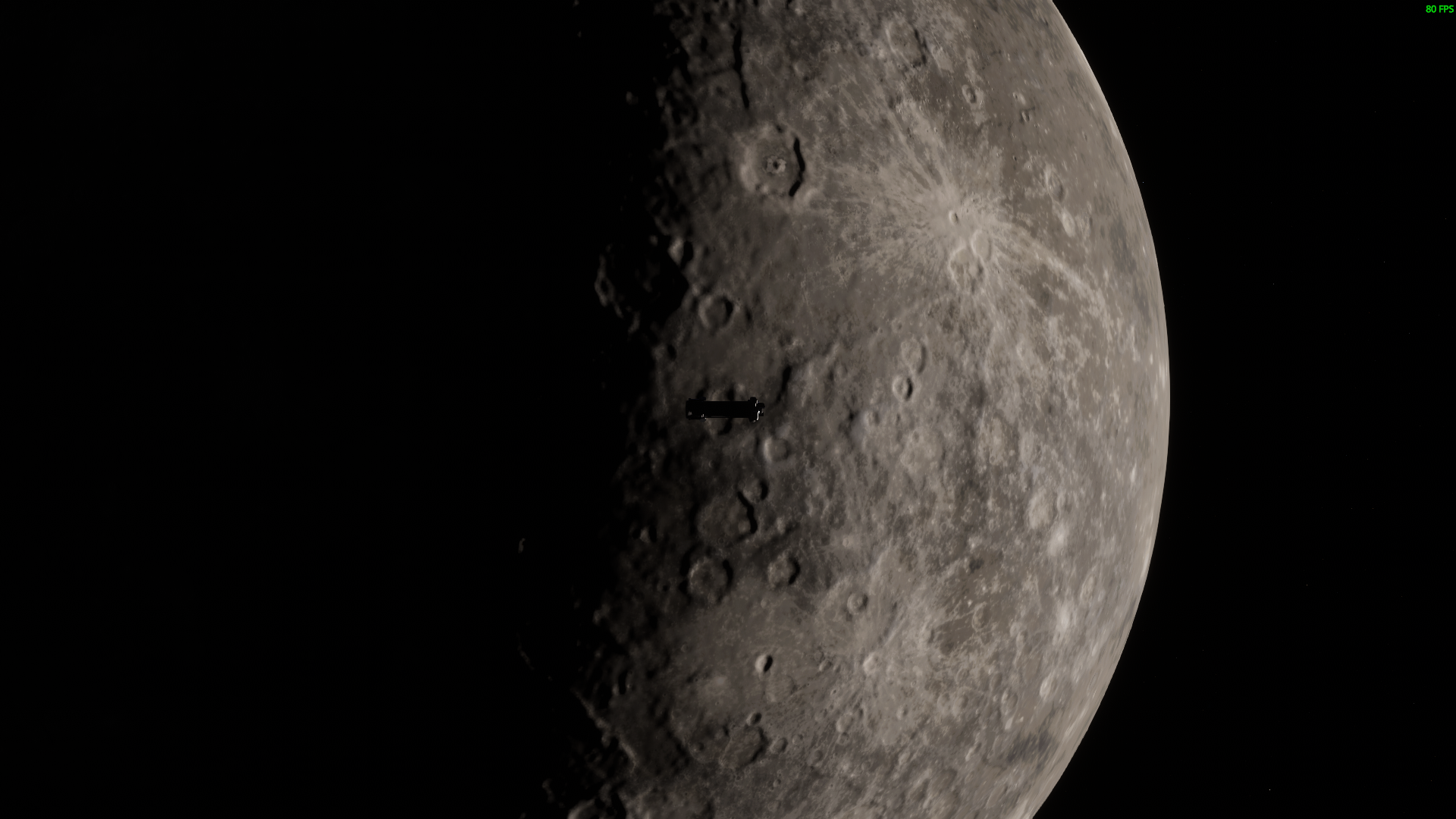
Mercury
The closest planet to the Sun and the smallest planet in the Solar system now in the game!
Procedural texturing rework
As I explained in the previous dev update, I have significantly improved the procedural texturing system and Earth and the Moon have been reworked and now use this new system for rendering. The only downside, is that it requires more VRAM because of 4x improved level of detail. I am planning to add a quality setting for planet texturing in the near future. Martian system procedural rework will come in the August update.
Finally what you see on the map will match to what you get during the flight
Planet's surface received much more details
Sometimes it produces slightly weird results, but this is a procedural approach, what can you do, eh
Moon was already good, but now it's simply great
Rocket Staging improvements
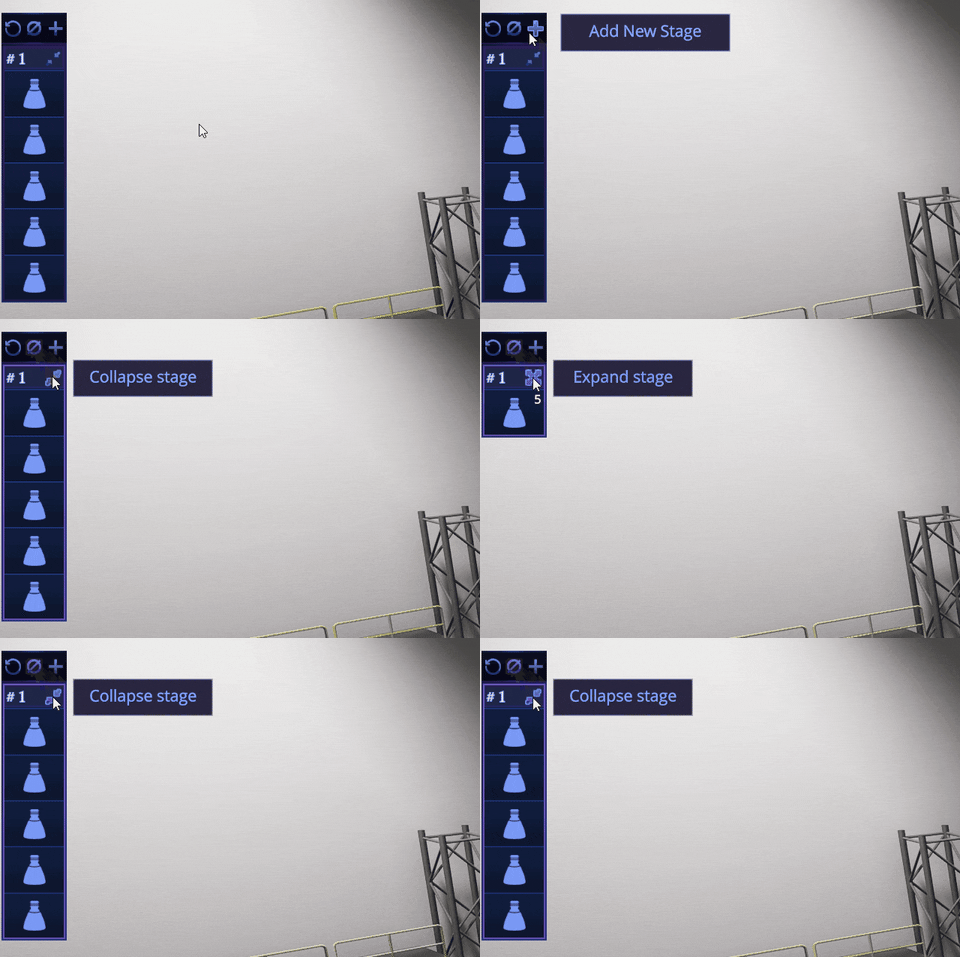
You can expand and collapse stages now. Rocket parts will be grouped by type and resource group when the stage is collapsed.
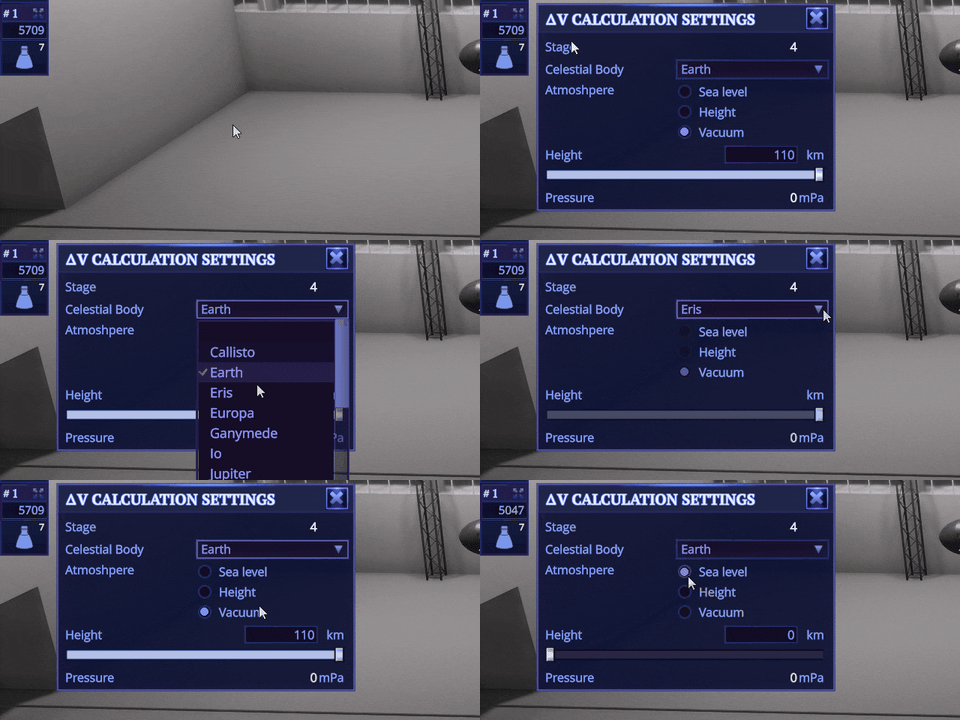
For each stage that contains engines I’ve added a dV and max TWR calculation. You can set a reference body and altitude for it. It will also update the remaining deltaV and max TWR calculation for the active stage during the flight.
New payload fairings
Payload fairings are section-based now, so you can basically launch a payload with any length. I’ve added two radiuses of farirings and adapters between them. Also I’ve added fairings to the rocket staging as a separate action, so you don’t need an additional decoupler for it.
Contracts enhancement
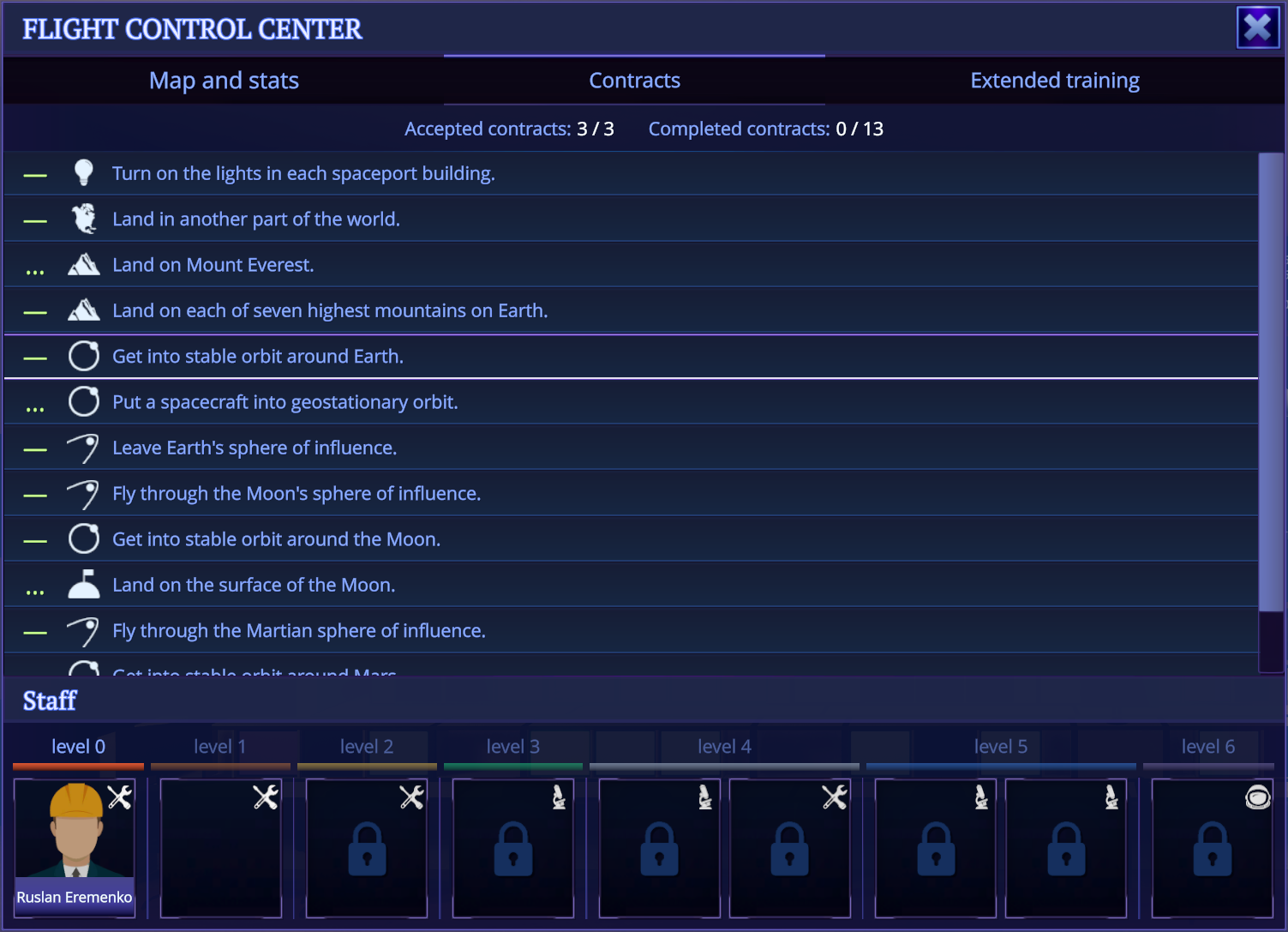
“Land in distance” contracts will now add a surface object marker on the planet, if it was not added though the mods. You can also set a surface object as a target and get a marker (similar to nearby spacecraft markers), when you will be near your target.
“Reach an orbit” contracts will add a reference orbit you need to reach. Unfortunately you can’t set this orbit as a target for now, to get ascending/descending nodes. This change turned out to be huge, so I moved it to the next update.
New content and other improvements
Three more rocket parts have been added to the game, In addition to the fairings, and three more contacts. Also you can find a new exposure compensation control on the camera modes panel. This will allow you to make a scene brighter or darker in cases when automatic exposure couldn’t handle it properly. Lastly, I’ve fixed an enormous amount of critical bugs in this update. Some of them lasted for a year and more and I can’t understand how the game even functioned in some cases.
I know, you are waiting a new parachute too, but it is crazy complicated process to make it. But it is coming sooner or later
That’s all for now, please let me know if you have any issues or will encounter any bugs.
Release notes v0.16.2: Public beta
This build was deployed to beta-builds branch. To switch to this branch right click on the Rocket Science in your library, and click on Properties. Select the Betas tab, and then select the beta-builds branch. Once you see it, select it and click OK.
Note: if you want to switch back to default branch after this beta, you will need to manually clean %USERPROFILE%/AppData/LocalLow/Unity/unbeGames_HDYLIEM folder or the game will not start.
Features:
added Mercury and reworked its textures on solar system map;
reworked Earth and Moon procedural texturing;
added ability to collapse and expand stages during rocket assembly and flight;
added approximate deltaV and TWR calculations for stages, that contains engines;
payload fairings rework: they are section based now and can be any length.
payload fairings are present in the rocket staging;
you can focus camera on surface objects and set them as a target;
added target markers for surface objects during the flight;
contracts with "land in distance" goal will now add a surface object marker, if it wasn't already added (via mods, for example);
contracts with "reach an orbit" goal will now add a target orbit that needs to be reached.
added camera exposure compensation settings for flight and map cameras;
added Venus heightmap to the game, this is a first step to actually adding Venus.
New rocket parts:
Payload Fairing Base GO-1
Payload Fairing Section GO-1 1.4m
Payload Fairing Section GO-1 3.5m
Payload Fairing Cap GO-1
Payload Fairing Base GO-5
Payload Fairing Section GO-5 2.1m
Payload Fairing Section GO-5 5.25m
Payload Fairing Cap GO-5
Payload Fairing Adapter GO-1-5
Payload Fairing Adapter GO-5-1
Circular Extended Unit
"Fluffy" Landing Strut
Mini Decoupler
New content:
added reach "Molniya" orbit contract;
added reach "Tundra" orbit contract;
added land on Mercury contract;
Part changes:
deprecated Payload Fairing 3x7
Changes:
the process of destroying a part by dragging it to the parts panel has been improved;
improved rocket action group visuals;
spacecraft will no longer create a ton of new spacecrafts if it was destroyed not in main simulation;
added sounds for rocket stages UI;
some parts of the game engine were updated to the newer version, which will help to migrate to the new Unity version in the future.
Fixes:
rocket receives incorrect center of mass and could loose control after decoupling parts in some cases;
if you remove maneuver in the middle of maneuvers chain, following manuvers can become invalid and just disappear, leaving orbit in the incorrect state;
visible seams on the surface of planets in some places;
[Control Center] sun light leaks into new buildings at summer;
sometimes separated parts are positioned incorrectly during rocket explosion;
[Assembly Shop] connection points are flickering;
splitted decoupler sometimes explode on deploy;
payload fairings explode on deploy without any reason;
forces not applied to the decoupled rocket from docking port;
context menu appears in the incorrect position when grounded spacecraft is selected;
contract button stays in hovered state when contract was canceled or completed and the new one was accepted;
game crashes, when the surface mod editor is loading and the left mouse button is pressed.
Dev Update: Improving Procedural Texturing
Hello everyone!
Today I want to talk about a big improvement for “Rocket Science” in upcoming v0.16.0 update and show some progress I’ve made.
Since the release of the game I’ve tried to find a way to improve Earth’s surface texturing. It was based on procedural technique: I can set up and configure up to 32 material layers for the particular planet. For any given point of the rendered planet, the game selects four materials from the provided list, mixes and blends them together and then displays the resulting color on screen. Which four materials will be selected is basically determined by four curves: temperature, humidity, slope and height.
This is how it looks like in the game engine
Each curve represents a frequency of occurrence of this material at a given parameter value. Parameters for the surface are set by planet geometry (it is very easy to calculate slope and height for it) and two grayscale maps: temperature and humidity.
All you need to do is just find or generate temperature and humidity maps, then select 32 materials, then setup 4 frequency curves for each of them and finally you get a good procedural texturing! Sounds easy, right? Well, initially I thought that too, but now I will tell you why I was wrong.
Firstly, how do you even select materials? I am not an artist nor a scientist. I have a very vague idea what colors would be right for Earth (even looking at the accurate surface color map I have). I’ve tried doing it based on eyeballing and gut feelings and the result was pretty poor.
Secondly, I’ve spent several weeks in 2020 searching for good and complete temperature and humidity maps for Earth, processing raw scientific data, which was spreaded between a hundred NASA websites (why the hell it can’t be in one place?). All I got were 8192x4096 temperature map and 4096x2048 precipitation map, which has extremely low resolution for the real planet scale. I am pretty sure, that higher resolution data exists, but I am too dumb to find it.
An example of color map for part of the world. Generated in 2020
The last and the worst thing is how to construct frequency curves for each material. You can, again, eyeball the result, but even a slight change of one curve in one material affects the frequency of appearance of all others! In the case of a small number of materials this is manageable. For example, the Moon has only 8 different materials and it looks okay, because it has a pretty narrow color palette. But 32 colors for Earth is a bare minimum.
Basically it was impossible to do it manually and get good results. That’s why adding a new planet was a great challenge. So, I needed to find a way to somehow automate this process. I thought about this problem in the shower, on a walk, before going to bed every day for several months. Until an idea finally came to me in April. It arose from how the Moon materials were praised by players. That’s funny, because I didn’t find a temperature map for the Moon. Also it has no water, so the humidity map can’t even exist. So I used a color map converted to grayscale and just random noise instead. And results were better that for Earth. The conclusion to this story was that you don’t need scientific data to make something look good.
So the idea was pretty simple and very hard at the same time:
get a surface color map (that exists for most planets in a huge resolutions);
generate a color palette by selecting 32 most common colors (there are a lot of ways, how it can be done, but I will talk about it some other time);
The first colors of Earth's palette
generate a grayscale frequency map for each selected color from color map, using some color distance metric;
Frequency map for the first color from the palette
use this map as a mask, apply it to the low resolution temperature/humidity and height maps and then generate a frequency curves for each color;
Temperature frequency curves for each color in the palette
get a range with highest values from temperature and humidity curves and then use them to encode a high resolution temperature and humidity map from a color map;
grab all the data and apply it as a configuration to the planet.
And this is basically it. All this process is parameterized too and I spent several days tweaking it, but just in two days after the algorithm was implemented, I’ve got much better results for Earth than before.
This colors is actually in the game
This is how it would look like
Before
After. It could be improved even more, but for this stage of the development it is enough
The great thing about this algorithm is that it is universal and can be used for any planet. I don’t know if the new planets will be included in the next update (it is a lot of work even with this huge time saver), but there is a pretty high chance that I will finish all inner planets and some asteroids this year.
Thank you for your attention and see you in the v0.16.0 update!
Patch v0.15.3
Fixed several issues found by @Gigantoherceg and @joshwells17gh. One of the bugs was very serious and some players could lose their progress because of it. Sorry about that.
Release notes v0.15.3
Fixes:
game did not save the player's progress when certain conditions were met;
engines explode on launch on some laptop configurations;
improved planet generation perfomance when rocket is on the launchpad and player quickly turns the camera;
missing localizations string and typos in some places.
Patch v0.15.1
Fixed some issues found by @Gigantoherceg, @Pietrus1745 and @olafoertelt,
Release notes v0.15.1
Features:
staff cell will be marked if worker is not yet assigned to any building;
Changes:
reworked main menu a bit;
Known issues:
game stuck when pressing "Continue" button in the Main Menu after all saves were deleted;
wrong description for "Turn on lights" contract;
missing param in the description for "Put spacecraft into geostationary orbit" contract;
improved base tutoril step where you turn on engines after time warp, so engines will explode less frequently;
wrong parameter for "Leave Earth's SOI" contract.
Update v0.15.0 "A New Beginning"
First of all I want to say some words about recent events. The war that Russian government started in February is a catastrophe, a disgrace and a crime against humanity. Hundreds of innocent people have already died in this war and I see no end of this horror. I had friends from Ukraine and my grandmother was also from there. I know what is happening there and share the pain and grief of Ukrainian people. I'm practically depressed because there's no way It can be stopped by ordinary people right now. But it should be stopped at any cost.
On the other side the people of Russia have no future anymore. The Iron Curtain is almost here. Most foreign companies are leaving the country. All financial transactions with the west have virtually stopped. It is worth noting that the whole IT sector and game development cannot exist without a global market. So my profession is destroyed. The government ignores the voices of the opposition and people, who are against this war. It constantly arrests protesters and passes dozens of repressive laws. Today you can get up to three years in prison for the slogan "Stop the war" or Or if you call the events taking place a "war". And up to 15 years in prison if you will repost any video containing any information about it. Unfortunately, more that 50% of Russians are under heavy propaganda. They don’t know and don’t want to know what is happening, thus supporting this terrible “special operation”. Lastly there is a pretty high chance that Internet access here will be completely banned here in the coming months. It's all so crazy that I feel like it's just a nightmare and I need to wake up. But I should point out that none of these compare to the horrors of war.
So, how will this affect the development of the game? I am pretty sure that the February payment from Steam was the last one, seeing how events are unfolding. Because of this I will need to start looking for a job with the possibility of moving to another country. However I will continue to work on the game part-time to the best of my ability.
This is all I want to say, now let’s talk about changes.
New features and changes
I’ve renamed the game. Initially it was named after a Russian meme and it was a part of the game's marketing strategy and story. But it isn't funny anymore, especially after recent events, and it will only work against the game in the coming years. Also, the Russian space program will certainly come to an end in the near future. There will be no story about it anymore. So I decided to return the original name of the game — “Rocket Science''. The theme of the game will remain the same, but I will revise the concept of the story I had originally planned to make. I hope this will not upset players who have already purchased the game.
As for the update itself, I’ve added several things.
Contracts
Remember you had a non-interactive list of goals in the control center? Now it was replaced with a list of interactive contracts. You can accept up to three contracts and perform them in any order. The goals in this list are almost the same as before, but I will start reworking them and adding a new one in the following updates.
This is a really good starting point and a bit more content, than before
The contracts you've accepted will be displayed at the top of the screen
Note: accepted contracts and statistics collection will be paused if you start a tutorial at the same time.
Extended tutorial
I’ve added a section with extended training. You can perform interactive tutorials from it at any time. There is only one new tutorial right now. It requires a huge amount of work to add them, but it is very important for new players, who have never played KSP or similar games. So I will try to add at least one new tutorial each new update.
Statistics
Per-save stats are available in the control center now. I am tracking the most basic things like the number of launched spacecrafts, planets that were visited by the player and speed and distance records. This will be the basis for the future achievements. If you have any proposals about stats you want to see, please leave them below.
Note, that contracts, extended training and statistics were added into the control center UI.
Instrument panels
I’ve replaced the stats panel under Navball with separate instruments that can be hidden on a per spacecraft basis. All rockets still have all instruments for now, but they will be moved to separate rocket parts in the future update.
I am planning to add more functions to each instrument panel soon
Update includes a bunch of smaller changes and fixes as always. You can find them below. I planned to add more contracts and at least two more new tutorials in this update, but lost two weeks because of recent events. And I don't even know if I will have access to the internet next week. So, here is the update and I hope you will like it. Please report any bugs or issues if you'll find them.
Thank you and see you in the next one.
Release notes v0.15.0
Features:
added two new tabs into control center UI: "contracts" and "extended training";
added save stats;
reworked rocket stats UI during the flight;
reworked maneuver panel UI;
added target panel when rocket has target;
added 13 interactive contracts;
added one new extended training tutorial.
Changes:
game was renamed, now it called "Rocket Science";
vessels and probe cores will be always on top in the spacecraft list in the control center;
improved sprite resolution for some UI elements;
camera will get spacecraft and its parent body in focus when selecting spacecraft in the control center;
you can set spacecraft as target by clicking on it and holding ALT (previously it worked only when clicking on marker);
you can interrupt any tutorial at any moment;
added several more steps to the base tutorial, updated some steps to match the gane state.
Fixes:
when you open the map when inspecting any building in the spaceport, camera transition is bugged, also building UI stays on the screen;
sometimes exception appeared when opening and closing ruins UI several times;
sometimes navball markers are misaligned;
sometimes huge drop in perfomance appears on rocket launch.
Patch v0.14.1
This small patch fixes a critical bug reported by @chrisn44 and a couple of issues, that I've found along the way.
Release notes v0.14.1
Features:
"sp.warp" debug command now supports spacecraft name as a target;
2-2.5x improved rendering speed of huge rockets (100+ parts).
Fixes:
an exception when trying to dock two spacecrafts;
docked spacecraft resets its relative orientation after game reload;
when rocket is controlled from docking port and undock from another spacecraft, both spacecrafts start receiving direct RCS commands.
The story of this update begins after I have released v0.13.0 “Space Stations”. I decided that it is time to update the game trailer. It was made in the earliest stages of the development and the game has changed a lot since then. I made a list of tasks that need to be done to keep the trailer relevant until the full release. The first task in the list was a new launch site that was actually requested many times by players.
And I already had a new launchpad model made by one of the players almost a year ago. But I could not just place it on the planet’s surface without clipping into it. And it was almost impossible to find the right spot to fit it perfectly. Moreover, the launch site consists not only of just the launchpad. It has many things: buildings, towers, roads and support structures. So the game should have a way to modify the surface of the planet if I want to build something more complex than several cubes smashed together on it.
I encountered many pitfalls. For example, the game supports three base surface levels of detail that you can choose in the performance settings. Surface modification made for one LOD could look bad on another just because there are different numbers of vertices. Also when you move away from the surface, the game dynamically generates distance LODs using heightmaps and noise, so when the whole planet is in the camera view, it could perform nice and smooth. It is always very scary to touch this system, because it is huge and very complex. It would also be nice to support surface modifications in the mods. And it would be great to use it in the future for gameplay purposes.
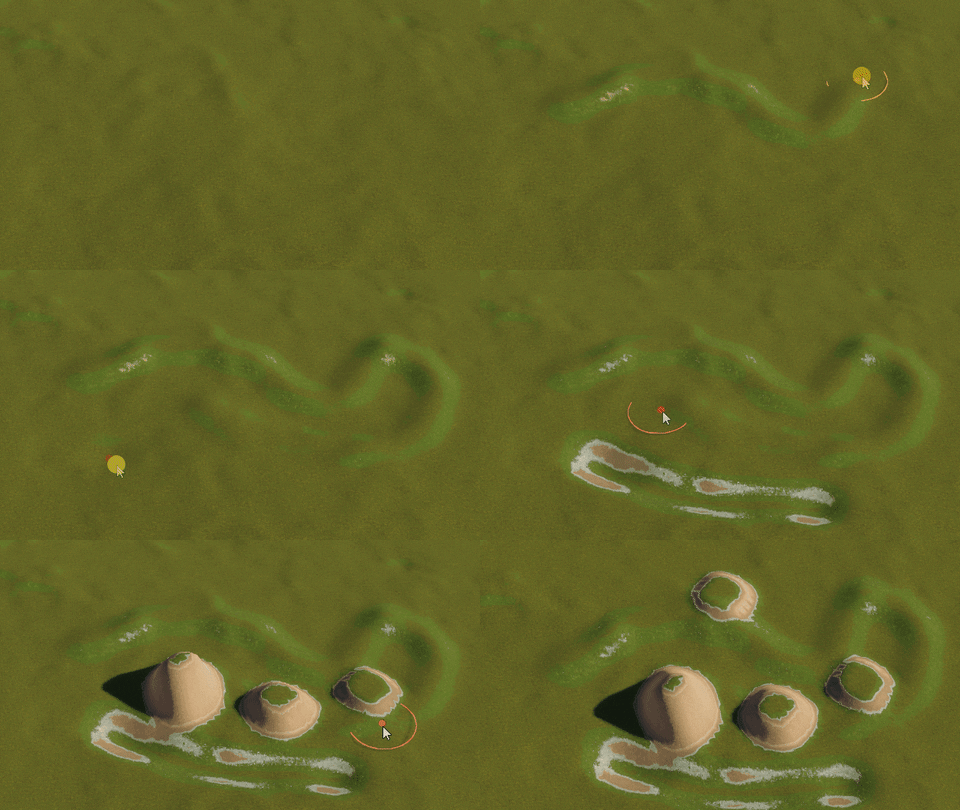
I did it. I put a lot of work into this tool and it looks like this:
You can try to guess what gameplay feature I will use it for
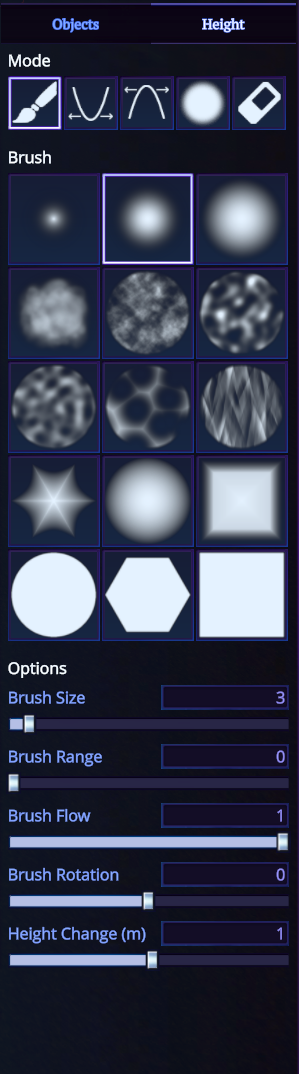
Surface mods now support surface modification, you need to switch to the tab and you will see the tool's settings.
One thing I should mention: it is very rough and very experimental. For example, you need a powerful GPU to make this tool work properly. Also while it supports all three base surface LODs you need to set the highest in the performance settings to get the best results. If there will be a demand for this tool, I will put more work into it, but this functionality was sufficient to prepare the surface for the new launch site.
I’ve spent some time researching how the game’s reference — Vostochny cosmodrome actually looks. There is not very much information about it on the Internet, but I found maps, panoramas, photos and even a 360° video on Youtube about it. It was enough to build a better launch site than the game had before.
It is still under construction. More to come in the future
I also placed a control center and assembly shop on the surface.
No more launchpads in the middle of nowhere I guess
Then I switched to the spaceport itself. As I mentioned in the previous updates, I will be devoting more and more time to developing the spaceport building part of the game. I’ve uncommented the old spaceport building code from the pre Early Access times and was pleased to know that it is still working! It is rough and needs a lot of improvement, but it is a good basis. While I can’t release the spaceport building until the whole survival mode will be ready, I decided to add more props and buildings into the spaceport to make it look nicer.
Still no functionality exposed, but now you have more workers under your control to illuminate every single building
The last thing I want to tell you about is that I always wanted the game to react to real world events. But there were much more important tasks in the early stages of development. But this year I finally managed to find some time to make it.
Meet the Winter Holidays event in the “How do you like it, Elon Musk?”! It will last from December 24 to January 14 and brings a bit of holiday spirit into the game.
Ah and one more thing: I totally reworked key bindings window and split them into categories and subcategories for better readability:
And the video settings was finally extended and improved:
I hope you will enjoy this small update and see you in the next one. Happy holidays, friends!
Release notes v0.14.0
Features:
added Winter Holidays event which will last from December 24 to January 14;
launch site was completely reworked it is closer to reality and has more buildings and structures;
reworked space center above the ground, it now exactly match launch site structures;
added more buildings into space center;
surface objects mods now support surface height painting;
added simple wasd controls to move camera when working with surface mods;
all default fixed bodies will be loaded when creating or editing amy surface object mod;
tutorial improvements: added fallback steps when player failed to follow instructions (he had one job!);
improved control settings window and categorised input actions for better readability;
added support for exclusive fullscreen mode;
separated display resolution from refresh rate settings;
added a bunch of new quality settings which will help to solve some of performance problems on older GPUs;
Part changes:
landing strut was moved 10 cm lower relative to the connection;
Changes:
camera is respecting surface object collisions now and tries to avoid it;
controls settings window now fully supports localization;
added space (and also hotkey) for the one more time scale on the time panel (will be implemented in the future);
profile picture moved to the time panel;
planet will be generated 2 times faster on CPUs with 6+ cores;
camera speed in the spaceport no longer depends on game's FPS;
increased camera movement bounds in the space center;
shore lines will always have slightly higher LOD for better quality now;
reduced RAM and video memory consumption in the spaceport;
the game will fallback to English instead of Russian when localization files are invalid or some locale keys are missing;
significantly improved quality of save game and mod previews;
added "enter assembly shop" and "back to spaceport" buttons when viewing the rocket list in the spaceport.
Fixes:
game stuck on loading very rarely;
control center UI is completely missing;
light leaks from control center into small storage;
light leaks appear at morning and evening in the space center;
staff levels are broken on staff panel in the control center or storage;
stars are jittering in the main menu;
sometimes shadows are too dark in the surface mods;
[assembly] part variants ordering of categories sometimes changes.
Patch v0.13.4
Tiny patch that fixes two bugs reported by players.
Release notes v0.13.4
Changes:
launchpad collider is more accurate now;
Fixes:
"Zarya" engine explodes on launch (the engine manufacturer discovered a defect and deeply apologizes for this inconvinience);
a lot of errors in the console and the game sometimes crashes if collision LOD was set lower than planet surface LOD.
Patch v0.13.2
A small patch following big game update v0.13.0 "Space Stations". It adds some new parts, changes three of existing ones and brings a couple of fixes and improvements. If you haven't tried an update yet, it's a good time!
Release notes v0.13.2
Features:
added tooltip for all time warp buttons;
added a small indicator for all probe cores for better orientation readability;
construction of the launchpad continues! Workers made a little progress here;
Adapter 1.2-0.5 was splited into two new parts with different set of connections;
Adapter 1.2-0.35 was splited too;
New rocket parts:
Adapter Square-hexagonal;
FT "Sticky" O
Part changes:
fixed effective volume for fuel tank FT "Zvezda-parallelepiped" О: it was two times capacious, than it should be;
changed bottom sockets for Standard Reaction Wheel from hexagon to heptahedron;
Changes:
improved localization loading error messages;
fixed "out of view frustum" erros spamming into console while loading the first scene of the game;
Fixes:
exceptions in the console when rocket start exploding and quitting to the assembly shop at the same time;
broken ascending / descending lines if two orbits have the same inclination;
spacecraft is placed not in the exact center of a launchpad;
"hide UI" doesn't work for the time panel in the spaceport.
14.10.2021 - Release notes v0.13.3
Changes:
reduced same game internal resources recreation on return to spaceport and then back to flight (should slightly improve loading speed);
Fixes:
Phobos and Deimos missing surface textures;
sometimes patches of planet surface have too low detail and cracks;
Update v0.13.0 "Space stations"
This is the biggest update in terms of gameplay and new parts so far. I would say all previous updates were just a preparation for this one. Let’s get right into it.
RCS
Reaction control system is a set of monopropellant-fuelled small thrusters primarily intended for vessel orientation and translation in a vacuum. Players have requested implementing RCS from day one. But it was not easy because of the game's rocket construction system. You need to place rcs engines precisely near the rocket’s center of mass or symmetrically from both sides of it or spacecraft will constantly get unwanted torque. But the fixed-slot attachment system doesn’t allow that. So the only solution I found is to implement an auto balancer, which will adjust the throttle value of each RCS thruster to minimize unwanted forces and fuel consumption.
I’ve done that, but my solution is far from ideal. It is very resource-intensive and could fail to solve the current set of constraints (for example, if some thrusters on some axis are missing). Also it requeres reasonable placement of rcs thrusters across the rocket (at least two in each axis). I will definitely improve it in the future versions of the game, but right now if you have any problems with that you can always switch to simple rcs mode, which will skip the autobalance step and just fire all thrusters according to user input. Note, that if autobalancer could not solve current RCS it will automatically fallback to the simple mode which could lead to unwanted torque.
H and N to translate forwad/backward, I and K to translate up/down, J and K to left and right
For rotation use regular keys
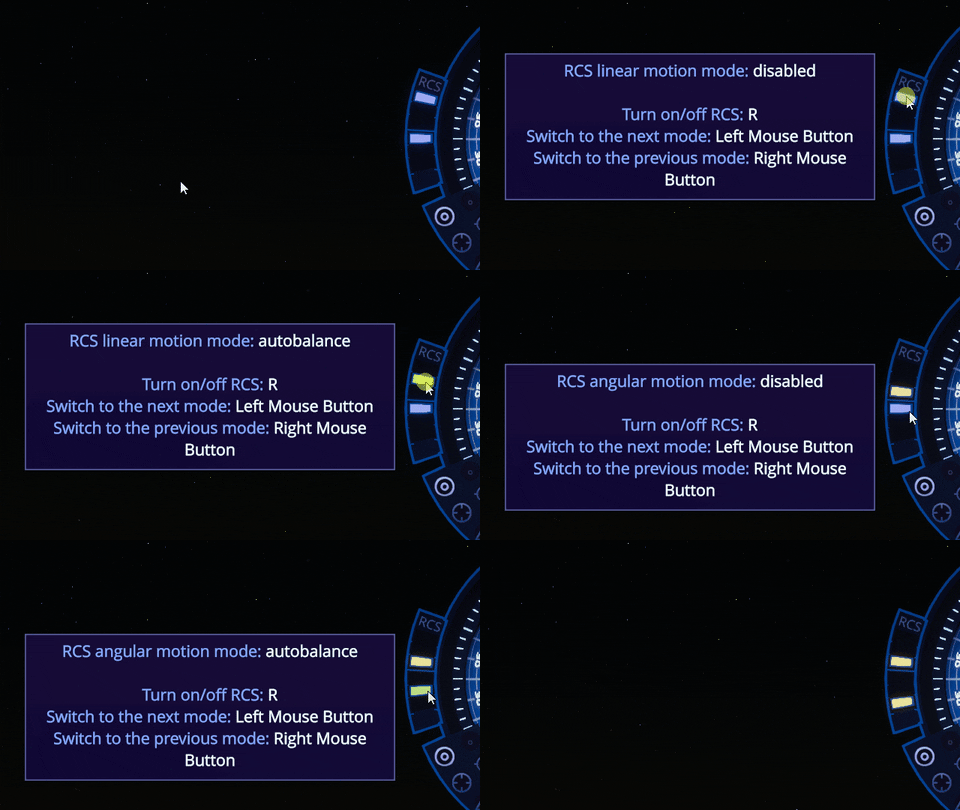
You can turn on / off RCS by pressing the R key and switch to the simple mode using the new RCS panel near the Navball. You can also control RCS modes separately for translation and rotation
One more thing: currently rcs is not used by the autocorrection system, this will be implemented in the next update.
And one more. RCS thrusters consume monopropellant (hydrazine). It was added as an additional fuel configuration for all small fuel tanks.
Docking port
Docking ports were previously missing because it is almost impossible to dock spacecraft without RCS. Also you should be able to connect two docking ports during rocket construction from the hatch side. Which again didn’t work well with the game’s slot system. After much thought I decided to introduce a new “docking” connection type. You can attach two docking ports to each other if they both have the same radius. No connector or slots needed for that.
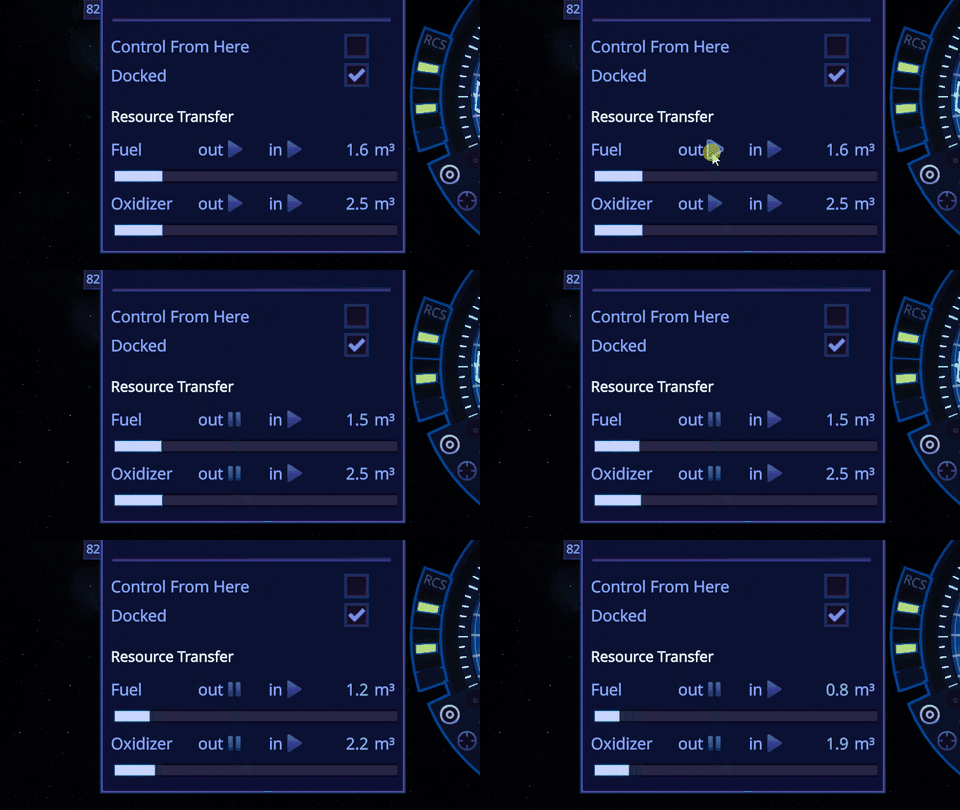
So the docking port not only allows to couple two spacecrafts on the orbit, but also gives an ability to transfer fuel and oxidizer through it. You can also control spacecraft from the docking port. It will still use the spacecraft's command module, but it will reorient all controls and navball relative to it.
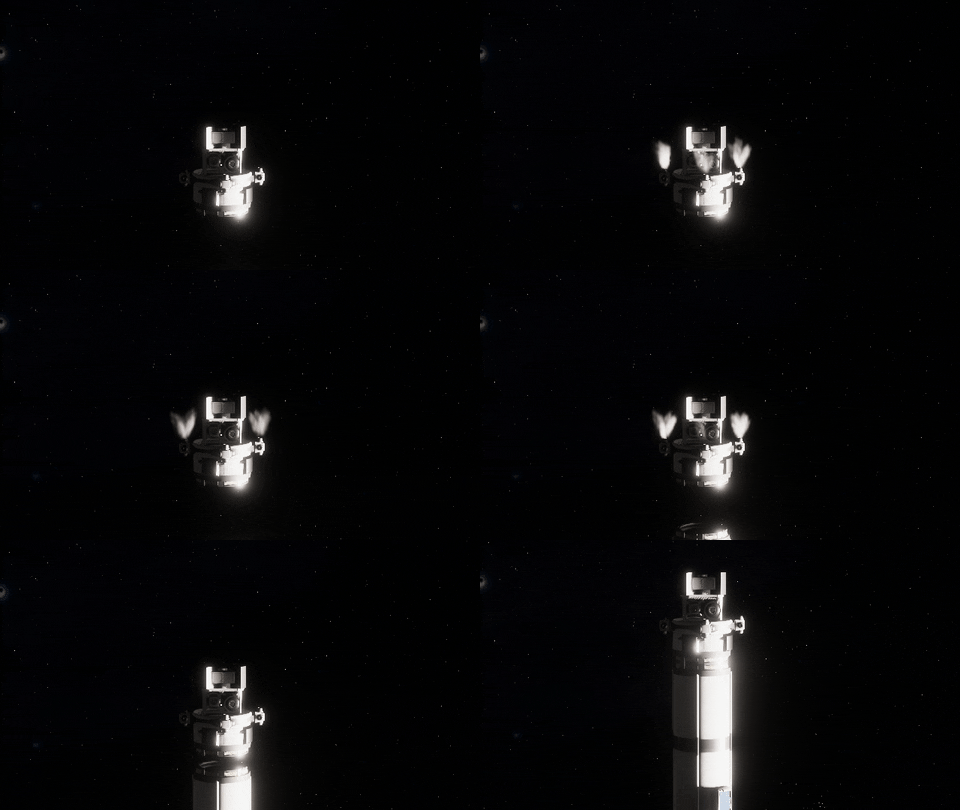
The docking process is surprisingly satisfying
Resource transfer is as simple as that
Closest approach nodes
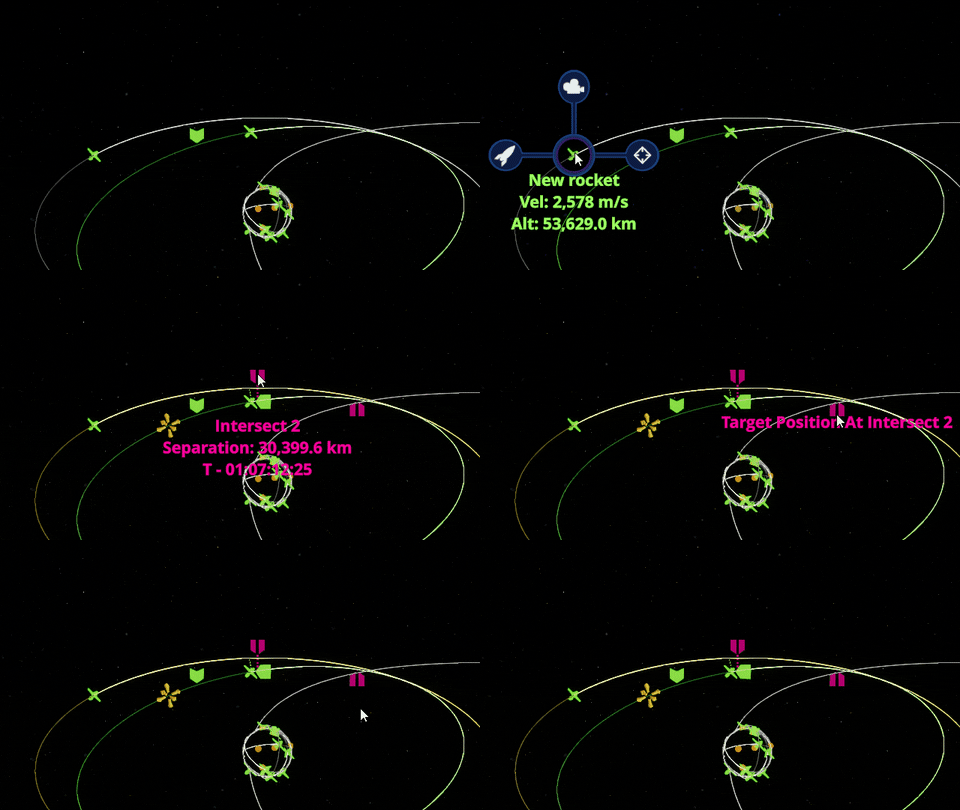
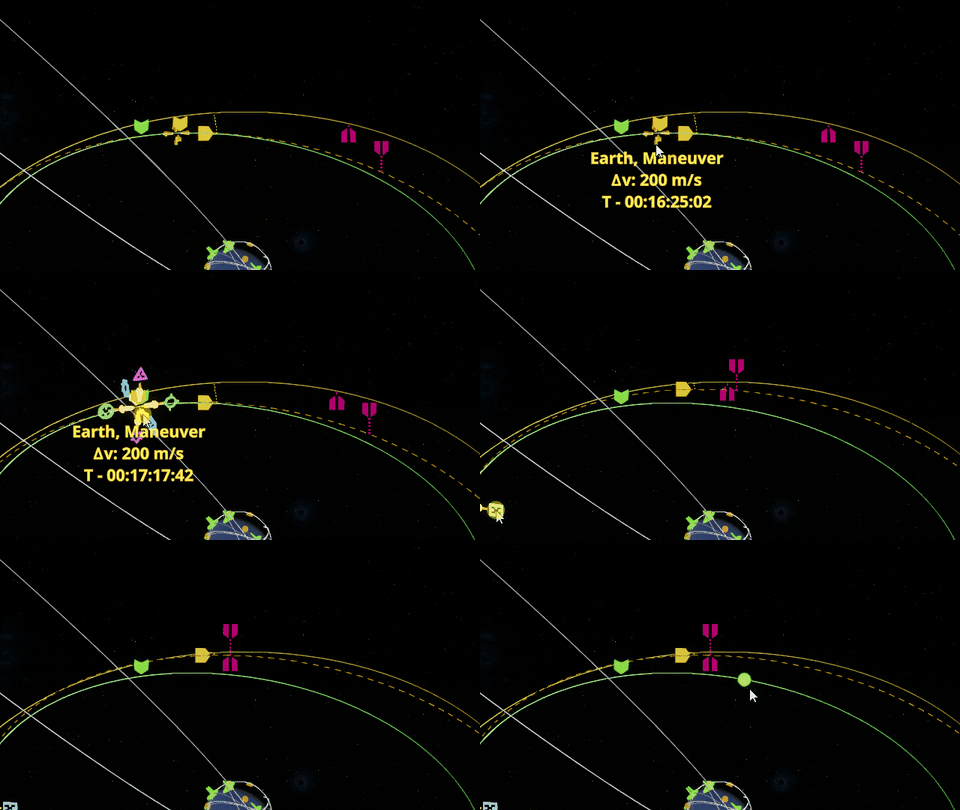
Another very important feature needed for docking. You need to predict intersection with target spacecraft orbit and also target position to be able to intercept it. Maneuver planner allows that and produces two new orbit nodes for that: intersection node and target position at intersection node.
None, one or two intersections could be found for any two orbits
So, when these two nodes are combined during maneuver planning, you will be able to intercept target spacecraft.
Notice how separation becomes much lower after both nodes was brought closer to each other
Target markings
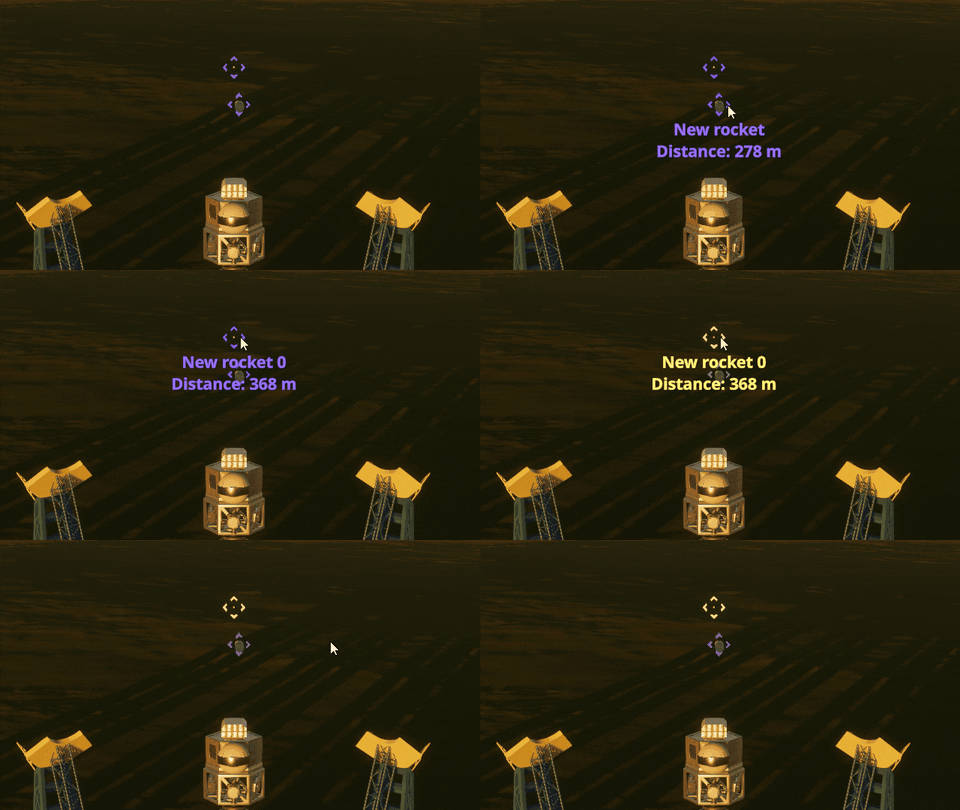
All nearby spacecrafts will be marked for you. You can hover over the mark to get the spacecraft’s name and distance to it. You can change marking range in the game settings and turn it on and off by pressing F4. You can also set spacecraft as target by holding ALT and clicking on this mark. And switch to it by double clicking (same as on solar system map).
Default range is 200m - 50km
Autocorrection improvements
Autocorrection system now accounts for forces produced from TVC, RCS and reaction wheels at the same time and produces more correct control action. It also works in the predictive mode now and tries to proactively predict the future rocket orientation and apply needed forces accounting for this knowledge. This should make autocorrection more stable especially during the physics time warp.
New parts
This update introduces 18 new parts. That's almost as much as it was during the first game release! Let’s look at them.
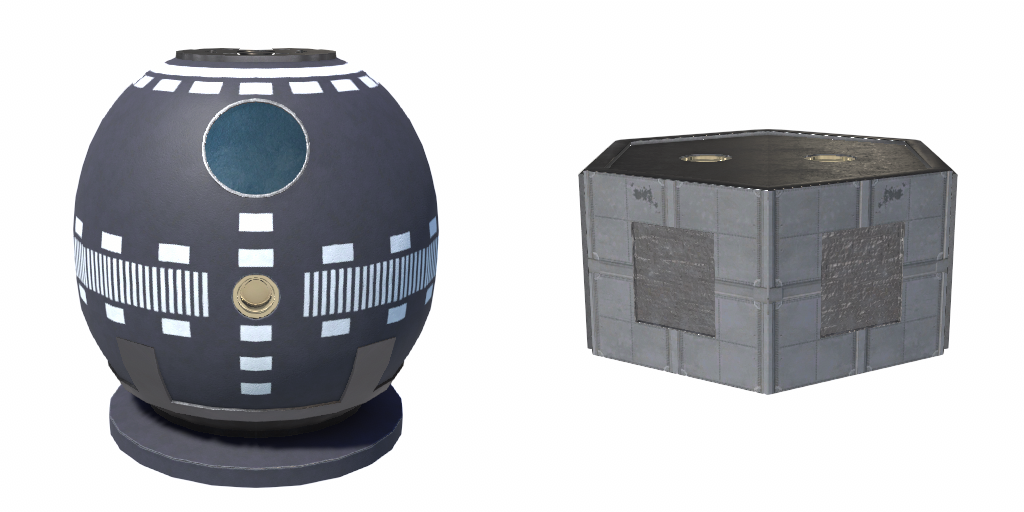
New command module and probe core
Two RCS thrusters
Two RCS mount points
Two docking ports
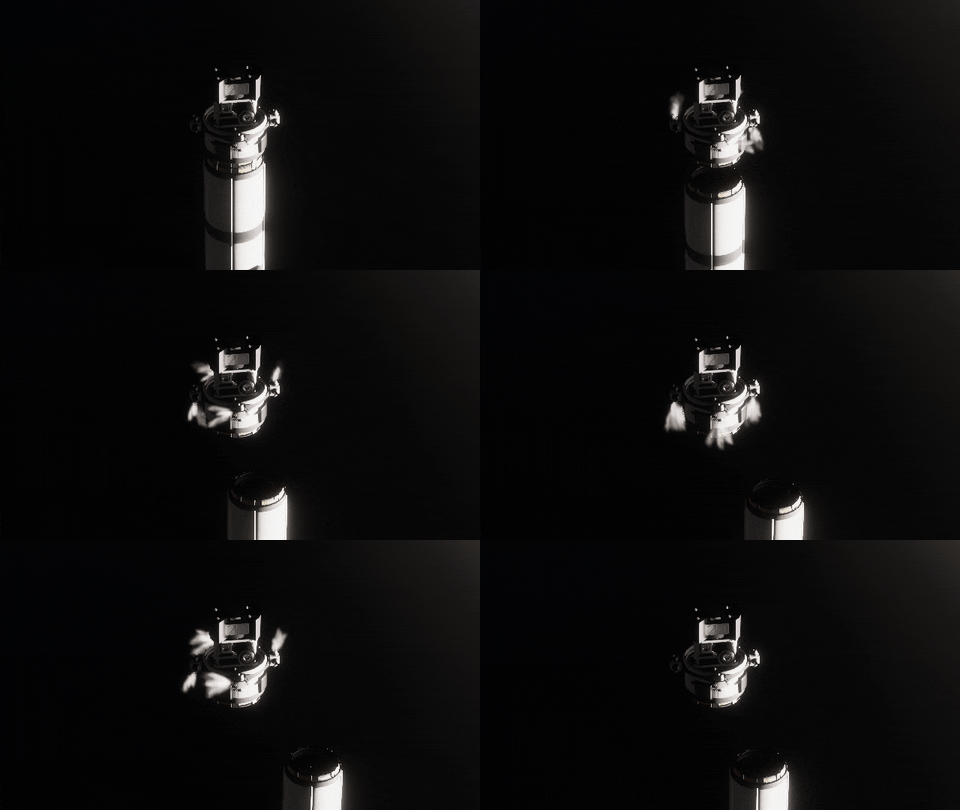
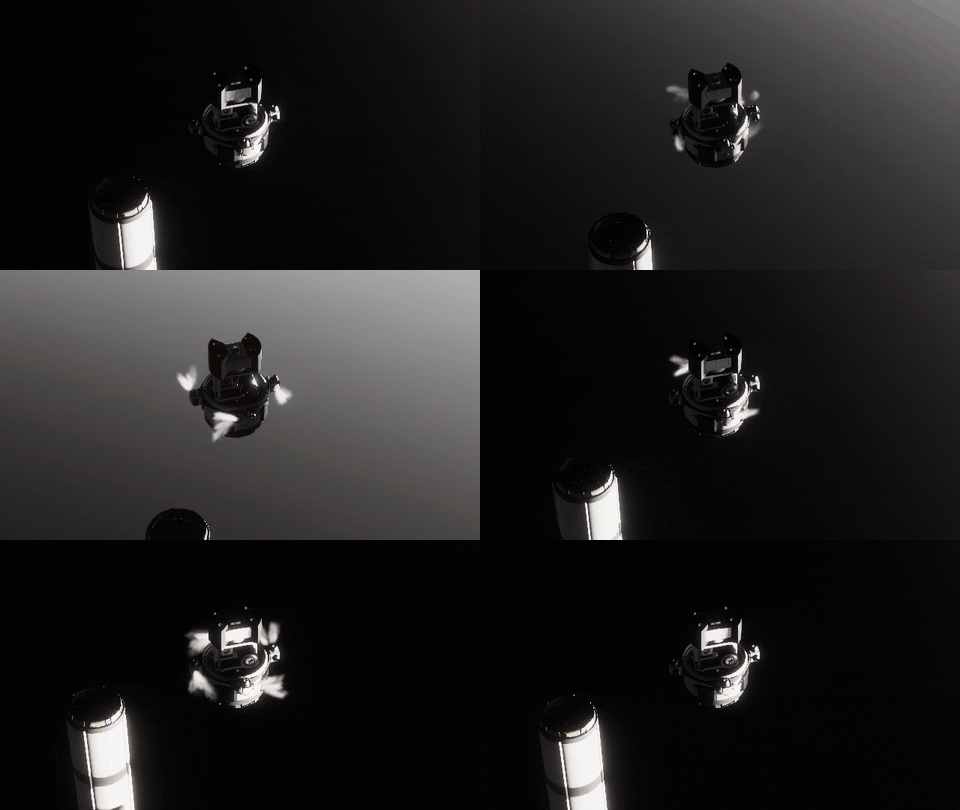
Two new decouplers. The first one also splits in two halfs during decouple (for payload fairings)
Two new fuel tanks
Four new structure parts
And one adapter and battery
The one thing I didn't have time to do again is to make a new tutorial. Game changed a lot since the initial release and many new features were added during all updates. I think the next update will be almost exclusively devoted to the new tutorial. And also probably to the part’s window system during the flight. But this is the story for another time.
As always there are a lot more in this update, like new heat emission effect for all rocket engines, new docking camera mode, more sounds for spacecraft and ui and tons of fixes and improvements as always. The game becomes bigger and more complex with each update. And it is almost impossible to test everything solo now. So you can expect a bunch of new bugs that I did not find during local verification. Just report them to me and they will be fixed ASAP. You can find full release notes below. I am waiting for your feedback and will see you soon.
Release notes v0.13.0
Features:
added RCS and rcs control panel for navball;
added docking port: it not only allow to dock two spacecrafts, but also can transfer fuel and oxidizer between them;
new connection type: docking port;
added intersection and position at intersection nodes to the maneuver planner;
added "Target" navball mode and manual switch between navball modes;
spacecraft markers are now shown within a radius of 50 km around current spacecraft during the flight (F4 to toggle);
implemented RCS autobalancer: it will try to select such rcs throttle values, so spacecraft can be moved or rotated without unwanted forces, even if rcs engines were placed not optimally;
added new fuel type — monopropellant (Hydrazine) used by RCS;
autocorrection now works in the predictive mode, that should improve rocket stability, especially during time warp;
autocorrection from tvc, rcs and reaction wheels now work coherently with each other;
added new camera mode: docking;
added new part category "Control" where rcs and reaction wheels are placed;
rocket plume will change its shpe depending on atmospheric pressure;
added heat emission effect to all engines;
added more sounds to navball and flight UI;
New rocket parts:
"Druzhba" Command Module; {*] "Grezy" Probe Core;
"Ruby" embedded RCS;
"Citrine" external RCS;
"Fenek" Docking Port;
"Navarin" Docking Port;
"Ochrea" Radial Decoupler;
"Hornet" Decoupler;
FT «Zvezda-tzilindr»;
FT «Zvezda-parallelepiped»;
Circular Connector Block;
Circular Crisscross Block;
RCS Mounting Block;
RCS Mounting Point;
Hexagonal adapter;
"Azimuth" Station Branching Module;
"Axis" Station Branching Module;
Medium Battery;
Part changes:
"Siphon" Radial Decoupler visual rework;
Micro Decoupler now have smaller size and also received visual rework;
reduced length and mass for Adapter 0.35-0.6-H by 25%;
deprecated C-2 and S-2 connection variants for "Seeker" Decoupler (it was replaced by "Hornet" Decoupler);
added hydrazine configuration for fuel tanks FT-800 Fuel Tank, Series S Fuel Tank, FT «Zvezda-sfera»;
reduced time between staging parachute and actual parachute spawning;
parachute spwaner's mass is now reduced by the mass of parachute on deploy;
increased power consumption for all reaction wheels;
slightly increased mass for "Osnovanie" Probe Core
Changes:
rocket landed on any surface object (except directly on launch area) will no longer disappear after exiting to spaceport;
rocket part animations now properly animate physics (no more exploding landing legs on low framerate);
[Assembly] reset button now also resets rocket name if it was changed;
pressing Q will also repeat last placed subassembly;
improved connection search performance in the assembly shop;
changed order of part categories in the assembly shop;
updated all icons for part categories in the assembly shop;
added decouple sound for all decouplers;
moved space context menu to UI, so it will no longer be hidden by planets on solar system map;
orbit tooltip will update its position, if hovered node is moving;
orbit raycast will be hided if mouse is hovered over spacecraft, press ALT, to show it anyway
maneuver handle will change its color depending on selected maneuver;
when active command module is destroyed it try to transfer control to other command module if it exists;
Settings:
added RCS translation keys: H and N to translate forwad/backward, I and K to translate up/down, J and K to left and right
added toggle RCS R
added toggle targeting F4
added min and max distance setting for celestial target
ALT+click on spacecraft's marker during the flight or on solar system map to set it as a target;
Fixes:
gimbal controls work incorrectly, when command module is rotated relative to rocket;
when flying up to other spacecraft in the space it may suddenly warp at huge distance;
parts sometimes acquire wrong parameters after another part of similar type was destroyed on rocket;
connection section in rocket part tooltip is showing even if there are no connections available;
[assembly] rocket name not saved if it was changed but save button not pressed:
symmetry doesn't work for some cases: heptahedron connector + heptahedron socket and hexdual connector + rectangle socket;
some parts have noticeable gaps on edges, especially colored in orange;
some text is not localized in the assembly shop;
rocket controls not reset, when control buttons were pressed and switching to another spacecraft during the flight;
the lit status of solar panels doesn't change if autocorrection is disabled and the rocket is rotating.
some inconsistencies in part materials;
sometime predicted orbits looks broken;
game stuck when trying to create subassembly from cloned part;
sometimes batteries are not charging;
sometimes decoupled parts disappear after main spacecraft crashes onto surface;
Known issues:
resource separation is broken for crafts with decouplers that was saved as subassembly (including first command module) and then loaded (found today, will be fixed soon);