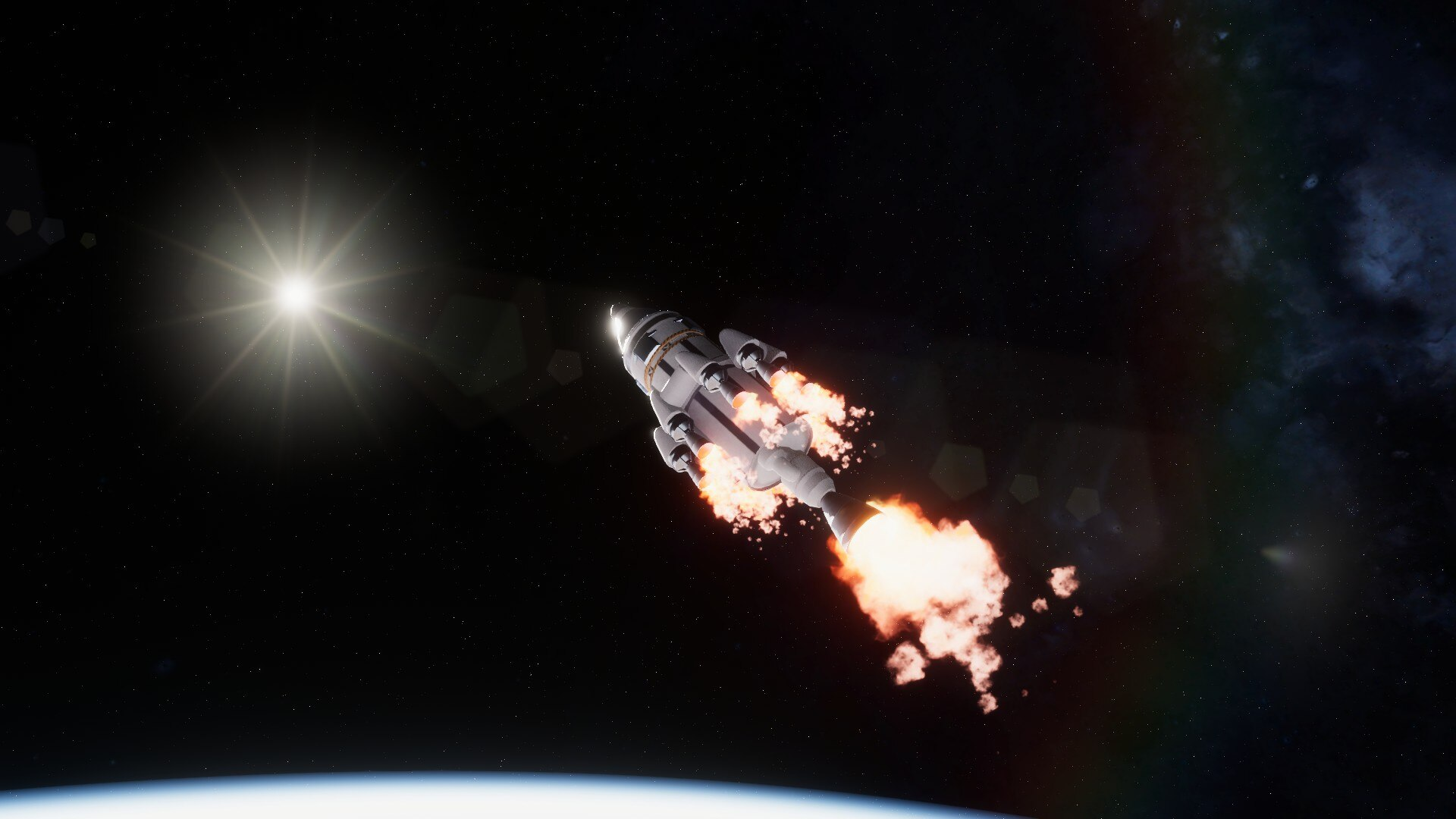
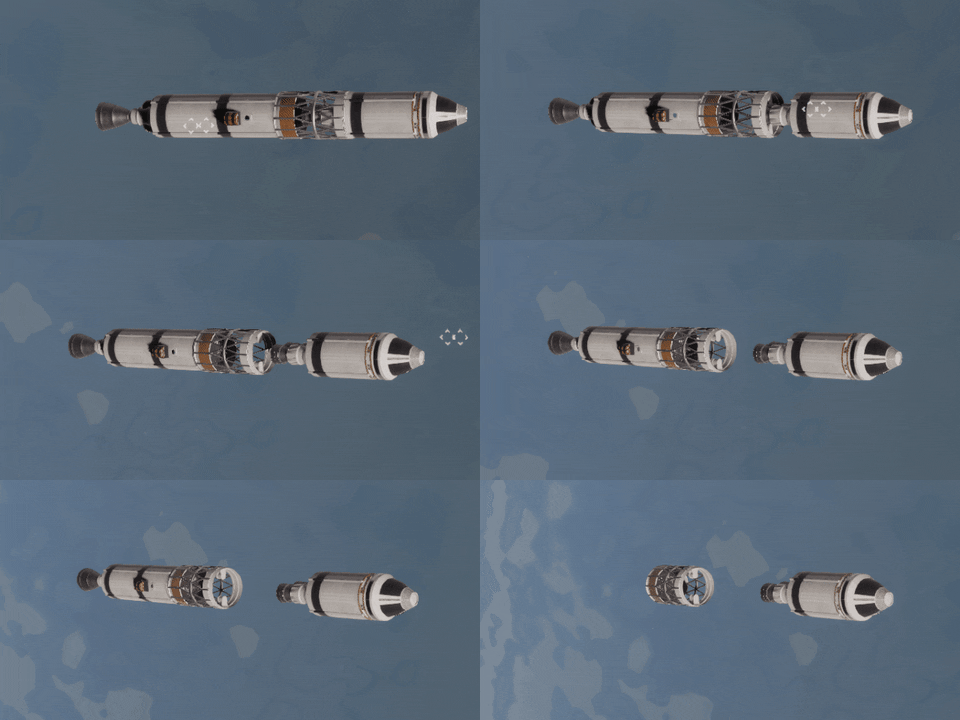
Update v0.19.6 "Awakened Assembly" is out of Beta!
Three weeks of beta testing have passed and I believe that the v0.19.6 “Awakened Assembly” update is ready for the wider audience. You can read about all major changes in the previous post. But I have prepared for you a few changes that I would like to point out.
Rovers
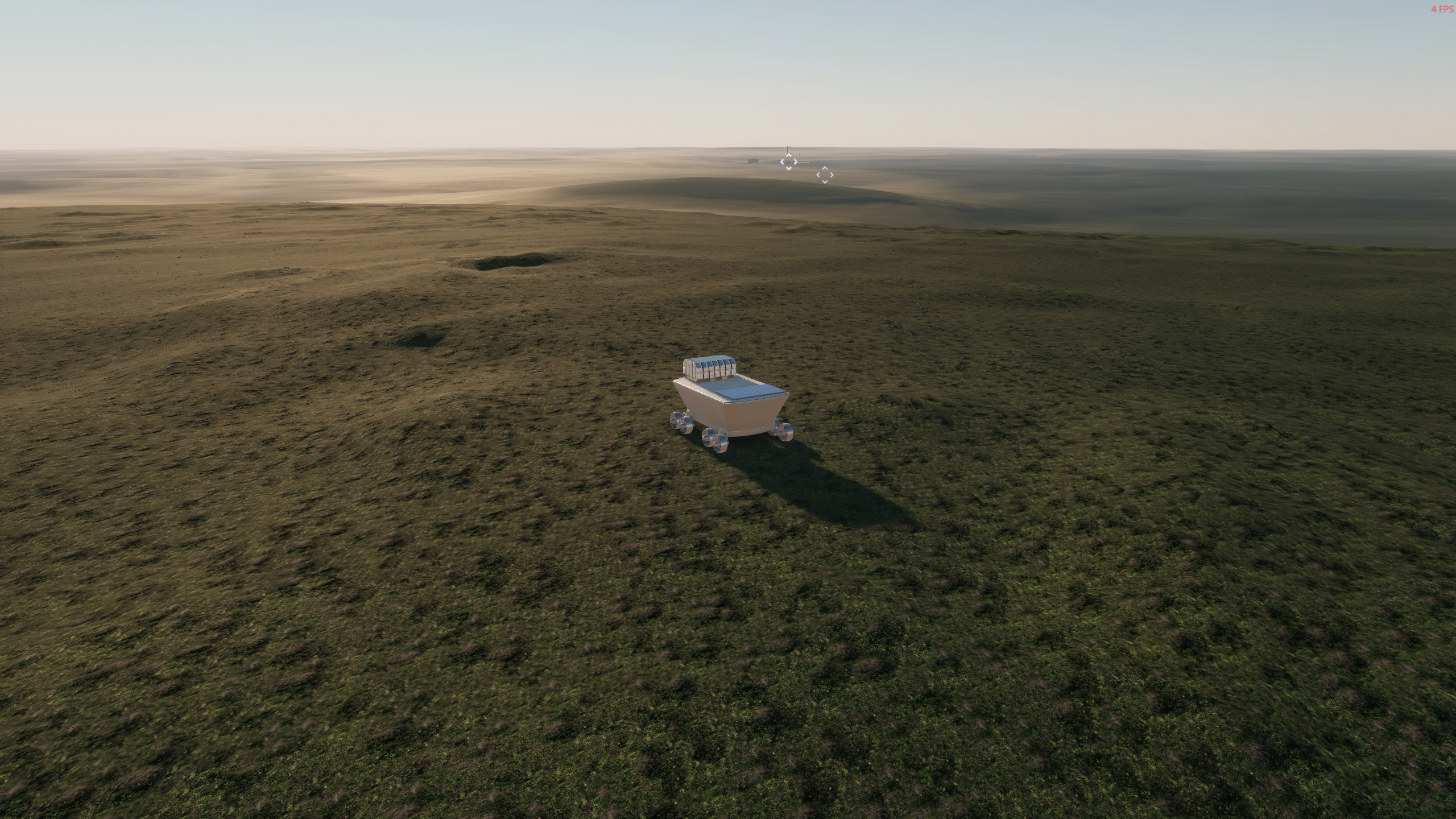
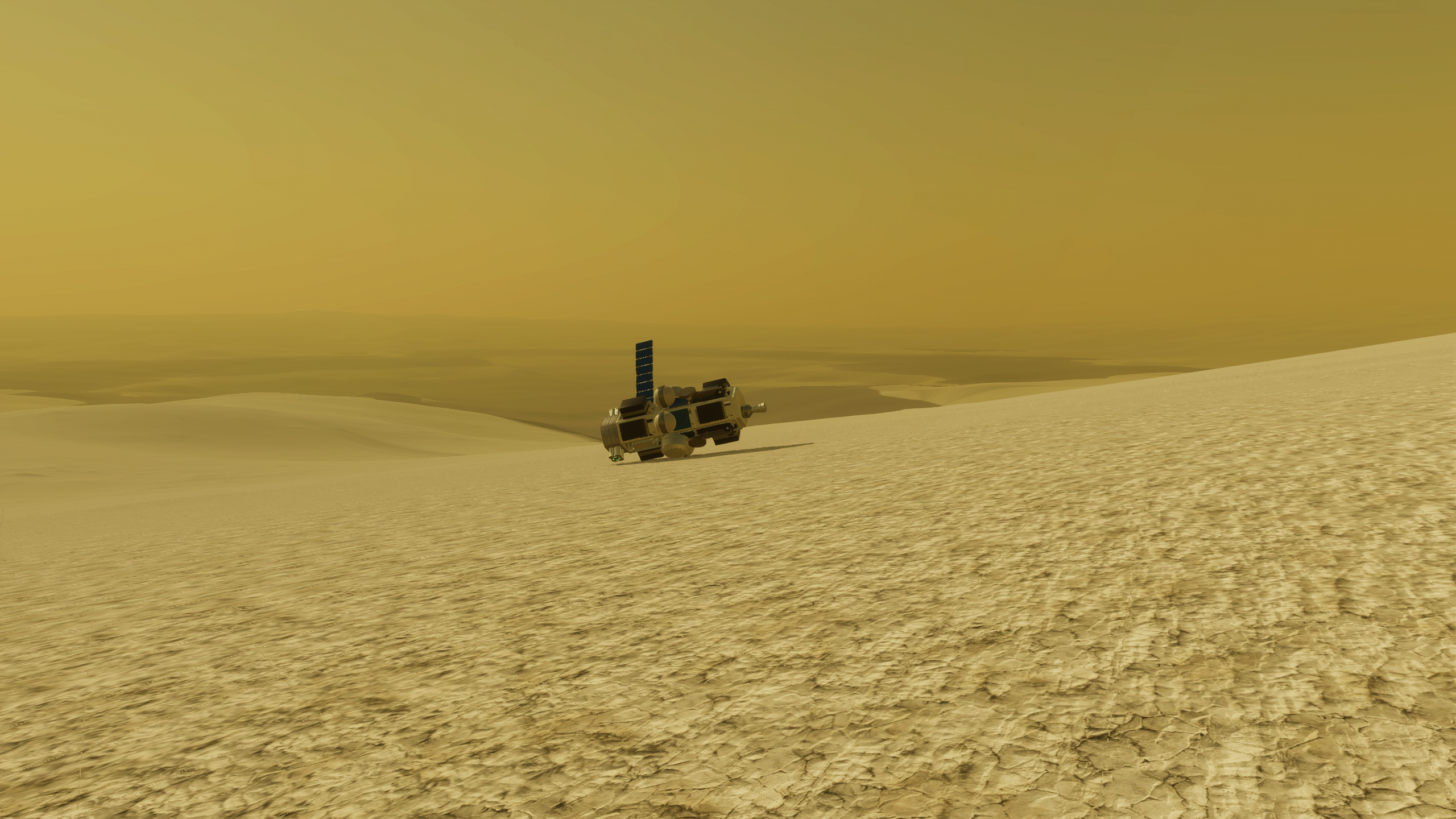
As you’ve probably seen on the update cover, the game now supports rovers. I would say that this is an “experimental” feature, because I had very little time to properly test them. Also there is no sounds/effects assigned to wheels, because it would take far more time, than I had during the beta testing. But they work (with some edge cases) and open up the whole new exploration axis for the game. There are probably not enough rocket parts to deliver them onto other planets right now, but you can try to do that.
Beautiful view of the space center from a place I've never been before
There aren't many parts to install on rover at this time. I am aware of that and this will solve it in one of the future updates, which will bring instruments into the game
Relaunch last selected rocket
Yes, this is happening! You can relaunch the last launched (or selected in the control center) rocket at any moment during the flight. You no longer need to return to the assembly shop to press that launch button. I think this is the second most anticipated feature after vertical rocket assembly. So, enjoy!
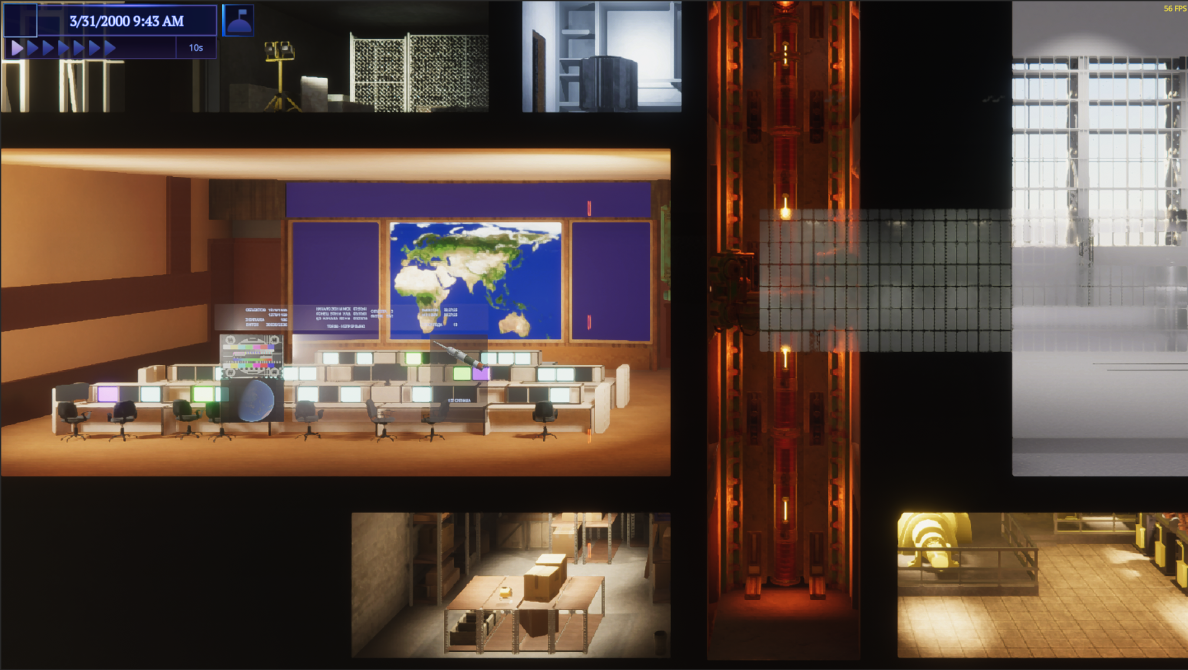
Just press the button on the time panel and you are ready to go
New rocket parts
Most of them were made to support rovers, but there are some that were made to add variety to the resulting spacecrafts.
"Lunohod-2" Chassis
"Lubopytstvo" Chassis
L1 Twin Interplanetary Wheel
L1 Interplanetary Wheel
K2 Interplanetary Wheel
Solar Panel SIGO-249
Central Mini Rack
Angled Extension Rack
"SOHO" Probe Core
"Mgnovenie" Probe Core
Multi-mission RITEG
"Om" Illuminating Device
"Krater-B08-RM" Monopropellant Thruster
"Delta" Adapter
There are a lot of changes made to the game during this four month cycle, so I expect that not all bugs were hunted down. So if you encounter something strange, please report it to our discord or on the steam forums and I will try to fix it as soon as possible.
Thank you for playing and see you in the next one!
v0.19.6 release notes
PREVIOUS SAVES ARE NOT COMPATIBLE WITH THIS VERSION OF THE GAME. If you want to continue plaing your save or you have problems with this update, please switch to v0.18.x branch.
Features:
🔸 added parts for rovers; 🔸 slots and connectors on part attachments unified into one type, called sockets; 🔸 added blueprint mode for assembly shop, where you have no limits in rocket size; 🔸 added vertical assembly option when in blueprint mode; 🔸 added grid for rocket assembly and ability to toggle it on and off; 🔸 line socket used in planes was reworked and supports attachment at any point on the line; 🔸 line socket is used for side connections for most parts now; 🔸 added socket type filter for rocket parts in the assembly shop; 🔸 added star and butterfly sockets; 🔸 wheels can now have electric motors; 🔸 time panel was reworked and includes more info, pause buttons and map / blueprint toggle depending on the context; 🔸 added "Relaunch last selected flight" button to the time panel; 🔸 context menu now works for orbits on Solar system map; 🔸 you can set as target orbits from contracts now; 🔸 you can share your rockets via Steam workshop using rocket mods; 🔸 added rover "launch facility".
🔸 most part variants that had a difference only in slot / connector in the attachment was removed due to sockets rework; 🔸 all deprecated rocket parts in previous updates had been removed; 🔸 some parts with dual and triple side sockets got line sockets instead; 🔸 increased range for pressure for the default parachute, so it could be used in the Martian atmosphere; 🔸 improved visuals for RS-05 Steerable Landing Gear suspension; 🔸 reduced power consumption for all probe cores; 🔸 reduced power production for all solar panels by 30%, to make them more realistic; 🔸 made "Sputnik-2" Probe Core smaller and better looking.
Changes:
🔸 rocket schema holds only state data now, as a result we get smaller rocket files and no need to write a migration, when changing part configs; 🔸 you can rename spacecrafts not only from control center, but also during the flight, by ALT+clicking on the name of the spacecraft on the time panel; 🔸 you can no longer remove spacecraft in the control center by right-clicking on it, you need to use Delete button; 🔸 renaming rocket during editing is changed to alt+left click to be consistent to the rest of the game; 🔸 part attachment movement smoothed when reattaching them from rocket part to rocket part; 🔸 symmetry now checks on reattach/detach, that the symmetric part have not only the same connection shape, but also the same type; 🔸 symmetry now properly handles all cases, when rocket part is reattached within one connection; 🔸 you can flip rocket part during rocket assembly using a hotkey now; 🔸 docking ports are represented with their own socket type now and have respective image; 🔸 reworked connection icons in the rocket part tooltip; 🔸 all engines, that previously have no throttle limits, received lower 5% throttle bound; 🔸 renamed game data folder from HDYLIEM to Rocket Science; 🔸 increased the distance you can zoom out the camera in the assembly shop; 🔸 camera no longer focus on attached part in the assembly, it moves along rocket's central axis instead.
Settings:
🔸added B shortcut, that will switch blueprint assembly mode; 🔸added forward W and backward S buttons to control wheel motors; 🔸added F shortcut, to quickly flip the rocket part during the assembly.
Fixes:
🔸 you can't focus camera on not attached parts to the rocket using alt + click, while in assembly shop; 🔸 rocket part appears in the middle of assembly shop for a few frames when using symmetry; 🔸 rectangle socket sometimes is not connecting to hexagon socket; 🔸 you can't reattach already attached part to the same parent connection but different self connection; 🔸 target periapsis goal is set to 0 in the velocity vectors tutorial UI; 🔸 some rocket parts still flip when connecting top of the part to the bottom of the another one; 🔸 payload adapters are broken and don't handle attachments; 🔸 scene where you are making a custom navball is broken; 🔸 you can reattach part to a "hidden one" when symmetry is enabled. 🔸 when reattaching part from symmetric attachment to the non-symmetric one, detach symmetry doesn't work; 🔸 when reattaching part from non-symmetric to the symmetric one, attach symmetry doesn't work; 🔸 assembly shop become broken if you are stop editing the rocket and rocket part is still moving by the cursor. 🔸 rocket part could constantly switch between two attachments on alignment when user doesn't move their mouse; 🔸 crash when removing attaching part using Delete key, or when part was very close to the parts panel in some specific cases.
Known issues:
🔸 Rocket sometimes is not generating lift, when using relaunch button and there was a previous rocket on it.
Update v0.19.0 "Awakened Assembly" public beta
Greetings, rocket scientists!
I am considering this update as one of the most important since the maneuver planner release. Basically, the game has three pillars: spaceport management (not currently present), spacecraft assembly and space flights. And one of these pillars was heavily redesigned and improved for this update. You can read about the design decisions and the process of developing the improved spacecraft assembly in the previous dev post, in case you missed it. I, on the other hand, will briefly touch on this change and focus on other features and improvements, of which there are quite a few.
Note: this update is not compatible with your old save files, so you will need to start a new game. All old crafts will not work too, because of the changed rocket schema. I don’t like game save wipes, but this one was unavoidable.
Note 2: this update is in public beta. This means, that you need to swith your game to beta-builds branch, to access it.
Connector-slot unification
There are no more distinctions between connectors and slots. In fact, all connectors were replaced by slots. The unified connection points are called sockets now. So every rocket part can be connected to any other one. But you still have to follow the attachment shape rules, as it was before.
The only drawback this improvement has is because the number of possible connections increased, it is harder to select the correct attachment user aimed for. But in time, I will improve that too.
Line sockets
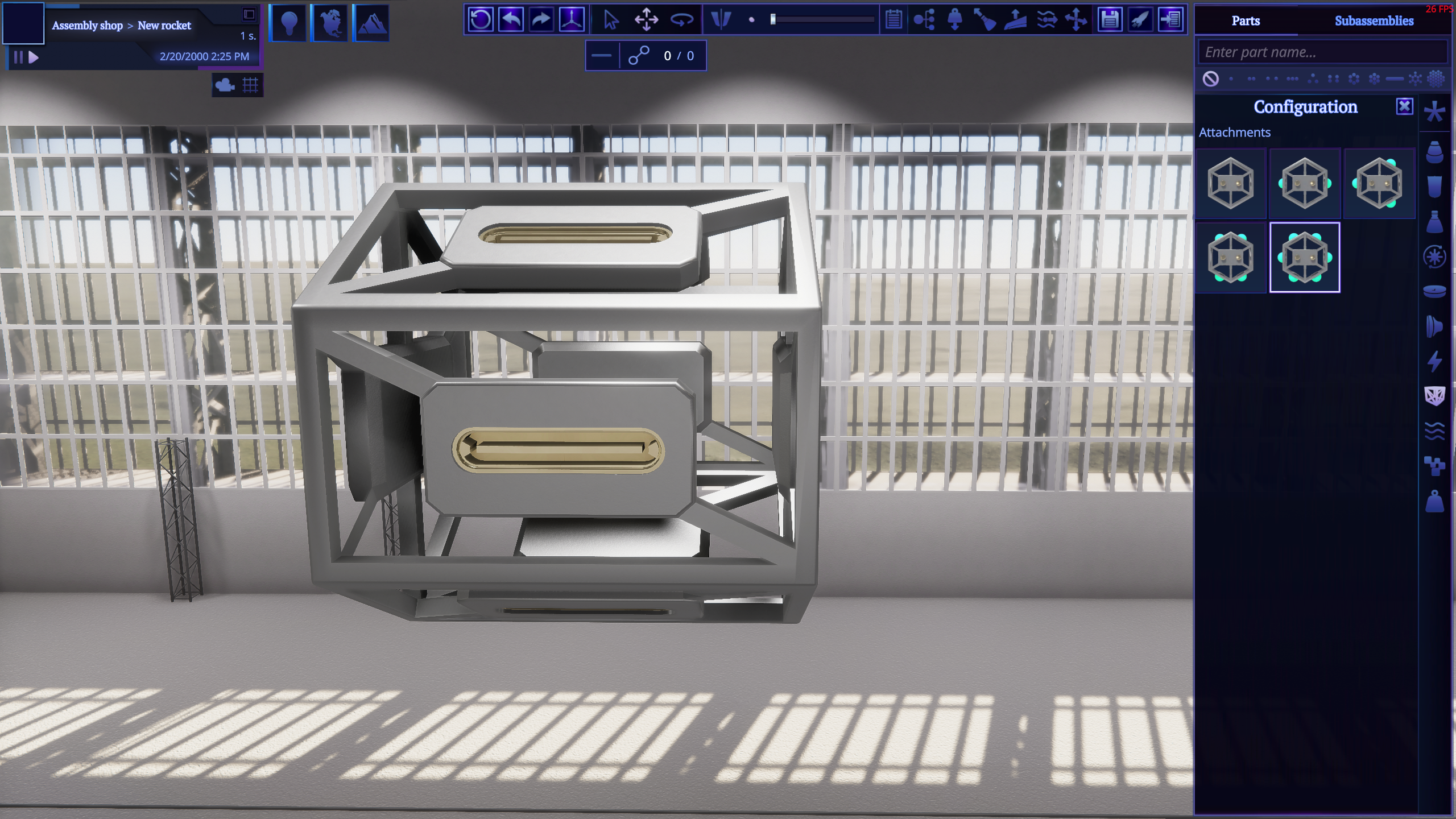
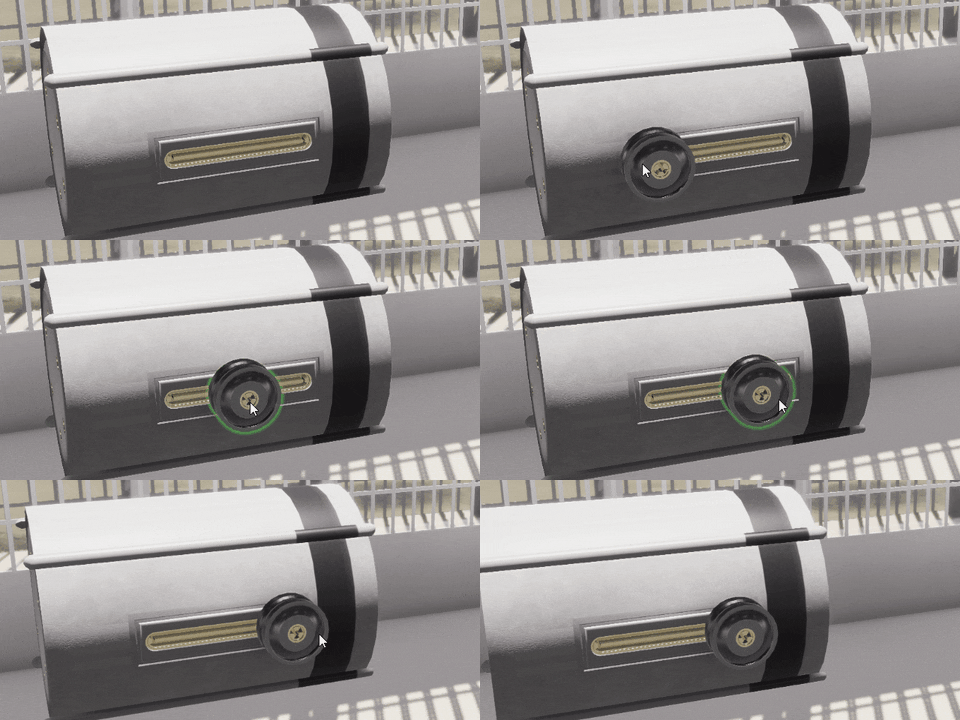
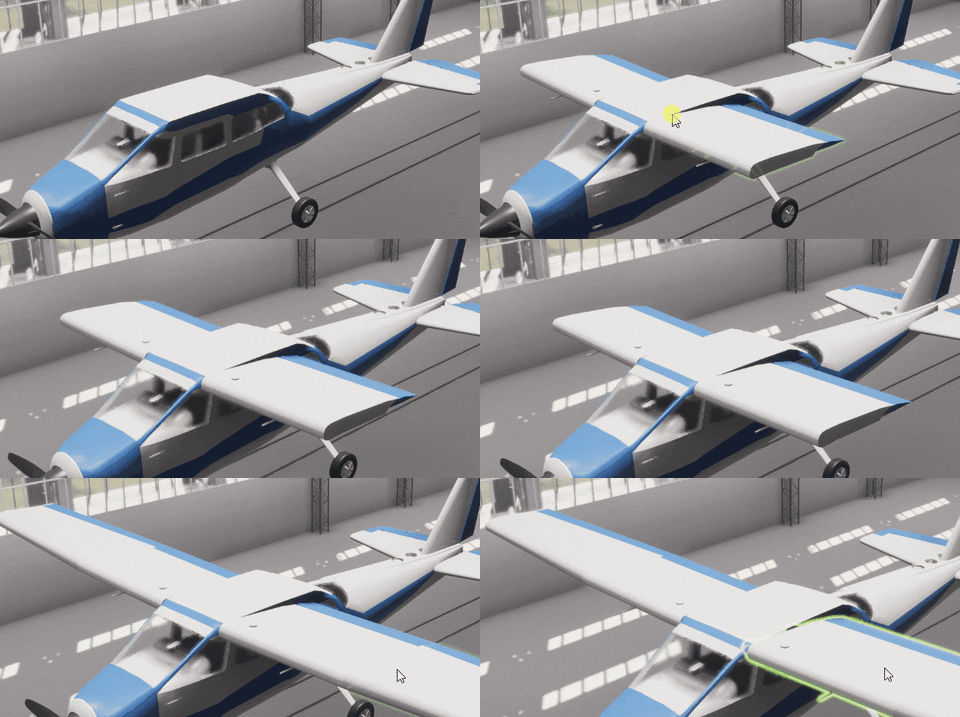
When I added planes to the game, I immediately understood that the current slot system is not very precise: you need very fine control over aero surfaces placement to get well balanced planes. Also it would be great to give players more freedom when placing rocket parts. As a result, meet the completely reworked line socket.
All rocket parts that have side connection variants received line sockets, so you have some vertical freedom there
You can attach another part at any point along this socket.
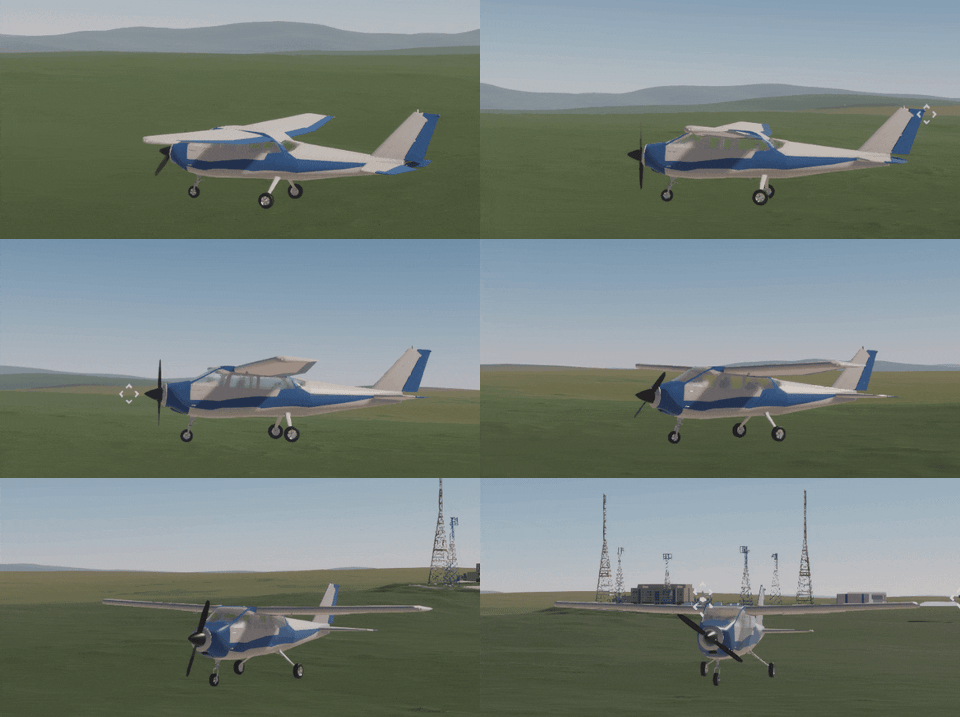
Perfectly balanced planes with no exploits are possble now
Other than that it functions exactly like other attachment shapes. It also supports two modes: continuous and discrete. The last one is basically how line attachments functioned before.
Discrete mode will be in demand for perfectionists
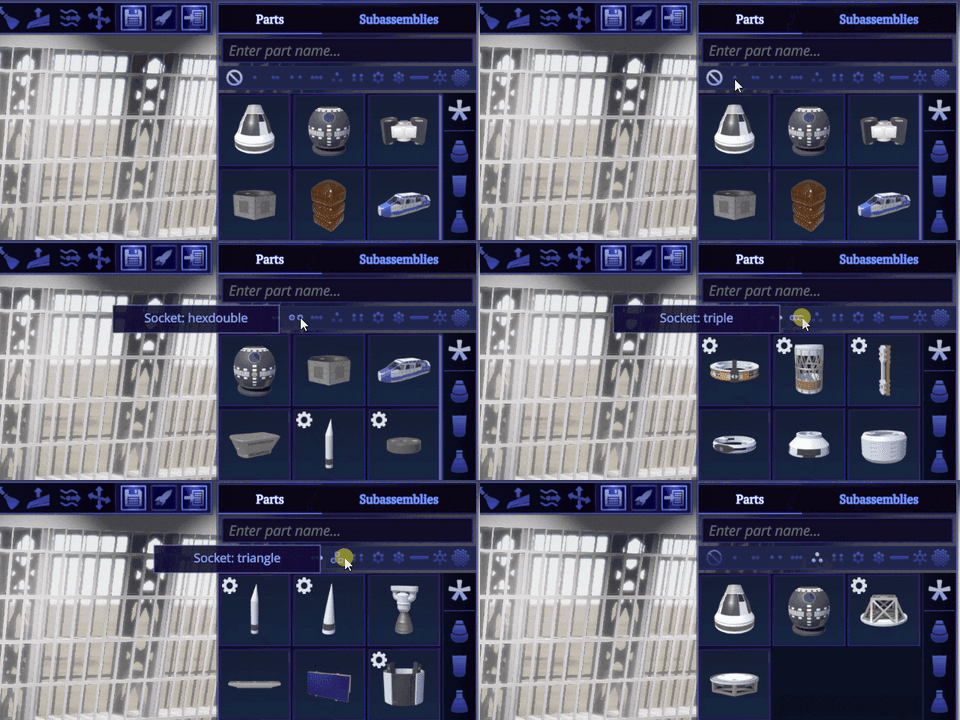
Speaking of attachments, you can filter rocket parts by socket shape.
Not all possbile shapes are present, because of limited space, but I will think how it can be solved
Blueprint assembly mode
I’ve often been asked about this: why is there no vertical rocket assembly? My answer was because the game is based on the Soviet Union space program, and all the rockets were assembled horizontally there. Also the horizontal assembly shop is better fit into the side view of the spaceport. And it is better to assemble rocket engines this way. But I can agree that vertical assembly sometimes is more convenient, especially when every other game is doing it this way. Considering this and the big amount of players wanting vertical assembly, I came to the next solution. There is a new “Blueprint mode” when you are in the assembly shop. When you switch to it, all the walls and props will disappear, as well as any limits to space, where you construct your spacecraft.
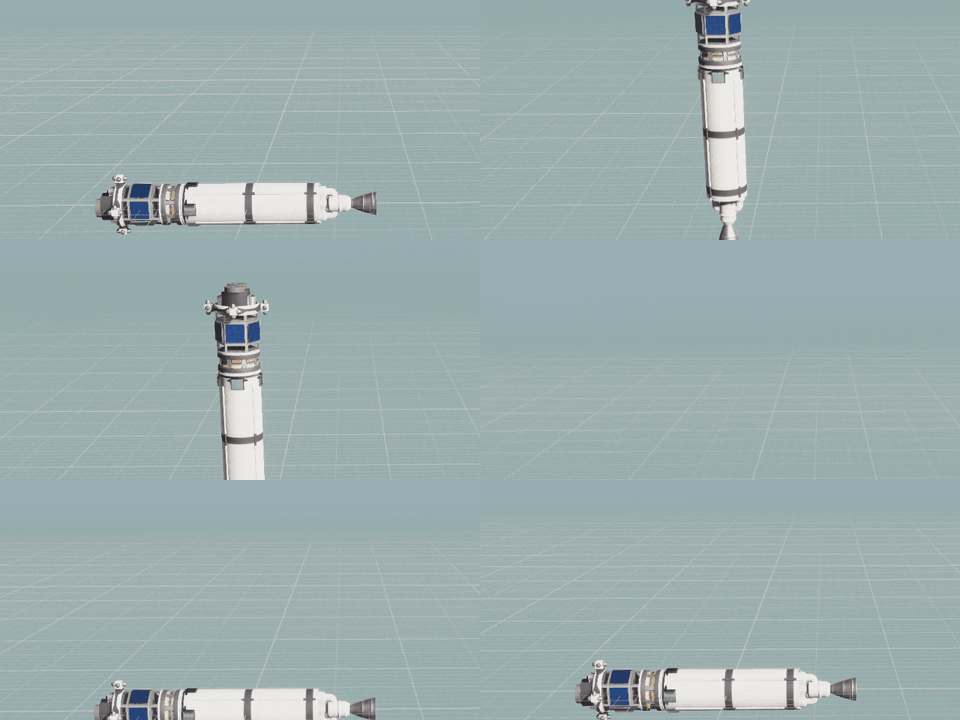
While in this mode, you can switch between vertical and horizontal rocket orientations and assemble your crafts the way you like. Note, the game is designed primarily for the horizontal mode, so some things could be a bit awkward in a vertical one. But it is better than not having a choice at all.
There are some differences in how camera works in different orientations, but you will probably discover it by yourself
Reworked time panel
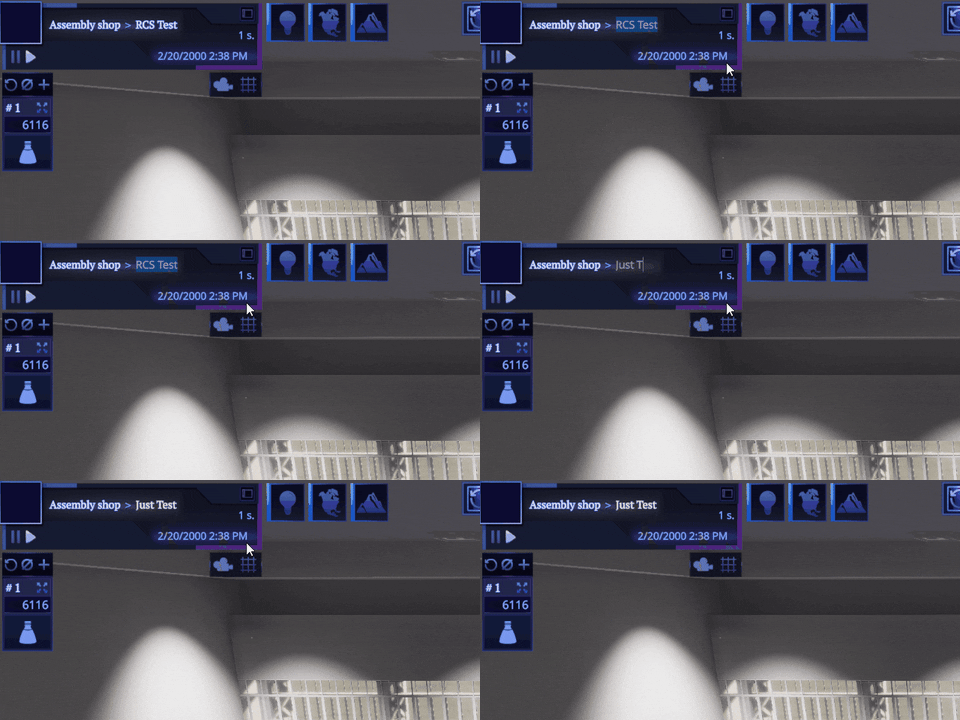
I am also slowly redesigning the game UI. You will get an improved time panel this time. It uses space more intelligently and holds more useful items than before. For example, it contains the current location and rocket or spacecraft name as well as some new buttons.
You can easily rename the current object in place by alt+clicking on it
Context menu for orbits
You can click on orbit and get a context menu for it now. This allows, for example, to set the contract's orbit as a target! They can finally be completed now! Change of the year is here!
Previously, clicking on an active orbit of the current spacecraft would place the maneuver. Now you can place the maneuver using the context menu, or by holding alt and clicking on orbit. Since there is no context menu for planned trajectories, placing maneuvers on them is working like before.
Sharing your crafts via Steam Workshop
This is my attempt to revive the Steam Workshop. I’ve added a new mod type called “Spacecraft mod”. When you create this mod you will enter the Assembly shop in the blueprint mode. You can create any number of crafts or subassemblies there. Or you can manually copy your crafts from the save folder to the mod one. This is not very convenient, but I will add the ability to export your rockets directly from the save to the created mod later. Spacecrafts from this mod will be shared along all save files. You can toggle their visibility by clicking on the button above the rocket list.
When you are ready, you can publish your rockets into the workshop and see if other players will like them
What about new rocket parts?
I am working on a batch of new rocket parts that can only be released together. They should be the part of this beta, but as it turned out, they need a bit more work. I will release them during the beta or right before full release of this update. Stay tuned, and don’t miss them, this will be something special.
As always, there are more in this update that didn’t get into this highlight. You have a chance to discover it by switching your game into the beta-builds branch. Full changelog will also be published on full release of the update.
Thanks for your attention and I am waiting for your feedback.
Dev Update: Assembly Rework Stage 2
Today I want to tell you about the rocket assembly improvements that are coming in v0.19.0 “Awakened Assembly” update. This update is expected to be released in beta towards the end of May, but you can already get the glimpse of some changes in it today.
The problem
Old system based on connectors and slots was very restrictive. I’ve received many reports that it is difficult to work with over the lifetime of the game. And I agree with them. You spend most of the time not designing the rocket itself, but trying to find appropriate adapters to attach the part that you want. In some cases your choices are limited to a few rocket parts, like in case of attaching side boosters using radial decouplers, which lead to rockets that look very similar to each other.
It is also hard to design new rocket parts. Most of the time you need to add several part connection variants with each combination of slot and connector on the top and the bottom. If the part should support side attachments then you screwed. You need to add similar parts that have just a little different geometry in this case.
Working with the part connection variants could be annoying too, they are fine for radial attachments, but it is unnecessary complication and slowdown in other cases.
The last thing that bothered me was inconsistent rules because of docking ports. You can attach docking ports to each other, but they have no connectors or slots. You can say that this is just an exception, but I think that exceptions do not confirm the rule, they suggest that the rule is flawed.
Restrictions
I can’t just throw the attachment system away and make it like in other games. Firstly, the game is built around them, physics calculation simplification, symmetry, coupling and decoupling, exploding parts and tons of other systems depend on attachments. Reworking all of that is basically writing a new game. Secondly, the game will lose part of its identity and it will make it too similar to other games. Also, while the free attachments are great, they basically work only in the radial case. You need some kind of fixed attachment points for top and bottom anyway, so making the rocket perfectly balanced would be even possible.
The solution
So, I experimented a lot and found a solution that solves most of the described problems without rewriting the whole game. So, say goodbye to slots and connectors and meet sockets!
Wait, what?
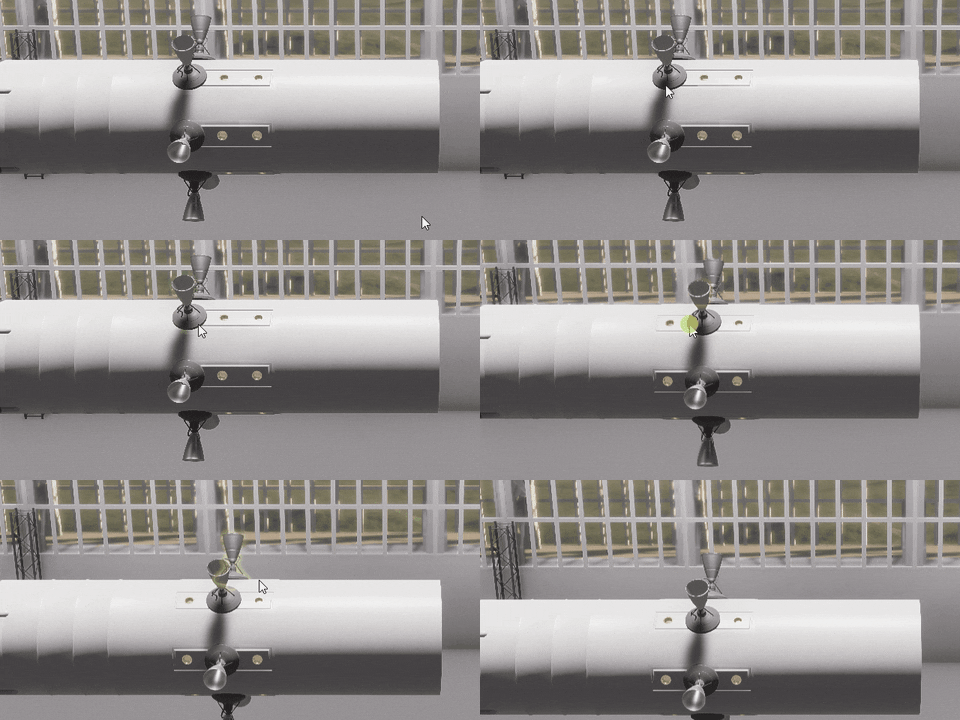
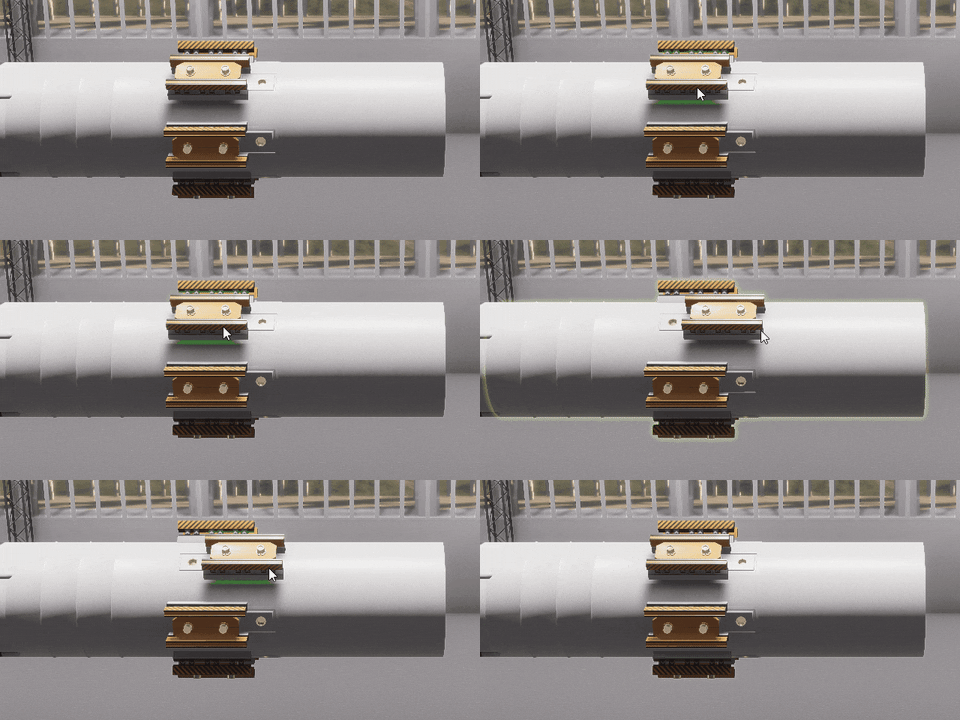
So how do they work? This is basically unified connectors and slots. They obey the similar rules: sockets should match each other and sockets on one of the attachments should be completely filled out. But since there is no difference between them, you can attach any part to any part that follows the rule above!
You can finally attach fuel tanks radially without radial decouplers
You no longer need an adapter and could attach fuel tank directly to the command module
A lot more ways to connect parts are available now, that was not possible before
But how such sockets would work in reality you ask. I thought about that too.
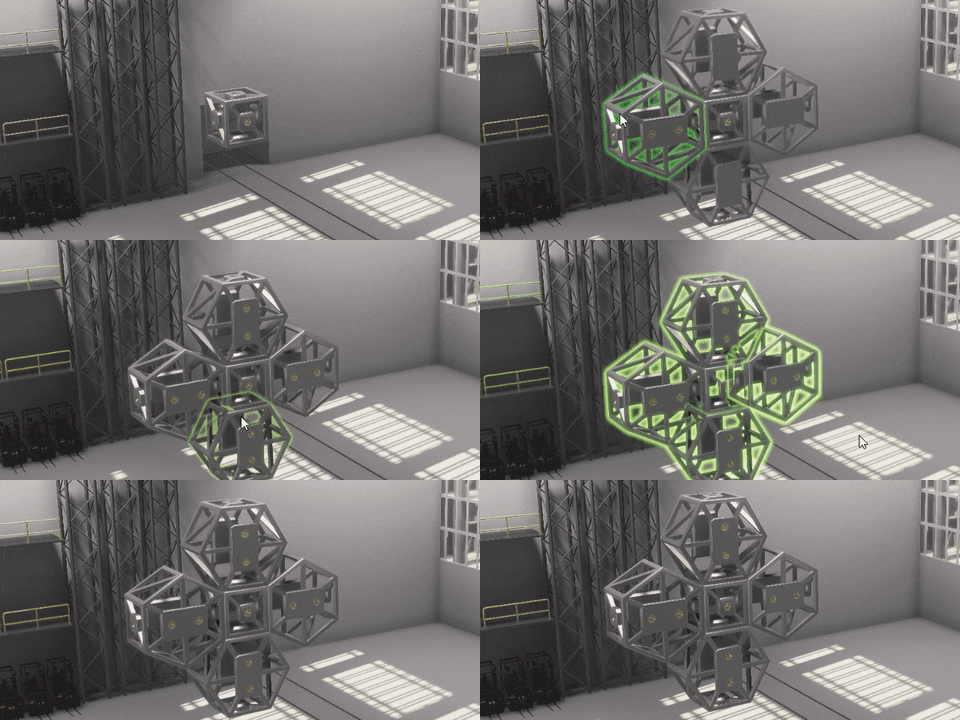
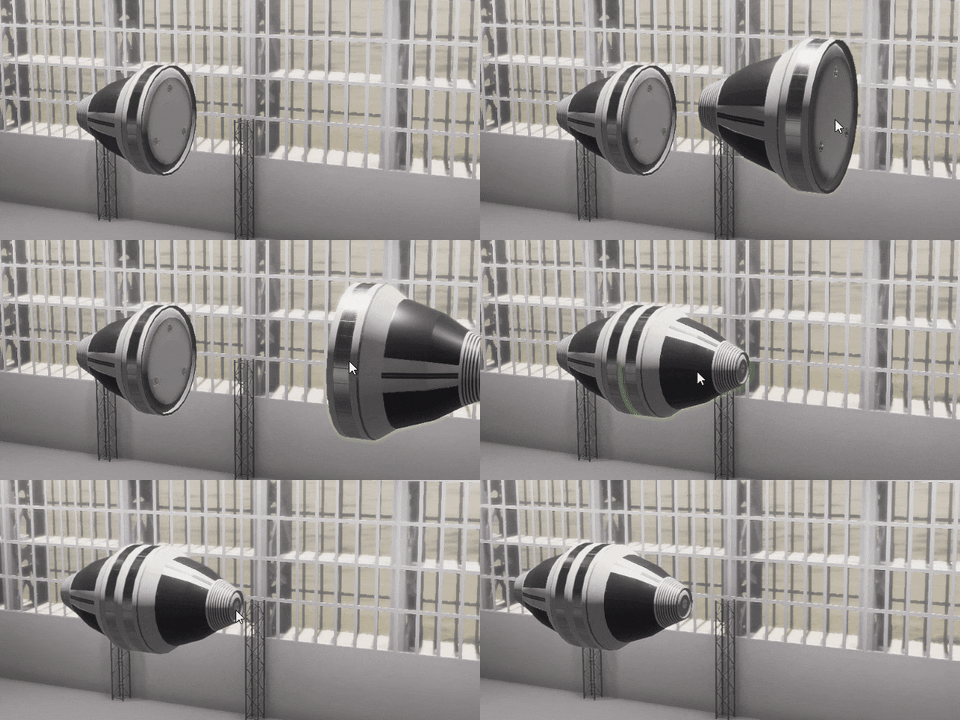
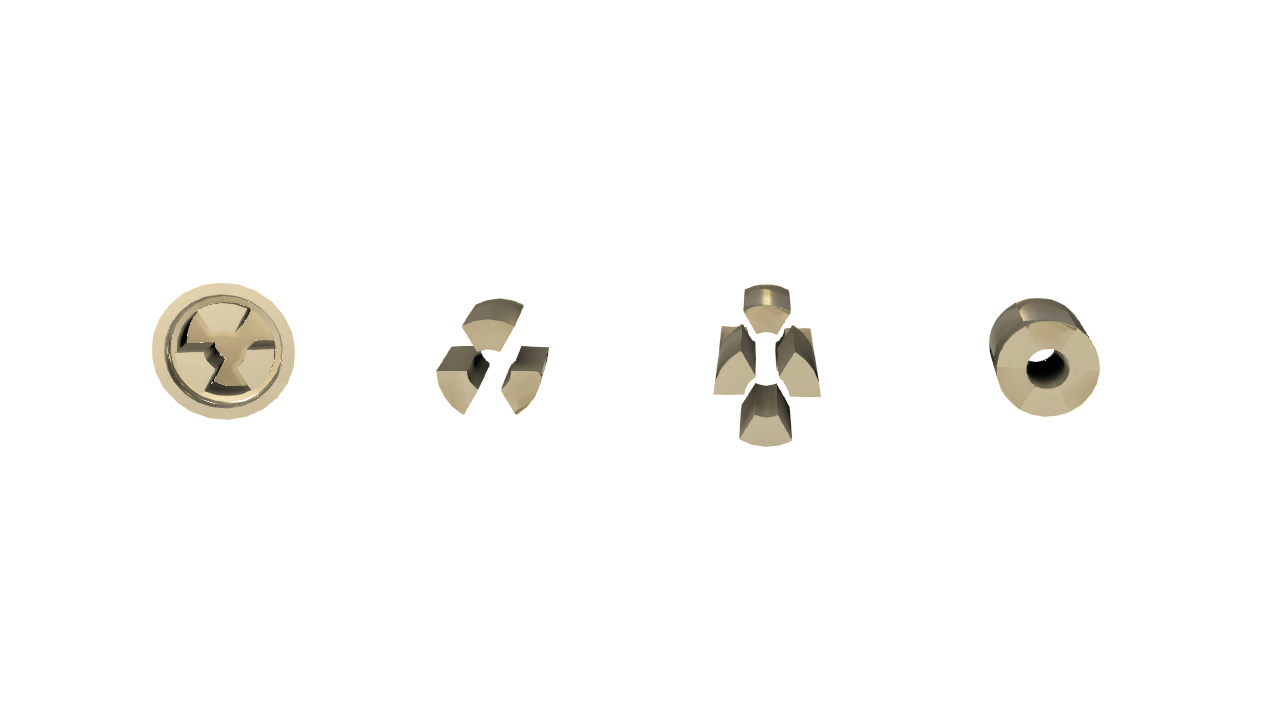
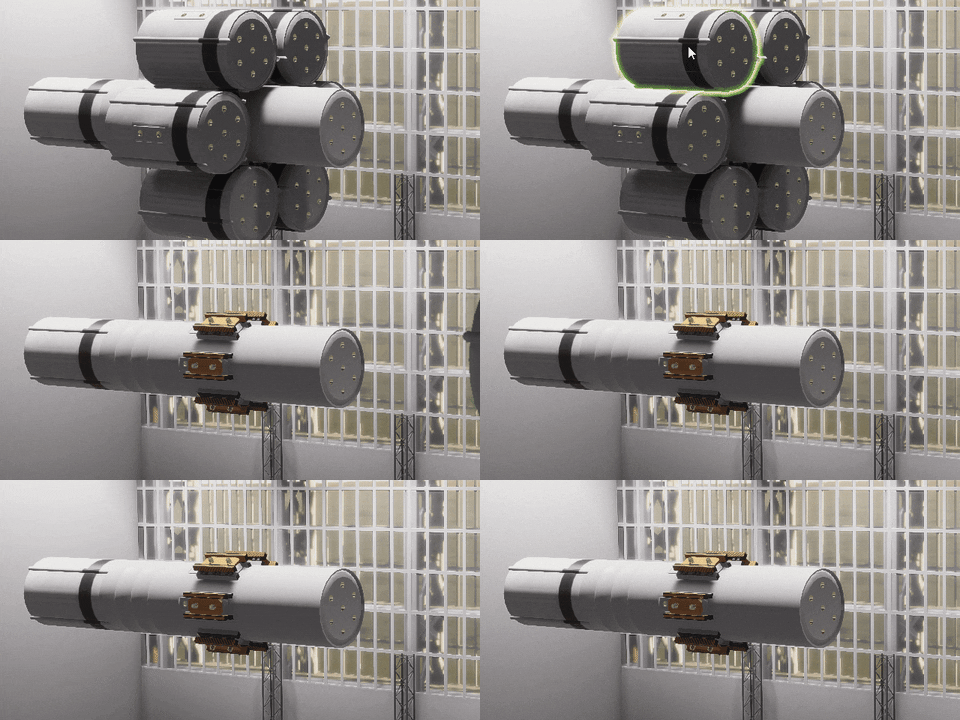
Each socket has a core of a spicific shape. The core of one of the sockets will rotate 60 degrees on attachment. Then both cores will extend out of the socket halfway perfectly securing the connection. It also has a hole in the middle for transferring resources, signals or electricity between parts.
From left to right: socket, socket's core, two cores before attachment, two cores after attachment
Also this type of connection would be several times stronger in reality than the previous connector-slot one.
This is also consistent for docking ports: those brass parts are kinda sockets of a different shape that can be attached only to each other.
No more exceptions from rules
So, as you can see, I’ve implemented this new attachment system, and thanks to the previous assembly rework, it was not that hard. Moreover, I’ve spent most of the time applying the new system to every single rocket part (there are more than 100 of them already). A lot of rocket parts lost their attachment variants, because they no longer needed. Some parts were removed, because they were created only to bypass previous attachment restrictions. And some old parts were improved or reworked along the way.
So, will this solve every single problem in the rocket assembly? No, some problems are partially solved. For example, you still have less freedom compared to completely free attachments in other games. But the amount of different part combinations in the new system exponentially increased and it is much, much easier to work with.
Also,, because much more ways to attach parts are available, part could go wild trying to find appropriate attachment in some specific cases. But I am working on improving that too.
Also this is not a final stop – there is a lot of potential in the new system and many ways to improve it in the future. I also took the one step further and already implemented something that gives even more freedom to connect parts and will improve wing attachment to the planes a lot, but I will tell you about it on the release of v0.19.0 update in beta.
Stay tuned!
Rocket Science v0.18.2 is now LIVE!
Hello everyone!
It is finally time to release v0.18.2 "Connectivity" to the masses! Following a period of open beta testing where the invaluable help from you guys I now feel that it is ready for delivery. A huge thank you to everyone that's been participating in the open beta, providing me with feedback and bug reporting!
This update brings one major change — total refactoring of the rocket assembly system and a bunch of smaller fixes, part redisings and gameplay adjustments. You can read more about rocket assembly refactoring in the previous developer update. But I want to point out several things.
Your payload fairing will be broken, because I’ve changed how their attachment points work under the hood. All you have to do is to remove old broken fairings and install the new ones.
This is only the first stage of rocket assembly rework. The next update the connector-slot system will be heavily modified and I will have to revisit every single rocket part and adjust it accordingly. That’s why there aren't many new parts in this update — I just don’t want to do the same work twice. I hope that after this change making rocket parts become easier and we will see more of them in the future.
I will tell you about rocket assembly refactoring stage 2 in the following dev update, when I will have more things to show. But I can already say that the next game version will not be compatible with the current saves, because it is not feasible to write a save migration for those changes.
Also I had to reset the game’s controls settings because I’ve changed a bunch of hotkeys. I need to add controls settings migration system, to avoid such resets, but unfortunately it needs at least a week of work to do it properly. Maybe some time in the future.
The full release notes are below. Please let me know if you will encounter any issues or bugs. See you next time.
Screenshot by BigManu2000
v0.18.2 release notes
Features:
🔸 total refactoring of the rocket assembly system, it is based on simpler code, is more stable and feels much better to work with; 🔸 you can change selected connection during rocket assembly by using hotkeys, if there is more than one variant; 🔸 added attachment/detachment smoothing during rocket assembly; 🔸 added global thrust limiter to the navball, you can change it by holding ALT and dragging throttle indicator or using ALT+SHIFT / CTRL.
New rocket parts:
🔸 Hexagonal Cargo I-beam; 🔸 Fibre Cargo Bay Cap.
Part changes:
🔸 reworked "Dvutavr" Cargo Bay; 🔸 reworked "Fibre" Cargo Bay Section and "Fibre" Cargo Bay Middle Section; 🔸 increased size for Cargo Fairing 1.4m
Changes:
🔸 changed how attachment points works on payload fairings (this will break the orientation of current fairings, you just need to reattach them); 🔸 symmetry rotation now works for parts, connected to one attachment; 🔸 you can change throttle by clicking on or dragging throttle indicator on the navball; 🔸 added rotation sound for not connected parts, if rotation step is above 1 degree; 🔸 removed dual_big socket and connector as they are not used anymore; 🔸 improved game launch time a bit.
Settings:
🔸 two new hotkeys for assembly Next Connection . and Prev Connection , 🔸 changed hide UI shortcut from ALT+Z to ALT+V; 🔸 changed hotkeys for throttle step increase and decrease; 🔸 added hotkeys for setting global thrust limiter.
Fixes:
🔸 sun flares shine through the navball; 🔸 navball text changes brightness depending on camera exposure; 🔸 connecting two-connector part to heptahedron range slot is unstable and produces a lot of redundant sounds; 🔸 it is hard to select a slot during part attachment on high camera angles relative to rocket part; 🔸 wrong position for the part is assigned when connecting part with slots onto part with connectors; 🔸 sometimes parts stop to connect to each other; 🔸 various exceptions that happened during rocket assembly after which you need to reset the rocket; 🔸 collider offset calculations are missing for some parts during the bake when this should not be the case; 🔸 game sometimes crash on starting loading screen; 🔸 rare crash on game start.
Rocket Assembly Rework Stage 1 + v0.18 Beta
So, it finally happened. I started reworking the weakest part of the game – the rocket assembly. I mentioned several times earlier that this system was developed several months before the game release in EA, and its core hasn't changed much since that time, despite the addition of symmetry tools, parts rotation, force overlays and rocket subassemblies. It was badly written, had a lot of code duplication, hacks and workarounds. Because of that this system has been very hard to improve. Every change, even a small one, resulted in a bunch of bugs that were difficult to track down and debug. Also it never felt smooth. The slot-connector system has its own problems too but I will talk about them later.
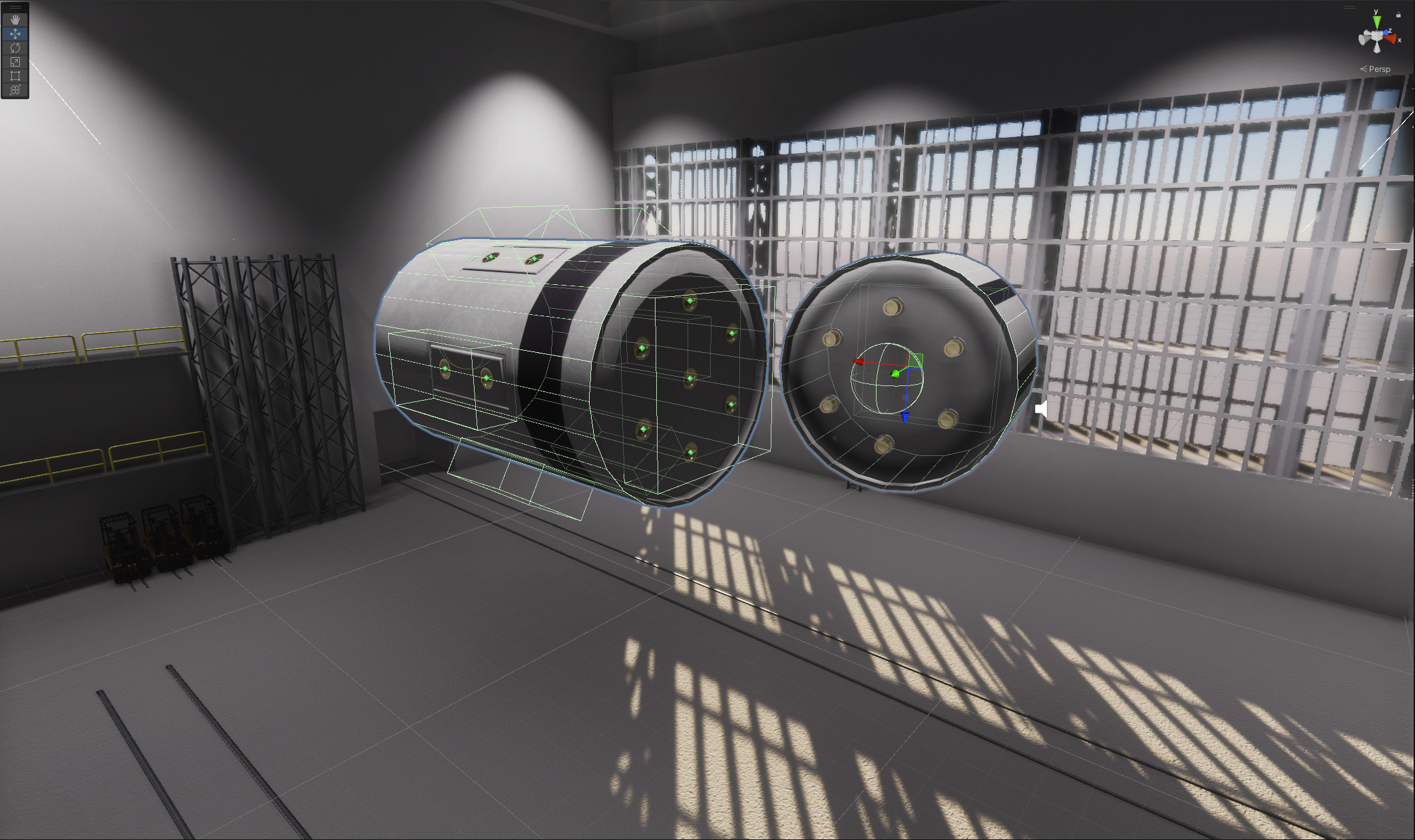
Let’s talk about why it was badly implemented. The answer is simple: it was a pretty complex task and my experience was not enough to design it well. I chose the wrong way to do it. I based it on Unity’s physics system. I assigned each attachment a collider and when connector and slot colliders touch each other, “trigger” event happens. Which means that we need to process this pair of attachments and check if they can be connected to each other. If yes, we need to position the current rocket part relative to the parent one. If not, we needed to check the next “trigger” event if that happened in this frame. The second way to find the attachment pair was to cast the ray from the camera through all its attachments and check if it intersects with any other one. And then repeat the positioning steps.
There are two types of colliders: cubes for slot attachments and sphere for connector ones
There are a lot of problems with this approach. So the attachment colliders are placed on the rocket part, but they load asynchronously like most entities in the game. So, your rocket assembly logic starts to depend on loading timings, which heavily depend on a player’s computer. You can see a “perfectly working“ system on your machine and then get dozens of bug reports that are almost impossible to reproduce.
The second issue is that all attachment pairs, that the system finds, are isolated from each other. So it can report a part that was found during the “trigger” event, but there is actually a better one, but you can identify it by using a raycast only.
Lastly, because attachment colliders are bound to visual representation of the rocket part, there was a lot of code duplication for part position logic. One for parts alignment during the flight and the other one during rocket assembly. The amount of bugs that were produced, because I’ve changed logic in one place and forgot to do it in the other one is countless.
So, I rewrote this system almost from scratch. I have left colliders to describe attachment areas, but they are used only in the “edit” time. When the rocket part is backed on the game start, all info about attachment shape, position and connection points is collected and saved in the mathematical model of the part. Then I actually reconstruct all attachment positions and orientations using this info during rocket assembly without using a physics engine at all. Because I am at full control, I can easily make a good debug overview of what is currently happening.
The debug overview of all attachments. It looks like at the previous screenshot, but it doesn't use Unity physics engine
When the player is moving the part I collect all possible attachment pairs that could happen in this frame using a bunch of different methods: signed distance fields, attachment raycasts, cursor raycasts, reversed raycasts. Then I check if each pair is compatible with each other and remove duplicated ones. Then for each pair I find all possible connection positions. Lastly, I assign a bunch of weights for different metrics that could help me to find the best connection from all possible ones. There are a bunch of metrics that I am using, like distance between attachments, distance between attachment and camera, part rotation angle and even information on whether the part will overlap with others if placed in one position or another. Using these weighted metrics I then choose the best attachment pair and connection point.
I can also visually debug selected attachments
This change not only produces a more enjoyable experience while assembling the rocket, but the ability to choose another connection if you don’t like this one without moving the mouse.
You can change choosed connection by using , and . hotkeys
You may think, that the rotation is happening here, but the engine is actuially changing set of the slots it is connected to
I removed all code duplication between flight and assembly during rework. Thanks to this there are actually 2 times less code in this system, than before! I also added some tweening to make the whole process feel smoother.
You can see, that attachment motion is smoothed even on a 20 fps gif
Also some old bugs are easy to fix now.
Previously, symmetry rotation not worked when all symmetric parts were connected to one attachment
But this is only the first stage of the rocket assembly rework. I agree with a lot of reports that the current connector-slot system is very restrictive and greatly limits the amount of possible rockets that you can build using it. But I can't just throw it away and make something similar to KSP, for example, because too many things are based on it and I will need to basically rewrite half of the game. Also the game will become less unique because of that.
I made some prototypes and I think I found a way to dramatically improve it without radical decisions. But implementing this is still a huge amount of work and I don't want you to wait another five months until the next update. So I decided to release what is ready to the public beta. I think it is already a big improvement from what was done before, but I need your feedback. As always, you can find all these changes in the beta-builds branch.
As for what changes are awaiting the rocket assembly I will tell you in the next dev update. See you there soon.
P.S. No release notes this time, I will publish them when the update will get out of beta.
Update v0.17.3 "Within The Horizon" is out of Beta!
Three weeks ago I released the "Within The Horizon" update into public beta. This time I've got less bug reports, because the game is a bit more stable overall. But winter holidays could be a reason too. Anyway, I've found another bunch of bugs, while working on the next advanced game tutorial. And I haven't heard about any critical blockers from the users who tried it out, so the beta testing was totally worth it.
Here is a quick summary of major changes in v0.17 version: Venus, planes, mirror symmetry, symmetry delete, new advanced tutorial, more than 25 new parts, including large fuel tanks, and yet another pile of fixes as the game has ever seen.
Don't also forget, that there will be a limited time winter holiday event in the game. It will last from December 24 to January 14 and will bring a holiday spirit into it.
Below are patch release notes and full release notes. Thank you for playing the game and helping to improve it!
P.S. If you prefer playing Rocket Science localized in German, take a look at this mod, released recently: https://steamcommunity.com/sharedfiles/filedetails/?id=2902755770
Release notes for patches v0.17.2-v0.17.3
Features:
added new "Adnanced Rocket Assembly" tutorial;
New rocket parts:
Crackle Decoupler;
two new fuel tanks 0.35m and 0.55m diameter;
new dual socket reaction wheel.
Changes:
greatly improved search of approach nodes and increased search distance around target body, especially for small celestial bodies;
reworked geometry of all 2.5m parts, so no more artefacts on rotation;
fixed visible seams on 2.5m fuel tank caps;
improved materials on all 2.5m fuel tanks;
tanks no longer auto rotate on connecting;
slightly improved automatic stage builder.
Fixes:
error when creating subassembly from whole rocket, then placing it back and then removing any part from it;
newly created subassembly could be unexpectidly edited when used during another rocket assembly;
if subassembly was placed into new rocket and then any part was removed, the whole subassembly disappears;
game sometimes stuck if you interrupt tutorial;
rectangle socket now prevents selecting middle slot on a heptahedron socket;
some part names are not localized.
Full release notes v0.17.3
Features:
new planet: Venus;
added aero (wings) and control surfaces (aileron, rudder ecs);
added fixed and steering wheels;
added new engine type: turboprop engine;
added new fuel type: kerosene;
implemented mirror symmetry;
new vechicle forces overlays in the assembly shop;
added symmetry delete / reattach;
new fuel tank radius: 2.5m;
added two decoupler modes for all decouplers;
rocket part connections can now handle up to 64 sockets (previously was only 16);
one new connector and one new socket for new fuel tank radius;
added new line socket type for planes;
slots and connectors on rocket parts will only be shown during rocket assembly;
added runway for spaceport, that will store spacecraft separately
added AMD Fidelity FX and NVIDIA DLSS support;
sun's lens flares effect rework and improvements;
added new "Adnanced Rocket Assembly" tutorial;
New rocket parts:
added around 25 new rocket parts, most of them are bigger fuel tanks and parts for planes;
Part changes:
Basic adjusted size and mass;
increased radius of big payload farings so sizde staged rockets are now possible;
adjusted size of some eingines so they will fit well on new connector;
changed connector on engine 0 from triple to rectangle
reduced all socket and connector sizes by a factor of one and a half;
fixed a bunch of geometry issues, seams and other visual bugs on different rocket parts;
reduced mass of nose cones a bit;
added kerosine fuel configuration for all small fuel tanks;
added no fuel configuration for all fuel tanks;
reduced throttle limit for engine 4 from 90% to 80%.
Changes:
only some parts (like fuel tanks, engines, batteries) generate explosion force on destroying;
improved autostatbilization speed on large heading differences;
sun flares and sun size will depend on distance to it;
CPU consumption improvement in the spaceport and assembly shop;
attachments with two or more sockets can have a small offset along surfaces and induce additional rotation on a part;
[Assembly] chaning category will automatically close part configuration;
greatly improved search of approach nodes and increased search distance around target body, especially for small celestial bodies;
reworked geometry of all 2.5m parts, so no more artefacts on rotation;
fixed visible seams on 2.5m fuel tank caps;
improved materials on all 2.5m fuel tanks;
tanks no longer auto rotate on connecting;
slightly improved automatic stage builder.
Settings:
new hotkey for brakes (B);
new hotkeys for wheels steering (A/D);
new hotkey for mirror symmetry (M);
added separate marker size setting for celestial markers;
added scale rendering settings to the video settings;
sometimes the rocket part tooltip does not show connections.
Fixes:
unnececary drag calculations performed when spacecraft is over planet with no atmosphere;
parts inside the payload fairings produce drag;
some payload fairing sections produce additional drag;
spacecrafts a bit less responsive when rotating them clockwise;
controls setting have no setting for spacecraft systems (ligts, landing gear, etc)
drag data calculated incorrectly for a part if it has more than one material;
sun flares are visible through the planet;
exception, when using symmetry on rcs_mounting_point_1;
sometimes rocket could start behave incorrectly when some parts were destroyed or removed;
custom Surface mod is not saving if already modified surface was modified;
reduced window flickering in the assembly shop;
center of mass and root part markers have wrong position after the whole rocket was moved in the assembly.
when reattaching part from socket to socket within the same part, game sometimes doesn't register place click;
engines got negative thrust on Venus;
some ambient and engine sounds not respect audio volume;
error when creating subassembly from whole rocket, then placing it back and then removing any part from it;
newly created subassembly could be unexpectidly edited when used during another rocket assembly;
if subassembly was placed into new rocket and then any part was removed, the whole subassembly disappears;
game sometimes stuck if you interrupt tutorial;
rectangle socket now prevents selecting middle slot on a heptahedron socket;
some part names are not localized.
Update v0.17.0 "Within The Horison" public beta
This is the second update I decided to publish into the public beta branch first. It will stay there for about two weeks and will be released to the default branch once I will fix all critical issues found by players. I am planning to add several more parts that didn’t end up in beta and probably one or two tutorials related to a new content. You can find how to switch the game’s branch on Steam in the release notes section. Let's get started.
Venus
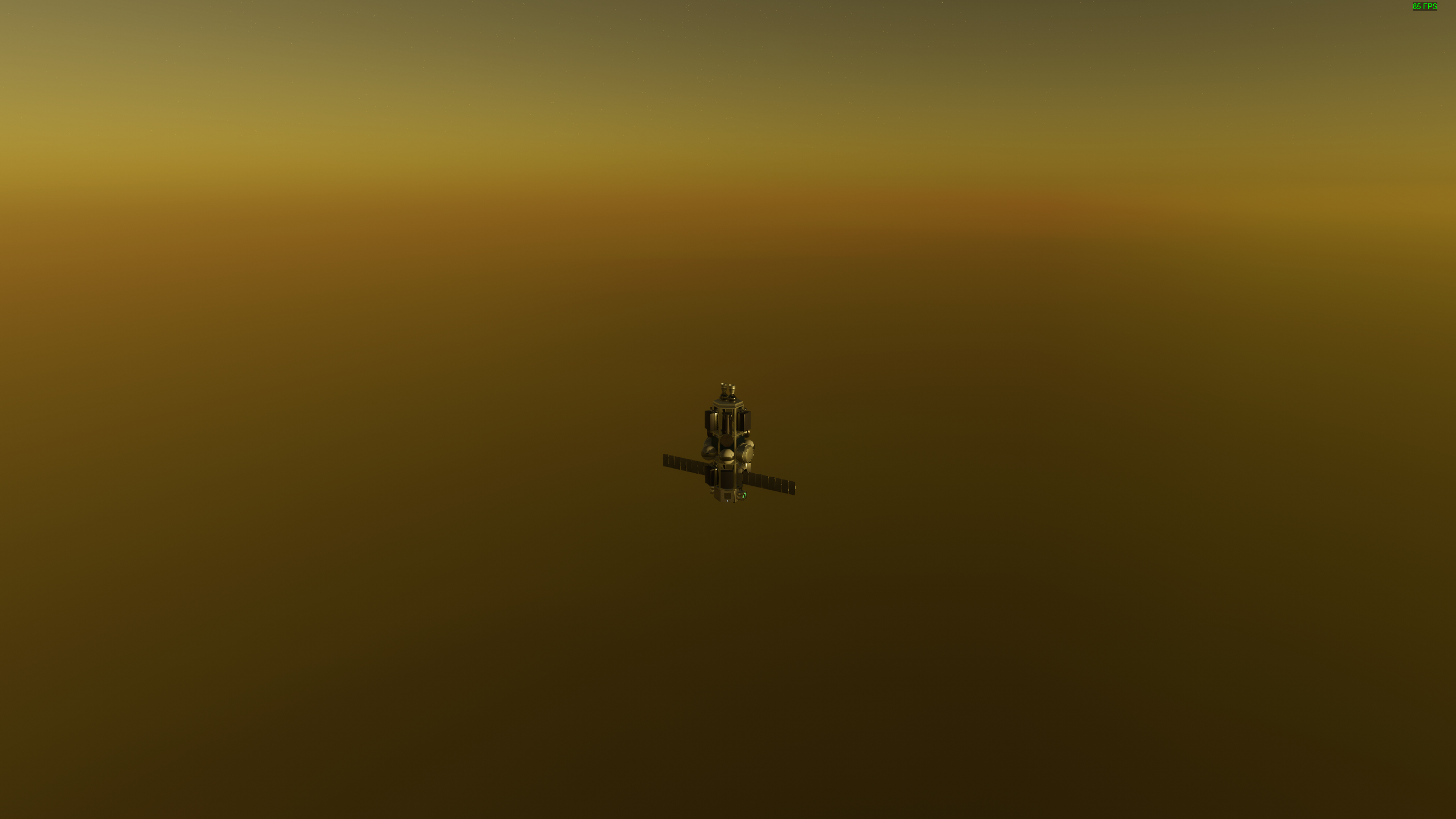
This is a hard one. There is not much data or photos of the Venus surface except those one returned by soviet Venera probes. Because of Venera’s thick cloud layer we don’t even have proper surface color maps. So there is a lot of procedural texturing involved. I also chose the atmosphere color parameters by eye. So the only “real” data are Venus height and atmospheric physics. There is also no cloud layer at this moment but it will be added as soon as I will start developing a cloud system for the whole game.
The atmosperic pressure is so high on Venus that engines basically stop working. But you will also not crash because of it.
Planes
I talked about planes in the previous dev update so I will briefly touch on a few details here.
Firstly, there is basically one set of all parts needed for planes currently. The amount of work needed to add them was crazy, because it is always hard to add something completely new to the game. I can easily compare it to the first twenty parts that were in the game at the original EA release. You have no experience, references or idea if the new stuff works properly. But after extensive testing and reading a lot of articles you start building a feeling, what works and what is just a buggy mess. So you can expect more plane parts in the future, especially after I will gather some feedback for these ones.
Secondly, I’ve noticed that it is pretty easy to build something that will fly due to the socket system. But it is pretty hard to build a perfectly balanced plane because of socket’s restrictions. So a lot more assembly tools needed to solve that. One of them will be an ability to do a small offset for the connected part relative to the parent. Like 10cm would be enough for the balance purpose. But this is a task for another dev cycle and will probably require the whole rework of the rocket assembly system, because the code of it is very bad and it is very hard to change it in any way. But I will see how it goes.
So please try out planes and leave your feedback so I could improve them.
Forces overlay
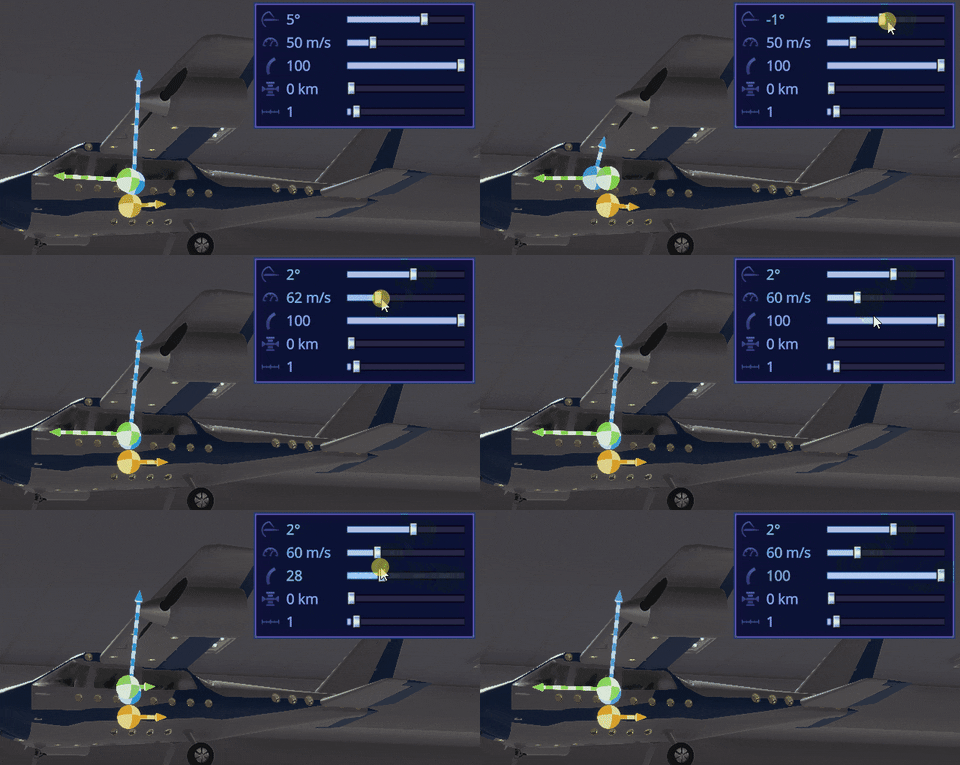
During plane assembly testing I found out that it is very hard to predict how a plane will act without additional information. To solve this I’ve added a detailed forces overlay during craft construction. Now you can see the force center, direction and magnitude for gravity, lift, thrust and drag. Or you can toggle a combined force and basically see the craft velocity prediction. It is funny, that this force overlay helped me to find a bug: some payload fairings didn’t actually protect the parts placed into them from the drag.
Also note that each division on the arrow is equal to 1kN force, so you can easily compare forces and understand what will happen with the craft at a given set of parameters.
Assembly improvements
The feature I am pretty sure you all waited for. You can finally remove parts using a symmetry.
Better late, that late
Not only that, but you can even symmetrically reattach parts. This one have some limitations tho: This one works
This one doesn't because both attachment points should be free. This one currently impossible to fix without rewriting the whole assembly system
Also mirror symmetry was added for plane assembly and some small fixes were made for the whole assembly workflow.
Decouplers
All decouplers received two configurations. Now they can work as a decoupler (default) or a separator. In the first mode, the decoupler will stay attached to the decoupled part. The second mode works as it was before. This will help to reduce the amount of debris produced during the rocket launch. To further reduce it you can try to use dynamite, but note it is not safe!
There are only one decoupler that can only work in the separator mode. Could you find it?
Bigger fuel tanks
This one I’ve mentioned in the August dev update. As it turns out, the new fuel tank radius requires a lot of additional parts like bigger decouplers, adapters, nose cones, fairings etc. I didn’t have time for all that, but still I’ve added something. This is bare bones, but you can easily build the first stage already. Also several days before the release I found a bug in this radius geometry (wrong number of polygons) which led to the coupling artifacts. I will need to basically remake all of these parts and will do it during the beta.
This thing is really huge
Other improvements
As always there are a lot of smaller improvements that you can find in the release notes. For example, new lens flares, sun size and flares now depend on the distance to it, improved drag calculations, hiding part connections during the flight and more!
As always thank you for your support and I am waiting for your feedback!
Release notes v0.17.0: Public beta
This build was deployed to beta-builds branch. To switch to this branch right click on the Rocket Science in your library, and click on Properties. Select the Betas tab, and then select the beta-builds branch. Once you see it, select it and click OK.
Note: if you want to switch back to default branch after this beta, you will need to manually clean %USERPROFILE%/AppData/LocalLow/Unity/unbeGames_HDYLIEM folder or the game will not start.
Features:
new planet: Venus;
added aero (wings) and control surfaces (aileron, rudder ecs);
added fixed and steering wheels;
added new engine type: turboprop engine;
added new fuel type: kerosene;
implemented mirror symmetry;
new vechicle forces overlays in the assembly shop;
added symmetry delete / reattach;
new fuel tank radius: 2.5m;
added two decoupler modes for all decouplers;
rocket part connections can now handle up to 64 sockets (previously was only 16);
one new connector and one new socket for new fuel tank radius;
added new line socket type for planes;
slots and connectors on rocket parts will only be shown during rocket assembly;
added runway for spaceport, that will store spacecraft separately
added AMD Fidelity FX and NVIDIA DLSS support;
sun's lens flares effect rework and improvements.
New rocket parts:
added around 20 new rocket parts, most of them are bigger fuel tanks and parts for planes;
Part changes:
Basic adjusted size and mass;
increased radius of big payload farings so sizde staged rockets are now possible;
adjusted size of some eingines so they will fit well on new connector;
changed connector on engine 0 from triple to rectangle
reduced all socket and connector sizes by a factor of one and a half;
fixed a bunch of geometry issues, seams and other visual bugs on different rocket parts;
reduced mass of nose cones a bit;
added kerosine fuel configuration for all small fuel tanks;
added no fuel configuration for all fuel tanks;
reduced throttle limit for engine 4 from 90% to 80%
Changes:
only some parts (like fuel tanks, engines, batteries) generate explosion force on destroying;
improved autostatbilization speed on large heading differences;
sun flares and sun size will depend on distance to it;
CPU consumption improvement in the spaceport and assembly shop;
attachments with two or more sockets can have a small offset along surfaces and induce additional rotation on a part;
[Assembly] chaning category will automatically close part configuration;
Settings:
new hotkey for brakes (B);
new hotkeys for wheels steering (A/D);
new hotkey for mirror symmetry (M);
added separate marker size setting for celestial markers;
added scale rendering settings to the video settings;
sometimes the rocket part tooltip does not show connections;
Fixes:
unnececary drag calculations performed when spacecraft is over planet with no atmosphere;
parts inside the payload fairings produce drag;
some payload fairing sections produce additional drag;
spacecrafts a bit less responsive when rotating them clockwise;
controls setting have no setting for spacecraft systems (ligts, landing gear, etc)
drag data calculated incorrectly for a part if it has more than one material;
sun flares are visible through the planet;
exception, when using symmetry on rcs_mounting_point_1;
sometimes rocket could start behave incorrectly when some parts were destroyed or removed;
custom Surface mod is not saving if already modified surface was modified;
reduced window flickering in the assembly shop;
center of mass and root part markers have wrong position after the whole rocket was moved in the assembly.
when reattaching part from socket to socket within the same part, game sometimes doesn't register place click;
engines got negative thrust on Venus;
some ambient and engine sounds not respect audio volume;
Work In Progress: Planes
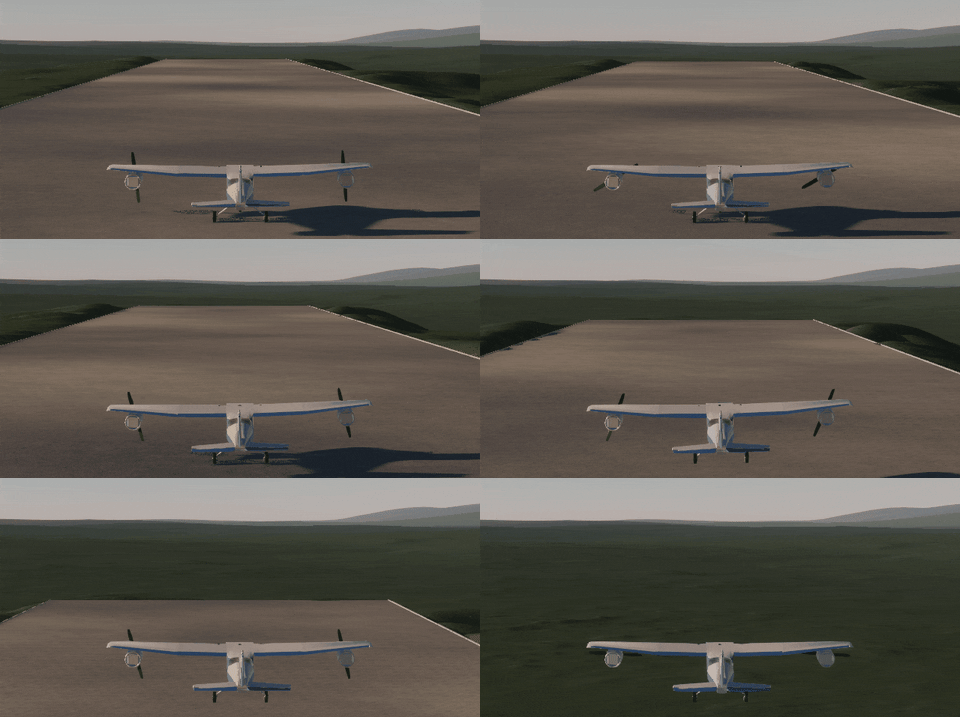
A quick update here about a new feature that is coming in the next v0.17 version of Rocket Science. So, this is actually happening. At the beginning of the development I thought planes are too complicated to make, and even placed researching this topic post v1.0 release into my roadmap. But the more I worked on the game and the more my skills improved, the more I began to realize that it was not only possible, but doable in the time frame of one update cycle.
Planes have been at the back of my mind since the first rocket take-off in the game
One issue that I had to address before even starting research was the compatibility of the socket system with wings. The point is that planes, unlike rockets, need to be properly balanced so that the center of lift is behind the center of mass. I had no suitable sockets for that and the distance between each slot was 0.7m which is too far for proper balancing. So I've added a new type of socket. It is a line of slots with any number of them and 2x reduced distance between each one. And as I mentioned in the previous update, such sockets would look like swiss cheese. This was another reason to implement sockets hiding everywhere except assembly shop. Also I had to make them smaller, because with reduced distance the become like a mess.
After that, one week of heavy research and five weeks of development I finally put everything together.
Note, that all the gifs are work in progress, anything can be changed
The amount of new things that need to be added into the game to support planes is the biggest so far. Just take a look at this list of features.
- wings and lift and drag force calculations for them; - control surfaces such ailerons and flaps; - autocorrection system for lift forces; - wheels, including steering and braking; - new engine type: turbopropeller; - new fuel type: kerosene; - mirror symmetry for spacecraft assembly; - center of lift and thrust calculations; - new launch facility - runway.
And many more. The most complicated feature from this list was reinventing the wheel by the way, because Unity's builtin wheels do not work in the spherical gravity. But this is a story for another time. As are many otherstories about this development cycle, but I hope to be able to tell one or two in the actual update (now I simply have no time for that).
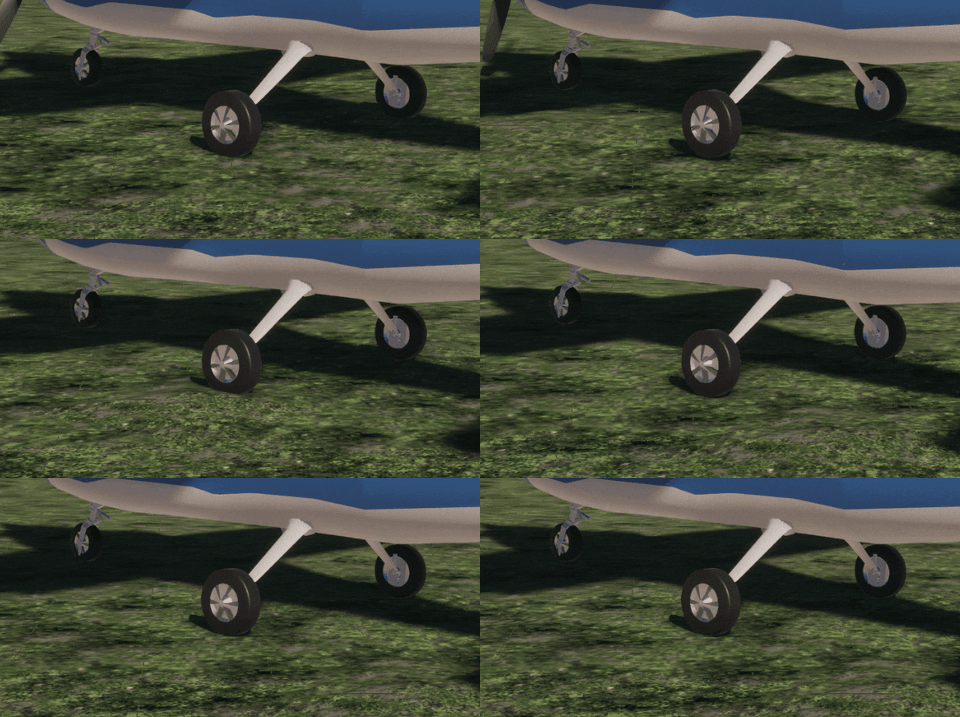
The basic functioning wheel took me one week to made...
Almost all of these things are 75-80% complete and I want to release the update someday in November. I didn't fully solve plane balancing yet and I need to finish tons of smaller features too. And, if I have some time left, I will try to add more than one plane set of rocket parts and add tutorials for all that.
You can see there a new type of symmetry — mirror
Thank you for your attention and see you in the v0.17.0 update!
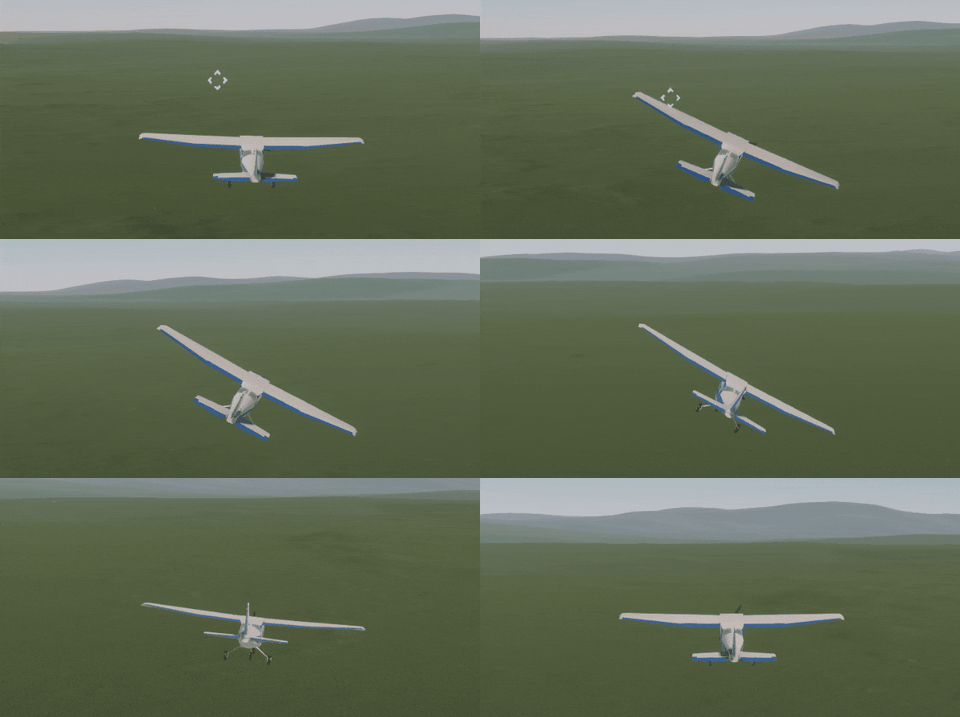
Plane flight feels so different from rockets, it is like a new dimension for the game
Developer Update: August 2022
Hello, everyone!
Last update I received a lot of feedback on the game and a bunch of feature and content requests. I had to choose the most valuable but not the insanely time consuming ones, as I continue to work on the game alone and have to deliver updates within a reasonable time frame.
But before I get down for that and start the next dev cycle I have to migrate to the next major Unity version. I’ve been locked on the same engine version for 2 years, because I was using new (for that time) experimental engine features that made it possible to make the game fast and support real scale planet generation. The price was this engine lock, until Unity Technologies would transfer these experimental features into the latest stable Unity version and start to officially support them. This happened in June so I could finally move on.
But why spend valuable time on this engine migration when it won't add anything new to the game? Because engine's tools are getting better, some of the newest graphics and scripting tech are becoming available and sometimes everything even starts to perform faster. Hoverer, this migration is certainly not a walk in the park. Usually the game starts to fall apart after that, a ton of bugs and errors appear, some libraries stop working and some critical code completely breaks. You need to fix everything and then test everything, and fix every single issue you find during quality control. And even after that players will find introduced bugs by this update for months. But if you want to support your game for years and continuously work on it, you need to stay on the edge of the progress or you will be left behind and will lose the competition with other projects.
Typical game view just after engine migration
Again, this engine update has allowed me to completely rework lens flares and the Sun size and make them dependent on the distance to it. So if you look at the Sun from Pluto, it will look like an ordinary star. The next big thing that I’ve added is the support of scaled rendering and NVIDIA DLSS and AMD Fidelity FX. This means that you can finally play Rocket Science in 1440p and 4k resolution or improve FPS if the game is GPU bound for you.
The engine migration was done, but I suddenly injured my back and couldn't sit or lay down without pain. I spent the whole July healing it and, unfortunately, couldn’t work at all. But, thankfully, the pain was almost gone in the middle of August and I went back to the game development.
I started to look into feedback again. The first most requested feature was bigger fuel tanks. You need a lot of ΔV if you want to fly anywhere beyond the Moon. You can build such a rocket, and you can even find a bunch of videos on Youtube, where players land on Mars or crash into Venus’s surface. But those spacecrafts consisted of hundreds of parts, were hard to assemble and the game processed them very poorly, especially during the first stages of the flight. So the perfect candidate for the job has been found. Besides, the game still needs a lot of different fuel tanks to make the rockets easier to assemble and look better.
But bigger fuel tanks need attachments with more slots and the game supported a maximum of 16 slots at that moment. To increase this number I needed to rewrite an internal data format that stores connected to the part slots, which would immediately break all save games. But after some research I’ve invented a compatible format that supports up to 64 slots by the one attachment.
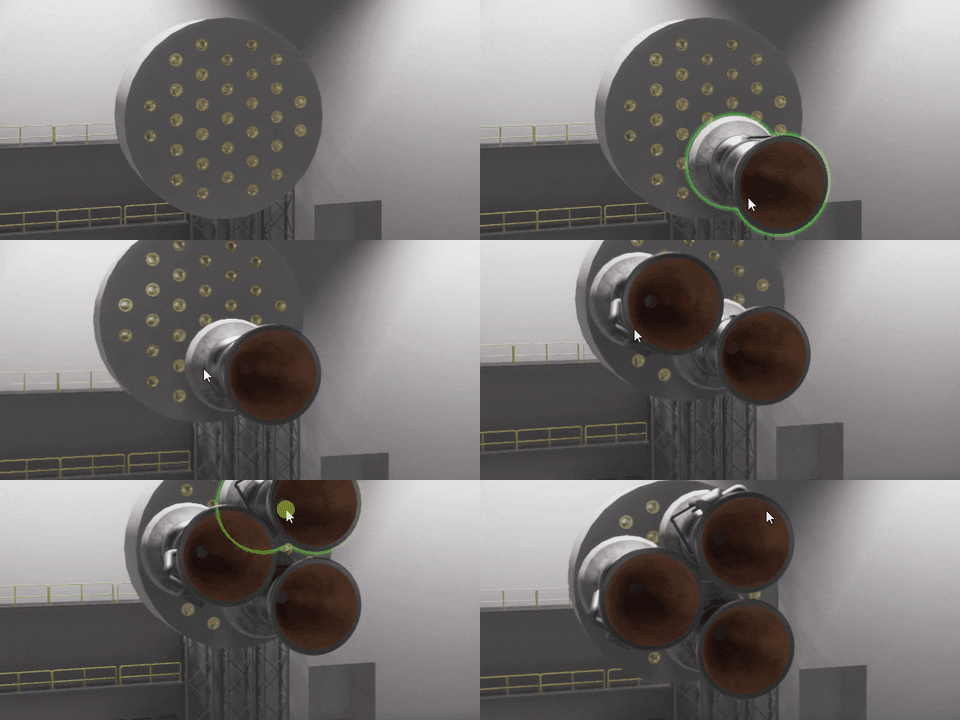
The shape of attachment containing these slots was a challenge too. It should be consistent with what is already in the game, be compatible with all current attachment shapes, also support symmetry and rotation. It’s like a geometric progression, adding each new attachment shape requires progressively more and more work. But I solved it and the attachment for bigger fuel tanks radius would look like this:
I am thinking about even bigger attachment for the largest fuel tanks radius in the game, but those will come later
When this shape was done, I started to experiment attaching different combinations of engines. I discovered that some combinations, like three attached “Zarya” engines, are not working, because of incompatible engine radiuses. So I had to tweak those and you can expect a lot of small changes in shape and forms of some rocket parts.
One small problem remains. If you leave most of the attachment space empty, this part of the rocket is starting to look like Swiss cheese. And such rockets don’t look like real ones during the flight. Because no one would leave such attachments exposed to outer space if they would exist in reality. Additionally, the large number of not filled slots adds a visual noise to the rocket. Surprisingly, they also considerably decrease the rendering performance.
So I made the decision to hide all connectors and slots for all spacecrafts except the case when the rocket is in the edit mode in the assembly shop. Implementing this change would require an enormous amount of work, but I found a way to partially automate it. So it is almost done now and it will open more space to rocket visual design in the future.
The view you are used to and it will remain in the rocket editing mode
How it would look elsewhere
The next problem I have received several complaints on is space debris. When a rocket's stage debris enters the atmosphere, the simulation speed can not be set over 10x even if your main spacecraft is already in orbit. Players have two options in this case: wait until debris will crash into the planet's surface, which can take several minutes. Or return back and manually delete all junk. Both options are bad, but I don’t want to just exclude all debris from the physics simulation. There are a lot of edge cases for this solution, and I also planned to make several gameplay mechanics related to this problem. In reality, most leftover parts burn up on re-entry. But the game has no thermodynamics right now and it is not easy to just add it.
So I introduced two working modes for all decouplers: “separator” and “decoupler”. The first one works as it was before. In the second mode the decoupler will stay attached to one of the connected parts, marked by an arrow on it. This should already reduce the amount of space junk. As a further “temporary” solution I’ve added a “self-destructor” part which will destroy itself and all connected parts after a specified amount of time after detachment from the main rocket. It is pretty light and requires only one slot, so if you are very annoyed by debris, you have a solution.
Here I immediately found a bug, that the effect of explosion in space stays fixed in one point instead of moving on the same orbit.
The third thing I have been asked more than several times was extending the tutorial. But this was already on my working list and I just increased its priority. Moreover, I’ve planned a lot more for the next update. New tools for the assembly shop, some improvements handling engine’s throttle, a lot of new rocket parts, the new planet and a bunch of tutorials and missions. I will tell you about all that in the next “work in progress” article.. Obviously, the next update will not be ready in September as I planned before, because I lost one and a half months while I couldn't work. But I hope it will be released somewhere in November and I will keep you updated on that.
Thank you very much for your support and see you soon.
Update v0.16.8 "The First Planet" is out of Beta!
Two weeks ago I've released "The First Planet" update into public beta. Thanks to the game community, I got great feedback and received a ton of bug reports during the beta. All the critical ones where successfully fixed and the game is now much more polished and stable.
Here is a quick summary of major changes in v0.16 version: Mercury, procedural texturing rework for Earth and Moon, rocket staging improvements, new payload fairings, contracts enhancement, new rocket parts and so many fixes as the game has ever seen.
Below are patch release notes and full release notes. Thank you for playing the game and helping to improve it!
Release notes for Patches v0.16.2 - v0.16.8
Features:
new solver for hyperbolic orbits, that can handle all edge cases and is much faster;
improved Earth's atmosphere colors, making it more physically accurate;
added Focus button to the map context menu for currently active spacecraft;
slightly increased a size of planet collision on the Solar system map;
added fuel depletion sound for engines;
added 9 new bodies (mostly transneptunian objects) to the Solar system map.
New rocket parts:
"Clap" Longitudinal Decoupler;
Changes:
stage tooltip will now use engines throttle in the calculations for active stage;
stage tooltip on an active stage will be updated when hovered;
rockets with broken orbits will not load after game restart;
improved perfomance of encounter search for spacecrafts;
imrpoved perfomance of high-value time warps.
Fixes:
can not scroll camera to Makemake
[partial] lens flares could be seen through the planet
incorrect space context menu position when you select currently active spacecraft and rotate the camera;
rocket trigger crash multiple times when time warp enabled and player is in the control center;
missing some locale strings.
exception when opened control center launch window and selected rocket were removed before that;
rare exception when rocket is changing SOI in some strange conditions.
dark lines in the atmoshpere on a low sun angles and high altitudes;
rockets that are leaving body's SOI could accidenetely warp to their sattelites
Pluto's sattelites are not hoverable on the map;
Makemake has no mass;
splited decoupler receives incorrect positioning after decouple, if it was placed far from rocket origin.
Full release notes v0.16.8
Features:
added Mercury and reworked its textures on solar system map;
reworked Earth and Moon procedural texturing;
added ability to collapse and expand stages during rocket assembly and flight;
added approximate deltaV and TWR calculations for stages, that contains engines;
payload fairings rework: they are section based now and can be any length.
payload fairings are present in the rocket staging;
you can focus camera on surface objects and set them as a target;
added target markers for surface objects during the flight;
contracts with "land in distance" goal will now add a surface object marker, if it wasn't already added (via mods, for example);
contracts with "reach an orbit" goal will now add a target orbit that needs to be reached;
added camera exposure compensation settings for flight and map cameras;
added Venus heightmap to the game, this is a first step to actually adding Venus;
new solver for hyperbolic orbits, that can handle all edge cases and is much faster;
improved Earth's atmosphere colors, making it more physically accurate;
added Focus button to the map context menu for currently active spacecraft;
slightly increased a size of planet collision on the Solar system map;
added fuel depletion sound for engines;
added 9 new bodies (mostly transneptunian objects) to the Solar system map.
New rocket parts:
Payload Fairing Base GO-1;
Payload Fairing Section GO-1 1.4m;
Payload Fairing Section GO-1 3.5m;
Payload Fairing Cap GO-1;
Payload Fairing Base GO-5;
Payload Fairing Section GO-5 2.1m;
Payload Fairing Section GO-5 5.25m;
Payload Fairing Cap GO-5;
Payload Fairing Adapter GO-1-5;
Payload Fairing Adapter GO-5-1;
Circular Extended Unit;
"Fluffy" Landing Strut;
Mini Decoupler;
"Clap" Longitudinal Decoupler.
New content:
added reach "Molniya" orbit contract;
added reach "Tundra" orbit contract;
added land on Mercury contract;
Part changes:
deprecated Payload Fairing 3x7
Changes:
the process of destroying a part by dragging it to the parts panel has been improved;
improved rocket action group visuals;
spacecraft will no longer create a ton of new spacecrafts if it was destroyed not in main simulation;
added sounds for rocket stages UI;
some parts of the game engine were updated to the newer version, which will help to migrate to the new Unity version in the future.
stage tooltip will now use engines throttle in the calculations for active stage;
stage tooltip on an active stage will be updated when hovered;
rockets with broken orbits will not load after game restart;
improved perfomance of encounter search for spacecrafts;
imrpoved perfomance of high-value time warps.
Fixes:
rocket receives incorrect center of mass and could loose control after decoupling parts in some cases;
if you remove maneuver in the middle of maneuvers chain, following manuvers can become invalid and just disappear, leaving orbit in the incorrect state;
visible seams on the surface of planets in some places;
[Control Center] sun light leaks into new buildings at summer;
sometimes separated parts are positioned incorrectly during rocket explosion;
[Assembly Shop] connection points are flickering;
splitted decoupler sometimes explode on deploy;
payload fairings explode on deploy without any reason;
forces not applied to the decoupled rocket from docking port;
context menu appears in the incorrect position when grounded spacecraft is selected;
contract button stays in hovered state when contract was canceled or completed and the new one was accepted;
game crashes, when the surface mod editor is loading and the left mouse button is pressed;
can not scroll camera to Makemake
[partial] lens flares could be seen through the planet
incorrect space context menu position when you select currently active spacecraft and rotate the camera;
rocket trigger crash multiple times when time warp enabled and player is in the control center;
missing some locale strings.
exception when opened control center launch window and selected rocket were removed before that;
rare exception when rocket is changing SOI in some strange conditions.
dark lines in the atmoshpere on a low sun angles and high altitudes;
rockets that are leaving body's SOI could accidenetely warp to their sattelites
Pluto's sattelites are not hoverable on the map;
Makemake has no mass;
splited decoupler receives incorrect positioning after decouple, if it was placed far from rocket origin.