Patch of demo D-09: more instruments, organised settings, etc.
Just another patch of the demo:
I added three more instruments (celesta, flute, and glockenspiel). I kept the volume quite low because the high-pitched notes can be quite annoying when they are too loud.
If you want to skip a musical instrument in the CYCLE of instruments but keep the cycle going, you can now change the setting from CYCLE to any other instrument and back to CYCLE.
Speaking about SETTINGS: they are now organised in 4 submenus (MODES, VISUALS, AUDIO, and CONTROLS). Also there are a few small changes to naming and order of specific settings.
There is now a SHARE LEVEL menu item in the LEVEL MENU. I don't know why there wasn't before.
Speaking about SHARE LEVEL: the navigation when escaping/canceling any of the SHARE LEVEL menu items is now more consistent with the rest of the menu.
Still speaking about SHARE LEVEL: I fixed a bug with copying a level code to the clipboard in the LEVEL HISTORY.
Speaking about LEVEL HISTORY: the details for RACE games in the history show now who has won the round and the number of won rounds of both players after the round.
Also, the manual has been updated.
Enjoy, and please let me know any comments about the update!
August Challenge: Three not-so-easy puzzles on level 7
The demo is limited to levels up to 7. One reason is that I find levels a bit higher than 7 often quite difficult (if the move limit is turned on), which can feel quite frustrating, and that's not really the experience the demo should provide. An unfortunate effect is that some players (if they are particularly bright or just unlucky) might play through the demo without experiencing any challenge. Therefore, I decided to find and share three puzzles on level 7 that I personally find more difficult than the average puzzle on level 7.
I came up with these codes: 1861-07, 4736-07, and 9962-07.
To play these puzzles in the demo, you first have to unlock level 7 by solving puzzles on levels 1 to 6. Then you start a game with NEW GAME (in the main menu) and select CODE instead of a level to enter one of the codes. (Make sure that MOVE LIMIT is turned ON in the SETTINGS.)
Enjoy and please let me know what you think of the difficulty of these puzzles!
Tested Remote Play Together - and it's pretty awesome!
When I checked the boxes for shared-screen multiplayer support, Steam automatically suggested to support Remote Play Together. I thought: hey, why not if you think that it works? but I didn't actually test it then. Now that I did test it, it turns out that it works really well. From a developer's point of view, it's pretty cool how easy it is to support remote multiplayer in this way. Give it a try!
Patch of demo D-08: shared-screen coop and pvp multiplayer modes!
Well, this is actually a pretty big update, but only of the demo - so, it's still small in some sense ... maybe?
Anyway, the big change is that there is now a shared-screen multiplayer mode called "RACE". And - surprise! - it's a race to see which of two parties/players can solve a given puzzle in fewer moves. (There are also two other modes, SOLO and COOP, which are equivalent to each other and are just the game as it was previously. I introduced SOLO only to make it easier for single players to figure out which mode to use.)
Note that the game allows all players to control the game at any time, i.e. all players can interfere with moves of all other players - just like in real-life boardgames! So, you might prefer not to play with people who don't master the concept of turn-taking.
I would very much appreciate feedback on the shared-screen multiplayer modes because the online multiplayer modes will be designed to be as similar to them as possible. If there are problems with the design, I'd like to fix them before starting to implement the online multiplayer code.
Other changes: a minor bug related to the graying of rods in the tutorial was fixed; and the manual has been updated.
Working on Shared-Screen 2-Player Mode
I'm working on a shared-screen 2-player mode, specifically a race to solve puzzles faster than your opponent. It's almost ready, but I still have some testing to do ...
New icosi-do manual is available!
I put together a 8-page manual for icosi-do: https://store.steampowered.com/manual/2072540. Lots of information about keys, buttons, menus, settings, etc. Let me know what you think!
Patch of demo D-07: new tutorial, better history, brighter colors, more buttons
A quite substantial patch of the demo:
The tutorial is much larger now, with four opportunities for players to try out the core mechanics.
The level history has been revised such that players might actually have a chance to understand what's going on.
Red rods are brighter now when they are selected; blue rods are brighter now when the player is hovering over them.
New keys for canceling: tab and backspace; new buttons for horizontal movement: bumpers of Xbox controllers; new buttons for vertical movement: X and Y buttons of Xbox controllers.
PS: After uploading, I found a tiny problem in the new tutorial (the graying of rods is not deactivated again when you go back over the point where it is activated). This will be fixed in the next patch.
YouTuber DarkZeroTV plays the demo for the first time!
Emotions run high in this playthrough of the demo because of the game menu!
I'm not quite sure why it was difficult to go left in the menu - it should be possible with "A" key, cursor left, D-pad left, or thumb-stick left.
And, yes, the tutorial needs work. It's on my list.
The level history is more complicated. DarkZeroTV enters it without knowing what the 6-digit level codes are, which is certainly challenging.
Anyway, thanks for playing the demo, DarkZeroTV!
icosi-do will be part of Steam Next Fest in October!
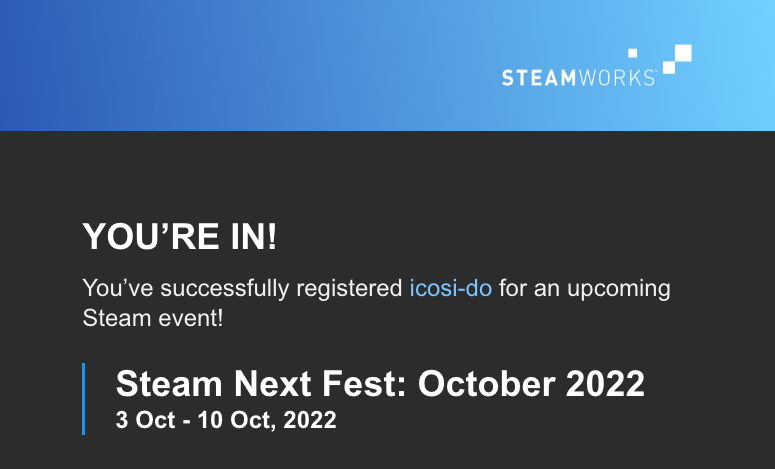
I just received an e-mail confirming that icosi-do has been registered successfully for the Steam Next Fest in October! See you there!
Patch of demo: fixing cloud saves and slowing down mouse rotations
Just a small patch of the demo:
I believe that I've fixed the problem with cloud saves - at least it works now as I expect it to work.
I've slowed down the hypersensitive rotations when dragging with a mouse. (It's still customisable, but the default is slower now.)