We skipped version 7.6 because replaced by this 7.7
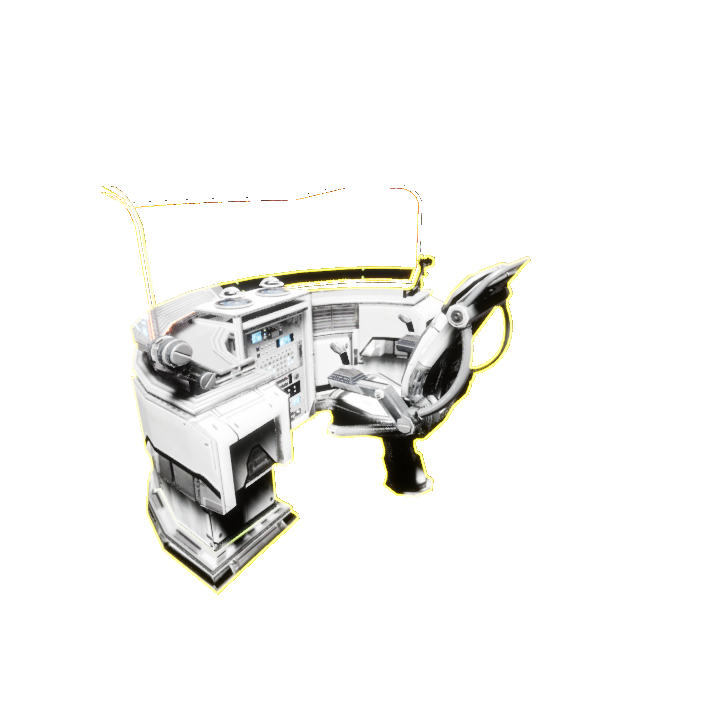
1) We checked the CCTV system and it wasn't working well in a dynamic environment where you can build and destroy things so we made it this way:
Now you can build how many cameras you want and they will have a unique number that is written under the camera. The Same with the Surveillance Camera control Unit , every monitor you build will have a number that corresponds to a camera with the same number. If the camera doesn't exist the monitor will be black. For performance reason cameras will work only when the character is close to a monitor otherwise will be static or black. We plan to add CCTV cameras also for interiors.
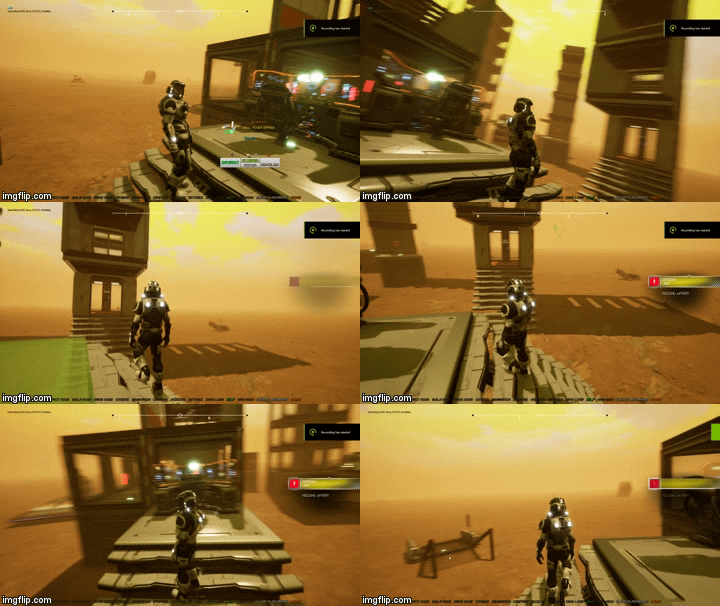
2) As suggest by one user there was a bug that caused the character to fall when exiting from a vehicle so we made a fix to the falling system that seem to have solved the problem:
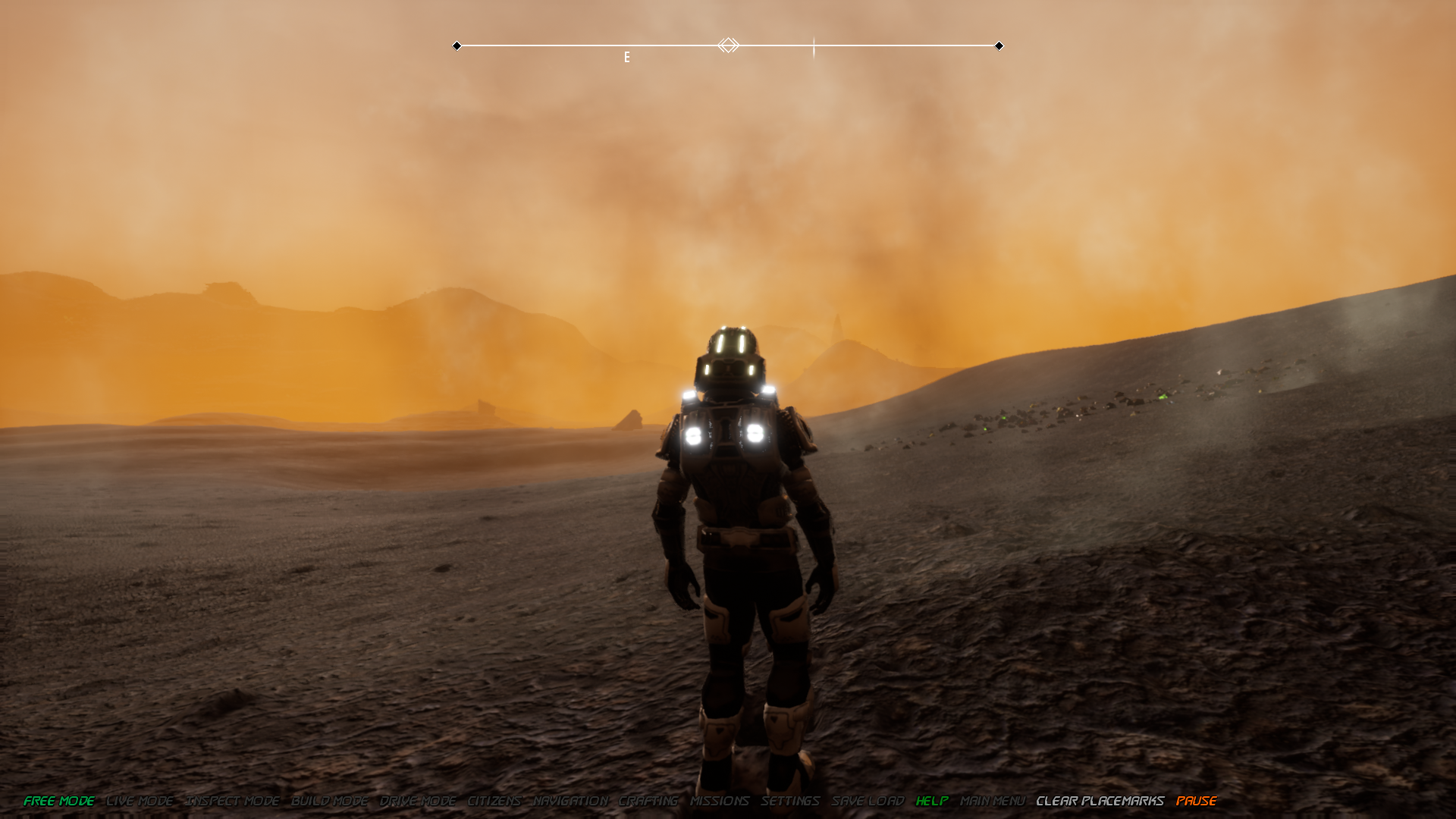
3) Also as suggest we fixed the First Person camera to be properly aligned with the shoulders of the character.
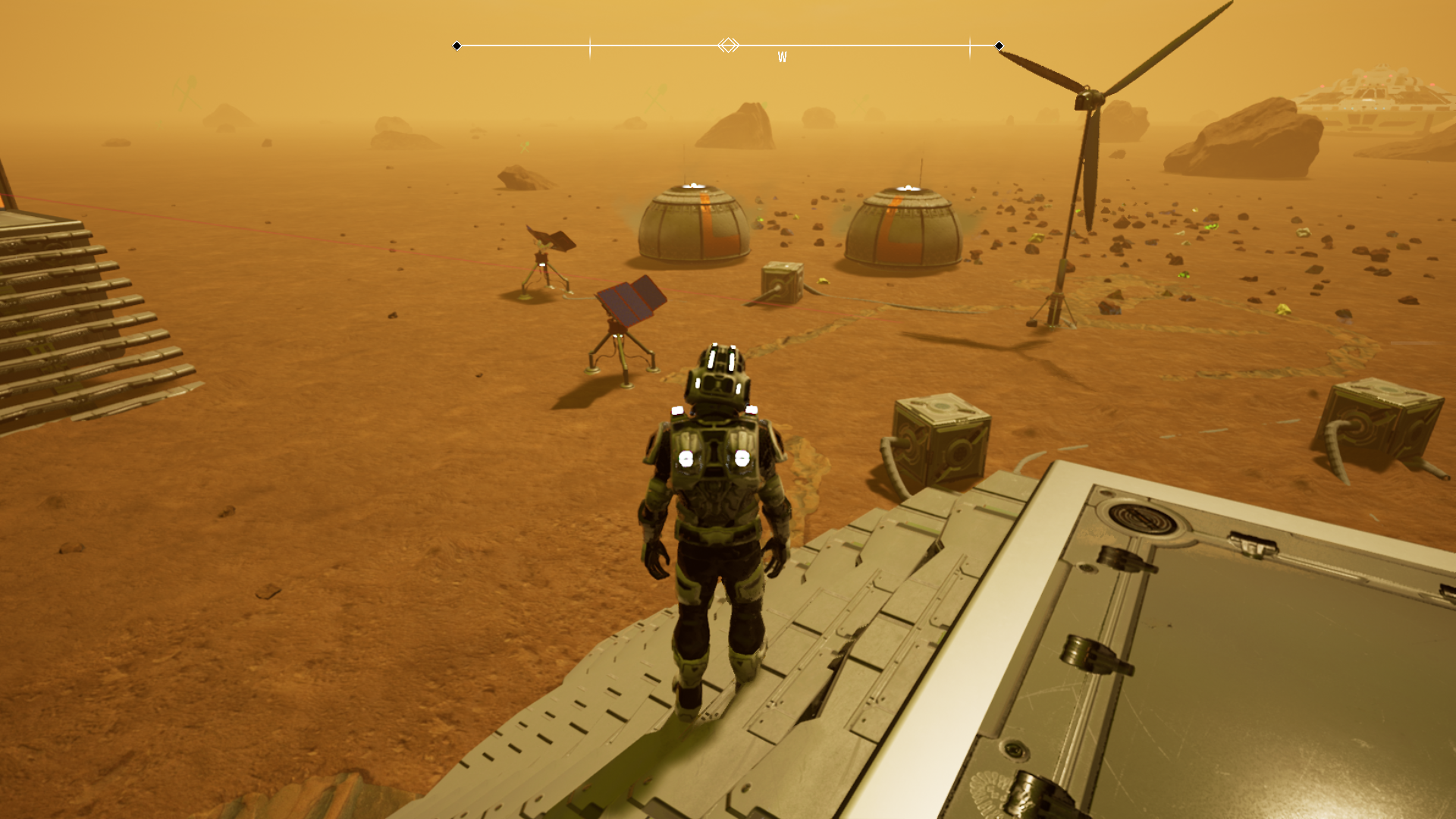
4) Repair bot units: Those AI controlled units are now smaller and they become active when a base part reports a damage. If they are close enough (50 meters) to that part they will try to go for repairing it without additional costs.
5) Solar panels now align themselves to chase the sun (only for RA axis or Z axis) They work considering the time of day and the total sunlight that varies between planets / moons. (on Pluto you will need more of solar panels to generate the same electricity you would have generated on Mars in an equal amount of time)
6) Changed the help Ui to be a bit more clear to use. There's a button "Game Settings" that is not working at the moment and will be for changing game parameters like the time of day, the tessellation amount and other parameters probably in tomorrow's update.
7) Fixed Pluto Map (in navigation hud) that was displaying the Moon :/ Now it's corrected:
8) Fixed materials of the shuttle lander model that was glittering too much:
9) Changed the update notifier on the top right of the screen to avoid losing a notification when another one is displayed.
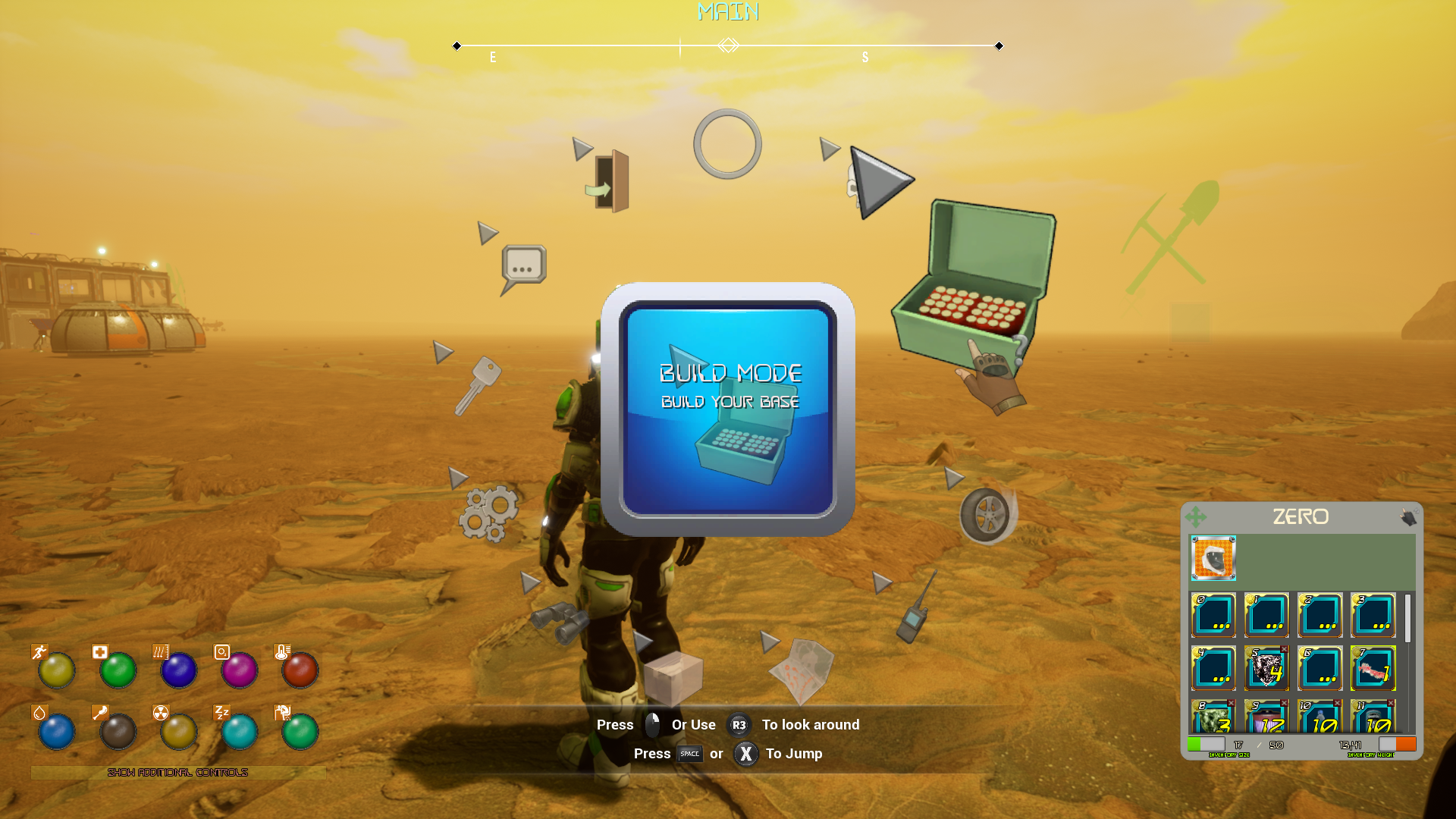
10) Added Background blurs to some radial menus to allow an easier reading of the possible choices:
11) Fixed a bug that caused a missing loading screen when opening a map so it was possible to see the sky or vehicles before the game started.
12) We changed the pressurization indicator on pressurizable foundations and ceilings with a capsule that changes color: If red it's not pressurized, if greed it is.
Other minor fixes
As usual please report any problem and we will check immediately for a fix
Version 7.5: Base Parts Bugfixing
1) Space bed: Was bugged and now works, it's a very basic setup but at least you can recover your sleep.
2) Food \ Oxygen \ Water \ Medical Unit were aswell bugged and now are fixed. Very basic way of working at the moment but there's room for improvements.
3) Wind turbine also fixed, only works if there's an atmosphere and should rotate to face the wind and electricity produced will depend on wind strength.
4) Fixed a bug reported by a user of locked controls. We are sorry for this bug because when we were able to reproduce it we noticed that was really game breaking. Anyway now it's fixed.
5) Changed many landscape rock with some more high poly ones:
The blinking rock bug unfortunatly is still present but seems to happen only in packaged version... It's more evident with certain cameras. We think that it's probably related to LODS and we will try to Fix it (For true this time) with tomorrow patch otherwise we will remake the system.
6) Fixed a bug with the interaction system that wasn't opening the menu if the part wasn't damaged.
7) Fixed the CCTV camera system that was causing problems when placed. It seems to work but will handle max 3 cameras for now.
Version 7.4: Advanced Graphic Settings and bugfixing
https://youtu.be/ApWDVBm0Pho
We are debugging menus and basic gameplay so we made a few modifies:
1) We have added the possibility to control Motion Blur, Bloom and Lens flare. At the moment the parameters aren't saved.
2) We have added more functions to the "live" mode hud for adding a placemark that will be tracked by compass and remove them quickly. These placemarks aren't saved at the moment.
3) We have made a new input key "F1" on keyboard to quickly open "help panel"
4) We have fixed the possibility to open 2 radial menus or more at once.
5) We have slightly changed stats bars to be more good looking
7) We have added a beam emitter that makes easier to understand what you are looking for interaction
8) We also added the same system to signal sudden pressure leaks in the base.
9) We have connected the first person camera to the neck instead than to the spine so the camera will move according to the controller rotation you enter.
10) Minor fixes
We will keep patching daily for this week.
Version 7.3: Starting map / Menu Remade for Gamepad support
We remade the starting map (the scaled Solar System Model) user interface so it's now clearer how to find planets, visualize informations, resources, etc and it's also usable with a gamepad.
https://youtu.be/RspNtCM40bc
7.2 Hotfix is Live: 4K resolution support and other fixes
First of all we would like to thanks the users for posting the suggestions for these needed fixes and others here: Steam game discussions and we strongly encourage every user to do the same if they find something bugged, not fun to do, missing, wrong etc..
1) Added a volume control slider bar in the extra settings above the stat bars in Live mode and reduced soundtrack volume by 50% by default, you can go to 100% but it's louder.
2) We've also unified the tracklist for any map because it's difficult to setup a proper soundtrack for each planet at the moment (in future we would like to do something more zone based)
Anyway we also added new songs to the soundtrack (50 songs total of different genres) so you can have more choice if you don't just disable it...
3) Removed unlimited resources bug, if you want to avoid gathering resources theres' a "secret" key to press that is "U" and enables / disables godmode and unlimited resources.
4) Removed VR plugins from the editor that was maybe causing the Vr to start even if the game is not vr ready. We are not 100% sure this was the issue but those plugins were enabled by default and not necessary and the game seems to compile fine without them.
5) Removed the possibility to open more than one exit menu when double pressing ESC or gamepad button.
5) Added the possibility to change the game resolution to: 1280x720 (720p), 1920x1080 (1080p), 2560x1440 (1440p), and 3840 x 2160 (4K or ‘ultra-HD’) all 16:9 and to select between Windowed and Full Screen Mode in the game settings menu. This is not 100% tested at the moment because we don't have a 4k monitor so report it if it doesn't works.
We've added the most common resolutions but If you need other resolutions just tell us and we will add
6) We made a modify to the helmet, when you start a new map you will spawn without helmet on but, because of initial immunity of the character that lasts 10 seconds, you are not hurt by the environment. After that period the helmet will automatically be equipped.
7) We've added two new direct input keys that are "Pause Key" for pausing game and "BackSpace" for clearing added placemarks on the compass bar without clicking buttons like before.
8) We've added the storage crate support so you can open it and store items into a storage crate. At the moment there are two only in the Mars test map (bottom of the list of maps) but will be used more in future.
Work in progress:
We are working on a tutorial map that will explain how to build a base, how to gather resources etc step by step with an interface widget that will guide you and check if you do everything correctly but it will be ready only during this week.
Alpha 7.1 Live - Gamepad Support and global interface remade
We have added gamepad support to the game and, because of the way gamepad works we were forced to remove any interface button and replace it with a new radial menu that seems to work well also with mouse and keyboard.
Radial menu How-To:
A) You can access to the main radial menu with "left CTRL" or Gamepad "Start" button.
B) To select something you just need to move the mouse over a selectable icon or move the right thumbstick until you find what you need.
C) To confirm your choice: Left mouse button or left thumbstick button pressed
If you don't have a choice just close the radial menu pressing Right mouse button or Gamepad B.
List of modifies:
1) To inspect a base part (door, wall etc) or a vehicle just make sure your character is looking at what you want to inspect and press "T" on keyboard or Gamepad "Y" Button.
A radial menu will open with the options you can choose (Repair, Interact, destroy, Drive if vehicle, inspect if it has storage inventory)
2) To build something select Build Icon in the main radial menu and build mode will open: Select the part you want from the menu and click or right gamepad stick on it and proceed to place like usual.
At the moment, due to the many buildable parts, this radial menu is very crowded and can result better to use with mouse than with gamepad. We are thinking how to split it.
What is missing:
Due to the fact that we wanted a quick way to share items between vehicles or base parts inventories we are still thinking how to change the inventory to be usable without a mouse.
Known bugs for this version:
1) Tooltips for vehicles are wrong at the moment and will be changed in next update anyway you can find an updated (and correct) list of controls under the "Help" panel.
2) Avoid opening a second menu when you have one opened because, in some cases, they can overlap at the moment. Radial menus can be easily closed pressing right mouse button or gamepad B.
3) We forgot to disable "unlimited resources" so for now there are no building costs :/ and you can't activate it because we've also removed the button... This will be fixed as soon as possible with a "godmode" version for people that don't have time to gather resources. Anyway sorry for this mistake.
We will update the game also during the weekend to complete the gamepad introduction so, if you find some bug that annoys you please report it under the help panel "BUG REPORT" form if you have a connection active and we will try to fix it in the first update available.
Version Alpha 7 Live - Bugfixing
We made a lot of bug fixing:
1) fixed Missing Building hud informations when placing structures: Now, if there is a problem with placing a structure there's a clear and visible message.
2) Fixed all Doors: Now all doors are automatic and will close after a while. This is needed for letting ai walk around
3) Fixed friction of rover's wheels on ground. There was a lot of sliding that now is reduced.
4) Fixed "blinking" rocks all around...
5) Fixed generators that were not explaining what was the issue (no connection or no materials etc)
6) Fixed space elevator hud not clickable. (anyway the space elevator is still very work in progress and will be changed.).
7) Fixed Weapon aim mode, right mouse button wasn't good to use due to the yaw control so now it's "Left Alt" + "Right mouse button".
8) Fixed the interaction widget of parts continously refreshing to reduce performance costs and usability. Now, if you right click on a building part or a vehicle it will display the widget for interacting with that object.
9) Fixed Damage on falling that was dealing damage on time, now all the damage of the fall will be applied in one time.
10) Fixed Door stealthing (turning transparent) when working. Only the door frame will become transparent when the character isn't visible.
11) Fixed the speed of character on Venus.
12) Fixed ik foot system bug that was causing leg moving to fast and imprecisely.
And other fixes.
Gamepad controller implementation is postponed but we are working on it.
Update 6.9 Is Live: Venus is available
A) We added Venus to the playable missions. The map is made with topographic datas of an area around Beta Regio:
https://en.wikipedia.org/wiki/Beta_Regio
Like the other maps It's open world and made of several different landscapes joined. Probably some textures and colors will be changed from this original version, but at the moment pictures of the surface are very few and low quality to produce 2k textures for landscape.
To reproduce Venus clouds above, the thick atmosphere and high temperatures we had to use a combination of Volumetric fog, skysphere materials, post processing distortions and particles effects that makes Venus the most GPU demanding map of the game at the moment. :/
Anyway we still have to add procedural lightnings strikes and other surface features so we will try to reduce GPU duty a bit in next updates. For the moment there are game settings that can be reduced if you experience low FPS.
PS: The day on Venus lasts for more than 116 days and the game is set to consider 1 hour for every minute of game, so for Venus a day lasts for more than 2780 minutes and half are night-time so use the daylight carefully...
B) Because of Venus conditions we needed to change system of the oxygen consumed by your suit and also the temperature that should be mantained inside the suit.
So, now if you have your suit helmet on you will periodically consume oxygen and electricity from your inventory and this will limit your activities to the quantity you have stored.
Future updates:
Just for clarification: we still prefer to fix old things that don't work instead than adding new content but for Venus we made an exception because it's important for the building system to work fine with opposite atmospheric pressure and temperatures. For example Airlocks should work differently on The Moon (0:1 atmo pressure), On Titan (1:1 atmo pressure) and on Venus: (92:1 Atmo Pressure) and to make the system working properly we needed Venus conditions.
Next update tomorrow...
Update 6.8 Is Live: Falling and jumping changes, ROV vehicle control unit, Initial Gamepad support update.
1) We have updated the falling and jumping system to be more realistic:
We want to be taken in consideration also the atmospheric pressure like in a real environment because air friction, in a long fall, influences the terminal velocity of the falling body and also the damages.
For example, on Mars, you can jump higher than on Earth because of lower gravity but, when you are falling for a certain distance, you will reach a terminal velocity almost double than on Earth... And on the Moon gravity is less than on Mars but because there's no atmosphere, if you fall for a good distance, you will reach a terminal velocity much higher than on Mars.
So with this update the system will simulate this effect on the terminal velocity (if reached).
At the moment the damage received is intentionally NOT so relevant because, if you die from falling you will respawn far away and it's very frustrating to go back there just for the sake of realism. Anyway with future updates it will be scaled properly but we will add the possibility to respawn where you die.
https://youtu.be/TAbJix-RWXs
2) We have completed the "Vehicle control Unit" that is a build part you can use for controlling remotely operated vehicles from inside your base. This part can be used with a "Rover Garage" that is an external unit that can spawn a rover similar to the Mars Science Laboratory.
This can be used for exploring without going out of your base.
https://youtu.be/ULyC6evcT0E
We will add more ROVs in the next future.
3) We started adding gamepad support but we need to wait a couple of days for properly testing it with an original Xbox controller for PC. Only controllers that use XINPUT are compatible with Unreal Engine 4.
Due to the fact that it's untested at the moment we recommend waiting for the next updates for using your gamepad.
4) Fixed the compass pointing at a wrong direction on the character and other minor things.
Next update Tomorrow 07/17
Hotfix 6.7 is Live - Elevator fixed
A) Elevator fixed:
1) Build an elevator foundation
2) Build an interior door or more if you need.
3) Build an elevator ceiling on the top of the elevator foundation.
4) Repeat from 2 for every additional floor you may need.
The elevator should now understand how many floors are above and if the shaft is blocked by a wrong part (like a common ceiling / floor panel) If it's blocked then the elevator will use the bottom part of the track if it finds at least one ceiling above.
If some part of the track is destroyed everything should be reinitialized
https://youtu.be/n8qQVswitGs
You can build the track how you want and all interior doors will open and close automatically according to the elevator floor.


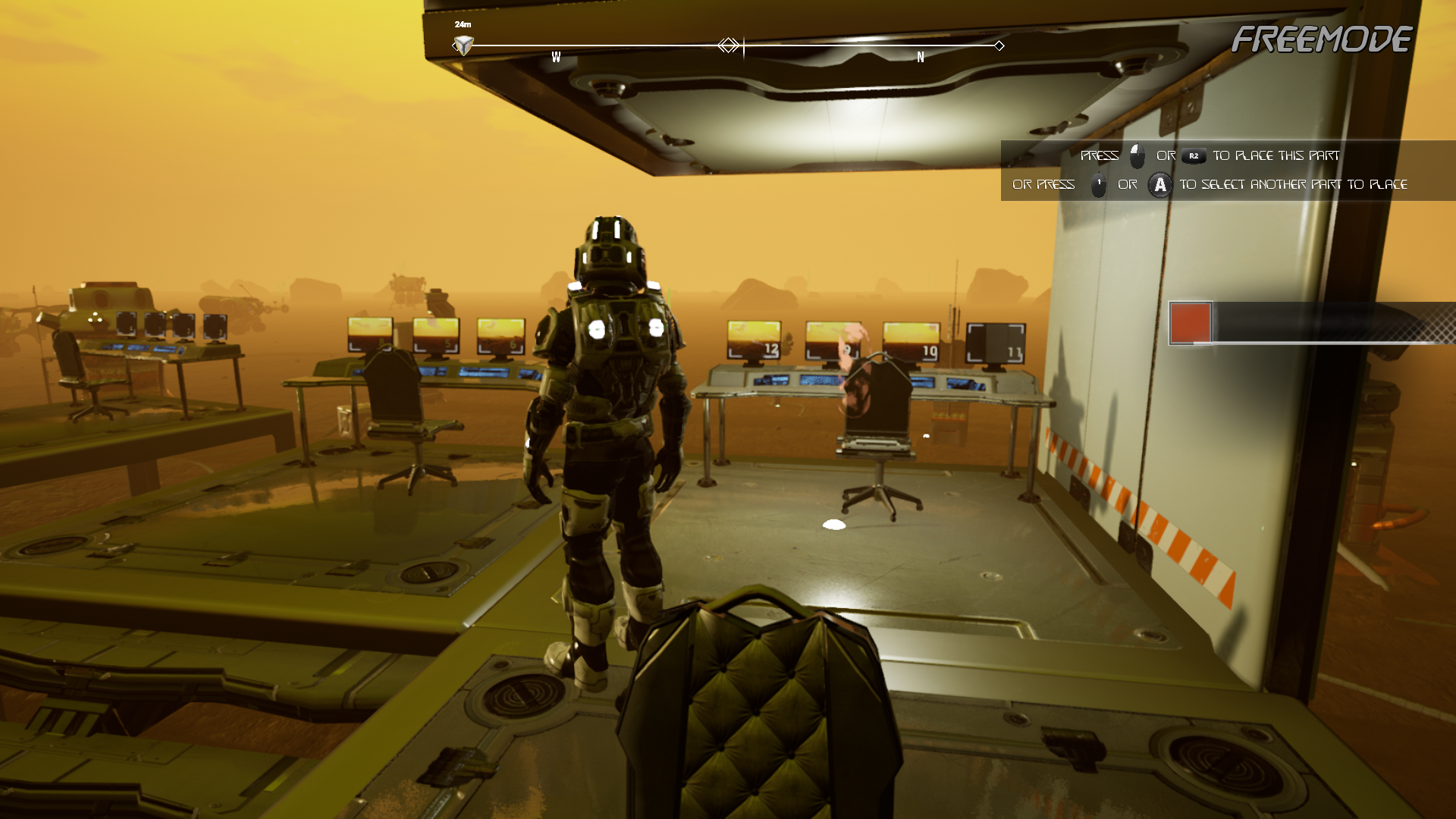
 , every monitor you build will have a number that corresponds to a camera with the same number. If the camera doesn't exist the monitor will be black. For performance reason cameras will work only when the character is close to a monitor otherwise will be static or black. We plan to add CCTV cameras also for interiors.