Before we get to the latest update to Instruments, I recently revealed my side project, and the demo is out now. The game is called Rhythm Storm. It's a vector-powered rhythmic roguelike horde survivor game. That's a lot of random-sounding words in one place, so here's a link to the gameplay trailer:
It's a very different game, but has been a lot of fun to work on. You may notice the particle systems are derived from Instruments of Destruction's tech. Rhythm Storm also helped me learn me some good lessons about how to make a highly-replayable combat game. [See below for more on that.] Here's a link to the Steam page if you want to try it or wishlist it:
Version 0.211 introduces a little feature that was requested a long time ago, but I didn't have a good reason to add it until recently. That features is the ability to add objects (entities as they're called internally) into the game while in Sandbox mode as you play the game.
So what you see above is easily achievable. Enable the Place button (last button on the top left), select the object type you want, adjust the placement settings (if desired), and use LMB to place as many of the objects as you want.
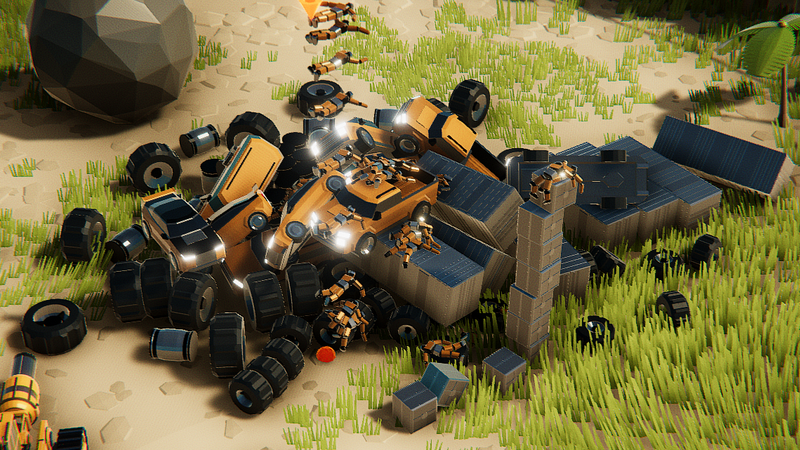
You may also notice there are some new entities in there. 3 new automobiles are available: a sports car, a mid-size SUV, and a pickup truck. These are currently not destroyable, but I'll be working on that aspect in the near future. Together with the Dummy, the sense of scale for Instruments feels more solid when these are in the world, and future objects will have better size references. Here's the full changelist, then I'll talk about some big picture stuff.
Added new button and mode to place objects in sandbox mode
- Use Shift + LMB to adjust the height, Ctrl + LMB to adjust the rotation
- Select any entity from the list on the side, and you can drop them into the world
Added 3 new object types (SUV, car, and truck) that can be added to levels or placed
Added a fog option in the middle of the middle options column
Added Options menu UI to build/pre-build menus
Fixed bombs exploding at the start of gameplay if they never got a chance to explode in previous run
Fixed changing the size of the power swivel resetting the torque to 1
Fixed KB Cam Control option not disabling Numpad 2/4/6/8 when it was disabled
INSTRUMENTS COMBAT CAMPAIGN PLAN
As mentioned before, Rhythm Storm gives some hints for the overall direction of the combat campaign for Instruments. I'm going to give the details that I'm *fairly* sure of at this point. If you guys hate the ideas, I will likely change the path somewhat, but I think this is the best way to add something more exciting and replayable to Instruments, particularly for those not as into vehicle building (hopefully if you like vehicle building you'll still like it).
So the new campaign will be a separate roguelike campaign from the main vehicle building campaign, and I'm aiming for a run time of 40 minutes or more. That means you'll be able to play through the whole combat campaign in under an hour, but at the same time you'll be able to do so *many* times before you've exhausted all the fun and possibilities to be had. It will be fairly challenging and have at least 2 difficulty levels to choose from.
There will be a lot of upgrades (100+), many of them tied to parts, and you will collect resources to spend on upgrades, unlocks, and parts. You'll be fighting and destroying lots of automated foes (drones/robots/etc) on a series of semi-procedural islands. You'll shop for upgrades and parts and build your vehicle between each island, and you'll be able to test your vehicle before committing to it (on a "virtual" test island with no enemies). Once you commit to it, there's no going back until the next shop/build phase.
In terms of the meta progression for the campaign, it will mainly focus on vehicle frames and unlocking new upgrades and parts, but there will not be any stat buffs. You'll start with a basic vehicle frame that cannot be changed, and unlock more unique frames over time. Saving your vehicle will be a thing you can do, as well as refunding parts back to the shop for partial credit. But you won't be able to load vehicles.
I expect you'll play through at least 10 islands on each run, with that number more likely to go up than down. The "objective" is still a bit fuzzy at this point, but a timed survival objective is the most likely one. The 2nd most likely objective is having to destroy a certain percentage of buildings on each map. There may be a mix of others for variety, but we'll see.
I'll be figuring out something for vehicle damage so you *will* have to worry about getting destroyed (or certain parts getting destroyed), in addition to making sure you don't get knocked off the island or flipped over.
Ok, I think those are the important elements. If you have thoughts, now is the time to share them.
I'll be working on various aspects of this almost exclusively for the foreseeable future. While I could probably rush to finish Rhythm Storm within 3 months, I don't think there's any need to at this point, and I'm a bit tired of thinking about it. Getting to work on Instruments is a lot more appealing right now. I also want to get Instruments released as version 1.0 in 2023, or at least close enough that it can happen early in 2024.
Crash Test Dummies Flying Into Action
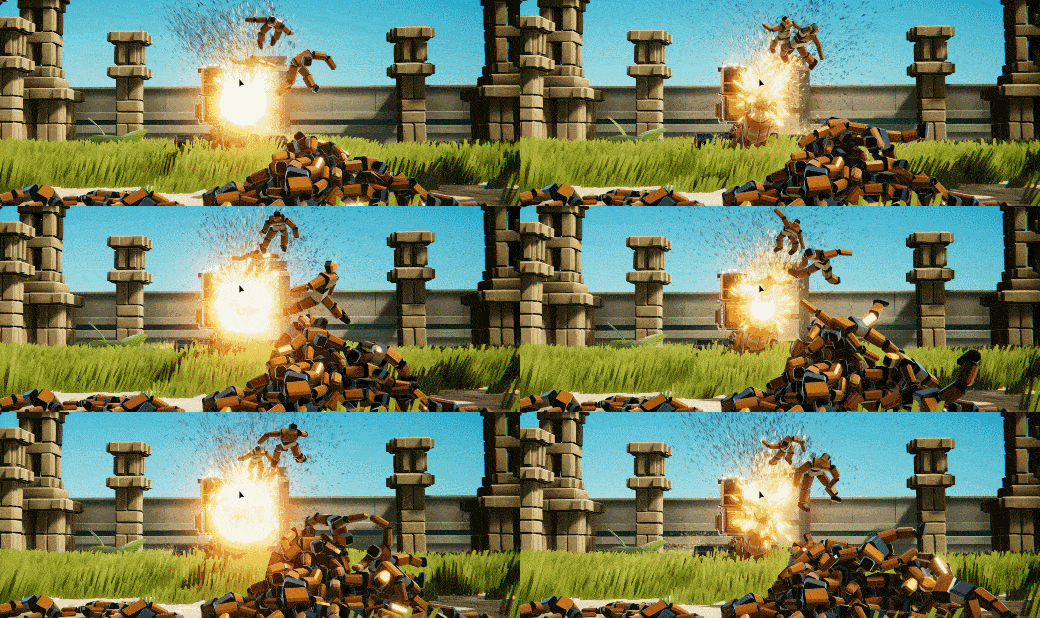
Just a quick note on version 0.210, which just went live. The big new feature is crash test dummies. It took me a while to figure out the best way to add them to the game, but it turns out the simplest approach was the best. The dummies are found standing in two maps (Test Island and Structure Zoo 1), and I'll probably add some to a campaign at some point.
These are the first new entity types in a while, and there will be more added soon. How I'm going to use all these things is still not entirely clear, but I'll figure it out eventually. For now, the best way to see/use them is to add a Bomb Launcher, and set the "Dummy Launcher" flag. Anyway, here's the full changelist for version 0.210:
Added Crash Test Dummy entity
[Bomb Launcher with "Dummy Launcher" set is the best way to see them for now]
Changed structures so they create dynamic ground links instead of always being at the 0-height plane
Fixed hook launcher so it fires the same speed and reaches the same length more consistently
Make flex panel/triangle resizing possible to do 0.1 increments (hold shift)
Added option to increase friction of fast swivels
Fixed center of mass usually being offset for parts with joints
Fixed internal speed calculations and some other variables not being reset to 0 at start of gameplay
Thrusters can now use 2 buttons (still works old way depending on buttons)
Thrusters now have adjustable Time To Max setting
Thruster (normal size only) can now go up to max strength of 4
EDITOR: Fixed drag select picking objects behind the camera
EDITOR: Fixed drag select (without Shift/Control) inverting the highlighted selected objects instead of always selecting them
Until next time.
Ready! Aim! Fire! Ballista Featured Vehicle Winners Announced
It's been a while since the last update. I've been away for over a month (see below), but I'm back now and looking forward to adding some new combat elements and 2nd campaign to the game. That work starts tomorrow. Today we're taking a look at the amazing creations from the 10th Featured Vehicle contest. This month's theme was Ballistas.
I'll have a video below with the highlights of the testing, but the two Ballistas above were the head of the pack this time. There were 12 Featured Vehicles total, with these 2 being amazingly accurate and powerful while being reloadable at the same time. I don't have a "special prize" from them, but both the GyroFlyWheel Ballista by PyroTeknikid and Gyro Torsion Ballista V2 by (Arch)B_Glo were both worthy of some special recognition. Well done to both of you!
Here's the full rundown of the 12 Featured Vehicles and 13 Honorable Mentions:
FEATURED VEHICLES GyroFlyWheel Ballista - PyroTeknikid Gyro Torsion Ballista V2 - (Arch)B_Glo The Ballista - Dominus Nicta Air Ballista - St. Nicolas Big Bad Ballista - HowToWin2222 Baliste Mk 1a - Stranger Auto Ballista - FerroCentric Artillery Scorpion Mk I - (Arch)B_Glo Acla Javelin - Arad Prototype Rail Ballista - WSung Prototype Grapplista - (Arch)B_Glo Basic Ballista - Richard333
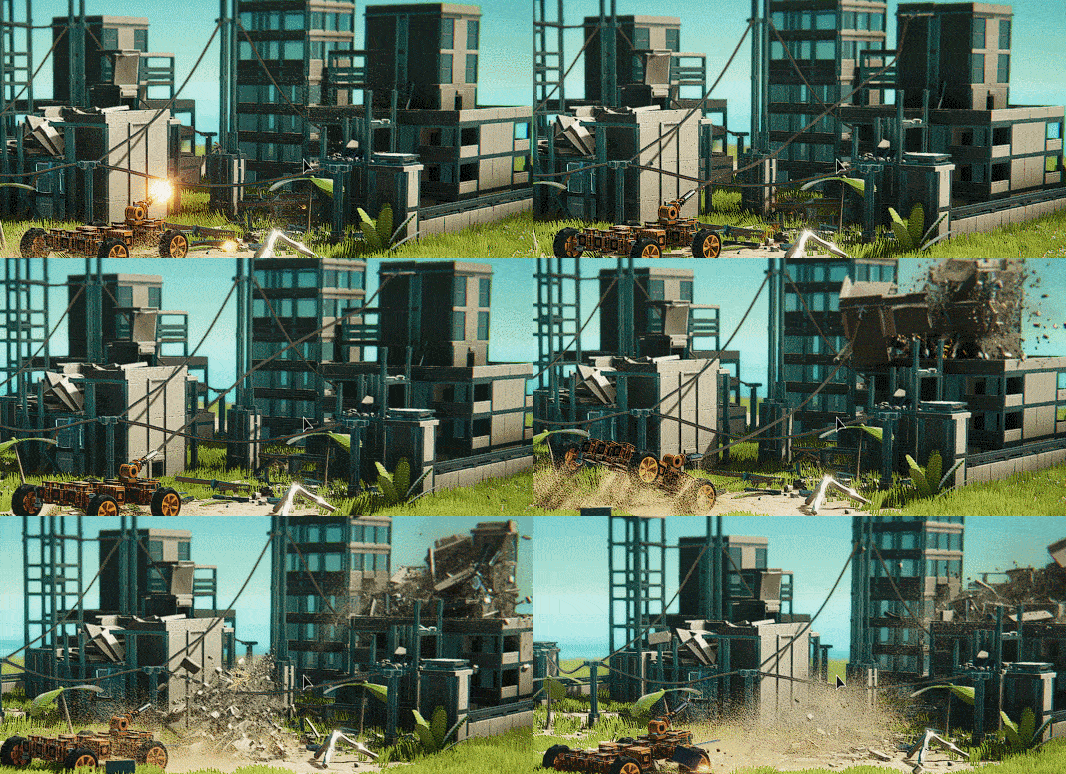
We've only had one traditional construction vehicle theme so far, and it felt like a good time for another. So this time we're want an Excavator. Excavators have many uses, and one of those is often tearing down a medium-sized building with precision. I'll use the excavators on a building proportional to the size. The Excavators don't have to be entirely traditional, but it's fine if they are, as long as they do the job and look good doing it.
WHERE HAVE I BEEN?
Many of you may have noticed I haven't updated the game in over a month (that's a long time for me). Part of the break was due to the holidays, but not all of it. I've mentioned a side-project before, and I have spent a lot of time recently trying to get a demo of that done. The demo is essentially finished now, about a week later than I hoped it would be. Due to the longer-than-expected completion time, I'm going to wait even longer to release the demo. Steam's February Next Fest is just around the corner, and people have already started unleashing a *lot* of demos from that into the wild. With the demo out of the way, I don't plan on working on the side-project much at all for quite a while (many months, possibly longer). So I'm back to Instruments full-time.
I have to admit I'm also trying to kill a little bit of time by having worked on the side project. Someone I *really* want to work with is planning to start helping out on Instruments in May, and he's one of the best programmers I've ever worked with. Instruments of Destruction has an enormous amount of potential, and it's sometimes overwhelming to think about all the things that *could* be done with the physics/destruction engine and vehicle builder. The Roadmap is still a good guide to the overall path to version 1.0, but it's possible ambitions for the game will grow larger if all goes well.
For now, I'll be focusing on adding more combat elements to the game. Until next time...
Version 0.208 Holiday Bonus Patch
New Part: Flex Triangle! - It even *mostly* works with Mirror Mode (crosses fingers)
Version 0.207 Changes (Control Remapping)
Add control remapping for most Keyboard shortcuts in gameplay and build mode (in Options near the lower left)
Add control remapping for most gamepad shortcuts
[NOTE: Most help displays haven't been updated yet, so they will mostly display the default, not what a control currently is.]
Added 2 new parts: Y-Split 120 (perfect 3-way split, good for making hexagons/etc), and 5-Way 120 (2 more connectors on top/bottom)
Added ability for hook launcher to attach to entities and to player vehicles
Added "Lock Cabs In Place" option for Sandbox mode (not saved with vehicle, intended for building advanced vehicles)
Added MAX IMPACT SPEED display, shows up if you get an impact of 200 km/hr or more (helps with Ballista testing)
Adjusted level load damage falloff time to 3 seconds (instead of 5)
Adjusted a number of part masses/costs (mostly in the FrameSimple category)
Fixed Min Rotation slider not snapping to smaller increments when holding shift
Added a small message to the Load Vehicle menu about restoring the previous vehicle if you meant to save instead
Added a possible fix to the game soft-crashing if the downloaded featured vehicle file can't be read by the game
Walker Featured Vehicles (Next Theme: Ballistas)
December's Featured Vehicles Theme was Walkers, and there were a lot of very cool entries as usual. Let's take a look at the Winners and Honorable Mentions:
Here's the list in text form:
FEATURED VEHICLES
Crawling Kaiju 2.0 - Smilloww
HCLW Castello Errante - Arad
Centipede - Shawnnui
E.A.P. Heavy Mobile Walker - WSung
Billy Bluber Bones - PaperMachine
CrawlSpace - IceCreamMan4254
Cyberpod Walker - Zombie Ninja
Monoped X - Jonny_Arson
Steering Flip Beam Walker - Pyalot
Centipede - Pyalot
Hunter - Stranger
UHM Hexapod Walker - PengWolf
Black Force Legacy - Detaal
Cepa - Detaal
Wacky Bipedal Walker - Kitten
G.O.D. Mega Dragon 2.0 - _Unripe
HONORABLE MENTIONS
Nemesis mk 3 - Stranger
Tower Legs - Otokamo510
Siege Engine mk1b - Stranger
Walkism 3000 - Jonny_Arson
Stomp! - Looshkin42
Creep Crawler - IceCreamMan4254
Rommel - Neo_Runner
Nix - Detaal
There were a number of very-cool-looking walkers that didn't make the list, mostly because they didn't walk particularly well. That ended up being the number 1 criteria by a significant amount, along with having an interesting walking mechanism. I also stopped looking back in time around the end of June, so there were some older walkers that may have made the list if they had been updated recently.
That leads into a problem with how the Featured Vehicles system works in-game: It shows the featured vehicles in chronological order (by creation date). I'm probably not going to be able to reasonably fix the issue, but it just means I would encourage everyone who wants to enter future contests to re-submit their older vehicles as NEW workshop entries. It's not a big problem, just makes the list a little more random than desired.
JANUARY'S THEME: BALLISTAS
Next month's Featured Vehicle theme will be Ballistas. A Ballista is essentially just a very large crossbow meant to be used as a siege weapon. They are traditionally powered by ropes or cables of some type, and that's the desired design for this contest as well. There are a number of settings for ropes and rope types in Instruments of Destruction, and I've gone through and tested a large number of them to find some generally good settings.
Basically, Bungees make for the best elastic-firing ropes. Wires can also work, and Heavy Ropes can kinda work in specific cases. In the advanced settings, you'll want to start with something like this if you're using a stretched-out Bungee to fire a projectile:
Similar settings can be used for Wires, though it'd be advisable in any case to make multiple copies of whatever you're using to fire a projectile and do multiple test shots with slightly different settings to figure out what works best for you. Using multiple parallel ropes can increase the firing power, as you can see in this test vehicle I made while trying out various settings.
The projectiles don't have to be elastic-rope-powered, or spring-and-rope-powered, but I'm going to favor designs that utilize ropes similar to a real ballista. Other quick notes: The projectiles only need to be fired once (more is fine, not required), and they should preferably do physical damage instead of explosive.
WINCH SETTINGS
While I was messing with ropes, I went ahead and tried out various settings to see what works best for winches. Heavy Ropes and Cables work the best, but the exact settings depend a little more on the exact design of your winch and use case. Bungee is also surprisingly decent, while Wire is only ok and generally requires a pretty thick object to wrap around. Here are some good settings to start with for Heavy Rope:
Note that the Stability, Smoothness, and Node Spacing are very different from the elastic-rope settings, and the settings vary more between rope type. You can also get away with more varied settings if the central part of your winch is thicker. I added the test winch vehicle to the workshop as well.
[Only Heavy Rope and Cable work well with thinner beams, so also keep that in mind.]
VERSION 0.206 CHANGELIST
Made the following changes/fixes for version 0.206. It's mostly just tweaks/fixes to the Hook Launcher:
Added a limit to how much tension ropes on grappling hook will apply (prevents ropes going absolutely insane)
Added an option to re-use the previous thumbnail when updating a Steam Workshop vehicle
Adjusted how some parts are displayed in the UI (added additional rotation modifier)
Added option to use the previous thumbnail in an Updated vehicle
Fixed sure grappling hook not having the right color when fired
Made a ground-attached hook pull on the player a more reasonable amount
Changed how pull strength to player works a bit on structures, so there's a reasonable cap for unbroken structures, and broken ones don't pull you as much
Changed minimum pull damage radius to be smaller towards the bottom of structures
Made the grappling hook retract if it hits water
Fixed ropes making weird long-box-shaped splashes
Made the flex arc able to cycle base connector (so it can be resized from either side, essentially)
There will be another update later this week to add control remapping and maybe a bit more. I'll post patch notes when that build arrives, but there probably won't be another news post. Will be on winter break for a while after that, with updates resuming sometime in January.
Version 0.205c patch notes
Fixed propellers being broken. Fixed flex swivels and free swivels not locking. Fixed not being able to use Toggle mode for locking on most parts that should have had it.
Added F11 (in-game): Toggle debug display for center of mass info.
Introducing the GRAPPLING HOOK!
Let's jump right in with a couple GIFs of the Grappling Hook:
That's using the hook to do more damage than pulling.
And that's using it to do more pulling than damage.
Same vehicle, same part, just with different settings. It's a very bland vehicle, but incredibly fun to play with the hook. I think this might be the single best part in the game, but it's too early to say for sure.
HOOKED ON YOU
I originally created the grappling hook part back in mid-2021. It has many hacks in how it works, and it looked pretty wonky a lot of times, so I disabled it ahead of the launch earlier this year. It was the most-asked-about "coming soon" part, and I've put off working on it because I was worried it could explode into a much bigger task. Ropes are pretty difficult to work with, and I didn't really want to deal with the grappling hook's rope that much, as I couldn't really remember how I made it change in length, but I knew it wasn't a great method.
Turns out, it barely mattered. The rope is not really that important to the grappling hook, and I'd already figured that out (apparently) last year. The scaling of the rope works well enough, and I just had to tweak the visuals a bit and make it shorten its length more aggressively. The two most important parts of the hook are the (invisible) spring between the cannon and the hook itself, and the destruction damage caused by pulling on a building.
The spring just needed a few tweaks to make it stronger and more adjustable (by the player). The damage code had a simple math bug in it, and once that was fixed, I only had to tweak a few settings to get it working well.
So what should happen when a heavy vehicle pulls hard on a structure? Should the vehicle get pulled towards the building at high speed, or should the structure rip apart and come flying towards you? The answer is both, but it's really up to you which happens more. There are multiple sliders in the advanced mode setting that let you customize how the hook functions. It's also powerful enough that you really only need one grappling hook for most cases, but you can certainly use more than one if you want.
The biggest problem with using more than one is the controls aren't ideal for that case. By default, E fires the hook, and E also recalls it (without pulling on anything). If you want to pull towards the attached object, you press Q. It's still a little bit wonky at times, but generally just try both E and Q after you fire it out and you'll get the hang of it pretty quickly. Once the hook gets close enough to the cannon, it auto-snaps back in place.
[With two or more, the ropes can get out of sync because they can get caught on things when returning. Not always a problem, and it can be messed with to fix it, but it's definitely an issue.]
v0.205 CHANGELIST
The grappling hook is the shiny new thing for v0.205, but there are a lot more nice changes below. Here's the full changelist, then I'll highlight a couple important new things:
Added new part: Grappling Hook
Added optional outputs for bombs, pistons and limited rotation pivots
NOTE: Bombs activate (for 1 frame) when they explode, pistons and pivots activate the +/- outputs based on reaching the ends of their limits
Added locking mechanism for the following parts (assign a key to use it, can also be a toggle):
NOTE: Locking doesn't completely stop any movement/rotation, just slows it WAY down
Changed advanced mode slider behavior with SHIFT (increments slowly towards cursor)
Changed it so you get the active cab type when you reset a vehicle or delete everything (instead of always the 1st one)
Reduced the delay between multiple bombs exploding (player bombs are almost instant)
Fixed ultra-slow connector generation in certain cases (would cause reloading the level to take 20+ seconds)
Fixed center of mass not being correctly calculated when entering play mode
WARNING: This will mess with some vehicles, particularly flyers
Fixed flex arc not lining up when previewing the placement, and being the wrong default size
Fixed flex beams having the wrong alignment for one of the connectors after rotating + playing the game
Level Editor: Fixed focus on selection not working for meshes, loop centers, and joints
Fixed pistons ignoring input strength for multiple modes (Auto-Extend/Retract and half of Oscillate)
Fixed phantom parts getting saved to the vehicle file in edge cases (ignore them on load)
Fixed copy-paste settings not updating the part shapes for ones that change dynamically (such as suspension)
Fixed a few localization issues
Disabled motor torque spin debug message
Reduced chance of broken metal forming a jointed structure (by 40%)
The new optional outputs for the Bombs/Pistons/Pivots let you trigger other parts for specific events/etc. It's pretty easy to add new outputs for most parts (except certain joints), so let me know if you want them for other parts. The Grappling Hook will probably get them at some point.
The locking mechanism for certain joints was a recent request, and it actually lets you do some interesting new mechanical contraptions. Note that it doesn't fully lock the vehicle/joint, but this is the closest I could get after hours of trying different approaches.
WALKER FEATURED VEHICLES
The video for Walkers is still being worked on, but winners will be announced soon. The theme for the next contest is also chosen (Ballistas), and I'll go over some tips/hints about the best rope settings/designs in the next Steam post as well. If you want to see the overall conclusion, check out my Workshop page (the 2nd most recent upload).
Auvic Rocks! Steam Nomination Awards Are Now Open!
Steam has a year-end awards thing, and apparently they let developers "suggest" a category for fans to nominate their game in. I looked through all the categories, and there's nothing that says "Destruction" or "Physics" in it, so there's only one category where Instruments really belongs, and that's in the Best Soundtrack category. I feel no shame in saying this because I didn't work on the soundtrack.
Auvic is one of my favorite musicians of all-time, and I feel incredibly lucky to have worked with him on multiple games. I first contacted him in 2018 to see if he wanted to work on Speed Demons after being a fan of his songs for years. He said yes even though I had very little to show of the game, and his song helped the reveal trailer for Speed Demons become the most popular video I'd ever posted on Twitter (up until the videos for Instruments, see below). That game eventually made it's way onto Apple Arcade, where it was featured multiple times for it's Outstanding Audio (Apple's words). I can say for sure it had nothing to do with the sound effects. His soundtrack for Speed Demons was sensational, and when I started working on Instruments of Destruction I immediately asked if he'd be interested in doing a soundtrack for it as well.
The soundtrack for Instruments of Destruction is amazing and massive, so it got split up into two albums on Spotify. It's on other places too, but I use Spotify and that's how I found Auvic many years ago:
[My personal favorites are Our Horizon, Manic Designs, and Risen Apparatus.]
Auvic is also responsible for the Instruments of Destruction theme song (along with the vocal talents of Pipo Fernandez), which you can hear in the Release Date Trailer below:
And this is an old trailer with the old visual style, but it features another song of Auvic's (a remix of Moonlight Sonata):
He's got tons of other varied and amazing music if you're interested in hearing more on Spotify, Bandcamp, and all the other music sites. And we're already working together on yet another game project! So yeah, *please* nominate Instruments of Destruction for best soundtrack.
Thank you! Luke
Version 0.202: Smoothing Out Some Rough Edges
Version 0.202 brings a number of features and fixes aimed at smoothing out some rough edges in Instruments of Destruction. There are 3 new logic parts, another flex-piece that lets you build larger curved surfaces (with relatively smooth collision), and a big improvement to the impact system. Let's start with that last thing, then we'll come back to the changelist and the new parts:
The big impact system arrived a month or two ago, but I decided to upgrade it for this update because I was never quite satisfied with the previous version. Now instead of creating an instant explosion, there's a shockwave that expands over a short time. Combined with a tweaked version of the visual shockwave and making effects scale down during the impact (prevents effect popping, still looks great), big impacts are a lot more satisfying than previously. I could probably increase the visual intensity of the expanding portion a bit, but I'll wait to see how big the impacts are with the crazier vehicles you guys are making.
That's just an improvement to an existing feature. Let's take a look at the new parts after the full changelist:
NEW PARTS
Added new logic part: Proximity Sensor
Added new logic part: Leveling Sensor
Added new logic part: Output Smoothing
Added new part: Variable Arc - 90 degree turn with custom radius, decent collision
IMPROVEMENTS
Revised the mega impact so it's an actual shockwave that spreads over time
Changed build mode to keep the part selection after playing game
Added Cab advanced mode camera shake setting
Added toggle option for logic gates (current = normal)
Fixed Debug Draw not saving/loading after you play the game
BUG FIXES
Fixed always-on lights (and other similar things) not triggering toggle inputs/timers on startup
Fixed paste-copied-settings number being wrong
Fixed changing physical controls not affecting the whole selection
Fixed attachers creating a debug message when trying to attach to the ground (could lag the game in certain cases)
Fixed motor linkage 11 not working
Changed variable length parts to extend a bit further (while playing)
Added some safety code to slow down crazy vehicles (caused by variable length pieces and treads)
EDITOR TWEAKS/FIXES
Editors: Made shift/control work consistently with build mode (shift->add, control->toggle)
Editors: Made it easier to place entities/structures on meshes again
Editors: Fixed clicking on something not always selecting it
Editors: Fixed undo not affecting meshes
Editors: Fixed ground plane preventing you from updating the placement position
Editors: Fixed annoying jump in position when first selecting something in ground mode
The new logic parts need a little explanation, but I'll try to keep them brief:
PROXIMITY SENSOR - Measures the distance between other nearby Proximity Sensors. There are two modes: Emitter and Detector. The Detector mode is the part that triggers the outputs, and it only measures distance to Emitters mode parts. It's less confusing than it sounds, I think. Just place two of them, then set one to Detector and one to Emitter.
ROTATION SENSOR - This has been requested a bunch for making vehicles align to the ground (rotation-wise). I tried to set it up so it fits that purpose, but it could probably be used for other things. There are a number of options/settings, but the easiest way to learn it is to turn on Debug Drawing and just try it out.
OUTPUT SMOOTHING - This has two visual bars, and they tell you pretty everything you need to know. The first is the input, the second is the output. You can smooth the output with a custom fade in/out time, and also invert the output (it does a "1 - x" function, as negative input/output values don't mean anything).
The final new part is the Flex Arc. It's a variable sized arc, and it has decently accurate collision so it can be used in more situations than the standard Arc 90 pieces.
ROADMAP AND FUTURE UPDATES
This update has 4 new significant parts, and it's likely one of the last to include a significant number of new parts. Version 0.202 completes the main portion of the SUPER VEHICLE BUILDING section from the Roadmap, and I ended up completing part of some other major updates along the way (LOCAL MULTIPLAYER and FLYING VEHICLES). I've been using the Roadmap as a reference for the overall direction of the game, and have moved away from the Trello.
I don't really know what section I'll be working on next, though Combat + Conflict does seem like the most likely, because it sounds fun/interesting to work on. But I'll take a little time to think about it before jumping in. I've been enjoying working on the game in shorter bursts, so I plan to continue that for a while. The side project I've been working will likely be revealed in the next month or so, and I plan to keep jumping between the two for a long time to come.