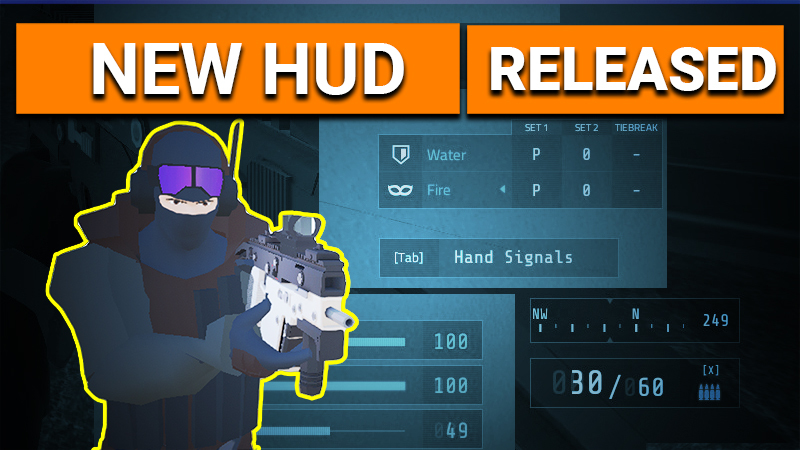
Hello sneaky truder people! We're happy to announce that the new HUD is finally launching with this update 1306! Update and you can try it right now!
The new HUD has a bunch of differences and few nice features. The HUD interface has been rebuilt from the ground up using Unity3d's new UI system instead of a very old version of NGUI we were sporting before. This allows us to:
Support crisp looking UI up to 4k resolution
Make UI changes and additions much, much easier
Have faster rendering performance
Allow more options for scaling and customization in the future
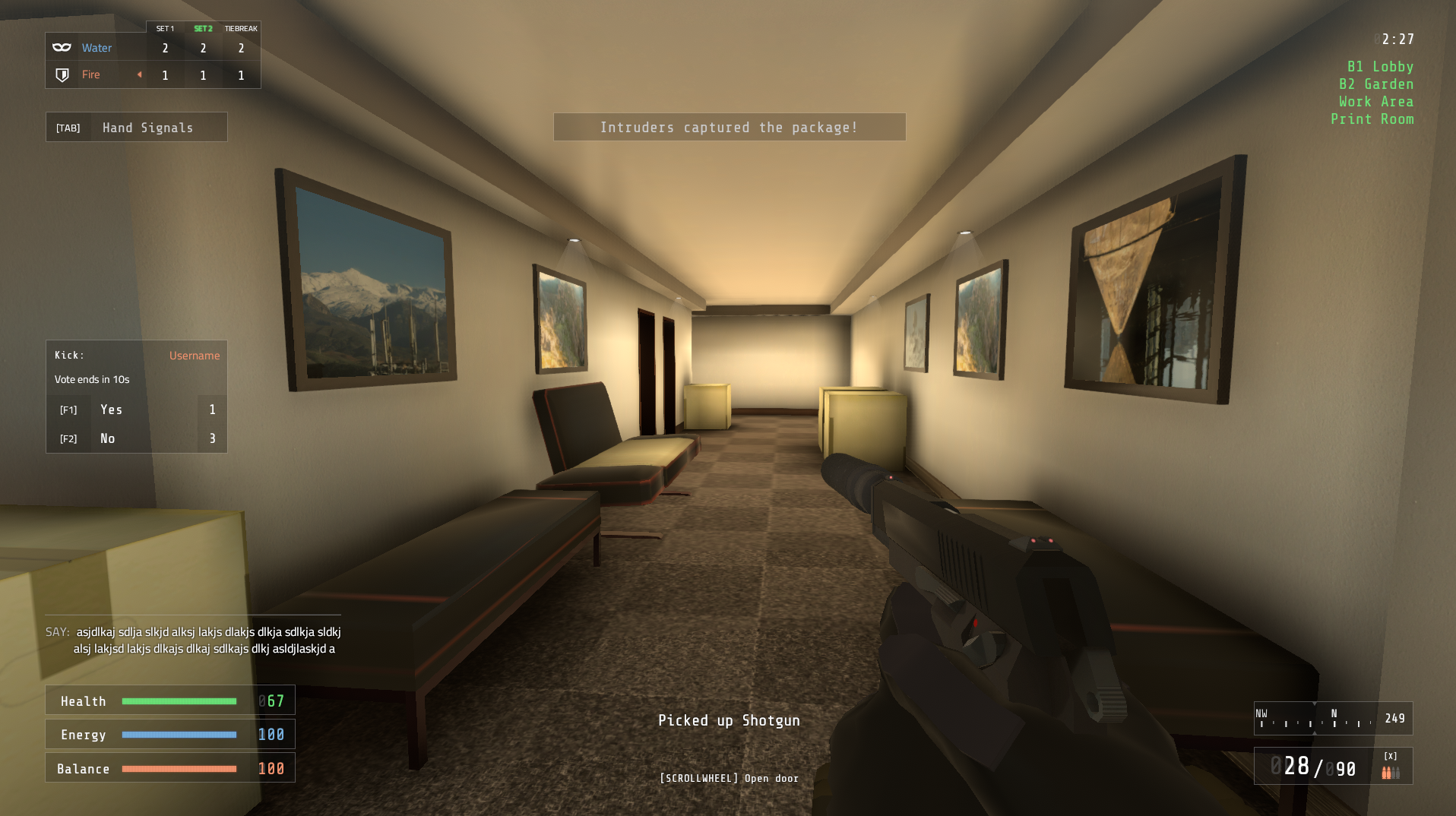
Yes, the blurry, low-res HUD of old is gone for our spicy new spy interface. We really love the new look and hope you do too. Notice some things have been moved around:
The chat box has moved to the left side and now highlights which element/team you are on with colors for your names
New center log for pickups, mission day time, and other notifications
Hand signals box will shift positions depending on if the scoreboard is activated
Match scoreboard features nice little Intruder (mask) and Guard (shield) icons to indicate which side you are currently playing as
Fire mode now uses icons instead of text (watch out for single shot bananas)
The Compass
In the lower right (with other position options in the near future), we have the new compass. Players of games like ARMA and Squad wanted us to add this feature to allow map navigation and callouts to be sensible, intuitive, and allow for some more tactical communication (which we love of course).
With it, official maps have had their compass directions set so they align not only with the maps' locations on the island (LORE), but also the pathway of the sun. (Cliffside actually had to have some sun light direction changes to achieve this).
Here are some new ways to callout using the compass...
On Riverside:
Building 1, can be called out as the south building or building to the south
Building 2, can be called out as the north building or building to the north
A sniping position like the ledge outside of Building 2's Lab B can be called out as the "Southeast ledge of Building 2"
On Mountainside:
"Stage left" becomes the much easier, "West Cliffs"
"Stage right" becomes the much easier, "East Cliffs"
Executive office balcony can be called out as the west side balcony
Armory ladder can be called out as the east side ladder entrance
Mortar bearings on Mountainside also align with the compass bearings
The Future
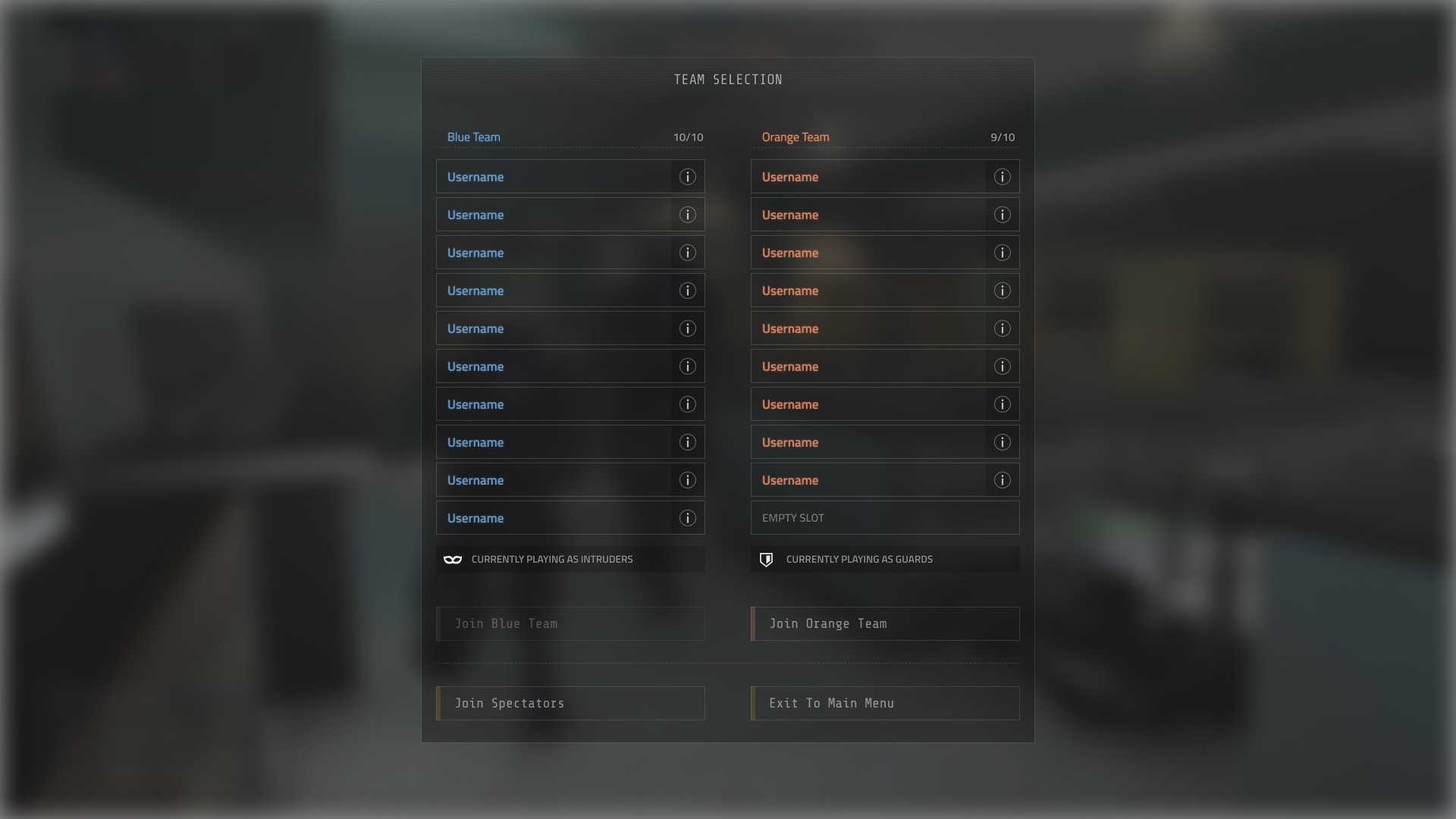
You'll notice that the Inventory, Objective, and Team menus are still using the old UI. Our next steps include totally redoing this. It will feature a renewed and updated Inventory system and the long desired ability to drop weapons and other inventory items. Once that is complete we can completely remove the old UI code which should help optimize the game more, reduce possibility of bugs, and make adding new inventory items much easier and faster. Here's a sneak peak again of what some of it should be looking like: (note: icons are placeholders)
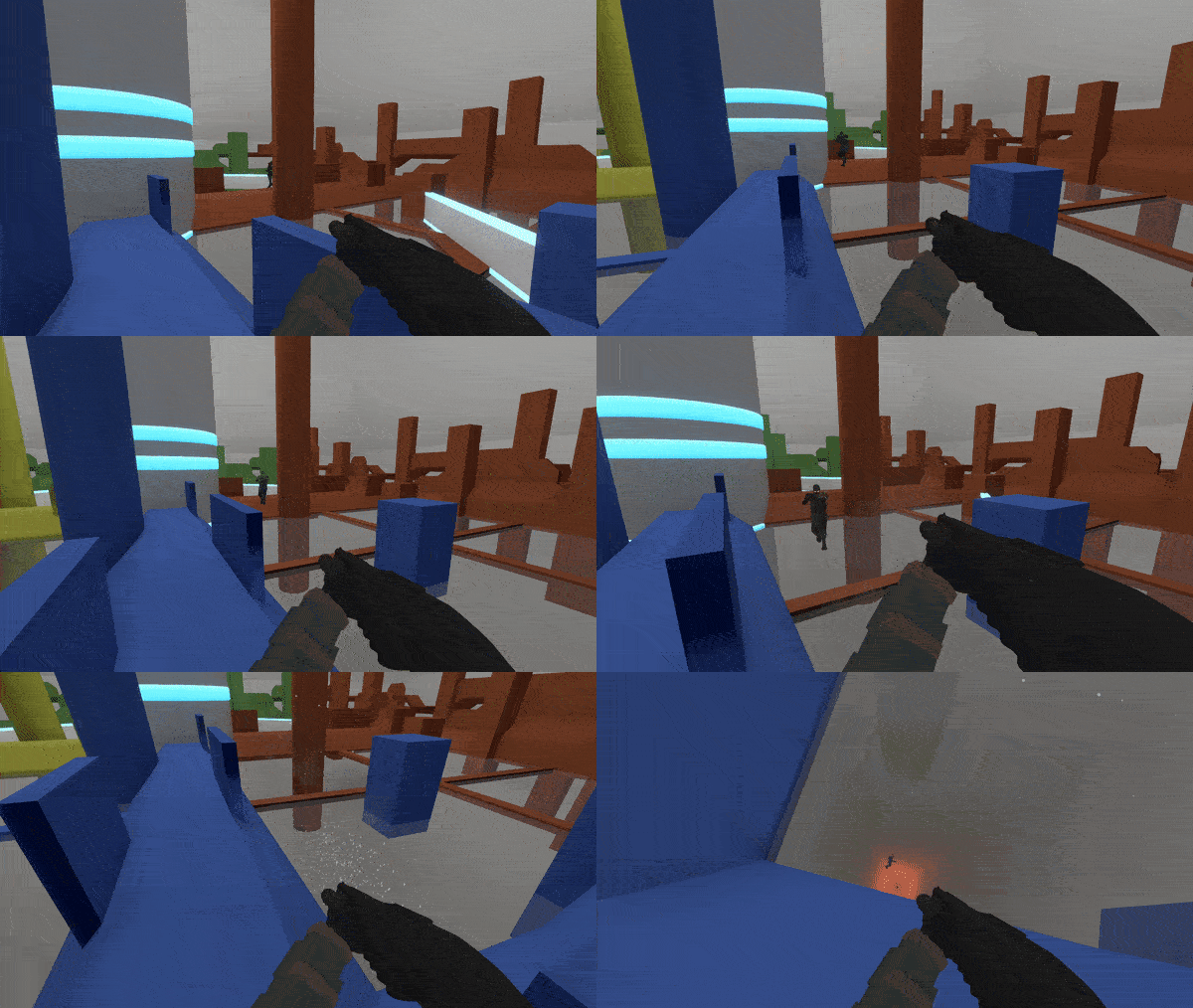
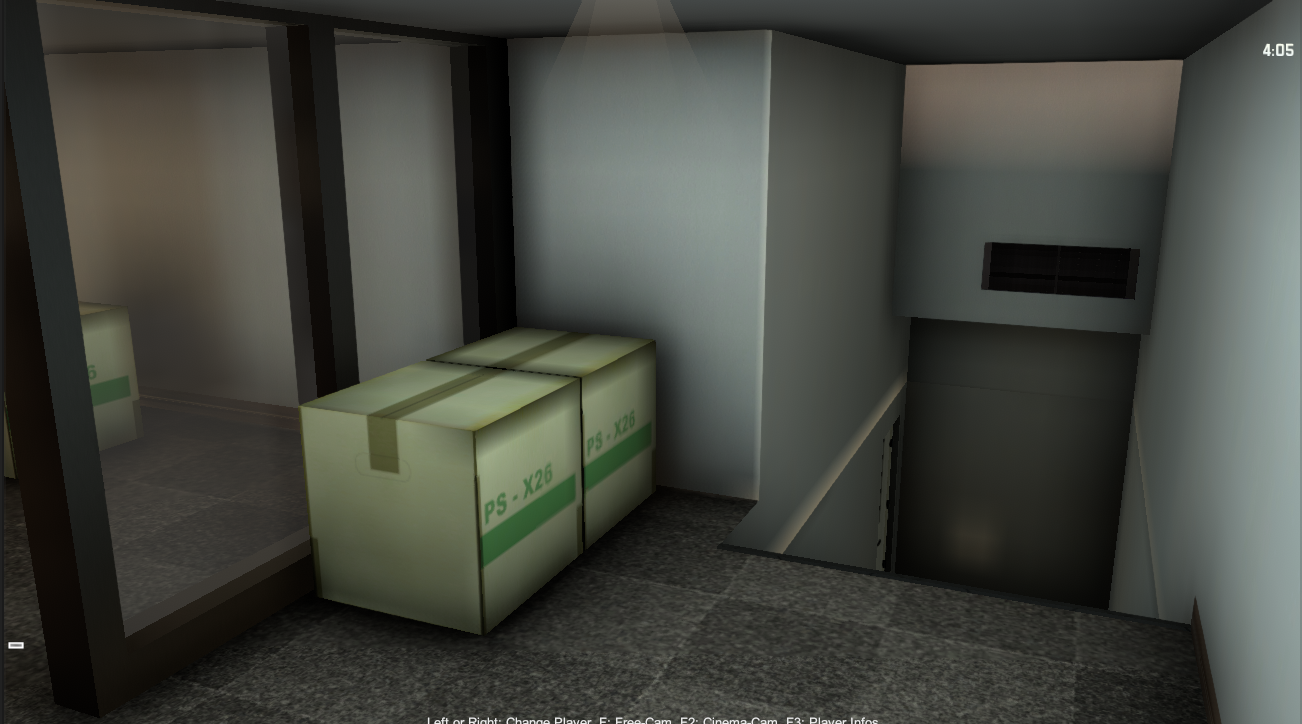
Oh, also here's a peak at one of the new maps we are designing. More details on that soon.
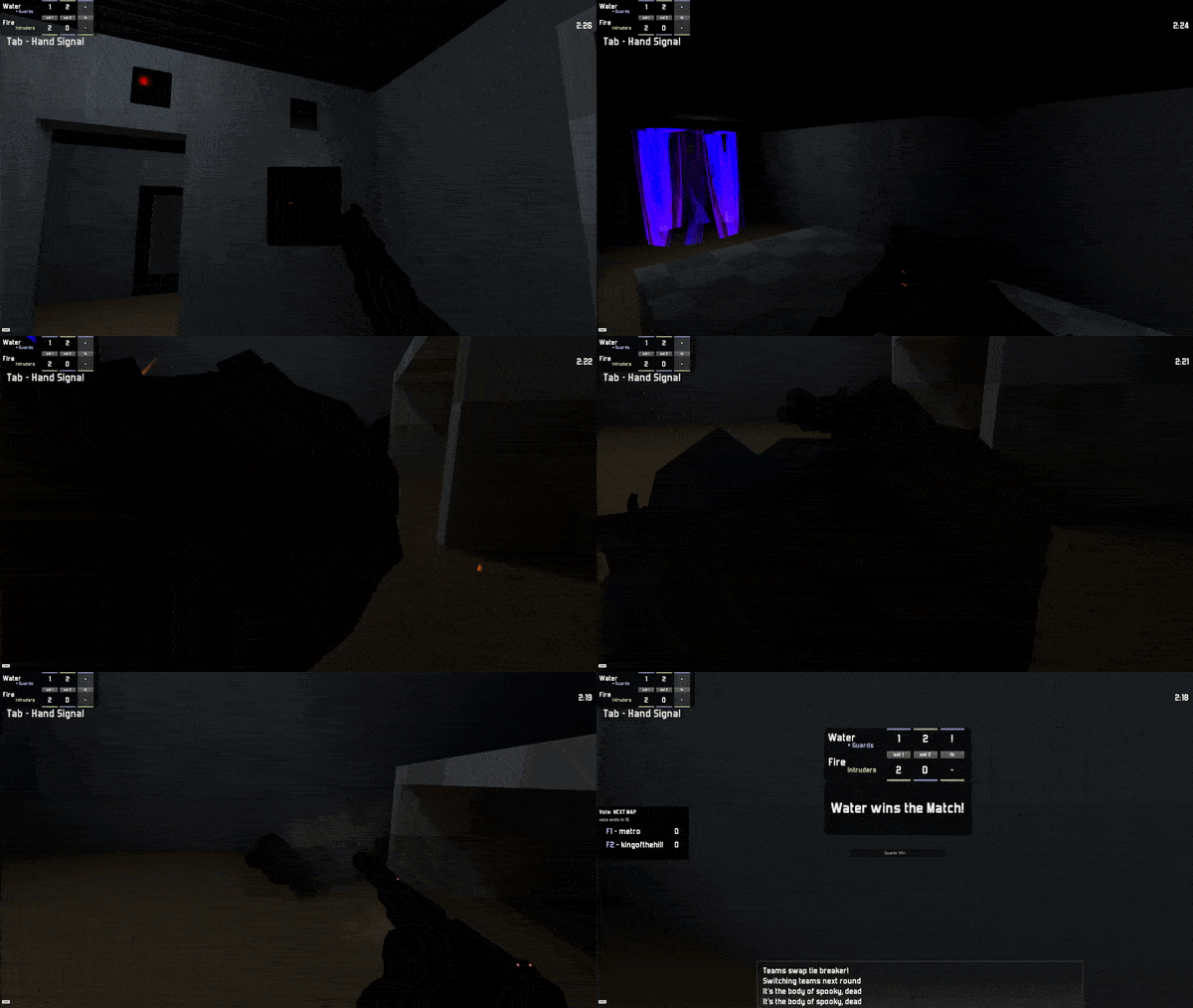
That's it for now, but as stated before, we will try to keep you updated each week on what's going on in Intruder's development and community events like the Motel tournament held this past weekend. You can get in touch and hang out with the community at https://superbossgames.com/chat Hope to see you there! Happy truding!
- Superboss Games
Development Update and Oceanside fixes
Hello Intruder friends! Just wanted to keep everyone informed of what we're working on at the moment and what's coming in the next updates.
What we're working on
Since the last update we've been tackling the new HUD and in-game menus.
Happy to say the gameobject and transform setup on the new HUD is complete which you can see here:
That of course has all the parts active at once and no code yet affected the different elements. Just started working on the code to get this all functional and replacing the current HUD.
I'm hoping that by next weekend we can have this HUD releasable. However, the current in-game menus still need to be done as well. We have all the art for that but it will probably be a much larger task. Here's a preview image for some of them:
Oceanside minor update
Oceanside has received a minor update to fix some slipzones on rocks that should not have been there. It also finally has some objective images for the objectives screen. You can see some of this on the workshop page as well: https://steamcommunity.com/sharedfiles/filedetails/?id=1813453028
Besides that we've got some other things in the mix. The new website is coming together and there's supposed to be a Motel tournament next weekend. Check out Motel here: https://steamcommunity.com/sharedfiles/filedetails/?id=1818442755
As usual the community and I will be hanging out at the Superboss/Intruder official Discord https://discord.gg/superbossgames . We also have some new channels on the Discord such as #dev-updates, #workshop-updates, and #mapmaker-showcase to keep people up to date on the goings on. Hopefully see you there! Anyway till next time.
-Rob Storm
Intruder Map Maker 2.01 release
Hello my fellow 'truders! Intruder Map Maker (IntruderMM) has been updated to version 2.01 making it easier than ever to create, manage, and upload your maps. DOWNLOAD IntruderMM 2.01 here!
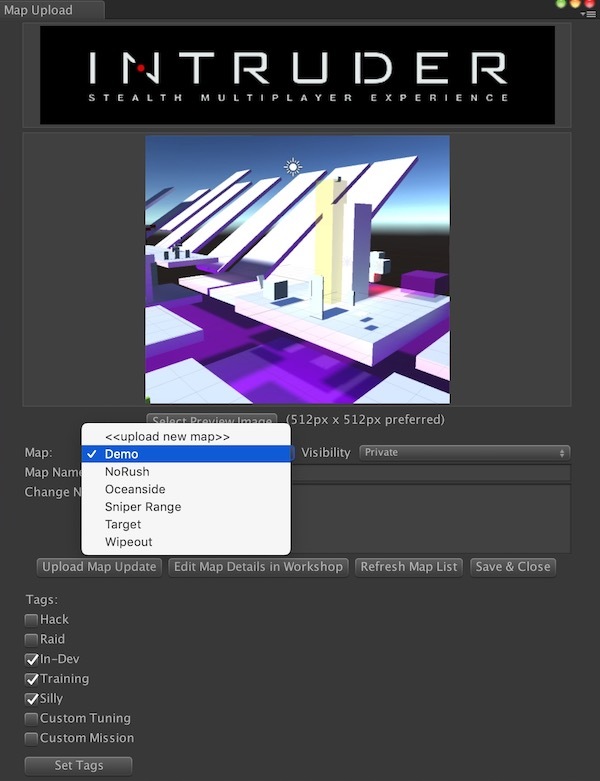
Instead of managing Item IDs, visibility, and preview images, we've begun to take care of all that jazz for you. Now when you open the upload window, your current maps, their visibility, tags, and last used preview image are loaded automatically.
The handy map drop down will load up all of your current online Workshop maps and you can use <> for new maps.
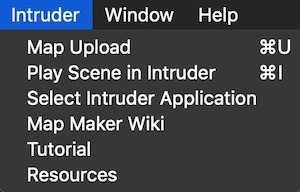
The Intruder drop down menu also has some links to the Intruder wiki, tutorials, and resources you can use for making your maps.
As noted before, the only 2 things you need to get started on making your own maps are:
Install Unity3d (On the components page, select both Windows and Mac build support). After that start a new project and you can double click the IntruderMM2.01 unity package file in explorer/finder to import it.
Change Notes
New Upload window helps manage all maps, tags, preview images, etc.
Intruder application is automatically found so you don't have to go looking for the executable (looks in the default Steam location)
Wiki, tutorial, and resources links added to Intruder menu
Additions and fixes to the demo scene and target setup
Various behind the scenes magicks
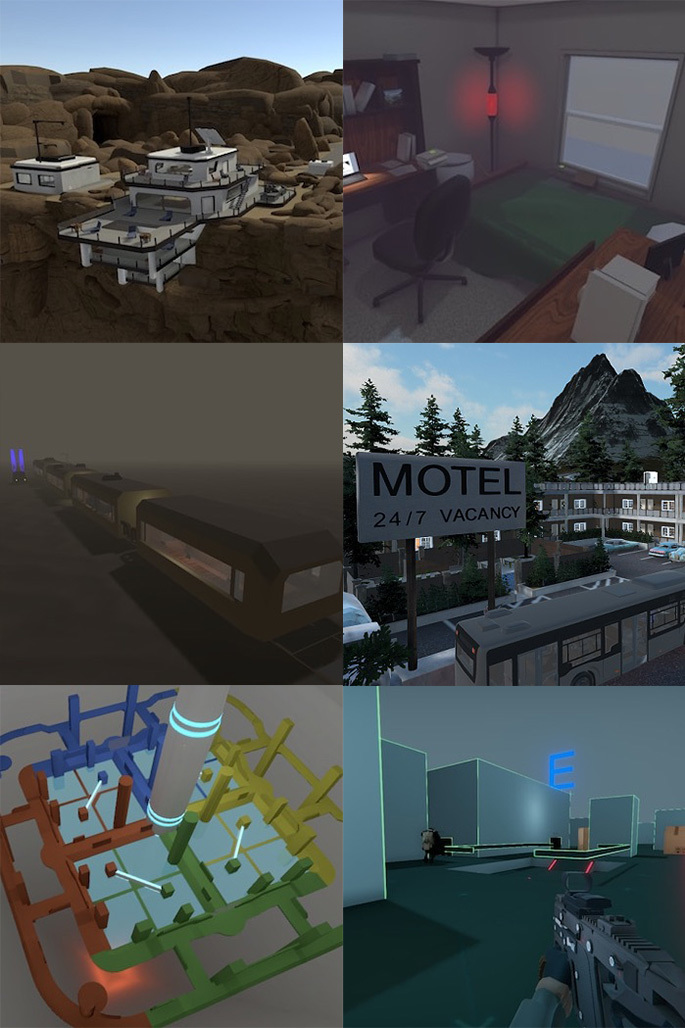
Since our last update many Intruder players and map makers have already started uploaded their maps. Here's a preview selection below:
If you're interested in map making or want to come hang out with the community be sure to join the official Discord. In the following weeks we'll be working on the HUD update among other things, so get pumped! Until next time 'truders!
-Superboss Games
Update 1297 + Steam Workshop Support!
Hey guys, Ryguytheguy here again with a look at an exciting new update 1297 that has been in the works for quite some time now, Steam Workshop support! With this new version of Intruder, players can upload, download, discuss, and rate maps made by the community. A few bugs were also patched including the microphone boost bug. Now the microphone boost will not reset between rounds and you can leave it at the preferred setting.
The old system of adding your own maps meant that you had to go on discord or the steam forums to tell people about your map. Feedback was scattered across different platforms and was easily buried by other conversations. This also meant that it was difficult to find good maps. Even though many amazing maps were being uploaded by talented mapmakers, they went unplayed due to the fact that people did not even know they existed.
With the Steam Workshop you can quickly browse maps based off of popularity, users, or tags to find the exact map that you'd like to play. If you want to play a custom map, just head over to the workshop and subscribe to the map and you'll be able to play. There is even a button to open the workshop and add maps right in the 'create server' menu.
For many of you, this is all you need to know about the update; however, if you want to help improve the community and see your creations in-game then keep reading as I break down how to upload your very own map to Intruder using Intruder Map Maker!
Introduction to Intruder Map Maker
The Intruder Map Maker (or IntruderMM) can be used to create custom maps for Intruder using Unity. The IntruderMM package allows you to create, test, and upload maps to Intruder and has plenty of prefabs to help you get started. For the most simple maps you can simply drag and drop prefabs and models into the Unity scene and have a functional map that is ready to play. This does not limit your creative genius, however, and with a bit of dedication you can create a map that has custom features, rules, and game modes! If you want to see some of the amazing maps I previously mentioned, check out the Community Map Showcase that was posted a while back. There has never been a better time to make your own map for Intruder, so let's get started!
How to Get Started
Step 1 - Installation Install Unity version 5.6.5p4 (linked at the bottom of this article), and install both Mac and Windows build platforms. Make sure that the correct Unity version is listed in the top left of the Unity window, and that the project is also using the same version. Next you need to install the IntruderMM package (also at the bottom of this article) to get started.
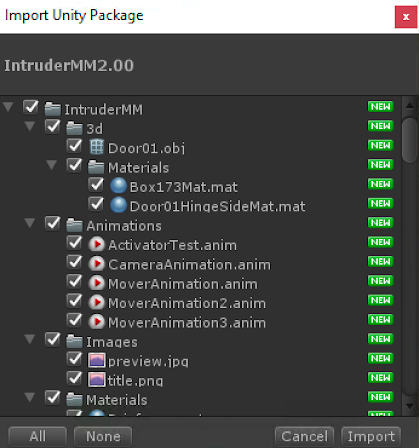
Step 2 - Setup Open Unity. Start a new project and import the IntruderMM unity package. This will set you up with everything you need to start making your level. Just double click the package when you have your project open or use Assets->Import Package->Custom Package and select the IntruderMM package. You should see something similar to what is shown below. Make sure everything is selected and then press "import" to get the package.
Step 3 - Making a Map You can now begin making your level. Be sure to grab a SpawnA (guards) and SpawnB (intruders) from the Prefabs folder and place them in your level to choose where your guards and intruders will spawn. The prefabs folder is full of great things to get your levels started such as doors, windows, goal points, briefcases, and much more. While it is a bit outdated, this tutorial should get you started. You no longer need Unity Pro to upload maps! Please feel free to ask questions and learn with the community by following the link to our Discord server in the 'Help and Feedback' section at the bottom of this post.
Step 4 - Testing Test your level. Navigate to the Intruder menu at the top of your window to start testing your map. Selecting Intruder->Play Scene in Intruder will allow you to hop in game and experience your map from a player's perspective. If this is your first time, you will be prompted to find your copy of Intruder.exe or Intruder.App, and they will most likely be in the locations shown below. If you are unsure where Intruder is installed, right click on the Intruder in your Steam library, choose ‘properties’. Go to the ‘Local Files’ tab and choose ‘Browse Local Files’ to find the directory you need.
Where to find Intruder:
Mac: Library/Application Support/Steam/steamapps/common/Intruder/Intruder.app
Windows: \\SteamLibrary\\steamapps\\common\\Intruder\\Intruder.exe
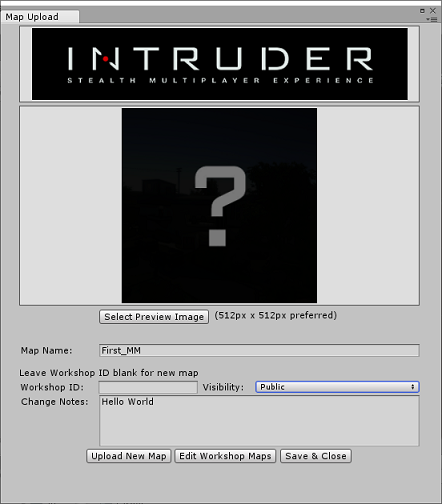
Step 5 - Uploading Intruder->Map Upload will allow you to upload your map and set tags. If it's the first time uploading the map, leave the Workshop ID blank. If you are editing a map that you previously uploaded, enter the ID of the map in the Workshop ID field. If you do not know what the ID of the map is you can find it by browsing to the Workshop page for the map. The ID is at the end of the URL for your map on the workshop. Set the visibility to public when you want other people to see and be able to play your map, or keep it private if you are not ready to share it yet.
Step 6 - Steam Workshop Now that you have a map uploaded you can start to add features from the workshop. If you navigate back to the Intruder->Map Upload option in Unity you will see that you can now add tags. these tags include:
Hack - Maps that feature hacking as part of the objective. e.g. Cliffside
Raid - Maps that feature a raid to secure a package as part of the objective. e.g. Riverside
In-Dev - Maps that are still being developed.
Training - Maps that teach players or let them practice skills. e.g. Sniper Range
Silly - Maps that are meant for silly or otherwise non-serious gameplay. e.g ohnoscoobs
Custom Tuning - Maps where gameplay tuning has been changed. e.g. King Of The Hill
Custom Mission - Maps where the objective has been custom created by the mapmaker e.g. ArkhangelSK
You can also add contributors if you worked on a map with someone else. You can also edit the title, description, images, and links that you have on the workshop page. Finally, you can check out what people have to say about your map in the comments tab or start a discussion in the discussions tab on your workshop page.
Now your map is a part of Intruder, congratulations and thank you for your contribution to the Intruder community!
Intruder MM unity package 2.00 2.01 NEEDED for Steam Workshop version Download Here
Help and Feedback Intruder Map Maker Tutorial - Unity Pro is no longer needed to upload maps! Join us on Discord and check out #mapmaker to ask questions and get feedback from experienced mapmakers.
Enjoy this clip as thanks for reading this entire post!
EDIT on 10/10/2019 by Ryguytheguy - updated mapmaker version from 2.00 to 2.01
Community Map Showcase
Howdy, and welcome to the Community Map Showcase! I'm Ryguytheguy. If Intruder news is what you crave, I'm the guy for you. Today we will be looking at maps made by the community! With over 100 maps to choose from, it can be hard to choose what maps fit in your custom lobby. Here are a few maps that show off some serious skill from the creators.
New Maps to Check Out
With the White Box Mapping competition's end date being extended we can expect a few more maps in the near future, but for now let's look at some of the maps we already have.
Factory - Cyex (antshin) While some maps have countless rooms, Factory has a large main room with miscellaneous objects and machines cluttering it up. Use the unique level geometry and high vantage points to make sure no Intruder gets by unnoticed!
Manifold - MadmanEpic In the map Manifold you have to navigate through the maze-like structure in order to extract the package. With laser alarms blocking your path you have to be sneaky or bold to successfully steal the briefcase.
Watch out, you never know who's lurking in the shadows!
Snow Complex - Tsawodi Even though complex is just a fancy name for a building, this building really is complex! Only in spectator view can you truly grasp the complexity of this map. With many vents, glass walls, cubicles, and catwalks, Guards have to be on their A-Game if they think they can stop a sneaky Intruder from sneaking by.
Intruders beware, the complexity of the map makes it easy to sneak, but it also means Guards can be anywhere. Watch those walkways and check those cubicles!
Ocean Facility - Polybius If you don't want Intruders to steal your secrets, what better place to go than the middle of the ocean! This map has many ledges and windows so Intruders can sneak around without being seen by the many cameras on the map.
Not a fan of having your photo taken? No worries, just disable the cameras by interacting with the use key!
zeroside - Polybius & lightslayer5 A large map with a high altitude zip-line means Intruders have to watch their energy as they head into the main building. With large areas and long sight-lines communication is key in guaranteeing victory.
Check out the custom outfits specifically made for this map!
Maps With Unique Features
While some of these maps may not be new, they push the boundaries on what can be created in the IntruderMM. While these maps aren't always the best for competitive play, they are definitely a lot of fun!
ohnoscoobs - madmanepic Reminiscent of the classic Scooby-Doo hallway chase, this map recreates the Freleng door gag in Intruder! You can see through the doorways and follow your target through an endless loop of doors or switch up your route and quickly collide with your target.
glassdeathmatch - viotech3 A fun party game where shooting your enemies is useless. Instead, shoot out the floor from beneath them and watch them tumble to their death.
Longsniperduel - madmanepic Snipers only, 500 meter shots, wind, and ziplines. Try and take out the enemy team before they take out yours! If someone is hiding, sneak over on a zipline and take them out up close and personal. Don't get shot on your way over or it's instant death!
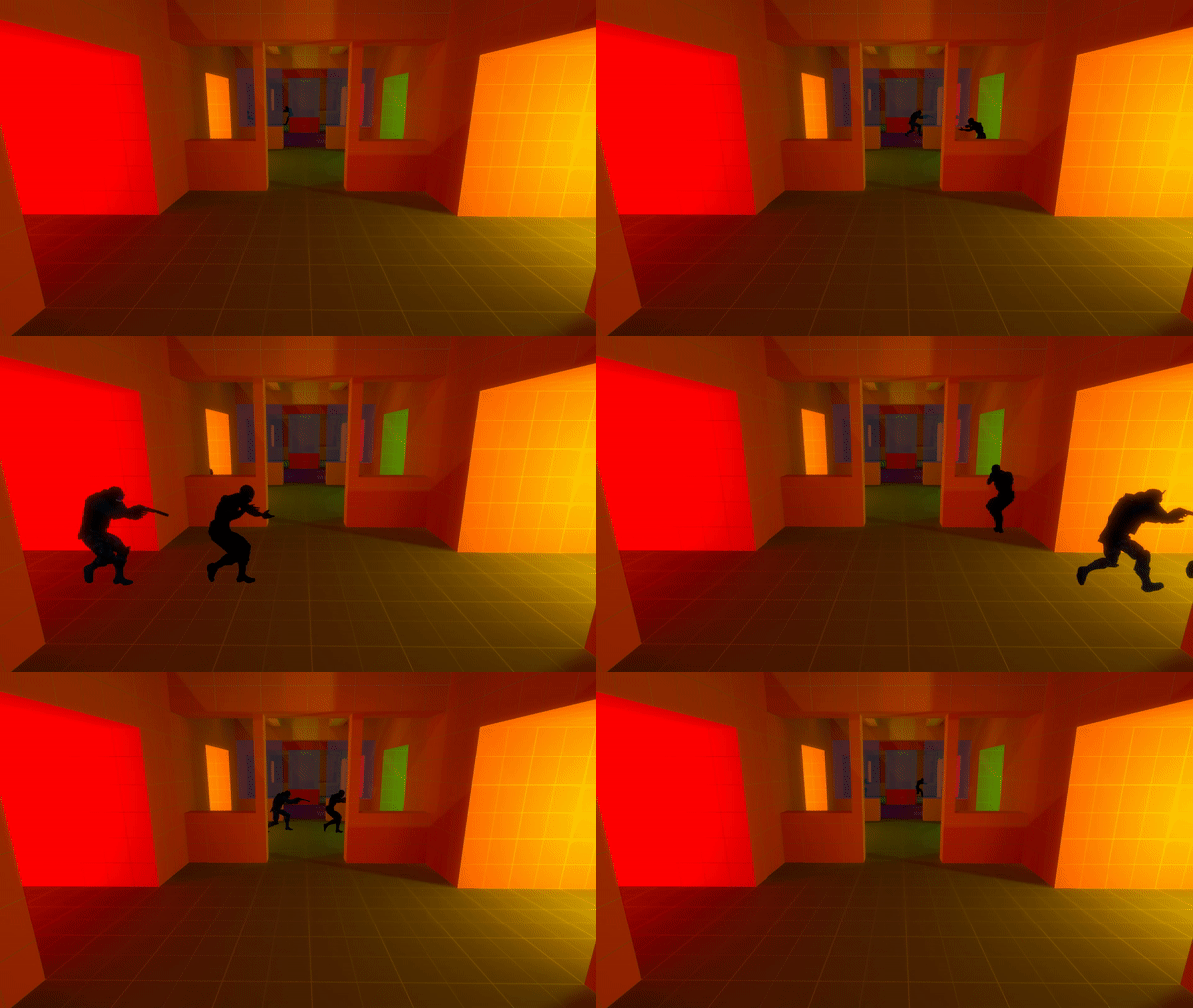
wiretap - actionman Guards can run but they can't hide... wait, on this maps Guards can hide but they can't run if they don't want to be exposed to the Intruder's state-of-the-art motion tracker! All motion is tracked so grenades or glass breaking can give away your position or distract the Intruders as you sneak to the next room.
shotgunmadness - viotech3 This map showcases the newest weapon in Intruder, the beanbag shotgun! Knock enemies over to send them sliding off the map, or dunk on them by shooting the glass floors and dropping them into the pit of death.
metro- Cyex (antshin) Intruders start with the package in this close quarters map that takes place on a moving train during a snowy night. Protect the package carriers as they make their way to the other end of the train. Be careful on the edges though, if a package drops off it cannot be recovered.
Hopefully you have some fun playing these maps and create your own in the future! Hop in the Discord server to chat with some of these talented mapmakers and check out the #mapmaker channel to learn more about creating custom community maps for Intruder. Unfortunately, with all the amazing maps made by the community I am sure to have left some out. If there are any maps that you guys love to play please post them in the comments. Feel free to plug your own map in there too, the more the merrier! We should be more frequent in posting updates, announcements, and community showcases soon, but in the meantime Guards keep guarding and Intruders keep intruding!
See you soon! >:D
Update 1225 + Dev Updates
Hey all and welcome to Intruder version 1225! Patch notes are abridged this update as the bulk of the work was completely in the New Additions category.
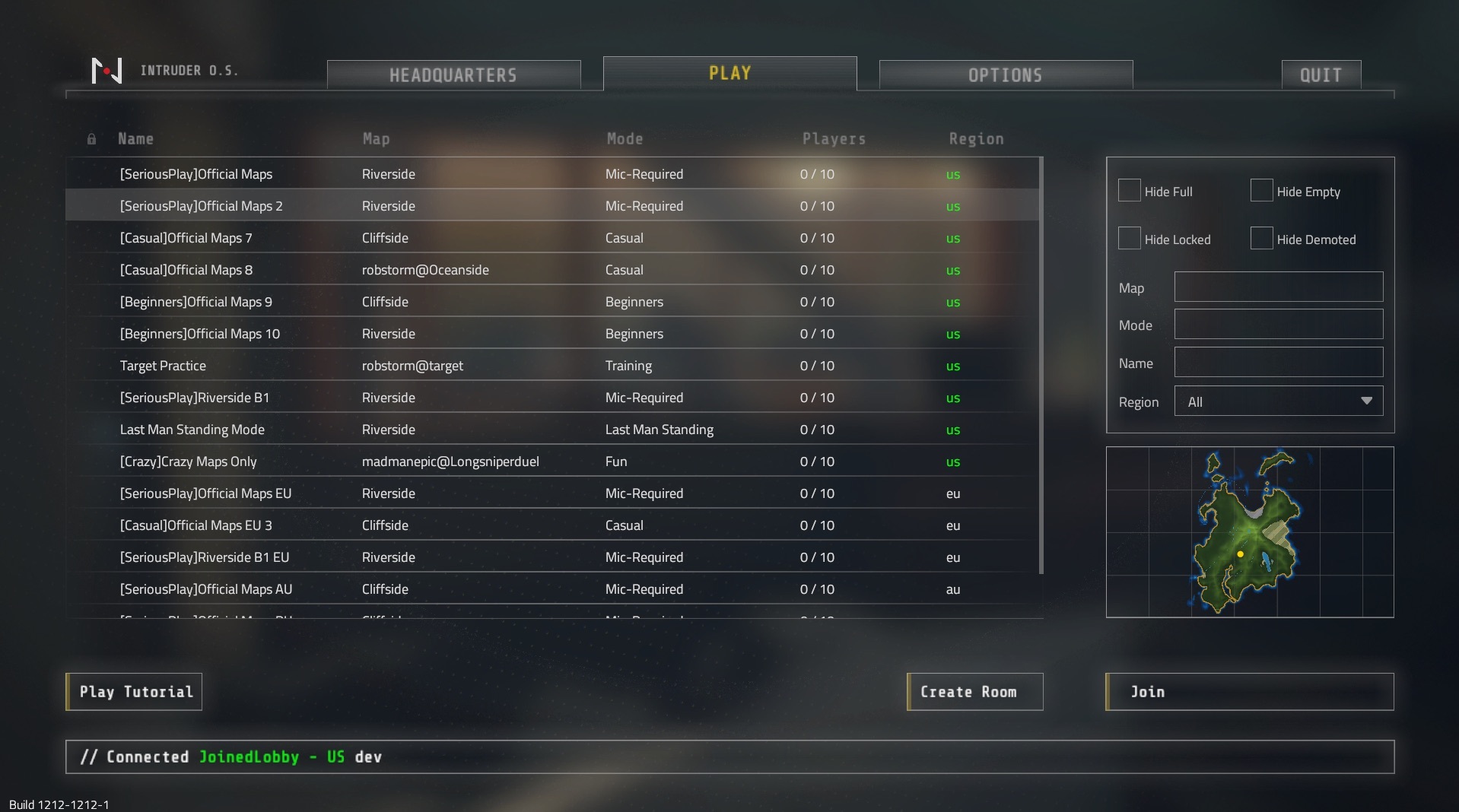
That said, with version 1225 we bring you the completely new and redone main menu:
Headquarters
Play
Options
The new menu has some immersive sound effects and a new music track built in to really let you feel like you're planning your next spy mission. You can preview the music track here: https://soundcloud.com/rstorm000/mission
The new options menu has also be put into the in-game UI. We are still working on the new HUD for in-game, so there will be a strange sense of 3 different styles in the in-game UI for the time being. But the new HUD is one of the next things on our list. And luckily we have more of it to preview here today!
HUD Updates
Here are some screenshots of latest and greatest in the progress of the new HUD:
The new HUD will also come with a much awaited update to the Inventory system and the ability to drop items.
New Website
We're working diligently on creating the new version of the website which will allow us a lot of new features both in-game and out. Having player stats and ranks in-game has been a longtime goal of ours and the new website is necessary for that. Unfortunately some of the issues getting these systems up and running have been crazy complex, but we are making steady progress.
What would you want to see with player stats and player progression in Intruder? Let us know in comments below.
Map Maker
The white box mapping competition has been extended to allow for some mappers to polish their maps some more, but we thought it was a good idea to show off some their progress here. Here are works by mappers Tsawodi, MadmanEpic, Cyex, and Polybius:
Snow Complex - Tsawodi
Factory - Cyex
Manifold - MadmanEpic
Snow Complex - Tsawodi
Ocean Facility - Polybius
Workshop Support
We're also pleased to announce that we've gotten quite far with Steam Workshop support for Intruder and Intruder Map Maker! This is another great thing to check off our roadmap list so we will update you on that soon. If you are an Intruder Map Maker, you will need to re-upload your maps once this is released.
If you are interested in trying the beta versions of this, make sure to join the Discord #mapmaker channel: https://discord.gg/superbossgames
Social Media Managers
We are still on the lookout for people who are great at writing articles (like this one) or who can edit videos like those on our YouTube channel:
https://www.youtube.com/watch?v=l8sJMQC-RMI
If you or anyone you know think you are capable, please hit us up on the Discord with some examples of your work and we'd love to have you on.
Update 1212 + HUD Preview, RU/SA Servers, Cliffside updates and more
Hello all agents, Intruder version 1212 is out now! It features some quality of life upgrades, a little bit of lore, and some significant changes to the Cliffside level design. We'll also go over some of what we've been working on behind the scenes for future updates at the bottom of the article.
Oh and we've also added Russian and South American servers for you all in those regions looking for some better ping.
The full change log is below:
New Additions
Russian and South American region servers!
Cliffside level design changes
Added multiple new vent sections to allow more sneaking possibilities for Intruders
Ledge moved back so it's not visible from balcony
Some chairs removed from guard spawn
Slip zone added to cheeky window at guard spawn
New Security Camera models on Riverside and Mountainside
New boat model for Riverside Escape point
Added MapModeSettings to IntruderMM which allows you to set default round length for custom maps
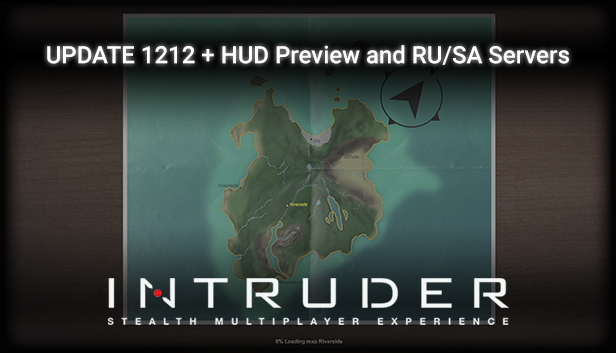
New loading screen features a map of the island!
Will highlight the geographical locations of the maps you are headed to
Changes
Added keybinding for all weapons/inventory slots so you can assign them to whatever keys you like
Added keybinding for hand signals
Fixes
Attempt to fix crazy Cliffside bug where you would have weird UI on screen and be able to walk through the desert like Laurence of Arabia or something
UI and HUD update progress
Alright so we know that the HUD and UI in Intruder right now looks a bit dated so we decided to consult a UI graphic designer to spiff things up a little. This is just a preview and not in-game yet, but here's a quick look for you guys. Let us know what you think and we'll be working on getting it in ASAP!
We've also been working on getting the new version of the website running as well as the White Box Mapping Contest. Oh and a bot has been added to the Discord channel that allows you to start Pick-Up Games (PUGs) and will even track your wins and losses in your competitive matches. This is all too much to write in one post so we will try to get you another update post on all that good stuff soon!
We received a lot of feedback stating people wanted some more hardcore server settings to make competitive play more viable. Our first step along that way is introducing limited spectating mode in this update. This server room option will only allow you to spectate your own teammates once you've died to deter ghosting and other such nonsense.
The full change log is below:
New Additions
Limited spectator mode for more hardcore gameplay and ghosting deterrent!
Limits spectating to only your teammates and turns off player cards
This will be turned on by default in all SeriousPlay rooms
To use it in your own rooms just check the "Limit Spectating" box when creating a room
Server room filters!
Filter rooms by name, mode, map, empty, full, locked, etc.
Filter by name, mode, or map just needs to contain the input. So filtering by "side" for instance would give you all rooms playing Riverside, Cliffside, Mountainside, because those map names contain "side".
Changes
Votekick changed to need more than half the room to vote to kick a person
Optimized some network traffic code
Can no longer hear full volume voices when joining a room and before picking a team
Added timer to Riverside B1 Raid rooms
Fixes
Fixed Riverside B1 raid rooms not loading B1 raid mode correctly when joining
Fixed issue where Guards would have 6+ CS grenades on certain maps
Fixed faulty server room filtering for Japan rooms
Attempted fix for incorrect reflective damage message
Multiple small bug fixes and optimizations
White Box Mapping Contest
Starting now and ending May 1st is the White Box Mapping Contest!
The goal of this mapping contest is to have map makers focus on gameplay and map design over graphics, materials, etc. In the official maps, the design process involved fast prototypes, playtested until the gameplay felt just right before any graphical additions. The original versions of our beloved Riverside consisted of only Unity cubes in fact. Buildings in Intruder are designed to be realistic and functional, while also good for the guarding and infiltration gameplay. We want mappers to go through this same process. To accomplish this we've established the following rules:
80m x 80m x 20m size limit for the playable area
Focus on the gameplay over the graphics and details
For main building geometry, you can only use 2 materials we provide: grey for floors and white for walls/ceiling
Props may have textures, bushes and trees should be textured for visual concealment
Avoid using Unity terrain if possible (lumpy terrain will probably be disqualified)
Ensure optimization and bake most lighting, marks will be off for poor performance
Map submissions end May 1st
Maps will be judged on the following:
Obeys the rules and fits in the size limit
Promotes Intruder-y plan and pick your infiltration route gameplay (Not too open and not too linear)
Buildings have realistic, functional layouts, but does not hamper gameplay
Performance
Map maker playtests and gives progress pics of their map design
It's fun!
We will have a Developer's pick winner as well as a Player's Choice winner.
Again, for more information and how to start mapping, join the Discord (https://discord.gg/superbossgames) and respond to this post: https://steamcommunity.com/app/518150/discussions/0/1846946102858525072/
Anyway, hope these updates are welcome additions. Let us know what you want to see in the next one!
p.s. we might be looking for video editors if that's your thing.
Update 1169 + Roadmap preview
Hello agents and welcome to our first patch/update: Build 1169! And you can play it now!
Before we get down to the specifics, we want to say thank you to everyone and that the launch has been amazing! We even managed to get to the Steam front page as a best seller, so thank you all!
With that we got a lot of immediate feedback. There were definitely a lot options and settings customizations that people wanted so we made sure to get those in with this first patch. This includes gameplay settings like hold to lean or hold to aim-down-sights instead of toggle only, various graphics settings, and mic boosting. You also have volume sliders for every player in-game as well. Check them out in "New Additions."
At the end of this article we will also write a preview for the roadmap and what's to come for the game. Steam launch was a big milestone for us but it's really only the beginning.
New Additions
Binoculars will now send photos and sender name to teammates even if they don't have binoculars. Great for silent communication and info sharing.
Unified server list now has an "All" region which shows all rooms on all regions at once
Microphone volume boosting added to options menu
Volume sliders added to each player, so you can turn them down if their mic is too loud
Mouse inverted toggle added to options menu
Toggle VSync option added to options menu
Frame rate limit slider added to options menu (only works when VSync is off)
New "Gameplay" section added to options menu
Toggle or hold Lean options added
Toggle or hold Aim-down-sights options added
Changes
Shotgun pickup now says "You found a non-lethal Shotgun"
Vote kick cool down changed to 5 minutes
Tool tips updated to reflect current settings for ADS
Tutorial updated to suggest default ADS controls
Put message on Superboss logo page that Intruder is a work in progress
Reflective damage for all kinds of attacks (including headshot) turned down to 10 instead of taking the full damage of the attack
Official rooms will be set to have All-round Reflective damage on so new players will experience fewer TKs
Energy recovery speed at < 15 sped up a little bit
Sweet new main menu background
Map Maker
Shotgun pickups and shotgun ammo pickups added to Map Maker
Shotgun added to EquipmentManager
Fixes
Riverside Server Room plaque visible again
Removed ping limit kicking in offline mode (Tutorial/Map Maker testing)
You will auto un-lean when respawning
Stuck vote kick menu if person leaves fixed
Fix for empty spaces in Team menu and player info panels with wrong info
Simplified and reworked team switching code should eliminate some other problems
Fixed early round TKs not registering in rooms without reflective damage on
Fixed poor deforming remote charges when they touch window frames
Also, we have begun separating out rooms into more types such as Serious Play - Microphone Required, Casual, and Beginners rooms. Please adhere to the rules of the rooms or feel free to make your own. Remember that rooms you create are hosted on our dedicated servers, so there is no difference in speed to official rooms.
The roadmap is something a lot of people have been asking for. This is just a small preview of things we will be doing and some things we want to do. We will have a separate post as well going into more detail about the Roadmap and the future of the game.
Coming Soon
A new version of the website with much improved and detailed player profiles, roadmap, and other cool features:
Quality of life improvements and more user settings
Better server/room filtering
Various graphical improvements and cleanups of official maps (including Oceanside)
More map maker tools for your custom maps
Options to limit spectating to just teammates for competitive matches
Bigger Stuff
Move Map Maker over to Steam Workshop
Redone HUD and Menus
Redone Inventory System
Physics enhanced animation system
New Map: Codename Facility
New Map: Codename City Skyscrapers
More weapons and gadgets (some map/mission specific)
More mission types/game modes
Even bigger
AI/bots
Dedicated servers that can be run by players as well (Current rooms are hosted on our dedicated severs)
More player and weapon customization
Stats and progression system hooked up in-game and website
Clan and competitive game support
Fleshed out lore and maps of the island Intruder takes place on
This is just a preview of what's to come, but expect a larger Roadmap post detailing some of these out and showing examples of what we have on them already.
Please drop by the Discord any time at https://superbossgames.com/chat to hang out with Devs and the community. New clans and competitive matches are starting to form there as well (more on that later).
Again, thank you all so much for the support and we hope you are enjoying Intruder.
All the Updates so far
Hello agents and welcome to our first announcement!
Since releasing on Steam we've been able to make a number of updates in only a couple weeks. We thought we'd detail out all of those releases here so you can get a chance to see what is new in the Steam version and what updates we've made already.
Build 1108
New Additions
Intruder is now on Steam
Shotgun - Fires powerful beanbag rounds
Mountainside Night time version
Remote Charges have fancy priming sound and detonation lights
New explosion effects
New sleek material for SMG and Pistol
New lock picking graphics
New keypad unlock graphics
Mountainside now has a weapons case
Computer hack terminals received graphical overhaul.
Pistol now has red optic sights
Lighting and post effects overhaul for Cliffside & Mountainside
New graphics for helipad, helicopter, and antenna on Mountainside
More pictures on Cliffside
Player Info panels added to player names in team panel
Various functions added in Info Pane
Friend tab enables you to invite your steam friends to the game
Round timers (optional)
/rtimer admin command to set round timer by seconds (60 - 1200, 0 to turn off)
many new admin commands
Commands for resetting glass, decals, camera speed, etc. for filming scenes
Third person mirror camera now has cute visible camera to other players
Fancy new radio glow when transmitting
New mortar graphics
New mirror camera image effects to make more spy-like
Spectators can be viewed from Team menu
Changes
Spectator smooth camera redone
Spectator follow camera made better and won't put you "under water" anymore
Remote charges must land on surface for a period of time before they are ready to detonate
SMG base damage changed from 25 to 20
Pistol sway turned down a bit
Laser Sensors laser effectiveness made more consistent and will react to any movement
Force multiplier differences per bullet on advanced materials or rigidbodies
TK ban now has menu timer
Neat zipline material
Smoke Grenades made less crazy and smoke should collide with wall better
Fade off time for CS gas made faster and more consistent
Fewer smoke and CS grenades in inventory by default
Riverside river actually curves now
Ragdoll thumping sounds turned down a bit
Tighter offline mode for Map Maker testing
Disabled auto talk
Red dot pickups made easier to see in the dark
Mountainside Stage Left zipline made easier to hit so you don't fall to your death quite as much you clumsy dude
Default keybinds changed: Sprint - shift, Crouch - control, Prone - added secondary as z
Tons of other small changes based on moving to Steam
Fixes
Optimized radio voice chat and should fix any issues with radio transmissions cutting off too early
Red dot crosshair follows leaning correctly
General HUD color finally reset to correct saturation
Fixed hands not landing after smashing glass
Players teleporting instantly across map when touching certain colliders fixed
Disabled weird first person shadows visible elsewhere
Should have fixed mega hyper sky ragdolls that blot out the sun from time to time
Multiple spawning issue fixes
Fixed issue where creating room sometime doesn't work and leaves you stuck in menu
Multi-push-spam fixed
Riverside hill wall made a steep slope
Tons of other small bug fixes and changes
Build 1113
Changes
HUD re-enable set back to 'Q + P', can also be re-enabled by opening the menu, and by typing in the chat box
Removed loading buttons from start news page
Added build/version numbers to start news page
Some player upvoting optimization
Fixes
Fixed Remote Charges pickup graphic not disappearing after picking it up
Fix attempt for keypad sensitivity boost bug
Doors should lock on the first round
Build 1127
New Additions
Completely new Tutorial level added! Will walk you through much of the basics and some advanced features
Energy amount will turn red when you are below 30
Tutorial buttons added to main menu
Changes
Changed changelog button to wiki changelog
Changed forum button to Steam forums
Changed "ROOMS" to "PLAY" at top
Fixes
A few bugs
Build 1137
New Additions
Highlighting the pin you are on while lock picking is back
Official maps will be highlighted in the map list
Can drag red dot onto SMG to equip
Messages when you save new shortcuts for items
Put in a warning if you try to "drop stuff" from your inventory
Changes
Keypad code on the tutorial changed to something...
More images in the tutorial for help
Tutorial updated to show difference between guards and intruders
Turned down the amount of time the pick up messages appear on screen to 2 seconds instead of 4
Fixes
Attempt to fix server joining map switching issues (please work well for the love of)
Fixed keypad codes on custom maps not being random
Fix for take admin command in info panel not working
Fix for disappearing banana or other item bug on pick up
Build 1142
New Additions
High ping players with terrible connections can be auto kicked (adjustable)
Sweet new main menu background
Fixes
Fixes to recoil and camera sway
Wooo that's a lot of stuff. We're going to keep making updates through the release so please let us know what you encounter or what is unclear to you.