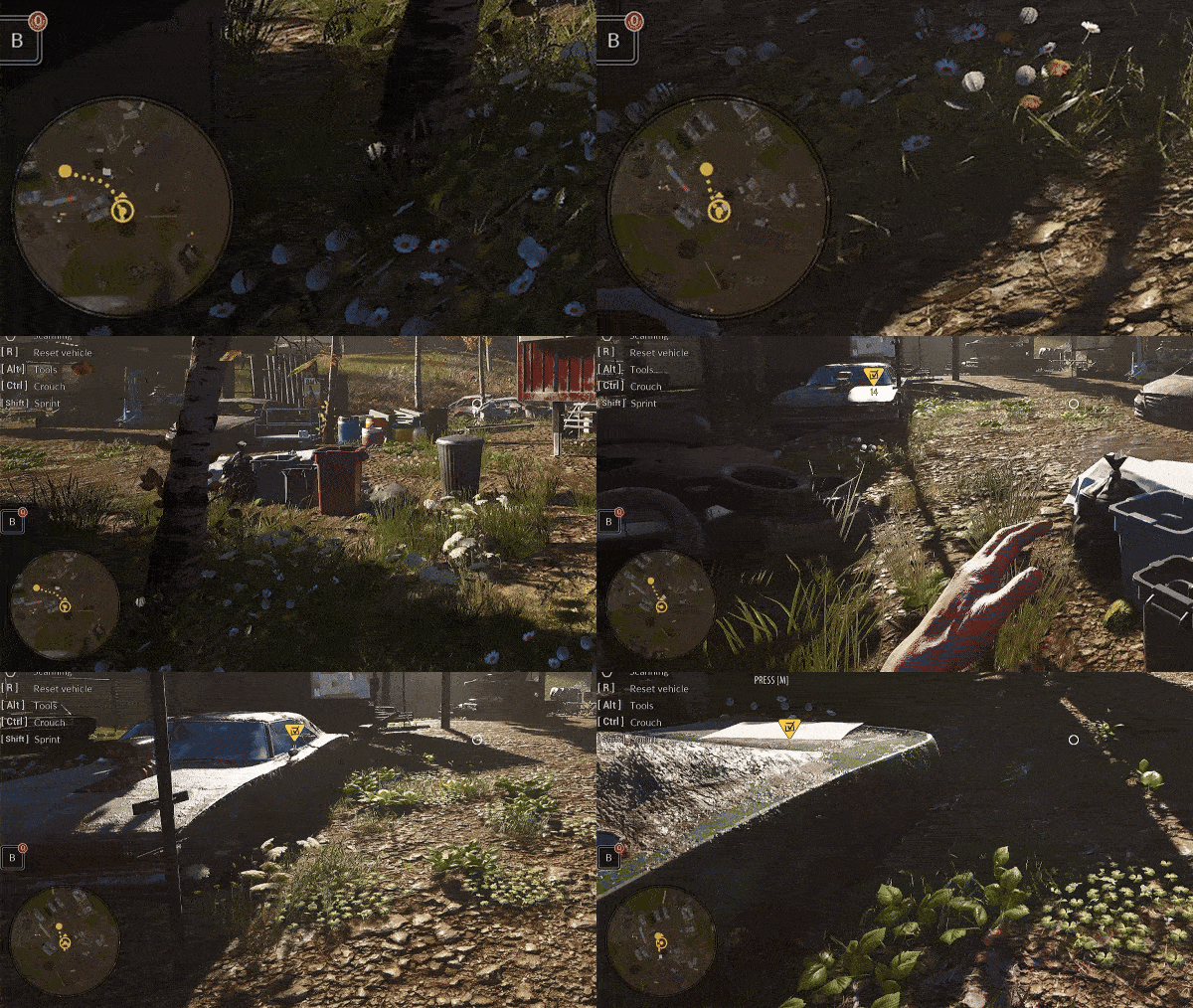
At the request of players, we have added a minimap to the game to improve navigation on roads, quests, and side tasks.
gif compression
We have added path drawing for the minimap to the Waypoint and Quest Goal.
gif compression
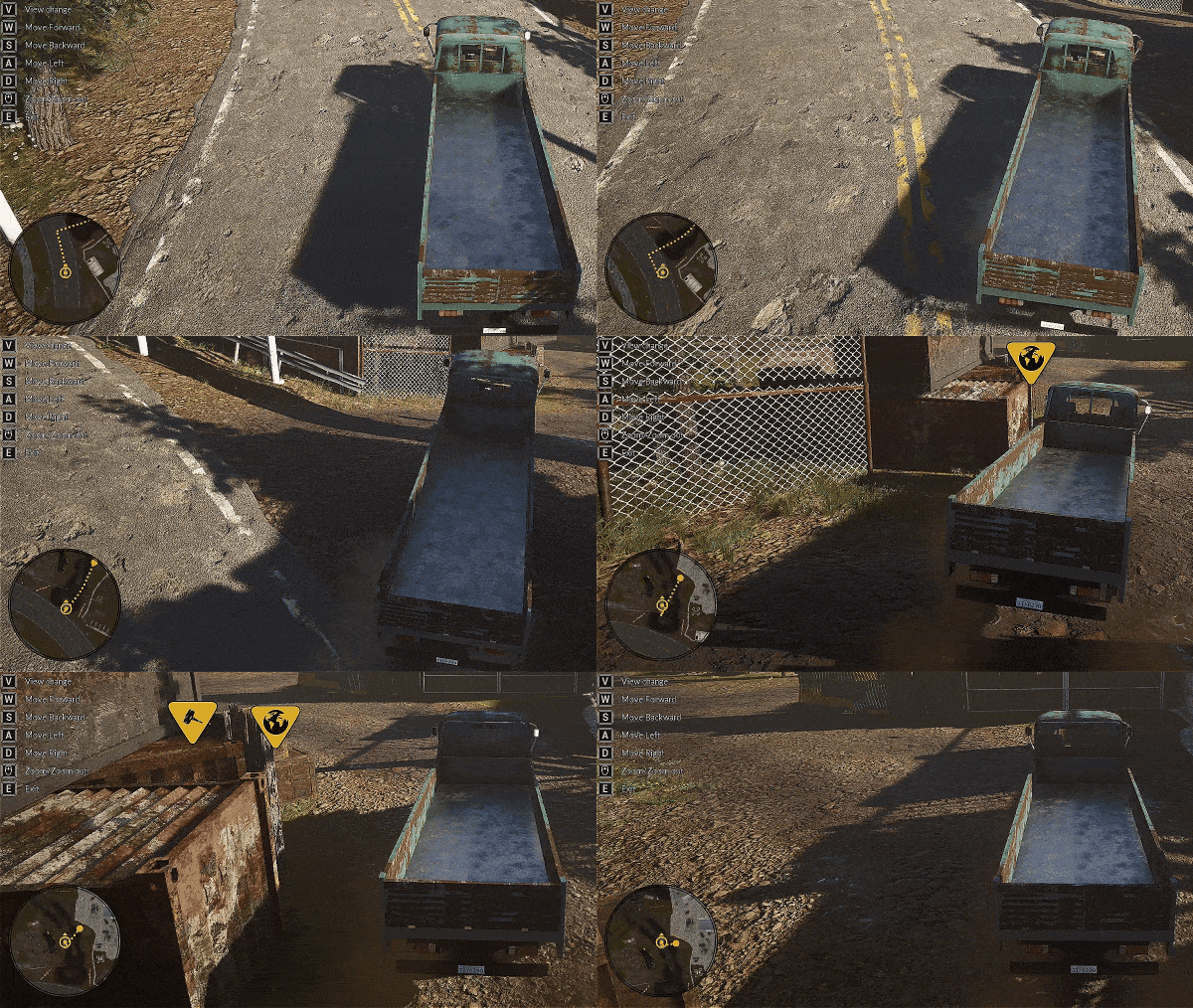
Preparation of a path drawing version for the minimap specifically for vehicles, ensuring they are directed along roads to both the player marker and quests, including side quests.
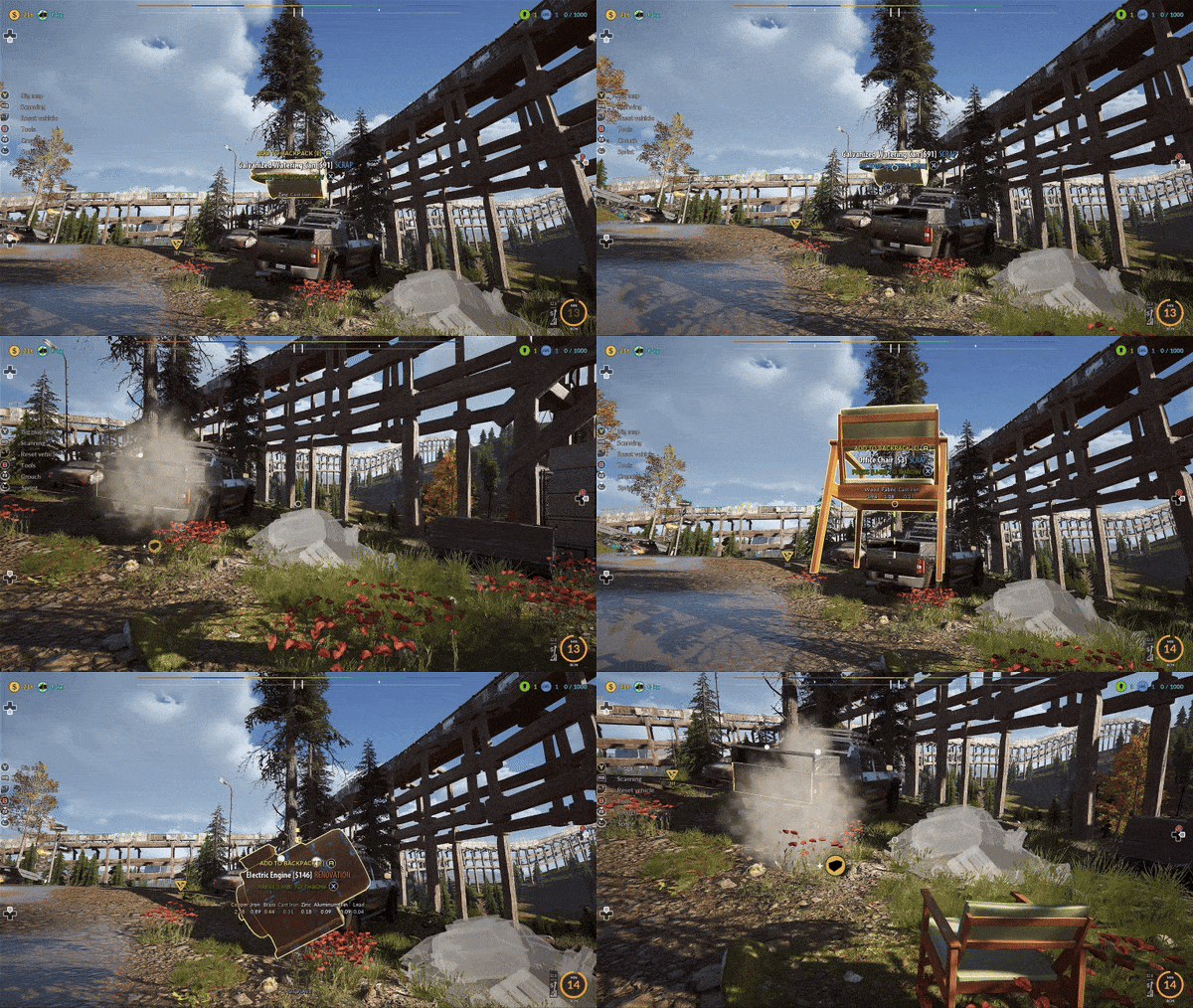
Fixing the detection of the vehicle reset location. Now players can more easily find the place where they can reset their vehicle.
gif compression
Adding hints during vehicle reset if there is an object that prevents the reset. Now the player will see why they cannot reset the vehicle and will be able to identify which object is blocking the reset.
Adding new particle effects to the mechanics of the Furnace and Mini Crusher.
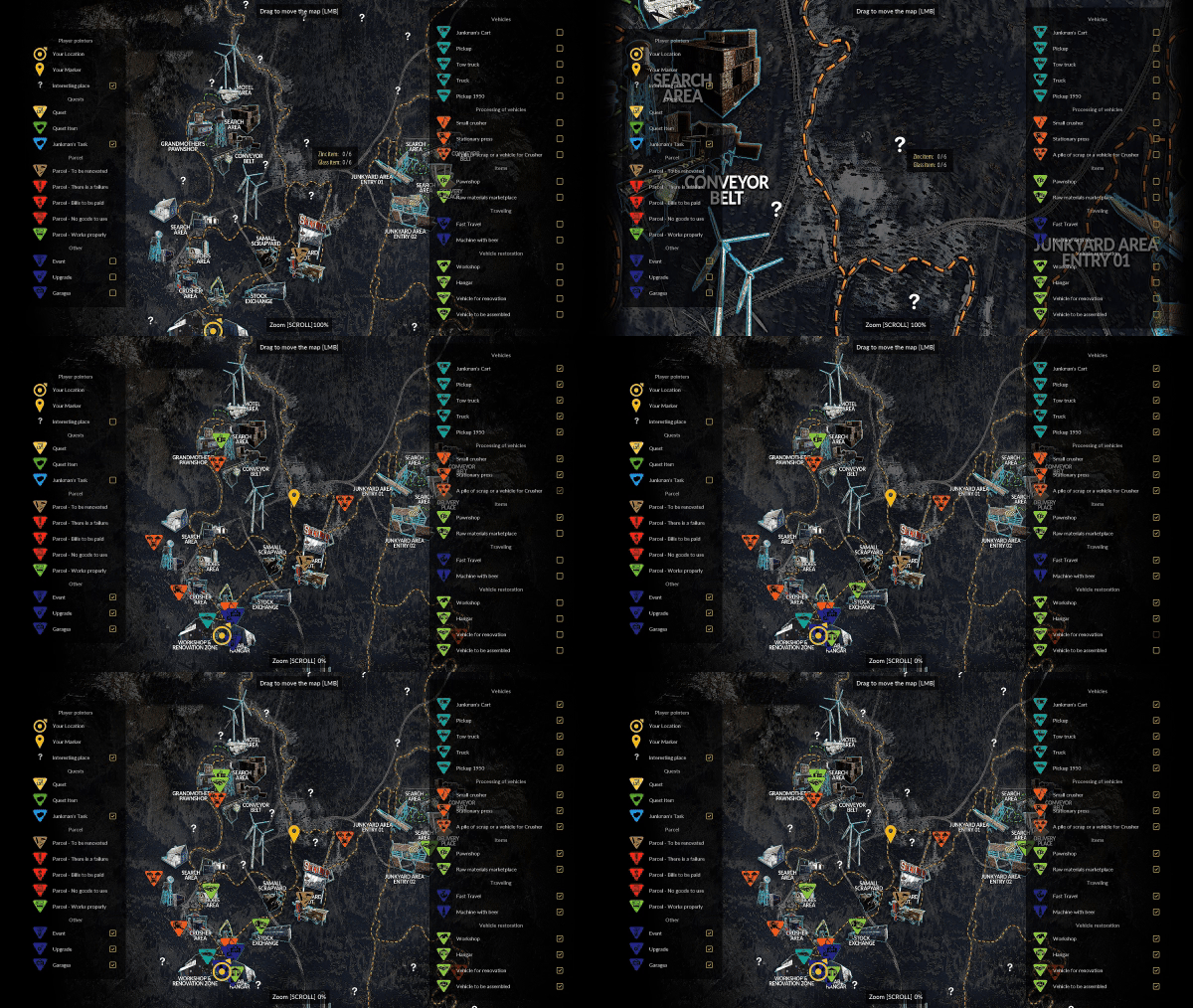
Change the functionality of the Large Map [M]. Now the map stretches across the entire screen area, ensuring better clarity and improved navigation.
gif compression
Change the graphics of the checkboxes for enabling and disabling icons on the map to make them more visible.
Removal of the bars next to the category names for icons on the Large Map and increasing the font size.
Add graphical information to the stations for the Parcel Plan. Now it's easy to see the difference between the Goods Station and the Work Station.
Add information about the Parcel Status at the top of the Parcel Plan. Now, right next to the icon representing the Parcel Letter, there is information about the status of the currently selected parcel.
Add tooltip information for the most important elements of the Parcel Plan interface. Now, when you hover the cursor over an interesting piece of information, a short description will be displayed below the cursor.
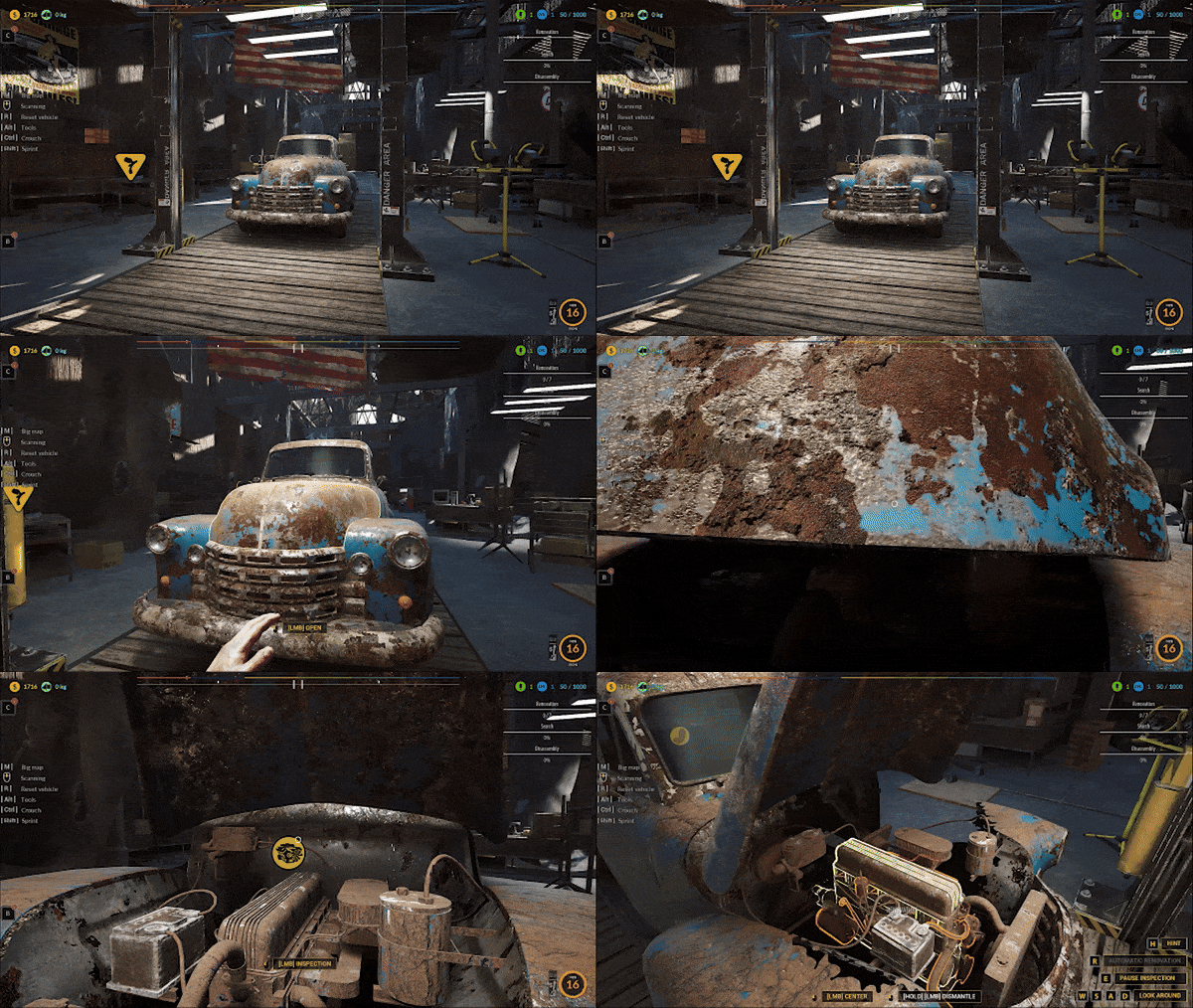
Fixing the bug related to the absence of items to search in the Blue Car.
Adding a transparent material to the vehicle when the Hint button is pressed during disassembly.
Allow the purchase of the first repair for the broken Furnace for free. Only subsequent repairs will require payment of a set amount.
Fixing the graphic error in the container that we place in the furnace during melting.
Fix the bug that caused Plastic or Paper items during the Cleaning Task to fall through the map, preventing the task from being completed.
Fix the bug with the Question Mark on the map. It required collecting 4 Zinc items, but it should have required collecting 4 Organic items.
Fix the bug that triggered a crackling sound when starting the game in Story Mode, when the player received the first Quest, and during loading when the player had the Pickup 1950 on the Two-Column Lift.
Fix the issue of the game freezing after exiting the Quick Travel Board using the Back button and immediately pressing the M key to open the Large Map.
Improvement of the translation for the words "BETON" and "INNE" in the Russian language.
Check out our latest update! Let us know what you think!
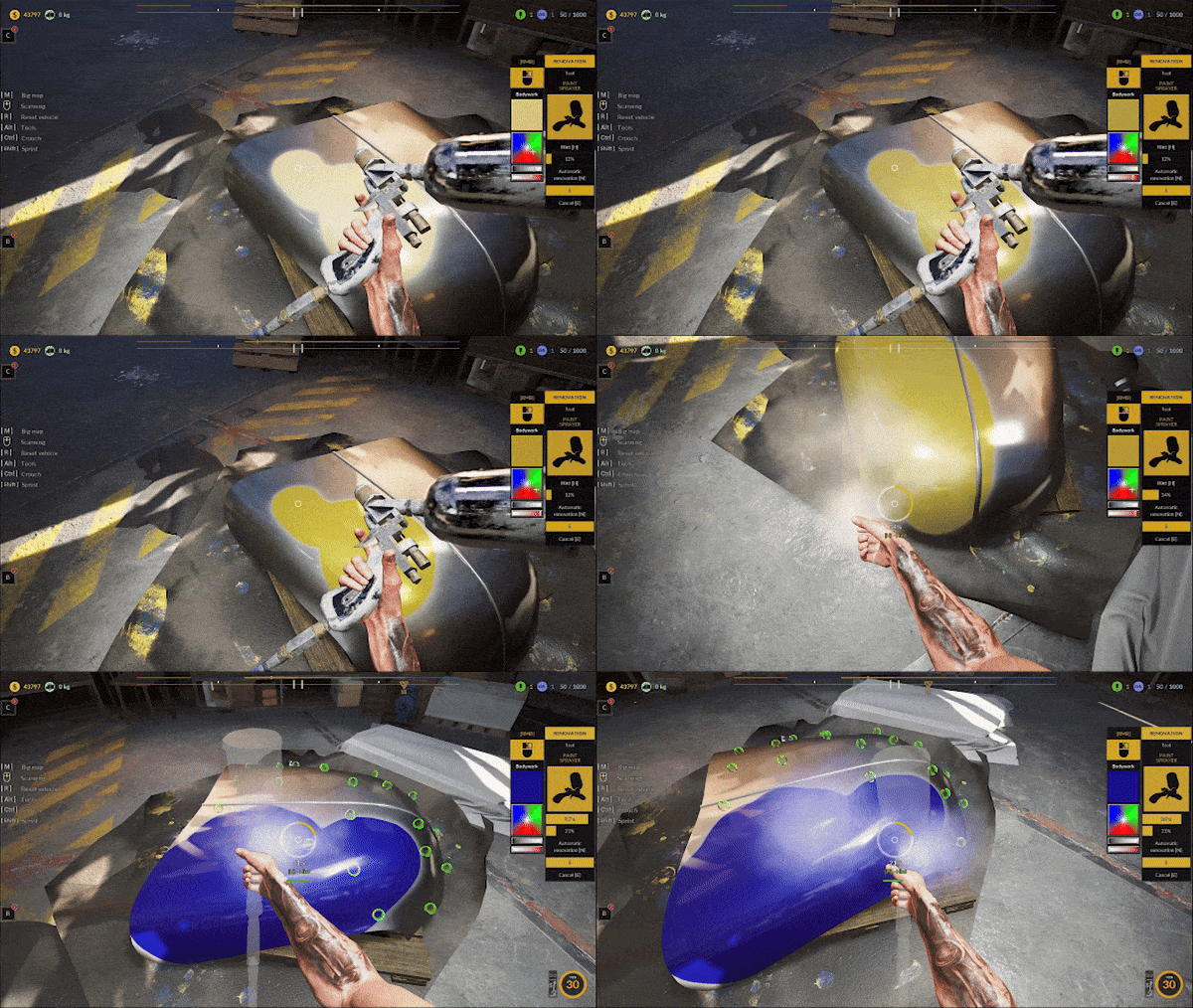
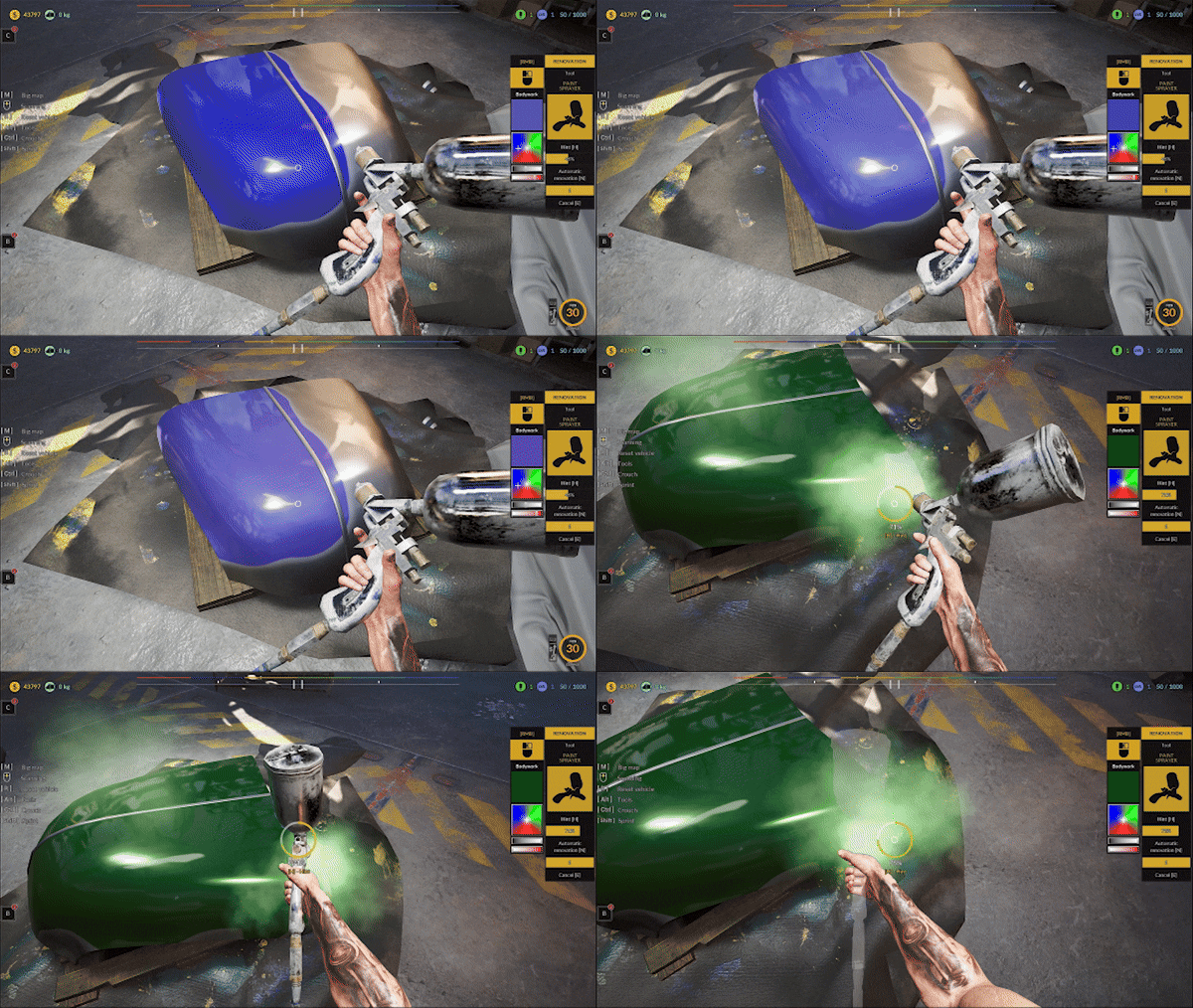
Added the ability to choose the color of the painted vehicle, with updates applied to all elements when changing the color during work.
gif compression
gif compression
Change the transparency effect for the car during dismantling. Now, the vehicle is only transparent at the dismantling area, not entirely.
gif compression
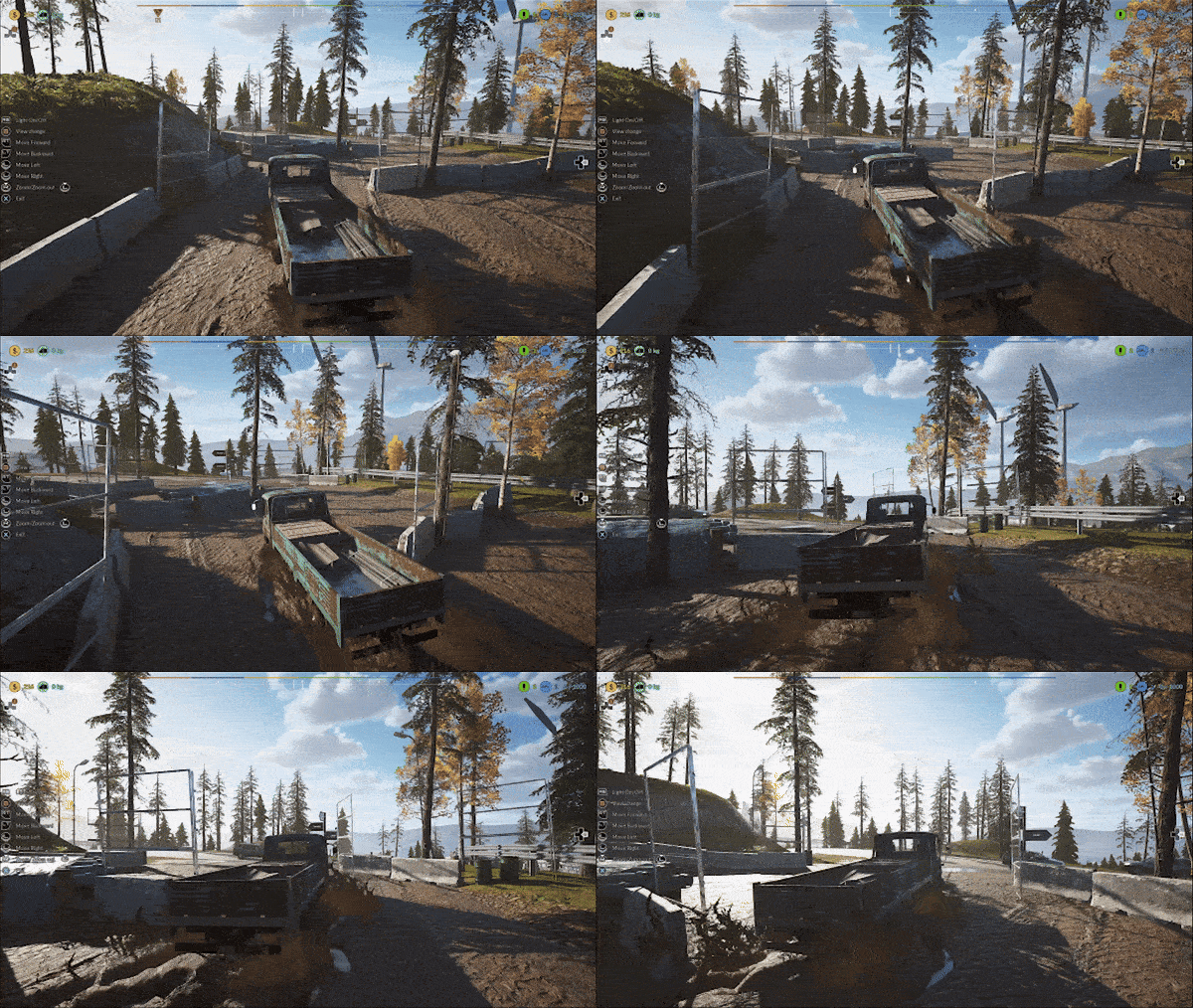
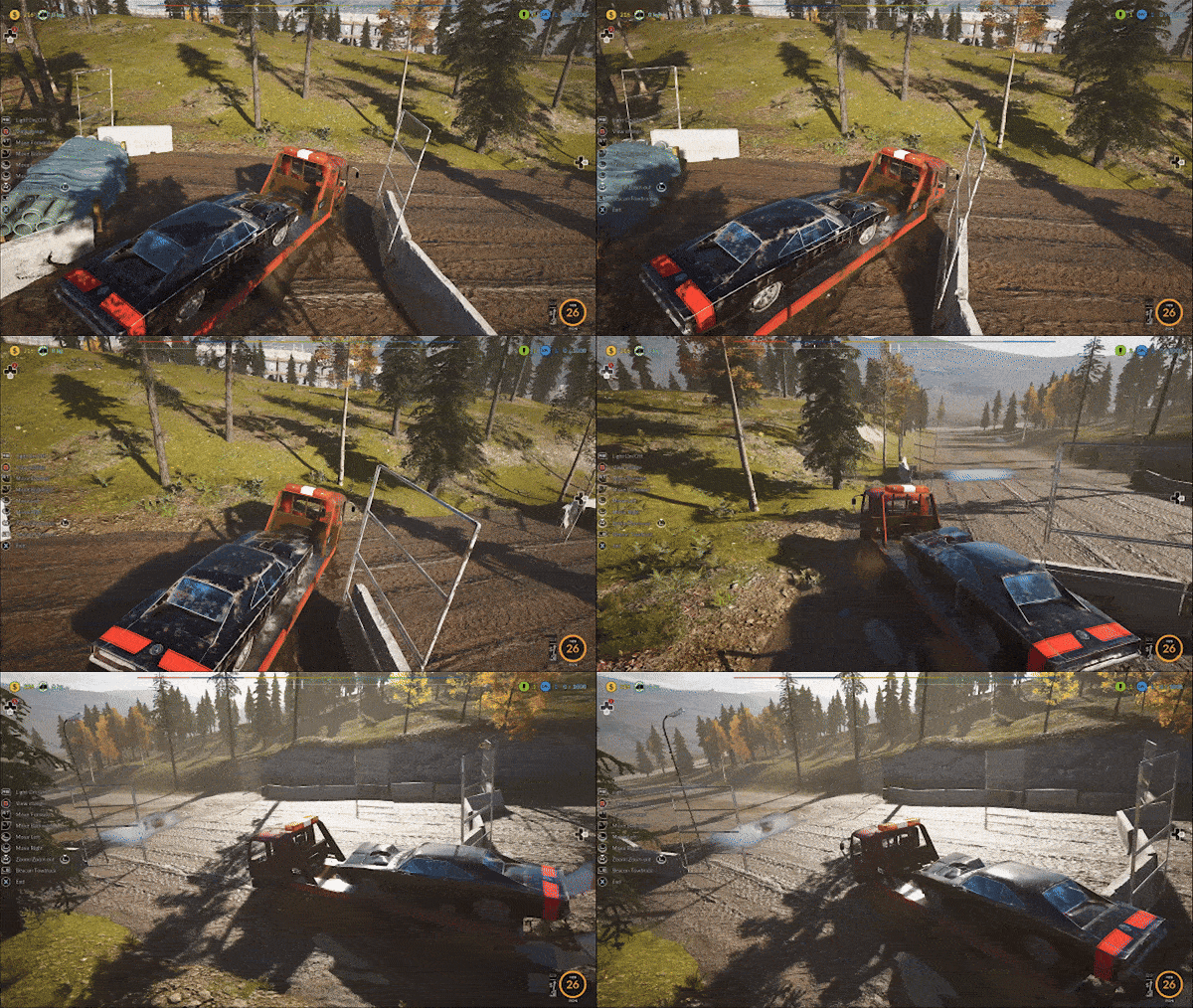
Addition of a mud system that takes into account vehicle mass. Muddy areas will appear in shortcut sections of the map
Thank You very much for being with us and giving us so much valuable feedback!
The game is constantly under development and improvement. There's still a lot ahead of us - we want to give you a great game at full launch. This is our goal
We are still working on improving the gamepad mechanics. Thank you for your feedback. We still need more time for subsequent iterations, the game was not made with the controller in mind (our mistake), but we want to do everything to make it work with it as best as we can. Most of the mechanics are already working, there are still bugs that we are fixing and we ask for your understanding and ofc feedback. We will make every effort to make it better. ːsteamhappyː
Screenshot directly from the game /medium settings
Also please support us ːsteamthumbsupː 🙂
-60% Junkyard - Planes, Trains, and Automobiles Fest
---------------------------------------------------------------------------------------------------------------- More about the update in the news section below
gif compression
gif compression
The game is constantly under development and improvement. There's still a lot ahead of us - we want to give you a great game at full launch. This is our goal
We are still working on improving the gamepad mechanics. Thank you for your feedback. We still need more time for subsequent iterations, the game was not made with the controller in mind (our mistake), but we want to do everything to make it work with it as best as we can. Most of the mechanics are already working, there are still bugs that we are fixing and we ask for your understanding and ofc feedback. We will make every effort to make it better. ːsteamhappyː
Screenshot directly from the game /medium settings
Also please support us ːsteamthumbsupː 🙂
Hotfix update v.3.1.11
Pickup1950 renovation & Mud system
Fixed a bug where after restoring the 1950 Pickup, the player could have a broken car model in place of the Lenger vehicle in the hangar
gif compression
Added a security feature that will fix a bug with a broken 1950 Pickup model in the Lenger hangar space
gif compression
Fixed a bug that blocked the ability to complete the renovation of the Pickup 1950, which was triggered after the player was transported with the Pickup 1950 for renovation, but instead of interacting with it, he left the workshop
Thank You very much for being with us and giving us so much valuable feedback!
The game is constantly under development and improvement. There's still a lot ahead of us - we want to give you a great game at full launch. This is our goal
We are still working on improving the gamepad mechanics. Thank you for your feedback. We still need more time for subsequent iterations, the game was not made with the controller in mind (our mistake), but we want to do everything to make it work with it as best as we can. Most of the mechanics are already working, there are still bugs that we are fixing and we ask for your understanding and ofc feedback. We will make every effort to make it better. ːsteamhappyː
Also please support us ːsteamthumbsupː 🙂
Update v.3.1.10 Pickup1950 renovation & Mud system
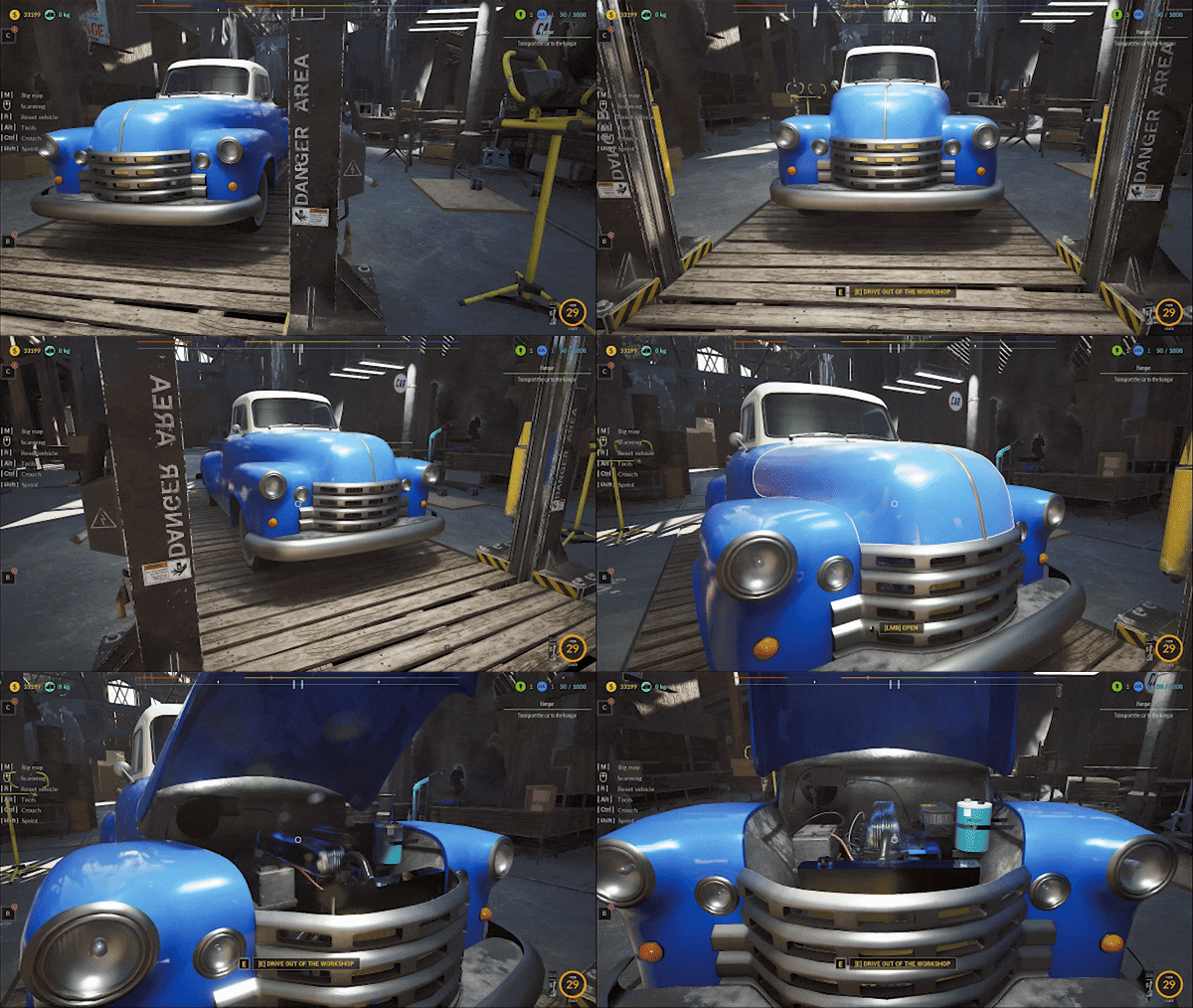
You can now restore the Pickup1950! Complete the task for Caden and purchase the Pickup1950 at a promotional price.
gif compression
Added the ability to choose the color of the painted vehicle, with updates applied to all elements when changing the color during work.
gif compression
Change the color of the Painting Particle depending on the color set by the player.
gif compression
gif compression
Change the transparency effect for the car during dismantling. Now, the vehicle is only transparent at the dismantling area, not entirely.
gif compression
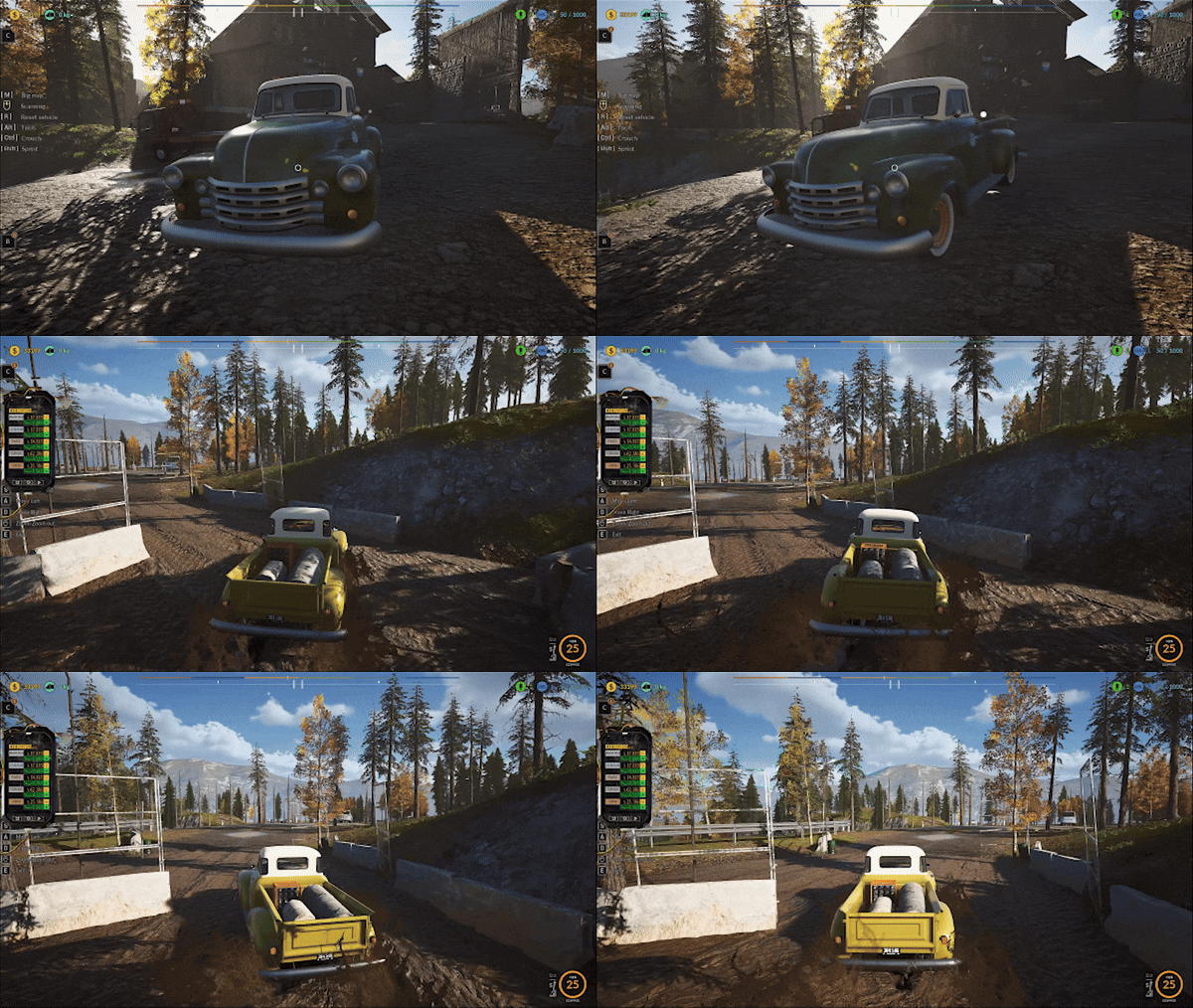
Addition of a mud system that takes into account vehicle mass. Muddy areas will appear in shortcut sections of the map
gif compression
Introduction of two muddy shortcuts through forested areas - this is still in the development phase, and the map redesign will be updated
Improvement of vehicle driving mechanics: currently, there is no longer an issue with steep climbs, and cars can be stopped on inclines. The driving model and physics are continuously being refined
gif compression
Reducing the frequency of rain (we remind you that you can turn off the weather and day randomness option in the options menu)
Addition of a Gamma slider to adjust settings
Addition of the option to disable traffic from the options menu
Improve the particle effect for the Sandblaster by adding rust particles during sandblasting.
Fix the material of the trunk in all mechanics, including the Stand, Dismantling Vehicle, Rec Item, and during Restoration.
Fix the disappearance of the Beer Boost or Resource widget when entering the Challenger or Pickup 1950 mechanic.
Add a translucent material for the Challenger, similar to what is used in the Pickup 1950.
Fix the blocker that occurs when the player activates the Junk Timer while restoring an item.
Improve translations for other languages for the text: [LMB] REVEAL VEHICLE.
Improve sandblasting sound, visual effects during restoration.
Process and visual changes to the game, enhancements during weather changes.
Level fixes, bugs reported by players. You are amazing! Thank you so much for your feedback
Fixed collisions with pallets holding items to be carried during tasks. Items could sometimes pass through the pallets.
Fix the overlap of the Beer Boost icon and the Increased Bonus for raw material sales on the widget related to vehicle item dismantling.
Change the transparency effect for the car during dismantling. Now, the vehicle is only transparent at the dismantling area, not entirely.
Improve the particle effect for the Sandblaster by adding dirt and paint debris during the sandblasting process.
Fix the Loading widget, which currently does not cover the screen during the tarp removal animation from the vehicle.
Fix the blocker that occurs when a player, while renovating an item, activates the Scrapper Timer.
Change the color of the Painting Particle depending on the color set by the player.
Correct translations for all languages in the text when the Pickup 1950 is on the Stationary Lift: LMB REVEAL VEHICLE.
Adjust the location of the 3D icon related to the Pickup 1950 vehicle. Depending on its condition, the icon will always point to the correct location.
Add a feature that transfers the player to the workshop after starting the restoration of the Pickup 1950.
Add particles during item collection in the search phase of the Blue Car and Pickup 1950 vehicles.
Change the sound effect for item collection tasks given by NPCs, where specific items need to be found.
Change the sound effect for item collection in the search phase of the Blue Car and Pickup 1950 vehicles.
Add the ability to change the color of an element during restoration in the case of the Pickup 1950 vehicle.
Fix the Fast Travel Icon remaining after entering the vehicle when near the Fast Travel Board.
Add the restoration mechanic for the Pickup 1950 vehicle; now, the vehicle cannot be driven after purchase and requires restoration.
Add the ability to change the color of the Pickup 1950 vehicle.
Simplify the text for information on which button to press to change color.
Redesign the color selection widget. Move the instruction text for clicking [RMB] to the top, align it with the word RENOVATION from the adjacent widget, and change the text color to orange.
Reduce the distance of the item renovation widget from the left side of the screen. Remove the space between the title word RENOVATION and the rest of the widget. Create a similar gap between the color selection widget and the item renovation widget.
Remove the separator between the color selection widgets.
Reduce the color square for items in the inventory by 50% if the item can have its color changed.
Change the text for the additional color from "Additional" to "Others."
Add a mouse icon and leave only the text [RMB] in the color selection widget.
Fix the loading of the Pickup 1950 state. A player who saved their state, exited the game, and then returned, found their state reset instead of restored.
Secure the absence of items in the Pickup 1950 bed during the search phase.
Ensure that the Lost and Found Office counts items correctly while driving the vehicle.
Slow down the camera rotation by 25% during the dismantling of the Challenger and Pickup 1950.
Change the engine restoration requirements for the Pickup 1950. Now, completing the rust removal successfully completes the restoration.
Increase the number of points required to complete a single block during construction from 12 points to 30 points.
Fix the issue where, upon exiting and re-entering the overlap, the screen wasn't covered after removing the tarp from the vehicle.
Thank You very much for being with us and giving us so much valuable feedback!
The game is constantly under development and improvement. There's still a lot ahead of us - we want to give you a great game at full launch. This is our goal
We are still working on improving the gamepad mechanics. Thank you for your feedback. We still need more time for subsequent iterations, the game was not made with the controller in mind (our mistake), but we want to do everything to make it work with it as best as we can. Most of the mechanics are already working, there are still bugs that we are fixing and we ask for your understanding and ofc feedback. We will make every effort to make it better. ːsteamhappyː
Screenshot directly from the game /medium settings
Also please support us ːsteamthumbsupː 🙂
Update v.2.2.10
Making an automatic process in Mini Crusher and the furnace mechanics. Now the player can purchase the skill and complete the entire process with one button
Fixed Furnace and MiniCrusher machine bugs found during final build testing
Changing the prompt duration for new orders from 3 seconds to 10 seconds. The sound was often accompanied by a very short message, so players did not know what it was about
Changed the description and icon for the marker on the large map "Crusher Vehicle". The previous name did not contain information that Scrap Piles also appear under this icon
Fixed the error of the automatic switch remaining on after the furnace mechanics triggered an exit from the mechanics after its failure.
Fixed the machine not stopping after clicking the Left direction while adjusting the temperature
Fixes for minor bugs reported by players and further work on new content which we will announce soon.
Thank You very much for being with us and giving us so much valuable feedback!
The game is constantly under development and improvement. There's still a lot ahead of us - we want to give you a great game at full launch. This is our goal
We are still working on improving the gamepad mechanics. Thank you for your feedback. We still need more time for subsequent iterations, the game was not made with the controller in mind (our mistake), but we want to do everything to make it work with it as best as we can. Most of the mechanics are already working, there are still bugs that we are fixing and we ask for your understanding and ofc feedback. We will make every effort to make it better. ːsteamhappyː
Screenshot directly from the game /medium settings
Also please support us in the review section ːsteamthumbsupː 🙂
Update v.2.2.9
Added the ability to enable automatic processing of wrecks in the MiniCrusher. Now the entire process can be done automatically
gif compression
Fixed the problem with the gate not opening in the junkyard when summoning a vehicle using R
gif compression
Added saving of the purchased Automation skill in the Parcel Machine and in the Oven and MiniCrusher
gif compression
Fixed Workshop Desk items getting stuck in the floor
gif compression
Added a tooltip during the Fast Travel quest. Now the player who turns on the fast travel widget has a hint on what he needs to click.
gif compression
Adding the first vending machine in MiniCrusher for free. The player can only do the first packing for free, after which he will receive a message about the possibility of purchasing the machine at the Upgrade Station
gif compression
Fixed possible blocking of collecting the Scrap Box from the Parcel Truck
Fixed wreck attraction number 1 not working during the Parcel Machine
After manually processing a vehicle in MiniCrusher, the widget about the possibility of making a machine was not updated, even though the player could already turn on the machine
Fix for the Automatic Loader widget not updating after interrupting the process while crushing scrap
Change the button that turns on the Automatic Machine in the Parcel Machine from R to H so that both mechanics have a consistent button for the Automatic Machine
Fixed a bug that caused the Auto to lock when pressing X during the Loader Auto
Adding information in Keyboard Shortcuts regarding the button that turns on the Automatic Charger
Fixed Loader movement getting stuck when pressing C (jobs) while holding the movement button
Increase the amount of space for text in information widgets for the Parcel Machine
Switching cameras in the Loader and Parcel Machine should not turn off the Automatic process
Make a graphical representation of the inability to turn on the Automation in the Charger when there are no vehicles in the parking lot that can be processed
Set the amount for the new Automatic skills in the Parcel Machine and the Furnace to $5000 and $3000 respectively
Adding new skills in the Upgrade Station, which apply to the Loader and Packer Machine and the Furnace Machine and MiniCrusher
Fix the problem with not deducting skill points after purchasing the newly added skills, i.e. Loader and Packer Machine and Furnace Machine and MiniCrusher
Fixed issue with skill points not being subtracted after purchasing the Cooling Oven skill
gif compression
Changed content of the button for the message about the Automatic Charger, now instead of "Yes" and "No" there is the text "OK"
Added translation for new Automatic skills
Fixed the missing sound of closing and opening the liftgate when operating the mechanics using the Pad
Fixed the double Automatic launch widget remaining on the screen when operating the lift with the Pad and clicking LT several times
Fixed the missing sound of closing the flap when using the Pad and parcel machine in automatic mode
Fixed the lock of the machine when attracting vehicles whose height is higher than standard with a magnet
Fixed an error that turned on the automatic machine in the parcel machine despite manual operation. The error occurred after we used automatic mode to process a previous vehicle
Thank You very much for being with us and giving us so much valuable feedback!
The game is constantly under development and improvement. There's still a lot ahead of us - we want to give you a great game at full launch. This is our goal
We are still working on improving the gamepad mechanics. Thank you for your feedback. We still need more time for subsequent iterations, the game was not made with the controller in mind (our mistake), but we want to do everything to make it work with it as best as we can. Most of the mechanics are already working, there are still bugs that we are fixing and we ask for your understanding and ofc feedback. We will make every effort to make it better. ːsteamhappyː
Screenshot directly from the game /medium settings
Also please support us in the review section ːsteamthumbsupː 🙂
Update v.2.2.8
Reducing the cooling time in the furnace to a value that allows you to deposit hardened forms of metal faster
gif compression
Constantly working on driving mechanics
gif compression
Changing Outline illumination during Blue Car renovation
gif compression
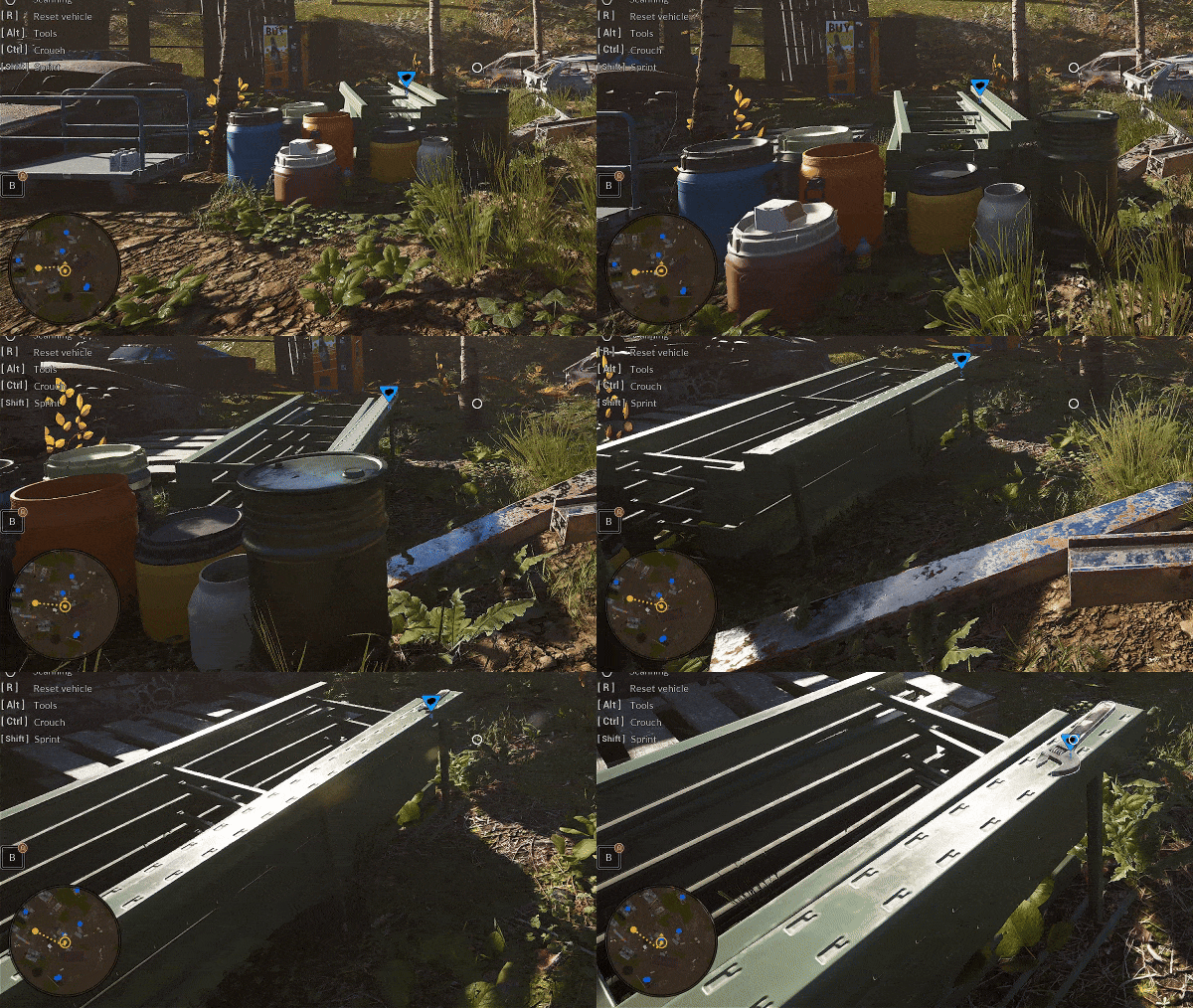
Adding a backpack item counter to the "B" button on the left side of the screen
gif compression
Fixed pulling out items while on a muddy road, items now appear on the road and don't fall under the mud
gif compression
Fixed item collision - some items clipped through mud
Fixed Hydrant items being pulled from the backpack
Fixed items appearing after a heap search that could appear halfway inserted into the ground
gif compression
Fixed Hydrant items falling into the level
Fixed visibility of front and rear lamps when disassembling elements in Blue Car
Fixing remaining information and an unlocked container after we move with the vehicle we drew
Screenshot directly from the game /medium settings
Gamepad - Vehicle renovation tools do not display the gamepad UI
Gamepad - The vehicle renovation panel has no action marked after summoning a vehicle
Gamepad - Button back to storage does not provide the next selection action for the gamepad
Gamepad - Fix UI bug with tooltips for renovation items
Gamepad - Fix the trolley in the record oven not working - navigation
Gamepad - Fix opening the hatch in the small crusher not working
Gamepad - Turning on the small crusher does not detect the gamepad UI
Gamepad - Item restoration UI shows bad tooltip scan input
Gamepad - Turning on the lot computer disables the controller's operation
Gamepad - Scrolling the legend from the gamepad does not work on the plot computer
Gamepad - The computer plots closing the window from the controller
Gamepad - Fix - Lot tab navigation not working from controller
Gamepad - Fix - scrolling the renovation tab does not work from the controller
Gamepad - Fix - Changing tabs on the lot computer from the controller doesn't work
Gamepad - Fix - JunkyChallenge leaderboard navigation not working
Gamepad - Fix - the summary window cannot be disabled after JunkyChallenge
Gamepad - Fix - Controller not working after exiting JunkyChallenge list
Gamepad - Fix - JunkyChallenge list scrolling not working
Thank You very much for being with us and giving us so much valuable feedback!
The game is constantly under development and improvement. There's still a lot ahead of us - we want to give you a great game at full launch. This is our goal
We are still working on improving the gamepad mechanics. Thank you for your feedback. We still need more time for subsequent iterations, the game was not made with the controller in mind (our mistake), but we want to do everything to make it work with it as best as we can. Most of the mechanics are already working, there are still bugs that we are fixing and we ask for your understanding and ofc feedback. We will make every effort to make it better. ːsteamhappyː
Screenshot directly from the game /medium settings
Also please support us in the review section ːsteamthumbsupː 🙂
Thank You very much for being with us and giving us so much valuable feedback!
The game is constantly under development and improvement. There's still a lot ahead of us - we want to give you a great game at full launch.
We are still working on improving the gamepad mechanics. Thank you for your feedback. We still need more time for subsequent iterations, the game was not made with the controller in mind (our mistake), but we want to do everything to make it work with it as best as we can. Most of the mechanics are already working, there are still bugs that we are fixing and we ask for your understanding and ofc feedback. We will make every effort to make it better. ːsteamhappyː
Update v.2.2.7E
Gif Compression
Add the ability to throw an item from a distance into vehicle trunks. Now the player does not have to approach the vehicle, and can throw an item into it by holding [LMB] and aiming at the vehicle's trunk.
Gif Compression
Improved places where items are pulled out after being removed from the trunks
Fixed missing information about pressing [E] while looking at the trunk in Task 11 after the player enters and exits the vehicle
Fixed issue with items staying still after sending a resource exchange frame during the conveyor belt quest [Quest 12]
Fixing truck trunk updating. Now the reading area is adequate to the purchased upgrade
Adding a mechanic that will safely move an item next to a vehicle after the player throws the item into the already full trunk
Fixed no sound when throwing an item V6 engine
Fixed protection against throwing two items at once when the trunk is full. Only the first object teleported to a safe place, and the next ones fell into the vehicle and got stuck
While the player held the item in his hand and placed it in the trunk, when it was full, the item moved but did not turn off the physics and jumped a considerable distance
Fixed interaction dot remaining in truck trunk after entering another nearby vehicle
Increase the time it takes for information about changes in raw material prices to appear on the information phone by 2x
Gif Compression
Adding a new icon with an animation informing about storing it in the backpack at the request of players
Gamepad - Added the ability to raise lamps in the workshop
Gamepad - Added lifting lamps to the UI
Gamepad - Added gamepad and UI support to the car lift panel UI
Gamepad - Junky Challenges - fix not working when turning off the widget from the gamepad
Gamepad - After assembling the vehicle using the gamepad, you can no longer move the character with the controller - the character is blocked
Gamepad - Fix rust removal, vehicle painting parts selection not working for all vehicles from the controller
Gamepad - Fix vehicle lift panel selection not working for both repair and storage
Gamepad - Fix the controller lift panel not working
Gamepad - Fix after selecting the car painting part - washing, painting, grinding etc. does not work from the controller level, similarly all other works
Gamepad - Fix the operation of hints for washing, painting, grinder etc. mode when lifting
Gamepad - Fixed a number of minor bugs reported by players
Thank You very much for being with us and giving us so much valuable feedback!
The game is constantly under development and improvement. There's still a lot ahead of us - we want to give you a great game at full launch. This is our goal
We are still working on improving the gamepad mechanics. Thank you for your feedback. We still need more time for subsequent iterations, the game was not made with the controller in mind (our mistake), but we want to do everything to make it work with it as best as we can. Most of the mechanics are already working, there are still bugs that we are fixing and we ask for your understanding and ofc feedback. We will make every effort to make it better. ːsteamhappyː
Also please support us in the review section ːsteamthumbsupː 🙂
Hotfix v.2.2.7D
Added Stacking of resource boxes on the plot. Now you can carry a maximum of 4 boxes
Stacking crates with raw materials. You can buy an upgrade at the upgrade station - it allows you to lift 4 boxes at a time
Fixed a bug with the backpack icon for the Metal Plate item
Fix where the Mirror item spawns. After taking it out of the backpack, it limped towards the level
Added sound when stacking boxes
Fixed animated bars for the Cart trunk appearing and disappearing
Fixed cart trunk animation bars changing color when zooming in on an item
Added to highlight items on the MMB button, dirt spots to clean up in your own scrapyard
Fix broken LOD for RVs
Removed the ability to obtain Paint-type items in the game, which can now only be found by assembling the item in the garage
Fixed the issue of items disappearing after taking out the backpack while in the barn on the first floor in the RV area near the pawn shop
Optimized the Scrap Pile in the Crusher area
Fixed optimization bugs with Scrap Piles in the Crusher area
Fixed trolley trunk animation changing color randomly
Disabling trunk outline animation while driving the stroller
Fixed Widget B remaining after moving towards and away from the Cart with an item in hand
Restoring missing text with name and resources for the V6 Engine item
Adding additional items to renovation for the "Renovation [2] Items" task
Gamepad - Fix camera switching in the small crusher lifter not working
Gamepad - Fix tablet shutdown not working from the Exit button
Gamepad - Overlapping of the widget's acceptance input with the PC version of the widget for all mechanics in the game
Gamepad - LMB when removing the engine does not change to the gamepad action widget
Gamepad - Add the ability to navigate through resources from the tablet
Gamepad - Add putting the engine on the hoist
Gamepad - Fix camera switch not working on small RMB crusher
Gamepad - Added to handle orders from NPCs and reject orders and navigate through orders
Gamepad - Fixed the error of opening and closing doors and cabinets using the controller
Gamepad - Add the ability to turn on the banner on the lot and turn it off from the controller level
Gamepad - Continuation of connecting quests/mechanics to the controller
Gamepad - Fixed opening of large gates not working using the gamepad
Gamepad - Enlarge the icons shown in blue car disassembly mode
Gamepad - Fix not working opening of the shed, Bob's zone, pawn shop
Gamepad - Fix not being able to accept a quest from an NPC when the quest is under F
Gamepad - Fix vehicle inspection from the controller does not work
Gamepad - Add zoom in blue car disassembly mode because there is no such option, correct errors in the operation of mechanics and icons
Gamepad - Fix navigation after upgrading tools from the controller does not work
Thank very much for being with us and giving us so much valuable feedback!
The game is constantly under development and improvement. There's still a lot ahead of us - we want to give you a great game at full launch. This is our goal
We are still working on improving the gamepad mechanics. Thank you for your feedback. We still need more time for subsequent iterations, the game was not made with the controller in mind (our mistake), but we want to do everything to make it work with it as best as we can. Most of the mechanics are already working, there are still bugs that we are fixing and we ask for your understanding and ofc feedback. We will make every effort to make it better. ːsteamhappyː
Also please support us in the review section ːsteamthumbsupː 🙂


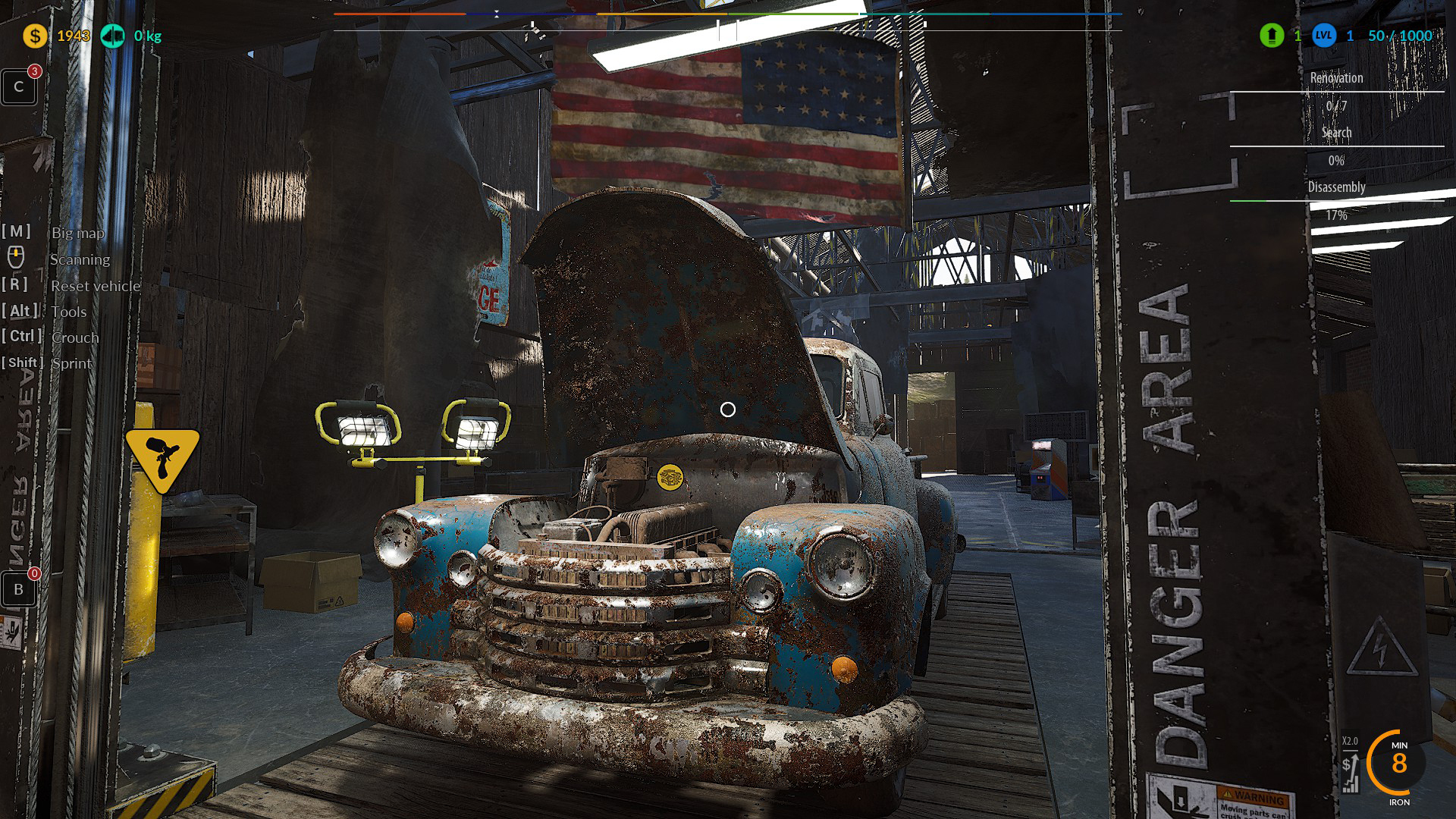 Screenshot directly from the game /medium settings