The game is constantly under development and improvement. There's still a lot ahead of us - we want to give you a great game at full launch. This is our goal
We are still working on improving the gamepad mechanics. Thank you for your feedback, below are some fixes that are already working. We still need more time for subsequent iterations, the game was not made with the controller in mind (our mistake), but we want to do everything to make it work with it as best as we can. Most of the mechanics are already working, there are still bugs that we are fixing and we ask for your understanding and ofc feedback. We will make every effort to make it better. ːsteamhappyː
We have added improvements to the Italian language, if you see any language errors and want us to correct them, please report them - we will do it with great pleasure.
Added the ability to work the camera in vehicles on the gamepad in the Y axis
Fixed disabling the large map from the gamepad
Add the ability to play on the Y-axis in vehicles. When I'm driving uphill, the camera is blocked below the vehicle
Improve gamepad widgets for large map
Gamepad assignment, ability to interact with quest objects 1-5 - still in development
Added the ability to navigate on the pad in the Upgrade, skills etc. section.
Fixed an issue with the Stationary Press where the player could get stuck in the process of adding scrap and processing. This resulted in endless processing of scrap or vehicles, which instead of resulting in 100% processing, blocked the process at around 51-99%
Changing the text in Italian during the auction in Pawnshop from the word "RACCOGLIERE" to "RIALZARE"
Changed Italian text for control suggestions on the left from "Grande mappa" to "Mappa grande"
Changed Italian text for control suggestions on the left from "Ripristinare il veicolo" to "Ripristina veicolo"
Changed the text in Italian for the Widget informing that a new item has arrived in our Lost and Found Office from the word "Elementi" to "Elemento"
Fixed some minor punctuation errors on the Italian Fast Travel Board Widget
Change the Italian text for the Fast Travel Board Widget from "Contenitori" to "Container", "scocca" to "lamiera", "rottami metallici" to "rottami", "Pacco" to "Zona di lavoro"
Change the English text for the Lot Computer Widget from "Take profit" to "Take the profit"
Changing the Italian text for the Lot Computer Widget from "Avere un profitto" to "Incassa il profitto", "DETTE" to "DEBITO" and "Facendo scorta" to "Scorte"
Changed Italian text for the Enhancement Widget. For the ability to sell raw materials 50% more expensive, correcting the typo "presso" to "prezzo"
Fixed plural and singular text in Italian for the Improvements Widget
Fixed Italian typos during the selection screen between upgrading Vehicles, Skills and Tools. Changing from "Migliore" to "Migliorie" and "suo" to "tuo"
Correcting general uncorrected words in Italian
Fixed a bug after loading the game that made the Box in the Truck invisible
Fixed missing Hud after exiting the Cart in Story Mode
Thank very much for being with us and giving us so much valuable feedback! Next week there will be another fix update + stacking of boxes, and the next ones will be big updates for which we will need a few weeks.
Also please support us in the review section ːsteamthumbsupː 🙂
Hotfix v.2.2.7B
Changed vehicle reset mechanics when processing a vehicle in the Parcel Machine. Now, after a reset, instead of returning to the parking lot, the vehicle is automatically attracted to the magnet
Adding a visual change for vehicles in the Paczkarka parking lot. Vehicles that cannot be picked up are now transparent
Added the ability to disable the Sign Edit Widget on the Lot using ESC and E. If the player pressed ESC while Editing the Sign, they could block this Widget
Adding gamepad functionality with widgets to the initial quests - this is still in the process
Reducing the amount of money earned on the Hard and Normal levels by 35%
Increasing the amounts required to purchase skills
Fix resetting vehicles from the gamepad position along with improving the widget and inputs for sandboxmode
Fixed disabling key selection tab with ESC. Previously, after pressing ESC again, the player would see the key selection tab instead of the Pause Menu
Removed the Tutorial Press T popup during the Quick Travel Board quest
Fixed missing HUD after exiting mechanics: Crusher, MiniCrusher, Furnace, Lift
Removed the Tutorial Press T popup during the Quick Travel Board quest
Also please support us in the review section ːsteamthumbsupː 🙂
Hotfix v.2.2.7
Game code optimization - We have reduced the game's RAM memory by 400MB - this is a process and it will get better with each update
Fixed the lighting system when it is night, the lamps often did not work properly and turned on with a long delay
Fix bug with R reset button not working - for some configurations
Adding an option to the plot management computer that allows you to change the difficulty level. Thanks to this, the player can set the amount of income on the plot, choosing from Easy 125%, Normal 100% or Hard 50%
Adding a skill that can be purchased in the Upgrade panel, which will shorten the cooling of molds in the furnace by 25% or 50%
Fixed B button remaining on screen
Add a protection that prevents Roller Color Selection from stacking when interacting on E. Secured mechanics are: Furnace, Mini Crusher, Upgrade Station, and Lot Computer
Fixed Container Timer remaining on screen
Improve the visibility of small elements highlighted in Red during Blue Car Disassembly
Fixed an issue with displaying the lot difficulty level when loading older game saves
Fixed a bug with fast travel, you could go to the board and lock your character
Added the ability to turn off the sound that occurs when hitting the Combo Bar successfully when renovating a lot
Make a security feature that allows you to turn on the Backpack set to the Z key and increase the price in the Pawn Shop, which is also done using the Z button
Deleting unused tabs in the Tutorial
Preventing possible blocking of inputs when the player sets the same key for the Backpack and, for example, the Lift
Secure the ability to click Y while we are in the Stationary Press and need to click i to proceed
Making it possible to enable automatic scrap crushing in the Stationary Baler
Fixed Crusher unlocking in SandBox mode. After unlocking it, you received Bob's dialogue about Quest
Fixed mechanics sound turning off during Crusher's automatic reset
Adding a security feature that will prevent you from failing the Renovation of 2 Items task
Also please support us in the review section ːsteamthumbsupː 🙂
Hotfix v.2.2.6B
We have changed the turning curve for pickup, pickup1950, towtruck and truck vehicles, now it is more simulation-like - of course, let us know what you think. There will be further changes and improvements, we wanted to give you this quickly before the weekend
A big change when it comes to game lighting and shadows - within reason so as not to affect performance at all
Added a marker on the fast travel board showing the Quest's current location
Fixed overlap between the color change roller popup and sign editing. This way you could lock your character
Increase the visibility distance for Walls to build on the Lot
Correct the translation of the Polish version for the word Magnesium in the information about falls and increases on the stock exchange on the left side of the screen
Prevent a possible freeze of the game after exiting the Fast Travel Board and quickly turning on the Large Map
Add a security question after clicking to remove a vehicle from the parking lot, so that the player who clicks the button does not accidentally remove the vehicle
Improve intersection visibility when processing pallets in your Own Scrap Yard
Improve camera movement in disassembly mode. Now zooming and sideways movements are smoother and more precise
Add the ability to disable the "Whats New" popup using ESC
Also please support us in the review section ːsteamthumbsupː 🙂
Hotfix v.2.2.6A
Hey, quick fixes for reported bugs. We have a bigger list and the next update will be before the weekend. Thank you very much for your feedback.
Fixed blocker when purchasing Crusher for Quest. The player with the old save game had the correct Quest, but was still unable to purchase the Cruhser
Fixed the Hammer hitting distance when destroying objects. Now you can hit an object from a distance
Fixed completing optional tasks with delivering items with a pallet to the warehouse. The 1950 pickup truck did not include throwing objects into its bed
Fixed a bug that sometimes caused the player to see the character flying through the air when teleporting close to a Lot
Also please support us in the review section ːsteamthumbsupː 🙂
Changes in mechanics & new content
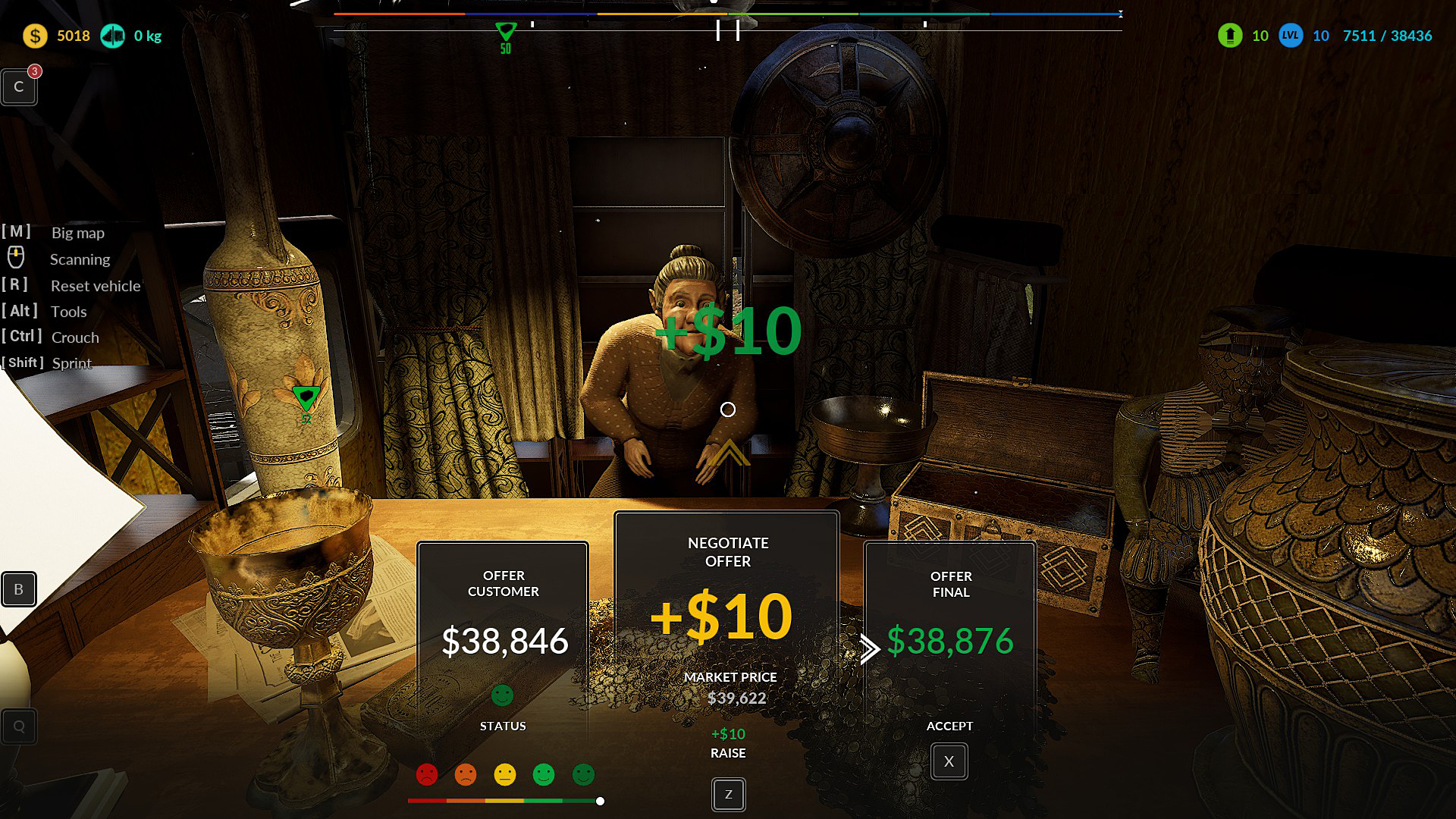
Hello, scrappers! We are adding another change to our game, be sure to check out the bidding mechanics in the pawnshop - all suggestions are welcome.
As you can see, we are constantly updating our early access game. We still have a few updates ahead of us, so we know you're waiting for more cars to be restored and the ability to drive them - we're working on it. We are also working on further optimization of the game code so that each of you can enjoy the game.
Hotfix list
Fix Large truck - when we unlock the 24 slots the vehicle cannot move. Select another slot from the upgrade panel and the vehicle will return to normal operation
Added bidding mechanics to sales in the Pawn Shop
Changing the location of the quest "Quest 11 - Find an abandoned motel on Lucy's orders". Now the Gold Bar is in the trunk of the car and the Sculpture is in the motel room
Changing the item that we have to deliver for "Quest 12 - At the end of one of the branches". Now instead of Sheet Metal there is an Engine Element
Changing the minimum number of items required to complete "Quest 12 - At the end of one of the branches" when delivering items to the conveyor belt from 3 to 2
Creating a passage for the player's character at the second entrance gate to the Large Scrapyard
LOD repair for the trunk in the vehicle we transport during Quest 4 - Transporting Wrecks
Increased the duration of the Stock Price on the left side of the screen by 3x
Unlocking the Stock Rate widget in Sandbox mode
Changing the amount of money obtained in lockers. Now there is a 75% chance to get $5 to $55 and a 25% chance to get $75 to $110
Fixed looking at the trunk when searching for a Gold Bar for Quest. Now, when looking at the trunk, we only see the [E] tooltip, and only after opening the trunk and looking at the Gold Bar item, we see the [LMB] tooltip with Quest subtitles
Fixed [E] disappearing when looking at the trunk and moving the mouse left and right, at the height of the middle of the mask
Added missing translation for the "Valve Cover" quest item in the backpack
Adding a gold bar to the trunk at Grandma's Campers
Corrected the word "Maneggio" to "Gestire" when managing workers on the lot
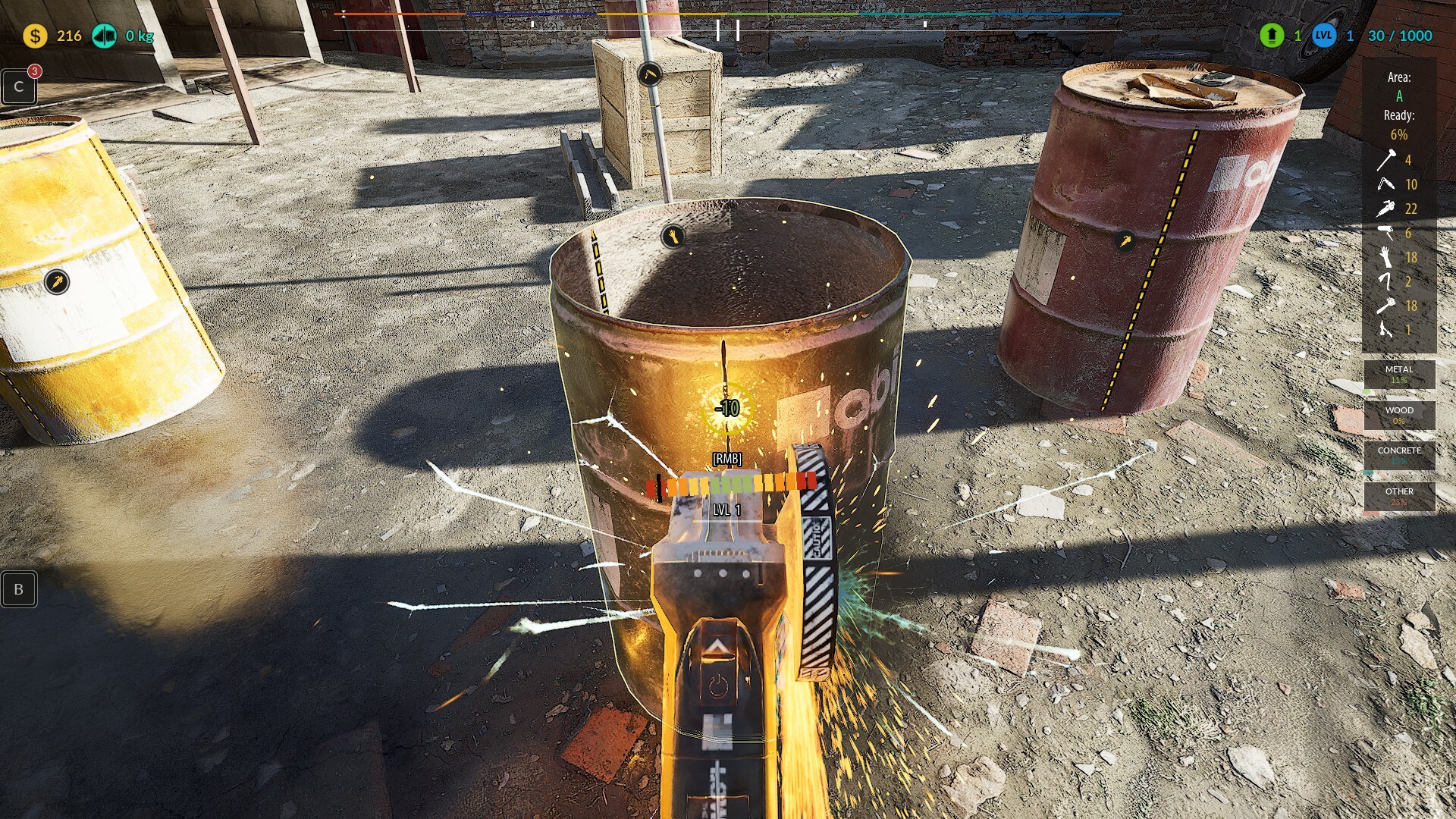
Fixed the number "-10" remaining and the Combo Bar being skewed when renovating a lot on the Gamepad
Fixed counting for items thrown onto the conveyor belt during the Scrap Collector's Bounty
Fixed counting for items thrown onto the conveyor belt during the Scrap Collector's Bounty
Add a dissatisfaction system after overbidding during a pawn shop auction. Now the player has a -20% penalty to the amount if he increases the price too much and Grandma interrupts the bidding. The penalty ends after a positive bid
INFO - After Update
New version Key bindings not working or other problems? Please follow the steps below. In most cases, downloading the settings again will fix the problem.
1. Close the Junkyard Simulator and copy your savegame folder (make backup) 2. Close the Steam app 3. Delete the directory: C:\Username\AppData\Local\JunkYard 4. Open Steam App
After starting the game, check if everything works. If it's okay, then put your save game folder in place
If you don't know how to do it, write to me in the Steam app or on the discord on the Junkyard channel - you will find me / Adrian_RebeliaGames
Thank you for reporting the discovered errors. Many of them have already been fixed based on the error reports provided by you.
We appreciate your assistance, feedback, emails, and private messages. ❤️❤️
Also please support us in the review section ːsteamthumbsupː 🙂
Hotfix 2.2.5B
Fix particle system tools for restoring items and vehicles
Commencement of the code optimization process in the Unreal Engine5 version - a stage continued over the coming months simultaneously with the game's development
Fix overlap between the Vehicle Renovation widget and the Work Plan widget
Make vehicle renovation widgets that have old background consistent
Make the item renovation widget more consistent with the vehicle renovation widgets
Fix texture for Mercury's rear right light when restoration is completed
Q disappears and the mouse marker remains when we enter the vehicle
The mouse marker remains in the widget when we are in machines
Make the vehicle sales widget in the hangar more consistent and fix the appearance of the buttons
Change the tool used to clean vehicle windows. Now we clean with a cloth, not a brush
Turn the vehicles to be renovated on the lift towards the entrance and improve the spacing of the crane arms
Increase the duration of the message after successful completion of the vehicle
Fixed a bug where the resource box was dropped right after picking it up on the lot (gamepad)
Change the font thickness on progress bars in the vehicle renovation widget
INFO - After Update
New version Key bindings not working or other problems? Please follow the steps below. In most cases, downloading the settings again will fix the problem.
1. Close the Junkyard Simulator and copy your savegame folder (make backup) 2. Close the Steam app 3. Delete the directory: C:\Username\AppData\Local\JunkYard 4. Open Steam App
After starting the game, check if everything works. If it's okay, then put your save game folder in place
If you don't know how to do it, write to me in the Steam app or on the discord on the Junkyard channel - you will find me / Adrian_RebeliaGames
Thank you for reporting the discovered errors. Many of them have already been fixed based on the error reports provided by you.
We appreciate your assistance, feedback, emails, and private messages. ❤️❤️
Also please support us in the review section ːsteamthumbsupː 🙂
Hotfix 2.2.5
Fixed the hint bar when renovating a vehicle. After pressing [H], it stayed on the screen instead of disappearing after the time had passed
Changing the location of information about marking the car body during renovation. Now the information is in the middle of the screen, previously it was in the game path at the height of the element we are selecting, which made it poorly visible and confusing
Add highlighting of the bodywork element we are looking at during car renovation, with another bodywork element already selected
Change the color of the selected body element to white, and change the highlight of the element we are looking at to orange
Removing the list of items when restoring a vehicle
Change the color of the grading stages for car restoration to green for the vehicle body element in the 2D car plan
Adding orange color to the selected vehicle body element in the 2D car plan
Making the background darker and blurry under the 2D graphics of the car diagram during renovation
Enlargement of 2D diagram graphics during vehicle renovation
Adding a separate panel with information about the possibility of pressing a hint when renovating vehicles
Added the text "STAGE" to explain the numerical information found in the vehicle renovation status graphic
Changing the Font for the vehicle renovation widget to a more readable one
Fixed Outline when looking at Glass while restoring vehicles
Repair for ESC, TAB, CTRL etc. inputs not working. If any of them don't work yet, please let us know
Making the crane operation widget more transparent
Visual improvement of the crane operation widget, similar to the widget during vehicle renovation
Making clicking in the crane operation widget more understandable. Now the number of buttons is limited to those necessary in a specific stage
Enlargement of the crane operation widget
Changing the background for widgets that appear when collecting vehicles for renovation on the map
Adding player teleportation along with vehicles for renovation
Changing the words when assembling vehicles in the workshop to ASSEMBLY VEHICLE and VEHICLE DIAGRAM
Shorten the message when inserting body parts. Now only "Press [E]" is visible
Consistent all widgets belonging to vehicle renovation mechanics and marked Press [E] is visible
Make larger spaces in the words PAINTING THE CAR and in the name of the element we are looking at
Reduce the scale of the 2D Car Diagram graphic by 25%
Change the color of the completed item in the 2D Car Diagram to a more green color
Reduce the waiting time after pressing Renovation Hint from 8 seconds to 4 seconds
Change the color of the disabled icons for the vehicle renovation widget from orange to gray
Make all orange colors consistent for the vehicle renovation widget
Change the color of the progress bars and inscriptions to green after completing the renovation of the bodywork element
Change the names of the car body renovation stages from Dirt, Rust, Metal to Cleaning, Sandblasting, Painting
Change colors for Stages, now turns green when a specific stage is completed
Fix Outline displaying when viewing and selecting Glass in the vehicle renovation process
Fixed - You can turn on the pusher sound without being at this stage of scrap processing - large crusher
Fixed - Resetting the magnet in the large crusher from the controller does not work
Fixed - Markers for F and C tasks remain when we are in the crusher
Fixed - controller operation on a large crusher, many small bugs reported by players
Shortening the nomenclature when interacting with the Car Lift to shorter text
Removed transparency for the loading screen when moving a vehicle
INFO - After Update
New version Key bindings not working or other problems? Please follow the steps below. In most cases, downloading the settings again will fix the problem.
1. Close the Junkyard Simulator and copy your savegame folder (make backup) 2. Close the Steam app 3. Delete the directory: C:\Username\AppData\Local\JunkYard 4. Open Steam App
After starting the game, check if everything works. If it's okay, then put your save game folder in place
If you don't know how to do it, write to me in the Steam app or on the discord on the Junkyard channel - you will find me / Adrian_RebeliaGames
Hotfix 2.2.4D
Fixed - Large Crusher UI controller does not display controller icons correctly. Icons overlap
Fixed - Little Crusher Switching to the car parcel machine from the controller position does not work
Fixed - Small Controller UI Crusher does not display controller icons correctly. Icons overlap
Correct the controller error in pushing the pusher in the large crusher
Fixed controller errors for all cameras and inputs in the large crusher
Restore - nature sound is muted at the start of the game
INFO - After Update
New version Key bindings not working or other problems? Please follow the steps below. In most cases, downloading the settings again will fix the problem.
1. Close the Junkyard Simulator and copy your savegame folder (make backup) 2. Close the Steam app 3. Delete the directory: C:\Username\AppData\Local\JunkYard 4. Open Steam App
After starting the game, check if everything works. If it's okay, then put your save game folder in place
If you don't know how to do it, write to me in the Steam app or on the disrord on the Junkyard channel - you will find me / Adrian_RebeliaGames
Hotfix 2.2.4C
Speed up Stationary Press movements by 20%
When go and put the paint on the wall the colors from the roller are stuck on the screen. The sign also displays as well. As though it is interfering with the roller for paint
When renovate an item in the workshop get a white box on the screen. It might be something like ran out of renovations
Sandbox mode - when working on the blue car in the workshop, when i used auto renovation, a white empty screen appears
Sandbox mode - when going outside of the junk world area, we get a message 'cant go any further. This will be available in the future'. The message is permanently stuck on screen.
Added support for the sandbox mode/story mode selection menu from the controller
Improved and expanded UI for vehicles and carts to better explain how inputs work
Added UI with character selection options for both keyboard and controllers
Improve the steering force on the keyboard to make the range smaller by about 20 degrees, the player noticed it and the control works much better as a result
Disabling the ability to find body parts in the game world. Now the only place where Painting items appear is the garage where the car found in the game world was transported for renovation
Blocking the possibility of selling body parts on the Scrap Exchange. Now Painting items can only be used for the purpose for which they were created. That is, to build a vehicle in the garage at the back of the workshop
Removing the Caden character in the game world, located next to the Junkyard that can be purchased by the Player. This NPC confused the player that he had a Task for him, but in fact he didn't
Added text information "Keybind already in use" in the Keyboard Shortcuts tab when selecting a key that is already used
Add controller support to the lost and found widget
Fast travel - connecting to the controller, changing the location, accepting the travel location and exiting the widget via the controller
Fix the combo icon - it indicated the wrong input for the controller
Fix - Painting walls on the lot from the controller doesn't work
INFO - After Update
New version Key bindings not working or other problems? Please follow the steps below. In most cases, downloading the settings again will fix the problem.
1. Close the Junkyard Simulator and copy your savegame folder (make backup) 2. Close the Steam app 3. Delete the directory: C:\Username\AppData\Local\JunkYard 4. Open Steam App
After starting the game, check if everything works. If it's okay, then put your save game folder in place