Genre: Puzzle, Simulator, Indie, Card & Board Game
Keep Talking and Nobody Explodes
Manage Steam Workshop Content In-Game!
Now you can browse, download, and manage mods directly in-game. Play exciting new community made modules, missions and more! There are currently over a hundred mods to choose from.
Mod Manager Details:
Browse, install, and manage mods directly in-game
Explore new missions, modules, bombs, sound effects and game environments
Vote for your favorite mods
https://youtu.be/epC8nMzc2F8
If you have questions about mods, please visit our Support Page.
Modding Resources
Mod Kit: Interested in making mods? Check our mod kit on GitHub
Community Discord: Join fellow fans and modders on the community Discord server
Timwi's Repository of Manual Pages: This fan made site is an excellent resource for information about modded content
Update 1.6.0 Patch Notes:
Added Mod Manager with Steam Workshop browser to browse/download mods and collections. Easily find and download mods from within the game!
Added ability to disable/enable mods in-game without unsubscribing from Workshop items
Added mod loading screen so you can tell what's happening
Improved usability with motion controls by not closing menus they are no longer held
Fixed occasional issue that could cause incorrect player height in room scale VR
Added mod support for creating Selectables dynamically
Added mod support for creating holdables
Added mod support for specifying widget count
Added mod support for querying the number of front face module positions
Added mod support for custom freeplay missions
Added mod support for spawning new bombs during gameplay
Fixed timer rate getting too fast for mod bombs with more than 3 strikes
Fixed issue with highlight sizes on scaled mod bombs
Added unique id to module logging for modders to be able to differentiate between instances of modules
Added ability to disable mouse lock in playerSettings.xml
Other small bug fixes
Things You Might Have Missed
It’s been almost two years since we first released Keep Talking and Nobody Explodes. While the core game will still look and feel very familiar there have been a number of cool things we’ve added that you might have missed, so here is a quick summary:
We have a mod kit that you can use to make mods for the game!
We’ve added support for making new content for the game which includes new puzzles, environments, missions, bomb types and more.
Mods work on both PC and Mac and can be installed manually or through the Steam Workshop.
If you’re interested in building something here is a link to our mod kit: https://github.com/keeptalkinggame/ktanemodkit
The community has made a lot of mods!
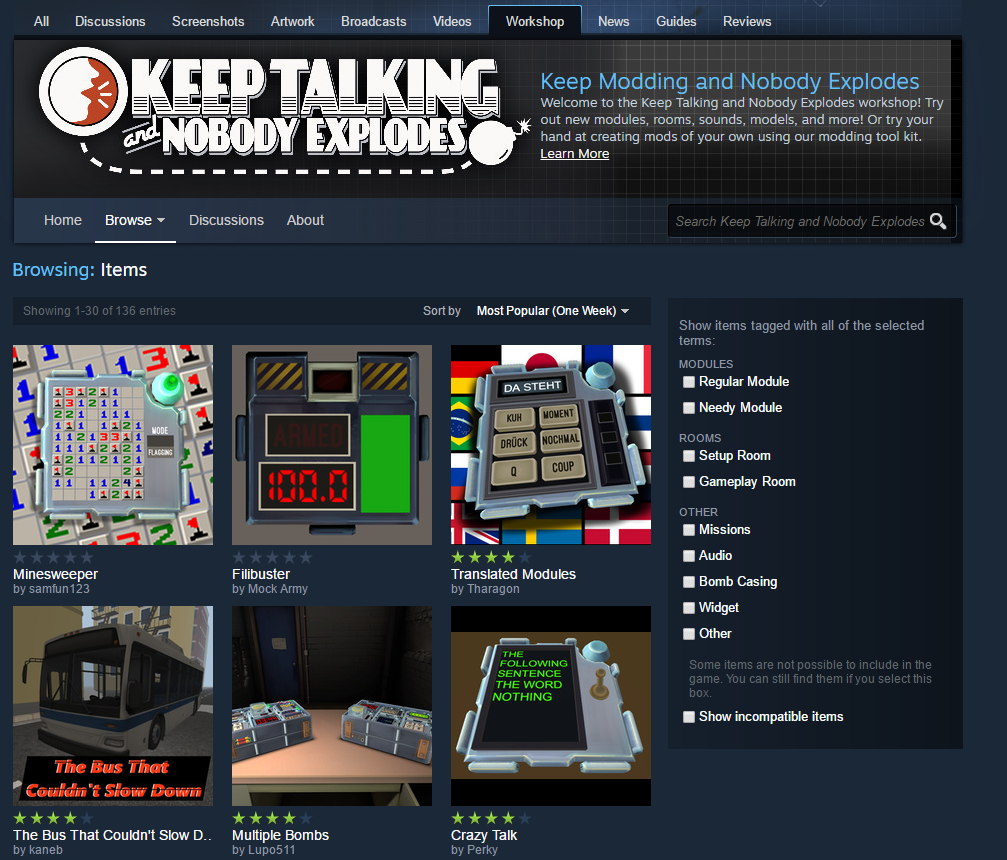
As of this post there are 136 mods in the Steam Workshop! This includes more than 100 new puzzle types associated manuals that have been made!
Here’s a cool page created by the modder Timwi with all of the manual pages and more: https://ktane.timwi.de/
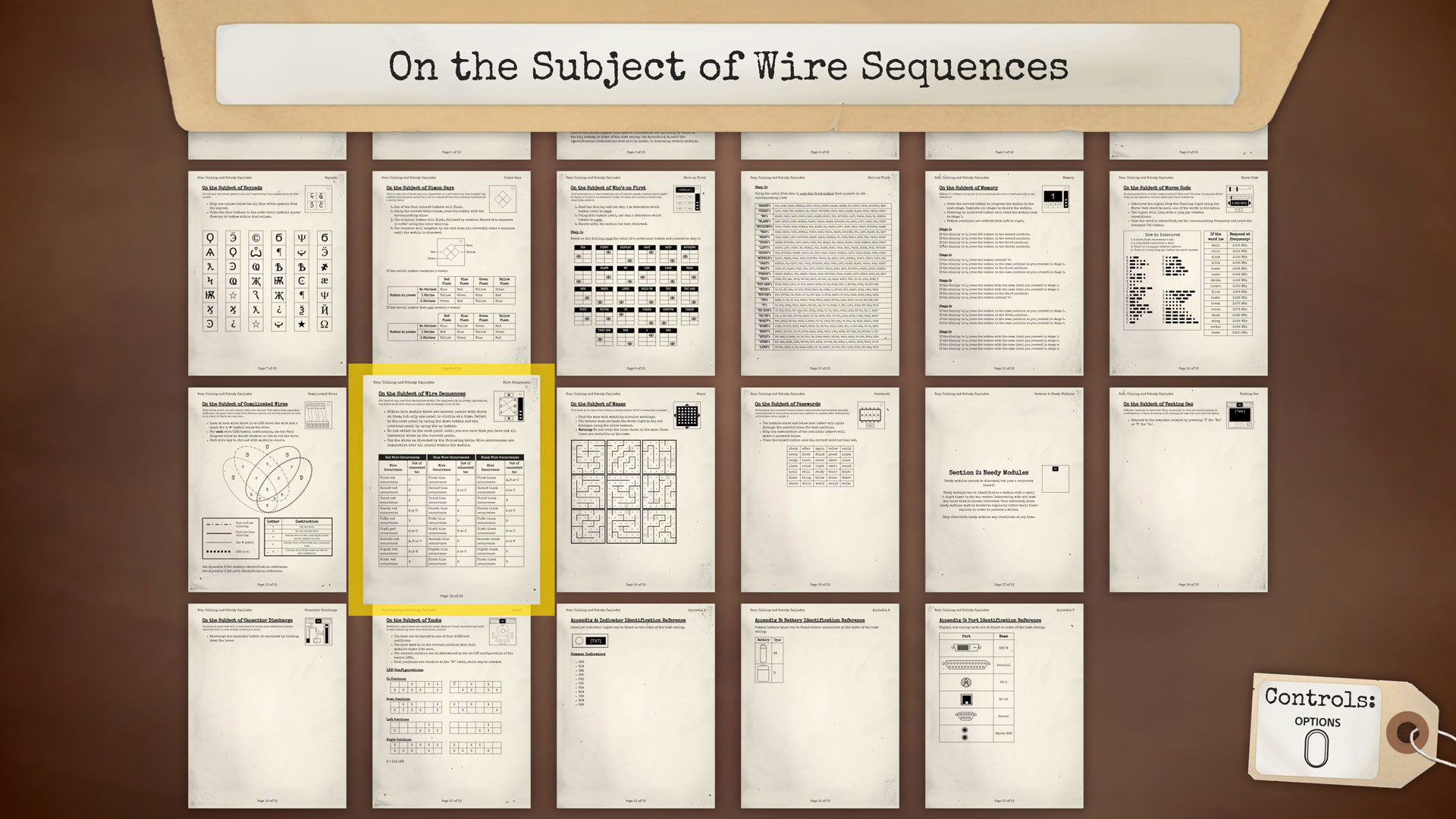
Printing out all of the mod puzzle pages gets a little bit crazy:
There’s also a bunch of crazy stuff that we didn’t anticipate at all like multiple bombs, a mod selector, and even a bot that allows twitch chat to defuse the most ridiculous looking bombs ever conceived of!
There is an active discord community to play with!
We understand that asking people to come over and read weird technical manuals while shouting at each other doesn’t always work. Fortunately you can still play the game with some friendly people on the community discord server here: https://discord.gg/Fv7YEDj
It’s also a great place to discuss creating mods for the game as most of the modders hang out there.
There is now a second screen manual when playing in VR mode!
Originally when playing in VR mode we only showed a mirror view of what was in the headset. This can be useful for streaming or guiding someone through the game their first time, but otherwise could be a pain to hide from the experts.
We later added the ability to instead show a copy of the manual on the monitor to make it that much easier to start playing and maybe save some of that overpriced printer ink.
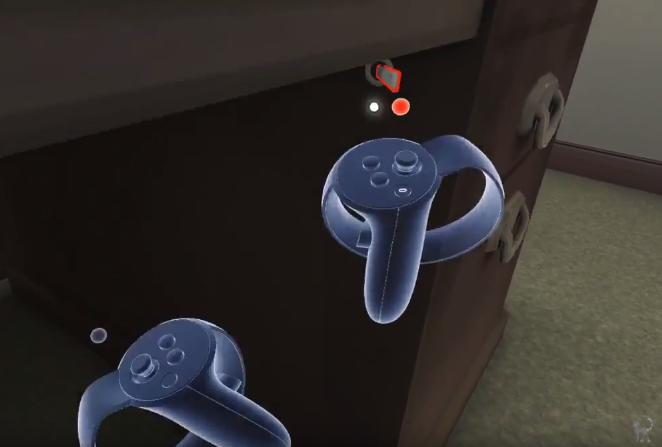
You can now play Keep Talking and Nobody Explodes with Oculus Touch or Vive controllers!
Our first prototype of Keep Talking and Nobody Controls was motion controls only. Unfortunately this was in 2014 at a time when the only motion tracked controllers around were the discontinued Razer Hydra. As we hoped to sell more than 12 copies of the game we instead focused on gamepad.
When the Vive controllers and the Oculus Touch released we knew we wanted to support them properly, but it was a serious challenge to try to adapt a game that wasn’t designed for them. It took a lot of work but we now have full support for motion controls in the game.
There is a secret room scale elevator room designed for motion controls!
The elevator bomb started as a quick mod we put together in order to play around with room scale VR but we liked it enough that we decided to put it in the game as an easter egg.
Just flick the hidden switch under the right side of the desk in the office and then any missions you play will be in the elevator. Also when the elevator is active you can boost the number of modules in freeplay all the way to 54!
https://www.youtube.com/watch?v=y9zGRy1bl1A
We have leaderboards!
Have you ever wondered how you compare at defusing bombs against the rest of the world? Well we did, and so we added leaderboards into the game to find out.
Before leaderboards were released we were pretty confident that we were the best players on earth! Unfortunately now that we have real data it turns out that we were way off. Also apparently some people are really good at this game!
We have a lot more music than when we first released!
Our musician Liam Sauvé created some great gameplay music for our Global Game Jam prototype that really set the tense tone that we were going for. He then created all of the additional music needed for the rest of the game prior to release.
But shortly after release we realized there was a serious problem with the music: we wanted more!
In the first release of the game there was only the title music, one track for the office room, two tracks for the defusal room and two tracks of postgame music. In an update Liam created five new tracks of gameplay music and two new tracks of destressing music for the office while you set up your next round.
He also put this into a really great soundtrack that you can buy from our Steam store page here:
Do you like hidden, barely tested, unsupported features? If so you might be interested to know that we have the special tournament mode that we created for the PAX East Omegathon finals in the game. It can be activated and configured by adding a tournamentSettings.xml file with contents similar to this to your game’s save folder.
This allows you to have two teams compete with the exact same bombs and will keep track of time remaining to declare a winner.
Steam Leaderboards Added!
Have you ever wondered how your bomb defusal times compare to the rest of the world’s? Now you can find out – Steam Leaderboards are now available in Keep Talking and Nobody Explodes!
You can view a leaderboard when you’re online by opening the Bombs Binder to any mission that you have successfully defused.
Your rank will be shown relative to all other players as a percent. A rank of “Top 5%” means that only 5% of players have managed to achieve a time as great as yours. If you’re only in the top 95%, that means you have lots of room for improvement!
The Steam Leaderboards for all built-in missions can also be found in the Steam Community here. You will need to launch the game with this update before your scores will be visible. Leaderboards for Steam Workshop mission packs can only be viewed in game.
Happy defusing!
Version 1.4.1 Update Notes:
Added Leaderboards
Improved selection volumes for motion controls
Automatically return dropped items to their start positions after 5 seconds
Motion Control Support Added!
Update 1.3 is here and it brings with it the oft-requested support for motion controls! Both HTC Vive and Oculus Touch motion controllers are now supported throughout the game.
Most mods should be compatible with this update, but be sure to contact the mod author through their workshop page to bring any issues to their attention.
Please note that switching between motion controls and gamepad will require re-launching the game.
Motion control support added (HTC Vive and Oculus Touch).
Fixed issue where presence of Oculus Remote would prevent gamepads from working.
Fixed v-sync not working in OS X (in previous update, but forgot to include in notes).
Fixed issue where the last digit of the serial number could never be ‘9’.
We also just pushed small set of motion control fixes:
Version 1.3.1 Update Notes (Windows only):
Fixed issue where missions could incorrectly display as locked for one round
Fixed issue where post-game binder could become detached from hand
Removed colliders from binder and dossier covers to alleviate unintuitive interactions
Tweaked Vive controller interaction position
Tweaked post-game lighting when using motion controls to be more consistently visible
Minor Bugfix Patch Notes
1.2.9 Patch Notes:
Fixed a crash that could happen with certain Intel and NVidia graphics drivers.
Fixed an issue with mods where custom colliders were set to enabled by default.
Fixed an issue with mods where KMGameInfo on a modded module would cause a crash when the mission ended.
Mod Update and Second Screen Manual Improvements
Update 1.2.8 is now live.
Workshop Updates:
There are now more than 70 mods in the Workshop. That's about one new mod per day since we introduced mod support in August!
If you were to install all of the new mods the combined manual would be over 120 pages!
If you haven't had a chance to check out mods yet you can find them in the workshop.
To keep this momentum going we've made some changes to give mod creators more options including:
- Support for looping sounds and multiple sound variants
- Ability to get lights out and alarm clock events
- Better handling for gamepad controls
- Support for more than 50 subscribed mods
We've also made it easier for players to find the combined manual with mod pages and adjust mod settings with links in the menu dossier.
Updated Second Screen For VR
When playing the game with a VR headset you can display the manual on your monitor and control it with a second controller or the keyboard.
This update brings a lot of changes to the look and feel of this manual to make it even easier to get started.
Other Changes
- Changed wire sequence to make the wires larger and easier to interact with
- Updated VR utilities for Oculus and Steam VR
Note that while we've done what we can to make the workshop update process as smooth as possible there may be a few mod incompatibilities including slower mod loading speeds until creators have rebuilt with Unity 5.4.
Steam Workshop Support + Expanded Soundtrack!
Update 1.2 is here! The short version: mods are now supported and you can grab new modules, missions, a bus that can’t go below 50MPH, and more through Steam Workshop! Plus, we’ve expanded the soundtrack with seven brand new tracks from Liam Sauvé! And to celebrate, you can save 34% on the game for the next week!
The Steam Workshop is now open for business! New modules, new missions, new widgets, a huge bomb with up to 23 modules on it, a driveable bus, even a controller for your Hue lights, and more! Check out some of the great mods that have already been created:
https://www.youtube.com/watch?v=YfNS46sQd1c
You can try these out for yourself by subscribing to items in the workshop and then running the game.
If you want to try your hand at making a mod yourself, check out our modding tool kit
Big thanks to all the mod-makers so far and to all the testers who tried out the mod beta preview!
New Soundtrack:
We’re thrilled to be including seven brand new tracks from Liam Sauvé in this update. Liam’s new tunes follow up on his original work to deliver more tension-building fuel for your bomb defusing exploits as well as some much needed relief during those brief moments of downtime between missions.
The new tracks are included in the game for free in today’s update and we hope you like them! If you’re interested in supporting Liam and his work, you can also purchase the soundtrack right here on Steam. Save 10% for the first week!
http://store.steampowered.com/app/515240/
Update Notes:
Mod and Steam Workshop support added
New soundtrack added
Hardware cursor acceleration to reduce mouse latency when playing with v-sync enabled
Improved “second screen” manual functionality when playing in VR with zooming, panning, and two-page view
Updated Oculus support to version 1.6
Fix double cursor on OS X
Fix ‘bounce’ when rotating bomb
Fix timer overlay not appearing when mirroring VR view
Over 10 Million Bombs Served
Since the launch of the game in October there have been more than 10 million attempts to defuse a bomb in Keep Talking and Nobody Explodes. Around 4 million of those attempts were successful! The other 6 million... not so much. Regardless, 31 million modules have been disarmed successfully and that's something to be proud of!
When Keep Talking and Nobody Explodes started out as a small prototype game a little over two years ago we could not imagine that it could grow to reach so many people. We're honoured to have great fans like you!
Happy defusing!
- Allen, Ben, and Brian
Keep Talking and Nobody Explodes on Sale for 34% off!
Steam Summer Sale
Keep Talking and Nobody Explodes is on sale for the first time since it's launch in October! Grab it now for 34% off or as a part of the Party Games Bundle for an additional 15% off the sale price.
HTC Vive Support Added (Gamepad required)
Version 1.1.4 for Windows Release Notes
Initial support for the HTC Vive has been added. A gamepad is currently required to play. We are prototyping tracked controller support for potential inclusion in a future version.