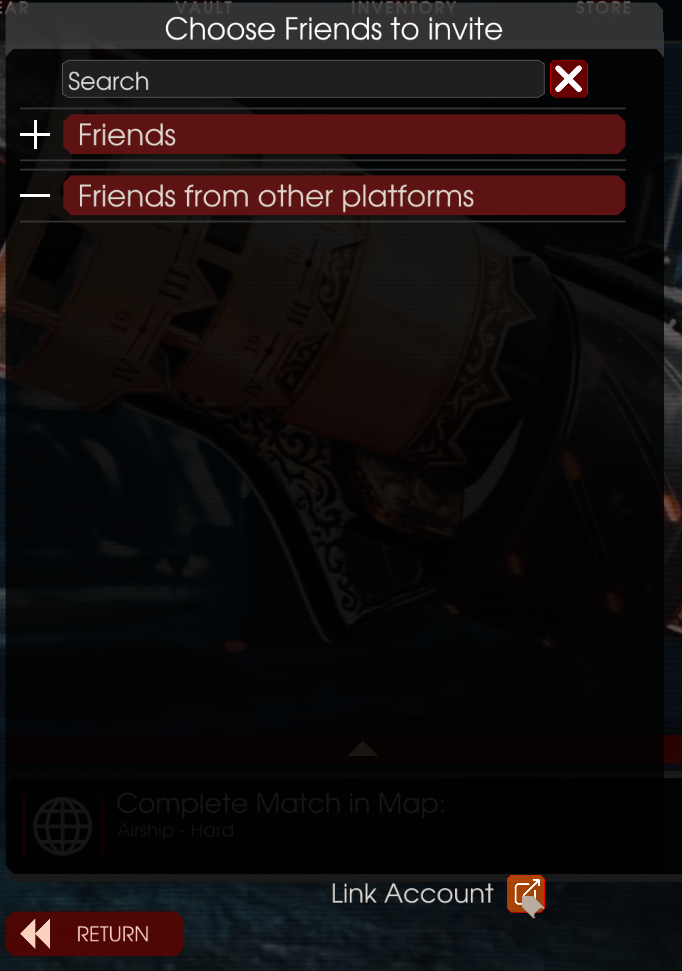
The lab coats have been at it again so we are happy to share some information about new Horzine Research Group (HRG) experiments we feel you’ll enjoy bringing into the field.
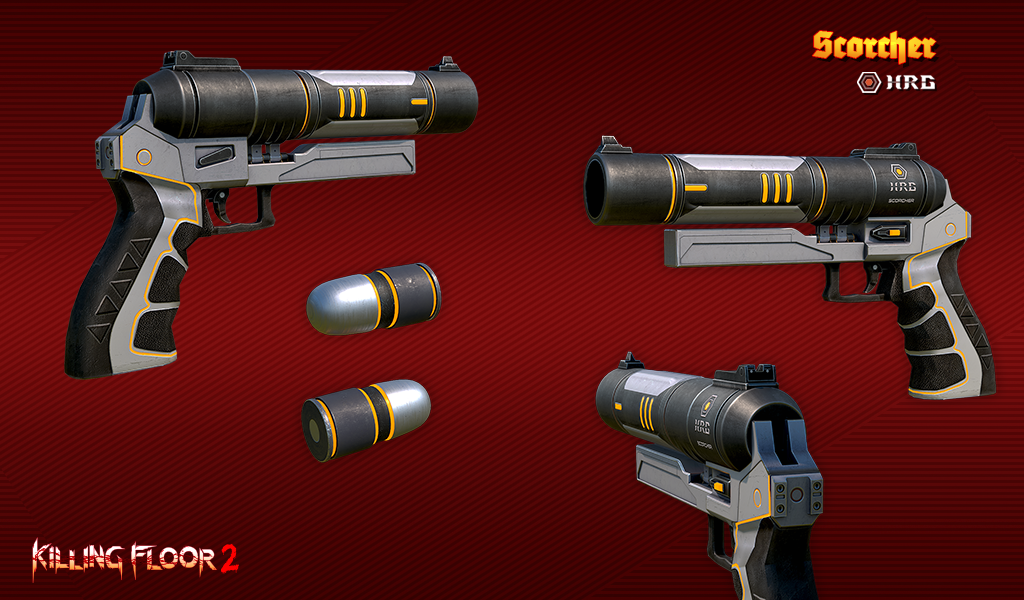
First up, the HRG Scorcher. The team has modified this baby to shoot flares out downrange with significant impact and a lingering burn. Other pros? Your target (or that wall you hit because you missed your target...) will keep everything around it lit up for easy target acquisition by you and your team!
Now for those looking for something a little more indirect you can try out the alt-fire which will have the flare break up in flight leaving a line of ground fire between you and the target. So get out there Firebugs, and blaze a trail!
The last thing the team has been working on comes from observing your fights with the Matriarch in the field and the weapons she has brought to bear against you. The lab coats weren’t about to let some “upstart” upstage them on weaponry, so enter the HRG Arc Generator for you Survivalists.
This baby packs an EMP punch that will chain between targets with a few fire mode options on how to get it there. A shorter range primary that will jump between targets close to you “at the speed of electricity”, or the alternative slower-moving charged blast to take that charge further downrange. Don’t worry, this ball of fun will also shock nearby Zeds until it makes contact with your target (have we mentioned it will help to stop aiming at those walls?)
Stay tuned as there are some brand new weapons heading to the field as well and we’ll be bringing you news on those in the coming days. And trust us, these aren’t miniature.
DLC Weapons are Now Able to be Traded on Steam
In a update to the item database on Steam, the weapon DLC has now been made trade-able. You can now use trading to gift the weapons to friends or trade any duplicates you may have acquired through bundles.
It's important to know that the item in your inventory marked as "Standard" must be in your inventory in order for the weapon to be unlocked for your account. The other variants act purely as skins and can be traded as well.
Example: Riot Shield and G18 | Standard | Precious
We hope you enjoy the change!
Merc Report - All Aboard
Mercs,
It’s getting to be that time of year where the strange, weird, mysterious, and lets just through this out there, downright demonic seem to pop up... even more so than usual given your line of work.
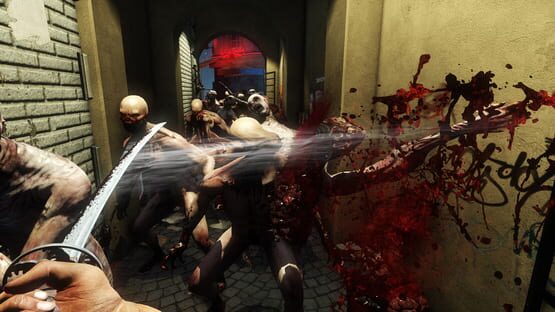
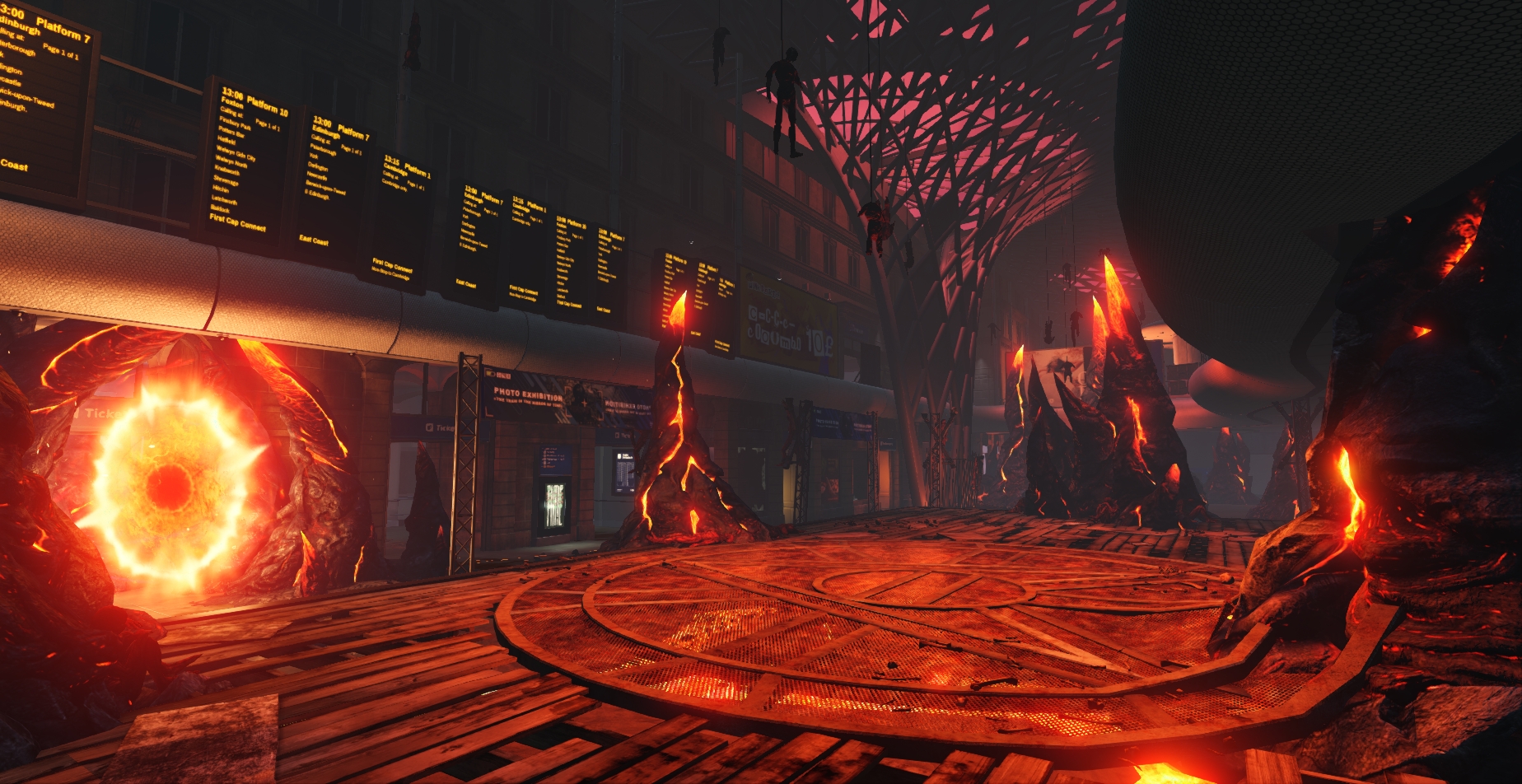
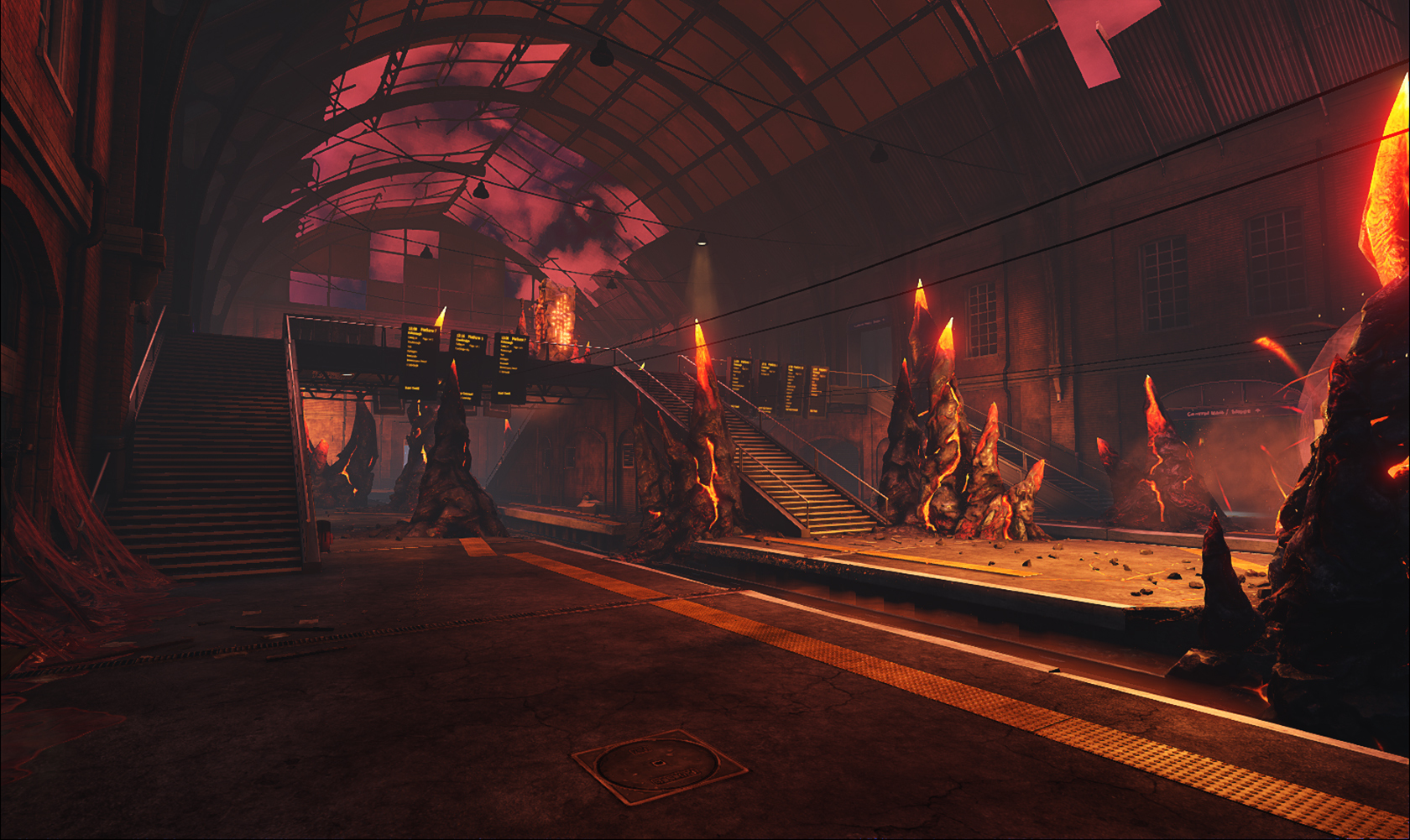
Some of our surveillance drones around London have picked up just such an event, so we are sending you in to figure out what's happening, and more importantly, shut it down. The surveillance has picked up a cry from the streets close to some of your old haunts. Specifically the rail station formerly known as Kings Cross.
You won’t find any kids waving sticks at you on this visit, nor friendly pet shop boys waiting to sell you goods around the concourse. Things have taken a decidedly more hellish mark. And whatever world these portals lead you to, we want nothing to do with. But perhaps you can make use of some of the strangeness you will find yourself around for extra power... just remember, these sorts of things tend not to come without a price!
So get a move on you Pogues, break and enter into Hellmark Station, ride out what enemies are thrown your way, then terminate this line. We’ve set our high hopes on you.
Killing Floor Franchise Humble Bundle
We're offering the entire Killing Floor series up as a limited time bundle! Grab it while you can and help Charity Water bring clean drinking water to those in need! Bundles include Killing Floor, Killing Floor 2, and Killing Floor: Incursion, in game cosmetics and weapons for Killing Floor and Killing Floor 2.
https://www.humblebundle.com/games/killing-floor
Merc Report - Merc Interfacing Improvements
Hello Mercs!
As part of our efforts to continuously improve your in-field experience, the techs have lined up some enhancements across perk abilities, interface and more!
First up is a re-work of the Medic 25 perk Zedative to make it a more compelling choice for the healing mercs out there. Zedative now does the following:
During Zed time your perk weapons damage is increased 30%, and your kills generate a toxic explosion that damages Zeds and heal players.
For those not as familiar with the current live Zedative ability, this adds the healing ability to the toxic cloud generated on the ZED deaths. So those who like to live dangerously, life is about to get a little easier for your Medics who have been trying to keep you alive.
The Boss Stomp, a “high” risk and reward method of dealing massive amounts of damage. Currently this method of attack is usable due to the way some systems work together in unintended and exploitable ways. So this will be changing moving ahead:
We are not removing the ability to jump on a Zed’s head and knock it down, however, like many other systems a cooldown will be in play so that Zed’s can’t be infinitely knocked down and damaged by jumping on them once.
Our goal here is to keep the tactic a viable tool, but removes the exploitative nature, happy hunting mercs!
We get it, there are those who prefer weapons slung under your weapons so you can carry more damage into the field, and we’ve an improvement headed your way as well:
When reloading a weapon with an underslung (such as the M16 M203), it will first check to see if the primary ammo needs a fresh magazine. If that is full, it will now check to see if the underslung is in need of a new round to be loaded (previously this would only happen on attempting to fire it).
And for our mercs who prefer a controller, the switch weapon key will now skip the 9mm pistol unless long pressed to bring it up as needed.
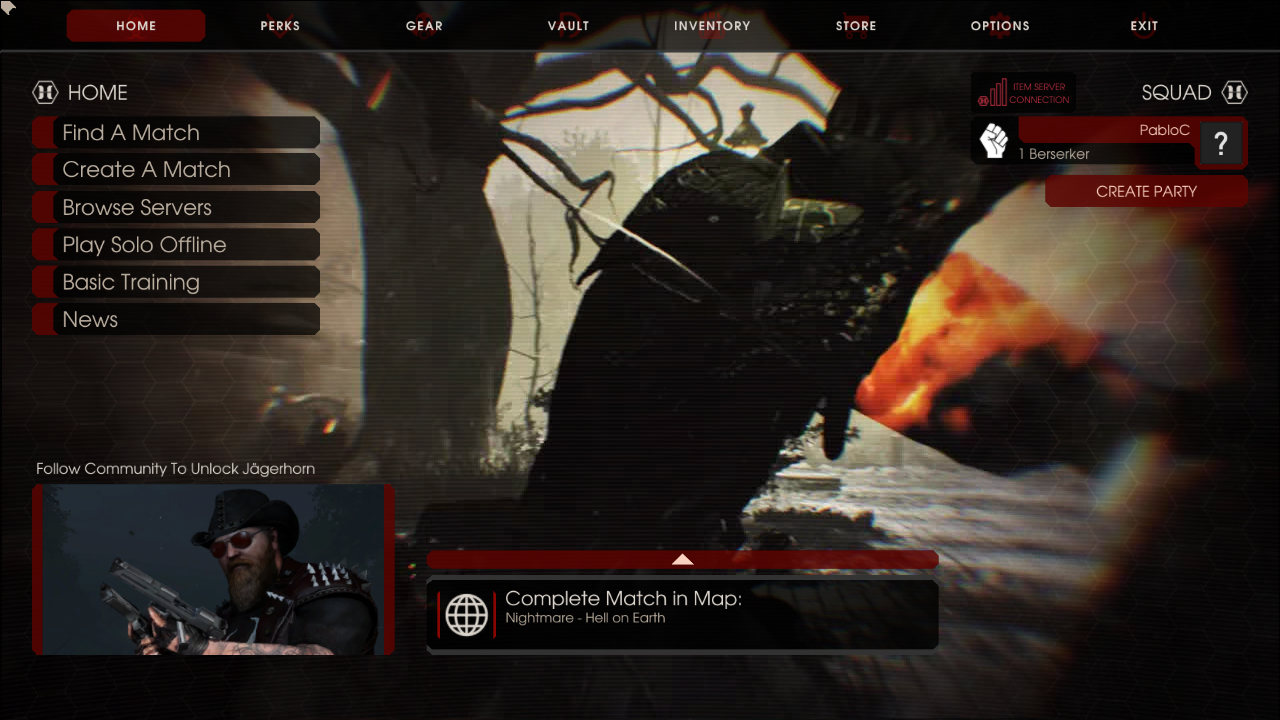
We also have several out of field interface improvements as well. First up, a backend connection status indicator. This will let players know if their clients are unable to establish an initial connection.
(Connection Error Shown In The Upper Right)
Lastly, the Store UI is also being adjusted to better help players find what they are looking for. With new types of items now available in the store compared to its launch, mercs can have a hard time finding the items they want. To make this better, we are adjusting some of the existing search/filter categories and adding new ones. All platforms will now have the following categories:
Featured
All
Weapon Bundles (NEW)
Characters Bundles (NEW)
Outfit Bundles (NEW)
Ticket / Crate / USB Bundles (NEW)
Cosmetic Bundles (NEW)
Weapon Skin Bundles (NEW)
Headshot FX Bundles (NEW)
And Steam will include the following additional ones:
Select Weapon Skins (RENAMED)
Select Cosmetics (RENAMED)
Select Emotes (RENAMED)
Select Keys & Tickets (RENAMED)
Market Weapon Skins
Market Cosmetics
Market Emotes
Market Crates/ USB
(New Filter List Found At The Left and Item Server Connection Shown In The Upper Right)
As always we look forward to your feedback on these changes and can’t wait to share more in the coming weeks. This train has yet to pull into the station.
Killing Floor 2 - EGS/Steam Build 1102 Changelog
This is a required update for clients and servers.
Bug fixes included
Addressed issues with server takeover for Create Match with Private Passworded Filters.
Improved reliability of loading the server browser list.
Addressed issues around users being unable to connect to modded servers due to incorrect settings within the KFGameEngine.ini file.
Added additional encoding to improve reliability of loading the server browser list.
Adjusted parameters within VOIP to prevent microphone overloads.
Addressed issues around volume amplification during microphone check settings in-game.
As always, thank you for your continued support!
Killing Floor 2 - Steam/EGS PC Build 1101 Changelog
Notes:
Players may wish to delete their old launch logs as they may have become quite large due to excessive notifications. Logs are located in: ...Users\...\Documents\My Games\KillingFloor2\KFGame\Logs
Steam players who find they cannot join custom maps may need to manually edit kfengine.ini and the value for
Improved overall reliability of connecting to servers more efficiently via Find Match and Create Match.
Fixed issues with Log Spam when selecting the All tab of the Store page on EGS clients.
Improved overall performance of the server browser to ensure it loads faster and more efficiently on EGS.
Server Browser will now display connected EGS users within the connected user list.
Addressed remaining issues with filters on the server browser from the last hotfix on EGS.
Added 10-15 second timeout before reconnecting to previously connected servers in order to prevent stability issues.
Addressed purchasing issues with seasonal tickets and ticket bundles on EGS.
Removed extraneous colon “:” from Buy Key string on Crate Inventory UI on EGS.
Added Horzine Supply Crate Key to the News Carousel on Main Menu for EGS.
Fixed issue in which the microphone icon would not display when Push to Talk was disabled.
Removed OpenSSL 1.1 dependency on Linux based dedicated servers.
As always, thank you for your continued support!
Killing Floor 2 PC Hotfix for EGS Launch issues - Build 1100
Players, a new update has been pushed for clients and servers.
Notes:
Players may wish to delete their old launch logs as they may have become quite large due to excessive notifications. Logs are located in: ...Users\...\Documents\My Games\KillingFloor2\KFGame\Logs
Bug fixes included
Server browser filter issues have been improved (full/empty filter still may work incorrectly in certain situations)
EGS server browser now shows servers with correct matchmaking version only
EGS Server browser log spam notifications have been removed
EGS certain edge case server names could cause problems on client (this was the log spam origin)
As always, thank you for your continued support!
Killing Floor 2 - Steam/EGS PC 1099 Changelog
New Additions and Highlights
Killing Floor 2 is now available on Epic Games Store in addition to Steam with Cross-Play and Cross Friend Invites available for unmodded ranked servers.
Epic Online Services (EOS) integrated into dedicated server framework to enable future Cross-Play capability between Steam and EGS players on stock unmodded servers
New In-Game Invite UI system that will enable Steam users to link an associated EGS account you own so that they can send their EGS friends invites to parties and server lobbies.
Replaced VOIP services for in-game chat to Vivox in order to enable Steam-EGS cross-platform VOIP within multiplayer matches and lobbies.
Please see our previous post regarding these changes for our FAQ in terms of how these changes will affect the experience going forward: https://forums.tripwireinteractive.com/index.php?threads/killing-floor-2-epic-online-services-beta.2336149/
Bug fixes from Steam EOS Preview 1098 Beta feedback:
Addressed issues with log spam related to VOIP usage within client logs.
Addressed issue with VOIP for VS matches in which you can hear player chat from the opposing team.
Addressed issues with VS Survival map transitions in which players sometimes did not hear each other.
Addressed issue in which Push to Talk was turned off after checking the microphone.
Resolved issue in which after pausing the in-game invite notifications would not disappear.
As always, thank you for your continued support!
Important notes:
Users who have write protected their KFEngine.ini may run into issues joining servers after this update, and it is recommended that you delete that file and let the game generate a new one if this happens to you.
Some users may need to re-add the game to their security software, such as a firewall or antivirus if they have trouble joining or seeing servers after the update
Epic Online Services Beta
New Additions and Highlights
Epic Online Services (EOS) integrated into dedicated server framework to enable future Cross-Play capability between Steam and EGS players on stock unmodded servers
New In-Game Invite UI system that will enable Steam users to link an associated EGS account you own so that they can send their EGS friends invites to parties and server lobbies.
Replaced VOIP services for in-game chat to Vivox in order to enable Steam-EGS cross-platform VOIP within multiplayer matches and lobbies.
Voice Settings have been changed to use an in-game UI solution in place of the Steam Overlay for Vivox in order to ensure functionality is platform agnostic.
Please see our previous post regarding these changes for our FAQ in terms of how these changes will affect the experience going forward: https://forums.tripwireinteractive.com/index.php?threads/killing-floor-2-epic-online-services-beta.2336149/
Important Note for Players having trouble connecting to servers within EOS Beta: In KFEngine.ini change NetworkDevice=OnlineSubsystemSteamworks.IpNetDriverSteamworks to NetworkDevice=IpDrv.TcpNetDriver
Important Note for Server Admins hosting servers within EOS Beta: Servers updated from current live 1096 to EOS Beta 1097 will update the Server INI files for their specific settings to point to new EOS sockets required for the CrossPlay functionality to operate correctly.
The process for updating to the Preview EOS Beta will be same as previous Preview Beta’s with the following command on Steam CMD: app_update 232130 -beta preview
However due to technical constraints if you choose to opt-out of the 1098 Beta for your server during the beta using the standard update command on SteamCMD will not work correctly to return your previous settings and will require a fresh install of the 1096 server files.
If you intend to switch between Live 1096 and EOS Beta 1098 for your servers,[B] we strongly recommend you backup your server INI files prior to updating to 1098 to ensure you don’t encounter any issues restoring your server back to prior versions.[/B]
Additionally, for Windows Server admins, there is a new redistributable dependency you’ll need to have installed for the new EOS server to run: https://www.microsoft.com/en-US/download/details.aspx?id=52685
Many of you may already have this installed on your machines but in case you run into missing DLLs errors, this should resolve that. Linux admins should be unaffected by this change. We’re working on an automated solution as part of the final release version.


 (Connection Error Shown In The Upper Right)
 (New Filter List Found At The Left and Item Server Connection Shown In The Upper Right)