due to the increased activity on the forums here we've managed to track down a few critical bugs in the current version.
Some are a bit too complex to implement in the current version so you'll have to wait till the next update (which should be soon).
Changelog:
Fixes:
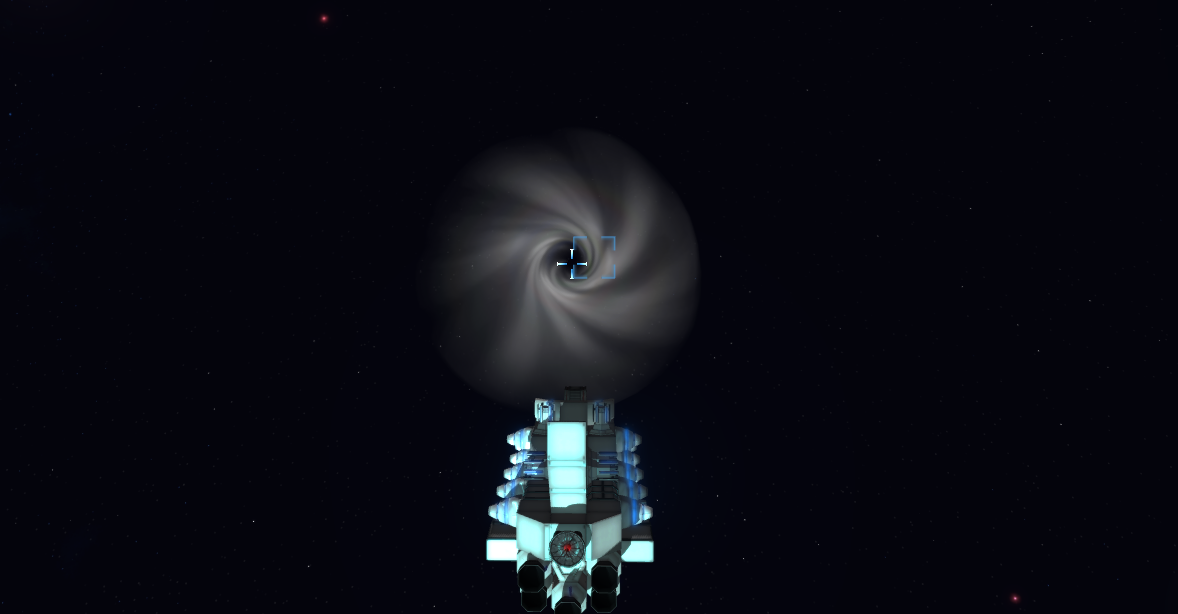
entering a black hole in the central system should no longer crash the game
fixed crash when making a distress call (when out of fuel)
That's all, have a good one!
Nordic Games Discovery & Next Update News
Hello guys!
We've since decided to try and keep you guys a bit more informed in between updates so here's what's up:
Nordic Games Discovery Contest
I'm pleased to announce that we've entered the game into the Nordic Games Discovery Contest a few weeks ago and won the qualifying round last Saturday!
That means we'll get to participate in the semi-finals sometime in May next year in Sweden. ːsteamhappyː
The Nordic Games Discovery Contest is an annual contest at the Nordic Game Conference where games from across Europe get to pitch their game in front of a live audience and industry veterans. It offers a chance for developers to get their game discovered in the fierce competition of today's gaming market.
Moar Modules
As it turns out we have quite a substantial backlog of half finished modules that haven't made it into the game yet - so that's what's gonna be the main focus of the upcoming update.
And of course, fixing some of the bugs that slipped by in the previous one...
That's about it for now, have a good one!
Update 1.12
Hi there and welcome to update 1.12. It's quite a large one so take a seat and get comfy.
Compatibility Note:
Custom keybindings have been reset in this update so you're gonna have to redo those. Old galaxy save files should work fine however.
New Stations
The old stations are completely gone and have been replaced by new, modular ones that allow for buildable stations.
Station Modules
There are currently only 5 large station modules, just enough to get everything in working order. More are coming very soon.
What makes these modules different from the rest is this, they:
have a tougher neutronium hull that is a magnitude more durable than the usual materials, but is also substantially heavier making them unviable for ships
require the station power grid to function properly and will only turn on when attached to a station
extend stations with unique services and menus
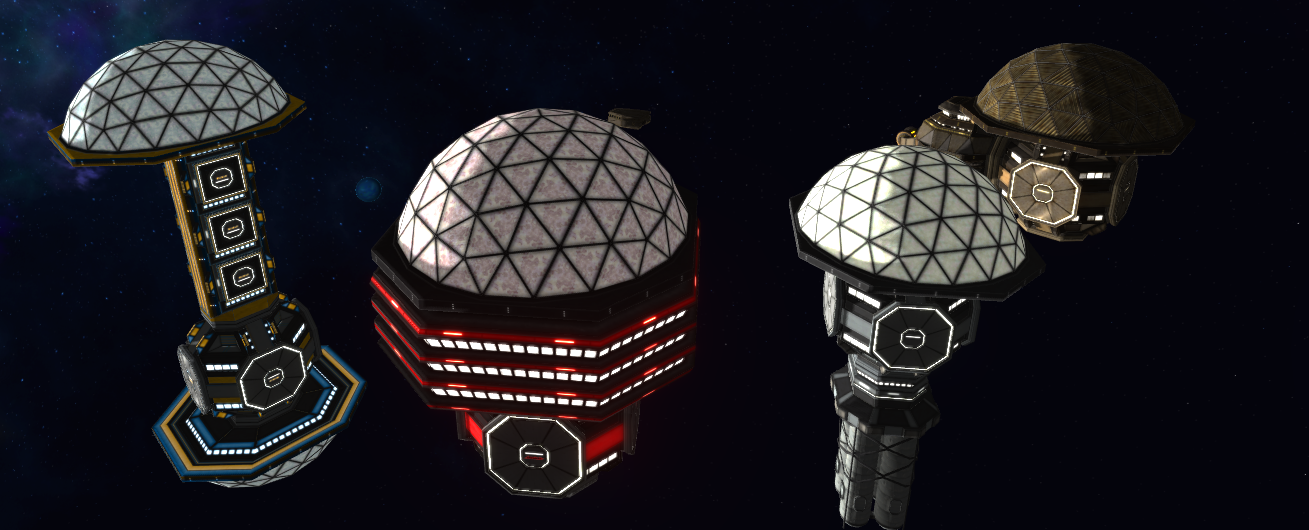
The Station Core is the central hub for all station appliances and houses a large reactor to support the rest. It's also what the stations are started with - but more on that later.
The Residential Bridge is a nifty connector to expand the station while providing a bunch of attachment points for other modules.
While still in development, it's also where the station crew and visitors will be able to live once that's added.
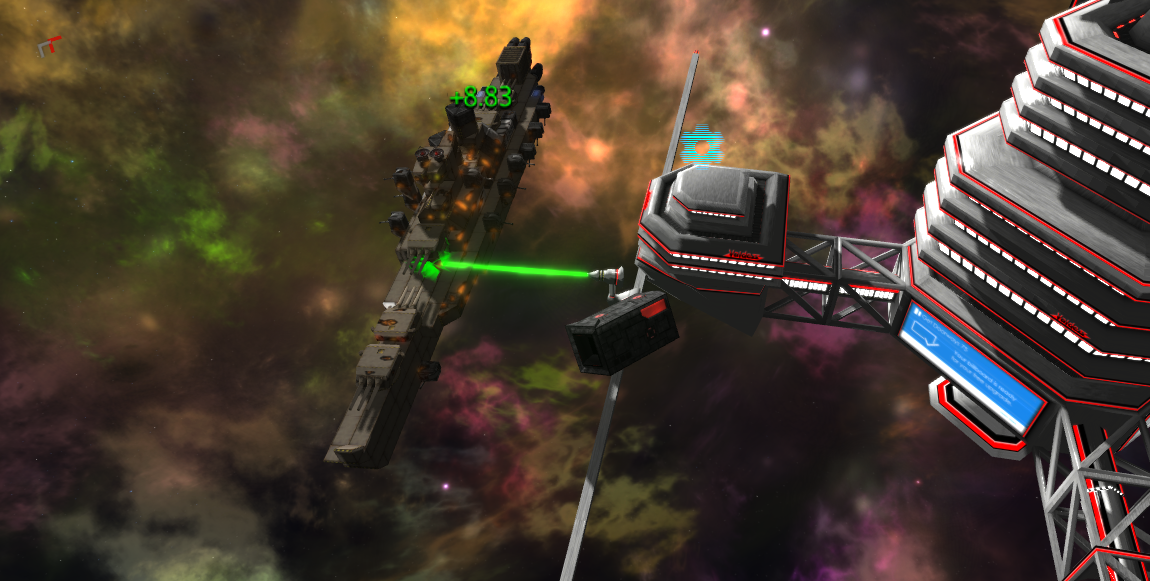
The Module Construction Factory (or the Terminal) is a large facility for module construction via 3D printing (now also animated). As you probably guessed, this is what enables the construction menu.
The Repair Station works pretty much the same way as the old one, repairing any ship in its vicinity as long as it's on good terms with the station.
The repair effects have been updated as well.
Both of these two let you use the ship loading/saving menu as well.
The Office is the counterpart to the old station core, letting you access the galactic stock exchange.
Radial Menu
As the old station icons are gone, there's a new way to interact with stuff - the radial menu.
It can be opened on all ships and space stations by holding down C while hovering over the vessel with the mouse. Then you can pick an option like you normally would with these types of menus and release C to confirm.
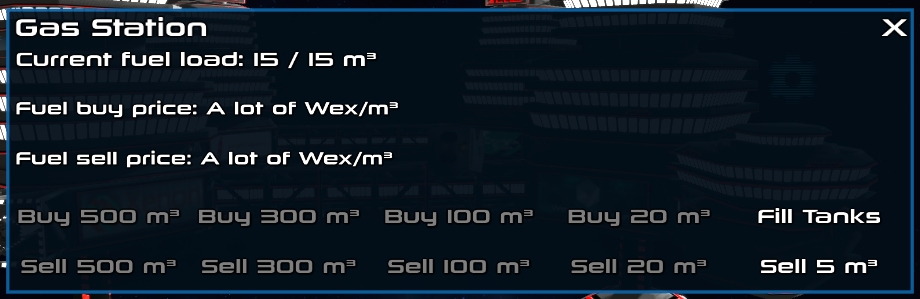
One can open all station menus with it, demagnetize derelicts, initiate chat with ships and stations, transfer fuel (cargo transfer isn't quite done yet), etc.
Getting your own Station
A new station is made by grabbing a Station Core with the mouse and releasing it into space.
Creative:
In creative, all station modules are grouped under the far right filter called "Other". Here you can demagnetize all stations regardless of their affiliation with you.
Campaign:
Station modules aren't craftable and cannot be bought at the Terminal. Instead you need to source them from already existing stations via several methods.
At the moment there are three major ways of getting your own station:
finding a derelict station, demagnetizing it and reassembling
attacking a neutral station and shooting of all of their weapons so they surrender, giving you a friendly station instantly
attacking a neutral station and destroying all of their cores, which will explode the station and drop the remaining modules
It's probably worth noting that unlike the old ones, these new stations don't appreciate being shot at.
You can ferry the modules by attaching them to your ship, but they won't turn on in this configuration and they're really really heavy.
Basic Crafting
Having your own station and paying it to construct stuff for you doesn't really make sense does it?
So now once you have a Module Construction Factory at your station you can use it to construct modules from ore in your or the station's cargo containers.
You can also scrap modules for ore now, even the ones attached to your ship:
Station Liveries
Having just one type of station hull becomes terribly boring quickly, so there are also multiple liveries with which stations spawn and some you can switch to yourself.
The stations in the Outer Rim are all rusted from the near-hull safety air layer and unmaintained.
The rest of the stations in the Industrial Sector and beyond are currently either stock or one of these two corporation liveries:
Once you own a station there's a control panel menu called the Dashboard which among other things, lets you switch the livery.
Be careful however, as the changing process is very bright.
Building System Upgrades
Working with the new super large station modules, some issues with the building system have become more pronounced - finally letting us fix the overlapping bugs for good. So, no more funny business there.
Another bug, best put by Amurka:
Inconsistency with rotation while placing. It apparently depends on the orientation of the block you're putting it on, even if two identical blocks are next to eachother and LOOK the same, one might be rotated 90 degrees and then it forces you to re-rotate a block while placing on both.
has also been fixed, with rotations now no longer relative to the node you're placing it on.
New Abilities
The Delete Floating Objects is a creative-exclusive ability that lets you remove all free floating ship modules, ores, and other particles to clean up the playing space. (this one was quite overdue)
The rest are tractor beam abilities that have been in the game code for a while but weren't yet added and are pretty self-explanatory.
Abilities now have tooltips as well.
New Icons
The old icons have been replaced with slightly more sleek ones that will be hopefully more visible in nebula systems as well.
That about wraps it up for the update, with some other minor things in the changelog below.
Changelog:
Additions:
radial menu for ship and station interaction
brand new modular stations
you can now chat with all ships and stations
friendly stations are now displayed on the galactic map
ship and station names no longer repeat inside a single savefile, with a whole bunch of new ones added
abilities now have tooltips
creative clear freefloating ability
two new tractor beam abilities
two new music tracks
Changes:
removed old stations
station menus are now accessed through the radial menu
ship and station names should no longer repeat inside a single savefile
screenshot key is now rebindable
added a wallpaper to the loading screen
Fixes:
collector blades not showing up sometimes
building system rotation directions are no longer relative
no modules can overlap when building
screenshot key is now rebindable
fixed mouse clicking under chat gui elements
critical issue that nobody ever noticed, the galaxy map not updating on loading a new game
Thanks for reading and have a good one!
Long time no see, here's what's up.
So some of you may be wondering why we haven't posted anything in 2 months. The answer is simple really, two weeks of summer vacation and a huge update in the works (that can't really be done in small increments).
First things first, this update will completely remove and replace the old stations with brand new modular ones. These fit right into the ship building system so you can haul station parts around on ships and start constructing your own station by simply dropping a hub part in space!
We also got a basic crafting system implemented, so once you got a station of your own you can use the ore you've gathered to construct modules without spending Wex.
The station icons are gone, now a central radial menu is available on any ship and station by simply holding down C.
It opens many possibilities for special interactions and lets you open a comm line as well.
Speaking of comms, we're finally getting to adding some (hopefully) interesting and funny chat dialogue. It's still far away from any real quests however, that will most likely be the subject of the next update.
That and much more is coming very soon. We'll explain all the changes and additions in detail when the actual update comes out however.
As it currently stands, the update still needs some work. The stations need more than one livery, derelict ones don't spawn yet, billboards need to be re-added, their physics needs some optimizations, the tutorial needs to be patched to present the new systems, we need to write more chat dialogue, lots of bugs need fixing, etc.
Because of that (and as I'm somewhat unable to do any development next week) we're only putting up a beta build later today if any of you are brave enough to test it out, but note that it's still buggy and many things are subject to change.
The full update will most likely come out in about two weeks.
Update 1.11
Another slightly less important update is here, with some module reskins, a new turret and a bunch of fixes, optimizations and minor changes.
Work on buildable stations and the upgraded quest system continues but they're not yet ready so you're getting this instead.
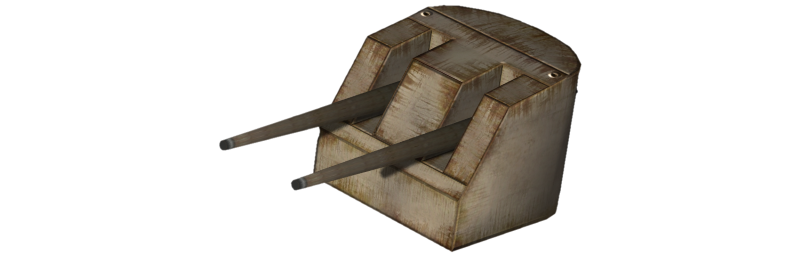
5"/42 Caliber Gun "The Fork"
This small gun turret will make an excellent addition to any outer rim ship, with it's decent rotation speed, excellent gun depression and pretty good elevation.
Rotates 95 degrees to each side and fires high explosive shots that do decent damage, but it has no splash effect.
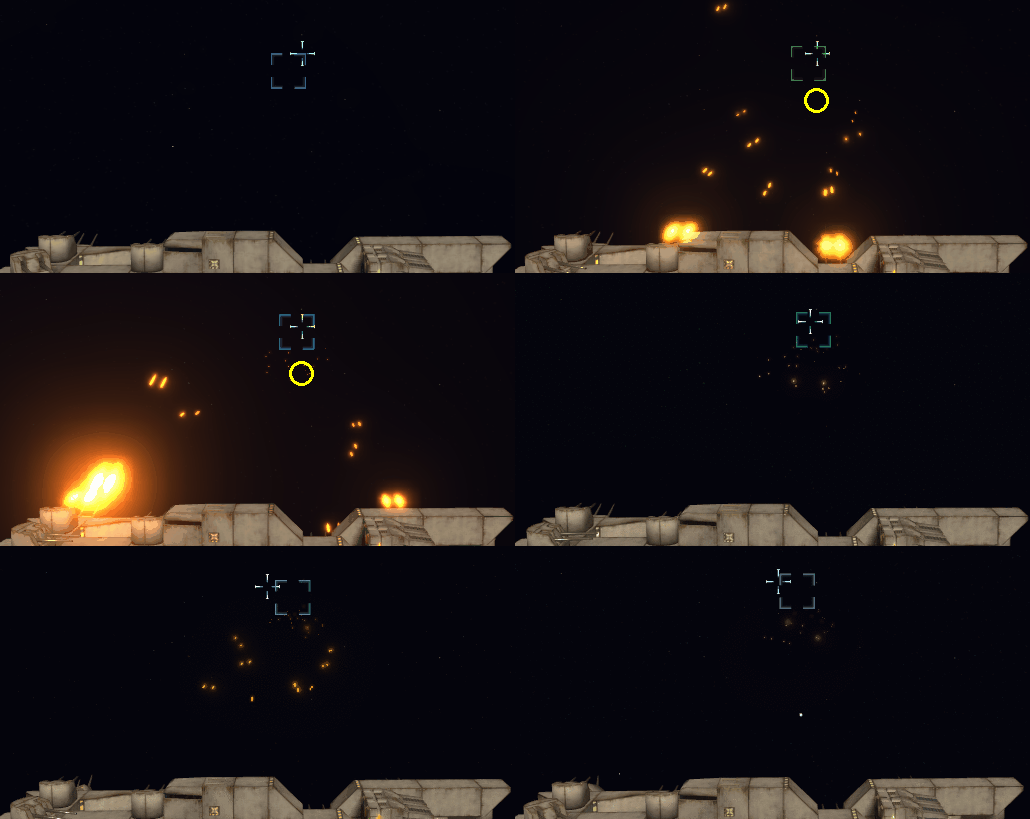
These, and also some other weapon modules have been updated to sport a slight startup time of a fraction of a second which makes them shoot more in succession and adds to the realism somewhat.
Also tends to look really cool.
Model Updates
Like in the previous update, this time some of the old meshes for the space agency faction have been redone in a more streamlined fashion and based on an octo base instead of hex.
Ores
Ores now get a few different rock meshes to choose from when spawning, and there are 3 new materials: Metal, Rust and Plastic which are rare-ish drops from destroyed modules. Currently they can only be sold but in the future they may be used in other ways as well.
There's also a new pallet of drinks type of cargo, but it doesn't really spawn in the game yet.
Changelog:
Additions:
5"/42 Caliber Gun "The Fork"
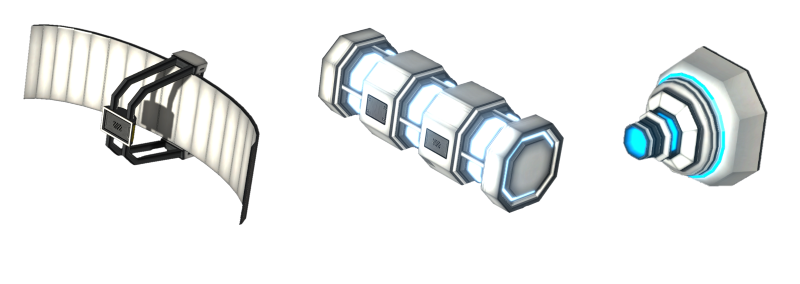
new models for the Vertical Antimatter Power Core, Flat Transmitter/Receiver and LZ-1 Laser Emitter
new acheivement "War Crime"
replaced ore cubes with 3 random rock models
added 3 new "ore" types: Metal, Plastic and Rust which are sometimes dropped on module destruction
detached cargo containers that have cargo in storage can now be picked up, providing you have a container that can store it and all of its cargo
free floating ores are now recorded in the savefile
some weapons now have a short random startup time of about a fraction of a second
Changes:
added a 1 second warp cooldown since there's some confusion about when the game drops you out of warp automatically (players often try to disengage themselves, putting themselves into warp again, which should not happen anymore)
missiles nerfed slightly
ramming damage buffed by 50%
Scuttle Twin-Turbo Plasma Turret's reload time and damage has been doubled, effectively keeping the same DPS but reducing lag due to fewer shots
missile and torpedo damage against asteroids buffed 3x and 4x respectively
replaced [Continue Game] with [Load Game] on the main menu, so once can choose which game to start from there as well instead of just the pause menu
Plasma Turret's projectiles are now smaller and have a different hit effect
Wide Area Scan now shows ores as well
substantially higher chance for a module to detach from a ship instead of getting destroyed in combat
the Nuclear Gun Battery and Flak cannons no longer shoot through shields, but do 200% damage to them instead
slightly improved trail effects of flak and nuclear shells
Fixes:
ship construction selection screen should keep the right height even if it doesn't find any ships in a category
various very minor fixes
cubic meter characters should display correctly now
ships and ship names should no longer repeat as much, especially in a single star system
reduced the star system entry lag by loading hostile ships when you get close enough to one instead of immediately when entering (visually and gameplay-wise, nothing changes)
while selling or buying stocks the button won't switch back to 500 from ALL when clicked
the stock market price updating thread no longer stops on loading a new savefile
Thanks for reading and have a good one!
Update 1.10
Hello again!
Our biweekly-ish update is here again. Now this time the changes were mostly to the game's backend infrastructure so there aren't really any new mechanics, but it does prepare the shape of things to come. Also some new modules...
..this time it's mostly engines :)
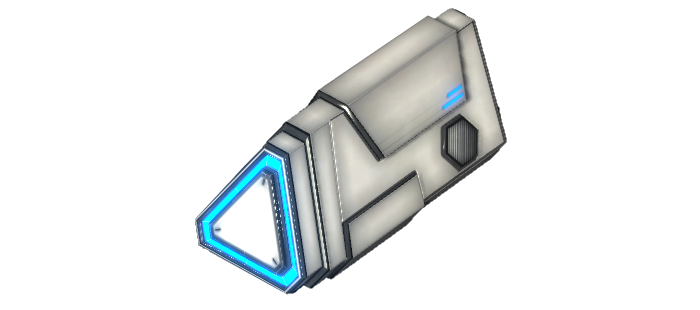
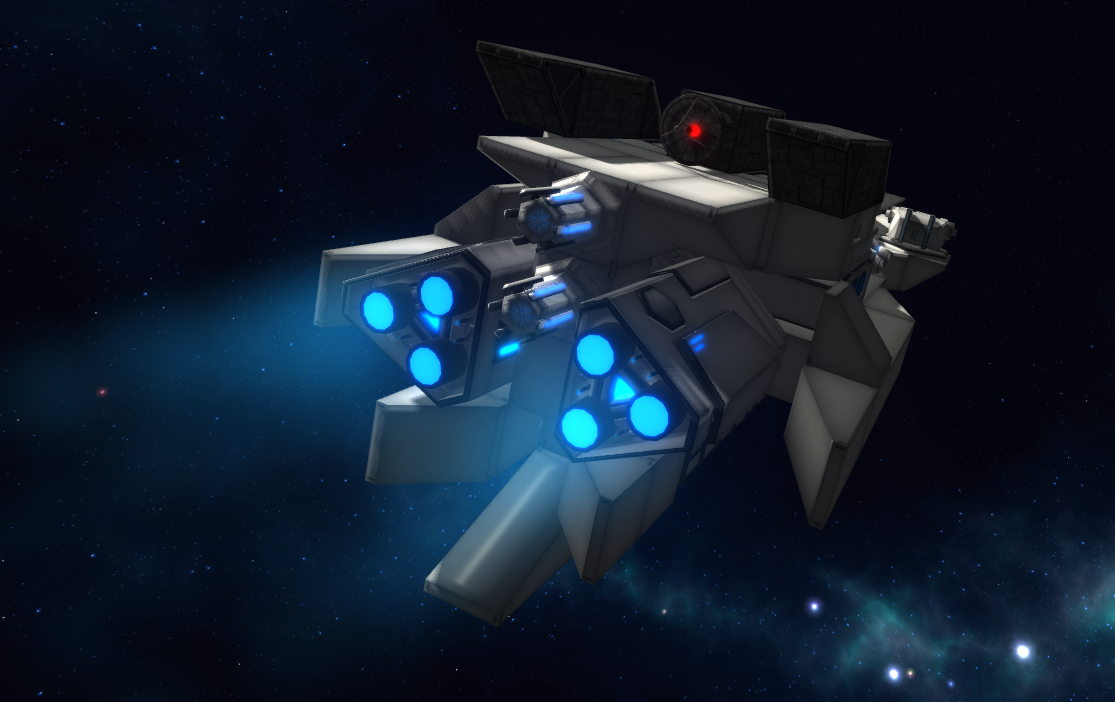
VIVO Radial Propulsion System
Finally making some entries into the Mark 2 series of engines, we got the shiny and glowy radially attached VIVO engine.
It's substantially more powerful than the Mark 1 series E-MAG, and while it can be attached in any direction it'll only work if pointed backwards. Just a heads up.
U.R.A. E-MAG Plasma Propulsion System
And well since it really made the old thruster look bad I had to do a quick visual overhaul of it as you can see here.
It now fits a lot better with the new one and generally looks a lot better than the old version as well.
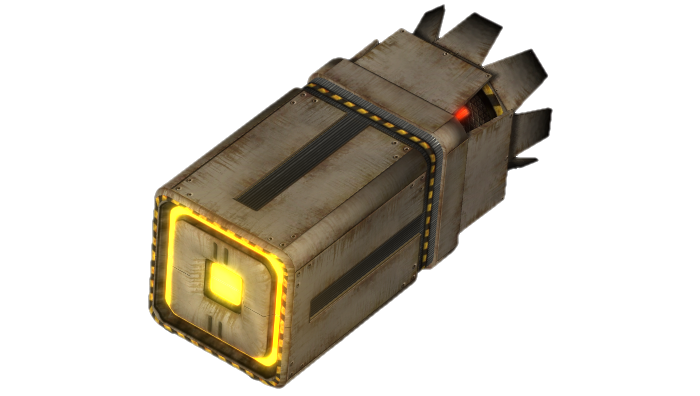
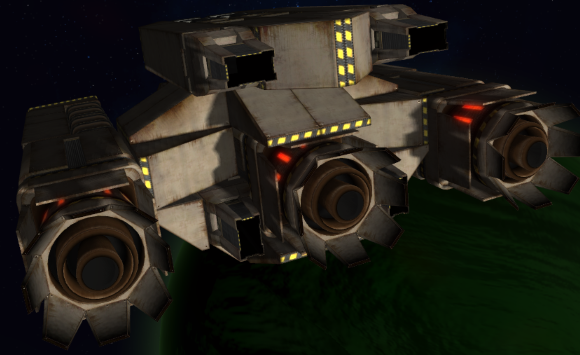
Nostradamus-Class Titan Thruster
The junkers are getting a heavy thruster as well.
This one is somewhat inspired by that one old interstellar tug's engines from that one film where they mostly turn on at night. Mostly.
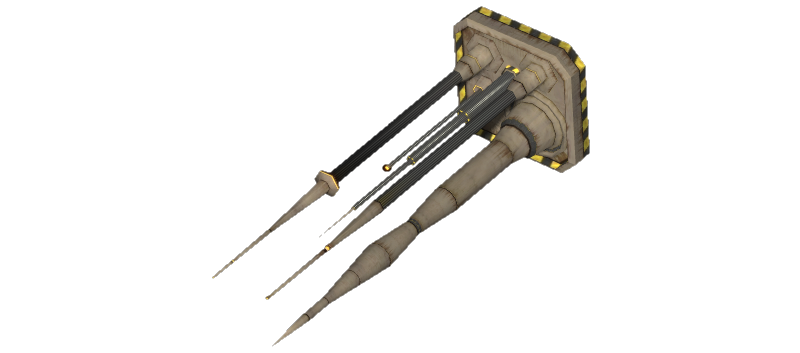
Spikey Antenna Array
I did suddently realize that junkers have no types of scanner at all, so that naturally had to be fixed.
It's the lowest performing scanner antenna of them all but it can be a good starter when you're in the outer rim.
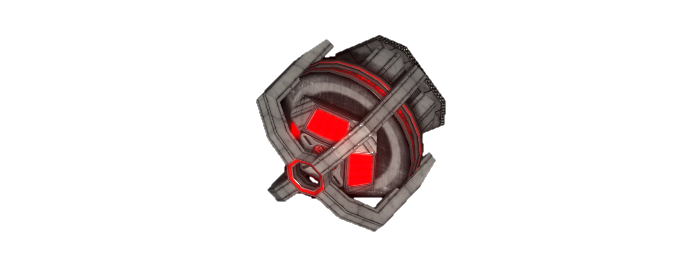
Physical Barrier Emitter KKC-56
Now for the more unusual thing. I think we can pretty much call this one a ramming shield if you like.
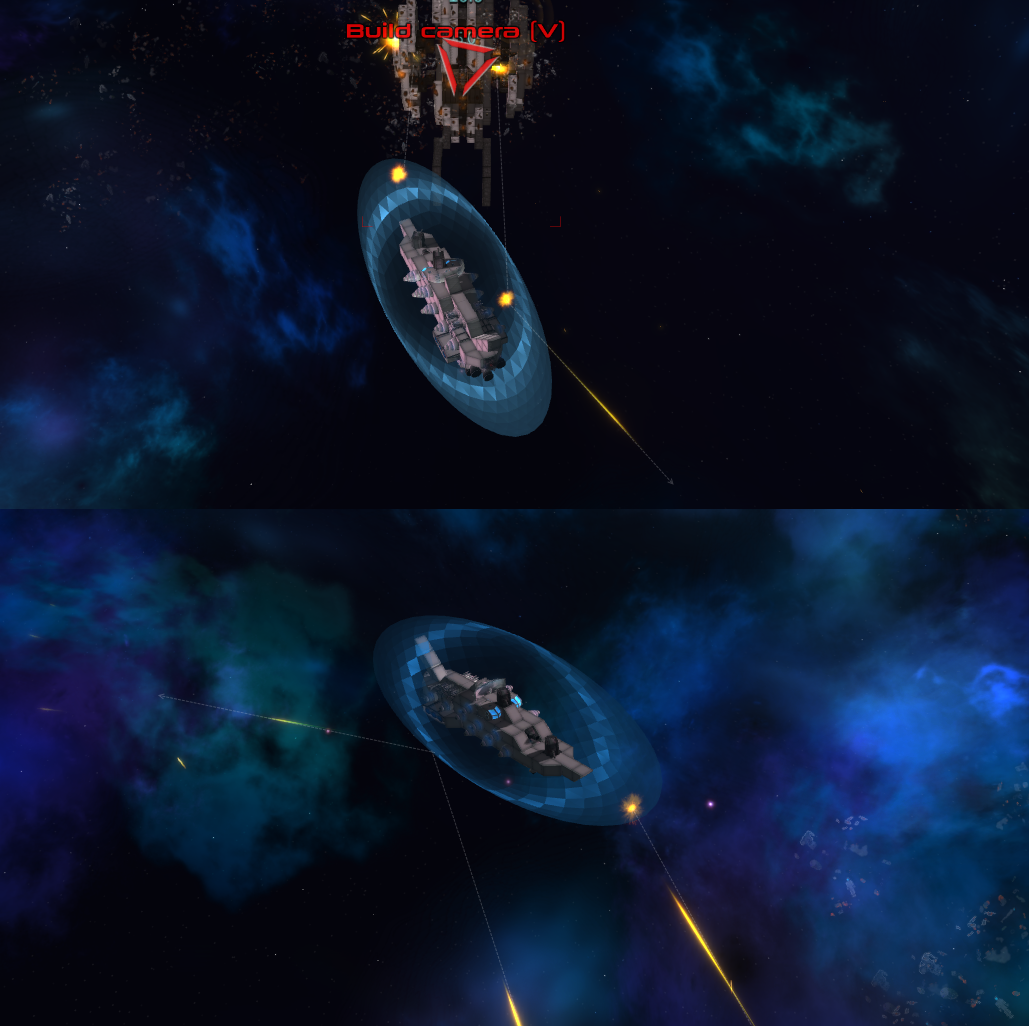
Activated by an ability, it projects an impenetrable barrier over a 5x5 area above it for about 20 seconds, then it needs to recharge for another 40s.
I wanted to upload a short gif but steam is being annoying with file sizes as usual *sigh*. So here it is on imgur.
The new modules and their stats can also be found on the wiki.
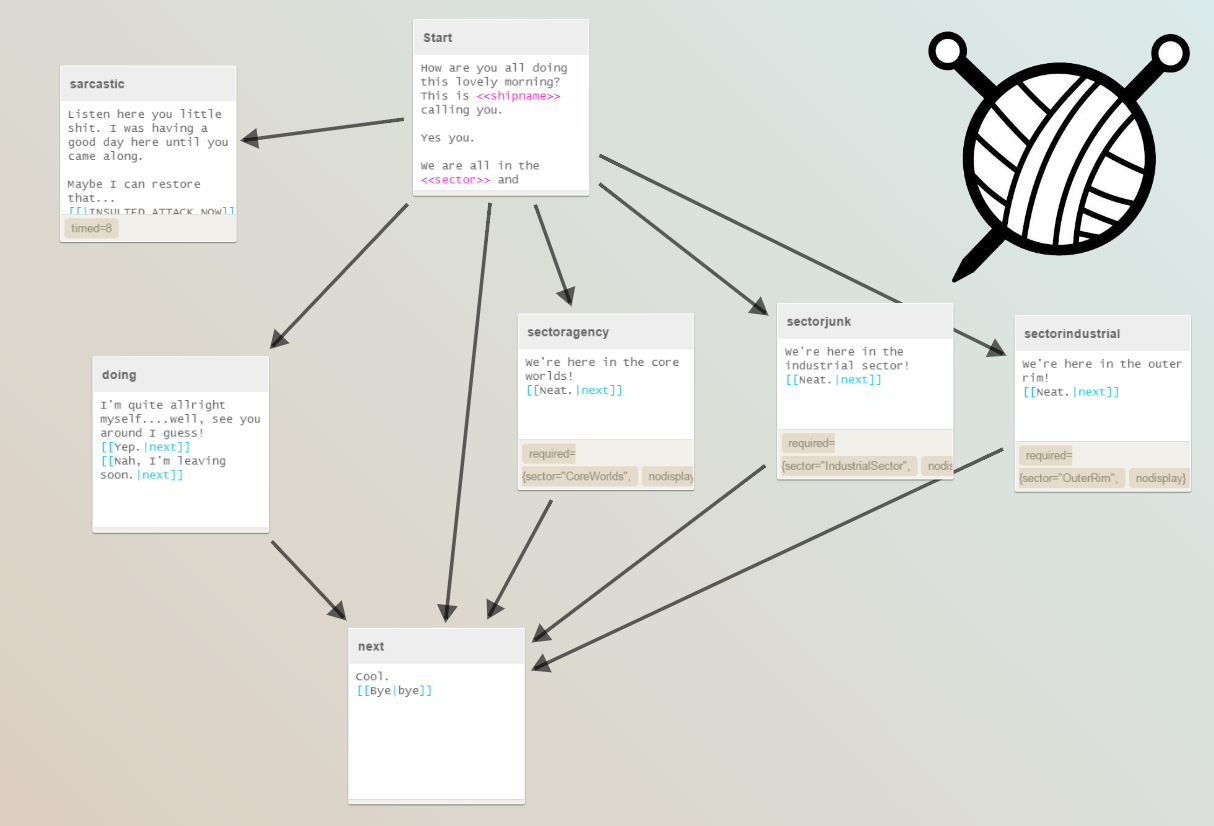
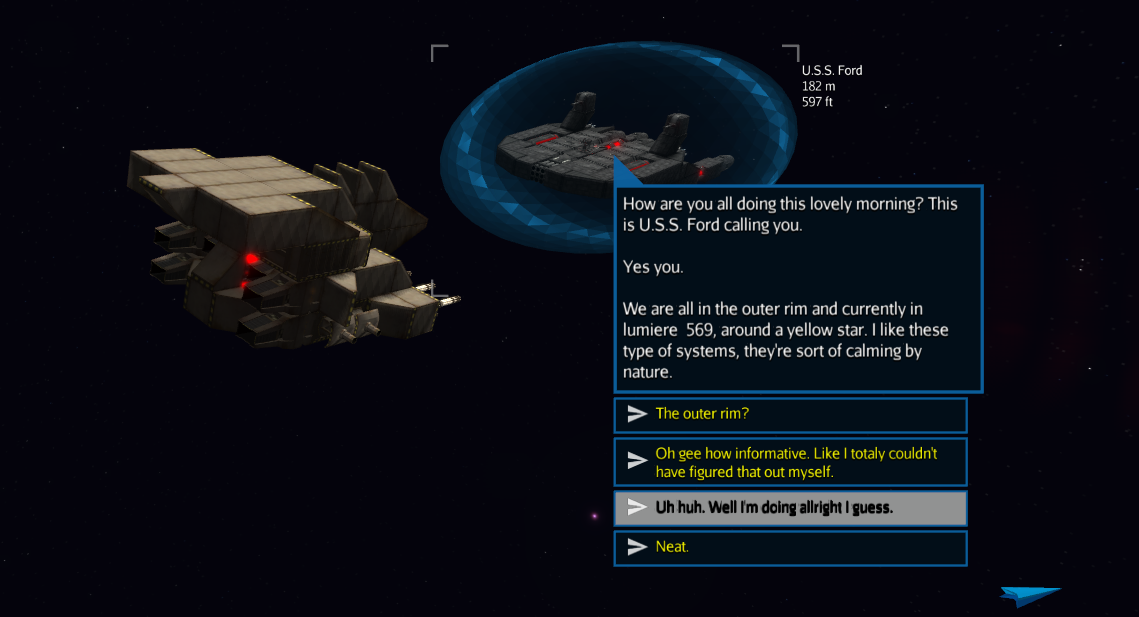
So what about it? Well I've decided we could put it to good use to quickly and easily create dialogue for any in-game interaction. Should also significantly simplify any modding for quests and conversations down the line.
This integration should play very well into the whole quest rework we're working on right now, as well as any random encounters and interactions with neutral ships.
That's only a testing dialogue of course, we haven't had time to make any real ones quite yet so you won't be really seeing any of them in this update apart from the one in the tutorial (which now works through this system as well).
There were also some other backend restructuring changes but nothing that acutely affects the gameplay itself at the moment.
Changelog:
Additions:
Nostradamus-class Titan Thruster
VIVO Radial Propulsion System
Spikey Antenna Array
Physical Barrier Emitter KKC-56
Inventory filters' names can now be seen in the tooltip when hovering over them
support for Yarn exported .json dialogue files
Changes:
reworked the model of the E-MAG Plasma Propulsion System
slight design change for the module info tooltip
some design changes of the dialogue chat boxes
moved "THE FIST" random event to the core worlds
map icons now have a small black shadow so they're more visible on same colored background (so it should be possible to locate hostile ships in red nebulae now)
Fixes:
crash logs now point to steam forums instead of the abandoned standalone one
tooltip should now display engine thrust correctly at all times
billboards should now have correct descriptions when clicked
hostile ships should (hopefully) no longer spawn too close to the player when generating a galaxy
Thanks for reading/looking only at the pictures, and have a good one! :P
Patch notes - 1.09a
Hello there!
Here is the promised balance&fix patch for the previous update, hopefully addressing some of your concerns and ideas.
Module Stats Info
The shop will now show you some module stats (when you hover over a module) you could previously only see on the official Wiki, as suggested by Shazai.
Multiple Savefile Support
We now finally support multiple save file creation and loading. It will also tell you if you're making a new save or overwriting an old one (a feature also added to the ship saving system).
At the moment you can only access the loading menu from the pause menu, as the main menu retains the [Continue Game] button which launches your most recently saved game.
Ship Loading Fixes
The ship filters will now search for ships in a separate thread, thus not freezing the game for a moment (yay!) and it'll now display one from a bunch of new loading texts while you wait. It's usually so fast you can't exactly read them but ¯\_(ツ)_/¯.
Balance Changes
Trying to address what some of you have been talking about on the forum, I've scaled down the health/dmg gap between factions as seen in the changelog below, along with some ship size scaling according to distance from the center.
The official wiki has been updated to match the newly changed values.
Changelog:
Additions:
shop now displays the module description on the bottom and shows some module stats in the tooltip
you can now make and manage multiple world save files
workshop category ship filter
when saving ships/making a new galaxy save the game will let you know if you are saving a new file or overwriting one
adding "WikiPrintout=true" to your settings.cfg file will trigger a module stats printout to be made into wiki_module_output.txt in the game directory
Changes:
agency and industrial modules are now 1.75x and 2.5x better than junk in health/dmg instead of 2x and 4x respectively which may help lessen the large cliff when trying to transition from one sector to another
shield recharge and volume back to pre-1.09 values
out of fuel tow service now priced at 10% of your current Wex instead of a fixed value
small ship cargo pickup range boosted slightly
the spawning system will now match ships that are 60-100% of your size depending on the distance to the galactic center (60% at the edge)
Fixes:
LZ-1 Laser Emitter should be less overpowered now
wexcoin values should display correctly in creative
ship/galaxy names allow some special characters again, deleting the unallowed ones on-the-fly from your text field
switching ship filters in the construct ship menu should no longer freeze the game momentarily
random events should vary correctly again
Known issues as of 1.09a:
starting a new game won't autosave your current game before switching (like loading a savegame does)
visiting a large amount of systems in succesion may cause data to pile up in ram which can lead to low framerate eventually (you can clear it by rebooting the game if it happens)
Thanks for reading!
Progression! - Update v1.09
Hi!
This time I've got lots of new things to explain, with a few more new modules than usual and a whole new progression system that alters the way the Campaign part of the game plays substantially.
Yes, yes I know this update is a week late, but that just happens when university decides to hit you in the face with finals.
New Minigun
Replacing the old minigun, here comes one that is virtually identical but with one imporant distinction.
It can pivot with hydralics.
Yep that's right, and you can set it to the secondary battery as well and have it autofire.
7.0 Caliber Buffers Gun
Replacing the old HS-KR12P Plasma Blaster, the new Buffers Gun is a small and fast piece of rapid firing artillery that is best used in large groups against close ships.
While it doesn't have much range it can certainly cause many problems to ships that come too close with its ridiculously high rate of fire and decent damage.
Spaceshipping Container Lite
Because of the new progression system you now become stuck without a cargo module early on in the game.
But worry not, a smaller version of the standard spaceshipping container is here to cover the smallest of ships with at least some space to store ore and an occasional module.
Longer Slopes
The most requested modules (except more dakka of course) are slopes!
This time we have a 3 pack of new 2x1x1 slopes that can help you make even more interesting and streamlined ships than ever before.
Or even something very closely resembling a circle:
Progression System
Instead of having everything unlocked at the start in Campaign, you now start out with a small selection of Junkyard parts in the outer rim.
You can unlock (aka discover schematics of) new modules by finding them on derelicts or blasting them of enemy ships. Everything you attach to the ship or collect into cargo counts.
Once you've unlocked a module schematic you can always tell the trading depot at stations to make more of it for a price.
But there's another catch, here's where the new map comes into play...
Overhauled Map
The map has been fully overhauled and split into three sections:
- Core Worlds (U.R.A.)
- Industrial Sector (Industrial Conglomerate)
- Outer Rim (Junkyard)
Each of these circular sections belong to one of the factions as specified - and will spawn ships of that faction only.
That means that you'll have to venture further on into the galaxy to find more advanced modules.
Module Rebalance
Before we had all three factions at approximately the same strength of modules and damage output.
Now Industrial modules have 2x as much health and their guns do 2x as much damage. Same for U.R.A but 3x-4x as much of a boost.
Why? It makes sense when you think about it technologically and gameplay wise as well. As you proceed into the center you'll see more and more powerful ships - the spawn rate is adjusted to health however so you'll likely see ships a lot smaller than you and still about the same strength when entering a new sector.
Interstellar Nebulae
As you can see on the map above, this update brings nebulae spanning across more than one star system and they look sort of like this:
There's a custom skybox overlay for them, fuel is abundant everywhere and gas clouds are very common there as well.
New Tutorial
A lot of you were asking for a redo, and with progression breaking the old tutorial it was convenient to remodel it right now.
Now it's not a complete redo, but a lot of the old one was thrown out and replaced with brand new sections.
With the new progression system you always start with a small ship, which follows you into the tutorial as well:
With hud highlighting to boot!
And this time you don't even have to die :D
You do however, get to chat with a mysterious new friend that is just so nice. Too nice...
Gunfire Optimizations
Larger ships should now be able to fire their guns with 50%-100% less lag depending on the situation. This is one just many of the planned future optimizations, but I thought it was worth a mention.
P.S. Applies to all guns except lasers, naval guns and flak cannons at the moment.
Class Grouping in Ship Build Screen
Aside from the ship classes being renamed slightly, you can now also filter by a specified ship size now:
(It takes a second or two for the game to poll the ships folder and order everything, so please be patient lol)
And as you can see, you won't be able to load ships with undiscovered modules in Campaign, another feature of the new progression system. Sorry, but it just doesn't work otherwise.
Official WIki
We now have an official wiki on Gamepedia! My thanks goes out to all the folks over at Curse that made it happen. While it's currently still low on content it's up and growing fast with us pouring developer data into it. But now we need YOU to help us make it even better!
Notes
The (like 3 in total xd) quests and ship interaction (except the tutorial one) have been temporarily disabled from appearing as they're not yet compatible with the new Campaign.
The progression system is pretty new and largely untested so we're counting on getting some feedback from our Steam community on what still requires to be balanced and we'll make a short fix in a week's time. Just keep that in mind.
Some things to note about the old saves:
- you can still load and use them without any problems but I recommend just saving the ship schematics and starting a new game otherwise the progression system is kind of bypassed and you may end up in odd situations
- interstellar nebulae won't spawn on old saves since they've already been generated by the old system
Changelog
Additions:
replaced old plasma cannons with new 7.0 Caliber Buffers Gun turret
smaller cargo module
new 2x1x1 slopes
new minigun model that supports pivoting
a full progression system
miniguns and flak cannons now support secondary group
ship class (size) filters in the build screen
large interstellar nebulas
special star system in the galactic center (W.I.P.)
fov slider
new map
module discovery system
a bunch of new npc ships
event that mostly comes out at night, mostly
nebular star systems
an official WIKI
Changes:
an almost fully redone tutorial
disabled old quests and messaging system as they're not compatible with the progresion system yet
shields now 2x stronger
agency modules are now 4x as durable/powerful
industrial modules are now 2x as durable/powerful
scanner range is now additive, with a square root curve
scanners now affect the lockon speed of a ship, ranging from 1 to 10 seconds
changed starter ships to 6 new small ones
stock market will now process up to 500 stocks at once before switching to buy/sell all
redone all spawning mechanics so the galactic sectors only spawn the ships from the controlling faction
minor star visual changes
electric nebula that looks less like absolute arse
renamed some of the ship classes
some icons are now thicker so you can see them better
cargo collection distance increased
projectile fps impact optimized by 50%-100%
Fixes:
random event [?] should no longer crash in rare cases
ship spawning problems for collosal ships
modules are now correctly sold by their full price
rare building crash fix
continious building system will not put modules into cargo when aborting if you've disabled cargo pickup correctly now
ships can now be repaired in creative
module buying buttons and ship loading selection buttons should be easier to click now
campaign now properly shows electricity use while blocking the negative effects of not having any
collector descriptions fixed
NOTE: It is recommended to start a new game with this update, otherwise you won't get the new galaxy generation or the progression system.
Thank you for reading and see ya later!
Patch notes - 1.08a
Hello again so soon!
It would appear that a bunch of annoying bugs slipped through our testing in the recent update, so here's a patch for those and some new stuff to make the bugfixes go down easier.
First off, the minigun bullets can now ricochet off heavy angled surfaces which may make them less devastating against shields.
Next, the repair stations now service all ships - so you can park yours there and leave it to be repaired while you do some shopping or anything else.
And finally, there's a new random event that may show up at the question marks.
Changelog:
Additions:
added minigun bullet richochet mechanics
new random event
Fixes:
quest button no longer gets activated sometimes in chase mode
Twin-Turbo Plasma Turret's side exhaust effects no longer persist after it gets detached
game now saves after ships and events spawn when you enter a system, therefore saving them as well (instead of just when exiting the game)
hud icons don't get deleted after exiting the void
demagnetize ship arming button now works properly again
derelict and neutral ships around the respawn point should no longer get deleted on respawn
repair station now fixes all ships instead of just the player one (so you can park one there let it get repaired while you do other things, and preparation for future multiplayer)
Known issues as of 1.08a:
Larger ships are rather intensive on performance right now
Task and chat windows can appear off-screen on large resolutions (2560x1440 and above)
Update 1.08
Greetings fellow humans!
While the plan was to continue working mostly on the hud that didn't go so well in practice so we have this update that focuses mostly on the new launchers and various changes/fixes.
Yes after so many requests (like three or so?) we finally have two guided launcher modules!
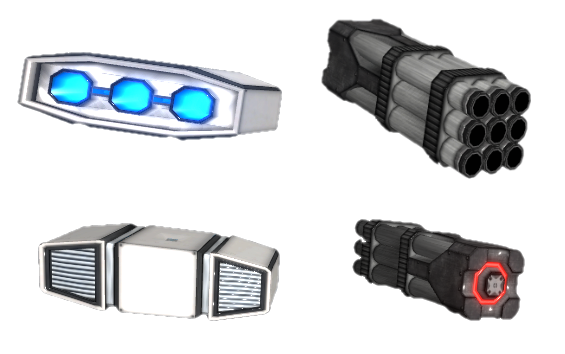
NTB Hornet Guided Missile Launcher (the gray one)
Fires 9 short range cruise missiles that do splash damage. They aren't particularly fast, not as effective against shields but they have strength in numbers.
They take 20 seconds to reload.
Neutron Torpedo Launcher X3 Mk 3 (the white one)
Fires 3 neutron torpedoes that do higher damage and go faster than the missiles but still rely on splash damage.
These reload faster with a 10 second downtime after emptying all three tubes.
They also come with a new ability that fires all launchers on the ship that aren't blocked and have finished reloading.
If you lock on to a target (which is automatic for hostiles now) the torpedoes and rockets will seek and destroy them.
You can also fire them unguided if no target is set :)
The station menus got a design overhaul, adopting the new color scheme used for the inventory the the right side panel.
Abandon Ship
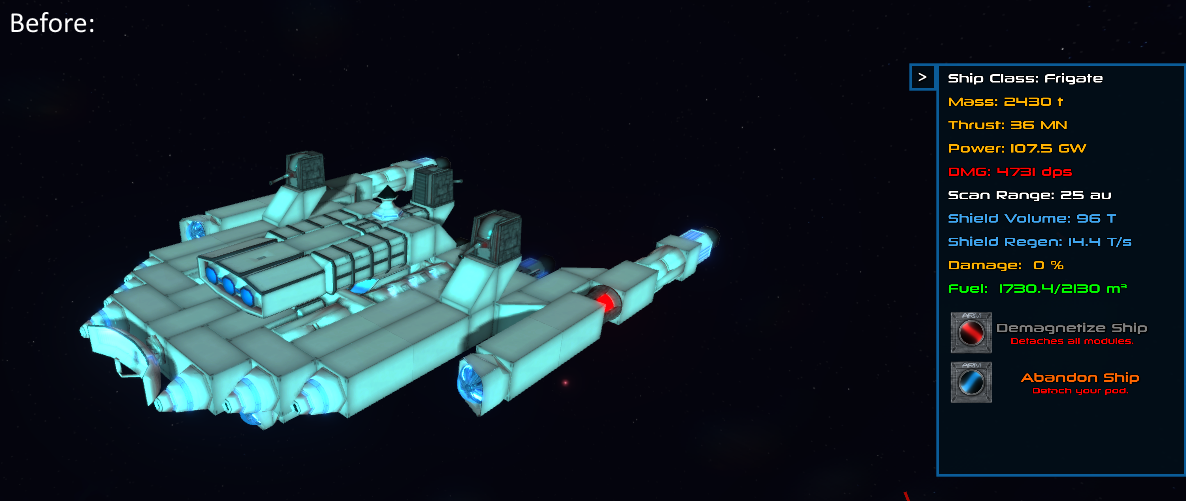
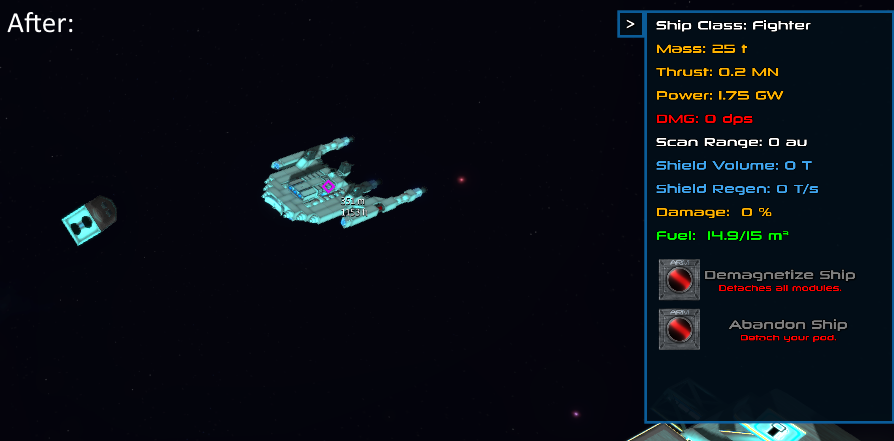
Just below the demagnetize button you now have a similar one that only detaches the last placed pod and puts you in control of it, leaving the ship intact as a derelict.
So, essentially a shortcut to removing all command pods manually. Note that the pod still stays in the same place it was attached - so you may need to move yourself out.
Major Changes
Since there's a ton of changes this time around let's go over the most noticeable ones:
Modules are now sold at the same price as you buy them instead of merely 33% of the original. The problems with the old system were mostly that players had to sell too much of their ship when they ran out of cash and had a run of bad luck, plus you can trade in your ship at the build station for the full price which was inconsistent.
Your ship now points at the mouse target by taking into account the distance to it. What this means is that the front of the ship is now correctly pointed at the object under the mouse and miniguns can hit the square reticle every time, instead of just at long ranges. The square reticle does jump around a fair bit because of this however, so we'll likely rework the system at some later date to fix that in some way.
The way the chase camera follows the ship has been changed slightly, so you can always reliably zoom in to just above the top most module (which used to be off by a lot for some ships). The zoom itself now works differently, moving more to the back of the ship instead of up which should be better for smaller and large ships. Overall the change isn't that significant for medium sized craft.
Changelog:
Additions:
NTB Hornet Guided Missile Launcher
Neutron Torpedo Launcher X3 Mk 3
the right side panel now features a new "Abandon Ship" button that detaches the last attached pod and leaves the ship intact as a derelict
a new "Launch torpedoes and missiles" ability that fires any attached (and not blocked by other modules) guided projectile launchers
more npc ships
another row of buttons for the fire group selection window that let you set all modules to a fire group instantly
Changes:
ships now track the mouse a bit differently, taking into account the parallax between the camera and the ship for close objects; you may notice the switching when the aiming box jumps around which is a bit annoying but you can now at least hit what you're aiming at with miniguns as well
the camera in chase mode now behaves a bit differently when zooming, following a more linear direction pointed at the rear instead of a polynomial pointed up which didn't make sense at all
changed some of the explosion and weapon sound effects
lockon is now automatic when you get close to a hostile ship (but you can still set it manually with MMB as before)
the station menus have been converted to use the black background + blue border design
scroll bars now look a bit better
disabled saving in creative mode (so you don't override your campaign save while we still have only one savefile)
nerfed the health of Twin Turbo Plasma Turret by about 40%
linear engine thrust buffed by 25%
crash damage reduced by 50%
modules are now sold at full price instead of 33%
both laser turret projectile speed and lifetime increased
attachment system mildly improved
buffed health of all command pods except the B.O.X. Conning Tower
Fixes:
removed module count from creative inventory (since it's infinite)
music volume can now be heard and set in the settings menu
took weed away from chase camera since it was always a bit too high (it tracks the top of the ship properly now)
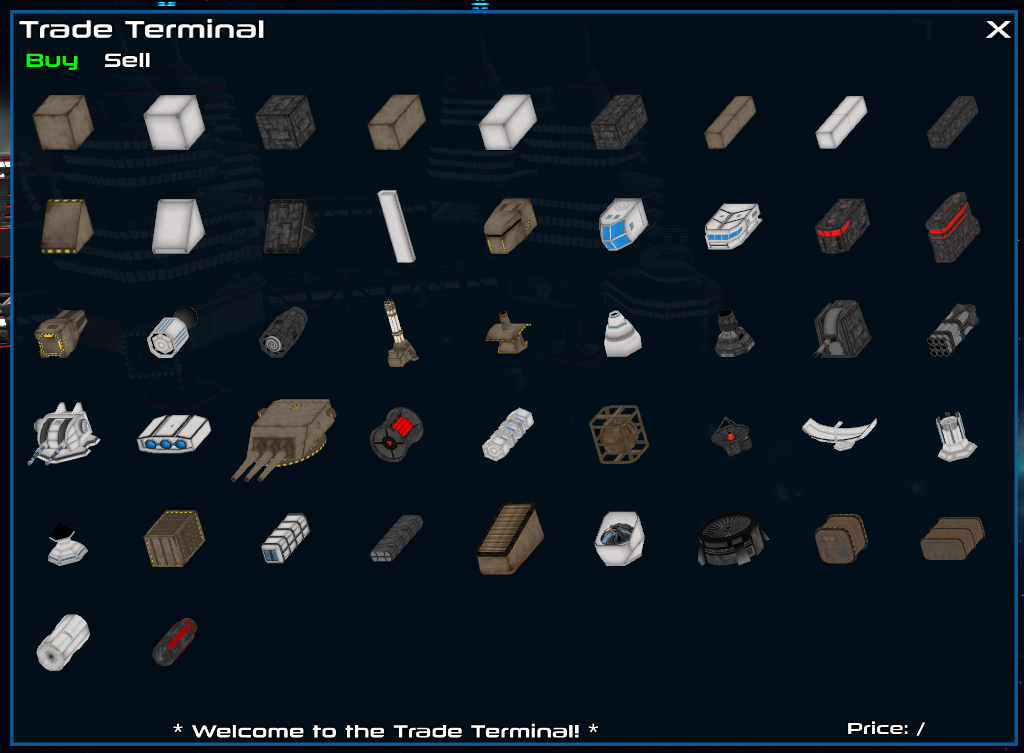
modules now scale properly in the inventory and the trade terminal
ships fit the workshop upload image slightly better
the load game button clears the current state instead of just loading on top of it
options menu category name text scaling corrected
ship spawning tweaked so it looks at ship mass instead of module count when spawning hostiles
naval guns' ship occupation space has been lowered by one unit
physical volume of all turrets now registers correctly for cargo space
Known issues as of 1.08:
Larger ships are rather intensive on performance right now
Task and chat windows can appear off-screen on large resolutions (2560x1440 and above)
Roadmap
The features we plan on working on soon are these (in no particular order):
usage volume based energy system (kind of like the one in FTL)
new quest and chat system
buildable space stations
a special system in the center of the galaxy with a massive space station
around the supermassive black hole
After that is more or less complete we'll add a bunch of quests to keep you all busy while we tackle multiplayer.











 They also come with a new ability that fires all launchers on the ship that aren't blocked and have finished reloading.