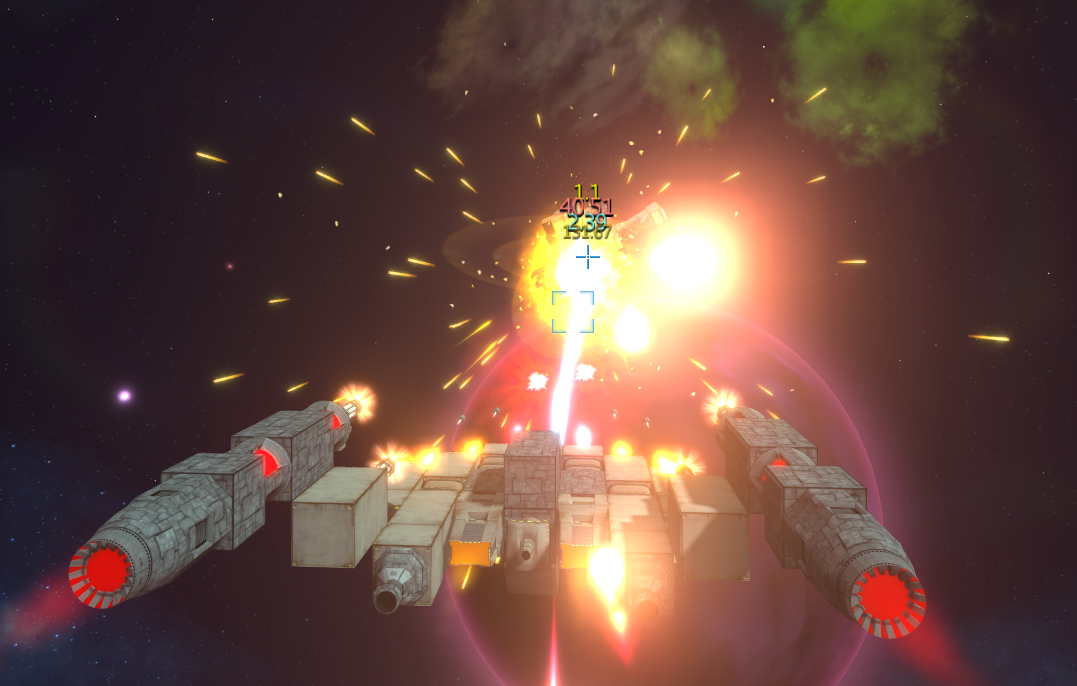
Another update is here and this time it's mostly focused on the new HUD elements. While not completely done yet, it's the first part of the HUD and GUI overhaul we're currently working on. There are other things too of course, see for yourself:
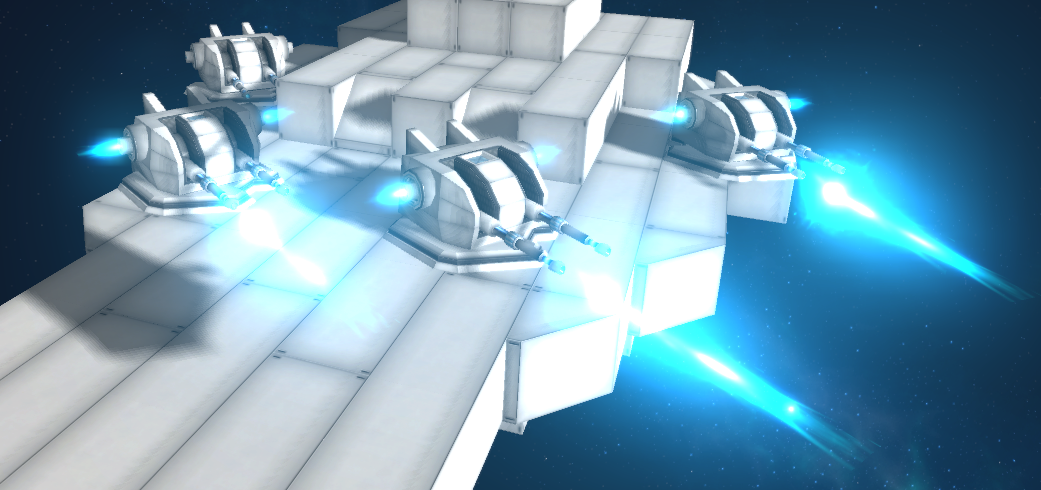
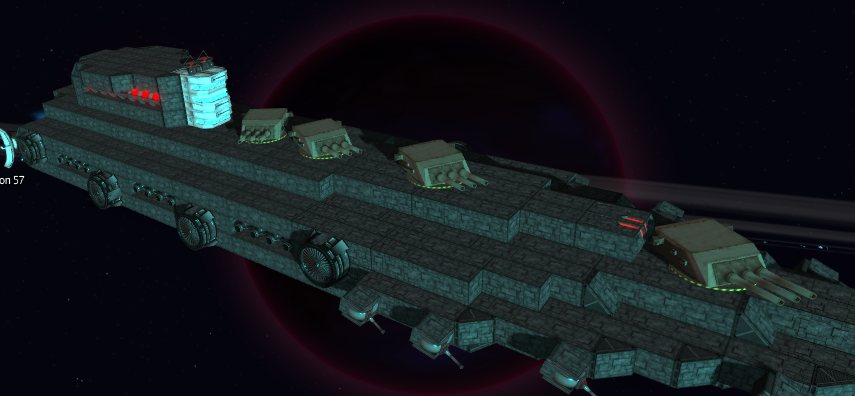
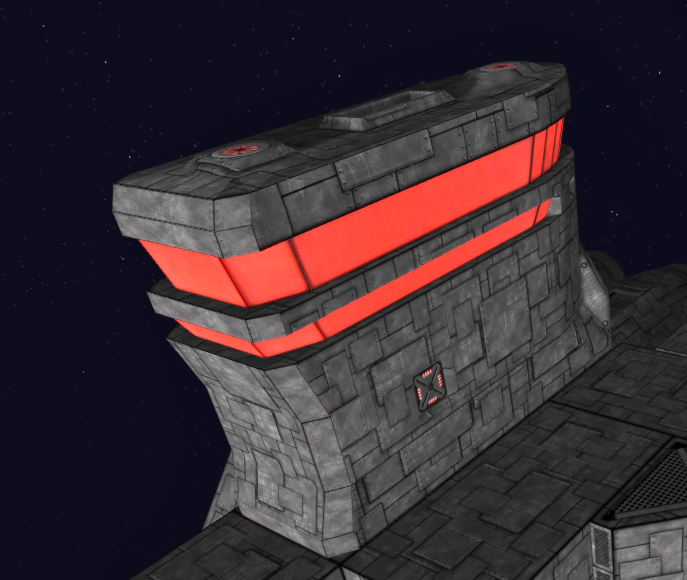
16"/50 Mark 7 Nuclear Gun Battery
The old naval guns from Iowa and Montana class battleships have been salvaged and heavily modified for use in space, complete with material synthesis reloading that allows it to create nuclear ammo from energy generated on the ship.
Ever felt like your large ships lacked firepower? If you're willing to put up with slow rotation, reload and the restricted angle of fire it just may be the gun for you.
Triple 16'' guns fire high explosive nuclear warheads that have a large area effect on the target.
Unlike the other turrets which can rotate a full 360 degrees, this one is limited to 240 degrees (120 on each side) - which allows it to be mounted a lot closer to any other modules on the rear side.
Be sure to attach a ton of reactors to go along with it however.
The New HUD (Part 1)
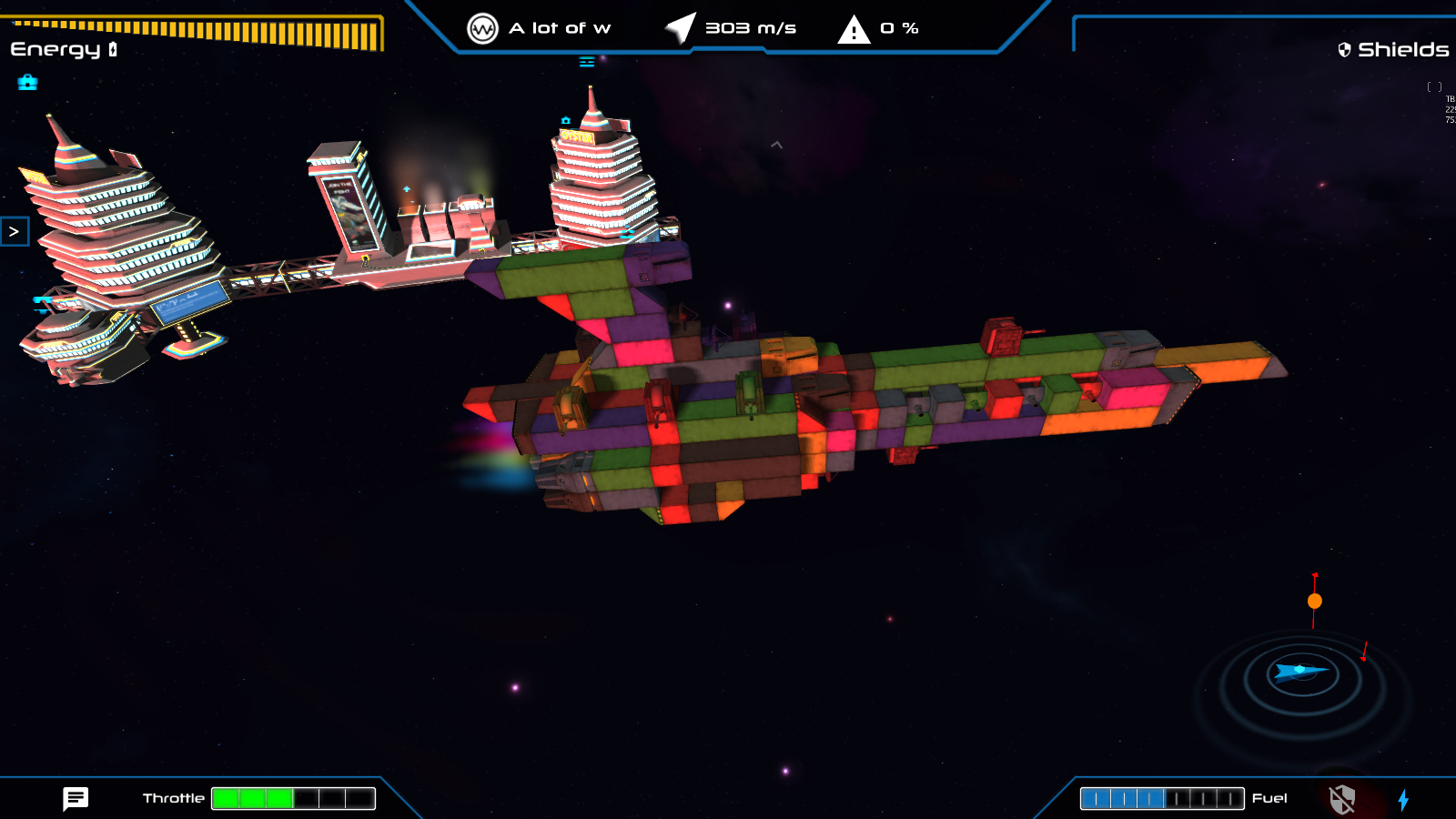
The main feature of this update are the new parts of the HUD however. The conversion from the old system is about 50% done with the quest/conversation and energy system coming up next.
The Lockon
And now the much requested lockon ability. If you press the middle mouse button (or the alternate key defined in the controls menu) while your mouse is close to an object it'll start the lockon process. When that's done you can use that target with various abilities.
The tractor beams have also been converted to use the lockon target instead of the T key target (which has been removed).
Abilities and the Hotbar
With the old pull down menu gone, its place is now taken by the brand new ability hotbar.
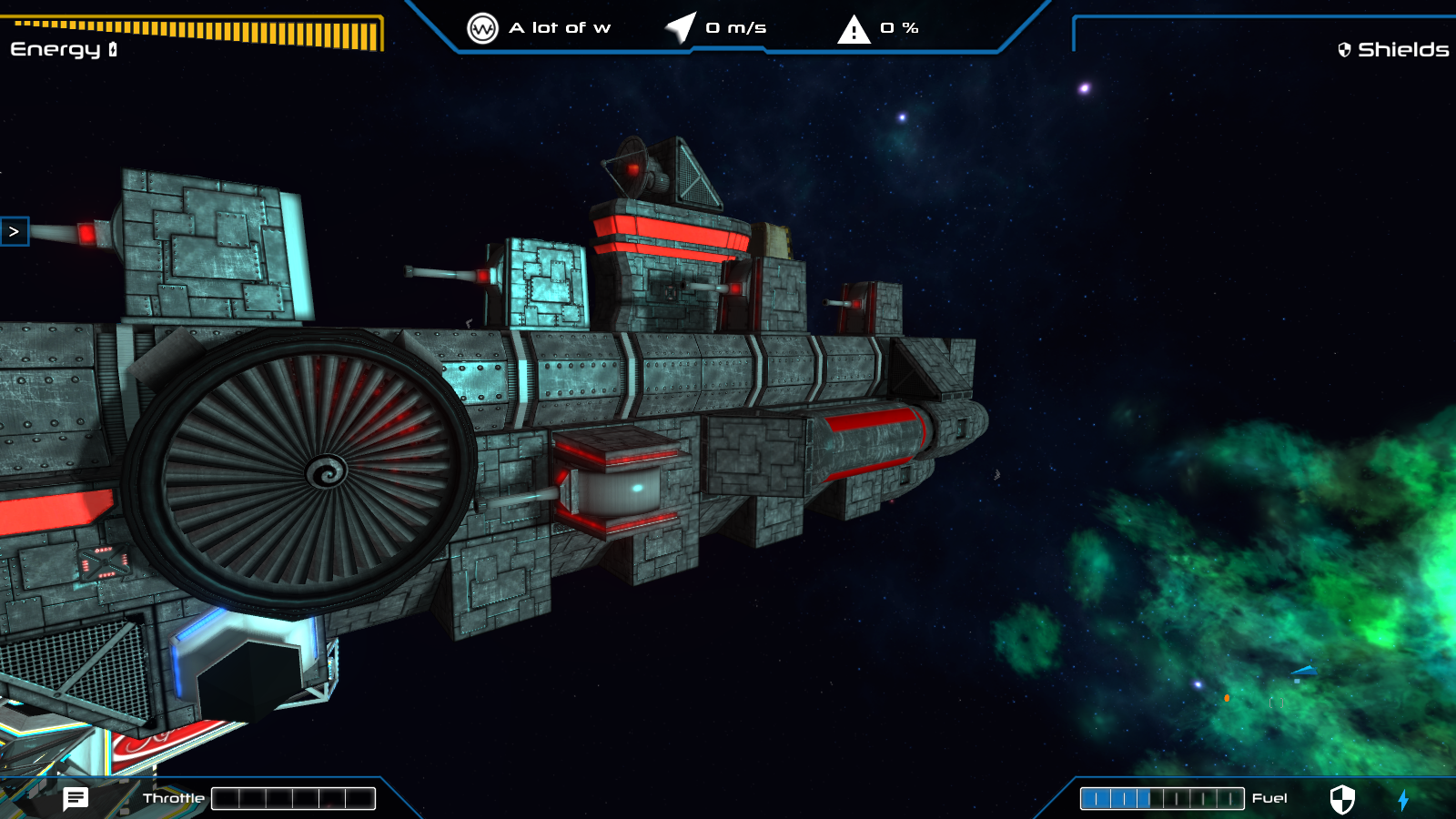
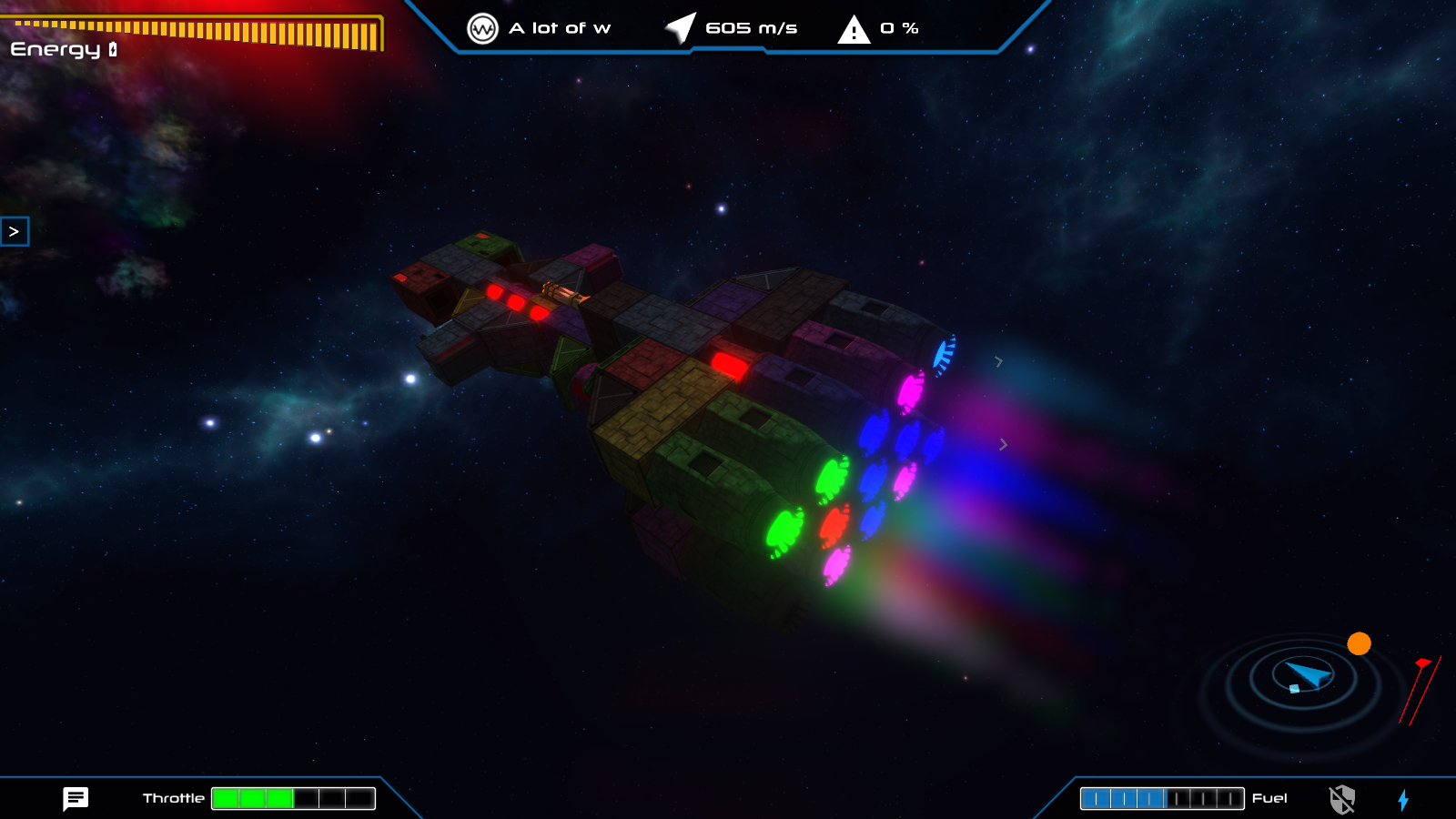
While the speed indicator is still here, the fuel bar has been moved to the top and the bank account is now on the bottom right.
The hotbar's abilities can be moved around using the Configurator (explained below)
You can also reassign the buttons to any ludicrous key you want and it will display its name on the hotbar.
The first parts of the command limit are here as well. Now each command pod has an amount of modules it can support while still being capable of warping:
At the moment the game economy hasn't yet been updated to an "expensive command pod" model so you can take all your old ships and refit them with more command pods if they require them.
The Configurator
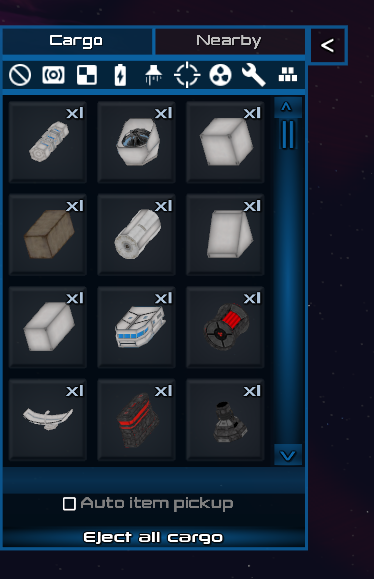
To fully customize your loadout and keep your hotbar free from clutter there is an inventory made specifically for these programs.
Here you can also read a short description about each ability and learn about it's uses, requirements and reload times.
Weapon Firing Groups
Another very highly requested feature, this selection menu (that you can fire up from the ability configurator's [Weapon Firing Groups] button) allows you to select a group for each weapon.
These three groups then define how the weapon behaves and when it's activated and are shown on the hotbar by default.
And these are the current firegroups as represented on the hotbar:
Primary Group #1 - Your usual old manual mouse controlled weapons.
Primary Group #2 - Same as group #1 and useful if you want to have some guns separately activatable from others.
Secondary Battery- The autofire group that can be assigned to all turret-based weaponry. These guns will shoot at the locked on target if the group is active.
The New Info Panel
Instead of the center top pulldown menu which has been removed, there is now a side info panel on the very right of the screen.
It can be opened only by clicking the [<] button at the moment, and it features various ship stats and also a new control feature: the demagenetize button.
At first the button is disabled so you need to press the "ARM" button to turn it on, then it's active and will detach every single one of the modules currently on your ship.
It should allow you to quickly restart building your ship from scratch without starting a new game or taking off the modules one by one.
Changelog:
Additions:
abilities and a hotbar/configurator system to manage and use them
lockon
command pods now have a maximum amount of modules that they can support while still being capable of doing warp calculations
the 16''/50 Mark 7 Nuclear Gun Battery
two new acheivements
sound effects to most menu buttons
the Demagnetize Ship button which detaches all modules from your command pod
Changes:
the plasma turret now fires more slowly to balance it for autofire
removed old bindings for shields, tractor beams and reactors as they are now abilities and toggleable through the hotbar
replaced most of the old hud
Fixes:
fixed mouse wheel not registering on some scrollbars
Known issues as of 1.07:
The music slider does not update the volume until the options menu is closed.
Larger ships are rather intensive on performance right now
Task and chat windows can appear off-screen on large resolutions (2560x1440 and above)
Now I know there must be some of you slightly disappointed at the lack of rocket and torpedo launchers but well, the time constraints didn't cut it so you'll likely see it in the next update.
Thanks for reading!
Patch notes - 1.06a
Fixes:
finally fixed the somewhat widespread galaxy map bug where you couldn't select anything in bizarre circumstances
Yes, just that actually. Not really worthy of an entire patch per-se but it's a bug we've been chasing for a while and a fix that many of you would like to see live as soon as possible.
Patch notes - 1.06
Hello!
Another update is upon us, with some new stuff to do and some quite important building system upgrades/fixes.
Scuttle Twin-Turbo Plasma Turret
Continuing our somewhat constant tradition of adding a module per update, I present you the new large turret. This time it's the U.R.A. faction's turn to get a new gun and it's my new favorite one for sure.
Its fast rate of fire makes up for the mediocre damage, and along with fast turret rotation speed it's an excellent choice for larger ships that can keep up with its demand for electric power.
Building System Upgrades
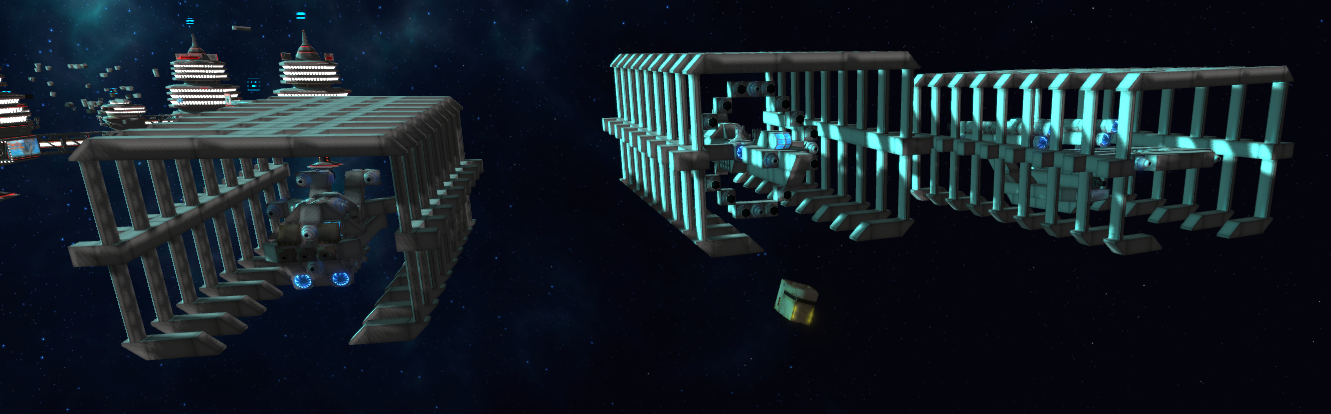
There have been a few quite significant upgrades to the system in this update, with the most prominent being able to attach stuff to derelict and abandoned ships while keeping yours intact.
Another small change that should not be understated is that module attachment points are now detected a lot better - so you should no longer see modules attaching on the other side of the ship sometimes (which, let's be frank, was annoying af).
Imgur Demo Gif (Sorry, steam won't let me upload this one directly, despite its bad quality)
While not exactly intended, this allows you to construct makeshift orbital structures like space docks and storage facilities. I wouldn't recommend doing it a whole lot at this point however as it does bring a bit more stress to the physics engine as is ideal (and optimized at this point).
You should also note that these ships currently get stolen when you exit a system (deleted in game mechanic terms), along with the rest of the ships. You can expect an exception for this in the future, once we get more official support for this mechanic done.
More Icons, Random Events and Derelicts
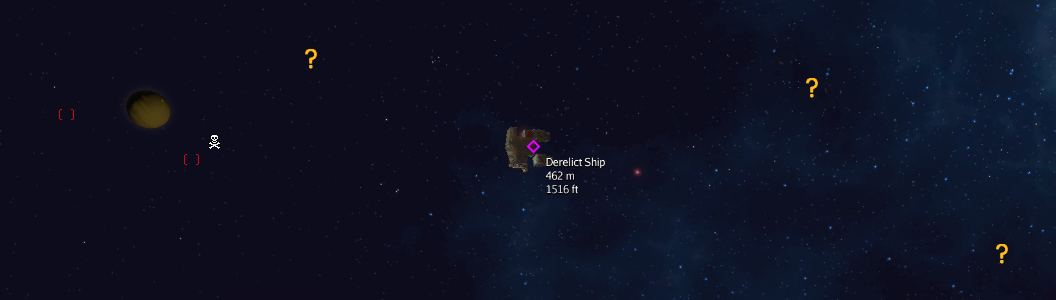
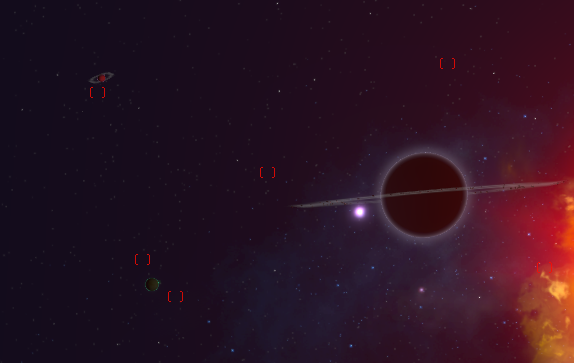
To make exploration a tad bit more interesting there are now some random events in the systems you enter, marked with orange question marks.
These can then trigger a random event when you get up close. Currently limited to only spawning derelict ships and large asteroids, but we'll add a lot more of these later on.
A small, but frequently requested thing is the death spot markers which show the place where you last got rekt and exploded so you can fly back there and pick up the remaining pieces.
The derelict ships are utilizing the new building system's ability to attach stuff to abandoned ships and can either be salvaged by deconstruction or you can just attach a pod onto them and fly them away.
If there are any engines and reactors left of course.
NPC Ship AI Changes
Ships are now less dumb-as-rocks and have some new additions to their neural collection.
They will now make full use of their guns, switching sides to fire broadsides and even rear guns when they feel like it or have the most guns on that side.
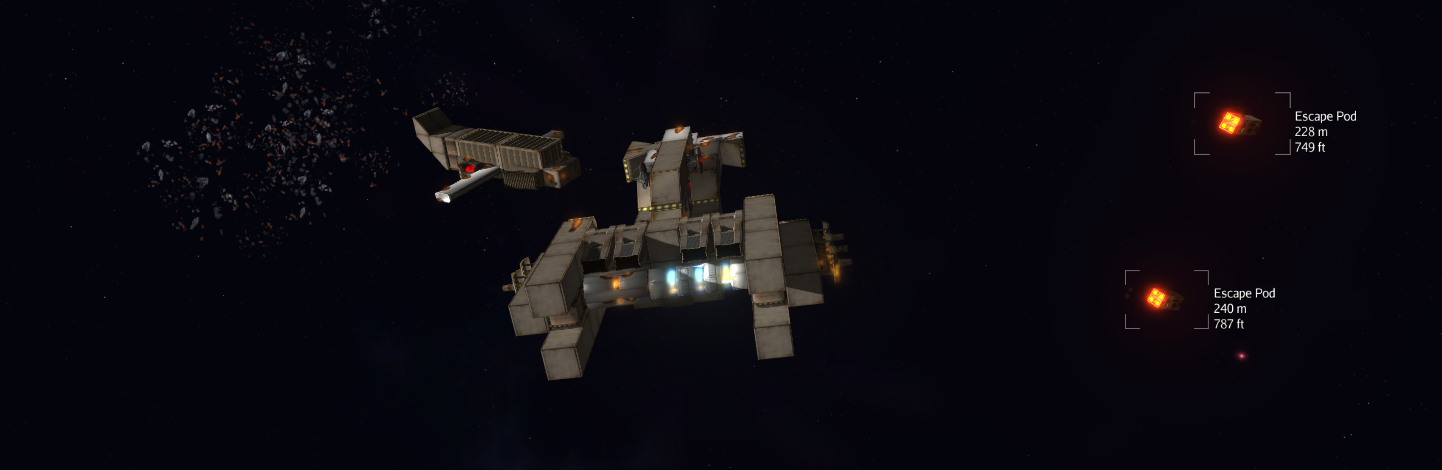
Once you completely disable a ship by knocking out all of their guns and engines it's time to abandon ship:
Be careful when you try to remove all of their guns however, as the only offensive tactic left at that point is ramming. Get ready to doge.
Changelog:
Additions:
a new weapon, the Scuttle Twin-Turbo Plasma Turret
a new ship type - abandoned ships - which are just like regular ones but have no AI and you can attach stuff to/from them as well as your own pod - so you can switch ships with ease
ships no longer dump all modules when you detach the last command pod, but are converted into an abandoned ship instead
added random event spots around systems marked with orange question marks that currently spawn derelict ships and large asteroids
added a marker at the place of your death that stays until you visit it again or leave the system
Changes:
tanker in starlane quest now wanders around
flak cannon mesh slightly corrected
hud arrows now follow an ellipse instead of a circle
NPC Ship AI Changes:
ships now launch escape pods when completely disabled, leaving behind a buildable ship
they will now make full use of their side and rear guns as well
the ai will attempt to ram you if it has no remaining guns to use
Fixes:
the building system now recognises the attachment nodes that you actually want, instead of targeting some on the other side through the ship which used to be quite frustrating
turret based weapons now render correctly in the Steam Workshop upload image
turrets no longer twitch when pointing at things
(kind of) fixed minigun and turret hit detection issues
ship position is now restored correctly on load
Known issues as of 1.06:
Some players are unable to select systems in the galaxy map after saving and loading the game (You can now use the A and D keys as a temporary workaround to switch systems in case it happens).
The music slider does not update the volume until the options menu is closed.
Larger ships are rather intensive on performance right now
Task and chat windows can appear off-screen on large resolutions (2560x1440 and above)
Random event and death spot icons don't clear up correctly in some cases
As for the next update, you can expect to see target lockon, hud improvements and even more guns.
Thanks for reading and have a good one!
Patch notes - 1.05b
Hello there again!
(sorry for the patch note spam, last one this week I promise)
As the April fools weekend ends for everyone, we're rolling out a new patch that removes the random module colors and adds specular maps for all modules:
The main effect of it is that industrial modules now actually look metallic. That's where its usefulness pretty much ends at the moment however, since junk modules need to be almost fully matte because of rust, and space agency ones are already white, thus making it much less noticeable (that also applies to space stations).
There's also a new checkbox in options to toggle it so it doesn't drag down your gpu if you happen to use a PCI-enabled toaster.
April Fools Postmortem
For everyone that missed it, our entry to the world's annual fun feature exhibition were random module colors.
It was a trial run for the much requested ship coloring which may be fully added sometime soon in a more organized manner.
Changelog:
Additions:
added two new options menu entries for particle effects and specular/environment maps
added specular maps to all modules and space stations
readded environment maps to icesteroids
Changes:
removed april fools colors
Patch notes - 1.05a-pril
As is tradition, here's today's one day patch. :P
Changelog:
Additions:
stuff and things (you'll know it when you see it)
Fixes:
changed the ship scaling code to better fit the workshop image render
Note that if you don't like what you see you can disable it in the options menu.
Patch notes - 1.05
Hello there!
Armed with a ton of feedback and bug reports since launch we've spent the past two weeks brewing up a large new update that fixes a bunch of issues and adds many requested changes.
Here are the main changes and additions:
Categorized Side Inventory
The old inventory system has been replaced with a new collapsible side inventory that can filter your cargo based on it's type.
That's not all however as it can also list the nearby modules floating around you and serve them to you on a plate, ready for attachment.
Once you select them there is another new feature - the Continuous Building System which lets you attach modules as fast as possible as long as you keep them selected.
New Spawning System
Since the old system of hostile NPC ships spawning right on top of you wasn't exactly great if you wanted to rebuild your ship on the spot we've optimized the ships to unload when far away - which enables them to prespawn in the system on load without any performance issues.
That way you can start assaults when you're ready and won't get any unwanted surprises in the shape of high velocity bullets.
It's not all however, you can now clear systems of hostile craft and they will be replaced by neutral ships that wander around (and will defend themselves if attacked). In future updates we plan on expanding the interaction with them further with communications, mercenary work and the like.
"Cereal" B.O.X. Conning Tower Pod
The second Mk2 pod to enter the game is the brand new industrial conning tower.
It's more suited as a command center for medium and larger ships as it does not pack any engines or fuel tanks, but makes up for that by being a whole lot sturdier, having a better power generator and a faster fuel collector.
Graphical Improvements
We've redone most of the weapon particle effects. You should see new explosions, more realistic bullet hits for miniguns, new flak blasts and new plasma detonations. As long as you keep the bloom filter turned on there are some additional explosion debris effects as well.
On top of that there's a newly rendered skybox that features animated stars if you have the bloom filter enabled while showing a massive drop in color banding overall.
Changelog:
Additions:
new inventory system
continuous building mode
small debris effects for explosions (if you have the bloom filter enabled)
the conning tower command pod
more ship names and prefixes
new NPC ships
an option to revert to the old broadside mode controls
an easter egg
Changes:
reworked most weapon particle effects
shields now block 50% of plasma and flak damage when running
replaced the skybox with an animated one (if you have the bloom filter enabled)
switched to a static spawning system with "clearable" systems that spawn neutral ships afterwards
ore prices increased to hopefully make mining more viable
there are now alerts (with cancel instructions) on screen when the ship is aligning for long distance warp
improved performance for some of the projectiles (flak and plasma shots)
space stations are now distinguishable from planets on the minimap (marked with a cube)
flak now does less concentrated and more splash damage
minigun damage numbers are now yellow
reorganized the workshop upload screen
starting in creative will give you any of the 3 faction flagships (Rasputin, Prometheus or Corvette)
reduced the chance for the station "Hello There!" prompt to appear from 100% to 33%
added a background to the Steam Workshop ship images
Fixes:
fixed NPC ship movement slightly
fixed a crash that would happen if steam functionality did not load (before the game itself finished loading)
after warping, the camera mode returns to the mode it was previously in (instead of forcing build mode)
fixed a big inconsistency issue with distance checking in the game
you now receive more starting money to compensate for the Prometheus selling workaround
fixed the damage pickup sphere particle efffect’s position
fixed planets not casting shadows correctly
saving in a black hole system no longer spawns you inside the void on reload
The "known issues" paragraph has remained unchanged since 1.04d in case you've already read it.
Known issues as of 1.05:
Some players are unable to select systems in the galaxy map after saving and loading the game (You can now use the A and D keys as a temporary workaround to switch systems in case it happens).
The music slider does not update the volume until the options menu is closed.
Larger ships are rather intensive on performance right now
Task and chat windows can appear off-screen on large resolutions (2560x1440 and above)
Thanks for reading, fly safe!
Patch notes - 1.04e
Hello everyone!
Pi day brings about a new patch for the game. While we're working on some bigger stuff, we wanted to continue regularly delivering smaller improvements on the side.
I realise we're getting quite far into the alphabet in terms of the version, we're still figuring out the right balance to keep it meaningful, but for the time being we wanted to limit the numbers to additions of noteworthy size.
Before I go further, I am excited to announce that we are soon getting some new music tracks from our composer, Nolan Markey!
1.04e Changes
Added
When dealing damage to non-player ships, the amount of damage dealt is now displayed to help visualize scored hits and the magnitude of their impact. Similarly, getting repairs from the space station now displays green numbers to help communicate its benevolent nature
A permanent compass arrow has been placed into the minimap corner of the screen (bottom right) to help visualize the ship's orientation
1 new billboard on space stations
Changed
An ingame font has recieved shadowing effects to make it easier to read on certain backgrounds
While in chase camera mode, the movement controls have been changed to work relative to locked view angle, rather than ship orientation (ie. Looking towards the left and pressing the strafe right key will throttle the thrusters, while pressing forward makes the ship strafe left) An option to revert to the old behaviour should be added very soon.
The launcher will now filter out resolutions that are not supported in fullscreen mode. In a future update, these resolutions will be listed seperately for windowed mode only.
Fixed
Fixed a bug that happened when starting a new game during warping
Disabled the "pirates attacking space station" mission during the tutorial so it doesn't interfere
The "known issues" and "coming soon" paragraphs have remained unchanged since 1.04d in case you've already read them.
Known issues as of 1.04d / 1.04e
Some players are unable to select systems in the galaxy map after saving and loading the game.
The music slider does not update the volume until the options menu is closed.
Larger ships are rather intensive on performance right now
Task and chat windows can appear off-screen on large resolutions (2560x1440 and above)
Coming soon(™):
We want to streamline the broadside view experience: Locking on targets, toggleable on-screen hints for switching back to a forward-facing angle.. these are some of the ideas we're looking into regarding that.
HUD overhaul We wish to make the heads-up-display more informative and easy to read. Some of our ideas include adding a hotbar for picking up nearby floating modules, adding numbers for energy/shields, making the ship statistics more meaningful and easy to understand, and so on
Overhauling the tutorial Users have expressed their distaste for being blown up (gasp!) Thus we'll revisit the tutorial to not give the impression that you've lost the game just because your ship got destroyed (and other improvements are to follow)
Tweaking difficulty and rate of spawning enemies The game has a steep learning curve and is generally difficult to survive in, for now. The current way of handling enemies is only temporary, we are working on a new system which will be much more fair and enjoyable for players.
Enhancing the mission system There are relatively few tasks to complete right now, they repeat too frequently and are generally somewhat glitchy and unfriendly towards the player's ship size and play style - we're aiming to improve upon it
And of course, all previously mentioned features are still on our list of things to do (ie space station building), but we're taking things one step at a time.
Happy Pi Day, Bring Out Your Pi Ships!
Hi everyone! Irrational as Pi may be, today we want to help you fly in style in your very own Pi ship to celebrate!
Whatever you decide to with this ship, whether you retrofit it or spectacularly destroy it, make sure you post screenshots of your work! We will post any Pi related screenshots to our main Twitter account.
We look forward to seeing what you come up with!
Good luck, have fun, and happy Pi day
-The Dev Team
Patch notes 1.02 - 1.04d
Greetings, fellow space captains!
We realise some of you have been eager to find out more about the recent updates to the game. It's time to catch up.
We've mostly been focusing on critical errors and smaller tweaks to address some of the most common issues. Once we're comfortable with the stability and intuitiveness of the game, we'll turn our attention towards adding more content.
1.02 - 1.04d Changes
Added
New feature for selling parts of your ship directly ("Sell-ector" available at the bottom of the trade terminal's sell tab)
The game makes note of which camera mode you're in (and flashes red if you're in combat while in build mode)
Added convenient "browse workshop" button to construction office, the list will now also update within a few seconds, not requiring a restart
Space stations will now display their name and distance when they are relatively far away (but not too far)
New achievement for uploading a useless ship to the workshop
Selecting target systems in the galaxy map view can now be done via keyboard aswell (default binds: A,D)
Tutorial now briefly mentions the construction office for saving blueprints
Tutorial now gives more instructions to switch camera to forward-view
Prices of all modules reduced by 25% except small and long reactors, which have been made cheaper by 50%.
Increased money for starting a new game with just a command pod (tutorial set to skip) to make up for not having the Prometheus ship
The rebuilding part of the tutorial has gone through a minor intuitive overhaul
Changing to chase camera mode will now automatically snap to forward-view
Increased cargo pickup range (roughly doubled it)
During the tutorial after being ambushed, the player's modules do not fly out so far (allowing easier reattachment)
Construction office now closes when loading a blueprint
There is now a minimum ship size for uploading to the workshop
Fixes
Fixed an issue with capturing the game with recording software such as OBS, when the edges of the screen would not be captured
Workshop downloads should now be operational once more
Fixed an issue where saving inside or near a black hole would crash the game on load (even on starting a new game)
Fixed a crash to desktop from the construction office due to invalid blueprint file paths
Fixed a common issue where the gas station would not allow purchasing fuel
Removed a money exploit related to loading ship blueprints
Fixed a math error in tutorial, causing it to jump ahead prematurely when looking for the space station
Corrected the fuel reward from the mission where pirates attack a space station (it was instead draining all fuel)
Fixed a tutorial issue where long distance warping too quickly would require another jump to continue
Performance
Removed a small memory leak from starting a new game over and over
Known issues as of 1.04d
Some players are unable to select systems in the galaxy map after saving and loading the game.
The music slider does not update the volume until the options menu is closed.
Larger ships are rather intensive on performance right now
Task and chat windows can appear off-screen on large resolutions (2560x1440 and above)
Coming soon(™):
We want to streamline the broadside view experience: Locking on targets, having an arrow to point the direction and rotation of the ship, toggleable on-screen hints to switching back to a forward-facing angle.. these are some of the ideas we're looking into regarding that.
HUD overhaul We wish to make the heads-up-display more informative and easy to read. Some of our ideas include adding a hotbar for picking up nearby floating modules, adding numbers for energy/shields, making the ship statistics more meaningful and easy to understand, and so on
Overhauling the tutorial Users have expressed their distaste for being blown up (gasp!) Thus we'll revisit the tutorial to not give the impression that you've lost the game just because your ship got destroyed (and other improvements are to follow)
Tweaking difficulty and rate of spawning enemies The game has a steep learning curve and is generally difficult to survive in, for now. The current way of handling enemies is only temporary, we are working on a new system which will be much more fair and enjoyable for players.
Enhancing the mission system There are relatively few tasks to complete right now, they repeat too frequently and are generally somewhat glitchy and unfriendly towards the player's ship size and play style - we're aiming to improve upon it
And of course, all previously mentioned features are still on our list of things to do (ie space station building), but we're taking things one step at a time.
Warp speed, ENGAGE! [Early Access v1.01]
Hey everyone!
We've spent every hour we had before launch getting the game to run as good as possible (which is why this log is slightly late).
After a long while we've finally got everything in order and launched into Early Access (and Humble Bundle)! After major optimizations the game runs better than ever before and has a ton of new stuff to boot!
For those of you that have been with us since the closed beta test I've compiled a list of changes since the last fully published build:
Cargo
One of the more notable changes is that you can now store stuff in cargo modules! There are also two new ones too choose from:
While they may look like large boxes they contain a large amount of computer servers and matter transporters that convert compatible matter pieces into energy and data and reconstruct them later when they're needed.
Totally.
Once you grab any cargo pieces you can inspect them in the inventory view (TAB by default) and eject them when you want to use them. You can also sell items directly from the inventory at the space station trade terminal.
U.R.A. Mk 2 Command Pod
Larger and more independent than any other command pod, with a larger fuel tank, more power and more health.
It also looks pretty cool.
Optimizations
We've done some tremendous ship rendering upgrades and optimizations, allowing you to now build bigger than ever without annoying your graphics card.
Map
Since the system for generating the universe changed substantially to allow for hundreds of systems instead of a pregenerated small amount we also needed a new way to present it.
Main Menu
We'd be mad to launch without a main menu so here it is, offering a selection of two game modes, options and controls (which you can also alter later in the pause menu of course):
Steam
In preparation of our Steam launch we got some usual Steam perks done as well, including Workshop support, Achievements and cloud saves.
Changelog:
Additions:
+ a main menu
+ saving and loading your game
+ creative mode (the old mode is now labeled as campaign)
+ a few new quests
+ some new billboards
+ a new command pod
+ a brand new universe map
Cargo:
+ two new cargo modules (one for U.R.A. and one for the Ind. Conglomerate)
+ cargo modules can now pick up other modules and ores
+ selling cargo at space stations if you have any cargo modules
+ a ship inventory, accessible with TAB by default
Changes:
- huge performance optimizations regarding rendering ships and building
- overhauled the universe generation system, allowing for large galaxies
- ore can now be picked up and sold at space stations
- quest billboards now show a "!" marker to make them more visible
- music now triggers slightly differently
- running out of fuel will trigger a tow option so you don't get stuck
Fixes:
- fixed a cropping problem when recording the game with Open Broadcaster Studio (OBS)
- added bugs
- removed bugs


 Primary Group #1 - Your usual old manual mouse controlled weapons.
 Primary Group #2 - Same as group #1 and useful if you want to have some guns separately activatable from others.
 Secondary Battery- The autofire group that can be assigned to all turret-based weaponry. These guns will shoot at the locked on target if the group is active.