Changed the visual of potion/candy page in Encyclopedia based on crafting updates.
Added potion/candy Achievements.
Added new potion/candy Achievements and rewards too.
Balance of potion delivery system
Added potion delivery tutorial quests.
Added tutorial quests to provide guidance for delivery quests.
Changed rules for accepting potion delivery quests.
You can now ignore the update date and accept quests anytime.
Changed delivery date reminder.
Changed the display to make delivery dates more visible.
Added candy recipes
Added 7 new candies.
Sleepy Candy
Sigh Candy
Keen Eye Candy
Workout Candy
Deep Breath Candy
Bugproof Candy
Good Luck Candy
Added preview UI
Added preview UI for the following content to boost convenience.
Villager quest preview
Preview of Diane's and Aurea's potion delivery quests
Preview of shop's furniture items
Changed basement
Changed the basement layout before expanding the Witch's House.
Changed Witch's House expansion procedure
When you expand the Witch's House, you can now expand and decorate the basement as well.
Slight changes to Witch's House expansion quests.
Removed work tool upgrade option.
Changed compulsory rest time
Changed compulsory rest from 0:00 to 2:00 AM.
New UI for processing tools
Added UI for processing tools.
You can now "View All" or "Sort by Theme."
Officially included Incubator
Incubator can now be used.
Added Incubator unlocking quest.
Decorative furniture shop feature
Updated decorative furniture shop menu.
Updated potion usage
Potion usage is now restricted to areas of specified themes.
Changed potion casting tutorial.
Added HUD dedicated to potion selection.
Removed potion shortcut.
Changed the way to use quest potions.
Optimized visual
Added water visual effect. (Green Forest Waterfall)
Other changes
When the inventory is full, quest items will be sent to mailbox.
Changed the "Drawing With A Quill" tutorial.
Removed Energy consumption when using tools in situations other than collecting.
Changed the Twinkle-Twinkle Juice recipe.
Changed the "Repairing the Streetlamp" quest.
Removed the "Expand storage" option from dialogue with Kyla.
Increased storage capacity.
Dev Log #11
No matter how you repair the Witch's House, it only changes the part above the ground and not the basement. Isn't it a bit disappointing? Now, you can decorate the basement too. You can relocate the processing tools that you originally couldn't move, and decorate the interior of the basement with tools purchased from the shop. Besides, you can also ask Diane to expand the basement in whichever direction you want. Design an efficient route across the basement or decorate it to your liking!
The previous patch added the Tool Selector to the game for easier tool switching. This time, a "Use Potions" UI is added for you to equip the potions to use. Now, you just need to open the "Use Potions" UI to check the available potions and select the one you want to use.
Does this sound familiar to you? You go to the shop to buy decoration items, but can't decide on any because you can't preview how they look. To address such inconvenience, we've added a "Preview" UI to the "Shop" UI. In the "Preview" UI, you can check "an item's appearance, placement and how many you currently own" before you buy it from the shop. A more convenient decoration system awaits you.
A small life form that appears in the new region. It has gorgeous wings and is pleasing to the eye when it flies. But don't be too bewitched by that sight to forget to collect it. Besides, Beemoths only fly at certain locations. Please think carefully before you collect them.
Cable cars are installed everywhere in the new region to assist Ellie's exploration. You can adjust the speed of the cable car to head to your destination faster or take time to enjoy the scenery of the forest. Are you already itching to go explore new locations by cable car? It will provide an experience different from that of the Green Forest and add more varieties to your apprenticeship.
Added a new processing tool — Mixer, so that you can process your collected items in a new way. The "Mixer" mixes and compresses collected items, turning them into cubes. It also has another feature: The longer Ellie holds down the button, the faster the Mixer does its work.
The current crafting is relatively straightforward. You just need to recite the ingredients in the Encyclopedia, and adjust the fire setting and the ladle direction. However, as the game has a witch as its protagonist, we want potion crafting to play a more important role in the game and be more fun. So we've overhauled the potion crafting mechanism to make it feel more convincing. Oh, and! Reciting potion recipes was a torture, wasn't it? After the update, the recipe will be displayed on the top of the screen when you're crafting, saving you the recitation. At first, the ingredients may occasionally fume or cake and not turn into the potion properly, but your success rate will spike just after a few tries! You will definitely like this more convincing potion crafting experience!
That concludes today's development log. The next development log will be posted as scheduled. Thanks for reading!
[Beta] Release 3.5.4.0-b Patch Notes
Hello, this is Sunny Side Up!
This update will be applied to the beta version. Please refer to the following URL for a tutorial on how to play the game in beta.
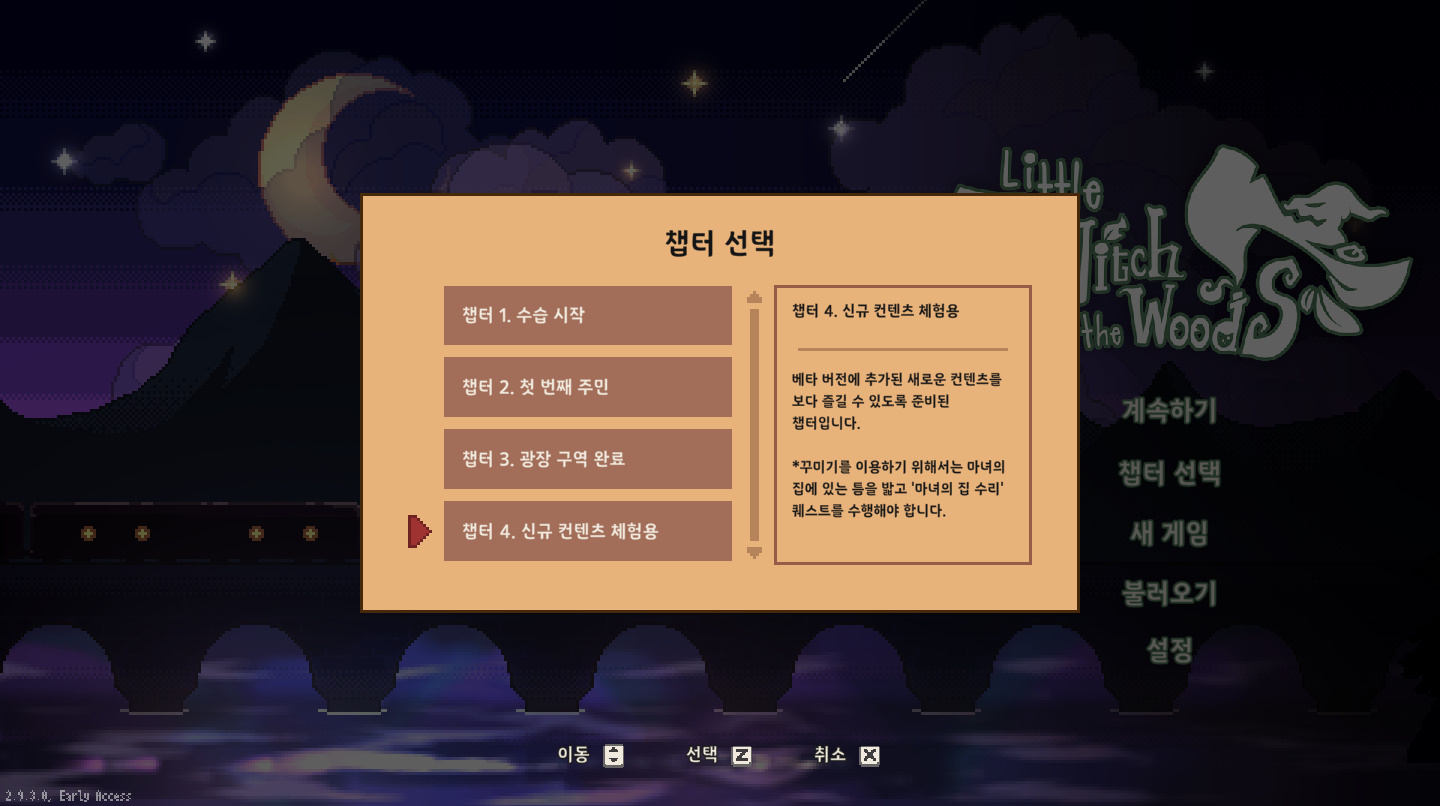
If you would like to experience the new content straightaway, please use the Chapter Selector.
Added Tool Selector
Added Tool Selector.
Deleted the current "Change Tools" button.
If you use a keyboard, you can map shortcuts to number keys.
When climbing walls or swimming, you still can't use any tools except gloves and quill, but you can switch tools.
Added Encyclopedia theme page and themed Achievements
Divided the Encyclopedia page by themes so that the player can check the entries by theme.
Tap the content you want to view in the list on the theme page to redirect to the corresponding page.
Added completion rewards to themed Achievements related to various live forms in the Green Forest.
Quill cooldown
Added a cooldown system to the quill.
Each time you draw a life form, there will be a cooldown before you can draw this live form again.
Adjusted the quill system for special individuals.
Added Villager Quest UI
Added a cooldown system to the quill.
Each time you draw a life form, there will be a cooldown before you can draw this live form again.
Adjusted the quill system for special individuals.
Optimized the Potion Delivery System
Adjusted the Potion Delivery System of Diane and Aurea.
Added progression features to potion delivery. After a theme is thoroughly researched, completing potion delivery quests of the theme unlocks more potions and raises the quantity limit of delivery.
Adjusted the quest potion system and changed the potions used in main quests to disposable recipes
Potions that can only be used during quests are moved to the "Quest Potions" category.
Added the "Quest Potions" category to Encyclopedia and removed "Quest Potion Recipes" from the current potion page.
Quest potion recipes are disposable. Once crafted, they disappear from the Encyclopedia.
Crafting a quest potion is now followed by a recipe deletion animation.
Since quest potion recipes are now disposable, related quests are slightly adjusted.
Changes to UI
Changed the delivery UI.
Changed the broom repairing UI.
Other changes
When climbing walls or swimming, you can now use the quill to draw.
When you collect branches from trees, you can now grab different sections.
The countdown of the roaster is now displayed as a progression bar instead of numbers.
Adjusted the tutorials to match the changes.
Optimized the controls when swimming.
Adjusted mechanisms related to Energy. You can no longer eat when Energy is full.
Collecting "Dangle Mango" no longer consumes Energy.
Fixed some bugs.
Dev Log #10
Hello, everyone, we are Sunny Side.
We've been focusing on long-term internal issues (e.g., optimization and storage), so we didn't share any new content recently. Now, we've solved the major issues and created an environment that can help us handle the remaining internal issues as we develop new content. Therefore, we finally have some new stuff to show our players, who have been waiting in expectation, and we're glad to present them. Let's now dive into our development log!
"Squashie" is an animal-type life form that will appear in a new region that Ellie can explore. As its name indicates, it's a small and cute creature with a soft and smooth body. Despite its laid-back look, it's quite fast. You may need some time to get used to its movements. It can bring more fun to your gathering trips than the Green Forest's current fauna. Stay tuned!
"Jinglebug" is a creature that will appear in the new region. It got its name because it makes a clinking sound. Ellie usually hears this sound coming from the grass. Looks like the Jinglebugs are hiding in the grass. Has anyone spotted a Jinglebug? To find the hiding Jinglebugs, you need to listen with full attention.
Besides animal-type life forms, there also needs to be plant-type ones. "Cloudbloom" is one of the plants you will find in the new region. This plant needs to be approached by swimming. Just look at its picture and you can probably tell how to gather it, right? Use the encyclopedia and quill (which we've also updated) to collect information of the life form and gather it!
Currently, to switch tools in the game, you need to wait for your preferred tool to appear and tap a button to switch, which is ineffective when you want to switch to a certain tool at once. And it will get even less convenient as more tools are included. To allow fast tool switching, we've added a "Tool Selector" feature. Just open the Tool Selector and you'll see all the tools. Choose the tool you want and switch to it. In addition, we've also added a helpful feature for keyboard-using players. Press the number saved in the tool bar in advance, and you can choose the tool you want without opening the Tool Selector. (If you play with a game stick, you can open the Tool Selector to change tools.) We hope you can utilize all the tools during your diverse gathering trips!
At present, the encyclopedia only contains information about life forms in the Green Forest, but more info will be added as new regions are included, making it harder to locate the info you want. To help you locate specified info faster, we've added "encyclopedia theme tabs." You can tap a tab to view life forms of the corresponding theme, gain fast access to the page, and check the encyclopedia completion progress of life forms. In addition, we've also integrated Achievements of all the life forms into "Themed Achievements". You can check the completion progress of Achievements of each theme here and claim extra rewards. Try the optimized encyclopedia feature and complete themed Achievements!
To get life form info in Little Witch in the Wood, the player needs to draw in the encyclopedia with the quill. However, the rules concerning how to use the quill when there are many life forms around are ambiguous, which has caused some problems. Besides, when the player draws consecutively, the results appear too quickly, leaving them no time to think about their methods of gathering. To address this issue, we've added a cooldown system to the quill. Each time you draw a life form, there will be a cooldown before the quill can be used again. You can check the cooldown progress by viewing the clock icon and time beside life forms. However, there are some strange life forms that ignore the cooldown system.
Do you still remember our last development log? Last time, we mentioned that the broken bridge had been repaired and the village could have new villagers. This time, we're going to reveal the new villager Ellie is going to meet. Just like the existing villagers, the new villager has their own personality and experience. You surely will help them settle down in the village, right?
That concludes today's development log. The next development log will be posted as scheduled. Thanks for reading!
EA Release Beta 3.0.4.0-b ~ 3.0.7.0-b Patch Notes
Beta 3.0.4.0-b
Fix for an issue where the game would freeze during specific situations while cleaning Ellie's house.
Beta 3.0.5.0-b
Fix for an issue where the game progression was blocked during the prologue when playing in Simplified Chinese.
Beta 3.0.6.0-b
Fix for an issue where progression was blocked upon completing the 'Restoration of the Temple' quest.
Beta 3.0.7.0-b
Fix for an issue where the game stopped when using the Aurea Shop in a specific save file
Fix for an issue where the BlueBubbleLizard stopped moving when it emerged from the water under certain circumstances.
Fix for an issue where the WitchFlowers in the Green Forest Depths could not be collected.
EA Release Beta 3.0.4.0-b ~ 3.0.6.0-b Patch Notes
Beta 3.0.4.0-b
Fix for an issue where the game would freeze during specific situations while cleaning Ellie's house.
Beta 3.0.5.0-b
Fix for an issue where the game progression was blocked during the prologue when playing in Simplified Chinese.
Beta 3.0.6.0-b
Fix for an issue where progression was blocked upon completing the 'Restoration of the Temple' quest.
EA Release Beta 3.0.3.0-b Patch Notes
Fix date issues in 'Chapter Save Data'
Modify the initial date to match the game progress
Fix the 'Blue Bubble Lizard' bug
Ellie can no longer pet the 'Blue Bubble Lizard' underwater.
Fix for an issue where a specific quest causes Ellie to teleport to a location where she can't exit.
Arden Quest's "A Dragon’s Inflamed Throat"
Fix for Disappearing Furniture in Ellie's House
Fixed an issue where furniture placed in Ellie's house would disappear.
Fix for the issue where puzzles are already solved when starting a 'New Game'
[Beta] Release 3.0.0.0-b Patch Notes
Hello, this is Sunny Side Up!
Our deepest apologies for the delay in sharing the latest updates on the development of the game. Though we have not been able to interact with everyone as much as we would have liked, we have always poured our hearts into the development of Little Witch in the Woods. We sincerely apologize for any inconvenience caused by the delay in updates.
This update will be applied to the beta version. Please refer to the following URL for a tutorial on how to play the game in beta.
Having received user feedback about the game experience, this beta update is focused on systems optimization. Though we have gone through rigorous internal testing to ensure game stability, we believe that internal testing alone will not be enough. Different devices and operating systems may interact differently in-game resulting in various issues. Thus, we consider beta testing a must. We seek your understanding and cooperation in providing your valuable feedback. To all players who provided feedback on systems-related experiences in-game, we would like to invite you to participate in this round of beta testing. Your feedback will help the process of game development immensely. Apart from the current focus on system optimization, we are also working on new content. However, we have decided to concentrate on system optimization in this beta. Thus we have only added some new content for this beta update. We will provide a more detailed breakdown of the content updates in a public announcement soon.
Please note that existing save files cannot be used in this update. If you would like to experience the new content, we strongly suggest using the Chapter Selector.
Using the Chapter Selector
We have added new chapters to the Chapter Selector. If you would like to experience the new content straightaway, please use the Chapter Selector. (Please refer to the patch details below for a tutorial on how to test out new functions)
Patch Details
Optimizations&Tweaks
The Region Loading System
In previous versions, all maps and game elements were loaded when starting up the game, creating more work for the PC. This issue has been resolved. Now the game will only load necessary maps and game elements on startup to reduce workload. This will enable the computer with lower hardware specifications to run the game smoothly.
Streamlined Loading Time Between Maps
We have optimized the region loading system, but this has caused loading times for other maps to grow longer. To ameliorate the situation, the game will preemptively load maps adjacent to the map that the player is currently in.
Internal UI Adjustments for Better Game Functions
The UI follows Ellie as she moves throughout Little Witch in the Woods and appears in-game. However, the UI's tracking of Ellie has caused in-game lag. Now we have adjusted the UI so that it no longer follows Ellie and is displayed on-screen.
Graphic Optimization
As the graphics that appear in Little Witch in the Woods continue to increase, the strain on lower spec hardware will be counterproductive. In order to debloat graphics, we have compressed all shapes and structures, while redesigning the placement of images in the game. This has improved graphic function and enabled the game to run smoothly on lower spec computers as well.
Save File Optimization
Previously, an issue where loading information on a save file would lead to the loading of all existing saves was identified. This caused a sharp increase in data volume, causing the game to freeze under specific conditions. To solve this problem, we have separated all necessary information displays in order to speed up the loading of the save file menu.
New: Village Bulletin
You may see ordinary quests posted on the Village Bulletin that has been erected in the village.
The Village Bulletin function and UI development
New Villager Quests
New Side Quests
Changes to acquiring methods of existing quests and rewards
New: Swimming Functionality
In order to add to the ways players may explore the forest, we have adding the Swim function. What's more, we have also added new organisms that can be gathered while swimming.
We have added the ability for Ellie to swim in water terrain.
We have also added the Dive and Sprint functions. You may spend stamina while swimming to Dive and Sprint.
Change of organisms found at waterfalls
Changes to medicine formulae corresponding to the changes in organisms
New: Decoration Function and Decorative Content
After expanding the Witch's House, it is now possible to decorate it
New decorative function and decorative menu UI
Changes to the process of expanding the Witch's Cottage
New furniture and miscellaneous items
Decorations can be bought at the Resident's Center
Updates to the maximum tier of catalog rewards
Guide for playing Decoration content
You may accept the quest of expanding the cottage in two ways: 1. Select Chapter 4 in the Chapter Selector. 2. Complete construction of the village's fountain and tread on the damaged flooring after returning to the Witch's Cottage.
The Decoration function can be used after expansion of the Witch's Cottage is complete.
Other Updates
New Compulsory Sleep effects and penalties
New Witch's Cottage gardens and mailbox
Other Tweaks
Changes to the Witch's Cottage and the terrain of the garden of the Witch's Cottage
Adjustments to some villagers' schedules
Adjustments to the gathering methods of some organisms
Adjustments to the book tool's functions
Changes to the time stamp of saved files following sleep
Dev Log #9
In the previous dev logs, we introduced various expansions to the Witch's House to enrich the experience as a witch. Now, we'd like to also allow you to customize this space to show off your personal tastes.
In order to do that, we're working on adding the ability to decorate the interior of the Witch's House with furniture and accessories. We have plans to introduce items of all shapes and sizes, covering a wide variety of themes, and even open up the walls to be decorated.
We just know that you will enjoy this new addition to the game! It's your time to shine! Design the Witch's House and fill it with your unique personality!
Trial run of customization system (The image is only a portrayal; actual gameplay may differ.)
Now various landscapes are available in the Little Witch's Woods, and the ecosystem of the creatures is naturally based on the surrounding landscape. However, we realized the fact that Ellie can only move across land and walls is a major missed opportunity to exploit the variety in landscape.
That's why we have added swimming to Ellie's arsenal of skills in order to allow for more interesting and meaningful interaction with the environment. Now Ellie will be able to travel in water and also move faster over a certain distance with the forward dash function.
Of course, with the swimming function, you can expect wonderful, new creatures to be added to the water in the future.
Ellie swimming in a waterfall area (The image is only a portrayal; actual gameplay may differ.)
Remember that broken bridge beyond the village? You couldn't go across to the other side since the bridge was broken.
We're happy to announce that the bridge has been repaired and the village and villagers on the other side will be open for exploration and development depending on your progress in the game.
Keep your eye out for the new map and many fascinating characters to interact with!
Full view of the area across the bridge
The Little Witch in the Woods has several bugs that prevent players from enjoying the game to the fullest. After examining and analyzing the relevant issues concerning optimization, we have concluded that postponing action will only make the process harder down the road, so we decided to prioritize this.
Results of Optimization
Below are the test run stats on a low-end PC before and after optimization.
CPU: Intel Core i5 750
Graphics: NVIDIA GeForce GT 710
Memory: DDR3 8G
Left: before optimization; right: after optimization
There was no significant numerical difference in terms of hardware performance. But there was significant change in terms of frame rate. D3D11 values (frame rate)
First: Current frame rate
Second: Minimum frame rate
Third: Average frame rate
Fourth: Maximum frame rate
When comparing the frame rate before and after optimization, we can see that the average has essentially doubled. (We have placed the upper limit at 60fps, so it is impossible to play at a higher frame rate.)
In addition, there was a significant difference in the amount of time required to load the game for the very first time. (Measured from the moment the loading screen appears to the moment it disappears.)
Before optimization: 33.8 seconds
After optimization: 17.1 seconds
After optimization, the loading time was nearly cut by half.
Upon updating to the newest version of the game, your gaming experience should be improved.
That's all for dev log #9. Thank you!
All development is in progress and may change at any given time.
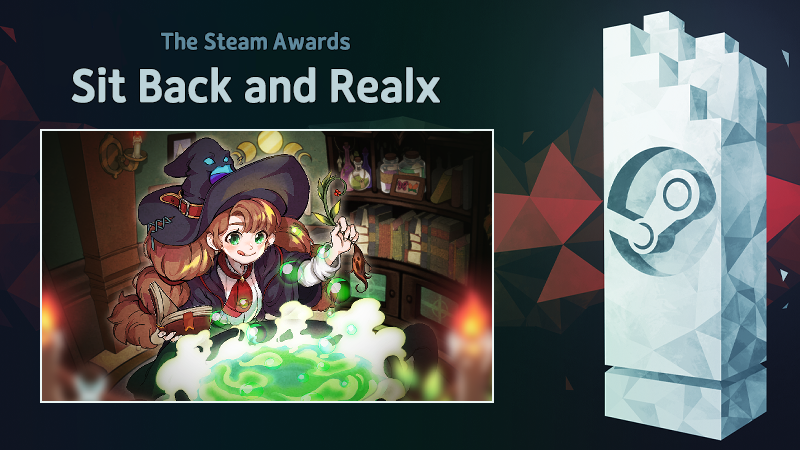
Nominate "Little Witch in the Woods" for the best "Sit Back and Relax" Game!
Are you enjoying your apprentice witch life with Ellie?
Restore villages, brew potions, explore forests, and meet new people... As an apprentice witch, Ellie seems to have a lot to do, but in an environment full of interesting things and warm people, sometimes Ellie can get lost in one way or another.
『Little Witch in the Woods』 is being developed diligently to become a byway for players to take a break in a world full of things to do.
Voting for the STEAM Awards has begun. If you enjoyed 『Little Witch in the Woods』 as a byway for rest, please help 『Little Witch in the Woods』 make it to the list of finalists this year. Please vote for 『Little Witch in the Woods』 as the best "Sit Back and Relax" game in the Steam Awards.