

Live Maze
Live Maze has updated to version 1.11
Hi everyone,
Thanks for tuning in.
I know it has been a while. I have been working on projects, hoping to make a living out of this indie dev journey.
It has been hard. The reason Live Maze hasn't received any more updates after the last one is because it's not earning me any money. I wish I had more time to work on it, but the reality is that other projects have priority.
I still wish to develop Live Maze much more, I have great plans for it. However I first need to make sure that I have a steady source of income, before I spend more time on Live Maze.
As both an apology and a thank you to everyone who has played Live Maze over the last year, I have now allowed all Twitch emotes to be used for those who own the DLC.
If you wish to show me support, the best way to do so is to purchase the DLC or to buy me a coffee on https://ko-fi.com/baasbase
Thank you everyone, you're all a-maze-ing!
Live Maze has updated to version 1.10
Patch Notes:
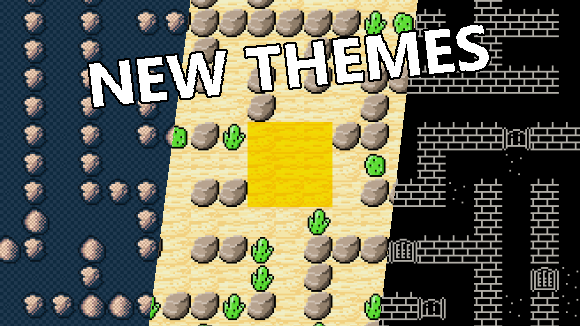
- The first custom themes have been added. Choose between default, desert, retro or random
- The streamer auto join feature would not work for everyone, this has hopefully been fixed
- Popups have been added for when you have not entered a twitch channel or want to start without viewers or AI.
This is to hopefully prevent any confusion that new players might have who have not read the Steam store page
Live Maze has updated to version 1.9
Patch Notes:
- Players can now write !play x if multi-join is enabled
- Added an option for moderators to change the game speed using !speed x
- Added an option for the streamer to automatically join the game when it starts
- Smoothened the movement for smooth and roll
- Removed the teleport movement option, added Glitch instead
- Fixed a bug where the leaderboard wouldn't properly disappear after a game
Live Maze has updated to version 1.8
Patch notes:
- Beta cosmetics have been implemented. If you have claimed a cosmetic before the official launch of the game, your player will now wear a crown
- Added a player counter before the scrolling text
- Fixed a bug where connection to Twitch was not possible, click in the channel name field and out of it to connect to Twitch, if connection failed the first attempt
- Fixed a bug where the camera would get stuck in space when following a player after the game ended
DLC:
- You can now unequip an emote by writing just !emote
A webpage for everyone to edit their characters appearance will be added later. For now there is no way to disable the crown if you have one.
Hotfix for version 1.7
- When generating a maze, the camera will be zoomed out if the maze wouldn't otherwise fit on screen
- When zoomed out too much, the sprites would tear up and cause artifacting. As a temporary workaround, the cameras movement is now less smooth when zoomed out (apologies)
Live Maze has updated to version 1.7
Patch notes:
- Added an option to auto start the game when a certain amount of people has joined
- Changed the multi-join option into a slider, you can now set how often people can join (up to 15)
- Added tooltips for every option with more information on what each option does
- When the game is started through the auto-start method, it will also automatically end once everyone reached the finish
This new update will allow streamers to be fully AFK without the need for moderators to start or end a game.
After the threshold of players has been reached, a timer of 30 seconds will begin, that will start a game upon completion.
Live Maze has updated to version 1.6
Patch notes:
- The camera should not be super zoomed in on 1080p monitors
- Added a transparency option, to make this work use a Game capture in OBS and tick the "Allow Transparency" box
The previous hotfix also re-enabled the tutorial, for those who were wondering how to play the game.
Apologies for disabling it in the first place, that was an accident.
As always, please use the discord for suggestions/feedback/bug reports
https://discord.gg/7Nc66HR69S
Lastly, huge thanks to everyone who played it upon launch, everyone has been super kind to me and thanks to all the new players I have managed to find and fix a few bugs already!

Re-enabled the first time tutorial
It has been re-enabled now. Unfortunately, if you have played the previous patch, then the first time tutorial will not show up for you.
For all new users however, the tutorial should show on their first time playing the game.
Apologies for the inconvenience!
A written "how-to" is also available in the official discord
https://discord.gg/7Nc66HR69S
Write match results to file after each round (for bot integration)
The format of the lastMatchResults.csv file is:
position, playername, steps, kills
The CSV will be saved to
Windows: %userprofile%\AppData\LocalLow\Base Software\Live Maze
Linux: $XDG_CONFIG_HOME/unity3d or $HOME/.config/unity3d
Mac: ~/Library/Application Support/Base Software/Live Maze
Added window resize options
- Added options for fullscreen/borderless/windowed
- Hopefully fixed a bug with camera movement that got stuck