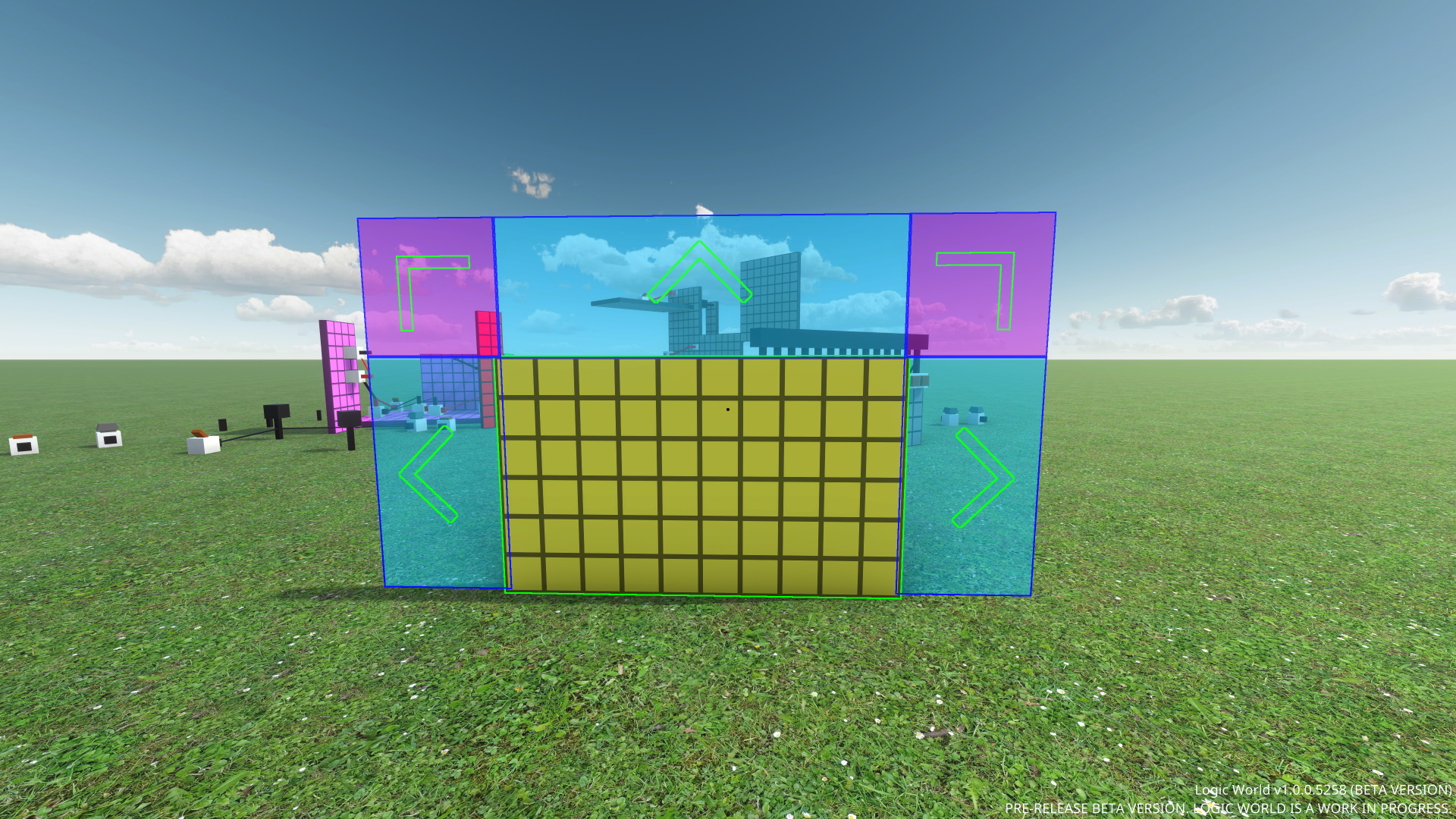
I’ve added a slick new system for reordering a list of items using click and drag.
[previewyoutube="OuwZd50IHII;full"]
Heavy UI Polish - Jimmy
While implementing the reorderable lists, I noticed many small inconsistencies and annoyances with Logic World’s menus. Elements that were misaligned by a few pixels; scrollbars that had a tiny amount of slack where they should be fully expanded; state flows that required more mouse movement than I would like; buttons in inconvenient or ugly places. Because I’m a crazy perfectionist, I spent about a day going through my list of grievances and fixing many of the issues.
I’m pretty happy with the improvements. To me, at least -- because I know what to look for -- the UI is noticeably nicer to use.
I’m rewriting the website again lol - Felipe
I have decided to rewrite the logicworld.net website completely from scratch one more time.
To help you understand how I arrived at this decision -- and how The Vuening will be superior to all the iterations before it -- let me tell you the story of my journey as a web developer...
The History of Logicworld.net
Way back before we even announced Logic World (around October 2018), I started writing the logicworld.net website for the first time. I made it in C# using the ASP.NET Core framework and plain old server-side HTML templating. The server was completely monolithic, meaning there was a single executable that handled everything, from storing data in the database to sending the site to the users. The more I worked on it though, the more I was becoming limited by the technology I was using: the HTML pages were littered with Razor interpolations, and it was very ugly. For this and some other reasons, I decided to rewrite the site, this time using an SPA framework called Vue.js on March 21, 2019.
SPA means “Single-Page Application”, and you can read in-depth about them on Wikipedia. A typical website has many separate pages, each of which must be loaded independently by the browser. SPAs, on the other hand, load a single page and then dynamically update that page’s contents based on what the user is doing.
The new, SPA-based logicworld.net was much nicer, the code was cleaner and everybody was happy, however the backend was still the same as the original. That code was also getting quite unmaintainable (after all, this was only the second web project I’d ever done!), so the need of rewriting that as well was quickly growing.
The Kubening: The Final Form of Logicworld.net
At this point, I scrapped every single line of code I had written for the website and started on a fresh new repository. I knew I wanted to go with a microservice architecture, since I started using it on the previous version (albeit too late) and I quite liked it, so a core part of the new system would be Kubernetes. Kubernetes is sort of a “competitor” to Docker Swarm, which is the service we were using previously and that took care of managing containers and spreading the workload over multiple machines. Docker Swarm is built-in to Docker, while Kubernetes is a completely separate system, and they both have one thing in common: their job is ultimately to create and destroy Docker containers.
This new system, with Kubernetes being very scalable and “modular”, allowed me to start writing the many services that would make up our cloud infrastructure (which were of course written in Go). When I started to write the main web service, I was faced with a decision: should I use an SPA framework like the old site, or a pure HTML based solution?
I started to contemplate the pros and cons of each solution and, as you might already know, ended up choosing the pure HTML way. It was not an easy, straightforward decision, but I chose pure HTML for the following reasons:
SPA sites are heavier on the first load than HTML sites. Since the main use for the site (at least right now) is to read LWWs you are unlikely to navigate much around the site, so the SPA’s benefits of only loading assets once doesn’t give it an advantage over plain HTML, and in fact makes it a bit worse.
Some people have JS disabled on their browsers (usually for privacy reasons), which makes an SPA completely unusable.
An SPA is a bit overkill for a game’s website.
An SPA communicates with the server via an API, which also has to be developed and maintained.
So, I got to work on the new site with plain old HTML and a Go backend. As time went on though, I found development on the site to be really slow, and the HTML templates were getting as complicated as they were in the very first C# version of the site. The user experience also wasn’t very good, with the page reloading for every action you wanted to take. This brought me to reconsider the reasons I decided to go for the HTML solution.
The Vuening: The True Final Form of Logicworld.net
After much consideration, I finally arrived at the following conclusions:
While it is true that the initial load time of an SPA is slower than a pure HTML site (sending 3-4 times the quantity of data), this advantage disappears once you’ve navigated to a couple more pages. Our envisioned future for logicworld.net is one where most people are doing a lot of page navigation, browsing forum posts and uploaded creations. When you consider that as the typical use case, the SPA actually wins for total data sent and total time spent loading pages.
Only a [very small percentage of people](https://deliberatedigital.com/blockmetry/javascript-disabled) have JavaScript disabled, so making such a huge decision to appeal to that small fraction of people does not make sense. While we support folks’ efforts to retain more privacy online, we ourselves are not actually stealing any data using JS, and the most important thing is that we have a functional website at all:
An SPA is
much* faster to develop new features for, see the below paragraph. I think that in the future when we introduce workshop features I will be very glad to be using one.
My worries about maintaining an API were partially extinguished when I decided to use GraphQL, which I will talk more about down below.
For these reasons, I decided to rewrite the site into an SPA using the new Vue 3 and GraphQL as the main libraries. To be clear though, this is only a rewrite of the *website* part of the whole system. Absolutely none of the other services (such as the forum database backend or the user account authentication service) had a line of code changed, which is a big part of the reason I was able to perform this rewrite so quickly. I wrote the new site *in less than a week* (I started shortly after publishing last week’s LWW). I was able to write the boilerplate code in a day and after that, progress was silky smooth, I had a functioning forum in a couple days. This is a huge deal, as it means we are now able to iterate on and improve the site very quickly, fixing issues in a much shorter time than before.
The new SPA does have some additional advantages, for example quicker navigation between pages and the future possibility of having new comments and posts appear in real time. Additionally, since we are now using a GraphQL API, third-party applications are now able to utilise it in case you *really* don’t like JS (keep in mind we won’t support them though).
We want logicworld.net to be a central hub for community discussions, with more depth and persistence than is possible with the real-time chat of Discord. We want it to be the best place to share your creations and mods with others. I’m feeling excited and confident that this new website architecture will allow us to achieve this vision.
Fixed other players not affecting flag cloth physics
Fixed not being able to see your own reflection in SHINY BOBBY
Fixed the loading screen not displaying when connecting to an external server
Fixed the "Disconnected" screen becoming stuck on if you used the console to connect to a server while on the disconnected screen
LogicUI: fixed HoverButton still registering ClickBegin events when EnableButton is set to false
Fixed some color picker menus not playing nice with menu resizing
Fixed being able to set the size of the Edit Display Configurations menu to so small that the UI would glitch out
---------------------------------------------
We'll keep releasing these weekly updates right up until the game comes out. To make sure you don't miss them, you can sign up for our newsletter or join the official Discord, and of course you can wishlist and follow the game right here on Steam.
I’ve added a bunch of settings to control your appearance in multiplayer!
[previewyoutube="t5yYImXanA8;full"] This also marks the introduction of Formal Bobby. Formal Bobby is a smoother looking Bobby skin that is available as an option alongside the classic Casual Bobby. Let me know what you think of this new look!
It’s a particularly special moment for me because this is the last tab of the Settings Menu that I needed to make. For months and months, the multiplayer tab has been empty save for giant text that says “todo make this page”. But now, Logic World’s settings menu -- the menu that I’ve poured so much time and effort and love into -- is feature-complete, with no more placeholders!
These settings are the first in a series of several multiplayer-focused features I’m working on. Watch out for two or three more next Wednesday :)
The Logic World Original Soundtrack is complete - Markku
Hello everyone. This week I finished producing Logic World’s OST. It has been an incredible experience to write this score and I cannot wait for you all to hear the finished product in its entirety alongside the game.
In the coming weeks, we’ve decided to post tracks from the OST one-by-one leading up to the game’s release with blog posts about each piece. I’ll be talking about my compositional choices regarding instrumentation and harmony as well as sharing some early versions of the pieces to show how they evolved.
The soundtrack will be released on all streaming platforms on the same day as the game, and I hope that listening to it motivates you to revisit Logic World time and time again.
Talk soon! Markku
Player Authentication - Felipe
This week I’ve been working on a system that allows game servers to verify the authenticity of the users that connect to it. This is important for things like whitelists and banlists; server owners need to know that connecting players are who they say they are.
Originally, I was going to use a system similar to what Minecraft (used to) use, however this method involved both client and server talking to our servers. Though it was doable, this would have introduced quite a bit more complexity. The issue that made us reject this system is that the servers would need to be uniquely identified. At first, I thought we could just use the server’s IP as this identifier. However, when I thought about it some more, I realised that this wasn’t feasible as there’s often more than one IP address that you can use to connect to a single server: the address on the local network is different from the external address, and servers can use custom domain names.
In the end, we’ve settled on a system that someone came up with 4 years ago on Reddit. In this system, when the client wants to connect to a server it first requests its challenge, which is a completely random string generated by the server. This code is then sent to our auth server, which generates a payload and signs it with a private key. This payload+signature pair is sent to the server, which verifies the signature with a public key. If the verification is successful, the server then parses the payload which contains the user’s info, including their username. This allows the server to be completely certain that the information that the user provided is legitimate, since it is signed using our auth server’s private key. It also ensures that the server never has access to any information that could be used to impersonate the user, so malicious server owners have nothing to abuse.
So, I’ve got the system all planned out, and over the next few days I’ll finish implementing it. I’ll see you on your servers -- and you’ll know for sure that it’s actually me ;)
Localization Updates - Jimmy
This week I’ve given some love to our translations, which I admit I’ve neglected somewhat since community translations began a few months ago.
On our community translation page, I’ve updated the localization keys from the most current version of the game files. There are over 350 new keys to translate, including new components, new settings, and a whole lot of translations for the controls menu. Also on our community translation page, I’ve added the languages Arabic and Belarusian, which were missing previously.
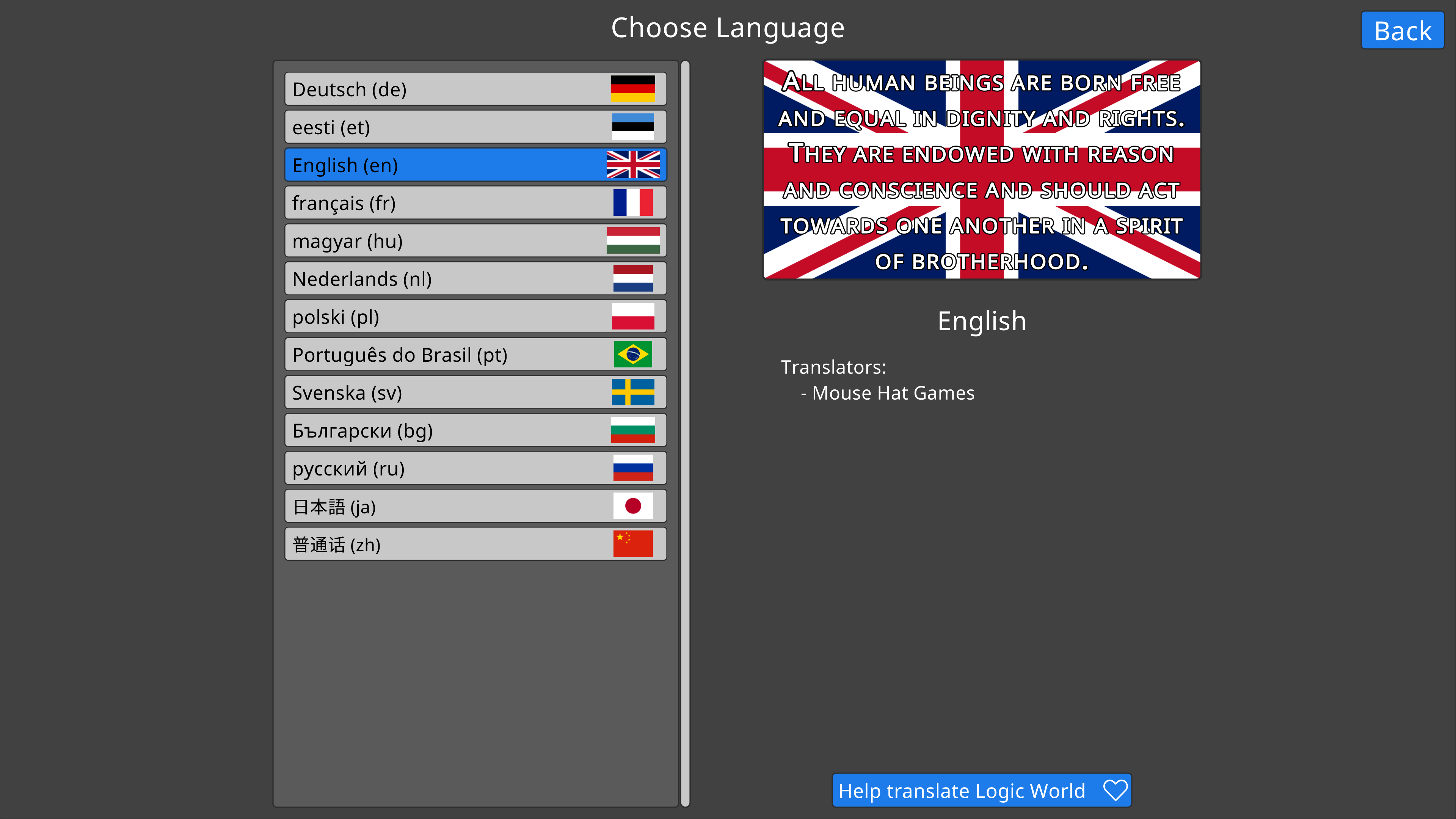
Next, I’ve updated the display metadata for all of our languages. This includes stuff like the flag texture, the ISO 631-1 code, and the sample text.
Thank you, so much, to everybody who’s helped translate. I and the rest of the team are stoked to be launching Logic World in so many languages. You guys absolutely rock.
If you’d like to help translate, please click here to begin! You’ll get your name in the game credits, and our eternal gratitude :)
Bugs Fixed This Week
Fixed being able to manually enter values to an InputSlider that are out of its range
Fixed glitches when setting the min/max of an InputSlider at runtime
Fixed not being able to place Flags in tight spaces
Fixed various weird issues caused by Flag cloth trigger colliders
Fixed Flag cloth being cut off for hotbar renders of flags with a short flagpole or a long cloth
Fixed not being able to flag-teleport into spaces occupied by wires
Fixed Chair colliders not lining up well with the visual geometry
Fixed player looking direction resetting when exiting a Chair
Fixed Sandbox List menu throwing an error and not generating if there is a sandbox present using an outdated save format version which has a valid save converter
Fixed missing rocket ship icon in Create Sandbox menu
Fixed none of the Settings Preview Images working
Fixed the flippy part of switches not showing up in SHINY BOBBY when realtime reflections are enabled
Fixed background of Pig Flag being transparent instead of a beautiful sky-blue
Fixed missing description for the Open Teleport Menu and Open Load Board Menu bindings
Fixed missing localization for Delayers
Fixed incorrect hover tag localization key on the "show/hide sliders" button in the Color Picker menu
Fix embarrassing misspelling in title/description of movement setting (Analogue -> Analog)
Fixed part of the Edit Bindings menu not being localized
---------------------------------------------
We'll keep releasing these weekly updates right up until the game comes out. To make sure you don't miss them, you can sign up for our newsletter or join the official Discord, and of course you can wishlist and follow the game right here on Steam.
I’ve added two features to the input system that have been on my wishlist for a while: there’s now proper support for gamepads or other analog input, and MIDI inputs now Just Work™ as if they were keyboard keys.
I’ve made a few additions to the building mechanics that help with the mass placement of components and wires.
[previewyoutube="saK3ek47CvY;full"]
Yet Another Flag Video - Jimmy
I really love Flags, and I couldn’t resist adding one or two more features to them…
[previewyoutube="tflCBr0Rcdc;full"]
Texture Optimization - Jimmy
Last week I mentioned that I was hoping to optimize the loading of Flag textures by converting them to DDS. Well, I decided to go a different route and use dynamic texture loading. Instead of loading all textures on startup, the game now loads textures only when they’re actually needed. The fastest texture is no texture. Tiny thumbnail images are loaded for the menu where you select a flag texture, but the full-size images are now loaded into memory only when you place a flag that uses them.
The RAM usage, VRAM usage, and startup time of the game is now almost identical to before I added 400 hi-res flag textures to the game files. In fact, it’s a little smaller. I am pleased.
Save file error handling - Jimmy
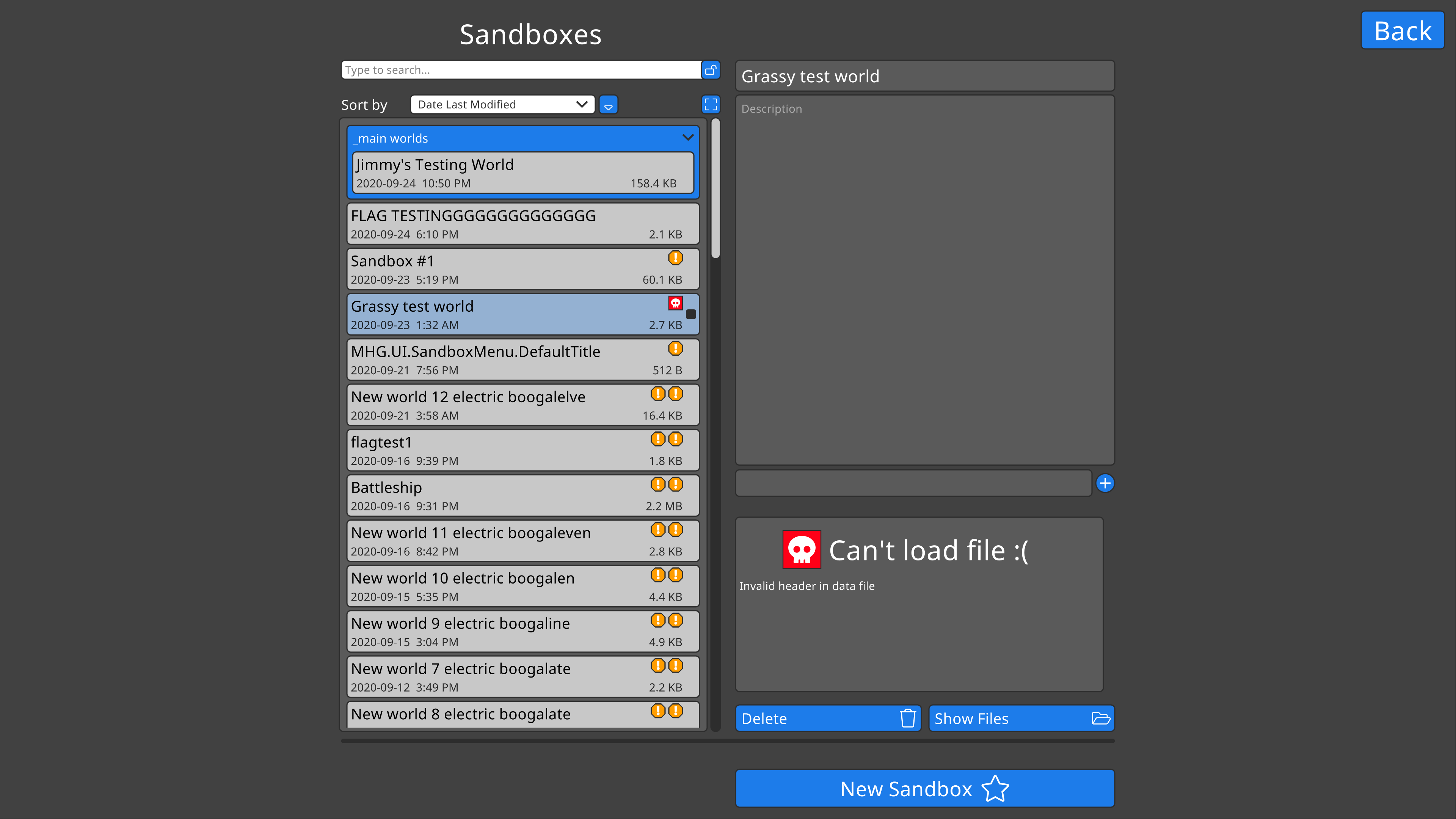
I’ve completed the work I started three weeks ago on an overhaul of the save loading code and UI. The game can now detect and deal with errors in save files before they’re loaded.
Saves with issues have little notification symbols on them, which you can hover over for more information. I’ve also added a UI in to explain when a save cannot be loaded due to an error.
And finally, I’ve added UI for when a save can be loaded, but there might be problems with it. I’ve furthermore added the code for dealing with those problems when you decide to load the save anyway.
Back That Save Up - Jimmy
You might have noticed in the above image that the button says “backup and load”. Well, that meant I had to code a proper backups system this week. It works like this:
Both sandboxes and saved boards are automatically backed up
Backups are stored in a unique folder for each item that can be backed up
There is a configurable number of backups to keep per item before old backups of that item start getting deleted -- by default this number is 10
Backups of deleted items will be kept for a while, then deleted. By default, backups of deleted items will be kept for 50 days.
Sandboxes are automatically backed up while you’re playing in them; by default this happens every 5 minutes
Saved boards are backed up if they are being overwritten with a new saved board of the same name
Sandboxes and boards are backed up before they are deleted
Sandboxes and boards are backed up before they are loaded if there was a potential issue detected before loading
A proper backups system has been on my todo list for literally over a year, so I’m very glad to finally get it done. I know my code isn’t perfect, and it’s just a matter of time before it corrupts somebody’s hard work. When that happens, the auto-backups will be there to save the day.
Still alive - Felipe
Hey guys, just checking to let you know I’m still here. I started school last week so I haven’t had as much time or energy for LW lately. Regardless, I’ve been working on improving the networking of the game (yet again), and I’ve also been thinking about the modding tutorials, which we’ll be starting on soon. Unfortunately I don’t have anything to show off to you this week, but I’ll be back soon with fun stuff!
Bugs Fixed This Week
Fixed not being able to place things very close to the top of Flags
Fixed flag hotbar rendering being based on the wind direction at time of render
Fix unnecessary lag while grid-placing Chairs
Fixed incorrect grid placing dimensions on Inverter, XOR Gate, D Latch, Oracle, Relay, 3-way AND Gate, and 4-way AND gate
Fixed sandbox title input field sometimes being way too small
Fix sandbox list order not updating when sorting by title and renaming an item
Fixed build pipeline being broken in several ways
---------------------------------------------
We'll keep releasing these weekly updates right up until the game comes out. To make sure you don't miss them, you can sign up for our newsletter or join the official Discord, and of course you can wishlist and follow the game right here on Steam.
Hello, it’s me, Jimmy! I forgot to get Felipe’s section before he went to bed, and it took me the entire #$@& day to make a script for mass-exporting flag SVGs to PNG which left me no time to finish the two other features I wanted to talk about in this blog post. We’ll be back with a full-sized post next Wednesday, but today we have just the one lil section on Flag improvements. Hope you enjoy!
Flag Fun - Jimmy
This week I polished up Flags and gave them a use beyond decoration: they can now be used as teleport waypoints!
[previewyoutube="MYsz6TmUngI;full"] I was quite surprised by the journey that Flag development took me on. Flags touch on many different areas of the codebase: this includes various UI stuff, component resizing, component initialization (for the random flags on placement), player teleportation, the ExtraData system (described here, used for storing the order of Flags in the teleport list), the code for indexing and searching for items in a menu, and more. When I visited each of these areas, I stopped to make enhancements and fixes and clean up the code.
In particular, Flags forced me to have a really close look at the way Logic World loads textures from disk into GPU. Now that there are hundreds of flag textures, I can't get away with the original shoddy code; it's just too slow. So this week I spent a lot of time learning about textures, and at the end of it all I've improved texture RAM usage by about 70%, texture VRAM usage by about 90%, and the time to load textures by about 50%. I think I can get the texture load time down another 75% or so by storing the textures in .dds format, which minimizes the work the GPU has to do when converting the data into a format it can use.
I expected Flags to be a quick side-thing, but they ended up being one of my main projects this week. And I'm glad they did -- as a result, the entire codebase is more robust and solid.
Bugs Fixed This Week
Fixed the back side of Flags rendering without lighting
Fixed OrganizedList search results not updating when an item was added/deleted/edited
Fixed custom search tags not working due to outdated localization keys
Fixed NullReferenceException and glitchy behavior when trying to resize after reloading a save
Fixed timing issues with setting player rotation during teleport
---------------------------------------------
We'll keep releasing these weekly updates right up until the game comes out. To make sure you don't miss them, you can sign up for our newsletter or join the official Discord, and of course you can wishlist and follow the game right here on Steam.
Logic World Wednesdays: The Alphabetically Sorted Edition
Super Sexy Sandbox Selector - Jimmy
I’ve added a whole bunch of features and improvements to the Sandbox List menu!
[previewyoutube="pnsM4MpEQfU;full"]
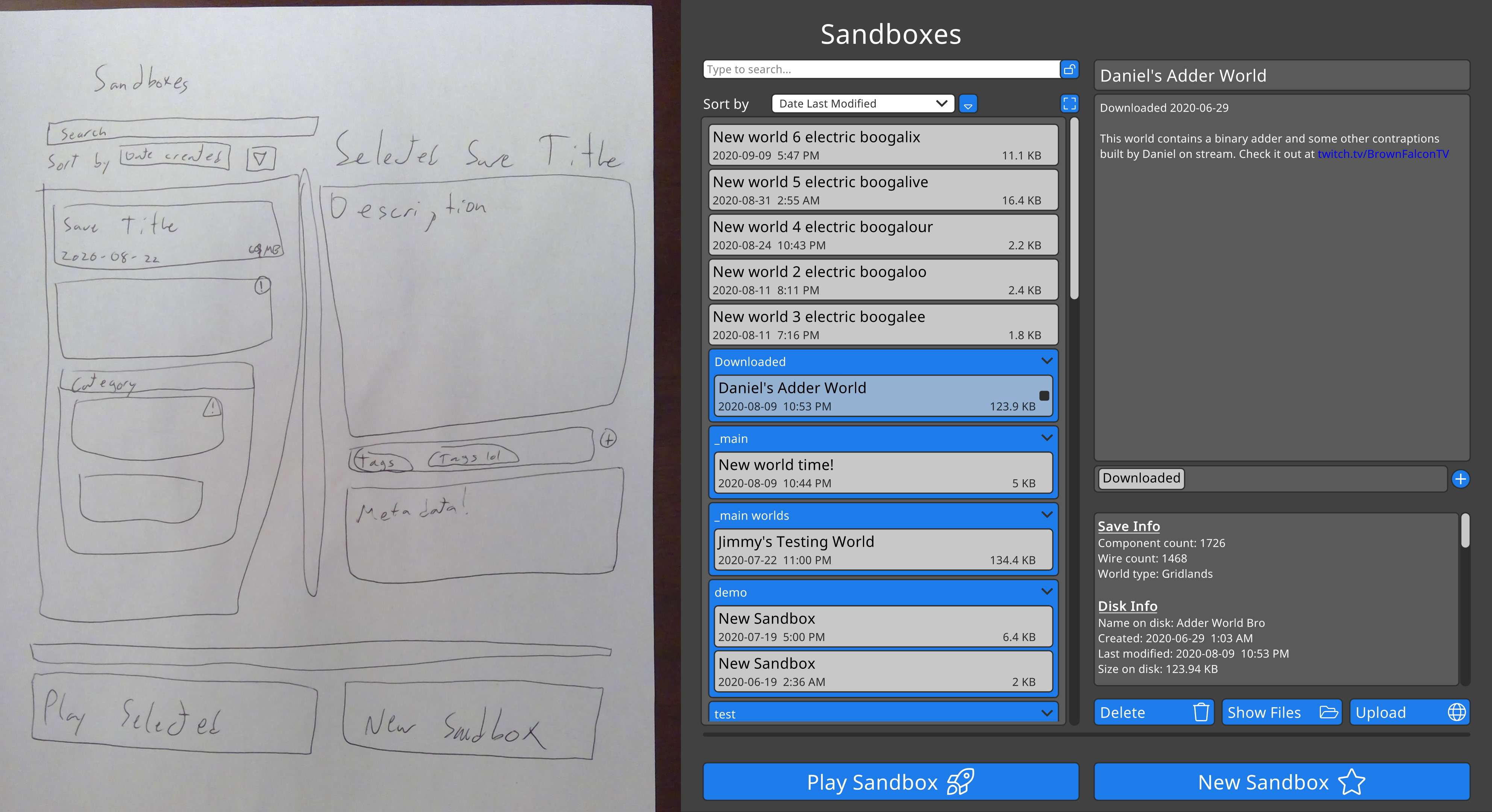
As I often do with UI design, I sketched the new Sandbox List menu on paper before I started making it in Unity. I thought it might be fun to show the sketch side-by-side with the finished product.
Networking Abstraction - Felipe
This week I’ve been working on abstracting the networking layer that the game uses, which is currently Lidgren. This makes the code much easier to maintain and, possibly, replace, since the code that actually uses the networking stuff doesn’t need to know what’s actually carrying your precious bytes between the server and the client. For instance, the networking could now potentially be replaced with a backend that uses far less bandwidth, at the expense of higher latency and CPU usage.
I’ve already talked about this in a Previous LWW, .However the route that I took back then involved some code that was making existing code even more complex, so it ended up stalling until I returned to it earlier this week. Now I’m using cleaner and better code practices which, combined with last week’s refactor, makes for a great system.
Lightning fast MessagePack packets - Felipe
For some time we’ve been using our homegrown SECCS library for writing and reading packets to and from their binary representation. This library was based on the use of reader and writer methods like the ones the Lidgren library we are using provides. However, when doing the networking refactor, I found that it was hard to decouple SECCS from Lidgren, and at the same time I realised that my reasons for making SECCS didn’t really hold up anymore. After lots of consideration, we’ve moved away from SECCS, and all network packets are now serialized with MessagePack.
This library, as they describe themselves, is "like JSON, but fast and small." That sums it up pretty well, since its purpose is to take an object and spit bytes out that can be used to reconstruct the original object. The difference from SECCS is that, as I mentioned, SECCS made use of Lidgen’s messages, which made it more efficient (or so I thought at first) but indirectly tied it to Lidgren.
I wasn't able to get benchmarks on SECCS vs MessagePack for this week, but I'll try to have them for next Wednesday :)
Bugs Fixed This Week
Fixed weird behavior on Windows when editing the description of an OrganizedList item
Fixed OrganizedList categories not being deleted when they're emptied
Fixed missing hover tag localization on "add new tag" button
Fixed Flags hanging from the wrong side
---------------------------------------------
We'll keep releasing these weekly updates right up until the game comes out. To make sure you don't miss them, you can sign up for our newsletter or join the official Discord, and of course you can wishlist and follow the game right here on Steam.
Hello Logicians! We are back from our break, and so are our Wednesdays. We’re more excited than ever to be making your game, and we’re hard at work on the remaining features and polish needed to get it into your hands.
We don’t have anything to announce right now with regards to Logic World’s release date. Please be patient with us; as soon as we know, you will know as well.
Balance at Last - Markku
Hello, all! Great to be back with some more music for the Logic World OST. This piece of mine is for solo piano and it is called 'Balance at Last'. It is about the mental clarity and fulfillment that we experience after overcoming something difficult. I hope you enjoy, and that you all are doing well.
[previewyoutube="g8qXyIuGXiE;full"]
Better Delayers - Jimmy
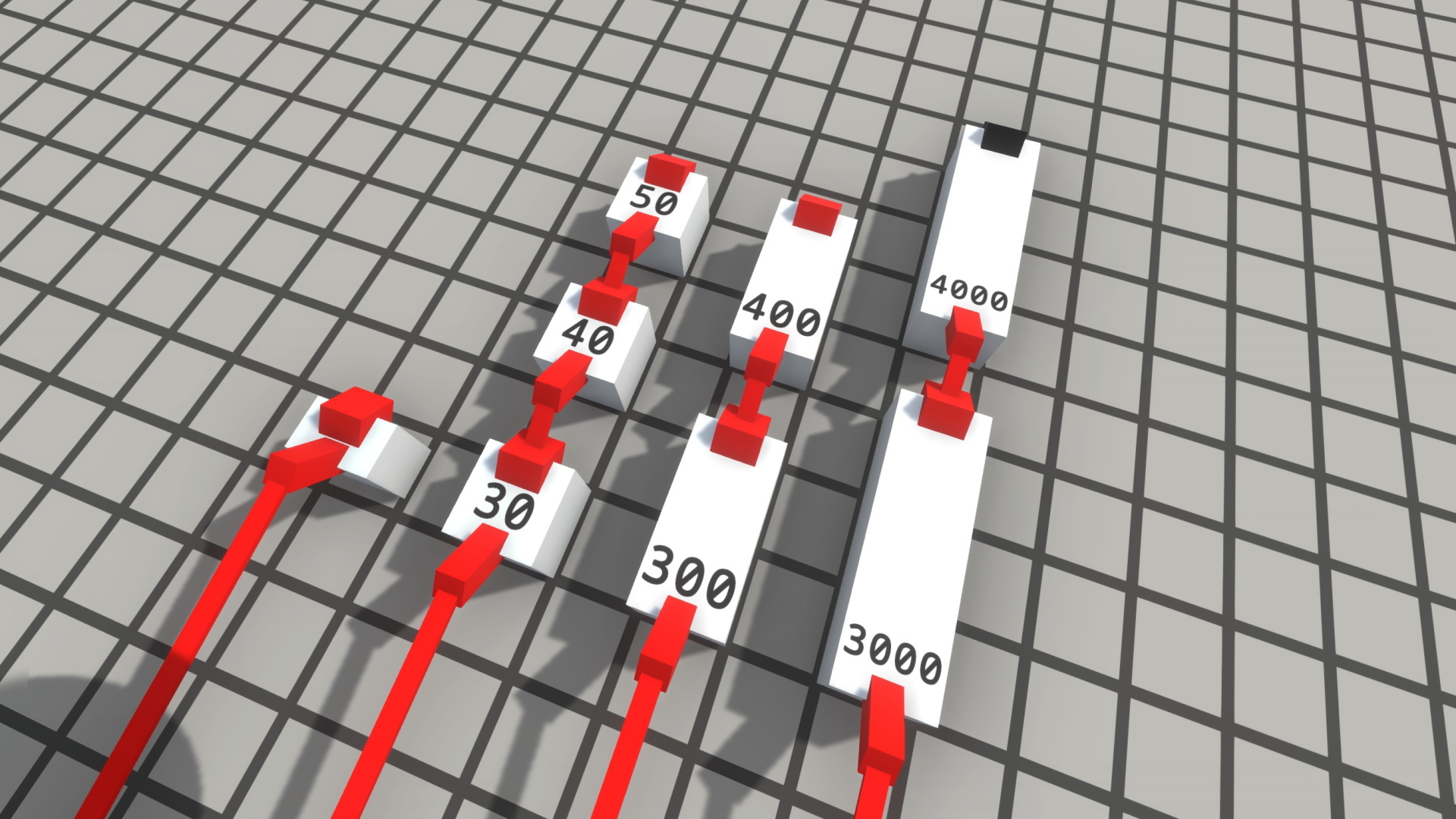
Delayers are components that allow you to intentionally insert delay into a circuit, for clocks and for precise timing logic. When I’ve previously shown them off, delayers used a peculiar system: the length of a delay was chosen as a multiple of some constant coefficient. There was a delayer that delayed in increments of 10 ticks, a delayer that delayed in increments of 100 ticks, and a delayer that delayed in increments of 1000 ticks.
However, after extensive playtesting by myself and our testers, I’ve realized that this system just isn’t fun.
With every mechanic I add to Logic World, my goal is to enable possibilities. I want to create many different pathways for solving a given problem, each with its advantages and disadvantages. I want to open the door for people to find inventive solutions. When you’re playing Logic World, I want each little part of your contraption to be a meaningful and interesting decision.
But in the case of the old Delayers, there was no decision-making or problem-solving. There was a single, objectively best way of creating a desired delay: stack up delayers in decreasing magnitude until you had the total length you wanted. This was tedious, uninteresting, and frankly it created some ugly circuitry.
I’ve been thinking on the problem of delay for a while, and I think I’ve settled on a good solution. I’ve removed Long Delayers and Very Long Delayers, and regular delayers can now have a delay length of anything between 10 and 100 ticks -- they are no longer locked to multiples of 10.
The tedium of chaining together delayers of different types has now been streamlined, as you can now easily set the precise delay length you want. For short, precision-timing delays of just a few ticks, Short Delayers (1 tick each) are generally the ideal solution. And for the longer delays of many seconds and beyond, you’re now incentivized to build some kind of counter circuit.
In my playtesting I’ve found this to be infinitely nicer than the old system. The time I spend fiddling with delay lengths is minimized, which means I spend more time doing the interesting, fun parts of circuit building.
Server refactoring - Felipe
After coming back from my break, I decided that the server’s code was too ugly, so I decided to refactor a lot of it.
Since the server is made up of many more-or-less individual parts (for example, a save manager, a simulation manager, a network manager, etc), I set on to use Microsoft.Extensions.Hosting. This library is regularly found on ASP.Net Core, and it is used to manage many of an application’s aspects, from startup to shutdown. It also comes with a Dependency Injection utility, which allows us to join the previously mentioned parts of the server together, while keeping them decoupled to allow for easy replacement and testing.
Another perk of the new system is that the server can now generate a graph of the inner relationships between services:
(Dashed lines represent that the dependency is lazy in order to prevent cyclic dependencies)
Visualizing our architecture helps us to understand where things are messy and need better organization.
Saving Refactoring - Jimmy
When I removed Long Delayers and Very Long Delayers (see above), I was faced with a problem. The game had no support for the removal of existing components. If you tried to load a save that contained component types that were missing from the game files, it would stubbornly refuse, insisting that you must be missing a mod. I had to add an option to load the save anyway, and in doing so delete all components of the offending types.
However, as I dug into the code for loading saves, I was faced with an unfortunate reality: that code sucked. It was messy, it was tightly coupled, it was hard to read and hard to extend. There was also a lot of repeated/copied code between the server-side Load Sandbox functions and the client-side Load Board functions. I realized that I could either hack this new feature into the existing messy saving code, creating headaches and probably some bugs, or I could rewrite the whole damn thing.
Well, I decided to rewrite the whole damn thing. What was formerly one of the smelliest parts of our codebase is now clean and shiny and easy to use. Among the benefits of this rewrite are:
Faster save load times, particularly on machines with slower hard drives
We can now check if a save file is corrupted before loading it
Without loading the save, we can now extract various metadata, such as the number of components/wires in the save
Save format converters (discussed [here](https://logicworld.net/view/pst-000f007e/logic-world-wednesdays-selfreflection#save-converters-jimmy)) now also work with saved boards, in addition to worlds
So now that that’s done with, I can add that feature I was talking about in paragraph one. I’ll also be able to do a number of save-related things that have been on my wishlist for a while -- check back next week for those things :)
Logic World Wednesdays: The Vexillological Edition
Quick and Easy Multiplayer - Felipe
Last week I talked about a system that lets players play online hassle-free, and this week I’ve been working on integrating that system with the existing friends system. Now you can easily join a friend’s game through a couple clicks in the friends menu.
[previewyoutube="j2W0wGAbsDY;full"]
Flags - Jimmy
I’ve added a new decoration component: the Flag!
[previewyoutube="U5HeyU4Z-ys;full"]
Transparent Resizing UI - Jimmy
At the suggestion of our beta testers, I’ve made the resizing arrows partially transparent, so you can see what’s behind them.
Bugs Fixed This Week
Fixed not being able to bind Keys to a key that would close its menu (i.e. the Escape key with default bindings)
Fixed the resizing arrow on Mounts pointing sideways instead of up
Fixed the Console being unavailable while on loading screens
Fixed the Console rendering underneath popups
Fixed closing the console by pressing Escape also closing some menus if they were open under the console
Upcoming Hiatus
Hi, Jimmy here. There’s some changes happening in my life that will have a big effect on Logic World’s development. I won’t be working on this game for the next few weeks, and as such, Logic World Wednesdays will be taking a hiatus. It will hopefully return in late August. Logic World’s release is also delayed, again. I don’t know when to.
I’m sorry that this is happening, and I’m sorry that I can’t tell you more right now. I will fill you in and give a full update on Logic World’s future when things are stable and I know what’s happening. Rest assured that all three of us remain very committed to Logic World, and it WILL be released.
This week’s edition is, I suppose, a season finale for Logic World Wednesdays. Thank you for all your support and love over the past two and a half years. I’ll catch you on the flippity flip.
This week I’ve finally finished the user interface for editing your controls!
[previewyoutube="hcEsP3EiXHc;full"]
As you can see from the video, the input system and the interface that supports it are incredibly complex. Programming it all was a very fun challenge.
New Website - Felipe
Over on https://logicworld.net/, we now have a brand new site! I've been remaking the website into a bunch of separate services (coded in Go), instead of the single big application that it was before. This has the advantage of being much easier to iterate on, as there is less code that has to be compiled for a single change, as well as being easier to test since each service can be tested independently from each other.
Perhaps most importantly though, is the fact that the site now doesn’t require JavaScript at all. It does use JS for some stuff but only QoL improvements: the entire site is 100% usable even with all JS disabled.
I’m still working out the kinks on the new site, re-adding missing features, and improving the visuals, so expect lots of updates to it in the near future. Now that the new site is live, I don’t have to worry about maintaining the old site, and I can focus completely on this new version.
Hole-punching - Felipe
This week I've also been working on the system that will allow you to join your friends' games. We intend for this feature to be as easy as possible to use, requiring just a single click from the user's point of view.
This is achieved through UDP hole punching, which bypasses the most common NATs and in turn removing the need for you to forward any ports at all. Hole punching consists of 3 parties: a client, a server and a master server. In our case, the client is the user that wants to connect to a game, the server is the user that's already in-game, and the master server is our cloud server.
When the client wants to connect to the server, it first sends a request to the master server and asks for information about the server (that has previously been registered). When this happens, the master also sends information about the client to the server, and finally they both are able to connect through the tunnel that has been established.
That was a very simplified explanation, if you want more details you can check out this paper that really helped me fully understand it.
The proof of concept is done: I have successfully joined another instance of Logic World running on a remote PC -- Bob, to be precise -- without any port-forwarding. The next step is to integrate this logic with the game UI and Friends system.
Bugs Fixed This Week
Fixed various issues with game input when there is no keyboard or mouse plugged in
Fixed not being able to bind Keys to buttons on a gamepad or joystick
Fixed not being able to bind Keys to mouse buttons or to scroll wheel actions
---------------------------------------------
We'll keep releasing these weekly updates right up until the game comes out. To make sure you don't miss them, you can sign up for our newsletter or join the official Discord, and of course you can wishlist and follow the game right here on Steam.
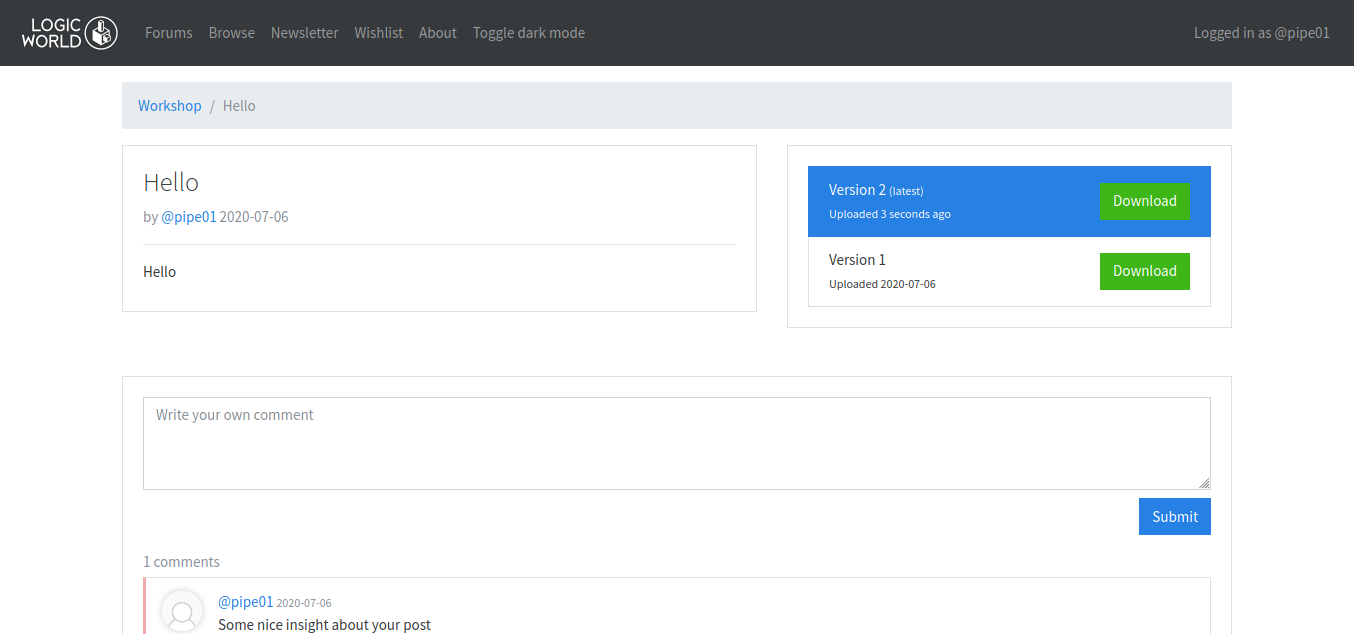
This week I’ve started working on the workshop part of the website. In the workshop you’ll be able to browse, comment and download the sandboxes, circuit boards and mods that people have uploaded.
Each workitem (that’s my term for all the items you can upload to the workshop) can have multiple versions, and each version can optionally have a (markdown powered) changelog.
To clarify, Logic World's "Workshop" is not the Steam Workshop, but an independent system that can be used by any platform the game is purchased on.
Lights out - Felipe
Dark mode automatically makes a website ~12x cooler. In an effort to maximize the website's coolness, I've added dark mode, easily accessible by clicking a link in the navbar.
For example, this is the same page as in the Workshop screenshot above:
As you can see, it keeps the same overall style of the light mode while being a lot easier on your eyes.
Custom Crosshairs - Jimmy
This week I’ve added a whole bunch of settings to customize your crosshair!
[previewyoutube="HOmuRXcCKME;full"]
This has been a very long time coming. Custom crosshairs is something that folks have been asking for, and something I’ve really wanted to add, for literally years. It feels very good to finally have them in the game.
New Sletter System- Felipe
As part of my overhaul of our web services, I’ve been working on a new system for sending out our newsletter. The new system is much simpler, and I’ve given the emails themselves a shiny new paint job!
Before:
After:
Bugs Fixed This Week
Fixed various errors with multiplayer and with reconnecting to a server
Fixed placing a Display crashing the server
Fixed being unable to load saves with Displays in them
Fixed "Draw Shadows on Additional Lights" setting being forced to off when "Draw Shadows" is turned off and then on again
Fixed pressing the "Open Screenshots Folder" hotkey causing an error if it was pressed before taking any screenshots
---------------------------------------------
We'll keep releasing these weekly updates right up until the game comes out. To make sure you don't miss them, you can sign up for our newsletter or join the official Discord, and of course you can wishlist and follow the game right here on Steam.
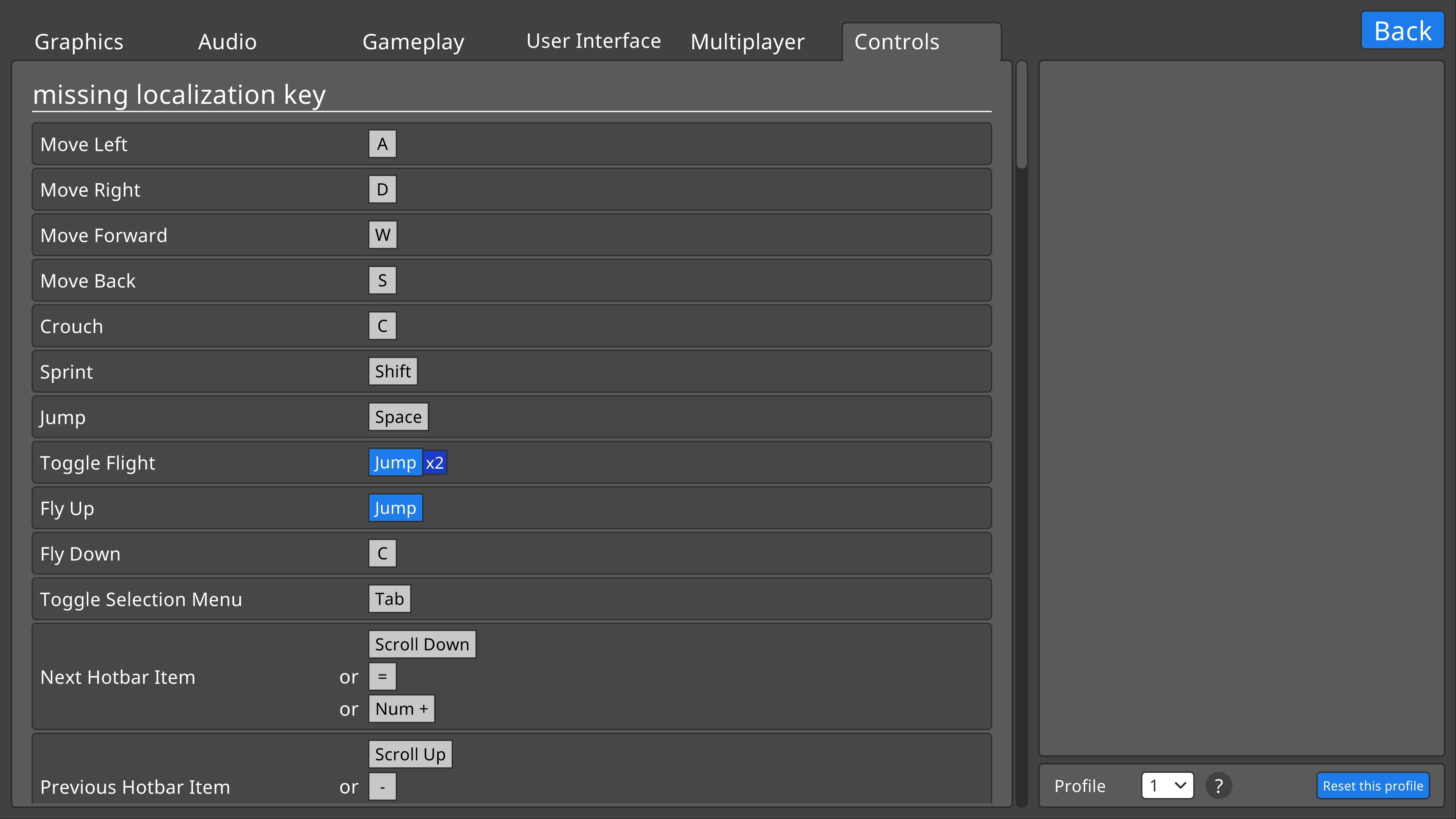
I’ve been working on a menu for editing the controls!
It’s still missing the very important feature of being able to actually edit those controls, but it’s now displaying the controls and that’s a start :)
It can display all of the fancy features of our input system: multiple buttons that must be pressed concurrently, bindings that reference other bindings, bindings that must be tapped multiple times to trigger, and multiple different bindings as options for a single action.
Being able to display bindings visually is not just important for the Edit Controls menu, but also for things like the in-game tutorials, where players will be told to press a given button to trigger an action.
Fun with Bob - Jimmy and Felipe
After building Bob last week, we’ve been working on setting up the software to get him building the game.
We’ve run into several unanticipated issues -- because of course we did, why wouldn’t we -- but on the whole it’s going well and it’s almost done. Bob’s computational performance on builds is very promising; he’s faster than our old build server by more than a factor of two.
Lighting Settings - Jimmy
As I was working on adding context and screenshots for translators, I came across a description for a setting that didn’t make sense. I did some further reading on that setting ("shadow cascades") and it turned out I had no idea how lighting works in Unity.
Well, I did some more reading, and now I have some idea of how lighting works in Unity. I’ve used my newfound knowledge to buff out our lighting settings: we now have seven total settings related to shadows, each with a helpful preview image and informative description.
Shadows are both extremely important to the visual fidelity of a game as well as extremely demanding on a player’s graphics card, so I feel it’s important to have extensive settings for controlling them. I always get a little peeved when a game just has “shadows: on or off” -- not to name names -- and Logic World will not be joining that club of shame.
Bugs Fixed This Week
Fixed being unable to select hotbar slots beyond slot 10 by double tapping or ctrl+tapping a number key
Fixed client throwing an error if you tried to run an autoexec.lsf
Fixed being unable to make pegs exclusive if they were part of a dynamic prefab (i.e. on a Panel Display)
---------------------------------------------
Thanks for reading, friends! Happy Canada day.
We'll keep releasing these weekly updates right up until the game comes out. To make sure you don't miss them, you can sign up for our newsletter or join the official Discord, and of course you can wishlist and follow the game right here on Steam.