Logic World release date announced: March 13, 2020
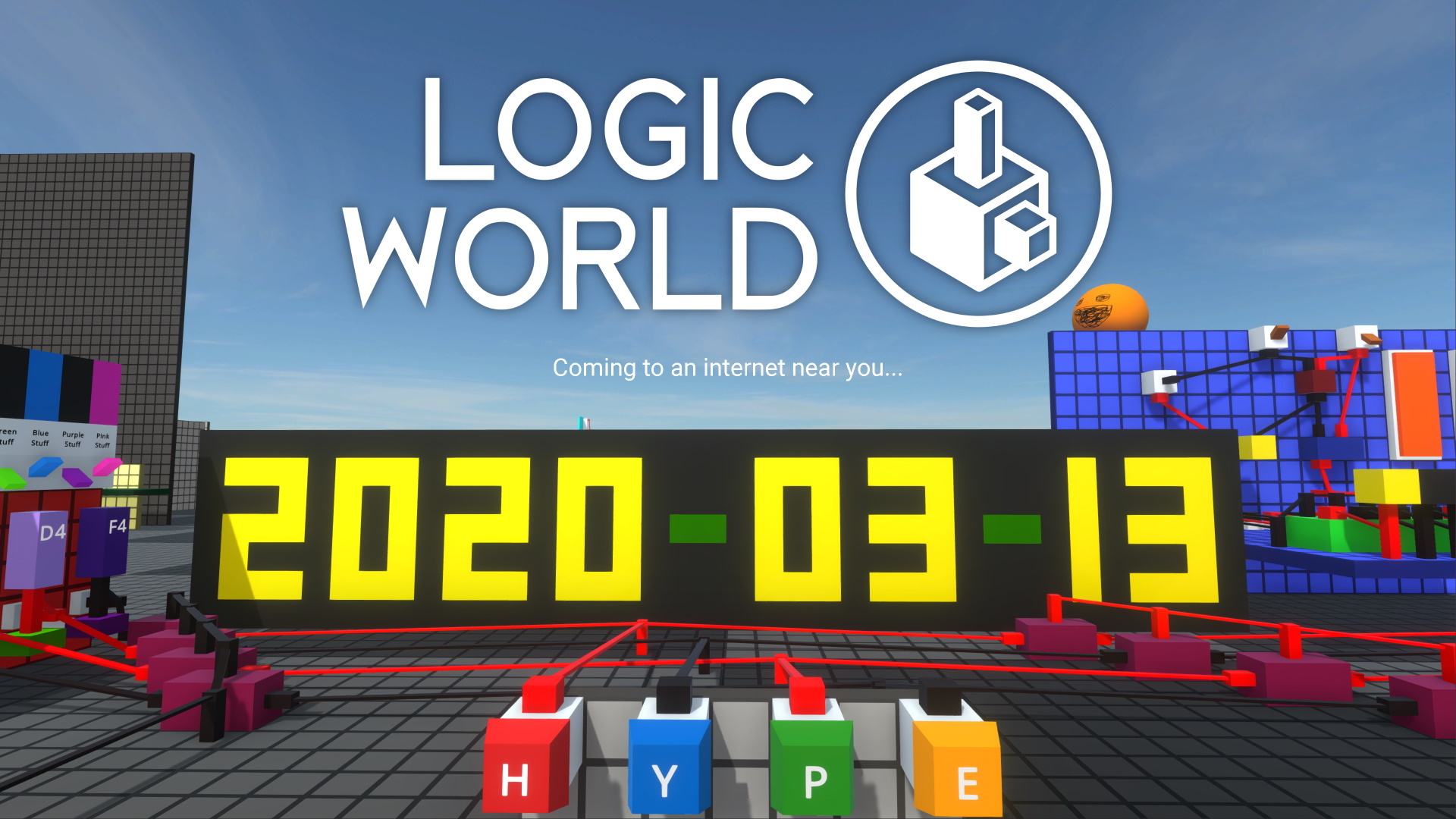
We have a release date! Logic World will be in your hands on Friday, March 13, 2020.
It's been an incredible journey to get to this point, and we are absolutely pumped to polish off this game and get it into your hands. Thank you, so much, for following and supporting us along the way.
For more details, and for information on pricing, see our blog post here: https://logicworld.net/Post/113
Logic World Wednesdays: The ‘We Will Announce The Release Date Tomorrow’ Edition
Relays - Jimmy
This week I’ve added a very cool new component, called the Relay! [previewyoutube="49UUfTuj_qQ;full"] Huge thanks to @TheWildJarvi for suggesting Relays. I can’t wait to see the builds they are used for.
Store Pages - Felipe
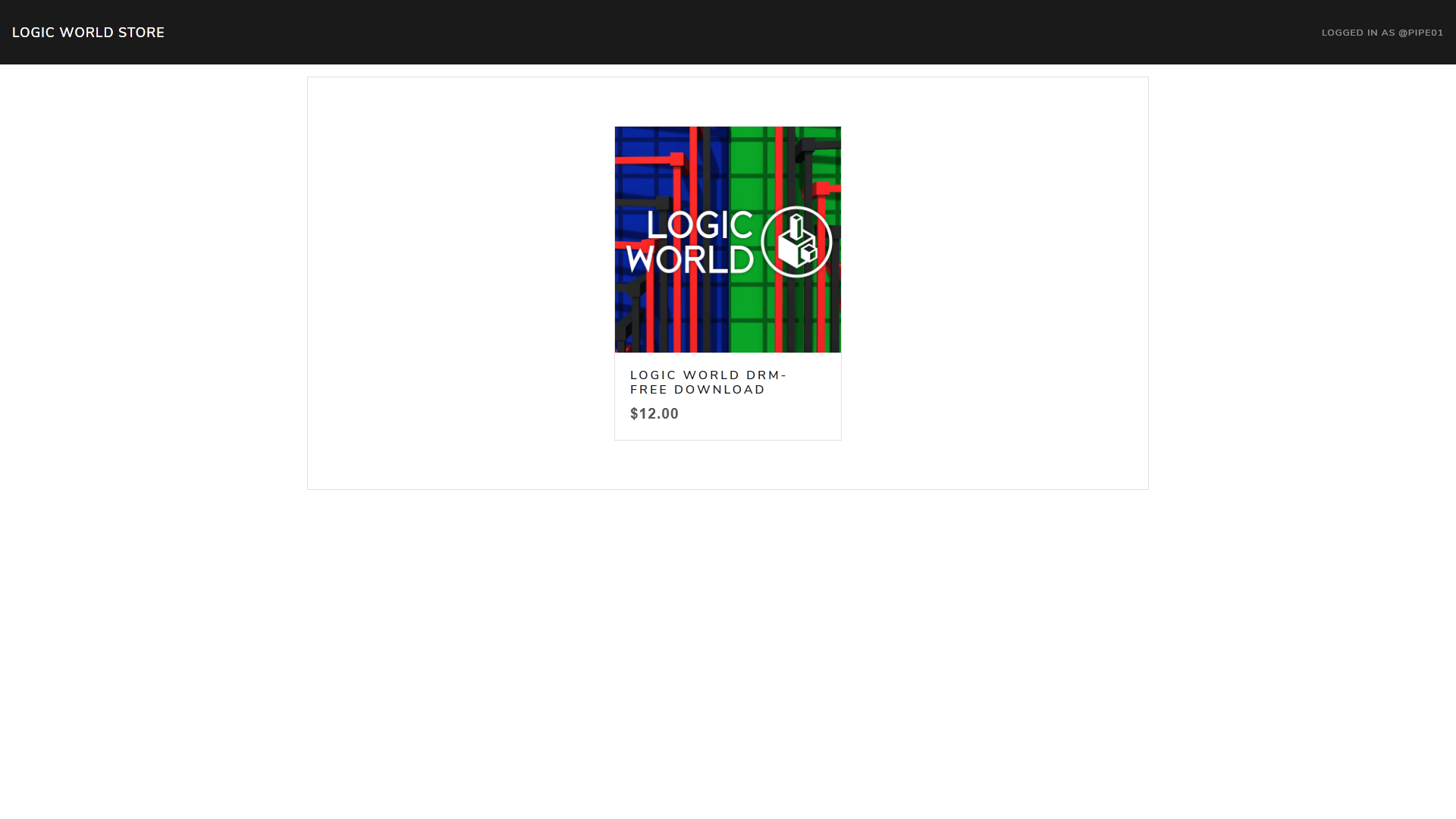
As you may know, we’re going to sell Logic World directly from our website in addition to our third party stores like Steam. This week I’ve been working on the store page design.
Settings Menu Generation - Jimmy
Last week and The week before, I was working on the design part of the settings menu. This week, I’ve given the menu functionality; the settings you tweak will now affect things in the game, and their values will be saved between sessions. Additionally, the settings menu now dynamically generates from values you set in the code. [previewyoutube="-mDwJKP7ztc;full"] Getting the menu to dynamically generate, with all the different kinds of settings there are and all the different properties a setting type can have, was extraordinarily difficult. But the system works beautifully, and I am very proud of it.
I plan to open source this library - LogicSettings - sometime after Logic World launches.
---------------------------------------------
We'll keep releasing these weekly updates right up until the game comes out. To make sure you don't miss them, you can sign up for our newsletter or join the official Discord, and of course you can wishlist and follow the game right here on Steam.
Welcome back to another Logic World Wednesday! This week, in The Shiny Edition, we’re polishing up the game and getting it prepared for release.
Before we begin, we have a very special announcement. Logic World is going to have a full original soundtrack, and we’ve found the perfect person to write it. It is our pleasure to introduce Markku Wainman, composer for Logic World!
Soundtrack - Markku
Hello, everyone! I am happy to have a chance to talk about the music I am writing and producing for Logic World with you today. Myself and the creators wanted the music to compliment the beauty of circuits doing math while helping the player to focus on and engage in the gameplay. We also concluded that the addition of live musical sources would breathe life into the synthesized instruments that are sonically emblematic of computers. I want these carefully selected instruments to help the melodies and musical textures stick with you after playing the game to remind you of Logic World and the beauty that is created in a computer. Working on creating an effective score has been a challenging and rewarding process that I feel very lucky to be a part of. I hope you enjoy my music!
Markku
[previewyoutube="W7ENg04RxWs;full"]
Completed Integrated Server - Felipe
This week I’ve been working on reimplementing the integrated server. Previously the server was being compiled targeting .NET 4.6 in order to be loaded by the Mono runtime Unity uses. However, this was less than ideal, because the server couldn’t benefit from the performance upgrades .NET Core 3 brings.
The server is now launched as a separate process from the game, allowing us to use the .NET Core 3.1 build. In order to communicate between the game and the server instance we redirect the stdin and stdout streams, allowing the user to send commands to the server and read its output as if it were a regular server.
Doing things this way is more complicated and difficult, but this upgrade ensures that you’ll always have the best possible performance while playing Logic World.
SHINY BOBBY - Jimmy
SHINY BOBBY SHINY BOBBY SHINY BOBBY SHINY BOBBY
SHINY BOBBY SHINY BOBBY SHINY BOBBY
Character Customization - Jimmy
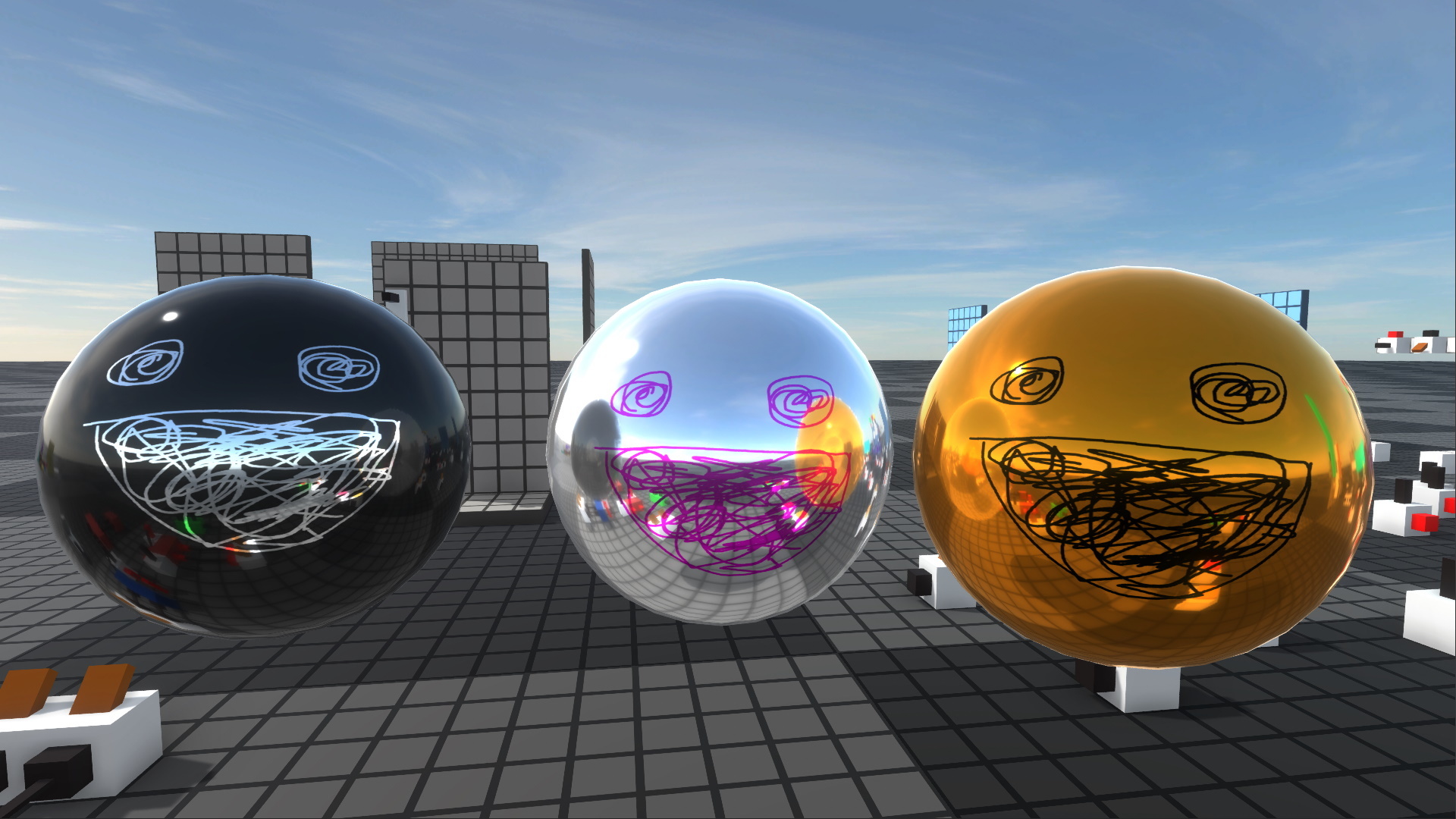
In all seriousness, this week I’ve added some options for customizing your Bobby. You can now choose bobby’s colors, and if you so desire, you can enable SHINY BOBBY.
We’ve previously talked about including full custom multiplayer avatars. Unfortunately, there isn’t time to include this for 1.0. That feature will be coming in 1.1. Until then, everybody is Bobby.
Settings Menu - Jimmy
I’ve made a ton of progress on the settings menu this week!
Let’s take a look at all the new things:
When you mouse over a setting, you can see a written description of what the setting does, a visual preview of it, and how performance-intensive the setting is.
There are now multiple profiles for settings (bottom right). When you edit the settings on one profile, all the other profiles are unaffected.
I ran into several issues using the built-in Unity dropdowns and toggles, so I programmed my own. Every single thing you see in that screenshot is now running custom code.
Many parts of the visual design have been tweaked and polished since last week
The menu isn’t quite done yet - I’m still working on getting it to generate from code - but I’m extremely happy with how it’s coming along.
Lighting & Graphics - Jimmy
This week I’ve been polishing the lighting setup for the game. In particular, I’ve done my best to normalize the difference between light and dark; I don’t want fully lit objects to be overwhelmingly bright, and I don’t want objects in shadow to be so dark it’s hard to see them.
Before:
After:
Click here for high-res images to compare: before 1, before 2, after 1, after 2. (Please excuse the wires in the after screenshots that are black when they should be red - it's a bug I forgot to fix before taking them :P)
Lighting is really finnicky and difficult, especially in a game where the same lighting has to work for every situation: I don't know what you're going to build, but I need to have a lighting setup that works for the things you build. The results you see took many hours of tweaking and experimenting, but I'm feeling pretty happy with them.
---------------------------------------------
We'll be announcing Logic World's release date very soon, so stay tuned. To do so, you can sign up for our newsletter or join the official Discord, and of course you can wishlist and follow the game right here on Steam.
Pick Up Component is a new building mechanic I’ve added to Logic World this week. It lets you pick up a full component, including any data you’ve edited on it.
[previewyoutube="L9QjLng95UI;full"]
Pick Up Component is the second last building mechanic planned for Logic World 1.0. Just one more to program, and then the building is done!
Settings Menu - Jimmy
I’ve been working on Logic World’s settings menu. I think I’ve got a pretty good design for it.
Let us know in the comments what settings *you’d* like to see in Logic World.
Sexy Notifications - Felipe
The notifications system on logicworld.net has been very unstable since I put it together, as I didn’t put much thought into it. This has now changed. I’ve rebuilt the system altogether and now it’s much more robust and pretty.
If you’re logged in, you can check out the new notifications page at https://logicworld.net/Notifications. Make sure to leave lots of replies to each other today so you can properly experience it ;)
Open Source Shenanigans - Jimmy
This week I’ve been working on a few of the open source libraries we’re developing for Logic World. These are chunks of code that we’re releasing for free, for anybody to study or use or even contribute to.
Firstly, I've made a number of improvements to SUCC, the tool Logic World uses to save and load data in configuration files. SUCC can now save and load null - that is, no object - and it’s better at figuring out what value to load if it doesn’t find that data in a file.
Next, I developed an extension for SUCC called InterSUCC. InterSUCC allows you to treat SUCC data files as objects with properties, rather than requiring you to input text to use as data keys. InterSUCC also contains a nifty feature called ConfigWithOverride. ConfigWithOverride allows you to have a master config file, but have some parts of that file overridden by a particular additional file. In Logic World, we use this to give you per-world settings. For instance, the game has a global setting for simulation speed, but you can change the speed for just one world by editing that world’s config_override.succ.
Finally, I updated Jimmy’s Unity Utilities with all the goodies we’ve added to it in Logic World’s JUU copy. It now has extended support for color names (used in Logic World’s color picker), tools for saving and loading images to disk (used for saved board thumbnails and for the flags in LW’s languages menu), a precise timing class (used to animate Logic World’s intro), a utility for setting the contents of the system clipboard (used in Logic World to copy console messages), and more.
While I was at it, I also made a small library called PersistentData. PersistentData isn’t something that will be used in LW, but I’ve been meaning to make it for a while and I’ll definitely be using it in other future projects.
BobbyBot - Felipe
This week I’ve written a bot for the Logic World Discord Server. His name is Bobby Bot, and he posts updates from logicworld.net to the discord. Right now, he sends a message for each new post in the forum. When Logic World releases, Bobby will send a message for each new WorkItem you upload to logicworld.net: boards, worlds, mods, ect.
Bobby will also help us out by posting our biweekly discussion topics: Philosophy Phridays and Miscellaneous Mondays. Never again will these be late! Look out for our first Bobby-posted topic this Phriday at 18:00 UTC.
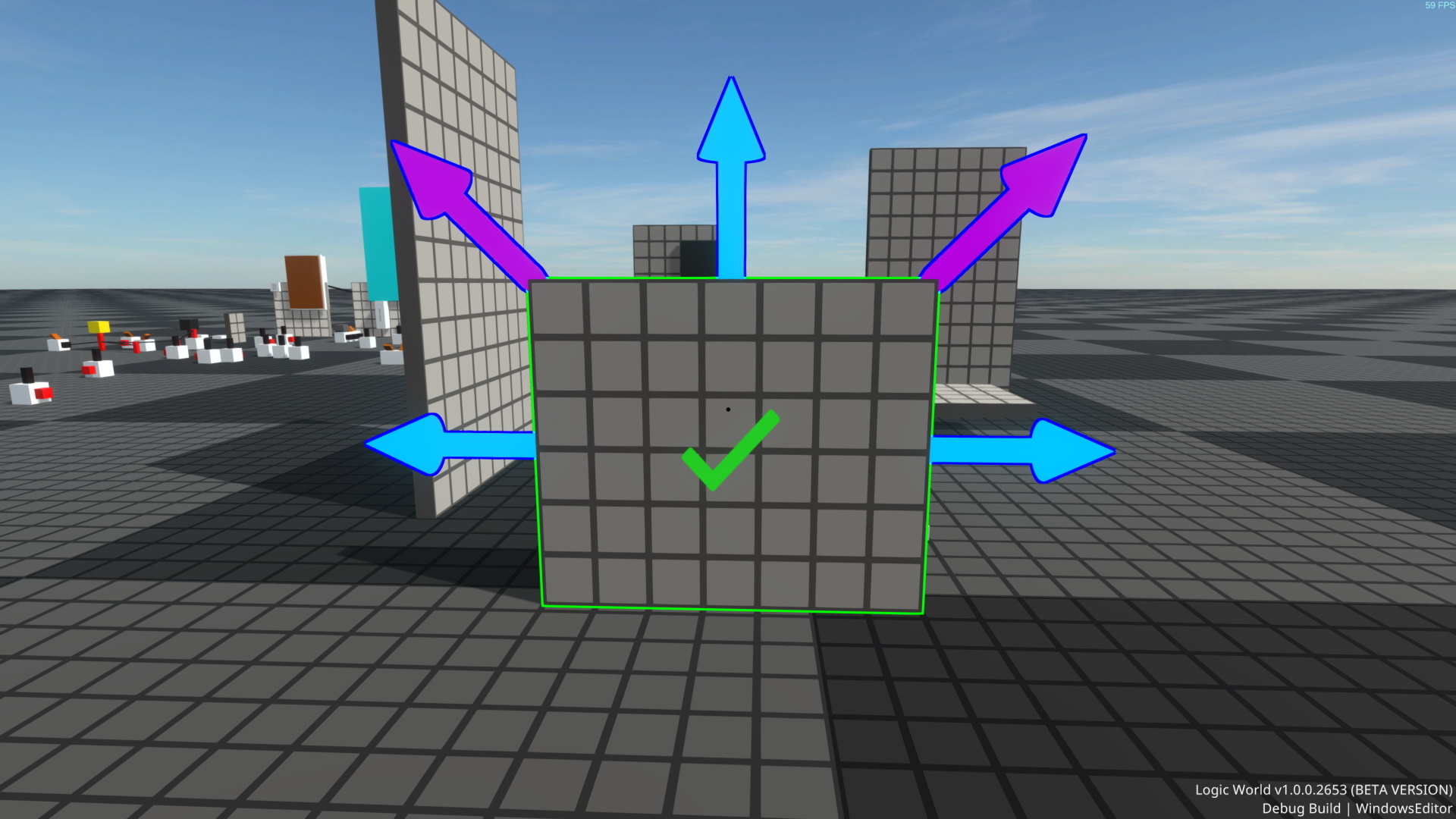
As part of my ongoing efforts to make Logic World’s building mechanics as fluid and easy-to-use as I can, this week I’ve been polishing up the mechanics for building with resizable components. You can now directly start resizing something while you’re placing it, and I’ve added a new Drawing mechanic for building with boards.
[previewyoutube="JstrNEQ4pFY;full"]
I’ve also polished up the look of the resizing UI: there’s a snazzy checkmark in the center that you can click to confirm the new size, and all the UI elements now change color when you mouse over them, to communicate that they can be clicked on.
Outline Tech Upgrade - Jimmy
When I was working on the new Resizable Components UI, I ran into a limitation of our outline tech that was preventing the checkmark outline from showing up.
The problem was that all of the outlined objects were being outlined together as one pass. This image explains what that means better than my words did:
Since the checkmark outline was nested inside the outline of the component being resized, it couldn’t show up; the checkmark edges were not part of the edges of all the objects.
This has been a limitation of our outline system for a long time, and this week I finally set about fixing it. The outline system now supports multiple independent “layers” of outlines, where each layer can overlap with the others.
With these new outline layers, I can now draw the checkmark outline, and you can see it in action in the video above.
I also added one outline layer that has “depth culling” enabled. This means that only the visible parts of the objects get outlined. The depth culling layer is being used for the outlines of interactable objects, and drastically improves their look.
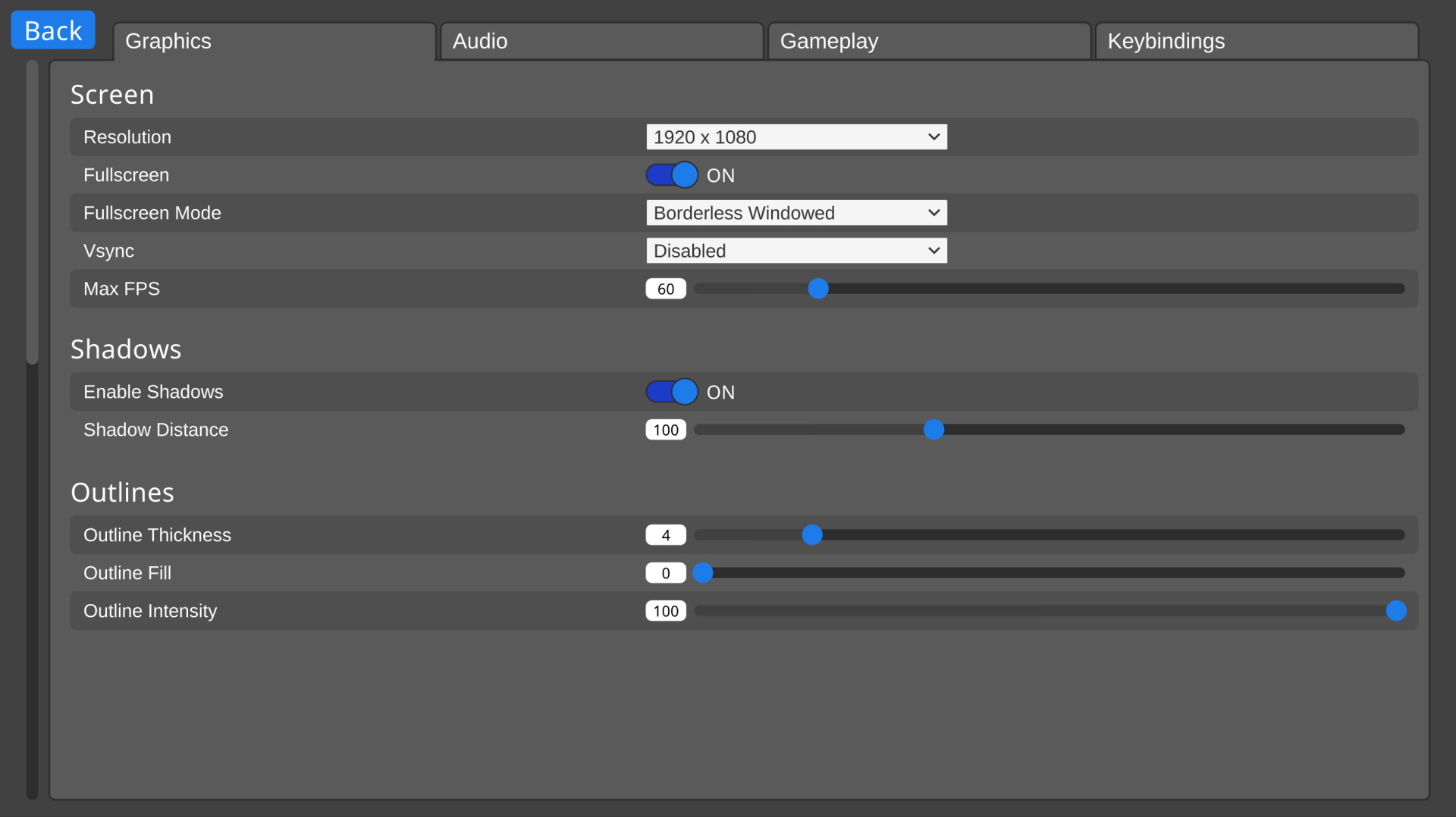
Finally, I added some options to the outline rendering for folks to tweak to their preference. You can now adjust the outline thickness, the outline fill amount, and the outline intensity.
Spinny Compass - Jimmy
After I showed off the Compass last week, many of you suggested that it should rotate as the player does. After playing around with it some more, I’ve come to agree, and so the compass now always points in the direction of rotation.
You can see this in action in the video above.
Status - Felipe
This week I’ve been working on a status page for all the services that make up logicworld.net. A service is a little piece of software (in our case mostly written in Go) that is responsible for a task, like sending emails to users or building mods. This status page is made using Cachet, which allows us to notify you about maintenance ahead of time and it lets you see the status of every service as well as a real-time graph of visits to logicworld.net.
You can check out the status page at https://status.logicworld.net/.
Welcome back to another Logic World Wednesday! We’re back from the holidays, and the push for release is underway.
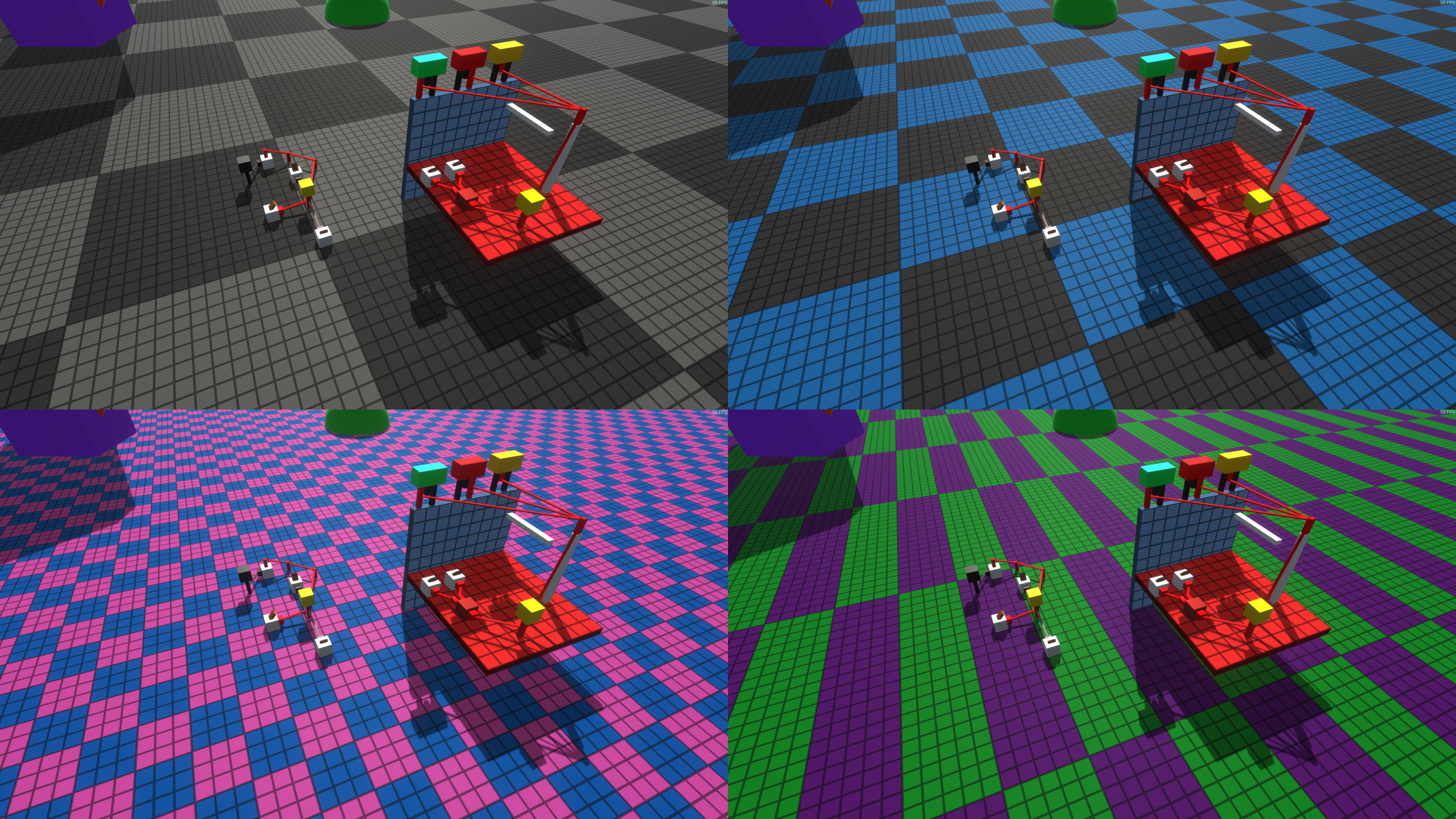
Checkerboard World - Jimmy
The world you’ve been seeing in the LWW videos has been sort of a placeholder. The ground was completely static, with no customization whatsoever.
This week I’ve begun an overhaul of the world, starting with a lovely ground shader. The shader supports custom colors, as well as dual-color checkerboard patterns.
When you create a world with a grid ground, you’ll be able to choose the color or colors used and the grid size. It’s worth noting that Logic World will support several different world types, and mods will have the ability to add world types. But that’s a topic for a future LWW :)
Modding API Consolidation & Documentation - Felipe
Over the holidays I’ve been working on documenting the Logic World mod API, known as LogicAPI. This documentation is done with XML comments in C#. When coding mods, Visual Studio will show what each method and class does while you’re typing. We are also going to upload a generated static site containing all of the documentation over at docs.logicworld.net. This is a preview of how it will look:
This site is generated by DocFX, and it will contain all the aforementioned code documentation as well as some concrete concepts that may require explaining.
We are also going to have a wiki at wiki.logicworld.net, which will contain broader modding guides and tutorials, as well as some other non-modding related info.
Tons of cloud stuff - Felipe
I have also been doing a big revamp of our cloud architecture:
We have migrated from having a single server to having two: Phobos and Deimos.
Migrated from a monolithic architecture to a microservices one, which means that we now have a small service for tasks like emailing, logging, storage, etc.
Migrated from regular Docker to Docker Swarm, allowing us to deploy these services very easily and scale them up by changing a single number in the configuration file. This will let us easily scale up the server to meet the demand if we find the need to do so.
Initially these services were written in C# just like the web application is, however, when migrating to Traefik I realised that every single application we were using in the server was written in Go. Go is a language that’s widely used in reliable and widely used software like Traefik, Caddy and Docker. This sparked an interest in Go inside of me, so I spent a few hours learning this new language and rewriting the logger service. This service is the simplest, all it does is receive messages from all the services and log them to the database, so I thought it would be the perfect opportunity to dip my toes in Go. When I was done writing this I noticed that the service was using just a fraction of the memory that the C# service was while being a lot more CPU efficient. To sum up, 5 out of the 7 services we currently have are written in Go.
Don’t get me wrong, I still love C#, however it’s become clear to me that Go is much more tuned towards web server-side software development.
Refined Building Mechanics - Jimmy
I’ve done a pass of our basic building mechanics to ensure they are consistent, intuitive, and easy to use. Most notably, I’ve removed the Rotation Lock mechanic; the lock is now always on. Rotation Lock was sort of an awkward and unintuitive mechanic. It was sort of a holdover from when I was trying to copy Minecraft’s building mechanics, back in 2017. But Logic World has grown up a lot since then.
To help communicate the new objective nature of rotation, I’ve added a little compass rose to the UI with a pointer for the object placement rotation direction.
Notice the pointer above the hotbar on the left. As the inverter being placed rotates, so does the pointer.
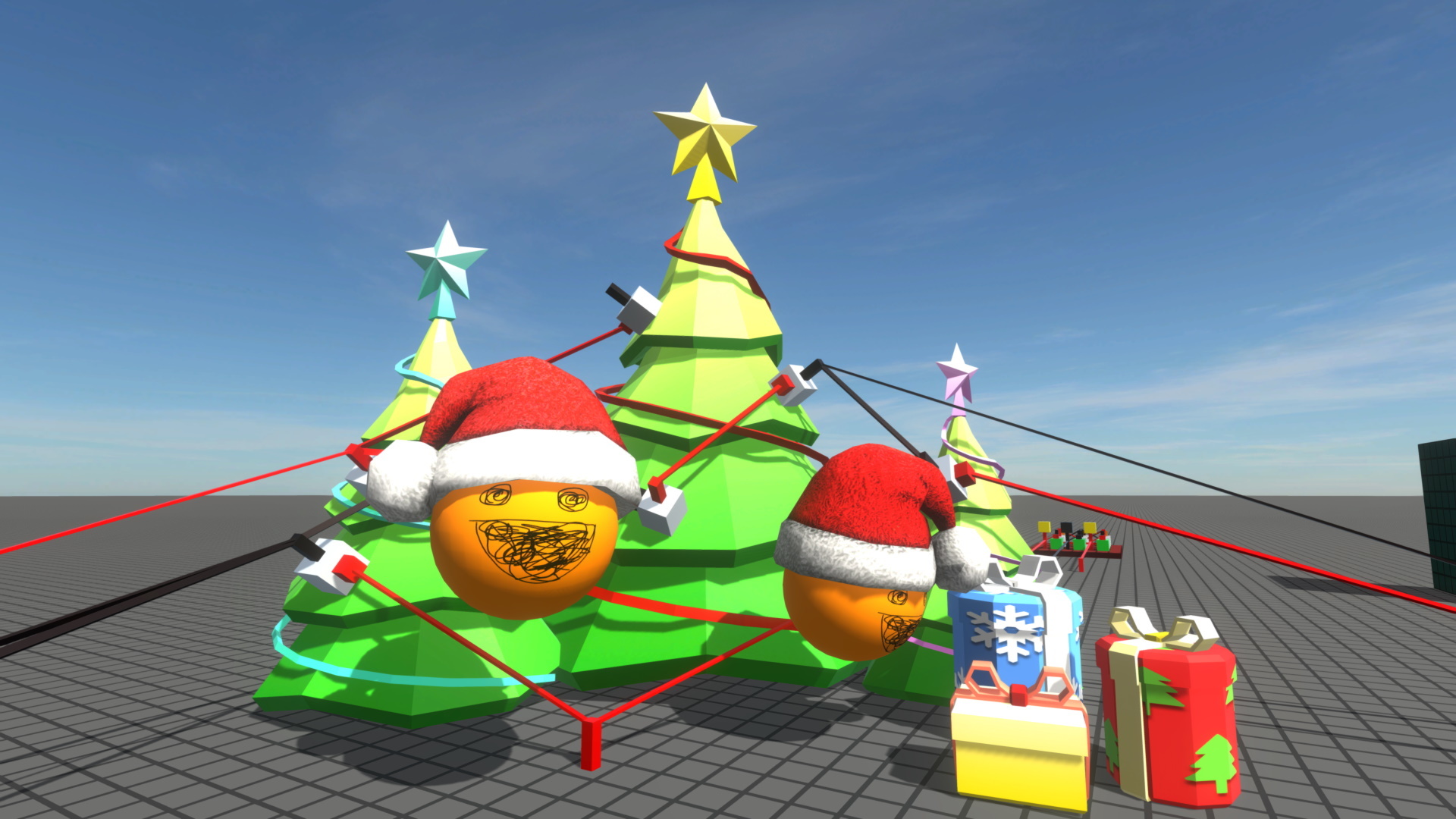
Welcome back to another Logic World Wednesday! This is our last post before the holidays, and we’ve got some real goodies for you this week.
Draggable Colors and More - Jimmy
Logic World’s color picker is something I keep coming back to and tweaking, but this week I think I’ve finally settled on its final form. I’ve shifted the menu elements around so that the HSV wheel is bigger, and I’ve packed the sliders together more closely to save space. I’ve also removed the ability to hide blocks of sliders; dynamically resizing the menu was causing some issues, and I literally never used the option anyway.
I’ve also added a number of new features to the color picker, including the much-requested draggable saved colors. You can see them all in this video:
[previewyoutube="9GoQYYBJ8xg;full"]
Mod Hooking - Felipe
This week I’ve been working on the hooks system for mods. Hooks provide a way for mods to listen to game events, like placing a component or a wire, and optionally cancel it or modify it. Right now hooks are implemented through “handler” classes, which are abstract classes that contain a virtual method for each hook. Mods can then make classes that inherit a specific handler class and then implement any hook methods that they want.
This is an example of how a mod’s handler class may look like:
public class MyHandler : WorldHookHandler { private int Counter;
LConsole.WriteLine($"A user is placing a component of type {args.ComponentType.TextID}, cancel: {cancel}"); } }
This hook would stop the player from placing a component every second time they tried to. Handy for annoying your friends.
Player Identification - Felipe
Up until now players in the server were identified only by a username they choose. While this works fine, if someone was to connect with the same username as you they would be able to impersonate you. Now players are instead identified by their logicworld.net user ID, which is unique to your account. You can sign in to the game with your logicworld.net account, and in the Steam version, you’ll be automatically logged in to logicworld.net with Steam.
Servers will also have the option to turn on “offline mode”, reverting back to the username identification system. This is useful in case logicworld.net goes down, as an offline server doesn’t need to verify the players’ identities.
Yet More Unexciting Code Work - Jimmy
Last week I spoke of two very cool features I was working on, and I’ve continued that work this week. Unfortunately, I didn’t finish in time for LWW, but most of the architectural groundwork is now laid.
---------------------------------------------
Thanks for reading! We’re going to take a two week break over the holidays, during which time we intend to start beta testing. Logic World Wednesdays returns January 8.
The old system for saving colors, and managing your saved colors, just wasn’t working; it was too complex and too clumsy to use. This week I’ve redone it, using the same UI as saving Display configurations.
[previewyoutube="Q0mvDkUsR1Y;full"]
I’ve also added a button for sorting your saved colors - which is a surprisingly complicated thing - and a button for choosing a random color.
Website Work - Felipe
I’ve been working on some minor website QoL adjustments:
Post embeds on Discord, Reddit, etc are much nicer. before, after
The Facebook link has been smited from the site. More info
When logging in you will now be redirected to the page you were previously in
Comments will now be counted recursively in the comment section
All notification emails will now contain the reason why you got them
I’ve also been working on an updated “About” page for the site. This new page tells you a bit about us, and it lets your see our faces (to be revealed).
Unfortunately I haven’t been able to deploy these changes for this LWW (LWT?), but you can expect to see them shortly.
Unexciting Code Work - Jimmy
I spent most of this week laying the architectural groundwork for two very cool features. I was really hoping to show at least one of them off today, but they just didn’t get finished in time.
These two features are the final building mechanics for Logic World, and they’ll complete the set of tools you have to manipulate the world.
Logic World Wednesdays: Making Mods & Bashing Bugs
Logic Maker - Felipe
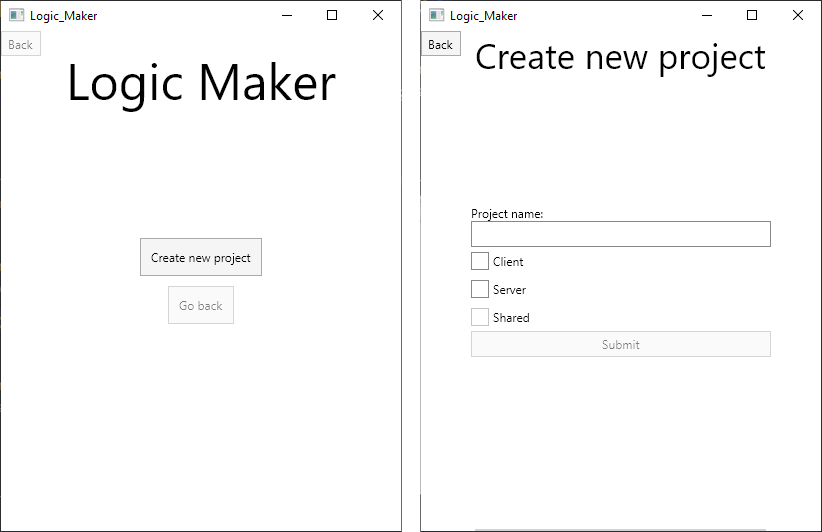
As we discussed in a previous LWW, mods’ source consist of up to three Visual Studio projects as well as the assets and libraries you want to include. This week I’ve been working on a tool that lets you create these projects from a template and upload the source for it to be compiled: Logic Maker.
The UI is a WIP, it currently has no styles at all.
Logic Maker is meant to be a tool to aid you in creating and developing mods. While it isn’t necessary (you could for example just copy a template project), by using the tool you can create your mod solution with the features you want, and it will automatically output the minimal code to get your mod running.
Logic Maker can be used in one of two ways: through the UI or through the CLI. The UI is made with [Avalonia](https://avaloniaui.net/), which means that it’s completely cross platform and it will look the exact same way on Linux, Windows and MacOS. On the other hand, the CLI will let you perform the same actions as the UI, but with arguments instead of buttons:
In the future I’d also like for Logic Maker to let you build the project using the same Docker image that logicworld.net uses. That way you can locally verify your mod before you upload it.
Hover Tags - Jimmy
The menus in Logic World have many small, circular buttons with icons on them. When you’re like me and you programmed all those buttons yourself, this isn’t a problem, but if not, it can be a little confusing. What does the button with a gear on it do? What does the button with a folder on it do?
Back in the Dark Ages of Last Week, there was no way to know. That’s why this week I’ve developed a system for displaying more detailed information about a button when you hover over it.
The size of the hover text is configurable, as is the delay between mousing over a button and the hover text appearing. You can also disable hover tags entirely.
Camera Controller Upgrade - Jimmy
When you’ve saved a board, you can view an interactable in-game preview of the saved board in 3D. This week I’ve upgraded the camera controller used in these previews. It is now much more configurable, and it now supports moving the pivot position by holding right click and moving the mouse. This feature was already present in the web previews, which you see when you share a board online - interactive demo of that here.
I’ve also added a button to reset the camera position, and saved boards now remember where you had the camera when you saved them.
Finally, I’ve refactored the system for rendering the models so that it can also render a static image of the models. This will allow me to generate thumbnails for saved boards.
Bug Squashing Palooza - Jimmy
I’ve spent most of this week going through the game and fixing various bugs that have cropped up. Multiplayer bugs in particular have been getting my attention. The game has been through several major code architecture upgrades in the past few months, so there were a fair number of these.
Now, though, Logic World has reached a very stable state. The core gameplay is smooth, incredibly fun, and mostly without issues. It was important that I go through and clean it up this week, because we intend to start beta testing soon.
Website upgrade - Felipe
Previously the website was using the ASP.NET Core 2.1 framework, which runs on .NET Core 2.1. However .NET Core 3 came out not long ago, so I’ve been working on upgrading to ASP.NET Core 3.1. This update comes with a ton of performance upgrades, which means that logicworld.net can now handle 5x the amount of concurrent users!
Logic World is nearing completion. All the various parts of the game are coming together to form a complete product, and we couldn’t be more excited about it.
Overhauled Display Menu - Jimmy
This week I’ve finished the new Display Menu; you can now save and load configurations for displays, making it easy to create multiple displays with the same color scheme.
Since even before we announced Logic World, “make a menu to edit component [x]” has always been somewhere on my todo list. And now they’re all done.
Integrated Server - Felipe
The Logic World game client doesn’t have any logic at all, it’s all handled by the server, which means that the client by itself can’t really do much. This server is a standalone .NET Core 3.0 project, which means that it compiles into its own executable. Logic World’s singleplayer mode is based on an integrated server, like Minecraft, which boots up every time you want to load a world.
This week I’ve finished the work of integrating the server with the client. The client can now spin up instances of the server and connect to them. This is an important milestone towards shipping the game - now, you can actually play it without starting up a separate server program in the background.
Sandbox Menu - Jimmy
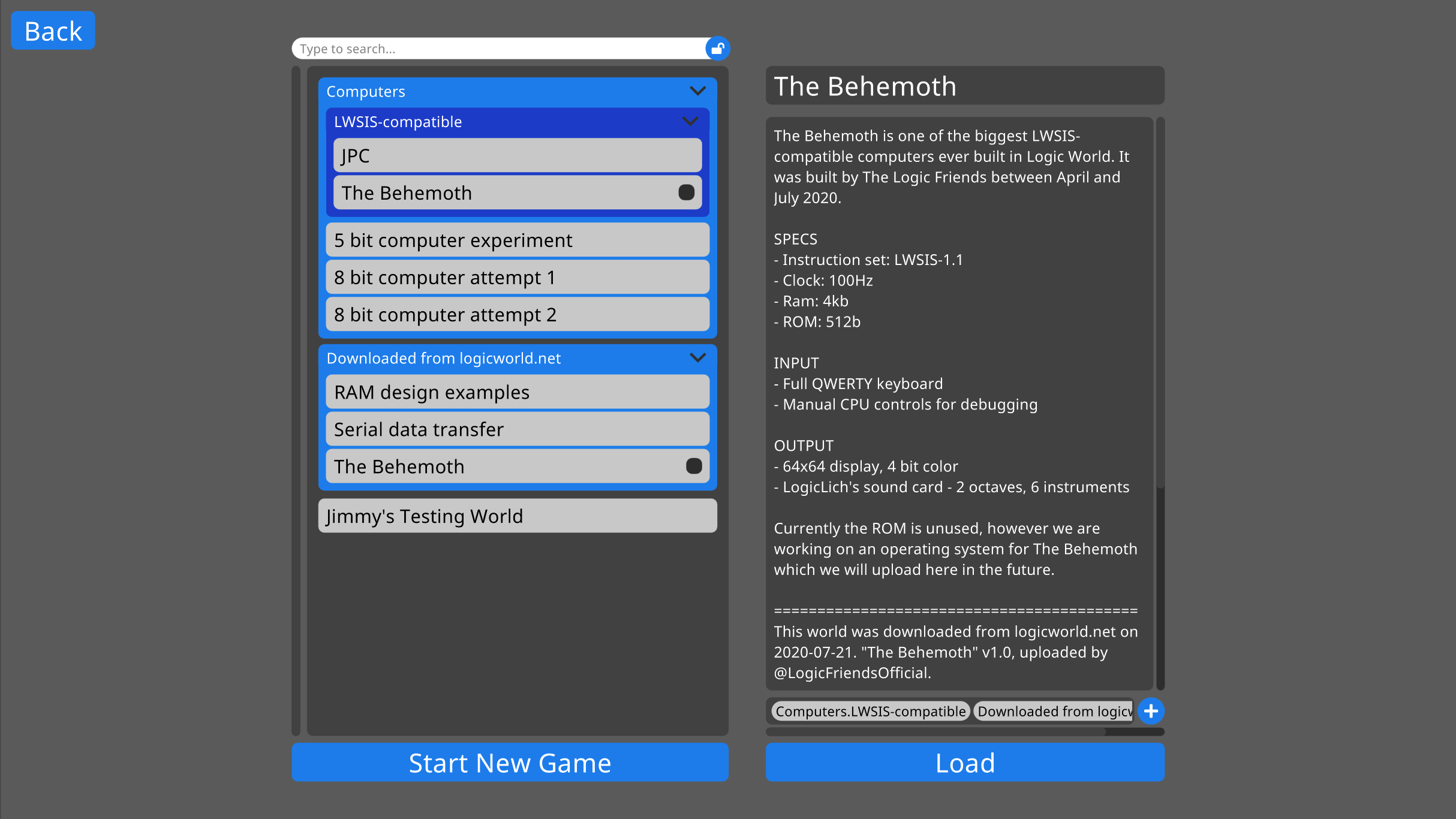
Now that the integrated server is working, I’ve been working on menus for using it in singleplayer. The Sandbox Menu uses the same code as the Save Board and Load Board menus, so each world can have a title, a description, and a series of tags for sorting it. The list of saved games can also be searched.
This menu is still a WIP, you’ll see a video with it next week!
Intro animation - Jimmy
I’ve made a fancy animation with our logos that plays when the game starts up.