Welcome back to another Logic World Wednesday! Logic World grows closer to completion every day. This week, we've got a preview of the Logic World Theme, a look at the Main Menu and Languages Menu, and a story about the Bug from Hell.
The Logic World Soundtrack
Logic World is going to have a full original soundtrack, and today we’re excited to announce that the Logic World Theme is complete.
The theme is written by the incredible David Housden, whom you might know from his work on titles like Thomas Was Alone, Volume, and Q.U.B.E. Our game’s theme is a beautiful composition that captures the wonderment and complexity of digital logic. You can hear a preview in the video a little later in this post.
Logic World will also have an extensive suite of music that plays in the background during gameplay. These pieces will be written by a different composer. We’re not quite ready to talk about these pieces yet, but you’ll be hearing about them soon.
Main Menu and Languages Menu - Jimmy
This week I finally started work on Logic World’s main menu! I also added a menu for switching the game’s language.
[previewyoutube="x2qMUX81_pU;full"]
I didn’t realize before I made this menu how much the game was missing it. With a main menu in place, Logic World feels much more complete and polished. The game is finally really coming together, and I am so excited to be working on it!!
Felipe Martínez and the Bug from Hell
Programmers squish bugs all the time; it's part of the job. But once or twice in a career, we face a bug so evasive yet hostile, so powerful yet so unknowable, that it threatens the very sanity of the programmer. These are the bugs of nightmares. These are the Bugs from Hell.
This week, I faced one such bug.
It all started one lazy Sunday morning. I sipped my morning cup of coffee and stretched my fingers, preparing for another long day of work. I was expecting to spend the day working on SECCS and LICC, but as I started to write the first lines of code I noticed something was off. Out of nowhere came some bizarre exceptions, seemingly at random. I could only sit there and watch as the console flooded with red lines of text indicating how bad of a programmer I was. My heart started to pound as I wondered what the silicon slices in my CPU had prepared for me on this damned day.
I took a step back. “No, this can’t be right. My IDE must be messing up”, I foolishly thought to myself. I tried restarting the vessel of horror. As soon as it came back up I was once more greeted by the hundreds of errors. I could feel them glaring down at me. I frantically flipped through the pages of code, trying to find the source of these horrors. “Where are you hiding, you little bastard?” Something, somewhere, was eating chunks of data.
As you may already know, Logic World uses SECCS to read and write packets of data to and from the network. SECCS is composed of a number of type formatters that each take care of one or more types, and they operate with raw bytes. Each field of the object that you want to serialize is written one after the other by its corresponding formatter.
This bug consisted of a rogue formatter that was writing more bytes than it was reading, which means that the formatters that came after it encountered the wrong data. At this point anything could happen, as the data wasn’t correct, so some fields were set to be null when they really weren’t.
It turned out the issue was with how Logic World was using SECCS to read a certain LW class. Specifically, it was the type we use to index a circuit peg within the world. I’d accidentally left the code for doing this the same as it was before we switched to using SECCS for networking. It was reading bytes from the stream that it shouldn’t have been, which messed up everything that read the stream afterwards.
The result of 4 days’ work:
At last, the bug was conquered. It was a painful and arduous task, but the reward was undeniably worth it.
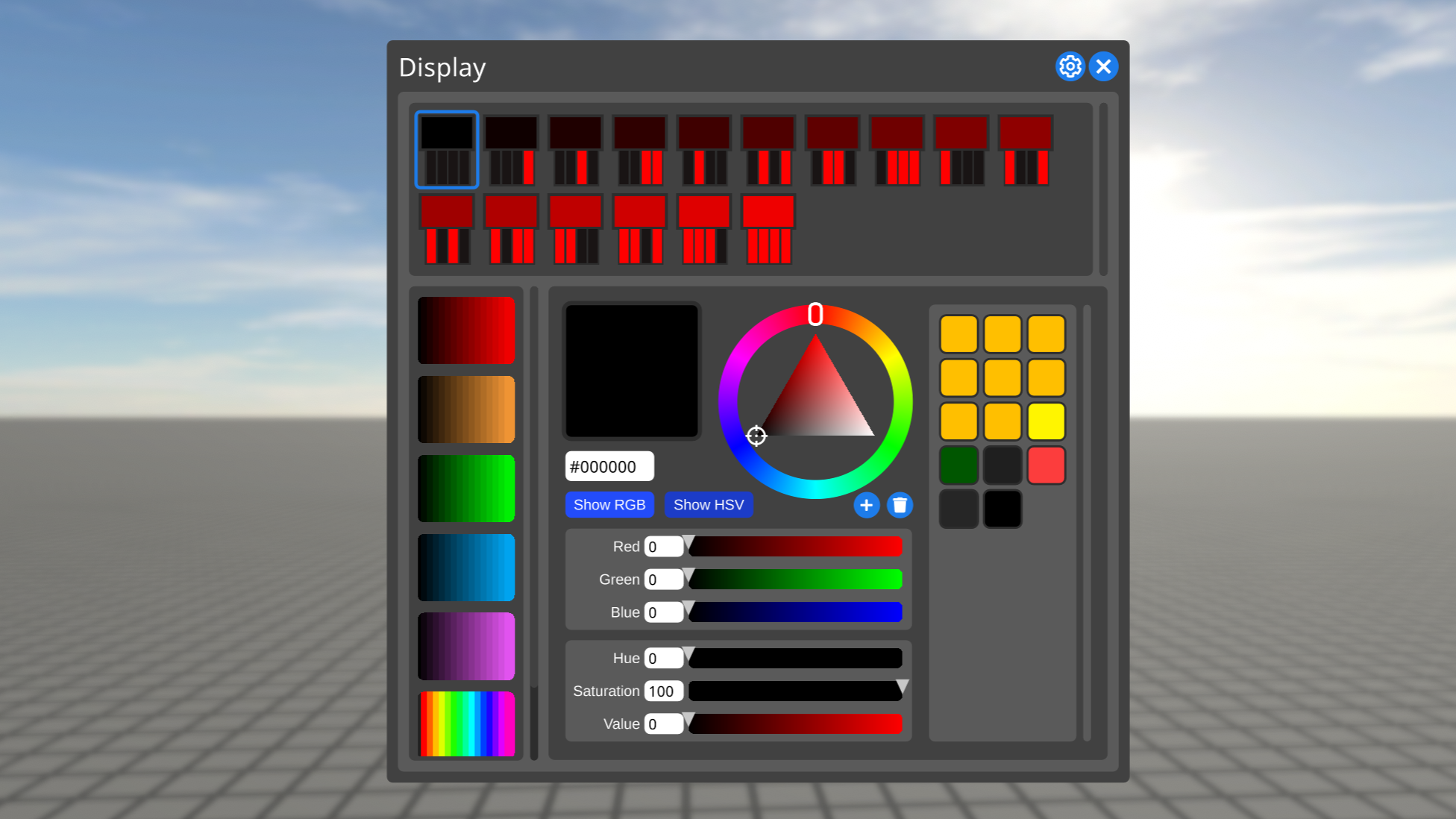
Displays allow you to configure which color they are in each possible state of their inputs. This week I’ve been working on the ability to save and load these configurations, so you can quickly set up displays that will be the same color when their inputs are in the same state.
On the top are graphics depicting the possible states of the display’s inputs - from 0000 to 1111 - and the color the display is in for each state. On the left are various saved configurations for displays with four inputs (and 16 states).
This feature isn’t quite done yet, so you’ll see a full video showing it off next week.
Cloud mod compilation - Felipe
As we discussed last week, in order to share a mod on logicworld.net you will need to upload the mod’s source code, which will then get compiled for you on our servers. This is what I’ve been working on this week: I’ve been developing a sort of CI system that automatically compiles the mod’s solution and outputs the mod’s code as DLLs. The system relies on Docker containers to run the build, which means that they run completely isolated from the rest of builds and with the same starting environment every time. Using Docker also means that we can aggregate multiple cloud server instances and create more as demand for compilation power goes up, allowing us to meet the demands.
SUCC v1.1 - Jimmy
SUCC is an open source library I’ve developed for Logic World for saving and loading data as text. We use it for saving user settings, metadata about world saves, localizations, game data like the list of components, and more. I’ve spent some time this week making improvements to SUCC, including adding some features we need for Logic World’s modding system.
There’s too much to talk about here, but you can check out the list of changes over on the 1.1 release page.
Welcome back to another Logic World Wednesday. After a three week hiatus, we are back!
If you haven’t been keeping up with us on Discord, the break has been because we were reorganizing Logic World’s 50,000 lines of code. That work is finally done, and your regularly scheduled Wednesdays have returned!
New Menus - Jimmy
I’ve added three new menus to Logic World this week! We now have a pause menu, and buttons and keys have gotten menus for editing those components.
[previewyoutube="Gn3xmVy8Tcs;full"]
MIDI Input Support - Jimmy
Thanks to the release of Minis by Keijiro Takahashi, Logic World’s extensive input system now supports MIDI input! You can now use your pianos to control the game. MIDI bindings can be used for regular game actions like walking and jumping, but I expect they’ll mostly be used with Keys to make in-game music machines :D
New Game State System - Jimmy
Logic World uses a complex state machine to govern the flow between game states. For example, you’re allowed to transition to the in chair state from the building state, but you’re not allowed to transition to the *in chair* state from the multi-wire placing stage 2 state.
Previously, we defined the rules of the state machine all in a single file. This week I’ve built a new system and transitioned all our game states to it. Under the new system, the rules of the state machine are distributed throughout many files. The rules for one state are now right next to the code for what actually happens when the game is in that state.
When we’re working on a game state, this makes it easy to see that state’s relationships with other game states. But more importantly, this means that mods can now add their own game states, since they’re not all defined in one master file.
Server architecture & networking refactor - Felipe
This week I’ve been working on refactoring the server’s codebase, adhering to the Inversion of Control principle. This means that I went through every single class, converted it to non-static, determined the classes that it depends on and injected them on its constructor, while creating an interface for it. This results in highly testable and modular code that’s a lot easier to maintain and extend.
I’ve also been refactoring the networking code: previously each packet type was composed of two methods: one for writing the packet and one for reading it. These methods operated directly on the network stream and they didn’t have an explicit structure, as it was determined by the order and type of read/write calls. After the refactor, each packet is its own class, we have SECCS serialize and deserialize it, so we don’t have to write any code that manipulates the network stream directly. Another benefit is that packets are clearly defined and, again, easier to maintain and extend.
Modding System Progress - Felipe
I’ve also been rethinking the existing modding architecture, and this time I’ve decided on a file structure that looks like this (not final):
assets/
my_image.png
my_mesh.obj
my_unityassets.assetbundle
data/
components.succ
lib/
MyLibrary.dll
manifest.json
server.dll
client.dll
shared.dll
The mod as a whole is comprised of two parts: the server and the client. As their names suggest, the server.dll will only be loaded on the server startup and the client.dll will be loaded on the client startup, while the shared.dll will be loaded on both and can be used to share code between them. It’s worth mentioning that all of these DLLs are regular .NET Standard 2.0 libraries generated by Visual Studio projects. A mod can have any combination of these 3 DLL files, that’s to say, a mod can have a server.dll, a client.dll or both, in which case it can also optionally have a shared.dll.
The assets folder contains different assets that the client-side mod will be able to load at runtime. Right now the supported types are .png, .obj (.mtl will probably come too) and .assetbundle, and I’d also like to add support for audio files. The asset bundle files must be generated using the same Unity version as the game, which will be made known when the game is released. These asset bundles can contain any complex assets that you may need, like Unity scenes or prefabs.
The data folder currently only contains the SUCC file defining the components that your mod has, whose format you may already have seen in previous LWWs.
The lib folder can contain any external libraries your mod uses, and the manifest.json file defines the mod’s properties, like its name, author, and unique ID used to identify the mod in-game.
Finally, the mod as a whole can be stored in one of two ways: in a .lwmod file (which is just a renamed .zip file), or in a plain folder. The former is how mods downloaded from logicworld.net will be stored, while the latter is especially useful when developing mods as you can just copy the files over without any worries.
You will be able to upload and share mods on logicworld.net, but you must upload its source code, which will get compiled for you. This is in order to enforce open source code and transparency. It protects against mods with malicious code, and it helps people learning to make mods, since they can see the sources of existing ones.
An Early Phriday
For the past few weeks, we’ve been holding biweekly off-topic discussions on the Logic World Discord. This has been a lot of fun and we’ve had some very interesting talks. Some people have lamented that these discussions are not at a good time for them, so we’re experimenting with different times. This week’s Philosophy Phriday willl be 2 hours earlier than usual, at 18:00 UTC.
If you haven’t already heard, we have made the difficult but necessary decision to delay the release of Logic World. The game will be released in February 2020. More information can be found here.
Adjustable Delay - Jimmy
Sometimes you need to introduce a delay into your circuits, and that’s exactly what Delayers are for. Previously, each Delayer type had a set delay length, but this week I’ve made it so their delay can be adjusted.
https://www.youtube.com/watch?v=rFW34K0lZmc
Resizable Mounts - Jimmy
Mounts are a component to help you fit your circuits into tight spaces. They’re shaped like little pillars, and you can place any component on top of them.
This week I’ve made Mounts resizable, so you can adjust their height to whatever you need. This reflects a new feature of the Resizable Components system I showed off last week: the ability to resize stuff on the vertical axis.
https://www.youtube.com/watch?v=0SDyFKmKUWQ
Rainbow Keys - Jimmy
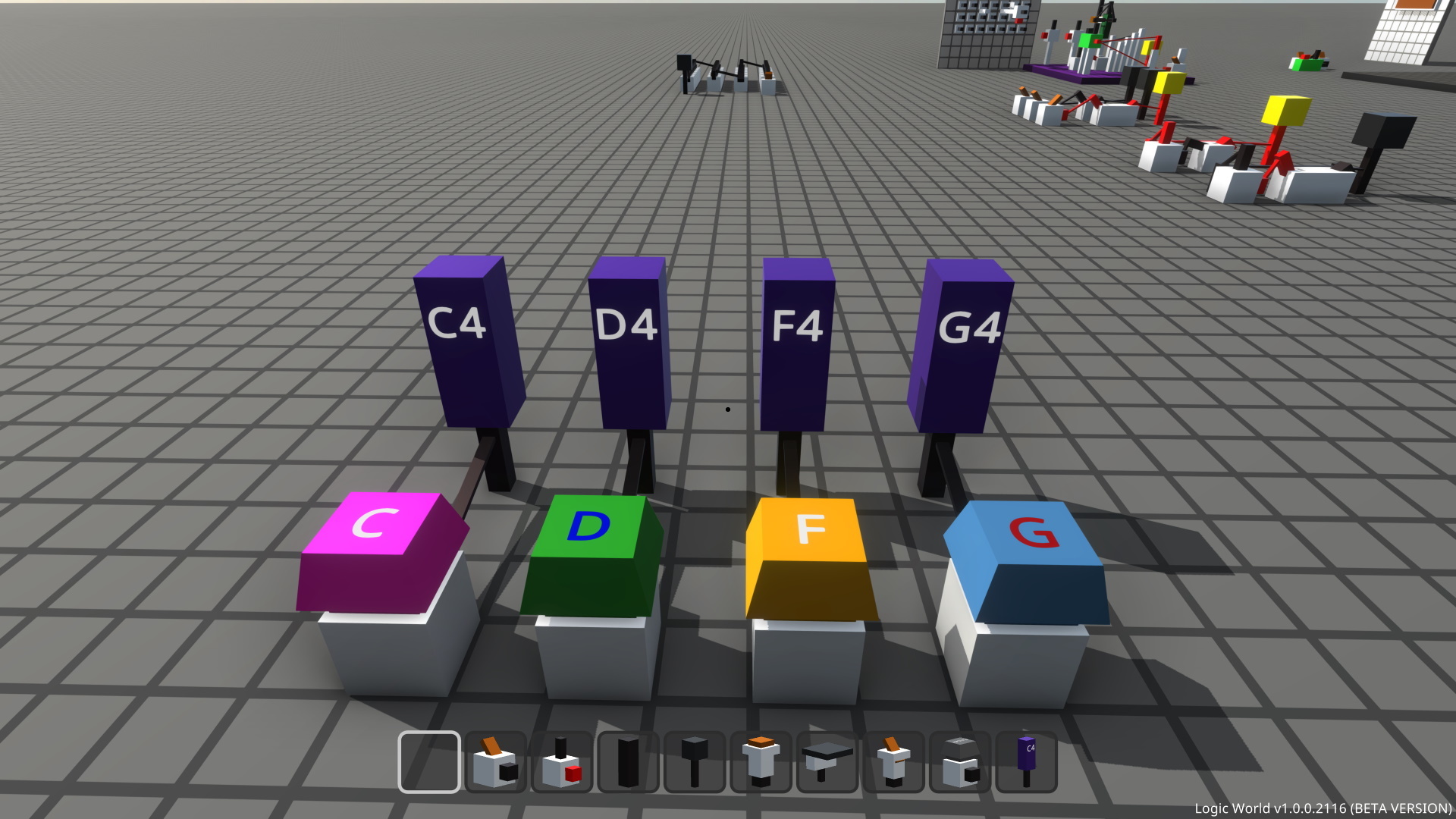
You can now change the color of Keys and the label on top of them.
Labeled Buttons - Jimmy
All pressable Buttons can now have text written on them.
Client/Server integration - Felipe
Logic World is composed of a client (the game itself) and a server. In order to play on a world, a client must connect to a server. Previously, the client and server were totally separate applications, which means that you must run a separate server and then connect to it even if you want to play on single-player mode. This week I’ve been working on adding an integrated server to the client, which will automatically be spun up when the game starts without you even noticing.
“Singleplayer” in Logic World is actually just multiplayer with the server running on your machine. Because the game works like this, you’ll have the ability to hop right into your friends’ singleplayer games.
A while ago I was experimenting with making labels resizable. This is a followup to that: I’ve implemented a full, proper resizable components system that can allow you to resize almost anything. Of course, this system is open to modders: if you make a mod to add a component, you can very easily make that component resizable.
https://www.youtube.com/watch?v=IRgSj1gm6V4
Also shown in the above video are the new displays! Logic World now has displays with 1, 2, 3, 4, 6 and 8-bit color depth. I can’t wait to see what you draw with them :)
The Logic World Store - Felipe
Logic World will be sold on Steam and other third-party stores, but we’ll also be selling the game ourselves on logicworld.net. We announced this store on a previous LWW, and this week I’ve been continuing to work on it. This is how it looks like right now:
The Logic World Store is being built to sell the game itself, but in the future we may also sell physical merchandise here!
Automated website testing - Felipe
If you’ve been following us for more than a couple weeks you have probably experienced some issues with the website like the inability to post or delete comments. I try to make every deployment of the website as stable as I can but sometimes I miss something. Therefore, this week I have been adding unit and integration tests that must succeed before deploying, using the Atata framework. Unit tests are pretty boring, but integration tests involve actually performing actions on a browser which makes for a pretty cool show:
https://www.youtube.com/watch?v=ocW4Lq2H_Qw
(Side note: only the first part of the video is sped up, the actions are performed at that speed!)
Integration tests will automatically do all the common actions a user can do (right now only registering and logging in, but the goal is to add actions like commenting, posting, editing comments, etc).
We thought it was time to show off some multiplayer gameplay!
https://www.youtube.com/watch?v=pshtA-Bi6LM
This week we’ve made it so you can see other players. Previously they were ghosts; you could see their effect on the world, but not the players themselves.
The smiling orange ball - affectionately dubbed “Bobby” by our discord - is just a placeholder. The final game will have actual art :P
Logic World Wiki - Felipe
A game like Logic World must have a place where all the knowledge about modding and other details is stored, and thus the Logic World Wiki was born! It’s empty right now, but when the game comes out this is where we’ll host modding tutorials and documentation, in both written and video form.
New Player Controller - Jimmy
This week I’ve overhauled the player’s movement code. Here are all the features it has:
walking
running
crouching
flying
flying can be with or without a locked Y axis
optional & adjustable movement smoothing
optional & adjustable mouse smoothing
Best of all, the player controller is super moddable. You can change the way my code works, or even replace it entirely with your own code.
You can see the new controller in action in the Multiplayer video above.
Dynamic Components - Jimmy
Each component in Logic World has what we call a ‘prefab’, information which defines how the component looks. This includes the number of blocks, the shape of those blocks, the number and positions of its inputs and outputs, and several other things.
Previously, component prefabs were static. Each instance of a component would look exactly the same. But this week I’ve been overhauling the way the game handles prefabs so that a component can change its appearance. Among other things, this means we can make many more components resizable in the same way boards are.
I had really hoped to show this off today, but it was much harder than I expected and the system isn’t done yet. Next week you can expect to see Dynamic Components in action - there’s a lot of cool stuff I plan to do with them.
Logic World Wednesdays: Console Scripting and Configurable Input
Advanced Console Functionality - Felipe
Last week I talked about LICC, a common console framework for the client and server that takes care of registering and running commands defined by mods or by the game itself. This week I’ve been extending LICC by adding LSF (LICC Scripting File), a scripting language heavily inspired by Bash. It’s got functions, variables and if, for and while statements, as well as most of the usual math and boolean operators (including the ternary operator). Here’s a sample file:
LSF is completely integrated into LICC, meaning that you’ll be able to use the same script file on both the client and the server!
You can run any script file at any time with the exec command and in LSF files you can also import other script files, allowing you to reuse code. LICC will also automatically run a script called called autoexec.lsf on startup if it exists, allowing you to modify settings or run maintenance tasks.
Input System Overhaul - Jimmy
I spent most of this week working on a total overhaul of Logic World’s input system. The input system is what translates your controls in real life, like clicking the mouse or pressing a keyboard key, into actions in the game. I’ve focused on customizability with the new system. I want everyone to be able to configure the game’s controls to how they want them, or - in the case of people with motor disabilities - how they need them.
Here’s an overview of how the system works:
each action the game can interpret - walk forwards, jump, place item, etc - has one or more bindings that can trigger it.
bindings can reference direct input like key presses or other bindings. For example, the jump action is bound to space, and the fly up action is bound to jump.
bindings can reference multiple direct inputs or other bindings, requiring you to press both of them to trigger the action
bindings which can be held down have two options: actually hold them down, or tap once to toggle on and tap again to toggle off
bindings can reference double or triple taps/clicks
In addition to being far more personally configurable, the new input system has several advantages over the old one:
a much greater variety of input devices are supported, and adding new supported input devices is much easier
the bindings can be edited at runtime
mods can add and use custom bindings
the new system is significantly more performant
binding data is stored in an easily-editable file next to the game executable, rather than in the registry
Unfortunately I didn’t have time this week to make the in-game menu for editing the controls, but you can expect to see that next week. In the meantime, you can check out the bindings file - all 79 of our configurable controls.
Logic World Wednesdays: Chairs, Consoles, and More
Welcome back to another Logic World Wednesday! This week Logic World passed 4,000 wishlists on Steam. Thank you to everyone who has wishlisted, that number is just crazy!!!
Chairs and Better Keys - Jimmy
I’ve made a number of enhancements to Keys, and added placeable Chair objects to go along with them.
https://www.youtube.com/watch?v=E3VGKl7cW30
I think Chairs are a really nice system. You place one down then lay out a bunch of Keys in front of it, and now sitting in the chair is like sitting down in front of a keyboard.
LICC: Console Backend - Felipe
If you’ve ever played games like Minecraft you probably know that there are commands. Commands are a way of telling the game what to do, for example to quit the game or kick a player.
Right now the client uses a different method of registering and handling commands from the server, meaning that sharing commands between them is practically impossible. That’s why we decided to make a library that handles everything for you, from parsing user input to registering and executing commands. Now, with a single method, a mod can register a command that will work on both the client and the server.
As you can see, all you have to do to register a command is to add the [Command] attribute to a static method.
You may have noticed that we are using LConsole.WriteLine instead of Console.WriteLine, this is because we need to provide a way of outputting text that works regardless of where the command is running on. On the client it will output to the console window, and on the server it’ll write to the regular console output.
Because of this, LICC* is split into two parts: the backend and the frontend. The backend is shared and provides the base functionality like command registering and executing, while the frontend takes care of interacting with the user: receiving input and sending output.
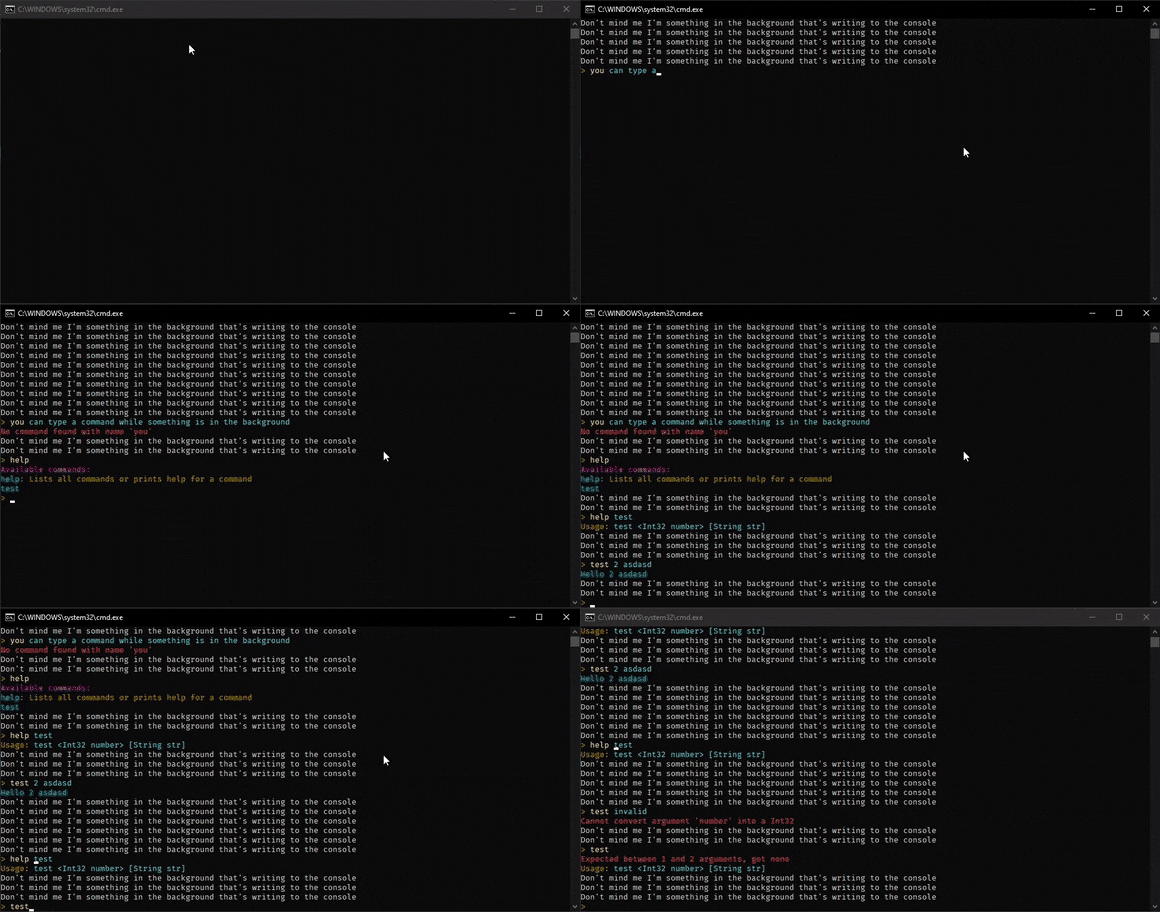
This is a little demo of the console frontend:
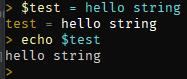
LICC also supports variables, similar to those in Bash (and less powerful (for now)):
* LICC: Library for Implementing C# Commands
Fancy Pants Console Frontend - Jimmy
Using the wonderful backend code Felipe wrote, I’ve made a slick in-game interface for the LICC console.
https://www.youtube.com/watch?v=E3VGKl7cW30
The new console will speed up developing and testing, but most importantly it will let power users go wild with hotkeys and scripts.
Search All the Things - Jimmy
A while ago I added searching to the Selection Menu. This week I’ve abstracted the code for searching components and reused it in a number of places. You can now search:
The searching code is really easy to reuse now, so all future menus that are a list of things (like your list of multiplayer servers) will have searching :D
Sound Effect Randomization - Jimmy
I’ve updated our system for playing sound effects so that there is a slight random variation in pitch and volume each time a sound is played. This helps the sound effects to feel more natural, since it’s not exactly the same sound every time.
https://www.youtube.com/watch?v=iqPydtVdccA
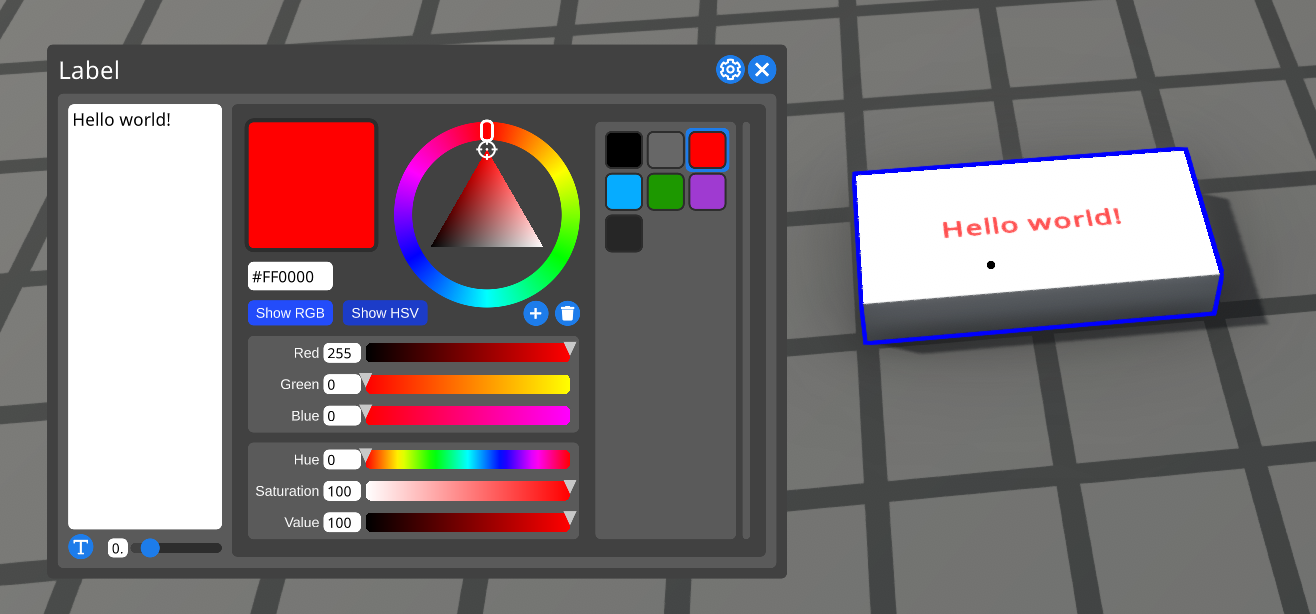
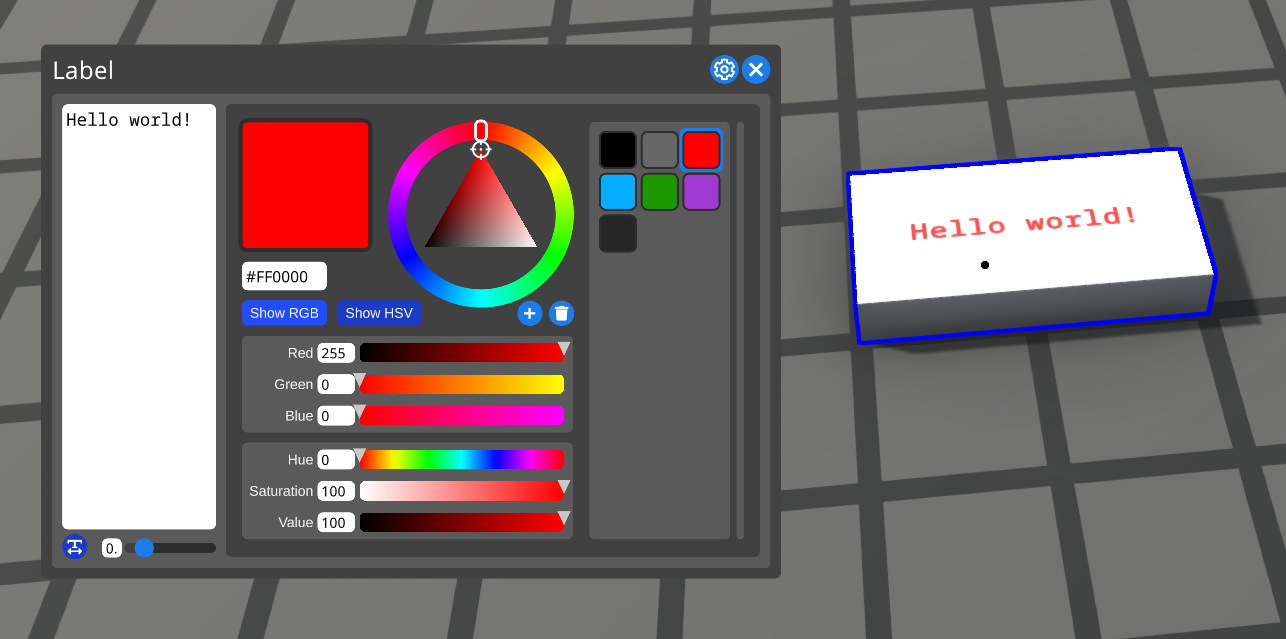
Monospaced Labels - Jimmy
For all the Master Hackers out there, I’ve added an option to labels for making their text monospaced.
Miscellaneous Website Tweaks - Felipe
This week I’ve made various tweaks to the website, however they’re too small to warrant their own section:
Logic World Wednesdays: The Groovy Edition
Drums - Jimmy
Singers play sounds that have different pitches. But not all kinds of sound are like that. Drums are a new component, and they’re very similar to Singers except they play sounds (usually drum sounds) that don’t have different pitches.
https://www.youtube.com/watch?v=_sv7sM1t96g
Keys - Jimmy
Keys are new components that correspond to your physical keyboard. When you press a key in real life, that key is pressed in-game as well. You can use this for really fast and intricate input for your in-game circuits.
https://www.youtube.com/watch?v=S96VZSjjdTQ
Post image uploading - Felipe
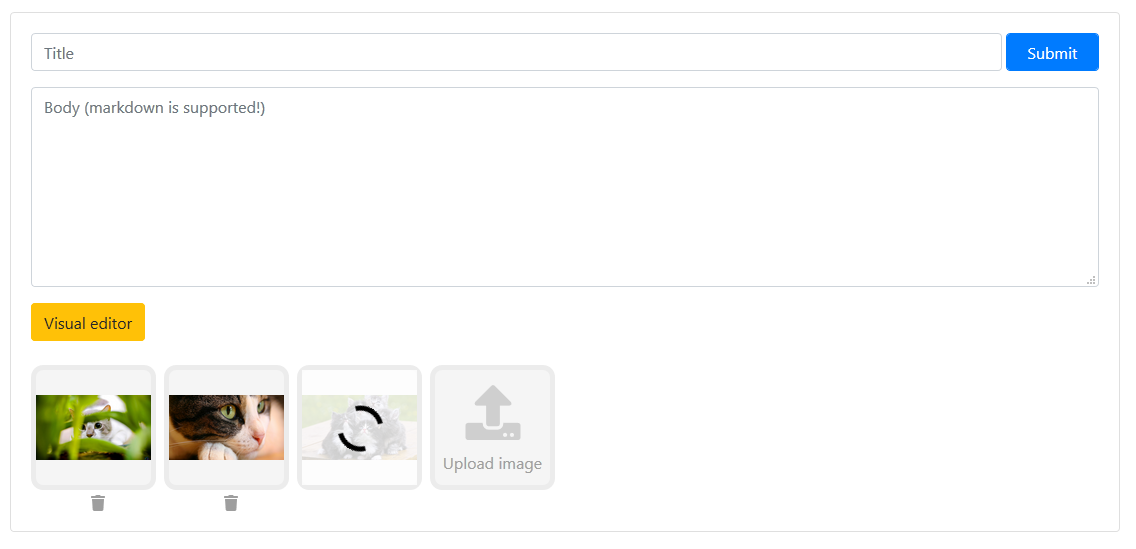
Some time ago I added the ability to embed images to your post directly from the website, but the UI was very rough. This week I’ve been working on polishing the process of uploading and adding images to your post, this is what it looks like now:
When you add an image it will automatically get uploaded to the server and you’ll have the ability to insert the image embed by clicking on its preview.
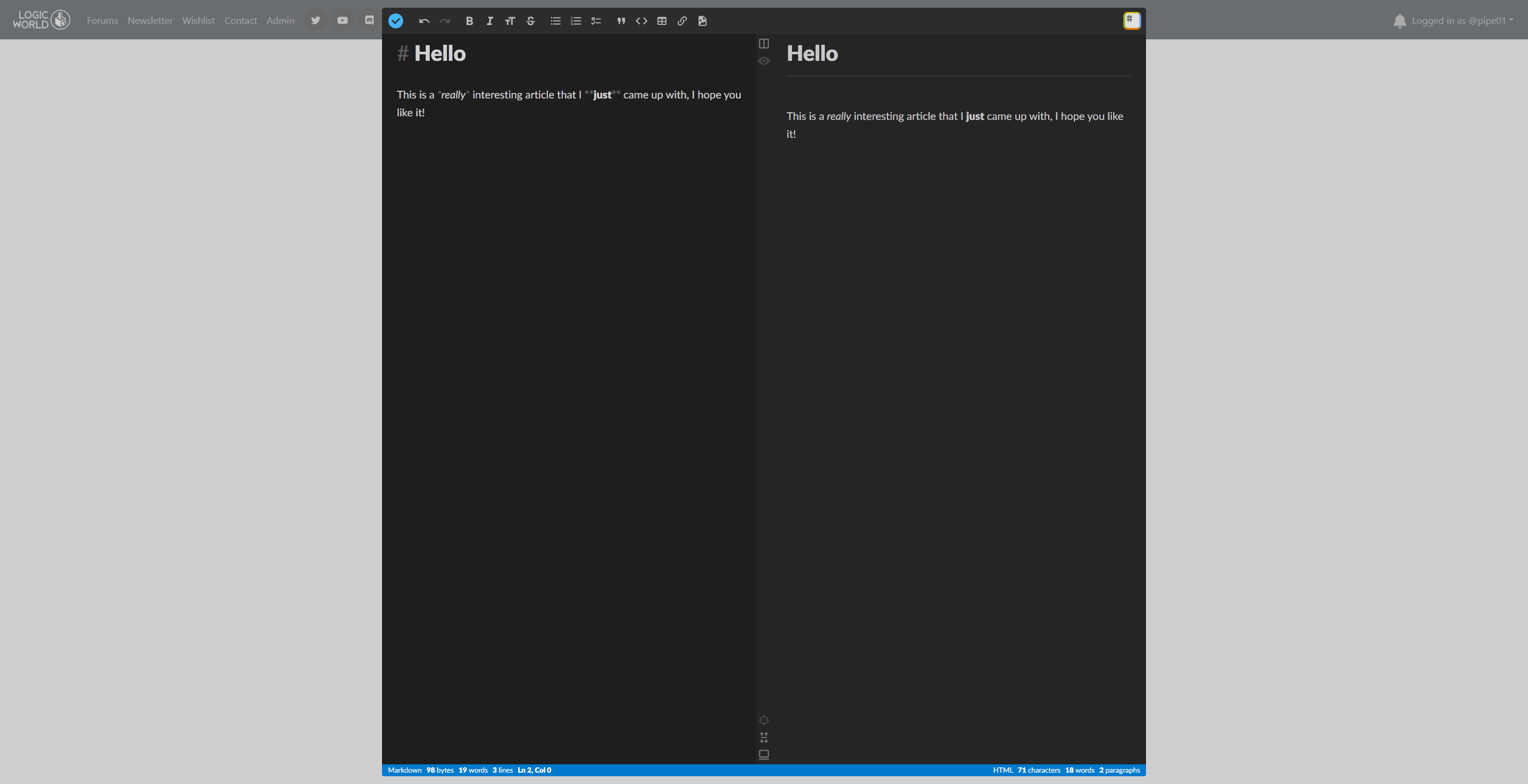
Post visual editor - Felipe
In logicworld.net, Markdown is supported pretty much everywhere you can type. Markdown is a text-based language, so if you’re used to other WYSIWYG editors like Microsoft Word it can be somewhat uncomfortable to write Markdown. If this is your case, you’ll be happy to know that there is now a visual editor for posts based on StackEdit:
The revamped image uploading UI and this visual editor both contribute to our goal to make logicworld.net accessible to everyone and easy to use, as well as a great place to share your creations and discuss.
Input Animations - Jimmy
While working on Keys, I gave them sexy animations for going up and down. Rather than snapping between their up position and down position, they move smoothly between the two. I’ve added similar animations to the other two input methods, Buttons and Switches.
You can see this effect in the Keys video above. It’s a small detail, but it’s nice to look at.
Hello everyone! This week Jimmy’s on vacation, so it’ll be just me and my web shenanigans.
Comment "soft"-deletion - Felipe
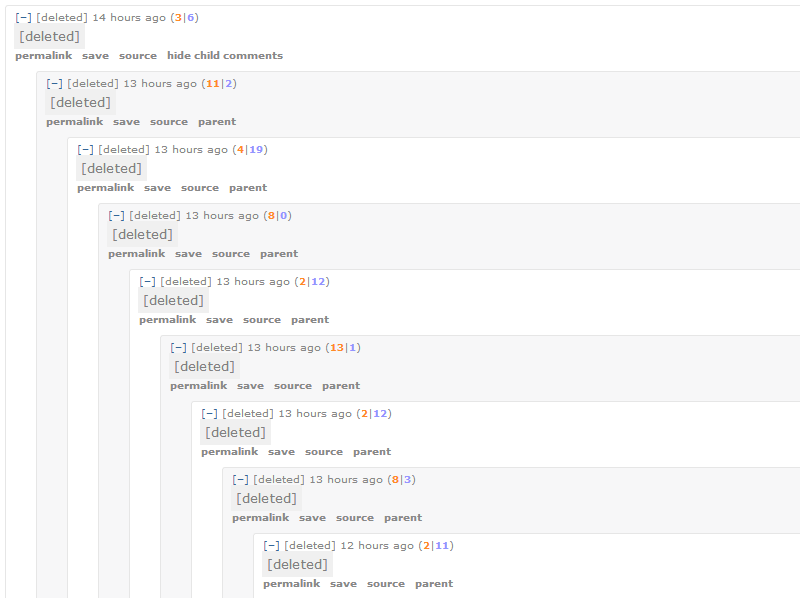
If you’re familiar with Reddit, you have probably seen something like this:
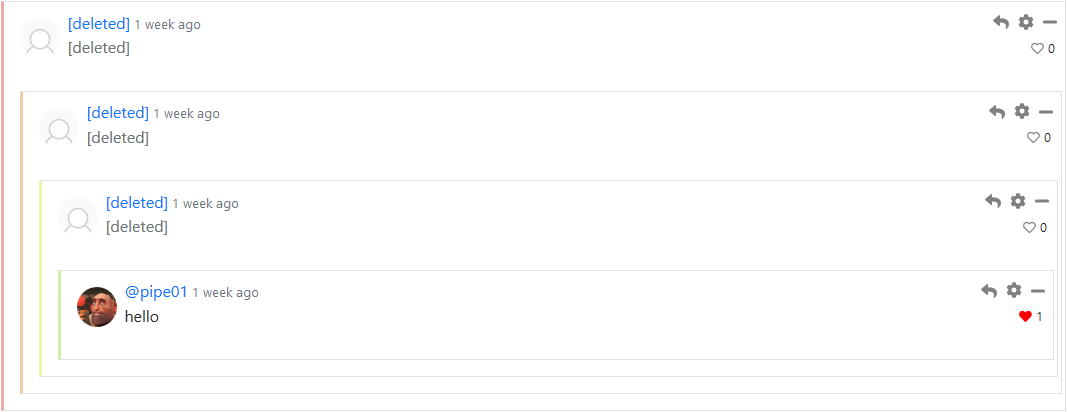
There, whenever you delete a comment it doesn’t disappear from the post, but rather its text and author get replaced with [deleted], which means that its children will be kept intact. That is exactly what happens in logicworld.net now when you delete a comment with children, like so:
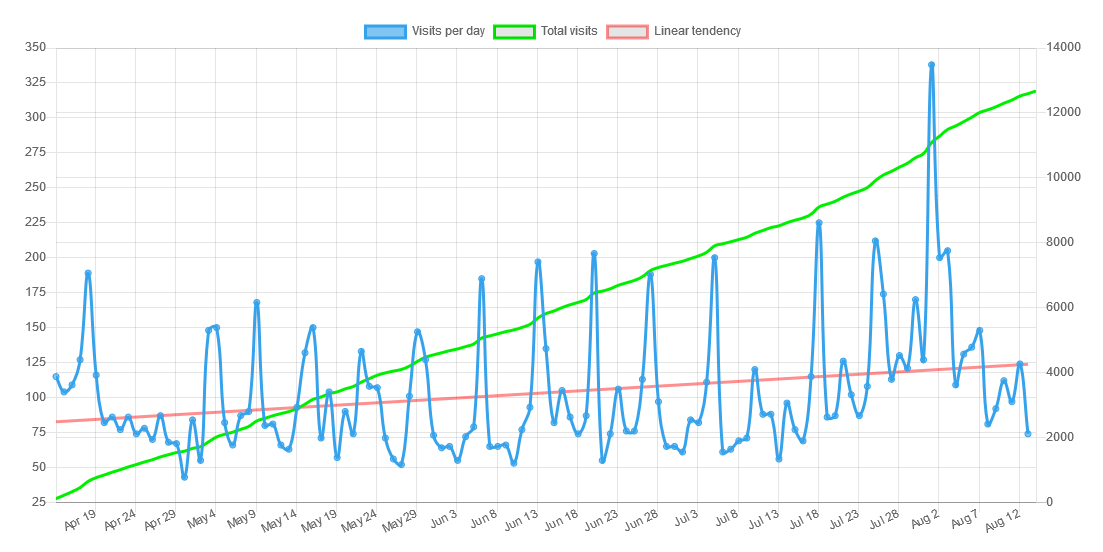
Visits chart - Felipe
I love statistics charts, so I just had to make one for logicworld.net’s visits. It’s not visible to the public, but this is what it looks like:
Data prefetch - Felipe
I’ve implemented data prefetching in the forums, which basically means that the forums will be snappier when navigating. For example, the first post of a forum is prefetched when you visit a forum, that way when you click on that post the data will already be in your browser and it’ll load pretty much instantly!