LOGistICAL: Caribbean (15% off for first week) plus general updates
LOGistICAL: Caribbean is now available.
LOGistICAL: Caribbean brings you many new puzzles.
* Planes. Lots of island hopping to get about.
* 20t, 40t and 80t trucks can drive empty on 8t roads and ferries.
* Varied Consumption Rates: Quite a few countries have different consumption rates. All these consumption rates are lower than average. It is kind of like a mini-Xmas, but definitely not as idle. Makes towns look pretty scary.
* Quarantines. Yes. They will make you think a bit.
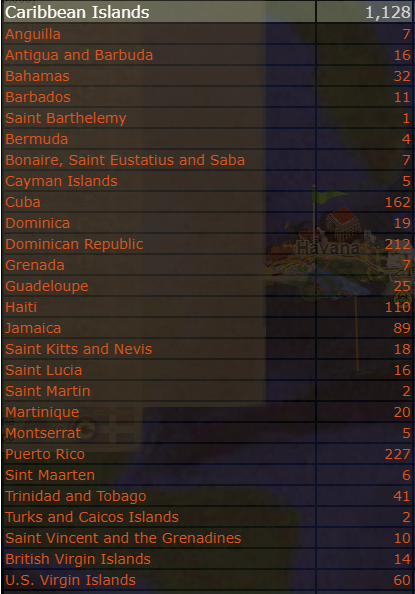
* There are 27 countries in LOGistICAL: Caribbean spread across many islands. Not all countries are actually in the Caribbean.
Update to all LOGistICAL modules
Build #497
- Now showing non-completed towns that can have the potential to have the specific industry when pressing that industry on the industry window as small grey circles.
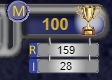
- Added the road (R) and industry (I) count to the money window (top center) for the current module. Mouse over will show the target values.
- Added ability for 20t, 40t and 80t trucks to travel empty on 8t roads (selected modules only - ie Caribbean).
- Set the air zones on the map as non-filled circles when a truck is selected and as solid disks when planes are selected
- Higher pay for town completion for certain regions (used within Caribbean)
- Increased the pace of Cottage Architect, House Architect and Building Architect
Globe changes
- Shortened the spikes on the globe for modules that you don't own (or are not installed). The crimson ones.
- Background colour for modules that have been created are now yellow on the globe
- Added the module name to the country if the country belongs to a module belongs with a different title (eg. Jamaica: Caribbean Islands)
- Updated the details of the modules (on the right hand side of screen) when you mouse over a country on the globe.
- Module title now sits below the game (LOGistICAL) title
- Country now appears below the flag
Thanks
A big thanks to the testers that help to get these new modules nicely balanced.
A big thanks to all those that are out there every day helping others with their comments within the various forums and chat sites. You all make the game so much better.
A big thanks to all the language translators that help so much.
A big thanks to all the players that continue to play and enjoy the game which allows me to continue to bring new content and updates to the game.
LOGistICAL: ABC Islands (FREE) plus update #486
LOGistICAL: ABC Islands is a free introductory game to the LOGistICAL world.
With 68 towns spanning 3 countries at the bottom of the Caribbean sea, LOGistICAL: ABC Islands brings you some of the basic game play.
Build #486
Build #486 brings a new bunch of requested and other updates that are now available across all the LOGistICAL games/servers.
Summary:
- Ability for you to change the time saving interval in Settings (big game = big save)
- Manually save by clicking the save icon (top right)
- Save count down timer in front of the save text (bottom center)
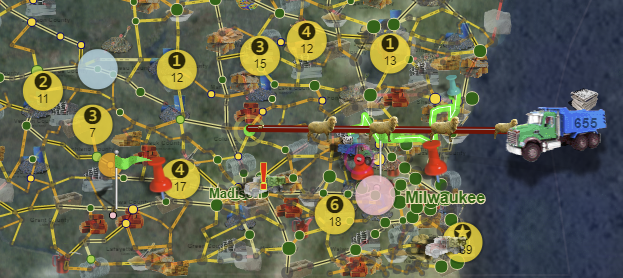
- Enlarged yellow town circles
- Numbers on the yellow town circles when dragging vehicle
- Top Number: The number of resources that a town requires (>10 = star)
- Bottom Number: Approximate number of tons required for selected resource
- Lightened the light blue glow behind towns that have industries that will satisfy the town needs
- Added a line from the currently selected town to the town popup
- Added ABC Islands module
- Sound editing on the truck sounds
- Removed the continuous truck murmer when sound is on. Now as short truck sound
- Changed the "Level 3" goal to "Max Level" as some industries don't require a 3 tier upgrade (eg Tutorial)
- Dim the trucks in extra modules when playing more than one module at a time
- Approximate distance indicater when dragging a vehicle
- Updated the Flinders Island tutorial to include \"Basic Mechanics\" of game playing
- Set the Flinders Island industries to not require upgrading (except for the apple orchard, which is a tutorial)
- Fixed new airplane achievements that weren't popping
- Added Xmas2017 achievements to the ABC Islands module
- Added and Xmas2017 flag
- Updated the Tutorial flag
- Removed the constant text over the flags (bottom right), so they only appear on mouseover
- Fixed and highlighted blue the region on the town popup. Clicking will show status circles on the map
- More French Translation (thanks HunterBill)
- More Italian Translation (thanks Desangre)
- More Russian Translation (thanks Shylight)
LOGistICAL Poll: Rate the difficulty level of the modules.
Due to the order of difficulty of LOGistICAL modules being subjective, we are now giving you a chance to vote on what you think the order should be.
No signup required to vote.
If you haven't played a module, then don't move it.
NB: This results on this poll may have no bearing on the outcome of the future rankings of the modules.
LOGistICAL Update #473 (all servers)
Truck Sorting
As the current highest requested feature, you can now sort your trucks.
Trucks are sorted by clicking on the "palette" icon at the top of the truck list.
The "palette" icon can be earned by upgrading the paint factory in Sydney, AU. This reward will be extended to other module shortly.
This "palette" icon can also modify the colour of your trucks. Click the truck when in "paint" mode.
Towns with multiple industries with same input
Trucks delivering to towns that have multiple industries with the same input would stop the truck once one of the industries was full.
If the truck's "unload all" (little green button) is on, then the truck will continue to deliver to the town until all the industries with that input are full.
Once all industries are full the extra within the truck will be evenly distributed across all the industries and then the truck will stop.
Playing Multiple Modules at Once
I have fixed a few issues that existed when having multiple modules open.
- Module Speed
Each module has its own maximum game speed but the whole game only had a single speed, so would have to adjust when moving between modules.
Now every module has its own speed and all other modules running in the background won't be affected by any change of speed of the currently selected module.
This includes trucks speed, town consumption and industry production.
- Industry Reset Bug
When having a module open and you complete a town and then upgrade or build an industry within that town, those industries would reset back to their last status within the save file, if you opened up a subsequent module.
This bug has been a problem for some time, but with the help of some great testing, I have been able to reproduce the problem, locate the problem area and fix for a solution.
- Industry and Resource Knowledge
When having multiple modules open, all the discovered industries of the first module would be visible in the second module.
Now when changing between modules the list of known industries is recalculated.
- Town Buildings
For the extra loaded modules that aren't currently being played, the town images on the map are no longer shown.
Towns with Industries
Now all towns that contain industries default as "shown" on the map to help find them easier.
Currently Selected Town
The currently selected town is now default as shown on the map.
Turned off the background truck sound
The continuous murmur of the trucks in the background which was on for each truck and also went louder and quieter depending on how close you were to the truck, are now switched off.
I found that the amount of truck loaded sounds was cutting other sounds short, including the music.
There is more work to do in this area.
Betas and Release
This build is currently available on LOGistICAL: main, Russia and Wisconsin betas.
I will slowly release across all the modules over the next few days as it has been hard to fully test every aspect of all these functions.
LOGistICAL Week Long Sale. Up to 50% off LOGistICAL and modules.
LOGistICAL is having a sale on all modules (except Russia and USA: Wisconsin that is too new to qualify).
Sale Dates:
Mar 26 - Apr 2, 2018 10:00am
50% off on LOGistICAL:
40% off on all the LOGistICAL DLCs:
30% off on all the LOGistICAL Standalone games:
Mini Update #467 (all servers)
A mini update to bring you some new requested features and also fix a few loose ends on the last release build (LOGistICAL: USA - Wisconsin).
9 Coloured Pins
There are now 9 different coloured pins you can use to pin a town.
Continue to click the pin at the top of the town popup to cycle through the colours and eventually back to none (unplucked red pin).
High Score Pins
Nothing to do with the coloured pins mentioned above, these are pins scattered throughout the interface that you can mouse over to get the high scores, instead of them seemingly randomly popping up all over the place.
There are 7 High Score Pins, basically moving from left to right across the interface, getting more detailed with each pin.
They are represented in 3 different colors:
"Blue" - Towns, sorted by most towns descending, score desc, time taken asc
"Red" - Score, sorted by summed score descending
"Green" - Efficiency, sorted by highest efficiency descending (Town level only).
"G" - Global Blue,
"M" - Current Module Blue
"R" - Current Region Blue
"C" - Current Sub-region Blue
"T" - Current Town Blue (sorted by date/time completed asc)
"S" - Score of the current Town Red *
"E" - Efficiency of the current Town Green *
* - only show up when the town is complete.
# - I have only just started using the region breakdown terminology of region/sub-region which is not a standard used across the globe nor LOGistICAL.
There are many breakdowns that could be used, for example: country/state, state/region, region/county, etc. In the past I have just avoided any terms where possible.
Statistics High Scores
Within the Statistics screen (F2) you can hover over any of the 3 coloured columns to show the high scores of those modules, regions and towns.
The 3rd column, that was the same as the 1st column, is now sorted by number of towns, time taken and then score (prior to number of towns, score, time taken).
The far right thin column may display an "!". This indicates that your statistics score does not equal your High Score.
I am currently working on a process of syncing these values, which I hope to have out over the next week.
Russia Nerf
Not nerfing the whole of Russia's 5,838 towns, just one.
One town in the LOGistICAL: Russia module (Novyy Urengoy, Yamalo-Nenets Region, Ural, Russia) slipped through dev, past the testers and onto Live, being over twice the general allowed difficulty.
Usually we pick these up, but this module is so huge that no tester or player has completed the module after being released for over a month. I don't think it will be long now.
Thanks 737737 for pointing out its extreme level of difficulty.
Town Popup
A stretch of the top section of the town popup. It was getting a bit crowded up there.
A couple of fixes where the animations in the town popup appeared over the wrong icons.
Release
This build is now released to all servers.
LOGistICAL: USA - Wisconsin (15% discount for first week) + latest fixes.
LOGistICAL: USA - Wisconsin brings a bit of fresh air after the last few huge modules.
LOGistICAL: USA - Wisconsin is a medium sized module with over 800 towns to conquer.
There are 27 new resources and 27 new industries with even more complex supply chains.
Discovery is quick as you can get around most of the map with only a couple of road fixes.
Fixes and Changes
There are a few changes that come with LOGistICAL: USA - Wisconsin that will also pass down to all the other released modules.
Some have strategic updates.
Night Travel
Travelling at night with less traffic allows your transports to travel 10% faster.
Old Transports Never Die
Trucks are now born with a base deterioration level between 2% and 20%.
Before they would all drop down to 2% eventually, but now you can get those great old beauties that just keep on running pretty well.
When a truck deteriorates, it will run slower. With each passing town the next leg is calculated based on the base on a higher and lower deterioration level.
For example new trucks may run between 90-100%, recalculated every town.
Old trucks may run between 2-??%.
Now some of these older trucks may run between 20-??%.
Large Resources only for Large Transports
There are now resources that are so large they require large transports to haul them.
High Score Sort Order
The default high scores (blue) are now sorted by:
1. Number of towns complete (descending)
2. Score (descending)
3. Time to complete (ascending)
High Score Server
As the high score server is very new, there have been a few teething problems with it and your scores may not be accurate between what you compare them in your statistics (F2) to the High Score tables.
These issues are still being resolved and new methods for getting them synchronised are being developed. I hope to have them all resolved in the next few weeks.
PS. You can navigate through the High Score tables by paging with "<" and ">" keys. These keys can be different for some keyboards "," and ".".
Language Updates
There are a few updates in French and Italian.
Thanks
Thank you everyone for your on going support and keeping up with these modules.
The Discord is very alive with many players popping in frequently.
https://discord.gg/xytyWUA
Build #457 Release. Lots of Fixes and Upgrades
No new module this month with so many players still working their way through Russia. Lot of new stuff and build fixes...
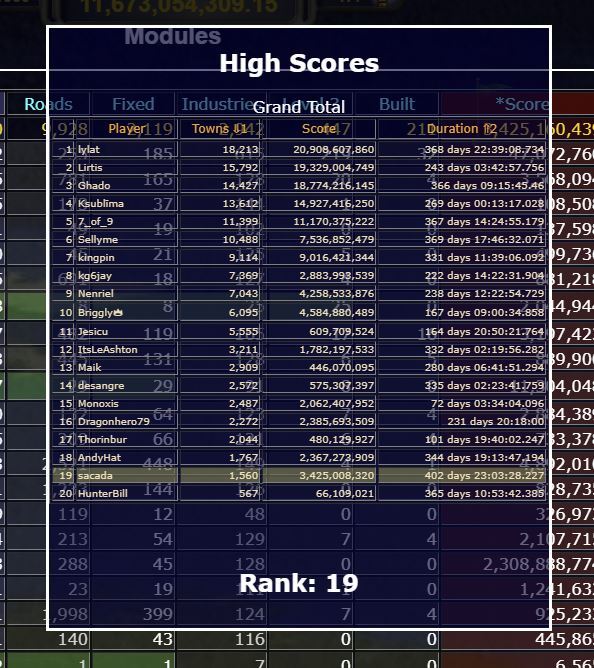
Over 70,000 LOGistICAL High Score Tables
LOGistICAL is built over many different games but all plays back to a single huge game, so should the high scores... and now they do.
I have built a LOGistICAL High Score server that will aggregate all your games to a single series of high scores. At this point all high scores are based on town completion. This can expand with player interest.
There are three types of High Scores over the Grand Total, each Module, each Region, each Semi-region and each Town. That is over 70,000 of them, all dynamically created, with includes your Rank in each.
There are three types of High Score tables...
1. Blue:
This sorts by the number of towns completed and duration of play between the first and last towns.
This table is similar to the current ones on Steam but also include the duration of game play with the shortest first.
For Town high scores, it is by the date completed.
2. Red:
These tables sort descending on you aggregated score. To see how a score is calculated click on resource needs of a completed town.
Soon you will be able to replay maps or parts of maps (including specific towns), so you can improve your score.
3. Green:
Efficiency tables are sorted descending on your play efficiency.
Efficiency is the amount of resources at town requires divided by the amount of resources that you delivered.
Efficiency is only calculated at the Town level.
To get to the high scores, click on the left hand "Towns Completed Trophy" on the money window (F2) and hover over any of the blue, red or green columns. It may take a second to first download a result.
Click on any row to drill into the Module, Region and Sub-Region.
Update:
High score tables are now visible if you:
- mouse over the left trophy on the money window (total towns complete)
- mouse over the right trophy on the money window (module towns complete)
- mouse over the town title on the town window (current town)
- mouse over the sub-region title on the town window (sub-region towns complete)
- mouse over the regions title on the town window (regions towns complete)
At this point only towns of currently loaded modules are loaded into the statistics screen. I will soon include the towns when clicked on a sub-region.
Game data is uploaded to the server when the game is saved (every 2 minutes and upon X exit of the game).
Back dated game data is uploaded by the module at every save (2 minutes) until all modules have been uploaded. This is a once only process and once complete shouldn't happen again.
There is only 1 copy per SteamID per town, so any players that have multiple games running will only get the first uploaded. Subsequent uploads will fail with a data conflict.
There are many future things that can come out of these tables.
For example getting notified if you have moved up a place when completing towns. Being notified of interesting high score facts of other players. Tagging friends so you can see how they are doing.
Town Icons at 50% Region Completion
Once you reach 50% towns completed within a Region, the icons of those not finished change from grey to red. If the town has an industry it will show purple.
Air Transport fixes/enhancements
A few new fixes for the Air Transport including:
- If you deliver to a town and achieve something (ie town finish, industry input full, road fixed), then the conveyor belt will auto retract to the airport, instantly.
Brighter maps
The maps' overlay has been dimmed to show the underlying map better. Brighter in the day and darker at night.
Region Circles
Already, if you click on an incomplete region in the achievements window, it will show town circles indicating completion status for each town of that region.
This can now also be done by clicking the region title in the town popup window.
To turn the circles off, click a town on the map.
Multi Module play
If you play multiple modules at once, the current non-played one will dim.
Towns with resources in other modules won't show up when hovered over.
Multi truck save hotspot
The 1,2,3,4 hotspots for the multi-truck save were slightly out. Fixed.
Xmas Scores are Huge
The Xmas scores for completing towns often sit in the billions and even trillions, which throw out the overall grand total.
These scores are now divided by 1,000,000 so they sit better with the overall scores, especially the totals.
These will be evident from the start on the High Score tables. If they don't update on your statistics page, open the Xmas module and then save.
Industry Upgrade at High Game Speed
When upgrading industries at high game speeds, an 8t truck can't effectively complete 2 x 4t town upgrades.
This would most likely be due to the huge speeds blowing the cargo out of the top of the truck. Tarpaulins for the trucks should stop this (or a code tweak).
Other
The menus where looking a bit worse for wear, so have been given a redo.
Money at the start was showing various incorrect values. Fixed
Money and Buttons window now showing up on startup. Fixed
Release
There are many other smaller fixes as well.
This version is now available on LOGistICAL [beta] and LOGistICAL:Russia [beta]. Feel free to test it now.
The final version should be released over the next week.
LOGistICAL in Lunar New Year Sale. Up to 50% off.
LOGistICAL is on sale for all modules and DLCs (except Russia which is too new to qualify).
Sale Dates:
Feb 15 - 19, 2018
50% off on LOGistICAL:
40% off on all the LOGistICAL DLCs:
30% off on all the LOGistICAL Standalone games:
LOGistICAL: Russia (30% discount for first week) + latest fixes.
LOGistICAL: Russia is huge. It is over 4 times bigger than the original LOGistICAL.
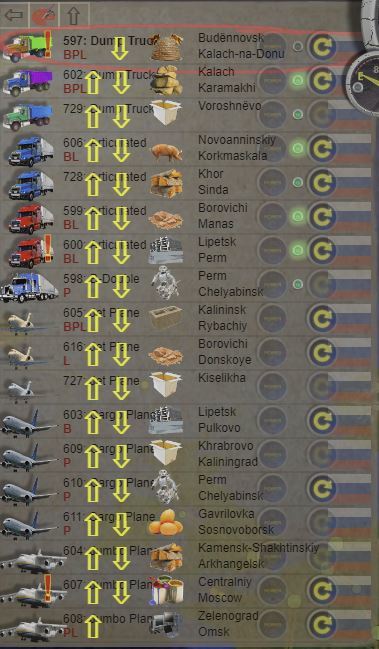
Now includes air transport with airplanes, airports, airways and airport zones.
More towns, road fixes, contracts, everything.
Over 5,800 towns to complete.
LOGistICAL: Russia has a 30% discount for the first week with additional discounts as part of bundles.
LOGistICAL Updates
LOGistICAL is always being improved, fixed and updated... so here is the latest that you can enjoy in all LOGistICAL modules and DLCs.
* Air Transport:
There are currently three different sized planes.
Planes fly very fast.
Planes can transport large amounts of cargo.
Planes transport from airport to airport.
Airports are surrounded by airport zones.
Planes can collect cargo from towns around airports via conveyor belts.
Conveyor belts can travel on roads according to the plane sizes.
Conveyor belts outside of airport zones travel slower.
* Bookmark pins:
Every town can be bookmarked with a pin upon the map. These pins are saved with your game.
* Map dragging:
Dragging the map required you to find an area where no town existed, in order to not click the town.
Now you can drag from anywhere and the town will only be selected if you don't drag.
* Road repair icons:
Icons appear on all the roads that need repair making it easier to see what resources are needed.
* Drag and Dropping of Trucks:
Trucks can no longer be dropped onto towns that don't have supporting roads for transport.
A black haze appears behind towns if your dragging truck can't be dropped onto it due to road sizes.
Time Stamps
Time stamps are now displayed in the statistics page (F2) for all towns, finished regions and modules.
* End of Region animation and statistics:
Once you finish any region, you get a new end animation sequence displaying your time-line of game play.
After the region is complete, you can bring up the end region statistics window by clicking the region on the achievements popup.
* End/during game statistics:
Similar to the end of region animation is an end of game animation and statistics page.
This page can be accessed at any time by clicking on the right hand (local) trophies icon.
* Multi-modules map dimming:
With the introduction of the Xmas module that covers the entire globe, things are getting a bit crowded.
Non selected modules now dim until a town within them are selected.
* Audit Filter:
The audit function is now filtered to the current module you are playing.
* Optimised code:
Great leaps in optimisation to handle huge modules (like Russia).
Areas of optimisation include finding towns and routing trucks/planes
* Bug Fixes:
Many bug fixes will also be rolled out with the new updates.
Fixes include the truck teleportation bug.
Release
LOGistICAL: Russia and updates will be released to all modules and DLCs on the 8th Feb 2018, and into LOGistICAL: main beta over the next few hours.