While the patch release itself has been slow we’ve been incorporating more reported issues and quality of life requests. This includes what was announced in the last roundup plus a setting to skip cutscenes and some adjustments that return you straight to the Empire or Planets menu when entering a planet from them, and returning straight to galaxy view when making a new colony.
We’re making more progress on the auto ship design generator and the save/load build queue feature. EA2 will be focusing more on the AI and tactical. It will also be when we unlock the Tulocks, Synth, and features including the Galactic Council and diplomacy victory.
As for this week’s deep dive:
The Tharrn are a reptilian species meant for aggressive, expansionistic gameplay since they have high population growth and the sapiophage trait. This means they gain population growth and morale by consuming the population of planets they capture. The Tharrn are a religious and ritualized society that views sacrificing these captured people as an honor. These rituals came out of adapting societal solutions for overpopulation before they reached space. Female Tharrn are larger and are the priestesses and warriors, while male Tharrn are smaller and have lower status (for the Tharrn) roles like research and spying. Having a Feudal government gives them bonuses to ship building and a Rich homeworld also gives them a strong starting industrial base, so they can quickly move to take territory. While the Tharrn are aggressive, they can be reasoned with.
Tharrn ships are large and bulky with weapons focused on the front. This reflects their more crude and brute force approach to technology and ship building.
Image 1. Tharrn Diplomat
Image 2. Tharrn Spy
Image 3. Editor view of a Tharrn Destroyer
Image 4. A Tharrn Fleet in Formation
Let us know what further changes you would like to see or if you have encountered any technical issues. Please post on the forums, reach out to us via Discord or send an email: contact@rhombus-studios.net Saved games and clear steps to reproduce the bug are critical. It helps us more quickly track down the bug and get it fixed. Additional information on bug reporting tips can be found here: https://steamcommunity.com/app/437440/discussions/.
As always, we appreciate the feedback, conversations, and support from all of you!
Early Access 1 Patch 2023.12
Ticket #1519 QOL – Duplicate key binding check
Ticket #1497 Monster systems causing data corruption fix
Ticket #1518 Diplomacy demand text not appearing fix
Ticket #1517 Terraforming for Aquatics event ticker fix
Ticket #1523 QOL – Skip in game cutscene option
Ticket #1522 Ship designer modifying ship design does not refresh build queue
Ticket #1525 Building spawn in tutorial fix
Ticket #1524 QOL – Return to Empire or Planet Menu after returning from planet selected from those menus
Ticket #1521 UI order fix for ship design menu while in build queue from Empire menu fix
Ticket #1526 Tutorial – Fixed hot key functionality for border and sensor range
Ticket #1527 Auto Explore pathfinding fix
Ticket #1534 Sensor indicator tooltip fix
Ticket #1502 Space monster GNN event show monster defeated when monster wins fix
Ticket #1536 Hyperspace flux carryover into new game fix
Ticket #1531 Autoexplore wormhole logic fix
Ticket #1533 AI Autoexplore fleet stalling fix
Ticket #1520 Ship construction during hyperspace flux fix
Ticket #1285 Ship designer code refactor
Ticket #1535 Loading screen tip typo fix
Lord of Rigel - Roundup #25
Greetings Lords of Rigel,
This week we’ve incorporated more bug fixes and QOL adjustments based on feedback.
This upcoming patch: • Rebellion behavior adjustments- initial rebel message and fixes for rebelling fleets • Diplomacy demand behavior fixes • QOL- Duplicate key bindings check
We’re making more progress on the auto ship design generator and build queues, again fixing reported bugs has been our priority.
Another upcoming QOL improvement suggested is adding a skip cutscenes option to game settings. Currently any keypress will skip cutscenes in the game but this would auto-skip scenes when enabled. Additionally, we’ve been doing some slow but steady AI improvements. Again AI and tactical will be the main focus of EA2 as we unlock the Tulocks, Synth, and features including the Galactic Council and diplomacy victory.
As for this week’s deep dive:
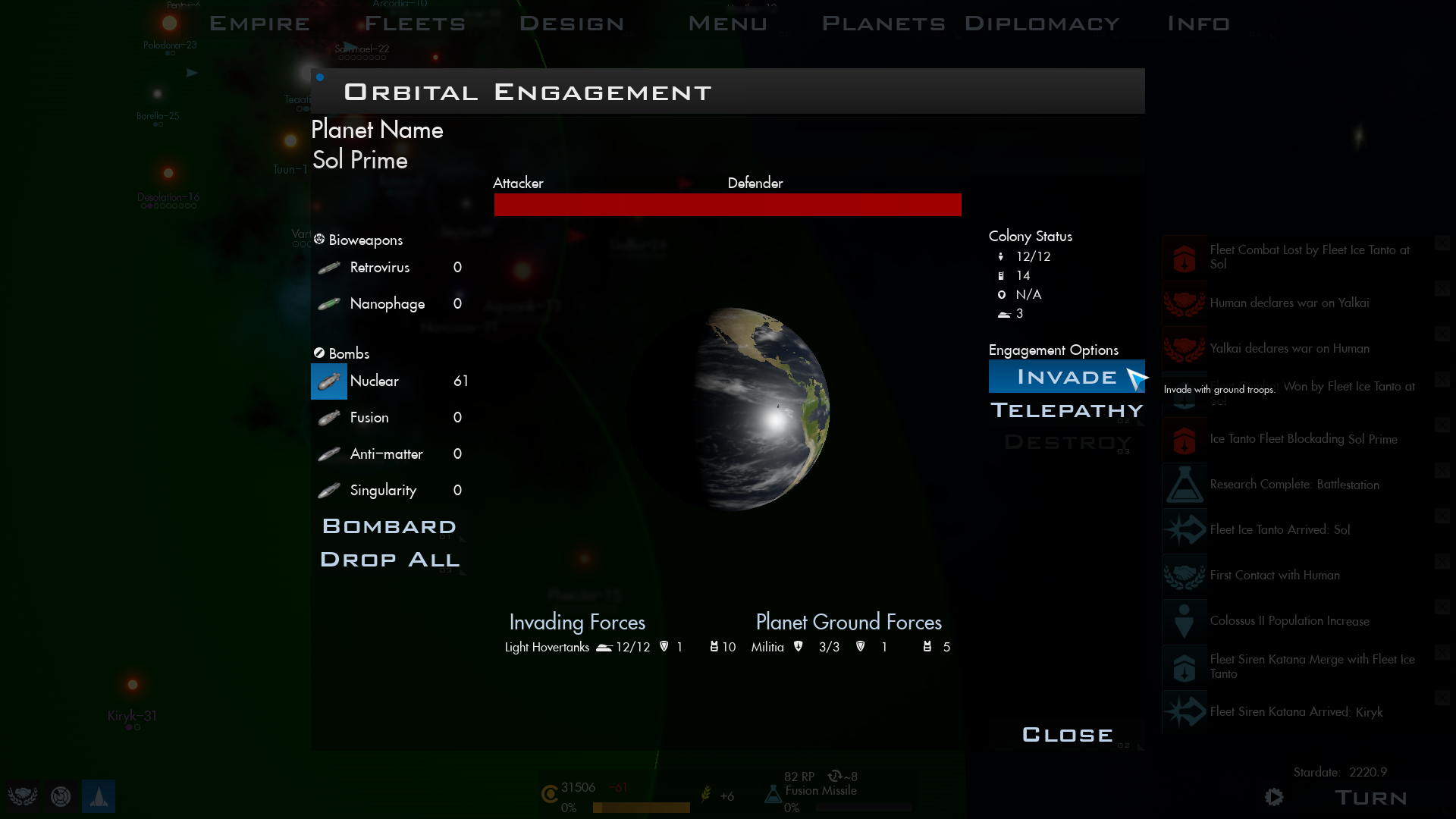
Ground Combat!
Early on we wanted ground combat to keep the same core as Master of Orion 2 where it’d be determined by species traits (combat bonuses, gravity tolerance), technologies, and troop composition. Some species such as the Ornithon have major disadvantages to ground combat while the Katraxi have major advantages. Invasions occur when planetary defenses are down and you have either Troop Transport ships or ships with Troop Pods. Troop Pods let you have combat ships that can do ground invasions.
Species with the telepathic trait can instead opt to use mind control to take over a planet, which is determined by the number of ships they have and the telepathic abilities of the other faction and their population size.
Ground combat is automated but you can see the units move on the landscape and units taking damage. Under the hood combat is split into rounds with different units using their combat rolls for firing and taking damage, with it resolved once a side has been destroyed. The amount of “hits” each unit can take depends on species traits, technologies, and the types of ground units deployed. By default marines generally take one hit while defending heavy armor can take two. Ground units have particle effects for kicking up dust and their thruster glows, and the weapon effects use the same materials based approach as the weapons in tactical.
Once combat is over, if the player the one who’s successfully invaded a planet you’ll see your military advisor give some options for capturing a planet. This will depend in your government type and species traits. Democracies can’t exterminate a population and place one settler of their species there. The Tharrn will consume captured population. Generally though “enculturate” means you capture a planet and the population gets slowly accustomed to the new government that has taken over.
In coming weeks we’ll do more deep dives on species models, other weapon types, and some of the various gameplay mechanics in Lord of Rigel!
Image 1. Invading a planet.
Image 2. Closeup of Ground Combat
Image 3. Closeup of a Human heavy hovertank.
Image 4. Fusion cannon material
Image 5. Capturing a Planet
Image 6. Earth Falls to the Yalkai
Let us know what further changes you would like to see or if you have encountered any technical issues. Please post on the forums, reach out to us via Discord or send an email: contact@rhombus-studios.net Saved games and clear steps to reproduce the bug are critical. It helps us more quickly track down the bug and get it fixed. Additional information on bug reporting tips can be found here: https://steamcommunity.com/app/437440/discussions/.
As always, we appreciate the feedback, conversations, and support from all of you!
EA Build 2023.11 Hotfix
Addresses issue with building spawning.
Early Access 1 Patch 2023.11
Ticket #1514 QOL – Warning for dark custom species color choice
Ticket #1506 Colonize secondary star in binary system fix
Ticket #1512 Stolen techs not adding to tech tree fix
Ticket #1507 Omniscient planet list updating for expanding planet fix
Ticket #1510 Ships not repairing at friendly starbases if colony damaged fix
Ticket #1509 Scrap prompt appears on next turn if pressing turn hot key when cancelling colony base construction fix
Ticket #1501 Aquatic species Gaia transformation clarifications
Ticket #1511 space amoeba not targetable in tactical fix
Lord of Rigel - Roundup #24
Greetings Lords of Rigel,
This patch continues with our bug fixes and quality of life adjustments including some from recent feedback.
This upcoming patch:
• Quality of life: A warning for when selected custom primary or secondary colors may be too dark for in game use. • Space monster hitbox fixes. • Colonization and combat UI fixes. • Aquatic species terraforming fixes. • AI Expansion improvements.
While this seems like a shorter patch in terms of fixes, it’s based on those reported by players. Also we’ve made more progress on the auto ship design generator and build queues, again fixing reported bugs has been our priority.
As for this week’s deep dive:
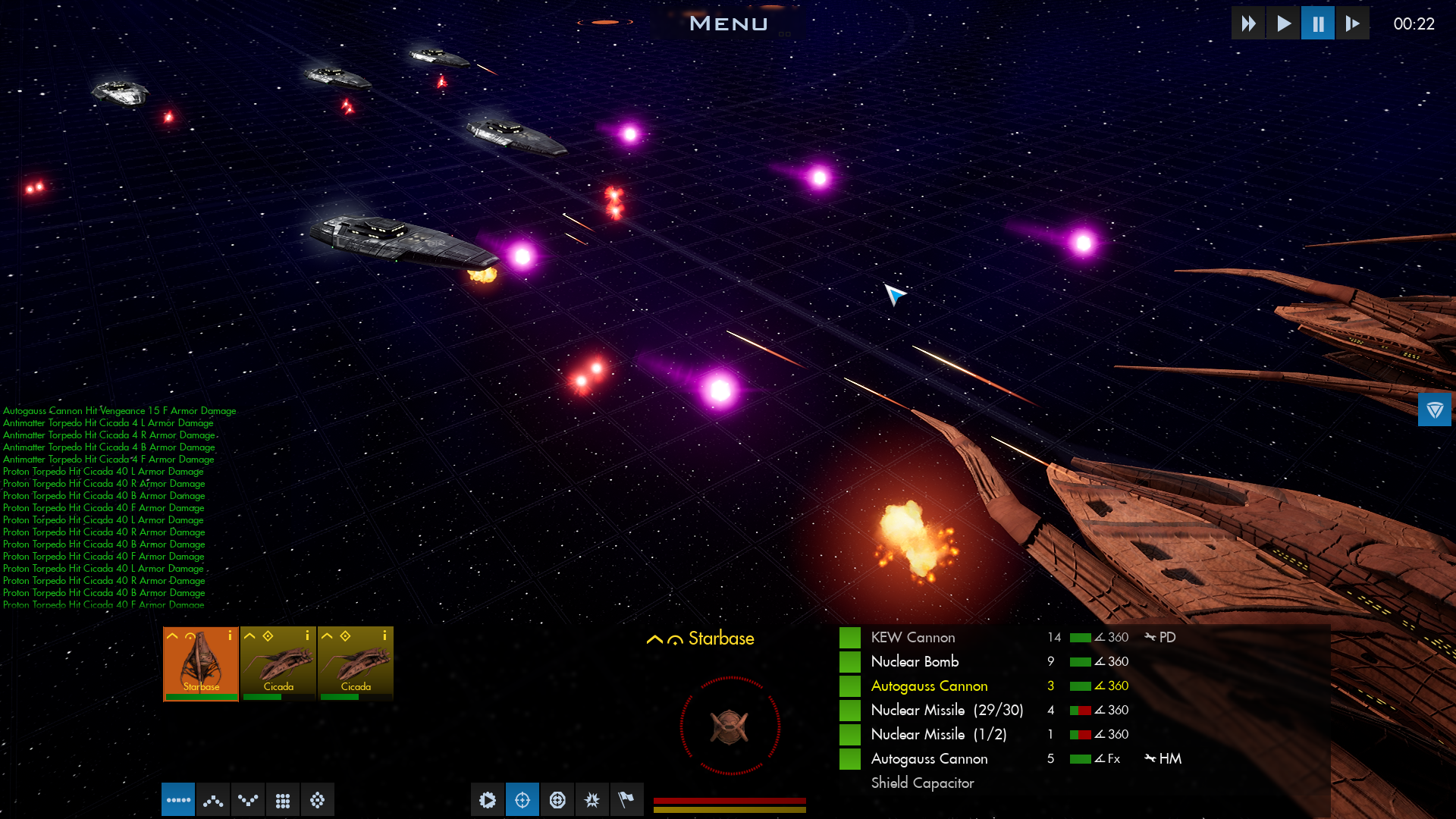
Torpedoes!
Torpedo weapons are unique in that there are direct fire and indirect fire (seeking) versions. Torpedoes use the attack rolls of missile weapons, and can be spoofed by ECM systems and enhanced by ECCM mods and special systems that improve missile accuracy. Direct fire torpedoes (Ion, Proton) effectively act like beam weapons while indirect fire torpedoes (Antimatter, Plasma) are like missiles that can’t be shot down with point defense.
Torpedo weapons don’t have ammunition, but have long cooldown periods. These can be very long if you stack lots of mods onto a torpedo, making them good alpha strike weapons. Each torpedo type can also have unique behaviors. Plasma torpedoes lose damage over time and so work best in close range, combining them with cloaking lets you maximize their potential. Similarly, proton torpedoes can have the ENG modification and cause damage directly to a ship’s engine system so using them with anti-shield weapons like disruptor cannons is powerful.
Torpedo effects are particle effects using a procedural material. The material uses noise and gradients in the pixel shader so that the flare effects of torpedoes animate as they move. In coming weeks we’ll do more deep dives on species models, other weapon types, and some of the various gameplay mechanics in Lord of Rigel!
Image 1. Human ships firing a combo of direct and indirect fire torpedoes
Let us know what further changes you would like to see or if you have encountered any technical issues. Please post on the forums, reach out to us via Discord or send an email: contact@rhombus-studios.net Saved games and clear steps to reproduce the bug are critical. It helps us more quickly track down the bug and get it fixed. Additional information on bug reporting tips can be found here: https://steamcommunity.com/app/437440/discussions/.
As always, we appreciate the feedback, conversations, and support from all of you!
Early Access 1 Patch 2023.10
Ticket #1066 QOL – Multi auto explore fleets
Ticket #1115 Taxation calculation fixes
Ticket #1472 Ship hit point table fix for designs
Ticket #1493 QOL – Volumetric clouds added to Colony view
Ticket #1494 Pulsar weapon in tactical soft lock fix
Ticket #1456 Player fleet merge order of operations fix
Ticket #1496 Duplicate planet listing in expansion screen fix
Ticket #1286 Covert influence effect fix
Ticket #1504 Auto turn not ending on click fix
Ticket #1503 Colony view planet research point display fix
Ticket #1500 Stargate construction cutscene playback fix
Ticket #1488 Autosaved game available if saved game cannot be loaded fix
Ticket #1498 Blank colony list item fix
Lord of Rigel - Roundup #23
Greetings Lords of Rigel,
This patch continues with our bug fixes and quality of life adjustments, including some from recent feedback.
This Patch: • Hotkey for cycling between systems and colonies (default: Q, E) • Hotkey for clearing event ticker. (default: X) • Adjustments to the tax calculation system, changes only take effect now on turn. • Reduced message spam for hostile fleet detection • Adjustments to the autoexplore system to allow for multiple autoexploring player fleets at once. • Volumetric clouds
We’ve made more progress on the auto ship design generator, but still in the works for EA 1 are two larger features: • Loading and saving build queues: You can build a custom pre-made queue with known buildings. These queues are in their own save file and should be able to be shared between games and players! If you load a queue and there’s unresearched buildings those get filtered out. • Auto ship design generator: With the optimizations done on ship designer we’ll be adding in an “auto” button to have the AI generate a design of your selected size class. We are still hoping to hear back from you all on the default species color schemes, so suggestions and feedback are appreciated on what works and doesn’t work with the current species and their colors.
As for this week’s deep dive:
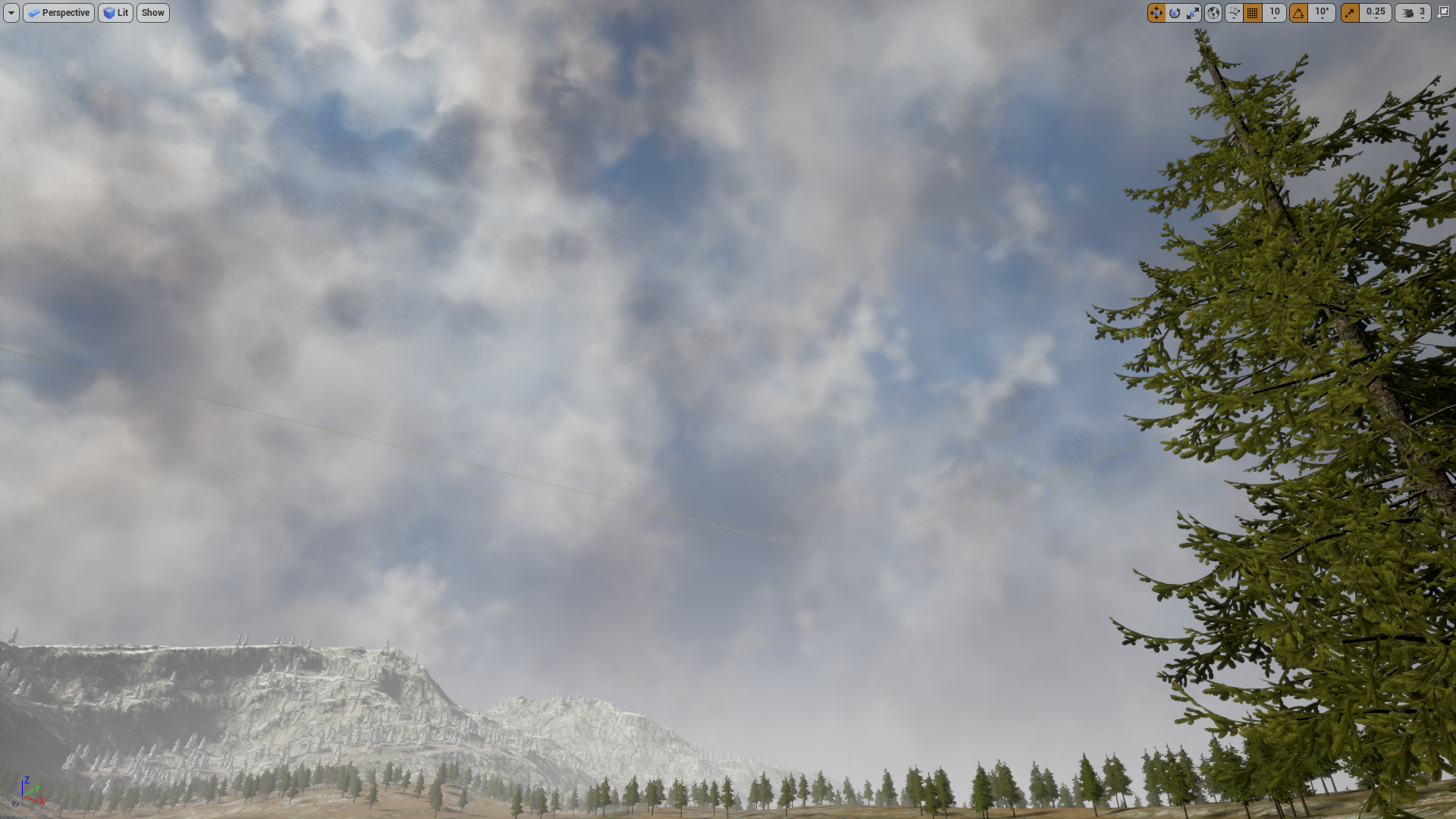
Planet skyboxes and volumetric clouds!
As we’ve been working through LoR’s EA1, we’ve been adding in graphical tweaks and adjustments such as the sharpness setting and tweaks to planet cloud shadows. The latest addition is a rework of some planet clouds to use volumetric effects. Volumetric effects use three dimensional and use materials that can be adjusted. Some planet types in LoR already heavily used volumetric effects, such as the Toxic and Swamp planets. Others, like Dead worlds, use a combination of volumetric particles for dust blowing effects along with the update volume cloud system. Finally, the background sky dome in each scene has its own material with a color scheme set to match with the system view and tactical appearances of each planet climate type.
Image 1. Terran Planet Cloud System
Image 2. Ringworld Cloud System
Image 3. Dead Planet Cloud System
Image 4. Dead Planet Dust Volume
Image 5. Ocean Skybox Material
Let us know what further changes you would like to see or if you have encountered any technical issues. Please post on the forums, reach out to us via Discord or send an email: contact@rhombus-studios.net Saved games and clear steps to reproduce the bug are critical. It helps us more quickly track down the bug and get it fixed. Additional information on bug reporting tips can be found here: https://steamcommunity.com/app/437440/discussions/.
As always, we appreciate the feedback, conversations, and support from all of you!
Early Access 1 Patch 2023.9
Ticket #1491 Population growth stops if housing if added to food producing colony fix
Ticket #1490 Player cancelling expansion erases expansion fleet fix
Ticket #1489 AI exploring fleets not always moving to next destination after arriving in player system fix
Ticket #1286 Covert influence effect fix
Ticket #1475 QOL – New Game prompt tutorial achievement
Lord of Rigel - Roundup #22
Greetings Lords of Rigel,
We have two quality of life improvements this patch, along with more bug fixes and optimizations based on what you’ve reported.
This Patch:
• Range indicator in tactical: Weapons out of range of your target are marked in yellow. Destroyed weapon banks are marked in red. • Filtering planetary shields in build queue. • Adjustments to tutorial goals to make some of them more open ended. Still in the works for EA1: • Loading and saving build queues: You can build a custom pre-made queue with known buildings. These queues are in their own save file and should be able to be shared between games and players! If you load a queue and there’s unresearched buildings those get filtered out. • Auto ship design generator: With the optimizations done on ship designer we’ll be adding in an “auto” button to have the AI generate a design of your selected size class. Some other things we’ll be looking at will be default species color schemes, so suggestions and feedback are appreciated on what works and doesn’t work with the current species and their colors.
Additionally, this week we had some great feedback on suggested additional hotkeys. We’ll be working on implementing those over the coming patches. Again, more suggestions for actions for more hotkeys are appreciated!
As for this week’s deep dive:
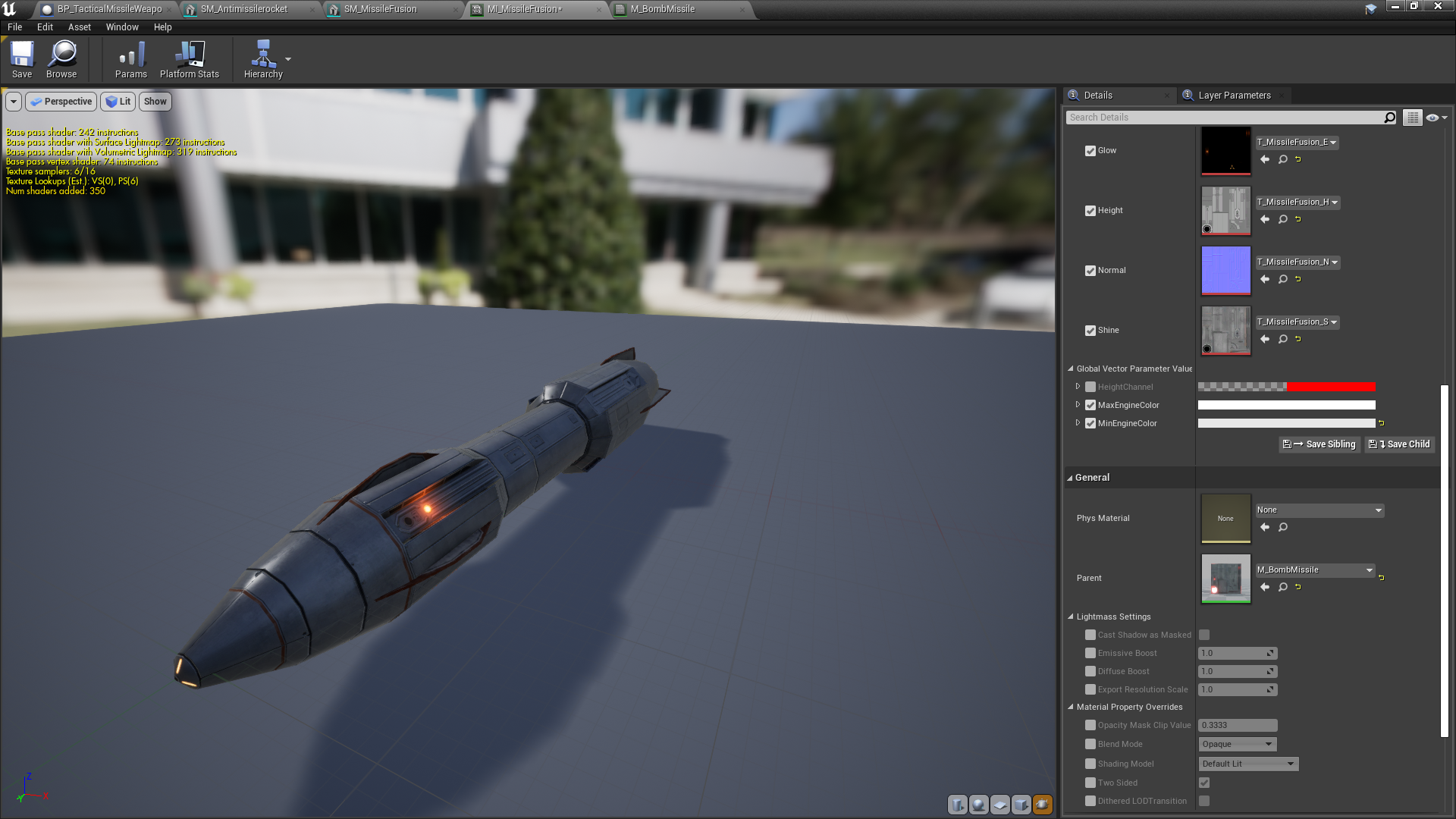
Missiles!
Missiles in LoR are one of the main weapon types. You start the game with nuclear missiles and kinetic weapons which are direct fire or “beam” weapons. Missiles pack a punch, seek, but can be shot down by point defense and spoofed by ECM systems on a ship. Missiles also have limited ammo in combat, which is replenished at the end of a turn. There are a few linear upgrade warhead types: Nuclear, Fusion, Antimatter, and Singularity. Each type doing considerably more damage.
Missiles also have a number of special techs and modifications. Resolute guidance allows for missiles to track new targets after their primary target has been destroyed or has spoofed using ECM. Missiles can also have special modifications like MIRV (more damage from small warheads on impact), shields, heavy armor, and cloaking! Cloaked missiles are very hard to hit with point defense. There’s also combinations that can be done with techs and mods, such as tholon thrusters and FST missiles which make them much faster and able to penetrate PD quicker. ECCM and Adaptive Scanners on a ship can also be combined to break through the ECM of most ships. Emissions guidance (ENG) missiles will damage the engines of a ship once through armor, and can easily cause core breaches on ships making it one of the most powerful mods available. Better armor technologies and shield technologies increase the amount of damage missiles can take and how much damage is absorbed on a shielded missile, respectively. However, piling on too many mods can slow down refire rates, so think about using different sets of specialized missiles such as a volley of weaker FST nuclear missiles to take up point defense while specialized ENG missiles follow up.
Visually each missile technology type is color coded and matches the progression of bombs. Nuclear missiles are red, fusion are yellow-orange, antimatter are violet, and singularity light blue. Missiles have slight ambient lighting to improve visibility, and their engine glows are large for visibility so you can see their color and have a sense of how much damage is incoming.
Image 1. Fusion Missile Model
Image 2. Katraxi Point Defense
Image 3. Antimatter Warhead
Let us know what further changes you would like to see or if you have encountered any technical issues. Please post on the forums, reach out to us via Discord or send an email: contact@rhombus-studios.net Saved games and clear steps to reproduce the bug are critical. It helps us more quickly track down the bug and get it fixed. Additional information on bug reporting tips can be found here: https://steamcommunity.com/app/437440/discussions/.
As always, we appreciate the feedback, conversations, and support from all of you!


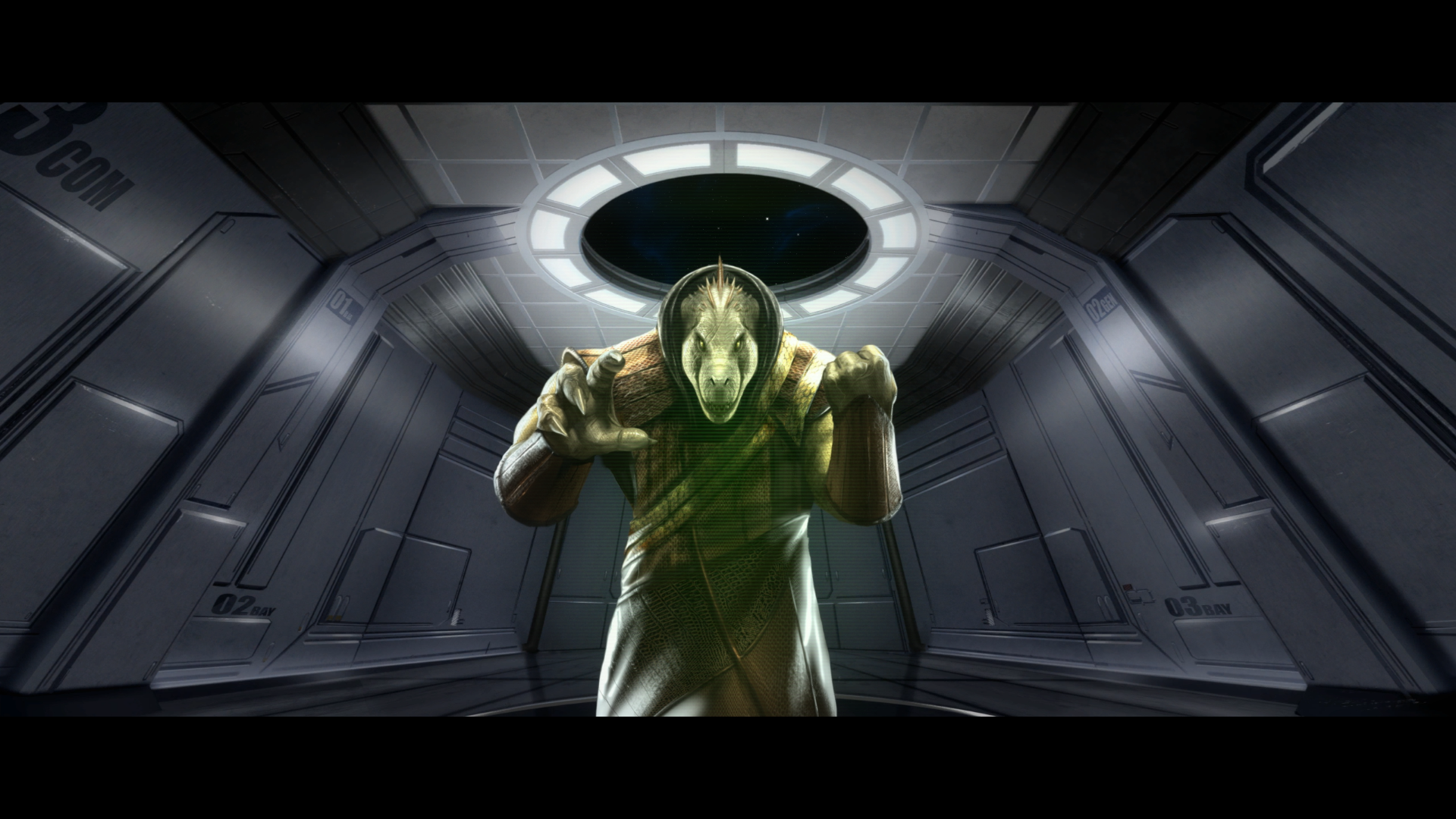 Image 1. Tharrn Diplomat
 Image 2. Tharrn Spy
 Image 3. Editor view of a Tharrn Destroyer
 Image 4. A Tharrn Fleet in Formation