After several weeks of waiting, we are pleased to officially released Master Arena's Alpha 2.0! We want to thank you for your patience, and now, let's review its content.
PERKS
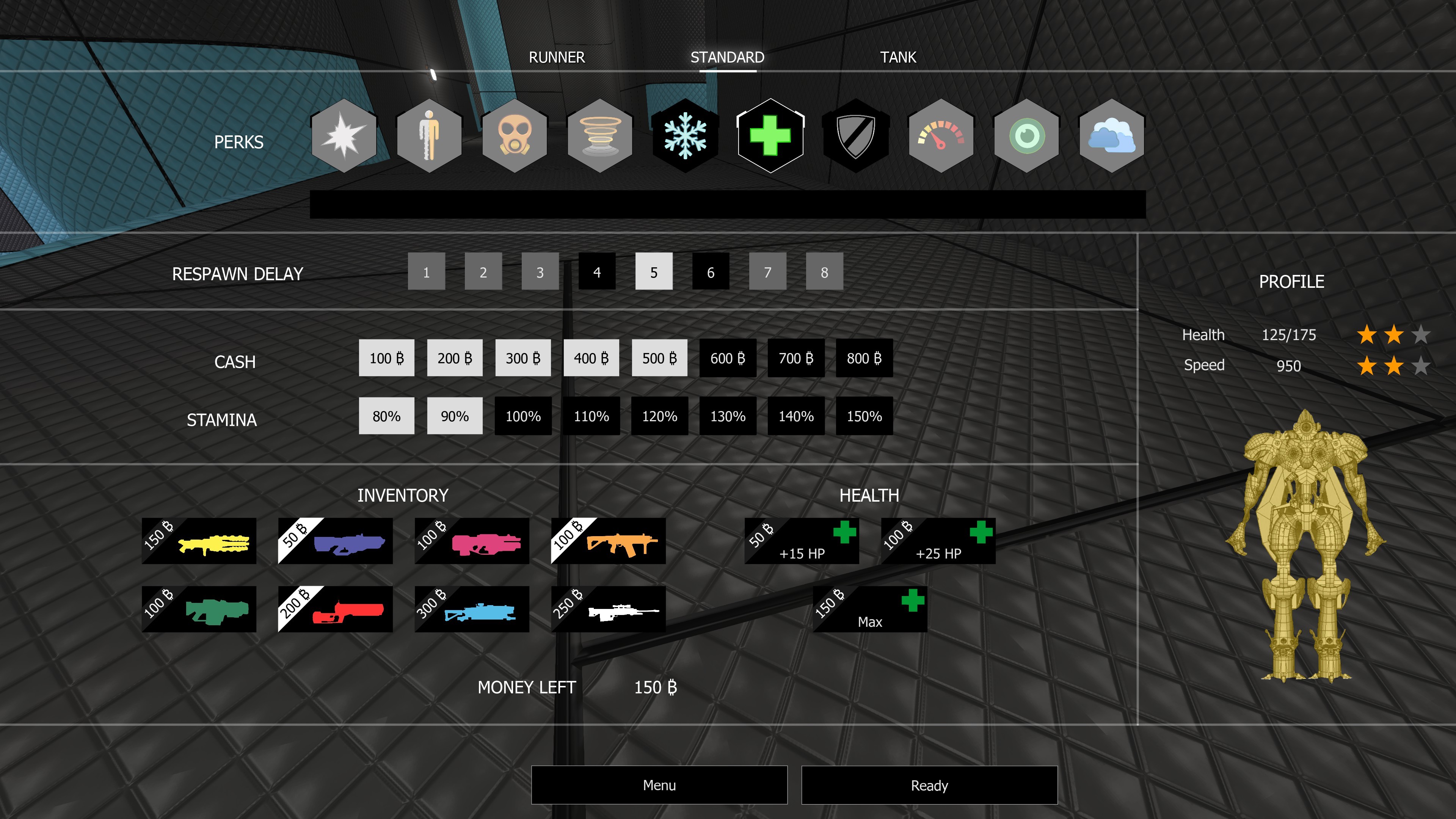
Yes, the first version of the PERKS is finally here! To get to the heart of the matter, here is a screenshot showing the menu displayed in-game.
In the display order, here is a description of the available perks:
Blinder: able to fire a flashbang
Invisible: able to turn oneself invisible for a short lapse of time
Gas: able to fire a corrosive gas grenade
Teleporter: able to teleport oneself using a modified flash rifle
Freon: able to fire a squall of freon grenades
Healer: able to heal with its regeneration sphere and a modified plasma gun
Shield: able to generate a protective sphere around oneself for a limited time
Slo-mo: able to fire a grenade slowing down everything within its range
X-Ray: able to see through the wall for a limited time
Smoker: able to fire a smoke grenade
Those perks are available depending on three sizes:
Runner:
Small-sized robot
Max health: 150HP
Base speed: 1000
Standard:
Medium-sized robot (similar to the one used for the game modes without the perks)
Max health: 175HP
Base speed: 950
Tank:
Large-sized robot
Max health: 200HP
Base speed: 910
Keep in mind that the power of dodges, wall-dodges, and bounces is also affected. So, for example, a standard robot will not be able to catch up to a runner with the same running path.
Depending on the selected size, several respawn delays are available. Once the time is selected, you can adjust your cash and stamina gauges. The longer the delay, the more your cash and stamina gauges will be filled.
With the cash, you will be able to customize your inventory. Do you want a rocket launcher? OK guys, it will be 200₿. Would you like to respawn with more HP? Well, just make your choice.
Please note that the perks system is currently only available for CTF game mode. These are the beginnings of the gameplay we want to incorporate in the game. Our wish is to make this mode more balanced and tactical than a "normal weapons" mode. So major changes will occur such as the removal of some perks, the creation of new ones, the introduction of items and tactical areas, and we are not afraid to completely review the concept. It's only the beginning!
Message from Dev_Jerem about this game mode: Let's see if it works. After all those years developing Master Arena, it's finally time for the perks! It's a real pleasure to code this part. I just hope I'm not doing anything wrong. ːwinter2019happyyulː
EFFECTS
Headshot
Now when a headshot is made, the robot's head breaks off. https://www.youtube.com/watch?v=t4dVOu0PEjM
Gib and oil decal
When a robot explodes, you will now see its libs bounce on the ground and the walls, leaving behind traces of oil from the massacre. https://www.youtube.com/watch?v=O-i1ekbgYTw
MAPS
UPDATE : CTF-BasketBall
Structural change of the map, the bases are now asymmetric. [table][tr][td][/td] [td][/td][/tr][/table][table][tr][td][/td] [td][/td][/tr][/table]
UPDATE : DUEL-FUSE
Structural and graphical update. [table][tr][td][/td] [td][/td] [td][/td][/tr][/table]
NEW TRIAL MAP : RC-Overpath
NEW TRIAL MAP : RC-TownCenter
TUTORIALS
For those who want to create maps with the map editor included in the game and share them, we realized a series of tutorials here. We show you how to set up different types of light, movers, spawn points, and how to go about sharing your map on Steam Workshop.
Other tutorials about how to set up your crosshairs and your HUD will be available in the next few days.
GAME / EDITOR & DEDICATED SERVERS
With this update, once you've downloaded Master Arena, you will be able to launch the game, the map editor and a dedicated server without needing to download anything else. Moreover, the next patches might be smaller because this update allows simple file replacement to fix bugs.
WEAPONS BALANCING AND DAMAGE
Here are the changes regarding weapons balancing:
Electrogun
A 5HP decrease in head damage
Increase of ammo (50 vs 30 previously)
Plasma
A 5HP increase in damage
Rocket Launcher
Increase of ammo
Secondary Fire: Increase of the damage radius, doesn't use ammo
Flash Rifle
Increase of legs, torso and head damage
Secondary Fire: The speed of the flashball was reduced and its damage increased
Sniper Rifle
Increase of the damage for each body part.
You will find more details here. The damage detection method is now faster and more precise.
Message from Dev_Jerem: With this new balancing, the goal is to have adequate time to kill for each weapon. The next steps in the development will be the air rocket (which doesn't take into account the height of the player) and most likely an adjustment of the Shotgun.
TEAMMATE & SPECTATOR X-RAY
The X-Ray for the friends has been added. From now on, you will be able to see your teammate through the walls (they will be in green). For the spectator mode, this effect has just been updated for easier reading.
[table][tr][td][/td] [td][/td][/tr][/table]
EDITOR
For those who want to create some maps, we tried to make the search for static meshes easier in the editor by adding tags. First, the static meshes are sorted by type of environment (01 for a grey metallic one, 02 for a basketball type, and 03 for a white industrial environment). Then they are by type which can be a wall, a ground, a light... There can also be several tags for one static mesh. For example, in Environment_02, every static mesh is categorized by type (ground, wall, deco,...) but also by color (orange, red, blue,...)
*** This update is important for us for some technical points. If you have any bugs, issues or suggestions, do not hesitate to discuss with us on discord. Feel free to invite your friends to join us, share and like on socials networks.
See you in-game, Master Arena Dev Team.
Update October 2019
Dear Community,
Thank you for your patience and your support. Today we release our major update! Master Arena development is still in progress and it will not be abandoned. We hope this update reassures you. The development is still ongoing and other major changes will come with the next update. In the meantime, here are the changes for today.
The User Interface has been completely redesigned and we added some settings. Overall, we tried to increase the menu’s readability.
--- MENU ---
Play menu:
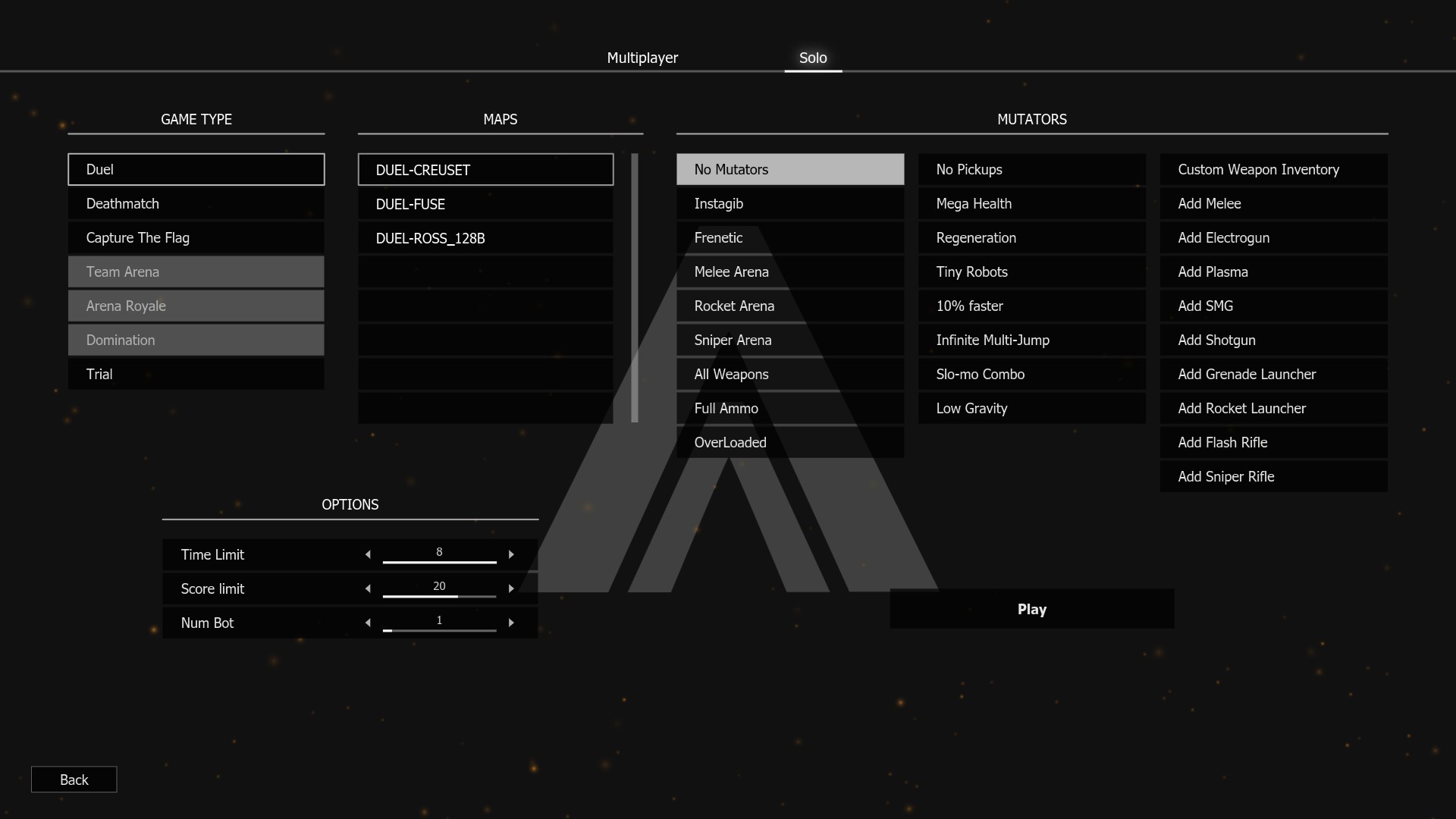
Solo: simplification of the choice of mutators (multi-selection easier) and more game modes available. Duel, Deathmatch and Trial games can currently be launched. As for the CTF mode, it is playable but bots are not ready so you will only be able to run around in the map. Other modes will be available later.
Tutorials:
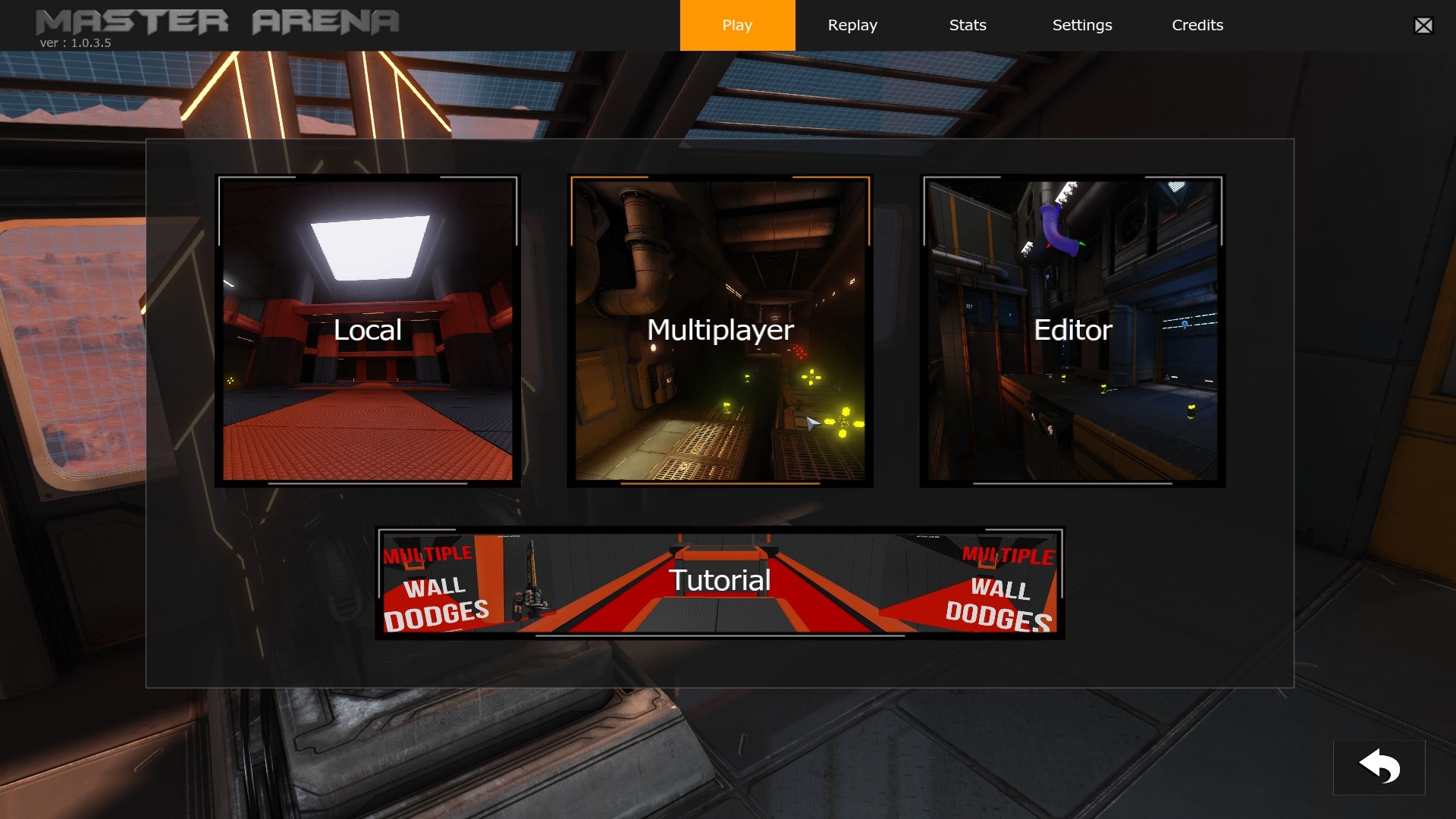
They are now accessible directly from the main menu page. There are fewer tutorials than in the previous game version but “only” the weapons tutorials were deleted (we are still working on the secondary fire for some weapons so the tutorials will be available when everything is neat and tidy). [table][tr][td][/td] [td][/td][/tr] [tr][td][/td] [td][/td][/tr] [tr][td][/td] [td][/td][/tr][/table]
Customization: There is now a color scale for the customization of the blue and red character.
[table][tr][td][/td] [td][/td][/tr][/table]
Statistics: Nothing added, just a redesigned
Settings:
Display: FOV max at 130 (120 previously)
Audio:
Wwise sound engine removed (Due to online replication issue and the use of an old version of this sound engine, we decided to remove it and use the Unreal Engine sound system. It does not mean we will not use Wwise in the future, but for now, we prefer to use the classical way to produce sound in Unreal Engine while we don’t have a specialist for this subject).
Added volume control for Weapons / Movements / Items / Ambient / User Interface
Crosshairs: all the crosshairs have been redrawn to be sharper, less blurry
HUD: some settings were moved into the “Advanced Settings” page where you will find a lot more options for setting your Game Interface.
--- IN-GAME MODIFICATION ---
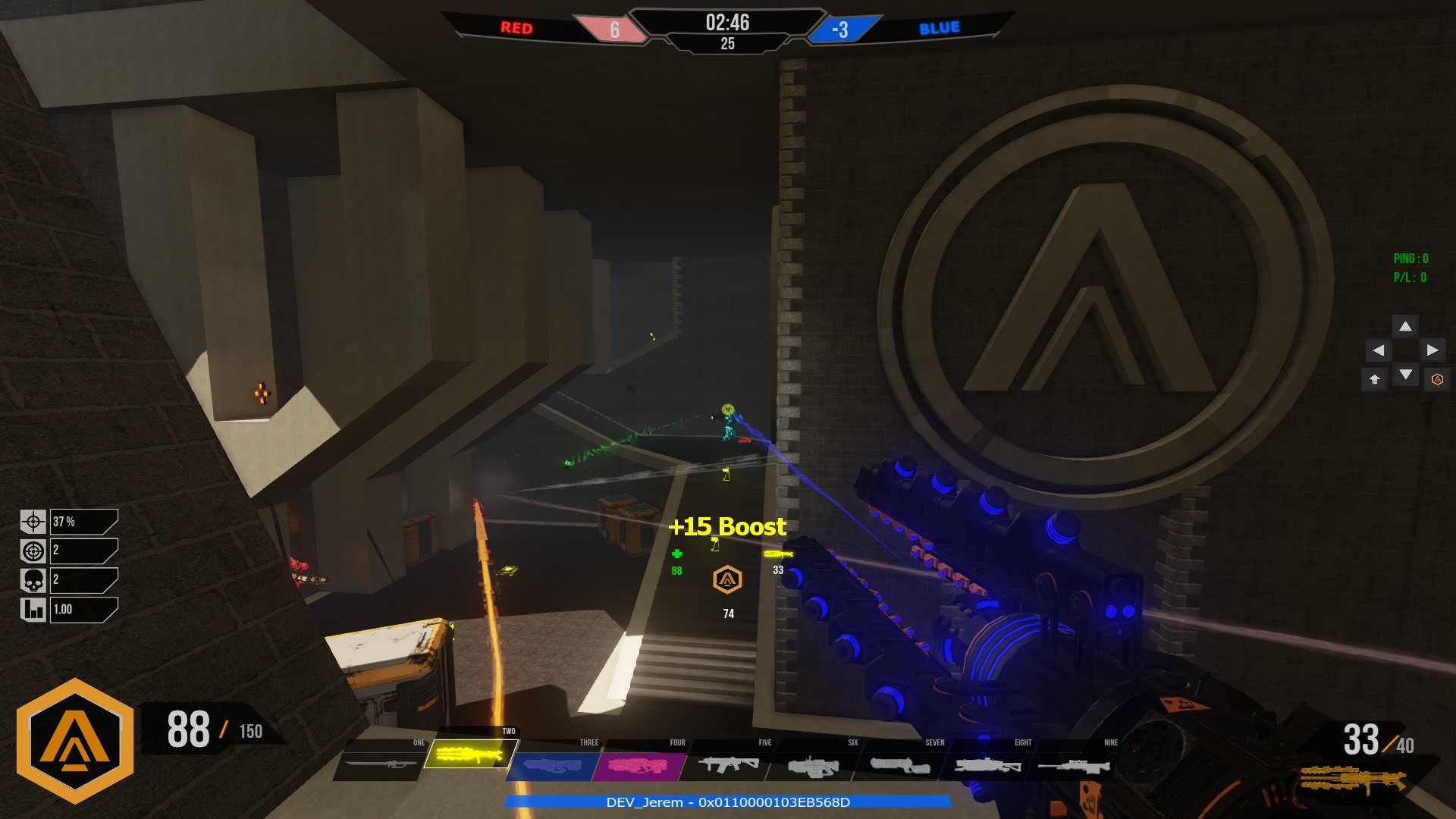
Game UI: We redesigned in order to increase the readability. The bottom right and left objects were deleted. All the important information are now located in the bottom middle.
End Game player stats: Redesigned and new stats
End Game Scoreboards: Nothing changed except for the color (to be more in tune with the general feel of the new menu)
IA: Some IA fixes, they are more reactive on normal weapon modes.
Localization: As the main menu was reworked, the localization was reworked too. All objects are now localizable. Some languages are not fully translated, so if you select another language than English you might still see English words or sentences. The game localization was made possible with your help. So, thank you to all contributors. We are open to add other languages, to contribute contact us on Discord :)
--- NEW FEATURES ---
Map Editor
We decided to remove our "in-game editor” for an indefinite period in favor of the Unreal Editor. The game is compiled including the map editor. So, you have access to all game assets and maps. Please note that only map creation is supported, not mods creation.
To launch it, select “Unreal Editor for Master Arena” when launching the game from steam. We will post some tutorials to help you use it. Meanwhile, you can search on youtube “UDK Tutorials”. If you need help or if you have any problems, please contact us on Discord. We will help you.
Workshop:
Steam workshop is now available! You can upload and download maps made by the community. The workshop functionality isn’t yet fully integrated, some features like “in-game automatic download” from the workshop are not available. But, if you subscribe to a map, Steam will download it and you simply have to start the game to test it from the solo game menu.
To upload your map to Steam workshop:
Go to “WorkShopTool” directory located in \MasterArena\UDKGame\.
Open “YOUR_WORKSHOP_MAPS” directory
Set your files in corrects folders. Don’t forget to setup a .vdf file (check the example file).
You need to edit UploadToWorkShop.bat to set your Steam logins and set the correct name for your .vdf file, and then run it.
For servers with custom maps, you can use RedirectToURL feature to permit players to download your maps faster. It is located in UDKGame.ini in [IpDrv.HTTPDownload] section. You simply need to change the redirect URL. By default, it is as below: [IpDrv.HTTPDownload] RedirectToURL=http://masterarena.com/CustomMaps/ (If you don’t have a web server, please contact Dev_Jerem from #shared-media channel on Discord, he will add your map to our web server)
Capture The Flag
Here are some important changes.
The round score system has been removed. Now captured flag corresponds to a point. The game is still supporting rounds but its use is focused on the team side switch. Previously when the game switched you to the other side, your team color switched too. Now, you don’t change color anymore. The arena switches its colors with you. So now, if you start in the Red team, until the end of the match you will only play with Red players against Blue players.
The round transition was reworked. Now there is a summary with a flag capture timeline:
Movements
A movement was added, the slide. Now on a ramp, if you press “jump button” when landed, you will slide. [previewyoutube="w6DjA8fg-iE;full"]
*** This update is important for us for some technical points. If you have any bugs, issues or suggestions, do not hesitate to discuss with us on discord. Feel free to invite your friends to join us, share and like on socials networks.
See you in-game, Master Arena Dev Team.
Update May 2019
Hello everyone!
Here we are for a new update. Let's see what's new!
--- GAMEPLAY ---
Pickups dropped upon death
Before this update, when you fragged an enemy, he would drop his weapon. It is a good thing but not enough. At the end of a fight, the player who made the frag can be very low HP and be rushed by his enemy who knows it. To prevent this from happening, we decided to add some health pickups dropped by the dead player. Those health pickups add 15 health points and disappear after 10 seconds if not picked up.
This is implemented in order to have more interesting frags than classics rushes.
http://www.youtube.com/watch?v=Flit1QVBBuc
Damage Effect
The first level of damage effect feedback has just been implemented. Now, when you hit an enemy, his skin takes the coloration of your weapon color type. Basically, if you hit an enemy with a rocket, his skin becomes red for a short time.
https://steamcommunity.com/sharedfiles/filedetails/?id=1738119957
Health
Max health is still at 150 HP but now, if you have more than 115HP, your health points will automatically decrease by 1 HP per second.
--- WEAPONS ---
Some changes about combos. They have been tested during the last few days, it is officially released with this update.
In the past, there were two ways to do a combo:
Fire a grenade, switch to the Sniper Rifle and hit it.
Fire a grenade switch to FlashRifle and hit it.
The differences between those combos were the explosion radius and damages (more significant for a sniper rifle combo).
Today, you can forget this game mechanic. Reported by a lot of players, this mechanic is very hard to use in a real fight situation. So…it’s logical that we translate the combo explosion mechanic to the FlashRifle with an alt-fire. By pressing the alt-fire button when using the FlashRifle, a flashball projectile is fired. You then have to aim the projectile and press the primary fire to achieve a combo explosion! (Yes, like Unreal Tournament, our father:) ).
Demonstration:
https://www.youtube.com/watch?v=rsk0lbblN18 Did you notice it? We say “Combo explosion” instead of “Combo”.
In fact, the combos with a grenade have not been abandoned but reworked to introduce two new mechanics:
“Combo Flash”: Grenade + FlashRifle, when the FlashRifle beam hits the grenade projectile, all players near the explosion are flashed for a few seconds.
“Combo Smoke”: Grenade + Sniper Rifle, when the Sniper bullet hits the grenade projectile, a smoke area is created for a few seconds.
Demonstration:
https://www.youtube.com/watch?v=t5gdN2FuVj4 Those mechanics are implemented to add more tactics and unexpected events during a game (especially on Team Games) and may be subject to change.
And to finished, some weapons were balanced:
Melee: Damages up to 6HP (previously 5HP).
FlashRifle: Damages decreased (adaptation to new health meta).
Sniper Rifle: Damages decreased (headshot balancing & adaptation to new health meta).
***
Help us to rise, follow us on your favorite social network!
Stay tuned!
Update April 2019
Hello everyone!
Our new update is here. Let’s see what’s new!
--- NEW ANNOUNCER ---
Yes, we fully reworked our announcer. Now we have a female voice (@SaraSecoraVO) for game status announcements and a male voice (Ty Harper) for rewards events.
https://www.youtube.com/watch?v=MGi9XerEz8s
--- RACE MODE VERSION 1.0 ---
Are you ready to run? Maybe you think you are the best runner of the Discord? Prove it now! Beat Dev_Jerem world record on RC-FasterThanTheMist (68.5491 seconds). Good luck! RC-FasterThanTheMist isn’t a hard map, but you have to know all the movements to finish it.
--- APRIL FOOLS WASN’T TOTALLY WRONG: SPLIT SCREEN ---
Master Arena doesn’t support split-screen for local games with your mates, but on Master Arena, you will be able to spectate at the same time two players.
We repeat: On Master Arena you can spectate two players at the same time. We repeat: On Master Arena you can spectate a duel like a boss. We repeat: On Master Arena you can spectate one player and have a free cam at the same time. We repeat: On Master Arena your favorite caster will be on safety position with the split-screen mode.
If you do not catch it, read it 10 more times.
How to use it?
It’s easy, first join an online game as a spectator. Press ESC, now you can see a new button named “subdivide”. Press it! The menu will close and split your screen.
To swap screen control, use “PAGEUP” & “PAGEDOWN” buttons.
/!\\ Warning, when you use this mode, you can’t go back on mono-screen mode. You have to return to the main menu and reconnect on the server.
I hope you will enjoy it. I’ve limited this feature to 2 split screens due to its impact on the performances. But technically, it is ready for 3 and 4 viewports. If some casters have suggestions/ideas about it, the discussion is open. We can build something strong together.
First, some fixes. Version 1.0.3.6 was bugged with the Falling Jump, Super Jump & “One Tap Dodge” mechanics. In addition, players can now reuse falling jump mechanic after a wall-dodge. It allows players to correct their trajectory if necessary.
--- MOUSE SENSITIVITY ---
X & Y axes are now independent.
--- WEAPONS ---
Walking and damping animations added. Moreover, fire camera animations were reworked and the Sniper Rifle fire sound updated.
Tutorials: Offzone & Video screen reworked. Video TextFields are now more contrasted.
Fixed a Menu crash with the language selection.
Fixed a Menu crash after going on “HUD> Enter HUD Settings” and back on server list (or anywhere).
Stats Menu & Server list were accessible from an online game: this should not be the case (we need to disconnect you from the server to get the stats information).
DM-SpaceDock: Some textures overlapping fixed.
Fixed “Zoom/Unzoom” problem.
First Elimination announcement fixed.
Maps optimization: Precomputed visibility.
*** Help us to rise, follow us on your favorite social network! Stay tuned!
Tonight Duel Tournament #1: It's time to register!
Hello gamers,
Our DUEL TOURNAMENT start in few hours, do not hesitate to register!
https://esportsquare.net/tournament/dn4VJiuWPeOg
See you soon!
Update March 2019
Hello everyone!
Our new update is here. Let’s see what’s new!
--- WEAPONS ---
Some weapons skins are now the same color as their pickup:
This has been reworked. In the last version an admin could pause, but there were two problems:
Others players were not notified and thought the game frozen.
When a player connected to a server which was paused, it would unpause without notice.
So with this update, when an admin set a server on pause, all players have a message on the middle of the screen. Moreover, the game cannot be unpaused as long as the admin doesn’t allow it. Check this video to see how it works: https://www.youtube.com/watch?v=GbaBpqvQtsk
--- MOVEMENTS REWORKED & NETCODE ---
A large part of the movements code was reworked (mechanic and network parts).
About the movement mechanic part:
Falling jump: Cannot be used if the player is near the ground (few centimeters), but can be used after each bounce if the height above the ground allows it.
Super Jump: Can be used if the player is near the ground (few centimeters) and when the player touches the ground.
Bounce: Bounce height is now calculated based on your speed and the slope on which you arrived. For example, a player who bounces slowly will do smaller bounces than a player at high speed.
About the netcode part: Since bounce where implemented, when playing online, sometimes the players can have very quick camera backlash. This was a network issue due to player and server synchronization. Most of the players don’t detect/see the problem due to a low ping. But now, for those with a high ping, you will be able to bounce without problem since the script was fully reworked and optimized.
Some changes were made for the HUD. The most important is that the stamina gauge & health point are now located on the bottom center of the screen.
--- OTHER UPDATES/FIXES ---
Some Stats fixed.
Packet Loss update fixed.
Teleporter touch / untouch players reworked.
If a map is voted during the countdown at the start of a game, then after the map change, the match starts automatically without any countdown: fixed.
25 HP / 50 HP pickup colors switched.
First elimination on warm-up fixed.
Sound bug fixed for community maps.
Jumper player collision radius is bigger.
Elevators trigger delays.
Player Ready added on scoreboard added.
*** Help us to rise, follow us on your favorite social network! Stay tuned!
Update January 2019 - Part #2
Hello everyone!
You will find below a description of the changes already available in the update on Steam.
--- MAIN MENU ---
New page management: Now a simple click on “Play” opens a new page with a “Local”-”Multiplayer”-”Editor” and “Tutorial” selection
MatchMaking & Servers list: modes and game-types filters added.
Custom map list added:
A backups subfolder is now available in \MasterArena\Binaries\CommunityMaps\AutoSave\
--- GAMEPLAY ---
Instagib: The instagib weapon has been configured to have limited ammo. The max ammo is 12 with a default ammo count to 8. To reload your ammo, you will have to collect either the boost pickups (+4ammo/pickup) or the weapon dropped by another player.
Character sound: An ambient sound was added.
Electrogun alt-fire :
Primary fire : Damage = 5HP
DeathMatch alt-fire : Damage = 3HP, Regen = 3 HP
Team game modes alt-fire (red/blue team): Self-damage dealt = 1 HP, heal given = 3HP.
[table][tr][td][/td] [td][/td] [/tr][/table]
--- REPLAY SYSTEM ---
The first version of the replay system is available. A server can save the game replay with an admin request. Each replay is saved in the folder \MasterArena\UDKGame\Demos\ server side. You should copy them to game client to be able to run the replay.
--- OTHER FIXES ---
Some stats bugs fixed (your stats were reset).
Stats are now saved only if you played a match more than 3 minutes.
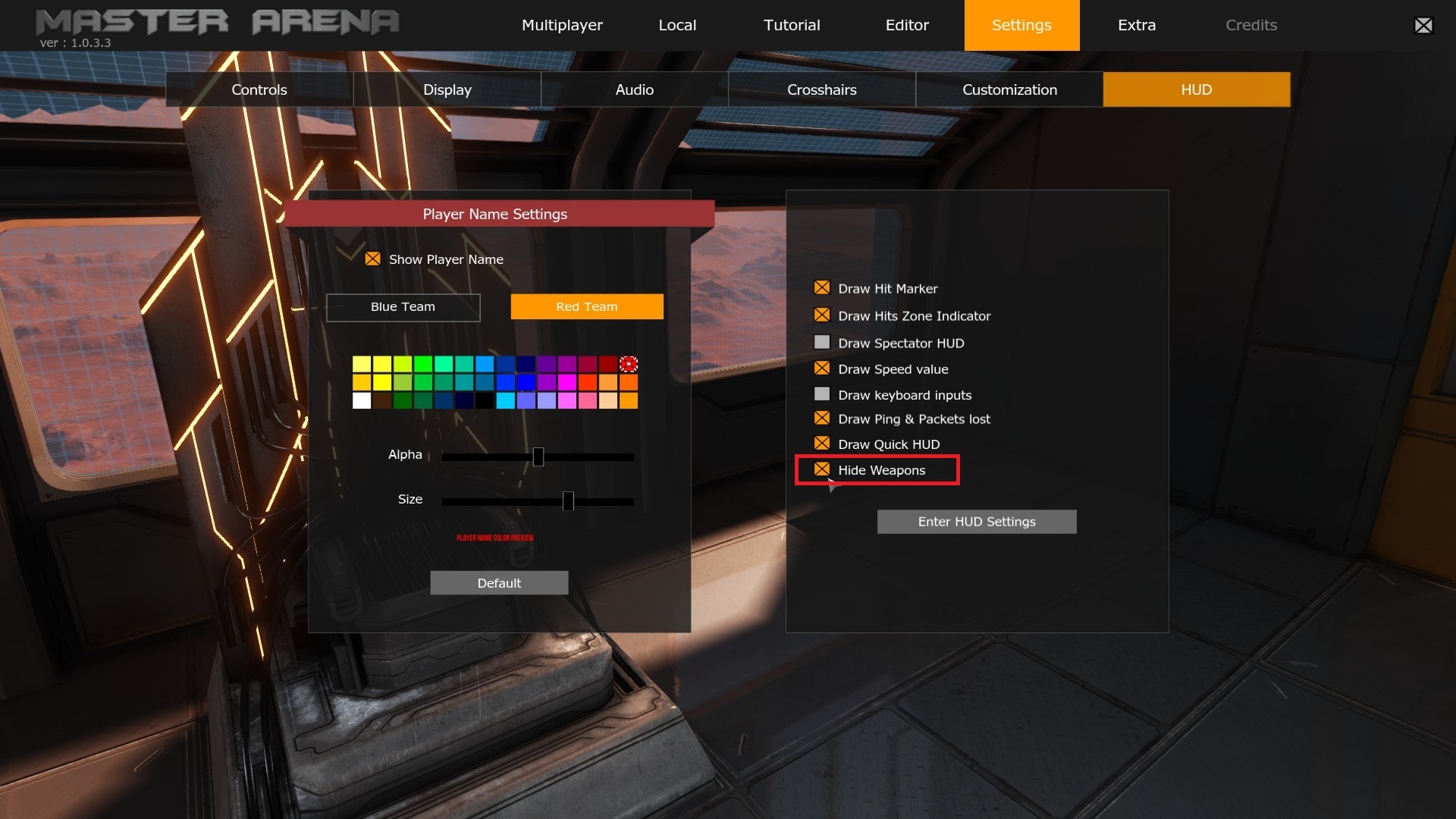
Hide weapons: Muzzle flash removed.
Boost pickup collision is now bigger.
Flags collision is now bigger.
Grenade Launcher: Grenade collision fixed.
*** Help us to rise, follow us on your favorite social network! Stay tuned!
Update January 2019 - Part #1
Hello everyone!
Welcome to this DAY ONE UPDATE! Ahah! What did you expect? A basic “Happy new year” humans?
Well, let’s get started!
--- MOVEMENTS ---
Introducing “Falling Jump”
During 2018, you were able to Jump, Super Jump, Bounce, Dodge, Wall-Dodge & Boost. We start this new year by adding “Falling Jump” movement! This jump is usable only when you are falling (yes, it’s obvious), it uses 20% of your stamina and can be combined as follow: >> Jump + Falling Jump >> Super jump + Falling jump >> Dodges + Falling jump >> Wall-Dodges + Falling Jump >> Bounce + Falling jump >> or just falling and use it 🙂
To use it, press the SUPER JUMP button. Check below for an example of its usage: https://www.youtube.com/watch?v=srze6W3DpRQ
Bounce faster! Now bounce speed is clamp to 1700 instead of 1500.
--- WEAPONS UPDATE ---
Rocket Launcher Alt-Fire
The Rocket Launcher now has an alt-fire named “Rocket bump”. When you press the alt-fire button, the rocket launcher will fire a special rocket where maximum damage is clamp to 10HP but has the ability to bump all players located near the explosion! An example of this usage in this video: https://youtu.be/z5YsQQtmKyc
Plasma Alt-Fire
The plasma alt-fire is the opposite of its primary fire. This one isn’t fast and the plasma projectile undergoes gravity! When the plasma projectile touches something (except a player), it remains frozen for a few seconds before exploding. To see a demo of the Plasma alt-fire, check below: https://youtu.be/W3K_wjfRRco
--- SOUNDS ---
Elevator sounds
https://youtu.be/_X3uS6ZZyYg
Pickup variant sounds (boost, heal, weapons)
https://youtu.be/iBHpVPq6UE8
Other fixes
Teleporters sound.
Spawn radius sound.
Pickups radius sound.
--- MAPS UPDATE ---
DM-Ross_128b: structural update. Every room was updated with more open space for navigation and fights.
*** Help us to rise, follow us on your favorite social network! Stay tuned!
Update December 2018
Hello everyone!
For those who joined us on Discord it will not be new, but for the others, you will find below an overview of the various updates done during December.
Weapons pickups / Plasma Fire / SMG Fire / ShotGun Fire
Self footstep sounds reworked.
Some weapons sounds, HitSounds & KillSound are stronger.
Player pain sounds management changes. Now pain sounds are bigger when player heal is low (old was pain sound in function of damages lost).
--- Other Fixes ---
Community maps download strategy script updated (v2).
Some UI managements fixes & player moves.
Player vs Player collision fixes & new damages strategies added (warning guys/girls you can kill someone if you stepped on him at high speed!)
Some adjustments for weapons camera shake animation.
OneTapDodge strategy updated.
Fix Auto Player ready after map switch (I'm not sure, this need to be tested).
***
Help us to rise, follow us on your favorite social network!
Stay tuned!
Update November 2018 - Part #2
Hello everyone!
We end this month with a new update, which will be available later today (or might even already be available). Let’s see what’s new!
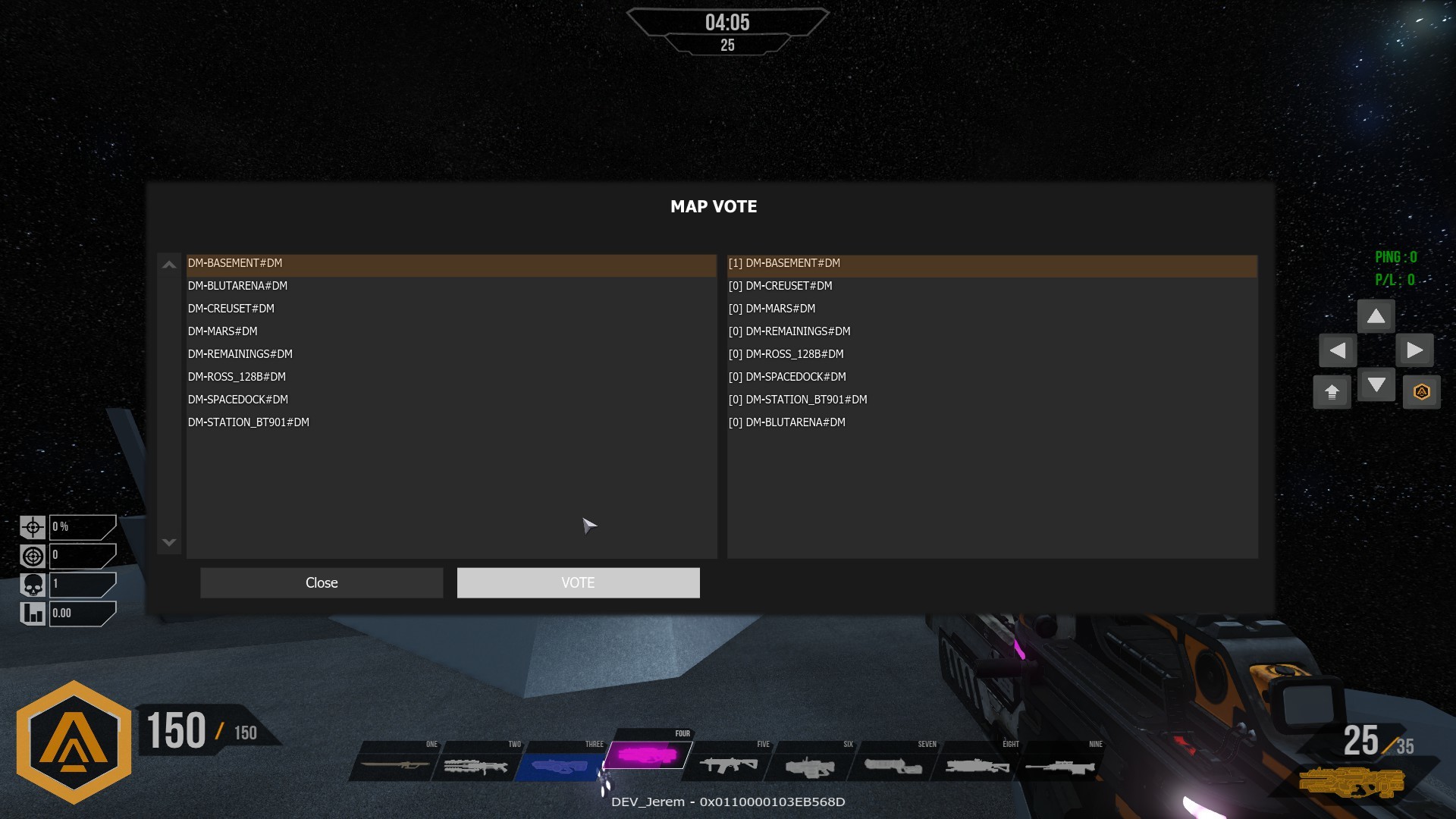
First, we added a map vote system! This option is activatable with a server command line with ?EnableMapVote=1. For example: start .\Binaries\Win64\MasterArena.exe Server DM-Mars?EnableMapVote=1 When it’s active, the map vote interface will be displayed after the statistics. You will also be able to vote during a match. If the majority of the gamers voted, the server will force the end of the match and automatically load the desired map.
Second, is a little update of the scoreboards. Your Steam avatar will now be displayed. If you are playing with bots, “Master Arena” logo will be used by way of an avatar.
Next, new elements are available in the editor.
Flags for CTF mode
Teleporters
Some explanations about the use of the teleporters: When you select the teleporter in the interface, the mesh replaces the previous one. Put it down wherever you want it. The teleporter is then replaced by a green ball, which represents the destination of the teleportation. See the screenshot below for the various combinations :
The mesh of “DM-Basket” have been added in different colors.
Next, let’s talk about the changes in the gameplay: [table] [tr][th]Weapons[/th][/tr] [tr] [td]Plasma[/td] [td]
Projectile travel time: down to 15 000 (previously: 20 000).
Momentum Transfer: 5000 (previously:1000).
[/td][/tr] [tr] [td]SMG[/td] [td]
Burst: up to 7 (previously: 5)
Fire rate down to 0.125s (previously: 135s).
[/td][/tr] [tr] [td]Shotgun[/td] [td]
Projectile travel time: down to 13 750 (previously: 18 750).
[/td][/tr] [tr] [td]Grenade Launcher[/td] [td]
Momentum Transfer: 150 000 (previously: 5000).
[/td][/tr] [tr] [td]Rocket Launcher[/td] [td]
Reference damage up to 70 HP (previously: 60).
Damage radius down to 450uu (previously: 850).
Core Damage radius up to 80uu (previously: 36).
Momentum Transfer : 200 000 (previously: 100 000).
[/td][/tr] [/table] >> The Momentum Transfer is the ability to bump your enemies. For more information about the adjustment of the weapons, check this Google sheet.
[table] [tr][th]Movements [/th][/tr] [tr] [td]Use of Boost gauge revised[/td] [td]
Wall dodge : 10% (previously 15%)
Dodge: 20% (previously 25%)
[/td][/tr][/table] >> To put it simply, you will be able to do more wall-dodges before you run out of stamina! We look forward to your feedback about this change. At this time, the boost items are left unchanged (+20%).
Finally, some minor fixes :
Menu sliders: a direct click on the slider value now works.
In Game to Editor: “Open existing map” now works.
Random camera TPS when players collide with other players: now fixed.
Some statistics fixes.
*** Help us to rise, follow us on your favorite social network! Stay tuned!


 [/td]
[/td] [/td][/tr][/table][table][tr][td]
 [/td]
[/td] [/td][/tr][/table]
 [/td]
[/td] [/td]
[/td] [/td][/tr][/table]


 [/td]
[/td] [/td][/tr][/table]


 [/td]
[/td] [/td][/tr]
 [/td]
[/td] [/td][/tr]
 [/td]
[/td] [/td][/tr][/table]
 [/td]
[/td] [/td][/tr][/table]


 [/td]
[/td] [/td]
[/td] [/td]
[/td]

 [/td]
[/td] [/td]
[/td] [/td]
[/td] [/td]
[/td] [/td]
[/td]
 [/td]
[/td] [/td]
[/td] [/td]
[/td] [/td]
[/td] [/td]
[/td]


 [/td]
[/td] [/td]
[/td]