It's been a few weeks in the works, but it's finally here - the new release 2018.0.6752 of Masters of Puzzle is now live on Steam. Restart the Steam client to get the update and start enjoying the new features. Speaking of which, there are a lot of new things available for you in this version. Take a look at the most important ones:
Gameplay: A new player control for grabbing multiple puzzle tiles together is now available. To use it, hold the Shift key and click the Left Mouse Button on a tile as usual. This will result in all puzzle tiles in a certain radius around that central tile to be picked up together as if in a fist. You can then move them around in a group and drop them anywhere you like. All puzzle tiles will retain their original position and rotation during this operation.
Gameplay: New Audio Manager and playback system has been added to the game. The playback list is currently limited to a single compilation of 9 tracks by the composer Konstantin Popov bringing you more than 30 minutes of wonderful music.
Gameplay: New Inspection Lens Connector Arm game item is now in the scene. It is attached to the puzzle model contraption and is fully animated. Its motion will now control the Inspection Lens game item and provide more realism to the game.
Gameplay: The Inspection Lens can now be safely moved even if the puzzle model is not currently in close inspection mode.
Interface: New audio options menu with 3 options – mute audio, music volume, and SFX volume - is now available. These are directly linked to the audio manager and playback system and will allow you to adjust it to your liking.
Interface: New standard GUI controls for the audio playback (play, stop, forward, rewind, repeat, shuffle) are also available. These are temporarily located inside the top action bar in the game scene and will allow you to control the music as any standard player. The entire component will be expanded with more functionality and most probably moved to its own location in the next release.
Interface: The game options can now be reset to their default values using the corresponding button now available in the Options GUI.
Framework: Implemented new algorithm for packing the puzzle tiles into the puzzle box at the game start so that their mesh colliders don’t overlap. This should prevent some sporadic issues like exploding tiles or tiles being pushed outside the playing area.
Framework: Implemented new detection algorithm that will sweep at game load time any puzzle tiles currently outside the playing area and put them back into the puzzle box. In case you've been missing puzzle tiles, load your game again and check for them in the box.
Framework: Implemented collision check detection for puzzle tiles and groups while attempting to put them down. It will no longer be possible to put down a tile or a group of tiles if they intersect any other interactable object.
Bugfix: Fixed a bug where a puzzle tile group might get broken apart if moved inside the open puzzle box.
This is now all, however, so make sure to check the full release notes on our website here. We'll be happy to hear what you think about it in the comments.
Upcoming Features
This release focused mainly on providing the first in-game music and many gameplay improvements. The next one will contain some very cool things like the fully functional puzzle tile containers, puzzle tile browsing controls, and a new game item we'll reveal a bit later. Stay tuned for more and keep an eye on our public roadmap.
Hotfix Update 2018.0.6753
Unfortunately, few bugs managed to sneak into the last update, so we had to chase and destroy them. The hotfix addresses the following identified issues and even adds one new functionality you will enjoy:
Gameplay: A new player control for detaching puzzle tiles from the puzzle mat or a puzzle tile group is now available. To use it, hold the Ctrl key and click the Left Mouse Button on the tile you want to detach. It will be removed from its location and picked up. If it was part of a group, that group will be dissolved and the game will attempt to link any remaining tiles that are still in contact with each other (thus resulting in 0 or more new puzzle tile groups).
Bugfix: Fixed a bug where puzzle tiles might remain parented to the puzzle box even if previously taken out of it. This would, in turn, prevent linking them to other puzzle tiles or the puzzle mat.
Bugfix: Fixed a bug where puzzle tiles placed already in the mat might be picked up together with free tiles with the new grab functionality.
Bugfix: Fixed a bug where puzzle tiles positioned on the mat (free or already set) might be swept falsely by the new clean up process and put back into the puzzle box.
Bugfix: Fixed a bug where puzzle tiles taken from the puzzle box will remain with disabled linkage triggers. This was preventing such tiles from being linked to other tiles or the puzzle mat until the game was saved and then loaded.
If you find anything else, we'll appreciate it if you let us know. Enjoy playing!
That's it for today. Make sure to follow our social channels for regular news and some exclusive information about the game:
Our new official developer page just went live on Steam. As some of you might have seen in this announcement by Valve, there is now (beta) support for official developer and publisher pages in the Steam community network. It's a significant improvement over the previous structure and comes with several very useful features. Make sure to visit it and become a follower to keep up with our future updates.
Gameplay Streaming
One of the nice features of the developer pages is the simplified way to set up gameplay streaming for page members and show the playback directly on Steam. Maybe you've already seen this with other games and it's really cool. If you wish to stream your gameplay of Masters of Puzzle, contact us and we'll provide you with the proper permissions to do so. We'll be excited to see what you do with it!
On a side note, we are finalizing and testing the last features for the upcoming release update, which will be significantly larger than the previous ones. We cannot give an exact date yet of when it's going to go live, but it's planned to be sometime during the next week. Stay tuned for our next announcement that will describe it in greater detail.
Don't forget to keep an eye on our social channels for regular news and some exclusive information about the game:
A couple of weeks ago we promised to share with you our game roadmap - as soon as it was ready for the wider public. We are pleased to announce that we managed to both find a suitable cloud software and to also feed in it the current set of features we are working on. You can access the portal via the link below and keep an eye on the progress as our team moves forward. There is also a section with the currently known major bugs and the progress on their removal. You don't even need a special account to see all of it. And if you want to subscribe to updates or watch specific features' progress, then you can easily create a free account and do so.
A couple of important notes, before you move on, though. First, the public roadmap contains only the features that are in some stage of progress (starting from the review phase) and are of major importance for the game. It will not contain smaller changes, additions, or improvements; for these please keep an eye on the regular release notes. Second, we did not add any features from releases prior to 2018.0.6715. We might do so in the future, but it very much depends on time and priorities, while the idea of the public roadmap is to track the current progress. So, please don't worry if don't see some of the bigger features we've planned for the game there yet. They will appear in time as we progress further along our internal roadmap.
With that out of the way, here is the promised public roadmap:
Dear players, we are happy to announce that today's release, tagged 2018.0.6726, is now released and available for you on Steam. What's more, Masters of Puzzle now has its first set of achievements enabled and ready for you to unlock through play. We'll talk about them some more in the section below, but before that let's quickly glance at the other changes this update brought along:
Gameplay: Implemented logic and triggers for the achievements in set 1.
Gameplay: Adjusted the default font settings and sizes for better readability. This affects all texts throughout the game.
Gameplay: Added in-game help text for the puzzle box lifting functionality.
Bugfix: Fixed a bug where the game configuration would not auto-update from the game server upon manual player authentication. This should resolve any issues with released DLCs not unlocking in-game for authenticated players.
Bugfix: Fixed a bug where the changes to the Options would not save between play sessions.
As always, you can see the full release notes on our website here.
Achievements
The first set of achievements for Masters of Puzzle includes a total of 42 different items including 4 that are hidden. You can see the list in its usual place in Steam. The new release version also includes retrograde awarding of puzzle completion achievements if the player has unlocked any of them before this update; this mechanism does not include the achievements related to puzzle tile linking or any of the hidden achievements. Please be aware, that the retrograde awarding will only work if you're currently authenticated with the game servers and if you have been authenticated when you completed one of them in the previous versions.
All the achievements currently use a couple of placeholder icons showing a question mark. Be assured that these are only temporary and will be replaced gradually over the next week as our team starts finalizing the designs of the real icons. This will not affect your unlocked achievements or current progress in any way.
What's next?
This week we received the great music compilation from our composer associate and we already started work on incorporating it into the game. In addition to that, we're also working on some new cool game items that will add more character to your playrooms. We'll share more details about all of it in the next update, so stay tuned.
That's it for today. Make sure to follow our social channels for regular news and some exclusive information about the game:
It's time for our next update focused on game improvements and stability. The time put into this release, coming out as 2018.0.6720, has somewhat delayed out work on the regular roadmap, but it's been worth it. The new changes aim to make your gameplay much more convenient and without annoying issues. A lot has been done on the lower level of the simulator and especially where it deals with puzzle tiles and the interaction between them. As a result, it should provide you with a smoother experience and better usability.
So, let's take a look at what's inside it:
Gameplay: Added functionality to lift up and down the puzzle box over the play table. To toggle this behavior hold the Alt key and click with the Left Mouse Button anywhere on the puzzle box.
Gameplay: Improved significantly the puzzle tile linking logic. It should now be easier to fit puzzle tiles together even if they happen to overlap a little when dropped. This sensitivity is further controlled by the new settings found in the General options menu.
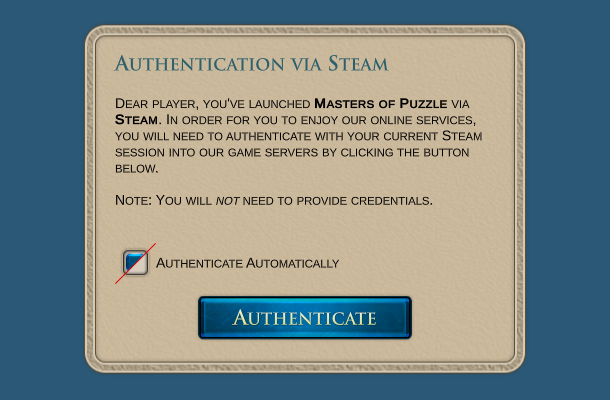
Framework: Changed the way auto-authentication works. As of this release, the auto-authentication is initially disabled. The player will have to manually click the authenticate button after reading the information text on the main menu screen. There is also a toggle option there to enable auto-authentication in the following sessions. For more information see the section below.
Framework: Expanded the main menu options GUI with a new panel for General options. It contains two new settings that control the behavior of puzzle tiles during linking. Information text is provided for each setting. For more information see the section below.
Framework: Changed the functionality of the in-game bug reporting system. It will now take a snapshot of the player’s hardware configuration as well as a save of the current game state for testing. The game will display an information note about what the reporting system does and inform the player about its new behavior. For more information see the section below.
Framework: Enabled visual settings for non-standard screen aspect ratios (i.e. 21:9 and others).
Bugfix: Fixed a bug where puzzle tiles linked while facing a wrong general orientation would not link as a group to their correct counterparts. This was previously solved by saving then loading the game.
Bugfix: Fixed a bug where the puzzle model would not fit in the viewport when inspected on narrower screen resolutions.
For the full list of changes visit our website and check the release notes here.
Authentication with Steam
In order to provide more transparency to the process of authenticating into our game servers with your Steam sessions, we've disabled the auto-authentication in the new release. This should allow each player to read the information note before proceeding to manually authenticate via the click of a button. You will not need to enter credentials or any other information. The game simply uses your currently active Steam session to authenticate you to our game servers. Authentication is necessary for the game to be able to retrieve the latest configuration. If you don't authenticate, you will be stuck with the configuration that was downloaded alongside the game client from Steam.
Please note that this process is not a registration, therefore you won't be getting a Belleal Games account at this point. We will provide a registration functionality at a later stage, probably around the time we are ready to roll out our in-game store.
Bug Reporting System
The new bug reporting system will attempt to be more useful by taking a snapshot of your hardware configuration at the time the bug report is created. It will also record the state of the current game if you're currently in a game. Before doing any of that, however, it will display an information note that will inform you of these same things. The bug reporting is anonymous and entirely optional, but we will be grateful if you opt to use it. Just keep in mind that we won't be able to respond to these bug reports directly. If you have a question or you need direct assistance, you should choose one of the other available channels to contact us.
Puzzle Tile Sensitivity Settings
As you probably read above, we introduced two new settings with this release that control to a degree the behavior of the puzzle tiles when linking is attempted. We recommend that you leave these settings as they are in order to have a more realistic gameplay experience, but in case you find the game too difficult, you can try increasing one or both of them. Here is what they do:
Proximity Threshold: It controls how much two puzzle tiles can overlap or be distant from each other during placement before a link is attempted. For example, if you place down a tile and its edge steps on the edge of the tile below, the overlap distance will be compared to this setting and if found to be less the linking process will be started. The same is true for the opposite situation when you place down a tile at a distance from the edge of the tile below.
Axis Offset: It controls how large the difference can be between two puzzle ties on their linking axis. For example, if you attempt to link two tiles horizontally, normally they'll have to be on almost the same level for the link to work. By increasing this setting, you'll allow for a greater offset on that axis.
As usual, be sure to follow our social channels for regular news and some exclusive information about the game:
Everyone, it's time for our first update after early access was released last week. We will share some exciting stuff below, but first, we want to thank warmly all of our current players who dared brave an early access game from a new indie studio. Additionally, we also want to give our special thanks to the individual players, who took their time to report several issues and also give suggestions on how we can improve certain aspects of the game. It's so great to see that the community is ready to provide this type of support and attention.
And now to the technical stuff. This update is going to focus on release 2018.0.6715, which addressed most of the issues raised by the community as well as adding some improvements to the gameplay and controls. The new version will become available on Steam in a couple of hours right after we ensure that everything is working as intended. In the meantime, here are the highlights:
Gameplay: When putting down puzzle tiles and groups, they will now be set as close as possible to the highest object currently below them. Previously, they would just drop down by gravity
Gameplay: The Player Controls options can now be adjusted and saved between play sessions via the new Options menu. These options include camera sensitivity, movement speed, ascend speed, wheel zoom speed, and camera inverting. The Options menu will be expanded with more settings in the upcoming releases
Gameplay: Picked up puzzle tiles will no longer collide with other objects when moved around. This is a necessary tradeoff between realism and practicality
Gameplay: The puzzle model can now only be called for close inspection if the player is floating above certain distance from the play table (currently that is set to half the model heigh). If the player is below that threshold the puzzle model will remain in its place even if the G key is pressed. Additionally, if the player is holding the puzzle model for inspection and descends below that threshold, the model will automatically release and return to its place
Gameplay: When picked up, the puzzle tiles and groups will now retain their position relative to the point where the mouse pointer was clicked on their surface. This should allow for a finer precision when putting down both puzzle tiles and groups for attempted linking
Framework: Removed the tilesets of 100 tiles from the possible options for a new game. These were only used for testing purposes and never intended to go into the final build. Note that smaller tilesets are currently considered as a future expansion for kids’ puzzles, but for the main version of the game the smallest possible puzzle tileset is of 250 tiles (we even considered 500 tiles before we finally settled on this)
Framework: Created entirely new functionality for Puzzle Tile Groups. Instead of relying on physics joints alone, the linked puzzle tiles are now also grouped in special containers (invisible for the player). This change allows for a more stable and finer handling of groups of tiles. It also fixes two potentially game-breaking issues (see below)
Framework: Added back-end support for player statistic gathering. Upon certain events, the game server will now record information about it for each player. This will allow for retrograde awarding of achievements when that functionality is ready
Framework: Added FPS counter in the game scene. It is disabled by default. To enable it, use the Shift + F key combination
Bugfix: Fixed a serious bug where puzzle tile groups would wobble around like a whip when moved or dropped, preventing players from setting them correctly on the mat or controlling them in any precise way
Bugfix: Fixed a serious bug where picked up puzzle tiles and groups would occasionally spin out of control and scatter dozens of other free tiles all across the play table
This is not all, of course. Visit the full release notes for complete list of changes on our website here.
Now that we've addressed the most pressing issues, we'll continue with our original plan for introducing achievements (at least the first batch of them) and our official soundtrack. Additionally, we are also working on the public roadmap for the game, which we'll make available to everyone as soon as it's more presentable.
As usual, be sure to follow our social channels for regular news and some exclusive information about the game:
Everyone, we are very excited to announce that Masters of Puzzle has been released in early access as of now. We certainly hope to be able to share that excitement with you and to see your feedback and questions. Once again, please keep in mind that this is still an early access build, so there might be bugs or features that are incomplete or missing. For you to be able to keep track of our development, we will share our full roadmap in a couple of days - as soon as we make it more presentable and easy to browse through. We also plan to keep you updated on our progress on a regular basis both here and on our website. There are content and posts that are only available on the official blog though, so make sure to visit it often.
On an additional note, we are also working hard on adding Steam Achievements and an Official Soundtrack to the game. We expect to be able to deliver these features sometime next week.
Playing the Game
Few words on playing the game are also in order. Alongside the release of the game, we also made available 3 free DLC puzzle boxes for you to enjoy, with more free content coming over the next weeks and months. When you download the game, only the client will be installed automatically on your PC. As explained on the main game page, this is by design so that you don't have to download content you currently aren't planning on using.
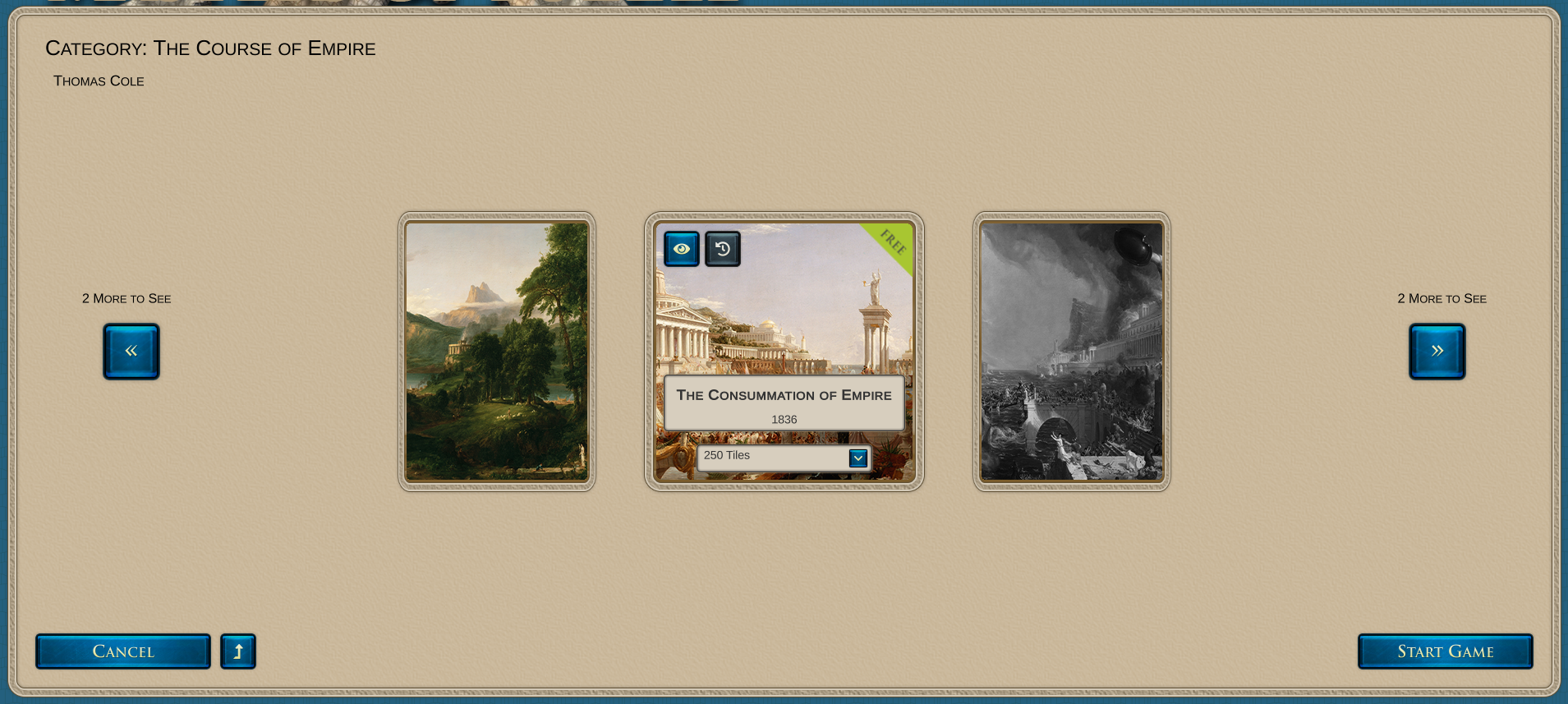
To start a new game, click the New Game button from the main menu. This will open the list of puzzle categories currently registered as content for the game. One will be locked (you can tell by the big locker icon on top of it), but the other one will be available for you to play. Click the small square button with an inspection lens icon to open the category and browse the available puzzle boxes. There will be 3 available and 2 locked at release time. Select the puzzle box you want to try out by using the Move Left and Move Right buttons.
Once you are happy with your selection, click the Start Game button on the bottom right of your interface. At this point, the game will ask you to confirm downloading the required DLC package. This will happen only once unless you manually uninstall the DLC from the Steam client.
Once inside the game playroom, make sure to open the Help panel for instructions on how to play and how to use the game controls. It's accessible via a small square button with a question mark icon on the upper right of your interface. If that's not enough, please don't hesitate to ask us questions in the Masters of Puzzle Steam group. We will do our best to respond in a timely fashion.
That's it for today. We hope you will enjoy our game even in its early state. Send us your feedback and be sure to follow our social channels for regular news and some exclusive information about the game:
As we get closer to 17th of May, it's time for our final update before Early Access goes life and the game becomes available for everyone to try out. It has been a very busy month working on this release version, which goes out of our workshop as version 2018.0.6709. There were many things we wanted to include in it, but reality restricted us to a shorter yet still significant list of features. Here are some highlights of what's been added since the last stable version:
Gameplay: Added an in-game lighting switch to the GUI. You can now adjust the main light intensity in the playroom to your liking
Gameplay: Added in-game help menu. In it, you will find instructions on how to play, what the goal is, and how to use the various controls
Gameplay: Added full puzzle image preview in puzzle selection GUI
Gameplay: Added in-game bug reporting system. In case you encounter any issue while playing, report it directly from inside the game without leaving. The benefit here is that the game will automatically collect system data and a screenshot for us to review
Gameplay: Added functionality to delete saved games which you don’t want to keep anymore
Gameplay: Implemented player movement restriction on the horizontal axis in a radius inside the new playroom. It is no longer possible to leave the playroom or get too far from the play table
Gameplay: The GUI showing the puzzle view categories and boxes selection will now show locked items with their intended availability date (if any). The categories will also show the number of owned puzzle boxes by the player. The puzzle boxes selection will also show which of them are free content
Content: Created a new, detailed playroom model. This will be the default playroom for all players until we implement the functionality for custom playroom selection
Content: Created a new circular play table to match the new default playroom
Framework: Overhauled the authentication and registration GUI and underlying logic. This includes authentication using active Steam session and linking of Steam accounts to Belleal Games player accounts
Framework: All puzzle boxes will now be separated from the main game as additional packages in order to shrink the general installation size and allow the player to choose what to download additionally. These puzzle boxes will correspond to separate DLCs
Framework: The game configuration will now be updated automatically from the game servers if possible (i.e. there is active Internet connection). If this is not possible, the game will be restricted with the configurations included with the initial installation
Settings: The general limit for puzzle tileset selection for all puzzle boxes is now set to 1000 tiles. To unlock a greater number of puzzle tiles the player would have to complete specific achievements and/or acquire them via the game store (the in-game store will be available in a later release)
Settings: Adjusted the game graphics setting to better match the new environment of the game. This might impact performance in low-end PCs a bit but should give a much better visuals
For the full list of changes and additions please see the release notes on our website here.
The New Playroom
You may have noticed in the list above that we have a brand new default playroom. We named it the Six-Views Cabinet and you can steal a sneak peek of it in this short video on our YouTube channel:
https://youtu.be/gHSUE1uypMY
As usual, be sure to follow our social channels for regular news and some exclusive information about the game:
Greetings everyone! We are extremely happy to welcome you to our Steam page with this first update. As we move closer and closer to publishing day for the Early Access version, we continue to work hard to enable some essential features that need to be available with the released version. Of course, we will publish the complete release notes when we get to that point, but we also wanted to highlight two specific features you should be aware of.
Authentication with Steam
The integration between Steam and our PlayFab account has been completed and you will be able to authenticate with us by using your current Steam session. You will not be required to enter credentials or anything else since the authentication works on a different level. This is required in order for you to be able to enjoy the online features of the game as well as for the game itself to be able to manage your Masters of Puzzle profile, scores, and inventory. While you can still play offline in a more limited setup, we recommend that you authenticate once and let the game do that for you automatically in the future.
Bug Reporting from within the Game
As much as we would like to provide you with a flawless game, it might happen that you encounter some issues while playing the Early Access version. In such a case, we would very much like to hear from you in order to fix the issue as soon as possible. To make things easy and streamlined, we've integrated our bug-reporting system with the game itself. You will be able to report any issues by opening a simple bug report form. The only things to fill in are a short summary and description of the problem you encountered. The relevant technical data and a screenshot from the current scene will be automatically collected.
New Gameplay Trailer
Last but not least, we've just made available a new gameplay trailer on our Steam page. Feel free to check it out either here or on our YouTube channel:
https://youtu.be/dIuthPGDjV8?list=PLKLiwL6lrpJmdUeH4m9HeU3AW7kQcy43Y
That's all for this update. Be sure to follow our social channels for regular news and some exclusive information about the game: