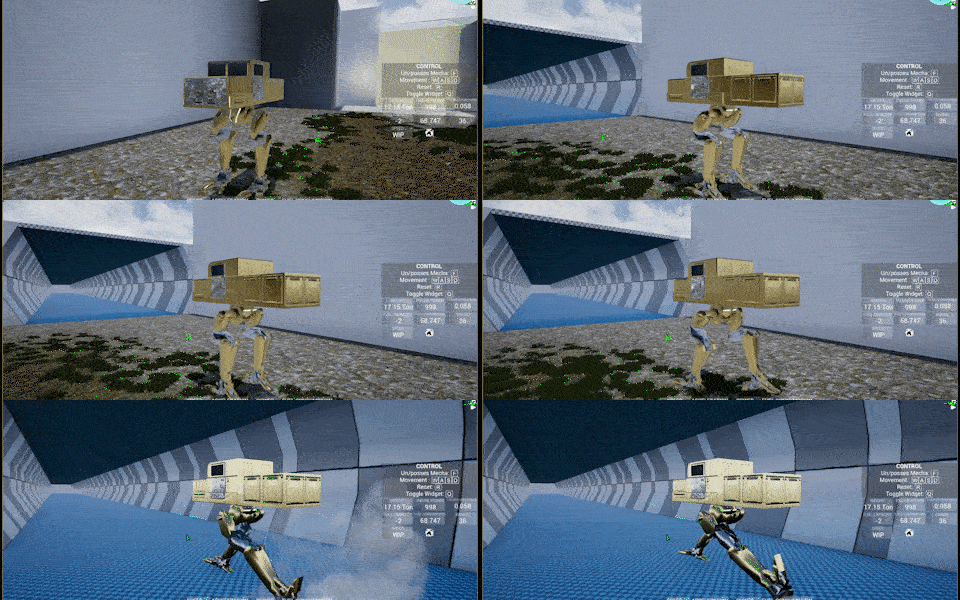
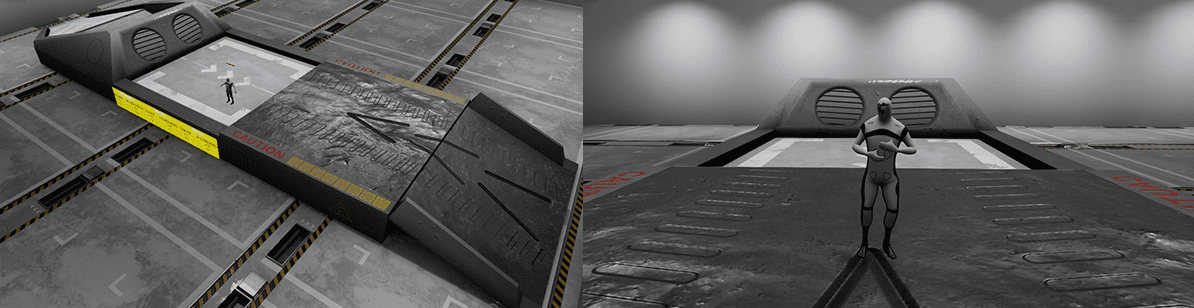
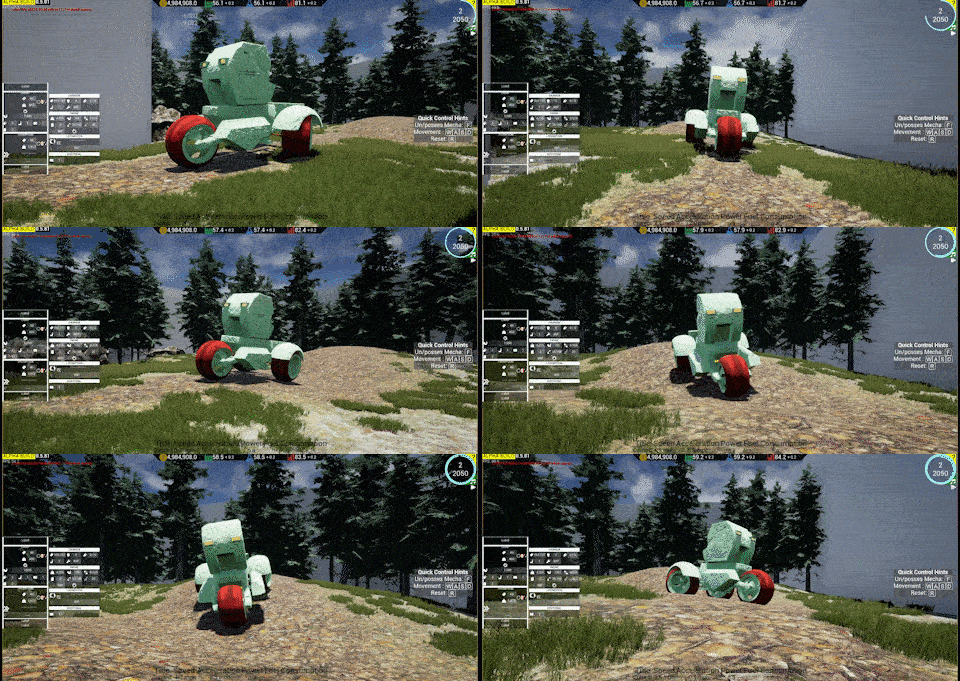
Hi, Updates: Top speed track is now more of a tunnel
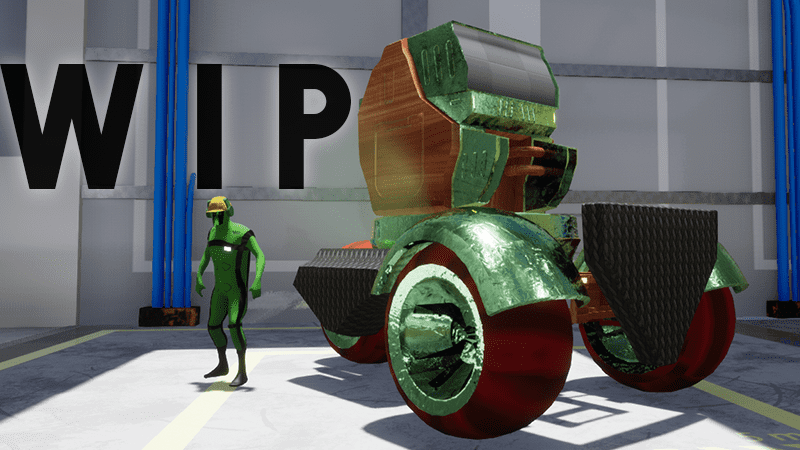
TEST ROOM (WIP)
Track extended into 400m (1312 Feet). Maximal length is arbitrary, can easily be modified once the ideal length has been determined. It is made programmatically, so future improvement cost is flat; independent from length.
META/DEVELOPMENT/TESTING
Continuation of internal testing development to reduce manual testing workload
COMMUNITY (WIP)
Initial integration of social media into the update cycle Steam will always be the main discussion platform. For those interested to follow more closely can now also join the newly created discord channel -> https://discord.gg/8PJDGCd. Other social media (Instagram, twitter, youtube, Reddit, Facebook ) are attempts to pull extra interest into our small community.
Next update: 24th July 2020
Thank you
U86: Crashes , Volumes and Cinematics + Edit 1
Edit 1: The next update is delayed by a week (to 17th July 2020) due to ISP change complications. Thank you for understanding ----------------------------------------------- Hi [previewyoutube="4z5L33etAi8;full"] Putting a mecha prototype up for sale should be rewarding/ momentous. This is the initial integration of that idea (mostly focused on technical implementation) which was first mentioned in U#72.
[previewyoutube="y4opgWENMHE;full"] Partially extended the free-roam area (work in progress). The intention is to give enough space for mecha to reach its natural top speed
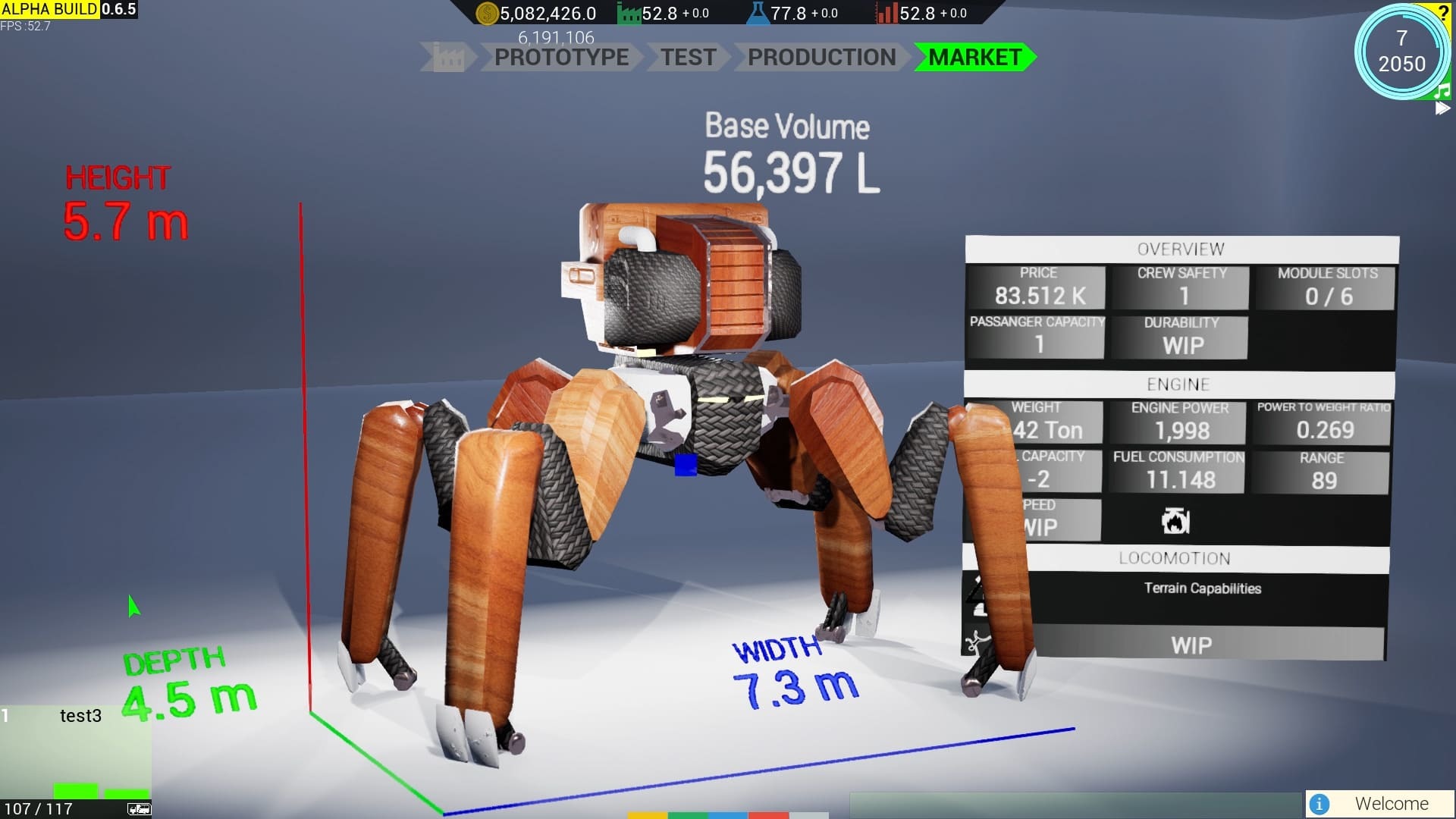
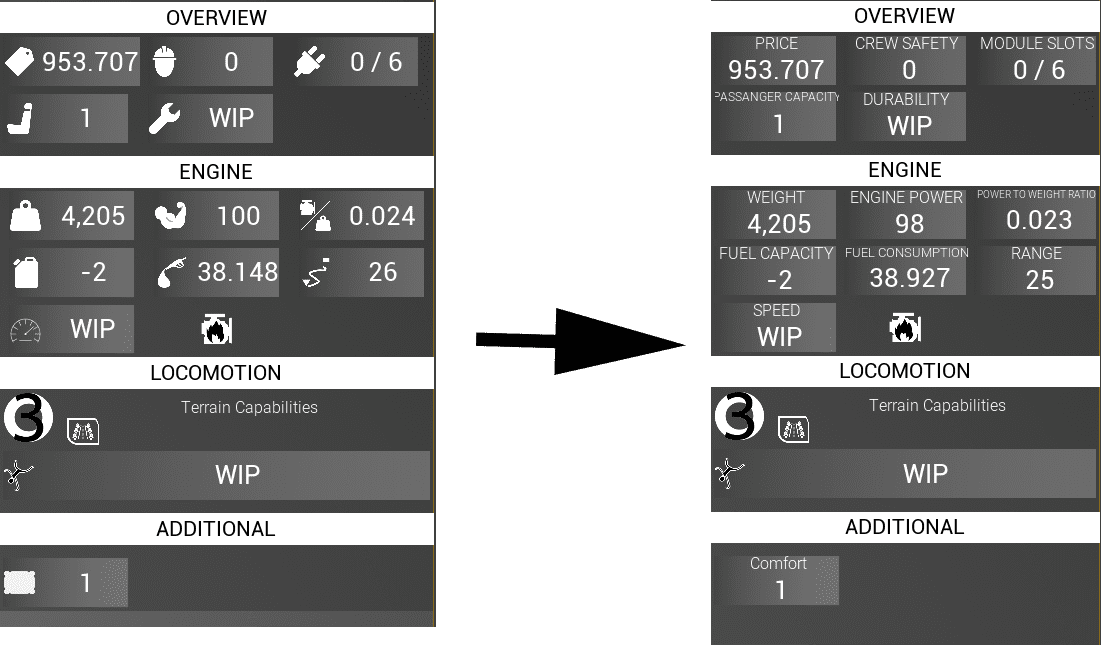
New mecha info system (in world space/ 3d)
Extended Material Panel
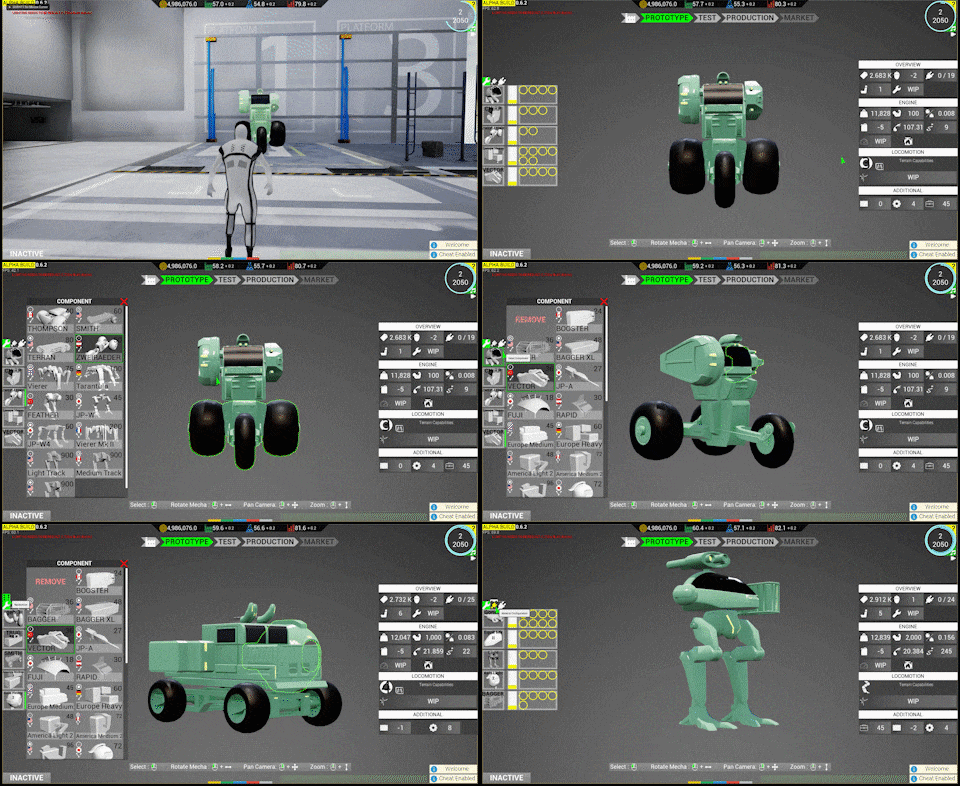
CONTROL: Added a functional button to copy active slot to all other slots in the same components
MATERIAL SELECTIONS: can now be sorted based on name, price, density, popularity. Note that popularity is still the same across all material (not yet activated in-game)
Refactored material data and a major improvement to the component volume calculation system
There is a basic volume. If in a form of a cardboard box; this is the v = x
y
z. This determines the component classification (light, medium, heavy)
Then there is material volume. In the box example; this is the cardboard material volume. This determines the overall material cost
The third one is usable/inner volume, which is just basic volume - material volume; this will determine how much cargo space/passenger can fit into the component (WIP)
Terminology is not final and this will be made intuitive in the final game
Material panel comparison and a closer look The colorful horizontal bars are the first attempt to make the data easier to process
A component can have from 1 material slot up to 4 slots (A, B, C, D)
More are considered better and usually found in higher grade components.
More means better as it allows a component to have more material characteristics in a single component. 4 material slots can be 'converted' into 1 material slot by assigning the same material, but 1 slot material cannot be 'converted' into 4 slots.
A material, not only modifies a component visual appearance; it also has other intrinsic properties
Price: determines the material cost
Density: influences final mass. Static throughout the game
Popularity: influences market rating. Value can be changed in-game through world event
Depending in which direction the player want to min-max its mecha; the new bar offers a quick analysis just by glancing
Example: gold material is assigned to slot with the smallest volume. It receives the "has material gold"-buff without too much penalty. the smallest volume = not too expensive and not too heavy.
The idea follows the old concept "easy to learn, hard to master"
Crash Reporter
Mechsprofit now provide its own crash reporter in an effort to increase overall stability. If you experience crashes, please send the crash report so I can fix it. I thank you in advance.
In the near future, I will also open a discord channel for those who want to get more involved in this game's development
OTHERS
Extended automated build system
Added auto conversion for length and volume unit
Numerous minor visual updates (research detail, production panel, etc)
Several minor material data adjustments
Updated save to version 0.51
Next update: 10th July 2020
Thank you
This announcement is made using Youtube instead of GIFs. Which format do you prefer?
U85: Steps, Audio and Visual FX
Hi, A quick summary in gif format. Notice the mecha incorrectly slides at the beginning of the movement. WIP
NEW
Added a default placeholder engine sound to all mecha Implemented footstep sound effect to all human Added a dedicated button to apply a component's materials to the whole mecha
WORK IN PROGRESS
Added one new body component in preparation of bulk addition in the near future Added mecha footstep audio and visual effect system Tweaked mecha control widget, initial camera placement, and view rotation control (can now also pitch not just yaw)
This is the one new body component. It is designed to appear more futuristic as it has a technology level of 2 (out of 3). Other stats include weight class light and manufacturer group 3 (~Europe). At the moment lore/design still not in priority as the focus is still in test platform completion
IMPROVEMENTS
Updated save version to v.50 Various other refactorings, development automation, editor fixes, static analysis, etc
Preview of visual effect development. The system is still being tweaked. after which all of the locomotion data needs to be updated. Not heard here is the added mecha footstep and engine sound. The game finally has more sound effect
FIXES
Fixed crashing when reentering free roam test room with different locomotion type Fixed free roam not correctly resetting the previous state which can lead to immovable mecha Fixed platform context button can be re-clicked Fixed unable to change lamp tint Fixed material color previewing the wrong color Fixed color slider and color preview not syncing correctly Fixed mecha control camera collision Fixed incorrect minimal value for saturation and value slider in HSV context Fixed long-standing bug issues with material not showing correctly
Showcasing fixed material. In previous updates, mechas are often shown having a green tint when a plastic material is being used, which is wrong. It was supposed to have a white tint.
Next update: 3rd July 2020
Thank you
U#84: General Stability Improvements 1
Hi! GIF1: A new button [reset all] located on the top left corner. it will revert the components, materials, and attachments to the default state
The main focus of this update is general stability improvements. In essence, mecha data representation is continuously improved upon as it is needed in the next step for test platform finalization. Work In Progress.
IMG1: Material and attachment configuration view. Several data state issues have been fixed here. An attachment tooltip now also shows the correct label.
Attachment
Fixed numerous crashes, edge cases, regressions, and synchronization issues, more robust
Updated data management. An attachment is now slot-aware
Finalized several source code implementations
IMG2: Component tooltips minor visual tweak
Widget/ UI
Updated stat visual. A label is now shown instead of a logo. this can be changed easily in the future when more time is available for UI visual tweak
Major code refactoring and minor visual tweaks
Updated comparison tooltip visual
IMG3: A Stat is now represented by a text rather than an icon. It is easier to understand
Others
Updated save version to v.49
Next update: 26th June 2020
Thank you
U#83: New Configuration Background
Hi!
UPDATES
GIF1: Shows the new configuration "background" upon entering a platform. The simple grey background helps in reducing visual noise
GIF2: More than just a color change, this includes several other improvements; i.e: Layout, selection visual size, sound effects, lightings, gameplay logic, etc (WIP)
GIF3: Shown above as a comparison of how configuration background looks before. GIF is taken from U#74. GIF's graininess is a result of heavy compression
OTHERS
Updated to UE 4.25.1
Several refactorings/prep work (mainly data finalization to be used in test platforms and mecha config)
Several asset improvements
Next update: 19th June 2020
Thank you
U#82: Initial Integration of Test Platforms
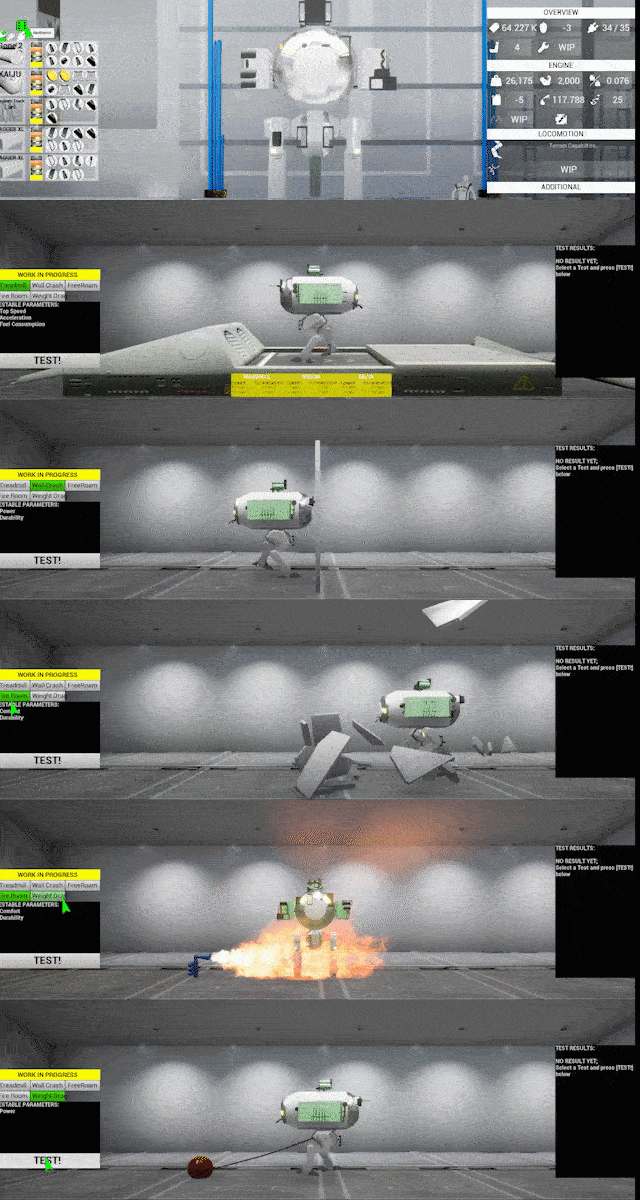
Hi! Preview of tests, which can be started in-game, albeit will not produce a result yet (has no impact on the market - WIP)
Updates:
Platform Test
Major C++ implementation, additional new test platform now requires less effort to be implemented in-game
Improved asset for weight load mesh, flamethrower mesh, fire effect, various others
All 3 new test platform is now accessible in-game BUT pending functionality; as in test result not yet simulated., no sound effect yet, etc. These will be improved in upcoming updates
Other ongoing progress
in editor testing, mecha stability, attachment, mecha AI, default data, movement manager, UI, etc
"This is fine"
Next update: 12th June 2020
Thank you
Update 81: Test Platforms
Hi!
Updates:
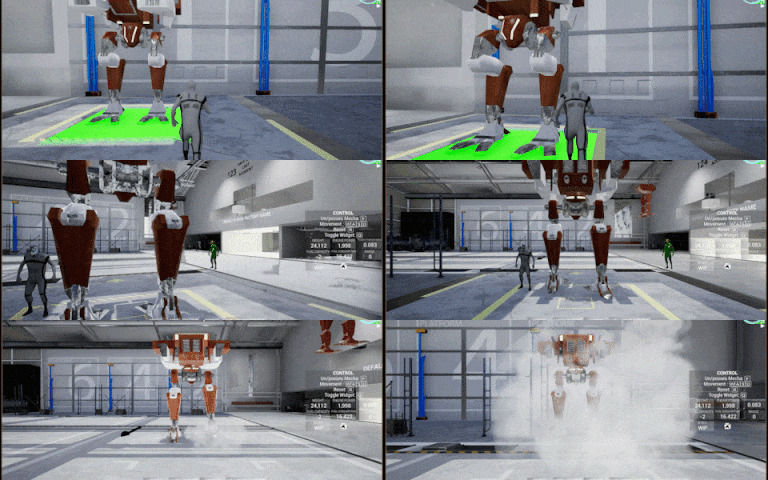
Mesh, material, and function improvement to the first test platform: Treadmill, still WIP. A human worker is shown for scale The development of other test platforms has been started. Below are the preview ( Not yet available in-game).
Active crash test: Testing mecha power and durability
Temperature test: testing mecha safety and comfort level
Weight pull test: Testing mecha power and speed
The idea is: Each test platform must be unlocked and is upgradable to allow a more advanced form of testing. Tests are optional and will give a marketing boosts (WIP)
OTHERS
Fixed material custom channel logic. wheel material is now appearing normal (black, not red)
Fixed incorrect drag factor calculation
Fixed material slot not being highlighted when hovering upon material slot button in material configuration
Fixed sometimes worker not contributing correctly in early gameplay.
Fixed unable to unlock platform when entering the platform from avatar mode
Updated mecha engine and locomotion data
Updated material selection data (WIP, renamed "dielectric" to "plastics". Disabled temporarily the function to tint the material. )
Several minor map improvements to accommodate upcoming new test types
Numerous other minor visual, tests, and code improvements
Updated to Unreal Engine 4.25
Iterated save version
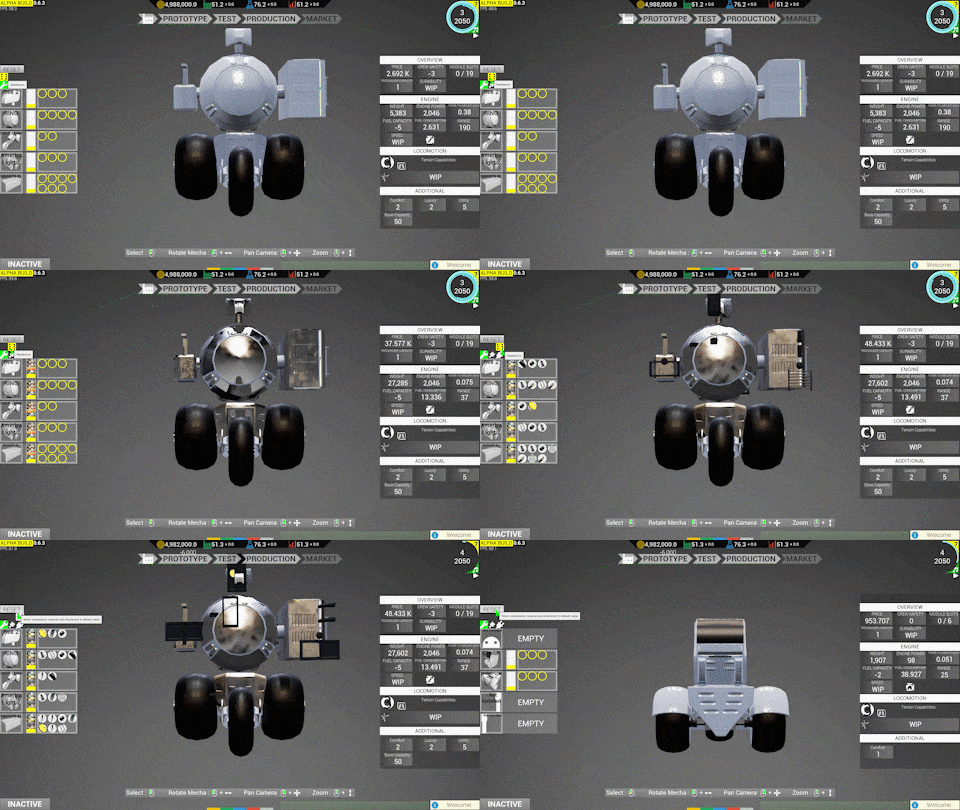
Top view of engine simulation test. All of the mecha has the same locomotion, differing only in the body (different body shape and engine performance). This internal development test shows that the Body-Locomotion simulation is working -> Acceleration influenced by engine performance, weight, and aero-drag
Next update: 5th June 2020
Thank you
U#80: Steam Early Access Year #2 Development Report
Hi, This is a development report for the last 12 months and where it is going.
ROADMAP
IMG1: Old Roadmap
The current road map is not working as the game is still in version 0.5 after 2 years. One of the many problems with it was that if a particular work item was time-consuming (i.e: physics bugs etc), it blocked the entire progress of other work items which are much faster to implement (i.e: cant update placeholder mesh, as it's technically goal for 0.6).
Based on that experience, a new more flexible road map is introduced: a time-based roadmap. This version will iterate automatically after the time threshold has been passed (every 3 months). Along with forced faster progress, this version will have its own drawbacks, noting that progress completion and passed duration is often out of sync. I'll review its performance in the next version milestone.
IMG2: Updated Roadmap
I will also move from a yearly review to a quarterly, as this is the last year and it is better to catch bug/feedback early. Update/announcement will still occur weekly-biweekly; depending on workload.
In summary; there are 4 milestones left; I'll treat each milestone as if it's the real full version deadline, with its own checklist for visual, balance, polish, and buffer. With this announcement, the game is now entering v0.6
STATE OF THE GAME RIGHT NOW
Still buggy, in early access and not yet feature complete. effective gameplay time possibility still low. Now entering its last year of development.
WEAPONS
On the topic of weapon gameplay mechanic. This is the #1 most requested feature by the community. The #2 most requested is controllable mecha which is not part of the original Early Access scope and was mainly implemented last year (albeit still WIP at the time of this writing). I understand the arguments for weapon inclusion and will try to integrate it into the game. I cant start working on it right away, several prerequisites must be met. will work on priority order. I will review its integration start every 3 months. Best case scenario in 0.7. Worst case is 0.9
PERSONAL REVIEW
I am not satisfied with current progress, need to be able to increase productivity. As more features being integrated, the time it takes between a stable build update increases. It is always a struggle between feature completion/ addition and bug hunting. Development resource is limited and backlog seems to always grow. These factors are known from the start and the majority of the time spent last year is to mitigate/attempt to control this. A collection of tooling/technical improvement has been implemented to ease the burden of manual testing. Some features have been postponed/ cut from the game. Most of those are in the backend, which means little progress is recognizable/ accessible by the player (Physics Implementation, UI Framework, Test Framework, Automation tool, etc).
Entering the last year of development, I will start utilizing tools made last year in an effort to meet the productivity quota in order to finish the game on time. I am adamant in finishing the game in the best of my ability
I want to also thank everyone who has supported the game. Mechsprofit development is not possible without your support.
Next update: 29th May 2020
Thank you __________________________________________________________________ Visual Comparisons Community requested feature: Controllable Mecha. Gif taken from U#54
For comparison, the same room almost a year later. Still work in progress. The main implementation challenge is: behind the scene, there are 2 different locomotion methods for leg movement and wheel movement, with each movement type having further different subtypes. GIF taken from the last update U#79
Update #79
Updates: This is a build update. A development report of Steam Early Access year #2 will be published on 9th May 2020
FACTORY LAYOUT
IMG1: Updated environment visual. The previous version can be seen in U#54
IMG2: [top left ]New factory test-wing. [bottom left] Improved command center; now more spacious. [top right] Top view. [bottom right] perspective view
Props/environment placement is now more precise. No more invisible floor gap that causes wheeled mecha to randomly fall through the floor
Updated lighting; WIP.
Technical improvements; the factory is divided into sub-levels; for future optimization with level streaming; if necessary.
Improved environment in the "free roam" test room. At the moment is still small, will be continuously improved upon.
Added a dedicated test wing. This is where other upcoming test types will be installed in
CONTROL MODE
IMG3: Detached Control / UI Movement In UI mode; the camera will now switch to an overhead view. with traditional control WASD; QE (Rotate) and Mouse Wheel to control zoom. The implementation is still rough
CORE GAME LOOP
A new phase [TEST] has been partially integrated into the core game loop. It is not yet activated in-game as there are still several things that need finishing. This is a compromise as to no longer delay a build update IMG4: Core Game Loop
Each platform phase will also now has it's own dedicated camera view. IMG5: (Optional) Platform Upgrade -> Mecha Config -> Test -> Production -> Market. RMB+Open in a new tab for a larger view.
BUG FIXES
IMG6: Continuation of automated development testing. Here is testing framing, focus and component bound
crash issue when reapproaching avatar while controlling a mecha
interact visual incorrectly appearing when configuring a mecha
control input issues
temporary usable material data
component bound data
various other fixes
Next update: 9th May 2020
Thank you
Update #78
Hi! Disclaimer: All of the screenshots below are currently not available in the current game version. Several crash reports for the current build have been received; The fix will be included in the next build update, this is a progress update. Sorry for the inconvenience. A stable new build is still work in progress
A worker next to a lightweight mecha. Please ignore the red wheel; work in progress. The material can now have dynamic color not just flat white/black/red. i.e: "wood colorS" and carbon fiber as shown above
Progress updates:
PLATFORM
Platform elements are being worked on to have better placeholder mesh and materials. Correct glass material on the upgraded roof element now correctly letting in sunshine
MATERIAL
Integration testing of 2 new materials: Wood and carbon fiber. New material can be added relatively quickly in the future. Not just visual, each material has different gameplay affecting properties as discussed in previous updates
COMPONENT
Wheel locomotion with 2 wheels are being phased out; replaced by a tri-wheel at minimum. 2 Wheels was giving stability issue and development time is scarce at the moment
Dimensions constraint for locomotion component with a human as a comparison. The 5 boxes represent dimensions for
Super Small
Small
Medium
Large
Xtra Large
Super small and extra-large are there for constraint only. Only small, medium and large are available in-game. There are other dimension constraints for arm, head and body components.
ASSET DEVELOPMENT WORKFLOW
Improvements to the asset creation workflow. [Left] Debugging process to fix sporadic black spots on the mesh [Center] UV map check for correct unwrapping, density, etc [Right] Skinning information check
Various other improvements, fixes, etc
Next update: 4th May 2020-> this will transition mechsprofit into it's last year of development.; expect a more detailed reported similar to this one