Patch Update 33.6 has a few fixes and a big change to the object build menu.
Object Build Menu
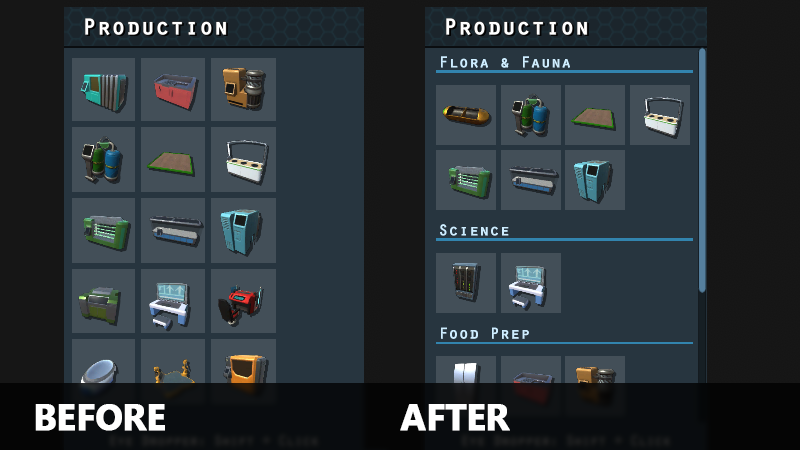
I say this a lot these days, but this one has been on my to-do list for a long time. I’ve reworked the object build menu items slightly and added sub-categories. This should help to organize the objects better and help you more quickly find what you’re looking for.
The storage category has been removed. Storage items are now in sub-categories that are more relevant to what the storage container is used for.
Survey Time
The latest feedback survey is now available. If you have a moment, certainly let me know what you think. It really helps to know what you like and what you don’t. Thanks for all the great feedback so far!
Updated day/time text on the planet map to use improved text rendering like other ui elements
Updated the look of items in the build object menu
Build object menu broken down into sub-categories
Some objects in the build menu are now in a different category
Removed storage build category
Object build info on planet map no longer shows size info as it’s not relevant
Water traps are no longer required to be placed at the edge of water tiles.
Colonists will now avoid standing in the same tile as another colonist in some instances
Fixes
Fixed: Incorrect audio for remove button on new game colonist section
Fixed: Shortcut for mining/deconstructing toggling visibility of mining/deconstruction filters instead of changing mining/deconstruction mode
Fixed: Pressing the shortcut for mining/deconstruct with planet map open makes keyboard movement stop working for planet map.
Fixed: Aquarium food level text doesn’t update color when receiving food while info panel is open
Patch Update 33.5
Howdy Folks!
The recent summer sale has brought in a whole bunch of new players and I want to relay a huge thanks for all the great feedback I’ve received. It’s awesome to hear what you like and what you don’t so I can continue to make Mercury Fallen the best it can be.
As mentioned in the previous update I’m currently focusing on a series of smaller patch updates to add some “smaller” features, changes and fixes. Patch update 33.5 isn’t quite the laundry list the last patch was, but it has some fun new additions and important fixes.
Planet Map Filters
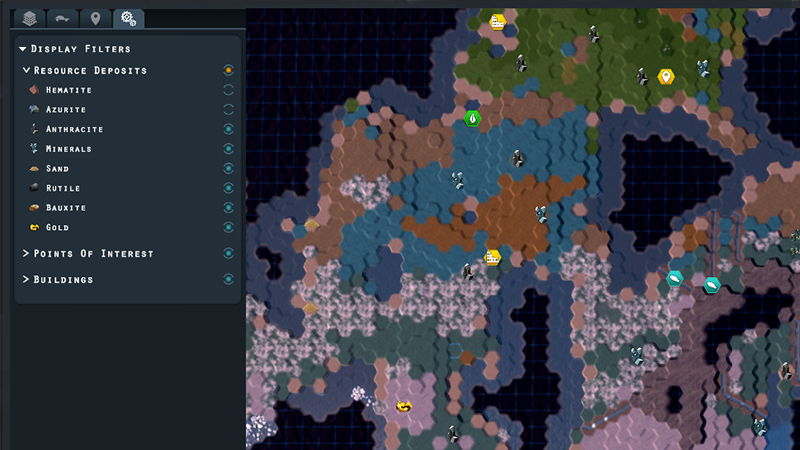
Squirrelled away in a new tab of the planet map interface lies the map filters. These filters allow you to toggle the visibility of various planet map features such as resources, POIs and buildings. This can be helpful to declutter the map if you’re looking for a specific thing.
Planet Map Eye Dropper
The eye dropper tool now works on the planet map. Shift clicking an existing building will put you into build mode so you can quickly build more.
Schedule Duplication
I’ve added a duplicate button to colonist schedules. This allows you to duplicate any existing schedule instead of only being able to create a new, default, schedule.
There are a couple more changes and some important fixes. Check out the release notes below for the full list. Thanks everyone and certainly let me know what you think of the new changes as well as what you would like to see in Mercury Fallen.
Added planet map filters that are available in the new options tab. Planet map filters allow you to quickly toggle the visibility of different entities.
Updated the look of item tooltips
Eye dropper (shift+lmb) now works for surface structures
Added arrows to new game section buttons
Can now duplicate existing colonist schedules by pressing the duplicate button on a schedule
Fixed: Construction queue not showing correct order if using the High Priority button for surface structures
Fixed: Shift Clicking on the surface map causes object construction info to appear in some instances
Fixed: Shift-clicking on the surface map while in vehicle move mode causes the vehicle to teleport to the bottom left corner of the map
Fixed: Mining selection audio becoming increasingly louder in some instances
Fixed: Background of lower hud bar now blocking mouse clicks
Patch Update 33.4
Howdy Folks!
A huge thanks for all the feedback and support. Great to see all of the new and existing players enjoying Mercury Fallen. Over the last couple of weeks I’ve been working on tweaking and fixing a whole bunch of things. There are still more tweaks and fixes in development, but I wanted to get a bunch of them out the door now.
There are more tweaks and fixes coming, but keep an eye out for the next Developer Log where I’ll cover some of the larger changes and additions in development. Thanks everyone and have fun out there!
Updated or added UI audio effects to provide better consistency
Color picker will now close if clicking the color button again or selecting a color
Botanists harvesting wild crops will now drop the crop on the ground instead of putting it in their inventory. This allows them to move on to gathering more crops instead of bringing the items back immediately.
Solid fuel generator will no longer consume fuel if not connected to a power network
Solid fuel generator will no longer consume fuel if there are no active consumers on it’s power network
Aquarium now shows the Drop Harvest On Ground toggle when waiting for egg delivery. This matches the behavior seen in algae farm, crop field and aeroponics farm.
Added Drop Harvest On Ground toggle to water trap
Decreased base efficiency of water trap.
Robot equipment items now have a separate item category called robot equipment
Robots now have their own selection sound effect
Secret audio effects that occur on specific dates
Fixes :: Language Strings
Fixed: Missions header language string not working
Fixed: Missing language string for Disable All Mods button. Added language string: modmgr.disableallmods.btn
Fixed: Missing language string for new save game button in save game list. Added language string: savegame.createnewsave.label
Fixed: Missing language string for track/untrack button tooltip. Added language strings: uiwinmissions.trackmission.tt, uiwinmissions.untrackmission.tt
Fixed: Missing language string for randomize button on new game interface. Added language string: uigen.randomize
Fixed: Attributes and quirks headers in new game interface not using existing language string data
Fixes :: Audio
Fixed: Toggle buttons playing click effect audio multiple times when clicked or being played when toggle is being initialized
Fixed: Incorrect audio effect for key remap buttons
Fixed: Incorrect audio effects for load game list items
Fixed: Incorrect audio effects for save game list items
Fixed: Incorrect audio effect for game menu button click
Fixed: Missing UI audio effects for various UI controls
Fixes :: Misc
Fixed: Mining selection mode not properly disabled if switching to build mode via the eye dropper function
Fixed: Newly spawned robot not auto selected when activating inactive robot
Fixed: Water Trap bait bonus applied even when no bait is provided
Fixed: Water Trap bait tooltip says bait is required when it is not. Tooltip updated.
Fixed: Assigned colonist as trainer for Memory Transfer Station preferring to use other training equipment when they should be training.
Fixed: Custom scenario missing iron ingots in default supplies
Fixed: Several formatting mistakes in story dialogs
Fixed: Last column of color picker cut off by scroll bar
Fixed: No Water hover icon appearing over objects that aren’t constructed yet
Fixed: Colonist action planning and state data not properly cleaned up. This caused memory/performance issues over longer play times.
Patch Update 33.3
Howdy Folks!
Hope everyone applicable had a happy and healthy 4th of July. I moved to a new apartment a couple months ago and now have a great view of the fireworks. One of the many benefits. 🙂
In other news, patch update 33.3 adds a new notification and fixes up some issues. Read the release notes below for all the changes and fixes.
Added notification for when a surface resource has been depleted
Removed notification for vehicle mining completion
Minor visual change to how patch notes are displayed
Fixed: Incorrect button click audio for colonist and schedules tab buttons
Fixed: Missing language strings for next/previous buttons in new game window. New Language Strings: newgame.footer.settings.btn, newgame.footer.crew.btn, newgame.footer.scenario.btn
Fixed: Missing language strings for Contact & Follow and patch notes button on main menu. New Language Strings: mainmenu.patchnotes.btn, mainmenu.contact.header
Fixed: Missing language string for global resource header. New Language String: uihudinv.header
Fixed: Mission language string for Tracked Missions header. New Language String: uihudtrackedmissions.header.label
Patch Update 33.2
Howdy Folks!
Thanks for all the great feedback, support and reports. I’m currently working on various tweaks and fixes and this patch update includes some of them. Be sure to check out the release notes below. and have a great weekend!
Fixed: Game scenario data not loading correctly in some instances
Fixed: Opened stasis capsules generating copies of existing colonists on save/reload in some instances
Fixed: Colonists not assigned to a schedule when loading a save game in some instances
Fixed: Newly created colonists from the clone chamber not appearing on mini-map
Patch Update 33.1
Howdy Folks!
The Choices update was released last week and I’ve been busy working on a patch update to address some reported issues as well. A huge thank you for all the amazing feedback and support.
If you don’t already own a copy of the game be sure to grab a copy while it’s still 25% off!
Xeno Mold
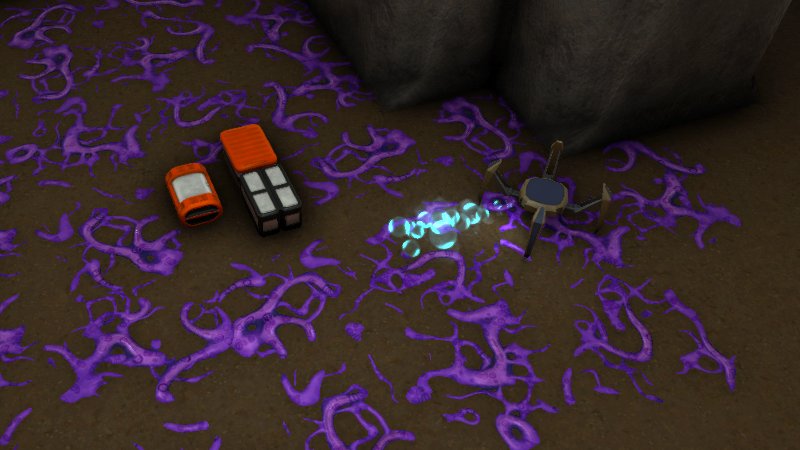
Xeno mold, in its current form, replicates per piece of xeno mold. This means an exponential spread of xeno mold as each new piece of xeno mold generated determines if/when it spreads to an adjacent tile.
In a previous update I made it so that the spread would reduce and come to a stop if xeno mold was above a certain threshold. While to meant it would stop spreading too far, each piece of xeno mold removed by a janitor was quickly replaced. If you didn’t get to the xeno mold quickly and didn’t have a lot of high level janitors this meant your colonists were affectively shoveling against the tide.
I’ve made a small, but important change to the xeno mold event that should help to make it more manageable and less frustrating. Instead of allowing each piece of xeno mold to replicate, the xeno mold event now generates a xeno mold controller. This invisible controller handles the generating new pieces of xeno mold and will remove itself once a pre-defined maximum amount of xeno mold is generated. The spread is now linear instead of exponential and once the controller has finished generating xeno mold the janitors can clean it up without more taking it’s place.
Fixes
There are several fixes in this patch including a fix to colonist age generation, custom names not working during crew assignment, scenario data not saving in some instances and more.
Check the release notes below for the full list of changes and fixes. Thanks for all the feedback and certainly let me know what you think of Mercury Fallen.
Xeno mold now has a maximum amount it will spawn per event. Once this max value is reached the xeno mold will stop generating to adjacent tiles, allowing for easier management and clean up.
Cleaned up recipe xml data to remove references to older input_items tag. This should remove some confusion on what data is needed when generating recipes in mods.
Increased custom colonist and vehicle name length from 18 to 20 characters
Fixes
Fixed: Setting a name during colonist crew selection not applied to colonist
Fixed: Colonist spawn profile data not loading max age value correctly. This caused colonists to get spawned with much lower ages then intended.
Fixed: Unable to drag select an object for deconstruction if another non-destructible object occupies the same tile.
Fixed: Events still triggering if trigger chance was set to 0% during scenario setup in some instances
Fixed: Character limit not enforced when renaming a colonist via the colonist management screen.
Fixed: Resource transport vehicle loading/unloading resources without having to travel to the mining platform to get the resources. This would occur if the destination was unreachable by the vehicle.
Fixed: Scenario settings not being saved if saving a game originally created in the phone home update.
Fixed: Cave in event notification text incorrectly states flooring prevents cave ins
Fixed: Vomit on floor sometimes shaped like a female colonist
Fixed: Cave Salad not requiring sponge stalk as an ingredient item
Fixed: Opened stasis capsule info window shows warning info that is no longer relevant
Choices Update Now Available
Howdy Folks!
I’m super excited to announce that the Choices update is now available. A huge thank you to everyone that provided feedback and bug reports on the experimental branch. The Choices update includes a completely revamped new game interface that offers greater control over how you want to play the game.
A Whole New Game
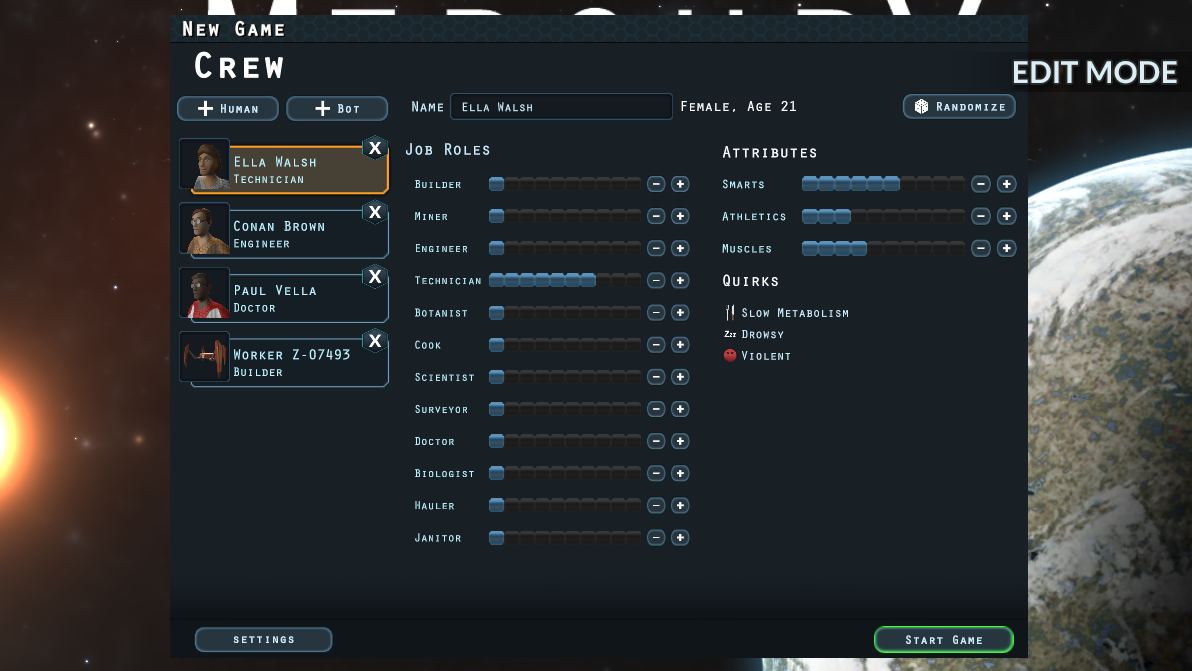
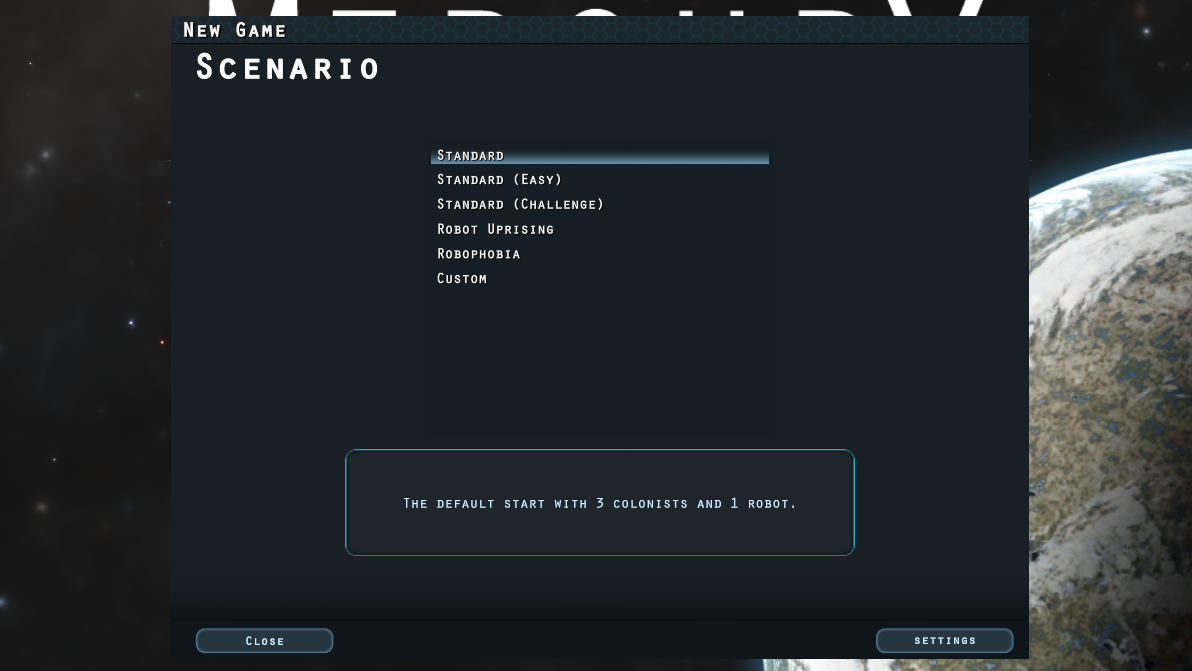
You now have far more options and control when starting a new game. Custom scenarios offer preset configurations, but you can choose custom scenario from the scenario list to have full control over game settings and starting colonists.
There are a whole bunch of new configurable game settings that control everything from plant growth speed to disabling that pesky xeno mold.
In custom scenario mode you also have full control over how many starting colonists you have. Additionally you can edit their job role levels and attributes to get the perfect start you want.
Additional Changes
While the new game interface is the primary focus of this update, there are a few other tweaks and changes that have been made.
The decorative plant pot has had a minor visual change and a new wide variant has been added.
Other changes include an improved look to colonist portrait images, new main menu background, increased lighting when zoomed in and various bug fixes.
Be sure to check out the full list of release notes below.
Steam Summer Sale!
Mercury Fallen is now 25% during the Steam Summer Sale. It’s a great time to pick up a copy if you don’t have one. or go bug your friends to get a copy.
Check out the full list of changes and fixes in the release notes below and be sure to let me know what you think of the Choices update. Have fun out there. 🙂
Added custom scenario mode that allows full edit of inventory, settings and colonists
Can now choose your starting colonists. Randomize button in pre-made scenario and full edit in custom scenario mode.
Starting supplies have changed for better balance
Additions & Changes
Added Wide Plant Pot
Minor change to existing plant pot to increase size and appearance
Minor changes to world generation including faster generation of map data
Items on ground will now show a cannot be reached hover icon if colonists can’t reach the items
Changed the look of the main menu background
Colonist portraits images are now better lit
Minor change to position of female colonist portraits so that male/female portraits align better.
Underground facility now illuminated when camera is fully zoomed in
Updated rooms guide section to provide clarification on room effects
Can now manually drop off resources from mining vehicle when adjacent to the facility or a resource depot
Removed double scroll bar in construction queue window
Fixes
Fixed: Stasis capsules found about the map not saving existing colonist data so that on loading a save game the stasis capsule may contain a colonist with different stats/job roles.
Fixed: Minimap causing various issues when reloading a save game in some instances.
Fixed: Able to copy craft queue to a machine that doesn’t accept those recipes
Fixed: Position In Build Queue label too close to build item requirements in construction info section
Fixed: Game time still running while in the new game window. This means the game doesn’t start at the beginning of day 1 depending on how long it takes to set up a new game.
Fixed: Construction queue items not always appearing in the correct position when re-ordering the list with mouse drag.
Fixed: Mission Log shortcut key not working
Choices Update Now On Experimental
Howdy Folks!
The Choices is now available on the experimental branch!
This update overhauls the new game interface to provide a whole slew of new options and customization of starting colonists and inventory. There are couple of additional smaller additions as well.
Check out the experimental branch if you would like to help by providing feedback and bug reports on the latest content.
As mentioned in the previous developer log, the upcoming Choices update will include a complete rework of the new game interface. This means a whole lot of new options when starting a new game. The new game interface will be broken down into sections that I’ll go over below.
Scenarios
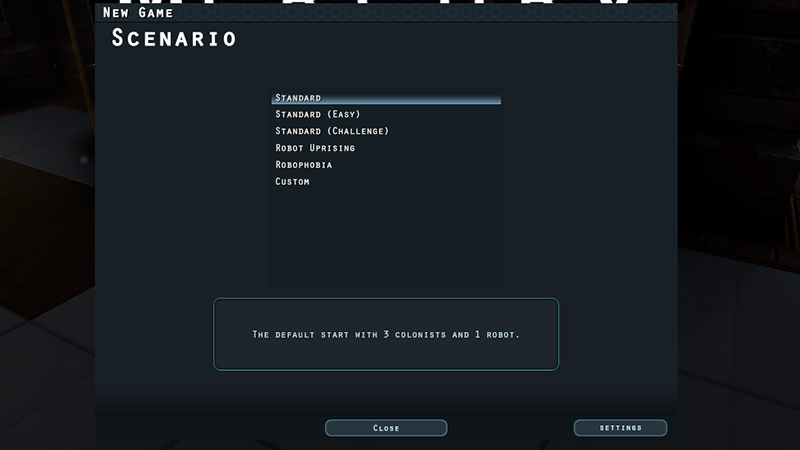
While the previous system offered difficulty options, this new system will provide scenarios. Scenarios will affect various starting settings and crew configurations. The “Custom” scenario option will enable the ability to edit the settings and crew data in the following sections. Modders will also be able to created scenarios that will appear in the scenarios list.
Settings
This section contains the map data you may be currently familiar with, but also has a list of new settings. When in custom scenario mode these settings can be directly modified and events can even be toggled off by settings the trigger percentage to zero percent.
The starting supplies can also be directly changed in edit mode.
Crew
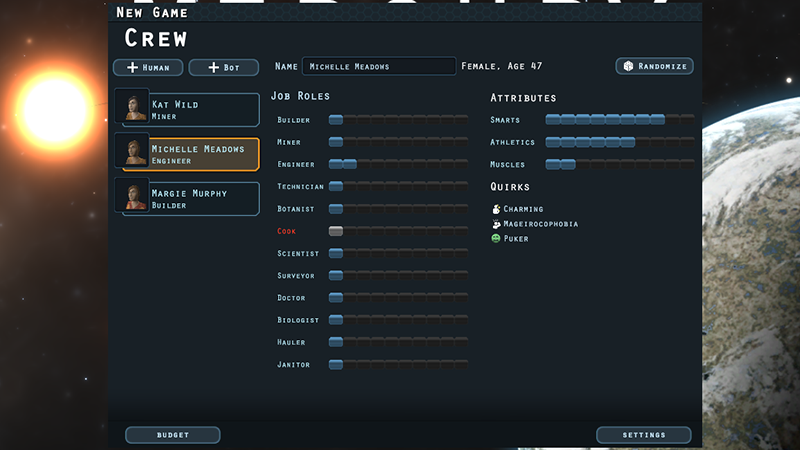
When in a selected scenario, colonists can be randomized to try to get more favorable values. When in custom scenario mode, however, colonists can be added, removed and have their attributes and job role levels directly modified.
Experimental Branch
This is still a work in progress, but an initial version of the new system will be coming to the experimental branch later this week or early next week.
Survey
If you haven’t seen it already there is a new feedback survey available for the Phone Home update. If you haven’t checked it out already and have a few minutes, then be sure to check it out.
Thanks for all the great feedback so far on the Phone Home update. While there are still some smaller tweaks and fixes being worked on, I wanted to cover what’s in development for the next content update. The upcoming Choices update focuses on a complete revamp of the new game interface.
A Whole New New Game
The new game interface is getting a complete over haul. This has been on my to-do list for a while and it’s now time. The primary reason for this is to allow greater choice over starting conditions. These choices will include control over world generation settings, colonists and additional game related settings.
The interface itself is still a work in progress, but there will be options for randomization as well as a sandbox mode that will allow full editing control of specific values.
Still more work to be done, but I’m very excited about the change. This will allow for a lot more control over how you want to play the game. The above screenshots show some of the new game options. Stay tuned for more information regarding the upcoming Choices update.
What would you like to have control over when starting a new game?