Hope everyone had a great weekend. I just wanted to push another patch update out the door to address a couple of new and old issues. With some new reports and new data I was able to find and fix a couple of issues related to settings as well as power conduits. Be sure to take a look at the release notes below.
What’s Next?
With the Phone Home update released, I’ve been planning out the next content release. As shown on the roadmap the next content update will focus on an overhaul to the new game interface. This will add various starting options to control your gameplay experience. Further details about this and other content in development will be coming in the next developer log so stay tuned 🙂
Thanks for reading and for the great feedback and reports. 🙂
Release Notes
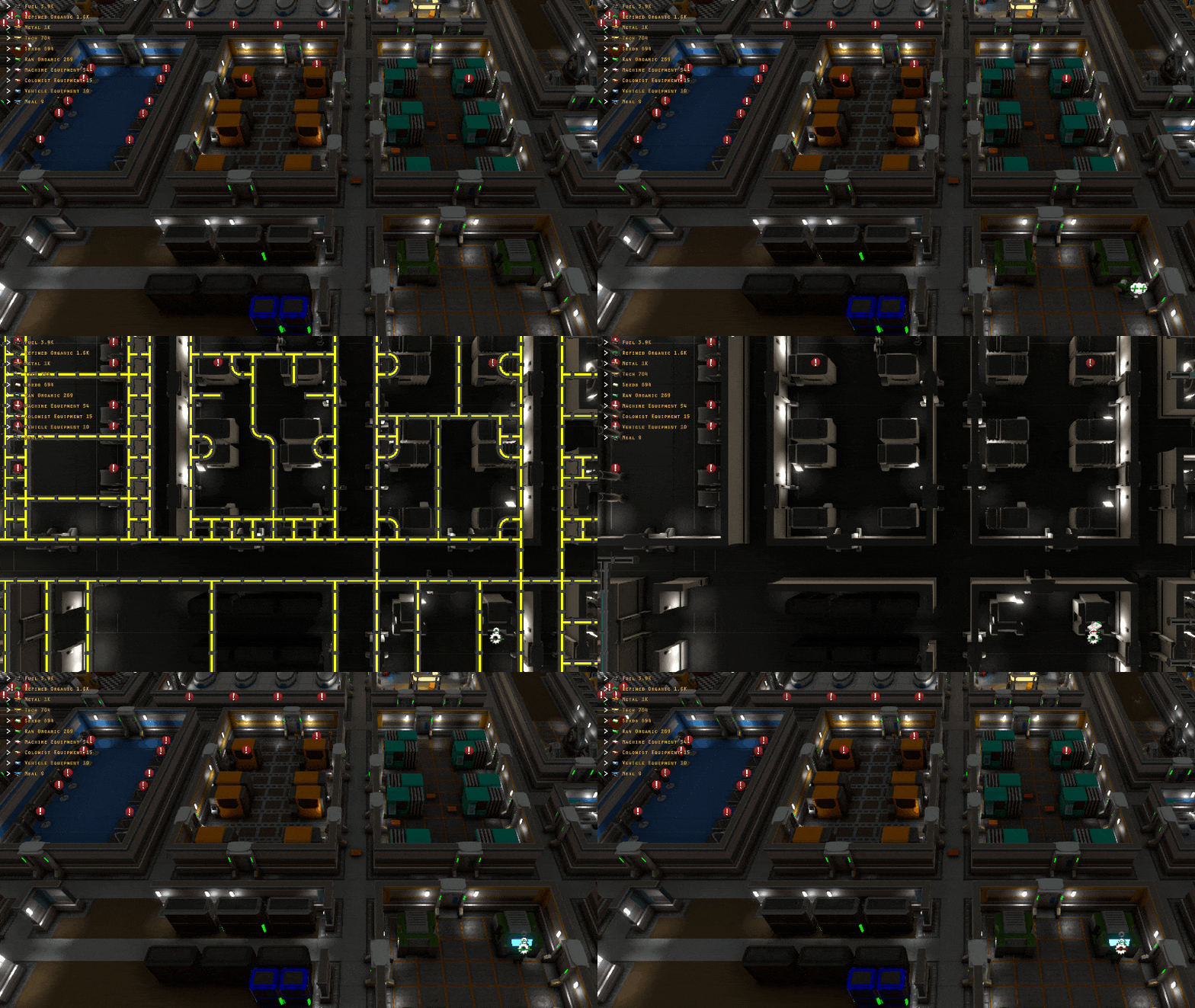
Added “Disable Conduit Top Down View” to control settings. When enabled this will disable the camera view from auto switching to a top down view when entering water or power conduit mode.
Fixed: Resolution setting resets to 640×480 when opening settings window in some instances
Fixed: Haul request data not loaded correctly from save game for launch pad rocket construction. This causes the rocket to not receive all materials if loaded from save game in some instances.
Fixed: Electric power networks not being rebuilt correctly when adding/removing conduits in some instances. This caused various power network issues including, but not limited to, objects getting power when they shouldn’t, objects not getting power when they should, total power amount generated/used showing incorrectly and flickering power.
Patch Update 32.3
Howdy Folks!
TGIF! Hope everyone has had a great week. I’ve certainly been on a roll this week and to keep things going here is another patch update. Patch Update 32.3 has some more fixes, but also a new feature related to colonists cards.
Colonist Cards
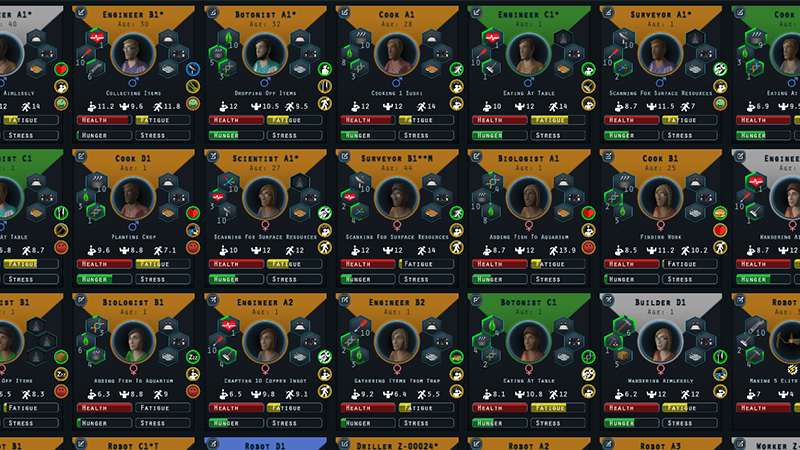
Colonists cards in the colonist management screen are now colorized based on a colonists action state.
Action States
Gray = Idle
Orange = Work
Blue = Sleep
Magenta = Training
Green = Recreation
Check out the release notes below for all the changes.
Colonist cards in the colonist menu are now colorized based on action types.
Fixed: Unable to move camera forward and back when in top down view
Fixed: Camera rotation changed after exiting top down view than it was before entering top down view
Fixed: Resolution reset to lowest resolution instead of default if settings window is unable to load stored resolution value
Fixed: UI scale setting not loading correctly in some instances
Patch Update 32.2
Howdy Folks!
Here is another small update to address a couple of issues, but also add a couple of new features. Thanks for all the great feedback and suggestions. Be sure share some of those great ideas on the discord community.
Sand floors will now appear below mined sand tiles. This will only show in a new game as it’s part of world generation.
When switching to power or water mode the camera will now switch to a top down view to make it easier to place and modify conduits.
15% Off Sale
Mercury Fallen is now 15% for the rest of the week. Be sure to tell your friends, family and favorite let’s play content creator. Spread the word!
Camera will now switch to a top down view when entering power or water view mode
Added sand floor tiles that appear below mined sand walls. These will only appear when starting a new game.
Clicking the minimap to move the camera will no longer remove current selection target
Modding
CMineable components can now use a loot_table tag instead of resource_item to use a loot table. The amount tag is still used to determine total output amount from the mined source.
Fixes
Fixed: Game crash when returning to main menu in some instances
Fixed: Selecting objects for mining/deconstruction/paste sometimes not correctly selected in some instances
Patch Update 32.1
Howdy Folks!
Thanks for the great feedback so far on the Phone Home update. Glad everyone is enjoying it so far. This is a small patch update to address a few new and older issues.
Keep that feedback coming. It’s great to hear what you like, what you don’t and what isn’t working.
Fixed: Some data not cleaned up properly resulting in poor performance over play time
Fixed: Hover icons showing in bottom left corner of the map for objects that only occupy a 1×1 tile size
Fixed: Hardened Structure Resin can be crafted without unlocking the recipe research
Fixed: Unable to modify craft queue item if copied from another machine
Fixed: Colonists stuck if attempting to look for a medi-bed while other colonists are on an expedition
Fixed: Naturally spawning harvestable plants spawning in the same tile in some instances
Fixed: Colonist population number showing incorrectly when at or above population cap
Phone Home Update Now Live!
Howdy Folks!
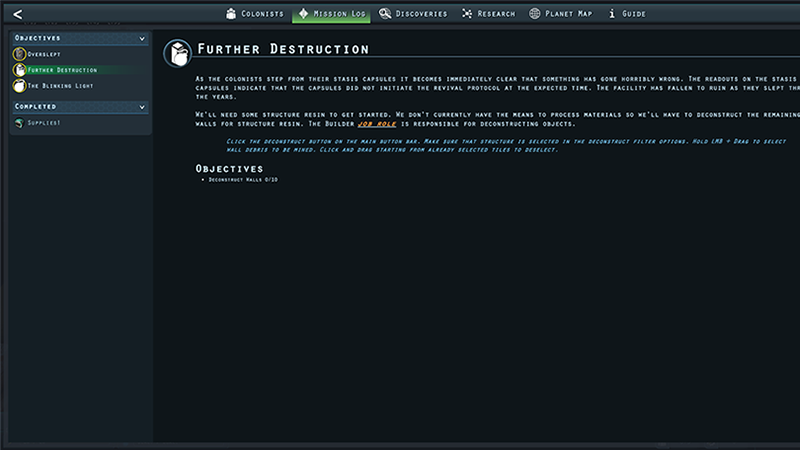
The Phone Home update is now live! This update brings a bunch of new content to the game including new POIs, resources, items, missions, story content and more.
Missions
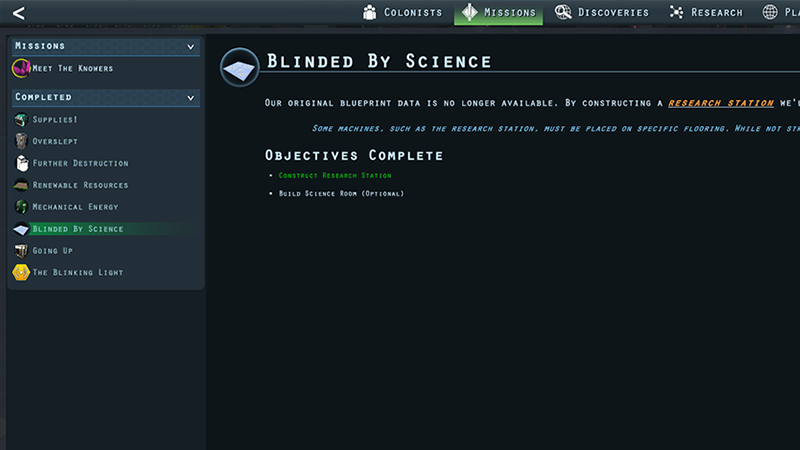
A new mission system has been added into the game. This new system replaces the existing getting started tutorial with new and improved starting missions.
Up to four missions can be tracked at a time and the missions section has been added to show all of your current and completed missions.
The first chapter of the story campaign has been added as well. This is a new series of missions with new POIs, stories and some new characters.
POI Management
New mission specific POI locations have been added to the surface map as well as a new way to see what POIs you’ve uncovered. You can center the camera to a POI by clicking it’s icon in the list.
New Research, Resources and Items
A new surface side resource has been added as well as several new recipes. This, of course, means more things to unlock via research as well as some interesting new discoveries.
Improvements To Eye Dropper Tool
Shift + clicking a placed object will allow you to quickly place down more of that object for construction. While this functionality currently already exists it will now also copy the objects existing rotation. Additionally the object that was copied will no longer get selected during this process.
Patreon
A huge thank you to everyone who has bought a copy of Mercury Fallen! If, for some crazy reason, you’re looking to support more then be sure to check out the Patreon page. Merch is available for some of the subscription tiers. Patreon will help to ensure great new content for Mercury Fallen and future game projects.
Added new starting missions (replaces tutorial tasks)
Added first campaign chapter of stories/pois/missions
Additions
Added list of discovered POIs to the expedition tab on the planet map interface
Added Fetid Knob item, crop, seed and discovery
Added Ammonium item, recipe and research
Added Bauxite surface resource, item and discovery
Added Aluminium Sheets item, recipe and research
Added Aluminium Powder item, recipe and research
Added Launch Platform research and surface structure
Added Comm Satellite item, research and recipe
Added Solid Rocket Fuel item icon, recipe and research
Changes
Increased chance of surface deposits containing additional depths
Adjusted color of Blue Meadow biome so that it stands out better near water tiles
Using the eyedropper mode (Shift+LMB) to duplicate an object for construction will now also keep the copied objects rotation. The object that was copied will no longer get selected during this operation.
Item Order apply button now grayed out if valid options not set
Tweaks and changes to game guide entries
Key bind settings now show in red if there is an input key conflict
Fixes
Fixed: Long load time before reaching the main menu when launching the game
Fixed: Able to deconstruct an objective immediately in some instances by deselecting and reselecting the object for deconstruction while the game is paused.
Fixed: Robot recharge action doesn’t trigger until after the robot slowness attribute debuff
Fixed: Able to deconstruct an objective immediately in some instances by deselecting and reselecting the object for deconstruction while the game is paused.
Fixed: Data server visuals not updating when object is enabled/disabled
Fixed: Treadmill animation visual showing incorrectly when multiple treadmills are active
Fixed: Info for vehicle bay in build info not showing the correct power requirement
Fixed: Colonists continues to use resource scanner even if there are no available tiles to scan
Fixed: Canceling construction on the vehicle bay not updating the visual interface state
Phone Home Update Now On Experimental Branch
Howdy Folks!
The Phone Home update is finally ready for it’s first viewing via the experimental branch. If you’re interested in helping to test that latest content then head on over and check it out. The Phone Home update adds missions, POIs, research and a bunch more.
I moved into my new place a couple of weeks ago and things are starting to settle a bit. The new place is great and I have a dedicated space for my office now instead of it being in my living room. Not a lot to go over this time, but I wanted to let you all know I’m mostly back on track development wise. Thank you all for the amazing support and patience. I’m super excited to get back to working on new content.
Window Sequence System
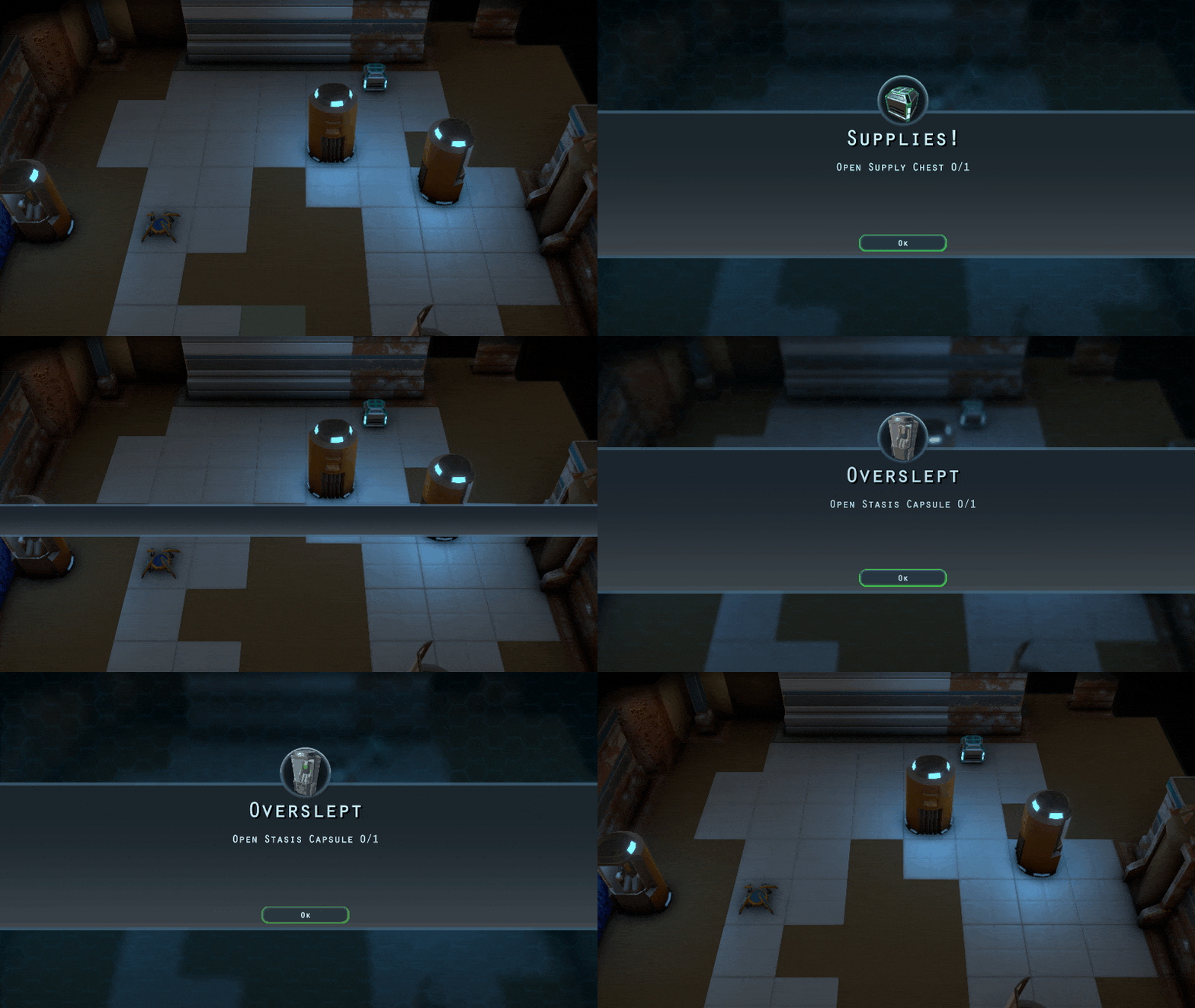
A big part of the new content being added is the mission system. With this new system I also wanted a better way of having full screen notifications when a new mission is added. Given more than one mission can get added at a time, in some cases, I wanted a way of showing windows in sequence instead of everything showing all at once and being a jumbled mess.
After making some modifications to my window panel system I can now queue windows for display instead of having them appear immediately. As a window closes it will show the next in the queue and so on until there are no more left in the queue. This was a simple addition, but cleans things up and should help to provide more information to the player.
When Is The Next Update Coming?
Great question. My goal is to have a version of the next update available on the Experimental branch in about two weeks. This should include the new mission system, story content and a few other user interface tweaks.
Thanks again for all the great support. What content are you most looking forward to?
We’ve made it through a whole month in a whole new year. Well done! I wanted to talk a bit about some of the new content I’m working on as well as why development will be slowed down for the rest of this month.
Mission System
I had originally planned to implement the mission system in the last update, but combined with the rest of the content it just wasn’t feasible.
The mission system will be replacing and expanding upon the getting started objectives. When I first started working on the mission system I had planned on adding a lot more tutorial based objectives. I scrapped that idea as it felt like the game was holding your hand and overly directing how the player would progress through the content. Tutorial mission objectives will go over the same content as the current getting started guide.
The goal of the mission system is to provide some over all objectives/direction for the player. Aside from the starting tutorial, these objectives will provide story progression. The story progression will add new POI locations and unlock new content for mid to late game play. The next content update will focus on the first chapter of story content.
Missions will be trackable in addition to being visible in the mission section of the facility management interface.
POI Management
A new POI section is being added in the planet map expeditions tab. This will list all discovered POI locations sorted by distance from the facility. Clicking the respective icon will move the camera to that POI location. This will make it easier to see what POIs are available as well as make it easier when planning expedition destinations.
Personal Note
On a more personal note I wanted to mention that I’m moving this month. My girlfriend and I have been planning to move in together over the last year. We’ve found a place and will be moving in a couple of weeks.
As a solo developer my office is also where I live. This is the first time I’ve moved in over 20 years so stress and excitement are high. I’m super excited about the move, but there will be some development slow downs while I pack, move, unpack, move furniture, get setup and all that jazz. :)
So stay safe out there and be sure to follow for more news regarding Mercury Fallen.
Another day and another patch update. Thanks for the great feedback, suggestions and reports. This is another small patch to address a couple of reported issues.
Fixed: Colonists stuck in a loop picking up and dropping off seeds when attempting to plant them if a colonist is assigned both the botanist and biologist job roles.
Fixed: Colonists stuck in a loop attempting to harvest crops in some instances.
Fixed: Game crash, in some instances, if returning to the main menu and starting a new game or loading a game
Fixed: Unable to use mouse scroll wheel to scroll global inventory if hovering over an item category header
Fixed: Particle effects not always being properly removed
Fixed: Missing text string for depressed attribute effect
Fixed: Missing text string for motivated attribute effect