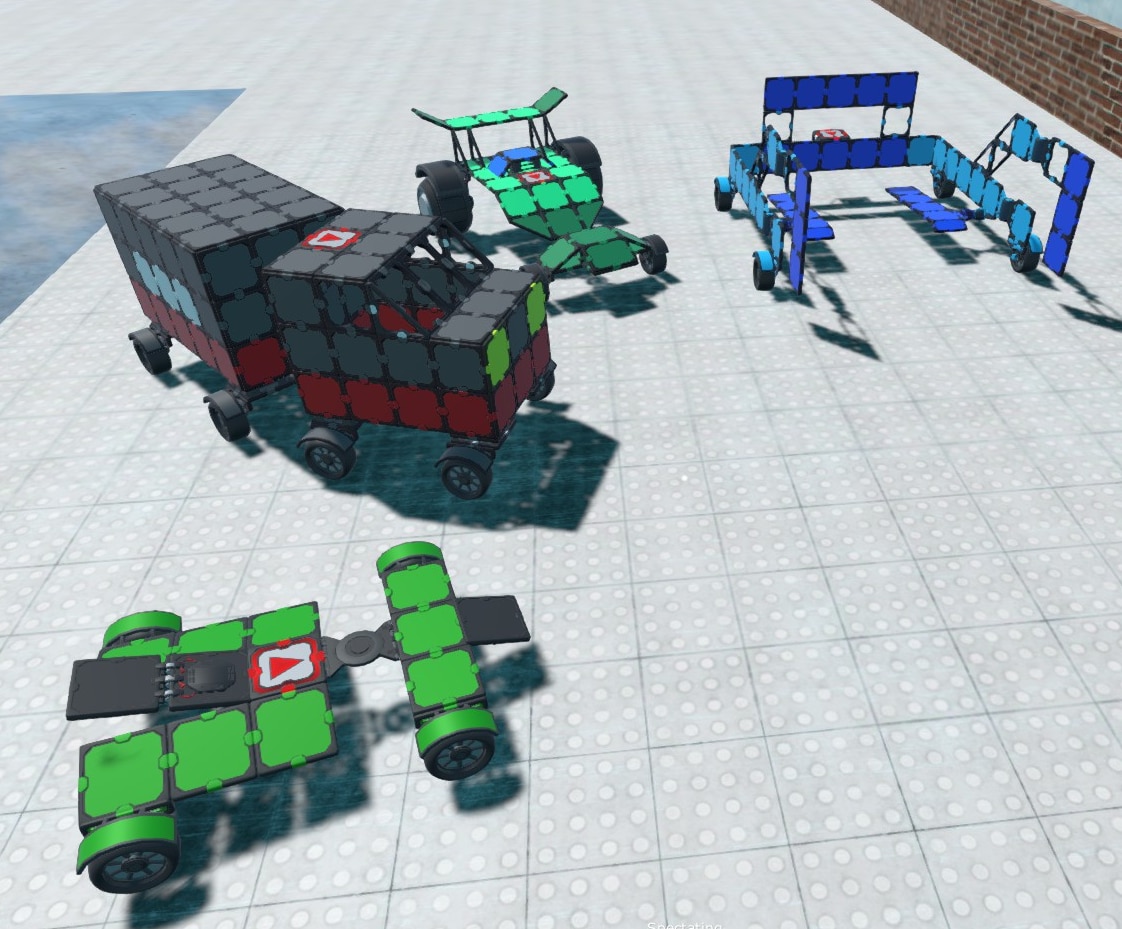
Hey all! We've released a update to fix a number of issues, and wanted to highlight some new creations.
Changes:
Removed 'Desktop Editor Mode', which is now the default. We decided that 'Desktop Mode' was the better experience to get players into, so a prompt to switch to 'Desktop Editor' is longer shown to new players. Instead 'Gamepad Mode' or 'Desktop Mode' can be switch to while editing in the menu.
Fixes:
Fixed a lot of issues with switching play mode worlds. Should no longer be issues with parts connecting that shouldnt have - or entities losing data (like losing which prefab they belong to)
Fixed error when opening RecordingCamera VR Tool
Fixed error when using OcclusionCulling mod
Fixed MBScript 'Parent not a container' error, that would then remove the parent of a MBScript code line
Fixed 'Kill Self' in menu not running 'UserKilledSelf' event. Now user is set as the LastAttacker before running 'Die' method
Fixed issues that would happen if multiple clients were joining a game at same time (server now waits properly before sending game data to next client)
New Creations: Getaway Island https://steamcommunity.com/sharedfiles/filedetails/?id=1223668578&searchtext= More Toys and Items mod https://steamcommunity.com/sharedfiles/filedetails/?id=2760882715&searchtext=
thanks!
Modbox 2.205 - Saving Playmode Worlds
Hey all! We've added a large new feature for creations, and fixed a few known bugs.
You can now save the 'play mode' of worlds and switch between them in creations. This allows for making creations made out of multiple worlds that players can switch between - while keeping the 'play mode state' of the world. This was something that's been requested for a while, so should be a great way to make larger creations made of multiple connected worlds. Use the 'Creation.OpenWorld' option to change the world while playing. Check the docs on Worlds here: https://docs.modboxgame.com/docs/worlds
Changes:
'StayBetweenWorlds' component to set which entities should stay when the world is changed
New 'Polygon Heist' mod with 50+ entities
Fixed 'Ignore Gravity' on Fly Component
Fixed 'Spawn On Ground' spawn spot option
Fixed Trampoline in Basics mod not bouncing items
Added 'HitCollider' property to ProjectileHitInfo, to get information on what object the projectile hit
New EntPlayerAvatarPostFX component to add post FX to a specific player avatar
Added 'OverrideOtherPhysicsSound' to AssetPhysicsSoundType. Overrides other physics sound when there is a collision (could be used to set a physics sound type to have no sounds also)
Fixed lag on loading gallery with giant amount of photos/videos
Fixed 'ProjectileSpawnedEntity' on Gun event not running correctly
Fixed Default Values not set correctly with MBScript with entity variables (if they were set to child entities in prefabs)
Fixed 'gizmo' staying until game restarted if entity was destroyed while holding it with Selector tool
Fixed Selector tool not highlighting entities it could select
A few creations we wanted to highlight also! https://steamcommunity.com/sharedfiles/filedetails/?id=2668749108 https://steamcommunity.com/sharedfiles/filedetails/?id=2659008741 https://steamcommunity.com/sharedfiles/filedetails/?id=2747202790
thanks!
Modbox v2.203 - New Mods and Creations
Hey everyone! We updated Modbox to 2.203. This is a small update to prepare for a few things we are working on.
'Firing Range' featured creation added, to showcase all the weapon options: https://steamcommunity.com/sharedfiles/filedetails/?id=2611329251
Also includes an new Hand Held Jetpack that can be used to fly around (on desktop+VR)
We added VRM import mod to import your own Humanoid models (created with VRoid Studio or other applications). Right now its for importing into creations but will also be used for custom player models to play anything online.
And also added the 'Bing Maps' mod. This was something we developed for the AR version of Modbox but wanted to release it. Quick video on how to use it in a creation: https://www.youtube.com/watch?v=dRy1kARgJdA And VRM importing: https://www.youtube.com/watch?v=attPXmkW4SM
Also check out the Mechanels mod by David184 - which adds a number of new building options (with custom scripts to allow for aerodynamic control) https://steamcommunity.com/workshop/filedetails/?id=2580989188
Also some still indevelopment new creations (No AI has been set up for these yet): https://steamcommunity.com/sharedfiles/filedetails/?id=2612495137 https://steamcommunity.com/sharedfiles/filedetails/?id=2612494515 https://steamcommunity.com/sharedfiles/filedetails/?id=2612495137 https://steamcommunity.com/sharedfiles/filedetails/?id=2612499781
Thanks! - Lee
Modbox Fixes: Voxels/Multiplayer
New update is live with some fixes/updates: (Build 42)
- Added 'UpdateMoveDirection' and 'UpdateLookPosition' options to MovementAI (they default on, and make for a easy way to override movement) - New 'Screen Camera' system - will be used for new screen camera options (Right now there is just the third person / first person camera, can use this for a sidescroller player camera or any other custom type)
- Fixed issue with picking up Toys set to static, and them colliding with each other / shield - Fixed issues with voxels in 'Moon template' and other crashes when regenerating - Fixed issues with downloading creation from host when creation had a large number of worlds - Fixed issue with MBScript not running on clinet when 'CreateUnderWorldEntity' was used to create UI entities (fixing issues with QiLLeR Survival Game creation) - MBScript: Fixed operations on 'ReadOnly' variables showing as invalid (like '.Add') - MBScript: 'Local' lines now have better scope (cant use a local variable outside it's block)
thanks! - Lee
Modbox Update + SDK now out!
Modbox v2.2022 is now out - which now includes the first release of the Unity SDK for creating new Modbox mods!
SDK
Our SDK is different than other Unity SDKs since you can run Modbox using it - and see/edit the C# code of our own mods. It can be used to create new Modbox mods out of Unity prefabs/scenes, or new components/options with C#, or it could be used as a reference to see how the core components work and their C# source.
We had planned to release the free version in July - but have decided to spend some more time getting creations ready. We will be leaving early access with the free versions release, so we want to make sure we have a good amount of fun creations for new players ready. We're hoping to have things in place ASAP
New Features/Changes
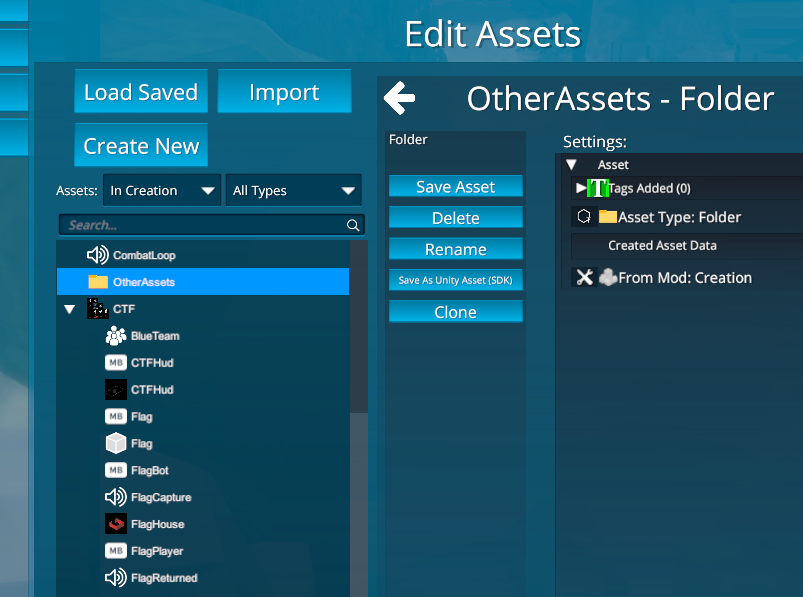
- 'Folders' in Assets screen. Can now organize assets into Folders - by creating a Folder, then dragging and dropping assets under it. Folders can also be uploaded to the Steam Workshop, for easier sharer of a group of assets - Better Voxels: Better support for large voxel worlds and LOD transitions.
- Fixed error that happened with climbing VR players when game was Restarted, resulting in their locomotion getting locked in place - Fixed ammo going back into holder after being taken out first time - Added 'No Toy Handle Highlight' and 'No Grab Outline' creation settings - 'ProjectileSpawnedEntity' event to Gun component to get what entity it spawned in a projectile - 'MoveHeadToPosition' method in PlayerAvatar/EntPlayerAvatarVR to move the avatar based on head position - 'Open Online Doc Page' option in dropdown in edit window - Fixed HumanoidnimationLoop not starting again on entity active - Fixed 'Heal' with health system not adding right amount if lews than start health
Let us know any issues / thoughts on our Discord thanks!
Modbox 2.202 and new featured Creations
Update 2.202 is now live!
We've also updated all the docs and added some more pages (on how to build UI, more MBScript options): https://docs.modboxgame.com/
A long with that we wanted to highlight some new player made Creations:
Curse Of The Jewel - Multi level dungeon crawler by Fozzy (VR Only) https://steamcommunity.com/sharedfiles/filedetails/?id=2523186631&searchtext=
Tokay's Towers - Quake2 level remake by ShadowQiller https://steamcommunity.com/sharedfiles/filedetails/?id=2514952099&searchtext=
Block Building - Voxel cube building by David184 (VR Only) https://steamcommunity.com/sharedfiles/filedetails/?id=2513911263&searchtext=
Modbox Blast Ultra - Marble movement with powerups by David184 (PC only) https://steamcommunity.com/sharedfiles/filedetails/?id=2514646887&searchtext=
Crafting System - Showcase of gathering items, using the UI to craft, by David184 https://steamcommunity.com/sharedfiles/filedetails/?id=2384442832
Changes: - Added 'Owner' option when spawning a effect/projectile from MBScript to set the owner (used for tracking where damage came from) - Fixed using 'MoveTransform' with VR players - Fixed using HTC Vive Wands and not being able to open radial menu - Fixed Piston not being in right position when joining midgame. Piston now has a 'Current Height' that can be set - Fixed MBScript code not loading other clients when loading in a saved asset - Fixed MBScript dropdown jumping to top on highlighting a submenu - Fixed errors shown on loading into Suburbia voxel environments
thanks! - Lee
Modbox 2.2 - Worlds, AI, MBScript, VR Physics, New Mods, Upcoming Free Version
After months of testing with our Discord players - Modbox 2.2 is now out! This is a massive update - and brings Modbox's creators tools to the point we've always wanted. Because of that we can finally announce the date for our free version: one month from now on July 12th!
Modbox on Steam will change to be free - and a 'Creator' DLC will be added that will give access to the creator tools (which will be free for all current Modbox owners). Before then we'll be releasing the mods SDK, work with the community on releasing their creations, and finish our own large creations.
Let us know any feedback on our Discord! Check out our public roadmap for current plans / issues
New Live Creations: https://steamcommunity.com/sharedfiles/filedetails/?id=2506315094&searchtext= https://steamcommunity.com/sharedfiles/filedetails/?id=2506328870&searchtext= https://steamcommunity.com/sharedfiles/filedetails/?id=2506332301&searchtext= https://steamcommunity.com/sharedfiles/filedetails/?id=2506272274&searchtext= https://steamcommunity.com/sharedfiles/filedetails/?id=2511342968&searchtext=
Large new features
- World System - This allows for creating larger creations made up of multiple levels. Using scripting, worlds can be switched while playing (with optionally keeping current player avatars). Settings in creations have been split into World / Creation settings, to set options specific for each world - 12 new mods and thousands of new Entity assets to build with. All with correct physics and scripts (guns/rockets/vehicles/controls) - VR Physics/Input - Based on community feedback we have done a complete revamp of the VR player physics / input. The player's body is now correctly physical simulated - able to correctly run into objects in the world and push them correctly. Along with this we've updated the movement controls and 'grab' physics - so objects can have weight and require two hands to pick up. A large amount of changes have been made in climbing, movement, and player interaction to allow for our obstacle course creations to be played by both VR and Desktop players. - Massive performance improvements for loading large worlds quickly - MBScript - Tons of small changes to make scripting easier to use - along with a Attributes system (setting how variables sync, or what events are local/online), Methods/Return Methods, and general performance improvements (in both playing, and in editing UI) - Bots: 'Bot Users' can be added to creations and scripted with MBScript, which will spawn like normal connected users. Examples of bots can be seen in CTF Hills and Hovertanks creation. - Host Switching - When the host of a server leaves, the host will automatically switch to another player. This can be turned off in server settings - Account System - We add a account system that users can log into - this is used to add some advanced backend features (like AI / speech generation / online storage). Accounts won't be required to play/edit - Destruction performance pass - for destroying large buildings
AI + GPT
In February we released a video showing some of our new MBScript options - including use of Text to Speech and a GPT3 chatbot: https://www.youtube.com/watch?v=nnuSQvoroJo All scripting changes are now live, including text to speech - but we are still waiting on getting approval from OpenAI for releasing our GPT3 use to players. We are also still working on our own exciting/weird creations using this tech.
thanks! - Lee
Modbox update now live! Tutorials + VR Locomotion + Voxels
Hey everyone! The first post release update is now live - v2.103
Before working on large new features/creations we wanted to focus on responding to player feedback post release, making better tutorials and making it easier to start editing, and fixing any issues players were having.
To keep up with development - join our Discord! https://discord.gg/2cNnWjb . All of our code changes are posted, and we respond to any suggestions / help messages whenever we can.
With this update out we are going to focus development on making larger creations including our new upcoming work in AI / voxels / destruction physics. Along with that we are hoping to get our mod SDK out + C# compiler as soon as possible.
New Sandbox Tutorial Creation - to show how to edit and create while playing: https://steamcommunity.com/sharedfiles/filedetails/?id=2251026926
Some of the larger changes:
Imported Assets now sync online! So if you are editing a creation online and import a model/material from your hard drive, the other players will automatically download it and load it. New players that join will also download it. When importing from GooglePoly (and other online sources coming soon), all players will now import at once.
Featured Creations - We split up the creation browsing into 'Alientrap' creations and 'Featured' workshop creations. This was so we can feature more player made creations, and still point new players towards the tutorials / example creations made by us.
VR Stick Locomotion + Smooth Rotation - We added 'Stick Locomotion' option the day after release based on player feedback, with the left stick to move and right stick to rotate. 'Smooth Rotation' is a option set in VR Settings
'Grip' button used for grabbing on Oculus/WMR VR controllers. With 'Drop Toy on Grab Release' set in VR Settings this will mean your held Toy will drop on letting go off the grip trigger. You can also pick up things with grip rather than trigger
New voxel options: Voxel Offset + Voxel Scale. You can now directly set the 'voxel scale' in voxel environments. The default 'voxel scale' is 0.5m so that cubic voxels line up nicely on the grid. Older creations might have a weird voxel scale + offset set for compatibility
Better text chat window on desktop (with scrollable chat history). Also a 'Chat' option VR to see chat logs + allows VR players to add text chat.
Added Jump button for VR players. Set to same button as 'snap rotate' (but will be used instead of Rotate for stick locomotion). Added 'Show Jump In Radial' option
Some changes to make editing easier, for current and new players:
When going into edit mode on desktop for the fixed time it now shows a prompt if the player wants to use the Desktop Editor (for advanced users, a more traditional Unity-like 3d editor) or use the Radial tools.
VR Tool changes - the most used tools are now shown first (like voxel / delete / edit), with setting options (like 'world options' 'world settings') now after 'more tools'. Also what was called the 'Entity Brush' is now the 'Quick Create' tool
A lot of changes to the Tutorials. Including a new 'Scripting' section with ingame videos to show some of the scripting/Wiring options
Simplified Wiring: defaults to just 'On' for event type (rather than needing to select from OnEvent/OnChange). This allows for selecting any type of variable to add a event to (good for when you don't know the variable options)
All the minor changes:
New Toy Handle graphics, now a more subtle outline that should work with more creation art styles
Fixes for SavedGame system, and loading saved games
Better 'open creation' screen: now just a single 'workshop' option with the 'featured' toggle at the top. Added 'Hide MP Only' 'Hide VR Only' 'Hide Non-VR' filters
Better "Feedback" screen + logs. That can now be used in VR.
Split up VR Settings into a 'VR Locomotion' category
Fixed issues with setting Range values in VR
Now checks any static entities / environment blocking toys before showing them as pickup options on desktop
Fixed MBScript truncating vector values (less than 0.01)
Instructions now shown for importing some asset types
'Snap to grid' with Selector tool now snaps to angle
'HideHandsWhenShowingAvatar' now defaults to True (got a lot of complaints about 'double hands' showing)
Core UI mod now always shown at bottom of asset lists
Can no longer join online games where 'indev' doesnt match
Fixed issue where toy Scopes were taking over camera (just winchester in wild west)
'PostFX in editmode' option
File browser (in VR and on desktop) now defaults to last directory on opening
'Hide Controller Hints' VR option
Fixed 'Cant pickup Toys that are outside the bounds of the level'
Added 'MusicTrackCrossfadeTo' option to AudioSystem, to easily crossfade to a new track
thanks! - Lee
Modbox 2.0 Now Live! For VR+Desktop with launch week sale
See the store page for all that's new - it's a completely different game experience. Thanks to all the Preview testers on our Discord for helping us develop this!
Now that it's out I am looking forward to showing off what it can do - we have a lot of plans for future Modbox creations and feature
Thanks! - Lee
Modbox 2.0 launching Wednesday! Clearing 1.0 Workshop, and Tutorials/Creations
Modbox 2.0 is launching on Wednesday Sept 9th as a free update to all current Modbox 1.0 owners! Check out the trailer here for all the new features. Price for new buyers will be $15, with a 15% launch discount.
To prepare for the new version we are setting all current Workshop items as 'incompatible'. This means the owners of those items can reopen them and upload them again - this is so they can be updated to Modbox 2.0. More info can be found here on updating 1.0 creations.
We put together three tutorials that cover some of the big areas of Modbox editing: https://www.youtube.com/watch?v=YkO7VgpF4-o https://www.youtube.com/watch?v=pZh3XOcee9o https://www.youtube.com/watch?v=sk7cw7T1-mk
And here are some of the creation that will come with launch: https://steamcommunity.com/sharedfiles/filedetails/?id=2220377986 https://steamcommunity.com/sharedfiles/filedetails/?id=2218487506 https://steamcommunity.com/sharedfiles/filedetails/?id=2220376454 And a few more that will be added before launch...
Feel free to ask me anything on our Discord: https://discord.gg/2cNnWjb thanks! - Lee