On Thursday, April 4 at 00:00 a.m. UTC, we will release title update 5.2,
which contains some new features.
Major New Features/Design Changes:
- Added support for High Resolution Texture Pack DLC.
You can change to high resolution in-game textures by downloading
this pack as free DLC from the Steam store.
Note: The High Resolution Texture Pack requires at least 40GB of
free space and 8GB of graphic memory (VRAM). We will provide
more detailed information on the system requirements after the update.
- Added a "TAA+FXAA" option to Anti-Aliasing in the Advanced Graphics Settings.
- When selecting "Take All" at the rewards screen after completing a quest,
a list of all items received will now be displayed.
- Added a new mouse control type that is less sensitive to unintentional movement
when controlling the Focus Camera with the mouse.
- Added a "Friends Can Join" option to the Private Session Settings.
- Various bug fixes, including localization-related issues.
Important:
The latest version of MONSTER HUNTER: WORLD is revision number 166925.
You can verify the version number in the top-left corner when you launch the game
in windowed mode.
Keep in mind that you can only match with other players who have the same update
version as you.
For other questions, please visit the official MONSTER HUNTER: WORLD support portal below.
http://www.capcom.com/mhwsupport/
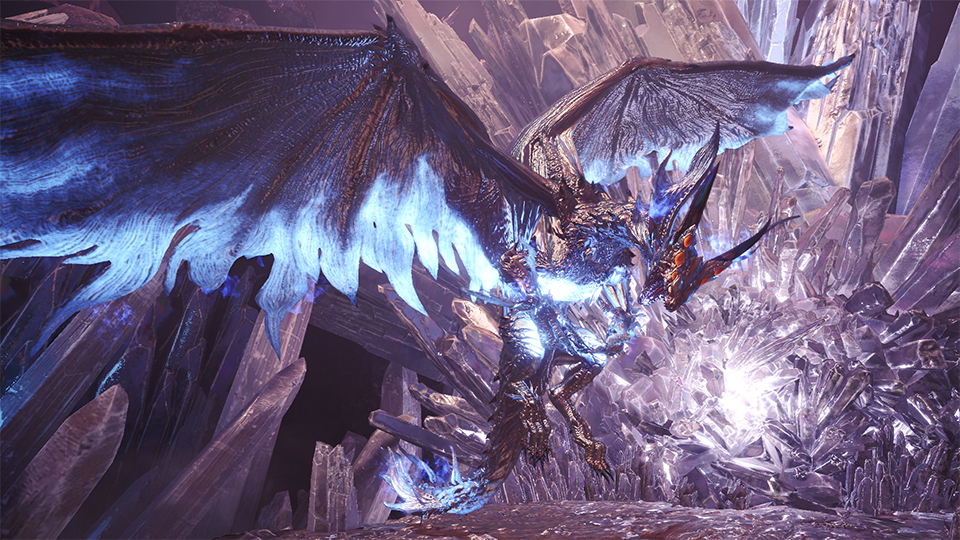
An Arch-tempered Xeno'jiiva bursts onto Steam!
From Friday, April 5 00:00 to Thursday, April 18 23:59 UTC, an extremely dangerous tempered form of an elder dragon, known as an "arch-tempered monster" will be blasting onto Steam!
Accept the new Event Quest Emperor of Elder Dragons to take on
an Arch-tempered Xeno'jiiva.
・Arch-tempered monsters can be distinguished from their normal counterparts by
their slight metallic gleam.
・When taking on this Event Quest, the color of the frame around the monster icon
will be different than usual, so keep an eye out!
・You need to be Hunter Rank (HR) 50 or higher to take on this quest.
・Please note that the availability of this quest is subject to change without prior notice.
Craftable equipment:
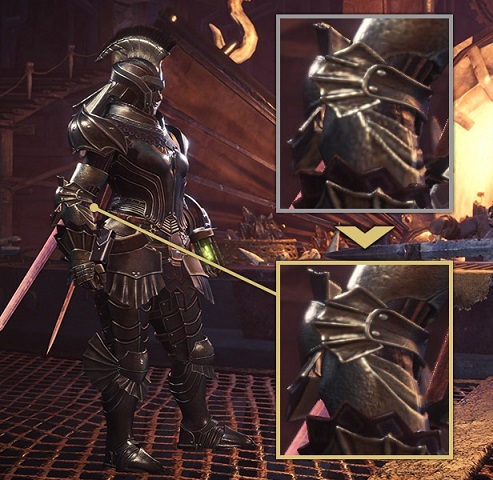
・Xeno'jiiva γ armor series
・Commission Layered Armor
Important:
The latest version of MONSTER HUNTER: WORLD is revision number 166925.
You can verify the version number in the top-left corner when you launch the game
in windowed mode.
Keep in mind that you can only match with other players who have the same update
version as you.
For other questions, please visit the official MONSTER HUNTER: WORLD support portal below.
http://www.capcom.com/mhwsupport/
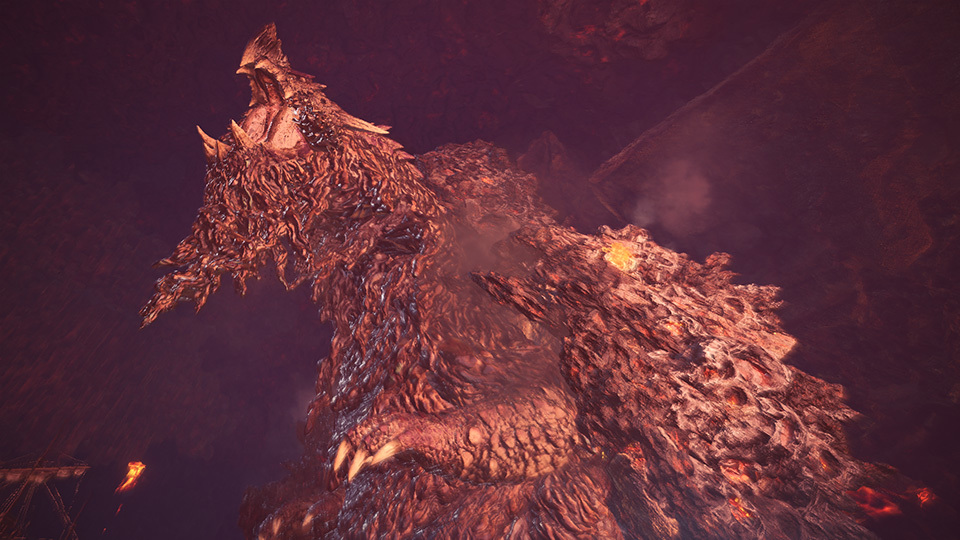
An Arch-tempered Zorah Magdaros stomps onto Steam!
From Friday, March 22 00:00 to Thursday, April 4 23:59 UTC, an extremely dangerous tempered form of an elder dragon, known as an "arch-tempered monster" will be treading onto Steam!
Accept the new Event Quest Undying Alpenglow to take on
an Arch-tempered Zorah Magdaros.
・Arch-tempered monsters can be distinguished from their normal counterparts
by their slight metallic gleam.
・When taking on this Event Quest, the color of the frame around the monster icon
will be different than usual, so keep an eye out!
・You need to be Hunter Rank (HR) 50 or higher to take on this quest.
・Please note that the availability of this quest is subject to change without prior notice.
Craftable equipment:
・Zorah γ armor series
・Origin Layered Armor
Important:
The latest version of MONSTER HUNTER: WORLD is revision number 166925.
You can verify the version number in the top-left corner when you launch the game
in windowed mode.
Keep in mind that you can only match with other players who have the same update
version as you.
For other questions, please visit the official MONSTER HUNTER: WORLD support portal below.
http://www.capcom.com/mhwsupport/
Update: New Bug Fixes Patched In On March 7!
On Thursday, March 7 at 00:00 a.m. UTC, an event data update patch will be
released that will contain several bug fixes.
The newest version of MONSTER HUNTER: WORLD released tomorrow
will be revision number 166925. (The current version is revision number 166849.)
You can verify the version number in the top-left corner when you launch the game
in windowed mode.
Keep in mind that you can only match with other players who have the same
update version as you.
Important:
For other questions, please visit the official MONSTER HUNTER: WORLD support portal below.
http://www.capcom.com/mhwsupport/
Patch: Bug Fixes
On Thursday, February 21 at 00:00 a.m. UTC, we released an event data update patch that contained several bug fixes.
Bug Fixes:
- Fixed a bug that caused some key configurations to be displayed in an incorrect position when using Ultrawide settings.
- Fixed a bug where, when vignette effects are set to "High," the vignette effect for stealth actually appeared less pronounced than "Normal."
- Fixed a bug where, when vignette effects are set to "High," the vignette effect when a mounted monster goes into a frenzy actually appeared less pronounced than "Normal."
- Fixed a bug that prevented some of the sound effects to play for the endemic life added for the FINAL FANTASY XIV collaboration: Cactuar, Cactuar Cutting, and Flowering Cactuar Cutting.
- Fixed it so that the error code "5098f-MW1" isn't displayed as easily on the guest's side when connection with the host is lost during multiplayer.
- Various localization bug fixes.
Important:
The latest version of MONSTER HUNTER: WORLD is revision number 166849.
You can verify the version number in the top-left corner when you launch the game
in windowed mode.
Keep in mind that you can only match with other players who have the same update
version as you.
For other questions, please visit the official MONSTER HUNTER: WORLD support portal below.
http://www.capcom.com/mhwsupport/
Update: New Bug Fixes Patched In On February 21!
On Thursday, February 21 at 00:00 a.m. UTC, an event data update patch
will be released that will contain several bug fixes.
Details will be posted at a later time.
Updates:
- Added data for future Event Quests, and various bug fixes.
Important:
The latest version of MONSTER HUNTER: WORLD is revision number 166660.
You can verify the version number in the top-left corner when you launch the game
in windowed mode.
Keep in mind that you can only match with other players who have the same update
version as you.
For other questions, please visit the official MONSTER HUNTER: WORLD support portal below.
http://www.capcom.com/mhwsupport/