

PC Steam
Genre: SimulatorNatural Locomotion
Fixed SteamVR overlay in AMD GPUs and the Steam Deck
It also affected the Steam Deck on Windows since it uses an AMD APU (CPU+GPU).
This little update marks the end of a long, unplanned hiatus in the project, and we are resuming development to add features, profiles, and to bring Natural Locomotion natively to SteamOS/Linux and possibly to other systems.
Fixed feet mode
Modified UI to mention iPhone
Nalo Tracker app for iOS released

Some time ago we launched Nalo Tracker for Android devices.
And we're happy to announce that we've finally released Nalo Tracker for iOS today.
Running this app on your smartphone will turn it into a foot or body movement tracker and send them to Natural Locomotion for PC where, our locomotion algorithm will convert the movements into joystick/trackpad inputs for walk, run and jump in almost any SteamVR game.

Nalo Tracker app in your smartphone could be used with many different devices combinations:
Seated
- 1x Smartphone running as foot tracker in the foot.

Standing
- 1x Smartphone running as feet tracker in one foot and a Nintendo Switch Joycon in the other.
- 1x Smartphone running as body tracker in the pocket and 2x Nintendo Switch Joycon in the feet.
- 1x Smartphone running as body tracker in the pocket and 2x Playstation 3 Move controllers in the feet.
- 2x Smartphones running as feet trackers in the feet.

Nalo tracker can be also used for make the locomotion direction relative to hip orientation while running it in your smartphone inside your pocket.

Nalo Tracker for iOS also includes some UI improvements over the Android version. We have added some tutorials and tips to the app, as well as a sensors monitor to view the sensors data info.
These improvements are comming soon to the Android version.
Thanks a lot for your support!
Many new game profiles and a bug fix
We also fixed an issue where recently created Steam libraries could not be found.
New profiles:
- Ancient Dungeon (Vive, WMR, Oculus, Index, Cosmos, Reverb G2)
- DMN7 (demo) (Vive, Oculus, Index, Cosmos, Reverb G2)
- Dark Forest: Lost Story VR (Vive, Oculus, Index, Cosmos, Reverb G2)
- Dragon Extinction VR (demo) (Vive, WMR, Oculus, Index, Cosmos, Reverb G2)
- Grapple Tournament (Vive, WMR, Oculus, Index, Cosmos, Reverb G2)
- Into the Darkness VR (demo) (Index)
- Into the Radius VR (Vive, WMR, Oculus, Index, Cosmos, Reverb G2)
- Killing Floor: Incursion (Oculus, Cosmos, Reverb G2)
- Larcenauts (Vive, WMR, Index, Cosmos)
- Lust for Darkness VR (Vive, WMR, Oculus, Index, Cosmos, Reverb G2)
- Lust for Darkness VR: M Edition (Vive, WMR, Oculus, Index, Cosmos, Reverb G2)
- Naau: The Lost Eye (Vive, WMR, Oculus, Index, Cosmos, Reverb G2)
- Organ Quarter (Vive, WMR, Oculus, Index, Cosmos, Reverb G2)
- Panther VR (Vive, Index)
- Paranormal Activity: The Lost Soul (Vive, Oculus, Index, Cosmos, Reverb G2)
- Project Terminus VR (Vive, WMR, Oculus, Index, Cosmos, Reverb G2)
- Sniper Elite VR (Vive, WMR, Oculus, Index, Cosmos, Reverb G2)
- Sweet Surrender (Vive, WMR, Oculus, Index, Cosmos, Reverb G2)
- The Exorcist: Legion VR (Vive, WMR, Oculus, Index, Cosmos, Reverb G2)
- VHAIP (Vive, WMR, Oculus, Index, Cosmos, Reverb G2)
- Warhammer Age Of Sigmar: Tempestfall (Vive, WMR, Index)
Updated profiles:
- Corrupted Hospital: Summoner Part 1 (added Oculus, Reverb G2)
- PROZE (added Oculus, Reverb G2)
We wish you a happy new year 2022
Fixed undoing converter to tracker conversion
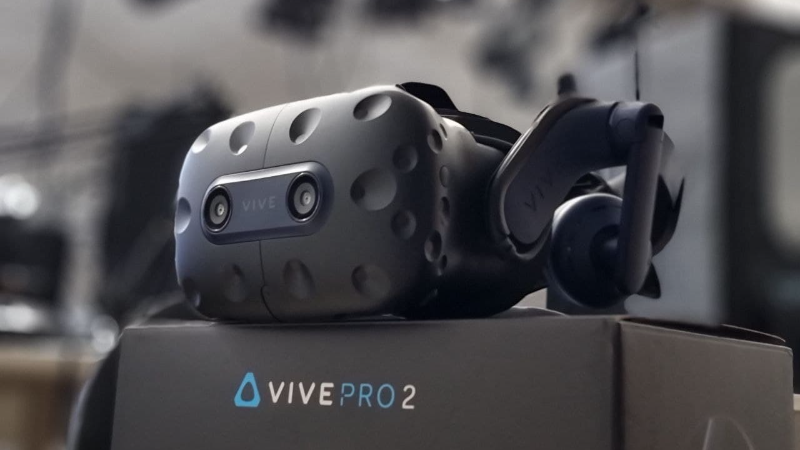
Vive and Index cameras fixed. Thumb rest touch support Quest 2 + Virtual Desktop
Natural Locomotion is now reading the IDs of the connected USB devices to determine whether to use a workaround that is needed for the cameras but that could crash other headsets.
We have also added support for thumb rest touch (the capacitive sensor in Oculus Quest 2 controllers) to use as activator to walk. This option only works with Virtual Desktop so far, not with Oculus Link or Air Link (if Oculus adds this functionality it will work automatically).

Changes
- Added camera support for Vive, Vive Pro, Vive Pro 2, Vive Cosmos Elite and Valve Index.
- Added thumb rest touch support for Oculus Quest 2.
- Added thumb rest touch auto detection (if you touch it, it shows a pop-up asking if you want to enable it).
- Added option to enable/disable thumb rest touch activator in common settings.
Important
If you use a Vive or Index as wireless receiver for Lightouse controllers or trackers (and not as headset) while using other headset you should disable the camera to avoid crashes.
Demo version, new help manual, many fixes and minor additions
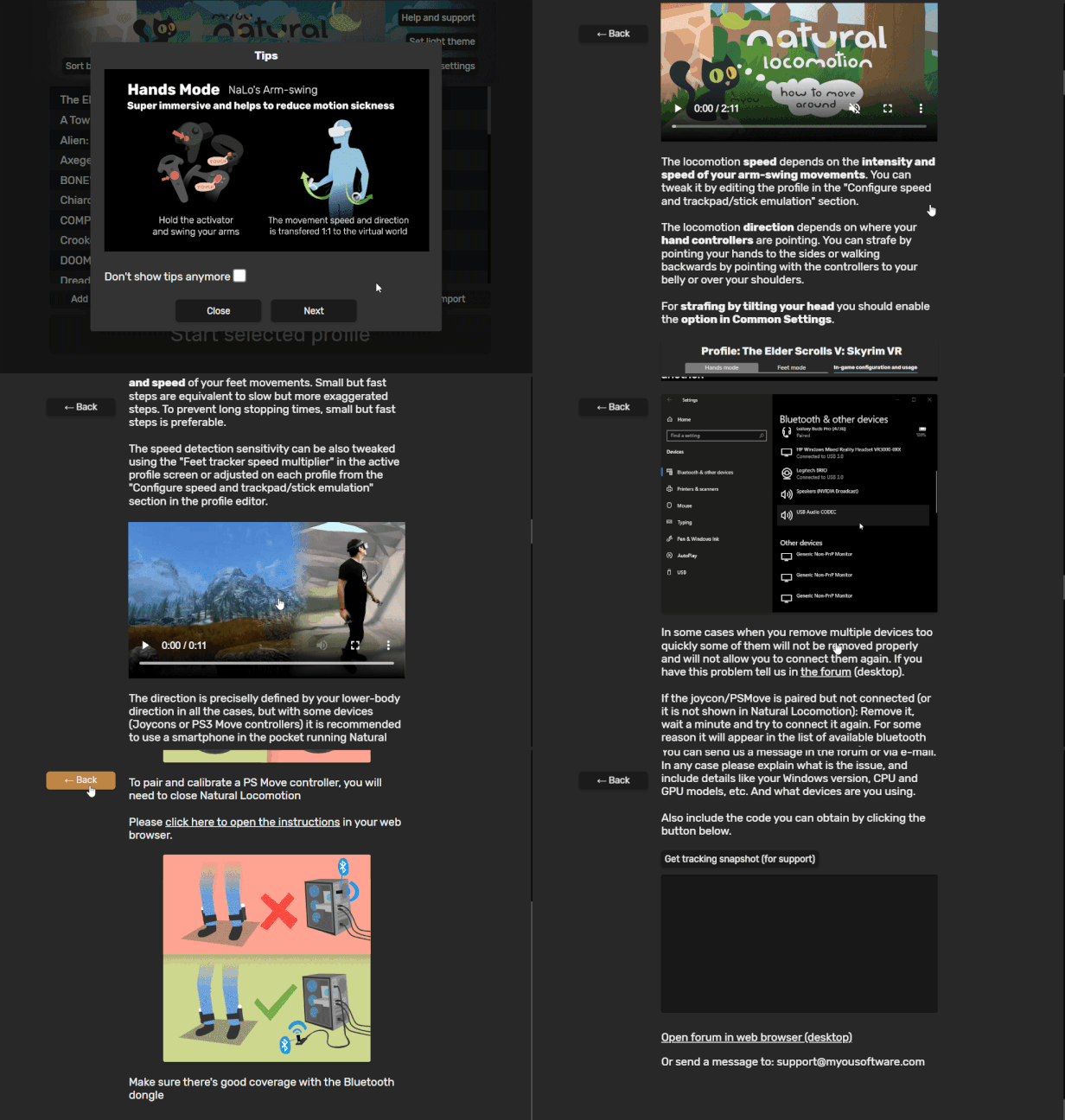
List of changes:
- Demo version
- New help manual inside app
- Possibility of enabling or disabling specific trackers as body tracker for hands mode (this fixes e.g. LIV)
- Fixed "Restart SteamVR" buttons
- Fixed opening URLs
- Fixed missing fonts
- Fixed Vive Cosmos Elite. Thanks to Oscar (Knoob2001) of Real o Virtual for helping us to analyze the issue with his Vive Cosmos.
- Add "invert" option to "tilt head to strafe" feature
- Add camera hack option for fixing Vive/Index cameras
- Add "press grip of opposite controller" to sprint, needed for some Skyrim VR mods
- Add code to copy & paste in support messages to allow us to diagnose issues much quicker
- Fixed body direction joystick remapping (available with "combine with movement")
- Added a message recommending T-pose or Y-pose for a quick calibration
3rd anniversary update: Hip direction for hands mode, Y-pose calibration, & more
We would like to announce we are working with Decagear team to add support to Decamove as an official Natural Locomotion tracker!
We received one a few days ago.
New Features
- Hip direction for hands mode: You can now move in the direction of your body in hands mode, with a smartphone in the pocket or with a Vive tracker on the waist.
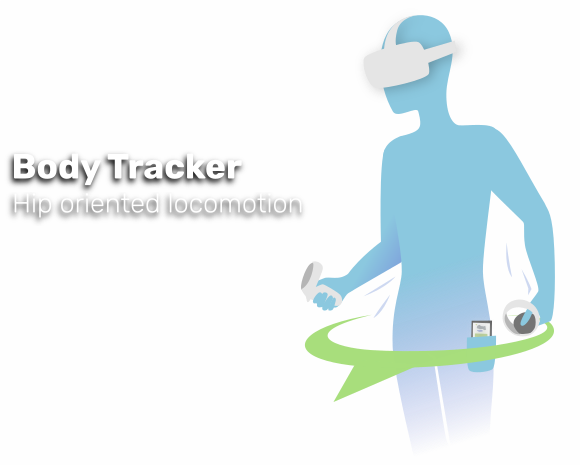
- T-pose to calibrate direction quickly can now be disabled, or switched to Y-pose because the T-pose conflicted with a gesture in Population: One.

- Some profiles now have a screenshot of the settings. Click them to expand. We will continue adding screenshots for all the profiles.

Fixes and improvements
- Fitness stats now makes it more obvious that it's a button that can be switched from "session" to "profile" and "global".

- Fixed some WMR headsets jumping all the time.
- Fixed foot tracker icons, it was showing generic ones instead.
- Miscellaneous UI changes.
- Added and modified some profiles.
Other changes
- Introduced some changes required for the iPhone version of NaLo tracker (it's finished and will be published soon).
- Introduced some changes to pave the way for Decamove support
- Reworked store page to better reflect all Natural Locomotion features
New profiles
[table][tr][th]New profiles[/th][th]HTC
Vive
Wands[/th][th]Oculus
Touch
Cont.[/th][th]Win.
Mixed
Reality[/th][th]Valve
Index
Cont.[/th][th]HTC
Vive
Cosmos[/th][th]HP
Reverb
G2[/th][th]Pico
Neo 2[/th][/tr]
[tr][td]Corrupted Hospital : Summoner VR Part1[/td][th]✔️[/th][th][th][th]✔️[/th][th]✔️[/th][th][th][/tr]
[tr][td]Hard Bullet[/td][th][th]✔️[/th][th]✔️[/th][th]✔️[/th][th]✔️[/th][th]✔️[/th][th]✔️[/th][/tr]
[tr][td]PROZE: Prologue[/td][th]✔️[/th][th][th]✔️[/th][th]✔️[/th][th]✔️[/th][th][th][/tr]
[tr][td]Silent Mansion : Summoner VR Part2[/td][th]✔️[/th][th][th][th]✔️[/th][th]✔️[/th][th][th][/tr]
[tr][td]Tales Of Glory 2 - Retaliation[/td][th]✔️[/th][th][th][th]✔️[/th][th]✔️[/th][th][th][/tr]
[tr][td]Thief Simulator VR[/td][th]✔️[/th][th]✔️[/th][th][th]✔️[/th][th]✔️[/th][th]✔️[/th][th]✔️[/th][/tr][/table]
Changed profiles:
- Borderlands 2 VR: Added jump function in WMR
- Hellsplit: Arena: Added WMR profile.
- Karnage Chronicles: Fixed instructions for Index controllers.
- SwordsmanVR: Added WMR profile and instructions for the rest.
- Until You Fall: Added WMR profile.
- Zero caliber VR: Updated WMR profile.
This is what we have achieved in Natural Locomotion in the last 3 years!
Hands Mode
Slowly swing your hand controllers to walk or move them fast to run.

Other "arm swinger" implementations are very "jumpy", very slow to respond, or are a complement on button actions. Natural Locomotion uses a novel system designed to walk and run continuously, and with very precise and intuitive control of speed and acceleration. You can start, stop or change speed very quickly without "move" or "brake" buttons, it just depends on the speed you move your arms.
Buttonless activator based on gestures

Hip direction for hands mode
As we have announced today, hands mode is now compatible with body trackers (Smartphones and trackers). Using a body tracker, the direction of the movement depends on where your hip is oriented which could make this locomotion method even more immersive and comfortable.
Feet Mode
Use motion sensor devices (see the list below) attached in your feet to register your feet movements and walk in the game. It supports two kind of movements: Walk-in-place and swinging feet while sitting on a chair or using a treadmill.

Supported (tested) headsets
- HTC Vive / Pro / Cosmos / Cosmos Elite
- Oculus Rift / Rift S / Quest (1 and 2, through Oculus Link or Virtual Desktop)
- Windows Mixed Reality and HP Reverb G2
- Valve Index
- Pimax
- HTC Vive Cosmos
- Pico Neo 2 and Pico Neo 2 EYE
Supported VR controllers:
- HTC Vive wands
- Oculus touch
- Windows Mixed Reality (with trackpad)
- Valve Index
- HP Reverb G2
- HTC Vive Cosmos
- Pico Neo 2 6DoF controllers
Supported devices (for feet mode)

- HTC Vive trackers (Dongles included)
- Any SteamVR controller converted to tracker
- Original Nintendo Switch JoyCon
- PS3 Move controllers (No camera required)
- Smartphone with Android >= 5.1, with accelerometer, gyroscope and magnetometer (compass).
https://play.google.com/store/apps/details?id=com.myousoftware.nalo_device
SteamVR Tools

Align VR spaces of different tracking systems
Combine lighthouse devices (Trackers, HTC Vive controllers or Index controllers) with Oculus, WMR or Vive Cosmos headsets.

Convert some SteamVR controllers into trackers
This tool will temporarily emulate HTC Vive trackers using other lighthouse devices (And Oculus CV1 controllers) without flashing them.

Convert Steam Controller dongles to Vive/Index dongles
This utility allows you to convert Steam Controller dongles into Vive/Valve controller/tracker dongles (and restore them).

You need one dongle per device. A Vive or Index headset has two of them built in. For example if you have 4 controllers and an Index/Vive headset (only USB and power connected), you only have 2 receptors and you need 2 dongles to use all controllers.

Profiles
The past 3 years we added profiles for 88 games, which could not be very impressive, but if you count the different profiles for each controller type this number jumps to 476 (not counting Revive profiles).
Support added for Pico Neo 2
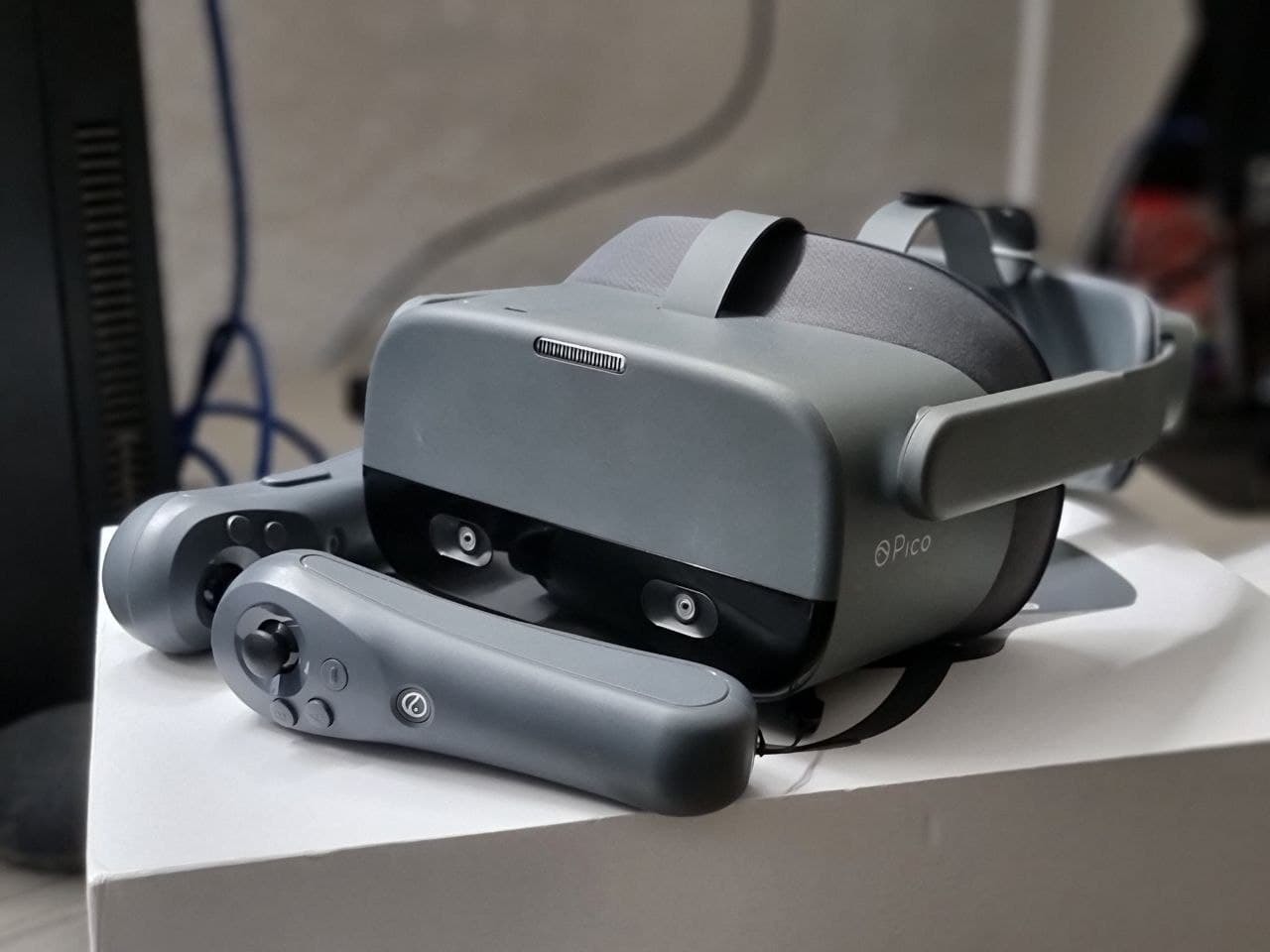

Thanks to RealOVirtual for lending us a Pico Neo 2 EYE for testing.
You are the best! and also the biggest virtual reality news portal in Spanish.
