

Neotrie VR
Version 4.3.0 Important corrections
Mosaic Mode improved on parallels, reflections and rotations. See “Mosaic mode” button in Figure settings. (It doesn’t work yet with the fractal tool).
Fixed bug on optional button of the rotation tool.
Fixed bug on creating faces in Mosaic mode.
Version 4.2.9 (important corrections)
Fixed bug on buttons of restrictions moves.
Scanner and multiviews projections synchronized in multiplayer mode.
Buttons on scanner and multiviews projections synchronized in multiplayer mode.
Reactivated Figures by numbers on the load and save menu.
Reactivated Speech recognition system on PC version.
Versión 4.2.8: minor updates and corrections
- Added access button to multiplayer in menú.
- Buttons of tools synchronized in multiplayer mode.
- Clones of tools improved and synchronized in multiplayer mode.
- Editable texts syncronized in multiplayer mode.
- Fixed bug on the copy tool.
- Restrictions on the rotations of figures are now managed in the axis system.
Version 4.2.7
Fixed bug loading activities.
Improved multiplayer mode.
Testing for 8 players allowed.
Players must be ready before the host allows the start of the game.
Scene is deleted when entering a Lobby.
Minor updates and fixed bugs
Fixed bug on deleting labels.
Fixed bug on attaching labels to math items.
Intersección of STLs improved (still improving).
Fixed bug updating faces of fractals in multiplayer mode.
Fixed bug dividing a circle in equal parts.
The multiplayer version of Neotrie VR is now available!
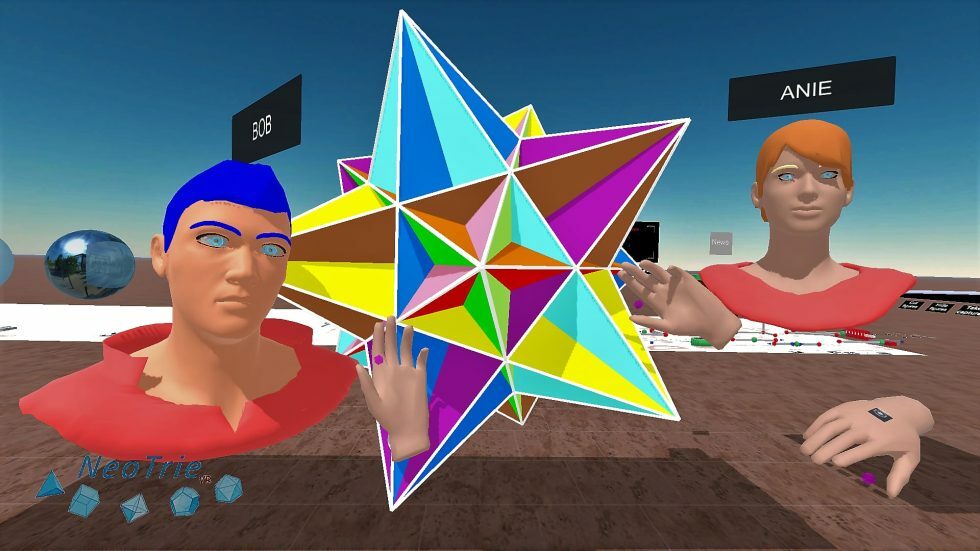
This new game mode has been designed to provide the possibility of multiplayer play and an exciting and immersive online experience. With more new tools and activities and updated game mechanics, learning to master 3d geometry will now be more fun and easy with your fellow players.
What are you waiting for? The newest addition to the world of virtual reality and education is ready for you to get the most out of your performance.
Consult the new guide to be aware of the improvements in this version: https://www2.ual.es/neotrie/guia-2022/
This version is also available at:
Meta Application Lab
Oculus Rift Experience
New updates of Neotrie VR, September 2020
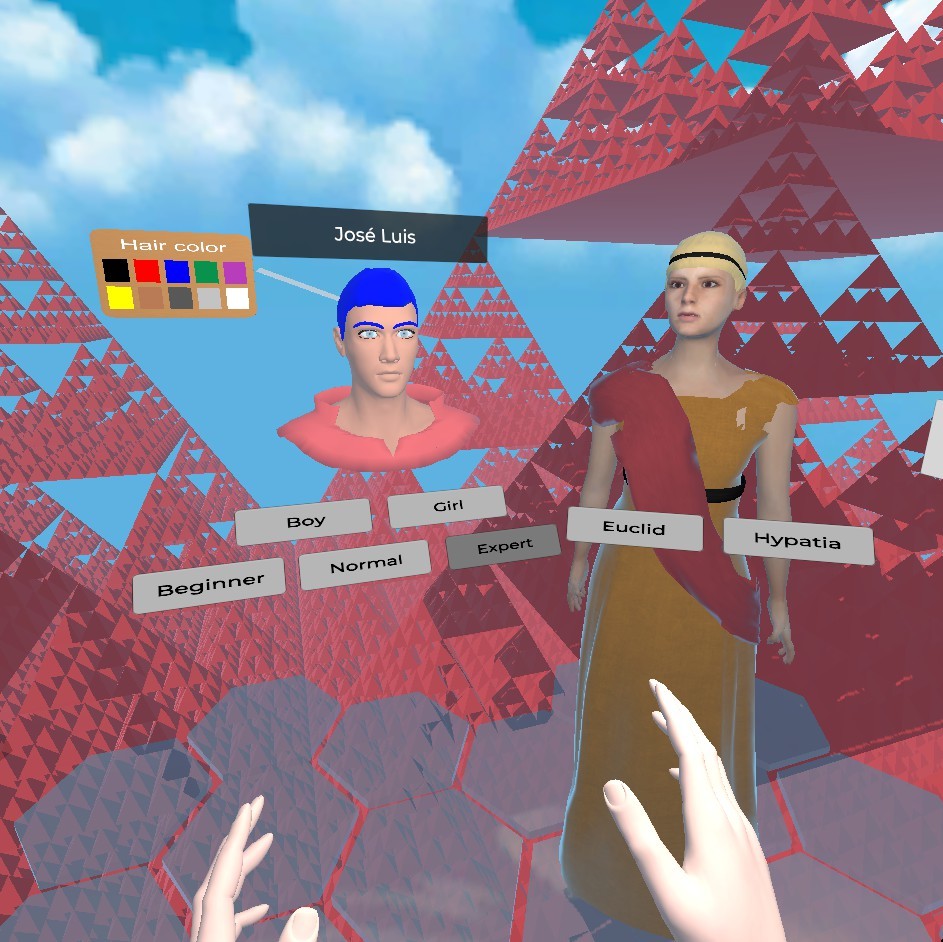
Here is what you will find now when you are in the welcome scene:
- One can choose either Hypatia or Euclides (active voice in German for Euclid, courtesy of Ronny Sitter, Universität Chemnitz, Zentrum für Lehrerbildung).
- One can choose 3 different levels (beginner, normal, or expert) from less to more tools and options.
- We recommend to clear the data language and select again yours to download the last version on your computer.
HAND ACTIONS IMPROVED:
- Movable free points on lines and faces now available using the “plus” creator.
- Intersections of lines and planes available also using the “plus” creator.
[previewyoutube="1UDGLRzhzXM;full"] - Extrusion allowed for vertices, edges and faces, in particular to get prisms (has some bug for non cyclic faces) and also point extrusion to get pyramids, stars polyhedra, etc.

[previewyoutube="Ow4YRn7Te6E;full"] - OBJ or STL models, and many other objects have restricted moves with the “edit” hand action, with respect to the 3d axis. Then, you can set the movement restrictions for example to x = 0.1, y = 0.1, z = 0.1 to move the objects 10 by 10 centimeters on each axis, ox = 1, y = 1, z = 0, if we want to move a object in the z direction. (Remember that the units of distance in Neotrie correspond to 1 = 1 meter.)
[previewyoutube="FOL0p9YAwto;full"]
3RD PERSON CAMERA AND 3D STEREOGRAPHIC PC SCREEN

- Option to see the game in stereografic double screen of the PC has been implemented in this version. This allows students to see a 3d video of Neotrie with their own VR phone glasses. It also permits to show pupils online lessons in real time.
- Change this screen in the 3rd person camera, by pressing the little VR glasses icon. One can alternatively change this in the file.config (this must be downloaded in your local folder of Neotrie). Fix the desired value:
STEREOSCOPIC_SCREEN_RENDER = TRUE OR FALSE;
3D GRAPHING CALCULATOR (Beta version)

This version comes with a new 3d graphing calculator that we encourage you to try and send us improvement suggestions. This has been developed together with Carmen Sánchez
[previewyoutube="GN7G6ZmT8_g;full"]
Here is a list of what we can do with this new tool:
- Parametric curves and surfaces, internal (with editable parts) and external mode.
- One can change the parameters by using the bar sliders.
- Saving and loading a set of formulas of curves and surfaces.
- Formulas of a scene are saved in neot files, as lines starting with Formula.
Here is an example of a line corresponding to a formula:
Formula(;1;Cos(U)*Cos(V);Sin(U)*Cos(V);Sin(V);0;2π;12;-π/2; π/2; 6; 0; 1; 10; t; t; -1; 1; 10; 1; 1; 1; 1; CBFF96; FFAEC8; 000000)
These values are in order correspond to:
- Scale
- X
- Y
- Z
- Umin
- Umax
- SubdivisionsU
- Vmin
- Vmax
- SubdivisionsV
- Wmin (these will be used for 3d regions, and vector fields in future version)
- Wmax
- SubdivisionsW
- U(t) (first parameter for curve in surface)
- V(t) (second parameter for curve in surface)
- t-min
- t-max
- Subdivisions-t
- Alfa (parameter)
- Beta (parameter)
- Gamma (parameter)
- Delta (parameter)
- HEX color of surface
- HEX color of curve in surface
- HEX color of meridians and parallels
A video with more examples and explenations will be published soon.
OTHERS IMPROVEMENTS
- Added option in file.config and 3D calculator: ALLOW_PASTE to enable or disable gluing figures by their vertices.
- Added some warning and player helping messages.
- Clones of music spheres are saved now with its own scale.
- Loci pencil paints edges too.
KEYBOARD SHORTCUTS:
- E hides/shows edges
- T hides/shows first tutorial
- C loads file.config
- F+3 loads file3.neot (or its assigned file in file.config).
- H hides/shows figures (for the scanner screen).
Other keyboard shortcuts can be added, under request of users. We
Credits:
- Edited and produced by José L. Rodríguez (University of Almería)
- Software developed by Diego Cangas (Virtual Dor)
Any reproduction of text, images and videos without prior permission of the authors is prohibited.
NEOTRIE VR: FREE TO PLAY!
We are pleased to announce that as of now, Neotrie VR is a FREE TO PLAY game, for personal use.
We will continue working and improving the tools and features of the software, so we ask all users to collaborate with us and send us their opinion and comments.
We are also preparing a new website with activities and projects to carry out with Neotrie VR, open to the entire educational community.
Please, watch for new updates and follow us on the forum or on our social networks.
https://sites.google.com/ual.es/neotrie-forum/
https://www.facebook.com/neotrie/
https://twitter.com/NeotrieVR
https://www.instagram.com/neotrievr/
The Neotrie VR team
New updates of Neotrie VR, January 2020
New panels with activities
Some activities have been included in the VR scenario. Users are welcome to submit their work to be included in the game. We invite you to join us in our global and collaborative community.
[previewyoutube="-Uwej6d6Vqg;full"]
New “nets generator” and "scanner" tools
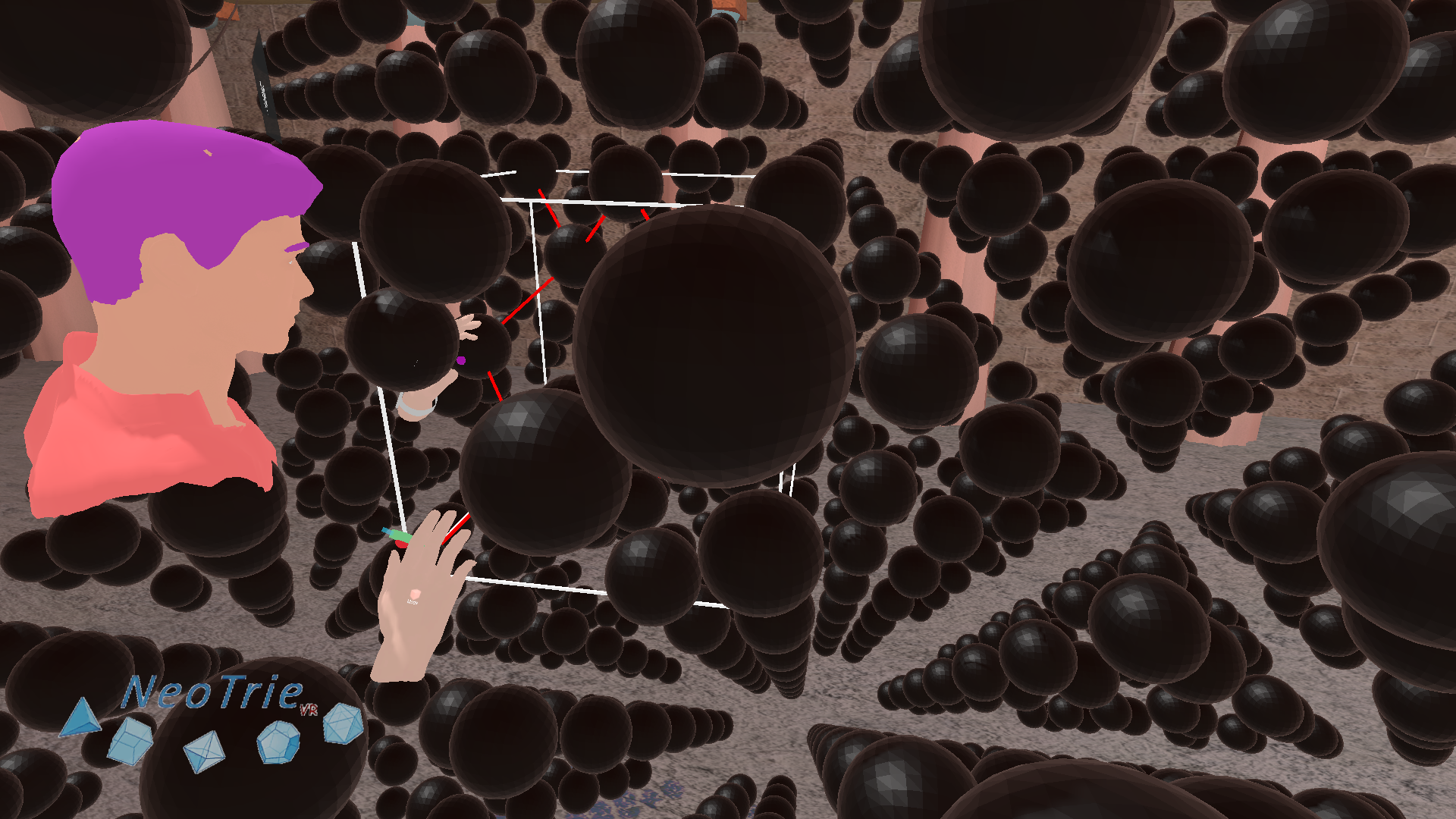
(Inside a diamond structure; picture published in this article.)
Use the net generator tool to build crystal structures from unit cells, with parameters a, b, c, alpha, beta, gamma. One can also fix these paramenters in the updated file.config (download an example here, and put it in your folder Documents\\Neotrie\\Config. To load it, press the key "C" of your keyboard when playing in the temple).
[previewyoutube="DXPfUA7JyzE;full"]
On the other hand, the scanner screen permits users to see projections of crystals or any other figure, as well as their sections ("cut figure" button). The "Hiden figure" button (or the key "H" on the keyboard) allows to hide all figures in the scene. This can be used to create exercises asking pupils to discover figures from their projections or sections.
We are preparing some scenes with crystals and its projections, that we will publish shortly, made in collaboration with the Palais de la Découverte, of Paris.
New “divisor” tool
Use this tool to have rational points m/n on a segment (can be changed in file.config).
New “physics” tool
Use this tool to add or delete gravity to objects (STL/OBJ type). (This object property will be saved on a neot file in the next version.)
[previewyoutube="DliZrF1PdaQ;full"]
Slider tool improved
We have a new option to generate circles, and a button “restart” to restart the moves.
[previewyoutube="7_9dVtZZMD4;full"]
Intersection tool improved
Intersection tool has been improved. Now it cuts a plane with a line, or two planes just touching the planes. Recall that one can add coordinates, names, equations, etc. with the label tool.

Bisector tool improved
Bisector works now by touching two adjacent edges.
Save and load scenes improved
One can now save clones of musical notes, 360 balls with panorama pictures, and tools! This allows to save songs, prepare and save a visit to some 360 pictures, etc.
Further improvements
- Basic mode “edit” moves also faces.
- Basic mode “create” makes faces too, after touching 3 or more vertices, maintaining the trigger button pressed.
- Perpendicular tool allows to make projections of a vertex on a line or plane.
- Others.
Fixed bugs
- Some tools did not work when touching double points. Now this bug is fixed, by automatically choosing vertex of the double point.
- The white line on the left hand has been disabled, when restriction moves are activated.
- Sometimes 360 balls did not permit to come back to the temple. Now, this is fixed.
- Slider tool failed if one of the selected points was deleted or taken with the hand. Now, it skips to the next vertice on the list.
Important non fixed bugs
- Gluing figures along vertices produce some bugs, when deleting vertices/edges later on.
- Drawings and physics property of objects cannot be saved yet in the scene.
- Sometimes, video and sound are not coupled in the recorded video.
Please, let us know if you encounter other unsolved bugs in this updated version.
We are happy about all the sugestions received by many of you. Thank you all for walking with us on this great adventure and enjoy maths in VR as we do.
Credits:
- Edited and produced by José L. Rodríguez (University of Almería)
- Software developed by Diego Cangas (Virtual Dor)
Any reproduction of text, images and videos without prior permission of the authors is prohibited.
Labeling in Neotrie VR
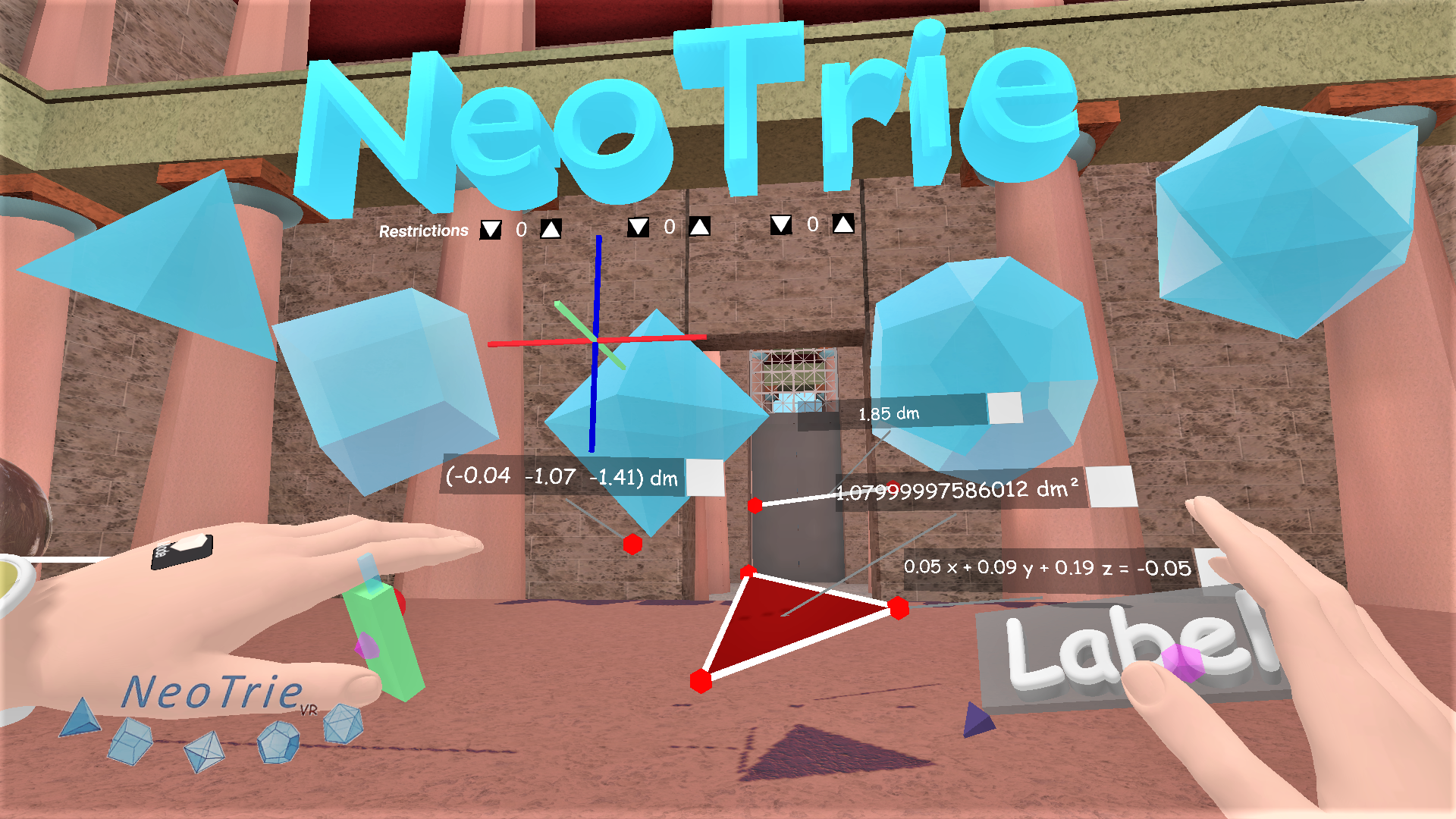
These new tools will be very useful to make 3d geometry more interesting for educational purposes. If you have any doubt please contact us!
Info labels of geometric elements


Here you have a video of how these tools work.
[previewyoutube="tKaiZRBx5lE;full"]
Button true and false for test activities

In the next video, we shwow how to use the new label tool to make tests in VR, with scores.
We use and for true or false.
for number of hits, number of errors.
[previewyoutube="IyJOq9Zg2Xo;full"]
In the example file test1.neot one can change texts, possitions, and values of buttons ((t=true, f=false).
Buttons to link to other scenes
We can use objects as "doors" to other scenes. Use the label tool, touch on the air or on any object (jpg, STL, OBJ), and then insert to link tto the file test1.neot.
[previewyoutube="Tk0DYpyyWzM;full"]
Credits:
- Edited and produced by José L. Rodríguez (University of Almería)
- Software developed by Diego Cangas (Virtual Dor)
Any reproduction of text, images and videos without prior permission of the authors is prohibited.