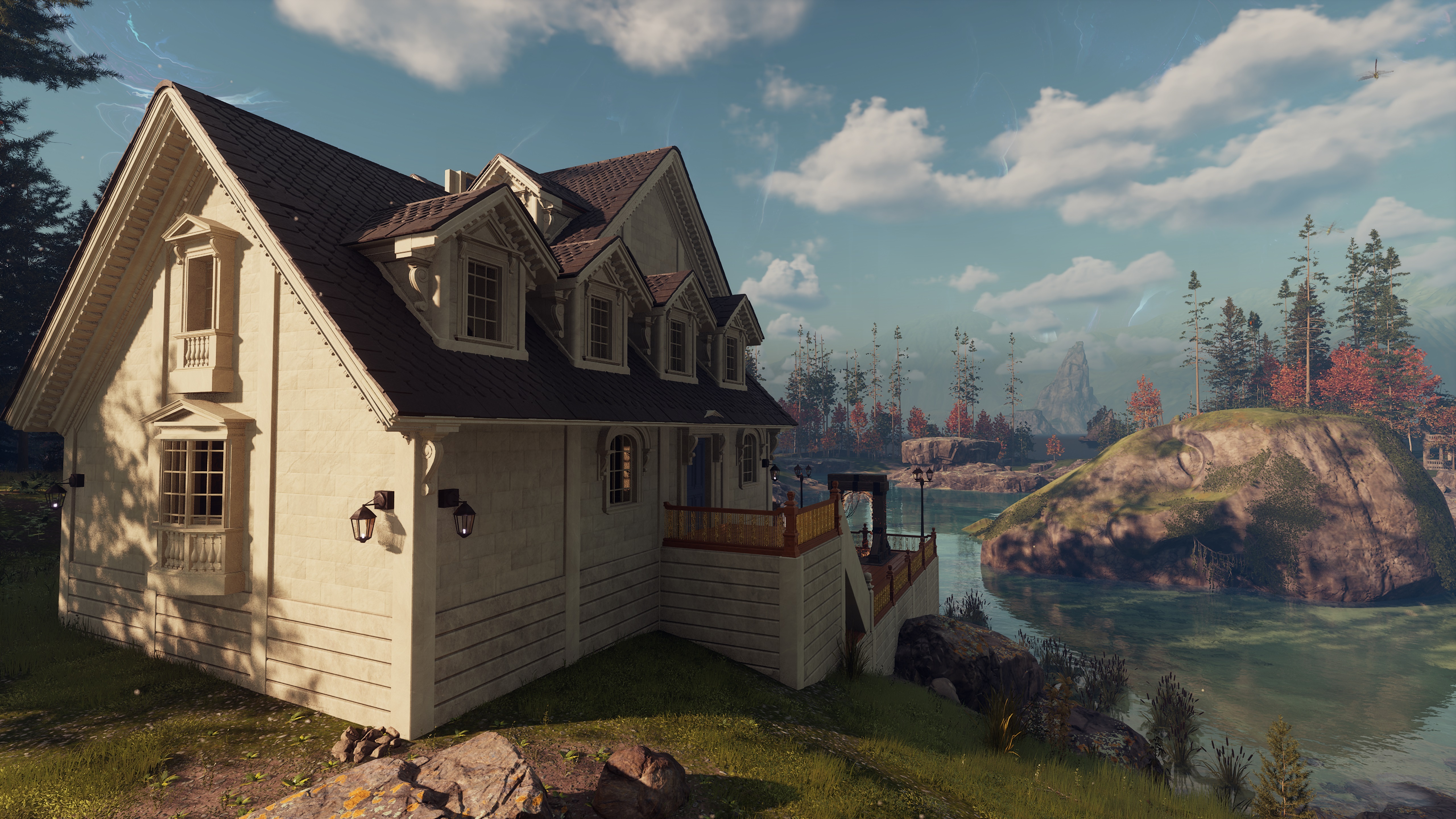
Today, we will discuss how to build Crude Portals, visit the Untamed Realms (procedurally-generated assisted Realms), and open up Public Realms! This guide is designed for new players who may be unfamiliar with building Portals and exploring the multi-Realmic void. Additionally, this guide will provide an overview of one of the social aspects of Nightingale’s Online Mode, specifically how you can access Public Realms when setting up a Portal.
Let’s get your journey into the Untamed Realms started!
What are Crude Portals, Untamed Realms, Realm Cards, and Public Realms?
Before we get into the guide, let’s get some technical definitions off of our chest:
Crude Portals: These are portals that players can build and unlock in the Progression Tree. These Magickal Structures offer the ability to place a Portal wherever you’d like. Crude Portals provide a convenient and efficient way to access the Portal Network from any location. Additionally, you can find Fae Portals in each Realm, which you can also activate with Realm Cards to access new Realms.
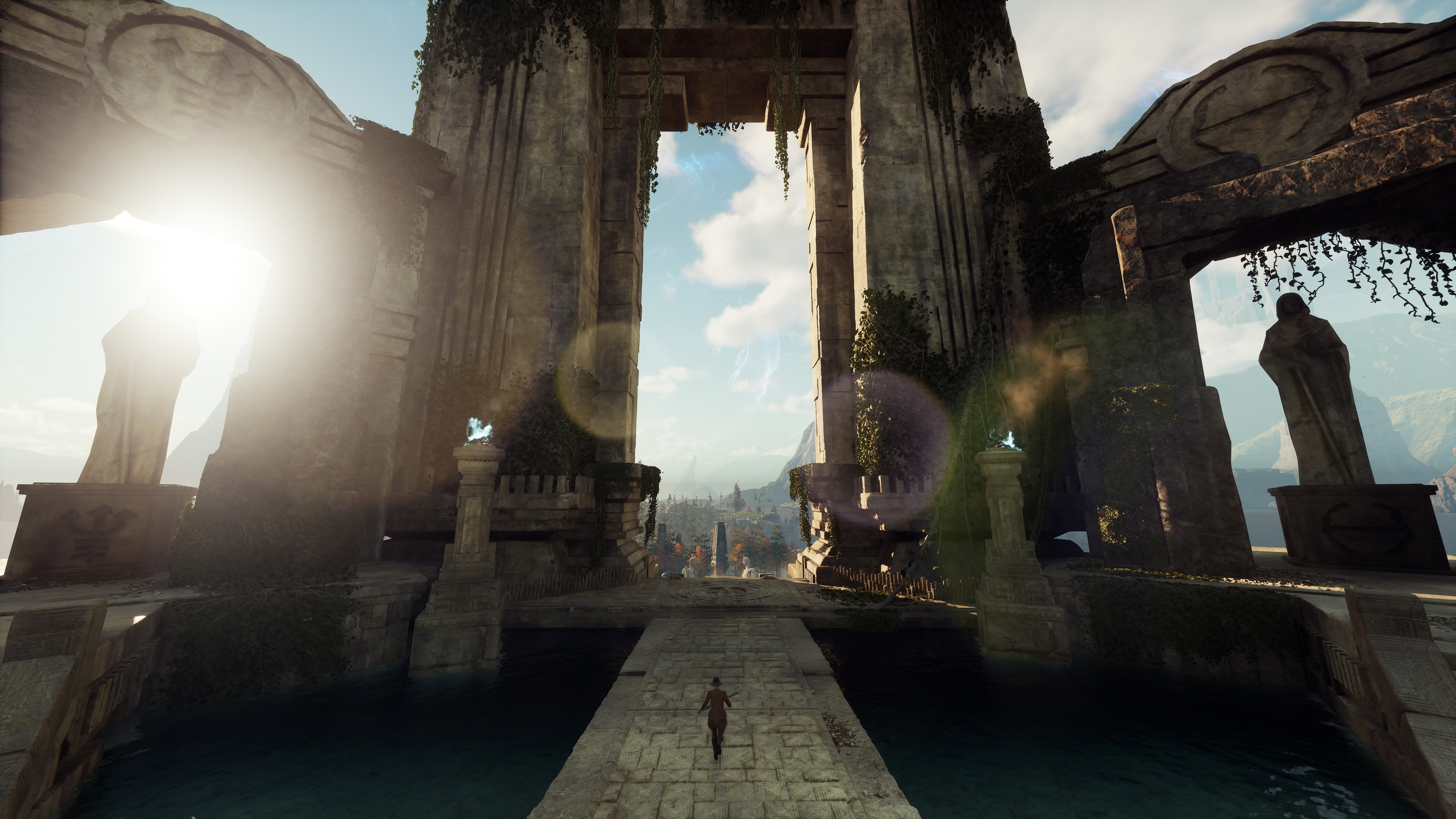
Untamed Realms: These are procedurally-generated Realms outside of the handcrafted Storied Realms you travel across during the main campaign. These Realms contain higher levels of rare resources and offer additional points of interest for Realmwalkers to explore.
In Online Mode, these Realms can be set to Public (Public Realms), allowing you to encounter and interact with other random Realmwalkers. If you prefer to play with friends only, you can keep the realm Private and invite specific players to join. In both cases, the maximum number of Realmwalkers per Realm is 6.
Realm Cards: These magickal items are used to access the Portal Network. You can craft Realm Cards for the Untamed Realms with an Enchanter’s Focus. When you approach any portal outside the Crossways, you can use these Untamed Realm Cards to open a new portal to the corresponding Realm.
How to Build a Crude Portal?
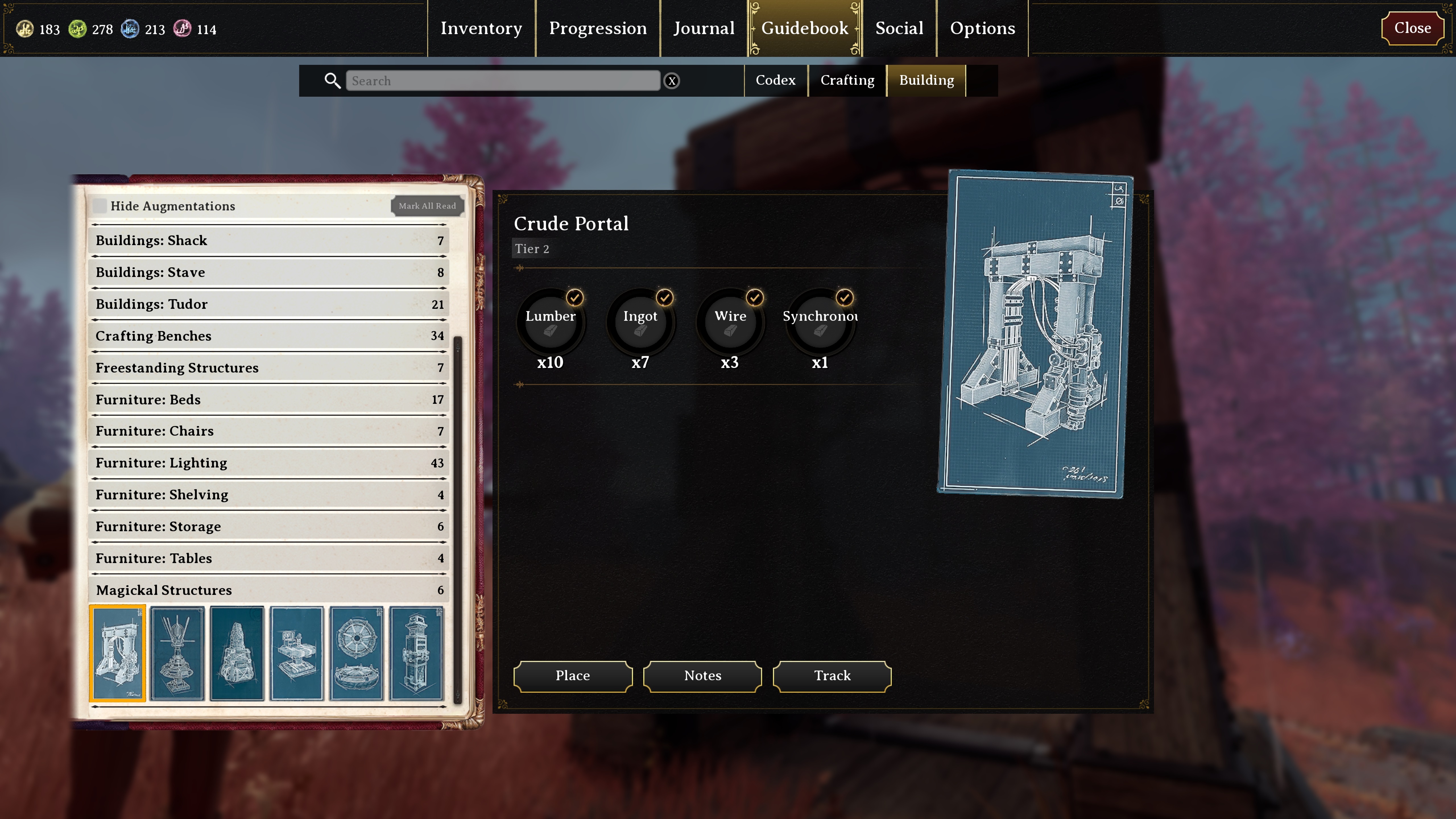
First things first, in order to build your own Crude Portal, you'll need to have made it past the Abeyance Realm. From there, you can unlock the Portal schematic in the Tier 2 Structures Tab in your Progression Tree. In addition, you'll need to have a Refined Enchantment Table, unlocked under the Tier 2 Magic Tab in the Progression Tree. It will cost you Tier 2 Essence to unlock the Crude Portal and Refined Enchantment Table.
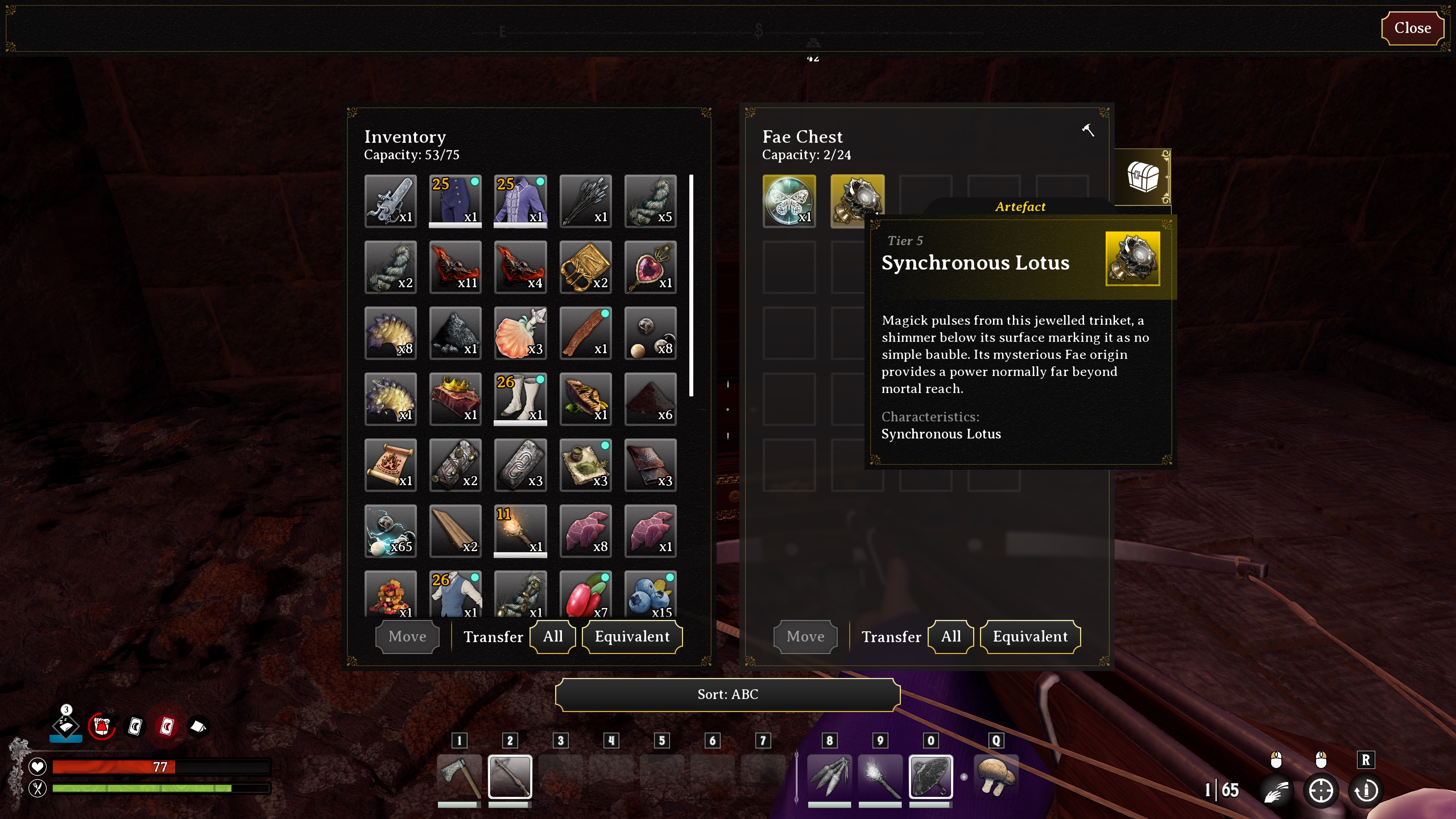
Have you unlocked those recipes? Good! But to make a Portal, we will need one vital resource: the rare Synchronous Lotus. These Synchronous Lotuses are of a mysterious Fae origin and have the power to access the Portal Network. You'll find these in chests predominately in bunkers and Sites of Power. Once you've got one, you'll be able to build a Crude Portal.
Now you have all the necessary materials, place the portal in a good location, typically near your Respite Estate (but you can place your Portal anywhere, don’t let us boss you around).
Now that you have a Portal structure of your very own, you'll need a Realm Card to activate it and access the Untamed Realms.
How to Craft an Untamed Realm Card?
For this guide, we suggest that you start with lower-level Untamed Realms like Antiquarian Cards. Crafting higher-level Untamed Realm cards, like Hunt or Gloom, will require you to have advanced further in the Progression Tree and have access to more advanced Refined materials unlocked in the late game. However, the overall process is similar.
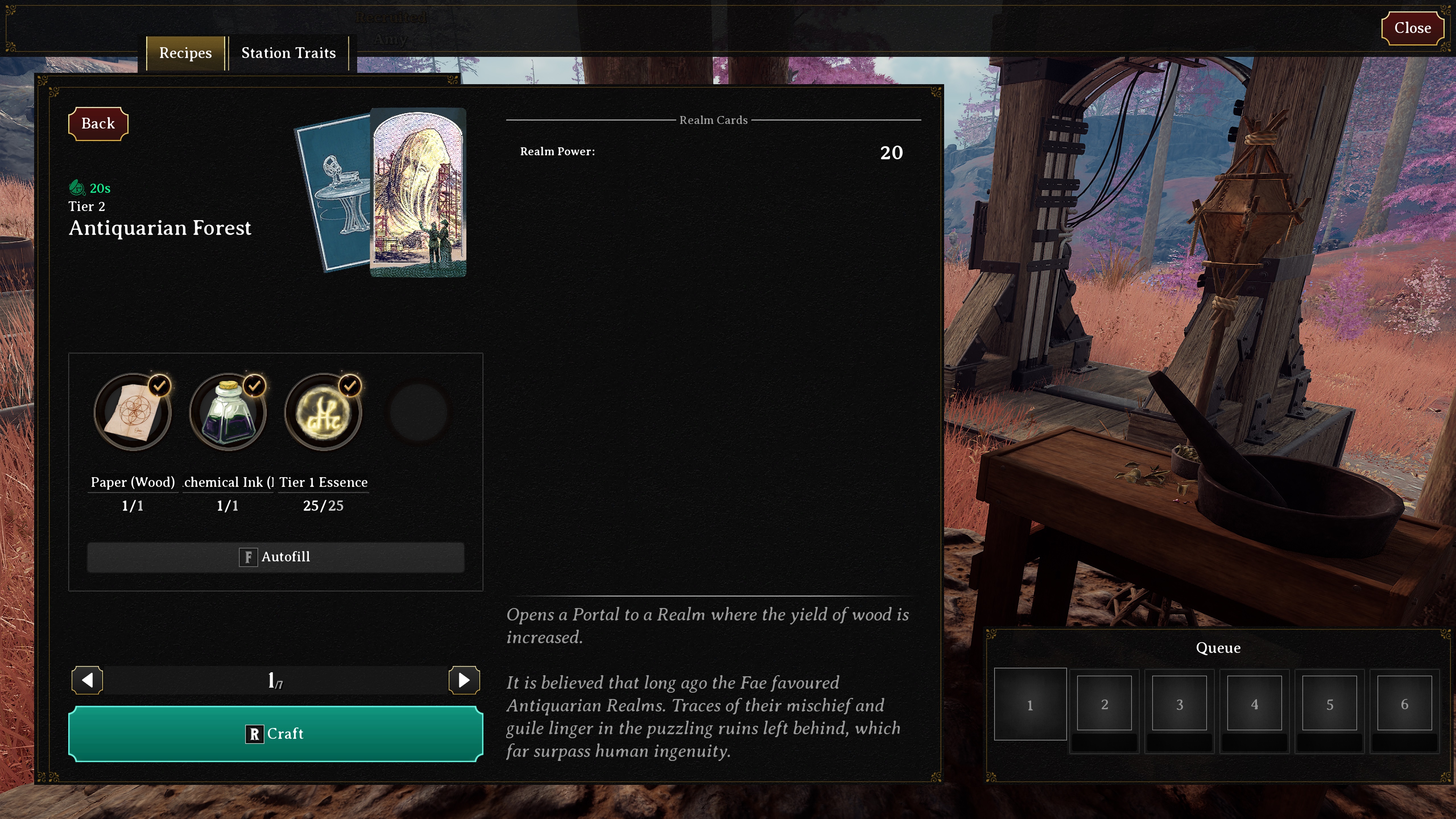
You’ll need to have built a Refined Enchanter’s Focus. You’ll then need Paper and Ink to craft each Realm Card (tip: Bound Inchor is a good resource for crafting plenty of ink). Once you have the necessary materials, start crafting your Untamed Realm Card at the Refined Enchanter’s Focus.
Did you know that each Untamed Realm has unique properties beyond their Biome? For example: various Realms may contain rarer resources like Iron or different species of plants like Sunflowers. It’s important to take note of these differences as you explore various Untamed Realms so you can farm those items later.
Once you've made an Untamed Realm Card, like the Antiquarian Card with the Biome of your choice, go to your Crude Portal and open the Portal Menu. You may also use the existing Portal Structures you find in other Realms (except the Portals found in the Crossways), but these come with the drawback of not being moveable.
What do the Portal Settings Mean and How to Access Public Realms?
There’s just one more step before you open the portal, and that’s adjusting your Realm settings!
As you navigate through the Portal Menu, you will see your Portal Cards on the left and the option to ‘Open Portal’. To the left of this interface, there are several choices such as difficulty settings, making the Realm public, and resetting the Realm. Let’s break down what each of these settings means:
Difficulty: Opting for a higher difficulty level will result in an increased collection of Essence while exploring the Realm and engaging with points of interest. That said, higher difficulty means tougher enemies, so make sure you have the appropriate level of equipment or a group of fellow Realmwalkers to support you if needed. Realm difficulty does not dictate the type of resources you will discover. You can also reset the Realm difficulty when you rest in a bed.
Public Realms: The next setting depends on if you’re playing Online or Offline Mode. If you’re Offline, you can ignore this section. But If you’re playing Online and want to encounter other random Realmwalkers while you explore Untamed Realms, you can set the Realm to ‘Public’. However, if you prefer to maintain the privacy of your Realm, make sure the ‘Public Realm’ option is turned off before opening the portal. Don’t worry, if you’re Realm is set to private, you can still invite your friends to that Realm, they will just require an invite from you.
Additional things to be aware of in Public Realms: other players can currently access your storage and do damage to your Estate. You are also unable to kick other players from the Realm. If you want to return to your Respite, you’ll have to use the ‘Return to Respite’ feature in the Map. You will also need to build your own Realmic Transmuter if you wish to use Minor Realm Cards.
Reset Realm: Finally, the ‘Reset Realm’ option will generate a new Realm based on the card you place in the portal. This offers the opportunity to replay points of interest and acquire additional resources. Please be cautious, as this action will erase any structures you’ve built in that Realm. If you remove a Realm Card from a portal it doesn’t erase that Realm’s progress. You can add the same cards at any point to access that same Realm again (meaning your structures and progress persist). You will need to specifically select the ‘Reset Realm’ option to access an all-new Realm based on that Realm Card.
Once you’re happy with your settings and you’ve placed the Untamed Realm Card in the Portal Interface, proceed to open the portal. Wait momentarily for the portal to illuminate, and then embark on your first Untamed Realm. If you’ve opened a Public Realm, you may start to encounter other Realmwalkers who also entered that same Untamed Realm. Give them a wave or salute from us and Allan Quatermain.
Keep in mind that if you close the portal and replace the Realm Card with a different one, you will need to craft a new Realm Card of the same type to access that Realm again. You can always build additional Crude Portals to suit your needs. You can also craft Estate Cards, that imprint a Realm destination onto the card, allowing you to access that Realm from a portal - you can also share this card with other players so they can access your Realm.
How do I use Minor Realm Cards?
An additional note on Realm Cards. As you progress through the Realms you’ll discover Minor Realm Cards, which you can also unlock in the Progression tab and craft yourself. These cards can be played at a Realmic Transmuter, either one you find in the Realm (the first one you’ll discover is at the center of the Crossways) or that you build yourself. These act as Realm modifiers that can affect things like enemies, the weather, resources, and even gravity. And while Minor Cards offer a number of bonus effects, they can feature drawbacks - so pay attention to the card description.
Excellent work Realmwalker! You’re ready to continue the journey on your own.
You now know all you need to know to start exploring all of the Untamed Realms. As you progress through the Campaign and the Progression Tree, you'll be able to unlock higher-level Untamed Realms that feature their own set of rare resources and more points of interest to discover.
Remember, you can also build a new Respite in any of the Untamed Realms, so don’t be afraid to set your roots wherever you find most appealing!
See you in the Realms,
The Nightingale Team
The Realms Rebuilt Update is OUT NOW!
Realmwalkers,
The Realms Rebuilt Update is available NOW!
It has been an incredible journey so far, with a path through Early Access paved by your incredible feedback. A big thank you to all the Realmwalkers who have braved the Faewilds with us since Early Access began.
To ensure you can access the update, it's recommended to restart Steam/Epic or verify your game files to make sure you're on the latest version. The game version shows in the top middle of the character profile menu where it should now start with 0.5.0 so you can experience the new content and connect to Online Mode once again.
Realmwalkers explore several new handcrafted Storied Realms
Completely revamped Sites of Power dungeons
6 new bosses
New and updated proc-gen-assisted maps (now called Untamed Realms)
Various new points of interest have been added
New encounter types have been added to the Realms
New weapons:
Short and Longbows
New Dauntless weapons (Slingbow, Lancaster Pistol, Winchester Rifle)
New Mystic weapons (Slingbow, Double-barreled Shotgun, Blunderbuss Shotgun, Lancaster Pistol, Revolver Pistol, Bolt Rifle, Lever Rifle)
New Spells: Immolation (fireball) and Fionn’s Wrath (fish missiles)
10 new Charms
Charm of The Raven: Grants an upward boost when initiating a glide.
Charm of Capoeira: Restores Stamina on your next unarmed hit after dodging.
Charm of Discharge: Increases melee damage based on how full your blocking meter is, and empties your blocking meter on melee hit.
Charm of the Haymaker: Deals a burst of damage after hitting a creature with three unarmed attacks.
Charm of the Kusarigama: Temporarily increases climbing pick damage after grappling.
Charm of the Pitcher: Empowers your throwing knives to deal more damage, but throwing them takes slightly longer.
Charm of Riposte: Increases the damage of your next knife attack after a successful parry.
Charm of Skinning: Increases the yield of resources from skinning creatures.
Charm of Thrifty Throwing: Restores a portion of a thrown weapon's Durability when you hit a weakpoint with it.
7 new Minor Cards
Foresworn skies: Decreases stealth.
Corruption: The damage of your melee attacks is increased, but your health regeneration is severely decreased.
Greed: Increases the contents of found chests, but increases the damage you take.
Battlefield: Increases stealth, but decreases the yield of natural resources.
Will of the Wisps: Decreases maximum health and maximum stamina. Interacting with a wisp grants a stack of Wisp’s Blessing. Each stack increases maximum health and maximum stamina.
Unchained: Increases damage taken from all sources, increased further for elemental sources. Increases move speed and damage.
Nimble: Increases dodge distance and reduces dodge stamina costs. Decreases injury resist and causes blocking bar to decrease slower.
New building tile set: Regency (so elegant!)
8 new pet types have been added:
Caledonian Cat (+ Cat with a hat variant)
Caatyne
Catepelose
Meppik
Rabatte
Hyphis
Fen Rat
Eoten Sapling
Using the new Glamour station, players can use Glamour tokens they find from encounters to change the appearance of their tools, weapons, or gear to another item of the same category (for example: Dauntless Axe to Crude Axe or Calcularian Hat to Dashing Top Hat) while keeping the original item’s stats.
New character presets and loadout options
General Gameplay Adjustments
Players can now set their Respite Point to any Realm (Storied and Untamed)
Recruited NPCs can now pick up resources left on the ground, if you think something is missing, check their inventory to see if they picked it up!
Recruited NPCs can now use consumables, such as potions
Augments are no longer required to access recipes but can be used to provide bonuses to crafting
Sticks, rocks, and grass no longer extract into Essence
Players can set or reset the difficulty of a Realm when resting on a bed. In multiplayer, all players in the Realm must agree to the change
The Upgrade Bench has been moved to The Watch
Resource types and tiers have been standardized to Realm types and are no longer affected by difficulty. Higher difficulty Realms will provide more Essence
Fast travel structures have been renamed to differentiate them. Human Lodestars are structures players can make to fast travel between other player-built Human Lodestars in a Realm. Fae Lodestars are structures that already exist in Realms to transfer between other discovered points in a Realm. Faerie Rings are unique structures that transport players from Sites of Power to boss chambers
Throwing Knives can now skin creatures
Climbing picks can now mine ore
You no longer die from lack of sleep/rest
Enchantments have been renamed to Spells for easier identification
Up to 20 pets can now exist in a single Realm
Traders no longer unlock recipes but carry resources that may be handy in a pinch
Combat and Balance
As long as players have at least 1 stamina, players can now complete actions even if they don’t have the full stamina cost of the action available
Charms can now be applied to any level tool, weapon, or gear
Rest will allow you to replay some boss encounters
Refined responsiveness in combat
The Slingbow now begins with explosive ammunition (AOE)
A rework of how potions impact the game, and a balance update to potions
A functionality and balance pass on minor cards and charms
A balance update to item weight
A balance update to enemy health and scaling
A balance update to consumable crafting and effectiveness
A balance update to clothing
A balance update to weapons, ammo and magick
New rare fish and a balance pass to fishing and fish stats
Adjusts to stats on resources
New 4th tier of creature drops
Weapons and clothing only take 1 infusion
NPCs can use Bows, Grenades and Throwing knives
Recruitable NPCs no longer have health scaling and rely on gear
Estate Building
Building limits have increased. Additionally, limits have been streamlined to 2 limit types: 1. How many pieces are in a single connected structure and 2. Total items and building pieces in a Realm, weighted by data size. More details on this substantial change can be found here
Added center-aligned shelves and decorations to tile set walls
Structure health has been rebalanced to reduce accidental player destruction
Recruitable NPCs no longer damage structures
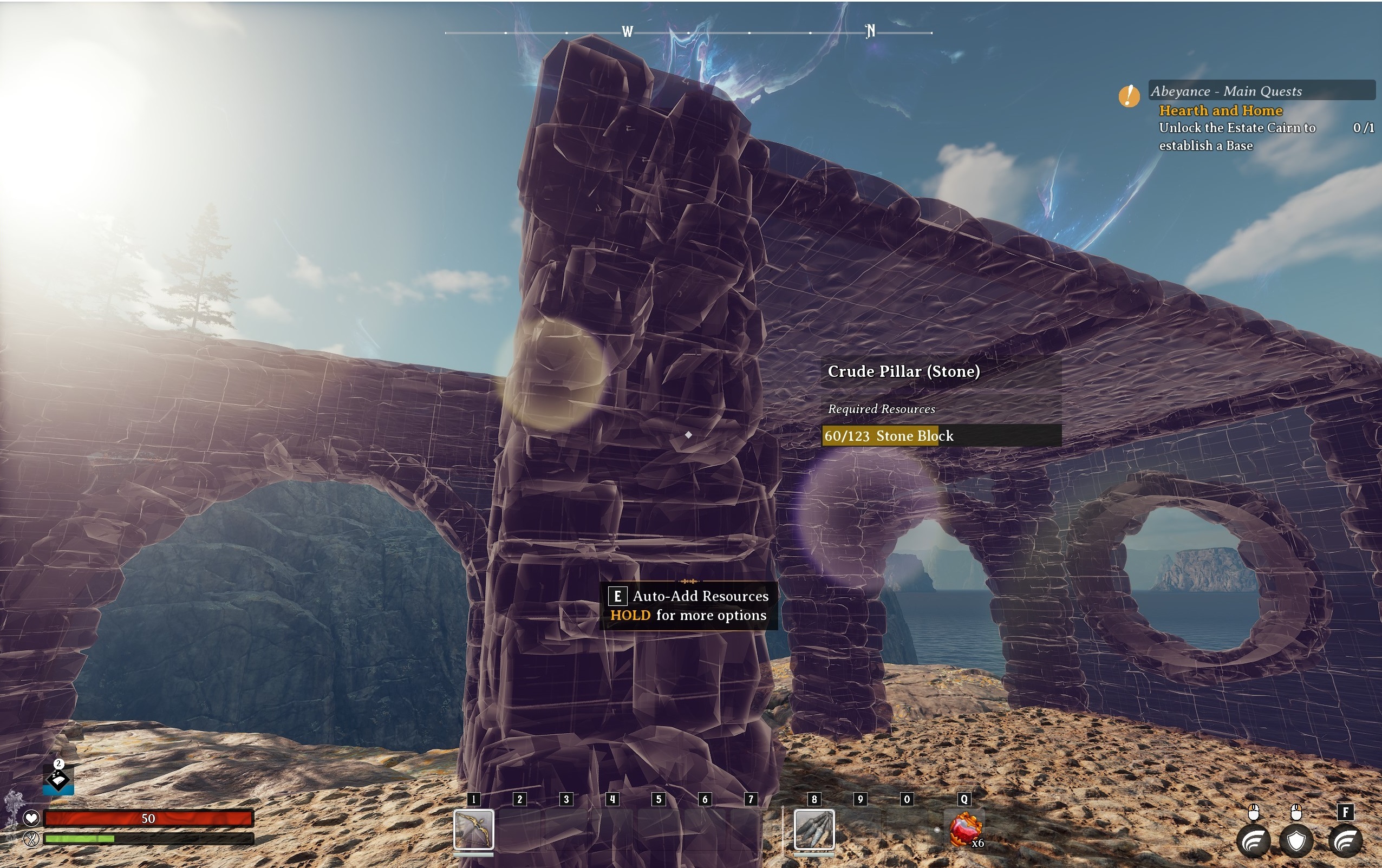
‘Advanced Building Mode’ can be toggled on under Options-> Gameplay. When this is on, building pieces display a Building Limit Value, and the available ‘Realm Building Points’ are displayed in ‘Build Mode’
User Interface
Players can now access up to 8 consumable items by holding the Q button
As more consumables can be accessed via the Q radial menu, the hotbar has been changed to 7 main hand items and 3 offhand items
Consumables now have their own tab in player inventory
Icons for Essence tiers are now standardized across menus
Total Essence inventory by Tier is now displayed in the TAB menu
The bar for 'Rest' status has been removed - 'Rest' is now represented by a comfort level icon. As usual, have a snooze in bed to improve your comfort level! The comfort buff increases your Stamina and Health regen.
The interaction reticle (previously a green or red tool/number) has been modified to be more subtle. If the crosshair/reticle is encircled an interaction is possible with your currently equipped tool, such as chopping a tree, mining ore, or picking up plant fibers but if you have the wrong tool equipped (or insufficient level of tool) the crosshair reticle will display a little icon hint to let you know which tool you should be using.
Food buff duration is now displayed as an icon with a progress bar
Recruited NPC commands (behaviors, management of equipment) are now unified on one menu
The Map screen now has a Return to Crossways button that will teleport you to your first Abeyance Realm at the Crossways point of interest
Side-quests are no longer tracked on screen by default but can be set to ‘Tracked’ in the Journal screen
You will now be notified in the death screen when a recruited NPC is on their way to revive you
Storage containers now show icons (hammer/bricks) when crafting or building can draw directly from them
The crafting menu has been redesigned. Tip: Our quantity select now supports overflow and underflow: to craft the maximum of an item, scroll to the left with the arrow icon.
When selecting resources for a crafting recipe, you can now sort those resources by tier level (ascending/descending)
Many of the icons in the UI have been optimized to ensure legibility at smaller sizes. You might notice this looking at schematic cards in the Guidebook, status effects icons, as well as map pins!
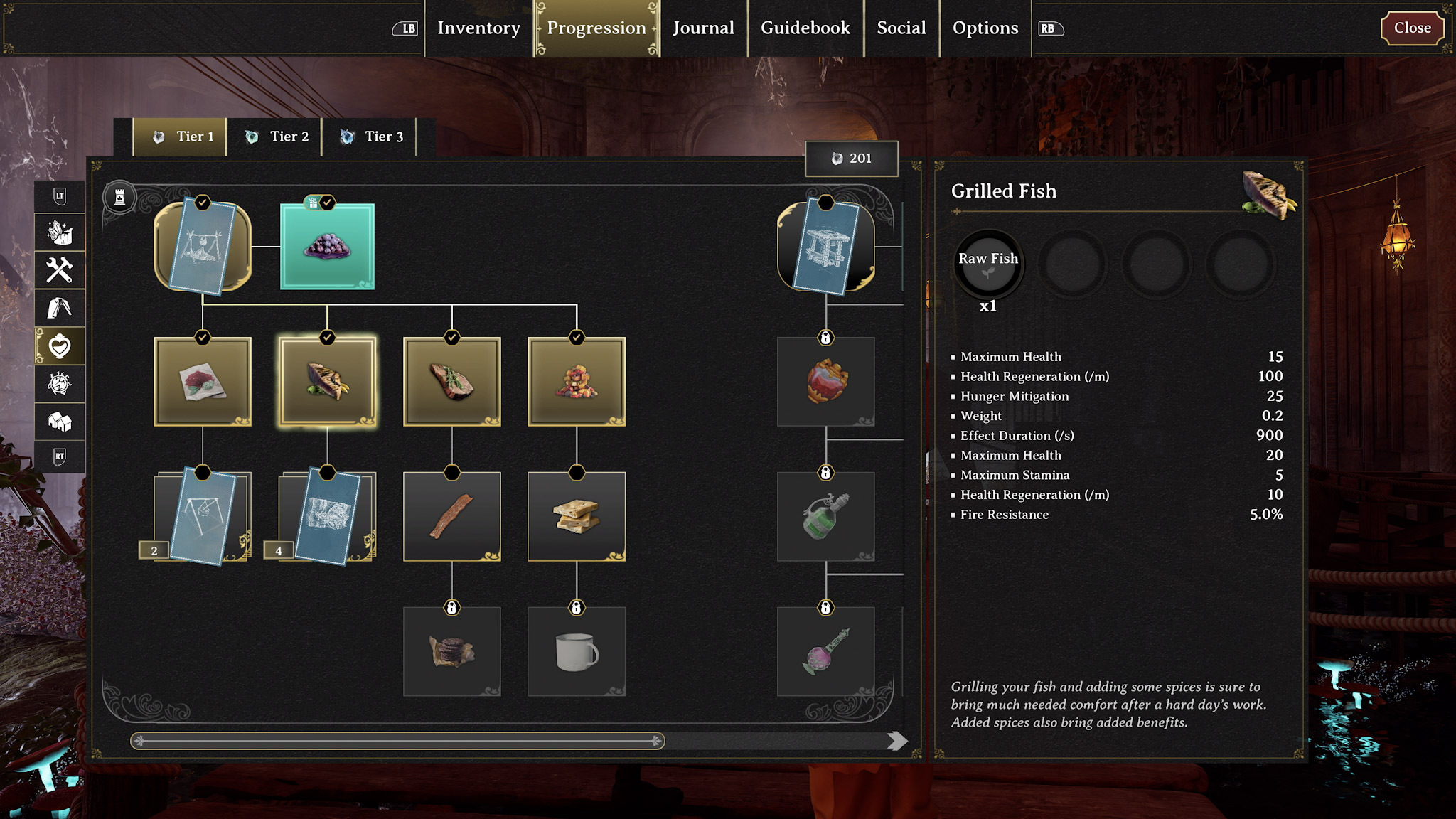
Progression Menu! Unlock new recipes and structures from within this menu. It’s sorted by Tier and Category and should make it easier to track the requirements needed to unlock all the things!
Free recipes for claiming are indicated in the Progression screen with a shiny icon visual effect
We have removed the activity log in the bottom right of the screen. Instead, you will see a more visually present “loot notification” appear in the bottom left of your HUD
We’ve updated the presentation for structure info on the HUD. When looking at a structure such as a Crafting Bench, its nameplate will be pinned to the HUD
Composite structures, such as foundations, walls, roofs, will not display their name on the HUD unless the player is in ‘Build Mode’ (toggleable with the X key), if they are damaged, or pending completion
Our accumulation bars (such as getting wet) have been moved to the bottom left of the HUD near the other status effects.
When a negative status effect is applied it’s icon will pulse to catch the player’s attention
Technical Improvements
Fixed a crash that could occur when felling trees
Performance optimizations with large numbers of structures
If you require technical support, please check out our player support platform.
And if you come across bugs or have feedback for this update, check out our refreshed Aha portal here.
We look forward to your reactions and are excited to continue this journey with you!
- The Nightingale Team
Server Maintenance Has Begun | Realms Rebuilt Coming Soon!
Realmwalkers,
Servers have been taken down for maintenance to push a major game update. Offline Mode for the pre-Realms Rebuilt version (0.3.2) can still be played at this time, but Online Mode will be unavailable until the update is complete.
The Realms Rebuilt update features a whole host of gameplay updates as well as sweeping improvements and changes to the core Nightingale experience (which you can read more about here and here).
[GAME OVERVIEW VIDEO]
The Humbuba-sized Changelog below, while not exhaustive, goes into additional detail on what you can expect from the update but please note the changes below will not be applied to Offline Mode until after you update the game. You can see the version number in the character profile menu and it will display 0.5.0 at the top middle of the screen for the Realms Rebuilt update.
0.5.0 Realms Rebuilt Change Highlights
New Content
New campaign throughline
Realmwalkers explore several new handcrafted Storied Realms
Completely revamped Sites of Power dungeons
6 new bosses
New and updated proc-gen-assisted maps (now called Untamed Realms)
Various new points of interest have been added
New encounter types have been added to the Realms
New weapons:
Short and Longbows
New Dauntless weapons (Slingbow, Lancaster Pistol, Winchester Rifle)
New Mystic weapons (Slingbow, Double-barreled Shotgun, Blunderbuss Shotgun, Lancaster Pistol, Revolver Pistol, Bolt Rifle, Lever Rifle)
New Spells: Immolation (fireball) and Fionn’s Wrath (fish missiles)
10 new Charms
Charm of The Raven: Grants an upward boost when initiating a glide.
Charm of Capoeira: Restores Stamina on your next unarmed hit after dodging.
Charm of Discharge: Increases melee damage based on how full your blocking meter is, and empties your blocking meter on melee hit.
Charm of the Haymaker: Deals a burst of damage after hitting a creature with three unarmed attacks.
Charm of the Kusarigama: Temporarily increases climbing pick damage after grappling.
Charm of the Pitcher: Empowers your throwing knives to deal more damage, but throwing them takes slightly longer.
Charm of Riposte: Increases the damage of your next knife attack after a successful parry.
Charm of Skinning: Increases the yield of resources from skinning creatures.
Charm of Thrifty Throwing: Restores a portion of a thrown weapon's Durability when you hit a weakpoint with it.
7 new Minor Cards
Foresworn skies: Decreases stealth.
Corruption: The damage of your melee attacks is increased, but your health regeneration is severely decreased.
Greed: Increases the contents of found chests, but increases the damage you take.
Battlefield: Increases stealth, but decreases the yield of natural resources.
Will of the Wisps: Decreases maximum health and maximum stamina. Interacting with a wisp grants a stack of Wisp’s Blessing. Each stack increases maximum health and maximum stamina.
Unchained: Increases damage taken from all sources, increased further for elemental sources. Increases move speed and damage.
Nimble: Increases dodge distance and reduces dodge stamina costs. Decreases injury resist and causes blocking bar to decrease slower.
New building tile set: Regency (so elegant!)
8 new pet types have been added:
Caledonian Cat (+ Cat with a hat variant)
Caatyne
Catepelose
Meppik
Rabatte
Hyphis
Fen Rat
Eoten Sapling
Using the new Glamour station, players can use Glamour tokens they find from encounters to change the appearance of their tools, weapons, or gear to another item of the same category (for example: Dauntless Axe to Crude Axe or Calcularian Hat to Dashing Top Hat) while keeping the original item’s stats.
New character presets and loadout options
General Gameplay Adjustments
Players can now set their Respite Point to any Realm (Storied and Untamed)
Recruited NPCs can now pick up resources left on the ground, if you think something is missing, check their inventory to see if they picked it up!
Recruited NPCs can now use consumables, such as potions
Augments are no longer required to access recipes but can be used to provide bonuses to crafting
Sticks, rocks, and grass no longer extract into Essence
Players can set or reset the difficulty of a Realm when resting on a bed. In multiplayer, all players in the Realm must agree to the change
The Upgrade Bench has been moved to The Watch
Resource types and tiers have been standardized to Realm types and are no longer affected by difficulty. Higher difficulty Realms will provide more Essence
Fast travel structures have been renamed to differentiate them. Human Lodestars are structures players can make to fast travel between other player-built Human Lodestars in a Realm. Fae Lodestars are structures that already exist in Realms to transfer between other discovered points in a Realm. Faerie Rings are unique structures that transport players from Sites of Power to boss chambers
Throwing Knives can now skin creatures
Climbing picks can now mine ore
You no longer die from lack of sleep/rest
Enchantments have been renamed to Spells for easier identification
Up to 20 pets can now exist in a single Realm
Traders no longer unlock recipes but carry resources that may be handy in a pinch
Combat and Balance
As long as players have at least 1 stamina, players can now complete actions even if they don’t have the full stamina cost of the action available
Charms can now be applied to any level tool, weapon, or gear
Rest will allow you to replay some boss encounters
Refined responsiveness in combat
The Slingbow now begins with explosive ammunition (AOE)
A rework of how potions impact the game, and a balance update to potions
A functionality and balance pass on minor cards and charms
A balance update to item weight
A balance update to enemy health and scaling
A balance update to consumable crafting and effectiveness
A balance update to clothing
A balance update to weapons, ammo and magick
New rare fish and a balance pass to fishing and fish stats
Adjusts to stats on resources
New 4th tier of creature drops
Weapons and clothing only take 1 infusion
NPCs can use Bows, Grenades and Throwing knives
Recruitable NPCs no longer have health scaling and rely on gear
Estate Building
Building limits have increased. Additionally, limits have been streamlined to 2 limit types: 1. How many pieces are in a single connected structure and 2. Total items and building pieces in a Realm, weighted by data size. More details on this substantial change can be found here
Added center-aligned shelves and decorations to tile set walls
Structure health has been rebalanced to reduce accidental player destruction
Recruitable NPCs no longer damage structures
‘Advanced Building Mode’ can be toggled on under Options-> Gameplay. When this is on, building pieces display a Building Limit Value, and the available ‘Realm Building Points’ are displayed in ‘Build Mode’
User Interface
Players can now access up to 8 consumable items by holding the Q button
As more consumables can be accessed via the Q radial menu, the hotbar has been changed to 7 main hand items and 3 offhand items
Consumables now have their own tab in player inventory
Icons for Essence tiers are now standardized across menus
Total Essence inventory by Tier is now displayed in the TAB menu
The bar for 'Rest' status has been removed - 'Rest' is now represented by a comfort level icon. As usual, have a snooze in bed to improve your comfort level! The comfort buff increases your Stamina and Health regen.
The interaction reticle (previously a green or red tool/number) has been modified to be more subtle. If the crosshair/reticle is encircled an interaction is possible with your currently equipped tool, such as chopping a tree, mining ore, or picking up plant fibers but if you have the wrong tool equipped (or insufficient level of tool) the crosshair reticle will display a little icon hint to let you know which tool you should be using.
Food buff duration is now displayed as an icon with a progress bar
Recruited NPC commands (behaviors, management of equipment) are now unified on one menu
The Map screen now has a Return to Crossways button that will teleport you to your first Abeyance Realm at the Crossways point of interest
Side-quests are no longer tracked on screen by default but can be set to ‘Tracked’ in the Journal screen
You will now be notified in the death screen when a recruited NPC is on their way to revive you
Storage containers now show icons (hammer/bricks) when crafting or building can draw directly from them
The crafting menu has been redesigned. Tip: Our quantity select now supports overflow and underflow: to craft the maximum of an item, scroll to the left with the arrow icon.
When selecting resources for a crafting recipe, you can now sort those resources by tier level (ascending/descending)
Many of the icons in the UI have been optimized to ensure legibility at smaller sizes. You might notice this looking at schematic cards in the Guidebook, status effects icons, as well as map pins!
Progression Menu! Unlock new recipes and structures from within this menu. It’s sorted by Tier and Category and should make it easier to track the requirements needed to unlock all the things!
Free recipes for claiming are indicated in the Progression screen with a shiny icon visual effect
We have removed the activity log in the bottom right of the screen. Instead, you will see a more visually present “loot notification” appear in the bottom left of your HUD
We’ve updated the presentation for structure info on the HUD. When looking at a structure such as a Crafting Bench, its nameplate will be pinned to the HUD
Composite structures, such as foundations, walls, roofs, will not display their name on the HUD unless the player is in ‘Build Mode’ (toggleable with the X key), if they are damaged, or pending completion
Our accumulation bars (such as getting wet) have been moved to the bottom left of the HUD near the other status effects.
When a negative status effect is applied it’s icon will pulse to catch the player’s attention
Technical Improvements
Fixed a crash that could occur when felling trees
Performance optimizations with large numbers of structures
We look forward to your reactions and are excited to continue this journey with you!
- The Nightingale Team (Inflexion Games)
Realms Rebuilt Update - Gameplay Overview
Just one more day until the Realms Rebuilt Update launches!
Servers will be taken down tomorrow for maintenance to push the Realms Rebuilt update at the following approximate time:
8 am PDT / 9 am MDT / 11 am EDT / 4 pm GMT / 1 am AEDT
To learn more about the update, check out these blogs: Part 1: New structure limits, progression tree, new weapons & spells, new building tile set Part 2: Handcrafted Realms, new campaign, new boss battles, new points of interest
We’re expecting maintenance to take approximately 1 hour to complete, but due to the size of the update it may take a little longer than usual. We will provide an update when servers are back online but if you’d like up-to-date progress alerts, join our Official Nightingale Discord server.
Once the Realms Rebuilt update is live, please continue to use https://playnightingale.ideas.aha.io/ for bug reports and feedback.
Due to how much has changed with this update, tomorrow we will be moving current feedback and bug posts to an archive portal that you and our team can reference when needed: https://legacynightingale.ideas.aha.io/. If a post you have on the legacy portal still applies to the Realms Rebuilt update, please resubmit it to main portal after it has been reset.
The legacy bug/feedback portal will be available to the public for one month, after which we will archive it for internal reference.
Thank you for your patience and for joining us on this journey!
- The Nightingale Team (Inflexion Games)
10 Biggest New Features In Nightingale: Realms Rebuilt
Whether you are a seasoned Realmwalker or new to the Faewilds, a lot has changed in Nightingale. As you start your journey in this week’s Realms Rebuilt update, here are some of the major new features (plus a few other big updates since our Early Access launch) you can expect to find when you jump in on September 12.
A Brand New Handcrafted Campaign
The core questline of Nightingale has been completely recreated thanks to the incredible feedback we’ve received from the community. Realmwalkers now embark on a more immersive and substantive quest, as Puck guides players across gravity-torn deserts, corrupted forests, and beyond, on a journey to reignite the ancient Crossway portals. Each of the new Storied Realms has been handcrafted; packed with challenging enemies, ancient discoveries, and all-new puzzles and dungeons. But fear not, proc-gen fans: you can still craft Realm Cards and access Untamed Realms (what we’re now calling procedurally-generated maps), which contain further challenges and precious resources to discover - and all the procedurally-generated maps are all-new in Realms Rebuilt. Let’s not forget, every Realm can be further customized by one of the dozens of Minor Realm Cards activated at a Realmic Transmuter.
New Weapons and Spells
You can never go wrong with more weapons, and we’ve been steadily adding new armaments to Nightingale for our players to use. Realms Rebuilt features the much-requested Bow and Arrow (both short and long bows, in multiple tiers), the perfect weapon for Realmwalkers looking to silently take down enemies and Fae wildlife. You’ll also be able to wield new spells in the update, including the explosive Immolation spell, and Fionn's Wrath which conjures up giant fish to attack your enemies.
And if you haven’t braved the Realms in a while, we’ve added and updated a whole host of Bound enemies, including the cannon-wielding Bound Breaker, the brutish shield-carrying Bound Aegis, and sharpshooter sniper Bound Marksman.
More Boss Battles (and Dungeons)
We’ve added a variety of new and unique boss fights that you’ll encounter throughout the campaign in our Realms Rebuilt update. You’ll find them deep in the revamped Sites of Power - all-new dungeons that offer a tougher and more elaborate challenge for even the most seasoned Realmwalker. These deadly adversaries are designed from the ground up with unique abilities and are set within distinctive locations. Want to battle a bear that spews tentacles from its maw? We’ve got you covered.
Improved Build Limits and A New Tileset
Another highly-requested feature is an expansion of our build limits, and Realms Rebuilt allows players to go bigger and more elaborate with their architectural creations. We recently released a whole blog on the subject so check that for all the details on what to expect. Realm Rebuilt also features the new elegant Regency tileset. So get building and make sure you share your grand designs with us on our Official Discord!
More Pets!
A dapper dachshund in a top hat is all well and good but what about a fancy feline in a bonnet? Realms Rebuilt allows Realmwalkers to shelter up to 20 pets, and we’ve added several new creatures (yes, including cats and the adorable Eoten Sapling) for you to adopt and take home. Now who’s up for a catnap in their furry friend’s sleeping spot?
Overhauled Progression System
Feedback has told us that players often found progression in Nightingale confusing, either not understanding what they should be doing next, or how to obtain the next tool or gear upgrades. For Realms Rebuilt, the design team has redesigned the progression system to make it more understandable and to create a better connection between your character’s progression and your journey through the Realms. You’ll find a new ‘Progression’ tab in your guidebook that allows you to unlock new recipes (tools, gear, spells, tilesets, etc) using Essence unlocked throughout the game.
Clothing Customization
Another community-requested feature coming in Realms Rebuilt is the ability to further customize your clothing. With the new Glamour Station, you’ll be able to change the physical shape of an item to another item of the same type you’ve unlocked - meaning that you can make your high-end gear look like your Sunday Best. We’ve got further clothing customization options coming on the horizon.
Streamlined Crafting
While players love the depth and versatility of our crafting system, feedback has shown that it can sometimes be confusing - whether it’s how to unlock recipes, or how to place Augmentations to unlock crafting options. We’ve streamlined this system in Realms Rebuilt. Now, Augmentations no longer unlock the ability to craft items. Instead, Augmentations offer bonus stats to crafted items and boost refinement times for workbenches. This change paired with the new progression system makes the joy of crafting much more straightforward without sacrificing the breadth and depth of the system.
Set Your Home ANYWHERE
Now you can set your Respite Realm (i.e. where you set your home base) in any Realm! Don’t mind us, we’re just laying down roots on one of the floating rocks in Welkin’s Reach.
And Loads of Other Things…
There is no part of the Nightingale experience that hasn’t been touched by this upgrade, from small balance changes to UI improvements. Highlights include 10 new charms, NPC recruits being able to use Grenades and Throwing Knives, a new Q button consumables radial menu, centre-aligned shelves and decorations, NPCs no longer damaging estates, a new toolbar arrangement, new ranged weapon variants, new rest options including time of day and difficulty adjustments, NPCs having the ability to use consumables, and so much more.
Bonus: Other Updates Since Early Access Launch
We know a lot of players will either be new to Nightingale when Realms Rebuilt launches, or haven’t played in quite a while. So, as a bonus 11th point, here are a few things we’ve added in recent months:
Offline Mode:
Players can now play Nightingale both online and offline when they start their adventure, offering more choices in how to experience the Realms.
New Tool Abilities:
Turn your Sickle into a deadly boomerang, parry incoming attacks with your Hunter’s Knife, or unleash a flurry of blows with your Hammer. New tool abilities bring greater variety to combat encounters.
New Outfits:
Plenty of new spiffy outfits have been added to Nightingale since launch, meaning you can always look your finest when bludgeoning giant swamp frogs.
Craft/Build from Storage & Queued Crafting:
These quality-of-life improvements allow for a more streamlined crafting experience.
Grappling Hook & More Traversal Options:
Your Climbing Picks now have a Grappling Hook ability, allowing you to quickly reach previously inaccessible heights. On top of that, fast travel points and other traversal improvements have been added to the game.
And More…:
We’ve also made major performance improvements, squashed lots of nasty bugs, added new NPCs to meet, added new quests to explore, introduced a thing called a Pepy’s Box (a transdimensional storage chest), and much more…
We’re still working hard on even more updates; including new biomes, triangular build pieces, and more. Stay tuned to Nightingale on socials to be the first to know when new content drops, and a big thank you to everyone joining us in Early Access as we continue this development journey.
See you in the Realms! The Nightingale Team
Accessing Legacy Mode
As the Realms Rebuilt update quickly approaches, we’ve had questions from various community members regarding how the legacy version of the game will work.
To clear it up for everyone, here is everything you need to know:
What is Legacy Mode?
Legacy Mode is a way to access and play the pre-Realms Rebuilt version of Nightingale, also known as version 0.3.2, and will be available starting September 12, 2024.
If you want to continue playing your current (pre-Realms Rebuilt) character after the update, you can in Legacy Mode!
As this is meant to be an archived version of the game, it will not get further development such as new features or bug fixes, and only single-player Offline Mode will be available - but you will be able to transfer your Online characters using the instructions below.
How do I access Legacy Mode?
Starting September 12, 2024 after the Realms Rebuilt update is live you can access Legacy Mode by doing the following:
On Steam:
Locate Nightingale in your Steam library
Right-click on Nightingale
Click “Properties”
Click on the “Beta” tab
Beside “Beta Participation” select “nightingale-0.3.2” in the dropdown menu
Allow the game to update
Start the game
Select Offline Mode
On Steam Deck:
Locate Nightingale in your Steam library
Press the Pause button (a button with three stacked horizontal lines on the top right beside “Y”) to open the options menu
Select “Properties”
Select “Beta” tab
Beside “Beta Participation” select “nightingale-0.3.2” in the dropdown menu
Allow the game to update
Start the game
Select Offline Mode
How will I access my pre-Realms Rebuilt (current version 0.3.2) Online characters in Legacy Mode?
As only Offline Mode is available in Legacy Mode, you will need to download your character’s save file from our servers so you can access it in Legacy Mode.
After signing in, you should see all of your current Online characters
If you delete your character, they will not appear for download.
Click on them to download a zip file to an easy to access folder, these files will contain the data for each Realmwalker
To access your characters in Legacy Mode:
Locate the zip file you downloaded above
Right-click and and extract the files to the following folder…
On PC: %localappdata%\nwx\Saved
On Steam Deck: Home/.local/share/steam/steamapps/compatdata/1928980/pfx/drive_c/users/steamuser/appdata/local/NWX/saved/Offline/Profiles
Launch Nightingale [legacymode], choose Offline Mode, and select your newly imported character
How will I access my current 0.3.2 version Offline characters in Legacy Mode?
As long as you don’t delete your characters before the Realms Rebuilt update, you should be able to launch the Legacy Mode and automatically access your previous Offline characters.
While we have tested this internally with developer builds, this is the first time we’ll be trying this with the live game product, so we recommend backing up your saves to another location as an extra precaution.
What happens if I don’t backup my Offline character or download my Online character before September 12th?
As long as you don’t delete your characters from the game before the update, both Online and Offline character saves will still be available for you to access via Legacy Mode directly (Offline characters) or be available to download from our website (under “Archived”).
Should I delete my pre-Realms Rebuilt characters before the update if I don’t want them any more?
Whether or not you delete your characters is up to you as all your character slots will start empty for the Realms Rebuilt version when it launches regardless. But if you decide to delete the characters, we won’t be able to restore them so make sure you’re okay with it!
I’m having issues downloading my Online character, what should I do?
Please head on over to our customer support platform and send us a ticket with your Steam ID so we can investigate further.
Whether you want to walk down memory lane with your Estate or just compare the game versions, we’re excited to have the Legacy Mode be available to our community as almost a time capsule of Nightingale’s development as we continue to look towards the future and where it goes from here.
Also, if you'd like to sneak an early peek at the Realms Rebuilt update, we'll be showing off the first hour or so and answering questions in a livestream on YouTube this Wednesday at 11am MT. Mark your calendars and join us then:
Developer Update: Realms Rebuilt Deep Dive - It's Almost Here!
Nightingale: Realms Rebuilt is our biggest update yet and the latest Dev Update jumps right into what you can expect - from a new handcrafted campaign to build limit increases, UI improvements, and loads of new pets (and some even wear hats)! Every area of the game has been touched by this update, so join us as we summarize as much as we can without making this video feature-length!
For more information on the Realms Rebuilt update then check out our reveal blogs - Part One: https://playnightingale.com/news/nigh...
Part Two: https://playnightingale.com/news/nigh...
Nightingale: Realms Rebuilt - Building Q&A
As the Realms Rebuilt update approaches and Realmwalkers ready themselves for their first visit to the Crossways, we thought it would be a good time to jump into some details about how the build system will change in Nightingale. Tackling the tricky questions on the mind of every Faewild builder, Technical Director Jacques Lebrun digs into the numbers and shares insight into the past, present, and future of building in Nightingale.
Q: How did you envision the design of Nightingale’s building system?
JL: When we set out to create a building system for Nightingale, we wanted to give players the right tools and an exciting, versatile canvas to express their creativity. While we didn’t set out to make a game that revolved exclusively around building with zero limits, we also appreciate that any technical constraint can quickly get in the way of that creative freedom and fun that players want to have when crafting their home in Nightingale.
Q: How does the building system work in Nightingale right now?
JL: Nightingale supports two distinct types of structures:
1. Composite structures which snap together with under-the-hood adjacent pieces that are managed as a single entity (these include pieces like foundations, walls, and roofs).
2. Standalone structures are managed as independent entities but can provide more functionality, such as the ability to store items, provide traits to other crafting stations, handle crafting, etc. These types of structures require more overhead to manage, and include objects like storage containers, crafting benches, and augmentations.
In the initial version of Nightingale, we needed to place limits on how many structures could exist in the realm in order to ensure networking between clients and servers remained stable, and the client frame rate remained playable on a minimum spec rig.
Q: Can you talk about how community feedback informed changes you wanted to make in the Realms Rebuilt update?
JL: In the initial release of Nightingale, players found managing three different building limits to be challenging, and sometimes difficult to understand - the three limits themselves were 100 composite structures, 300 pieces for each of those composite structures, and 350 standalone structures. It’s also not clear from the player’s perspective which structures fall into which category, so too much trial and error was required to figure everything out.
In addition to this, players were also frustrated that the building limits for the player were shared with structures that were pre-placed in a realm, which added additional limitations outside of the player's control. This included environmental architecture like statues, ruins, and points-of-interest.
With feedback on the above, we had a pretty clear path forward on what we needed to address to make the experience more accessible, flexible and enjoyable for players.
Q: Can you go into detail about how the building system changes in Realms Rebuilt?
JL: In Realms Rebuilt, we focused our optimization efforts around improving the piece limits of composite structures. For example, an estate building that was previously limited to only have 300 roof/wall/floor pieces can now support up to 1500. This was achieved primarily through low-level optimization of how the structure data is represented.
Additionally, we implemented a new method of spreading networking updates for large structures across multiple server updates, which we hope can allow us to further increase the per structure piece limit in the future.
In order to give players maximum flexibility in terms of how many structures they can build, we changed how we track the structure limits. Instead of tracking composite structures and standalone structures separately, we now count them together but apply a variable weight depending on the performance overhead of a particular structure. This aggregated limit is calculated via Realm Building Points, which goes up to 20,000. You’ll find some structures like walls and roofs contribute very little to Realm Building Points, but other types like containers and crafting benches will cost more. We also keep track of player-built structures separately from the structures that are pre-placed in the Realm - so structures already in the Realm will no longer count towards the overall build limits.
Q: What tips would you give players who love building when creating their estate following the Realms Rebuilt update?
JL: Okay, here’s a few tips:
1: If you consider yourself an avid builder, we suggest turning on the “Advanced Building Information” option in the Gameplay Settings screen. This will show you how you’re progressing towards the building limit for the Realm, the piece limit for composite structures, and the weighted cost for each individual piece. You’ll know what’s “cheap” and what’s “expensive”.
2: One approach to getting the most out of the building system is to prioritize building out the foundations, walls, roofs, which are very low cost.
3: Be conscious when building crafting benches, containers, decorations, portals, etc. that emit traits.
4: Standalone decorations like chairs and tables still have some moderate cost, but sit somewhere in the middle (no pun intended).
Q: What can players look forward to with the building system in the future?
JL: While we prioritized building large composite structures for Realms Rebuilt, in the future we want to spend some time optimizing the decorations, containers, and workbenches you’ll want to fill your estate with. We look forward to being able to have an assortment of low-cost decorations to give players the freedom to furnish their estates to their hearts’ desire.
Thanks to Jacques for accommodating our questions. If there’s anything else you want to know about building in Realms Rebuilt, or you have any other questions on your mind, then why not join our Developer Livestream on September 11th at 11am MST/6pm BST. We’ll be previewing the Realms Rebuilt update and answering community questions. Join our Discord here to participate.
Until next time, fare thee well, traveler.
Realms Rebuilt Update 0.5 Trailer
The world of Nightingale has been reborn, Realmwalkers.
Set forth on a new campaign, where adventure and rewards await beyond the ancient Crossways on September 12, 2024.
Watch the trailer here:
For more details on the upcoming update, check out our blog posts: Part 1 Part 2