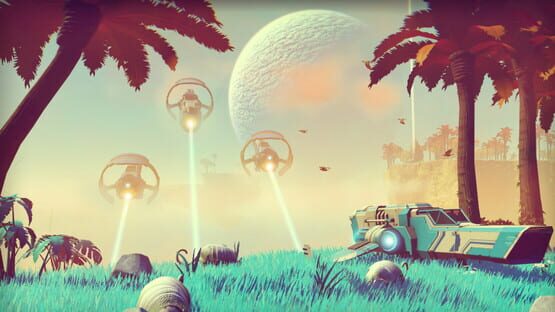
No Man's Sky cover
No Man's Sky screenshot
PC PS4 XONE PS5 Series X Steam Gog
Genre: Role-playing (RPG), Simulator, Adventure, Indie

No Man's Sky

Path Finder - Patch 1.23

Hi everyone!

Thanks for your continued feedback. Today we're releasing Patch 1.23, which addresses some of the issues/bugs we've seen reported.

Here's what's in the patch:


  • Optimised HBAO so that it runs faster
  • Sentinel drones now investigate correctly when in a vehicle
  • Fixed a rare bug that could cause players to fall through the floor when exiting a ship
  • Fixed texturing issue in freighter bases
  • Fixed and inventory exploit when purchasing multiple ships in a freighter that allows you to duplicate your ship's inventory
  • Fixed a bug that causes freighters to be too cheap
  • You can no longer build the Exocraft Terminal in freighter bases, this prevented players from being able to complete the vehicle missions
  • Fix for ships spawning on top of each other
  • Fixed a crash in physics
  • Fixed a crash resulting from running out of memory
  • Improved vehicle audio
  • Fix for certain UI elements having over-saturated colours in HDR
  • Fix for font anti-aliasing in HDR
  • Improved performance of UI rendering in HDR
  • Fix for HDR rendering being dark on some TV models
  • Fixed a visual issue with the T-shaped corridor
  • Added error messaging for failed uploads to Steam Workshop
  • Colossus camera is now slightly further back when moving at speed
  • Exocraft mining lasers are now easier to aim up
  • Increased yield from Autonomous Field Mining Units
  • Fixed issue with Colossus Exocraft's wheels sinking through the ground
  • Adjust colossus collision to make it harder to go underground
  • Enable Steam Controller in base reporting and Steam Workshop base upload
  • The animation when exiting the Colossus is improved
  • Exocraft mining laser uses less fuel but is less effective in combat
  • Fixes for the white sphere that shows when at the photo mode boundary
  • Fix for ladders vanishing in bases
  • Fixed a crash when uploading and downloading bases using Steam Workshop
  • Fixed an issue caused when dying in permadeath with the inventory screen open
  • Fixed a bug causing poor performace when in a vehicle near predator creatures


If you continue to experience issues, don't hesitate to submit bug reports via our Help Centre.

Thank you,

Hello Games

Path Finder – Patch 1.23

Hello,

Thanks for your continued feedback. Today we’re releasing Patch 1.23 on both PS4 and PC, which addresses some of the main issues/bugs we’ve seen reported.

  • Optimised HBAO so that it runs faster
  • Added an option to lock framerate on PS4 to 30 fps to keep the frame rate stable
  • Sentinel drones now investigate correctly when in a vehicle
  • Fixed a rare bug that could cause players to fall through the floor when exiting a ship
  • Fixed texturing issue in freighter bases
  • Fixed and inventory exploit when purchasing multiple ships in a freighter that allows you to duplicate your ship’s inventory
  • Fixed a bug that causes freighters to be too cheap
  • You can no longer build the Exocraft Terminal in freighter bases, this prevented players from being able to complete the vehicle missions
  • Fix for ships spawning on top of each other
  • Fixed a crash in physics
  • Fixed a crash resulting from running out of memory
  • Improved vehicle audio
  • Fix for certain UI elements having over-saturated colours in HDR
  • Fix for font anti-aliasing in HDR
  • Improved performance of UI rendering in HDR
  • Fix for HDR rendering being dark on some TV models
  • Fixed a visual issue with the T-shaped corridor
  • Added error messaging for failed uploads to Steam Workshop
  • Colossus camera is now slightly further back when moving at speed
  • Exocraft mining lasers are now easier to aim up
  • Increased yield from Autonomous Field Mining Units
  • Fixed issue with Colossus Exocraft’s wheels sinking through the ground
  • Adjust colossus collision to make it harder to go underground
  • Enable Steam Controller in base reporting and Steam Workshop base upload
  • The animation when exiting the Colossus is improved
  • Exocraft mining laser uses less fuel but is less effective in combat
  • Fixes for the white sphere that shows when at the photo mode boundary
  • Fix for ladders vanishing in bases
  • Fixed a crash when uploading and downloading bases using Steam Workshop
  • Default to frame lock on for PS4 and off for PS4Pro
  • Fixed an issue caused when dying in permadeath with the inventory screen open
  • Fixed a bug causing poor performace when in a vehicle near predator creatures

If you continue to experience issues, don’t hesitate to submit bug reports via our Help Centre.

Thank you,

Hello Games

Path Finder - Patch 1.22

Hi everyone,

Thank you to everyone who’s played the Path Finder Update so far! Your feedback has been incredibly helpful - please do keep it coming.

We'll soon be releasing Patch 1.22, which includes some changes and fixes based on player feedback. Read on for full details!

Path Finder Patch 1.22


  • Exocraft Geobays can now be crafted on any planet - this means vehicles can be summoned anywhere (whereas previously, vehicles could only be summoned on your home planet).
  • HUD markers have been added to allow you to easily navigate back to an Exocraft Geobay
  • Fixed a bug that caused vehicle weapons and mining lasers not to drain charge
  • Fixed an issue which could cause the Starship cockpit to vanish when exiting
  • Fixed some freighter door texture issues
  • Fixed a rare crash when scanning from a vehicle
  • Fixed a rare crash when feeding creatures
  • Fixed an issue which caused weapons to miss-fire when using Plasma Launcher
  • During warp the quick menu now hides properly as intended


As always, if you come across any issues, don't hesitate to submit a report via our Help Centre as this will allow us to investigate further.

Introducing The Path Finder Update


Hello,

We’re excited to be releasing the next free content update for No Man’s Sky today: Path Finder.

https://youtu.be/ZDNtbosTCvo

Here’s a summary of what to expect:


  • Improved Visuals
  • Owning Multiple Ships
  • Base Sharing Online
  • Bases can be shared via Steam Workshop
  • New Vehicles - Exocraft
  • Permadeath Mode
  • Build Vehicle Race Tracks
  • Ship Specialisations and Classes
  • Shop/Traders
  • Double the Base Building Variety
  • Multi-tool Specialization and Classes
  • New Weapon Modes
  • Photo Mode
  • Discovery Menu
  • Quality of Life Improvements
  • 50% more original music from 65daysofstatic


There’s a lot to take in, so let’s take a closer look at a few of the changes you can expect in this update:

Exocraft


As the title suggests, Path Finder heralds a new era of planetary exploration in No Man's Sky. New vehicles, called Exocraft, enable explorers to travel at great speed across their home planets and allow navigation of even the most inhospitable terrains. There are three Exocraft to unlock and collect through Base Building, each of which can be further improved with powerful weaponry, mining equipment and long-range scanners to maximise their effectiveness.

Permadeath


For those seeking the ultimate challenge, we've introduced a brutally difficult new game mode called Permadeath. Not only does this mode mirror the high difficulty level of Survival mode (which has been made harder with damaged ships crash landing on planets), but dying will also wipe your saves and start you from the beginning. Of course, this deserves recognition, so new trophies have been introduced for Survival and Permadeath mode.


Visuals & Photo Mode


No Man’s Sky has never looked better, with a host of visual improvements including new high resolution textures, improved lighting, ambient occlusion and 4K support. Players looking to capture their favourite moments can also make use of a new photo mode. This screenshot tool lets players change the time of day, increase or decrease fog and cloud levels, unlock their camera for the perfect angle, and even add filters to their screenshots. We can’t wait to see what the community can come up with!

Specialisations & Classes


The introduction of a new specialisation system allows players to pick specific weapons and ships to match their play style. In addition, a class now introduces ship and weapon quality levels - these classes range from C, B, A and S (S Class ships and weapons are the rarest and most powerful). Alongside the introduction of ship specialisation, we’ve also introduced the ability to own multiple starships.

Quality of Life


Numerous quality of life improvements have been introduced following community feedback. These include: skippable journey milestone black bars, quick clicks on certain interface options, improvements to the discovery menu, the option of renaming ships and weapons and more.

Once again, there's more to find out about Path Finder, so head to the official website for more information!

This is the next step in our journey. It shows the path forward. We hope you'll join us.

Thanks,
Hello Games

Path Finder Update Coming Soon...

Hello,

This week Hello Games will be releasing the next content update for No Man's Sky. We're calling it the Path Finder Update; it introduces a new vehicle that will aid home planet exploration, building on the Foundation Update to hint at a path ahead for the future.

Detailed patch notes will be released when the update goes live.

Shortly after we launched the Foundation Update, we released a number of patches to address issues reported by players before beginning work on the Path Finder update. We were surprised and excited by the response to Foundation, and we have been listening carefully to community feedback since then.

To those of you who have spent time sharing feedback, whether positive or negative, we are listening.

This is the next step in our journey. It shows the path forward. We hope you'll join us.

Thank you,
Hello Games

Patch 1.13

Hello!

We've just released patch 1.13 which is available to download now. Full notes are as follows:

Patch notes


  • Fixed a bug that would make the player character small.

  • Space battles will now vary in size more and players should see bigger battles.

  • Fixed the instantaneous death loop that could occur in survival mode if you saved with 1 health and no hazard protection. You will still be on the verge of death when you load in, but it won't happen instantaneously.

  • Fix for steam controller not being able to warp.

  • Removed up, down, left, right as quick menu navigation keys to allow left handed players to move while using the quick menu.

  • Page Up and Page down can now be used to navigate up and down in the quick menu.

  • Removed duplicated planets from discoveries menu.

  • Fixed an issue with redeeming promo ships in survival, which would result in the ship being spawned above the ground.

  • Fix for missing ruins underwater which could cause missions to point to nothing.

  • Various audio tweaks and fixes:
    - Added ladder climbing sounds.
    - Fixed base building prop sounds not playing when placed inside a Freighter.
    - Added sound effect for calling Freighters.
    - Added sound effect when using communication stations.
    - Fixed an issue which could affect ambient sound in Freighters.
    - Changed the sound effect when using the Terminus Teleporter.

  • Fixed some rare crashes.


If you come across any issues, be sure to leave us a bug report. Otherwise, we hope you continue to enjoy the Foundation Update!

Patch 1.13

Hello!

We’ve released another patch across both PC and PS4 which is available to download on both platforms now! Read on for full patch notes:

  • Fixed a bug that would make the player character small.
  • Space battles will now vary in size more and players should see bigger battles.
  • Fixed the instantaneous death loop that could occur in survival mode if you saved with 1 health and no hazard protection. You will still be on the verge of death when you load in, but it won’t happen instantaneously.
  • [PC] Fix for steam controller not being able to warp.
  • [PC] Removed up, down, left, right as quick menu navigation keys to allow left handed players to move while using the quick menu.
  • [PC] Page Up and Page down can now be used to navigate up and down in the quick menu.
  • Removed duplicated planets from discoveries menu.
  • Fixed an issue with redeeming promo ships in survival, which would result in the ship being spawned above the ground.
  • Fix for missing ruins underwater which could cause missions to point to nothing.
  • Various audio tweaks and fixes:
    • Added ladder climbing sounds.
    • Fixed base building prop sounds not playing when placed inside a Freighter.
    • Added sound effect for calling Freighters.
    • Added sound effect when using communication stations.
    • Fixed an issue which could affect ambient sound in Freighters.
    • Changed the sound effect when using the Terminus Teleporter.
  • Fixed some rare crashes.

If you come across any issues, be sure to leave us a bug report. Otherwise, we hope you continue to enjoy the Foundation Update!

Patch 1.12

First of all, thank you to everyone who’s been playing the Foundation Update. Your feedback has been incredibly helpful, keep it coming!

Following are the notes for our latest patch: 1.12, which addresses some of the main issues we’ve seen reported following the launch of 1.1 (Foundation).

Patch notes


    <*>[PC] Following reports of some people experiencing issues with the game while unsupported mods are installed, we’ve added mod detection which will show a warning screen on loading when mods are detected. A mouse click or button press will dismiss this screen. We have also introduced a new method for mod installation which should prevent player’s games from breaking when a new update is released. For details please see the ‘DISABLEMODS.TXT’ file in the \GAMEDATA\PCBANKS folder.

    <*>[PC] Allowed remapping of the build menu and quick menu commands to support Azerty keyboards.

    <*>[PC] We’ve enabled a temporary workaround for the SLI issues people are experiencing. If you are running in SLI, please disable TAA and the game should run. We are looking into a more permanent solution to this issue.

    <*>Fixed an issue which, in some rare cases, prevented NPCs from giving you mission critical dialogue.

    <*>Fixed a bug which could cause core items to be transferred from exosuit inventory to starship inventory.

    <*>Fixed a number of rare crashes (if you continue to experience crashes, please send a crash report and include your crash dumps).

    <*>[PC] Fix for monitor detection on PCs with 3rd party remote desktop or screen sharing applications.

    <*>[PC] Running the game via the .exe file should no longer give Steam Init errors.

    <*>Fixed an issue where underwater buildings could spawn without doors which in rare cases would mean the NPC missions could not be completed. (Note: If you are still being pointed to missing facilities during the NPC questlines, you can either claim a new base and re-build the NPC terminal, or if you have a Freighter, remove the NPC terminal from your base and rebuild it in the Freighter. The NPC should then give you new coordinates. We are still working on a more permanent fix for this issue).

    This update is live now! If you continue to experience issues, be sure to let us know by submitting a bug report.

    Enjoy!

    Patch 1.12

    First of all, thank you to everyone who’s been playing the Foundation Update. Your feedback has been incredibly helpful, keep it coming!

    Following are the notes for our latest patch: 1.12, which addresses some of the main issues we’ve seen reported following the launch of 1.1 (Foundation).

    Patch notes

    • [PC] Following reports of some people experiencing issues with the game while unsupported mods are installed, we’ve added mod detection which will show a warning screen on loading when mods are detected. A mouse click or button press will dismiss this screen. We have also introduced a new method for mod installation which should prevent player’s games from breaking when a new update is released. For details please see the ‘DISABLEMODS.TXT’ file in the \GAMEDATA\PCBANKS folder.
    • [PC] Allowed remapping of the build menu and quick menu commands to support Azerty keyboards.
    • [PC] We’ve enabled a temporary workaround for the SLI issues people are experiencing. If you are running in SLI, please disable TAA and the game should run. We are looking into a more permanent solution to this issue.
    • Fixed an issue which, in some rare cases, prevented NPCs from giving you mission critical dialogue.
    • Fixed a bug which could cause core items to be transferred from exosuit inventory to starship inventory.
    • Fixed a number of rare crashes (if you continue to experience crashes, please send a crash report and include your crash dumps).
    • [PC] Fix for monitor detection on PCs with 3rd party remote desktop or screen sharing applications.
    • [PC] Running the game via the .exe file should no longer give Steam Init errors.
    • Fixed an issue where underwater buildings could spawn without doors which in rare cases would mean the NPC missions could not be completed. (Note: If you are still being pointed to missing facilities during the NPC questlines, you can either claim a new base and re-build the NPC terminal, or if you have a Freighter, remove the NPC terminal from your base and rebuild it in the Freighter. The NPC should then give you new coordinates. We are still working on a more permanent fix for this issue).

    This update is live on both PS4 and PC! If you continue to experience issues, be sure to let us know by submitting a bug report.

    Enjoy!

    The Foundation Update is here

    Today we’re very excited to bring you the Foundation Update (Update 1.1).

    We’d recommend you check out our full Patch Notes - but here’s a summary of what you’ll come across in this update.

    First of all we’ve introduced three game modes. Normal mode is the original, chilled exploration experience you’re used to. Creative mode allows players to explore the infinite universe without limits, while also allowing them to craft to their heart’s content without any resource requirements. Survival mode pits players against a more brutal environment where merely staying alive is a challenge in itself.

    Secondly the Foundation Update brings base building to the game, giving players the opportunity to claim a home planet where they can start building and decorating their very own, fully customisable outpost. When you’re ready, recruit alien lifeforms from Space Stations and task them with researching new technologies in your base. Farming, Science, Weapons and Technology specialists are available for hire.

    A new farming system also allows you to plant and grow biome specific crops either inside your base (using Hydroponic Labs) or outside in the right environment.

    New equipment is also on hand to aid explorers as they continue to explore distant planets. This equipment can be deployed in the field and includes save points (essential for survival mode), waypoints (to permanently mark your position), automated mining harvesters and Signal Scanners (which can find uninhabited bases and more).

    The third key update in Foundation are Freighters. These enormous ships can be found cruising through space and, upon boarding, players can speak to the Freighter's captain to purchase the ship at great expense. Freighters can be summoned at will by explorers, and come with huge expandable cargo holds which are ideal for storing and transporting large quantities of valuable resources. Vessels can be customised in the base building section, allowing role specialisation.

    There are a number of other improvements worth noting, including stackable products, a new intelligent quick access menu, visual updates, new technologies and more.

    As with any new update, it’s possible you’ll come across bugs or issues which we’ll aim to fix as quickly as possible. To help us understand the issues you’re experiencing, please head to our dedicated Bug Reporting Form and enter a report with as much detail as possible.

    This is the first of many free updates that will build on the original No Man’s Sky. We hope you enjoy it, and look forward to hearing your feedback, ideas and suggestions.

    Thank you,
    Hello Games