hello everyone! I'm glad to bring you version 0.0.3.8
0.0.3.8 Version update description:
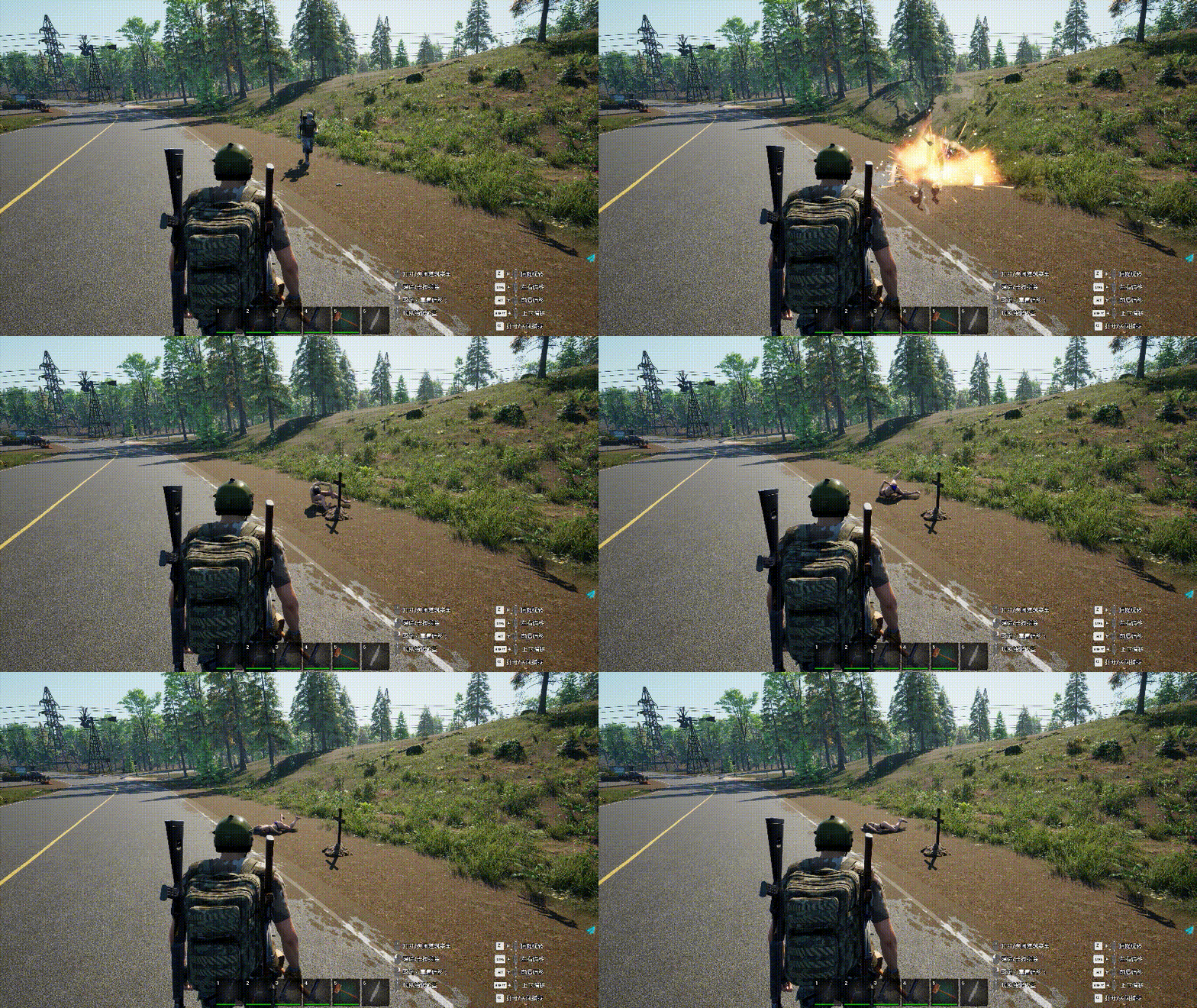
Increase of various traps that can be built
Mine
▪ One-time trap with great power can cause damage to surrounding traps and buildings.
Burner trap ▪ One-time trap, continuous damage, can cause damage to surrounding traps and buildings.
Wooden thorn • Cause damage to zombies and players in the range, and manually reload after the trap is triggered.
Iron spike • Cause damage to the zombies and players in the range. After the trap is triggered, it needs to be manually reloaded, and it will be automatically reloaded after the power is turned on.
Log trap ▪ After triggering, the log will fall and cause damage. You can only manually reload it.
Electric gillnet ▪ After triggering, the gill net will fall and cause damage. After the trap is triggered, it needs to be manually reloaded. After the power is turned on, it will be automatically reloaded.
Electric blade machine ▪ After the power is turned on, the blade rotates automatically and causes continuous injury. There is no injury when the power is not turned on.
Electric gasoline gun ▪ After the power is turned on, the torch causes continuous damage, and there is no damage when the power is not turned on.
Tie Ju Ma ▪ It has the function of blocking, causing continuous damage to the zombies and players in the range.
WindowsServer dedicated server deployment
This server is for the convenience of PVE players. Players can set up their own servers. We are still adding some PVP elements
Optimized data transmission, taking up less bandwidth
Fix that if the player is using items such as worktable, the offline or offline will always be stuck
Seeds can now be stacked
Global illumination in Lumen mode is optimized to obtain better exposure effect indoors
Sometimes there are problems in repairing skin gloss
Merge to the latest translation file on February 24
Add a list of thanks for translation support and thank you for your contributions to translation (if there is any omission in the list, please contact me, sorry)
Deployment instructions for Windows Server dedicated server
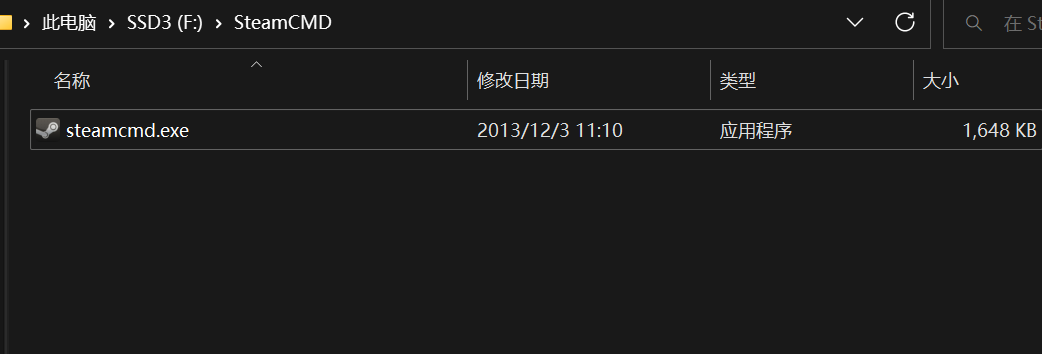
Dedicated servers use SteamCMD to complete deployment
2. Under the current folder, create a folder named NoOneSurvivedServer
3. Open steamcmd.exe and enter force_install_dir ./NoOneSurvivedServer/
4. Log in to your Steam account and enter login anonymous
5. Enter app_update 2329680 validate deploy the server and wait for the deployment to complete
After completion, enter quit to log out correctly
6. Double-click NoOneSurvivedServerStart.exe to start the server
Wait for a period of time. When ServerCreate is displayed in the window, it means that the server is started successfully
7. Server configuration description
Open .\NoOneSurvivedServer\WRSH\Saved\Config\WindowsServer\Game.ini
[ServerSetting] SaveName: the name of the archive, which is also the archive loaded by default ServerName: indicates the name of the server searched NeedPassword: True indicates that the server needs a password, and False indicates that it does not need a password Password: the password required to access the server MaxPlayers: maximum number of servers (2-50) NumOfZombie Spawn: number of zombies generated by the wave of corpse tide (25-100)
[GameSettings] ZombieAttack: Whether to start the corpse tide GiftBagForNovices: Whether to open the gift package for novices Zombie Attack Day: Corpse Tide Attack Day (1-30) Attack ZombieNum: scale of attack corpse tide (1-5) ZombieNum: number of lost generation on the map (1-3) RunZombiePercent: percentage of running corpses (0.0-1.0) ZombieStreng: strength of zombies (0-3) YearDay: one year PermanentDead: whether to turn on permanent death MaterialNum: material quantity (0-3) ItemSpawn: material refresh date VirusFatalyRate: virus fatal rate (0.0-1.0) NPCItemSpawn: merchant item refresh date
Every time you change the game settings, you need to restart the server
7. Please repeat steps 3 to 5 for server update. Back up the Game.ini file before updating, backup the archive file, and overwrite this file after updating
Server Save location:./WRSH/Saved/SaveGames
8. Open UDP and TCP on ports 7777 and 27015 of the server
The server automatically archives every 15 minutes The server will pause the game when there are no players
0.0.3.7 Update description
Restoring the collapse of trees may cause the program to be unresponsive
Optimize the physics of the trolley
0.0.3.6 Update description
0.0.3.6 The update indicates that this update solves the problem of stuck and game stuck after running for a period of time.
0.0.3.5 Update description
This is an emergency update repair
Rolled back some of the code set for the dedicated server, which can solve the updated part of the stuck problem
Solution to problems after the update of 0.0.3.4
The disappearance of car searchable items is to meet some changes made by the dedicated server, resulting in data incompatibility, which will become normal again or create a new archive after the booty is refreshed.
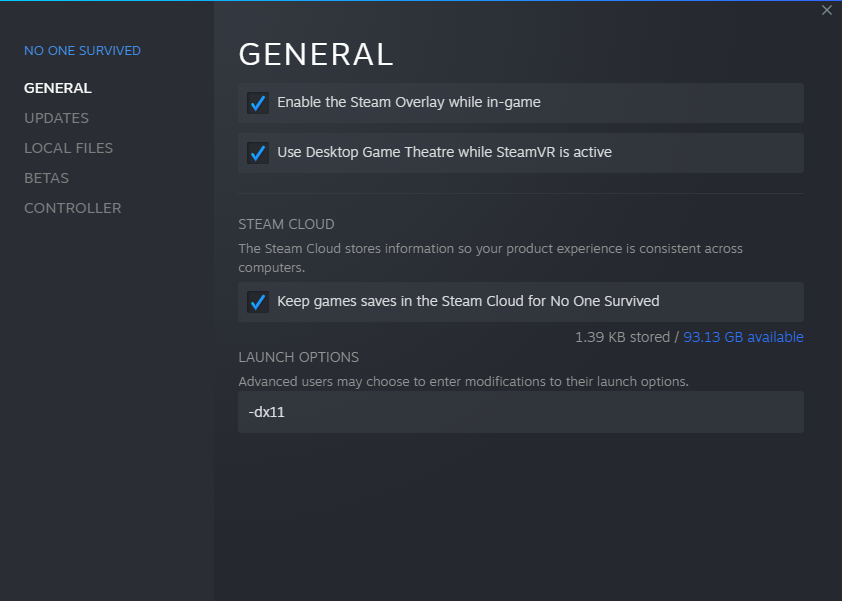
If you get stuck after the update, please reset the screen settings. If this does not solve your problem, you can try to start the game through DX11.
If none of these methods can solve your problem, you can fall back to the branch of 0.0.3.1.
I'm very sorry.
0.0.3.4 Update description
This is an emergency update repair
Fix that multiplayer game clients often fail to retrieve items
Increase stone stacking
Optimize the map
Update translation
0.0.3.3 Update description
This is an emergency update repair
Fix the physical simulation error caused by the engine upgrade of trees
Update translation
0.0.3.2 Update description
Add Romanian support
Add Vietnamese support
Incorporated the latest translations
Fix the problem of removing the battery pack without returning the battery
Repair the bacon rack and add fuel. The bacon is reset by time
Repair the death of the tutorial level, and it will fall infinitely
Repair the tutorial level, weather display error
The tombstone will block the vehicle if you die in the vehicle
Repair the possibility that the client search will block the use status of the box in multi-person mode
Fix the bug that the character can interact with water in other states
Fix that the camera will get stuck when setting the picture when running
Optimize map effect
Reduces the sound transmission range when the car is moving
Increase in rainy days, and exposure to rain will increase sanitation
Upgrade to UE5.1.1 engine
Recently, we have focused on the development of dedicated servers, which will be available for testing in early March.
0.0.3.1 Update description
This is a small repair update:
Repair the chance of using bonfire to squeeze the characters when pulling the trailer
Repair the collision of plantable plants
The mouse may not be displayed after fixing death
After the key change is repaired, the shortcut key error is displayed
The repair materials are refreshed to generate more than two vehicles in the same place, resulting in the problem that the vehicle is stuck in the sky
Repair shows that the required materials and manufacturing materials do not meet the requirements