The first big update of the Early Access is finally here!
Special Discount
To celebrate that, the game will get a 10% DISCOUNT FOR 2 DAYS. Get it while it's hot and tell your tactical savvy friends about it!
Note that this discount cumulates with the soundtrack bundle, so you can get the bundle for almost the regular price of the game alone.
If you've followed the recent updates on the test branch, you are probably already aware of what is in this update but I'll detail it anyway for those who didn't.
The Map Editor Update
So, as the name suggests, this update is focused on the in-game map editor that you can use to make your own missions and share them with the rest of the community.
More than 5000 new map elements have been added to the map editor: new walls, buildings, furniture, vehicles, props, etc.
All of them have not been integrated in the skirmish missions and the map generation system yet, so you won't see them in the challenge, randomized and campaign missions either. I'll introduce them in the map generator incrementally as I'm improving it.
A big part of the game system had to be reworked to support all those new possibilities and the crazy ways I've seen them used in the community maps (like using walls as debris or props as walls for instance). It took me more time than I expected but it also allowed me to improve things that weren't initially planned. The most notable is the possibility to make maps with different heights for the walkable surfaces, passing under them, etc.
Quality of Life Improvements
I also wanted to highlight some changes unrelated to the map editor.
Reordering the game sections
The first one is about the difficulty of the campaign. In your feedback and reviews, I often read that the game throws you a bit harshly from the tutorial to the campaign with a 8 characters team to handle and a bunch of new rules you didn't expect.
I've actually designed the skirmish missions with increasing team size, map size and difficulty to prepare the players for the campaign. The thing is most players launch the campaign as soon as they have completed the tutorial, probably because the way the main menu as been designed incites them to do so.
So I've changed the order of the different game sections and the home buttons to put the single missions before the campaign, hopefully it will change the default behavior of the new players. I could lock the campaign until you complete some (or all) the skirmishes but I suppose it would be frustrating for those who feel up to the challenge... Let me know what you think in the comments.
Changing the timeline behavior when switching characters
The second important change is about the way the timeline acts when you select a character. Until now, it would reset to the time of the character's last action. I've noticed in the different videos and streams of the game that it's often not the expected behavior and leads to planning mistakes. That's why I've changed it so that selecting a character doesn't change the position of the timeline anymore.
I've also added an option in the settings to switch back to the previous behavior in case you find it more convenient that way.
Full changelog
Below is an exhaustive list of the changes coming with this update. I know there's a lot to take in, so I've done my best to highlight the most important ones:
New features and content
Added 5000+ new map elements!!!
Implemented support for elevated grounds navigation
Added the option to reset (or not) the timeline when selecting a character (disabled by default)
Added primitive map elements (cube, sphere, cylinder, etc)
Added the blood toggle option in Settings/Graphics
Added the screen shake toggle option in Settings/Graphics
Added an error message when clicking on the execute button and the mission objective is not complete by the end of the plan
Added help sections for handguns, sniper rifles and weapon points Wait for the tutorial videos to finish before displaying the play button
Improvements
You can now rewatch completed campaign missions (only applies to missions completed after this update)
Removed the map size limits in the map editor
Removed the weapon point reward when completing a campaign chapter BUT added weapon point rewards to the challenge missions
Disabled skill unequipping, clicking on an equipped skill now opens the skill shop panel allowing you to upgrade your equipped skills or unlock and equip new ones
Disabled throwing grenades through windows
Scroll the timeline using the mouse wheel (slowed by holding Alt, accelerated by holding Shift by default, see settings)
Display the next mission button in the game over screen of campaign missions, leading back to the chapter screen
Improved the exit mission and replan mission button icons
Increased the button backgrounds transparency
Prevented weapons and grenades to overlap each other on the weapon rack
It's now possible to rotate weapons and grenades on the weapon rack without having to drag them first
Temporarily removed the ATMs from the possible map generator props
Improved the light and material inspectors in the map editor
Walls are now split in 2 faces, you can have different visuals on each side
Doors are now separate assets, you can put different doors
Improved the main menu buttons
Added a new type of large interior window in the map generator
Changed the order of the main menu headers
Made the scale of the NPC Spawn Zone model independent of the zone size
Improved the camera obstacle hiding system (increase the width of the hiding effect as you tilt the camera down)
Improved the default placement of newly bought weapons and grenades
Lowered the default mission settings object position
The execution phase now starts paused, allowing player to configure the camera before launching the replay
Wait for the video to end before displaying the play button in the campaign helps
Improved the SFX when clicking a button that launches a mission
Updated the translations
Fixes
Fixed the map size of the campaign missions
Fixed delayed Steam achievements
Fixed the map editor UI scaling on huge resolutions
Fixed the objective translation in tutorial missions
Fixed "Barrel_04" and "Barrel_06" props getting replaced by "Barrel_01" and "Barrel_02" when loading the map
Fixed dead characters having their plan reloaded in campaign missions
Fixed the completed campaign chapter icon resolution
Fixed the light properties set in the map editor not being properly loaded
Fixed weapons and grenades not selectable when placed too high on the weapon rack
Fixed character spawn visuals getting corrupted when unselecting an object in the map editor
Fixed weapons and grenades impossible to move in the weapon rack
Fixed the planning scene being displayed when testing a new custom mission for the first time
Fixed grenade collisions
Fixed camera obstacles hiding in the planning scene
Fixed lighting on randomly generated maps during the execution phase
Fixed the mod details card not closing when clicking on the edges of the screen
Fixed the grenade and waypoint sync tutorial missions
Fixed the "full game" button icon size in the main menu
Fixed camera move bounds
Fixed some map assets planning version
Fixed the character spawn and rest spots not always appearing in the map editor
Fixed the character spawn orientation
Fixed the character spawn spots orientation
Fixed the enemy spawns not always appearing in the map editor
Fixed the enemies' pathfinding
Fixed loading of custom missions using certain doors
Fixed missing assets in the planning view
Fixed the character spawns orientation in the skirmish missions
Fixed the character spawn orientation in randomly generated exfiltration missions
Fixed missed shots hitting windows
Test Branch Update (Beta 2.0.6)
Changelog
Here's the changelog for Beta 2.0.6 available right now on the test branch (check out the next chapter to try it).
Fixes
Fixed loading of custom missions using certain doors
Fixed missing assets in the planning view
Fixed the character spawns orientation in the skirmish missions
Fixed the character spawn orientation in randomly generated exfiltration missions
Fixed missed shots hitting windows
Reminder: switching to the test branch
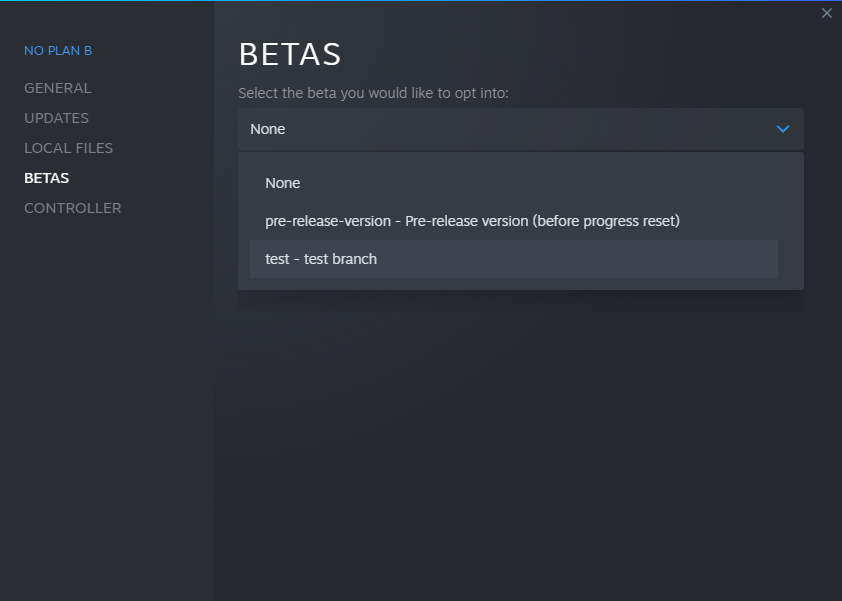
In the Steam client, right-click on the game from your library and select "Properties". Select the "BETAS" tab. Select the "test" branch listed in the dropdown menu under "Select the beta you would like to opt into".
The game then should automatically update to the test version.
To switch back to the public branch, just select "None" in the betas dropdown.
Test Branch Update (Beta 2.0.5)
Changelog
Here's the changelog for Beta 2.0.5 available right now on the test branch (check out the next chapter to try it). I've highlighted the most important changes. Let me know in the comments if you have questions.
Additions
Added an error message when clicking on the execute button and the mission objective is not complete by the end of the plan
Added help sections for handguns, sniper rifles and weapon points Wait for the tutorial videos to finish before displaying the play button
Improvements
Improved the camera obstacle hiding system (increase the width of the hiding effect as you tilt the camera down)
Improved the default placement of newly bought weapons and grenades
Lowered the default mission settings object position
The execution phase now starts paused, allowing player to configure the camera before launching the replay
Wait for the video to end before displaying the play button in the campaign helps
Improved the SFX when clicking a button that launches a mission
Updated translations
Fixes
Fixed camera move bounds
Fixed some map assets planning version
Fixed the character spawn and rest spots not always appearing in the map editor
Fixed the character spawn orientation
Fixed the character spawn spots orientation
Fixed the enemy spawns not always appearing in the map editor
Fixed the enemies' pathfinding
Reminder: switching to the test branch
In the Steam client, right-click on the game from your library and select "Properties". Select the "BETAS" tab. Select the "test" branch listed in the dropdown menu under "Select the beta you would like to opt into".
The game then should automatically update to the test version.
To switch back to the public branch, just select "None" in the betas dropdown.
Test Branch Update (Beta 2.0.4)
Changelog
Here's the changelog for Beta 2.0.4 available right now on the test branch (check out the next chapter to try it). I've highlighted the most important changes. Let me know in the comments if you have questions.
Improvements
- Removed the map size limits in the map editor - Removed the weapon point reward when completing a campaign chapter BUT added weapon point rewards to the challenge missions - Disabled skill unequipping, clicking on an equipped skill now opens the skill shop panel allowing you to upgrade your equipped skills or unlock and equip new ones - Disabled throwing grenades through windows - Added a new type of large interior window in the map generator - Changed the order of the main menu headers - Made the scale of the NPC Spawn Zone model independent of the zone size - Updated localization
Fixes
- Fixed the map size of the campaign missions - Fixed weapons and grenades impossible to move in the weapon rack - Fixed the planning scene being displayed when testing a new custom mission for the first time - Fixed grenade collisions - Fixed camera obstacles hiding in the planning scene - Fixed lighting on randomly generated maps during the execution phase - Fixed the mod details card not closing when clicking on the edges of the screen - Fixed the grenade and waypoint sync tutorial missions - Fixed the "full game" button icon size in the main menu
Reminder: switching to the test branch
In the Steam client, right-click on the game from your library and select "Properties". Select the "BETAS" tab. Select the "test" branch listed in the dropdown menu under "Select the beta you would like to opt into".
The game then should automatically update to the test version.
To switch back to the public branch, just select "None" in the betas dropdown.
Test Branch + Preview of the Map Editor Update (Beta 2.0.3)
Hello squad! Hope your plans A came together lately.
As you know, I'm preparing the first big update of the early access. This update will focus on the in-game map editor that is used to make your own missions and share them with the rest of the community.
I've set up a "test" branch that will get all the latest juicy updates before going live on the public version. If you want to try out the upcoming features and help me test/debug them, be sure to switch to it!
Switching to the test branch
In the Steam client, right-click on the game from your library and select "Properties". Select the "BETAS" tab. Select the "test" branch listed in the dropdown menu under "Select the beta you would like to opt into".
The game then should automatically update to the test version.
To switch back to the public branch, just select "None" in the betas dropdown.
The Map Editor Update
More than 5000 new map elements have been added to the map editor: new walls, buildings, furniture, vehicles, props, etc. All of them have not been integrated in the skirmish missions and the map generation system yet, so you won't see them in the challenge, randomized and campaign missions either. I'll introduce them in the map generator incrementally as I'm improving it.
A big part of the game system had to be reworked to support all those new possibilities and the crazy ways I've seen them used in the community maps (like using walls as debris or props as walls for instance). It took me more time than I expected but it also allowed me to improve things that weren't initially planned. The most notable is the possibility to make maps with different heights for the walkable surfaces, passing under them, etc.
IMPORTANT NOTE
If you want to share your new missions with other players, please use the "hidden" visibility on mod.io until the update goes live on the public branch! If you set them to "public", the non-testers will see them when looking for new missions to play but won't be able to play them.
You can then share the "Preview URL" indicated on the mod.io website. The best place to do it is on discord, in the #tests channel.
Other important changes
I also wanted to highlight some changes unrelated to the map editor.
The first one is about the difficulty of the campaign. In your feedback and reviews, I often read that the game throws you a bit harshly from the tutorial to the campaign with a 8 characters team to handle and a bunch of new rules you didn't expect. I've actually designed the skirmish missions with increasing team size, map size and difficulty to prepare the players for the campaign. The thing is most players launch the campaign as soon as they have completed the tutorial, probably because the way the main menu as been designed incites them to do so. So I've changed the order of the different game sections and the home buttons to put the single missions before the campaign, hopefully it will change the default behavior of the new players. I could lock the campaign until you complete some (or all) the skirmishes but I suppose it would be frustrating for those who feel up to the challenge... Let me know what you think in the comments.
The second important change is about the way the timeline acts when you select a character. Right now, it will reset to the time of the character's last action. I've noticed in the different videos and streams of the game that it's often not the expected behavior. That's why I've changed it so that selecting a character doesn't change the position of the timeline. I've also added an option in the settings to switch back to the previous behavior in case you find it more convenient that way.
Full changelog
Below is an exhaustive list of the changes testable right now on the test branch. I know there's a lot to take in, so I've done my best to highlight the most important changes:
New features and content
- Added 5000+ new map elements!!! - Added primitive map elements (cube, sphere, cylinder, etc) - Implemented support for elevated grounds navigation - Added the option to reset (or not) the timeline when selecting a character (disabled by default) - Added the blood toggle option in Settings/Graphics - Added the screen shake toggle option in Settings/Graphics
Improvements
- You can now rewatch completed campaign missions (only applies to missions completed after this update) - Scroll the timeline using the mouse wheel (slowed by holding Alt, accelerated by holding Shift by default, see settings) - Automatically saves cinematic configuration (camera shots) - Display the next mission button in the game over screen of campaign missions, leading back to the chapter screen - Improved the exit mission and replan mission button icons - Increased the button backgrounds transparency - Prevented weapons and grenades to overlap each other on the weapon rack - It's now possible to rotate weapons and grenades on the weapon rack without having to drag them first - Temporarily removed the ATMs from the possible map generator props - Improved the light and material inspectors in the map editor - Walls are now split in 2 faces, you can have different visuals on each side - Doors are now separate assets, you can put different doors - Improved the main menu buttons - Updated the translations
Fixes
- Fixed delayed Steam achievements (?) - Fixed the map editor UI scaling on huge resolutions - Fixed the objective translation in tutorial missions - Fixed "Barrel_04" and "Barrel_06" props getting replaced by "Barrel_01" and "Barrel_02" when loading the map - Fixed dead characters having their plan reloaded in campaign missions - Fixed the completed campaign chapter icon resolution - Fixed the light properties set in the map editor not being properly loaded - Fixed weapons and grenades not selectable when placed too high on the weapon rack - Fixed character spawn visuals getting corrupted when unselecting an object in the map editor
Roadmap and First Update Announcement
The Roadmap
Happy new year, NPB squad! 🎉 I see my previous post was pretty popular and you posted quite a lot of suggestions, that's great!
After merging similar requests and replying to some comments, I've set up the roadmap for the early access. It lists the features that I'm currently working on, the ones that are planned for later, and the ones still needing your opinion or subject to reflection on my side. You can check it out here: http://roadmap.noplanbgame.com
Please note that the order in which features are displayed doesn't necessarily indicate the order in which they will be implemented. It will mostly depend on the technical dependencies between them and their development complexity.
Also, the roadmap is dynamic, so don't stop posting your ideas (just make sure it has not been already posted) and voting for others right here: http://suggestions.noplanbgame.com
The First Update
As you can see on the roadmap, the first update will focus on the map editor. It was not the most upvoted suggestion but something I already started working on before releasing the early access, it was just not ready yet. Basically, I'll add more (much more) assets to the existing library and improve support for bigger, more "exotic" maps.
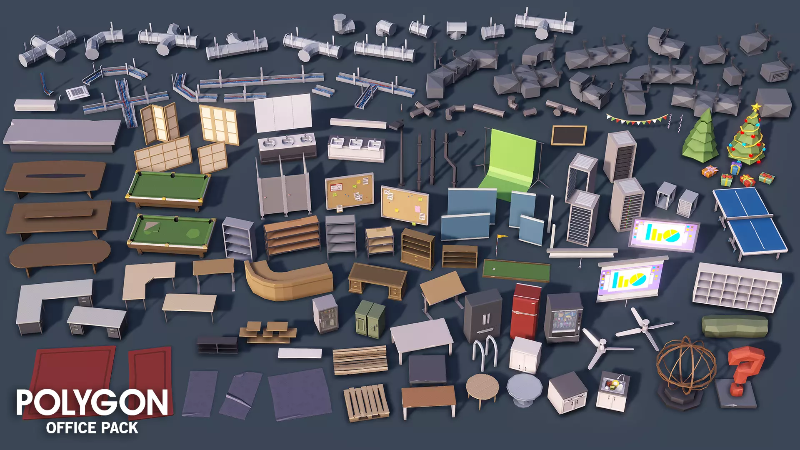
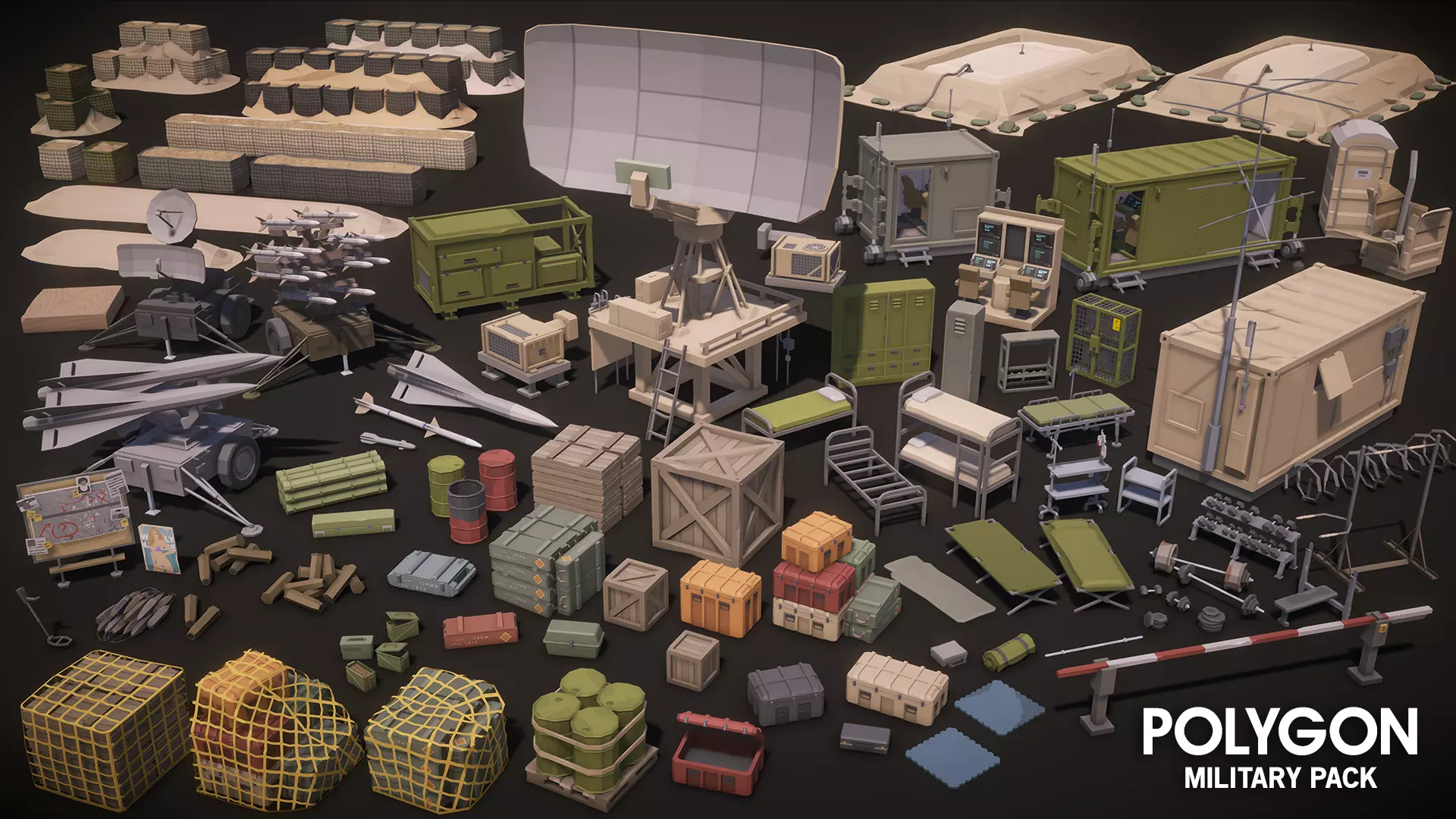
Here's a preview from the Synty Studio asset packs I'm using:
Some of you already created amazing missions, I can't wait to see what you will do with the new map editor!
No ETA by the way, I'm in the middle of moving so unfortunately I won't be able to work full-time on the game this month.