Fixed floor tiles flickering on some generated maps
Fixed some maps being generated without any spawn spots
Beta 16 "Smooth Sailing" Patch (Beta 16.3.0)
Improvements
Updated community translations
Fixes
Fixed S rank being impossible to achieve exfiltration missions with several escape zones
Fixed some exfiltration maps generated with exits very close to the spawn room
Fixed replays of certain missions
Fixed the glasses material
Beta 16 "Smooth Sailing" Patch (Beta 16.2.0)
Improvements
Improved the map of the last (timeline lock) tutorial mission
Fixes
Fixed some doors not being openable using the door menu
Fixed some shelves blocking doors in generated maps
Fixed the scale of some props
Beta 16 "Smooth Sailing" Patch (Beta 16.1.0)
Fixes
Fixed the UI for Japanese, Chinese and Korean players
No Plan B "Smooth Sailing" Update (Beta 16)
Campaign Unlock Choices
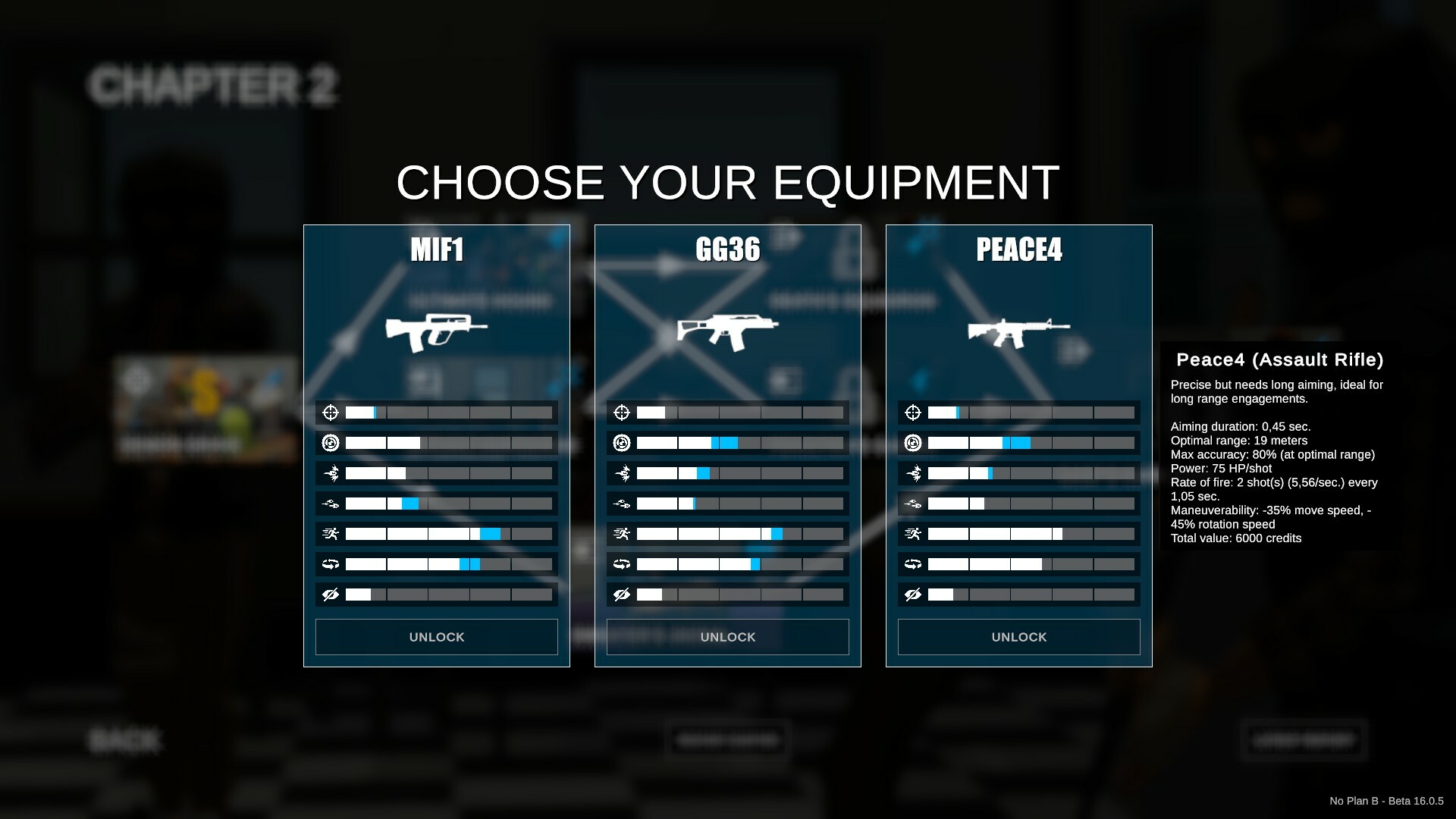
During the campaign, weapon, grenade and shield unlocks now give player the choice between several randomized options instead of predetermined items.
Victory Ranks
A new rank system has been implemented to give the player a better sense of achievement when completing a mission. This applies to all game modes.
The S Rank can be reached by completing all mission objectives and taking no damage to either your agents or civilians.
This will double the XP reward in campaign missions.
XP Balancing
Speaking of XP, the thresholds for character skills and weapon type specializations have been lowered. This means that skill points and specialist levels for weapon types will be easier to unlock.
The speed at which weapon attachments are unlocked has been reduced. But they are now correctly mentioned in campaign mission reports.
Improved Paths
The size of the pathfinding grid has been reduced to allow smoother path drawing. A new simplification pass has also been implemented to straighten the trajectories. In the same spirit, the auto-path (double click or shift+click) has been improved to allow shorter, more direct paths.
Here is a before/after comparison of the way paths are drawn:
And a comparison of the final paths:
Biomes
An early version of the biome system comes with Beta 16. A biome defines the mood of a map generated by the game. Each biome uses a set of room types. Each type determines which props will be used in these rooms.
For instance, the "Bank" biome uses the "Vault" (max 1 vault per map), "Office", "Lounge" and "Corridor" room types. Money stacks, gold bars and security gates will only appear in the vault while flower pots or water fountains may appear in corridors or offices.
Here is an example of a Vault room generated inside the Bank biome (used in the “stop the heist” scenarios):
Full changelog
This update also comes with a lot of improvements and fixes detailed in the following posts: https://store.steampowered.com/news/app/1269020/view/3862464213291663481 https://store.steampowered.com/news/app/1269020/view/3862464213292058115 https://store.steampowered.com/news/app/1269020/view/5797888151176078999 https://store.steampowered.com/news/app/1269020/view/3996449472321529939 https://store.steampowered.com/news/app/1269020/view/4059500500987506505
Test Branch Update! (Beta 16.0.5)
Changelog
Here's the changelog for the latest test build available right now on the test branch (check out the next chapter to try it).
Improvements
Double XP rewards when achieving S rank in a campaign mission
Removed the minimum mission score for S rank
Tweaked the XP thresholds
Community mission leaderboards are now common to all factions
Improved first/last waypoint visual
Improved long distance move by dragging
Increased the selection zone of waypoints
Improved the biome system and content
Improved the pathfinding simplification system
Tweaked the UI
Updated community translations
Performances optimization
Fixes
Fixed weapon attachment unlocks not showing in campaign reports
Fixed the hero unlock icons on campaign mission buttons
Fixed pathfinding in stairs
Reminder: switching to the test branch
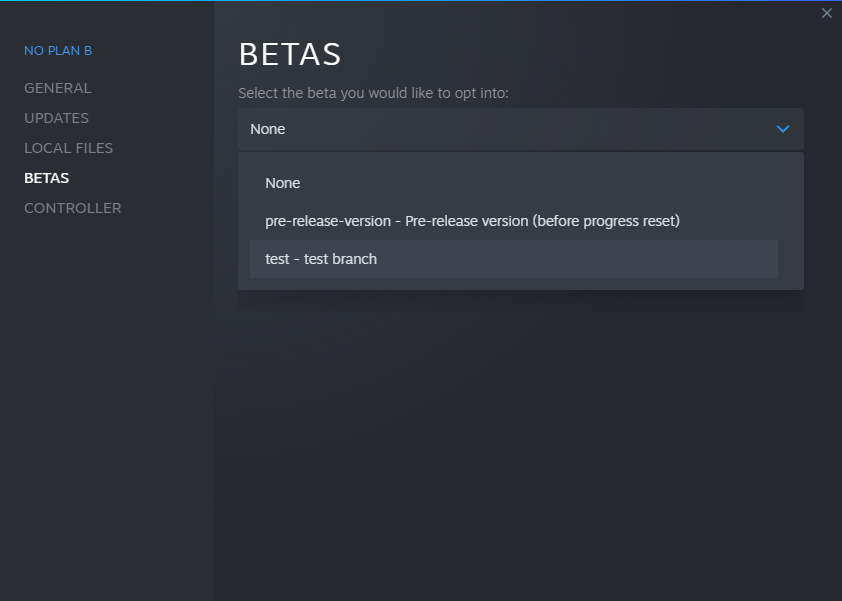
In the Steam client, right-click on the game from your library and select "Properties". Select the "BETAS" tab. Select the "test" branch listed in the dropdown menu under "Select the beta you would like to opt into".
The game then should automatically update to the test version.
To switch back to the public branch, just select "None" in the betas dropdown.
Test Branch Update! (Beta 16.0.4)
Changelog
Here's the changelog for the latest test build available right now on the test branch (check out the next chapter to try it).
New content/features
Added more biomes
Improvements
Tweaked the character and weapon/type XP thresholds
Tweaked the target acquisition and accuracy icons
Reminder: switching to the test branch
In the Steam client, right-click on the game from your library and select "Properties". Select the "BETAS" tab. Select the "test" branch listed in the dropdown menu under "Select the beta you would like to opt into".
The game then should automatically update to the test version.
To switch back to the public branch, just select "None" in the betas dropdown.
Test Branch Update! (Beta 16.0.3)
Changelog
Here's the changelog for the latest test build available right now on the test branch (check out the next chapter to try it).
Improvements
Implemented the per scenario biome system (started working on the bank biome)
Added the GameLogic/PathfindingTemplate map asset to help check walkability in custom maps
Updated community translations
Reminder: switching to the test branch
In the Steam client, right-click on the game from your library and select "Properties". Select the "BETAS" tab. Select the "test" branch listed in the dropdown menu under "Select the beta you would like to opt into".
The game then should automatically update to the test version.
To switch back to the public branch, just select "None" in the betas dropdown.
Test Branch Update! (Beta 16.0.2)
Changelog
Here's the changelog for the latest test build available right now on the test branch (check out the next chapter to try it).
Improvements
Improved path drawing (more straight lines)
Improved auto path (more diagonals)
Improved agents orientation along their path (more stable)
Restored the visible limits of the playable zone in the mission editor
Reduced the camera max zoom out
Improved map generator templates
Improved the layout of the main menu
Updated community translations
Fixes
Fixed pathfinding on bigger custom maps
Fixed the mission leaderboard buttons not being interactive
Fixed the button visuals for failed campaign missions
Reminder: switching to the test branch
In the Steam client, right-click on the game from your library and select "Properties". Select the "BETAS" tab. Select the "test" branch listed in the dropdown menu under "Select the beta you would like to opt into".
The game then should automatically update to the test version.
To switch back to the public branch, just select "None" in the betas dropdown.
Test Branch Update! (Beta 16.0.0)
Changelog
Here's the changelog for the latest test build available right now on the test branch (check out the next chapter to try it).
New content/features
Implemented a victory rank system
Improvements
Weapon/grenade/shield unlocks now give player the choice between 3/3/2 options
Reduced the size of the pathfinding grid
Updated community translations
Fixes
Fixed visual mods reloading (reload now triggered by either launching a mission or closing the mods panel from the main menu)
Fixed shoot house map assets not showing doorway and window tops
Fixed some props blocking path in generated maps
Fixed the leaderboard panel layout
Reminder: switching to the test branch
In the Steam client, right-click on the game from your library and select "Properties". Select the "BETAS" tab. Select the "test" branch listed in the dropdown menu under "Select the beta you would like to opt into".
The game then should automatically update to the test version.
To switch back to the public branch, just select "None" in the betas dropdown.