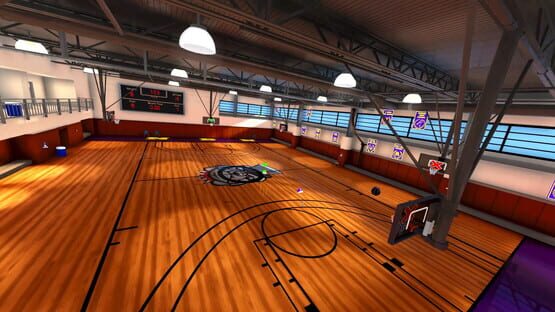
Nothin’ But Net has actually been considered “feature complete” and ready to leave early access since the last release, in May. We had originally held off for two reasons – to give the community some time to give us feedback and to try and align the PC release with the PlayStationVR release. Since the PlayStationVR release is near complete, we thought we’d just go ahead and release on PC.
This version has the optimizations that we’ve done for the console, added more court logos, player emblems, improved aspects of the physics system as well as added localization support for three additional languages.
Here’s the list of changes:
Added advanced logic to calculate throw angle and assist sensitivity. These options are now removed from the menu.
The lobby will now refresh automatically every 10 seconds.
Significant optimization enhancements which should noticeably result in higher frame-rates and overall performance improvements.
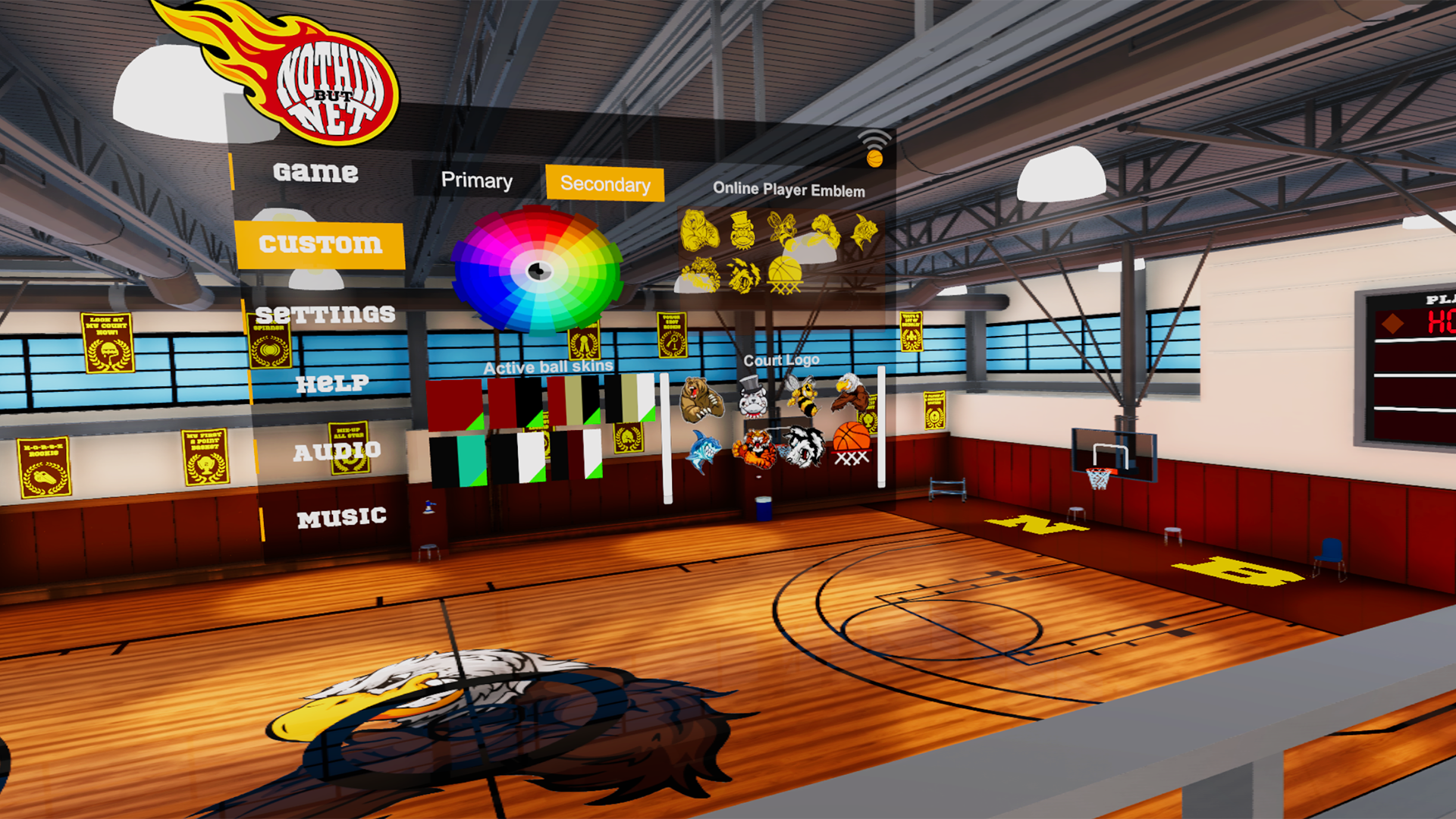
Added five new court logos and player emblems. Remember, you can upload your own!
Dribbling physics now behave better on the Oculus Rift.
Added localization for Spanish, French and German.
Kevin has been promoted! He’s now more efficient at his job and doesn’t get stuck when he can’t clean up an area.
The video player in the tutorial has been upgrade, which should improve its overall performance.
We want to thank everyone who supported us during early access as well as those of you who provided us feedback. We also want to give a huge thanks to our friends who helped us out with translations:
French - Bertrand Le Roy (@bleroy)
German – Lena Landwerth (@lenalandwerth)
Spanish - Ramiro Franco (@milkrock)
New Online Game Modes: Team Speed-Ball and Knockout
We are happy to finally release the last two online game modes for Nothin’ But Net; Team Speed-Ball and Knockout!
Knockout
In Knockout, two players will be selected to compete to see who can make the first basket to either eliminate the other player or save themselves. The player who is in jeopardy must make a shot before their opponent, otherwise they’ll be eliminated from the match. If the player in jeopardy makes a basket first, they are safe and move to the back of the line. The mode continues until only one player is left standing. Knockout can be played with between 2-4 players and the order of players is randomly determined.
Each round will function as follows:
The first two players are moved to the court while the rest will spectate above.
The player who is in jeopardy (player 1) gets one chance to make a basket before the player attempting to eliminate them (player 2) can begin taking their shots.
If player 2 makes their shot first, then player 1 is eliminated from the match.
If player 1 scores first, then they are safe and move to the back of the line.
The next two players are selected, with the original player 2 being put in jeopardy to defend themselves and a new player taking position of the eliminator.
Movement Movement functions the same as in Speed-Ball, in that if you do not have the ball you can freely teleport around the court. If you do have the ball, you can throw it down the court to move with it. You’ll automatically be teleported to the new position and rotated to face the ball so that you can catch it. Beware though, the game will not teleport you automatically if it detects a high probability that you will make the basket so plan your movements wisely or waste precious time chasing the ball.
Team Speed-Ball
Team Speed-Ball is the first 2v2 real-time pick up style game in Virtual Reality! This mode functions like regular Speed-Ball, with the exception that you are no longer automatically teleported when throwing the ball down the court. Instead, you’ll need to join forces with your teammate to move the ball and score your baskets.
The rules are simple:
First team to 20 points wins.
You can only hold the ball for a total of two consecutive seconds. Dribble the ball to hold it longer or toss it to your teammate.
Toss the ball to your teammate to move it down the court.
Try to steal the ball when your opponent throws it, misses their shot or tries to dribble.
Ball Handling To keep the game moving at a fast pace, you can only hold the ball for up to two consecutive seconds. There’s a power meter on around the ball, which will tell you how much time you have left to hold it. If you’re running out of power, consider dribbling the ball while you decide your next move.
Scoring Team Speed-Ball follows traditional scoring rules – anything below the key is a 2-point shot. Anything beyond it is a 3-point shot. The first team to 20 points wins the game and bragging rights.
General Fixes
We’ve also included several smaller fixes:
Updated Speed-Ball leaderboard scoring to factor in time played, in addition to total points made.
Moved the custom assets folder from the game install location to the users directory of Windows.
Updated the tutorial so that you no longer need to click "okay" before starting the action.
General tutorial text updates.
Fixed several bugs.
Wrap-Up
Even though these two game modes are the last that we have planned, we’re still very committed to making sure it’s a great experience while playing them. Please send us your feedback! Let us know of any issues you run into, any part of the game that feels off or even anything that you love. You can reach out to us via:
April Update
Today we’ve released an update that adds support for online lobbies, push-to-talk, gives you access to your statistics outside of the end of the game mode and contains many performance and visual enhancements (among other things)!
Push-To-Talk
We’ve added support for push-to-talk in voice. You’ll need to enable this by default in the menu. To turn it on, push the lower half of the touch pad on the Vive controller or the X button on the Touch controller.
Lobbies
You can now choose to create a lobby, choose a lobby to join or connect to a random lobby. When creating a lobby, you can set the max players (up to 4) and the visibility. This gives you the ability to make a friends-only lobby or keep it public and meet some new friends. If you’re interested in only playing Speed-Ball, make sure you set the max players to 2.
You still need to click the ball icon on the top right to access the online panel. Instead of having it automatically connect you to a game, you’re given a lobby screen:
It’s important to note that the lobby screen does not automatically refresh (yet). We’ll be adding support for that in an upcoming update/patch.
H.O.R.S.E.
H.O.R.S.E. has finally gotten a much-needed update to the scoreboard. You’ll now see how far along you are in the word progression, instead of the raw score.
We’ve also addressed an intermittent bug that sometimes caused a turn to not end when a shot was made or missed. Please let us know if you still see this occur.
Speed-Ball
Speed-Ball is a very fast paced game mode. Sometimes, it’s difficult to tell where the ball is located. To help with this, we’ve added little green arrows that point the direction of the ball when it is just out of your field of view.
Please let us know if this helps or if you’ve got any other suggestions on how we can improve on this game mode.
Statistics
Last, but certainly not least, we’ve added your 2-point and 3-point overall statistics to the Game mode selection screen. We’d considered adding an entirely new screen to browse through your statistics, but once we started to build it we felt it made the most sense to be on this screen.
General Fixes
We've also included several smaller fixes:
Aligned the hoop ring size to regulation.
Scores now show up on both scoreboards, instead of just one.
Corrected lighting and reflection errors.
General performance and visual improvements.
Gave Kevin a new set of facial expressions..
Fixed a bug that caused the backboard power meter to look distorted.
Fixed several bugs.
Tutorial
Fixed a bug that prevented the tutorial from shutting down when transitioning to online mode.
Changed the settings screen so that the settings that need to be adjusted are more obvious.
Speed-Ball
Defending players can no longer steal the ball before the advancing player has thrown it for the first time.
Fixed a bug that sometimes-caused players to spawn twice.
Online leaderboard now takes into account time played in addition to overall score, as everyone would always have a max of 20 points.
Known Issues
Sometimes you are not automatically teleported when advancing in Speed-Ball. This happens when the toss goes near/through the net of the hoop.
The spin pad does not always shut off when online. This does not impact game play.
-
February Update – Now with Online Multiplayer!
We’re very happy to finally add multiplayer to Nothin’ But Net! This update lets you play with up to four players in four online game modes. It also includes voice support which can be enabled/disabled in the Audio settings.
You can search for online games by pushing the Ball icon on the top right of the menu:
Feel free to continue playing any of the single player game modes while Nothin’ But Net searches for players to match you against. Once paired, you’ll be brought online into the Free Throw mode. Online Free Throw acts as an interactive lobby in that you’ll need to be in it to automatically search for more players to play with. Once you leave this mode it will automatically stop searching for additional players.
Speed-Ball
Speedball is the first 1v1 real-time pick-up style basketball mode for virtual reality! We’ve been working on this one behind the scenes and are hoping to get feedback on how the gameplay feels. We did not want to put anyone on rails and risk motion sickness, so we’ve created a few rules to adapt it to VR.
The tl;dr rules are simple:
First person to 20 points wins.
You can only hold the ball for a total of two consecutive seconds. Dribble the ball to hold it longer.
Throw the ball to move it down the gym and catch it after you automatically teleport. (You’ll be turned to face the ball.)
Try to steal the ball when your opponent throws it, misses their shot or tries to dribble.
Currently, this game mode is available to start if only two people are paired together in the online Free Throw lobby.
Movement If you are in possession of the ball, you can throw it down the court to move. You’ll automatically be teleported to the new position and rotated to face the ball so that you can catch it. Beware though! A savvy enough opponent can teleport in front of you to snag the ball. It’s also very easy to miss catching it. You will not be teleported to the ball if you’re within half court of your hoop and toss it too close. Pick your positions carefully.
If you do not have the ball, you can teleport around the gym without restrictions (aside from going out of bounds and teleporting on the player).
Ball Handling To keep the game moving at a fast pace, you can only hold the ball for up to two consecutive seconds. There’s a power meter on around the ball, which will tell you how much time you have left to hold it. If you’re running out of power, consider dribbling the ball while you decide your next move.
Scoring Speedball follows traditional scoring rules – anything below the key is a 2-point shot. Anything beyond it is a 3-point shot. The first person to 20 points wins the game and bragging rights.
Free Throw
The Free Throw mode serves two purposes. First, it’s the “lobby” mode. If you are online, have less than four players, and in Free Throw mode, other players will automatically be able to join your game. The second (and more enjoyable) purpose is that you can use this mode to create your own games.
H.O.R.S.E.
Sick of playing against Kevin and ready to go head to head with real people? So are we! H.O.R.S.E. starts out by giving each person the ability to nominate a five-letter word, the ‘winner’ of which will be randomly selected when starting the first round. At the start of the game, a random person will be selected to be the ‘setter’. They’ll be in charge of setting up the shots until they miss, in which case a new setter will be selected. Each round, after the shot has been successfully setup, everyone else will need to imitate it. If you miss an imitation shot, you’ll gain a letter. You’ll be eliminated from the game if you fill out the entire word. Last player standing wins!
Rapid Fire
We’re taking Rapid Fire online! You can now go head to head with other people in real time. The rules are still the same – you can only hold the ball for a few seconds and must make as many shots as possible before the time runs out.
To make it fair, the setup will be different depending on the amount of people playing:
Two People: You’ll compete at the same hoop.
Three People: You’ll each have your own hoop, but on the same side of the court.
Four People: You’ll be paired up with one other person at the same hoop. The other two people will be on the other side of the court, paired up as well.
Wrap-Up
This update is just the beginning for multiplayer! We have two more modes under development, along with being able to match up with your friends and a better lobby flow.
While we’ve done quite a bit of testing we are anticipating this first update to contain bugs that weren’t triggered by our testing. As always, we’d love to hear your feedback! Let us know about any issues you run into, any part of the game that feels off or even anything that you love.
We're releasing a small patch that fixes a few bugs and improves some of the performance. The exact fixes are:
Fixed a bug with the Steam leaderboards that sometimes caused the tutorial to not start.
Improved the overall quality of the achievement banners, making them easier to read from a distance.
Gave Kevin a little more wiggle-room when navigating the court which should prevent him from getting stuck while playing H.O.R.S.E.
Adjusted the game mode difficulties so that easy is always 2-point shots, medium is the high end of a 2-point shot and hard is always 3-point shots. The angle of the position will also scale in difficulty.
General performance improvements.
We have been unable to reproduce the bug with Kevin in H.O.R.S.E., but have seen it occur in videos posted online. Please let us know if you continue to see any issue with him getting stuck/behaving a bit sluggish.
Game Mode Player Statistics
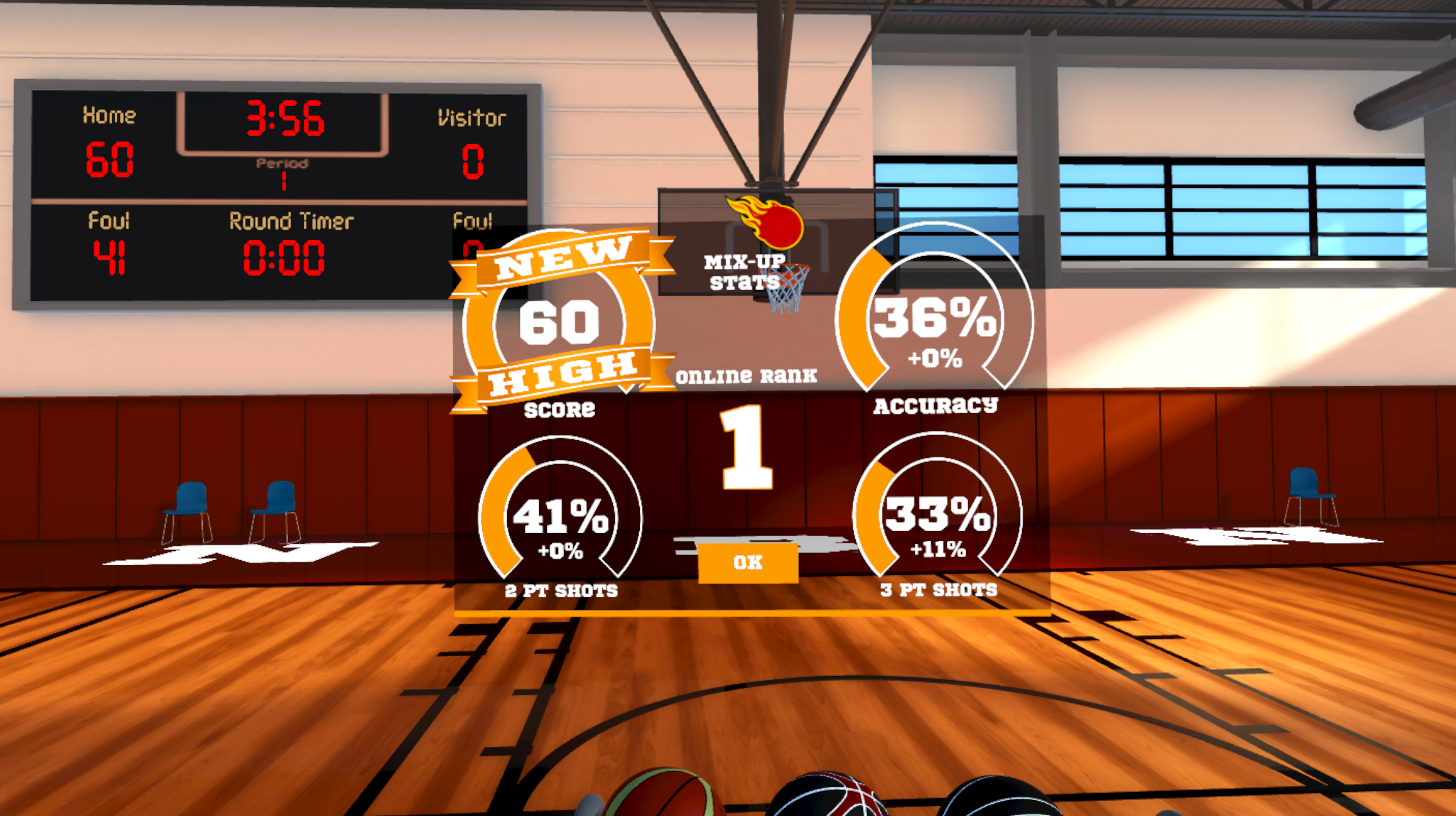
Last week we released another update to Nothin' But Net. The update focused on surfacing the player statistics information at the end of a game mode. With this new feature, you can now see your new score, overall accuracy, 2-point accuracy and 3-point accuracy. The statistics also show you the percentage change for the current game mode/difficulty as it compares to your overall stats.
Here's a video showing off the new screen:
https://youtu.be/qH4JrPu3GQQ
We are also working on a dashboard that lets you view your statistics all-up, outside of the game modes, which will be in a future update.
General Imrpvoements
Other general improvements included:
Fixed a bug that prevented the player scale from being reset back down to 100% when switching out of Free Throw.
General visual enhancements to the court and ring prop for Power-Shot.
Fixed a spelling error (whoops!) in the tutorial.
Achievement and Player Statistics Update
The Achievement and Player Statistics update contains the foundation for several features that we are currently working on. We consider it to be the first half of the December update as we wanted to get it in your hands as soon as possible. This update has support for Steam Achievements, the foundation for the Player Scorecards, the beginnings of the tutorial revamp, performance improvements and bug fixes.
Steam Achievements
Nothin’ But Net now has Steam achievement support! You can now unlock up to 40 achievements, which will display on your Steam profile and on the court in game.
Player Scorecard
An upcoming feature that we have not talked much about yet is the Player Scorecard. The Player Scorecard is a deep dive into how you are doing on the court. This update has the foundation of the feature, which is tracking statistics on how you are playing. The next update will surface the information to you so you can see how you are improving game over game. This is just the beginning as we have a lot of great plans for the Player Scorecard!
Tutorial Revamp
Nothin’ But Net is a game that goes beyond simply shooting hoops on the court. We believe that we have not done a good job at introducing what it has to offer and have started to revamp the tutorial to do a better introduction. This update includes the first iteration of those changes, which better highlights some of the settings that can be adjusted, how to change game modes and how to customize your court. The next round of tutorial changes will focus more on the immersion side of the experience.
General Fixes
We've also included several smaller fixes:
Made significant performance improvements which should result in more stable frame-rates.
Addressed a bug that surfaced when dribbling with the Oculus Touch controllers.
Addressed a bug in H-O-R-S-E that would cause the letter objects to remain on the court when exiting the mode.
Addressed a bug that would sometimes cause the player to face the wrong direction when starting.
Addressed a bug with Kevin that sometimes caused him to get stuck trying to pick up a ball.
November Update (v1.10)
Happy Thanksgiving! We hope all of you are enjoying a wonderful day with your friends and families. We here at What Up Games are thankful to have our first game on Steam and for all of you who have decided to take this journey with us.
We’ve just released the first update for Nothin’ But Net which has a few new features and bug fixes. In it, you’ll find a new game mode, Steam Leaderboard support and other fixes.
Three Point Shootout We’ve brought the classic NBA game, Three Point Shootout, to Nothin’ But Net. As with all game modes in Nothin’ But Net – skill is required! In Three Point Shootout, you have one minute to make 25 shots from five positions around the three-point line into a regulation height hoop. The orange balls reward one point and the black/red balls reward two points.
Steam Leaderboard Support You can now see how you rank against other players in solo game modes via the Steam Leaderboards! Full rankings are available on the Community Hub and your overall online rank (which is calculated per game mode by difficulty) is displayed on the Game Mode menu. This is just the beginning of the statistics and ranking features that we have planned!
General We’ve also included several smaller fixes:
Fixed a bug that was preventing the left controller from being used with the ball for both Oculus Touch and HTC Vive.
When in the rafters, the menu will always appear to the right of the player to prevent accidental spawning in the wall.
The menu now defaults to open with a random mode selected after completing the tutorial.
Players who completed the tutorial will be greeted with the menu when first launching the game.
General bug fixes.
Nothin' But Net Hits Early Access on November 17
We are pleased to announce that Nothin' But Net will enter Early Access (EA) via Steam on November 17th! While this is about two weeks later than we'd originally planned for, some aspects of the game were not feeling quite as polished as we would like. To hold you over, we thought you guys might enjoy reading about some of the features that will be in the first early access release!
Once again, we’d like to thank everyone who provided feedback after playing the Nothin’ But Net demo. It has been instrumental in helping us refine the game play and track down some pesky bugs. Also, for those of you that we met at PAX West - We will be sending the winners of the competition the details on how to unlock their free copy closer to the EA launch date.
Game Modes
Nothin’ But Net will have five single player game modes at the Early Access launch. We’d originally planned to include online Free-Throw but have encountered a few hiccups which we are working to resolve as quickly as possible and hopefully in time for launch.
H.O.R.S.E. We’d also originally planned to design H.O.R.S.E. as an online only game mode. We enjoyed playing it so much that we wanted to bring it to singleplayer as well. So, we taught KB how to play and made sure that his skill scales to match yours. In H.O.R.S.E., you alternate taking turns shooting a basket from a position of your choice. If you miss a shot setup by KB, you gain a letter and vice-versa. The first to spell the entire word (of your choosing) loses.
Full-Court Mixup and Full-Court Challenge We’ve added two new game modes called Full-Court Mixup and Full-Court Challenge. Both game modes will have you rapidly teleporting around the entire gymnasium trying to make shots as quickly as possible in the time allotted. Full-Court Challenge adds a variation to the game by blocking your way with an obstacle, making it so you must shoot through a moving/rotating hoop and into the basket.
Rapid Fire The more we played Rapid Fire, the more we felt that it hadn’t reached its fullest potential. We’ve begun redesigning how the game mode functions and are planning on releasing the first iteration of those changes. Rapid Fire tests your ability to shoot without having much time to aim your shot. Score as many points possible in the time given, taking your shot before the ball disappears.
Free Throw Free Throw opens up the gymnasium, letting you do what you want, when you want. In this game mode, all settings and features are enabled, making it the perfect place to explore the other features that Nothin’ But Net has to offer. You can also adjust the height of the hoops in this mode, which was a popular request from players.
Additional Features
We’re currently working on several features which are completed to varying degrees. Rather than holding onto all of them until they are 100% polished, we thought it would be great to start collecting feedback on two – Court Customization and Object Spawning.
Court customization lets you change the primary and secondary banner colors in addition to the center court logo. You can also import your own logo. Object spawning is a feature being designed primarily for online H.O.R.S.E. For now, you can play around in Free Throw mode by spawning various objects and saving/loading court layouts. We have some fun plans of these features, both online and offline! (Hint: You should start practicing using objects to make baskets!)
Leaderboards and Achievements
Unfortunately, the first Early Access build of Nothin’ But Net will not have achievement or leaderboard integration, though support is planned.
Nothin' But Net Hits Early Access on November 17
We are pleased to announce that Nothin' But Net will enter Early Access (EA) via Steam on November 17th! While this is about two weeks later than we'd originally planned for, some aspects of the game were not feeling quite as polished as we would like. We thought you guys might enjoy hearing about some of the features that will be in the first early access release!
Once again, we’d like to thank everyone who provided feedback after playing the Nothin’ But Net demo. It has been instrumental in helping us refine the game play and track down some pesky bugs. Also, for those of you that we met at PAX West - We will be sending the winners of the competition the details on how to unlock their free copy closer to the EA launch date.
Game Modes
Nothin’ But Net will have five single player game modes at the Early Access launch. We’d originally planned to include online Free-Throw but have encountered a few hiccups which we are working to resolve as quickly as possible and hopefully in time for launch.
H.O.R.S.E. We’d also originally planned to design H.O.R.S.E. as an online only game mode. We enjoyed playing it so much that we wanted to bring it to singleplayer as well. So, we taught KB how to play and made sure that his skill scales to match yours. In H.O.R.S.E., you alternate taking turns shooting a basket from a position of your choice. If you miss a shot setup by KB, you gain a letter and vice-versa. The first to spell the entire word (of your choosing) loses.
Full-Court Mixup and Full-Court Challenge We’ve added two new game modes called Full-Court Mixup and Full-Court Challenge. Both game modes will have you rapidly teleporting around the entire gymnasium trying to make shots as quickly as possible in the time allotted. Full-Court Challenge adds a variation to the game by blocking your way with an obstacle, making it so you must shoot through a moving/rotating hoop and into the basket.
Rapid Fire The more we played Rapid Fire, the more we felt that it hadn’t reached its fullest potential. We’ve begun redesigning how the game mode functions and are planning on releasing the first iteration of those changes. Rapid Fire tests your ability to shoot without having much time to aim your shot. Score as many points possible in the time given, taking your shot before the ball disappears.
Free Throw Free Throw opens up the gymnasium, letting you do what you want, when you want. In this game mode, all settings and features are enabled, making it the perfect place to explore the other features that Nothin’ But Net has to offer. You can also adjust the height of the hoops in this mode, which was a popular request from players.
Additional Features
We’re currently working on several features which are completed to varying degrees. Rather than holding onto all of them until they are 100% polished, we thought it would be great to start collecting feedback on two – Court Customization and Object Spawning.
Court customization lets you change the primary and secondary banner colors in addition to the center court logo. You can also import your own logo. Object spawning is a feature being designed primarily for online H.O.R.S.E. For now, you can play around in Free Throw mode by spawning various objects and saving/loading court layouts. We have some fun plans of these features, both online and offline! (Hint: You should start practicing using objects to make baskets!)
Leaderboards and Achievements
Unfortunately, the first Early Access build of Nothin’ But Net will not have achievement or leaderboard integration, though support is planned. You will earn credit for past achievements and your proper leaderboard ranking once the feature has been implemented.