

Nuclear War Simulator
Nuclear War Simulator - Update v1.00.0394
a new update has just been released. Many many fixes and improvements!
Build 394
New features and changes:
- new buttons with text in the main UI overlay
- added a name field to units
- default blueprints and blueprints from mods are now protected from editing, deleting and renaming
- added an option to cancel the calculation of fatalities. Fatalities calculation is automatically canceled when opening a new scenario
- overwriting existing object groups requires confirmation
- yield limitation is removed. A warning will be shown that the simulation will not be delivering reliable results for yields above 100 Mt
- added text to show the progress of the fatalities calculation
- when the Human Individuals panel is open only human individuals can be selected on the map making selection easier
- distribution of protection factors is updated to a more realistic one
- text on loading screens is now at the bottom and has a translucent background
- units added: Agni V (India), Arrow 2 and Arrow 3 (Israel)
Bug fixes:
- fixed early warning notification scale at different resolutions
- added confirmation to overwriting existing scenarios
- increased time threshold between mouse down and up for easier unit selection
- fixed overly strong flash flare animation at high yields
- "calculation stuck" warning is now appearing only if the progress was not updated for at least 2 minutes
- fixed some US submarines shown as belonging to the Russian Navy
- destroyed units can no longer be selected
- fixed the wrong format displayed for HYSPLIT in-cloud wet deposition
- fix most situations where submarines were traveling over land
- fixed a bug preventing the placing of individuals when the list is empty
- when selecting a missile the MIRV footprint visualization is updated
- fixed AI-generated plan not working for some weapon types
- fixed an issue with the mods downloader staying invisible in the background when pressing Escape
- visualizations of attack plans are now disabled when a plan is deleted
- list of user-created scenarios is now updated when a new scenario is saved
- missile defense no longer shoots down missiles launched by countries from the same alliance
- missile defense interceptors are now scaling with camera distance
- CEP is now shown during targeting
- corrected HYSPLIT rain-out parameters
- removed Catlettsburg Refinery previously marked as Canadian and leading to the refinery being attacked on US territory
- visualizations in the attack planer are now turned off when opening another panel
- fixed some countries not having colors for their units
- deleting old weather data will now reset to default weather data on 2021.08.01 instead of breaking the weather model
- fixed an issue where reading weather data war blocked by UnauthorizedAccessException and prevented loading some scenarios
- fixed a number of NullReferenceException errors
- some settings will reset to default if significant changes are made to the structure of the files to ensure compatibility
- fixed an issue where targeting in AI-generated plans was limited to only half of the globe
- fixed casualties not being calculated in parts of New Zeland
- fixed early warning radar not working outside of demo scenarios
Nuclear War Simulator - Update v1.00.0391
a new update has just been released.
Build 391
New features:
- blueprints of any country can be used by any other country in the placement panel, surface objects. This will make it much easier to give nuclear weapons to countries that don't have any nuclear weapons yet
Bug fixes:
- fixed incompatibility with Intel Laptop and some other GPUs
- attack plans generated in the escalation generator are now visible in the attack planer
- fixed total survival probability not being displayed in the chart window on the single detonation panel
Nuclear War Simulator - Update v1.00.0390
Here is the changelog:
New features:
- attack planer: in the counter-force targeting tool, when adding selected units, all added units will be selected by default, making the targeting easier
Bug fixes:
- alliances are now updated every time a country is added and does not require the name to be not empty. Previously, alliances were only working when a name was given
- icons now have the correct scale when an empty scenario is opened
- added a suggestion to run NWS as administrator if the fatalities calculation is stuck
- fixed green graphics glitch when too many weapons are detonated at the same location
- HYSPLIT installation folder now read from GUI
- removed overwriting of deprecated settings on NWS start
- fallout visualization is now updated at the end of the computation
- blueprint display is updated after pasting the values
Nuclear War Simulator - Update v1.00.0389
the first update since the release is live!
This update will solve a number of issues, especially for everyone who has problems calculating fatalities.
Build 389
New features:
- added an option to define a custom grid span for HYSPLIT
- added an option to decouple effects visualization from the cursor: hold Left Shift by default
- added version number to main menu
Bug fixes:
- fixed misspelled building collapse
- fixed not saving changes to permanent individuals
- scenario: Individuals - people in a large city fixed shelter radiation protection factor
- fixed new individuals not experiencing fallout from past detonations
- fixed country and world information tabs not appearing
- fixed GPU incompatibility issues
- effects circles visualization was not appearing when the single detonation panel button is not on the globe
- human individuals: image selection button is now working
- attack planer: clicking the execute all plans button no longer crashes the simulation
- graphics setting: some screen resolutions were missing from the dropdown list
- removed minimum yield check for effects calculation
- fixed wild rotation around the globes. The camera will stop movement when getting over 80 degrees latitude
- effects from detonations of low yields are no longer disabled
- updated DF-41 range
- main menu key binding settings: fixed wrong width at lower resolutions
- reduced the scrollable OSM area to reduce the heavy load on the map server
- fixed misspelled CSTO
- added a notification that the destruction of civilian infrastructure is disabled by default
- added a button to open the application folder from the GPU error notification
Nuclear War Simulator Out Now
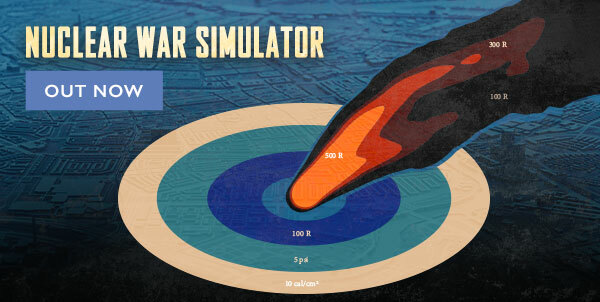
Nuclear war simulator is a detailed realistic simulation and visualization of large-scale nuclear conflicts with a focus on humanitarian consequences. It lets you design conflict scenarios and estimate the consequences using a population density map and realistic weapons effects.
This software should help you answer the question: what will happen if Russia and the United States or India and Pakistan use their arsenals? You can design warheads, missiles and carries, place them on the map and execute attack plans to tell a credible story about how nuclear conflicts play out and what are the consequences. Using a high-resolution population density map and realistic weapons effects like blast, heat and radiation you can make an estimate of how many people will die in a conflict.
Using an intuitive UI you can design warheads, place them on missiles and into silos, on aircraft, TELs and submarines.You can then place the forces onto the map simply clicking on it or importing real-world locations from KMZ files.
Features:
- Detailed effects of nuclear weapons, accurate reports on affects/results (including but not limited to radiation zones, casualties and fires)
- Realistic delivery systems, up-to-date full known arsenal of main world powers.
- Sandbox to design weapon systems and build conflict scenarios.
- Individual civilians moving on the map and taking shelter.
- 22+ predefined editable scenarios.
- In-game mod upload and download.
- Adjustable AI.
- Integrated early warning and Missile Defense systems.
Nuclear War Simulator Out Now
https://store.steampowered.com/app/1603940/Nuclear_War_Simulator/
Keep in touch with the community of NWS, use the forum to discuss your discoveries with other users, check out the site for FaQ and any information, and join the Discord server where the Dev regularly updates the users about the development progress and discusses requests and changes.
Nuclear War Simulator - Dev Log #5
Individual humans
Simulating the effects of nuclear weapons on individual humans
The nuclear war simulator can be used to simulate the effects of nuclear weapons not only on the population density but also on individual humans. You can place individuals on the map, move them on foot or in a vehicle and let them take different kinds of shelter. Each individual will record the physical effects of nuclear weapons and estimate the injuries leading to incapacitation and death. This feature can be used to explain and evaluate different survival strategies during a nuclear attack, like shelter-in-place or self-evacuation.

The injuries received by an individual are displayed as small icons and as detailed text describing the injuries. Depending on the injuries the individual will be incapacitated and die. Incapacitation from radiation can be delayed by hours or days depending on the dose received. The total received dose to the body is displayed together with the dose rate received in the shelter and in the open.
The effects of nuclear weapons experienced by an individual are logged with a time stamp. As can be seen in the example below, the time of the blast received is delayed by multiple seconds because the blast wave is traveling much slower than light.

An individual can be selected on the map or from the list. There is an option to save and load individuals with a scenario or to save them permanently so they are loaded with each scenario. The last option is ideal if you want to place yourself, your family, and your friends into the simulation.
Fallout
The time-resolved radiation dose rate from fallout is recorded and can be displayed. In the example below, you can see how radiation from 3 different clouds arrives at the position of the selected individual and then decays.

Shelter
The individuals can take shelter and have some protection from the different effects of nuclear weapons. If the person is in a vehicle or in a building there is some protection from the effects like overpressure, thermal radiation, and fallout. Different types of shelters offer different protection factors from radiation (the large number displayed on the shelter). If the person is outside or if there are windows, the person has a chance to be exposed to thermal radiation or to injuries from flying glass and debris. Buildings have a chance to collapse from overpressure.

Movement
Individuals can move on foot or in a vehicle. The waypoints can be queued to create a path following the roads. There is a setting to define the movement speed and the radiation protection factor offered by a vehicle.
When moving, the radiation from the fallout will be recorded in a time-resolved fashion. This allows the explanation and analysis of different survival strategies. The typical recommendation is to hide in a shelter for multiple hours or days and then evacuate. Trying to self-evacuate right away may expose the individual to lethal doses of radiation.

Keep in touch with the community of NWS, use the Forum https://www.matrixgames.com/forums/viewforum.php?f=11942&sid=8079af8aa4c54113726880a21a9871ad to discuss your discoveries with other users and join the Discord server https://discord.gg/kfhFxNp6uF where the Dev regularly updates the users about the development progress and discusses requests and changes.
Nuclear War Simulator - #4 Dev Log
Delivery systems
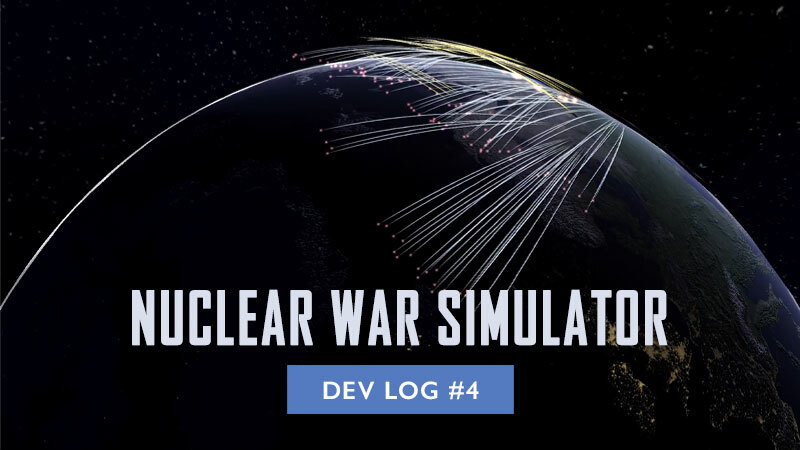
The Nuclear War Simulator includes a number of modern nuclear weapons delivery systems. It simulates the most important characteristics of these delivery systems like the range and timing of the impacts. In NWS you can mount ballistic missiles, cruise missiles and gravity bombs on submarines, TELs, silos and on aircraft enabling the simulation of the most relevant modern delivery systems.
Ballistic missiles
Ballistic missiles are one of the most widely used nuclear weapons delivery systems. After launch, they accelerate leaving the atmosphere and then move through space on a ballistic trajectory. Intercontinental ballistic missiles (ICBMs) often carry not one but multiple warheads that can be targeted independently (MIRVs). The acceleration phase and the movement on a ballistical trajectory are reproduced in NWS making realistic time-of-impact and radar detection estimations possible. Individual MIRVs can be distributed inside of an elliptical area on the ground approximating the targeting limitations of real systems.

ICBMs are often stored and launched from fixed silos underground. In the United States, the Minuteman III missiles are operating in squadrons of 50 missiles and 5 launch control centers. If the missiles receive the launch command from two control centers they will launch instantly. However, if only one control center survived the missiles will launch with a delay (a safety measure). This behavior is reproduced in NWS and can be adjusted.

Silo-based ICBMs are often hardened but remain vulnerable because their position is known and they can be destroyed by blast or they can be buried by crater ejecta.
Transporter erector launchers (TELs)
In order to improve survivability, many countries resort to mounting the missiles on mobile transporter-erector-launchers (TELs). The TELs can be parked at their base, they can patrol an area and they can be dispersed in crisis. This behavior is reproduced in NWS.

Submarines
Another option is to transport the missiles on a submarine. Similar to TELs, the submarines can patrol an area and be dispersed in crisis. They usually carry multiple ballistic missiles with multiple warheads each.

Air-launched ballistic missiles (ALBMs)
Some ballistic missiles can be delivered by air to extend their range. One such missile is the Kinzhal recently deployed by Russia. The missile is carried by aircraft through the atmosphere (blue line) and then follows a ballistic trajectory after release (white line).

Air-launched cruise missiles (ALCMs)
Russian and US strategic bombers can carry a number of air-launched cruise missiles. The missiles are transported by the aircraft (blue line) and then released before entering hostile air space and then travel autonomously through the atmosphere (yellow lines).

Gravity bombs
Tactical nuclear weapons can be delivered as gravity bombs and dropped from aircraft. Because the gravity bombs have no propulsion themself, they must be carried to each target by aircraft (blue line).
Keep in touch with the community of NWS, use the forum to discuss your discoveries with other users, check out the site for FaQ and any information, and join the Discord server where the Dev regularly updates the users about the development progress and discusses requests and changes.
Nuclear War Simulator - #3 Dev Log
AI
The Nuclear War Simulator can be controlled entirely by the user and also includes an AI that can control a country to launch nuclear weapons as a response to your actions. Each country has a political leadership figure with an AI that can be enabled and adjusted to respond to detonations on its territory and to missiles detected by early-warning radar and satellites. If several countries are controlled by the AI it will lead to an escalating series of counterattacks that will most likely end in an all-out nuclear war. This can be used to create unpredictable scenarios triggered by minimal input from the user.
Response to attack
The most basic AI response is retaliation to being attacked and to detonations that were detected on its territory. The AI counts the detonations and registers which countries were attacking it.

The AI then launches a proportional counter-attack.

It is also possible to set the balance of military to civilian targets for these attacks and to define a threshold for a disproportional all-out response.
Launch on warning
The AI can launch a response triggered by early-warning satellites or radar, even before the warheads land on its territory to avoid a disarming attack.

You can adjust the performance of the early-warning systems (reaction time, reliability, etc) and the proportionality of the response. It is possible to set a threshold on the initial attack for a launch-on-warning response. This way, the AI may decide to ride out a small attack and wait for confirmed detonations on the ground.

The early-warning response AI can be used to demonstrate some of the modern and historical nuclear response policies. There is a scenario provided with the simulation where a false alarm is simulated triggering an accidental nuclear war.
Keep in touch with the community of NWS, use the Forum
https://www.matrixgames.com/forums/viewforum.php?f=11942&sid=b0975a121f1ec69f6884e963b22c4c63
to discuss your discoveries with other users, and join the Discord server
https://discord.gg/f9yc7c6bJs
where the Dev regularly updates the users about the development progress and discusses requests and changes.
Nuclear War Simulator - #2 Dev Log
Objects database
Database of weapons and delivery systems
The Nuclear War Simulator allows you to create detailed scenarios with full control over every detail of the objects deployed on the map. You can design warheads place them on missiles and mount them on delivery systems like aircraft or submarines. However, you can also skip all these steps and create a scenario quickly by using predefined objects.
NWS includes a database of almost all currently deployed nuclear weapons and delivery systems known to the public.
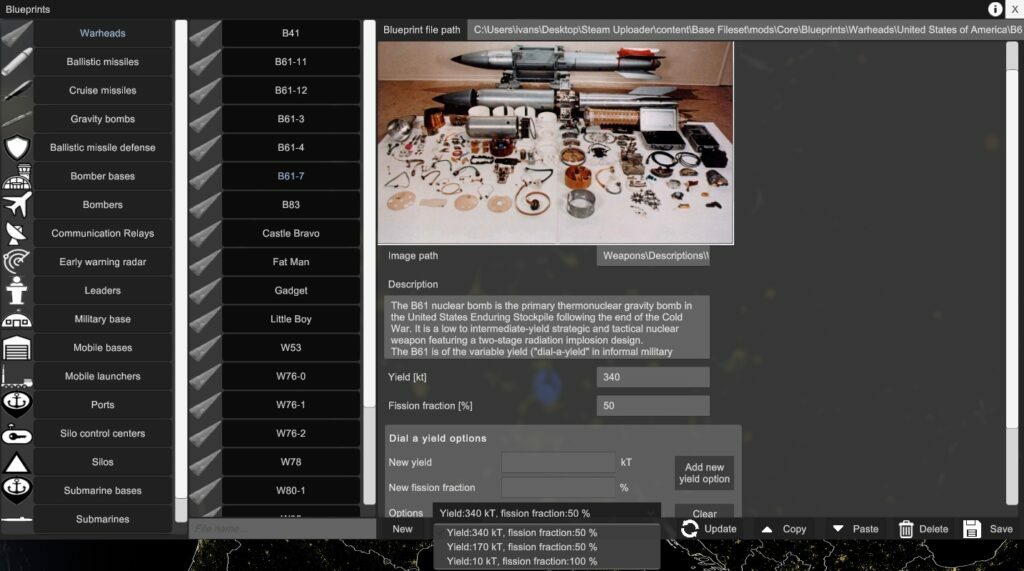
Some interesting historical or experimental weapons are also included. You can, for example, take the Tsar Bomba in its original 100 MT configuration and mount 10 of them on an ICBM.

Warheads can be placed on ballistic missiles, cruise missiles or gravity bombs. These missiles are then part of various static or moving objects like missile silos or submarines. Every warhead, missile, nuclear-capable aircraft, TEL and submarine that can be found in modern nuclear weapons arsenals can be instantly used in NWS.

The list of historical weapons will be growing in the future and if you can’t find something you can easily design it yourself. Unconventional delivery systems like hypersonic weapons and torpedoes will probably be added in the future.
Database of object locations
Doing the research on nuclear weapons arsenals and then placing each individual object on the map can take a lot of time. In order to make scenario creation easier NWS already includes a large number of object groups in their correct locations. For example, it is possible to place the complete US nuclear weapons arsenal with just two clicks. Placing subsets of the arsenal, like a specific missile silo field or all tactical nuclear weapons in Europe, is also possible.

Locations of military bases are also provided. They do not play an active role in a conflict but serve as targets for nuclear weapons in order to create a realistic distribution of detonation locations.

Such groups of nuclear weapons and military bases are predefined for all nuclear weapons states and for some European countries.

You can always place the objects yourself and create such object groups if something is not available yet. There are multiple ways to do it in the Nuclear War Simulator:
– clicking on the map
– entering the latitude and longitude coordinates
– entering a Wikipedia link (coordinates will be automatically extracted from the internet)
– importing objects from kmz files
– using map images as an overlay to place objects

The level of detail of this database is not equal for all countries and weapon types. While there is a lot of information on the strategic arsenals of Russia and the United States due to arms control treaties, there is much less information on the exact numbers and characteristics of tactical nuclear weapons and arsenals of other countries.
Keep in touch with the community of NWS, use the forum to discuss your discoveries with other users, check out the site for FaQ and any information, and join the Discord server where the Dev regularly updates the users about the development progress and discusses requests and changes.
Nuclear War Simulator - #1 Dev Log
Scenarios
The Nuclear War Simulator includes a number of scenarios that are very easy to use. If you are new to NWS these scenarios will help you to get started quickly and get an overview of different functions and possibilities. If you are experienced with NWS, you can use these as a basis to create your own scenarios. Some scenarios are tightly scripted, while others are meant to be used for experimentation.
Most scenarios can be used as a sandbox. For example, one scenario contains nuclear forces of the US and Russia in addition to the military bases of several European nations. One initial attack plan is defined and, if executed, will trigger an uncontrolled escalation by the AI. You are however free to trigger the escalation by creating your own attack plans or using the single detonation tool. You can also disable the AI and simply use the objects to create your own scenario.
Some scenarios have no AI and instead include a tightly scripted series of attack plans that can be executed one by one or in a timed sequence to tell a story.

Other scenarios are not realistic but are designed to explain different aspects of nuclear weapons technology and strategies. Such aspects include
– Mutually assured destruction
– Early warning satellites and radar
– Launch on warning
– False alarms
– Missile defense
– Different types of delivery systems
– etc.

There are other scenarios where the user has no control over the events but instead replays a prerecorded sequence of launches and detonations. Such a scenario can be used to tell a very specific story or to share the results of the detailed HYSPLIT fallout calculation. HYSPLIT can take multiple hours of calculation on large scenarios so this is a convenient way to save and share the results. Currently, NWS includes the results of all 12 scenarios of the OPEN RISOP database by David Teter (https://github.com/davidteter/OPEN-RISOP).

Mod types
A mods browser is integrated into NWS and allows easy download of different kinds of mods. Currently, there are 5 types of mods:
– Scenarios
– Blueprints (predefined warheads, missiles and objects)
– Object icons
– Loading screens
– Background music
Other types of mods, like predefined object groups, will probably be added in the future. A tool to upload user-made scenarios is also integrated into the simulation.

Keep in touch with the community of NWS, use the forum to discuss your discoveries with other users, check out the site for FaQ and any information, and join the Discord server where the Dev regularly updates the users about the development progress and discusses requests and changes.