

Out of Reach
Changelog 0.10.11
- Fixed issue with swim freeze on positions:
* 3982.8, 35.5, 6000
* 4000.3, 35.5, 6030.6
- Crafting multiple items is not interrupted by closing the window anymore (applies to workshops other than Player's workshop)
- Possibility to close the workshop window using "Use" button (if workshop was opened that way)
- Hand cursor does not freeze and stay visible in windows until reopening of the "book window" in certain situations
- Fixed a few resources that couldn't be gathered
- Decay of the abandoned structures does not apply to those in caves
- Landmarks on the map
* Click RMB on the map to place a landmark
* Write description
* Click RMB on a landmark to remove it
* Max. 10 landmarks can be placed on the map
- Every island has its own set of resources and animals
* Until now, there was just one limit of resources for the entire world. That could eventually lead to spawning all the resources only on the least visited islands
- Updated translations of ES, RU and DE
Patch 0.10.10
- Fixed a rare issue with bags that couldn't be opened in certain situations
- Building decay for abandoned constructions:
* Applies to buildings that were extended more than 24h ago and do not have a Builder's desk inside.
* Each of the elements may get decayed every 15min
- Additional performance optimization for destroyed building elements
- Crafting while running is not allowed anymore
- Fixed notification of the Flowerpot and Field when plants are ready to be harvested
Destroy panel:
- Building elements marked red do not change their scale anymore
- Range of the panel increased by 10%
- Usage of the panel does not damage the weapon in right hand
- Panel icons updated
Patch 0.10.9
- Press F7 to enter Destroy panel. Works like Upgrade panel, destroys and salvages chosen building element.
- When player tries to destroy a building element that is structurally important for another element, all elements dependent on that one will be marked red. In other words, building elements will turn red to show that they need to be destroyed before the one at the crosshair.
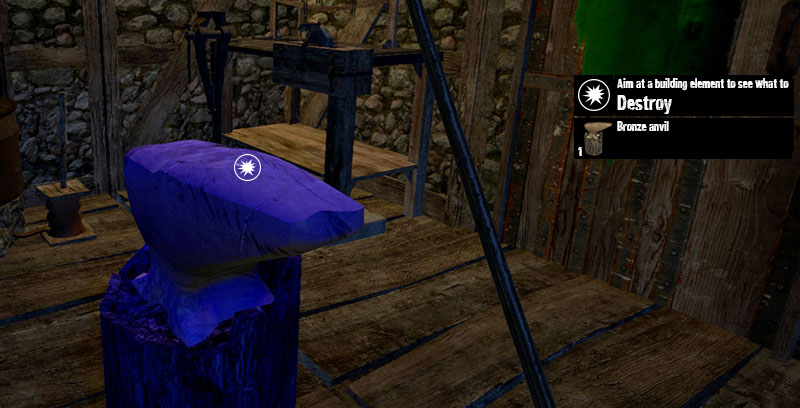
Applies also to furniture and workshops
- 10s Battle stance after dealing or receiving damage. Battle stance blocks usage of Build, Upgrade and Destroy panels
- New screen effects after receiving damage and a crosshair indicator to show from which place the damage was dealt and who attacked
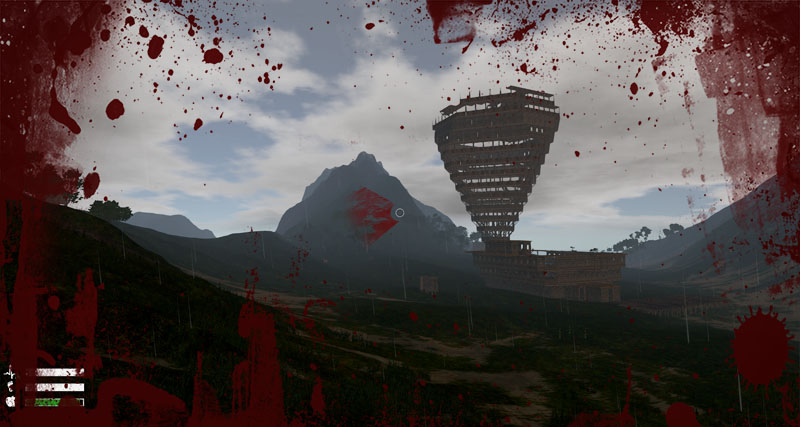
As shown above, player got hit from the left side
- Fixed random gear that could appear on player's character after respawn in certain situations
- "Healthbar" for torches (torches from the old version will appear with the full fuel and will be updated after a few minutes)
- Fixed multiple stone hit sounds after death in certain situations
- Fixed wrong weapons' sounds in specific situations
- Fixed wrong tabs shortcuts when a container window was opened
- Fixed disappearing STOP button in crafting window when changing a recipe
- Recipe tabs are closed after the first opening on the craft window and keep the state that was chosen by player (closed or open)
- Pushing "-" in the crafting menu changes amount from 1 to 99. Pushing "+" changes from 99 to 1
- Performance of the Upgrade panel increased significantly
- Update of the French, Spanish and German language versions (thank you for the translation!)
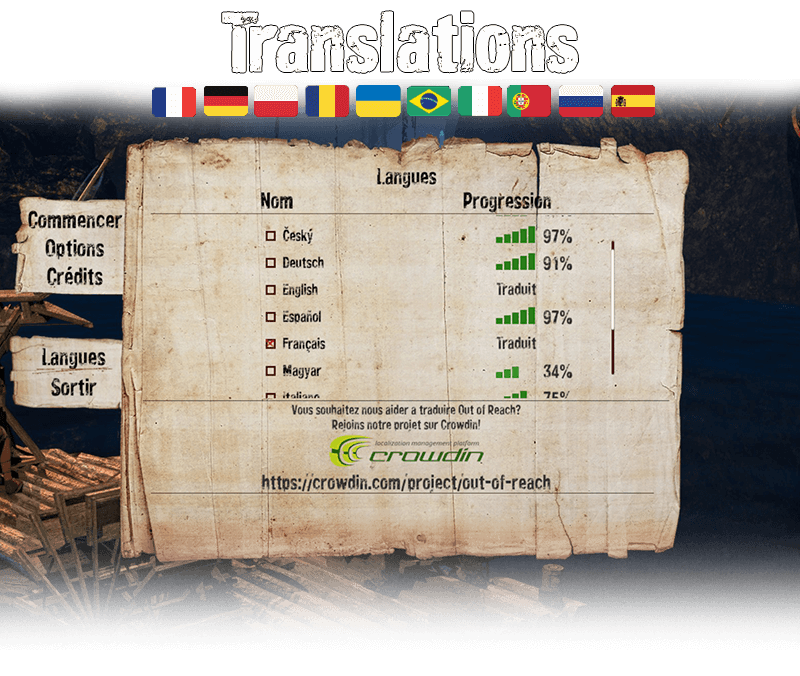
If you want to help us translate Out of Reach, go ahead and join our project at crowdin.com/project/out-of-reach
EA-Blog #11: Progress and what's next
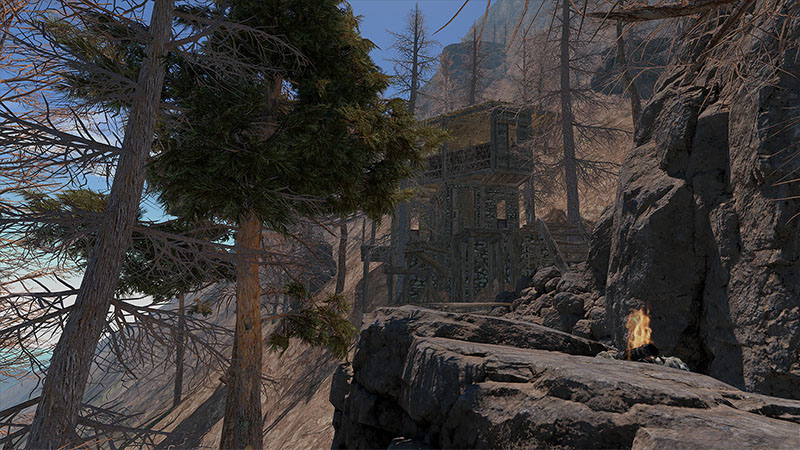
Hi guys, this time we are going to start by showing the progress made from the last announcement. The goals made in December forced us to make serious changes from the code point of view and now we are finally ready to implement changes that are 'visible' by players.
We've received a lot of ideas on how to improve the world and finally came to the conclusion that we need to make necessary visual changes also to the main island. Although the layout of meadows and mountains will stay the same, we want to put new, reworked cliffs and trees on the terrain, also add more beaches, perhaps new entrances to caves, better influence of erosion and a few more details that will make the world look more realistic.
The new volcano island is still under development. New materials to gather, trees to cut and cliffs to build on require a bit more time.
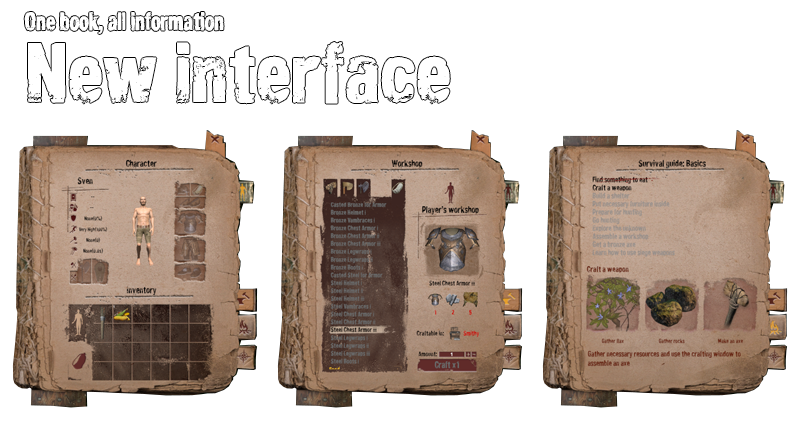
After a few patches and hot fixes this month, we feel like we've reached a compromise between usefulness of the old UI and user friendliness for the new players. Our goal is to make such an UI that can provide every necessary piece of information from a single window, so that nobody misses skills or craft options.
Also the main menu is being constantly updated and is almost ready for the private servers. Speaking of which: we are almost done with the Wiki for those, who would like to run their own server, also the essential talks with Valve and external providers are almost done and we will be able to let you rent a server or host one at home in the upcoming weeks.

It was supposed to be a small feature but turned out to be really useful for the new players. Right now there are 10 quests on the castaway's ToDo list which consist of total 30 subquests and serve as a good tutorial. We have already planned another 30 subquests for more advanced players and some kind of rewards for doing them (like Steam Achievements).
More than 50 fixes and features since the latest announcement are available in the Changelog section: http://steamcommunity.com/app/327090/discussions/4/
16 January: http://steamcommunity.com/app/327090/discussions/4/451851477878112088/
13 January: http://steamcommunity.com/app/327090/discussions/4/451851477866547577/
24 December: http://steamcommunity.com/app/327090/discussions/4/451850849181264607/
14 December: http://steamcommunity.com/app/327090/discussions/4/451850849181250864/
and here is the today's one:
Changelog 0.10.7:
- NEW! Workshop window fitting to the new concept of showing every feature in one place
* All recipes are visible, even if not available
* Tips showing which resources are needed and where to craft the chosen item (hopefully no more questions about how to finish the bronze pickaxe ;) )
* Option to filter 'craftable' items by material (Stone, Bronze, Iron, Other). There's also a free place for the upcoming new material
- the new Fastest quality profile includes textures in 1/4 resolution and Level of Details bias 0.75 - should be useful for laptop users who can barely run OOR
- Option to change render distance in main menu and in in-game console, command example: /renderDistance 500
- Glider: the speed of falling depends on the speed of flying (gliders don't hang in the air like choppers anymore). The more tweaks and changes are coming to this one. We need to reach a good compromise between damage of the bombs and costs of the glider.
- Around 300 new spawn points for red berries, flax and corn on the main island
- 3 new backpack upgrades (including bigger grid in the inventory)
- update of the French language version (thank you for the translation!)
- Fixed Workshop window that could close itself in specific situations
EA-Blog #10: Roadmap for the upcoming weeks
New island
featuring:
Coniferous forests
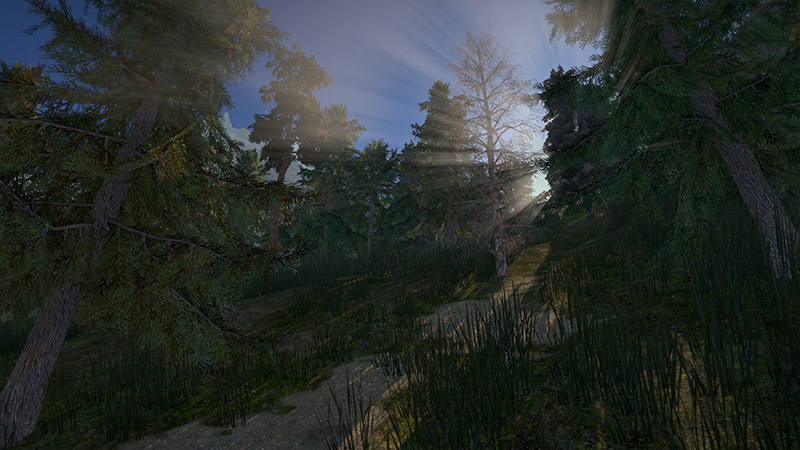
Temperate biomes
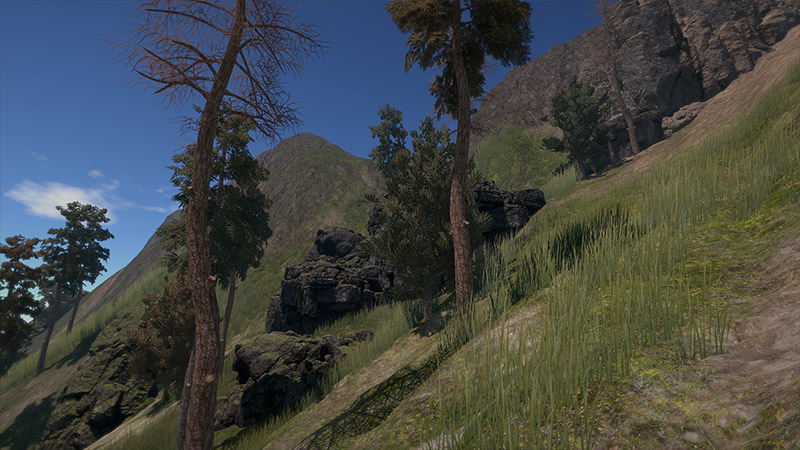
Active volcano
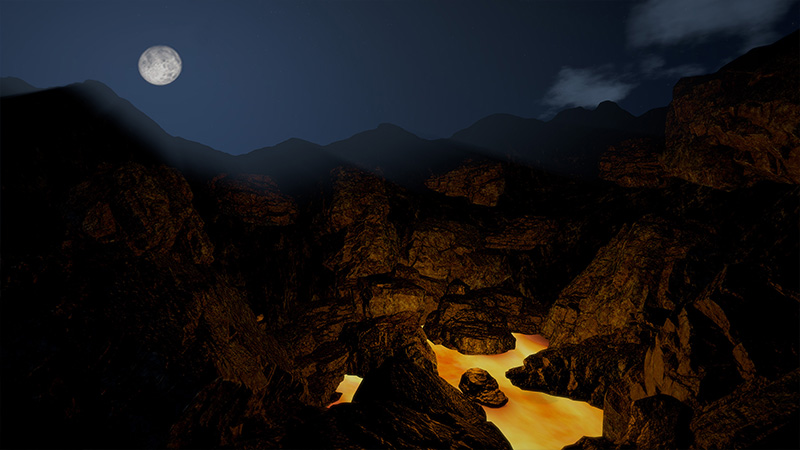
and new resources available only on this island that can be used to upgrade weapons and buildings!
Quests, events and tutorials
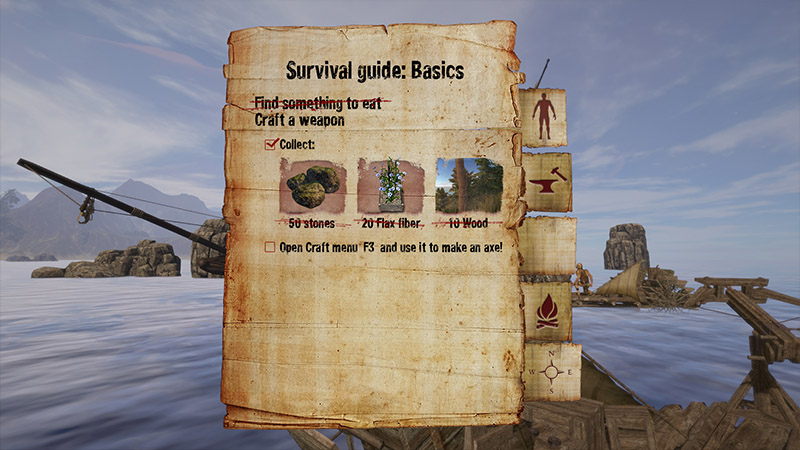
The basic ones will walk new players through the mechanics. Advanced and random ones will keep you occupied and give a reward from time to time:)
3rd person perspective
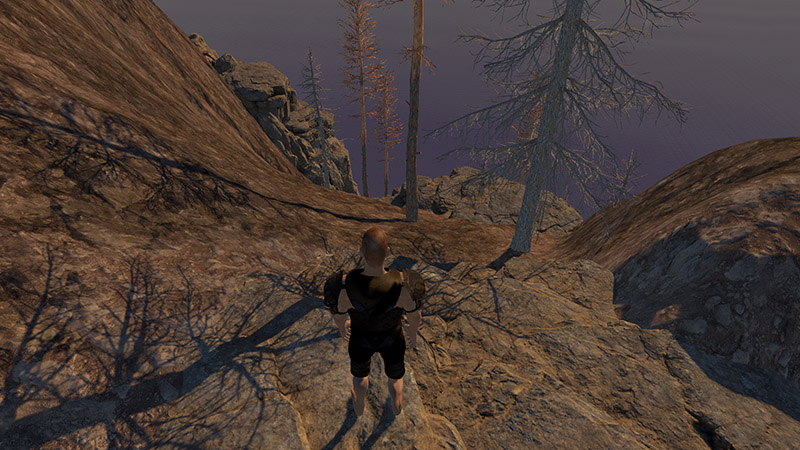
Although it may not be a perfect solution for tiny shelters and narrow caves, a lot of players wanted to see this option in OoR so we are going to let you choose between these 2 views in one of the next updates.
Upgrade for the boat: steam engines
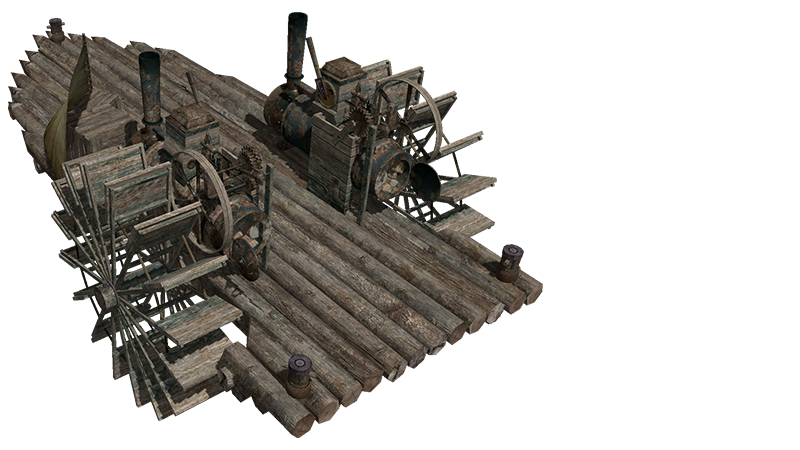
We've finally decided to give it a try. Some of you may prefer sails and oars like in the other games, but for now we've just wanted to give you an option to make sailing easier. The first versions of such engines were invented several years b.c. and used on railways also during the golden age of pirates so it shouldn't ruin the timeline in OoR and just become a sailors friendly add-on:)
Optimization
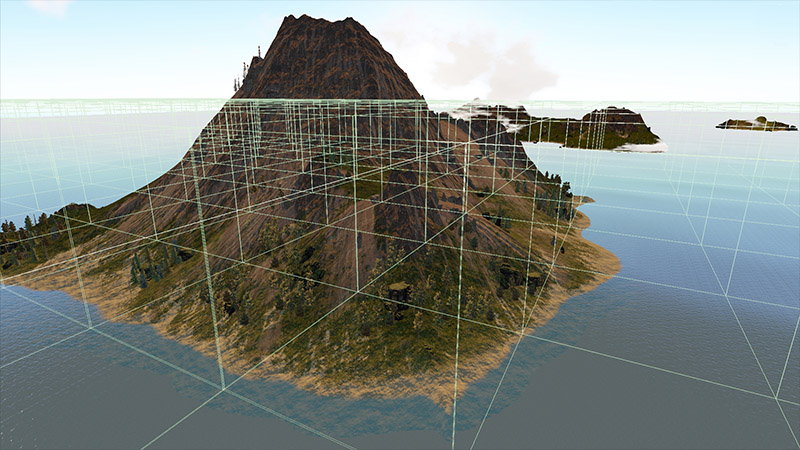
Since some of our servers have reached more than 45000 building elements (which makes 13000 more colliders than a normal game on Unity engine could reach a year ago) we need to go back to optimization and implement another few tricks to make those servers playable for everyone including middle-end laptop users. This time we will work on dividing the game into clusters and world into chunks so that OoR loads only those buildings that we actually need to see to play normally. Bases and castles will load in the background while sailing towards other islands so that we still won't experience any loading screens during the gameplay.
Private servers

Our developers work full-time on this one. We want to give you an option to rent a server and choose whatever mode you like as soon as possible.
These are the fixes that are already under acceptance tests and will be released soon, together with the 0.10.2 version:
- possibility to turn off spawn protection
- player with the spawn protection can't attack instead of attack & lose protection
- water and building optimization on highly populated servers
- turned down rain sounds
- updated fish traps so that players can escape them
- bags float on water