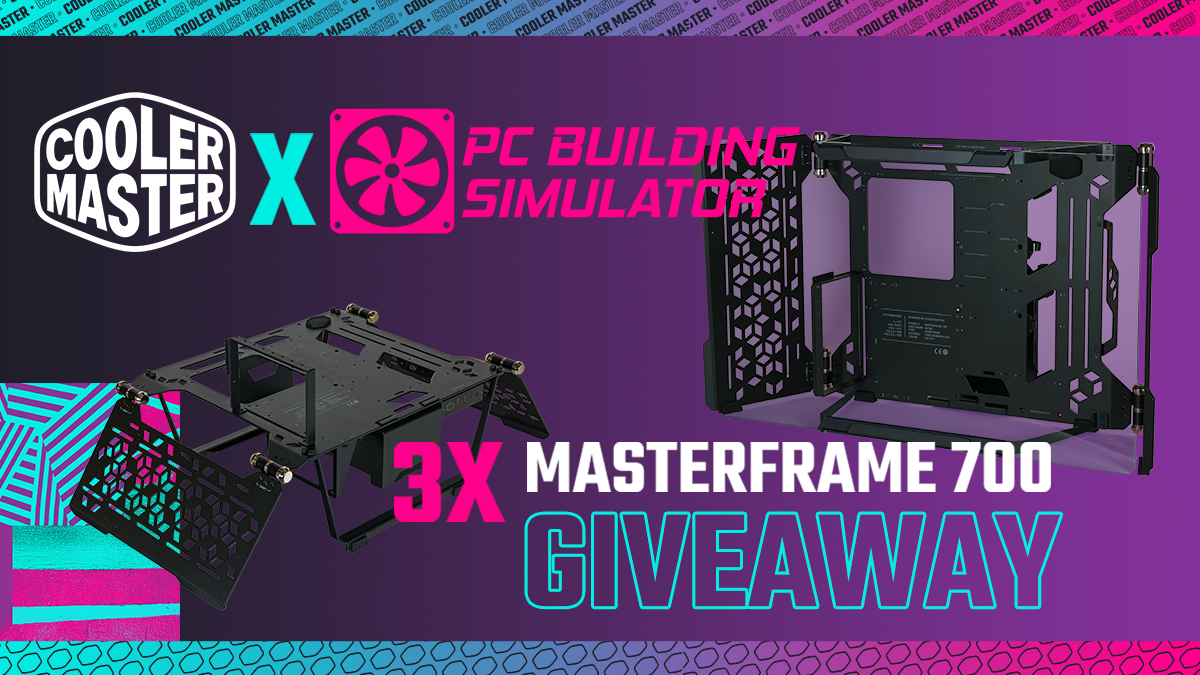
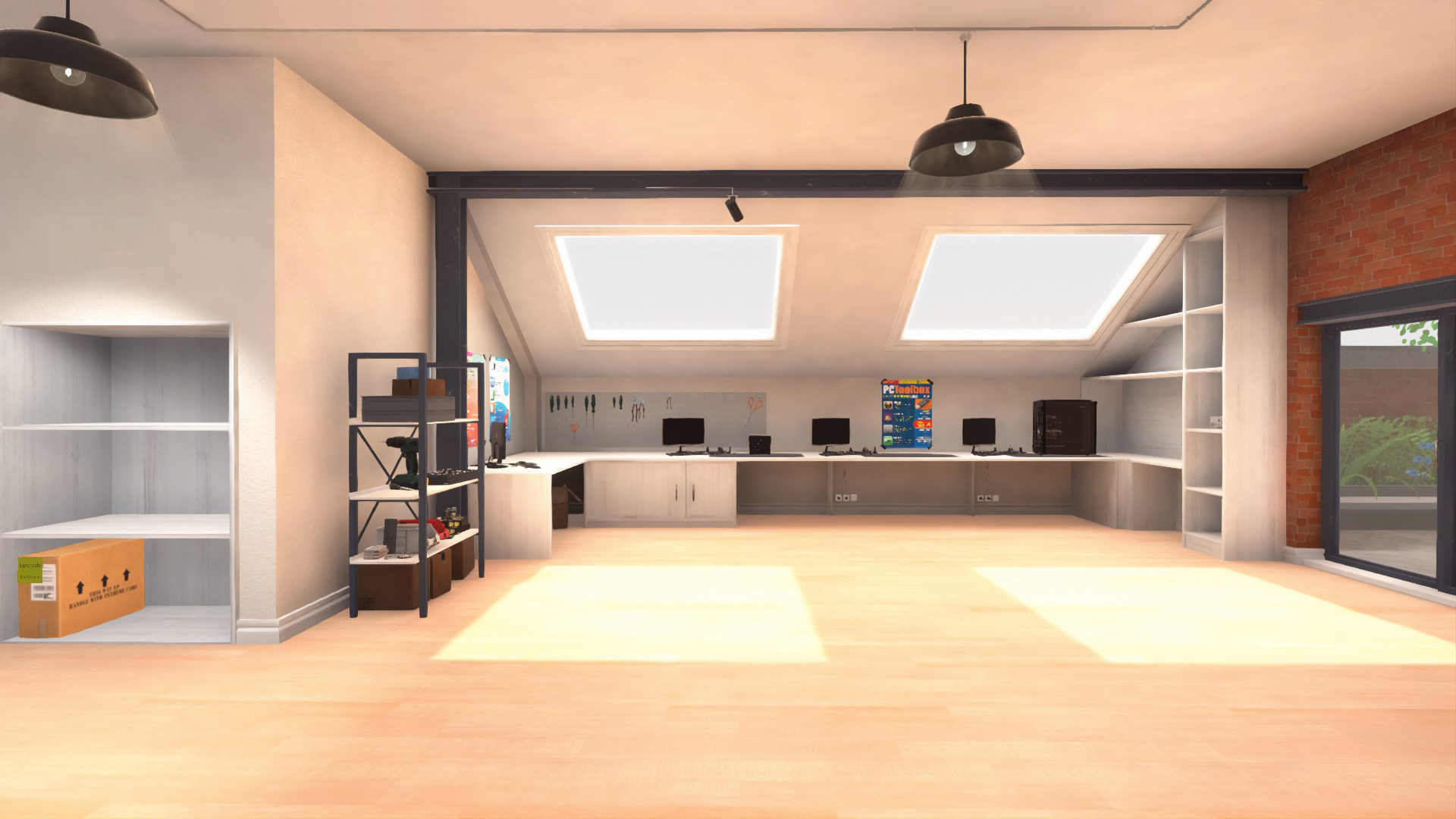
To celebrate the launch of the Free IT Expansion, we've teamed up with Cooler Master to giveaway 3 MasterFrame 700 PC cases. Three lucky winners will each receive a MasterFrame 700 and Steam Keys for PC Building Simulator, so you can experiment with different components in the game and then bring your dream PC to life! Entries must be made via the Gleam page here: https://gleam.io/eVrP0/cooler-master-x-pc-building-sim-giveaway
We're also happy to share that this competition is open world wide.
PC Building Simulator Update v1.13 - Including the IT Expansion
Hello PC Builders!
Today we’re releasing another major update, v1.13. In this patch we’re expanding our range of Z590 chipsets, adding more white parts, introducing some AIB Radeon 6000 series cards, sneaking in extra water-cooling goodies, and we’ve been sweet talking the team at Cooler Master about an entirely new type of case.
First though, time to step into your new office…
Free content: PC Building Simulator IT Expansion
Our always helpful Uncle Tim has found a new opportunity for you to get out of the workshop and expand on your existing PC building skills - starting immediately!
[previewyoutube="pDZn7w8xeNQ;full"]
Pivot your career to a new direction and take charge of IT support at the Irratech Corporation. Featuring over 20 hours of new story content, brand new mechanics, and customisable workshop spaces.
Post-beta feedback adjustments:
Following the community feedback from the open beta, we’ve implemented a few changes prior to releasing the IT Expansion, some of the most notable are highlighted below:
Difficulty settings
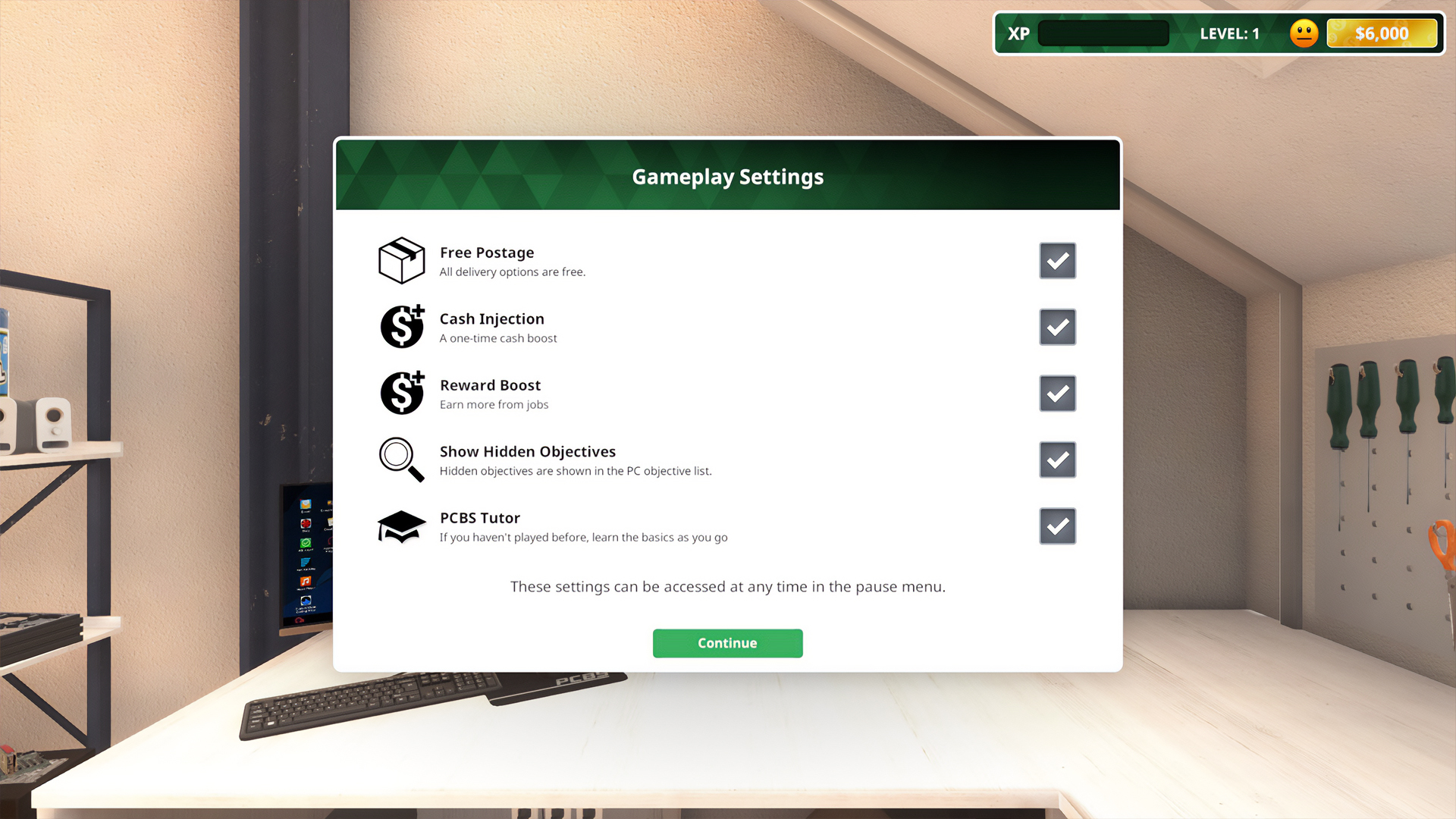
Similar to the Esports Expansion DLC, players can turn on or off a selection of settings to customise their experience, all of these options are available at any time from the pause menu. This time around we’ve also done away with the achievement for completion without any enabled so it’s purely down to how you prefer to enjoy the game.
This also includes an option for additional tutorials aimed at players who are new to PC Building Simulator but want to start with the IT expansion instead of the base game.
Tablet Adjustments
Throughout the beta one of the main pieces of feedback we heard was around tablet functionality, we’ve stepped things up by allowing players to access the tablet while working at a workbench along with adding a calendar app to help players keep track of incoming orders.
To satisfy those of you with better memories or who prefer the more purist experience we’ve also added an option to the game settings to hide the tablet and associated prompts entirely.
Career changes
Whilst many of us enjoy performing percussive maintenance on office printers we’ve also realised that some of you might not, so we’ve made sure to keep it as an optional objective on career jobs. Rigg’s rigs will also make things a little clearer via a one-time popup to make sure nobody misses out on the new way to turn extra PC parts into cash.
Finally, we’ve added two new features to drastically improve the workflow in the IT expansion. Applications in Add/Remove Programs can now be found via a search box and all broken parts can be sold in one click via the inventory.
Introducing the Cooler Master MasterFrame 700
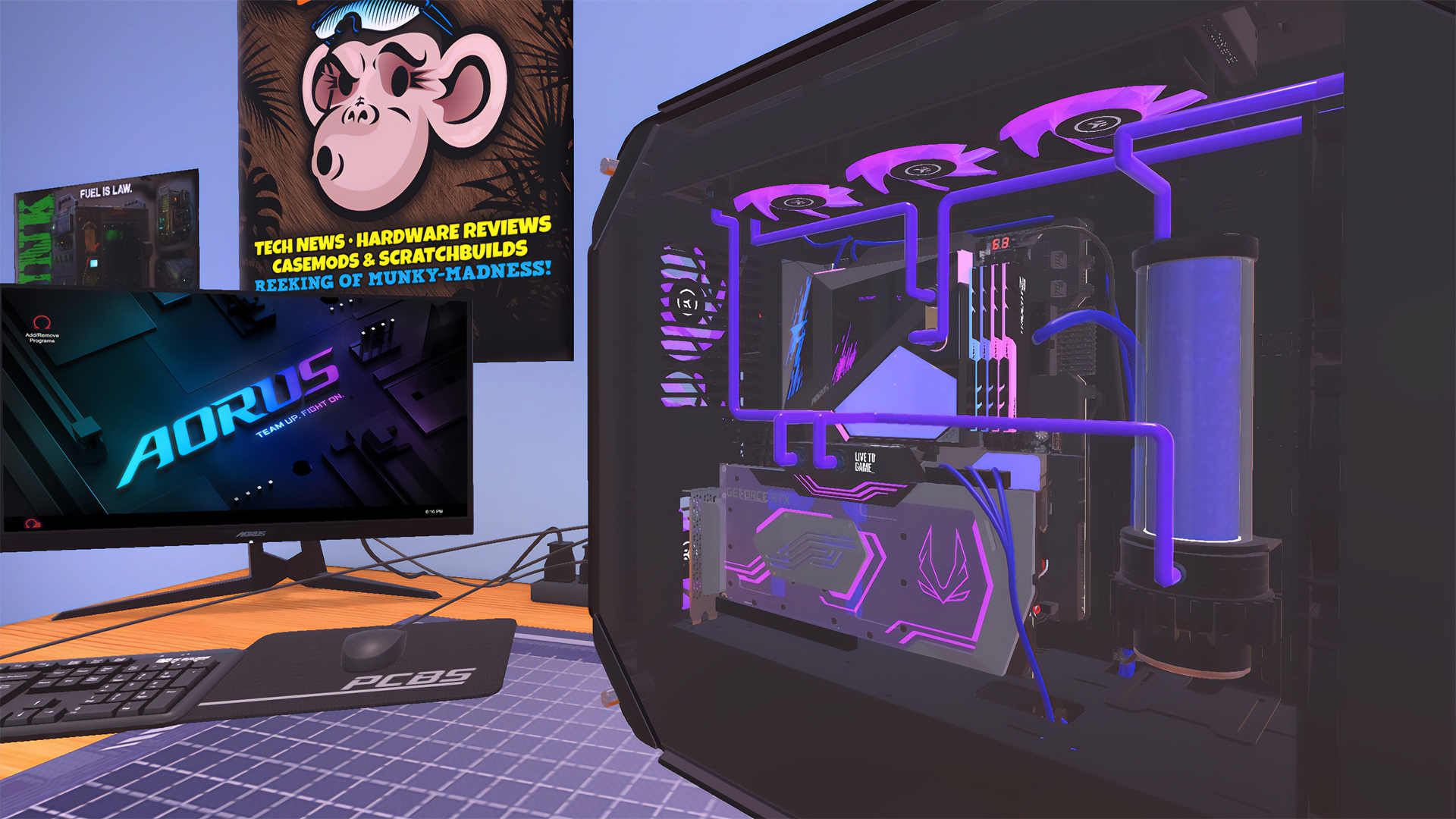
Built with extreme hardware compatibility in mind, the MasterFrame 700 offers new options for both full tower showcase builds and test bench setups - both of which are now available in game as separate cases today.
Cooler Master MasterFrame 700 (Showcase Mode)
Cooler Master MasterFrame 700 (Bench Mode)
To celebrate bringing the MasterFrame to PC Building Simulator, the team at Cooler Master are giving 3 of them away which we’ll have full details of in a separate post.
New Parts:
Highlights:
ADATA XPG DEFENDER PRO / ASRock Radeon RX 6900 XT Phantom Gaming D 16G OC
ZOTAC GAMING GeForce RTX 3080 Trinity OC White Edition
ZOTAC GAMING GeForce RTX 3070 Twin Edge OC
ZOTAC GAMING GeForce RTX 3070 Twin Edge OC White Edition
Memory:
Colorful iGame Vulcan DDR4 4266MHz 8GB
Colorful iGame Vulcan DDR4 3600MHz 8GB
Colorful CVN Guardian DDR4 3200MHz 16GB
Colorful CVN Guardian DDR4 3200MHz 8GB
Colorful CVN Guardian DDR4 2666MHz 8GB
Monitors:
ACER Predator XB273UGS
ACER Predator XB253Q
ACER Predator XB273GX
Bug Fixes:
Parts:
Fixed an issue which prevented the Corsair RTX 3080 hydro X XG7 STRIX RGB from correctly connecting to other water cooling components in the Lian Li O11D XL-X case.
Adjusted cable routing inside the FSP CMT340 case to appear more natural.
Adjusted cable routing inside the be quiet! Silent Base 801 case to appear more natural.
Adjusted cable routing inside the NZXT H440 to appear more natural.
Adjusted cable routing inside the Raijintek Asterion Plus case to appear more natural.
Adjusted cable routing inside the GamerStorm Genome ROG Certified Edition case to appear more natural.
Adjusted PSU cable routing to prevent clipping with the PC's motherboard tray in Cooler Master MasterBox5 PC case.
Adjusted the case fan cable routing to prevent clipping when paired with the MSI MPG Z490 Gaming Carbon Wifi motherboard.
Custom water cooling pipes will now correctly respect the ADATA XPG Battlecruiser case boundaries.
Players will no longer be able to remove the drive bay before removing drives which are installed in the be quiet! Dark Base Pro 900 rev. 2 case.
Players will no longer be able to remove the drive bay before removing drives which are installed in the SilverStone LD03 case.
Players will no longer be able to remove the drive bay before removing drives which are installed in the Fractal Design Meshify 2 and Define 7 cases.
Corrected the placement of front panel 120mm fan slots to prevent overlapping in the Fractal Design Define 7 XL case.
Fixed an issue which caused ASRock Z390 Taichi open drive bays to clip with wider GPUs.
Players can no longer install USB Drives through the top panel of the SilverStone FT05 case.
Fixed an issue which led to non/semi-modular PSU cables clipping through drive bays in the SilverStone FT05 case.
Adjusted the routing of SATA cables between hard drives and the motherboard in the be quiet! Pure Base 600 case to prevent clipping.
Fixed an issue which caused hard drives to clip with some drive bays in the CORSAIR Crystal Series 280X RGB case.
Corrected the alignment of the SilverStone TD01-SLIM and TD02-SLIM AIOs to accurately match CPU sockets.
Fixed an issue which led to text overflow when powering on the ASUS ROG SWIFT PG27QU monitor.
Adjusted the placement of a number of AIO's to prevent clipping with the drive bay locks of the SilverStone PM01-RGB case.
Adjusted the placement of a number of AIO's to prevent clipping with the beauty panel of the SilverStone PM01-RGB case.
Players will no longer be able to install M.2 Drives through the GPU on the GIGABYTE GA-AB350M-Gaming 3 motherboard
Fixed the placement of the Deepcool RF 120 case fans to prevent clipping with dust filters and the top panel of the Lian Li O11 Dynamic case.
Fixed an issue which caused clipping of cables and certain motherboards in the In Win 309 case.
Corrected collision to prevent custom water cooling pipes from being placed in areas which clip the VRM heatsinks on the MSI MEG X570 Godlike motherboard.
Corrected collision to prevent custom water cooling pipes from being placed in areas which clip the side panel of the CORSAIR Obsidian Series 1000D case.
Fixed an issue which prevented fans from being installed in the second slot on the front panel of the be quiet! Silent Base 600 case.
Adjusted collision to more intuitively allow drives to be installed in the NZXT H500 case if a GPU is already installed.
Corrected placement of some PSUs which were clipping with mounts in the NZXT H440 case.
Players will now need to remove the CPU shield before installing a CPU in the MSI MPG Z590 CARBON EK X motherboard.
Removed an extra screw which was incorrectly present on several motherboards.
Corrected the price of DFL Tohu mousepads in the Peripheral Shop.
Adjusted the placement of the PCIe 8-Pin power cable to more accurately plug into the ZOTAC GAMING GeForce RTX 2080 Ti Amp MAXX GPU.
Adjusted collision to more intuitively prevent conflicts between GPU and water cooling pipes in a Lian Li O11D XL-W case.
Fixed an issue which allowed players to install PSUs with no physical supports in the Cooler Master COSMOS C700P case.
Players can now remove multibrackets from the Fractal Design Meshify 2 and Define 7 cases without first having to remove the beauty panel.
Adjusted cable routing to more accurately match drives which are installed in non-standard slots via multibrackets in the Fractal Design Meshify 2 and Define 7 cases.
Fixed collision to allow more case fans to be installed in the bottom of several newer Fractal Design cases.
Fixed collision to prevent case fan cables clipping with the case chassis in several of the newer Fractal Design cases.
The ADATA XPG SPECTRIX S40G M.2 drive will no longer cause clipping issues with the GIGABYTE X570 AORUS ULTRA (rev 1.0) M.2 shields.
Corrected case fan cable routing to prevent clipping occurs between the cable and additional case fans in the CORSAIR Carbide Series 275R case.
Fixed an issue which caused the Raijintek PALLAS 120 CPU cooler to clip with the SilverStone RVZ03 case.
Adjusted the PSU cable routing to prevent cables clipping with the back panel in Raijintek METIS Red case.
Several AIO power cables have been adjusted to reduce the instances of them clipping through installed memory or preventing installation by flagging clipping issues with installed memory.
Adjusted the routing of case fan cables to prevent clipping with the SilverStone PS14 case.
Fixed the placement of the CORSAIR XD3 RGB Combo to prevent clipping with the back of CORSAIR Crystal Series 280X RGB case.
Fixed an issue which prevented some single-fan AIO's from being iinstalled inside the Silverstone PS14 PC case.
Corrected the label Z index of several EVGA PSUs to prevent it from appearing partially obscured by the PSU’s side panel.
Corrected the label Z index of several EVGA SuperNOVA PSUs to prevent it from appearing partially obscured by the PSU’s side panel.
The CPU block flow indicator of the EKWB EK-WB Custom CPU Block on the MSI MPG Z590 Carbon EK X motherboard now correctly spins when attached to a working custom cooling loop.
The EKWB EK-WB custom CPU block will no longer incorrectly clip with the MSI MPG Z590 Carbon EK X motherboard IO Shields and VRM heatsinks.
Career:
Fixed an issue in the Esports Expansion DLC which prevented players from picking up computers in the delivery space if the player previously rejected a job offer on the same PC.
Adjusted the reservoir to prevent clipping with the side panel in the PC during the "Fix for PC" job given by HungryK@KingsleyMD.info.
The "fix" job given by Carl.Reynolds@CarlButlers.com no longer shows the "Replace CPU Block" objective twice.
Players can now correctly hand in the "Fix for PC" job given by JBeale@ShadyClowns.uk.
Fixed an issue which led players to incorrectly be charged for existing components in the "FIX NEEDED!" job given by Wogan.Ryan@RWoganDesign.ly.
Fixed a number of events which caused randomly generated jobs to ask for players to reach unattainable GPU core clocks.
Fixed a number of events which caused randomly generated jobs requiring dual graphics cards to spawn with a case which is too small for them.
Workshops:
Adjusted the lighting on the first workbench in the default workshop to prevent visual anomalies when working with white PC parts and cases.
The glass walls of the trophy showcases in Esports Expansion DLC Workshops are no longer missing.
Fixed an issue which led to the camera clipping through the bottom of the workbench while in assembly mode in the ROG Workshop DLC.
Significantly increased the fidelity of the Razer logo on the exit door of the Razer Workshop DLC.
Fixed a minor issue with level geometry which caused holes to appear under a tree and next to some of the bushes in the Fractal Design Workshop DLC.
Adjusted the cables of several monitors to prevent clipping with the monitor's stands across all workshops.
Users will no longer be able to interact with PCs through walls and benches in several workshops.
Adjusted the placement of super tower cases to prevent clipping with the bench in the first Esports Expansion DLC Workshop.
Fixed an issue which led to abnormally high GPU usage when inside the AORUS Workshop DLC.
Miscellaneous:
Several NZXT coolers have been adjusted to ensure legibility of the brand logo from the inventory screen.
Fixed an issue which prevented some players from accessing the options and exit game menu items with a controller inside the Esports Expansion DLC.
The ZOTAC GeForce GTX 1080 Ti Mini GPU will no longer incorrectly show when filtering for the "RTX 2000 Chipset series".
Adjusted post-it notes highlighting system to prevent highlights showing through hard surfaces in several workshops.
Improved legibility of calendar text for players running the game in lower resolutions.
Increased the update rate of the rating on the HUD to better show the impact of quitting jobs.
Fixed an issue which led to Bongle reviews generating dates with incomplete years.
Adjusted the cursor aim assist function to support the Cloud Notes app when opened from the inventory window.
Fixed an issue which caused incorrect budgets to show if the user does not re-toggle the "Extra Budget" option after choosing "No" on the first prompt of the Esports Expansion DLC.
Fixed a performance issue which occurred when handling the PC for the "a lil request..." contract.
Added an exception to random job generation to prevent jobs from generating with the SilverStone PM01-RGB case "Drive Bay Lock" closed and causing the CPU/case fans to become stuck.
One more thing…
In the spirit of the fruit-based season, we’ve got one final surprise to unveil. Today we’re introducing the option for multiple saves in Free build mode allowing players to stockpile their flashiest builds, opening up opportunities to share and collaborate.
Whether you’re fighting for the virtual overclocking crown or showing off clever RGB syncing techniques, this one’s for you.
Stay up to date!
Is your PC case a robot in disguise? Is your PC case more than meets the eye? Whether you’re cramming multiple radiators in or keeping to traditional air cooling, join us on all our official platforms here: Discord / Twitter / Facebook / Instagram / Reddit / YouTube
Cheers, The PC Building Simulator Team
PC Building Simulator Update v1.12.3.1
Today we’re pushing a final minor update before our next major release to fix a few issues that weren't ready in time for v1.12.3.
Bug Fixes:
Parts:
Adjusted the collision of the ADATA XPG Battlecruiser to prevent an issue which lead to GPUs in lower slots clipping with the PSU shroud.
Corrected the placement of PCIe support screws when installing a second GPU in the MSI MEG B550 UNIFY-X motherboard
Miscellaneous:
Fixed an issue that caused custom key bindings to occasionally reset.
Major adjustments have been made to the parts selection for procedurally generated jobs, this aims to significantly reduce the number of impossible to complete random jobs caused by clipping issues.
Stay up to date:
Looking for more white parts? Speculating on our next major update? Awaiting the imminent release of our newest console patch? Come talk to us on all our official platforms here: Discord / Twitter / Facebook / Instagram / Reddit / YouTube
Cheers, The PC Building Simulator Team
PC Building Simulator Update v1.12.3
Today we’re pushing another update live to address the issues listed below. Special thanks to the community for contributions to bug reporting and evidence gathering.
Additionally, we’re going to be testing out the first version of a short survey aimed at gathering information on bugs reported by players so watch out for initial testing of that on Discord. This should also help us get back to correctly crediting players by name for bugs which they’ve assisted us in fixing.
Bug Fixes:
Career:
Corrected the job text in the "Can you fix this???" job given by LargeSausage@MelaniePens.io to prevent the "Replace Reservoir" objective from being shown twice.
In the "you help us now" job given by 2049@gmcon.com players will no longer be asked to overclock the CPU to 0 Mhz.
Parts:
Reduced the number of instances in which non modular PSU cables would incorrectly route outside of case boundaries.
Fixed an issue which caused the Raijintek Pelias RGB fittings to incorrectly show up as EKWB copper fittings in lighting software.
Several Intel CPUs have had their TDP corrected to match official statistics.
Corrected the length of several water cooled EVGA GPUs.
SLI Bridges will now install correctly when mounting the GPU in the second slot first.
Lian Li cases now correctly allow installation of multi-slot height GPUs in vertical risers. – Shoutout to Sleepy, we’ll have to find something else to joke about now...
The MSI MEG B550 UNIFY-X motherboard now correctly supports Crossfire GPU configurations.
Adjusted 24 Pin cable routing to prevent clipping with the motherboard and case when installing a MSI Prestige X570 Creation in a Fractal Design Define 7 Clear TG case.
GPUs can now correctly be installed vertically in the MSI MPG SEKIRA 500X case.
Adjusted the preinstalled Fractal Design 140mm fans to prevent clipping in the front of the Fractal Design Define 7 XL case.
GPUs will no longer conflict with the second M.2 slot on the GIGABYTE X470 AORUS GAMING 7 WIFI motherboard.
The PSU mounts on the Fractal Design Meshify 2 and Define 7 cases now feature the correct number of screws.
The Thermaltake Core P5 case now correctly supports a 420mm AIO or radiator.
Fixed an issue which prevented the Fractal Design Meshify 2 and Define 7 from showing up when filtering for reservoir compatibility in the Water Cooling Shop.
Adjusted pathing for the NZXT Kraken X42's pipes to prevent clipping with other parts of the cooler.
Adjusted the placement of FSP PSUs inside the SilverStone LD01 case to prevent clipping with the PSU shroud.
Fixed an issue which allowed radiators to be installed despite not having enough clearance in the Fractal Design Define 7 and Meshify 2 cases.
Adjusted NVIDIA GeForce RTX 3090 FE and 3080 FE GPU cables to be routed more naturally.
Fixed an issue which prevented the installation of 280mm radiators in the top position of the CORSAIR Crystal Series 570X RGB case.
Fixed an issue which caused hard drive cables to clip through GPUs on the Open Benchtable OBT-BC1 case.
Fixed an issue which prevented the MSI MAG CORELIQUID series CPU Coolers from being installed in the Fractal Design Define 7 XL and Meshify 2 XL cases.
Adjusted placement of the Alphacool Eisstation DC-Ultra and CORSAIR XD3 RGB Combo reservoirs to prevent conflicts with radiators mounted in the top of the ASUS ROG Strix Helios case.
Fixed an issue which prevented some SSDs from being added if the MSI GeForce RTX 2070 SUPER Ventus GP OC GPU was already installed.
Adjusted placement of the ARCTIC 420mm AIO to prevent additional conflicts when installed in the Fractal Design Meshify 2 XL and Define 7 XL cases.
Adjusted the placement of the GamerStorm Captain 240 EX White RGB to prevent clipping when installed in the CORSAIR Crystal Series 280X RGB case.
Removing or installing the glass side panel of the In Win 303-MSI Dragon Edition no longer causes the PC to shut down.
Case fan cables no longer clip through the motherboard power cable when using braided cables inside the Cooler Master COSMOS C700P case.
Rerouted case power cables to prevent clipping with GPU cables inside the MSI MPG MAG Vampiric 010 case.
Hard drive cables are now routed more naturally inside the NZXT H440 Hyper Beast case.
Adjusted the drive bays inside the SilverStone PM01-RGB to prevent clipping with the case side panel.
Reduced the number of instances where players can install or remove PSU shrouds while the power cord is plugged in.
When moving around a dusty Raijintek Asterion Plus case the dust no longer periodically flashes.
Minor tweaks have been made to the connectors on the Fractal Design Dynamic X2 GP-12 (White) to prevent them clipping with the fan's frame.
It is now easier to install an additional GPU horizontally if one is already installed.
Localisation:
Players can now correctly see GPU Temperatures in applications when playing with the language set to Polish.
Fixed an issue which caused save files becoming corrupted when the Simplified Chinese language option was selected.
Miscellaneous:
The title logo will now show correctly on ultrawide displays.
Fixed an issue which required users to press Esc twice to return to the Main Menu from the Career Load Menu.
Players will no longer see erroneously placed prompts when holding RMB while holding the Compressed Air on a dusty PC.
The Music Volume slider from Options now also influences the slider in the Music Player app.
System Info's horizontal scrolling bar no longer disappears when changing the application into full screen view.
Stay up to date:
Do you put screens on your CPU cooler? Do you put screens on your GPU cooler? Do you put screens on your case front panel? Do you put screens on your case side panel? Come talk to us on all our official platforms here: Discord / Twitter / Facebook / Instagram / Reddit / YouTube
Cheers, The PC Building Simulator Team
PC Building Simulator Update v1.12.2
Today we're pushing a minor update live to address the issues listed below. Special thanks to the community for contributions to bug reporting and evidence gathering.
Bug Fixes:
Career
Fixed several clipping issues which occurred in the Esports expansion job “Bob’s PC” when generated with certain cases.
Fixed an issue which prevented players from finishing the "Incoming Transmission" job given by jamie.dirk@fssbold.hfed.gov in the main career mode.
Workshop DLCs
Fixed an issue which caused door textures to display incorrectly inside the pre-match area in the Esports expansion.
Fixed an issue which in some cases caused a brief flash to display when sitting down in the Fractal Design Workshop DLC.
Parts
Adjusted the Thermaltake Core P5 case to prevent collision with ARCTIC Liquid Freezer 2 series AIOs.
Intel Core i9 11900K and Intel Core i9 11900KF now display the correct TDP values in the store information.
Fixed an issue which prevented players from installing 120mm case fans in the top of the Fractal Design Focus G case.
Updated the information in the “Congratulations!” level up email to reference the correct Ryzen CPU generations as they’re unlocked.
Fixed an issue with the Overclockers UK workshop which caused RGB lighting to change hue when viewed outside of assembly mode.
Corrected blade orientations on Fractal Design Dynamic X2 GP-12 and GP-14 case fans.
Adjusted clearances of the Fractal Design Meshify 2 Compact, Fractal Design Meshify 2 XL and Define 7 XL cases, allowing SSDs to correctly be installed in the bottom drive bays.
Adjusted drive bays and surrounding panels in the Fractal Design Meshify 2 and Define 7 cases, allowing SSDs to be correctly installed in the main drive bays.
Changed the pathing of non-modular and semi-modular PSU cables in the EVGA DG-84, DG-85, DG-86, and DG-87 PC cases to look more natural.
The ARCTIC Liquid Freezer 2 series 420mm AIO will no longer appear when “Fits this PC” is selected for several cases where it does not physically fit.
Adjusted radiator placement to allow installation of the ARCTIC 420mm AIO in Fractal Design Meshify 2 XL and Define 7 XL cases.
Adjusted CORSAIR Hydro X Series XR5 420 to prevent radiator from clipping through several cases when installed in the top rack.
Fixed an issue which lead to front mounted radiators clipping through the PSU shroud of the Antec P8 case.
Fixed an issue which sometimes caused non-modular PSU cables to duplicate when plugged in to components.
Adjusted cable placement to prevent non-modular PSUs from clipping through the In Win A1 case side panel.
Case fans can now correctly be installed in the top panel of the CORSAIR Carbide Series SPEC-DELTA RGB case.
Miscellaneous
Fixed an issue which caused case fans to disappear from newly delivered PC cases after reloading an
autosave.
Fixed an issue which caused the "Apply Thermal Paste" prompt to appear when hovering over an installed AIO / CPU Block.
When starting a new game from the Esports DLC players will no longer become stuck in an infinite loading screen.
Stay up to date!
Attaching screens to your power supply? Attaching screens to your motherboard? Attaching screens to your GPU? Found more places to attach screens inside your case? Come talk to us on all our official platforms here: Discord / Twitter / Facebook / Instagram / Reddit / YouTube
Cheers, The PC Building Simulator Team
PC Building Simulator Update v1.12.1
Today we're pushing a minor update live to address the issues listed below. Special thanks to the community for contributions to bug reporting and evidence gathering.
Bug Fixes:
Career
Fixed an issue which lead to case fans being flagged as 'used' in newly purchased cases and when temporarily removed from client builds for the purpose of job completion rating.
How to build a PC
Fixed an issue which prevented objective recognition in ‘How to build a PC’ when installing the motherboard and blocked completion.
Fixed an issue which prevented objective recognition in ‘How to build a PC’ when installing the processor and blocked completion.
Parts
Fixed an issue which lead to parts going missing after being removed from the Fractal Design Meshify 2 Compact Clear TG White case.
Fixed an issue which caused the inventory to become blank and unusable when removing parts from the Fractal Design Meshify 2 Compact Clear TG White case.
The Fractal Design Define 7 White case now includes the correct upper fans.
The Fractal Design Define 7 White case lower fan no longer clips with the lower front beauty panel.
Adjusted clearance to increase AIO compatibility with the Fractal Design Meshify 2 Clear TG case, this should allow a wider variety of 360mm AIOs to be installed correctly.
Fixed an issue which prevented installation of AIO coolers and custom loop radiators in the Kolink Stronghold case.
Adjusted placement of reservoir power cable to prevent clipping with motherboards in the CORSAIR Crystal Series 280X RGB case.
Fixed an issue which lead to multiple triple fan GPUs causing PCIe power connector cables to clip through parts when used in a super tower case.
The Fractal Design Define 7 XL case top panel is now correctly named when removed and placed in the player inventory.
The Fractal Design Meshify 2 XL case top panel is now correctly named when removed and placed in the player inventory.
Players can now correctly interact with the power button on the Fractal Design Meshify 2 case.
Adjusted clearances to allow radiator use in the front and front bottom positions when using a Fractal Design Meshify 2 XL case.
Adjusted clearances to allow radiator use in the front and front bottom positions when using a Fractal Design Define 7 XL case.
Fixed an issue which lead to motherboard 24 pin cable clipping with the side panel of the Fractal Design Define 7 case.
Case fans are now correctly aligned in the CORSAIR Carbide Series SPEC-DELTA RGB case.
The Raijintek ENYO case no longer phases partially into work benches.
Workshop DLCs:
Fixed an issue which lead to inconsistent performance when walking around the Fractal Design Workshop DLC.
Fixed an issue which caused trees to be visible through certain PC cases when in the Fractal Design Workshop DLC.
Fixed an issue which lead to the player camera clipping with the workbench when in assembly mode in the Fractal Design Workshop DLC.
Players will no longer be incorrectly spawned near the AORUS statue when exiting the AORUS Workshop DLC on the lower floor.
Fixed an issue which caused textures to be visible through PCs when held in certain workshops.
Stay up to date!
Want us to rate your rigs both real and virtual? Need a place to request insulated water bottles? Come talk to us on all our official platforms here: Discord / Twitter / Facebook / Instagram / Reddit / YouTube
Cheers, The PC Building Simulator Team
XPG x PC Building Simulator Giveaway
Looking to win some new PC parts and get your next build started? We’ve joined forces with XPG to give away some of their latest hardware and celebrate bringing the XPG LEVANTE coolers to PC Building Simulator! Entries must be made via our website: https://theirregularcorporation.com/xpg-giveaway
Prizes:
1st Prize – 1x XPG Levante 240mm AIO
2nd Prize - 1x XPG Pylon 750W PSU
3rd Prize - 4x XPG Vento RGB Fans
Terms:
Please give us a valid email address as we will need to provide this to ADATA / XPG to fulfil the competition prizes.
You must be over 16 to participate.
Participation is open worldwide.
For additional information check the full terms on Gleam.
PC Building Simulator Update v1.12
Hello PC Builders!
Hot on the heels of v1.11 we’ve got another major update. In this patch we’re releasing the often-requested 11th generation Intel processors, adding our first Z590 chipsets, keeping temperatures down with new cooling solutions and expanding our range of high-end power supplies.
First though, can I offer you some Scandinavian minimalism in this trying time?
Fractal Design Workshop DLC
[previewyoutube="iDHbzu8RPaM;full"]
Today we’re collaborating with the Fractal Design team to bring their modernist zen aesthetic to our latest partner workshop DLC, complete with a landscape garden to help you unwind from those stressful overclocking sessions.
Introducing Intel’s 11th Generation – Codename Rocket Lake
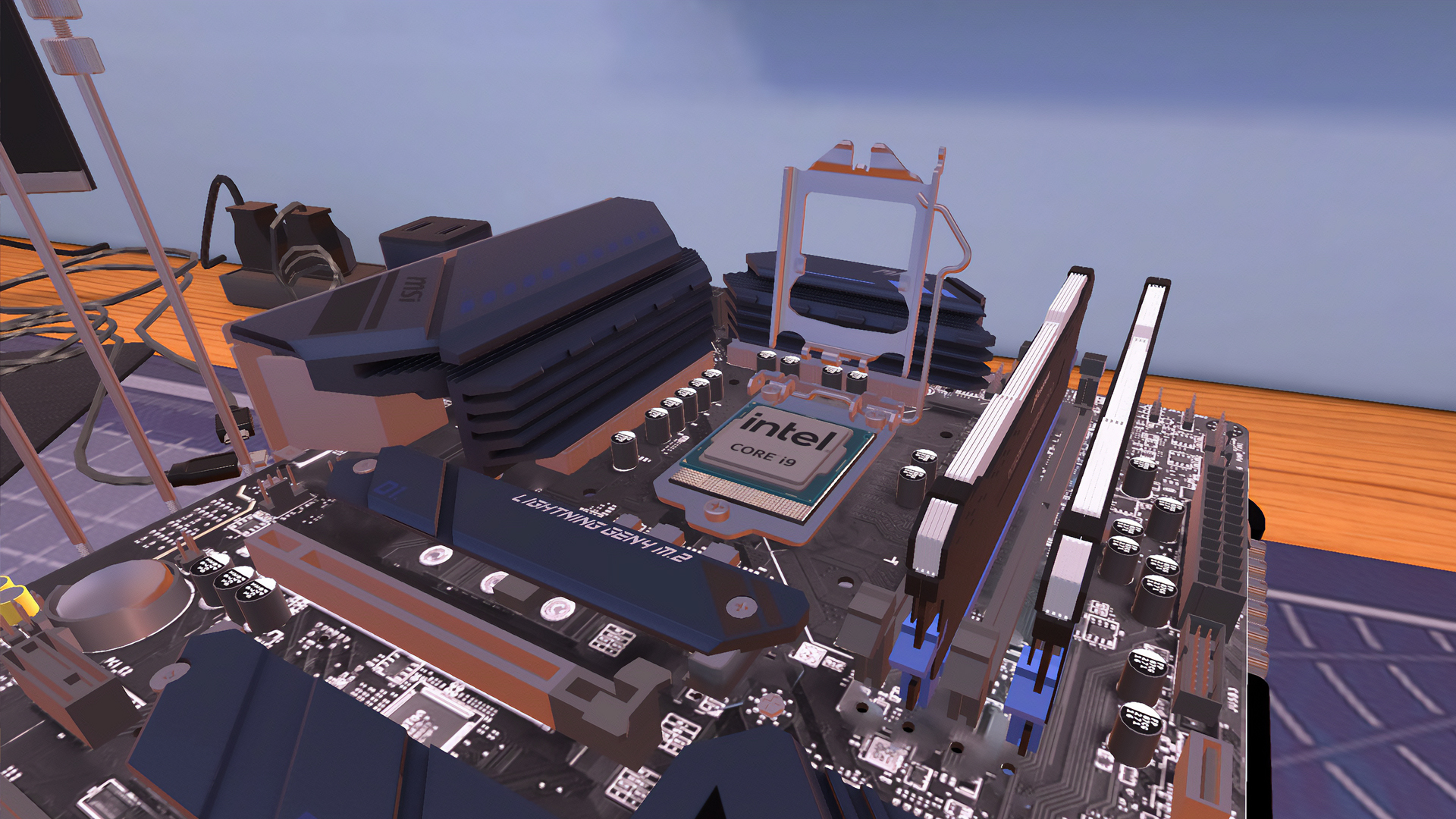
Keeping up with the recent hardware release tempo, today we’re welcoming Intel’s 11th generation processors to PC Building Simulator alongside an initial selection of Z590 motherboards.
Intel i9 11900KF
The new blue team processors will be landing in force with both mid-range and flagships immediately.
TOHU
Following in the footsteps of our Murder By Numbers collaboration, we’re bringing a nod to another game our wider team have worked on to PC Building Simulator – Fireart’s gorgeous puzzle adventure title TOHU.
DFL Tohu (Extra Large)
Spruce up your virtual battle stations by flexing some weird and wonderful fish planet goodness thanks to our latest in graphic mouse pads.
New Parts
Highlights:
ADATA XPG LEVANTE 360
MSI MPG Z590 CARBON EK X
Fractal Design Meshify 2 Clear Transparent Glass
Full Parts List:
Air Coolers:
ARCTIC Freezer 11 LP
ARCTIC Freezer A13 X
ARCTIC Freezer A13 X CO
Case Fans:
ADATA XPG VENTO PRO 120 PWM
ARCTIC BioniX P120 ARGB
ARCTIC P12 Slim PWM PST
InWin Saturn ASN120
Cases:
Fractal Design Define 7 Clear Tempered Glass White/Black White versions
Fractal Design Define 7 XL Tempered Glass Black
Fractal Design Meshify 2 Clear Tempered Glass
Fractal Design Meshify 2 Compact Clear Tempered Glass White
Fractal Design Meshify 2 XL Light Tempered Glass Black
CPUs:
Intel Core i9-11900
Intel Core i9-11900KF
Intel Core i9-11900K
Intel Core i7-11700
Intel Core i7-11700KF
Intel Core i7-11700K
Intel Core i5-11600
Intel Core i5-11600KF
Intel Core i5-11600K
Intel Core i5-11500
Intel Core i5-11400F
Intel Core i5-11400
GPUs:
MSI GeForce RTX 3070 VENTUS 2X
MSI Radeon RX 5700 GAMING X
Liquid Coolers:
ADATA XPG LEVANTE 360
Fractal Design Celsius+ S24 Dynamic
Fractal Design Celsius+ S24 Prisma
Fractal Design Celsius+ S28 Dynamic
Fractal Design Celsius+ S28 Prisma
Fractal Design Celsius+ S36 Dynamic
Fractal Design Celsius+ S36 Prisma
Motherboards:
MSI MAG B550 TOMAHAWK
MSI MAG B550M BAZOOKA
MSI MAG B550M MORTAR WIFI
MSI MEG B550 UNIFY-X
MSI MPG B550 GAMING CARBON WIFI
MSI MPG B550I GAMING EDGE WIFI
MSI MAG Z590 TOMAHAWK WIFI
MSI MAG Z590 TORPEDO
MSI MEG Z590 ACE
MSI MPG Z590 CARBON EK X
MSI MPG Z590 GAMING CARBON WIFI
Mouse Pads:
DFL Tohu (Medium)
DFL Tohu (Large)
DFL Tohu (Extra Large)
PSUs:
Antec SIGNATURE 1000 PLATINUM
Antec SIGNATURE 1000 TITANIUM
Antec SIGNATURE 1300 PLATINUM
EVGA SuperNOVA 1600 G2
EVGA SuperNOVA 1600 P2
Bug Fixes:
Parts:
Adjusted GamerStorm TRISTELLAR SW to fix a number of air cooler clipping issues.
Raijintek PALLAS 120 CPU Cooler can now be removed when installed in the SilverStone.RVZ03 case.
Corrected RAM alignment on the MSI MEG X570 Godlike motherboard
Fixed an issue which caused black screens during GPU test when using some 30 series GPUs in SLI.
Adjusted the placement of Raijintek ORCUS 280 AIO pipes on Open Benchtable to allow installation of custom water cooled GPUs.
Dark tempered glass case panels will now correctly darken monitors when looking at them through the panel.
Fixed an issue which required mixed GPUs to have voltage adjusted before GPU Tuner is unlocked.
Fixed an issue where a job requiring XMP resulted in RAM failing immediately.
Fixed an issue which generated the wrong temperatures in dual custom loops.
Adjusted the AIO pipe pathing on MSI B450I GAMING PLUS AC to prevent clipping with CPU plate.
Fixed an issue which caused the Silent Base 601 case to fuse with PSU brackets.
Reduced the number of collision issues with PCs generated through PC Bay.
Jobs:
Corrected review string after completing "Sonic Munk needs your help!" job given by blakepatterberg48@moviemaniax.co.uk.
Corrected review string after completing "Computer in need of an 'upgrade'" job given by brucevancleefe@brucevancleefe.com.
Corrected review string after completing "What's wrong with my gaming rig?!" job given by realcheez@mintyMail.cool.
Corrected review string after completing "15 years of Bathimoor Babes!!" job given by blakepatterberg48@moviemaniax.co.uk.
Corrected review string after completing "Upgrade so I can sail!" job given by rich@sailingmyboat.nl.
Corrected review string after completing "Need HDD space to prep for movie" job given by blakepatterberg48@moviemaniax.co.uk.
Corrected review string after completing "Upgrade not working..." job given by d.darmian@ddanddassociates.com.
Localisation:
Fixed an issue which prevented players hitting 'Apply' in the settings menu when the game language was set to Simplified Chinese.
Misc:
Improved the performance across all workshops when handling multiple PCs.
Music player now continues from previous state on loading the game.
Merchandise
Finally, as seen on Discord, we’re also toying with ideas for merchandise that players might enjoy.
Feel like repping Uncle Tim’s multi-dollar PC building empire? We need your feedback to make it happen so let us know what you think in both the comments here and via the open channel on our official Discord server.
Stay up to date:
Looking for a new place to link reaction gifs? Need morale support while camping outside of your local box store? Want to speak to other developers developers developers developers? Come talk to us on all our official platforms here: Discord / Twitter / Facebook / Instagram / Reddit / YouTube
Cheers, The PC Building Simulator Team
IT Expansion Open Beta & Survey Contest
Hello PC Builders!
The open beta has begun, everyone who signed up should now check their emails. If you haven’t signed up, you can join in by heading to the PC Building Simulator Steam store page.
Once you’re there, near the button for buy (or play) is a new option to join the playtest, hit that and you’ll gain a new application in your Steam library – “PC Building Simulator IT Expansion Playtest”. This is a separate download to make sure existing saved games are kept safe.
Players will be unable to sign up after 1st June 12:00 UTC+1.
The beta will open on 26th May 12:00 UTC+1.
The beta will be unavailable after 2nd June 12:00 UTC+1.
The playtest requires a 15.56 GB download to play.
You must fill out the survey linked on the main menu to be eligible for a prize.
Free draw winners will be chosen on the 9th of June.
Players can stream or create videos, please make it clear it’s an in-progress beta though.
Cheers, The PC Building Simulator Team
PC Building Simulator - IT Expansion Open Beta
Hello PC Builders!
Today we’re announcing the open beta of our second career expansion, themed around IT support! It was developed in collaboration with Futurlab. Whilst we won’t restrict play or feedback to certain countries, it’s important to note the open beta will be available to play in English language only. This is because we haven’t finished writing all of the content and therefore it’s not yet localised to other languages.
To be clear, this is a beta, not a finished product. There’s missing content and there will be bugs. Our main goal with this beta is to get some feedback on the tone and new gameplay elements through a short Google form. This will allow us to refine the whole thing and make sure it’s fun to play, whilst also letting players in on what we’ve been up to. To sweeten the deal, we’re also going to be rewarding one lucky survey responder with a real PC case...
How do I sign up?
Anyone can take part, to get involved head over to the PC Building Simulator store page which we’ve embedded below.
Once you’re there, near the button for buy (or play) is a new option to join the playtest, hit that and you’ll gain a new application in your Steam library – “PC Building Simulator IT Expansion Playtest”. This is a separate download to make sure existing saved games are kept safe.
Nothing says office job simulation quite like a dinosaur with a flamethrower.
Important information:
Signups will begin on 21st May 16:00 UTC+1
Players will be unable to sign up after 1st June 12:00 UTC+1
The beta will open on 26th May 12:00 UTC+1
The beta will be unavailable after 2nd June 12:00 UTC+1.
The playtest requires a 15.56 GB download to play.
You must fill out the survey linked on the main menu to be eligible for a prize.
Players can stream or create videos, please make it clear it’s an in-progress beta though.
Stay up to date!
Need somewhere to give even more feedback? Want to speculate on the next patch to the main game? Come talk to us on all our official platforms here: Discord / Twitter / Facebook / Instagram / Reddit / YouTube