Today we're pushing a second minor update live to address a few things listed below. Special thanks to the community for contributions to bug reporting and evidence gathering. This is also the first time we've made use of the minor update notification over a simple forum thread so let us know your preference!
Bug Fixes
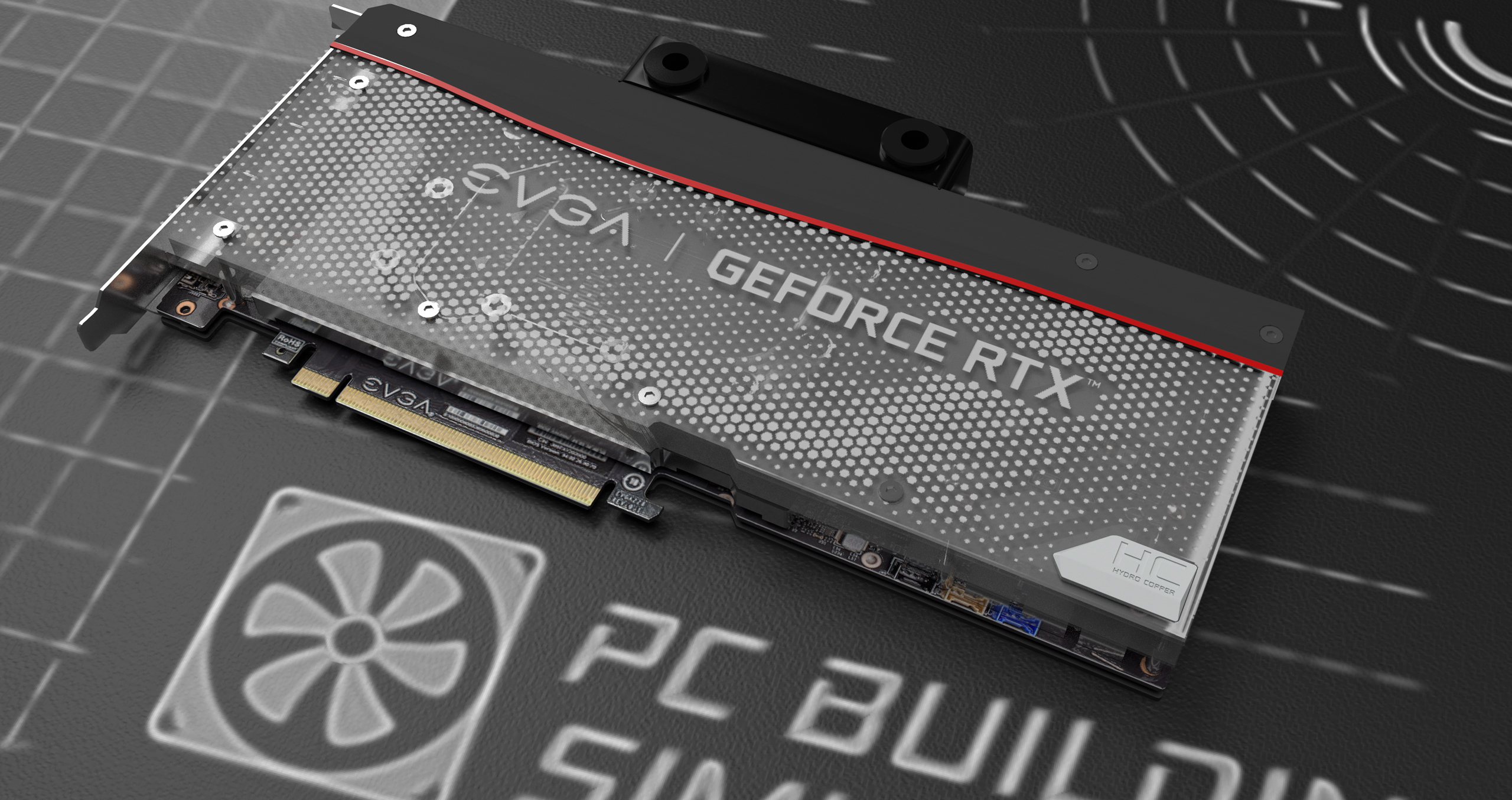
Fixed an issue that caused the camera to move up when trying to look under the GPU models in the EVGA Workshop DLC.
Adjusted the ARTIC Freezer 50 CPU cooler to prevent some clipping issues and allow for greater memory compatibility.
Fixed an issue which caused the CORSAIR XD3 RGB Combo to clip through the side of the CORSAIR Crystal Series 280X RGB case - Thanks to Rebluus
Corrected the balance data for the Colorful iGame GeForce RTX 2060 Ultra - Thanks to Jacob 'Snakeman' Klein
Fixed an issue which caused the Acer Predator XB273U NV Monitor screen to display incorrectly in some cases due to an incorrect Z plane value - Thanks to Dikiy (Андрей)
Stay up to date!
Want updates between your updates? Need somewhere to brag about your latest hardware pickup? Come talk to us on all our official platforms here: Discord / Twitter / Facebook / Instagram / Reddit / YouTube
Cheers, The PC Building Simulator Team
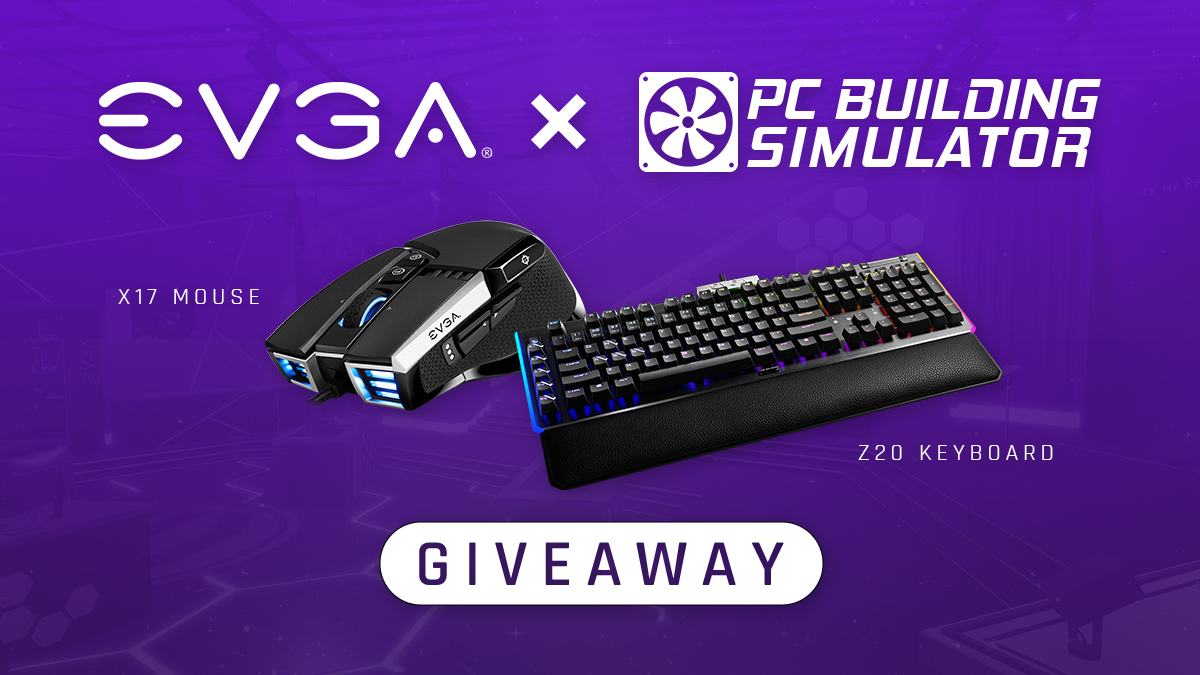
EVGA x PC Building Simulator Giveaway
To celebrate the EVGA Workshop DLC we've teamed up with EVGA who are giving away 15 copies of PC Building Simulator (full game) along with the new EVGA Workshop DLC! You also have a chance to win one of five EVGA Mouse/Keyboard Combo! Entries must be made via the Gleam page here: https://gleam.io/kIPta/pc-building-simulator-evga-workshop-giveaway
We're also happy to share that this competition is open world wide. Participants must be 13+ to enter.
PC Building Simulator Update v1.11
Hello PC Builders!
Today we’re announcing our next major update, patch v1.11. In this patch we’re releasing another round of new hardware including water cooled GPUs and expanding our range of Ryzen 5000 series processors. Finally, we’ve added a new feature to the Esports DLC allowing the workshops to be used outside of the Esports campaign. But first though, we’re introducing a brand-new workshop…
EVGA Workshop DLC
[previewyoutube="o00ScwaoGz0;full"] Celebrating another community favourite, today we’re introducing our latest partner workshop DLC built in collaboration with EVGA. Step into a world of neon overglow inspired by TeamEVGA and EVGA’s famous Game Arena.
To give players a better look inside we’ve teamed up with JVN Gaming for a special episode of Free Build Extreme showing off the new aesthetic:
[previewyoutube="SnStmZUjT9Y;full"]
Water cooled GPUs
Alongside the workshop we’re also bringing the first of this generation’s custom loop compatible GPUs to PC Building Simulator, featuring entries from both NVIDIA’s RTX 30 series and AMD’s RX 6000 series graphics cards courtesy of EVGA and Corsair.
CORSAIR Hydro X Series XG7 RGB RX-SERIES GPU Water Block 6900 XT
As both line-ups continue to make waves, we’re happy to keep up the pace and introduce these often-requested parts to the game today.
New Partner: Acer
As another major part of v1.11 we’re welcoming a brand-new partner to PC Building Simulator – ACER, who join the game with two of their high-performance Predator monitors.
ACER Predator XB273K
Marking their first entries in PCBS, players can pay homage to the Intel Extreme Masters powering brand and bring a slice of the Predatorverse to their workshops.
Esports Workshops
After reading user reviews on the Esports Expansion DLC, in patch v1.9 we added a selection of difficulty options to allow players to customise their career experience. Today we’re following up with another new feature – allowing players who own the DLC to use 3 of the workshops featured in the expansion in the base game career and free build modes.
To celebrate our latest update to the Esports Expansion DLC we’re starting a second Let’s Play series – this time with BigJake901 where he’ll be playing the Esports career for the very first time. Check out the first episode here:
[previewyoutube="KuseFKPUcIk;full"]
New Parts
Highlights:
ARCTIC Liquid Freezer II 420mm
MSI Radeon RX 6900 XT GAMING X TRIO 16G
Colorful GeForce RTX 3090 NB-V
Full Parts List:
Motherboards:
EVGA Z490 DARK
EVGA Z490 FTW WIFI
Liquid Coolers:
InWin SR36 Pro AIO
InWin SR24 Pro AIO
ARCTIC Liquid Freezer II 420mm
ARCTIC Liquid Freezer II 360mm
ARCTIC Liquid Freezer II 280mm
ARCTIC Liquid Freezer II 240mm
ARCTIC Liquid Freezer II 120mm
Air Coolers:
GamerStorm ASSASSIN III
ARCTIC Freezer 50
Case fans:
GamerStorm MF120 GT Case Fan
GamerStorm TF120S Case Fan (Black/White versions)
PSUs:
ADATA XPG Pylon 450W
ADATA XPG Pylon 550W
ADATA XPG Pylon 650W
ADATA XPG Pylon 750W
Water Cooled GPUs:
CORSAIR Hydro X Series XG7 RGB 30-SERIES STRIX GPU Water Block 3090
CORSAIR Hydro X Series XG7 RGB 30-SERIES VENTUS GPU Water Block 3090
CORSAIR Hydro X Series XG7 RGB 30-SERIES GPU Water Block 3090 FE
CORSAIR Hydro X Series XG7 RGB 30-SERIES REFERENCE GPU Water Block 3090
CORSAIR Hydro X Series XG7 RGB 30-SERIES STRIX GPU Water Block 3080
CORSAIR Hydro X Series XG7 RGB 30-SERIES VENTUS GPU Water Block 3080
CORSAIR Hydro X Series XG7 RGB 30-SERIES GPU Water Block 3080 FE
CORSAIR Hydro X Series XG7 RGB 30-SERIES REFERENCE GPU Water Block 3080
CORSAIR Hydro X Series XG7 RGB 30-SERIES STRIX GPU Water Block 3070
CORSAIR Hydro X Series XG7 RGB RX-SERIES GPU Water Block 6900 XT
CORSAIR Hydro X Series XG7 RGB RX-SERIES GPU Water Block 6800 XT
Colorful iGame GeForce RTX 2070 SUPER Vulcan X OC-V
Colorful iGame GeForce RTX 2070 Vulcan X OC-V
Colorful iGame GeForce RTX 2070 SUPER Vulcan OC-V
Colorful iGame GeForce RTX 2070 Ultra OC-V
Colorful iGame GeForce RTX 2060 SUPER Ultra-V
Colorful iGame GeForce RTX 2060 Ultra OC-V
Colorful iGame GeForce RTX 2060 Ultra
EVGA EVGA GeForce GTX 1660 Ti XC
CPUs:
AMD Ryzen™ 7 5800X Desktop Processor
AMD Ryzen™ 5 5600X Desktop Processor
Water Cooling Parts
CORSAIR Hydro X Series XD3 RGB Pump/Reservoir Combo
EKWB EK-Supremacy Edge
EKWB EK-Supremacy Evo
Mice:
EVGA X17 Gaming Mouse
Keyboards:
EVGA Z20 RGB Mechanical Keyboard
Monitors:
ACER Predator XB273U NV
ACER Predator XB273K
Stay up to date!
Making more than just a series of tubes? Seeking inspiration to earn the elusive #FanBuildFriday crown? Join us on all our official platforms here: Discord / Twitter / Facebook / Instagram / Reddit / YouTube
Cheers, The PC Building Simulator Team
PC Building Simulator Update v1.10.8
Hey PC Builders!
Today we’re releasing a mini update as we focus on delivering the various console patches and work through a number of hotly requested parts to include in the next major PC release. This should be familiar to those of you who remember our minor Threadripper update and the major release that followed towards the end of last year.
Today we’re pushing several bug fixes as we look to address issues with existing parts and bringing the PC Building Simulator Soundtrack to our official YouTube channel! As ever though, it wouldn’t be patch day if we didn’t start with something special…
Happy anniversary to Murder by Numbers!
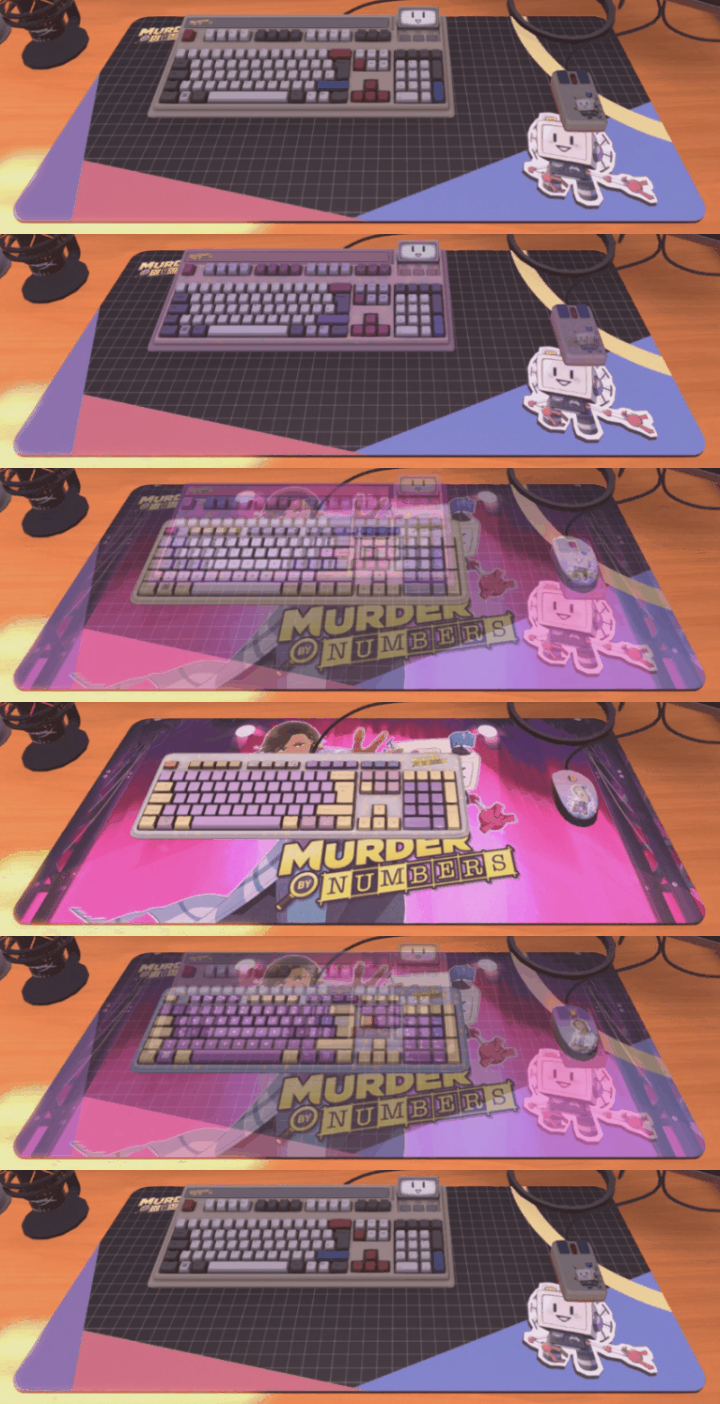
Around this time last year, we published the hit detective puzzle game Murder by Numbers, created by our friends over at Mediatonic (now widely known for Fall Guys). We’re joining in on the celebrations PC Building Simulator style by adding a series of retro inspired peripherals, showcasing some of the iconic art from the game.
Players can now add some 90’s inspired beige to the workshop complete with shots of the game’s picross puzzle solving crime fighting duo!
Full parts list:
Parts Highlight:
Mediatonic Murder by Numbers (XL) Mousepad, Mediatonic Honor Edition Keyboard and Mediatonic Honor Edition Mouse
As another piece of today’s mini update, we’re continuing to bring content to our official YouTube channel. Following on from our creator collaboration series, fans can now listen to more than just their favourite PC building rap when away from their virtual workshop.
Check out the full playlist here and let us know which tracks you’ve got on repeat in the comment section: [previewyoutube="jaQr9mIRTew;full"]
Bug Fixes
Finally, as the start of our renewed focus for refining existing parts, we’ve been reaching out to members of the community who’ve helped provide feedback on existing components that could use some love. Over the course of the next few updates, we’ll be reviewing those reports with aims to fix more long-standing issues so imagine today’s list as a short sneak preview.
Resolved an issue which lead to email title text being cut off on the right side of the email app
Corrected an issue which caused saves to become corrupted when using an EVGA 2080 Super FTW3 Ultra Hydro Copper Gaming card – Special thanks to Mark, Pablo, Gari, Maducdoc and those of you who reported this problem via Discord.
Lighting is now correctly displayed under the Lian Li PC-O11 Dynamic case
The bottom RGB lights of the Lian Li PC-O11 Dynamic case are now visible on more workbenches.
Custom lighting is now correctly saved when using the Cryorig C7 RGB CPU cooler. - Special thanks Aleks
Resolved a collision issue with the MSI MAG Coreliquid 360R when using an In-Win 303 MSI edition case – Special thanks to Trent for the detailed report.
Fixed a collision issue with the NZXT S340 case when using certain graphics cards – Special thanks Jon
The fans on the Cryorig H5 Ultimate are now correctly sized. - Special thanks Nichlas
Apps ‘search’ text box no longer remains active after leaving the PC it was used on
Fixed an issue that caused SFX volume to display and change incorrectly.
The MSI GeForce RTX™ 3060Ti GAMING X TRIO now displays the correct results in 3DMark Time Spy.
Gigabyte M.2 Solid State Drives now display the correct names. - Special thanks Liby
Stay up to date:
Building something in real life and want to flex your component choices? Seeking inspiration to earn the elusive #FanBuildFriday crown? Join us on all our official platforms here: Discord / Twitter / Facebook / Instagram / Reddit / YouTube
Cheers, The PC Building Simulator Team
PC Building Simulator Update v1.10.5
Hello PC Builders!
Today we’re releasing our first patch of 2021 as we celebrate the lunar new year! This update adds a selection of new parts and heralds the release of the often-requested PC Building Simulator soundtrack!
Additionally, we’re welcoming another content creator, bringing us up to three different YouTube series. First though, it’s time for this update’s special announcement…
Introducing AMD Radeon RX 6000
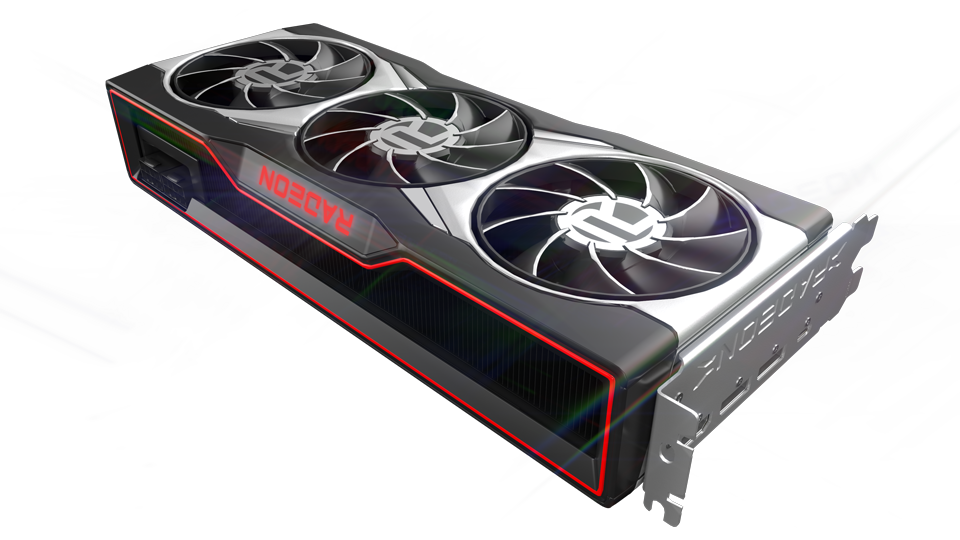
Many fans have been wondering when Red Team’s latest powerhouse would make it’s PC Building Simulator debut, in today’s content patch we’re pleased to reveal the reference versions of AMD’s latest Radeon RX 6000 GPU’s! As with other recent releases we’re aiming to include a wider selection of partner cards in a following update.
PC Building Simulator Soundtrack
Need a break from thinking through each component decision? Along with today’s update we’ve released the full PC Building Simulator soundtrack – available on Steam with both high quality mp3 and FLAC included.
As an additional bonus, we’ve worked with the original soundtrack creator to add some extra exclusive songs, rounding out the album.
New Parts
Highlights:
MSI MPG Gungnir 110R
MSI MPG B550 GAMING EDGE WIFI
Full parts list:
Motherboards:
MSI MPG B550 GAMING EDGE WIFI
Cases:
MSI MPG Gungnir 110R
Liquid Coolers:
MSI MAG CORELIQUID 240R
MSI MAG CORELIQUID 360R
GPUs:
AMD Radeon RX 6900XT
AMD Radeon RX 6800XT
AMD Radeon RX 6800
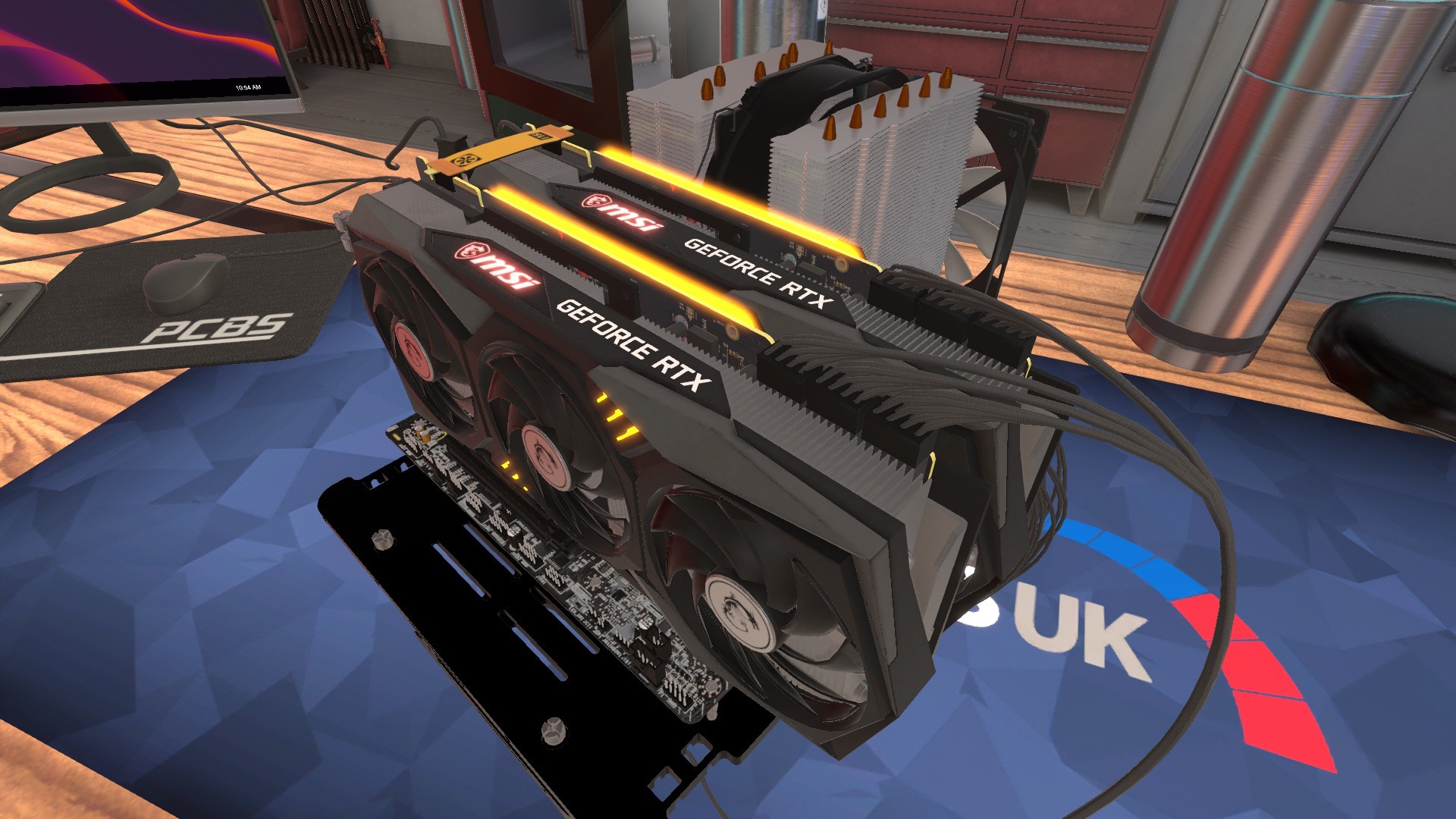
MSI GeForce RTX™ 3090 SUPRIM X 24G
MSI GeForce RTX™ 3080 SUPRIM X 10G
MSI GeForce RTX™ 3060ti GAMING X TRIO
Bug Fixes:
As mentioned elsewhere in the console developer blog, we’ve recently uncovered a bug in the random jobs generator related to handling parts causing higher than intended memory usage. Fixing this has become our main focus and will be included in a future update, for now we’d like to acknowledge it in these patch notes in addition to listing recent hotfixes and a couple of new adjustments.
Cloud Notes App:
Fixed an issue which caused the X on notes to be cut off by certain monitors.
Cloud Notes app is now available in the Esports Expansion DLC.
Improvements have been made to the animations in Cloud Notes app.
Cloud Notes now correctly supports input in languages which do not use the Latin alphabet (Chinese, Japanese, Russian etc).
Cloud Notes now allows users to swap between the title and body text using the TAB key.
Fixed an issue which caused colour options to overlap the cursor when using Cloud Notes app and a controller.
The "Yes" and "No" choices for deleting a note in Cloud Notes now correctly localise in different user languages.
Miscellaneous
PC Building Simulator now correctly works with Razer Chroma lighting effects.
Fixed an issue preventing custom watercooling pipes for certain GPU's being installed in the Raijintek ERIS EVO case
Fixed an issue which led to memory leaks during camera transitions.
Adjusted the way cable pathing works for the CPU Cooler power cable when installing in the Raijintek ERIS EVO case.
Case fans now correctly orientate to exhaust positions when placed in the top-most front slot on the Be quiet! Pure Base 500DX case.
Fixed several issues which led to radiators being incorrectly blocked when using a Raijintek ERIS EVO case.
Adjusted UI elements to prevent overlap of invoices and additional team related job objective windows.
Adjusted UI elements to prevent text overlap in some language localisations.
When installing multiple NVIDIA RTX 3090 GPUs in SLI the branded NVLink hard connector will now be used in more cases.
PC Building Simulator Creators
Following on from our holiday news post, we’ve continued our official collaboration series with both JVN Gaming and BigJake901 bringing fans some additional PC Building goodness. Last week we also welcomed a new creator to the fold, Clumsy, who’ll be bringing his own style of relaxing let’s play to our official channel – perfect for all of us who want something new to unwind to.
Check out the first episode here: [previewyoutube="2TQspOjErwM;full"][/previewyoutube]
Want a chance to win fresh peripherals over the holidays? We've teamed up with our new partner SteelSeries to giveaway some of their latest gear in real life. Entries must be made via our website: https://theirregularcorporation.com/steelseries-competition/.
Please give us a valid email address as we will need to provide this to SteelSeries to fulfil the competition prizes.
You must be over 16 to participate.
Participants must be in USA, Canada or Europe to enter.
PC Building Simulator Update v1.10
Hello PC Builders!
We are happy to announce that we’re sneaking in one more patch before the holiday break. In today’s update we’re giving the gift of some much-requested virtual goodies including a wide variety of RTX 30 series GPUs.
Additionally, we’re launching two different YouTube series, a fresh in game application, adjusting existing parts stats with a balance pass and fixing a selection of bugs reported by the community. First though, in traditional fashion, we’re starting this update with an extra special announcement…
Introducing SteelSeries
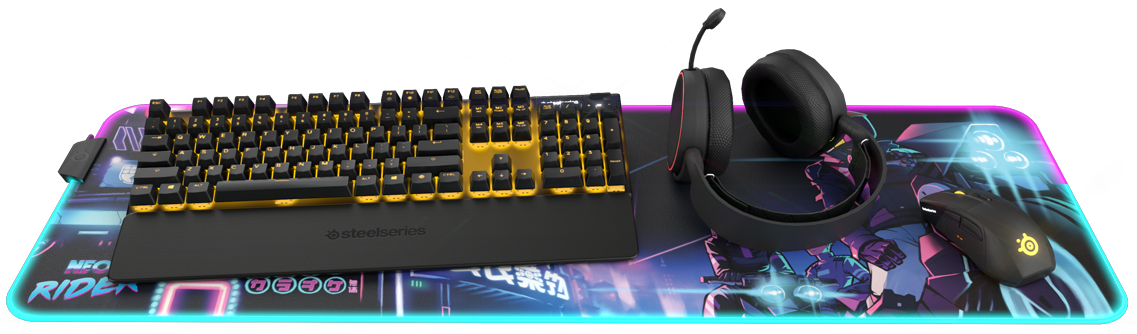
To start off today’s content patch we’re welcoming one of the most prestigious peripheral manufacturers to the game, SteelSeries! Players can now change their desks devices to a selection of their famous Arctis headsets, Apex keyboards, Rival mice, Sensei mice, and QcK mousepads.
This also includes exciting highlights from the limited-edition Neon Rider x Steelseries collaboration, perfect for the synth-wave aesthetic.
Next up, we’re pleased to introduce another new feature for 1.10: The Cloud Notes application. This is a new tool, installed by add remove programs, via USB stick on client computers, and available in the inventory screen. The notes application gives users an often-requested way to write down information, helping players keep track across multiple or more complex jobs.
For now, it’s only available in the base game, as it’s very new we’re expecting to add it to the Esports DLC in a later update.
We're aware of an issue with the Cloud Notes app in the current patch affecting users playing with Japanese or Chinese input. Currently, the issue is only present when actively editing a note and should be fine once you have finished writing. We will investigate the issue and provide an update once our team is back after the Christmas holidays. - This issue has been fixed in a recent hotfix update.
3D Mark Time Spy now correctly shows Time Spy graphic where it previously showed the Time Spy Extreme graphic.
Search bar and filter no longer locks users from selecting PC parts when highlighted if the player is using a controller.
Players can now use arrow keys to select workshops in the workshop menu.
Colorful iGame GeForce RTX 2080 Advanced-V and Colorful iGame GeForce RTX 2080 SUPER Advanced OC-V now correctly feature the RTX series text on their GPU shrouds.
Fixed an issue which lead to multiple high-end PC components being unlocked at the start of career mode.
Fixed an issue leading to incorrect reflections being shown in the Antec P120 Crystal case.
Fixed an issue which caused the MSI MPG SEKIRA 500G case to list as -$10 in build lists.
Parts installed in returning story PCs are now correctly marked with the 'Used' label
Apps 'Search' text box now correctly closed when leaving PC
Fixed an issue with shop search and filter interactions.
Players will no longer incorrectly see Bongle review scores when playing the Esports DLC.
Fixed an issue with objective text overlapping in some language localisations.
PC Building Simulator Creators
Over the past couple of months, we’ve been looking for additional ways to bring excitement to the community and step up our social media game. We’ve reached out to some of our favourite creators and agreed on a pilot series with each of them – all directly on the official PC Building Simulator YouTube channel. We’re excited to work together on bringing more than just the latest trailers and PC Building raps.
Check out the first episodes with JVN Gaming joining us for extreme PC builds and BigJake901 teaching overclocking 101 below: [previewyoutube="EFK7GE3Niyc;full"] [previewyoutube="kRFsEUk0o7w;full"]
Balance Data:
Finally, thanks to our friends at UL Benchmarks and following real-world supply increases, we’ve rebalanced a number of existing parts in this release (thanks to better user data samples).
Recent hardware releases have been an interesting challenge for us as a team and the user feedback has, as always, been appreciated.
One more thing / I jeszcze jedno:
Today, after many passionate requests from the community, we’ve added Polish localisation to the Esports Expansion DLC. We’re also aiming to provide Polish language options for all store pages in the near future so please look forward to it.
Stay up to date:
Building something for the holiday season and want to show it off? Missing out on the opportunity to? Join us on all our official platforms here: Discord / Twitter / Facebook / Instagram / Reddit / YouTube
Cheers, The PC Building Simulator Team
PCBS x MSI Overclocking Competition
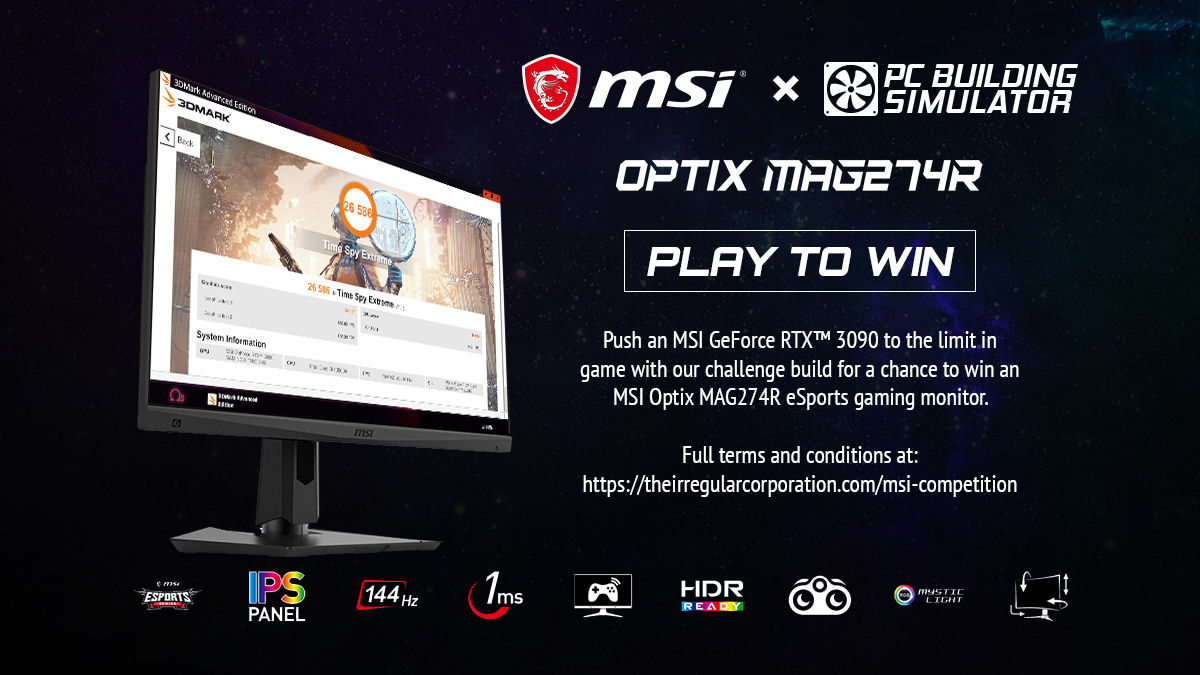
There's just under a week left on our in game overclocking competition in partnership with MSI so we're sharing the challenge details with everyone here on Steam. Entries must be made via our website: https://theirregularcorporation.com/msi-competition/
Overclock a build using two MSI GeForce RTX™ 3090s to the limit in PC Building Simulator and show us your score in 3DMark for a chance to win an MSI Optix MAG274R in real life.
Requirements:
Players must use the following parts
Processor: Intel Core i9-10900K
Graphics cards: MSI GeForce RTX™ 3090 (Any variant, USE TWO IN SLI)
Any other parts officially available in PC Building Simulator can be used to complete the build.
Please submit with a valid email address as we will need to contact you to verify results and request an address to send prizes.
You must be over 16 to participate.
Participants must be able to give an address in North America, Europe* or China for fulfilment.
Players must be able to submit a copy of their save file when requested to verify their result.
Players must use the listed parts in their build to be eligible.
*Due to customs restrictions Turkey is ineligible at this time.
PC Building Simulator Update v1.9.5
Hello PC Builders!
Today we’re rolling out another patch following on from recent hotfixes. This update addresses a number of bugs along with the highly anticipated adjustments to Threadripper processors and patches for memory overclocking on Intel chipsets. As before, we’d like to thank the community for all of their feedback which has been key throughout development – iterating this quickly wouldn’t be possible without you. But first, along with today’s changes…
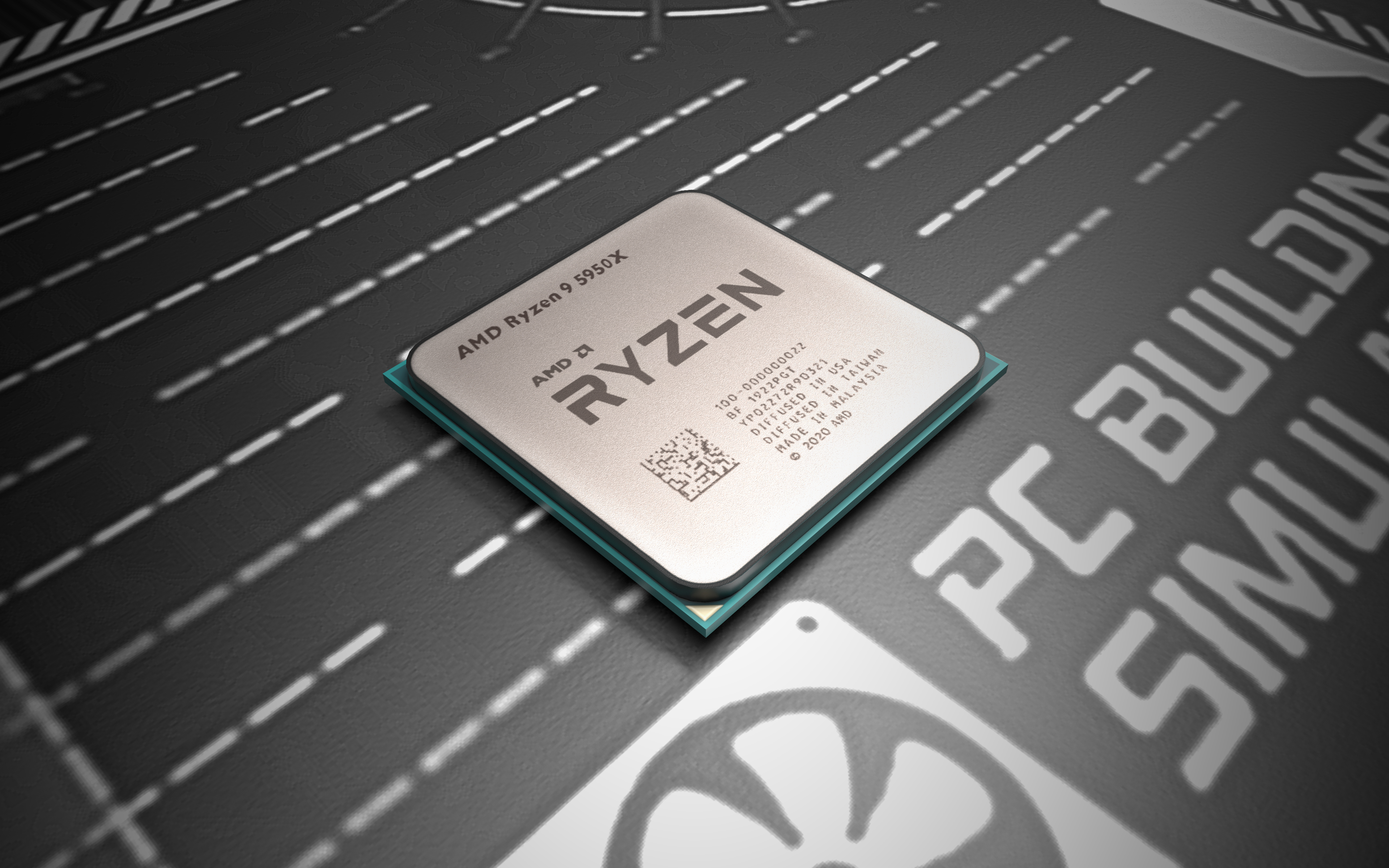
Introducing AMD Ryzen 5000 series processors
Continuing our commitment to keeping up with an incredibly busy hardware season, today we’re happy to welcome Zen 3 processors to PC Building Simulator, with special thanks to the team at AMD. These parts are unlocked at level 33 (with the 5950x being unlocked about 1/3rd into the level itself).
Thousands of fans tuned in to AMD’s recent ‘Where Gaming Begins’ announcements, so as with the NVIDIA GeForce RTX™ 3090 added in last month’s mega update we wanted to get initial versions to everyone as soon as possible. Players can expect a more expansive update to follow soon, and as ever there’s room for traditional speculation over on our discord.
Taming the beast – Threadripper revisited
Along with introducing the latest AMD desktop processors we wanted to assist players in conquering Threadripper CPUs in PC Building Simulator. Referring to a large selection of published benchmarks we aimed to bring the thermals of the famous enthusiast chip closer to real world data.
After significant adjustment behind the scenes we’re now allowing much easier cooling at stock, however more extreme builders can expect it to remain a hefty overclocking challenge. Additionally, with these changes we’re allowing ourselves much more room to tune all flavours of cooling in future across PC Building Simulator’s entire CPU range.
Memory Overclocking
In the last update, memory overclocking was inadvertently limited on Intel boards and only appeared when paired with K or X series processors. Today it’s back and working as intended allowing overclocking and XMP to correctly appear on boards across the Intel chipset range.
Bug Fixes:
Finally, we’ve got a several other fixes going into this patch along with some tweaks to the new filter system. Check out the full list below:
Search will no longer reset on returning to build mode.
Fixed an issue leading to builds using Open Benchtable cases getting too hot.
Fixed an issue with filters combining cases and motherboard options.
Removed a number of redundant filter options from PSU Lengths
Removed ‘RAM type’ from motherboard filter category.
Today we’re inviting you to hop on and enjoy our latest patch, v1.9 which is one of our biggest yet. In this update we’re announcing the AORUS Workshop DLC along with heaps of fresh hardware including Intel’s 10th generation Comet Lake and AMD’s Ryzen XT CPUs. Finally, thanks to all the community feedback we’re rolling out some new difficulty settings for the Esports Expansion DLC. But first, by popular demand…
Introducing the MSI GeForce RTX™ 3090
As many of you who reached out to us via social media, Discord, and the support email know; we’re consistently working around the clock to bring the latest hardware to the game. Today we get to reveal the first NVIDIA GeForce RTX™ 30 Series graphics cards in PC Building Simulator, with special thanks to the team at MSI.
AORUS Workshop DLC
Created in collaboration with AORUS powered by GIGABYTE we’re unleashing a brand new workshop space giving players an exciting change of scenery. Featuring a high tech aesthetic, plenty of space to build, and giving centre stage to the famed AORUS ROBOT mascot.
Over the past few months we’ve heard significant feedback from the community around the Esports Expansion. Initially we followed up with a number of bug fixes and pledged to address the concerns reported over the launch. Today we’re pushing a number of adjustments, including difficulty toggles. These can be applied to both new and existing games – tweaking timers, revealing hidden objectives and more to customise your experience. Try them out and let us know what you think.
We’ve also received additional input on our Chinese localisation, this has allowed us to ensure that the translated job objectives are significantly clearer and more understandable to players than before.
New parts
Additionally, in this update we’re bringing in over 60 extra parts along with another new feature for PC Building Simulator making it easier than ever to find the ones you want.
Filters
Highlights
Onto the parts themselves, we’re excited to showcase some of our favourites along with a full list of goodies below.
Finally both our programming and support teams have been hard at work reproducing and squashing bugs. We’d like to thank the community taking the time to report bugs going and sharing their save files with us so we can troubleshoot, the fixes from which make up a sizable chunk of the list below:
Fixed an issue which lead some users to experience corrupt save files after the 1.8.1 update
Fixed a crash which occurred when leaving a PC in Career Mode.
GPU tuner will now correctly show “MHz” instead of “M”. (Thanks ‘Jacob’ via Discord)
Fixed an issue preventing “Parts for this PC” checkbox from being clickable. (Thanks to ‘QashqaiSauvage’ via Discord)
Fixed an issue preventing Ryzen Threadripper 3990X specifications being correctly recognised.
Fixed an issue causing emails headers in Chinese localisation from displaying incorrectly.
Fixed an issue with the CORSAIR logo on the CORSAIR Obsidian Series 1000D case logo displaying incorrectly.
Fixed an issue with the CORSAIR logo on the CORSAIR Obsidian Series 900D case logo displaying incorrectly.
Fixed an issue with the CORSAIR logo on the CORSAIR Obsidian Series 750D case logo displaying at a lower than intended quality.
Fixed an issue with the CORSAIR logo on the CORSAIR Carbide Series 175R RGB case logo displaying at a lower than intended quality.
Fixed an issue with the CORSAIR logo on the CORSAIR Graphite Series 380T (Black) case logo displaying at a lower than intended quality.
Fixed an issue with the Razer logo displaying at a lower than intended quality on some mouse peripherals.
Fixed an issue preventing installation of a CORSAIR XR7 360 Radiator in the XPG Dominator case. – (Thanks to ‘Git Gud’)
Case fans will now face the correct direction in the Cooler Master Mastercase H500P. – (Thanks to ‘Loretta’)
Fixed an exploit used to create infinite money through PC Bay. – (Thanks to ‘Jacob’ via Discord)
Fixed a number of issues with the Rajintek Silenos case. – (Thanks to ‘Mike’)
Micro-ATX is now correctly supported for the Rajintek NYX PRO case. – (Thanks to ‘Jacob’ via Discord)
Fixed an issue preventing players from connecting radiators in the Silverstone RVX01 case. – (Thanks to ‘LSh.st / 루샥’ )
Lian Li Tu-150 Windowed (Black) case now correctly has 165mm of CPU cooler clearance – (Thanks to ‘Harper’)
One more thing…
The eagled eyed among you might have noticed the PC Building Simulator Discord announcement mentioning a new community manager focused on the game, Sam ‘Caliburn’ Hills. We’re looking forward to stepping things up with more exciting community centred content and having a greater presence on existing platforms. Special thanks to Amy who’s been looking after everyone is still working with us on other titles.
Stay up to date
Want to keep up with us between blog posts? Hang out and ask us questions in real time? Join us on all our official platforms here: Discord / Twitter / Facebook / Instagram / Reddit / YouTube