New Major Update: Auto-Generated Workouts for Your Own Music and Much More
Dear players!
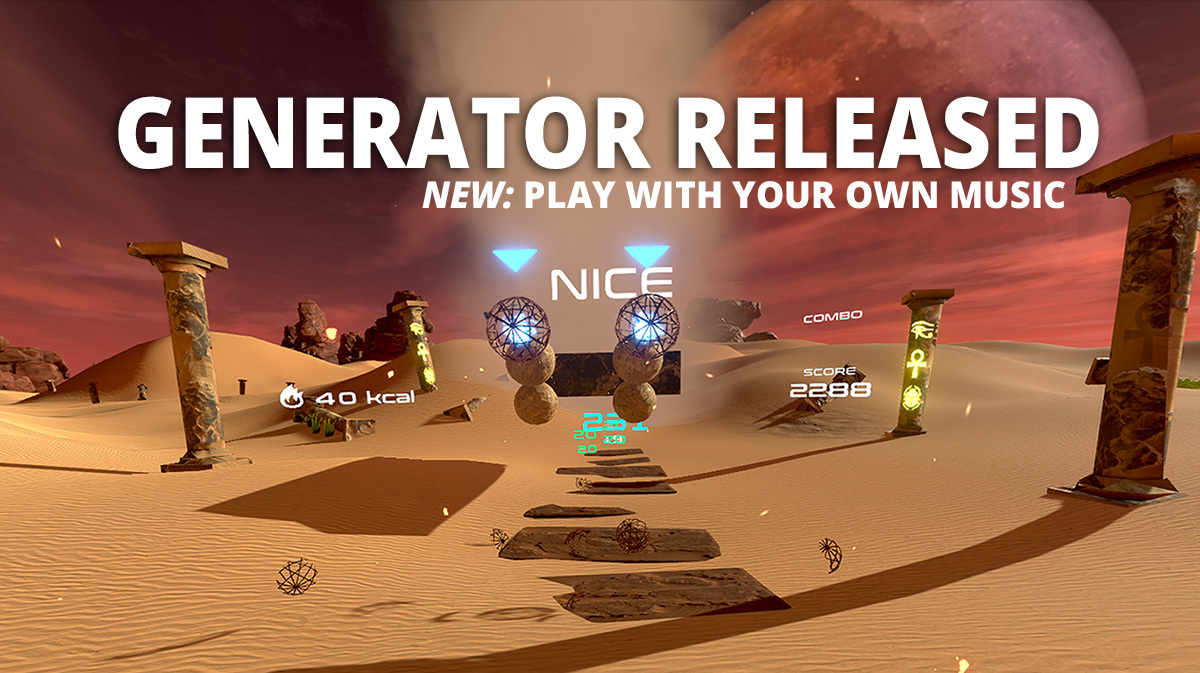
We’re thrilled to announce another major update for PowerBeatsVR with a special new feature: You can now play with your own music library and let the game auto-generate suitable workouts on all three difficulty levels! And if you want to change the workouts to stress specific parts and adapt them to your needs, you have the options for that.
But that’s not all. Based on our players’ feedback, we’ve made the level editor much easier to use and implemented further features, such as an additional strength and activity bonus, an indicator for the direction to punch multiple targets in a row, the option to choose between curved and straight flight paths for incoming objects, and several game modifiers, amongst them a “Super Speed” modifier.
--- Here are all the changes in detail:
Auto-Generator For Local Music:
Automatic beatmap generation for all your local music files
Beginner, Advanced, and Expert mode
Customization options
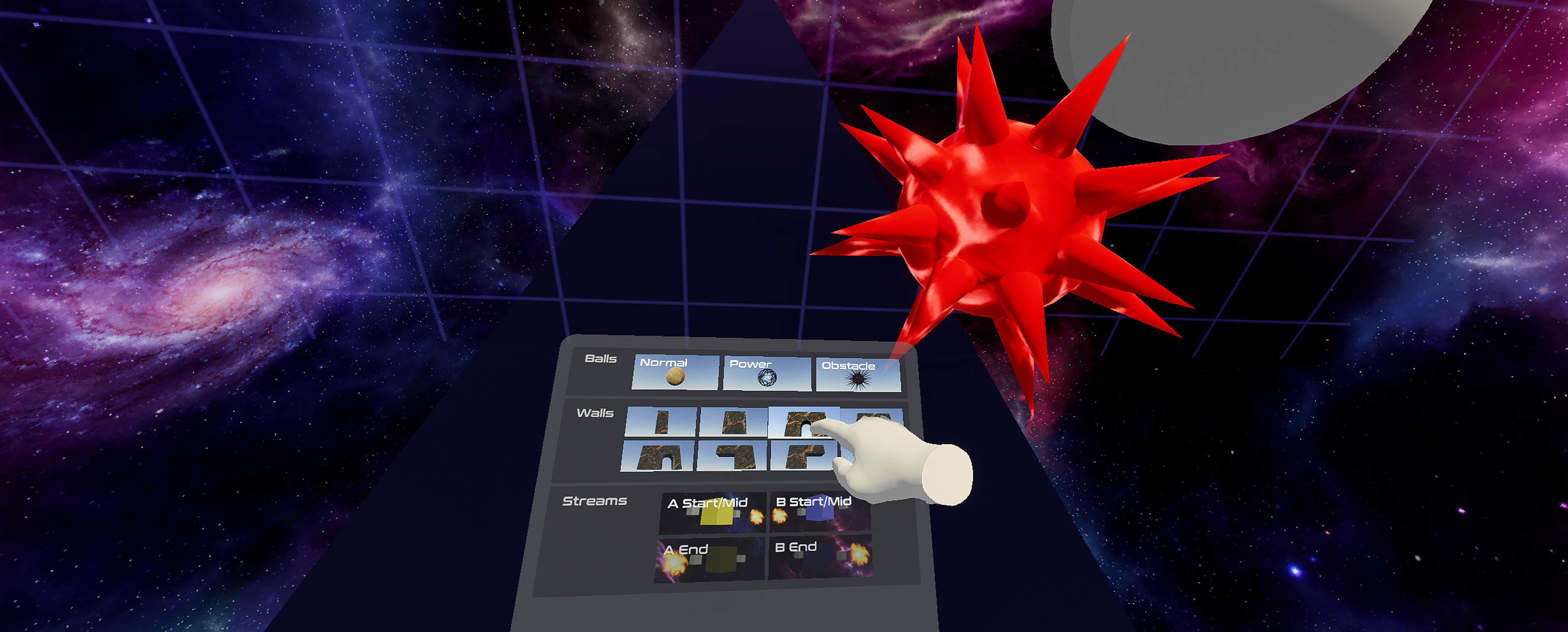
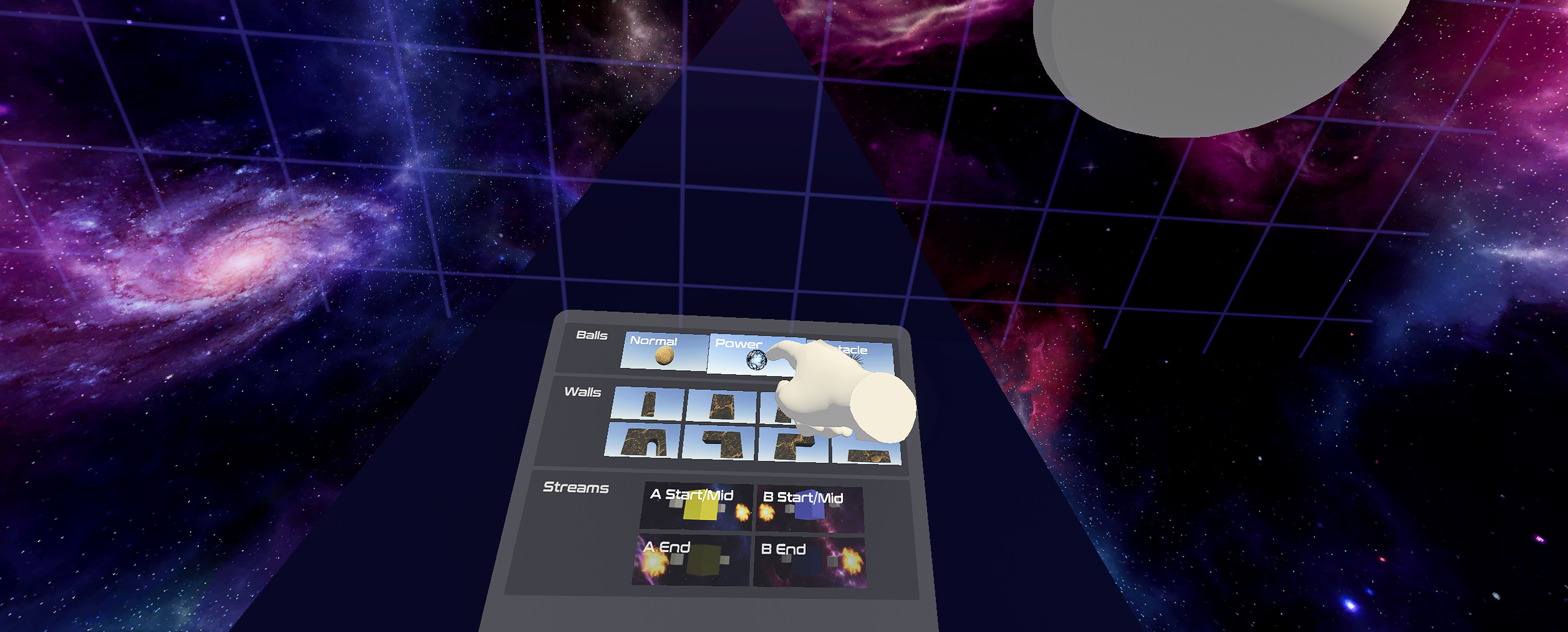
Improved Level Editor
Easy handling: Just choose your local song via the in-game file browser and start editing
Automatic song analysis (including bpm and offset – no manual work necessary)
New feature: Saving and loading of custom patterns
General
New modifiers: • „All balls are normal“ • „No vertical walls“ • „No horizontal walls“ • „Super speed“
Additional strength bonus
Additional activity bonus
New indicator for the direction to punch multiple targets in a row
New option for turning in-game voice on/off
New option for switching between curved and straight flight paths for incoming objects
Visual tweaks and improvements
Performance improvements
Special thanks to our beta testers and everyone who gave us feedback! If you also want to help us in making an awesome game, feel free to join our Discord community channel and tell us your ideas and wishes.
Comments and reviews on Steam are also much appreciated! <3
Cheers, Team PowerBeatsVR
Public BETA Channel - Automatic Beatmap Generator Included
New Steam BETA channel is now open for all PowerBeatsVR players!
Anyone who wants to try out the latest features, including an early version of the automatic beatmap generator for Beginner and Advanced level (Expert is coming soon) and an easy-to-use editor, is invited to switch to the public beta channel on Steam. You can now play with whatever music you want.
And here is how you do it:
Find PowerBeatsVR in your Steam library and right-click on it.
Click “Properties”.
Open the “Beta” tab.
Under “Select the beta you would like to opt into:” select “publicbeta” from the drop-down.
Close the properties window and the beta will begin installing.
Click in-game on the “Local” challenges tab and navigate to your music folder.
To switch back, just choose “NONE – opt out of all beta programs” in the “Beta” tab instead.
Please note that existing community challenges are currently not compatible with the beta build. They will be converted with the next official update. ----
And for everyone interested, here are the features which are implemented in the beta build and are ready for being tested:
Automatic Beatmap Generator (work in progress)
Automatic beatmap generation for local music files
Beginner and Advanced mode implemented (Expert coming soon)
Improved Level Editor
Easy handling: Just choose your local song via the in-game file browser and start editing
Automatic song analysis (including bpm and offset – no manual work necessary)
New features: - Saving and loading of custom patterns - Automatic generation of beatmaps for the chosen difficulty
General
New modifiers: - „All balls are normal“ - „No vertical walls“ - „No horizontal walls“
New option to turn in-game voice on/off
Additional strength bonus after each challenge
Visual tweaks
Performance improvements
Feel free to share your feedback in our Discord public beta channel or here in the Steam community, and help us in making an amazing game.
Have fun and thanks for your support, Team PowerBeatsVR
Development Roadmap
Dear players!
Some of you asked us what we are currently working on. The short and simple answer is: Content, content, and even more content ;-)
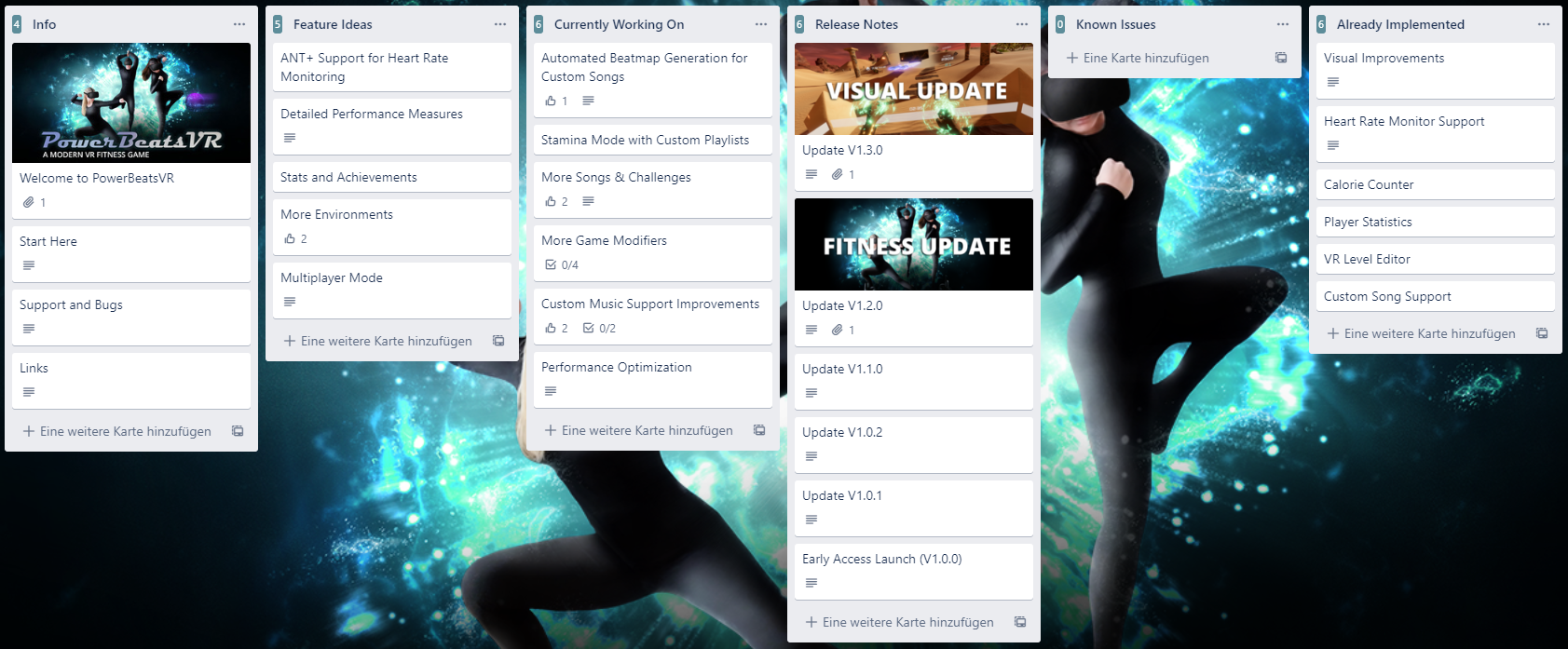
Specifically, we are developing the following three main features for the next major updates: • Automatic beatmap generation for your own music library • Stamina mode with custom playlists • More official challenges (songs & handmade beatmaps)
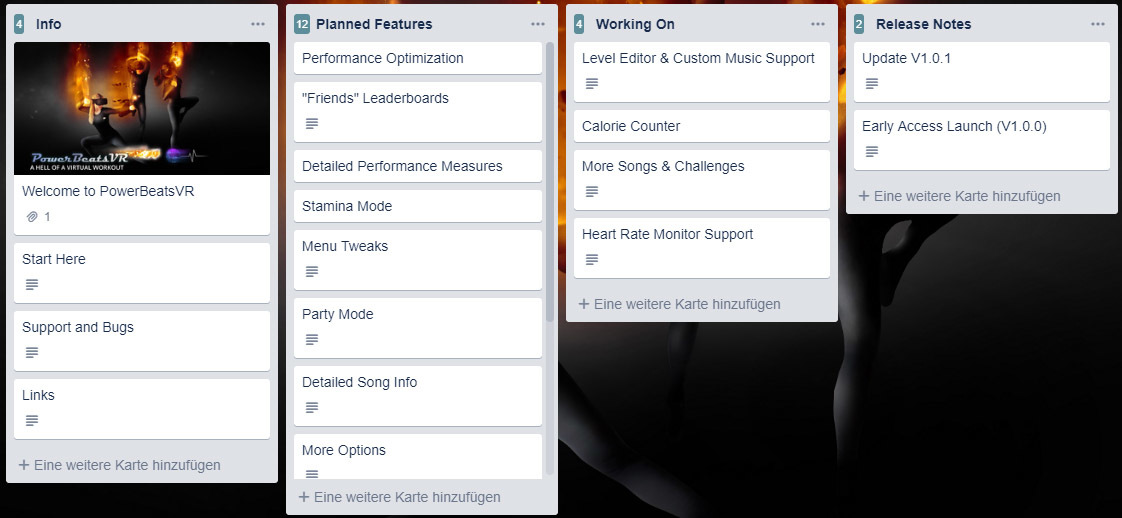
You can also check out our development roadmap on Trello if you want to see the entire feature list. We will keep this list updated.
And if you haven't already joined the PowerBeatsVR community on our Discord server make sure to give it a visit, report bugs, share feedback, discuss ideas with us, and just help us in making an amazing game. We would love to see you there.
Cheers, Team PowerBeatsVR
Update v1.3.0: Major Visual Polishing and Performance Improvements
Dear players!
We just released another update for PowerBeatsVR. The game got enhanced synchronization between beat and objects, performance improvements, and lots of visual polishing including a major rework of some environments and synchronized special effects.
Here are all the changes in detail:
Graphics:
Added special effects in each environment which get triggered by the player’s actions
Major visual polishing and redesign of all environments
New start-up room in our brand new space station
Menu:
Reorganized menu tabs for easier access to key features
Added "Fitness" tab showing heart rate and calories in menu
Performance:
Improved synchronization between beat and objects
Improved overall performance
Bugfixes:
Fixed misplaced hammer alignment
Fixed playspace warning when switching from pause to menu
As always, we would love to get your feedback on Discord. Speaking of that, we are going to make some polls regarding further content, where we need your input.
Comments and reviews on Steam are also much appreciated! <3
Cheers, Team PowerBeatsVR
Fitness Update v1.2.0
Big News!
PowerBeatsVR just got a huge fitness boost with our latest update: Besides lots of polish, some fixes, and new requested options from you, there is now an advanced calorie counter, player statistics, and unique support for heart rate monitors to track your fitness level and make the calorie counter one of the most accurate available in VR.
For more details about which heart rate monitors are supported, head over to our community post.
And here are all the changes in detail:
New Main Features:
Added a sophisticated calorie tracker based on age, weight, gender, controller movement, and heart rate as optional input. Burnt calories are stored for a single session, a custom period, and for the entire lifetime, and are shown during a challenge, on the endscreen and in the menu.
Added unique support for commercial heart rate monitors to show your heart rate in-game. The heart rate will also be analysed after each challenge and used for making the calorie tracker more accurate.
Menu:
Added the option to enable/disable hints
Added the option to adjust the playspace warning or even disable it completely
Added the option to reset the calorie count shown for the custom period
Added the option to enable/disable graphics beautification
Added saving to the visibility of the Options and Credits panel
Condensed the options and parts of the menu
Gameplay:
Fixed missing/low haptic feedback
Added Tracked Motion to statistics after each challenge
Added fitness and VR tips to loading screens
Enabled pause when system button gets pressed
Graphics:
Improved sharpness and contrast of graphics (beautification)
Changed the destruction effect of boulders to being shattered into lots of small pieces with enough force applied
Polished particle effects for touching the streams
Polished stream visuals
Made environments brighter and more friendly
Polished the space environment
Polished the feedback visualization
Added various skyboxes to the desert and medieval environment
Changed the start-up room to being a futuristic gym
Sound:
Added an alternative drum-like and more subtle destruction sound
Set default volume to 50%
Removed the sound that was played whenever the powerfist was fully charged
Performance:
Optimized the particle effects
As always, we would love to get your feedback on Discord community server about the update and the features you want to see next.
Comments and reviews on Steam are also much appreciated!
Happy calorie burning! Team PowerBeatsVR
PowerBeatsVR v1.1.0 Update Notes: VR Level Editor & Custom Song Support
Hey PowerBeatsVR players!
Great news: We’ve released the highly requested level editor and the custom song support. Now you can create beatmaps for your own music from the comfort of VR and see directly how the challenges are going to be.
Since this is an early version, some features we’d like to add are not yet available, among them simple in-game sharing. Right now, if you want to share, just send the files to your friends or share the beatmaps in the #community-maps channel of our Discord server. Please note that uploading songs for which you have no permission is not allowed there. Always respect the copyright of the individual song.
For more details about how to implement custom songs and use the VR level editor, head over to our blog post at https://www.powerbeatsvr.com/vr-fitness-game/level-editor-released/.
We are excited to see what you are going to create with the editor. We have pre-filled the custom song folder with some new songs (without beatmaps) and an official track (“Galaxies”) you can use as a template for creating your own challenges.
But there is even more. Besides having developed these two features, we also listened to your valuable feedback and made some changes, upgrades, and fixes in the following areas:
Gameplay:
Added hit velocity to scoring on Beginner level
Added “no wall” modifier
Changed the glowing balls to “powerballs” which require twice as much hit speed as the “normal balls”
Fixed a bug which led to showing even a score of 0 on some occasions
Added previous best highscore to the statistics panel after each challenge
Songs:
Added a new song with Beginner, Advanced, and Expert layouts: “The Planet” from Agenda 23
Performance:
Improved performance of the orbs within the space environment
Restricted the full destruction sound to playing only once within 0.1s
Restricted the full destruction particle effect to playing only once within 0.1s
Fixed the credit screen lag within the menu
Graphics:
Increased the contrast within the Space environment
Fixed the physically incorrect movement of the debris
Made the impact ground shockwave more responsive
Added some score animations on special events
Fixed the switching of the trees to 2D billboards on lower quality settings
Fixed the billboard rotation of the grass textures
Menu:
Fixed the hard-to-use quality settings
Added enabling/disabling bloom as an option
Added music volume control
Added SFX volume control
Added switching between official and custom challenges
Added the playspace size as text values
Made the menu slightly bigger
Separated credits from options
Separated gameplay, video, and sound options
Added some menu animations
Rearranged the settings, credits, and highscore buttons
Added saving to the visibility of the highscore panel
Sound:
Reduced the default volume significantly
Added a stop to the “fully charged” sound loop of the powerfist, the shield deploy sound and powerfist release sound after a song has been finished
As always, we hope you enjoy the update and would love to get your feedback. So join us on our Discord community server at http://Discord.gg/Powerbeatsvr.
And if you want to know what’s coming next, head over to our Development Roadmap on Trello: https://trello.com/b/2yNQWbbJ/powerbeatsvr-development-roadmap.
Until next time, Team PowerBeatsVR
VR Level Editor is Coming Soon
We will release our VR level editor for PowerBeatsVR very soon. You will be able to create beatmaps for your own music from the comfort of VR and see directly how the challenges are going to be.
Since this is an early version, some features we’d like to add are not yet available, among them simple in-game sharing. We will share more information next week. So, stay tuned!
PowerBeatsVR v1.0.2 Update Notes
Hey everyone,
this is just a short hotfix to handle the random FPS drops, which occurred on some systems due to a bug in Unity (the game’s engine) whenever the game window lost focus.
Until now, the solution was to click within the game window to restore focus and the normal FPS values. With this hotfix, the game should restore the normal framerate whenever you start a challenge if the bug happened before during long inactivity. This is only a temporary solution and will become obsolete as soon as the bug is fixed within Unity.
Feel free to contact us, if you are still having some issues with that. You can join the PowerBeatsVR community on our Discord server and chat with us there. Also, if you have ideas or feedback you want to share, please tell us. We would love to hear from you!
Cheers,
the 5 guys behind PowerBeatsVR
PowerBeatsVR Development Roadmap
As some of you asked for a development roadmap, we set up a Trello board, where you can see our planned features, known issues, and what we are currently working on. You can find it here: https://trello.com/b/2yNQWbbJ/powerbeatsvr-development-roadmap
If you haven't already joined the PowerBeatsVR community on our Discord server (https://discord.gg/Ex5fYjd) make sure to give it a visit, report bugs, share feedback, discuss ideas with us, and just help us in making an amazing game.
See you there!
Cheers,
Team PowerBeatsVR
PowerBeatsVR v1.0.1 Update Notes
Hey everyone,
first of all, thank you so much for your support and excitement! We are super excited to be on Steam Early Access now. Receiving your amazing feedback, we can’t wait to make PowerBeatsVR the best game it can be together with your ideas and wishes.
We are currently focusing on the level editor and the custom music support, so we only did a short hotfix:
Fixed a bug where in some cases the second HTC Vive controller didn't show up.
Fixed the collider size of the ball obstacles within the desert environment (means the game is now slightly easier on desert).
Thank you for reporting these bugs. We will keep monitoring all channels for new issues while working on the upcoming features.
If you haven't already, please join the PowerBeatsVR community on our Discord server https://discord.gg/Ex5fYjd, report bugs, share feedback, discuss ideas, and just help us in making an amazing game. We would love to see you there!