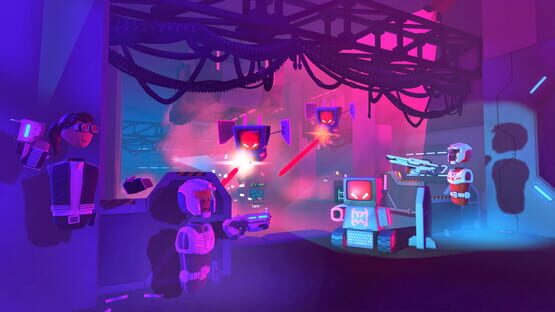
Players on mobile with auto-fire enabled can also automatically reload now! Pew pew pew!
Sushi is no longer upside down in the store...we talked to it and it won't try doing flips anymore.
Fixed screen players in PVP games getting partially stuck in aim down sights mode if they get K.O.ed while reloading when using aim down sights.
Fixed an issue where player icons were incorrectly stretched when viewing messages in VR.
Fixed an issue with the Reset pin on the Animation Gizmo not always working properly.
New CircuitsV2 SetPosition chip: sets the position and rotation of a player or object.
New CircuitsV2 Respawn chip: respawns a player or object.
Removed a CircuitsV2 error log when a variable was being automatically renamed.
As always, thanks for playing Rec Room!
Please see here for convenient links to controls, tutorials, comfort options, etc.: https://recroom.com/community We love to hear your feedback, so please don't hesitate to let us know what you think.
Rec Room UPDATE - the "Bento Box" edition
Sushi!
Grab your closest fish eating friends and mow down a box of some premium Rec Room Sushi! Nibble on crunchy hand rolls, feast on delightful nigiri, or just chuck them at your friend's face! Either way, it's sushi time!
Each box of sushi contains 9 pieces - various shrimp, tuna, and salmon nigiri, as well as 6 crunchy hand rolls.
Each nigiri has one tasty bite.
Each hand roll has 2 crunchy bites.
General Improvements and Bug Fixes
Coming soon! Room currencies will be out of beta so all creators can add currencies to their rooms!
Get your tokens faster than ever! When you buy tokens from the store, they're added to your balance immediately instead of being sent in a gift box. Now instead of confusing players that don't open their boxes, we'll confuse players that are looking for their boxes!
More rooms that were experiencing infinite load times should now load correctly. No need to be scared of the dark on certain platforms. (Though, the Forbidden One might still visit from time to time...)
Fixed a scenario where players could attach an object to their hand without actually holding it. No more magic shows, sorry!
Fixed an issue where players sometimes couldn't see the stage in ^3DCharades if they already sat down before the game started.
Charged melee attacks (on screen mode) no longer move your character when seated. Hmm, idea for the next RRO... office chair fights?!
Fixed animation popping when creating a new avatar - that was distracting!
Fixed font issue on signs for player-made rooms in ^Orientation. Don't worry, we didn't make it Comic Sans.
Fixed an issue where rooms were sometimes displaying the wrong capacity. This should make it easier to find a room that your group will fit into!
Circuits V2 'Player Subscribes to Room Owner' chip now includes a delay of a few minutes before it will perform the subscription check.
Circuits V2 'Get Player By Account Name' chip now returns an Invalid Player if there is no player in the room with the given account or display name, rather than throwing an error. In other words, we now give you a specific error, instead of a generic error!
Beta Changes
Resetting and deleting cloud variables now forces a save.
Creating a subroom no longer deletes or resets cloud variables.
As always, thanks for playing Rec Room!
Please see here for convenient links to controls, tutorials, comfort options, etc.: https://recroom.com/community We love to hear your feedback, so please don't hesitate to let us know what you think.
Rec Room UPDATE - the "Take Me Home" edition
New Home Screen
We have a new home screen and navigation. We now have a navigation bar at the bottom for frequent-use-features that you can access regardless of where you are in the UI. The home screen itself features a new layout that includes snippets of cool rooms and items for you to check out!
Orange Color Scheme Everywhere - We switched color scheme of the UI from the dark purple to orange scheme like the login screen
General Improvements and Bug Fixes
Unlocked the Pride hoodies for all players. Now everyone can show their pride in style! (You get a pride hoodie! And you get a pride hoodie!)
We've made it possible to turn off syncing for Text V2, Pointlight V2 and Spotlight V2. When syncing is disabled, Circuits can be used to set the local properties of the object, and each player will see their own value. This can be used for showing secret information ("You're the imposter!") or effects (turning on night vision lights) to a specific player.
Fixed an issue where CV2 list variables were defaulting to being invalid. They now start as empty lists.
The quick chat buttons for room chat can now be physically pressed if you're in VR. (And who doesn't like pressing buttons?)
Fixed a bug where picking up and dropping a pool cue using both hands in VR would break it.
Fixed an issue where using the arrows to browse the play menu would skip some items.
Fixed iOS notification preferences not saving correctly. (Sorry if we pinged you when you told us not to!)
Fixed a periodic frame rate spike for PS4 players. (One down... many to go.)
Fixed an issue with date formatting if your device is set to use some non-Gregorian calendars.
As always, thanks for playing Rec Room!
Please see here for convenient links to controls, tutorials, comfort options, etc.: https://recroom.com/community We love to hear your feedback, so please don't hesitate to let us know what you think.
Rec Room UPDATE - the "Electric Sheep" edition
We're live on Android!
Some of you have already noticed this, but Rec Room is now available on Android everywhere! Download on the Play Store to start playing Rec Room on your Android phone or tablet! Device not supported? We'll be routinely supporting new devices with future updates. Also with this update, we now support notifications (friend invites, event reminders, etc.), just like on iOS!
Self-Scaling Improvements
We've made an (long-overdue) update to self-scaling! This should tackle a bunch of Quality-of-Life issues:
Laser pointers now scale properly as you do.
Menus and tooltips follow your size.
Shape and tube previews follow your size - this means you can draw huge tubes if you scale yourself up. (You can turn this off in your palette settings, if it's not what you want.)
Grid size updates with your scale (can be turned off under settings)
Off-hand interactions works at any scale
(Not-Self!) Scaling Improvements
We've touched up the Scale tool a little bit! Non-uniform scaling (using the colored scale handles on shapes, trigger volumes, invisible collision, etc.) should now behave more intuitively in world-space mode, taking into account the rotation of the object, and anchoring it in a reasonable spot. Check it out! We've also fixed two little bugs along the way:
Fixed a bug where shapes would sometimes fly away when being scaled in world-space. There's no escaping the scaling now!
Fixed a rare bug where spheres would shrink unexpectedly when being scaled in world-space. Pretty sure this one's been there for years and nobody noticed... Whoops!
The Maker Pen now has touch controls for every tool that work by tapping objects directly on screen. Whether you are selecting, moving, recoloring, configuring, deleting, or even spawning props... there's a tap for that! Some tools/elements support dragging interaction such as Move, Rotate, Scale, and we added Manipulate and Wire to that list as well.
Related to touch, there's one more thing - iPad, Apple Pencil, and the Maker Pen combine to form a creation power-tool, and we think you're going to love it. The Pencil can run all Maker Pen tools anywhere on screen, and with pressure sensitivity too! This works especially well when creating tubes and also pairs well with surface snap. Pencil 2 supports the double-tap shortcut to switch to the last used tool.
General Improvements and Bug Fixes
We've updated our texture projection logic in order to remove stretching artifacts on shapes with extreme scales. Enjoy a clean look on your scaled creations! Your old creations are unchanged, and the old style can still be used by configuring a shape to not use 'Dynamic Projection.'
Fixed some flickering when changing pages in the store.
Fixed an issue where PSVR players would see random, bright colors in the player's peripheral vision (especially noticeable in Rec Royale).
As always, thanks for playing Rec Room!
Please see here for convenient links to controls, tutorials, comfort options, etc.: https://recroom.com/community We love to hear your feedback, so please don't hesitate to let us know what you think.
Rec Room PATCH - the “The Dye is Cast” edition
Don't forget to check out the new beta CV2 feature, Cloud Variables, at the bottom of the patch notes!
Wishlists
We've added wishlists! See a cool item in the store but don't have the tokens to grab it right now? Wishlist it! You can access your wishlist from your profile page. Wishlists are publicly visible, so you can check out what your friends are wishing for, and make their day with the perfect gift!
General Improvements and Bug Fixes
Other peoples' torsos will now look normal when walking on glass, scaled up, or scaled down objects, instead of flying all over the place.
Fixed a bug in Spillway where players who ended up under the floor (either on purpose or by accident) wouldn't always respawn.
Fixed the Costume Equip chip sometimes not working. It will now always work perfectly with no bugs ever. We promise.
Fixed an issue where gift packages had stopped appearing for some players. They got mis-routed in the mail system, but should all be out for delivery now!
Fixed some bugs where settings appeared wrong after logging out and back in.
Fixed the blocky text on the Room Details screen when closing and reopening the Watch Menu.
Fixed a bug where, in VR, you were required to hold down the slide button to keep sliding if you were also sprinting.
Fixed a bug where, when using VR in seated mode, having auto-sprint enabled would pull you out of a crouch after sliding. Now it will wait for you to un-crouch yourself.
Beta Changes
At last, here it is! What you've all been waiting for!
Cloud Variable option is now available for variables.
Use the config tool on a variable chip to enable cloud variable mode.
Each player has their own unique copy of each cloud variable.
Cloud variable data will be reloaded if you leave a room and come back.
Cloud variables with the same names in different subrooms of the same room have the same data.
The following types can be cloud variables: int, float, bool, string, Vector3, Quaternion
New CV2 Chips: Bit AND, Bit OR, Bit XOR, Bit NOT, Bit NAND, Bit Shift Left, Bit Shift Right, Bit Pop Count, Bit Leading Zeros, Bit Trailing Zeros, Bit Rotate Left, Bit Rotate Right
Bugs Fixed
Some instances of incorrect wires being displayed have been fixed.
Saving a room now always fixes incorrect wires.
As always, thanks for playing Rec Room!
Please see here for convenient links to controls, tutorials, comfort options, etc.: https://recroom.com/community We love to hear your feedback, so please don't hesitate to let us know what you think.
Rec Room UPDATE - the "The Dye is Cast" edition
In our never-ending quest to increase a player's ability to express themselves through their avatars, we have added the ability to apply some super cool dye patterns to your hair!Ombre, layered, stripe, and highlight patterns are now available for all of our hairstyles. Whether your style is natural and subtle or wild and wacky, pick your favorite and show your friendsSelect the hairstyle you wish to use, then click on the "Color" button.Choose a pattern, there are 4 pattern options.After selecting a pattern, you can change the color of just the pattern, or both the pattern and base hair color.## General Improvements and Bug Fixes- Added a Code of Conduct poster to the Maker Pen under Decor. Use this to remind your players of Rec Room's rules, but don't worry about it costing you ink, as the first instance in every room is free.- Players will no longer be able to initiate a vote kick against opponents during a match in Paintball, Laser Tag or Dodgeball.- No more random event invites interrupting your gameplay. Only those that you have RSVP'ed to will pop up when they start. Those you marked as a maybe will alert you via your watch, but they will not open.- Circuits V2 Chips are now included in the "Show Gadgets to Everyone" setting! You no longer need to give players maker pen permissions to show them your CV2 circuits and wiring. However, while the "Show Gadgets to Everyone" setting is enabled, CV2 chips will now cost the same amount of ink as CV1 chips. Don't worry though, CV2 chips still won't cost ink if you don't have this setting enabled as they were before this update.- We have additionally done some work so that there is only a certain number of CV2 chips fully visible at any point to improve performance. We also turn off the text on chips when you're at an unreadable distance.- Fixed an issue with CV2 sync fields not synchronizing.- Fixed an issue with lighting changes as you moved the UGC palette menu.As always, thanks for playing Rec Room!Please see here for convenient links to controls, tutorials, comfort options, etc.: https://recroom.com/communityWe love to hear your feedback, so please don't hesitate to let us know what you think.
Full-Body Costumes come packed with full-body animations that give life to every move you make. Walking, jumping, teleporting, even moving around in room-scale VR - it's all there!
You can get started creating a rad new animated costume today by spawning and editing a Full Body Costume Dummy from your Maker Pen Palette.
It's found in the Gadgets category under the CV2 Gadgets filter in the Maker Pen Palette.
It works just like the classic Costume Dummy. Use your Maker Pen to edit a body part and start creating!
There are now 17 editable body parts, up from 3 in the classic costume dummy!
You can use Circuits V2 to equip/unequip a costume, and see who is currently wearing it.
Configurable Poses! Use the Configure tool of your Maker Pen and select from the Poses dropdown. We've found these useful for getting into hard to reach spaces while creating and fun when displaying your finished costume.
It supports hiding outfit items - use the Configure tool of your Maker Pen to select Hide Outfit Items.
If you prefer classic costumes, worry not! The regular Costume Dummy is still available, and unchanged, in your Maker Pen Palette.
...but that's not all. We've got a very special feature for VR players!
VR Seated Mode
Ever get tired of standing all the time? Maybe you play sitting down but wish you didn't have to look shorter than everyone else in the room? Wish no longer!
Seated Mode automatically adjusts your in-game height so that it doesn't matter whether you're sitting on the couch, lying on the floor, or standing up - you'll still appear standing to everyone else!
Seated Mode is a more flexible and comfortable way to play Rec Room. Your height will only be adjusted when it looks to have meaningfully changed - like when you stand up after sitting down. This means that, with Seated Mode enabled, you can still dance around in VR to your heart's content!
However, because crouching or crawling can be physically hard to do while sitting in a chair, Seated Mode adds a new VR "crouch" button. Just press it once to start crouching and press it again to stand back up. Hold the crouch button to go prone!
Crouch uses the same button mapping as sliding. For example:
Oculus - use the right thumbstick click
PlayStation - press the Circle button
If you're in VR, you can toggle Seated Mode on and off in Settings > Gameplay in your watch.
Quick Room Chat
Introducing the new Quick Chat menu! Need to send messages to nearby players in a hurry? We've got you covered!
When you expand your Room Chat window, you'll see a new button called "Quick Chat"! Press it to open a short menu of response types, and easy one-click messages like "Yes" or "No". With a few quick button presses you can plan a game, coordinate room travels, or even make a new friend! Don't let the lack of a mic get you down!
Got something else you wish you could say in a hurry? Let us know!
General Improvements and Bug Fixes
Jumping is now more realistic than ever for you motion animation connoisseurs. Look for freshly-tuned head motions and less slide animation jitter.
Owners and co-owners should have an easier time seeing that they won't be charged for key/currency purchases in their own rooms.
We fixed some conflicts behind the scenes that were causing low volume issues on iOS.
Added the "Enter Code" button back to the Events, Clubs and Play menus of the Watch Men., Invite to your heart's content!
Circuits V2 Updates
General Changes
Reroute chip added. Use it to organize your wires
Chips can now be recolored with the maker pen
The CV2 Chip Limit was increased to 3000
New Chips
Reroute
Get Local Camera Rotation
Get Rotation
Player Left Hand Rotation
Player Right Hand Rotation
Variable (List)
Variable (Quaternion)
Quaternion Create Angle Axis
Quaternion Create Euler Angles
Quaternion Create From To
Quaternion Create Look
Quaternion Create
Quaternion Dot
Quaternion Euler Angles
Quaternion Get Angle Axis
Quaternion Inverse
Quaternion Normalize
Quaternion Rotate Towards
Quaternion Slerp
Quaternion Split
Rotate Vector
Bug Fixes
Decoration objects trigger TV1 on pickup
List variables are now reset to empty lists
Piston distance can no longer be set to NaN or Infinity.
Palette search performance has been improved.
CV2 wires no longer linger after saving.
As always, thanks for playing Rec Room!
Please see here for convenient links to controls, tutorials, comfort options, etc.: https://recroom.com/community We love to hear your feedback, so please don't hesitate to let us know what you think.
Rec Room PATCH - the "Take a Seat" edition
General Improvements and Bug Fixes
Are you feeling lucky? This update introduces the Magic Door which you can find in both the Rec Center and the play menu. Entering the magic door will bring you to a fun random room to explore! Try it out!
We adjusted the outlines on the KO sprites to make them look nicer. No witty comment here. They just look nicer.
Spectators in charades can move again. (Turns out, this has been broken since 2017! See!? We fix legacy bugs sometimes!)
You can't use the feedback tool to block dodgeballs any more. Now you'll just have to rely on catch-outs. sigh
As always, thanks for playing Rec Room!
Please see here for convenient links to controls, tutorials, comfort options, etc.: https://recroom.com/community We love to hear your feedback, so please don't hesitate to let us know what you think...
We've improved the way the Maker Pen Configure menu is positioned. No more sneaking up behind you or acting like it's trying to hide something. Now the Configure menu can either travel with you as you move around (similar to other menus), or you can pin it in the world so it will stay put while you work. And to reposition the menu, you no longer have to headbutt it! You can now move it around wherever you want by clicking and dragging the top bar with your hand laser. There are also controls to resize and lock rotation. Check it out!
We are increasing the maximum number of keys per room from 25 to 100! Now you can sell that custom sword in every available colour.
We've made some improvements to room chat! (You know, that chat window on the inside of your wrist in VR, or... on the screen... on screens.) We now have some new sound effects, animated speech bubbles, indications when other players are typing, and it is auto-focused when you open it on screen mode.
We added clearer messaging when trying to place inventions in rooms where you don't have permission. It will still annoy you, but at least you'll know why.
We fixed a bug where, if you equipped an outfit from a gift box, you wouldn't be wearing it the next time you logged in. We just liked your old outfit better!
As always, thanks for playing Rec Room!
Please see here for convenient links to controls, tutorials, comfort options, etc.: https://recroom.com/community We love to hear your feedback, so please don't hesitate to let us know what you think...
Rec Room PATCH - the "Take a Seat" edition
Introducing Creator Announcements v2
We're introducing some new announcement types! If you're a creator or a club owner you can send messages to your members/subscribers about rooms, events and inventions as usual, but you can also send links to clubs, players, codes and even show off photos!
If you're subscribed to creators or members of a club, you can view these announcements in your "Messages" tab like usual, or you can always find announcements from the club details or player's portfolio page.
New Shape & Material Improvements
We had a look at how materials work and added some improvements, as well as 2 brand new materials and one brand new shape to help with terrain!
Blurry and repeating patterns on materials are now less noticeable, we added more details when looking at all materials from afar or from close up!
Stretching materials is now consistent between both tubes and shapes.
You can now scale and move the texture on your creation! To do so, edit into an object with the Edit tool, use the Configure tool to configure the shape you want to scale or move the material of and you'll find plenty of new options in the Config Menu to do so!
Your old rooms are unchanged, but if you want to try the new materials on them, go to This Room > Subroom > Use New Materials.
We added 2 brand new materials: Grass and Rock!
We added a new simple shape that can help with creating terrain and sharp-edged geometry like mountains: Diamond!
Seats Improvements
We've been excited to see people experimenting with seats, and creating awesome rooms that depend on them. We were less excited (though not too surprised) to hear that they had a few bugs when they first released. (That's why they started as beta objects!) This week, we've got a few quick improvements to make things better.
PSVR thought it would be funny to seat you meters above the ground. (It made us laugh a bit, anyway.) We sat down, took a look, and got it fixed. PSVR players should now be at the correct height when using seats.
A seats exploit allowed you to be faster than Stunt Runner champions, even Gramps! Seats have had that speed power revoked - no more super-speedy players in rooms!
Seats were apparently very eager to have VR players sit in them. If you were anywhere near a seat and tried to grab a Laser Tag gun, for example, you probably found yourself in a chair! We've made this kind of "unintentional sitting" much less likely. (But let us know if you find a place where it still happens!)
We also fixed a weird kind of "delayed seating" that could result from grabbing something and a seat at the same time.
Fixed issue where spamming enter and exit inputs on a seat could leave you trapped in it.
Tired of walking through chairs? Now chair-like props in the Maker Pen Palette can be configured to support Locomotion Collision Detection! Just use the Configure tool to toggle "Locomotion Collision Enabled" on or off.
Chair-like props already saved into rooms will keep their current locomotion collision values so creators don't need to worry about any unwanted changes to their rooms.
VR Scrolling Improvements
VR controllers with thumbsticks/trackpads now support scrolling when aimed at menus!
If you are on SteamVR and using a custom controller binding, be sure to add the "Scroll" input (see the default controls for an example).
If you'd prefer to always use the thumbsticks to walk/rotate, you can turn off thumbstick scrolling in the watch under Settings > Gameplay.
Config Menu Improvements
We've made a bunch of improvements to the new Maker Pen Configuration menu. We got a lot of feedback that it wasn't the best, so we've taken a first swing at making it better, and we've got plans for more in the future. (Seriously, thanks to everyone who spoke out about this one - that helps us find the worst pain points and iron them out.)
We tuned the default menu placement so it fits better on screens, is easier to aim around on touch, and is just further than the VR keyboard so they don't intersect all the time. (Finally I can stop headbutting the config menu!) We're still working on a way to move it around manually, but rest assured it's coming!
We've increased the information density: less spacing and padding, more config...ing? Configging? Configurating? Sure, let's go with that.
We added buttons in the top bar to expand or collapse all foldout sections.
The VR keyboard is no longer ghosted out when in front of the menu. No more disappearing magic tricks from the good ol' keyboard.
We've made a bunch of small quality-of-life improvements, including color previews and better input field behavior. (No more closing the menu to confirm a change using the keyboard, finally.)
General Improvements and Bug Fixes
A rock decided to play hide and seek with mobile players in Disc Golf, we told it the game was over and it is now visible to everyone!
When receiving tokens from a box, we now add commas/periods to make the number more readable. (50,000 or 50.000 instead of 50000) We can only assume that the number shows upside-down if you're in Australia.
We've added some new iOS push notifications for event reminders and receiving gifts from friends. (That's right! You can now send your friends a push notification by gifting them everybody's favorite item: film.)
In case your friends are spamming you with push notifications by sending you film, we've added iOS notification preferences for event reminders and gift notifications.
If you open Rec Room on iOS by clicking on a push notification, you'll skip right past the login screen. (For those times when you need to open that film package ASAP.)
Facilities has removed a few things from the Rec Center in order to make room for some changes. They still haven't cleaned those smudges on the walls, though. Who even cleans this place? Oh well.
We fixed a bug where the doors in the Rec Center wouldn't properly open the watch in front of teleport players.
We fixed a bug where the VR Keyboard and Watch Menu could be obscured by dialogs behind them.
Some visual optimizations that were previously only available to Quest users are now available to mobile users for better performance.
As always, thanks for playing Rec Room!
Please see here for convenient links to controls, tutorials, comfort options, etc.: https://recroom.com/community We love to hear your feedback, so please don't hesitate to let us know what you think...

 Select the hairstyle you wish to use, then click on the "Color" button.Choose a pattern, there are 4 pattern options.After selecting a pattern, you can change the color of just the pattern, or both the pattern and base hair color.## General Improvements and Bug Fixes- Added a Code of Conduct poster to the Maker Pen under Decor. Use this to remind your players of Rec Room's rules, but don't worry about it costing you ink, as the first instance in every room is free.- Players will no longer be able to initiate a vote kick against opponents during a match in Paintball, Laser Tag or Dodgeball.- No more random event invites interrupting your gameplay. Only those that you have RSVP'ed to will pop up when they start. Those you marked as a maybe will alert you via your watch, but they will not open.- Circuits V2 Chips are now included in the "Show Gadgets to Everyone" setting! You no longer need to give players maker pen permissions to show them your CV2 circuits and wiring. However, while the "Show Gadgets to Everyone" setting is enabled, CV2 chips will now cost the same amount of ink as CV1 chips. Don't worry though, CV2 chips still won't cost ink if you don't have this setting enabled as they were before this update.- We have additionally done some work so that there is only a certain number of CV2 chips fully visible at any point to improve performance. We also turn off the text on chips when you're at an unreadable distance.- Fixed an issue with CV2 sync fields not synchronizing.- Fixed an issue with lighting changes as you moved the UGC palette menu.As always, thanks for playing Rec Room!Please see here for convenient links to controls, tutorials, comfort options, etc.: