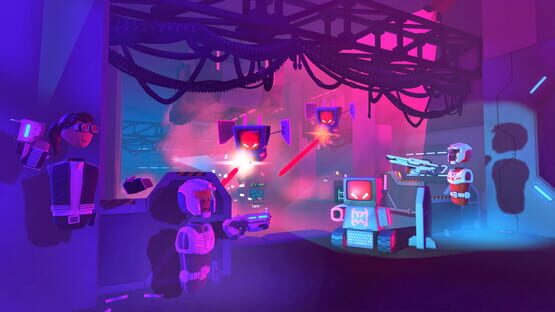
Tired of all the lame excuses your friends give you for not joining you in Rec Room? Well, we have now made it harder for them to resist! Now, iOS players can invite people from their contacts list and Steam / Xbox players can invite people from their platform friends list to join Rec Room with one click! That's right, just one click!
To access this feature, open your watch --> Home page --> Invite button on the top right corner.
The list will only show people who haven't played Rec Room yet. If your friend is not a Rec Room player but isn't on that list, you can still copy and share your link with them. We don't know why some don't show up, but hey, that's Rec Room for ya!
Friends who sign up for Rec Room using your invite will automatically get added as your Rec Room friend when they return to their Dorm after completing the tutorial. See? Their resistance was futile.
General Improvements and Bug Fixes
The Streaming Camera was previously only available for PC VR, but is now also available to Screens PC players with a second display -- no VR headset required! This was supposed to land with the streaming camera improvements, but a minor Unity upgrade broke it. Whoops! (At least Rec Room doesn't require focus again!)
AI from CV1 UGC Spawners will now properly despawn on Game End. No more zombie goblins sad trombone.
When objects manage to get below the ground in ^RecCenter and Maker rooms, they will now return to their last spawn position instead of their last pickup position.
We fixed the bug in VR where doors wouldn't open if your hands were full, so now you don't have to put down your donuts to use a door. You're welcome! (who says we don't fix important bugs?)
As always, thanks for playing Rec Room!
Please see here for convenient links to controls, tutorials, comfort options, etc.: https://recroom.com/community We love to hear your feedback, so please don't hesitate to let us know what you think...
Rec Room UPDATE - the "Take a Seat" edition
We've got an exciting one this week. You're gonna want to make sure you're sitting down for this...
Since the dawn of gizmos (and maybe even before), creators have been making rooms which put you in a vehicle and move you around. The classic trick, used as far back as 2018, was to keep the player in one place, and instead move the entire world around them. Things got a little easier once we added proper support for moving platforms, but it still hasn't quite been possible/easy to just sit the player down and move them around... until now!
Announcing Seats!
There's a new BETA Prop in the Maker Pen Pallette: The Seat. It's a small cushion that Players can interact with to be Seated onto stuff! It includes a CV2 Circuit Board that allows you to put players on or off of the Seat, as well as restrict them from manually getting on or off. Make sure to enable BETA objects in your room if you want to use the Seat prop!
Players can now "sit" on Seats on all platforms! This means:
When you grab a Seat cushion on chairs and couches, you'll be automatically transported to the Seat, at a reasonable height, and facing forward along the Seat's orientation.
While Seated, players' movements are restricted to stay within the Seat.
While Seated, players' bodies are rigidly attached to their Seat. If the Seat moves, rotates, tumbles, or goes upside-down, the seated player will go along for the ride!
All old chair-like Props (Chairs, Couches, Stools, etc.) have been upgraded to use the new Seated behavior. If you don't want that in your room, you can disable it through their Configuration menu with the Maker Pen.
General Improvements and Bug Fixes
We're working on giving creators the ability to create currencies inside their rooms. You may see some new beta chips/props related to currencies, but these are currently in closed beta while we work out the kinks - we're looking forward to making them available for everyone soon!
The following Circuits V2 chips have been moved out of beta:
String Contains
String Get Length
String Split
String Split at Index
String Substring Index
String To Lower
String To Upper
The following Circuits V2 chips have been added to beta
Angular Velocity Add
Angular Velocity Set
Player Left Hand Orientation
Player Right Hand Orientation
Quaternion Create Angle Axis
Quaternion Create Euler Angles
Quaternion Create From To
Quaternion Create Look Rotation
Quaternion Euler Angles
Quaternion Inverse
Quaternion Rotate Towards
Quaternion Rotate Vector
Quaternion Slerp
Fixed an issue where having too many CV2 wires in a room could cause them all to not render at all.
Club announcements now appear in the messages menu.
Fixed a rare crash with Sticky shapes.
Spatial audio now works correctly in SFX V2.
Fixed a bug where the UI would break in front of sparkle effects.
Fixed a bug on iOS where the number in the notification badge wasn't being reset properly.
Fixed default sorting for Play menu search results.
Fixed scrolling issues on the Play menu.
Fixed a bug where changing the sorting on some UI pages would cause a blank tile to appear.
As always, thanks for playing Rec Room!
Please see here for convenient links to controls, tutorials, comfort options, etc.: https://recroom.com/community We love to hear your feedback, so please don't hesitate to let us know what you think...
Rec Room PATCH - the "Circuits V2" edition
Dear Creators, we've given the Streaming Camera some love:
Once you've activated the Streaming Camera, there is a shortcut to the Stream Mixer from the home page of the watch
The Streaming Camera now has a light on it. You can adjust the intensity and range of the light in the Stream Mixer Settings. Note: this light is only for the player using the Streaming camera -- other players won't see it. Think of it as a camera filter!
The Stream Mixer also has a new option called Voice Mixer -- use this to soften voices as you see fit.
Frame Rate, Field of View, and Light Settings are now persisted to your account
And to make your productions even more powerful...
Dear Creators, Introducing... the Streaming Camera Point gadget!
Streaming Camera Points can be wired to gizmos -- have fun making an animated camera rig invention!
The Streaming Camera Point can be found in the Palette under the Gadgets > Other Gadgets
Each Streaming Camera Point shows up in the Stream Mixer -- use the arrows to cycle through them!
Each Streaming Camera Point has a configurable Camera Name. Unnamed cameras will just show up as "Custom #" in the Stream Mixer with a number in the order they were spawned.
Each Streaming Camera Point has a configurable Transition Time. By default, the camera smoothly follows the target over a short amount of time, but you can choose the Instant option if you want no smoothing.
Certified Inventions
In this update we are introducing Certified Inventions! "Certified" is a seal of quality. Before an invention is granted Certified status, we review it to ensure it works well, is efficient, and follows best practices. Certified Inventions can be identified by the signature blue banner in the Invention Store. At first this list will be curated by us to emphasize CV2-powered creations, but we plan to open this up more in the future to any invention. For circuits-powered inventions especially, we may request changes to follow best practices and optimize heat usage. If you have an invention right now you think fits this criteria, check out Certified Inventions!
General Improvements and Bug Fixes
Fixed a hang during ^Orientation for PS4 users with their system language set to Arabic, Thai and potentially others.
We updated the doors in ^RecCenter to use our new room search menu. We also noticed that the community door in ^StuntRunner was getting a little stale, so we updated it to show all rooms with the #StuntRunner tag!
We've found and fixed a bug that we believe was causing some of the invincibility issues players have been seeing in RROs (especially ^Paintball). We'll be keeping an eye on this and related invincibility issues, so if you are still seeing this issue or variations of it, please let us know through our feedback channels!
A confused goblin decided to steal buttons from the Room Settings page instead of the Golden Trophy, we've got them back in their right spots!
Scale and Manipulate were a bit down, so we've comforted them and they should be much better now!
Fixed an issue where deleted events could still be seen in the upcoming events tab.
Fixed a bug where play menu tabs sometimes showed the wrong rooms.
Fixed an issue where the outline effect wouldn't show correctly on Oculus Quest.
Fixed an issue where the palette search would not work.
Fixed an issue where you could no longer Self-Scale properly.
Fixed a Config Menu issue where VR players couldn't type in slider fields.
Fixed CV1 Trigger Zones not registering decoration objects.
As always, thanks for playing Rec Room!
Please see here for convenient links to controls, tutorials, comfort options, etc.: https://recroom.com/community We love to hear your feedback, so please don't hesitate to let us know what you think...
Rec Room PATCH - the "Circuits V2" edition
Play Menu Upgrades!
The "New" tab is back! This page shows you some rooms that were recently published, so you can be among the first players to check them out.
Quick filter bars have been added to the "Hot" and search pages. This lets you narrow down the type of rooms you want to see with just a few quick button presses.
The Play Menu's top bar now includes a set of tags from the hottest rooms! Use these buttons to create a custom search that brings you to rooms with the latest trends. This is also a great way to find new contest rooms!
We improved dropping/tossing objects for screen players. You can now underhand toss any object you're holding with the drop button, while also being able to drop objects in place like before. (So yes, you can officially juggle with your screen friends now!!)
Press and release the drop button to do an underhand toss, or hold it down for a moment to drop what you're holding in place.
New tubes!
We finally fixed tubes! Long-time creators know that textures get distorted on the end caps of tubes in weird (and sometimes useful) ways. As some of those creators know, this was never actually intended, and is a bug we've wanted to squash for a while, in order to let people create tubes that have the same look on all of their faces. That time is finally upon us!
Don't worry! Old tubes look the same as before, so your old creations are safe!
Newly created tubes won't have texture artifacts on their end caps by default.
If you're really craving that "classic tube" look, you can use the Configure tool to set tubes to use it.
Bonus! You can now use the Configure tool to change the number of facets on a tube!
We've 'configured' the Configure Menu to have a brand new look! The Configure Menu is no longer a part of the Palette, it now pops up in world-space when you configure an object! The UI is now vertical, you can scroll up and down to see all the configurable options on an object. Options are placed in categories, you can drop down or close categories however you choose. The new menu follows you around and looks at you, but if following you is not your building style, or knowing something follows you gives you shivers, you can pin it to a location by hitting the pin button at the top right!.
Updates to Codes
Creating a code is now done right from the page of the watch that the code is for. Room codes are created on the room's page, event codes on the event's page, etc.
The button to use a code has been moved to the profile page.
The old Codes button on the homepage of the watch has been replaced by a new Invite button to make it easy to invite new people to Rec Room.
Added the ability to click on a player's name to view their profile if you are in close proximity to them.
The Maker Pen "Create Grabbable Objects" setting is now a slider with a new "Object Default" option. Circuits, gizmos, shapes, and some props default to non-grabbable with this option, and basically anything that you can throw will default to grabbable. At last, you don't need to remember to mark every paint pistol you spawn as grabbable!
Added a confirmation dialog when unpublishing a room.
Added carousels to the shop to display the newest inventions published by creators you are subscribed to. Be the first to know about that sweet new dorm room skin!
Added a screen prompting new players to accept the Code of Conduct the first time they leave the dorm.
For older players going into ^Orientation, we now make sure not to override your movement settings to the defaults.
Removed the unintended dot reticle for darts on screens.
Fixed a bug where the left arrow on the account selection screen sometimes didn't work.
Fixed a bug where using the back button in the watch while creating a club could get you stuck.
Fixed UI bugs where start and end game buttons were not updating when they should.
Fixed the "switch team" button not working sometimes.
For iOS players, we've adjusted some button sizes and priorities to make it less likely that you accidentally drop items when attempting to use them.
Fixes visual popping on the login screen.
As always, thanks for playing Rec Room!
Please see here for convenient links to controls, tutorials, comfort options, etc.: https://recroom.com/community We love to hear your feedback, so please don't hesitate to let us know what you think...
Rec Room PATCH - the "Circuits V2" edition
General Improvements
Friend requests now show mutual friends! Now you'll know if that request is coming from a friend-of-a-friend, or that random person you met in ^Paintball!
Oh snap! We fixed the bug where snap rotate sometimes wouldn't snap at all if you were set to "world-space" mode.
We changed how single-axis world-space snap rotate works. (You might say we... pivoted.) Previously, if you were using grid snap in world-space mode, and dragged on one of the colored rotate handles, objects would sometimes snap along several axes at once. Now, we really restrict the rotation to the axis you've chosen, and your maker pen will figure out how to get you on the global rotate grid for that axis. We think it feels pretty snappy.
We fixed a bug where, if you managed to let go of the rotate handle while an object was snap rotating, it would get left part-way between the snap angles. You needed to be really quick on the trigger to find that one!
We fixed the bug which prevented "tap rotate" (when you click on a rotation handle to quickly rotate 90 degrees) from respecting the "rotate around pivot" setting. We talked to it about the value of respecting that setting, and it assured us that it has turned over a new leaf.
Updated Orientation Settings Menu to prompt players to use both controllers for a better experience.
A bunch of the gadget volumes (invisible collision, trigger volumes, checkpoints, etc.) had developed a reputation for drifting when being scaled. This isn't a road race, so we're now anchoring them properly. (Shapes would sometimes do the same thing, and we fixed it for them too.)
Fixed a bug where the "My Subscriptions" section of the play menu wouldn't update when you subscribed to a new creator. Now you'll see their rooms right away!
Fixed a bug where players could host events in ^Orientation - we know this was fun, but facilities kept having to clean up before the new folks came through!
Fixed a bug where the "Join Room" button would be disabled if you tried to leave a room, were prompted to save, and backed out.
New Download Page on rec.net!
Check out our brand new download page at rec.net/download! It has links to all the platforms Rec Room is available on.
As always, thanks for playing Rec Room!
Please see here for convenient links to controls, tutorials, comfort options, etc.: https://recroom.com/community We love to hear your feedback, so please don't hesitate to let us know what you think...
Rec Room PATCH - the "Circuits V2" edition
Party System Improvements!
A Fist Bump icon is now displayed next to the names of players who are in your party.
When you are in a party, there is now an "In Party" button that shows on your watch menu. The button has the same color as your current party color and links to the new Party tab on the People menu.
You can now restrict "Voices I can hear" to just party members.
The Go To button now detects existing party / game invites and consumes those if you have an existing one. Clicking Go To will just consume the invite and take you to whoever invited you instead of sending a new Go To request.
General Improvements
New watch menu UI is much more responsive and consistent on all platforms, even when running/falling/moving.
Lots more screens in the new UI style including RR+, keys, and token purchasing screens. In addition, we have a new and improved "check out" experience when you buy items.
Small buttons are more reliable to press.
Menu laser is more visible over light themed backgrounds.
Scrolling starts easier on screens when clicking and dragging.
Tool menus are partially improved with these changes (on screens, and VR while the menu is detached). We will make the menus better while attached to the tool soon!
Avatar customization menu is larger in VR.
We now preserve returning players mic settings through orientation.
As always, thanks for playing Rec Room!
Please see here for convenient links to controls, tutorials, comfort options, etc.: https://recroom.com/community We love to hear your feedback, so please don't hesitate to let us know what you think...
Rec Room UPDATE - the "Circuits V2" edition
New Circuits System
This release is the debut of a brand new Circuits system (known as "Circuits V2" to differentiate from the existing Circuits). Circuits V2 is a powerful new system for creating interactive stuff in your rooms! Check out resources here for more info:
This is the first of many Circuits V2 releases. You can expect us to regularly release updates, improvements, and new functionality now that the system is live.
Circuits V1 isn't going anywhere. It will stay around to power existing creations, and you're welcome to keep using it - especially since there are still some things that V1 can do that V2 can't do yet (e.g., animation). Eventually we'll put Circuits V1 into "legacy" mode, meaning it will still work and receive bug fixes, but it'll be hidden by default in the palette. At that point, V2 will just be "Circuits" =]
We can't wait to see what you build with the new Circuits system!
New Room Settings
The Room Settings pages have a whole new look and even more features creators can use to customize their rooms! Following the style of the new store and play pages, the room settings have been updated and improved with new UI. Feature improvements include:
Easily change your room name, cover image and description from inside the game (Thanks for waiting on this!)
Customize your room's loading screen
Choose any photo from your room's photo roll to use as a cover or loading screen image
Rooms may now have one main category tag (#pvp, #hangout, #game, #quest or #art) and up to 5 custom tags to help players find your room
Room creators may now designate a different player as the room creator or delete the room (Careful, only the room creator has full control over the room settings, and deleted rooms are gone forever!)
The new subroom management page allows you to add, clone, and delete subrooms from a room
Quickly move a subroom to any other room you own
Max player count for a room can be set to either the size of the smallest entry subroom, or the size of the smallest subroom (great for #game and #quest rooms that have a tutorial subroom)
New Party Menu
Added a dedicated Party tab to the People menu.
This lets you see who is currently in your party.
"Invite to Party" button lets you select and invite multiple friends or nearby players to party up.
General Improvements
Fixes a bug where UI buttons could drift if clicked too fast.
Fixes a bug where UI buttons played multiple click sounds for a single click.
Fixed a bug that occasionally prevented users from undoing a deletion of an object, or redoing creation of an object that was recently undone.
Fixed ears turning on unintentionally for old saved outfits.
Lowered the chance of having a beard when randomizing the avatar.
New setting "Show Voice Lines" so players on all platforms can turn this off and take cleaner screen recordings. Find it in the watch settings, advanced tab, next to Show Names.
Fixed an issue where hitboxes could be missing on players.
Fixed an exploit where spamming pickup would prevent hit detection.
As always, thanks for playing Rec Room!
Please see here for convenient links to controls, tutorials, comfort options, etc.: https://recroom.com/community We love to hear your feedback, so please don't hesitate to let us know what you think...
Rec Room UPDATE - the "First Impressions" edition
Dear Creators, Introducing... the (Beta) Mirror prop!
The dorm room mirror you know and love has been repackaged as the Mirror prop with a minimal, recolorable frame and configurable physics modes.
All mirrors (the Mirror prop, the dorm room & rec center mirrors, etc.) are now fully supported on Oculus Quest. No more solid color background!
Please note that to make the Mirror prop possible, we've had to put some protections in place:
Why? Mirrors are quite costly in terms of performance. There's no way around this.
While the mirror is in beta, its ink cost is slightly over 50%. We will reassess ink cost when it comes out of beta.
There can only be 1 mirror per room. E.g. if you can't spawn a Mirror in your dorm since there's already a mirror there!
Reminder that to use a beta prop, you must enable beta content in your room settings.
General Improvements
Fix Anonymous cheers showing the sender
Add an auto message to the trolling report category for "Art griefing"
Add a profile button to portfolio page
Beta Content Changes
The multiple In and Out chips inside of other chips have been changed into single In and Out busses.
Recently used chips will now sort closer to the top of palette search.
Most events in objects now run for everyone. Filter chips have been added after the events to try to pick a best player to run for.
Type name billboarding has been improved on both VR and screens. The billboards are a more suitable size for screens. The billboards no longer rotate with your head or move around as much while moving your head in VR.
Log string channel configurations now sync correctly
Some exceptions are fixed on the CV2 palette page
Some exceptions are fixed with the Player Get Equipped Objects chip
Player Reference Boards are no longer be left behind in rooms when players leave
Toggle Button V2 has correct Pressed and Released data for all players.
Ports on the Delay chip have been arranged into the correct order.
Control Panels can now be deleted if their objects are also being deleted.
Dice Get Result now returns a bool.
Piston V2 and Rotator V2 now have tags.
Chip previews now always have the correct name
Some edge cases encountered when undoing deletion or addition of chips have been fixed
Chips no longer accidentally end up inside/outside of other chips during undo
Undoing deletion/addition of objects with control panels is more stable
Event definitions no longer disappear sometimes when inside of circuit boards or control panels
The following chips have had CPU heat raised beyond the default: Button Set Text, Creation Object Add Tags, Creation Object Get All With Tag, Creation Object Get Tags, Creation Object Remove Tags, Delay, Event Receiver, Event Sender, For Each, For, Get All Players, List Add
List Concat, List Insert, Remove At, List Remove Last, Log String, Make List, Parse Bool, Parse Float, Parse Int, Player Add Role, Player Remove Role, Prompt Local Player, Reset Object Reset Room, Show Notification, String Format, Substring, Text Set Text, Trigger Volume Get Filter Tags, Trigger Volume Set Filter Tags, Trigger Volume Get Objects, Trigger Volume Get Player, To String
The following chips have had net raised heat beyond the default: Creation Object Add Tags, Creation Object Remove Tags, Player Add Role, Player Remove Role, Reset Object, Reset Room
Breaking Changes
The exec port has been removed from Get All Players.
Rand Int chip is now inclusive.
SFX V2 now plays for everyone by default but has an option to disable synchronization.
Markers on Piston V2 and Rotator V2 also fire events for everyone by default but have an option to disable synchronization.
Piston V2, Rotator V2, and SFX V2 can now be played by anyone and networking will be done automatically.
Networked operations now expend additional network heat.
RPCs (some object chips) and synced events are now limited at 5-per frame.
You can find a new RPC meter in the CV2 page of the palette.
Impulse and reset chips are now networked automatically.
All chips with exec ports now expend additional CPU heat.
As always, thanks for playing Rec Room!
Please see here for convenient links to controls, tutorials, comfort options, etc.: https://recroom.com/community We love to hear your feedback, so please don't hesitate to let us know what you think...
Rec Room UPDATE - the "First Impressions" edition
This update we've revamped our new user experience, avatar customization...honestly it's so much it's dizzying!
Redesigned title screen!
You are now greeted by your smiling Avatar
Nice and sunny in VR (definitely no ghosts lurking in the corner anymore)
Consistent look and layout on all platforms
New experience for creating accounts
New Avatar Customization menu!
Beautiful new design and refined layout
2D animated render of your Avatar (that you can rotate!)
Outfit items are organized by the "slot" they go in
Easily unequip items with the "None" option
Undo and Redo for each change you make
Want to mix things up? You can now Randomize your whole Avatar
Improved experience of adjusting your eyes, mouth, and hat
Did we mention you can see how your hat looks from all sides?
You can now try on premium hair dye colors before buying!
Permanent hair dyes are less expensive
Temporary dyes are being removed and refunded if you have them in the backpack or currently active
^Orientation
For users who are just coming to Rec Room for the first time, we've added a quick and delightful introductory tour of the Rec Room Campus. This is our chance to showcase the things we all love most about Rec Room -- our community values, our exciting games, and the enormous and growing library of user-created content to explore!
All new users go through Orientation as their first in-game experience.
If you're an existing user who just wants to check out Orientation, it's just another room you can visit any time you'd like. You can find it by searching for ^Orientation in your Play Menu.
Adds a new CV2 chip for checking whether a player is a subscriber to one of the current room's owners
Adds a new CV2 chip for checking whether a player is one of the current room's owners
As always, thanks for playing Rec Room!
Please see here for convenient links to controls, tutorials, comfort options, etc.: https://recroom.com/community We love to hear your feedback, so please don't hesitate to let us know what you think...
Rec Room PATCH - the "Color Me Impressed" edition
General Improvements
We added the Sunset Drive-In map to the 5 hit streak weekly challenge!
We reordered some of the play menu carousels.
Portfolio screens now show a player's co-owned rooms in addition to their created rooms.
Fixed a bug that could cause the watch menu to become stuck in a loading screen after attempting to save a room while a game was in progress.
The Junior Enabled flag on Buttons and Trigger Volumes no longer defaults to off on rooms saved with an older version.
As always, thanks for playing Rec Room!
Please see here for convenient links to controls, tutorials, comfort options, etc.: https://recroom.com/community We love to hear your feedback, so please don't hesitate to let us know what you think...