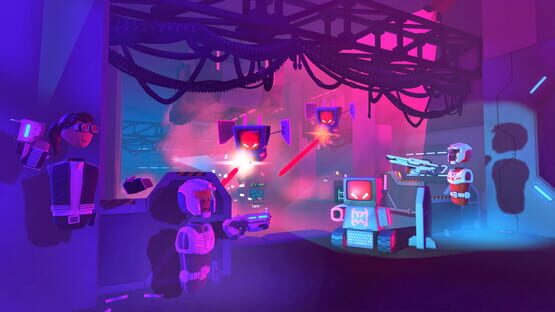
This patch we have a few bug fixes for you, and some updates to Beta Content. Check it out!
General Improvements
Gift boxes now appear when you purchase consumables from the Laser Tag storefront.
Fixed a crash on PS4 in Crescendo of the Blood Moon which sometimes occurred when dispatching an enemy.
We've fixed the way fog is calculated on avatar faces!
Fixed bug where disc golf hazard button sometimes did nothing when clicked.
Beta Content Changes
The filters in palette search have been updated. You will now find a few chips in different locations in palette search.
Some chips have been renamed.
New-style variables now support changed events. Each new variable name will add an event you can receive with an Event Receiver chip.
New-style variables now have a different mesh, synced icons, and different port names.
Many more chips now have icons.
The Circuits V2 page has been reformatted in the palette.
Many objects now longer check authority and can now be set by anyone. Objects without authority checks include: Emitter V2, Point Light V2, Spot Light V2, SFX V2, Text V2
New Chips: Creation Object Get Authority, Creation Object Is Local Player Authority, Get Authority, Get Local Player, Get Room Authority, Get Player Last Equipped Object, Get Equipped Objects, If I'm Authority, If I'm Room Authority, If Player Is Local, Player Get Is Local, Player Is Authority Of
FromCreationObject` will correctly connect to other chips again.
An exception has been fixed in palette search when viewing from a second room.
Vector Gadget no longer collides with things.
As always, thanks for playing Rec Room!
Please see here for convenient links to controls, tutorials, comfort options, etc.: https://recroom.com/community We love to hear your feedback, so please don't hesitate to let us know what you think...
Rec Room PATCH - the "Color Me Impressed" edition
Dear Creators...
We've added some cool Configuration options to the Text Gadget and the Holotar Projector!
The Text gadget now has an "Always Face Viewer" option which will rotate the text towards the player!
The Holotar Projector now has a "Hide Projector" option which will hide and silence the projector! The projector will still show when you're holding your MakerPen, or until the recording is finalized.
General Improvements
Fixed a bug that caused some maker pen sound effects to sound distant or even inaudible at times.
Improved badging in the messages menu so it's easier to tell which messages and notifications are unread.
Visiting the notifications tab in the messages menu now clears the unread notifications badge.
Improved presentation of creator announcements in the messages menu.
Fixed not being able to save the grenades in clones of ^LaserTag.
Fixed photo roll resetting position after cheering a photo.
Fixed the cheer count display for photos in photo roll.
Fixed a bug where join room buttons in room details screens could become disabled when cancelling out of the room warnings popup.
No longer displaying the room warnings popup from the room details screens (they already show room warnings).
Beta Content Changes
We are migrating to a new style for variable chips:
These include get and set functionality in one chip.
There will be one chip for each type in the palette that can be configured local or synced.
Old style variable chips, along with Set Value will eventually go away.
Other changes:
Player Definition Board can now be used to create logic on players.
One Player Definition Board in each room can be set to Active from the Configuration menu.
All nodes within that board will be copied into a Player Reference Board on each player who joins the room...
Type names now appear above ports when hovering them with the wire tool.
Many math nodes now work with Vector3s: Add Node, Divide Node, Multiply Node, Subtract Node
We now support adding and removing from lists with up to 50 elements!
As always, thanks for playing Rec Room!
Please see here for convenient links to controls, tutorials, comfort options, etc.: https://recroom.com/community We love to hear your feedback, so please don't hesitate to let us know what you think...
Rec Room UPDATE - the "Color Me Impressed" edition
Rec Room UPDATE - the "Color Me Impressed" edition
We've added a brand new Eyedropper tab alongside Materials and Colors in the Palette
Just use the Select Tool to select some objects and choose the Eyedropper option on the revamped Quick Action Menu
When you choose Eyedropper, the materials/colors from your selection are added to your Eyedropper history
You have an Eyedropper history of up to 16 items
If you select Eyedropper for a material/color combo that's already in your history, it's moved to the most recent slot rather than taking up duplicate slots in your history
When you hover over an Eyedropper item, the tooltip shows the Material and Color names
When you select an Eyedropper item, this is equivalent to selecting the material and color from their respective tabs
We now better visualize the currently selected item under the Material/Color/Eyedropper tabs
You asked, we’re delivering! All new room stats are now available on rec.net -> Profile -> Stats (bar chart icon). We want to add more stats in future, so let us know what you’d like to see!
We are slowly rolling out the weekly room summary emails to active creators.
If you want to receive these, make sure you have an email set: On rec.net -> Settings -> Email. In game -> watch menu -> profile -> Email
You can disable these on rec.net -> Profile -> Settings (gear icon) -> Email -> Your Room Summary
General Improvements
VR players using walking can teleport to get out of self-scale again. We broke this a while ago, so it's about time we fixed it!
Fixed a bug which caused VR-to-screens handshakes to complete immediately. Now you get to hear that sweet drumroll again!
We also brought back the handshake feedback for VR-to-VR handshakes. It's far too awkward without the drumroll.
Fixed a bug which allowed VR and screen players to use opposite hands when shaking hands. (But not in Rec Royale... it's still there)
Screen players can no longer stealthily shake VR players' hands to friend them without their consent. That's right - no more ninja-friending. Wait, when did my friends list become full of ninjas?
Fixed a bug which allowed VR players to shake screen players' hands from across the room. You'll have to find another way to make your long distance friendships work.
Fixed Rotator and Piston Gizmos behaving erratically or not working when players leave the room, along with other small weirdnesses that could happen when the room-authority leaves.
Things attached to other things via Gizmos should no longer jitter/lag in Players' hands. Most cases of "things lagging behind other things" or jittering back and forth should be gone. Players can still jump around a bit due to network latency.
Fixed a bug where taking a new creator announcement photo cleared title and body text.
Fixed some incorrect reticle displays for ranged weapons.
As always, thanks for playing Rec Room!
Please see here for convenient links to controls, tutorials, comfort options, etc.: https://recroom.com/community We love to hear your feedback, so please don't hesitate to let us know what you think...
Rec Room UPDATE - the "Brimming with Excitement" edition
You can now customize how you wear your hat! Try equipping a new hat and use the new UI (it’s in the mirror in your Dorm Room) to personalize your style. Need a rakish angle on your fedora? Want to turn your baseball cap backwards like a 90's rapper? Wish your tiara played nicely with your mullet? We got you covered!
There may be a few minor hat adjustments in the coming weeks as we get all these settings just right!
https://imgur.com/a/fsizFse
https://youtu.be/aOf58ZWrCms
Also, you can now share your artwork directly to rec.net from the Art Canvas, Square Art Canvas, and Whiteboard. We've made this extra special with a few helpful features:
We want your artwork to be captured as beautifully as possible, so we boosted the quality at which it's exported by significantly reducing the compression. This means your photo looks great even if you zoom in a bunch.
The aspect ratio of your art is preserved when sharing. Bet you didn't know... behind the scenes, each piece of art is 1024x1024 pixels. When you share to rec.net, your artwork is upscaled to preserve its aspect ratio. Specifically, the Square Art Canvas remains 1024x1024, but the rectangular Art Canvas is upscaled to 1429x1024 and the whiteboard is upscaled to 1536x1024.
When you share, the image on rec.net is automatically oriented to match your canvas in-game. If your artwork is laying flat, there's no automatic orientation, so make sure it's upright the way you like it before sharing!
We also made sure that rec.net was ready to display your photos nicely. You can find your photos alongside your ShareCam photos on your profile. e.g., https://rec.net/user/gribbly/photos
General Improvements
Added a leaderboard projector to track wins and tags in Rec Royale.
On iOS, the red on screen damage indicator displays correctly again.
New look and layout for the watch store that shows off the items better and gets you to what you want more quickly!
As always, thanks for playing Rec Room!
Please see here for convenient links to controls, tutorials, comfort options, etc.: https://recroom.com/community We love to hear your feedback, so please don't hesitate to let us know what you think…
Rec Room UPDATE - the "Pane in the Glass" edition
Introducing: Glass! A recolorable, resizable glass prop with configurable opacity. You've been waiting for it, and now can make glass panes for windows and more! Give it a try! Learn more about glass here!
But wait, there's even more! Also introducing: Audio FX Zones! A resizable gadget that modifies sound within its invisible volume. Learn how to add extra character to your rooms with audio effects here!
Hair items in the mirror UI will now correctly show colors of hair bands.
Fixed an issue where the Beam Cannon and Paint Thrower in Rec Royale would not let you fire more ammo.
Fixed missing collision on metal barrels in Sunset Drive In.
Screens players can now keep their Maker Pen Palette Menus open while they move around and create in the world similar to how VR players do it.
As always, thanks for playing Rec Room!
Please see here for convenient links to controls, tutorials, comfort options, etc.: https://recroom.com/community We love to hear your feedback, so please don't hesitate to let us know what you think...
Rec Room PATCH - the "Rec Royale Update" edition
We rebalanced some of the weapons in Rec Royale. Here are the changes:
Ghostbeard's Sidearm
Reduced body shot damage from 100 to 75
Reduced headshot damage from 200 to 125
Reduced ammo capacity from 6 to 5
Reduced drop rate slightly
Deafening Boomstick
Full shot damage reduced from 170 to 153
Rigid Thwapper
Reduced projectile speed slightly
General Improvements
Fixed a bug where players could keep playing after being knocked out in Rec Royale.
Fixed a bug where game props could be edited with the Maker Pen in UGC rooms.
Fixed a bug where players were being notified of an upcoming event despite already being in the event's room.
Disabled players' ignore effects during games.
Most rich text tags are no longer supported on Buttons and other text elements in UGC.
Possible fix for performance degradation in rooms where the Game Rules chip is set to a large number of teams or large team sizes.
Fixed an issue on PS4 where colorful spots would occasionally appear in camera photos.
Link buttons can now display two lines of text!
Made it easier to select floating room comments.
Beta Content Changes
New chip: Reset Object
New object: Vector Gadget
Room Reset bug which caused objects to reset to incorrect locations has been fixed.
More cameras will display CV2 wires. This is helpful for tutorials.
Fixed disconnect issues in rooms with large amounts of chips. We now support 5x the previous number of chips. However, we will fix this permanently in the future.
Event nodes display the name of the event again.
PlayStation players can receive updates to the default values on ports again.
Cycles in graphs are now supported.
Breaking Change: the physics of impulse chips have been modified to prevent some bugs.
Breaking Change: roles are now reset on room reset.
As always, thanks for playing Rec Room!
Please see here for convenient links to controls, tutorials, comfort options, etc.: https://recroom.com/community We love to hear your feedback, so please don't hesitate to let us know what you think...
Rec Room PATCH - the "Rec Royale Update" edition
Happy new year! We wanted to ring in the new year with a small patch for you all:
General Improvements
There's a new share button on the room details screen of the watch menu. We're hoping this will drive more accurate numbers for statistics around sharing rooms, which we'll be sharing with creators soon!
We're happy to report torso and holsters are more stable when looking up or down.
VR: We've also made finger-pressing in the new UI more reliable, especially for quick presses.
Fixed a shader issue affecting certain avatar outfits.
Fixed a minor issue where other players wouldn't get notified when you invite them if you appear offline to them.
PC: Fixed an issue where the Desktop Sharing Speaker wouldn't switch input devices.
Beta Content Changes
New chips: `Room Reset`, `Add Impulse`, `Set Impulse`, `Reflect Impulse`
New room reset functionality has been added next to the palette next to "Send Test Event"
New room reset currently works with the following objects with more on the way: KO Cola Boosts, Pool tables, Toggle buttons, Costumes, Samplers, Holotars, Gizmos
`On Room Reset` event which listens for room resets.
The `RoomInitialized` event is now `RoomLoaded`
The `SessionInitialized` event is now `PlayerJoined`
`Text V2` will now default to red instead of black.
`Text V2` config fields now synchronize between players correctly.
Unused `Text V2` config fields have been removed.
`Emitter V2` and `Light V2` now synchronize correctly between players.
`DEPRECATED Invalid Player` has been removed and replaced with empty player variables
`DEPRECATED Creation Object Add Tags` has been removed and replaced with a version with the same name that works better with lists
`DEPRECATED Creation Object to AI Path Point` has been removed and replaced with `From Creation Object`
`DEPRECATED Creation Object to AI` has been removed and replaced with `From Creation Object`
The `LocalPlayerSpawned` event has been renamed `DEPRECATEDLocalPlayerSpawned` and will be removed in the future update.
Also, UX has been added while connecting ports to indicate whether a connection will succeed or not:
Hovering over a disconnected configurable port -> Yellow Circle
Hovering over a disconnected non-configurable port -> Green Circle
Drag from port -> Green Circle at Source
To connectable port -> Green Circle at Destination
To non-connectable port -> Invalid Icon at Destination
As always, thanks for playing Rec Room!
Please see here for convenient links to controls, tutorials, comfort options, etc.: https://recroom.com/community We love to hear your feedback, so please don't hesitate to let us know what you think...
Rec Room UPDATE - the "Rec Royale Update" edition
Rec Royale is now available to players on iOS and Quest 2! We’ve also added a ton of awesome new stuff to Rec Royale for the first time since its initial release!
We’ve added 15 new levels to earn!
We added six new Frontier Pass tiers - rewards include Scout Sashes, 5-Star Boxes, and new Butterfly Wings!
We also made it easier to earn Frontier Pass tiers - this means some existing Rec Royale players will jump up a number of tiers.
And we're doubling all Rec Royale XP for the next month!
We’ve also added six new weapons to the island!
The Beam Cannon power weapon from Laser Tag is a new Legendary weapon!
The Paint Thrower from Sunset Drive-in is a new Legendary weapon!
Paint Mines are a new Epic weapon!
The Deafening Boomstick (CotBM Blunderbuss) is a new Legendary weapon!
The Hunter's Dream Crossbow from CCC is a new Legendary weapon!
Last, and unfortunately least, the Goblin Annoyer Crossbow (from GT) is a new Rare weapon!
We’ve also done some re-balancing of existing weapons:
Flintlocks are more rare, but have increased damage.
Bows have increased damage and projectile speed, but are more rare and can only be legendary.
But wait, there’s more!
We have added _4 new body shapes_ to help players personalize their avatars even more! The new shapes are: Pear, Apple, Triangle, and Hourglass. The standard shape is now called “Square.”
Another new way to customize your look is with our new (and totally optional) ears! We have also included a few earrings to get you started with your new look.
It is currently expected behavior that equipping a costume will reset your body shape to Square while you are wearing the costume, and it will revert back to your chosen shape once the costume is removed.
Additionally, the HUD on screens buttons and control hints have a fresh new look and some exciting new features:
New Picture-In-Picture window for Screen players. Get a look at yourself at any time in the corner of the screen, and see how you appear to other players while you wave, emote, talk, and interact. Toggle the Picture-In-Picture in the watch menu, gameplay settings.
Room Chat gets an upgraded look & layout for all platforms. The message list is a bit longer and scrollable now. Open a player's profile by selecting their photo in the Room Chat list to conveniently cheer, friend, mute, or whatever you need to do :)
Every button in the top row of the HUD now has a physical button associated with it. You can find your share camera and maker pen in the equipment radial menu.
One more little addition, you can now see avatar items organized as sets in Rec Room stores!
## General Improvements
Added a new room permission to limit spawning of inventions.
Added a new room role to restrict consumable spawning.
Added support to allow users logging onto a new platform to use their existing RR account instead of creating a new account.
The watch no longer detaches when opening the Settings screen while in VR.
Fixed incorrect texture on left handle of maker pen palette in VR.
Patched exploits that would cause extreme grenade speeds.
Fixed an issue where your token balance would sometimes not include all of your tokens.
Outlines should now draw correctly around highlighted objects on Quest headsets.
Extended game controller support for iOS. Now you can use the many MFi compatible game controllers in addition to PlayStation and XBox controllers. Older MFi controllers or controllers that are lacking standard buttons may be partially supported. Additional controller settings are available in the iOS Settings app on iOS 14.
While holding the maker pen, screen players cannot pick up tools/shapes with their other hand. No more accidentally ripping apart your creations!
If screen players get spawned or squeezed into a spot that's too small for them to stand, they'll auto-crouch to try and fit.
As always, thanks for playing Rec Room!
Please see here for convenient links to controls, tutorials, comfort options, etc.: https://recroom.com/community We love to hear your feedback, so please don't hesitate to let us know what you think…
Rec Room UPDATE - the "Reaching and Waving" edition
Players using screens and touch controls can now Reach their hands out in front of them to more easily touch, push, and interact with the world. We've found that Reaching makes trigger volume-based buttons, like those in popular community-made rooms, much easier to press on screens!
Additionally, Waving on screens now respects your selected hand gesture. Want to waggle a finger on your right hand while you give a thumbs up on your left? Now you can! Just select a gesture for each hand using the Gesture Radial Menu and wave!
For even more fun try combining waving and reaching together!
General Improvements
Resolved issue where players would hear voices from other Rooms.
Screens players can now disable VSync by going into the advanced settings menu.
You can now choose a reason for vote kicks.
Resolved issue where you could see invisible players if not on the same Y level as them
The level up celebration is now delayed until you are in the next room.
Gadgets with non-uniform scaling (trigger volumes, bounce pads et al) will now retain their changes when saved.
Images taken during invention updating will be correctly changed.
As always, thanks for playing Rec Room!
Please see here for convenient links to controls, tutorials, comfort options, etc.: https://recroom.com/community We love to hear your feedback, so please don't hesitate to let us know what you think...
Rec Room PATCH - for "Room Details" edition
General Improvements
Fixed bug where club tags were blank.
Screens players can now disable VSync by going into the advanced settings menu.
You can now choose a reason for vote kicks.
Beta Content Changes
You may need to update your rooms as trig nodes now make use of degrees rather than radians.
You may need to update your rooms as trigger volumes can now detect other trigger volumes.
Log has been renamed to Logarithm.
More chips connect correctly. For example:
The output of Add can be connected directly to chips like IntToFloat.
The output of FromCreationObject can be connected directly to chips like ToCombatant.
Disconnected Delays no longer loop infinitely.
Performance has been improved.
Players should experience lower heat usage, as we continue to tweak heat usage players may see it go up or down in future updates.
We added new chips with this update: Log, which logs a string to a Log Screen, and HasAuthorityOf, which checks whether the local player has authority of a CreationObject.
We added these objects with this update: Emitter V2, Log Screen, Point Light V2, Spot Light V2, Text V2. Look for nodes prefixed with their names in the palette!
As always, thanks for playing Rec Room!
Please see here for convenient links to controls, tutorials, comfort options, etc.: https://recroom.com/community We love to hear your feedback, so please don't hesitate to let us know what you think...