

Research Story
Hotfix v0.2.3
- Cherry Blossom Petals now drop in both Spring and Winter.
- Added highlight when players mouse over chests
- [KB/M] Reverted scrolling controls in hotbar to original controls - the scroll ends at the first/last item.
- [Controller] Autofeeder will be automatically detected when facing it.
- [Controller] Highlight 'LB' glyph when holding LB for moving item stacks.
- [Controller] Improved chest detection (for chests placed side-by-side).
- [Controller] Game is more responsive when using D-pad in Inventory UI. Same for Calendar UI and pause menu.
Hotfix v0.2.2
- Fixed: Unable to remap keyboard/mouse keys other than the 'Up' key.
Controller Support
Fixed
- Cannot interact with creatures when entering a new room while equipping a tool.
- Attempt to fix the 'slippery' movement of the joysticks by increasing the deadzone. This should also address the RS cursor drifting.
- Odd behaviour in journal when interacting with icons and switching pages with RTLT.
- Knowledge Tab - Pressing A to go into the page will no longer automatically select the first category.
Improvements
- Press B to skip up dialogue text without closing
- Shortcuts for Keyboard: X to delete, RT to enter.
- RBLB Glyphs/indications for changing the crafting category & the seasons in the Calender UI.
Dev note
- Still working on the issues with save file conflicts from the v0.2 update, but it's more complicated than expected. Decided to push some smaller fixes/improvements first - will still be working on the saves issue in between patches!
- Miki
Please read if you played on multiple devices before the v0.2 update
[Update 2] 27 Apr 2023, 2:50PM (GMT+8)
[Update 3] 27 Apr 2023, 8:10PM (GMT+8)
Syncing existing save files conflict across multiple devices
If you played on multiple devices before the v0.2 update, there's a bug with cloud syncing that may override some data due to save file conflicts. Please read this, especially if you named your Player of 2 different saves the same name across devices prior to the update.
Before launching the game for each device, please manually back up your saves.
To do so:
1) Open Run app (Windows + R key)
2) Copy this to the field: %LOCALAPPDATA%\ResearchStory\
3) Press Ok.
4) Copy the folders "Saves" & "SavesInfo" to another location, e.g. your desktop
⚠️[Update 2]: After launching the game, should you face cloud save conflicts, please take note of which version you wish to keep. If the player names are different, your save files should still be intact and stored somewhere in the folders (but will not be reflected in the game at this point). If player names are the same (e.g. 0_Player.save on device 1 and 0_Player.save on device 2), the cloud will only save one of the files and overwrite the other.
For players who face issues with cloud sync, please reach out (Steam forums, comment below, Discord, Twitter) and I'll work things out with you. Thank you for your patience!
Dev Update
I'm working as quickly as I can to address these issues, and will update when I'm able. Thanks for your patience.
[Update 2]: Currently working on adding a unique identifier to save files.
[Update 3]: Sync between Steam Deck/PC has been resolved, and should work normally after the initial sync. Do be careful of any conflicts during initial syncs as mentioned above.
- Miki
Hotfix v0.2.1
- [Controller] Fixed: Cannot interact with dents in the ground and pedestal (in the first cave).
Research Story v0.2 Update is live!
Greetings Researchers!
The controller support update is live! 🎉 More information below:
v0.2 Update Notes
🎮Controller Support
- The game can now be played with an Xbox controller.
- The game will detect the control scheme (Keyboard/Mouse or Controller) and change its display accordingly when receiving an input.
- Input prompts will be displayed in-game as glyphs, and an in-game keyboard has been implemented for naming the player and creatures.
- Implemented tool wheel for switching tools.
- Most of the gamepad controls can be remapped from the Options Menu.
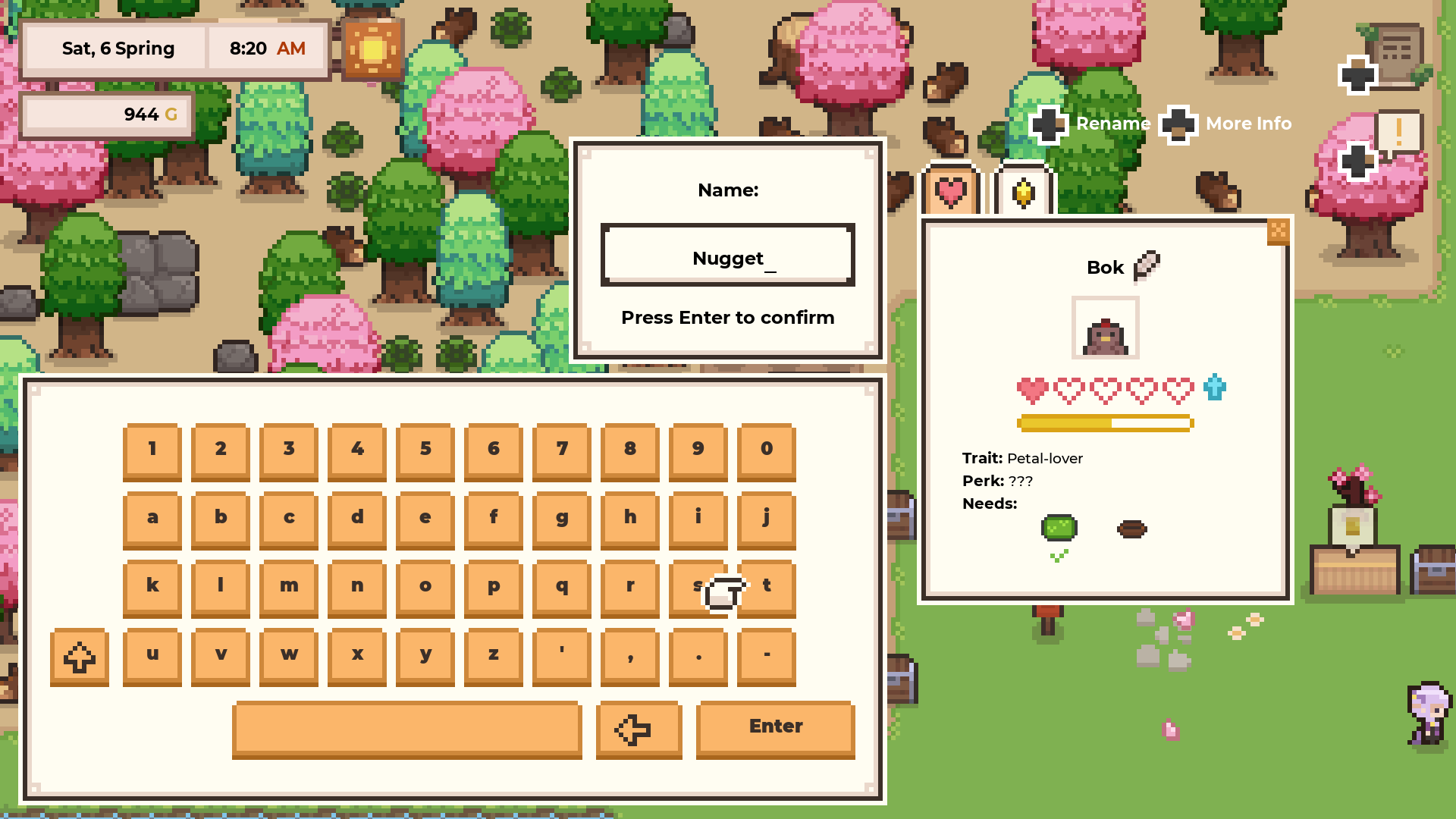
Happy with how the keyboard turned out!
✨Improvements
Reduced some tedium when managing multiple creatures
- Hold the interact key (LMB or A) to pat multiple creatures, without having to click on them individually (similar to harvesting crops).
- Collecting a creature produce will also count as 'patting' the creature. This reduces the number of interacts needed when managing creatures.
- For wild/untamed creatures that have been observed, interacting with them will get them to drop an item without a popup. Interacting again will bring up a popup dialogue with their diet information. This reduces unnecessary clicks to close the popup in mid-later game.
Clearer UI
- Going back from the Customisation page shows a confirmation popup (to warn that any changes made in the customisation will be lost).
- When attempting to delete a save, the confirmation popup will show the player name of the save to be deleted.
- Display "Loading..." when loading a save.
Optimisation
- Optimised some parts of the code, and fixed a bug which led to unnecessary instances being created when you own a farm teleporter. This should help with lags occuring after year 1.
💻Better Support for some wider resolutions
- To better support larger resolutions, all hand-drawn art were resized and imported so that the quality is kept. I've done passes for the following resolutions: 3840x2160, 3440x1440, and 5120x1440.
- For 32:9 resolutions like 5120x1440, the start menu should no longer be cut off.
- Increased font sizes for some fonts, especially for resolutions larger than 1920x1080.
- The game should also be more zoomed in for larger resolutions (consistent with how it looks on 1920x1080).
☁️Cloud Saves
- Steam Auto-cloud has been enabled for the game. You can verify that your saves are on the cloud if the Cloud Status states that it's "Up to date" (see below).
- If the 'Cloud Status' doesn't show, you can check your Steam's Settings > Cloud > Enable Steam Cloud synchronization for applications which support it.

⚠️ IMPORTANT: For Cloud Saves, I could only test on the Windows PC & laptop that I own. I'm unable to test for cross-platform saves (such as to Linux/Steam Deck) at this time. As such, it may not work as expected for cross-platforms. Please help us by letting us know if it works for you, and we'll work on resolving any issues!
📂Backups
- A save file backup system has been added. Backup saves will be created whenever players save their game. This will help mitigate issues with save file corruptions (e.g. when the PC shuts down while saving).
- For existing players, a set of backup files will be created on launch if there are any existing saves.
- You can find your saves and backup saves by following these steps:
1) Open Run app (Windows + R key)
2) Copy this to the field: %LOCALAPPDATA%\ResearchStory\
3) Press Ok.
📝What's next
Phew! This was quite a hefty update, but I'm glad to have worked on the important technical stuff before moving on to adding more content! 🎉 After patching any critical issues that may come with this update, I'll work on the Inventory QOL as promised. After that, we'll work on the first major content update (Will share details soon!)
Hope you enjoy the changes! I've been enjoying sitting back while playtesting the game myself :)
- Miki
📖 Mini-Devlog #3
Hello Researchers!
For those who celebrate Easter, I hope you had a good time! 🐣🐰 I don't celebrate Easter myself, but took a day off on Good Friday to relax a little.
Here’s a progress update for the past couple of weeks (updates will only be live later this month):
More UI implementation 🎮
Ah, more UI work - we're getting there! The Map is an example where players can cycle through key locations using the LS based on the map layout:
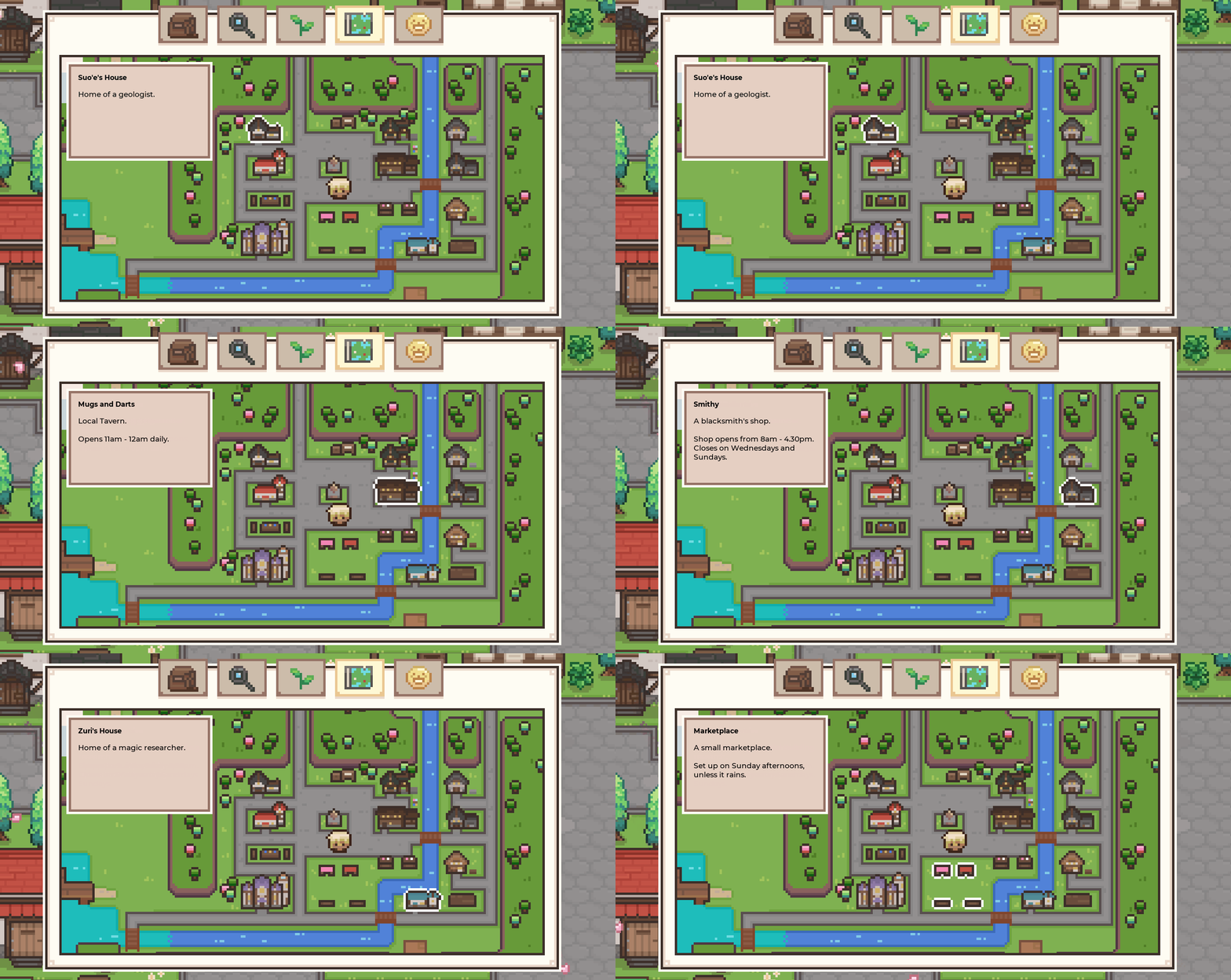
✅ Other UIs completed: Selecting save files, Customisation, Recording Stations, Shops, Mini-games, Journal, Quests, Profile
More specific target handling 👈
Previously, we added a system that finds the nearest interactable object. It mostly worked, but there was an issue with overlapping interactables (e.g. creatures in their pens - we could only target the pen and not the creature). As such, we implemented a sorting system to prioritise common tasks (such as trough and creatures), and also a way to toggle between the nearest objects by pressing RS. Players can also use RS as a mouse cursor.

Trough and chicken are prioritised over the pen. Using RS can be a fallback option for more specific targeting.
Placing Items 🏡
Since items are placed on a grid system, players can use RS to navigate and choose the exact spot for placement:

Optimisation ✨
I’ve also reworked and optimised some parts of the code, which hopefully helps with the lag that some players are facing after playing for about a year in-game.
What's next
The above changes will be live as part of the controller update later this month. Thank you everyone for your support and patience as we continue development! 💗
I've updated the remaining to-do list. One of the things I hope to address soon is better support for wider resolutions. I'll also try to add the inventory QOL that we previously mentioned - but if that takes too long, it'll probably be moved to a different update.
To-do for the controller support update:
- Remaining UI (Job Board, Fishing Map, Animal UI)
- In-game keyboard for naming player & animals
- Updating tutorial & adding glyphs
- Controller remapping
- Adding Steam Cloud support
- Better support for wider resolutions
- (Given enough time) Inventory QOL (Auto-sort, Auto-add/pull from chests, and Coloured Chests)
Thanks for reading, and I hope that you're enjoying these devlogs! ✨
- Miki
Hotfix v0.1.34
Mines-related:
- Some creatures using perk unnecessarily in lava mines
- Inconsistencies in popups while using creature perks & potions in ice/lava mines
- Interesting Statue 2 reappearing on other floors if not claimed
- Mysterious note reappearing on other elevator floors
NPC-related:
- Teagan's 'Tarot Reading' Quest staying in questlog after it's complete
- Yan Yan's name showing up as ??? for some players, despite befriending her
- Attempt to fix occasional clipping bug during a boatride hangout where NPC appears under the boat
Changed:
- Consuming a Pitch Lily leads to -5 energy instead of +1 energy, to more accurately reflect its journal description.
Hotfix v0.1.33
- Crash after adding more than 99 items to the last slot of the crafting tab.
- Bug preventing players from fishing when standing to the north of the lake where the fishing hut is.
- Occasional bug where players get stuck in the wrong fishing animation while fishing.
- Some text errors
📖 Mini-Devlog #2
Greetings Researchers!
We're here with another mini-devlog to update you on development progress!
✨ Key changes - in v0.1.32
Changes in player hitbox -> Prevents players from getting stuck
Player hitbox has been reduced, and also standardised. This should prevent some weird collisions and players getting occasionally stuck on things like trees. We've also made it such that players can walk past this small gap in this mine layout - as we've heard that players sometimes get locked into a small area due to ladder spawns. This seems fairer!
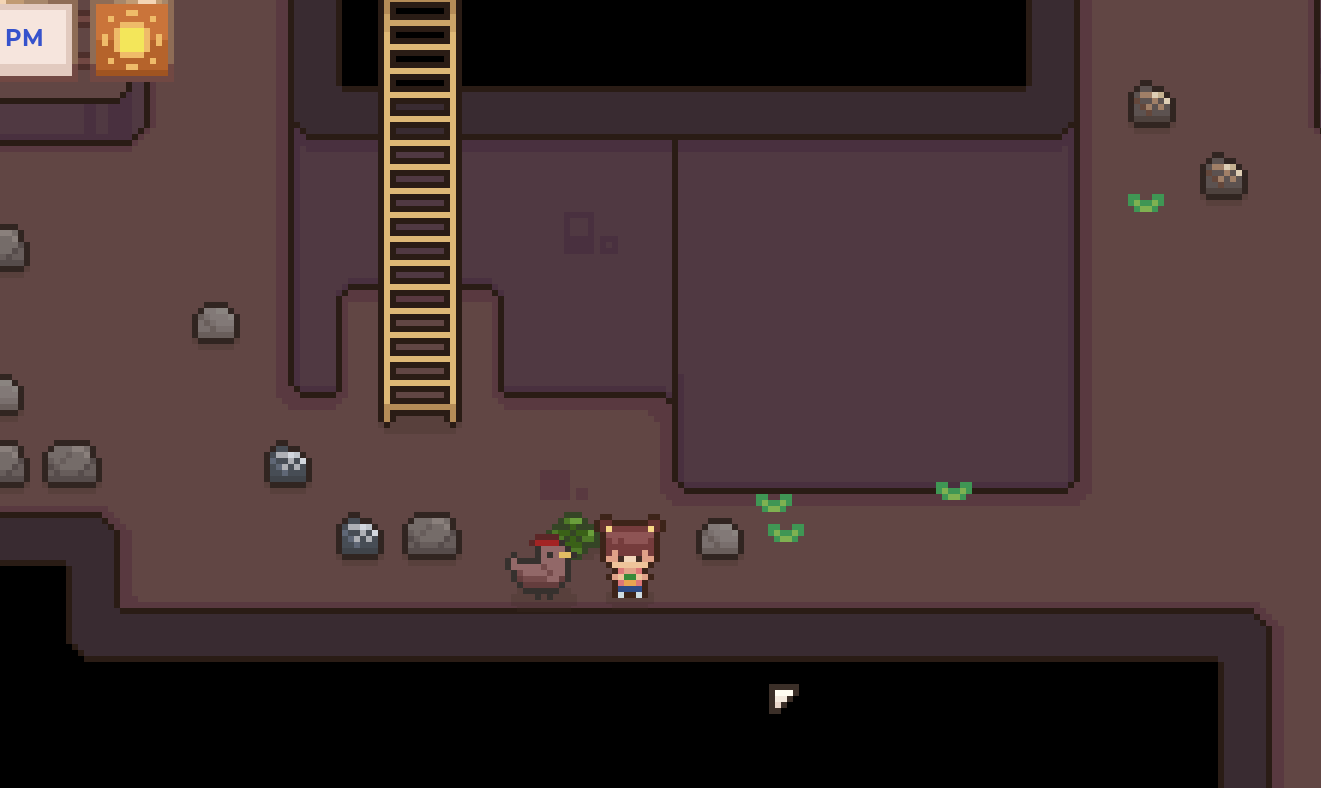
Changes in seasonal debris spawn -> Reduced farm clutter
Players mentioned that the seasonal debris spawns can be a bit too much, and we agree! We've reduced the spawn rates and also made it such that no debris will spawn within a 2-grid radius around tilled ground and placed items.

🎮 Controller Support - in development
Developer note: Controller support is in development and will only be available to players when it's mostly/fully implemented in all parts of the game!
I've been spending the bulk of my time on controller support. Here's a progress update:
Interacting by going close to NPCs/signs etc.
When walking close to an NPC or interactable sign, an indication will appear, prompting players to interact.

Grid-detection when using tools
Tilling, watering, and planting actions are tied to the grids on the farm. When using the controller, the game detects the grid in front of the player, and tools and actions will update the indicated grid.

More UI controller implementation
In many cases, navigating the game UI with a controller is different from navigating with keyboard and mouse. Here is one example, where the buttons are navigated with the left stick:

To-do for the controller support update:
- Remaining UI (Map, Violet Archive UI, customisation etc.)
- Animal and plant interactions
- Fishing minigame & other minigames
- In-game keyboard for naming player & animals
- Updating tutorial & adding glyphs
- Controller remapping
- Adding Steam Cloud support
As you can see, there're quite a few areas where extra consideration and programming are required in order for the controller to work smoothly. Happy to say that we're making steady progress! Our target for the controller update for players is sometime next month (April).
Thank you for reading! <3
- Miki
Hotfix v0.1.32
[v0.1.32.1] Fixed a minor bug from the v0.1.32 update (Some creatures following the player were not triggering their perks).
v0.1.32
Fixed:
- Creature perks with countdown (e.g. boar) sometimes not triggering after loading a game.
- Debris spawning on old crops when new season arrives
- Shaking trees actually drop sticks now.
- Ice Salamander resting state does not show its resting sprite
- Crash related to having a fox/chicken follower and hitting a rock.
Changed:
- Player collision box, to reduce chances that players get stuck on weird environment collisions.
- Seasonal debris spawn: Debris spawns at the beginning of each season will not spawn 2 grids around tilled soil and player-placed items. Also reduced overall spawn rate.
- Added version number in Pause Menu.