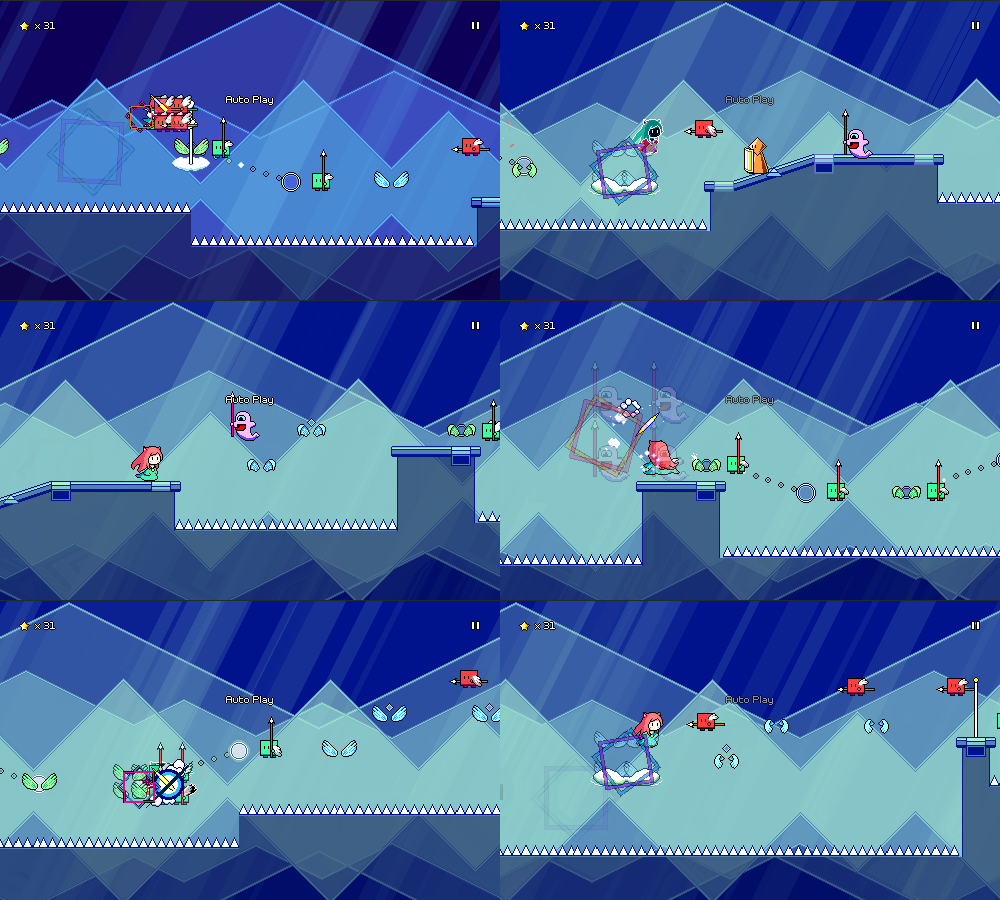
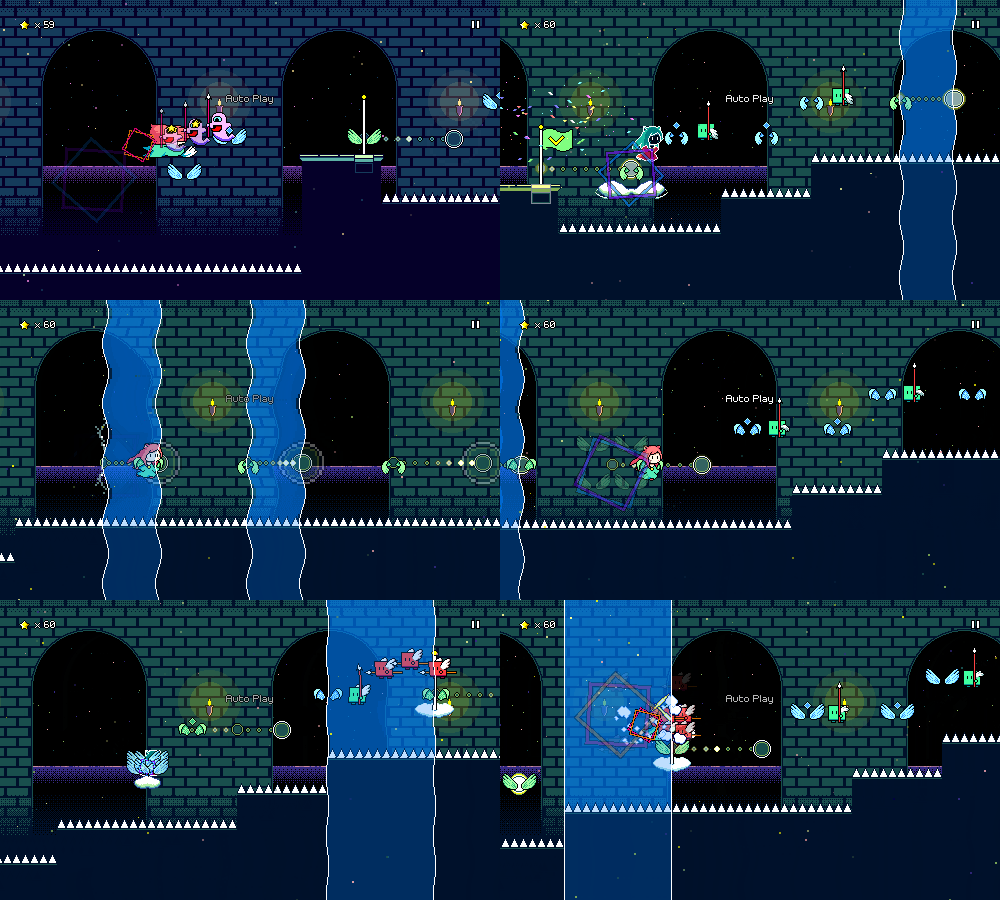
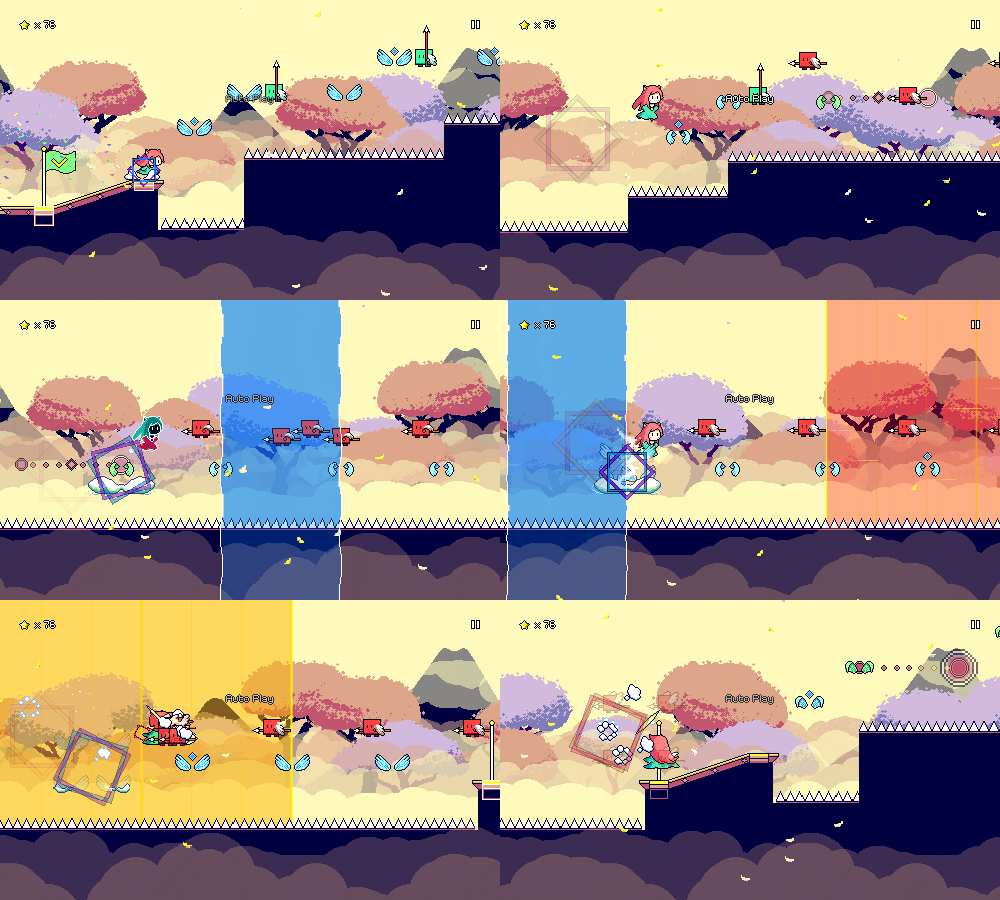
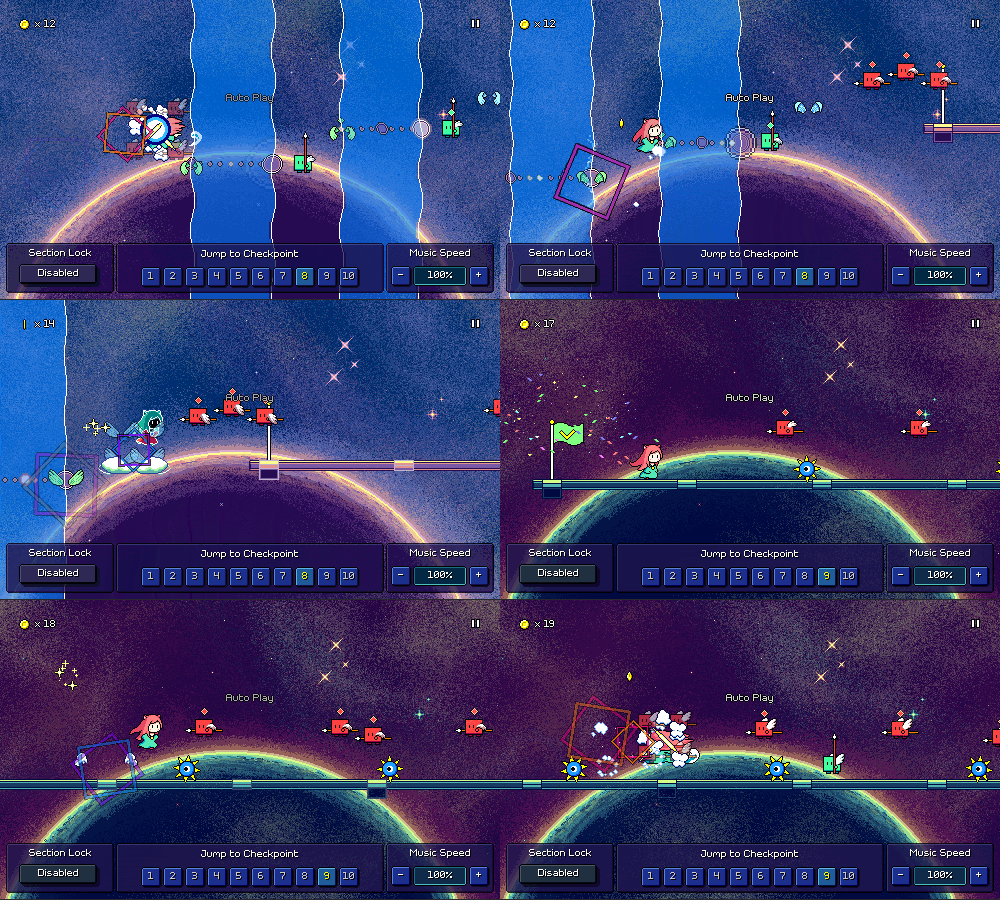
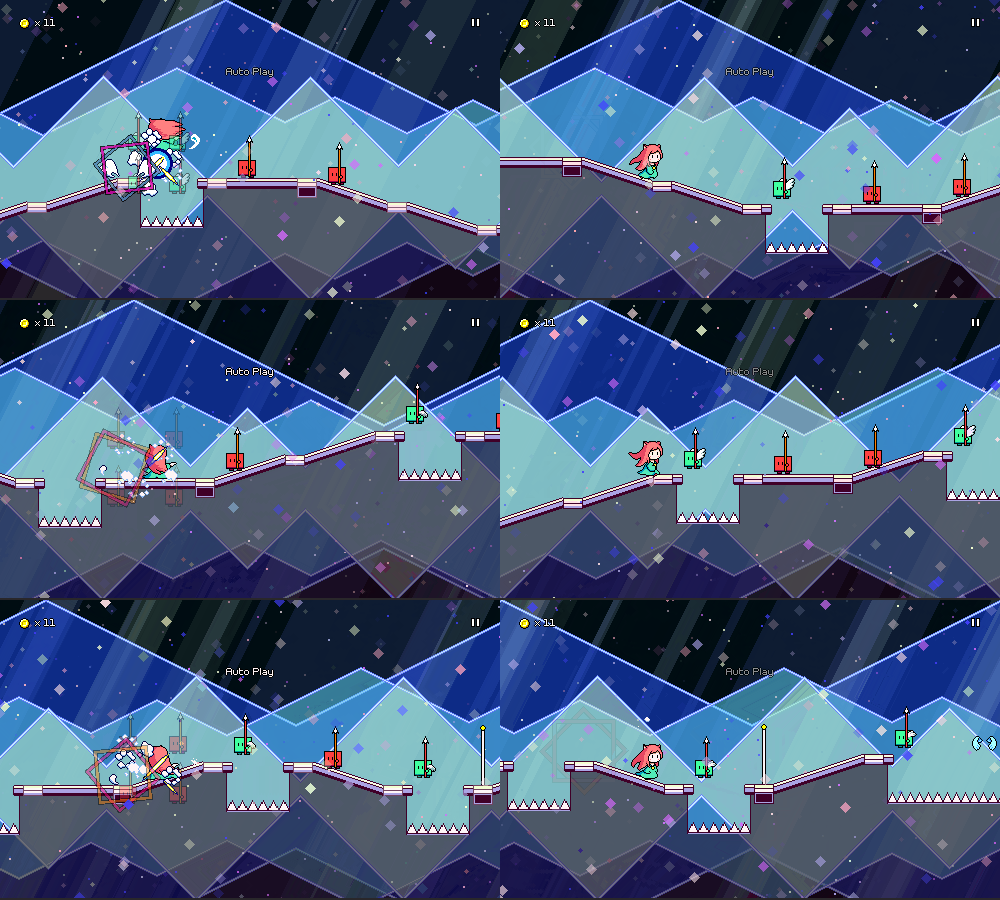
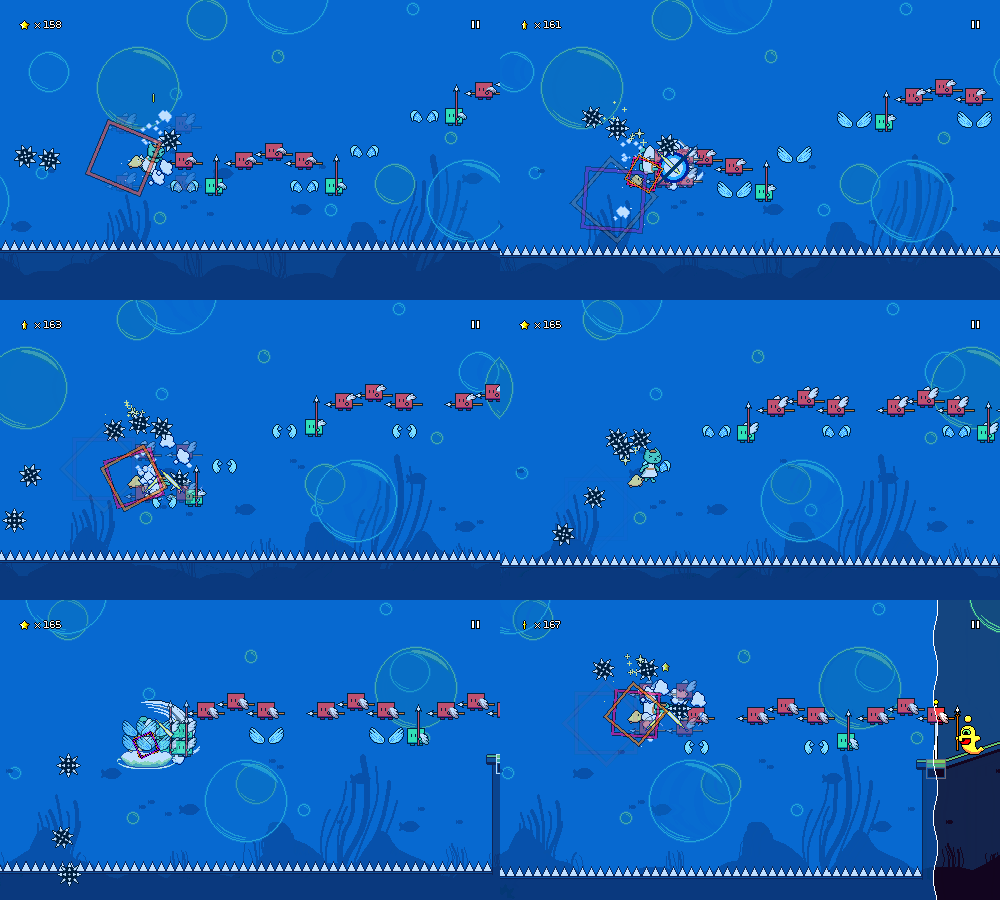
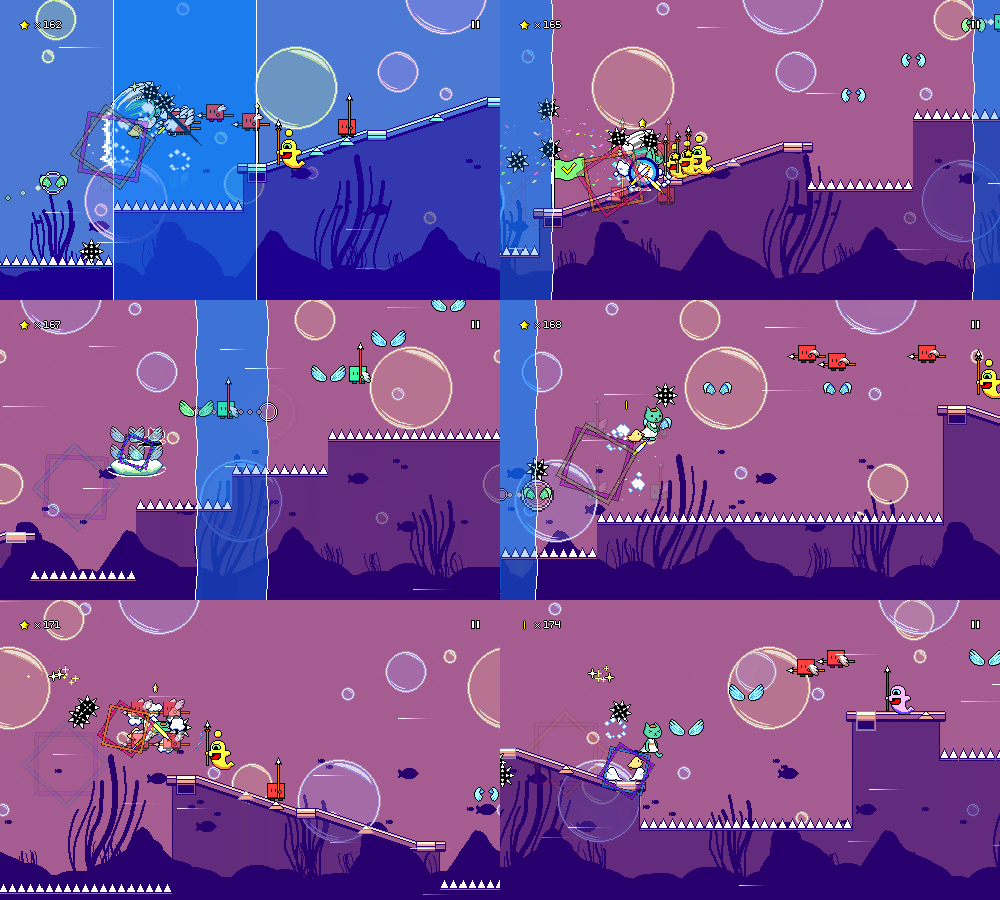
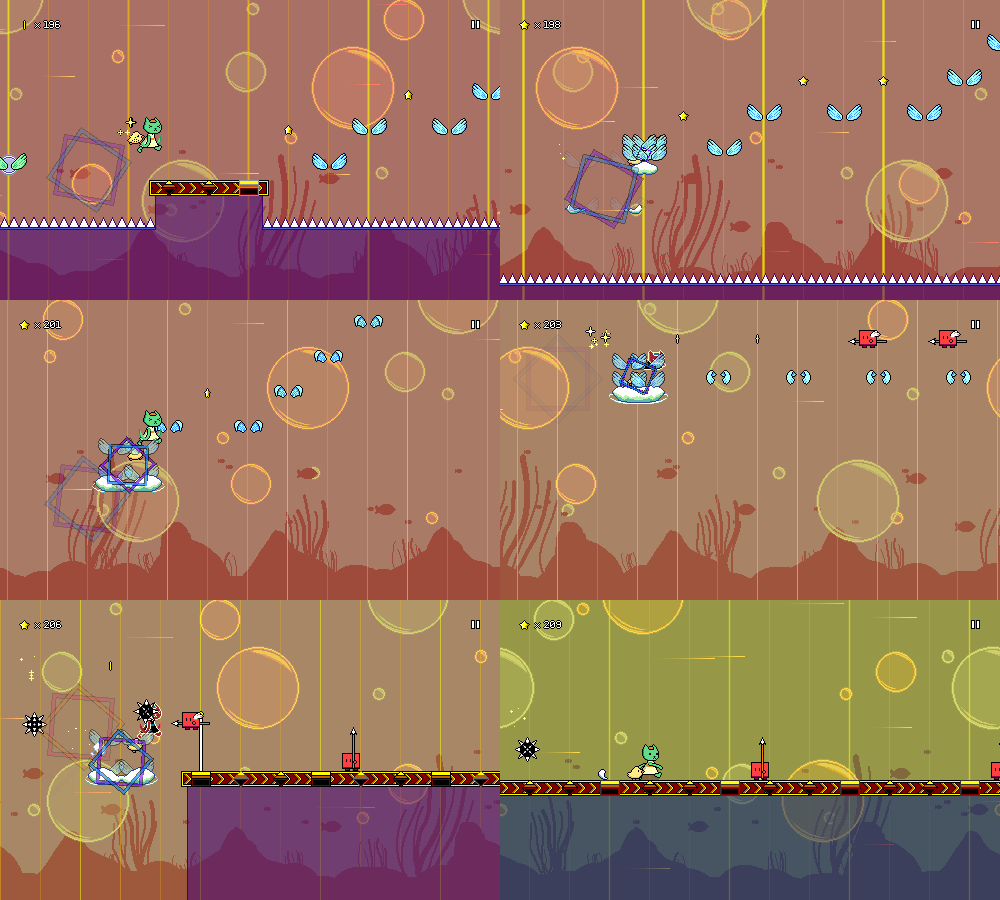
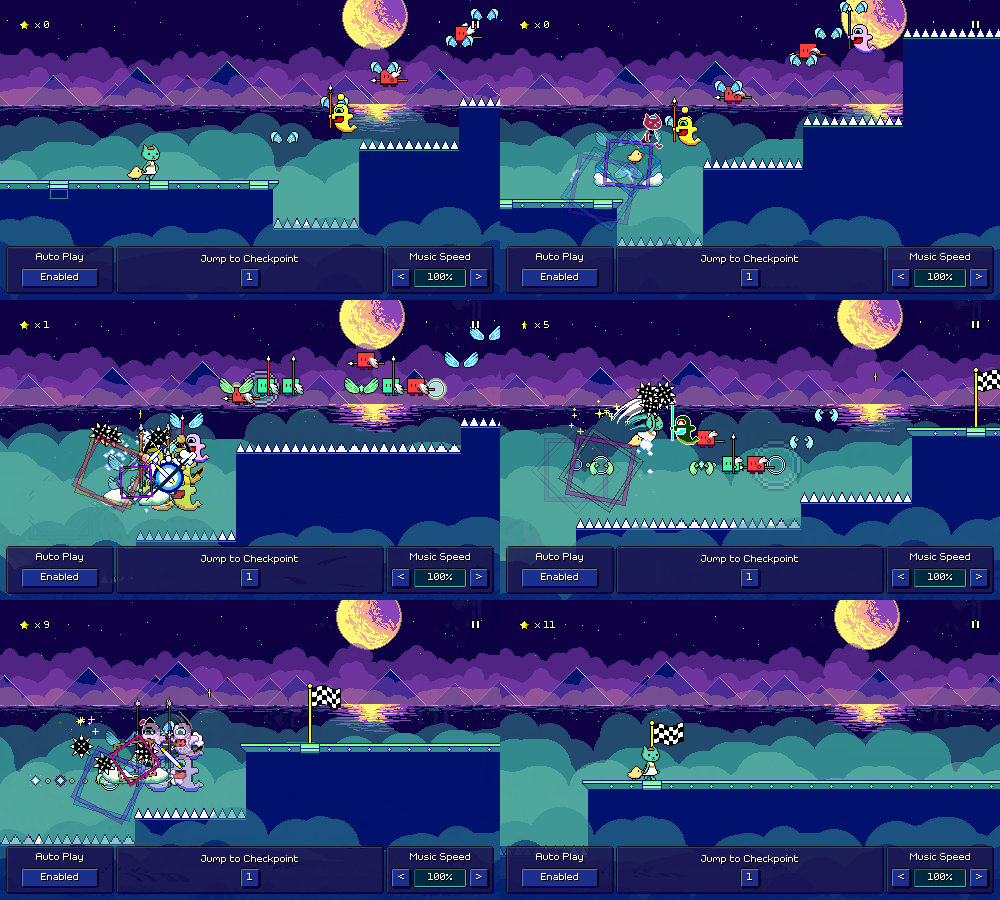
Everyone's favorite thing to see (?) -- new levels! I had a bunch of different life things to tend to this past month (and the rest of Spring is going to be no different...) but I managed to crank out some more charts while in the midst of travelling. Here's a video of those in action:
Scherzo of Magical Science is a whimsical song initially released as part of the Hero Hours Contract OST. At 155 BPM, it's quick, but not blazing fast.
There's a really distinctive 16th note pattern (using a whole-tone scale) at the beginning of the main musical riff. It's too fast for my tastes to chart each of those notes (at least for an official chart), so I ended up using the green attack+jump combo enemies along with flight paths to accentuate that rhythm instead.
Claustrophobia is a song off of the Nyamo's Adventure OST. It's written at 90 BPM, but charted at 180, making it the fastest chart I've made so far.
Again, there are actually some 16th note patterns in the music that you could theoretically add here, but I'm pretty committed to making sure that extremely quick double-taps are not required for any of my charts. Those become more doable when using multiple keybinds/buttons for attacking, but that's just not something I want to get into.
The Warrior Wakes in the Sunrise Dawn is a guzheng piece that I made in an hour, featured in the All in a Day's Work 5 album. This one had to be edited to get rid of the freeform solo portion in the middle, but the rhythms in the rest of the song still feel nice to play through.
The hard version of the chart features some speed zone runs that are difficult but satisfying to pull off. I've had some mixed feelings about the speed zones from time to time because their design space is a little limited, but using them sparingly for fills like this seems to work really well.
Along with the new charts, I spent some time finally pushing out a new release of the demo, which includes most of the new functionality I've been working on in the past months, such as the level browser menu, the new tutorial, and the big scene/level loading refactor. Unfortunately, between the new tutorial and the level load rework there were a big batch of bugs that I didn't catch. Turns out testing the behavior of re-used object instances requires you to actually play through more than just one level at a time, whoops!
I've also added the option to display the diamond-shaped offbeat markers (or downbeat markers, if you configure them that way) on enemies as well as winged jumps, in case that ends up being helpful. I don't think I'm a big fan of having these on everything as a default, so the initial setting is just to have it on wings that are on offbeats. As I said in a previous devlog, these are honestly primarily intended to help with level 2-1, so if they don't end up doing that job, I might end up having to come up with a different solution.
There's still some bugfixes to be ironed out here and there, but besides that I don't have any big aspirations for the next month given my busy schedule outside of Rhythm Quest. Just working on =something= is going to be enough for me to call it a success, I think, but I guess there are one or two specifics that I might try to complete...
Rhythm Quest Demo v0.36.4 Released
The Rhythm Quest Demo has been updated to version 0.36.4. This bugfix patch (along with the previous few) addresses various lingering issues present in the initial 0.36.x release.
Full changelog:
Version 0.36.4
- Fixed checkpoint scheduled sounds not playing on subsequent level loads
- Fixed inconsistent input timeline on subsequent level loads
- Fixed inconsistent obstacle coloration on subsequent level loads
- Fixed inconsistent coin count for level 1-1
- Fixed wrong keybinds showing for tutorial when using custom keybinds
- Fixed UI binds (e.g. arrow keys) not working for custom keybinds
- Hide tutorial icons when skipping level 1-1 tutorial
- Added up arrow as a default keybind for Jump
- Fix pixel artifacts for level tilesets via uv clamping
- Fixed bug when pausing game immediately on level load
Rhythm Quest Demo v0.36.0 Released
The Rhythm Quest Demo has been updated to version 0.36.0! This patch includes a number of changes and improvements all around, including a reworked tutorial sequence, offbeat markers for wings, practice mode improvements, and the addition of the level browser menu.
Full changelog:
Version 0.36.0
- Added level browser menu with streaming previews of all songs
- Reworked level 1-1 tutorial sequence
- Add toggleable diamond markers for obstacles that are not on downbeats
  (enabled by default for wings only)
- Tweaked hard chart for level 1-1
- Increased scroll speed for level 2-1
- Add shortcuts for warping to checkpoints in practice mode
- Allow increasing speed beyond 100% in practice/assist mode
- Hide input timeline in practice mode if helpers are disabled
- Fixed coins not reappearing after exiting practice mode
- Spawn (fake) enemy coins in practice mode
- Fixed ugly pixel artifacts in backdrop rendering
- Fixed audio not playing when exiting practice mode
- Slightly reduce sfx/ui volumes in comparison to music volume
- Fixed bugs involving pressing multiple jump inputs for a flight path
- Use pre-existing pitched coin sfx for different music speeds instead of modifying them
- Better updating of scheduled sounds when game settings are changed mid-game
- Update pitch of metronome when music speed is changed
- Major refactor of scene loading implementation
- Reuse obstacle instance between levels to reduce load times
- Major refactor of particle system implementation
- Resize unicode pixel font, force smoothed version at low resolutions
- Updated localizations/translations
- Decreased audio quality for WebGL builds to decrease download size
Devlog 76 - Tutorial Revamp
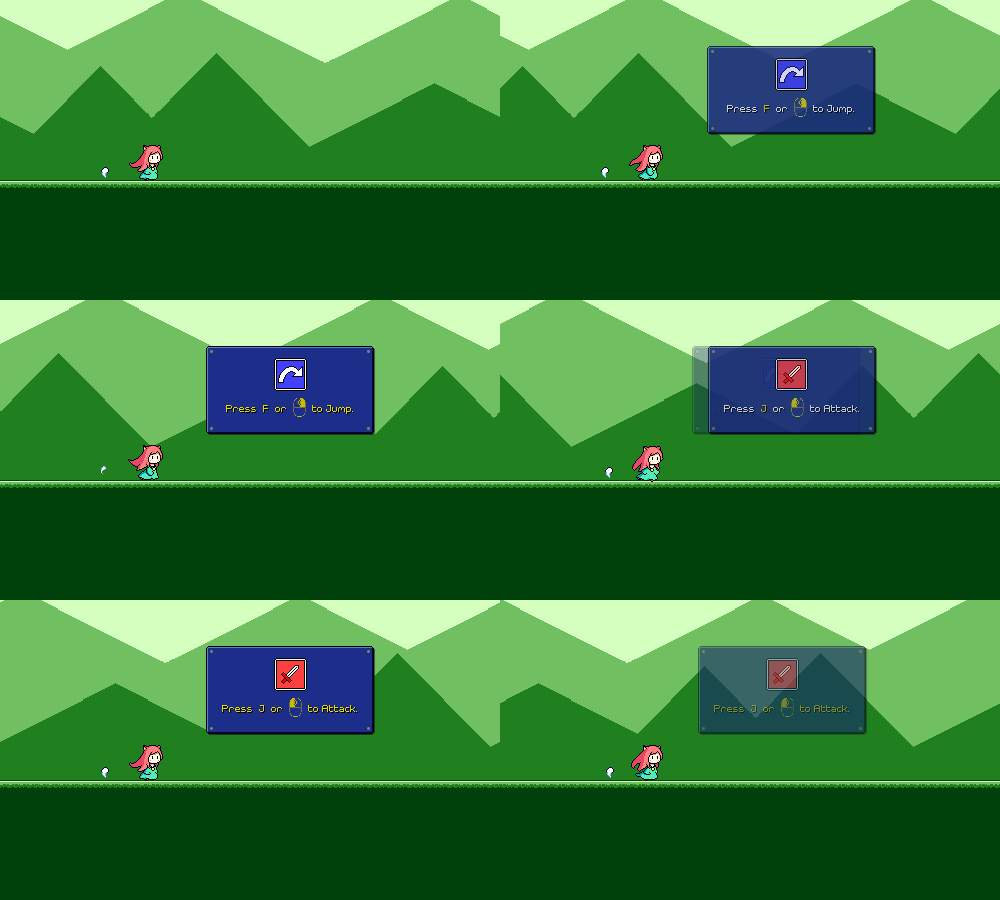
Last week I completely broke the tutorial setup for level 1-1 and while I was thinking about the best way to fix it up, I figured that I may as well just rework the tutorial since I've been wanting to revamp it for a while anyways...
Showing Obstacles
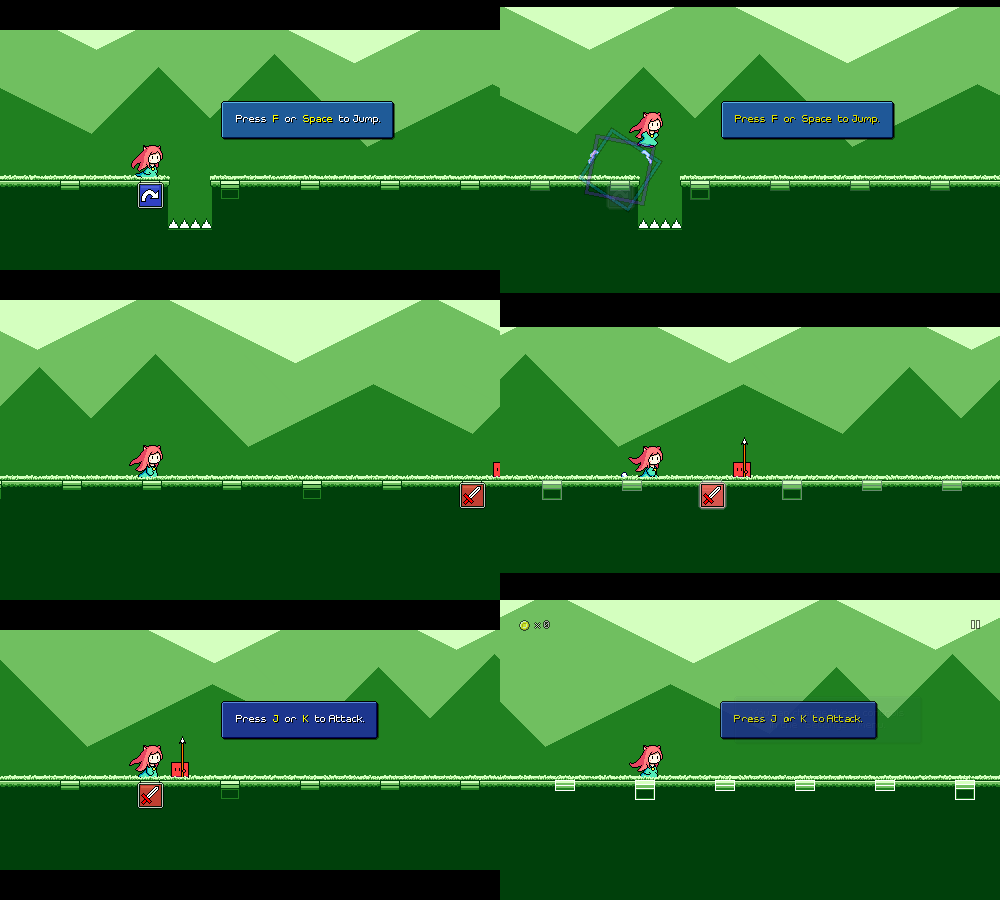
Probably the biggest thing I wanted to fix about the old tutorial was the fact that it only taught you the controls of the game, without showing you how you should use them for the basic obstacles in the first level.
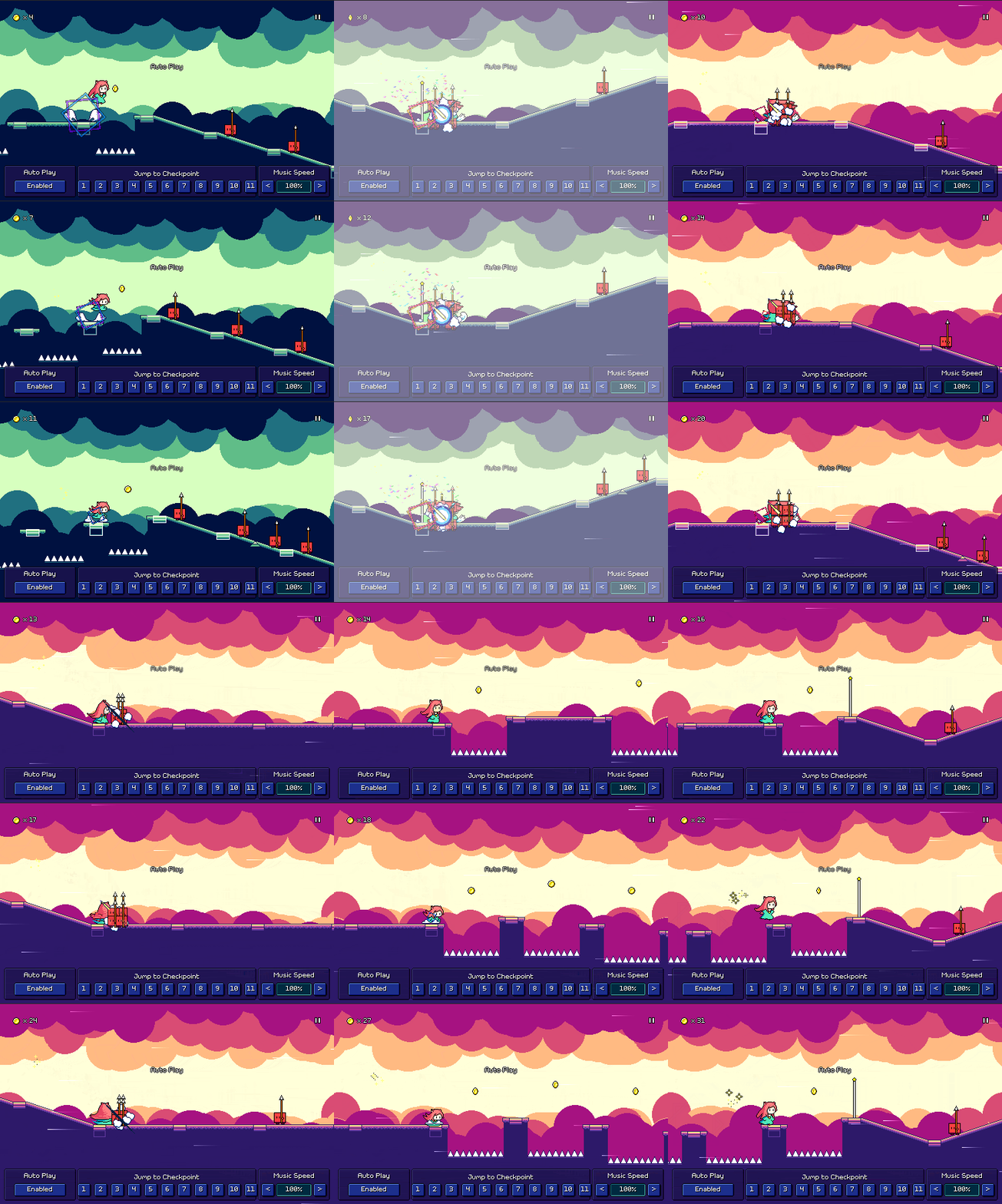
I knew this was a problem because I had at least one playtester reach the first enemy and say "Hm, what am I supposed to do here, jump over this?" Of course, I already attempt to convey what you should be doing by putting the red "sword" icon as a prompt for the first enemy that you get to, but it's probably better to just have that correlation established more directly, like this:
Beat Grid Markers
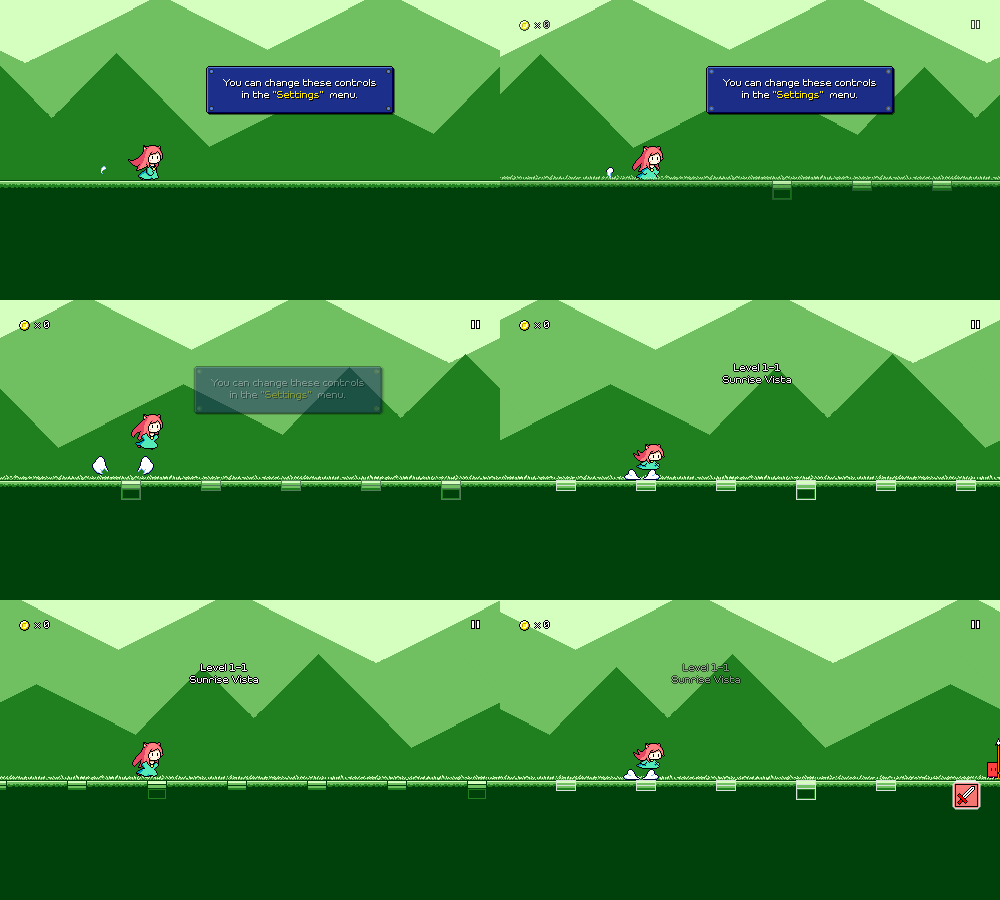
The above probably also helps with the second issue I've noticed, which is that at the end of the old tutorial sequence, the "real" level graphics fade in, and you see the flashing beat markers for the first time. I had some players thinking that they were supposed to jump on every one of these. Which, I mean, you can if you want to, I've got no problem with that, but if you think that's an expectation then that's more of a signalling issue on my part.
Now the beat grids are there from the beginning, before you even make any inputs, so it should hopefully be more clear that they're not indicative of some sort of action you need to take.
Pacing
One of the neat things about the old tutorial is that everything is synced with the music -- all of the tutorial prompts are done on downbeats, for example. Unfortunately, this also meant that there were a lot of pockets of "dead time" where nothing was really happening since the tutorial was waiting for the next measure in the music to begin. Anecdotally I've seen players hop around during these pauses, which is a fine way to get acclimated to the controls, but it also means I've lost their active engagement.
I'm always looking for opportunities to get out of the player's way and reduce the time/button presses it takes them to "get to the actual game" from first boot, so the new tutorial tries to be more streamlined with its timing, using a different structure where it pauses the music and waits for you to make the correct input:
I'm a fan of this because if you don't need a lot of time to process the prompt you can do the correct action and get a quick move-on, but if you need some time to find the right buttons on your gamepad or whatever, the game is clearly waiting for you and you can just progress whenever you're ready. I also added some black bars at the top and bottom of the screen to denote a "hey, read this!" moment (this is also when I disable inputs for a brief period before the tutorial prompt comes up, so that you aren't in midair or whatever when the game pauses).
Other Tweaks
Because the blue "jump" icon is now placed in the game world itself (like it is when all of the other mechanics are introduced...) I've also removed that from the text box as it felt weird having two of them on screen at once. I also decided to do away with mentioning the mouse controls in the desktop version of the tutorial. Mouse input is of course still supported, but IMHO gets to feeling awkward once you're dealing with more complex input sequences, so I'd rather push players toward using keyboard controls as a default.
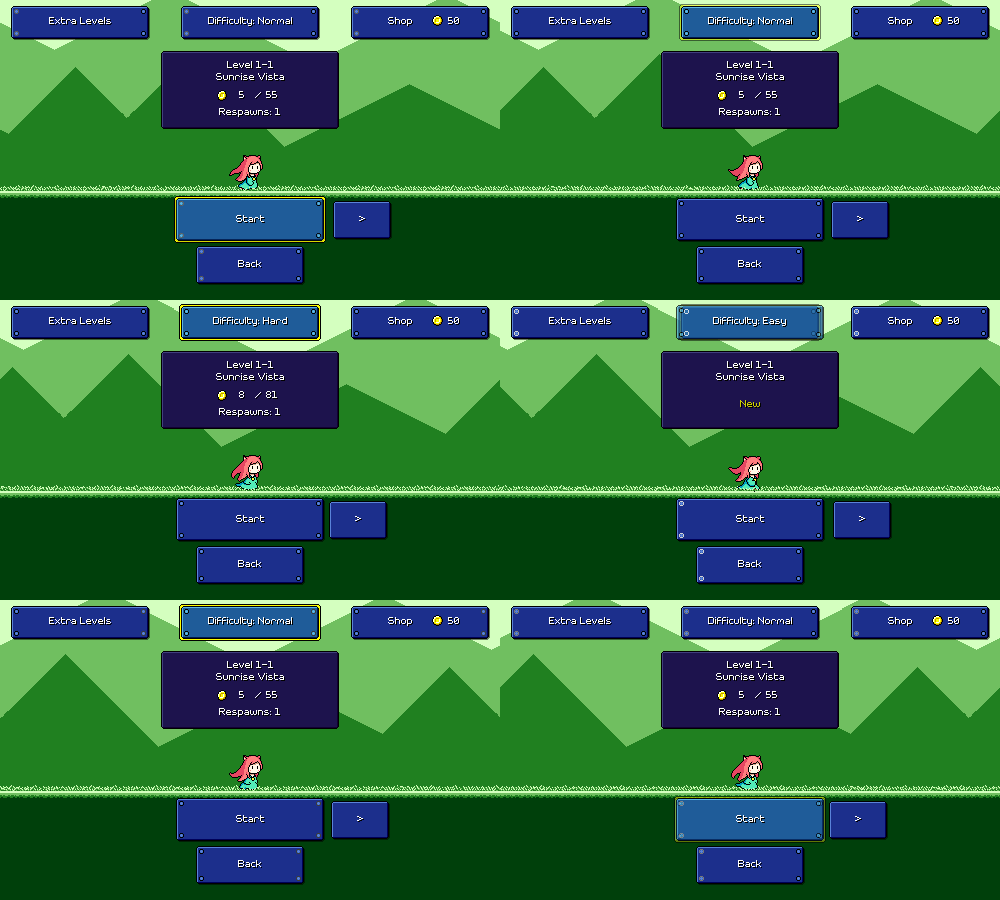
In an attempt to remove one of the menu steps for a first-time player, I've also added logic so that when you first select a difficulty, you skip the world select screen and jump straight into level selection for world 1. While the world select screen is a good way of advertising how much content there is in the game, I don't think it's super necessary to show at first, and I also don't like how it breaks the UI flow since it uses a different UI paradigm than the preceding and following screens.
This also gives me a sensible opportunity to show the "World 1" banner, which previously was never displayed anywhere (was only displayed when you first unlock a new world, but world 1 is always available from the start).
In an attempt to remove one of the menu steps for a first-time player, I've also added logic so that when you first select a difficulty, you skip the world select screen and jump straight into level selection for world 1. While the world select screen is a good way of advertising how much content there is in the game, I don't think it's super necessary to show at first, and I also don't like how it breaks the UI flow since it uses a different UI paradigm than the preceding and following screens.
This also gives me a sensible opportunity to show the "World 1" banner, which previously was never displayed anywhere (was only displayed when you first unlock a new world, but world 1 is always available from the start).
My new player experience still needs a bunch of additional work (the calibration sequence is really not working out and the difficulty selection screen is cluttered), but this is hopefully a step in the right direction. And hey, at least the tutorial is no longer broken!
Devlog 75 - Game Scene Refactors
I planned on making an update to the Rhythm Quest demo to release the new level browser menu, but I got caught up in more work and ended up embarking on a different big refactor that'll be rolling into the same update. It'll be a big one! Nothing too visibly exciting, but cleans things up a lot implementation-wise, and enables some new functionality as an added bonus (which y'all will probably be more excited about than the actual refactor)...
Object Pooling
In a previous devlog I mentioned that I had done away with "baking" all of the different levels in the game (pre-generating all of the object instances) and have switched to just always generating the levels dynamically. I had also mentioned that it would be possible for me to make a further optimization where instead of destroying the instances between levels I keep them around so that I can reuse them -- the common ones that are the same between each level, at least (enemies, wings, anything else that doesn't change with the tileset).
What about everything that =does= change with the tileset, though? Things like the floor, ramps, jumps, etc. all change their appearance from world to world, which is why each world has a different "level generator" object that contains references to all of the tileset objects that are used for that level.
I =could= try to keep these around, but they'd only be useful if you play another level with the same tileset. Otherwise, I'd just accumulate a bunch of unused objects in memory, which is probably a bad idea...
Universal Tileset Objects
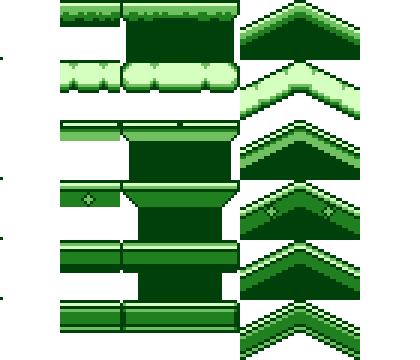
The solution was to make "universal" versions of these tileset objects which are capable of displaying the graphics for any world. So instead of having floor_1, floor_2, floor_3, ... I now have floor_universal which has 6 different sprites inside of it, and then I dynamically enable/disable the correct one depending on what tileset you're using.
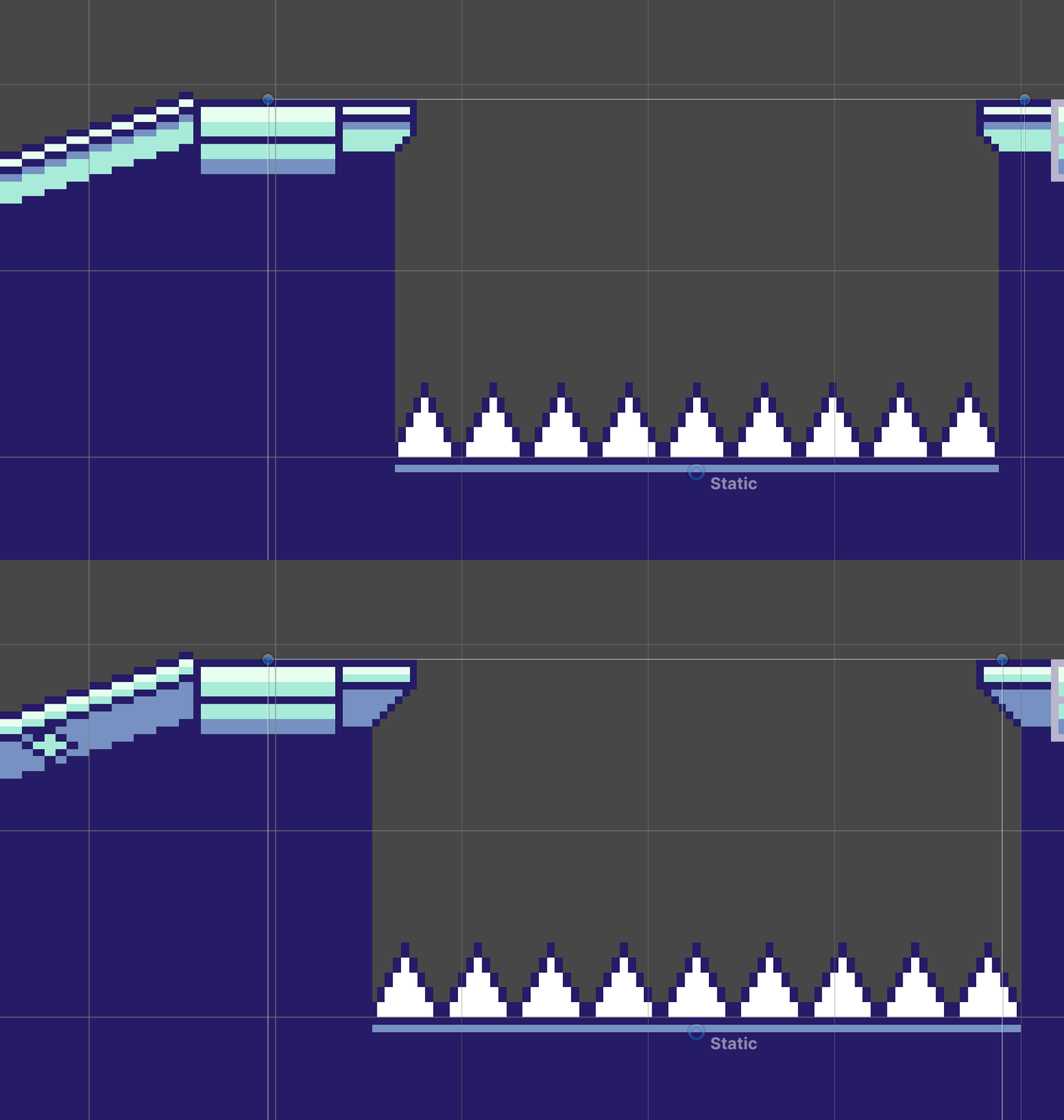
Unfortunately it wasn't =quite= that simple. Different tilesets actually have slightly different properties at level-generation time, most notably for the little "ledges" that jut out (or not!) for jumps. As you can see here, because the "overhang" amount varies per tileset, the ground below is also a little wider or thinner to accommodate:
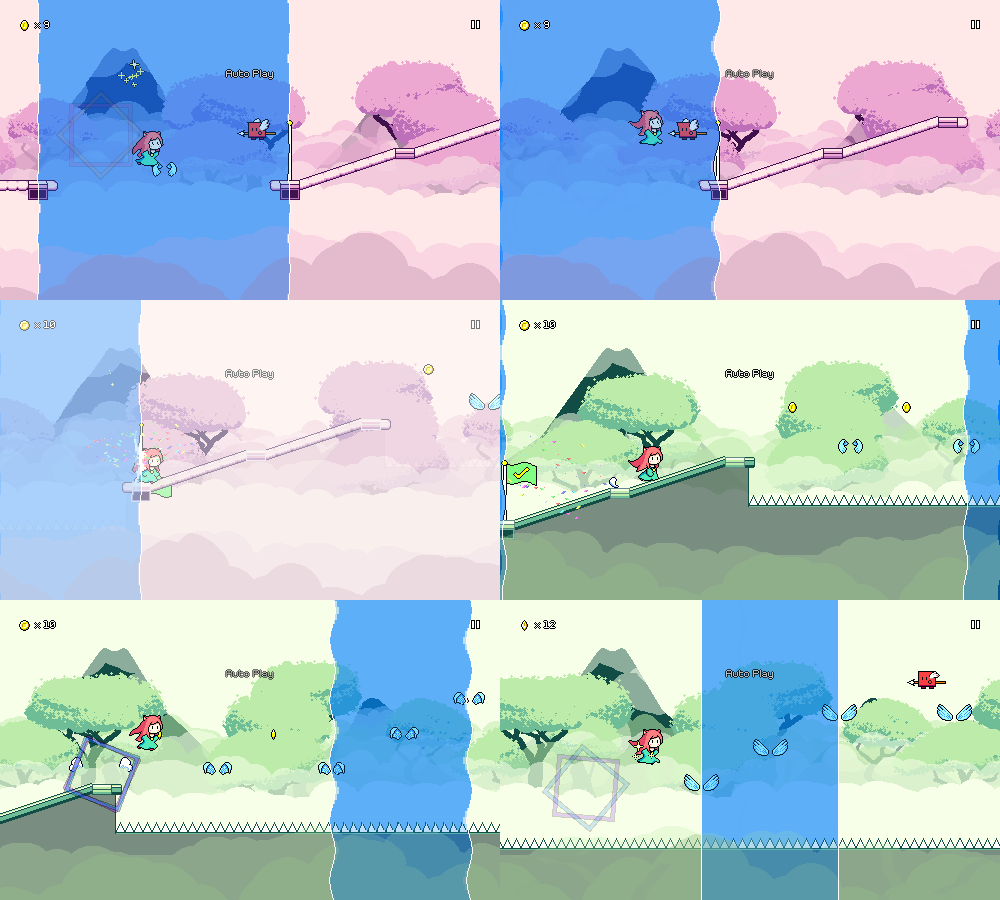
I was up to the task, however, and managed to bake these offsets into the universal tileset objects, so everything "Just Works" the way that it should (hooray!). Not only does this allow me to do the object pooling across scenes that I mentioned above, it also allows me to potentially specify a different tileset per-checkpoint and fade them (mostly) nicely across each other:
Of course the "gameplay trailer" level already had multiple tilesets, but that was done in a very hacky (and non-performant) way; it feels much nicer that this is now a first-class feature and it shouldn't be too hard to expose this in the level editor in the future. More importantly, I'll be able to use this in level 6-5, which as the final level of the game will potentially (?) be some sort of recap medley that takes you through all 6 different worlds. That's something I'm definitely feeling intimidated about writing, but knowing me I'll just eventually sit down one day and just sort of knock it out in one go...
Backdrops
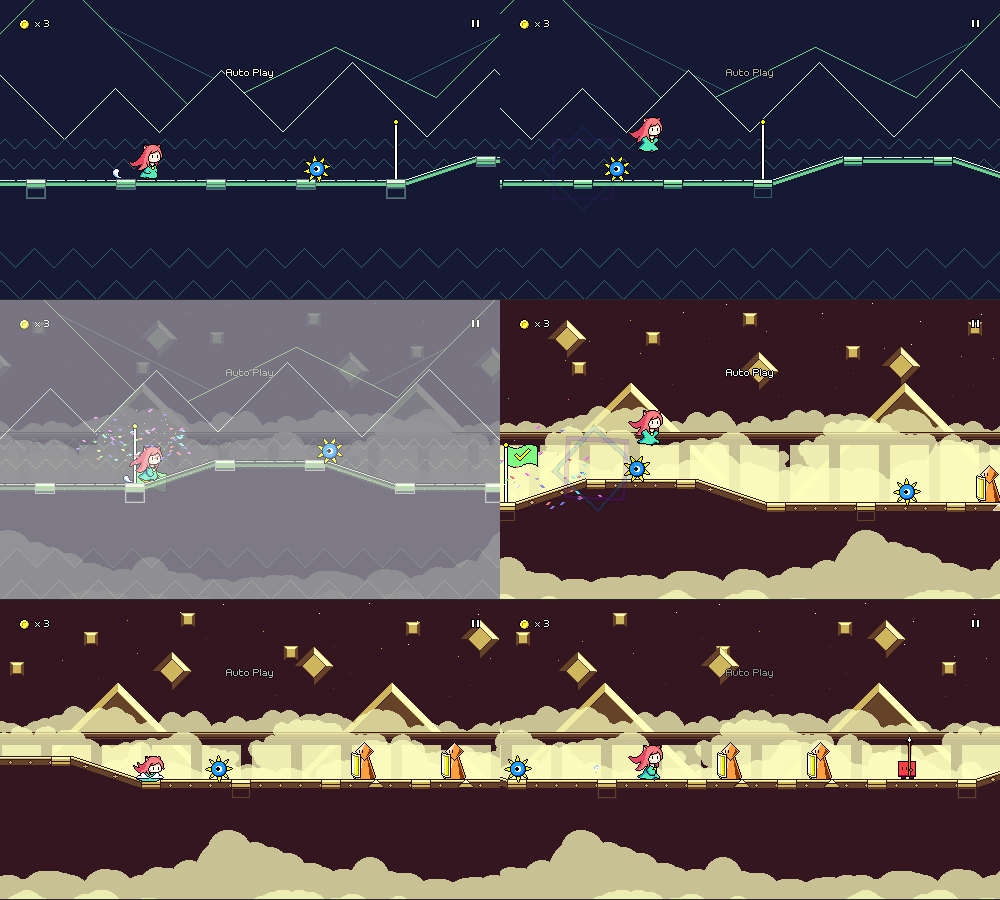
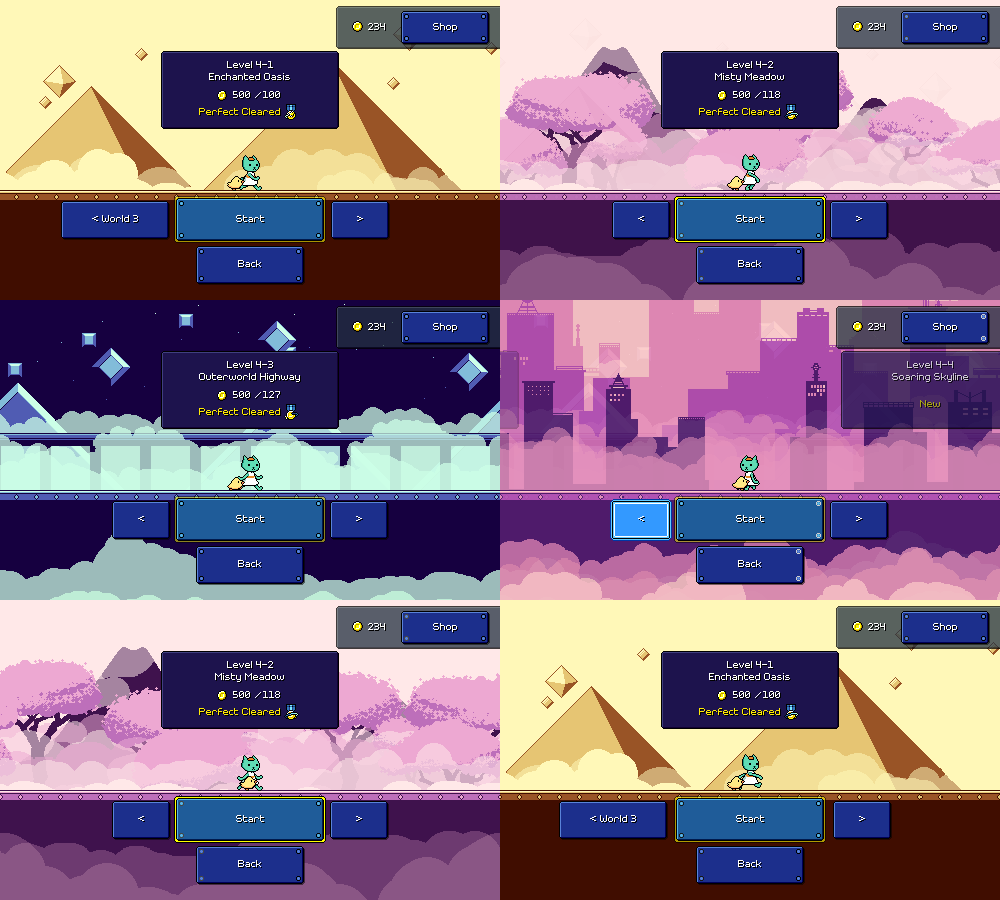
Kind of along the same lines, I've re-coded the backdrop scripts and shaders to support having a different backdrop per checkpoint. Fortunately, the work I mentioned in a previous devlog that I did for the menu scene meant that I already had an optimized setup for taking an arbitrary number of backdrops and being able to fade between them without losing too much performance. So now you can do this, too:
The level loading code now iterates through all of the checkpoints in the level and loads in all of the backdrops that are used for the level at load time. Of course, the more backdrops you have loaded, the more memory gets used, but luckily I already know this isn't really an issue, as the menu scene already needs to have every backdrop in the game loaded!
As a final bonus, I no longer need a manual listing of which levels use which backdrops for displaying the preview image in the level browser -- I now just pull the appropriate image based on whatever backdrop set the first checkpoint uses. Yay!
Particle Refactors
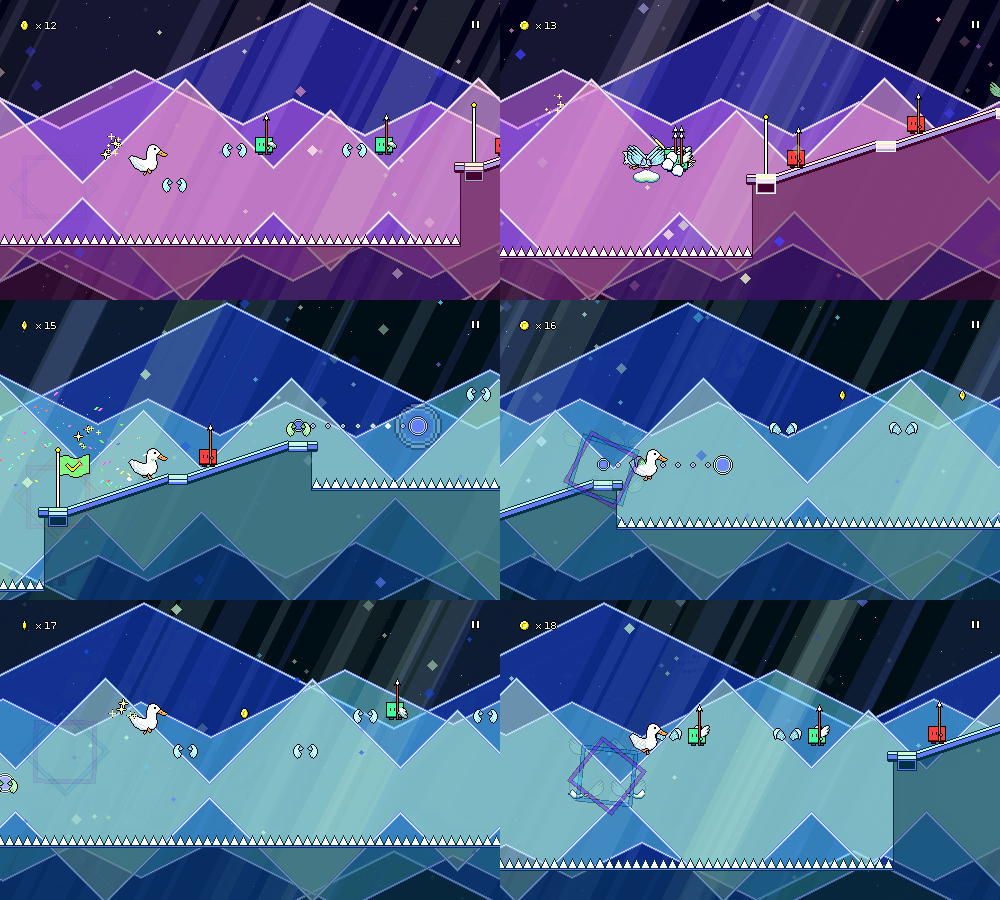
With all of the above work done there was only one remaining element that was still specific to each individual level scene -- the particle effects for each level. I had already done some work toward creating a set of common particle effects that you can use in your custom levels, but...none of the levels I authored were actually using them, they still just had hardcoded particle system instances.
Loading those dynamically (just like the backdrops) was not very difficult, but while I was at it I ended up digging into the particle systems and trying to clean up some longstanding issues.
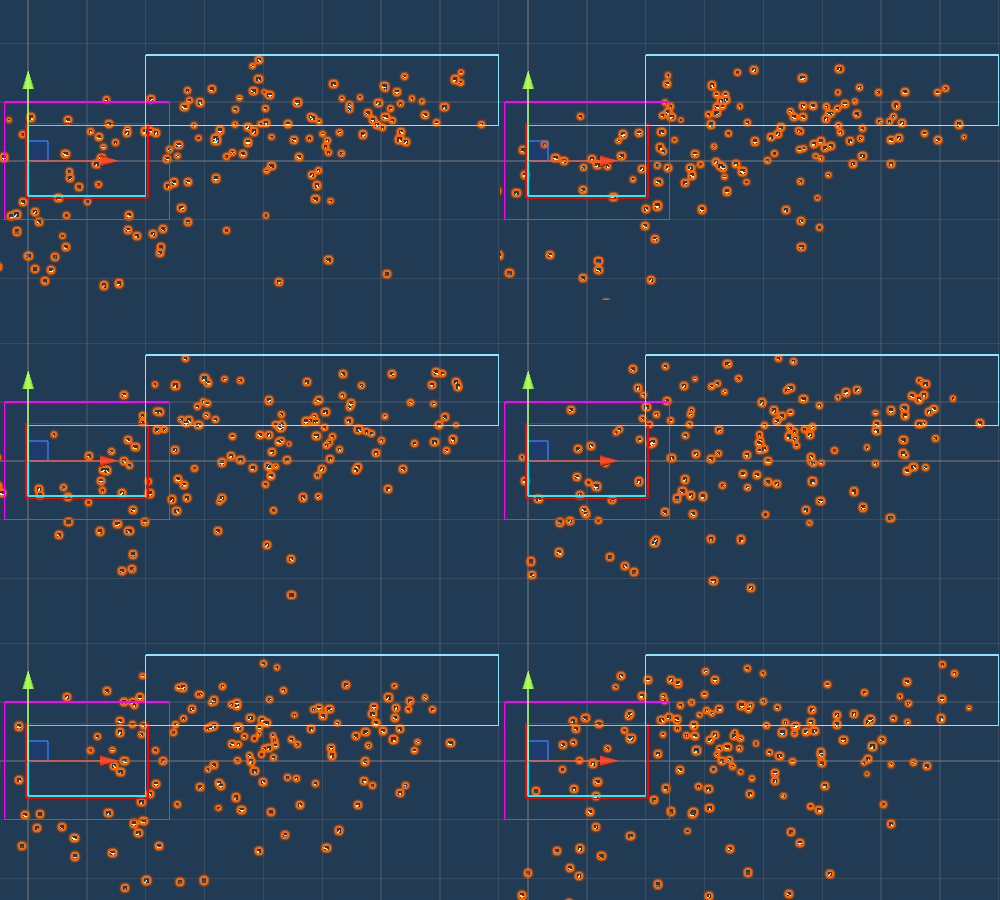
First off, you know how the particles cover the whole screen nicely, regardless of your screen resolution? Yeah...it's actually not so nice. This is done simply by generating a ton of particles (many of which you never see) in a really big area that hopefully accounts for whatever is in view:
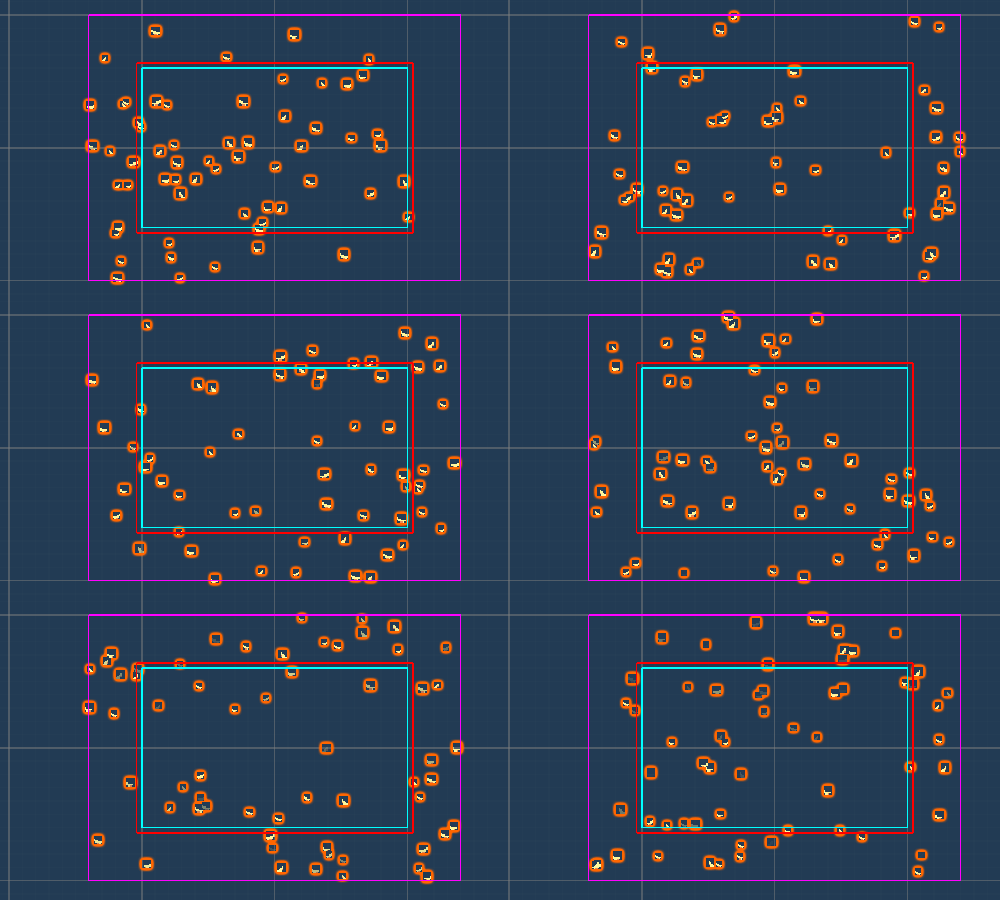
I decided to finally go ahead and tackle this in a more elegant way. Now I have scripting that inspects each individual particle and detects when it goes offscreen. When it does, I either despawn the particle and instantly spawn in a new one (I can make sure the spawns happen offscreen), or I just warp the particle's position so that it screenwraps. Here's what it looks like when you just have the same set of particles wrapping around:
I know, I know, in-game it usually doesn't look much different, so it's not really a noticeable change. But one nice thing about this is that since I'm managing the particle lifetimes myself I can specify the number of particles as a density relative to the screen size, so something like "1 particle per 2000 square pixels", which feels much more elegant than just spawning a whole crapload of particles offscreen and adjusting the numbers until it "looks right". My code automatically takes care of spawning in new particles (or destroying older ones) if the camera size is changed at runtime, and this also handles camera movement in a much nicer way.
You might think that going in and modifying the particles individually is computationally expensive, but I'm using Unity's "burst" compilation feature to make sure that is all done in parallel in an optimized way -- plus, there are less particles to handle since the system doesn't have to process all of those previously "wasted" off-screen ones. As an actual added functional bonus, this also let me implement parallax scrolling for particles, which wasn't possible before. So now I can have different layers of particle effects that scroll at different rates if I want:
Of course, before this was also possible to sort of "fake" by just having the particles scroll to the left at different rates, but now it's actually keying off of the camera movement, so it'll behave correctly for things like respawns, as well as being able to handle vertical camera movement.
With all of these refactors in place I can finally delete all ~50 of the individual level scenes that I previously had in the project and simply replace them all with a single universal game scene (woo!). Of course, there's still some cleanup to do -- level 1-1 is broken because I haven't handled the tutorial backdrops yet, and the level editor/custom level setup needs to be redone to reflect all of these changes...but progress is progress!
Other Stuff
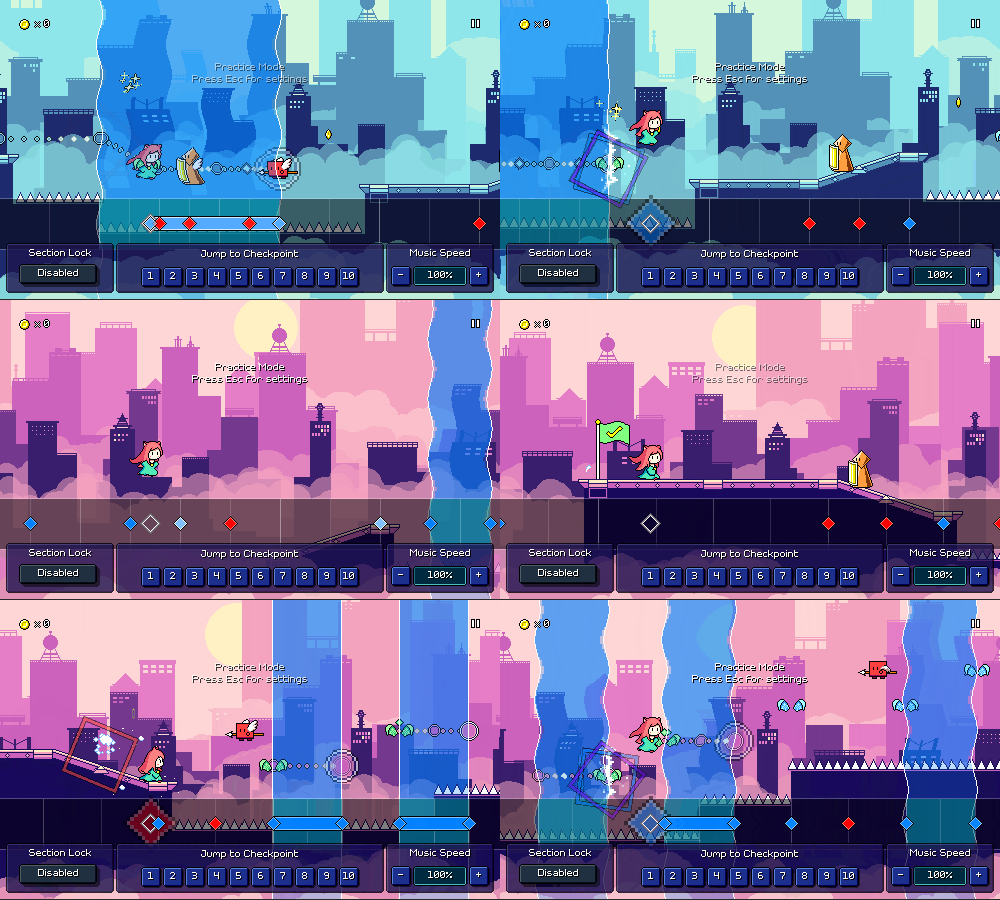
I've been working on other stuff here and there as well...for example, the "test UI" that lets you jump between checkpoints (previously only available in the level editor) is now shown in the in-game "practice mode", letting you jump between checkpoints freely to practice whatever section you want, or quickly change the speed of the music (you can now raise the speed past 100% in practice mode as well).
Through this all, the game will remember what checkpoint you were at before starting practice mode -- and will now also handle resetting coins correctly (this was previously bugged)! There's a new "Section Lock" setting that controls whether practice mode will lock you to only practicing a single section or whether it'll let you proceed through the level normally until reaching the end (at which point it'll bring you back to the beginning).
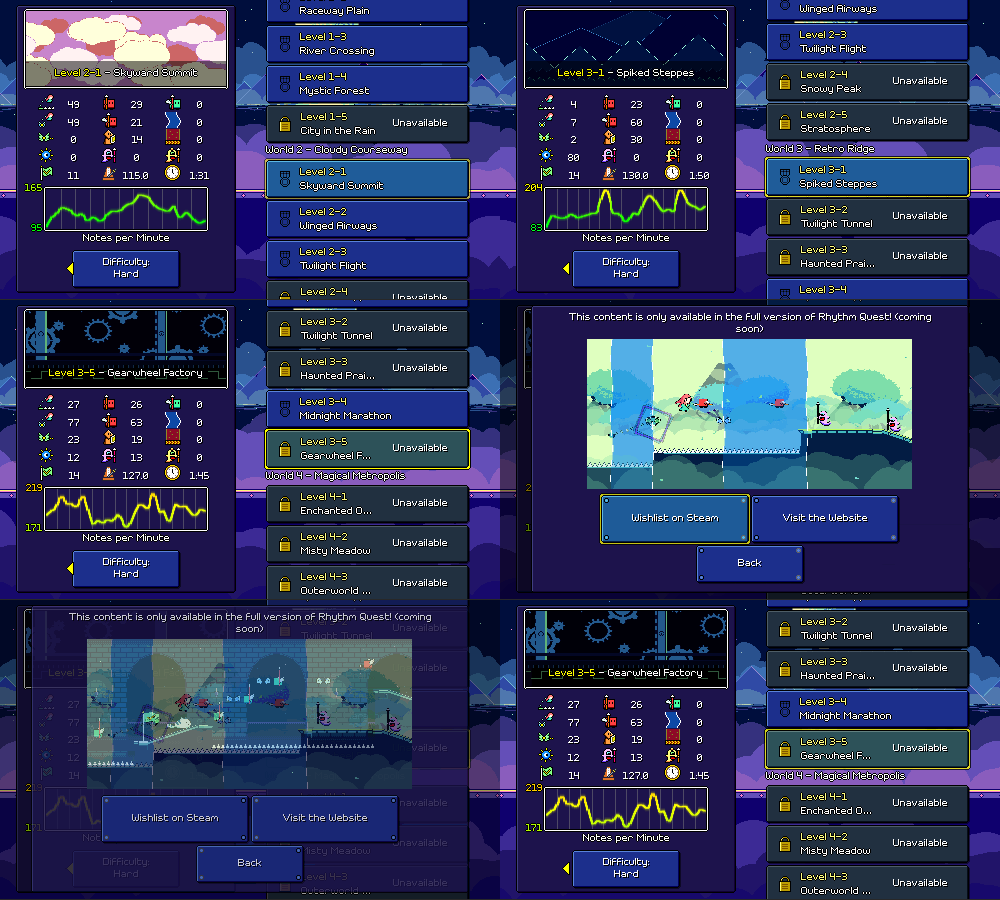
For the demo version of the game, the "Unavailable" lock logic is fully hooked up in the level browser:
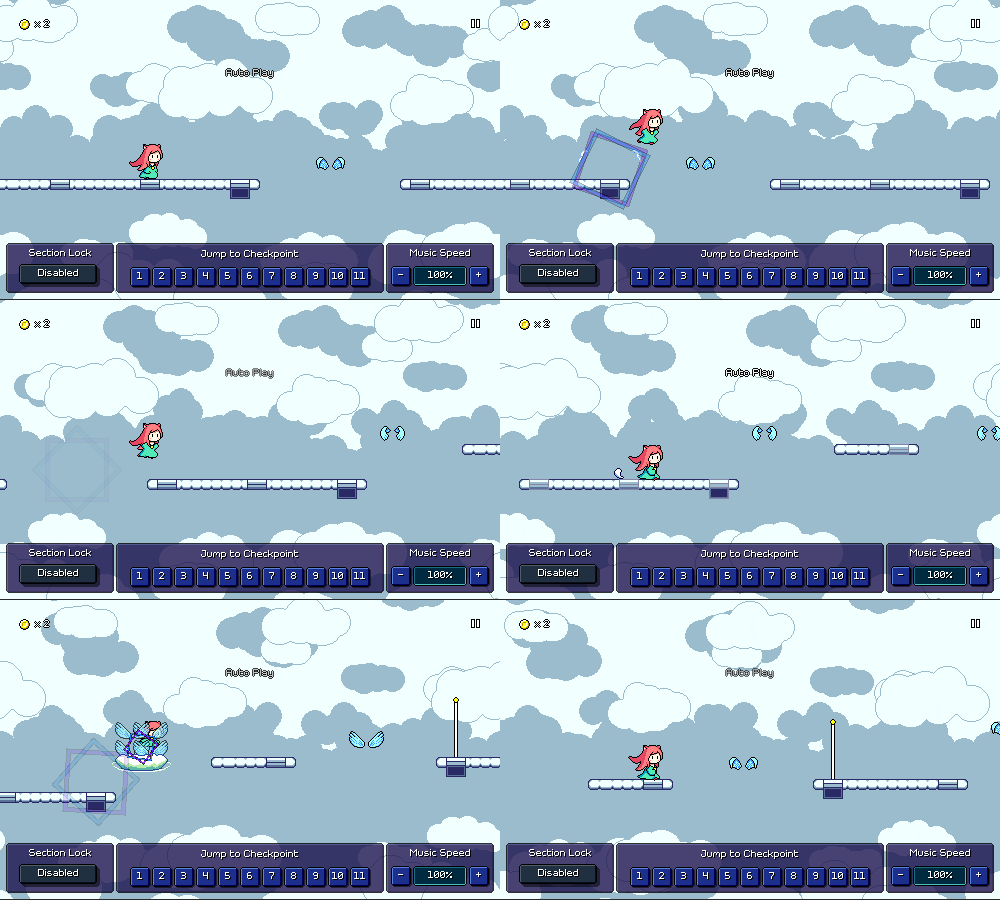
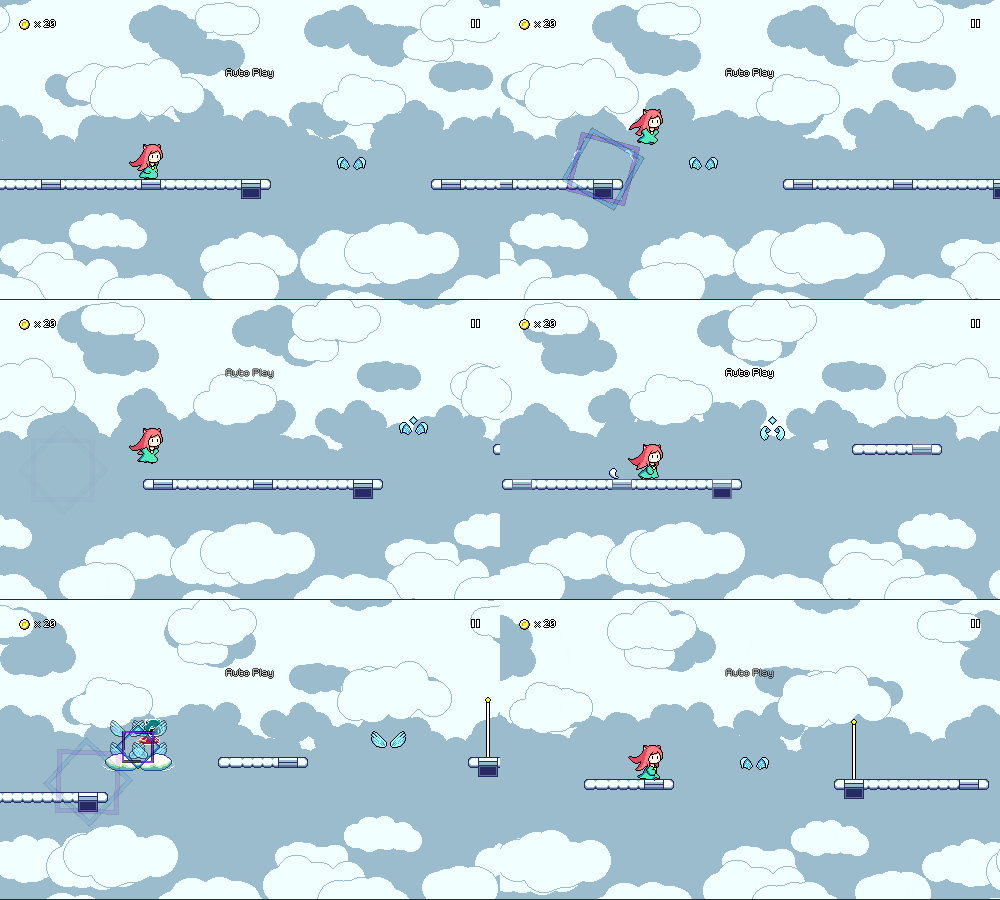
And last but not least, I've been experimenting with "diamond" shaped markers on winged air jumps to denote off-beats vs on-beats. This comes in response to an issue I've seen crop up with players going through level 2-1 where you have to distinguish between the following two airjump patterns:
There's multiple solutions to this -- change the music + chart, increase the scrolling speed, add visual markers of some sort, change the default noteskin for air jumps to reflect the beat they're on. I've mostly seen this be a problem in level 2-1, unlike level 2-3 which is at a slower tempo despite having more complicated airjump strings.
By far the =cleanest= solution would be to simply redesign the chart here, so that I can intentionally segment the level into introducing whole-beat airjump patterns and then half-beat airjump patterns separately. But that's easier said than done, because the main melodies in the song weren't designed with this in mind at all. I'd probably have to just make a brand new level 2-1 track if I want that to happen, and that isn't something I'm ready to bite off at this moment.
As a stopgap solution, I've slightly increased the scrolling speed (which marginally increases the difference in horizontal spacing between the two patterns), as well as started experimenting with a new "diamond" marker for obstacles that are put on off-beats, which could end up being useful for other obstacles as well (basic enemies on offbeats, for example). I'll probably be adding some different settings/toggles for this behavior later.
I have no idea whether this helps or not because to me it's trivial to read the rhythmic differences based on the relative height of the airjumps, so I'll have to revisit this change later after I publish it in the new demo to see if it actually does anything for new players or not!
Devlog 74 - Bottled Up, More Level Browser Work
Welcome to 2025! Hopefully this year brings a bunch of more exciting progress on Rhythm Quest...we're going to kick things off with a new bonus level -- this one is called "Bottled Up"! This is actually a song I made all the way back in 2019 for an as-of-yet-unreleased album...unfortunately some of my other music projects have had to take a backseat to Rhythm Quest development, but hey, it's cool that I unexpectedly get to bring this song out in a different way. Here's the playthrough video:
Bottled Up
This song was really fun to chart -- I'm glad I ended up choosing it to bring into the game! I'm really enjoying furthering my exploration of charting as I grow alongside the game and work with different types of patterns. I'm also trying to make sure that I add in more songs like this that differ from my usual "9-bit" tracks, to showcase a variety of music styles within the game.
Having multiple difficulties planned also lets me feel more free when I'm charting -- I no longer have to worry about whether I'm having a good spread of easy, medium, and hard levels since I'll have three different charts for each one! For the hard chart here, I'm leaning into 16th note rhythms to provide some nice bursts of action, but since the song is relatively quick, I'm being careful to avoid too many repeated presses, as personally I don't think constant jackhammers of the same key at high speed are very fun:
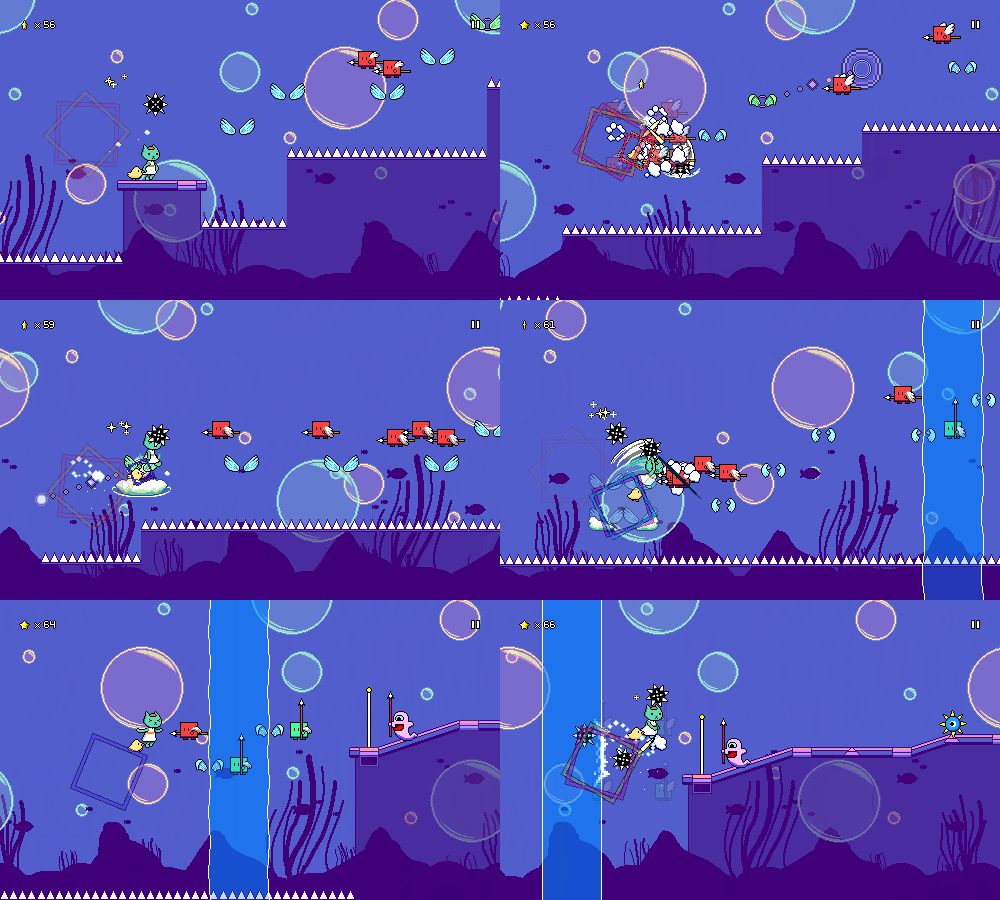
The slow "breakdown" section of the song features a long underwater section. Here you can see another little tweak I made while I was working on this song -- Princess's spiky balls now move slower underwater (just like your jumps!):
The contrast between the slow, drawn out underwater phrase and the next section works really well, you get slammed into the action with some yellow ghost combo rhythms:
The last section of the song is completely in triplet meter! This was my first test to see whether I could make that work using the existing speed zones mechanic. The speed zones are a little bit limited in that I have to keep patterns simple for the aid of readability (more jumps than enemies, as they're easier to read at high speeds), but it manages to work out:
You can see another addition here that I made while working on this song: because the beat markers are a little confusing within speed zones, I tried to add little vertical lines that pulse with the beat and delineate both full beats as well as the triplet markers. Hopefully I can land on the right balance where these add a little bit of liveliness and information to the speed zones without making it look overly noisy.
Level Browser Work
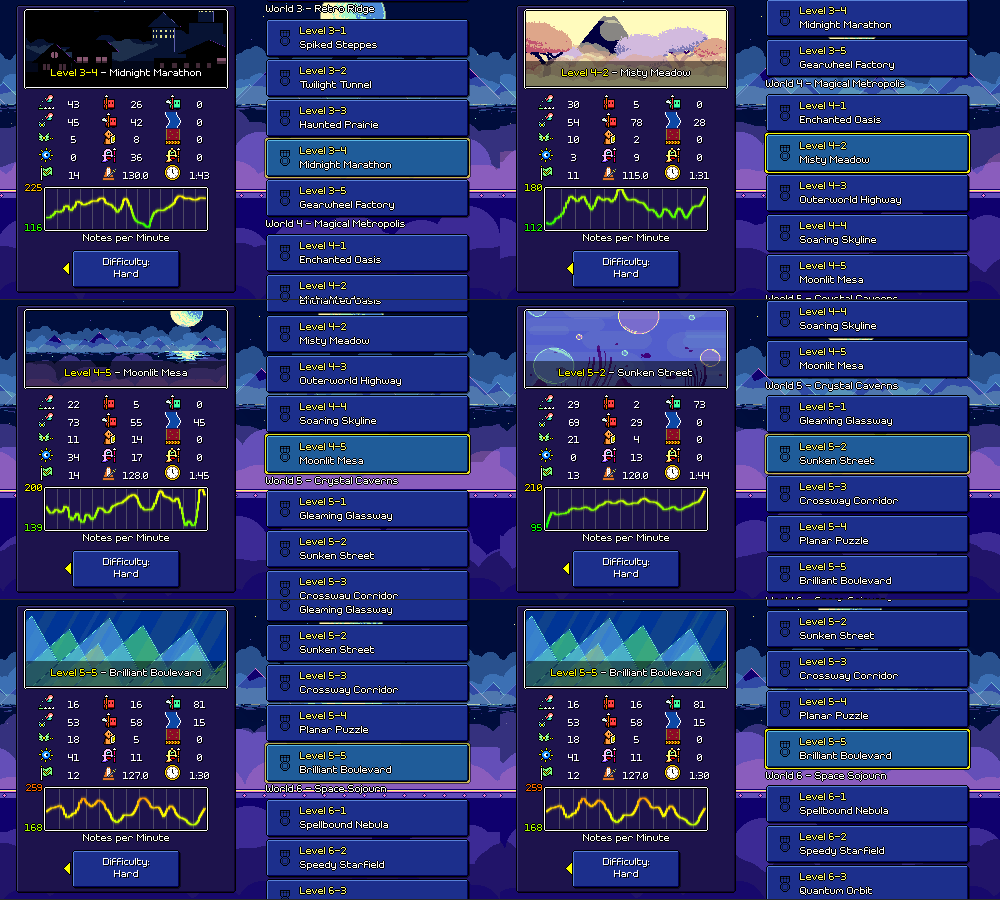
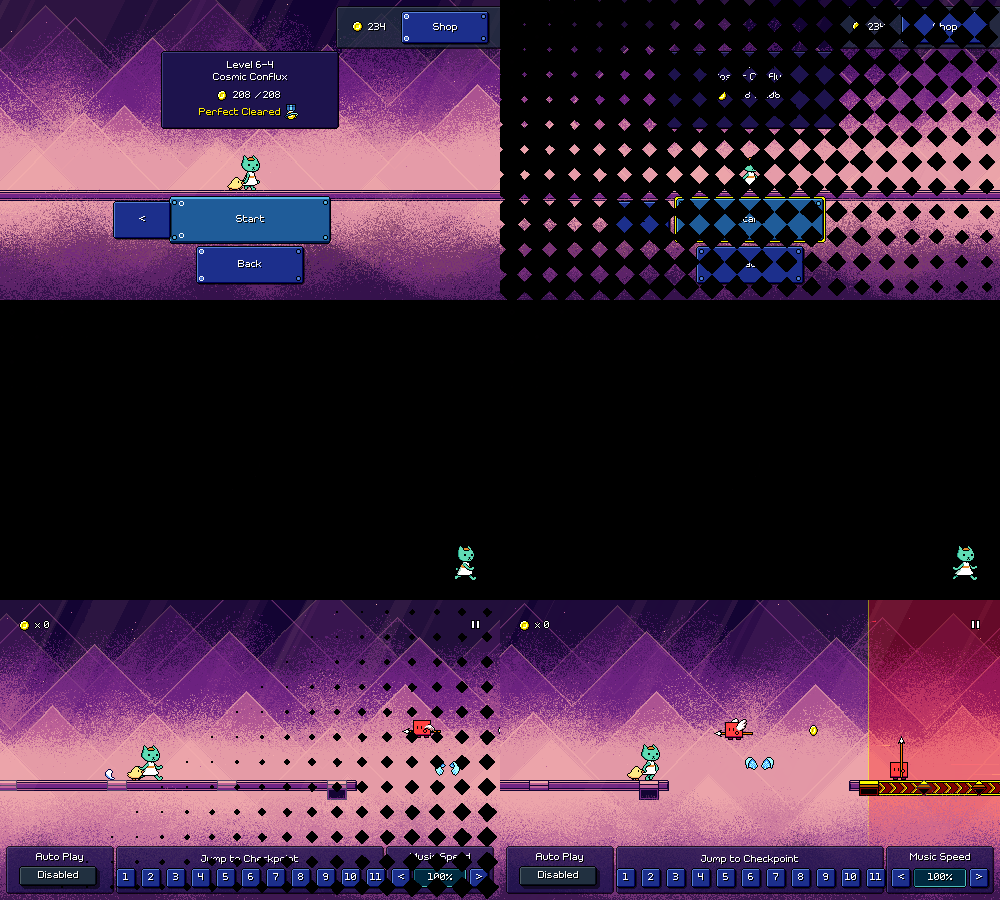
The other thing I was focusing on for most of this past month (besides recovering from Covid...) was continuing to work on the level browser (formerly "song select") menu, which is now much more fully fleshed out. This is the main way to browse all of the bonus and custom levels that you have available, but you can use it to select and play the main levels, too. Here's a full video of that in action:
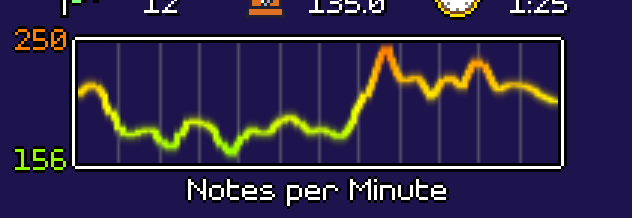
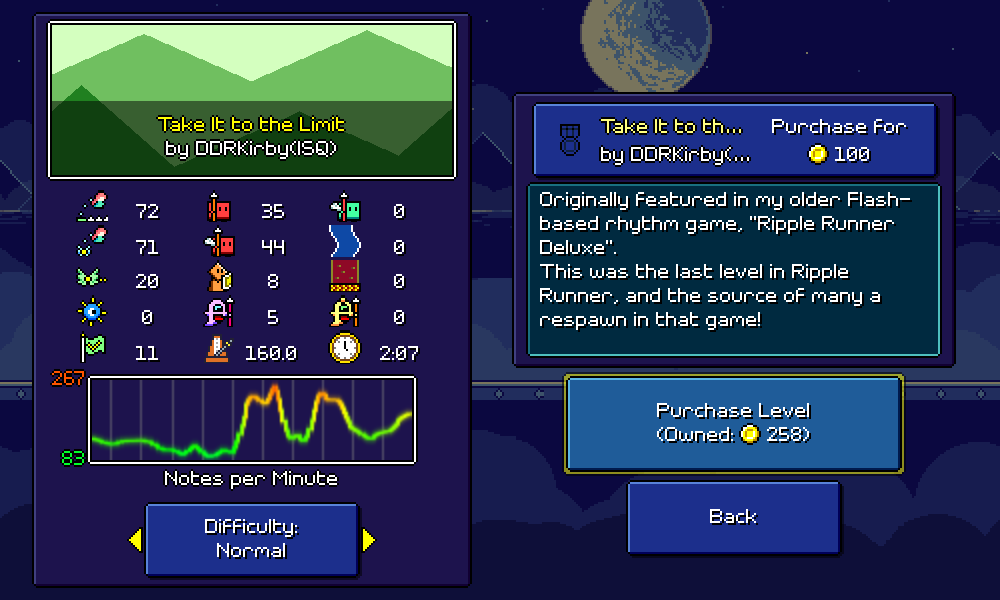
You'll notice to the left that in addition to the stats display that I built a while back for custom levels, and the new difficulty selector button, I've also ditched the old 1-99 numeric difficulty display for a new fancy density chart:
Hopefully this is both a more representative and more interesting-looking representation of the difficulty level of songs, as well as being clear that it's only charting out note density and not making any claims about how hard the rhythms are to decipher or read. (As before, simultaneous attack+jump presses count as 1.5 actions for this chart) The calculations are a little bit more complicated than before as I have a rolling window that I use to track the density of the actions over time, but I've tweaked it to a point where I'm relatively happy with the results.
The chart itself is rendered dynamically (using parallelization!) to a texture, in much the same way as the waveform display UI that I implemented a while ago for the custom level editor. Besides the colored line itself, there's min and max labels on the chart, which serve as a more quantitative measure of how sparse or dense the chart gets. The color-coding I think really ties everything together (currently it goes from green at 100 notes/minute, to yellow at 200 notes/minute, to red at 300 notes/minute), as it provides an at-a-glance rough indication of overall difficulty without having to rely on parsing raw numbers.
I also now have a fully-working purchase flow for bonus songs, which replaces the old level shop (which was hopelessly outdated). I also support short descriptions of each song, which I'll try to backfill for all of the existing bonus levels.
I still have to get the custom levels working in this view again, but I also want to include this UI (along with all of the song previews) in the demo! I still have a bit more work to do before that will be fully functional (need to hook it up to the "not available in demo" overlay screen), but this will hopefully be a nice way of showing off all of the content that's going to be in the full game in a way that will get people hyped up for what they can expect when they make the full purchase. (I mean, it was already pretty satisfying for me to browse the levels and listen to all the music previews!)
Easy + Hard mode charts released in demo v0.35.0!
The Rhythm Quest Demo has been updated to version 0.35.0! This patch includes two new difficulty levels for you to try out -- play on Easy mode for a more relaxing experience, or try out Hard mode to challenge your skills with more difficult charts!
Full changelog:
Version 0.35.0
- Added Easy / Normal / Hard difficulties and corresponding charts
- Added spacebar as a default binding for jump (in-game only)
- Recharted / tweaked some Normal difficulty charts and songs
- Added temporary display of difficulty on level start and end
- Reworked water effect for level 1-3
- Fixed bugs with screen filter shaders
- Change end-of-demo popup to only show automatically on first level 3-4 completion
- Prevent binding the same input to multiple action slots
- Attempt to fix pixel clamping rendering issue
- Fixed minor rendering bug for certain menu backdrops
- Reworked level loading implementation (may lead to faster load times)
- Fixed potential load crash when loading old save data (< 0.29.0)
- Fixed practice mode menu navigation
- Update coin sfx pitch to match current music speed
- Fixed VSync setting button not updating correctly
- Fixed incorrect jump/scroll logic when fast-forwarding through level end
Devlog 73 - Multiple Difficulties, Song Select Menu
We're into the start of the holiday season now! I could either take this opportunity to dive head-first into Rhythm Quest work, or I could instead take it as a chance to rest and recover before the start of the new year...knowing myself, I suspect it's going to be neither of those and I'm just going to continue onward at a slow and steady pace!
Multiple Difficulties
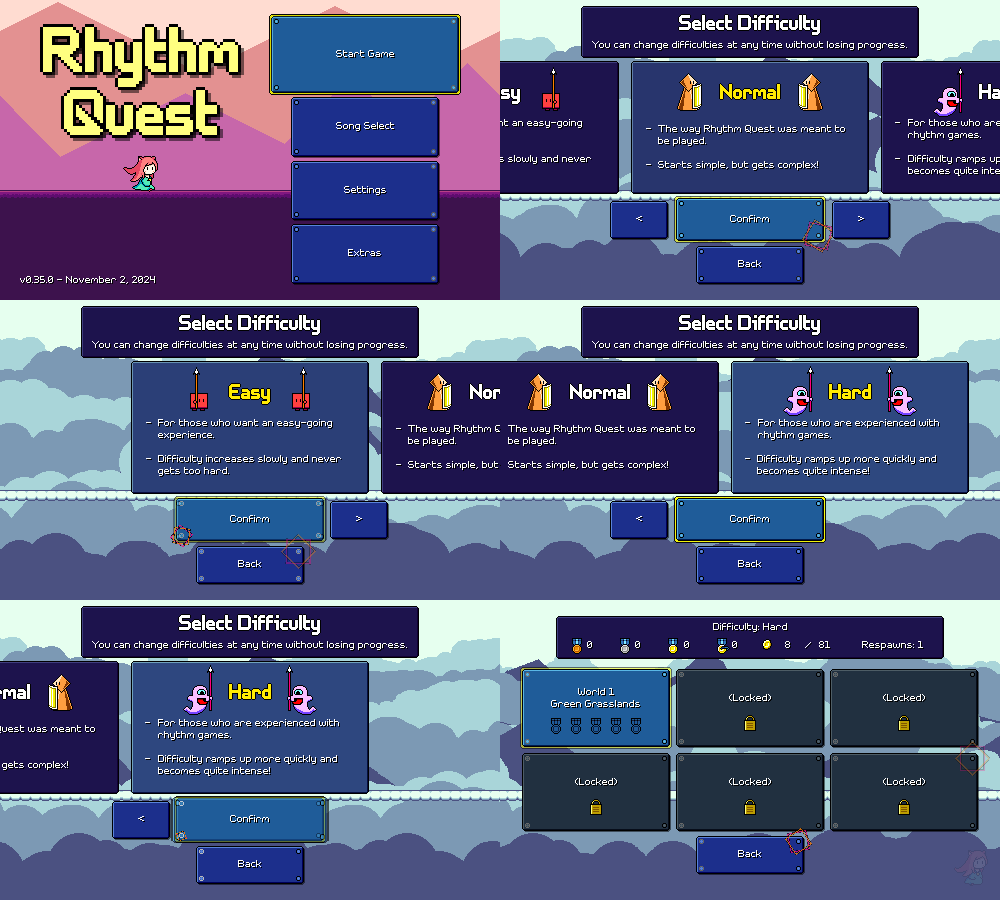
Unfortunately I don't have any sort of "Rhythm Quest is feature complete!" or even "I finished working on all of the main levels!" announcement for the end of the year. However! As a consolation prize, I do have a little upcoming holiday present for all of you, and that is the unveiling of the new difficulty selection feature:
This isn't live in the demo (yet!), but you can now select from Easy, Normal, and Hard difficulties when starting the game, right before the world select menu. While I have reservations about adding yet another screen that you need to get through before you're actually in-game, in this case I ultimately decided that the benefits seem to justify the cost in this case. I unfortunately didn't have enough screen real estate to show any fancy previews or graphics here, but I also didn't want to have a menu that was =just= text, so I added the little enemy icons some some cute little visual iconography (with beat-synced animations!).
The hope is that adding multiple difficulty options will let experienced rhythm game players feel less bored through the earlier part of the campaign, as well as offer a more lightweight version for people who want to experience all of the levels but without them getting too hard near the end. It also adds some amount of replay value for people who want to go back and replay the levels with some harder charts.
Picking a difficulty level isn't a commitment and doesn't "lock you in" -- you're free to change your mind at any time and each level will track your scores (and coin counts!) separately, so if you decide that the levels are getting a little too hard for you, you can always turn the difficulty down moving forward. This does mean that there are essentially triple the amount of available coins in the game, so you'll probably just end up with a bunch of extra ones after unlocking everything (or maybe I'll just make some expensive "stretch" purchases for show).
There have been some UI changes in various screens to accomodate the new feature. Here's the level select screen, for example, which has a new button for changing your selected difficulty without having to go back to the initial menu. Again, I dislike how this screen feels more cluttered than before, but it was the best solution I could come up with given the constraints, and committing to it also allowed me to fit an extra "Bonus Levels" button on the upper-left to make things all nice and symmetrical.
I've been thinking about this feature for a while and initially had some trepidation because one of the main strengths of Rhythm Quest is the tight and intentional mirroring between the charting and the music cues -- I was worried that recharting the same tracks would lead to a loss in that coherence. With a previous game, "Melody Muncher", I solved this by simply adding new melodies into the existing songs and exporting multiple mixes of them, but I wanted to avoid doing that this time around as that would triple the amount of audio content that needs to be authored and served with the game, which is undesirable (particularly on mobile devices).
After thinking about the tracks, however, I think I can manage to make it work, even reusing the same audio. Normal mode will still be presented as "Rhythm Quest as it was originally intended", so it will most likely have the best matching between charting and music, but I think there are plenty of good opportunities where I can take liberties in charting the same piece differently.
This does add quite a lot of additional charting work for me, as I've now got to re-chart all of the existing 29 songs for both Easy and Hard mode (some of the later Normal mode charts might even get toned down a bit), not to mention the bonus songs as well. But charting is not particularly "hard" work to do, as it's a very known quantity. It's just going to take time.
I do, however, intend to release the re-charted versions of the demo levels before the end of the year, so you can look forward to playing those soon! Consider them to be my holiday present to all of you who are patiently waiting for more progress to be made on the game...
Charting Differences
Because the beginning of the game needs to ramp players up from essentially zero, the first few levels (the only ones I've worked on so far) won't have very significant charting differences between the three difficulties, but there will still be some.
The mechanics are still going to be introduced in the same levels throughout all difficulties, because I want players to be able to switch between difficulties at any time during their playthrough. However, the level of "rhythmic pattern" difficulty will increase at different rates. Here's an example of a snippet of level 1-2 to illustrate some of the minor differences:
Separating the easy and normal charts is actually fairly difficult early on and as a result they end up looking mostly the same (which is alright, for now, until we get to the later levels). I could just remove even more obstacles from the easy chart, but at a certain point that ceases to meaningfully make the chart easier, and can even make things =harder= as it's potentially more difficult to keep a steady beat in your head when the notes are too sparse. I briefly thought about increasing the number of checkpoints in the easy charts, but I decided against it as that would throw off a number of things (color palettes, too many screen flashes, etc).
The hard charting is a little more interesting to look at. Early on I need to strike a balance where I don't want to ramp up the difficulty too quickly, but I want to also make sure that players who "get" rhythm games are still always being engaged. I decided to allow for eighth-note basic enemy patterns in hard mode from the get-go, which really helps set apart the hard chart, but I'm still mostly holding off on more advanced rhythms involving off-beats and syncopation, except where it really flows in tune with the music in an obvious way.
Level Loading
Small (boring) technical note here on a change that's being made to the way levels are stored and loaded. Previously I had a "level baking" process where I ran the level generator code for each level ahead of time and then wrote the results out to disk as part of the build. The idea here was to (in theory) speed up the process of loading levels by precomputing all of that logic and just reading the fully-baked level from disk instead of instantiating all of the objects on the fly dynamically.
This is now more or less gone as part of the difficulty refactor. I didn't want to bake 3 different versions of every single level, and it's not actually even clear that this reduced loading times at all, as reading a million serialized objects from disk can potentially be slower than just instantiating them dynamically (this is the sort of thing that's hard to test outside of an actual build, and probably varies device to device). I still have a "level analysis" pass that needs to be run offline where the logic runs through every level to collect stats on it (notably, how many coins are in the level), but now I only save those numbers and not any of the actual level geometry.
I've mentioned before that I have an "object pooling" solution that's used in the level editor in order to reuse object instances every time the level is re-generated. I'm leaving this as a task for future me to talk about, but if I wanted to speed up level load times, I could actually persist the object pooling across different level loads -- that way, when you load a new level, it can just reuse the enemy/obstacle objects from the previous one you played instead of creating new ones from scratch (which is slower). So there's more optimizations that can be done if I put in the work to make it possible.
Song Select Menu
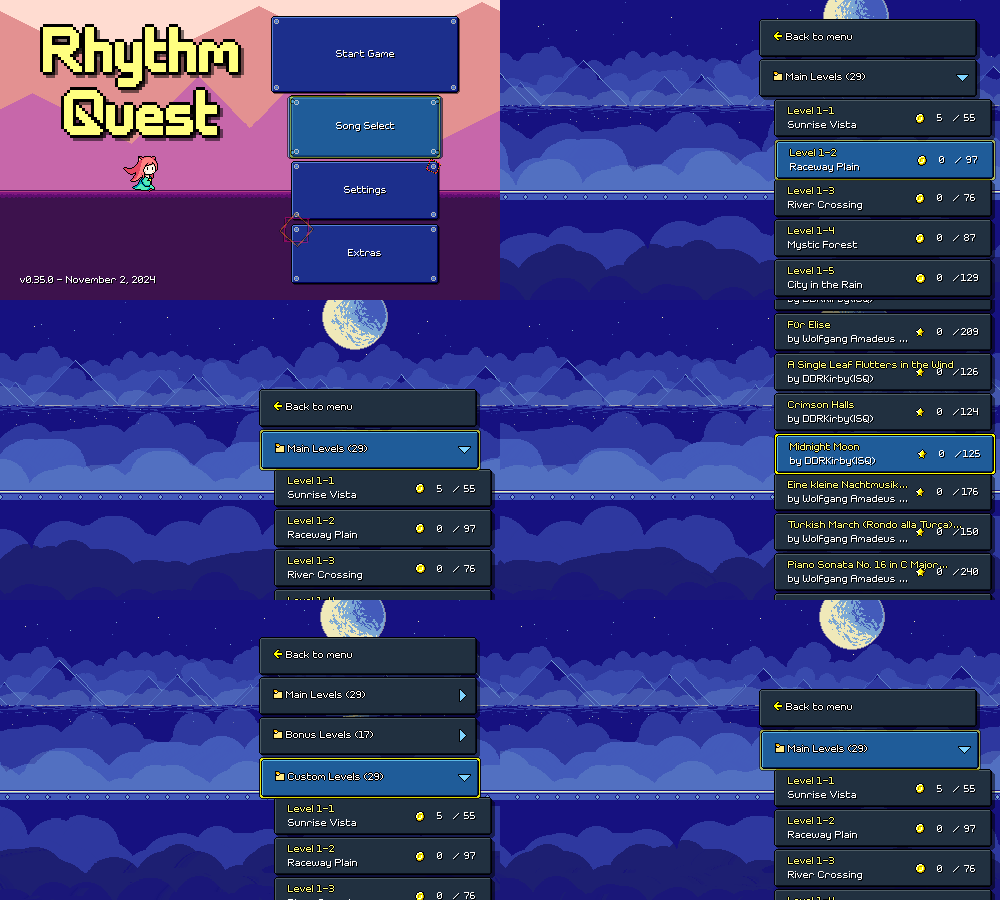
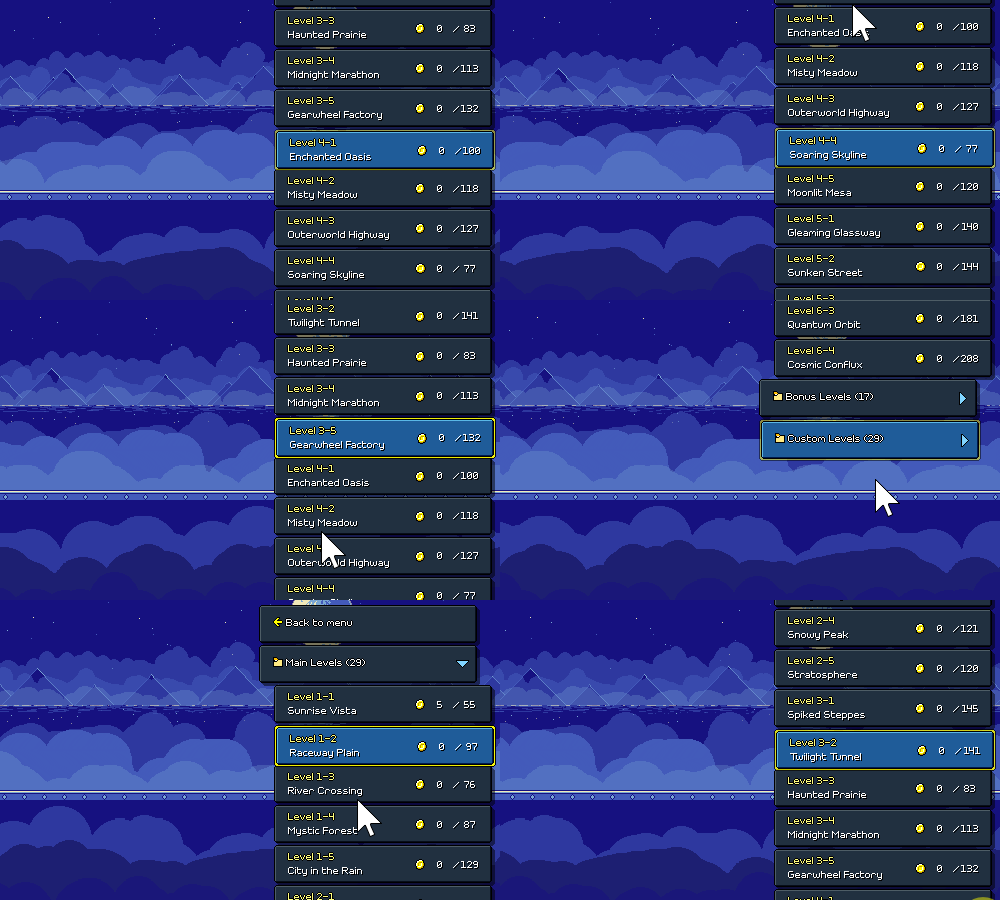
Besides supporting multiple difficulties, another work item on my by-end-of-year wishlist was building out a holistic "song select" menu that features all of the levels available in the game -- including the main campaign, the bonus levels, and custom levels, all in one big browser. I spent a good portion of this month working on that, and it's coming along pretty alright:
This looks pretty similar to the custom level browser that I implemented a while back, and a lot of the implementation is copied over, but in general things are more encapsulated / architected out a bit more robustly because I need to handle different types of content (i.e. many different button formats, instead of just one).
One new thing I coded up was a way to scroll the list via touch swipes, with scroll momentum and all that. This is only allowed on mobile devices, as on desktop / web / switch builds you have other better methods of navigating the list. It's a bit weird that this is the only UI in the game that uses this UI navigation paradigm, but I couldn't think of an elegant alternative for touchscreens that I was happy with and this is the only place in the game where the buttons need to be laid out in a really long dynamic list like this.
I had two options for implementing this -- use Unity's built-in scrollview logic, or just code and manage the scrolling inertia and clamping/snapping logic myself. Fortunately, I'm wiser than I once was, so I chose to just roll my own custom solution instead of even attempting to deal with Unity's this time. =P
Overall, it works pretty well! I had to iterate a little on exactly how much momentum to accumulate based on the movement of your intial touch/swipe, but fortunately it seems like my instincts were mostly on point and it feels natural for the most part.
New Water Shader
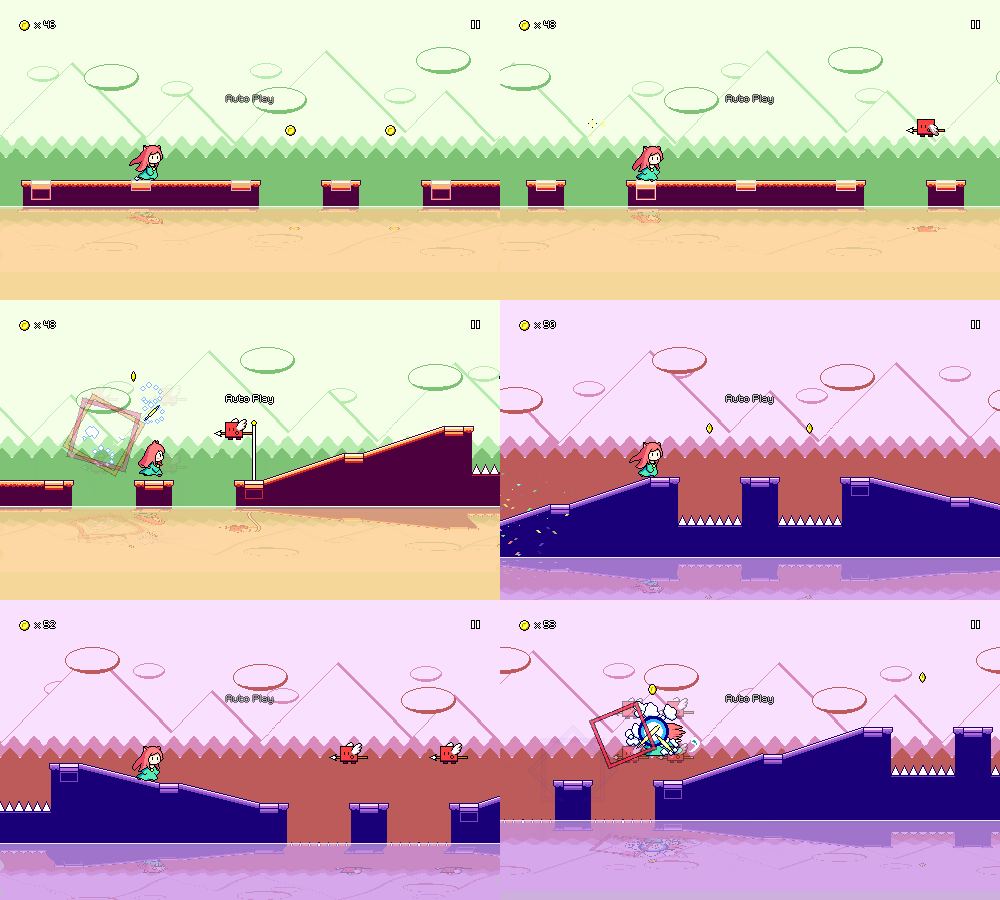
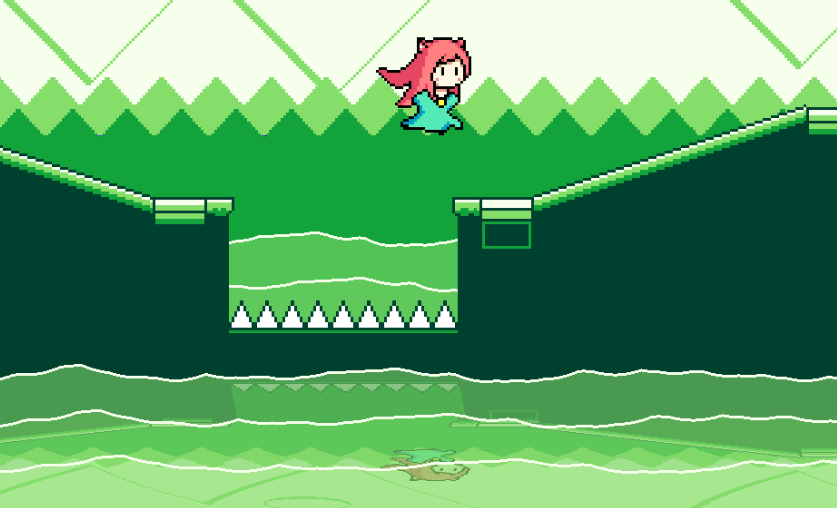
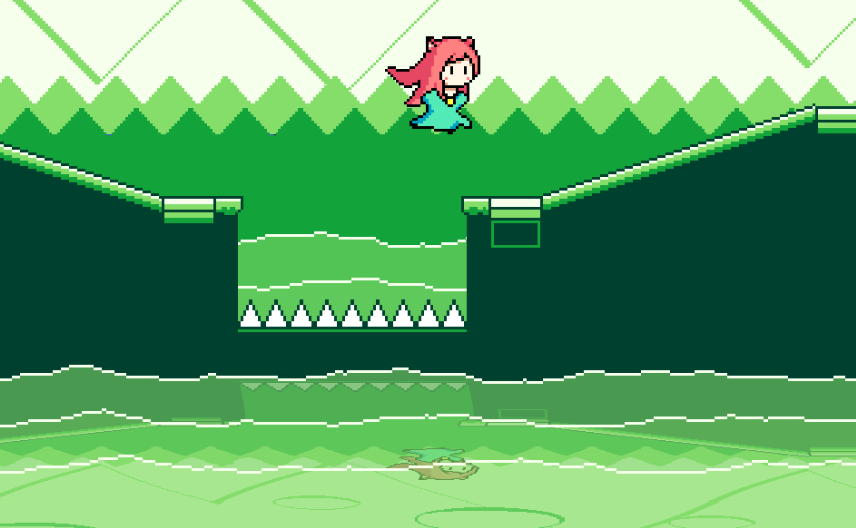
Someone reported a bug where the water effect in level 1-3 wasn't stretching across the entire screen for certain resolution/zoom levels, so I took the opportunity to just revamp the entire effect altogether. Here's what it used to look like, just a flat rectangle with a render texture that's used to capture the "reflected" graphics and then apply some sine wave modulation to them:
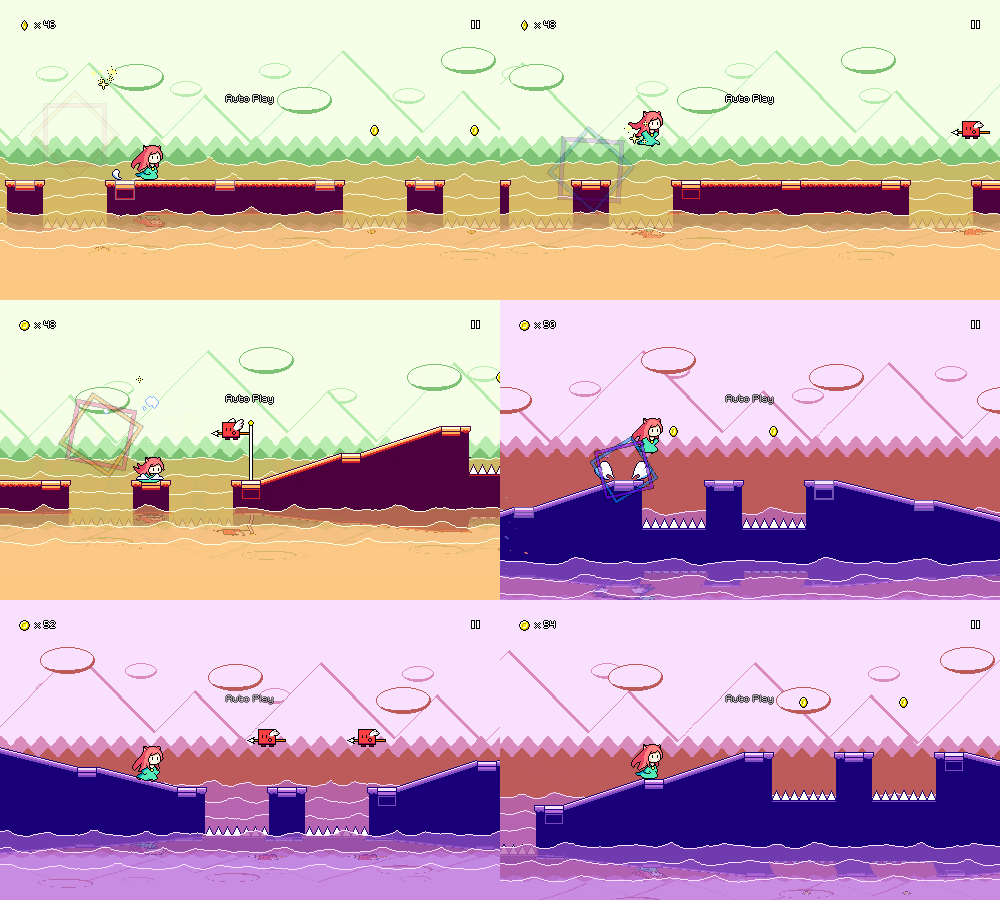
And here's the new version:
Looking a lot nicer, I think! This is going to be one of (hopefully) many many improvements to help bring the visual quality of the earlier levels more in line with the later ones.
The different "wave" layers are actually all drawn in a single pass by the fragment shader here. There's no complicated water simulation going on (the movement doesn't need to react to anything dynamic anyways), it's just a bunch of sine waves blended together to make an undulating pattern. Combined with the parallax scrolling and layering (and the fact that it's now partially translucent), it all comes together to make a nice effect.
One interesting aspect of the implementation here was to clamp/filter the pixel rendering correctly. Without that, you get waves that are rendered smoothly at whatever your device's native resolution is, which doesn't match the pixel aesthetic of the rest of the level:
With the clamping, the water waves are "stepped" with the same pixel sizing as the rest of the level graphics.
That's it for this update! There's still a lot more work to be done on the song select menu (bringing back the left-hand panel, letting you change your selected difficulty, etc) as well as recharting all of the demo levels (which will be my priority for the remainder of the year!) as well as trying to think about what I want to do with the backdrop visuals for worlds 1-3. Hopefully you all have a nice end of year and here's hoping (once again) that the coming year is "the year" for Rhythm Quest!
Devlog 72 - General Improvements and Optimizations
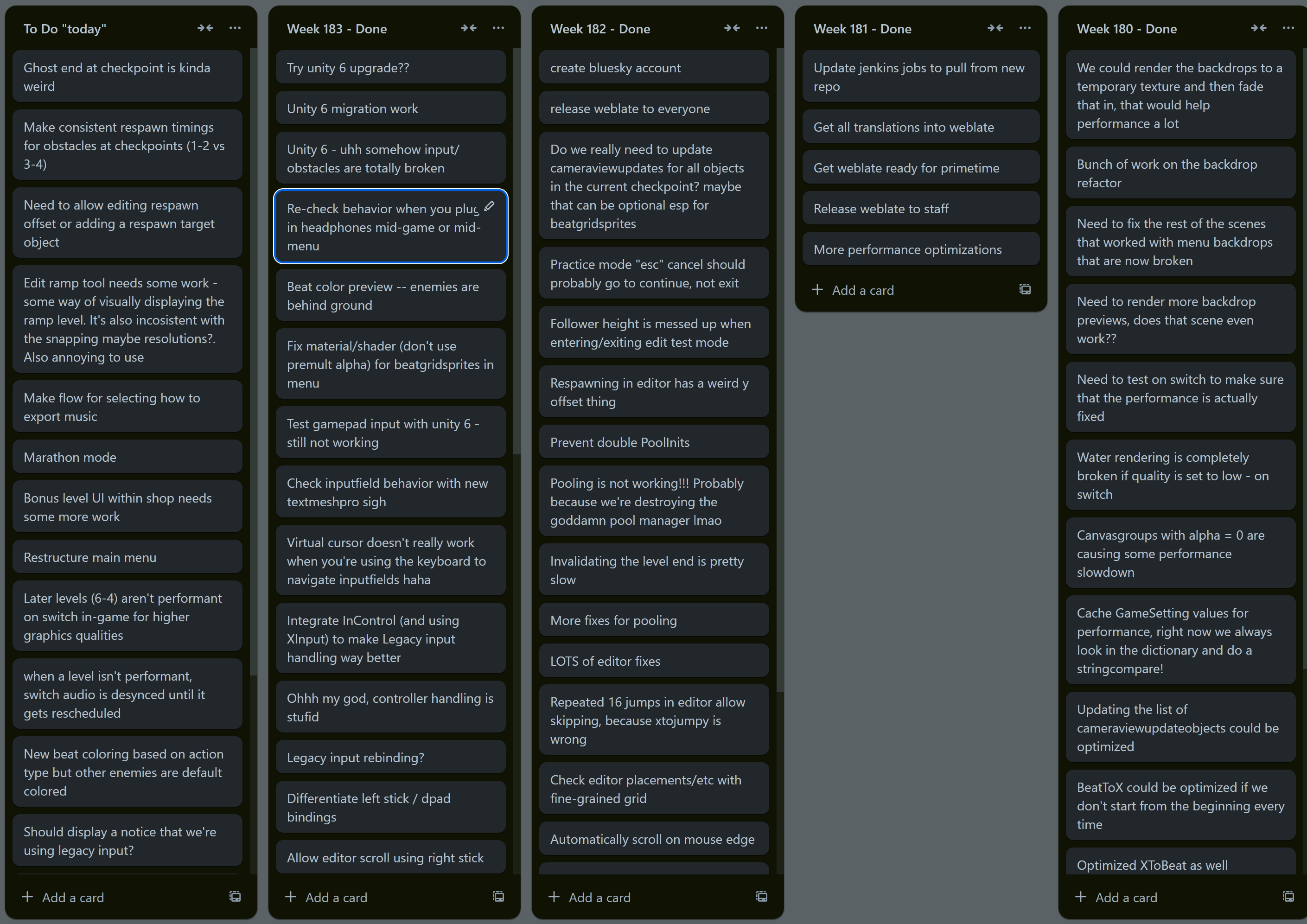
No fancy new level to show you all this time, but I've been doing good work regardless this month. I have a silly little -- ok, maybe it's really not little anymore, actually quite the opposite -- Trello board where I track tasks and work items that I accomplish for the game, divided into weeks, so you sorta track the number of things that I end up tackling per week. This past month had some columns that are longer than can fit in my screen...
Weblate Site
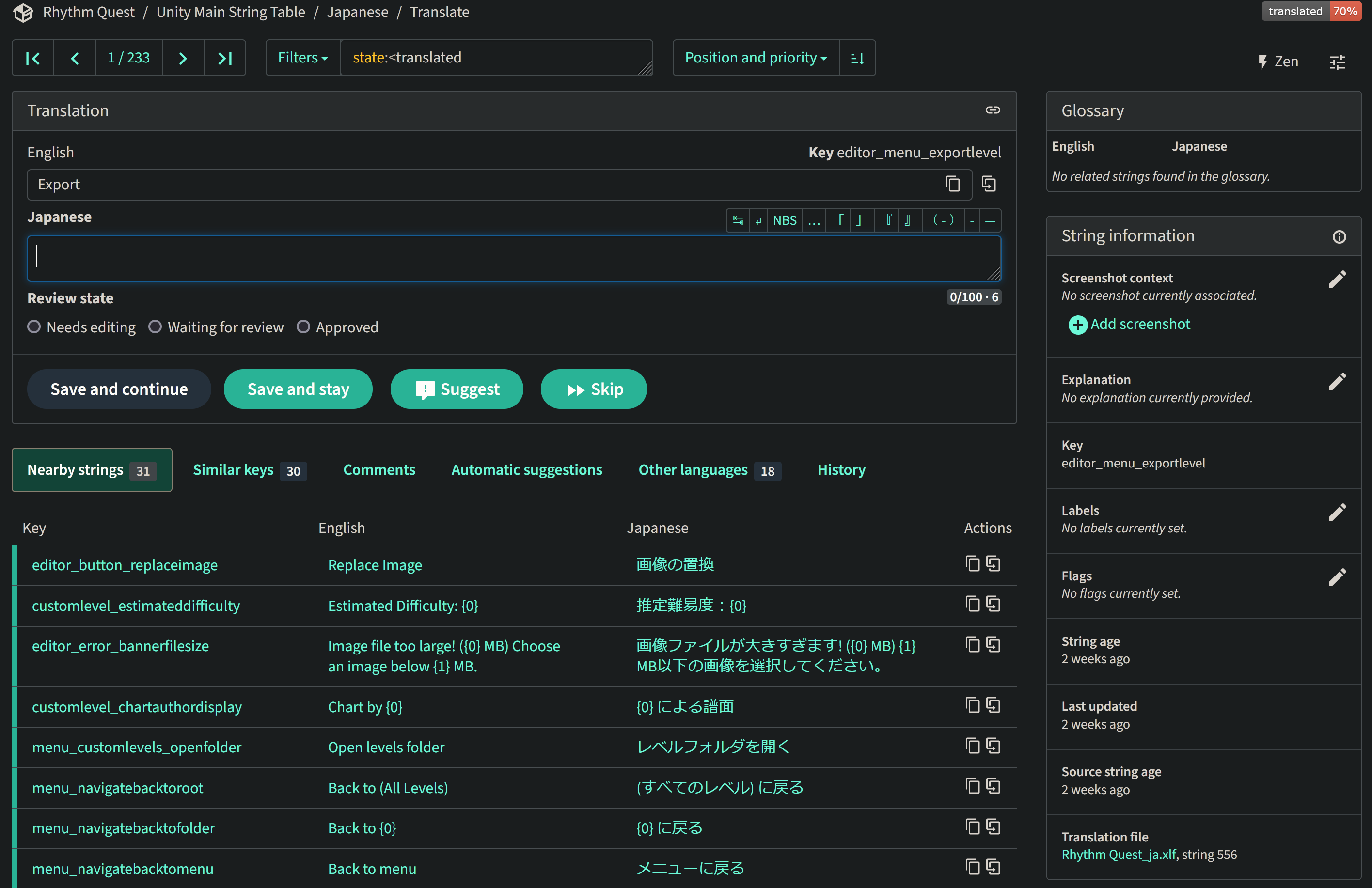
I mentioned in a previous devlog that I had been working on migrating off of Crowdin for managing community translation efforts due to exceeding their free plan limits. I'm happy to report that my self-hosted Weblate site has been up and running and seems to be fully functional with no issues!
Currently (subject to change) this runs on an Amazon t3a.small EC2 instance, which costs me $0.0188 an hour on-demand (was easiest to go with AWS since I already have other stuff running there), which is pennies compared to the non-selfhosted options out there. More importantly, it all seems to work, and it's even synchronizing everything to a github repository in XLIFF format, so I can breathe much easier knowing that rollbacks or tracking down issues are going to be that much easier.
No More Unity Branding
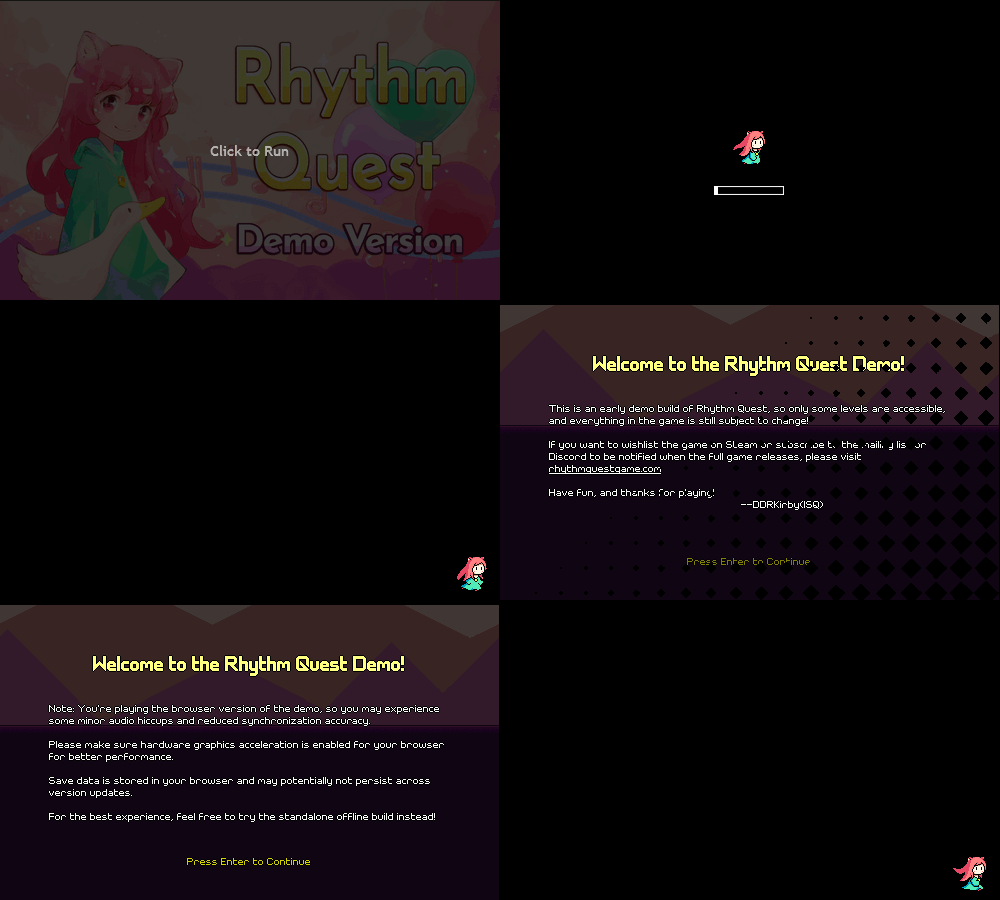
I finally bit the bullet and did a major engine upgrade to Unity 6 (aka Unity 2023). This involved fixing a couple of bugs that cropped up (the upgrade exposed some issues that were mostly my fault that had never surfaced before). Upgrading isn't really painless right now because I have all of these custom changes to Unity packages (hacks to make things actually work like they should...), but I managed to handle it well enough. Probably the biggest relevant change (hah) in Unity 6 is the removal of the Unity splash screen requirement for free Unity licenses (huzzah!). I also took a few minutes to update the WebGL template for the web version of the game, so now we get a nice loading graphic and we're totally devoid of any Unity branding!
I can probably stand to make this even nicer later on, but this is already a welcome change, and nobody has to wait those extra 5 seconds sitting through the Unity logo before the game starts, woo~
Loading Icons
Speaking of loading graphics...I also took another few minutes to implement a simple change that's been on my list for a while: the loading indicator in the corner of the game now changes to reflect which character you have selected!
(More) Backdrop Optimizations
I was tired of seeing framerate drops when testing on lower-end devices (like the Switch...), so I went in and did another pass at performance optimizations. Besides random trivial "cache this lookup" or "use a binary search here" improvements, the main change that happened was with regards to how the backdrops are rendered (again).
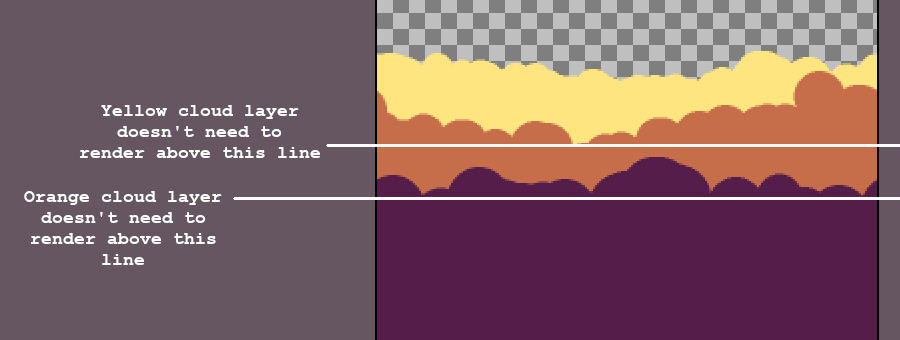
A long time ago I did some nifty optimizations around backdrops that had large opaque areas (obscuring big chunks of what was behind them). Essentially, if we know that the entire screen below a certain point is covered up, we don't need to bother rendering any of the backdrops below that point.
...eeexcept if the backdrop in question is transparent, in which case we =do= have to go ahead and still render everything. Now of course, I have a lot of backdrops that are opaque, so this is still a good improvement.
...eeexcept when I'm crossfading between two sets of backdrops in the menu. This special case has caused me a lot of headaches in the past and it was never performant on the Switch despite my best efforts. There's multiple problems at play here:
- We're simply drawing twice as much stuff (twice as many texture lookups, twice as many "pixel paint" operations). - If you want something that's a halfway fade between set A and set B, you can't just render set A at 50% opacity and then render set B at 50% opacity on top of that. That's not how blending works. So instead you need to reorder everything -- you can render set A at 100% opacity, and then set B at 50% opacity on top of all that. That requires a lot of bookkeeping logic around the sort order of all of the different backdrop layers. - Rendering backdrop layers at less than 100% opacity throws all the nice optimization described above out the window.
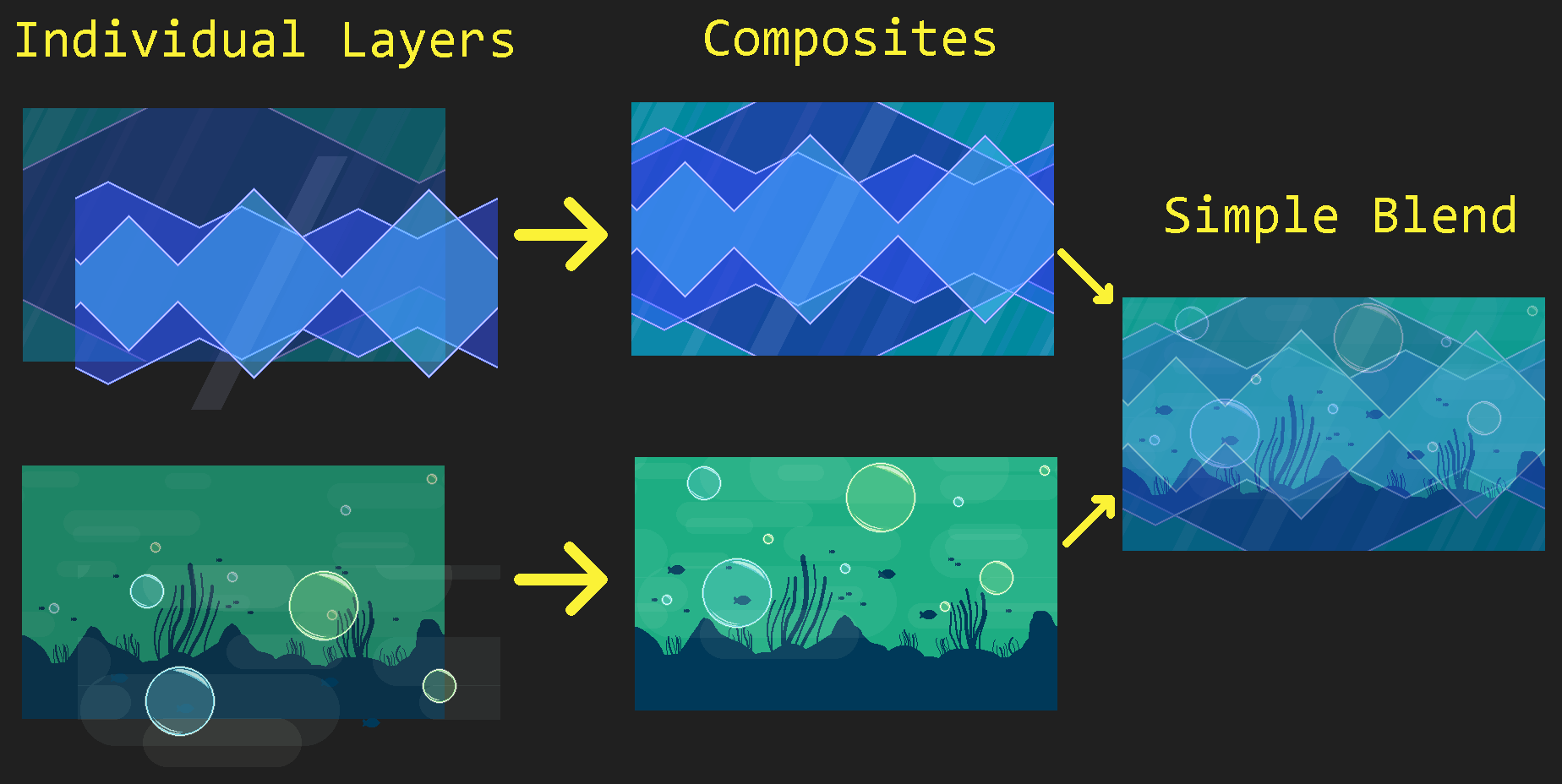
Really what I wanted to do was just treat backdrop set A and backdrop set B as pre-rendered (moving) images and then fade between those two, instead of having to deal with the complexity of each one being made up of 20-30 different layers. So, I did just that!
In the new setup, each set of backdrop layers is rendered at full opacity to two separate temporary render textures -- one for foreground layers, and one for background layers (for those of you who are familiar with how rendering works, we need to use premultiplied alpha here to handle transparency correctly). We can then easily crossfade between our temporary textures without having to worry about weird transparency blending artifacts. This took a bunch of work to set up, but actually massively simplified the menu backdrop handling code as I don't have to worry about doing weird juggling of the sort order of a bajillion different individual layers.
There's still more rendering optimizations I can potentially look at in the future (some of the world 6 backdrop sets are particularly heavyweight and could benefit from some additional techniques around intermediary textures), but this is already great progress and we successfully eliminated the framerate drops on Switch that were caused by menu transitions.
Editor Improvements
I also made some optimizations for the level editor! Previously I described how each time you make a change to a level, the editor currently needs to regenerate the level in its entirety. To make this faster, I have object pools for all of the level objects, so that I can reuse the instances instead of destroying all of them and recreating them from scratch (which would be much slower).
...except, somewhere along the way I ended up breaking that entirely, lol. When I started supporting different level tilesets, I had to swap out the "level generator" object that contained all of the tileset data, and the easiest way to do that was to just replace it every time you recreated a new level. Except, that object also contained the object pool...which therefore was getting destroyed every time...[facepalm]
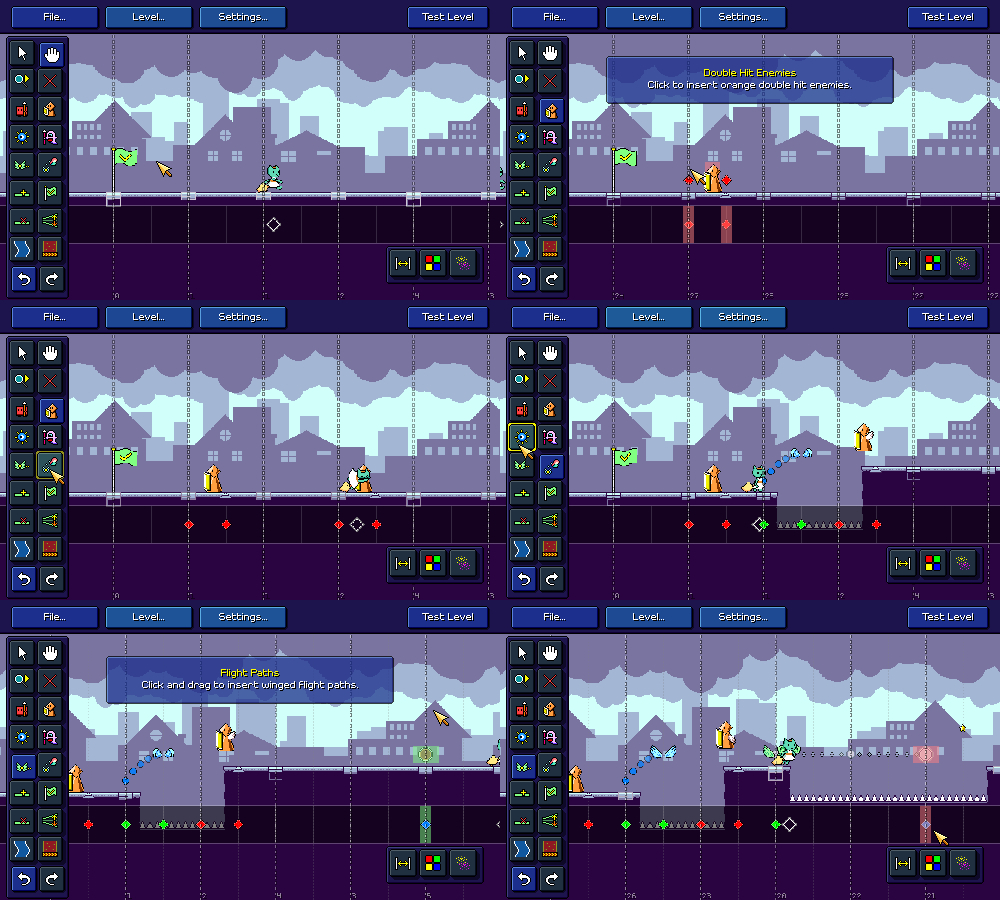
Anyhow, that's all fixed now. I actually found this bug because I was testing out the new fine-grained editor grid, which lets you place obstacles using a 16th-note grid. This is mostly so that you can create interesting syncopated rhythms, but yes, if you wanted to, you could just go wild and make "random note-spam" type charts:
Virtual Cursor
I also added a virtual mouse cursor implementation for the level editor that you can control using either the keyboard or a gamepad. Technically this isn't really required for any platform (even for something like Nintendo Switch you can still use the touchscreen, unless of course you have it docked), but navigating the editor UI via keyboard doesn't really make any sense anyways so I figured I'd try this out.
As usual, Unity gets you kinda halfway there but then you have to pick up the pieces, leaving you wondering whether you should have just implemented the entire feature yourself in the first place. Unity provides a virtual mouse cursor implementation that (fortunately) will hook into their UI input system, except:
- It doesn't properly handle UI canvases that are scaled (like mine) - Disabling and re-enabling the cursor causes a HUGE lag spike as it re-registers a new virtual input device and does god-knows-what-else - For whatever reason it seems to not interact with UI (yet still move around fine) if you're using specific parts of the new input system (device-based control schemes)
But after some cursing and debugging, and some added hacks, it seems to all be working fine! The system is smart enough to enable the cursor when you use keyboard or gamepad input, and turn it back off if you start using a mouse, plus you can even scroll the camera by putting the virtual camera at the screen edges (or via right analog stick).
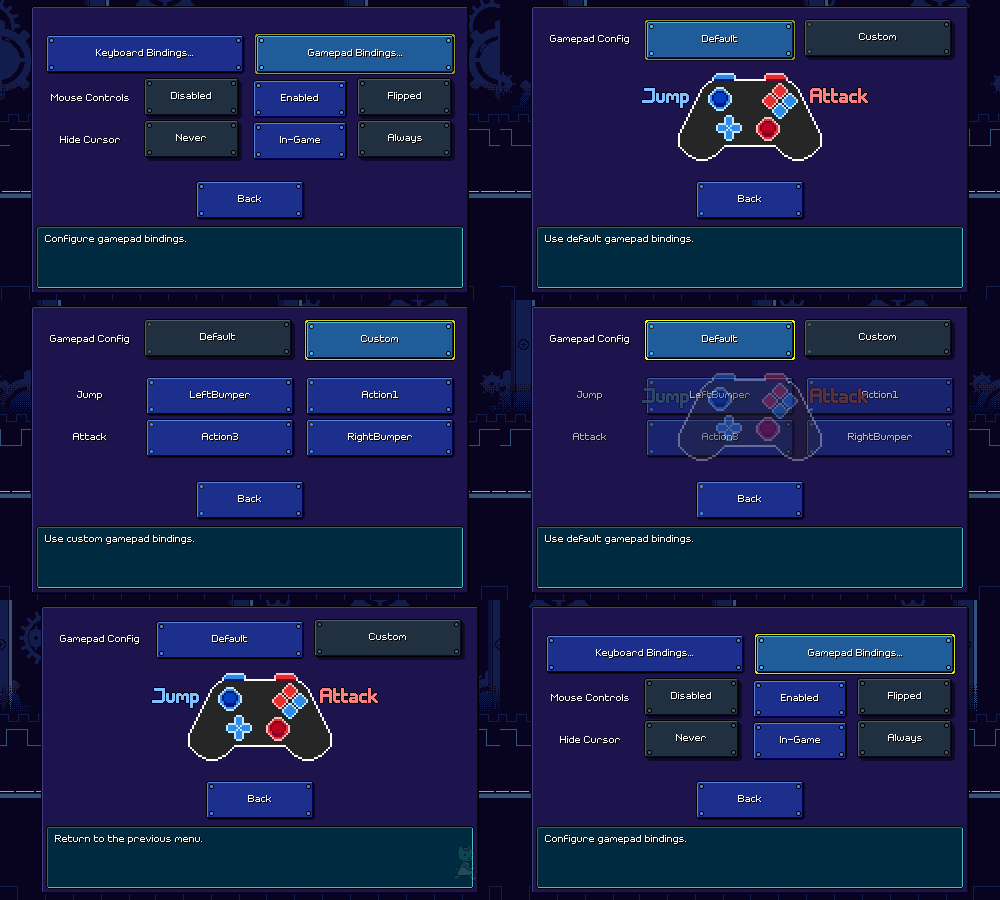
Gamepad Fixes
As is common, gamepad support is yet another piece of functionality that has landed firmly in the bucket of "I should have just reimplemented this myself manually from the beginning instead of using the Unity-provided solution". So far I've been using Unity's newer "Input System" solution, which actually has a number of advantages over older implementations -- including automatically switching between control schemes based on player input, as well as supporting input rebinding. After (sigh) some hacks here and there, including one to deal with the fact that Steam forcibly takes controller input and translates it to keystrokes (thanks, no thanks...), I actually had that all mostly working.
...eeexcept for the fact that on some systems (??), certain controllers would simply not register input under Unity's new input system whatsoever. Not just a "my implementation" problem either, as I downloaded some sample projects and the issue shows up there, too. But...clearly the device has connectivity, and Unity even throws up a helpful message reporting when the controller connects.
Gamepad input is understandably something really hard to deal with (given the number of hoops you have to go through sometimes to get a given console controller working with your system), but I'm going to blame Unity for this one given that their old input manager implementation still picks up the gamepad's input in this case.
I hope I'm not going to be regretting this later on, but for now I'm leaving the old (new?) input system implementation in place (with my hacks, it does end up switching more-or-less gracefully between input schemes, which I like), but I implemented a legacy gamepad fallback implementation for when the new input system claims to not have gamepads attached but the old one does.
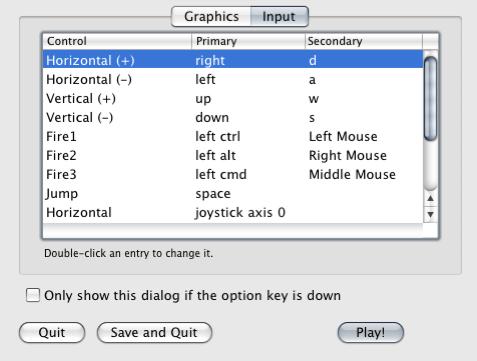
Of course, with the legacy input system, there's no standardization for how the buttons and sticks on various controllers present themselves, which is probably part of why Unity had that old input configuration dialog that used to pop up every time you started up a poorly-made game jam game:
Ah yes, the telltale sign that you were about to play somebody's first Unity game. Anyways, fortunately for me, Incontrol's old open-source package contains device profiles for many known controllers. Granted, this hasn't been updated in the past 3 years (since Incontrol became a commercial closed-source asset), but I found that it was good enough for my purposes, at least for now. I integrated Incontrol's input handling and mapping, updated it to work with Unity 6, turned on XInput support, and "just like that", I have gamepad input testing and working for my XBox360 controller on Windows and on my PS3 controller across Windows and Mac.
I mean, forget the fact that I needed two separate programs to even get the PS3 controller to hookup to those systems successfully, and the fact that the XBox360 controller support is just plain borked on Mac...
Font Rendering Fixes
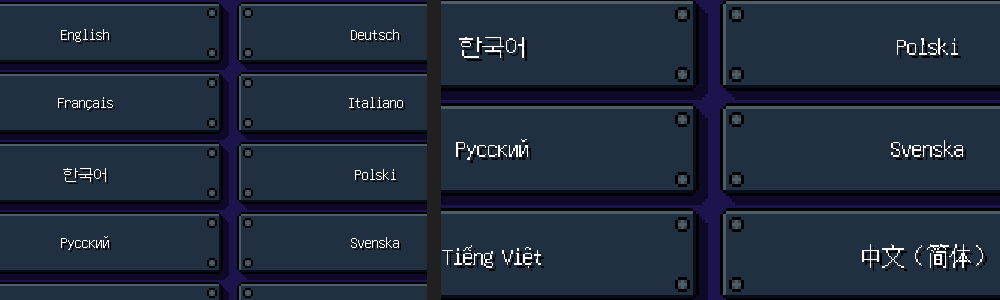
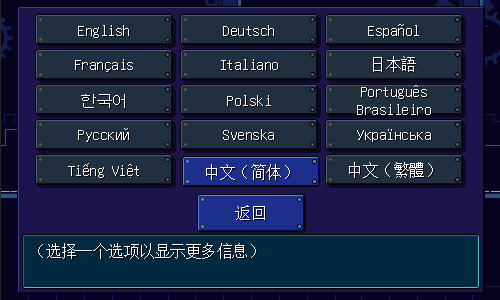
Updating to Unity 6 meant some small shifts in how Unity packages its text-rendering system, which exposed a few issues with pixel snapping and sorting order that I ended up ironing out. While I was at it, I noticed that the unicode pixel font that I use (unifont) rendered OK when the game was at small resolutions, but at higher resolutions it got all blurry and the sampling didn't seem right.
This one is kind of on me. Unifont is designed to render minimally at size 16 (or 12, depending on what you're plugging it into), but because my game pixels are often already upscaled, I was having it sample at that size and then setting it to display at 50%. The UI canvas would for example be scaled up by 2x, so it ends up balancing out to present at 1x scale and render crisp pixels (which are 50% the size of the rest of the game's "pixels").
Unfortunately that just doesn't extend to other canvas scaling situations. In the end I just decided to get rid of that 50% factor, so now unifont displays one to one with the rest of the pixels in the game UI:
Of course, now the font is just bigger, so I run into issues where the glyphs can't really fit properly into the areas they're supposed to. But if you're using a language where the unicode font is used, you reallllyyy ought to not use the pixel-based font anyways (and the game is smart enough to default you to smooth font rendering in this case). Unless of course, you're playing at like 500x300 resolution for who-knows-what reason. In that case, this is actually an excellent change because the unicode pixel font now reads really well at that size, and you probably don't mind that the lettering is bigger!
What's Next?
Phew. There's still an endless list of things to take care of, and we're already two months out from the end of the year, but I'm happy with the amount of time I've been putting into things, at least. Moving forward, there are some remaining big-ticket items that'll make me feel much better if I can knock them out, including but not limited to:
- Unifying the selection menu for both bonus songs and custom levels (and main campaign levels, why not) into one big "song select/free play" menu - Doing some thinking about whether I want to support multiple game difficulties (and more importantly, how I'd like them to work) - It's awkward that the game settings are half split between "settings" and "game mods", I'd like to reorganize things if possible - I still need a proper export flow for the level editor...
With any luck I will be able to at least get a few of these done by the end of the year. Thanks for reading, as always!
Rhythm Quest Demo v0.34.0 Released
The Rhythm Quest Demo has been updated to version 0.34.0! This patch includes some major internal improvements, including a major Unity update, better gamepad support, performance optimizations, and more!
Full changelog:
Version 0.34.0 - Updated to Unity 6 (removed Unity splash screen...) - Reworked rendering for menu backdrops to improve performance, especially during transitions - Other performance improvements - Add alternative gamepad support to improve gamepad compatibility - Decreased coin sfx volume - Loading indicator now matches selected character - Attempt to handle audio device changes/resets in menu scene - Fix softlock on changing audio device/improve audio reset behavior - Fixed spike enemies not responding to skin changes immediately - Fixed transitions for non-tiling backdrops in low-quality graphics mode - Localization/text updates and fixes - Added menu option to skip 1-1 tutorial - Disabled assist menu during 1-1 tutorial - Fixed track freezing causing softlock in 1-1 tutorial - Reset menu backdrop scrolling on transition - Potential rendering fixes - Fixed unintended menu description label changes during transitions - Fix rendering on unicode pixel font by making it much larger