Rivalry Status Update #72 - Further Work On Skinning!
Over the past week I have been able to work a lot on skinning getting most of the non-workshop implementation finished.
Both local and network play both feature the same skinning functionality and skins can be seen in both the replay and in network games. However in network games only skins that both computers have downloaded will be displayed. I have also added some basic tools and templates to help people add their own skins to Rivalry locally on their client.
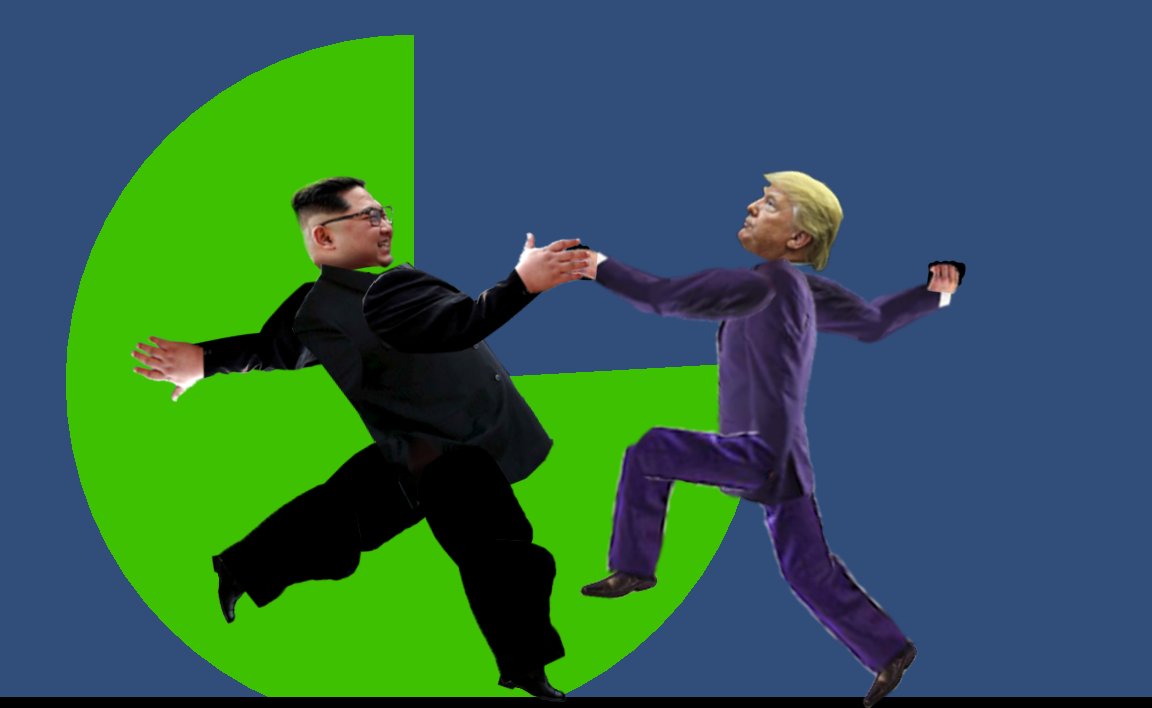
To test it myself I had a go and made two timely skins :)
(Thank you Strong Fish for the idea and Trump image!)
https://youtu.be/B9k2nDInRK8
The next step is investigating more into Steam Workshop as well as designing an inventory system and skin database to enable people create and upload custom skins as well as using skins other people have uploaded.
Pending tasks are now
Creating inventory system and skin database.
Steam workshop for player skins.
Complete network game lobby UI (make pretty and complete all network game modes).
Complete network game restart UI (make pretty).
Research different arenas and backgrounds.
General bug fixing, tidy up and enhancement of look and feel..
Rivalry Status Update #71 - Skinning UI Refactoring
This week wasn’t as productive as I had hoped as a lot of software had to be updated and my PC cleaned as it had been getting too slow to work with. However I did at least get some work done on refactoring both of the player setup UIs. I also redesigned some parts of the UI to make skin selection easier.
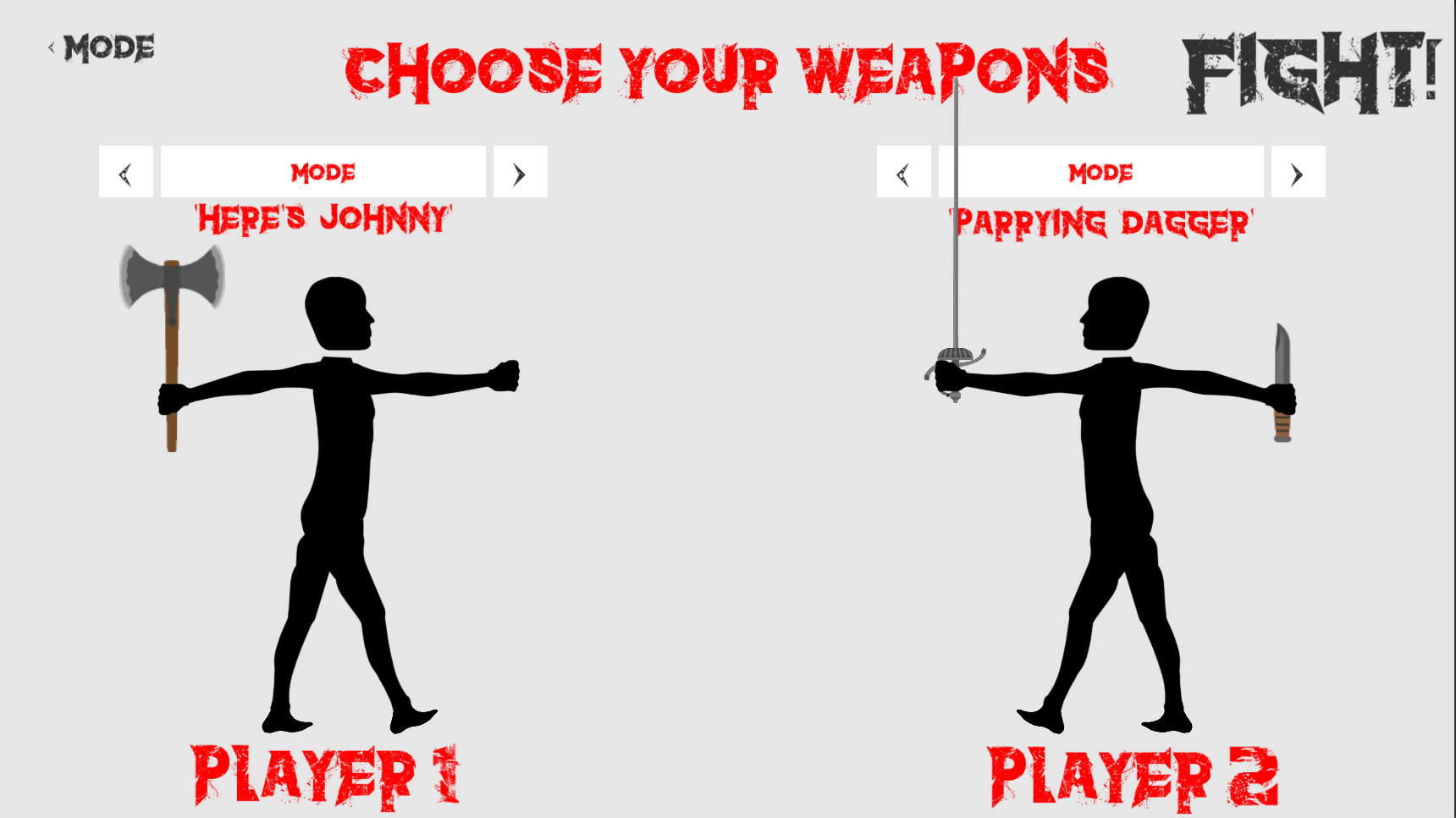
(New mode selection button is now above the weapon combination)
Previously if you wanted to change the skin of the fist, it would instead change that hands weapon. This made it almost impossible to control either the weapon or skin of the player. So I have now decided to create a button that can be toggled between either a weapon selection mode and a skin selection mode.
Pending tasks are now
Implement Skinning into Network Play
Steam workshop for player skins.
Complete network game lobby UI (make pretty and complete all network game modes).
Complete network game restart UI (make pretty).
Research different arenas and backgrounds.
General bug fixing, tidy up and enhancement of look and feel..
Rivalry Status Update #70 - Skinning Update
Sorry for not posting an update in over a month, I was stuck working on assessments for much of my free time, But now that they are over I can concentrate again on Rivalry!
I have decided to move on from the chat feature to the skinning feature as I feel it is functional enough in its current state and any further work would just be polishing and more detail.
So far I have managed to create a system whereby a player can choose a skin for each limb of their player which would be displayed in game. However this was only developed for local multiplayer games and not network multiplayer games.
In order to continue developing the skin feature, I worked on refactoring both the local and network “player setup” UIs as both these UIs need to have a shared structure that the skinning feature needs to interact with. Once this structure has been created, I can work on actually implementing features of skinning like the ability to edit and display skins online as well as share them on the Steam Workshop.
Pending tasks are now
Implement skinning into network play
Steam workshop for player skins.
Complete network game lobby UI (make pretty and complete all network game modes).
Complete network game restart UI (make pretty).
Research different arenas and backgrounds.
General bug fixing, tidy up and enhancement of look and feel..
Rivalry Status Update #69 - Basic Chat Feature Released
A basic version of the chat feature has been released into the default version of the game allowing players to communicate with each other through physics based words which can be typed into and edited.
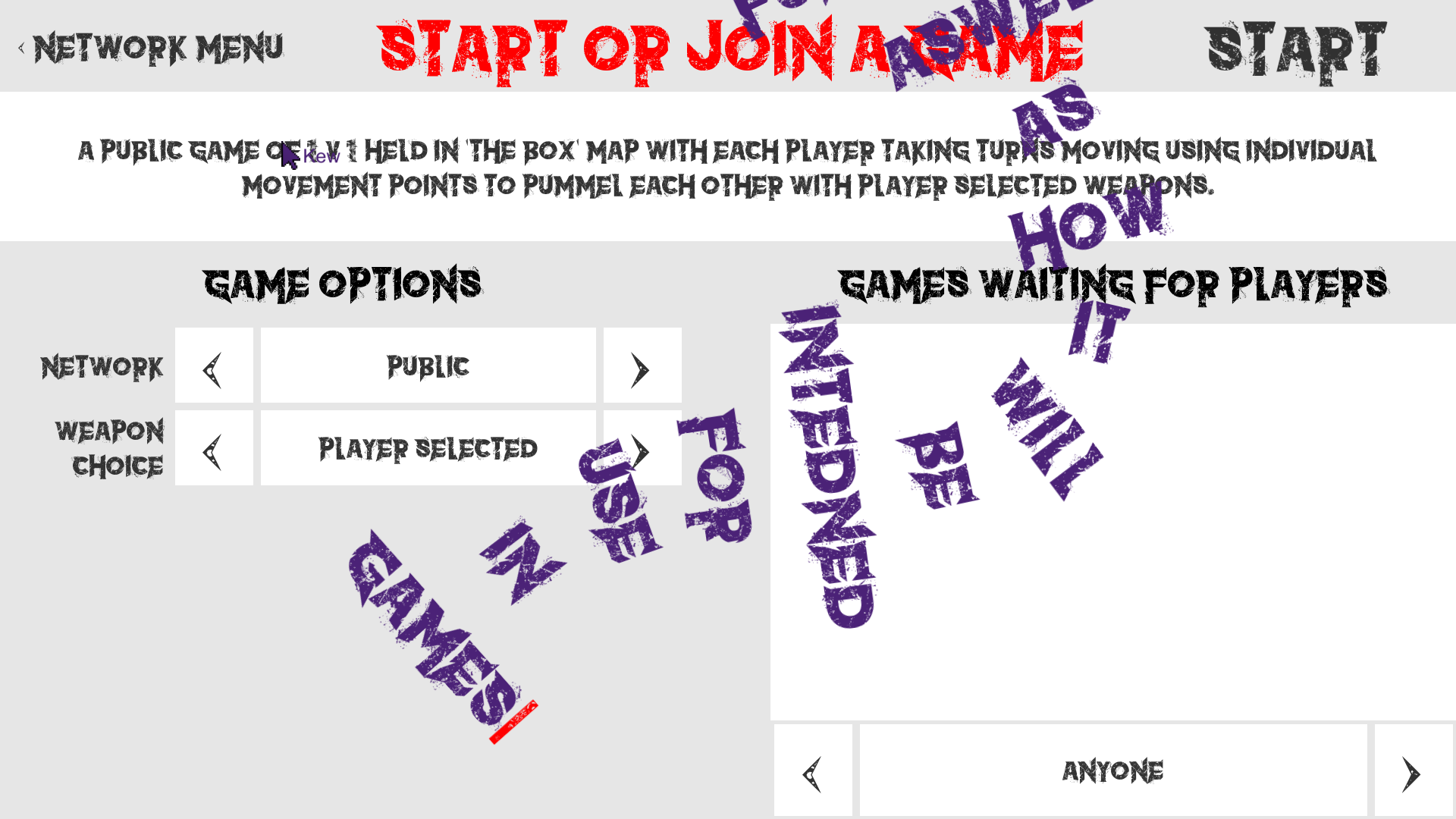
(example of text system)
Currently each character typed is displayed on a created physics based word which can then be deleted or edited like a normal text editor. This creates a functional chat system which still fits with the games very physics oriented style.
I will also continue to experiment with the physics properties of these words as well as possibly even making the characters themselves physics objects like what was shown in the last updates video.
(example of text system in game with other player)
There are still some other things that could be improved upon such as the fact when the player begins to type off of the screen, instead of the words being created from the bottom of the previous word they appear from the cursor which can lead to clouds of indecipherable words. However this effect can also create quite interesting snakes of text which are fun to create and edit.
(example of text cloud)
I encourage all to test out this new feature and try to find any issues present.
Also now the leaderboard has been changed so any entries from before the updated leaderboard which tracks each users complete metrics instead of just kills will no longer be displayed as their metrics had incomplete information.
Pending tasks are now
Chat System (Experiment with physics properties and physics based characters).
Steam workshop for player skins.
Complete network game lobby UI (make pretty and complete all network game modes).
Complete network game restart UI (make pretty).
Research different arenas and backgrounds.
General bug fixing, tidy up and enhancement of look and feel..
Rivalry Status Update #68 - Chat Feature
Over the past two weeks I have been working on the new Chat system for Rivalry which will allow players to communicate with each other both in the lobby and during fights.
I have decided to add a physics based chat system into Rivalry that keeps in theme with the games very physics based feel. Each character you type will be created from your cursor and proceed to float around in the air. As you type more characters these physics based characters will string together to form words with each new word becoming a new line.
I have a very simple version of this working in the video below. Note that I am still tweaking the physics values of the letters and the colourful blue, yellow and red backgrounds are only present for debugging purposes
https://youtu.be/sKHTeUrMQdc
I am still not sure if this system will work and be satisfying to use or merely become too convoluted and end up create sentences that become too hard to read, but I may as well try :).
Currently the blue boxes are the characters that are being typed into the yellow boxes which are words. If you either press “enter” or “space” a new line and therefore word will be created. The red caret or “cursor” will be the visual indicator that will display where the user will be typing.
Last week I worked on the network protocol and character commands that will send the typed characters to other players either in the lobby or in the game. As this chat system is based on stringing characters together it would make sense for the network commands be based on sending single unicode characters. These character commands will then be sent to all available players where they will be displayed locally. I am reusing the same structure that the mouse cursors use in terms of the visibility of the chat and who is allowed to see it. For example mouse cursors in games shouldn’t be seen in the lobby, likewise, conversations happening in games, shouldn’t be shared in the lobby. This Chat system will also feature normal operations such as backspace, delete, enter, home, end and left and right arrow keys which will allow the player to maneuver around their text to edit.
Currently I am working on finishing the structure of the chat physics and working out how it can be easily edited through sending operations like backspace and the arrow keys. Then I will begin to wire up the network protocol to the display system.
Pending tasks are now
Chat System (Create chat physics structure).
Steam workshop for player skins.
Complete network game lobby UI (make pretty and complete all network game modes).
Complete network game restart UI (make pretty).
Research different arenas and backgrounds.
General bug fixing, tidy up and enhancement of look and feel..
Rivalry Status Update #67 - Leaderboard Released!
The Leaderboard feature is now released and available in game!
This is the biggest change to the server since the launch of the game so please bear with me if there are any issues over the next few weeks.
Over the past week I managed to fix some issues with how the leaderboard both requests and displays entries from the server.
When the client requests entries from the database, It will now send them in larger chunks meaning the amount of data send with more message is higher increasing the efficiency of the server.
When this data is sent to the client, the client will only display the data it knows exists. Meaning the effect when the player scrolls down past the end of the leaderboard and huge amounts of empty entries were being created and then destroyed now doesn’t happen.
However I do wish I had more time to polish some small features and the overall visual style of the leaderboard, but in its current state it is most definitely functional and I invite all to give it a try and maybe find some bugs that need fixing.
For the entries in the current leaderboard, I am still not sure If I will completely reset the leaderboard over the next few days, I am still deciding while I test. While they would still function with the current system it would technically give a huge boost to anyone who already has a leaderboard entry as their wins could be 80 while their losses 0, making their kill to death ratio unrealistically high.
Pending tasks are now
Chat System (Keeping in theme with the game).
Steam workshop for player skins.
Complete network game lobby UI (make pretty and complete all network game modes).
Complete network game restart UI (make pretty).
Research different arenas and backgrounds.
General bug fixing, tidy up and enhancement of look and feel..
Rivalry Status Update #66 - Even More Leaderboard Updates
This week I have managed to get Leaderboards to a now almost finished state. Since last week I have added multiple leaderboards, a new scoring algorithm and the ability to jump to you or a selected players score on the leaderboard.
Previously there was only one leaderboard that would rank players on their total kills. Now there are three new leaderboards that rank players on the total times they lost, their win ratio and a scoring system will hopefully combine these values into an accurate representation of score. This score uses a combination of the players win ratio and total games played to hopefully create a value that represents both skill and experience.
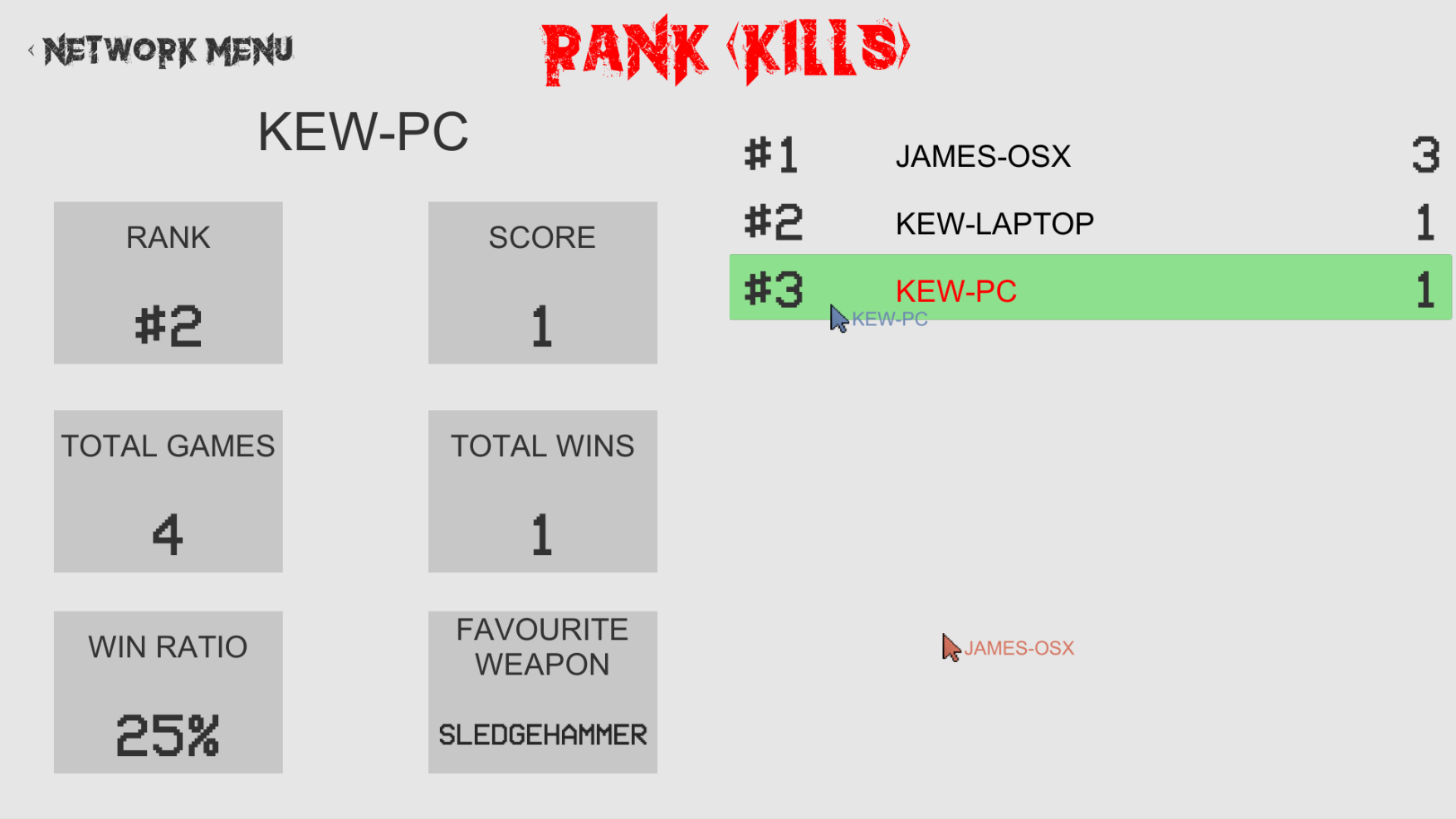
Last week I added the ability for the user to view their or a selected players statistics. Now when you change the leaderboard it will also update these statistics appropriately to what the leaderboard ranks them by. This means you can easily view a players statistics over all the leaderboards.
I have also added a button that will jump a user to either their or a selected players entry in the leaderboard. This will hopefully allow a user to easily find their entry in a large leaderboard or find a selected players entries in different leaderboards for easy comparison. To jump to a players rank on a leaderboard all the user has to do is click on the rank statistic box, and if they wish to select themselves again after looking at another players statistics then they can click on the box that displays the players name. This however still needs to fine tuning as its doesn’t quite work 100% of the time and has a few issues if the user is jumping to a player that isn’t currently loaded in the leaderboard.
I also have done some work on the server that allows for me to record and playback strings of commands for testing purposes. For example I could record the commands used for going online and creating a game and then play that back through a command prompt to simulate the process on the server more accurately. This recording also includes time in between commands so when the “recording” is played back the server doesn’t receive all the commands at once.
The leaderboard feature now only needs to be polished and tested, and once that is done I can hopefully start work on the Chat system.
Pending tasks are now
Finish Leaderboard (Polish and Test).
Chat System (Keeping in theme with the game).
Steam workshop for player skins.
Complete network game lobby UI (make pretty and complete all network game modes).
Complete network game restart UI (make pretty).
Research different arenas and backgrounds.
General bug fixing, tidy up and enhancement of look and feel..
Rivalry Status Update #65 - More Leaderboards and User Stats
Just another quick update, I’ve currently been working on a lot of school assessments as well as working on the Rivalry server code. So not a lot of visible changes over the last month
Some visible changes I have however been working on is the possibility for multiple leaderboards and tracking other player metrics such as games played, win percentages, games won and favorite weapons. The leaderboard starts by showing your statistics but you can explore those of other players by clicking on their entry in the leaderboard.
The other major change is mostly invisible and that has been an almost complete rewrite of the server code, to make it more modular and scalable in the long term. A lot of the changes have been to allow multiple servers to cooperate together, which should allow me to host a large population of simultaneous players in the future :)
The changes will also make deploying and more importantly testing updates on the server much easier.
I’ve also been testing and building a list of current bugs in Network Play and game rematch. Which I am currently logging to be fixed once I have finished the leaderboard feature.
I am also still working on skinning, where players can apply skins to their players to customise their appearance. The next step there is to integrate it with the Steam Workshop. Skinning is a larger long term task so I’ll probably have chat integrated and released before skinning.
Pending tasks are now
Finish Leaderboard (I need to think of an algorithm that can't be exploited).
Chat System (Keeping in theme with the game).
Complete network game lobby UI (make pretty and complete all network game modes).
Complete network game restart UI (make pretty).
Steam workshop for player skins.
Research different arenas and backgrounds.
General bug fixing, tidy up and enhancement of look and feel..
Rivalry Status Update #64 - Leaderboard Metrics
Just a quick update this weekend,
I have managed to both optimise how the server manages commands and stores data, which then allowed me to quickly add different leaderboard metrics such as total wins, losses and a player’s favorite weapon.
I’m using the wins and losses to create a leaderboard of win percentages which will help track the most “effective” players.
I have also made it so the leaderboard updates dynamically when change to the leaderboard occurs, which means you no longer have to restart the game every time you want to check the leaderboard.
I’m hoping to get these changes released into the game in the next week or so.
Pending tasks are now
Finish Leaderboard (I need to think of an algorithm that can't be exploited).
Chat System (Keeping in theme with the game).
Complete network game lobby UI (make pretty and complete all network game modes).
Complete network game restart UI (make pretty).
Steam workshop for player skins.
Research different arenas and backgrounds.
General bug fixing, tidy up and enhancement of look and feel..
Rivalry Status Update #63 - Leaderboards and Server Optimisation.
It has been good to see so many results in the leaderboard. Currently Uno looks unbeatable with his current lead :)
Over the last week I’ve been working on finishing the leaderboard feature so now as you scroll down the leaderboard it will load more results past the original 11 entry limit.
To support this I created a utility that will insert fake users and results into the leaderboard that I can use for testing the leaderboard once it has gotten larger.
Unfortunately this enabled me to discover that the frame rate begins to drop as the leaderboard surpasses 300 entries. This is because the default Unity scroller I am currently using doesn’t hide entries when there not currently being displayed meaning it constantly has to manage 300 entries. When it gets to a 1000 it's very stuttery. To fix this I believe I will have to make a new scroller from scratch that hides undisplayed entries to minimise the processing performed by Unity to display the leaderboard.
There is also currently an issue where once you scroll to the bottom of the leaderboard it will begin creating new entries to be populated with values. However because it is at the bottom of the leaderboard there are no new value to populate the entry with. So these empty entries are deleted. Sometimes the Unity scroller thinks it's passed the end of the leaderboard meaning it continues to create empty entries until stopped by the user.
Most of the development went into the server which can now load arbitrary chunks of data from either a cache or the leaderboard database depending on whether the data is already in the cache. This currently has a problem that if I make lots of small requests when someone is scrolling slowly, the cache will end up containing many small blocks of cached leaderboard results. This can make it slow to return a larger range result as it needs to examine and build the result out of many small cache blocks. There are future optimisations that I can make to this to improve performance. This will be either ensuring that range requests happen with a predictable size and alignment, this will mean just cache results and not assemble results out of smaller cache blocks. Alternatively, possibly getting smaller cache blocks that are next to each other to merge, so there are less cache blocks to deal with when servicing a request.