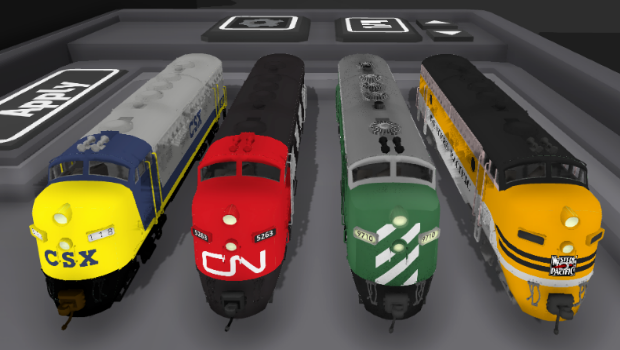
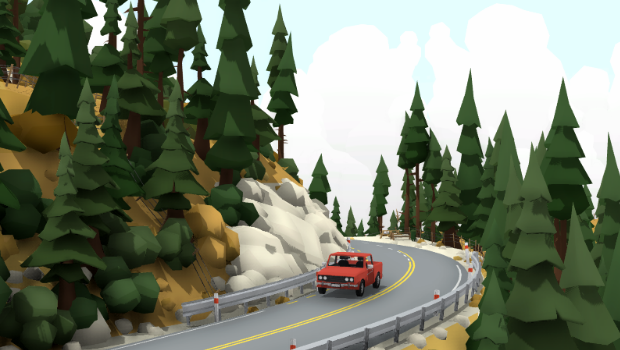
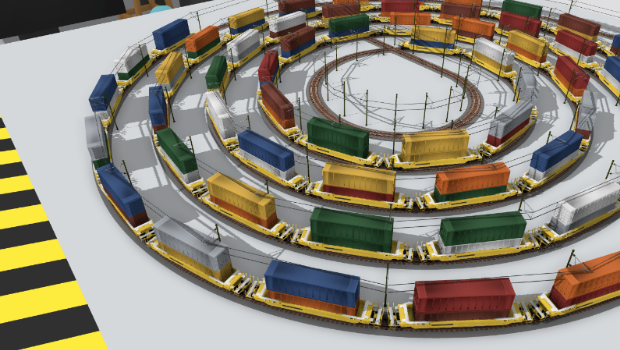
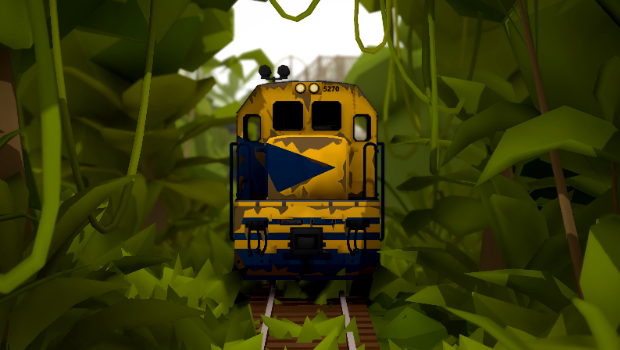
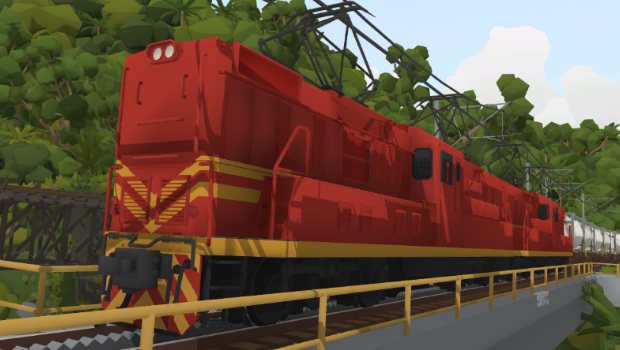
Here's something useful, customizable drawers! With this update you can now create your own drawers and fill them with trains & props of any kind, which means quickMods, liveries, official trains, and all props.
You can place them inside these drawers using a sort of "inventory tetris" system following a grid: (note you can press Q and E to switch direction when placing trains)
As well as trains (liveries, quickMods, etc) these drawers can also store props! All save data like paint color, material style etc is also saved in these drawers:
Unfortunately you can't store track or "painter" props in these drawers yet, though I plan to add this soon (possibly included in the next update) along with more options for positioning and rotation of items in the drawers.
When you open the new "custom" category in the drawers you can add and remove your own drawers:
The save data for these drawers is stored in plain text (just like a normal Rolling Line save file) in the folder "Modding -> custom drawers" If you want to copy-paste drawers between friends then you can access and edit these files directly!
I'm working on adding the ability to include custom drawers in workshop saves (so downloading a map would give you access to the drawers the original owner has) and this should be coming in the next update.
Something useful about these custom drawers is that you can use them to store special rare trains like the golden trains and ghost trains:
Along with these new drawers, this update also includes:
Golden trains can now be cloned.
Individual drawers can no longer be picked up (this use to be a setting, but this feature is very out-dated and is no longer needed since drawers are placeable and moveable now).
Fixed bug where the Brazil freight wagons would disappear from drawers after visiting an easter egg scene.
Pressing Delete on PC use to remove props from drawers that should be un-deleteable, this has been fixed.
And that's all for now!
In a matter of days I'm going to be announcing a livery creation jam for everyone to take part in, so keep an eye out for that!
Pines & Poplars! v3.4
Pine trees? It's about time!
Today's update adds a simple yet massively requested set of props, classic pointy pine trees! Plus the classic tall poplar tree (a very common sight along the rivers and vineyards where I live!). As well as these new trees, this update also adds some other stuff surrounding Easter Eggs!
Firstly, pine trees:
You can find a new drawer full of all sorts of pine tree variants. This includes dead tree trunks as well as some snow-coated versions.
The new poplar trees can be found in the drawers alongside the other trees and scenery props.
Aside from the new tree types, this update also adds a new drawer in the "misc" category called "unlocks"
This draw lets you spawn in any secret props you've unlocked through finding Easter Eggs! (and yes, Rolling Line has a ton of Easter Eggs)
Once you have accessed a secret prop or train it will show up inside this drawer so you can re-spawn it into your map at any stage.
If you are interested in seeking out the many Easter Eggs of Rolling Line then i recommend having a look at this steam group: https://steamcommunity.com/groups/RlEasterEggs
There are heaps of Easter Eggs that have been found already, but there are still some yet to be found, in fact... there might just be some brand new ones... ːTinyBunnyː
This update also includes a few small fixes:
Fixed the Biome Brush values for the jungle trees, they should now space out and layer correctly
Fixed the "near clip plane" of the transform mode camera, it now matches the player camera
Added a couple of small clean ups to the Paranapiacaba map, like a ladder inside the station tower and a new controller holder by the staging yard
That's all for now! I'm currently away from my house but able to work, so updates will still continue, but the timing and topics of the next few updates might be a bit unpredictable. Though i doubt anyone on the player-side is going to notice a difference.
Anyway, enjoy! I bet some great new scenery styles are going to come from these new pine trees!
Major bug fix: Train merging! v3.3
Guess what!
I've fixed something that has been plaguing the game since day one, the "merging" trains and general buggy train movement. This has a bit of a trade off though, since there are unique features to the old system that some might prefer to keep.
So now there is an option to switch between the old and new systems.
In this news post ill go into detail about how the two systems are different and the pros and cons of each. But by default you'll automatically be using the new system, so unless you want to deliberately switch back to the old system, then you should see the new changes immediately!
You can find the setting for the two modes in the "pause menu -> gameplay" menu:
The two options are: Simple (new) and Dynamic (old)
Dynamic (old system)
The old train movement system that i made for Rolling Line that has been in use up until now is the cause of the dreaded "merging" bugs, but it also has some more dynamic features that can't be re-created using the new system.
Specifically, this system has a "wagon slack" effect, where wagons will push/pull each other one-by-one when a train starts/stops. This creates the effect on a long freight train that each wagon has a bit of slack between each other, so when a long freight train is stopped it will actually take time for the movement to spread down the whole train.
It's hard to explain what i mean, but this "wagon slack" effect is something that I added to the game right at the very very beginning of development, and personally i really like how it looks. Here is a visual example of this "wagon slack" in action:
Sadly this wagon slack is the exact thing that leads to the "train merging" mentioned before. At low frame rates this system starts to really fall apart, with wagons breaking apart, merging together, or just moving along with very messy movement. If you are running the game with a good frame rate then this isn't an issue, and you can take advantage of the neat physics of this system without the down-sides.
But of course, a train movement system that falls apart when the frame rate drops isn't very stable... hence where this new train movement system comes in!
Simple (the new system)
The new movement system that this update adds is actually much simpler that the "dynamic" old one, since it no longer takes wagon slack into account. Instead, all wagons will copy the movement of connected wagons 100% directly, making things much more stable.
While it's a shame to no longer have the wagon slack effect, the benefits of having completely stable and reliable train movement is worth it. This new system makes merging trains practically impossible, and trains can be be insanely long without any threat of disaster!
To show the difference in train movement, here is the new system in action:
Aside from the lack of wagon slack, the new system doesn't really have any downsides at all. It's a much simpler and more stable system. If you're in doubt, this is definitely the better choice between the two.
Other features
Aside from the new train movement system, this update also adds in a few other things:
High speed derails
Previously, there was an option to make trains derail if they collide with another at a high enough speed. Well this system has been changed a bunch and is now the built-in default. Trains will always derail wagons ahead of them if the speed is great enough, which means plowing into a row of wagons at high speed now makes for some great crash scenes:
The "infographs" (images and text on the walls) in the Paranapiacaba map now automatically disable in miniature mode, which means things like the map on the wall are not visible when exploring in miniature.
Fixed shading issues on one of the bridge models.
Fixed the "near clip" distance on the transform mode camera (so it matches the players camera).
And that's all for now! I'm sure people are going to be really relieved to finally see this major issue fixed. I'm interested to hear what you think about the old vs new movement and which you prefer, so let me know in the discussion comments!
There's lots of great things still to come, and now that ive got this huge bug fix off my queue it's time for some more fun stuff! Im thinking of running a new competition soon (similar to the Compact Comp and Color Comp last year) so keep an eye out for that, it might even be what the next update is about.
But anyway, in the meantime go and make some long trains and enjoy the absolute lack of glitching wagons!
Trailer video, new photo mode features & more! v3.2
Things certainly have been busy over the last few weeks! New Zealand (where I live) has begun to leave lock-down and things are starting to go back to normal.
During this time I've been making a bunch of additional media for the Paranapiacaba layout, mainly a new video trailer and a 2D track plan image! There is also a bunch of new features added to the in-game photo mode (based around video capture).
New trailer video
Firstly, I've made a new video showing off the Paranapiacaba map! This is actually the first video I've made for Rolling Line since it's release (aside from the soundtrack videos) so it was great to get my "trailer making" workflow back in to action. You can find the new trailer right on the Rolling Line Steam store page:
Or you can view it on YouTube:
https://www.youtube.com/watch?v=mBQbl56Ng2g
Though since the YouTube version is quite compressed, you can also download a full HD version of the video here: https://mega.nz/file/C5swGYKJ#P94bCwrsdYa69vF9seFjlCt4cBJkREl2S0BJN91ajQ0
The music used in the video is from the Rolling Line in-game soundtrack, which was actually generated using artificial intelligence! The exact song used is called "Diamond Skies". I uploaded the full RL soundtrack to YouTube last year:
https://www.youtube.com/watch?v=y-PxFRlEwvc
Top-down track plan of Paranapiacaba
Just like with the other official maps I've made a proper track plan image for the Paranapiacaba layout:
This map can also be found in-game in the Paranapiacaba layout on the wall:
New photo-mode features
The actual in-game part of this update is all about the photo mode added in the previous update. In order to film the Paranapiacaba trailer video i added a bunch of camera panning controls, train quickSave/load, and various other small features.
Panning controls:
You can now set an X, Y, Z offset for camera panning. enabling panning will move the camera using the position values you choose. you can also press "V" to enable-disable (start/stop) panning.
You can also set the "reset point" of the camera by pressing "Shift+R". this reset point can be returned to by pressing "R". This means you can set the start of a panning shot to be your "reset point" then continuously repeating the shot by enabling panning and re-setting the camera position back to the beginning.
Train quickSave/load:
A very useful feature for recording shots of moving trains, you can now "quickSave" the position and movement of trains, then "quickLoad" back to that point. This quickSave/load feature only effects trains and does not require reloading the whole map! For example, you could set up a moving train, quickSave at the beginning of the shot, then continuously re-load the same position in order to get the shot perfect.
This feature was incredibly useful for setting up shots in the Paranapiacaba trailer that involved multiple moving trains in one shot.
Steam trading cards
Something else to note, Rolling Line now has Steam trading cards, badges, wallpapers and emotes! This is something I've been meaning to add for ages, and it's great to finally have some custom profile backgrounds and such for Rolling Line!
You should start getting these card drops automatically now that they are released.
Other features:
As well as the features mentioned above, this update also includes a few fixes and smaller features.
Fixed the depth of field "focal length" setting not working correctly.
Added a "press F12 to take screenshot in Steam" help message to photo mode.
Pausing time in photo mode now also freezes pantograph spark effects!
Fixed small white dots showing up in the transform edit mode view
I'm also hoping to run a competition soon! Much like the Color Comp and Compact Comp of last year. More news on that later on!
In the meantime, I hope you like the new trailer video! There's lots of exiting stuff still to come, and now that Brazil is all finished I can move my focus on to new ideas!
Enjoy!
Photo mode! v3.1
Here's something nice, Rolling Line now has a proper photo mode! In this photo mode you can pause time, move the camera around, change things like time of day, customize post-processing effects and even save HD screenshots.
There use to be a very bare-bones camera mode in the game (more like a developer tool) but this new photo mode is much more user friendly and has tons of new options.
You can press 'C' at any time to open photo mode, and press 'Shift+C" to re-center the camera on your player view.
Screenshot capture
Firstly, you can now save screenshots directly in-game! Pressing "take screenshot" will save a screenshot to your PC, which you can find by using the "open screenshot folder" button. You can even take an HD screenshot (2x your screens resolution) with the "take HD screenshot" option!
You can also do things like switch between miniature and large scale, pause time, set the field of view, and hide the photo mode UI (this is for when you want to take a steam screenshot with no UI on screen).
All of these options also have keyboard shortcuts which are listed in the photo mode UI.
Post Processing
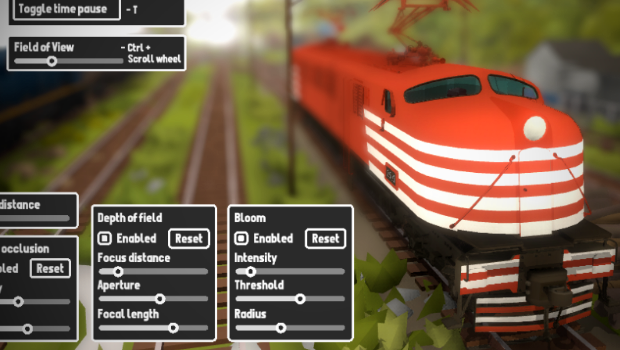
From within photo mode you can also adjust all sorts of post processing effects! These include:
Color correction (contrast, saturation)
Ambient occlusion
Depth of field
Bloom
All of these effects carry across into normal gameplay too, so you can choose to add effects like DoF and bloom to your normal gameplay:
With all these new settings you can make your screenshots more beautiful than ever! Since these effects apply to normal gameplay, this means you can use post-processing in your workshop thumbnails too.
Bloom is especially useful for night-time scenes, to emphasize headlights:
All of these options can also be set in the standard pause menu (outside of photo mode). You can find them in the "pause menu -> graphics -> post processing options" menu.
Photo mode can also be opened in VR, but it must be controlled using a keyboard and mouse on the computer (there are no in-VR controls).
Effects like Depth of field also work in VR too!
Store page cleanup & new icons
As you might have spotted, Rolling Line now has a whole new set of Icons and branding based on the new Brazil layout! There are a bunch of new screenshots on the store page too.
I'm working on updating the store page to reflect all the new features rolling line has gained over the years, since all the information was quite old.
I'm going to be recording a new trailer showing off the Paranapiacaba map as part of this, so keep an eye out for that!
Other things
Though the photo mode is the main feature, this update also includes a range of fixes and other things:
New random variations of starting trains on the Paranapiacaba map. Now when you start a new game of the Brazil map there are multiple types of trains and locations you might start from.
Added new single rows of vineyards as props.
Adjusted wind and thunder values for some weather presets.
There is now no setting for "allow photo mode", it is always accessible without any need for a setting.
Fixed issue with menu buttons being spaced out on the quickMod spawning drawer.
Fixed the same issue on the signal menu.
The standalone player icon has been updated.
Anyway, this update should have quite a big effect on the quantity and quality of screenshots! taking screenshots just got a whole lot more enjoyable, easier and customizable.
So keep an eye on that and i might post something of yours! I post screenshots from Steam, Discord and I take my own screenshots of all sorts of workshop maps.
Twitter is also the most up-to-date place for you to get news on what im working on (and what the next update is going to be)
Share your screenshots on the Steam community, or even share the link in the comments of this news post and your screenshot might show up on Twitter!
Enjoy!
Paranapiacaba, Brazil v3.0
After many, many months in the making, It's time to finally release the Brazil layout!
Welcome to Paranapiacaba, Sao Paulo, Brazil!
An abandoned company town deep in the Brazilian jungle. It is kept open to the public as a preserved historic site, and stands at the top of a large funicular incline down to the sea.
I visited Paranapiacaba in person last year on a trip to Brazil, and all the Rolling Line updates since have been working towards making this map a reality! Dynamic track made the many curves and complex track designs possible, Overhead wires brought electrification to the layout, modular buildings and jungle props created the deep jungle scenery and unique buildings, weather values added Paranapiacaba's famous fog, the V8 and Side-rod locomotives and all the new freight wagons populated the track, and so much more!
This layout now stands as a showcase of everything Rolling Line is capable of in 2020, 2 years after I initially released the game back in April 2018!
This update marks the 79th update for Rolling Line, and the 15th update of 2020. So far I've managed to release an update every single week of 2020, and Rolling Line is growing faster than ever!
It's been a mighty busy year so far, but it's been worth it. I'm so proud to finally be releasing this layout, and I still have huge plans for what's still to come! Rolling Line has a big future ahead of it, and I can't wait to keep growing this game to reach it's full potential. But most of all, the community is what keeps this game alive! 1000's of liveries and layouts on the Steam Workshop, countless incredibly talented content creators and so many passionate members of the community who spread the word about this game and bring new players along to take part!
On the grand scheme of train simulators, Rolling Line is still quite a lesser-known game, and there are still so many people out there who have never heard of it. But at the rate things are going, Rolling Line could one day be up there with the big boys.
I can't wait to see what Rolling Line's future has in store, but i can tell you one thing for certain: I have zero intentions on stopping development of the game, I have more update ideas in mind than i could ever add, and i intend on continuing to update the game for as long as i possibly can!
So think of the release of this map as a celebration of 2 years worth of progress, and excitement for many more years worth of potential still to come!
But anyway, lets go into more detail on the actual map:
Paranapiacaba is an abandoned company town built by the Sao Paulo Railway Company and is in the state of Sao Paulo, Brazil. It stands at the top of a large funicular incline that transports freight down to the sea port of Santos. The town has a rich history and serves as an important historical site in Brazil's railway history.
In the current day, the town is preserved as a historic landmark and contains many museums and sights to see. It is open for the public to explore and is even a popular tourist destination in Sao Paulo. Modern day freight trains still operate here, and the railway down the incline to Santos is still very much in use.
If you would like to have a look for yourself, try exploring a bit in Google Maps!
As well as the town of Paranapiacaba, the layout also features the funicular incline, the MRS Logistics complex at the base of the incline, Campo Grande station outside of Paranapiacaba, and parts of the Brazilian jungle.
The layout also features lots of info about the real-world locations history, along with photos. You can find these kinds of info blurbs all around the layout!
This layout is completely free, and you can find it in the list of maps when you choose "New Game" on the main menu.
I'm hoping to make some more media surrounding this new map (like a video trailer and official top-down map) in the coming weeks. There is also going to be some updated screenshots and information added to the Rolling Line store page soon, to keep information up-to-date with the current features the game has.
Aside from the new map, this update also includes a bunch of new props:
Engine workshop props
Props of wheel blocks and various wagon pieces (great for scrap and engine workshops)
Various new buildings, roof shelter and revolving door
A bunch of wooden wagons, wagon wheels ladders, metal boxes, carts, some petrol cans and a water bottle
A under-track inspection area, which can be placed underneath rails
Two of Paranapiacaba's unique buildings, the clock tower and station building
As well as new props, this update also includes various fixes and features:
Made big optimizations to how dynamic track is generated, which means that maps that use large amounts of tracks can have up to 1.5x faster loading times! Track must be enabled for editing then re-saved for these new optimizations to take effect.
Fixed odd collision on the new U20c locomotive's front.
Fixed the clock prop's placing rotation (it was previously reversed, so the clock would need to be flipped to be correct).
Fixed a random floating menu button off in the distance.
Added a setting for "Show map info & images" which you can use to hide the info blurbs and image posters included in the new map.
Fixed the menu height offset on the quickMod drawer when the drawer is scaled up/down.
Fixed the wheels still being visible in the distance for the newly added freight wagons.
fixed a broken mesh on one of the canyon props.
And that's all for now! This map is the largest sum of content I've ever worked on for Rolling Line, and it's the first ever official layout since the Santa Fe!
Also a huge thank you to the members of the Rolling Line community who helped in various parts of making these updates possible:
Thank you to Long, who made the models for the two freight wagon gondolas, and Joa who made the model for the curved-roof boxcar
Thank you to Joa and Raul who made the model for the V8 locomotive
And thank you to Ze Trackmeister, William Tremblay and Joa for testing the map before it's final release!
I hope you have as much fun exploring and operating trains on it as i did making it. Enjoy!
Weather values and freight liveries! v2.34
There's a whole bunch of stuff in this update, like advanced weather customization, new livery templates, new locomotive sound features and a bunch of new settings & options.
New weather types
To start with, the weather system has undergone a few changes and new additions! The previous "weather presets" are now displayed in a list with preview pictures, and there are some new weather types added.
You can now use a "no clouds" weather option which has perfectly clear skies, which is perfect for desert layouts:
And fog has also been added! Heavy fog even has 3D clouds that blow along the ground:
Weather customization
Instead of using the weather presets, you can now fully adjust each weather value individually! This means you can change things like rain/snow/fog intensity, thunder storm intensity, wind strength etc. You can even create strange combinations like rain and snow at the same time if you choose.
To make use of the custom weather values, simply change the weather type to "custom" and go in to the "custom values" menu to change each value:
Freight wagon liveries
All of the 4 freight wagons added in the previous update now have custom livery templates!
You can already find player-made liveries of these new freight wagons on the Steam Workshop, but here are my own examples for each of the new templates:
As with all the other liveries, you can find the templates in the "Rolling Line -> Modding -> templates" folder. You can also find a guide on how to make liveries here: https://steamcommunity.com/sharedfiles/filedetails/?id=1405658466
New locomotive sound features
A minor feature added in this update is that locomotives are now silent (engine off) when you place them on track. Once you enter the cab (or take control with a hand-held controller) The engine will start up. Diesel engines even have a new sound effect for starting up the engine! The engine sound will be disabled again if you re-place the locomotive on track.
Wagons and locomotives also now have a derail sound effect. They will make a crash sound when derailing off the tracks.
New settings
This update also adds a bunch of new settings, these are:
Shift-click prop painting is now disabled by default, you can re-enable this in the "PC options" menu. Shift-click painting will paint all editable props within a radius, which many people disliked since it was easy to do this by accident. You can still shift-click paint track without needing to enable the setting though!
There is now a setting to exclude missing quickMods when loading workshop maps. Seeing the "missing quickMod" placeholder all over the place can be annoying, so you can now choose to load maps with them removed. This option is found in the "workshop -> downloaded layouts" menu.
You can disable planes in the sky. There is now a setting to toggle whether planes flying around in the sky are visible.
You can now adjust the distance at which items are selectable in VR (the radius around your hand). This option can be found in the "VR options -> interaction" menu.
Other features and fixes
Lastly, this update includes a bunch of bug fixes and small changes:
The text shown on the hand-held controller has had a few unnecessary messages removed e.g. "new train selected", "driving: ..." the text shown on the controller is now much more direct and to-the-point.
The issue with the transform mode edit tool not moving to the newly selected prop has been fixed.
Fixed issue where moving an object into the rubbish bin using the transform edit tool would lock you in the transform edit mode.
Fixed the "none" sound preset for quickMods. all engine sounds are now properly muted.
Added the new U20c horn sound to quickMods "diesel_u20c".
Fixed the wagon hover text saying "push left" on both sides, instead of "push left" and "push right".
All Easter egg scenes were broken thanks to the recent SteamVR update (the player was not set up properly with the new system) this has been fixed.
Fixed mesh bug on the U20c horn.
Fixed mesh bug on the concrete wall prop.
Fixed hover effect on the new freight wagons not highlighting the rust model.
Fixed issue in VR where you could teleport onto the coupler of a held train (which would cause the game to freeze).
And that's everything! Heaps of stuff in this update for sure. I'm getting everything organized for the Brazil layouts release, and there is still a bit more left to do before then. Next up im going to be adding some new post-processing options to the game! as well as finally making improvements to the photo-mode (which has been a messy developer-style feature for a while).
Progress on the Brazil layout is going great, and It's going to be officially released within the next couple of weeks!!
In the meantime, enjoy these new livery templates and weather features!
Freight wagons! v2.33
Time for a bunch of new wagons, but these wagons come with something special, rusty variants!
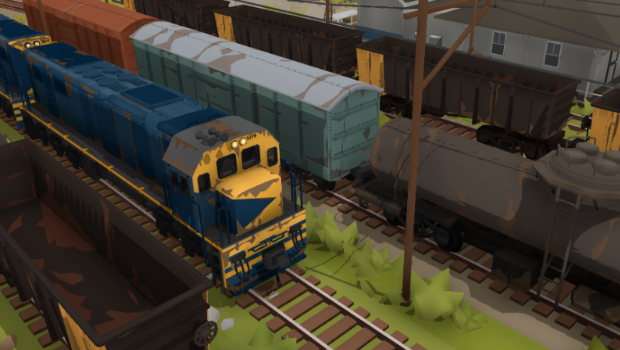
This update adds 4 new types of freight wagons, all of which have a "half rust" and "full rust" variation. As well as these wagons, this update also includes a version of the classic DX locomotive with a Brazilian livery (for the Paranapiacaba layout) which has a few changes to make it more like a U20c locomotive. This new locomotive also comes with rusty variants!
Here are all the new wagons:
Curved roof boxcar:
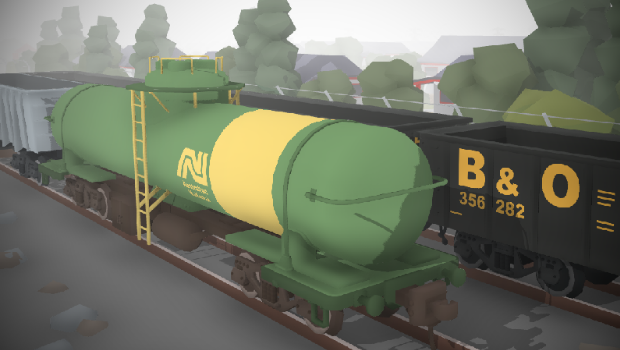
Tanker car:
Ore gondola:
Long gondola:
And of course, the U20c:
Thank you to Long, who made the base models for the two gondolas, and Joa who made the base model for the curved-roof boxcar!
You can find all these new wagons & loco in the "freight 2" drawer:
Custom liveries will be coming for these freight wagons at a later stage. The U20c though will not be getting a custom livery template, since I am planning to make an improved version of the model later on (as part of the Weka Pass, which will include several historic New Zealand Rail locos!)
Along with these additions, this update also includes various fixes:
Added "add left/right" ability on custom track! this feature was usually limited to the main layout, but you can now build trains using this system everywhere! Hold shift while hovering over a wagon to use the Q and E add left/right options.
I've made a bunch of changes to decoupling, so issues like not being able to decouple from a moving locomotive, incorrect "decouple/push" button prompts, random situations where decoupling wouldn't work, etc, have all been fixed!
Fixed issue where trains couldn't be pushed after loading a save. keep in mind you still cannot push a moving train, but any uncontrolled stationary train can be pushed now.
Fixed bug where wagons could have incorrect wheel positions when placed on track (usually occurred with small wagons, like the flyer tender).
Fixed plow positioning on the Side-rod loco.
Fixed issue where very small props would have their position data rounded down in saves, resulting in small changes in position.
And that's all for now!
As you may have heard, most of the world is going into lock-down thanks to the covid-19 virus, and as of a couple of days ago New Zealand also went into a full lock-down.
Considering i work from home, this hopefully wont effect my work on Rolling Line much, but we are living in crazy times, so who knows whats going to happen. Regardless, I'm continuing work on the Brazil layout and i plan to be releasing it in a matter of weeks! unless I catch the coronavirus of course.
Anyway, in the meantime, enjoy these new freight wagons!
If you're in lock-down then this is the perfect time to work on your dream layout project!
SteamVR upgrade! v2.32
Here's something VR players have been wanting for a very long time, an upgrade to the new SteamVR input system!
There are also a few other minor changes, but the vast majority of this update is focused on VR.
The main benefit of the new SteamVR upgrade is that controls can now be fully customized! All OpenVR based headsets and controllers are now supported too, including:
HTC Vive
Valve Index
Oculus Rift
Rift S
Windows Mixed Reality
And any other headsets that use OpenVR and can be set up with the SteamVR input binding system.
To go into full detail, here are all the features and changes of this new system:
You can run the game entirely without SteamVR
For players who have a VR headset but want to run the PC mode, you can now do this without needing to open SteamVR. If you use the second launch option (when running the game from your game library) SteamVR will not be launched, and the game will run in PC mode with zero connection to your VR headset.
You can also manually add the launch tag "-playpc" to force this option without needing to use the specific launch option from your game library.
Customize VR controls
You can now use the SteamVR input binding system to completely customize your inputs for all controllers. I've written a proper guide here on Steam that goes into detail on how to change your bindings, and what each binding option is used for:
If you have the Valve Index controllers (aka "knuckles" controllers) you can make use of full finger tracking.
Valve Index buttons in tutorials
Both tutorials have been updated to include instructions for the Valve Index. The floating instructions UI has also been moved to the top of your view instead of the bottom, which makes interacting with items during the tutorial much easier.
Improved locomotion options
Directional locomotion (with the joystick/track-pad) is now smoothly controlled, so a slight shift of the joystick will make you move slowly, while a larger shift on the joystick will result in faster movement.
The same smooth control is also applied to player rotation now too (if you have your rotation locomotion option set to "smooth")
Improved Windows Mixed Reality support
WMR controllers now have proper bindings, which can also be customized further using the SteamVR input binding system.
Please note: the tutorials still do not show WMR button icons.
Hold/toggle grip options
You can now choose between "hold to pickup" and "toggle to pickup" when picking up items. By default this will be automatically set by the controllers you are using. Controllers like the Valve Index and Oculus Rift are generally nicer to use with "hold to pickup" so that the item will be dropped when you stop gripping the item.
Meanwhile the Vive controllers (with clicky grab buttons) are better suited to "toggle to pickup" where you pick up an item by clicking grip, the click grip again to drop it.
You can leave this option automatic, or you can change it to use either system as you please.
Cleaned up menus for controls
Both PC and VR control options have been organized into their own menus, so all the settings you need to adjust for VR are all in one place.
Hand physics removed
hands no longer collide with dropped props (which would knock things around constantly). You can still push trains if the "push trains with hands" setting is enabled, but general collision has been removed.
VR hand model & pointer
The hand models in VR have been completely replaced, and now animate based on your input. The pointer UI and selector UI are now aligned properly for all VR controllers.
Minor input changes
Certain items/objects have adjusted inputs, like menu buttons can now only be used with the trigger, not other buttons. Props can also now only be spawned from drawers using the trigger or context-up action.
Input UI now shown for items in drawers
The "hover UI" (which shows up/down/left/right actions for VR and PC) is now shown for items in draws. This means controls for things like multi-painting are visible in drawers when they previously weren't.
Added a "legacy_SteamVR" branch
If you are experiencing issues with the new VR system, report the problem ASAP. But in the meantime you can switch to a beta branch called "legacy_steamvr" which will still have the old VR system, so you can at least still play the game while I try and solve the problem.
And there we go! that was a hell of a list of features.
This update has been requested for a long time, so i hope people are happy to see it happen. I'll be back to work on the last parts of the Brazil update after this, but it was certainly worth it to get this VR upgrade sorted.
Enjoy!
Electric Side-rod locomotive + liveries! v2.31
It's time for a new locomotive! This is a pretty unique one, and it's used in Brazil on the incline at Paranapiacaba. It uses a toothed gear to hook on to the toothed rail to climb up the steep incline. It also makes use of the electric overhead wires, so its a pretty special little shunter. And a huge thank you to Long for making the base model for the new loco!
This loco is known as the Hitachi side-rod (or Hitachi Cremalheira). The "side rod" name comes from the unique gear powered wheels:
The side-rod comes in two different default liveries, one for the modern MRS Logistica, and one for the historic RFFSA (both or which were used at Paranapiacaba)
You can find the new loco in the "electric trains" drawer:
To fit with the RFFSA livery, I also added a new RFFSA livery for the V8 as well:
Custom liveries
Along with the default official liveries, I've also set up custom liveries for the side-rod as part of the same update! You can make your own custom liveries and upload them to the Steam workshop right away!
You can find the templates in the "Rolling Line -> modding -> templates" folder, or you can get them right here:
Props
As well as the new locomotive, this update also includes some new props!
This includes:
A whole bunch of various scrap props, like pallets, wood planks, wood piles, a tool bench and a small chair:
A pylon:
A couple of thin pole shapes:
Some more variations of the modular shed walls:
And that's all for now! I'm still working on the big Brazil layout, and its coming along nicely! There's still a few more updates to release before finally finishing the map, but its all going very smoothly.
I hope you enjoy the new locomotive, and making liveries!