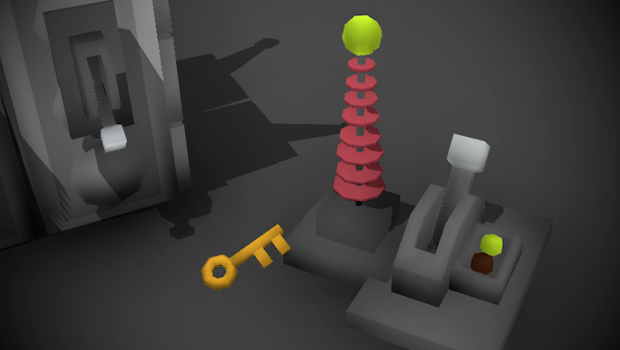
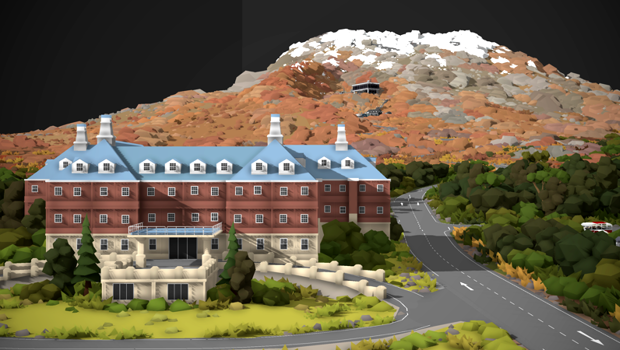
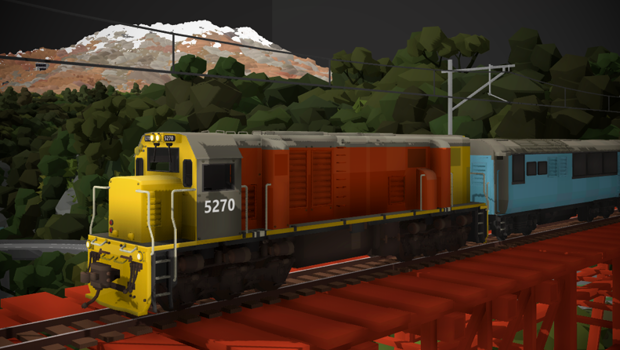
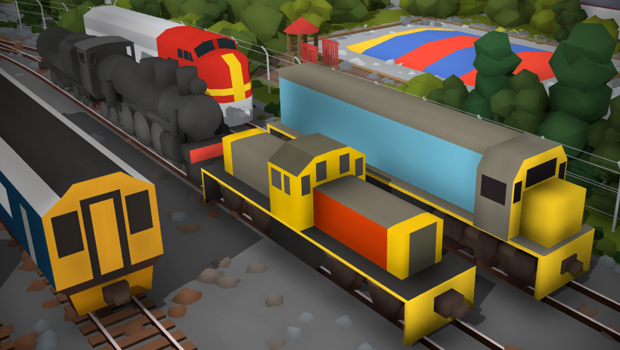
This update is quite an unusual one, it's all about bringing interactivity to maps! It adds things like keys, locked doors, train triggers, player teleporters, something called a "remote trigger activator" and more.
With these new tools you can make things like puzzle maps, exploration challenges, more advanced train automation and even complex circuits. From simple actions like making a bunch of lights turn on when you flick a switch, or opening doors with the correct keys, all the way to fully automated train dispatching in a complex yard.
These tools are quite simple at their core, but can get quite confusing and complicated once you get ambitious with them. I've made a full guide on how to use everything added in this update:
You can find all of these new tools in the "Room -> Automation" drawer:
Keys & doors
Firstly, there are now props for keys and a bunch of different kinds of doors. Both the keys and doors have a "password" which you can set, and if the passwords match then that key will be able to open the corresponding door.
You can use these to make all kinds of exploration puzzles (like maps where sections are locked off until you can find a key to progress). I've made a maze puzzle example already to show these tools in action:
The next part of this automation system is "triggers", these are props which send out a trigger signal when activated. This can be either a lever that you click, a sensor for when the player is near, or a sensor for when a train is passing overhead.
The "password" you set for a trigger will mean that any other objects that share the same password will be "activated" when the trigger is set off. This can be used to make a lever open a door, or a train passing by switching a turnout, etc.
Remote trigger activators
These are a bit more complex. Basically a "remote trigger activator" is a prop which can "click" on other objects around it when it receives a signal. This "click" effect is exactly the same as the player clicking a button, so it can be used for all kinds of interesting things like turning on lights, toggling turnouts, decoupling wagons, pressing menu buttons, etc.
Please read the guide mentioned earlier for more info on these, and even a step-by-step example of how to use them.
Range extenders
This is another complicated one. These "range extenders" are used to repeat a remote trigger activators "click" effect range further. Meaning that if a remote trigger activator clicks on a range extender, then the range extender will repeat the same "click" effect within its range.
Like in this example, the remote trigger activator on the left tries to "click" the range extender, and the range extender repeats the "click" so that the lever on the right is clicked:
As you can imagine, you can do all kinds of complex stuff with these. Please read the guide mentioned earlier for more info on these as it is quite a lot of information which doesn't need to be repeated in this news post.
Combining all these tools together you can make some pretty interesting stuff! For example, I've made a quick map which uses these logic tools to create a puzzle where you need to activate the 3 different power sources in order to start a generator engine, which is required to open a door and progress. I would love to see this kind of idea expanded into a proper adventure map!
I'm planning to run an "adventure map jam" quite soon which will involve making maps that make use of all the interactive features, like being able to walk around in miniature and the new automation tools in this update!
New modding features
Another big part of this update is new features for prop modding! Continuing with the "adventure map" theme, you can now create some interesting kinds of items as prop mods, like hand-held torches:
And even using a combination of particles, sounds and lights for some fun effects:
This is now possible due to these new additions to prop modding:
Particles - you can now add particle systems to prop mods, just like the steam effects for train mods
Lights - you can add light sources to prop mods
Light flicker effect - just like how you can make lights flash on/off, you can now also make them flicker for a nice fire/spark effect. You can also change the fade speed for when they are turned on/off
Infinite render distance - prop mods can now be set to always render no matter how far away they are. This is great for making terrain or backdrop scenery using prop mods
"on click" control - you can make it so that effects like lights, particles, animations and audio can be triggered when the player clicks while holding the object in their hand.
toggle on click - control can also be changed so that effects are toggled on/off on click, which is perfect for making a hand-held torch.
In addition to these, you can also now set exactly what visual angle a prop mod appears when it is held by the player, which is great for doing things like this:
As shown in the above example, you can also make props "spawn copy on click" when they are placed on the ground. This is prefect for making items pickupable on an adventure map, like notes for the player to read, or items for them to grab and hold.
Texture filtering options for mods
You can now set texture filtering options for individual textures on any mod. Next to any texture asset is an "options" icon which you can click to open this menu:
"Hard pixel filtering" will make pixelated textures appear sharp-edged instead of smooth. This is perfect for if you want to make retro style pixel art.
"Tiled repeating texture" means that the texture will use the standard UV mapping technique where the texture is infinitely repeated in all directions.
Custom sky colors
You can now fully customize the skybox color, sun color, fog color and the shadow strength. You can find these options in the "time and weather -> advanced -> custom values -> custom sky colors":
This is amazing for creating unique atmospheres for your maps!
There are also now a couple of new weather presets:
"full dark" - which disables all skybox features and leaves your map completely pitch black, aside from any light sources you have made. This is great for if you want to fully control lighting youself using prop lights, or for any map idea where you want pitch-black darkness.
"no skybox" - this option disables the skybox but instead shows the rest of the room just as if you were in large scale.
Guide links in-game
You can now find links to the official guides (on the Steam Community page) in-game. These are in the "tutorials" menu, and in some drawers (e.g. the roads drawer has a link to the roads guide). Simply click these and the guide will open in your web browser.
Better decoupling controls
This is a really simple change that makes things so much easier, couplers are now linked so that clicking on one will highlight both of them, and decouple in both directions:
Corrugated iron sheet props
A bunch of new snappable corrugated iron props have been added:
Other fixes & features
This update also includes an absolute ton of other minor features, these are:
You can now access train mods from within the "trains" category of drawers, instead of needing to go to the "mods" category. You can find the train mods drawer in both locations now
There is now a message popup when toggling snapping with the function shortcut keys, as well as an on-screen message to show when it is disabled. You can choose to disable these visual effects in the settings if you prefer
Fixed a bug where you could still equip items while in the main menu
Blocked using the "." character in save file names
Typing an empty name for a mod will exit out the menu without creating a new mod, effectively acting like clicking cancel
fixed collision on boats
fixed collision on fence prop
fixed collision on all legacy tunnel props, and tunnel portals
fixed the lid on the pumpkin prop
fixed the "use inventory in miniature" setting so that it also blocks the ability to pickup editable objects
adjusted the range for the vignette setting so that it is no longer possible to make your whole screen black
fixed a bug where trains would lurch a bit when entering the cab
fixed bug where wagons would not derail if the track was removed from underneath them
fixed bug where the item highlight effect would break briefly after uploading a workshop item
And that's everything! This update really ballooned out of control, I wasn't planning to spend this long on these "adeventure map" features but they just ended up being so fun and interetsing that I had to keep digging deeper. I still have some more ideas which will be added before the next update, but the goal is to run a map jam themed around creating these cool kinds of interactive maps. With a combination of prop modding, automated systems, interaction and player physics the potential is very exciting! There will be more news aboud this adventure map jam event coming soon!
Patch v 5.4.13_4
This patch fixes a few bugs and makes some changes since the last update, these are:
Fixes a major bug where it was possible to make a map load multiple times over itself by clicking the mouse button during the start of the loading screen. This bug would cause duplicate props & trains to load and lots of other issues.
Fixes the bug where turntables would load without all of their connected track correctly setup (some track would have dead ends and not connect to the turntable)
Fixes legacy quickMod collision so the player can stand on top of wagons properly
fixed bug where the slowest movement speed step (when toggling speed with ctrl) made the player not move at all
"infinite" layout view distance setting was not actually infinite, just very large. it is now actually infinite (almost)
fixed part of the cab mesh and collision on the livery sprinter
trains will no longer start their engines when you stand near them, they will only enable when you actually stand on the train physically or enter the cab
fixed the container and doublestack wagons so that the player can stand on them properly
VR player height setting now works in miniature too
improved the collision on the livery big boy
you can now walk up the footsteps on the ac4400cw with more detailed collision
the older bus model now has collision
prop versions of the old bus and rusty bus have collision
improved the collision on the signal gantries
improved collision on a whole bunch of other props
Added a new mini glowbell prop
I've also been experimenting with pixel texturing in modding just for fun. Here's an example of how you can make something with an entirely different art style using prop mods: https://steamcommunity.com/sharedfiles/filedetails/?id=2999214884
To enable the hard-pixel texture style you can add the launch tag to the game "-halflife" (This launch tag basically forces all modded texture loading to use hard pixel filtering instead of smooth filtering)
player physics! v5.4
This update is quite a fun one, you can now walk around in miniature mode like an actual player character! This means gravity, jumping, ladder climbing, walking around on trains and inside the cab, etc.
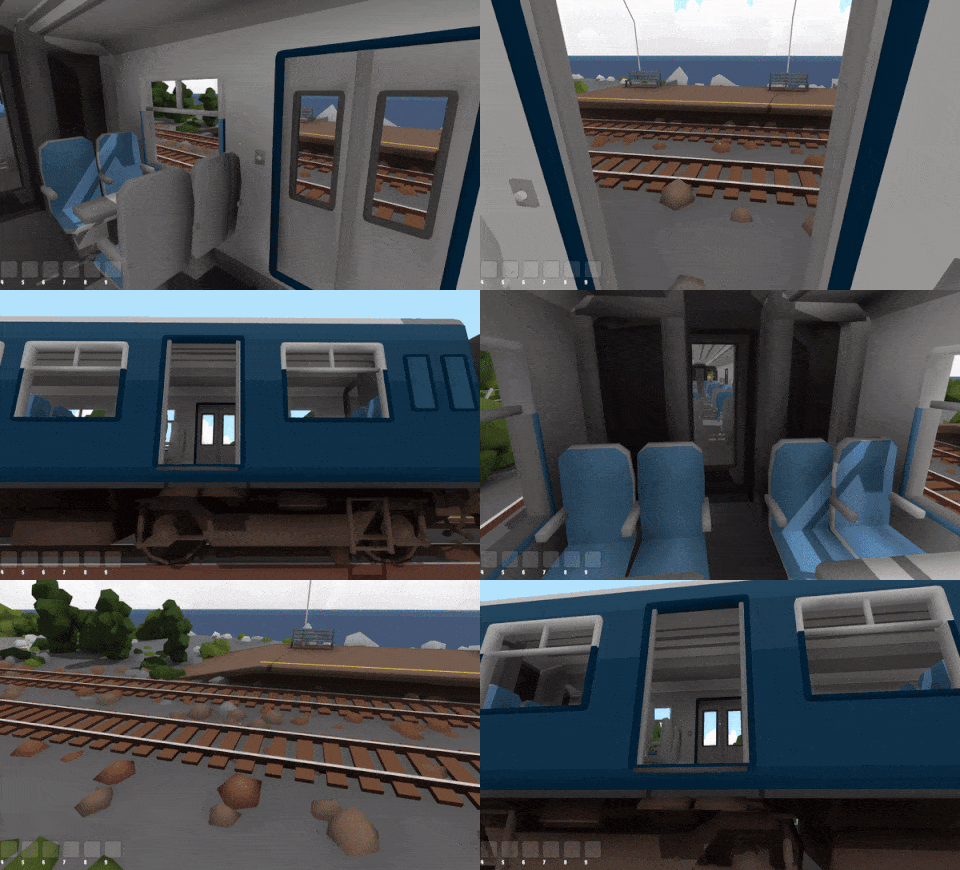
All official trains and wagons have been updated to include proper collision and ladders, so you can fully walk around on the outer walkways. For trains with openable doors (like the Sprinter and AC4400CW) you can even open the doors to walk directly in to the cab!
You can also now use items when in miniature mode, which means you can place and edit props and use the hand-held controller to drive trains while in miniature.
This update also comes with a redesign of the VR control scheme (to be better suited to walking and jumping) as well as a huge amount of minor features and fixes.
Walking physics
To start off, let's talk about the new walking physics! Something that has always been lacking in Rolling Line is that feeling of actually being part of the physical world, since a floating camera just doesn't get the job done.
I've always wanted Rolling Line to have walking physics, but incorporating this in to a game which was not designed for it from the beginning was certainly going to be a big undertaking. But I'm incredibly happy with how this has turned out, and this might in fact be one of my favourite features in the whole game. Walking around and having a physical presence in the world makes maps explorable in a whole new way, and finally makes Rolling Line feel more like a "game" than a piece of software.
And from a creativity perspective this feature makes things like platformer maps and all kinds of cool map ideas a possibility, in fact I'm hoping to run a competition themed around this idea someday!
You can walk around with W A S D, but you can now press Space to jump (replacing teleport) and while in miniature mode your player will be affected by gravity and collision with the world around you.
If you want to still make use of teleporting, you can re-bind the teleport button to something other than Space and you will still be able to use it at any time like before.
You can also climb ladders by holding space when near them:
And just for fun, I also added a "jetpack mode" setting which you can enable if you want to just freely fly around jetpack style, which is an awesome way to explore a map!
Climbing on trains
All official locomotives & wagons have now been set up with accurate collision and ladders. This means you can walk along the walkways and climb on top of trains fully using physics.
For trains like the Sprinter and AC4400CW with openable doors you can walk directly inside the cab, but for other trains you can still press Tab (teleport) to enter in to the cab. Once inside the cab you can walk around too, and press Tab again to exit the cab.
This does absolute wonders for immersion, and climbing directly onto trains & vehicles like this is something I've always wanted to add in to the game:
Using items in miniature
The next major feature this update adds is the ability to fully use your inventory while in miniature mode. This means you can place props, edit them, paint them, etc.
You can also use the hand held controller to drive trains while in miniature!
The only limitation of this is that you cannot place track, since placing track in miniature was proving very complex and full of issues, while it is not really a very useful feature anyway.
You can enable/disable both physics in miniature and items in miniature in the options menu: Pause menu -> gameplay -> miniature mode options
In this menu you can also change your player move speed specifically for when you are in miniature mode.
If you fall off the map in miniature mode you will automatically be teleported back to the menu if you drop below a certain height.
You can also now use the scroll wheel to change your player height while in miniature (just like in large scale).
VR controls update
Due to all these changes, the VR input bindings were in need of a redesign. Since directional movement (walking) is actually good now, it's now the default movement option. You can of course still disable this and go back to just teleporting, but when just teleporting is enabled you will not be able to make use of the new player gravity or jumping. Have a look in the "Pause menu -> VR Options" menu for all kinds of options you can change relating to VR controls. And remember you can always manually re-bind all the VR controls as you please:
Left hand = directional movement (joystick) Right hand = teleporting, jumping, rotation
All the button bindings are still the same (e.g. up on the joystick to teleport at current scale) except they have been restricted to one hand each to clean things up.
This gets rid of the whole "hold trigger to switch control schemes" system which the game had before which was horrible to use.
One thing to note is that you can still use normal teleporting by holding the trigger to force override the jump control.
e.g. on the Vive controller, pressing D-pad up on the right hand will make you jump, but holding trigger + D-pad up will make you teleport.
You can change which hand is used for direction movement in the VR Options menu:
All the tutorials have been updated to include these new bindings, so if you want a more practical example of how this control scheme works try playing the "basic movement" tutorial from the main menu. The tutorials have also been updated to show bindings on the correct hand.
I highly recommend having a go in VR with these new controls and player physics, it's a hell of a lot of fun!
Collision options in modding
All of the new features (complex collision, ladders and walkable cab interiors) are now available to use in modding as well!
I have added a new example mod which makes use of these features to the "Rolling Line -> modding -> templates" folder, and you can also find a copy of this mod on the workshop:
In the modding manager you can now access collision options when editing a train mod (the "Collision" menu from the main menu when editing a train). These collision options look like this:
The "Collision mesh" is a 3D model which represents the trains collision. This should be as simple as possible and should only contain cubes, not complex shapes or topography. These cubes should also not be too thin since the player can easily get stuck on complex or thin geometry.
if you want to allow for the player to walk around inside the cab, make sure to leave the cab area hollow (use cubes to block out the roof/floor/walls etc).
Tick the "Supports interior collision" option if you include a hollow space for the cab, so that the game knows to spawn the player inside it and keep using physics.
For example, here is what the collision for the F7 looks like:
Notice how the cab is made of individual boxes, so that the inside is hollow:
The "ladder collision" should contain only flat planes (not cubes or volumes). Basically the game will check if the player is touching any of the parts of this mesh and if so, allow them to climb. All ladder areas are included in one single mesh.
Here is what the ladder mesh looks like on the F7:
The "cab interior region" mesh is a flat plane (like the ladder mesh) which should cover the floor area of the cab interior. When the player is standing on this surface they will be treated as "inside the cab" by the game. This means their movement will be slowed down, and any teleporting will ignore the wagons collision, so they can easily teleport outside to exit the wagon. You can also change the speed modifier when the player is inside this cab (their speed will be divided by this value, 1 = no speed change, 2 = move twice as slow).
Here is what the F7's interior trigger mesh looks like:
Other fixes and features
This update also includes a ton of smaller stuff:
Fixed lots of minor issues with certain item previews in the inventory equip bar
When a mod is refreshed in the mod manager, and copies of the mod in your inventory are removed
You can no longer teleport on to the mod preview when inside the modding manager
If a segment of road has an embankment it can be painted directly on click (without needing to open the style menu)
Fixed missing snow mesh from the front wheels of the big boy
Fixed bug where if you were holding a bounds-box in your inventory it would get stuck when exiting the bounds box editing menu
Fixed bug where picking up a reversed train would mean that its preview icon would also be reversed
Fixed the "clear all dropped items" button breaking items in your inventory
Fixed issue with the livery system that was causing some wagons to not properly be replaced with their defaults if the livery was missing
Fixed lighting issue with alpha-emit materials
Props scale data is now saved with more accuracy, helping avoid unexpected scale values when reloading a save with very small items
Fixed issue where trains would not move correctly when placed on turntables
Fixed issue where cloning colours from a custom drawer would not create the correct inventory preview icon
Fixed the default bindings on Joypad for switching items in your inventory
Fixed mesh normals issue on the AC4400CW
Fixed lighting issues on the dynamic road generator UI
Fixed lighting issues on the Santa Fe maps backdrop
Fixed mesh alignment on one of the wooden tables
Fixed bug where fog would be visible on preview icons (making them look grey when on a foggy map)
You can now still hold shift to run when the edit tool or locomotive controller are in your hand
Pausing time in photo mode now also pauses turntable movement
Moved the AI control buttons in the Sprinter to a better position
The Sprinter now has door opening buttons on the outside
There is now a warning popup on the main menu if you are missing certain SteamVR input bindings
Fixed the "push wagons with hands" in VR setting, which was broken before
And that's everything! This update is a personal favorite of mine, since it makes such a huge change to the feeling of the game. Miniature mode has gone from being just a different camera perspective to an entirely different experience. I can't wait to see the kind of map ideas people will come up with that make use of these new player physics, like platforming challenges, tunnels and mazes. Have fun!
New PC item system! v5.3
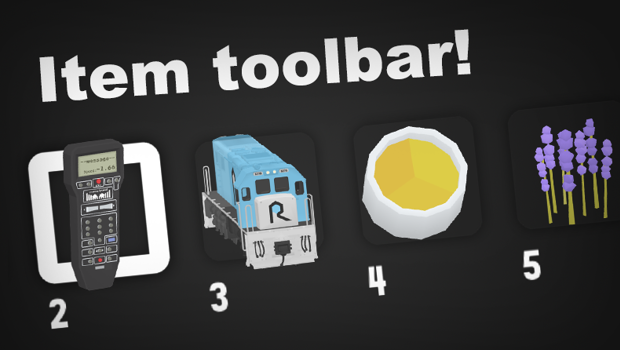
This update gives the PC-only interface a bit of an upgrade! You now have a full 9-slot item toolbar which functions a lot like Minecraft, where you can scroll between the currently selected item. This replaces the old "belt" system where you store items on either your belt or in your hand. You can still enable this old system if you prefer. There is also now no longer a physical belt object on your player.
Items in your inventory toolbar also have full 3D icons, and your items are included in save files!
A system like this has been something Ive had in mind for ages, it just never quite made it to the top of the queue. The VR controls and belt are unchanged, this would require a separate update dedicated to VR which is also on my to-do list, but this will be a huge quality-of-life improvement for PC players!
How the new system works
If you've ever played Minecraft, then it's essentially just like that, but with a few extra quirks.
The item toolbar has 9 slots, which can either be empty or hold an item.
You can change which slot is currently selected, and the item in your chosen slot will appear in your hand.
If you drop the item in your hand, that slot will become empty.
If you pickup an item while there is an item in your hand, it will replace that item.
You can use "ALT + Scroll Wheel" to switch between items on the toolbelt.
You can also use 1,2,3...9 to set the chosen slot that way.
You can also "un-equip" items. If you want an empty hand but dont want to drop the item you are currently holding, then simply press the number key for the slot and the item will be hidden (and the icon greyed out) leaving you with an empty hand. E.g. if you are using slot 2, press "2" again and it wil be hidden. Press "2" another time to make it visible again. If you pickup a new item while your hand is empty it will automatically be added to the next empty slot in your toolbar.
Since the scroll-wheel is already so cemented as the "change height" control, the keys for switching between items are instead holding ALT + Scroll Wheel. You can also use PageUp & PageDown as replacements for the scroll wheel. All of this is re-bindable in the controls menu of course:
Using the old system
If you prefer the old style of equipping items then you can disable the new system in the menu: "Pause menu -> PC options -> Use new item equip system"
When using the old system you still get the new 3D item icons and full 9 slots, but the controls behave like before where you press the 1,2,3...9 keys to swap items in and out of your equip slots. The item in your hand is separate from the toolbar, which means you can hold 9 items in your equip slots + 1 more in your hand.
Other features
Part of this update involved finally converting the edit tool and locomotive controller into actual "props" which means they can be included in save files and interacted with like props.
Train collisions on diamond crossings (where two trains collide side-on) now works as intended. Locomotives will always win over wagons, and the train that is currently being driven will win over all other trains. If a moving wagon hits another moving wagon then both of them will be derailed:
Fixed the smoke effect positions on the KA.
Sped up the acceleration and break speeds for vehicles.
Fixed collision box for bikes.
Fixed bug where loading a map with foggy weather would create a color flash during the end of the loading screen.
Moved some things around in the "PC Options" menu to clean things up.
There is a setting now to disable velocity-based throwing of objects.
The Flexytrack gap-fill range has been greatly increased.
After the last couple of months being focused on the National Park map, this updated served as a quick change of pace to work on something I've been keen to do for a long time. The old PC equip slots interface was meant to be a temporary solution to the problem of "How do I get a physical VR belt to work on the PC interface", but turns out it took 5 years to finally do something about that! It's great to give the PC controls some love, since easily 95% or more of players are on PC instead of VR, including me (I make all the official maps entirely on PC). I have lots of future plans for things involving items & inventories... (hint hint, loadable wagons) So this update brings the game one step closer to that!
Patch v 5.2.10_5
Since the release of the new National Park map, I've made a few adjustments and new AI features which were substantial enough to be grouped into a patch (instead of waiting for the next full update).
AI features
There is now a new AI trigger sign which can be used to enable and disable custom models (for mods which make use of the custom models feature).
Here is an example of a mod which uses these "Custom models" for freight loads: https://steamcommunity.com/sharedfiles/filedetails/?id=2916250594
You can find these new AI signs in the "track addons -> AI triggers 2" drawer:
Here is an example of how this AI signs can be used to mimic freight loading (by enabling a custom model when passing a certain point of track)
Some AI signs (lights and custom model triggers) now also work for wagons as well as locomotives.
AI enable lights by control type
The AI signs for enabling/disabling lights can now be set to control only a specific layer of light control (e.g. headlights, cab lights, custom mod lights, etc).
There are also now 9 full slots for custom light control layers.
Linked save files for packaged mods
I've finally added a much requested feature where save files can "link" to another save file to copy its packaged mods. What this means is that if you make a local copy of a workshop save, or official map (like National Park) which uses packaged mods, your own copy will still load those same packaged mods.
This does NOT make a copy of the files, and the link will only be maintained if you have the original map. e.g. you could download the Beer Line, make a new save game of it, then that new copy will still contain all the same mods as the workshop original. BUT if you unsubscribe from the original, then those mod files will be removed and your local copy can no longer access them. Also if you tried to upload your copy to the workshop, other people would also need to be subscribed to the original Beer Line to access the mods. (the mod files are not copied in to your own copy of the save, it just "links" back to the original maps folder).
Think of it like a save file has a "link" to the previous save file it came from.
For example, a saved copy of the beer line will first go "check the folder of the original Beer Line for any packaged mods first before loading this map".
More modding audio presets
The car engine audio presets & horns (like buses, trucks, etc) are now included as mod audio options. The ghost engine and horns/whistles are also included.
Car audio setting
There is also now a dedicated audio setting for vehicles. You can change this in the audio menu. By default, it is a little bit quieter than trains.
Other fixes
Fixed the spelling of "Makatote Viaduct" on the National Park map.
Photo mode can no longer be opened during loading screens.
Removed some shapes from the building drawers that were left there by accident.
Fixed bugs with couplers.
Made adjustments to one of the Easter Eggs on the National Park map so that all trains are de-spawned off the map before loading any new ones (to avoid collisions).
National Park! v5.2
Rolling Line's latest official map is here! It is set in Tongariro National Park in New Zealand, part of the North Island Main Trunk Line. This map includes locations like the volcanoes of Mt Ruapehu, Ngauruhoe and Tongariro, the Chateau Tongariro hotel, the "Volcanic highway", the town of National Park, the Makatote Viaduct and even the famous Raurimu Spiral!
This is a fully modern map that makes use of all the game's latest features, which means full dynamic roads, cars, skyboxes, images, electrical wires, etc. The map also features full support for AI train driving!
It's been well over a year since I've been able to make a proper official map (since the "Slice of Wellington" one was just a chunk of city scenery, no track or nature) so this has been a ton of fun to make, and I'm really happy with how its turned out.
You can access this map from the main menu: Select "New Game -> Main Maps -> National Park"
This map is also now the largest official map by a big margin! (even bigger than the "Top of the South"). Here is the full official map poster:
Drivable vehicles
Since this map makes use of the new fully dynamic roads and vehicles, you can view the map from the perspective of a car as well as a train. This is the first map I've worked on that actually has the driver's perspective incorporated, and you can complete a full loop of the maps' scenery entirely from within a car:
AI trains
This is also the first official map I've built with AI driving in mind! All the sidings feature full AI-friendly signalling and trains can pass each other. Trains even stop and wait at National Park station! When you first load up the map there will already be a couple of random AI-driven trains already moving.
Screenshots
Here are some HD screenshots of the map, feel free to use these as you wish! You can view the full album here: https://imgur.com/gallery/npnic1i
Easter Eggs
Just like all the other official maps, National Park also contains a bunch of secrets and Easter Eggs! I won't give you any clues here... but there's definitely a bunch of cool things to find!
Other features in this update
I've been working on this map for almost two months, so this update also contains all the various features, fixes and additions I've made in that time. And there's quite a lot!
Smooth train rotation
Firstly, I've added a feature to fix something that has bugged me for a long time. Trains have a bit of a "jittery" look when going around curves, and this features smooths out the movement of trains when you are driving in the cab, which results in beautifully smooth curves:
Automatic height adjustment when teleporting
When in large scale you now match the height of anything you teleport on to if it is higher than your vision, so you no longer end up inside the terrain:
New road decal props
You can find these in the "Terrain -> decals" drawer:
There are also flipped versions of these rust decal props:
New shapes props
These were used to make the roof design of the Chateau Tongariro Hotel, you can find them in the "Shapes -> Shapes 2" drawer:
Airplane options for maps
You can now adjust the flying height (and whether they are visible at all) for planes on a map-by-map basis. These values are set for the map you are currently editing.
These buttons are on the wall next to the other room options (like wall style and colors):
Road embankments
There is now a new road style option for embankments. This will add extra terrain to the sides of roads to help blend the road with the the ground:
Optimizations
Thanks to the previous update which involved a huge re-haul to the train system (cleaning up code behind the scenes) I've been able to make some optimizations to how trains are handled.
Trains how have a "Sleep mode" when they are not moving. They will save some performance while in this state, and they are "woken up" when interacted with or affected by any other moving trains.
Collision detection for trains has been optimized a lot. For example, wagons which are already connected as part of a train do not need to check for impact collisions, since it is only possible for the front of another moving train to impact with them.
Lots of LOD adjustments and changes to the way trains are handled in the distance.
New asynchronous loading stages
The game now loads maps with a few new asynchronous loading steps. What this means is that the loading screen will stay responsive and show a progress number instead of just freezing during the loading stage.
Track is now loaded asynchronously, as well as preloading props. You can now see a display of the total number of props and track during these loading stages:
Trains loaded into drawers asynchronously
Drawers now load trains in one-by-one, instead of freezing the game to load them all on the same frame.
Other fixes and features
Fixed bug where signals would show orange instead of red if a train was passing through its orange range while there was still a train inside its red range.
Audio sources now copy their data when cloned (e.g. the same audio clip remains selected).
If a car/train is being AI driven and you click the in-cab speed buttons it will automatically switch from AI control to manual control.
Cars and trains now show "AI" on the in-cab driving speed display if they are currently AI driven (instead of the default "---" text).
There is now a popup warning message when first opening the skybox editing menu. This is to help prevent people from accidentally messing with the skybox layers when they dont intend to (which happens surprisingly often).
There is now a button in the "Room -> advanced" drawer which you can use to move all props back to the main layer. This is useful for if you have accidentally been using a different skybox layer and you need to fix it.
Wagon LOD (low detail models) are now automatically updated when the player teleports, which removes pop-in when returning from the menu.
Photo mode is now blocked when capturing a thumbnail.
When opening photo mode the time of day and season are automatically set to the current maps values.
The scroll wheel is now locked when you press Insert to free the cursor from the game window.
You can also now free the cursor inside photo mode as well.
Added feature to help prevent lag spikes messing with your movement. Input made on lag spiked frames is now ignored, like moving the mouse in photo mode and moving around the map.
Adjusted how some props are treated in terms of what is visible in low-detail scenery.
Fixed bug where teleporting to the menu was still possible during some parts of the loading screen.
Fixed bug where the bridge style would still be added to track generated in the dynamic track generator if the type was switched away from turntable when multiple tracks were also selected.
Fixed bug in the road generator where the dash-line style was applied to both sides of the road, causing it to overlap in the middle.
Fixed bug where collision on wagons was not flipped when the wagon was reversed.
Fixed bug in the modding system where the bell preset override texture did not work.
Fixed bug in the modding system where custom bell audio would not load correctly.
Fixed bug in the modding system where the low-detail LOD version of the train would be shown after exiting the LOD model editing menu.
Fixed the bell model for the AC4400CW, it was not visible since the last update.
Fixed the AC4400CW livery template to include a reference to the bell texture.
Fixed UV's on the low-detail LOD model for the custom livery baggage coach.
Fixed missing pantograph spawn point for the NR.
And that's everything! I hope you enjoy the new map, I absolutely loved making it. New Zealand is hardly ever featured in video games, so Rolling Line is picking up the slack.
As the previous news post mentioned, Rolling Line has just turned 5 years old, so what better way to celebrate than to go back to the games roots, back in beautiful old NZ.
Have fun!
Rolling Line's 5th birthday!
April 28th is Rolling Line's birthday, and this one happens to be 5 years since its release! I usually don't post anything for these, but 5 years is pretty special, and also I have a big new official map to announce.
To start things off, you probably want to know what I've been working on for the last month! I've been making a new free official map for the game (which is almost ready for release!) based on Tongariro National Park in New Zealand. This map includes locations like the volcanoes of Mt Ruapehu, Ngauruhoe and Tongariro, the Chateau Tongariro hotel, the "Volcanic highway", the town of National Park, the Makatote Viaduct and even the famous Raurimu Spiral!
This is a fully modern map that makes use of all the game's latest features, which means full dynamic roads, skyboxes, particles, etc. It's been well over a year since I've been able to make a proper official map (since the "Slice of Wellington" one was just a chunk of city scenery, no track or nature) so this has been a ton of fun to make, and I'm really happy with how its turned out.
And this map is also now the largest official map by a big margin! (much bigger than the "Top of the South").
This map still needs a couple more weeks worth of work to make it fully ready for release, for things like all the little fine details (and Easter Eggs of course!). For Rolling Line's next update I will be releasing this map, completely for free, as a new addition to the game's official maps.
So keep an eye out for that in the coming weeks!
But in the meantime, here are some of the highlights:
Makatote Viaduct
Historic viaduct on the North Island Main Trunk Line.
Raurimu Spiral
A famous feat of engineering here in NZ, where tracks loop over themselves to climb up on to the Central Plateau.
Tongariro Crossing & Mt Ngauruhoe
NZ's volcanic epicentre. Multiple volcanoes cones, craters and lakes.
Mt Ruapehu
An active volcano, and the tallest peak in New Zealand's North Island.
National Park township
The tourist town (and railway station) right on the doorstep of Tongariro National Park.
Chateau Tongariro hotel
A very famous building here in NZ, the historic Chateau Tongariro, build on the lower slopes of Ruapehu.
Volcanic Highway
State highway 47, known as the "Volcanic Loop Highway" which runs straight though the park, and yes you can of course run cars on this using the new roads system for a scenic drive!
5 years of Rolling Line
For those who don't know, I'm actually just one solo developer. I handle the programming, art, online support, etc, and have been doing this as a full-time job for the whole last 5 years. So I have quite a personal connection to this game, as it is entirely intertwined with my own life. Especially when it comes to programming, this game's code-base feels like a bizarre beast of my own design, and has over half a million lines of code. The game also contains a bunch of models (props and trains) & even some map work done by members of the community in recent years, and the Steam Workshop comprises a massive portion of the game's value. There's no way this game would have grown to the size it is without user-made content!
5 years is a long time, yet it went by surprisingly fast... the game has changed SO MUCH since its release. On day one it was hardly even a level editor, all you could do was place down some basic track on small flat tables and place a few props (you couldn't even change the color of trees!). The game had one single map (the "Top of the South", which was then just called the "Main Layout") and that map was entirely hard-coded, meaning that it was made from pre-built 3D models, and it was entirely impossible to make something like that using the in-game tools.
Then in July 2021 the game reached a massive milestone where the old Top of the South could finally be fully converted to an editable map made using in-game tools (excluding roads, which only made it into the game in October 2022!). This moment is so impactful since it finally meant that the game had fully lived up to its original vision, where players could make maps with the same level of quality and complexity as what I envisioned back when i built the Top of the South.
And to tie it all up, this new map "National Park" marks a point where a map can fully surpass the complexity & scale of the Top of the South using entirely in-game tools. Though one last loose end would be terrain.. which I still make in external 3D software (though players can do this too with prop mods or QuickTerrain modding). That's still a job to tackle in the future.
For those curious, over the last 5 years there have been 156 total updates, and here is the FULL list of those updates:
And some graphs that may interest people, here is the number of likes & comments each update news announcement post has gotten, along with trend lines. The second graph shows the average and peak number of concurrent players.
Some things to learn from this:
Rolling Line has its best player stats and engagement of its lifetime right now, though it has remained very stable for the last couple of years.
The game grew most during the Covid pandemic, which was a trend for a lot of games at the time. More people indoors = more people playing video games, so no surprises there. This was also the time when I released the Paranapiacaba update, which involved a ton of minor updates (almost weekly!) in the build-up, which was great for getting people excited.
Larger updates with longer development times generally get much better responses. The time between updates has increased a lot over the years, as updates have gotten bigger and much more complex (e.g. back in 2018 I could release something as simple as gradient track for a single update, meanwhile now im working on much bigger things like large programming overhauls).
The largest spike in players the game ever got was on a weekend where the Roblox servers temporarily shut down... which is pretty hilarious and confirms the player overlap between these games.
And as a bonus, here are the top 5 most liked updates in the game's history:
#1 - Train AI
#2 - City buildings
#3 - Startup optimization
#4 - Roads
#5 - Turntables
All of which were released in the last 2 years!
Anyway, that's enough stats. You can probably tell I quite enjoy making spreadsheets and tracking this kind of information. It really puts things into perspective, and over a large timeframe like 5 years it can be pretty useful.
This game is so closely intertwined with my life, and it goes without saying that I have zero intentions of stopping development any time soon. There's still an insane amount of features and content that I hope to create for the game, and that could easily fill another 5 years. Maybe in 5 years time I'll actually be able to add multiplayer... just kidding. Or am I?
2023...
The year of 2023 has had a bit of a slow start, since I've been mostly focused on programming optimization and restructuring old code for the game, which doesn't really result in very flashy and exciting updates. But working on these things is incredibly important for the longevity of the game. This is a game I want to withstand the test of time, and the last thing I want is for it to be a messy tangle of bad code. So piece by piece I'm cleaning things up, designing things better, and strengthening the foundations of the game.
But that can all get pretty exhausting, so hence why I decided to make a map for a change of scenery! (plus the fact that I just visited Tongariro National Park in real life of course)
This map will be released within the coming few weeks!
Other than that, I would just like to say thank you to everyone who has stuck with this game to see it grow, from those who remember all the way back to release day, or those who just bought it this year. Thank you to everyone who makes maps, mods, screenshots, videos, and shares them with everyone. Community is what makes this game feel so alive, because that's far too much for just one developer to manage. Rolling Line's Steam Workshop is incredible, and the sheer number of maps and mods is mind-blowing, even just the very best top-quality maps number in the 1000s.
Thank you everyone, and here's to another 5 years!
Train optimizations! v5.1
The optimization continues, this time with a focus on trains!
The previous update was all about optimizing mods and mod asset loading, and this one continues where that left off and includes a ton of background system improvements and changes to how the game handles trains. Previously all the official trains in the game were actually stored as pre-made objects (and they have been like that since day 1) but now that the game has a full modding system and the ability to generate trains on the fly using raw data, it's finally time to convert all the old built-in trains from the old "object" system to the new dynamic "data" system.
This was a massive job, and essentially involved re-making all the official trains using the new modding system, but the trade-off is that now every single train in the game (whether its a mod, a livery, an old legacy QuickMod, or an official model) all share the exact same data structure. This means making changes to how trains work, and adding new features, has just become infinitely easier and more efficient! It also means that trains can finally receive some much-needed optimization.
Low-detail models for trains
You might have noticed in the past that Rolling Line already has some LOD (level of detail) effects for the trains, in the form of low-detail wheel models which show up at a distance. Well this update takes that a step further and fully re-works the LOD system for trains so that they now have full low-detail models and other optimizations in the distance.
Personally I really love the style of these low-detail models, so I've actually included a setting (in "pause menu -> graphics -> super low detail trains") which you can use to force the game to use the models at all times, not just in the distance.
Even custom livery versions of the trains have low-detail models now too!
Mods currently don't support this low-detail model system, but this will be added in the future asap! You will be able to supply custom models to act as the low detail versions of the train mod.
Some of the official trains don't have finished low-detail models yet, though I will be releasing small patch updates in the coming days to add any remaining models. The trains that still dont have models are: - the DA and DG, - most freight and passenger wagons - most liveries
Addons (plows and pantographs) system re-work
One of the main reasons why I needed to convert all the old trains to the new data ssystem was so that I could finally re-work the addon system. This system has been poorly optimzied and a pain to deal with for a long time, but now it's vastly improved and is way more flexible for future updates. Addons are loaded in a much more efficient way, and the game can now support the addition of new types of addons in the future (like hopefully custom plows/pantographs in modding one day!).
One nice little side-effect of this new system is that the spinning rotary plow can now be added on to any train, and is included as a new plow option:
Texture resizing for mods
During testing, by far the most major performance hit for the game is trying to use mods with excessively large textures. Some modders have chosen to scale up their textures to way beyond the expected range, and this causes an exponential amount of RAM usage and load time.
For example, a typical 2k texture (2048 x 2048) which is all a train model should really need, uses up about 30 MB worth of RAM when loaded into memory.
But compare that to a 6k texture (6000 x 6000) which some modders have been using, uses up a whopping 274 MB of RAM when loaded into memory!
As you can guess, it only takes a few of these large textures to soak up multiple gigabytes of RAM and eventually crash your game. I don't want to put hard limits on what kind of assets modders can use, but I can at least make it so that the game automatically resizes these textures if they go over the 2k standard. You can choose to turn this setting off if you want, but by default any textures that are over 2048 x 2048 will be re-sized when the mod is loaded (this only applies to mods downloaded off the workshop, it will not affect any textures you have created yourself!).
You can find this setting in the new menu "Pause menu -> Loading -> compress large mod textures"
When a texture is automatically converted, the file will be overwritten so that the conversion process doesn't need to happen every time. A copy of the original file will be made just in case called "(Original) ... filename"
Texture resizing for thumbnails
A similar thing has been going with some modders manually increasing the resolution of their thumbnails by replacing the in-game captured thumbnails with their own 1080p ones.
For comparison, the normal resolution for thumbnails uses up only about 1.2 MB of RAM, meanwhile a resized 1080p thumbnail uses up about 15 MB of RAM.
These resized thumbnails were actually responsible for a lot of crashes when people were scrolling through their mod lists, since the large thumbnails were soaking up so much RAM it was crashing the game!
So the game now automatically resizes any thumbnails that go beyond the default size. Since thumbnails are only shown on a tiny icon, the change is resolution is not noticeable at all, but saves a massive amount of RAM usage.
There is also now a much smarter system for unloading thumbnails from memory when they are no longer needed.
Thumbnails also now load asynchronously! So instead of freezing the game until the whole drawer of thumbnails is loaded, they will load in one-by-one:
Mesh optimization for mods
Another common performance issue for mods is when the supplied model is split into lots of sub-meshes which results in way more objects being loaded into the game than needed.
For example, some rare mods would load in 50+ individual models for each "piece" of the train. This is simply due to the formatting used when exporting the model (using lots of individual objects instead of one single mesh).
The game now automatically combines any meshes loaded for mods into a single mesh, which avoids this issue entirely.
Though on a similar note, many people are noticing an annoying bug where textures on modded meshes are not appearing correctly like this:
This is caused by a frustrating issue inside the model importer that the game uses for mods, it occurs when a model has all of its UV data identical (all UV map points are applied to the exact same point on the texture). When a mesh has identical UV data like this, the model importer wrongly treats it as having no UV data at all, which is what causes the glitch.
The way to solve this (as a modder) is to shift at least one part of the UV map slightly, just enough that everything isn't all mapped to the same identical point. This will solve the issue:
In the future though I hope to upgrade this model importer, which will potentially fix the issue, but for now sadly the only solution is to modify the UV map to avoid this situation.
Other fixes
These optimization updates always end up resulting in a massive list of changes, since it's a good opportunity to fix bugs and make changes which are on the to-do list. So this update also includes:
Files in the custom images folder are no longer case-sensitive (e.g. .png and .PNG are treated as the same and will both load correctly).
Fixed bug where the " character could be added into livery names using the copy-paste feature, which would cause issues with save data further down the line.
Fixed issues with creating legacy liveries out of QuickMods.
Fixed issue where some props were not being batched when they should have (which included lots of the new roadside props). Performance should improve for maps that used a lot of these props, like the "Slice of Wellington" map.
There is now an in-game warning if the player moves too far from the 3D world center of the map, since this will eventually cause graphical and visual glitches. These visual glitches are unavoidable for 3D games and it is a common issue, since floating point numbers eventually start to break at very large distances.
A similar warning is shown when the room bounds are extended too far. The room bounds now have a cap on how far the objects will scale, but you can increase the number higher anyway if you really want to, you just wont have any walls/floor beyond a certain distance.
Fixed strange shading on the V8 locomotive model.
Removed the "texture quality" setting from the game, since it didn't really have any effect, and also caused a lot of visual issues when used.
Fixed various minor issues with the golden trains.
Removed the "legacy paints" and "weka pass misc buildings" drawers from the "misc" category, since they dont have any purpose any more (the weka pass buildings are all re-located to the normal building drawers).
Fixed the keyboard headlight bindings for some trains (like the big boy and easter egg circuit loco) as they were not working correctly before.
Fixed missing mesh data for one of the lamp post props.
There is a strange lighting effect which happens if the sun is directly overhead (mid day sun and mid season) so the game now automatically bumps the season a small difference if the sun is directly overhead to avoid this issue.
Track scaling with the transform edit tool is now turned off by default, it can be turned on in the "Pause menu -> custom track" menu. This has been disabled since track scaling is only for visual purposes and is not officially supported. Snapping and train size will not change when you scale track.
The train mods drawer now refreshes its view correctly when viewing a group if you click the "refresh mods" button.
Fixed the "loading liveries" map loading step, it was not working as intended before. It now correctly preloads livery textures for any liveries used in the save file.
There are now addition error checking steps when saving a map, to help avoid saves failing for unexpected reasons. There is also an in-game popup which will tell you the save has failed, and an error message.
There is now an in-game warning if a file is read-only when trying to overwrite it (e.g. a save file or modding asset). You will see a message pop up and then a few seconds later the folder containing the read-only file will automatically open.
And that's everything for this update! While these optimization updates aren't as exciting or interesting as a new feature update or new content, they are really important for the long-term stability of the game, and definitiely improve the quality of life for everyone playing.
I am always thinking about the future of this game, and features like dynamic freight loads, custom road numbers, more advanced train options, custom addons, more optimization, etc, all relied on this train system upgrade, so this new system really opened up the doors for lots of exciting things to come!
Mod loading optimizations! v5.0
This update begins "the great Rolling Line optimization" process I've been working towards for a long time! Over the course of the next few updates, I'm putting a ton of time towards improving the loading process for the game and heavily optimizing how the game loads assets and maps.
The first of these updates is focused on mods! (as well as a ton of other optimizations). And the next update will be focused on specifically the scenery & track part of map loading.
This update completely changes how the game loads modded assets (textures, models, etc) and how it handles these files when loading maps. You'll now see much faster loading times when maps contain a lot of mods, as well as significant RAM usage reduction. The process of detecting mods on start-up and setting them up has also been sped up significantly.
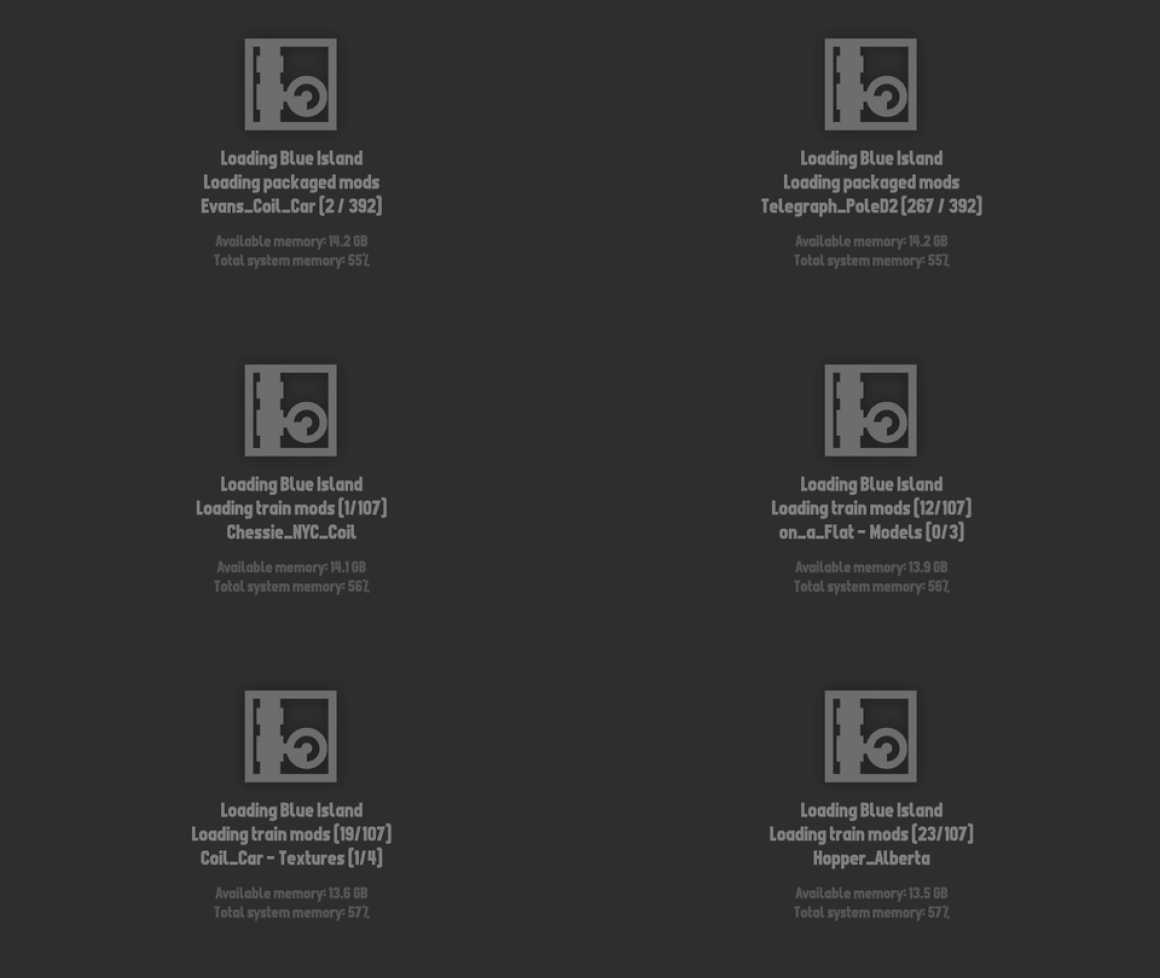
The main benefit of this system is that loading mods is now entirely "synchronous" which means that it loads smoothly and doesn't freeze your computer while loading! You can also see a real-time display of what is being loading (as shown above).
Another big part of this update is that it finally includes newly updated versions of all the software I use to make Rolling Line, which means the latest version of Unity (game engine), SteamVR (virtual reality framework) and more. Up until now I have been essentially held hostage by very old versions of software since upgrading was causing so many problems, but i've finally dealt with those problems and this update brings the game forward on to fully up-to-date software.
There are lots of quirks of the new version changes, which will be explained more in detail later in this news post (mainly relating to VR).
Faster load times
The mod loading process had lots of room for imrovement, so this update makes lots of changes to speed this up and do things much more efficently.
When you start up the game the first optimizations you'll notice is the "finding mods" stage, which has been sped up significantly and also displays how many mods have been found so far. The next stage is "setting up mods" which is performing some basic setup for mods (like figuring out what kind of mod it is, and how it should be categorised for loading later on).
The "Loading downloaded saves" step has also been sped up tons, since the game now only partially loads the save data for maps, and leaves the heavy-lifting for later on when the save is directly loaded.
When loading a save file, the whole process of finding packaged mods, preloading the mods in the save file (both trains and props) is all now displayed in realtime, so you can see which mods are taking longer to load compared to others. You can also see how many mods total are being loaded.
Memory management
This update makes major changes to how modded assets (e.g. textures and models) are loaded into the game how they are managed in memory. You'll notice a big drop in RAM usage when loading maps with lots of mods! I've been using maps like the "Beer Line" and "Blue Island" as benchmarks, since they both contain over 100 packaged train mods, and tons of prop mods. Maps like these now load much faster and consume way less RAM than before.
The memory management system also handles asset un-loading much better than before, so when you leave a map any mods that were loaded exclusively for that map will be properly un-loaded. This means that even if a map increases your RAM usage a lot, leaving that map should return things back to normal.
You can now even see in-game RAM statistic when loading maps. This shows how much RAM your system has left, and the overall percentage of usage. Please remember that pushing your game too far into high RAM usage will result in pretty awful crashes, so you can use this as a metric for whether your are going too overboard with mods!
Old legacy QuickMods also now use the new asset management system and model importer. This likley won't have any effect on how models are displayed, aside from some minor quirks that are caused by differences between the old and new model importers. The new model importer is MUCH faster though, so the change is definitely worth it!
Another useful feature of how assets are managed and loaded now is that when you are editing a mod inside the modding manager, pressing "refresh assts folder" (which will re-load any assets the mod is using) will also update all other copies of the mod on the map, so you will no longer end up with a confusing mix of old & new copies of the mod. All mods on the map will keep their assets in-sync.
Other minor RAM usage improvements
In addition to the whole new mod asset loading system, the game also manages memory for a few other built-in assets a bit differently. Mainly the photos on the walls used in official maps (only the older ones, like Paranapiacaba and Weka Pass) which use to be pre-packaged into the game, are now instead stored as image files and are loaded manually when needed. You can find these files in the "Core" folder, which also contains tons of other files which the game loads while running, instead of being built-in:
And yes you can edit these files if you want, for some pretty interesting results (like changing the main-menu save file!) But If you do choose to edit these files then don't be surprised if you manage to break things, so make sure to keep a backup of any files you choose to change.
This update also adds a warning which will show up if for whatever reason the "Core" folder can't be found. If you see this error then make sure your game is fully downloaded. You may need to "verify files" inside steam.
New post-processing options
Part of the software upgrade meant changes to how the post-processing system works. If you are playing on PC then everything is still the same (with the addition of some new options!) but in VR unfortunately the old post-processing features are no longer supported.
I've ended up finding a different post-processing tool that does still work in VR, but it is unfortunately not quite as advanced as what the game was using before. For VR users, the current post-processing is limited to:
Color correction (contrast, exposure and vibrancy)
Sharpness
Vignette effect
Both the sharpness and vignette effects are available on PC too and can be used in addition to all the previous post-processing options:
Control trains without the controller
After the last update added custom load-switching for mods by pressing the 1,2,3,4... etc keys when controlling trains, it became pretty obvious that needing to select each wagon one-by-one with the hand-held controller was a real pain, so now you can simply hover over a wagon/train and control it with the same keys! Basically any controls that would normally require the controller, can now be performed by just pointing at the train you want to control.
e.g. to turn on a train's lights, simply point at it and press "L" or to sound the horn, point at the train and press "capslock"
Copy colours directly from posters
A neat new bonus feature that comes with this update is that you can now copy colours directly from posters! Simply point anywhere on a poster and press the "color clone" button (Enter) and the color that is directly under your cursor will be copied.
This is amazingly useful for getting colours for your maps from a photo reference!
VR changes
One annoying side effect of upgrading the Unity Engine and SteamVR framework is that the system I was using to make the game launch in VR or PC mode no longer works! So I've had to find a new way to toggle between VR and PC.
If you have a VR headset connected to your PC then you will notice that SteamVR auto-launches regardless of whether you launch the PC or VR version of the game (even though the game correctly ignores or uses the headset based on your chosen play mode).
Please note, if you don't have SteamVR installed, or a VR headset connected, then this won't affect you at all!
If you want to play on PC without SteamVR launching, then simply run the new launch option called "Disable SteamVR auto launch". This will make some adjustments to make sure that SteamVR will no longer launch, no matter how you run the game.
If you want to play in VR again, simply run the other launch option for "Re-enable SteamVR auto launch". After choosing either the enable/disable launch option, you can exit out of the window that appears and run the game as normal.
Other changes
In addition to everything mentioned above, this update also rounds-up a ton of minor bugs and issues that I've had on my to-do list for a long time, and these are:
All cars are now set up to support snow plows:
The "Golden trains" that spawn from Christmas presents and Halloween pumpkins now include the full list of every train in the game, including cars! So you can now get golden versions of pretty much everything:
A new thinner triangle "road fill" prop added, to fill in gaps between road sections:
Wagons that would still make a horn sound when you press the "horn" keyboard shortcut will now no longer sound a horn.
Files in the "custom assets" folder no longer have case-sensitive file types, which means a file called "image.PNG" and "image.png" will both work fine without issues.
Fixed slightly different colours on one of the example road style groups.
Removed one of the two rectangle table props, since it was causing so much confusion and didn't really have any good use (each rectangle table was for a different size of snapping layer, but only one was really needed).
Fixed bug where the skybox would not update properly until the player moved after loading a map.
The color of the default pantograph painters is now grey (instead of red).
Moved the "pause menu action" setting out of the middle of the menu, since it was common for people to click it by accident when moving through the menus.
The custom camera is now blocked on the main menu.
Pressing "Insert" to toggle whether the cursor is locked to the game window will now also prevent camera movement. Press Insert again to re-lock the cursor and control the game again.
Auto-holster controllers is now off by default for VR (this setting makes dropped controllers automatically snap back to their holder when dropped, which in VR is a pain since you often want to rest controllers on the table while doing other things).
Fixed bug where the mod spawning drawer would have a unique category select option for liveries, which are supposed to be combined into the standard "train mods" category.
Fixed bug where the sun would update in a snappy way when moving around the map (especially noticeable when entering tunnels, the sun would go dark too fast).
Fixed the default VR controller bindings for the Oculus controllers to include the "use alternative control scheme" action when holding the trigger. This means that if you have directional movement enabled, the teleporting controls will only be usable when you hold down the trigger, to avoid overlapping controls.
And that's everything! This update ended up being a massive undertaking, and huge parts of the games code have been cleaned up and improved. Spending time on things like this is really important, since games always get more bloated and slow over time, so eventually you've got to truly dedicate some time to cleaning things up and optimization.
While this update mainly focused on the mod loading process, the next one will be dedicated to the map loading part! which means faster scenery and track loading, and hopefully even smoother gameplay with less stuttering when loading new scenery. It's going to be great!
Modding - bells, pantographs, freight loads and more! v4.25
Happy new year! To get things moving for the first update of the year I've decided to work on improving the train modding system and adding a whole bunch of new features.
The Rolling Line modding scene is HUGE and if you haven't already, go and check out the Steam Workshop for 1000s of player-made layouts, liveries, train mods, prop mods and more!
https://steamcommunity.com/app/754150/workshop/
This news post is going to list all of the new modding features added, but you can find a full official guide here which goes into more detail about the whole modding system. I will only be describing them briefly in this news post, so please check the info in the guide for more detail:
Firstly, since I was short on time before Christmas here are some features from the previous update which I wasn't able to finish in time, which are now included in this update:
Snow models for the Big Boy & tender
Improved snow model for the V8 which includes its front & back wheel blocks
Fixed the snow plow on the V8, so it correctly attaches to the front wheel block
Various fixes to snow models, like for the U20C custom livery model
Custom extra models
Firstly, this update adds a much-requested feature: custom toggleable models! This means you can provide a custom 3D model or animation which can be enabled/disabled by the player when using the wagon.
These can be used to hide/show additional details like smoke deflectors, window bars, flags, etc. Or for a more exciting example... custom freight loads! You can create a custom extra model for each type of freight (e.g. coal, iron ore, scrap metal, wood, etc) and then toggle them on/off in-game to simulate loading and unloading freight.
To toggle custom models, select the train with the hand-held controller, then press "Shift + 1,2,3,...9" to toggle each mesh by index.
Keep in mind one day there will be a dedicated loading/unloading system added to the game, but in the meantime you can use these modding tools to simulate it yourself!
You can find an example freight wagon mod which uses this new system here: https://steamcommunity.com/sharedfiles/filedetails/?id=2916250594
You can also find this example mod in the modding templates folder: "Rolling Line/modding/templates/train mod examples/"
Custom bells
You can also now add bells to your mods! This includes both custom audio files for the bell sound, as well as custom models (or animations) for the bell model itself. You can also choose from the default in-game bell models and sound effects as presets.
(example video made by Finn)
You can customize things like the location/size of the bell model, the speed and range of its swinging, or the 3D model/audio assets that it uses:
Pantograph customization
"Addons" like pantographs and snow plows can be added to trains using the painters in the train drawers. Remember you can change the color of a pantograph by "painting" the painter with your desired color:
You can now add multiple pantograph spawn points to a train mod, as well as set the location/scale etc of each pantograph. You can also set it so that the train spawns automatically with pantographs added:
Snow plow customization
Just like with pantographs, you can now also customize how train mods handle snow plows. You can move the position of the snow plow, as well as give your mod a default snow plow that is enabled when the player spawns it into their map:
Speed and control values
You can now mess around with a few of the speed related values for train mods! The acceleration and deceleration can both be changed (which make the train speed up and slow down at a different rate) plus you can change its max speed.
And yes, you can make the max speed incredibly large ːsteamhappyː
Articulation options
"Articulation" refers to when a locomotive has wheel blocks that pivot independently to the main body of the locomotive (like the Big Boy steam engine). The modding system now allows for much more customization when it comes to articulation.
For a built-in template example of articulation, you can find a version of the Big Boy steam locomotive in the modding templates folder "Rolling Line/modding/templates/train mod examples/".
You can also find this example mod on the Steam Workshop: https://steamcommunity.com/sharedfiles/filedetails/?id=2911728993
You will notice that the Big Boy has an unusual pivot style to it, the front block of wheels swings quite independently from the main body:
This effect can now be achieved using new options in the modding system! Please check the official guide mentioned at the start of the news post for more information on how articulation works.
In addition to articulation, on a similar note you can now make all details & effects attach to different wheel blocks (instead of just the main body). This means you can make headlights/particles/etc attach to the front set of wheels like this:
Multiple control layers for lights
You can now make use of more "control layers" for lights on train mods. Previously you could only link lights to either the headlight (pressing "L") or the cab light (pressing "shift + L") and were limited to just the two layers. This update adds 4 extra custom control layers, which you can toggle by pressing "L + 1,2,34" for each control layer.
This means you can use these extra layers for things like ditch lights, warning lights, or any kind of extra light source you would want to turn on/off:
Other features and fixes
This update also fixes & adds a lot of other things outside of the modding system, these changes are:
Fixed a quite hilarious bug where you could enable 3rd person in VR by trying to move the transform edit tool when editing position values for mods:
Added better collision to the transform-edit-UI that pops up when you are editing a train mod object position, so it is now much easier to select it instead of the train mod itself.
Fixed the default SteamVR bindings for the Valve Index to include the trigger as a way to use teleporting controls while directional movement is enabled (hold trigger to switch between the two!) This input was previously left un-bound by accident. You can find more info about how to use the SteamVR input binding system in this guide: https://steamcommunity.com/sharedfiles/filedetails/?id=2029205314
Fixed lots of LOD issues where objects (like bells and pantographs) would be visible beyond the trains render distance.
Added back the "infinite" object view distance setting in the "Pause menu -> graphics" menu. Please ONLY use this for screenshots and not in normal gameplay. Putting this setting on infinite means literally everything in the map is rendered, every item in every drawer, every train and every button. Please only use it for screenshots and don't be surprised if it cripples your performance.
The key to open photo mode "C" is now re-bindable in the controls menu.
The main menu is no longer Christmas themed, but it still has a winter vibe to it.
Updated the official maps set in New Zealand to be listed as "Aotearoa New Zealand", as to include the Maori name for the country.
Fixed bug in the modding system where renaming wheels and couplers would not save.
Fixed bug where track inside groups stored in custom drawers would not save correctly when at a specific rotation value.
And that's everything! This update really ballooned into a "get heaps of things done on the todo list" kind of update, which honestly seems like the perfect way to start the year.
I hope you all had a lovely holidays and new year, and I'm looking forward to what this year will bring for Rolling Line's future!