While it may be snowy for most of the world, over here in New Zealand it's mid-summer and the Pohutukawa flowers are in bloom. I'm going to be away from work over Christmas, so this update is a little bit early.
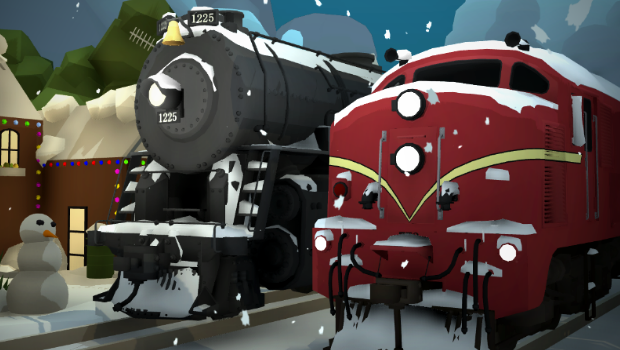
This year the trains are getting a snow-cover effect which automatically happens when you have the weather set to snowy! You can also manually add/remove snow to a locomotive using a snow painter.
You can find the new snowy painter in the "trains -> steam" drawer, alongside the snow plows (which was a previous year's Christmas update!)
All of the official locomotives and wagons (and liveries!) have snow skins, aside from a few which I am still working on. Since I am heading away from work tomorrow I've had to leave out a few wagons which I didn't have time to complete. The wagons which don't currently have snow skins are: - The Big Boy - V8 and Side rod locomotives - Various NZ freight wagons
I'll be completing a few more of these today, which will be added in an update patch!
Snowy models in modding
As well as the official trains, you can add your own snowy model mesh for modded trains.
There are two new options in the train modding system (in the menu "Edit mod -> Effects"): - Snow model (a 3D model which will be enabled when the train has snow cover) - Plow offset (this is the same legacy value that QuickMods use to adjust the position offset of plow addons. This system is going to be upgraded in the future, but in the meantime the new modded system now has access to this value)
Decoration props
The previous year's Christmas updates have been combined into one drawer (which you can find in the "Misc" category).
This includes a bunch of stuff like: - Dynamic snow (which grows in snowy weather and melts in the sun, and can be plowed by trains) - The Canadian Christmas train! - Present props, and the random-box present which spawns a bunch of loot when you open it - Snowglobe (from the snowglobe layout comp) - Rotary plow train
And a new addition: - the light-up neon decorations on the Christmas train & wagons are now usable as props
The Christmas-themed main menu is also back:
Interaction color options
A common issue with making snowy maps is that the white cursor and placement UI blend into the white environment! This update adds customization options for both, so you can change the color of the pointer in the center of the screen (and you can also change its size). And you can change the color of the "placement ghost" which is the transparent ghost version of a prop/train that shows up when you are placing it on the ground.
You can find these settings in the "pause menu -> PC options":
Here is an example of using a custom dark cursor/placement UI on snow:
There is also a setting there for enabling/disabling the whole UI. You could always do this by pressing "i" (re-bindable in the controls menu) but it made sense to have it as an actual setting.
Turning this off will hide all UI, which means the cursor, belt equip slots, help text, etc.
Scale turnout levers on switchboards
A commonly requested feature is to allow for custom turnout lever sizes on the switchboards, since dense track can be very hard to control. You can now find an option for this in the switchboards popup menu (in the "board size options" menu).
Drawers clean-up
In addition to moving all of the Christmas stuff into one drawer, there has been a bit of other re-organizing in the drawers. All of the other holiday events (Halloween and Easter) have been combined into their own drawers each.
The special Weka Pass buildings (like the long sheds and openable doors) have also been moved into the normal buildings drawers, instead of having their own one in the "misc" category:
Other features & fixes
Fixed issue where track groups that contained non-connected track would be treated as "symmetrical" groups, even though they actually weren't. Fun fact: An AI helped write the programming that fixed this issue! The future is now.
Fixed issue where using the transform edit mode to move a group of track would sometimes result in track connections inside the group not being set correctly.
Fixed issue where trains would have their interaction blocked when in low-detail LOD range.
Added some new entries in the credits for Trackmeister (designing the double-slip turnouts) and Shini (making the Wellington bus).
Fixed issue where the sky brightness was not instantly set when loading a map (it would fade from dark if the previous map was at night)
The backup log text file now auto-clears itself if it gets too large.
The game now automatically deletes any empty folders left inside the saves directory (since a previous bug was resulting in save files leaving empty folders behind).
Fixed issue with the Rotary plow impact audio playing even at large distances.
Added a few of the newer easter eggs into the possible loot spawns for the Christmas present prop.
And that's all for now! The new snowy models for trains combined with dynamic snow, plows and weather really make for a satisfying modelling experience when making winter scenes, so I highly recommend giving it a go! Hopefully next year I'll be able to finally make a snow-themed official map myself for Christmas... we shall see!
Slice of Wellington! v4.23
The latest official Rolling Line map is here! And this one is special, since I'm currently living in Wellington! I ride the bus past these exact buildings all the time, and it's been an absolute joy to create them in-game.
This map is called "Slice of Wellington" since it is more of a diorama than a full-on map. It takes a chunk of Wellington city (the capital of New Zealand) and recreates it to-scale. The goal of this map is to show off the new dynamic roads system in action, and to finally make a map that features some proper modern city scenery!
Wellington is the political capital of New Zealand and features our famous "Beehive" parliament building:
The map also features the top of Lambton Quay (our main business area) and the major bus route through town:
You can explore the real location for yourself in 3D on Google Maps: https://earth.google.com/web/@-41.27896091,174.77688965,7.92081625a,360.10171601d,35y,-71.18229337h,44.46446036t,0r
You can find the new map in the "new game" map list:
New buses
This map also features a new type of bus! Thank you so much to Shini (a long time community member and fellow New Zealander) who made the model for this bus! It really adds to the authenticity of the scene.
You can find the drivable vehicle version of this bus in the "vehicles -> cars [drivable]" drawer, and you can find the prop version in the "vehicles -> cars [props]" drawer.
Vehicle audio
Also included in this update is audio for cars! Vehicles now make engine noise and have horns. There is also a new ambient audio preset for "Birdsong Tui" which is used in this map. Tui's are a native bird in New Zealand with a very distinct birdsong, and Wellington happens to be full of them!
Another audio related change is that the "random train horns" setting is now off by default. This setting enables/disables the random horns that go off while trains are driving around. You can find it in the "pause menu -> misc" menu.
New props
During the process of making this map a few minor new props were added, these are: - stature base - bus stop and live timetable sign - unique playground slide based on the one at Wellington parliament grounds - "center" snap piece for the roof top props
Pre-made buildings
This was actually added in a patch after the previous update, but it was not mentioned in the previous news post so I'll mention it here. There is now a drawer with some pre-made skyscrapers, you can find it in the "buildings -> city pre-made" drawer:
Hidden train/vehicle regions
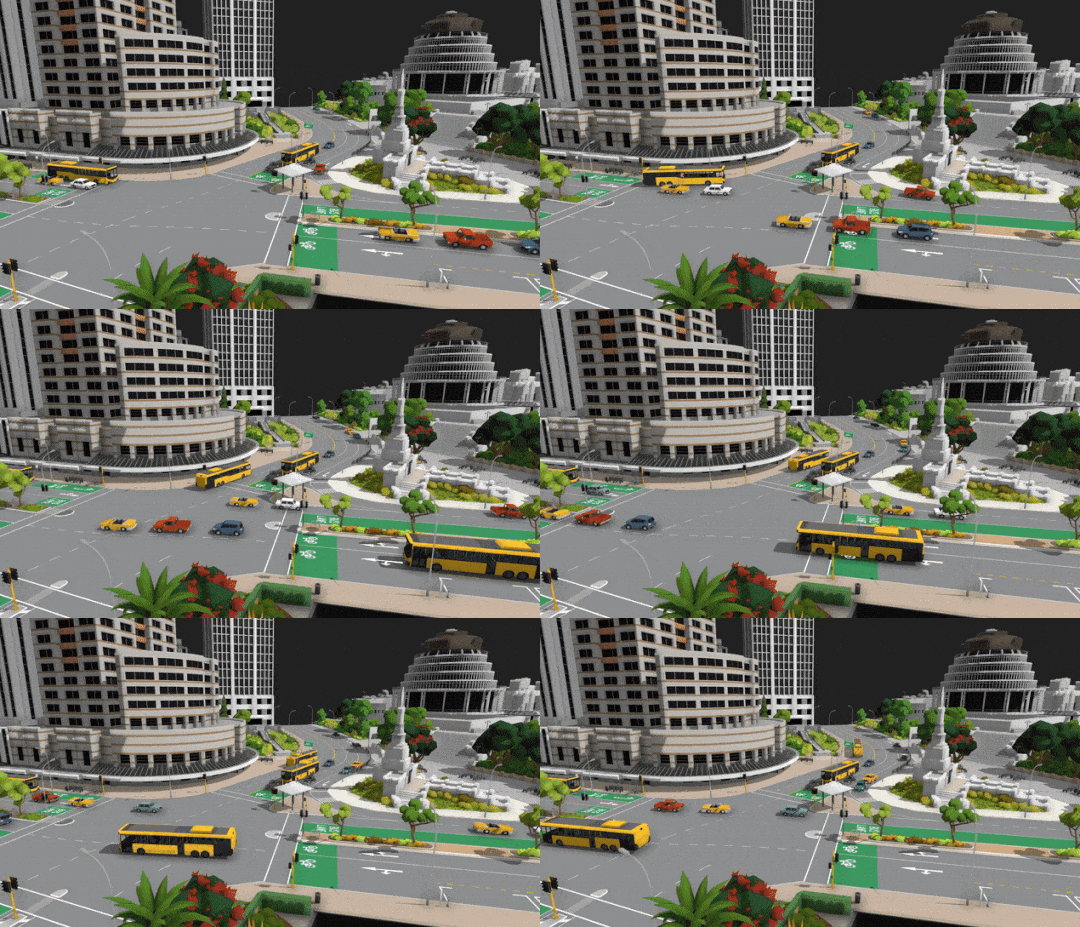
You can now define areas on your maps where trains & vehicles are invisible. This is perfect for making cars disappear when they leave the table when you combine this feature with invisible track.
This method was used in the Wellington map to make cars appear and disappear when travelling off the table:
You can set up "hidden regions" using the new pop-up window on the wall "view advanced options -> view hidden regions"
From here you can place region boxes (this is the same system as both "tunnel regions" and "rain regions" added in previous updates). Any cars/trains inside these "region boxes" will be invisible when passing through them.
From this menu you can also toggle whether this hidden effect is enabled or not, which is useful for figuring out the location of cars when they are invisible:
Making this map has been an absolute joy, since every update this year has been focused on features and programming, so I haven't had any chances to work on maps. Making maps is of course my favourite part of Rolling Line, and it always poses a great opportunity to add new props and scenery styles (like cities and roads in this example!).
And since I live in Wellington at the moment this map was extra fun to make. In fact this might be the first time a video game has officially included Wellington city... If anyone has ever heard of any others please let me know! I would love to see it.
I hope you all enjoy this new slice of city scenery!
City buildings! v4.22
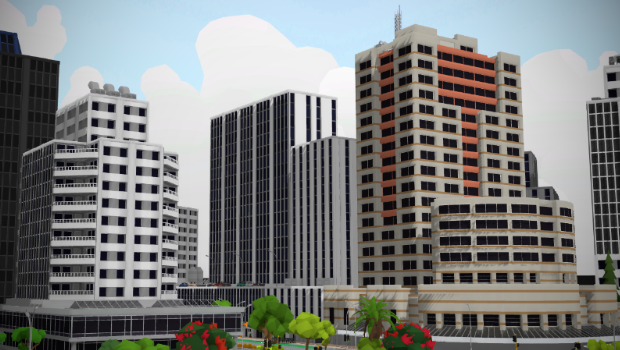
I'm currently working on the new upcoming official map "Slice of Wellington". This map features a chunk of Wellington city (the capital of New Zealand, and where I live!) and working roads. The goal of this map is to finally do some modern city scenery for an official map, and to show off the new roads system in action.
This map will be coming out in the next few weeks (before Christmas) but in the meantime I've made a whole bunch of city building props that can be released in their own update!
This update includes: - modular skyscraper props - shop front buildings - rooftop props - new multi-paint copy feature - a bunch of other fixes
Firstly, the new modular building props
You can find two new drawers in the "buildings" category that add a range of different modular pieces you can use to make buildings of different sizes:
These props are "modular" which means you can snap them together to create different shapes and sizes:
And here are some of the different building types you can make with these:
You can also use the new set of shop-front props to make city streets:
And there's also a bunch of rooftop details (like ventilation shafts and fans):
Multi-paint copy
You can now copy all of the multi-paint colour slots in one go! Simply hold "Right-Shift + Return" when pointing at a multi-paintable prop. Pressing just "Return" (without holding shift) will copy just the first colour as usual.
This will create a multi-painter in your hand which you can use to paint other objects with multiple paint slots:
Of course you can also re-bind this control in the "pause menu -> controls -> props" menu:
This update also includes a few smaller things:
Fixed bug where the "left/right/both/etc" sides option for a track style used on a turnout was broken for some new road styles.
Added snapping to the road line marking props
Fixed mesh positioning of the station-wagon vehicle and the passenger plane
The sidewalk road styles are now the full width of a road lane, plus there is a new "fill" style which can be used to extend sidewalks further.
And that's all for this update, It's certainly about time Rolling Line got some proper official city building props! I hope you all enjoy these new props, and I'm sure we'll get some more city-themed maps on the Worksop now.
Plus the new "Slice of Wellington" map is just around the corner! And i'm really excited to release it, as Rolling Line's first official built-in map with a modern city theme. So keep an eye out for that update in the coming weeks!
Roads! v4.21
It's finally here! 4 years and 150 total updates later, Rolling Line is getting a full dynamic road system! With tons of customization and even drivable vehicles.
The last few updates have contributed to making this possible, by adding things like track style customization, side-snapping, track grouping, and multi-lane track generation.
That's because roads are essentially just different kinds of track! The new roads system is basically just track with a new visual look, and "cars" are actually "trains", but instead of running on "track" they run on "roads". This means that roads and cars have all the same functionality as track and trains. You can make cars follow AI triggers, and you can create your own modded versions of both.
Before I go into too much detail, here is a full guide which explains everything you need to know about the new roads system:
There are a few different ways to make roads, but the easiest is to use the automatic road generator. You can find this in the new "roads" category:
You can use this generator to make simple roads like curves, or more complex groups like intersections and lane-change segments:
You can customize the visual style, number of lanes, and shape of roads inside this road generator.
Building custom intersections manually
There is also a more complex "lane generator" which you can use to make individual pieces of roads to create your own advanced intersection designs! (this process is explained in detail inside the guide mentioned earlier).
Road styles
Just like with track, you can customize your roads in a whole bunch of ways! Like road markings, cycle lanes, roadside barriers, parking spots, and more.
There are a ton of different "style painters" in the various drawers in the "roads" category:
And of course you can also manually edit styles using the popup window. Press Q when hovering over a single lane of road to open the "style options" window. From here you can fully customize everything like markings, bike lanes, edges, etc.
There's even a drawer with some "group painters" which you can use to easily copy a whole style onto a whole road group:
Props
This update also includes a ton of roadside props, like road signs and functional traffic lights.
You can find a whole bunch of road signs (some new ones plus the old ones which have been converted to be multi-paintable) in the "roads -> road signs" drawer.
More types of signs will be added in future updates too!
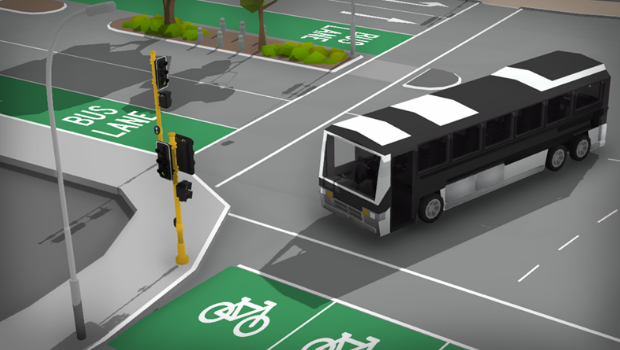
There is also a drawer full of road markings ("give way" "bus lane" etc) which you can freely place anywhere on roads:
There are also pieces you can use to create pedestrian islands:
Traffic lights
You can find traffic lights in the "roads -> traffic lights" drawer:
Each piece of the traffic light head can be snapped together to create different kinds of lights:
They can be painted to look like other styles of traffic light too:
Each traffic light head has a switch on the top which you can click to change the colour of the lights:
Vehicles
Along with the new road system comes drivable vehicles!
These work exactly like trains, which means that you place them down on a section of road and set their speed with a hand-held controller (or in the driver's seat). They will follow the "track" just like a train, so the way cars behave is entirely based on the design of the road they run on.
You can find drivable versions of all the cars in the "vehicles -> cars [drivable]" drawer:
These vehicles can all be painted too:
The trucks, tractor, bus and station wagon all have proper interiors now too!
Modding
You can create both road styles and vehicles using the pre-existing mod tools! Since "roads" are just "tracks" and "cars" are just "trains" the mod system for both can easily be used to create roads & cars, all you have to do is make a few minor adjustments. Here is a guide which explains how to create your own vehicles and road styles using mods:
As mentioned in the guide, there are also now some new example mods which you can find in the "Rolling Line / Modding / Templates" folder, for both road styles and vehicles.
You can find these example mods on the workshop too:
There is also now a new cab preset included for train mods which is great for vehicles:
Tags
Vehicle and road style mods also have their own separate tags on the workshop. They are added automatically when you upload the mod.
Official maps
Please note that the official maps (e.g. Top of the South, Santa Fe, etc) which featured roads before this update do NOT support driving vehicles. These roads were made using simple 3D models and are not made with this new system.
Future maps will feature fully functional dynamic roads though! In fact, I am already planning a new official map which shows off this exact feature...
But more news on that will be coming in the future! In the meantime, you can try out a preview of this map right now on the Workshop:
When track groups are held in-hand they are rotated to be less in your way.
Fixed major issue where copying a track group would break the track connections of the piece that is being cloned.
The preview track which spawns for track style mods in the modding manager now shows up as a road when you are creating a road style mod.
Train mods will add the "vehicle" tag automatically (instead of "locomotive") if you are making a vehicle instead of a train.
Fixed visual alignment issue with the underside of all table props.
Copying dynamic track data into the road generator no longer copies the "separation" value, since this breaks the alignment of multi-lane roads.
Remember, please have a look at the full guide which explains everything you need to know about the new roads system, as I couldn't describe it all in this news post:
It looks like people are already making some amazing stuff with the new roads, so keep an eye out on the Steam workshop for new maps which make the most of these new tools!
Roads have been a long time in the making, and something I've wanted to add to the game since day one. Seeing this feature finally complete is a big milestone for me personally, and I'm so happy with how it's turned out!
Multi-track generator + roads BETA access! v4.20
Progress on roads is coming along great, but it's taking longer than I hoped. So I've decided to make BETA access available for all the road tools that are already ready to use!
This means that people can use the new roads in their maps, upload them to the workshop, and they will work fine for anyone downloading and playing them. If you want to use roads yourself you'll need to enable access to the BETA.
How to access the roads BETA
You can gain access to the new roads tools by adding a "launch tag" in Steam. To do this, right-click on Rolling Line in your Steam library and choose "properties". Then click on "General" and find "launch options". In the text box type "-roadworks" Just like this:
You can then quit out of the menu and run the game as normal. If you have done this correctly, you will see a new "roads" category when searching the drawers:
\
Road features
More information about roads will be coming in the official release (the next update) but for now you can access a new "roads generator" which works just like the track generator but for lanes in roads:
You can use these individual lane pieces to create larger more complex road layouts, like intersections and multi-lane highways.
There are multiple drawers full of road styles and road markings you can use:
With the styles given, you can already make a range of different kinds of roads:
More info will be coming on how all the new road features work in the next update!
But firstly, here is a bunch of features this update adds which you can make use of right away:
Multi-track-generation
You can now use the track generator to automatically create groups of multiple track! This makes creating multi-track mainlines far easier, and skips the steps of needing to create your own groups. You can use the "separation" value to change the distance between tracks.
The track generator now also remembers the styles you have applied to all track in the group, so when you switch pages/change values the styles will be kept:
More advanced side-snapping
The side-snapping feature has been improved to allow for much more options, like snapping to the sides of all kinds of turnouts!
Style painting swap
There is now a feature where you can "invert" the style of a track/road by painting it again with the same painter. E.g. this will flip any left/right only styles to the other side:
You can also do this inside the track style edit UI using the new "flip left/right values" button:
Plus you can do this for an entire group using the new option on the edit tool to "invert style" which flips all of the styles & order:
Copy whole group style
You can now copy the styles of a whole track/road group! There is a new control binding for "clone whole group" (which is right-shift by default). So if you hold right-shift + Return it will copy the style for the whole group, not just the single track piece. You can then use this "group style painter" to paint other groups in the same way:
Painting twice will invert the group, just like the left/right swapping mentioned above.
You can also use a group style with more/less lanes, it will just ignore any extra ones:
Flexytrack improvements
Gap-fill track (flexytrack) now snaps to more available end points, and has had some minor improvements to make snapping better. It will no longer snap to parallel track ends which are part of the same group. There is also now a dedicated flexytrack just for roads:
Drawers in room are saved
The two drawers by the menu now save their state in the save file. And the default drawers for a new save have changed to the "tools" and "tables" drawers:
Switchboards layer
Switchboards can now be set to only show "track" or "roads" layers (or both). This means you can have dedicated switchboards for your road systems that dont overlap with track:
Roads layer for train modding and style modding
Track style mods (and train mods!) can be set to use the roads layer instead of track. Basically meaning you can start making modded track styles for roads, and make train mods which will run on the new roads system. Meaning you can use the train modding system to effectively create operational cars!
Please keep in mind that actual official cars will be coming in a future update, but they will work in exactly the same way as a modded train (a train running on "rails" which are actually just "roads").
Other minor features
The placeable drawers prop has been fixed in a few ways, like hiding the objects inside it when it is dropped, disabling the buttons when dropped, and fixed scaling issues.
Fixed bug where props cloned out of custom drawers would not have the correct scale.
Fixed bug where grouped track would not re-set its gradient when cloned or picked up, which would result in strange curves when cloning track already on a gradient.
If you are using joypad controls the on-screen keyboard shows up (instead of requiring the actual keyboard) when editing text in-game.
Lots of stuff to unpack in this update! Roads have ended up being a much larger and complex job than I planned, so lots of other features have needed to be made in the process.
Features like multi-track-generation and the group style painting options work for both track and roads, so it's good to release them now rather than waiting for roads to be 100% done to release it all in one go.
Plus giving people access to the roads BETA early is fun! I hope you enjoy the new features and tools, and keep an eye out for the full roads update which is not far off!
Track grouping! v4.19
Rolling Line is one large step closer to the glorious roads update!
"Roads" in Rolling Line are literally "tracks" just with a different model, which means that they share a lot of the same features. Larger roads (like highways) are effectively groups of tracks, where each "lane" of the road is a piece of track, lined up next to each other to form a road.
This means that making the new road system required full support for grouping tracks together, which ended up being a painfully complicated process. So instead of keeping this new feature restricted to roads, why not let everyone use it right away to create their own track groups!
Roads are still fully a work-in-progress, but the track grouping feature is ready to use right now!
You can now find a new drawer called "groups" in the track category, which contains a bunch of pre-made examples (double-slips!!) as well as the new group tool:
This update also adds a new amazing "side-snapping" feature which will be explained in detail further on in this post!
The group tool
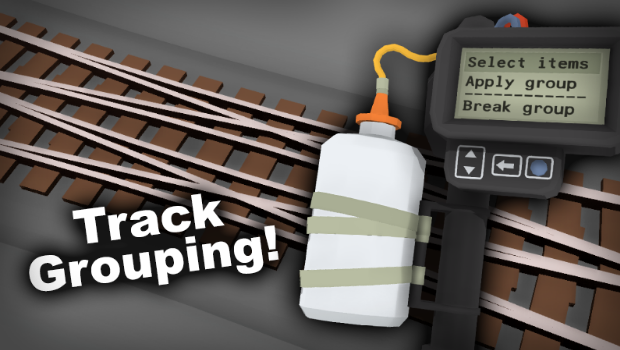
With the new group tool you can easily select a bunch of track pieces and then combine them into a group. Simply highlight the "select items" option on the tool (with the scroll wheel) and then click on track to select it. You can also click on track again to deselect it.
Once you have your whole group selected, change the highlighted option to "apply group" and then click. This will combine all of the selected tracks together into a group. Once they are a group, you can pick them up as one single object, and place them down as well. You can even save them in custom drawers as groups!
You can also use the "break group" option on the group tool to split apart a group into individual tracks:
Symmetrical groups
You can create groups out of any track you like, but if you make a group that contains a bunch of track curves all lined up (with no extra track) then it gets some special features! If you make a symmetrical group like this, then it will behave just like a normal curved piece of track, which means you can use it to create smooth gradients, and can even toggle the direction of it using Q and E while placing.
This feature makes creating multi-track main lines way easier! For example, say you want a double-track main line to climb a slope: - create a group out of the two curved pieces of track next to each other. - duplicate that group multiple times to create the main line.
If your track group contains any track types other than curves (e.g. turnouts or flexytrack) then it will not support the "Symmetrical group" features mentioned above. The track must all be separated too, meaning you cannot have multiple segments of track connected together:
Non-symmetrical groups
If your group features different kinds of track types (e.g. turnouts and flexytrack) then it will be treated as a "non-symmetrical group". This kind of group does not support the gradient and direction switching features that the "symmetrical group" mentioned above does.
Instead of toggling the direction, pressing Q and E will instead cycle between each available dead-end point in the group for snapping:
Double-slips
A perfect example of something you can make with track groups is an operational double-slip! This update includes a few pre-set track groups which you can find in the new "track -> groups" drawer: (Special thank-you to Ze Trackmesiter for his track designs used in this update!)
The upper-left group is a "single slip" The upper-right is a "3-way turnout" And the two double slips below are sized to fit two different widths of track. These are for separation 0.7, and 1.0 (separation will be explained in the next section)
Separation values
The "separation" value for a piece of track shows how far apart multiple tracks should be distanced in parallel. You can set it inside the track generator:
It's a little hard to explain, but basically the "separation" value is the difference you would need to increase/decrease the "radius" to get the next parallel track in a curve. Here is a visual example:
You can use any separation value you like, but all the official track (in the drawers) is either 1.0 or 0.7
Track side-snapping
Side-snapping is an optional feature which you can switch on in the "pause menu -> custom track -> snapping -> track snap to sides". You can also toggle it by pressing F7.
When side-snapping is on, track will automatically snap parallel to other track! It will also bend to copy the curve angle. The distance at which it snaps to is set by the "separation" value mentioned above.
Track can only side-snap on to curved and straight pieces of track, so it can't snap on to flexytrack or turnouts. It also does not work with gradients, but if you want to make a multi-track main-line with gradients then please use the track grouping method talked about at the start of this update post.
Other features
Overall this update has been digging deep into the core structure of how track is handled by the game, so lots of background code has changed. But there are a couple of other minor features which this update includes:
The "Rusty DSJ shunter" easter egg unlock is now available by default in the "misc -> unlocks" drawer without needing to unlock anything.
The "AI lock enabled" message now only shows up when you manually change the value for a piece of track, previously it would also show up when loading a save which contained AI-locked track. this has been fixed.
This update ended up being WAY more difficult than I had planned, but now that this is done the rest of the roads system is smooth sailing from here!
So keep an eye out for future news, because the roads update is on its way!
New track styles, bridges and turnouts! v4.18
Lots of new track styles coming in this update! After the Trackwork comp, the winners all got to choose a track style to be added into the game officially.
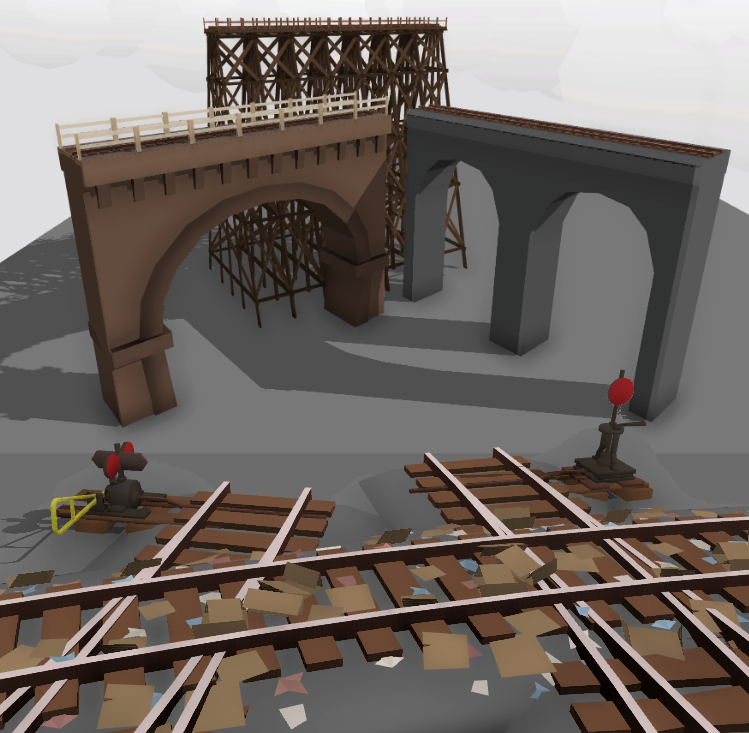
These track styles include: - wooden trestle bridge - stone arch bridge - rubbish-covered track - two new turnout lever types
Wooden trestle bridge
The wooden trestles are split into a few different sections: - base (the main supports) - top (the section under the rails) - leg extensions (optional extra for longer supports) - railings
You can access all of these with the track style menu (press Q when hovering over a piece of track) or simply use the style painters in the "track tools" drawers!
Stone arch bridge
The stone arch bridge also has a few different styles: - wide arches - narrow arches - detailed arches with bricks - "solid" ends, with no arch
These bridges can be found in the "track tools" drawers too:
Rubbish rails
A rather unique track style! This one is based on rubbish-strewn tracks, specifically this famous scene from Los Angeles:
The cardboard boxes used in this track style can also be placed as a prop, which you can find in the "Scenery -> Plants" drawer:
New turnout levers
Lastly, this update adds two new kinds of turnout levers!
These new turnout levers can be found in the "track tools" drawers next to all the others:
Track segment length in modding
This update also adds a very useful feature for track modding. You can now set the "Segment length" of your track style, which basically means that you can make longer meshes that cover multiple segments. So instead of being limited to 0.1 units (1 segment) you can now make something like 0.5 units long (5 segments). This is useful for making larger models like bridges that don't fit inside just one segment.
This update also includes:
Fixed snapping for the small tables and backdrops
Fixed broken track gradient when a piece of track is picked up and re-placed
There is now a "refresh mods" button in the mods drawer, which will update the mod list to include any new downloads
If a modding manager is opened, it will automatically close any other open ones, to stop conflicts caused by having multiple open
Fixed unusual bug where it was possible to lose the track/wagon in your hand while clone-placing if you do it very quickly at low frame-rates
Fixed end-cap track pieces for modded track styles
Track style painters (like bridges) now auto-remove the ballast layer when used
And that's all for now! Huge congratulations to all the winners of the Trackwork Comp, I'm sure everyone is going to love these new track styles you've chosen!
You can find more info about the Trackwork Comp here: https://store.steampowered.com/news/app/754150/view/3355761233473138410
I'm still working on roads and making progress, though it is certainly proving to be a complex and large update, so it's going to take a bit longer. But it will be well worth it!
Trackwork Comp winners!
Congratulations to everyone who took part in the Trackwork Comp! There were so many amazing maps it took me days just to go through them all and rank them! So much amazing use of modding, and beautiful maps and ideas.
Events like these are such a great opportunity to try out some creative ideas and make a map alongside others in the community, and they are always so much fun to take part in (and to play through everyone else's maps!).
Thank you so much to everyone who took the time to make an entry!
As with every competition, I personally played through every single entry, and choosing the winners was incredibly difficult! I absolutely loved seeing them all, so without further ado, let's get started with the winners!
The first award of complexity (and overall most impressive layout!) goes to:
P&LCE: Oro to Sur - by KingNathantheIII!
This layout is amazing, and absolutely beautiful. The natural scenery is spot on, and riding the little ride-on miniature railway in VR was a magical experience. Well deserving of the top spot!!
With fully functional rollercoaster track, ride-on carts and even a maglev system, this map made full use the modding tools and looks awesome! It was really hard choosing a modding winner, since so many maps made crazy good use of mods!
This map just made me so happy, the animated fish, the little underwater train emitting bubbles, the big eels swimming around, everything about it is just adorable and really blows my mind of what can be made inside Rolling Line these days!
I'll be getting into contact with all these winners to talk to them about their prizes!
But that's not all, here's a whole bunch of my other top favourites. Choosing winners was incredibly difficult, so consider these other maps on-par with the main winners. I highly recommend going and having a look at them yourself!
And lastly, here is a big list of honourable mentions!
Huge congratulations to everyone who took part! There were even MORE maps i wanted to mention in this post, but best not to go too overboard.
I highly recommend having a play through some of the maps mentioned above, and I hope you all had fun during this event!
Trackwork Comp!
Hey it's been a while since the last layout building event, and the track system just got a lot more interesting after the last couple of updates, so what better time to put some focus towards... TRACKWORK!
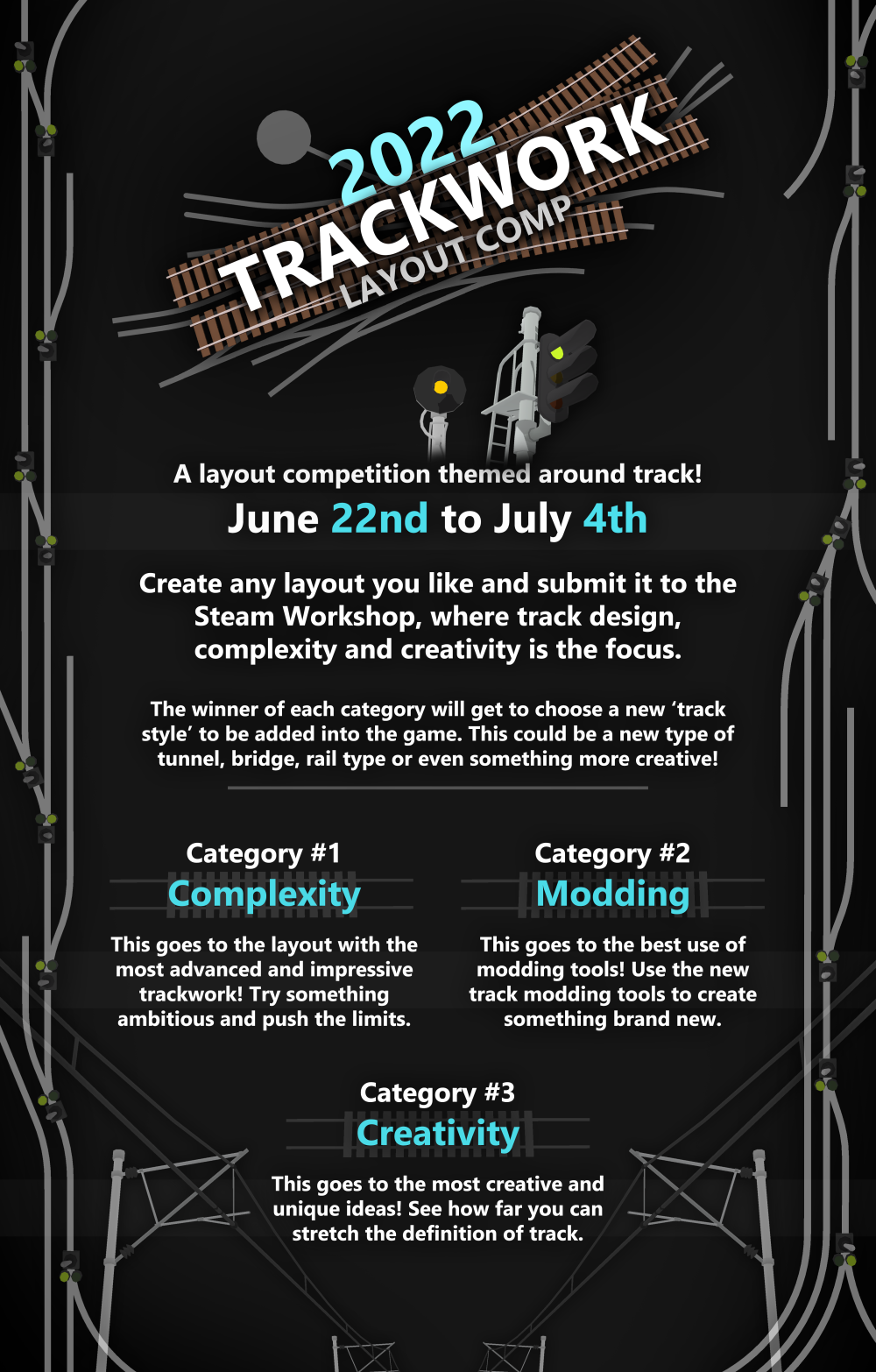
This competition will be running from June 22nd until July 4th.
The goal is simple: make any map you like, with a focus on track design. You could try using track in a creative way, or have a go at making something really ambitious and complex. Or maybe have a go at modding in your own track style! These events are a great way to get inspiration for a new layout idea, so give it a try and see what you can build, and simply upload it to the Steam Workshop to take part.
When uploading a layout/mod to the Steam Workshop make sure to check the "Trackwork Comp 2022 Entry" option so it gets included!
You can also view entires by clicking on the "Competitions" tags on the Workshop page:
There aren't really any rules, you can make a layout with whatever theme you like! But the focus should be on track in some way, like creative use of track or interesting and complex track design.
You can make as many submissions as you like, and don't worry about trying to make something perfect, just have fun with it!
Here's some inspiration:
And who says it needs to be a real-world railway?
Or even a conventional railway? ːsteamhappyː
You can make anything you like! The more creative the better. In fact one of the categories is entirely based around creativity!
I've split the winning criteria into three categories so there will be more to consider than just making the most advanced and impressive map. I'm especially hoping that some people (who are confident with modding) make use of the new modding tools to create some really unique track styles and designs.
A ton of new track customization has been added into the game after the last two updates, so I'm excited to see people make the most of it!
This is also the first layout event in a while that actually has prizes. For each of the 3 categories there will be one winner who gets to choose a new "track style" painter to be added into the game officially. This could be a kind of bridge, tunnel, overhead wire, extra-rail, side-of-track detail (like a platform), etc. That means there are 3 winners total, one for "most complex layout", one for "best use of modding" and one for "most creative".
But remember, the goal is just to have fun and take the opportunity of making layouts alongside other people in the community all at once. It's a great time to get inspired and give some new ideas a go.
But in other news...
Progress on roads
Part of the reason I'm hosting this competition now is because I'm busy working on roads in the background! This is going to be a HUGE update so it's also going to take a lot of time. But progress is going great!
And yes, you will be able to drive cars on your roads, just like trains on tracks! ːsteamhappyː
Roads are going to be amazing! So you've certainly got something special to look forward to in the near(-ish) future.
But in the meantime, I hope everyone has some fun with the layout competition, I can't wait to see all the ideas that everyone comes up with!
As with every layout competition in the past, i will of course be playing EVERY SINGLE ENTRY at the end and going through and choosing my favourites.
Have fun!
Track style modding! v4.17
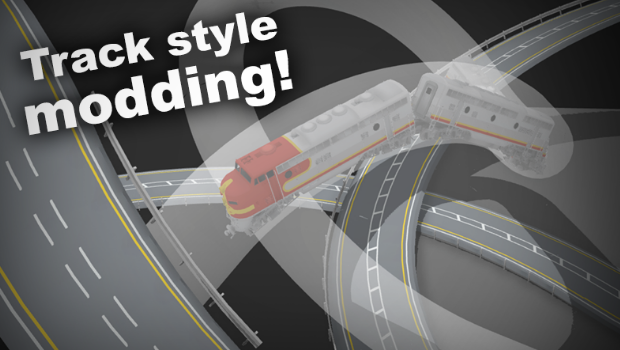
Today's update marks a huge step forward in the customizability and flexibility of the game, because you can now create your own custom track models!
The previous update laid down the groundwork to upgrade and optimize the track system, so now this update adds modding tools for you to add your own 3D models into the mix and finally fully customize the track!
You can use this modding system to create basic styles like:
Rails
Sleepers
Ballast
Tunnels
Bridges
But when you get really creative with track modding you can actually use this system to create anything that follows a custom curve! It doesn't have to be track at all. Things like:
ROADS
Tubes
Fences
Monorails
Canals
Literally any 3D mesh that can follow a curved path!
(above track mods made by Fedora Man, coconut_pie & Missy)
You can find a full official guide here which explains how to make your own track style mods:
This modding system works just like the other modding tools (for props and trains) meaning you can access it from the Modding Manager in the pause menu. Simply choose "Track style mods" from the category list:
Any track style mods you have created or downloaded will automatically show up in the list of styles alongside all the built-in official ones!
So to apply a new style to a piece of track, simply open the track edit menu (Press Q when hovering over track) the click "Add new" in the top right:
A note about roads
Since these new modding tools make it possible to use any 3D mesh as track, this means you can finally make working curved roads! In fact one of the main reasons I've dedicated the last few updates to the track system was to make roads possible, which has been a long term goal for Rolling Line.
Please note that the NEXT update is going to be fully dedicated to an official road system, so even though you can make modded roads now, an official in-game system is on the way!
Though i would still absolutely love to see what kinds of roads people can make already with the modding tools. In fact the official road system is likely going to use the exact same methods as modded roads, so you may even be able to convert your "track mods" into "road mods" in the next update.
To get you started, I've uploaded a whole set of road styles (like road markings, barriers, etc) using the assets from the old roads used in the "top of the south" layout:
You can also find a whole bunch of example mods for things like rails and sleepers which you can use to match the scale of the in-game track.
You can find them in the folder: ...(Program Files)\Steam\steamapps\common\Rolling Line\Modding\templates\track style mod examples\
New table style
Just for fun, this update also adds a new "thin" table style for double-deck layouts! Tables are now also fully multi-paintable, so you can paint the colours on the sides as well as the top.
The "tables" drawer now has buttons to switch between each available style:
Other fixes
Lastly, this update also changes a bunch of stuff in the background:
The code behind the track system has been thoroughly cleaned up and refactored. Most of this code was over 4 years old so it was in dire need of upgrading! This won't have any noticeable effect on gameplay but just know that things are running much more smoothly in the background.
Fixed a bug where the blue box preview for invisible track would not be hidden for turntables.
Fixed multiple issues with track placement caused by the previous updates changes to the system.
Fixed a very old issue where props that have had their colour data updated (like adding more material slots) would not keep their colours when cloned.
I hope you all have fun with the new modding tools! It's really satisfying to see the track system finally become so customizable with the last two updates, and with roads just around the corner, maps are going to be looking better than ever!











 \
\