List of changes
- All bg images was compressed to reduce their weight and optimize them.
- Fixed a small bug in the language change interface.
- Languages are now dynamic and are added to the list as long as they are available in the “translations/*” folder.
- Now people who want to create “fan translations” or “community translations” will be able to generate the translation files from within the game. (see questions and answers).
- Added support for downloading packages (translations etc) (see questions and answers).
- Some unused lines of code have been removed
- Upgraded the engine to R8.4-n (nightly version of the engine)
- Due to the engine update, the game can no longer run on versions later than windows 10. This will adjust the support for w10 & w11 and thus fully enforce the requirements placed on the Steam page.
- The “Load” button will appear in the main menu when there is a saved game in one of the page slots. However, it will not be visible if it is in quick save.
Q&A
> Can I create translations?
Yes, you can now create translations independent of the game. To generate a “translation kit” you must go to Settings -> language -> Generate translator kit.
Important: The translation reference will only be generated in Latin Spanish due to limitations.
> Can I freely share the translation?
Yes, as long as you are not receiving money in return or using it commercially also as you follow the EULA
> What do you mean by downloading packages?
This means that, if a translator wishes, he/she can request to have his/her fan translation added to the game. The translator will have to send the files and a nickname to be added to the game, the files will be hosted on the UnSetSoft server and then players will be able to download the translation from the game.
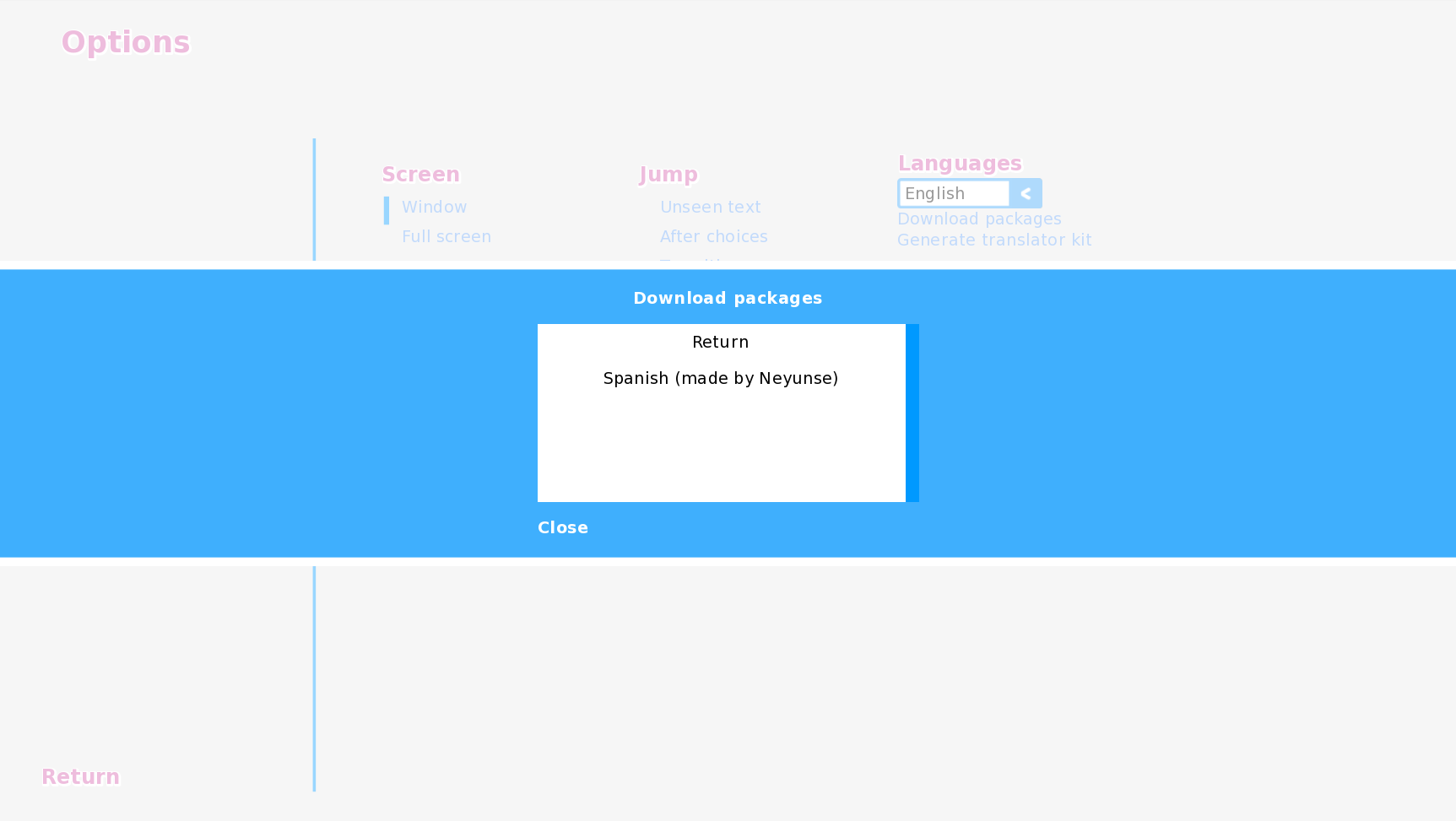
At the moment the option to download packages is disabled.
> Why was support for older versions of windows removed?
It is due to changes in the libraries that the game needs to run, on the other hand the Steam client requires at least windows 10 to run.